
Forgotten Your Password
2017-11-03 13:10:24
There are three ways to reset your password:
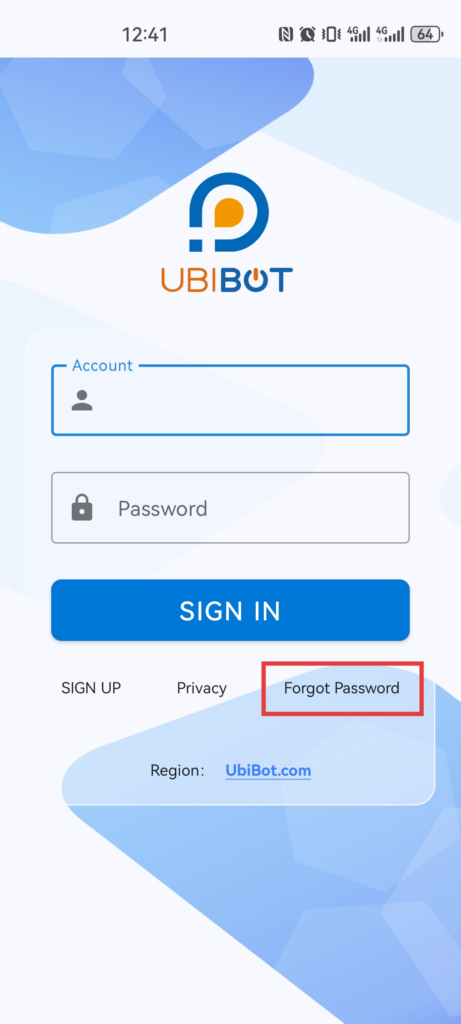
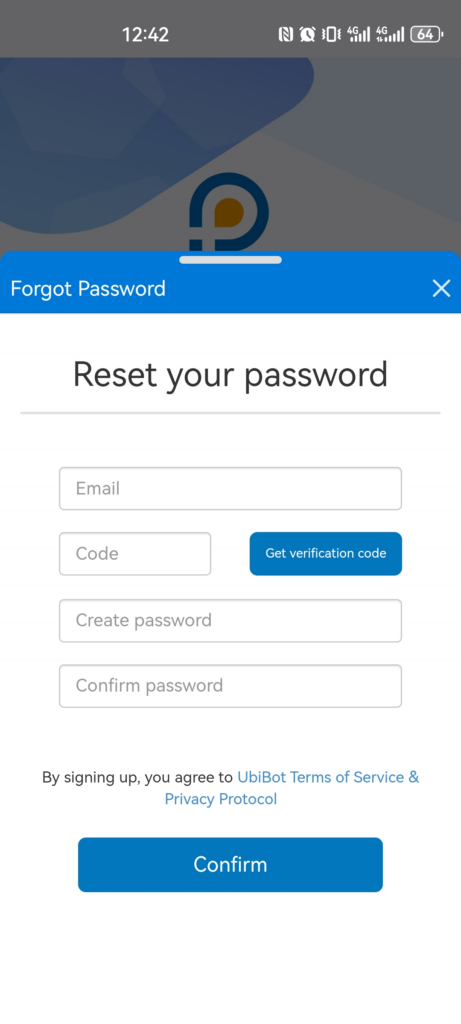
Open the App and on the Login page click "Forgot Password" under the Login button. This brings up a new screen where you need to enter your registered email address. Click the "Get verification code" button and you will be sent a reset code to your email. Enter this Code in the "Verify" box and then enter a new password in the Password Box. Finally click on "Confirm" to save the new password.
Go to the IoT platform Login page and click "Forgot your password" under the Login button. This brings up a new screen where you need to enter your registered email address. Click the "Send code" button and you will be sent a reset code to your email. Enter this Code in the "Verify" box, then enter a new password in the Password Box and confirm this password. Finally click on "Reset" to save the new password.
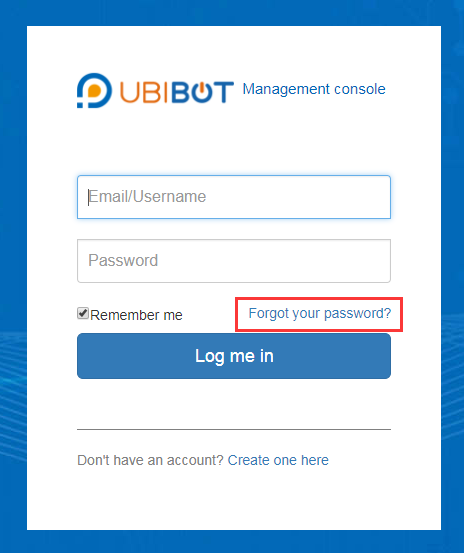

Go to the Login page and click "Forgot your password" under the Login button. This will redirect you to the webpage reset form. Now proceed in the same way described above.
- Using the UbiBot App
Open the App and on the Login page click "Forgot Password" under the Login button. This brings up a new screen where you need to enter your registered email address. Click the "Get verification code" button and you will be sent a reset code to your email. Enter this Code in the "Verify" box and then enter a new password in the Password Box. Finally click on "Confirm" to save the new password.
- Using the IoT Platform
Go to the IoT platform Login page and click "Forgot your password" under the Login button. This brings up a new screen where you need to enter your registered email address. Click the "Send code" button and you will be sent a reset code to your email. Enter this Code in the "Verify" box, then enter a new password in the Password Box and confirm this password. Finally click on "Reset" to save the new password.
- Using the UbiBot PC Software
Go to the Login page and click "Forgot your password" under the Login button. This will redirect you to the webpage reset form. Now proceed in the same way described above.