
How do I set up alerts?
2016-02-25 11:21:03
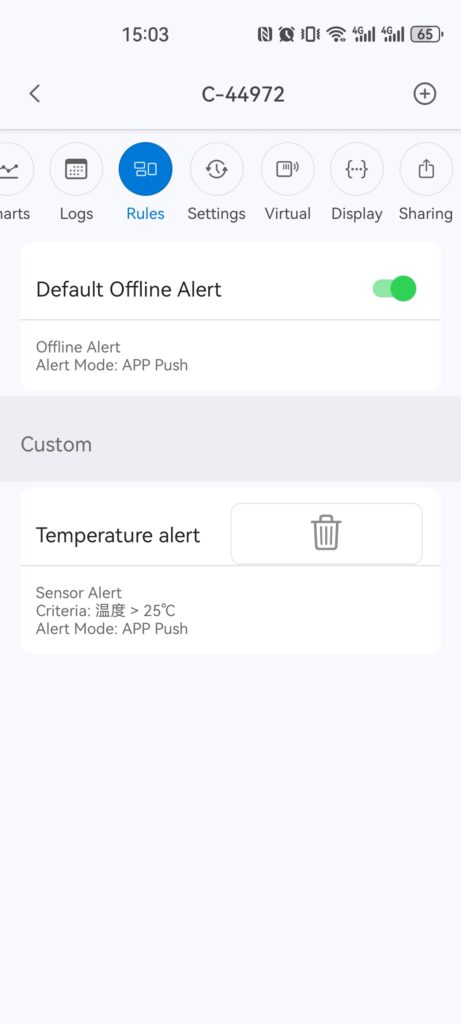
You can manage your alerts in the Rules page in the App.
Tap on the "+" to add a new alert. If you want to delete any alert, simply long-press the alert and then click the 'trash can' icon that appears next to it.
NOTE: The "Default Offline Alert" can only be turned off. It cannot be deleted.
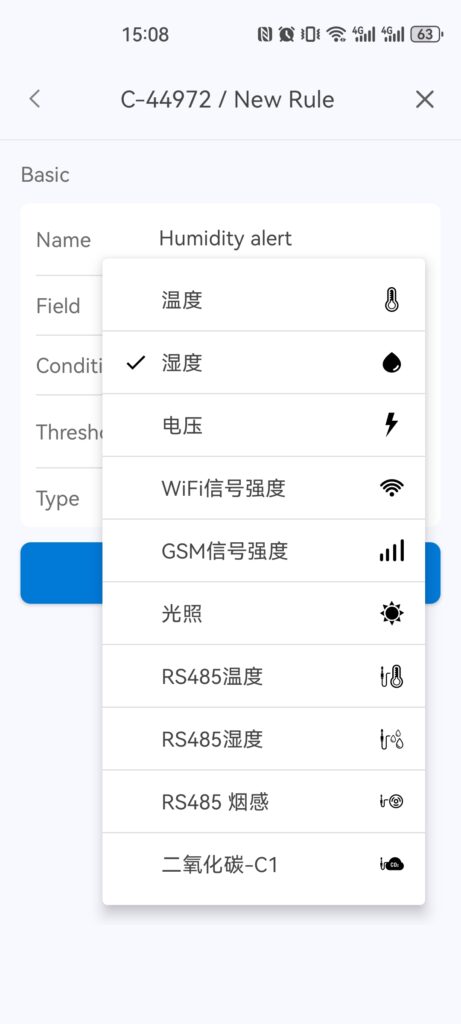
Alert Metric: You can set alerts for any of the metrics shown below. The voltage indicates the remaining battery in the device. Typically, when this drops below 2.6v, it's not able to support WiFi and hence data sync, alerts and wireless setup won't work.
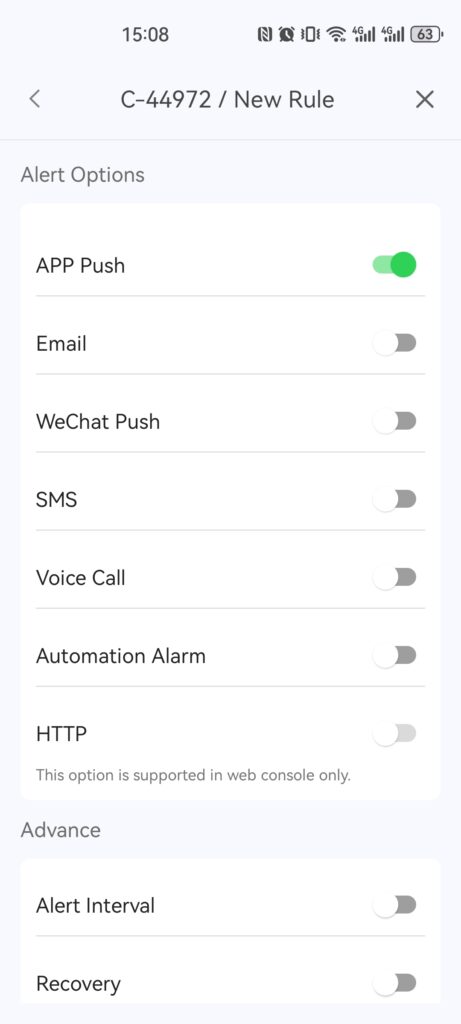
Modes of Alerts: We offer multiple channels to send alerts, including in-App notifications, emails, SMS texts, voice call and web notifications. You can configure any combination of these via the UbiBot ® App or using the IoT portal.
Please note that the SMS and voice call alerts will cost you credits from your balance. The precise fee depends on the network provider of the receiving number. This cost can be checked when you set up the alerts or on our pricing page.
Tap on the "+" to add a new alert. If you want to delete any alert, simply long-press the alert and then click the 'trash can' icon that appears next to it.
NOTE: The "Default Offline Alert" can only be turned off. It cannot be deleted.
Alert Metric: You can set alerts for any of the metrics shown below. The voltage indicates the remaining battery in the device. Typically, when this drops below 2.6v, it's not able to support WiFi and hence data sync, alerts and wireless setup won't work.
Modes of Alerts: We offer multiple channels to send alerts, including in-App notifications, emails, SMS texts, voice call and web notifications. You can configure any combination of these via the UbiBot ® App or using the IoT portal.
Please note that the SMS and voice call alerts will cost you credits from your balance. The precise fee depends on the network provider of the receiving number. This cost can be checked when you set up the alerts or on our pricing page.