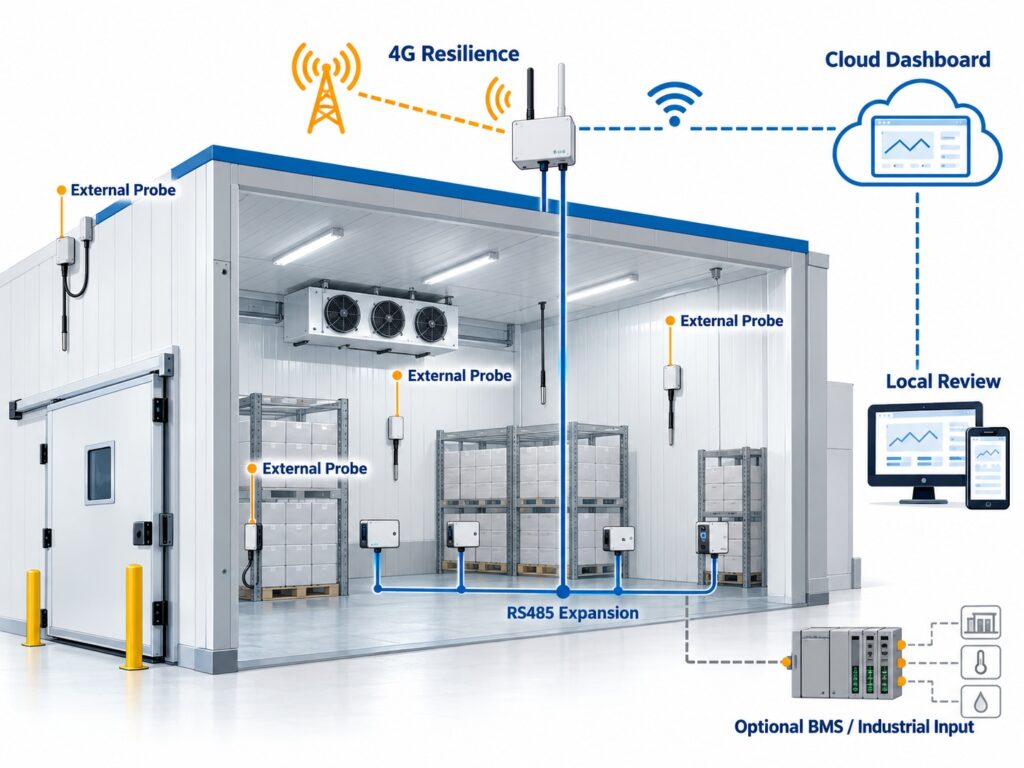
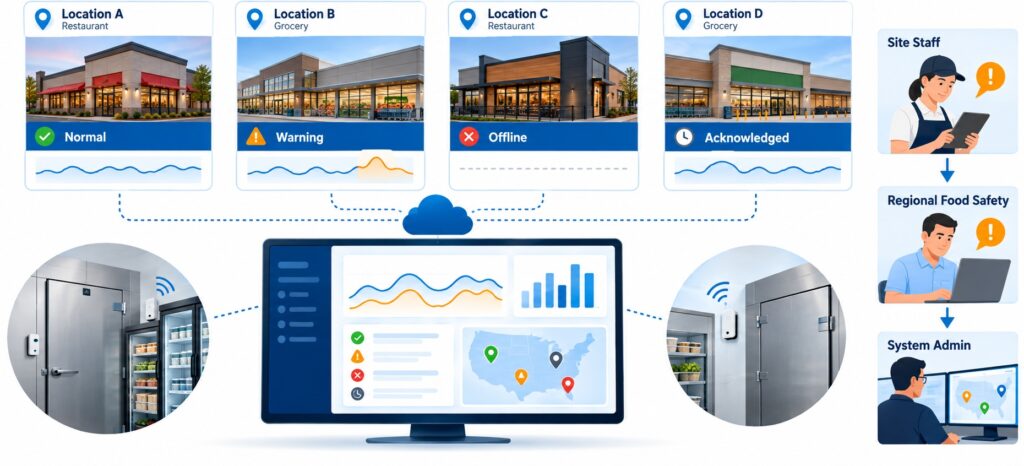
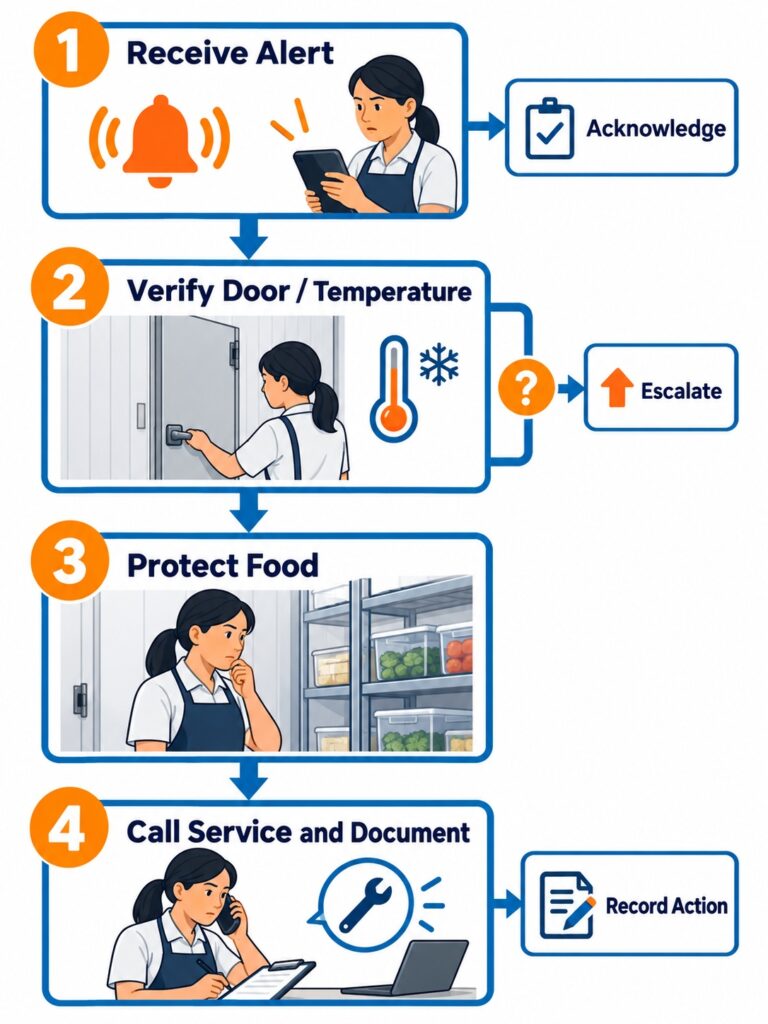
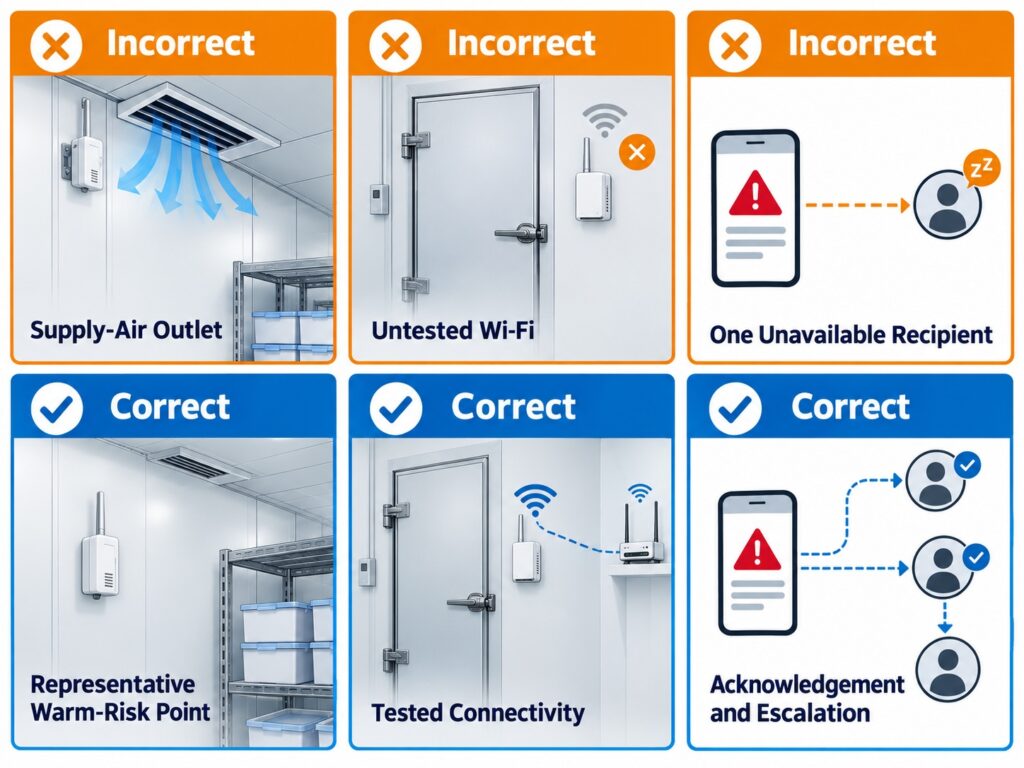
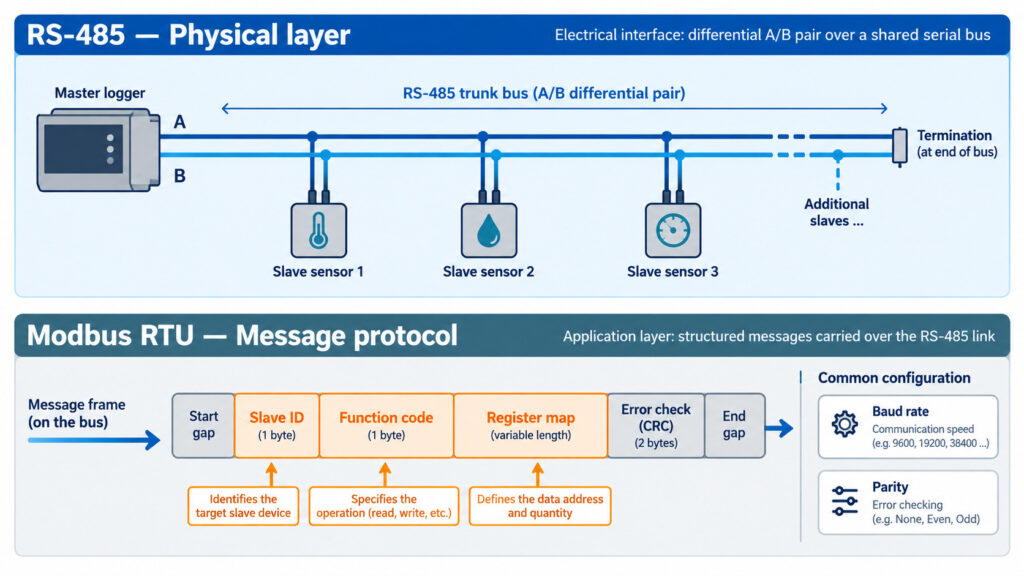
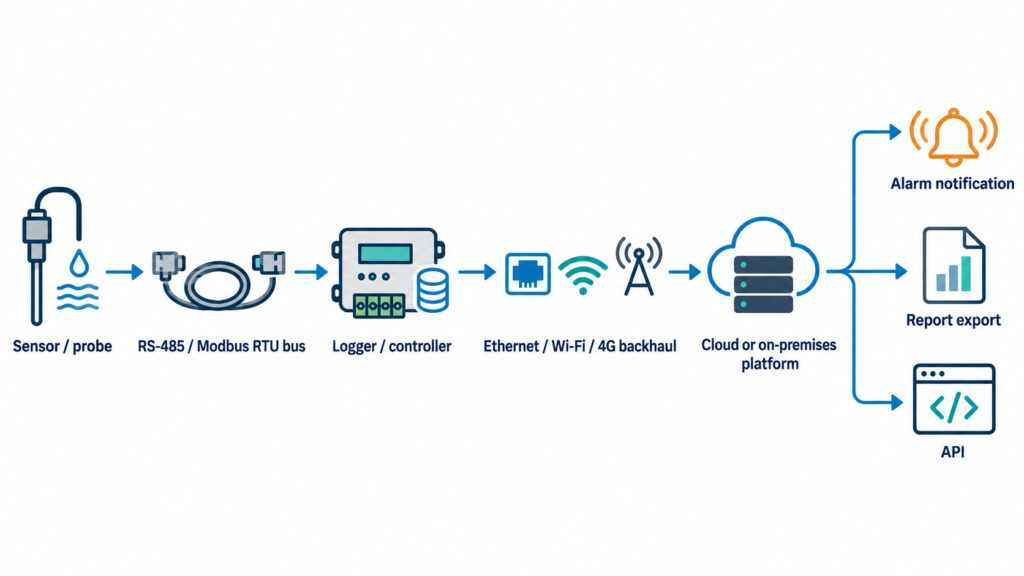
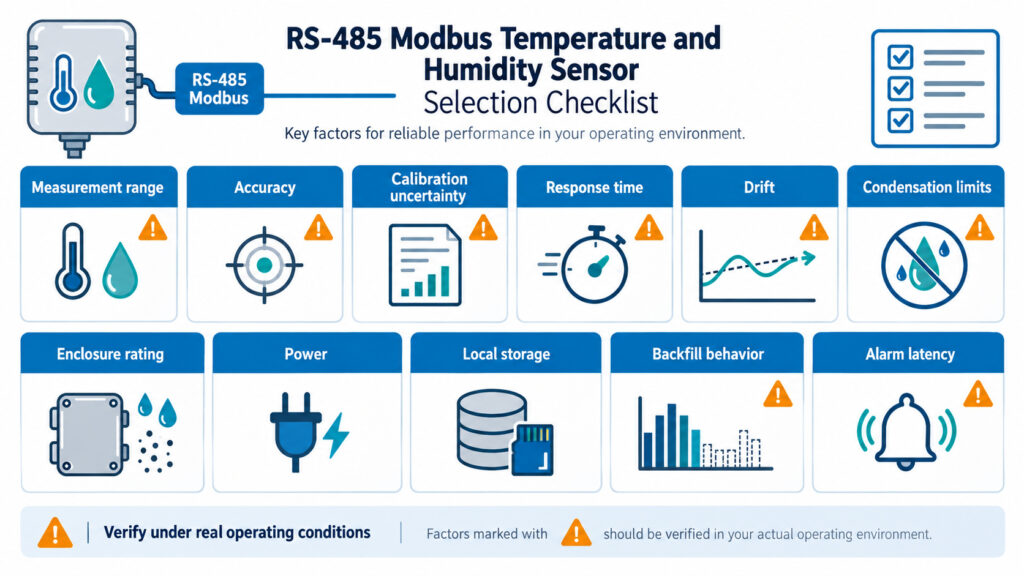
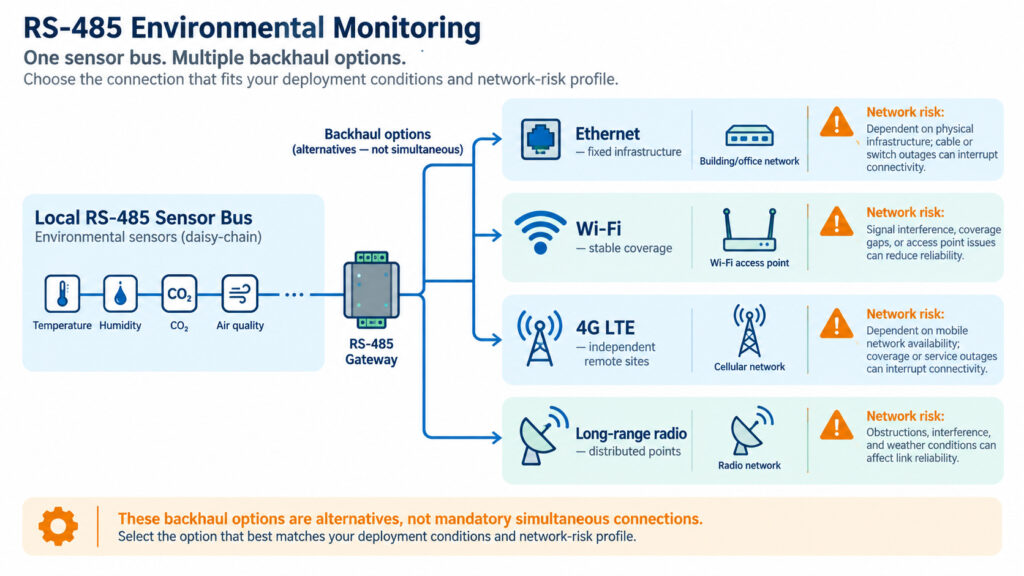
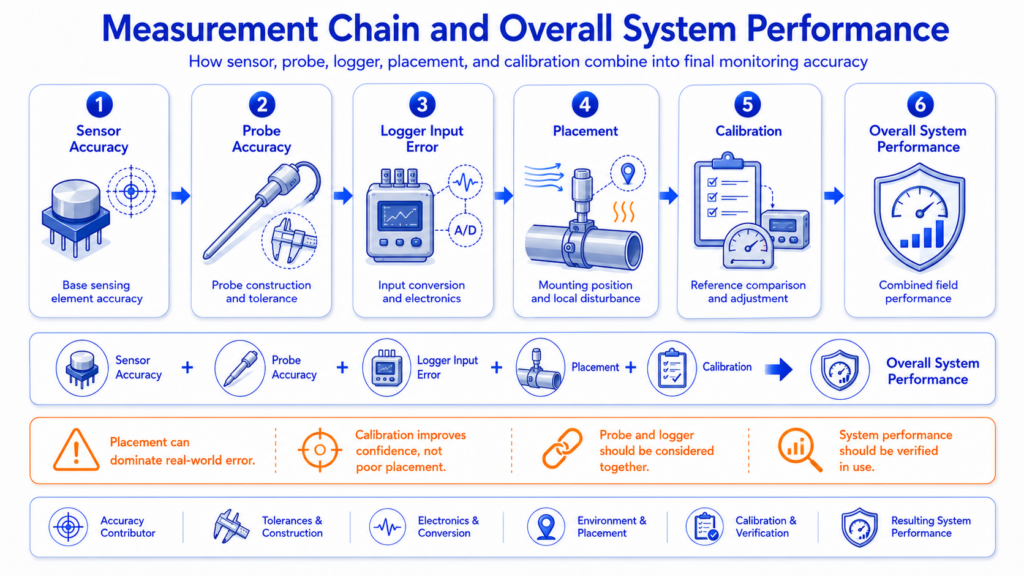
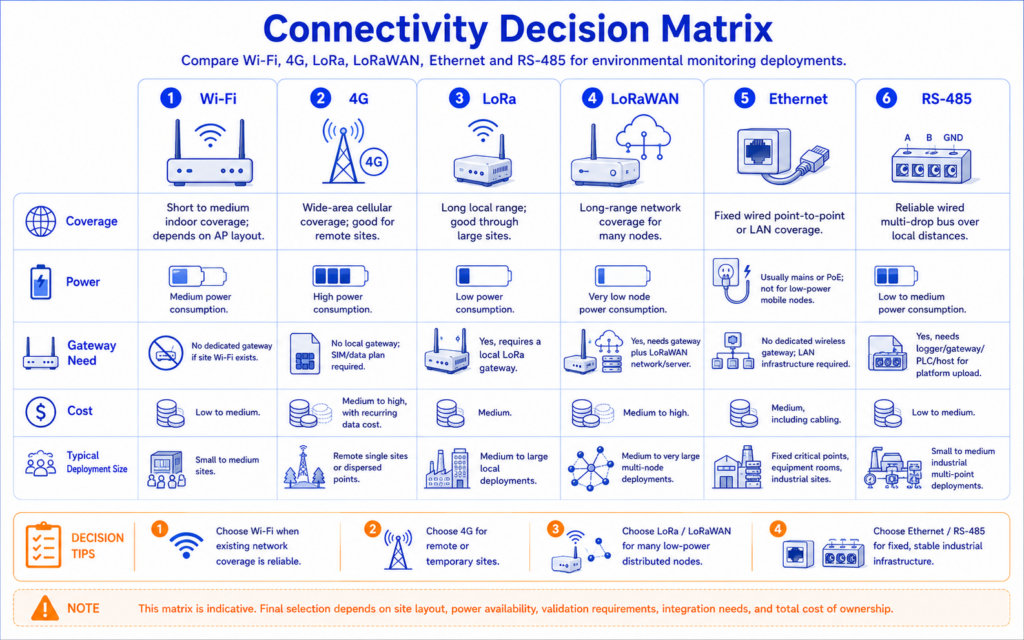
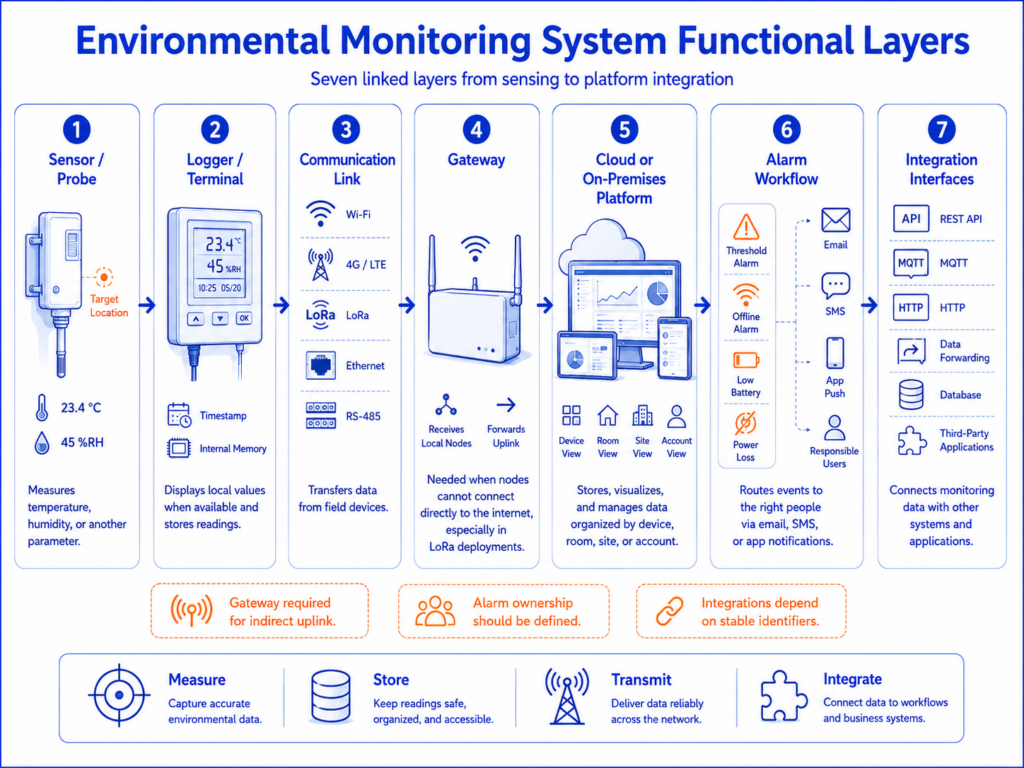
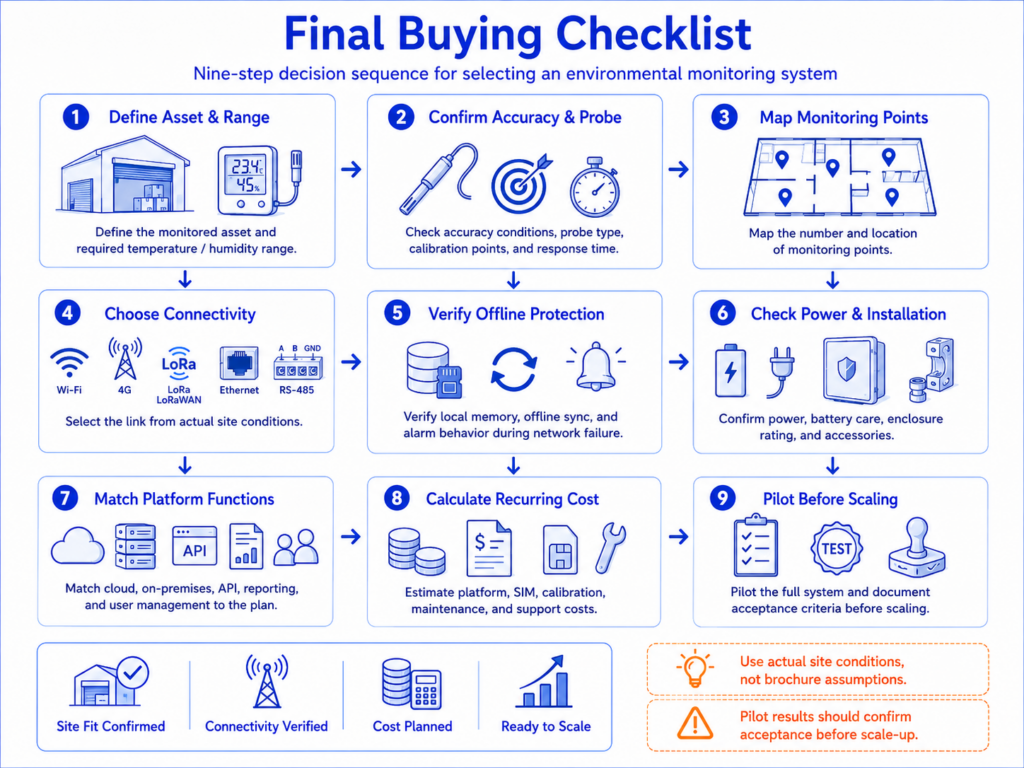
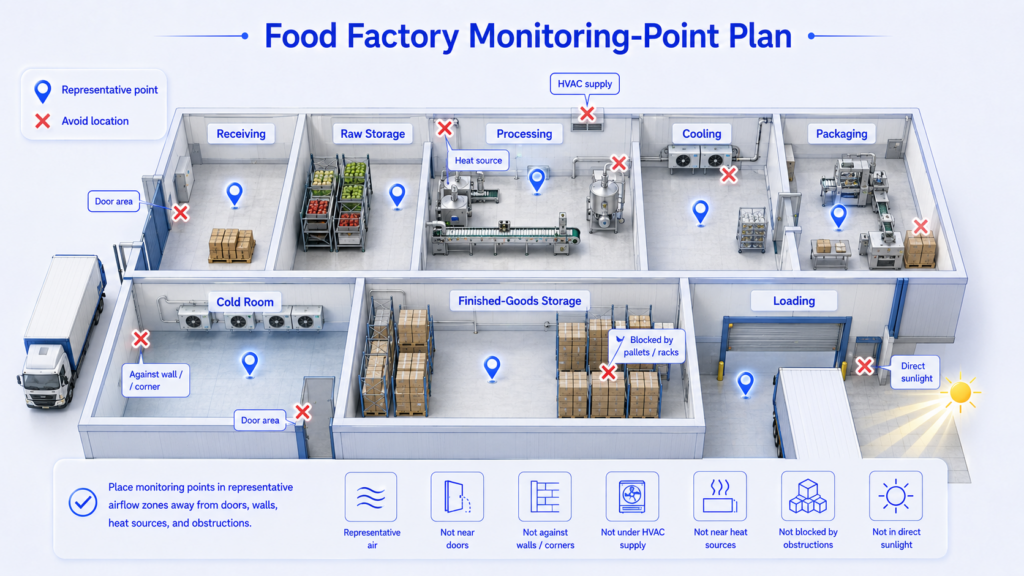
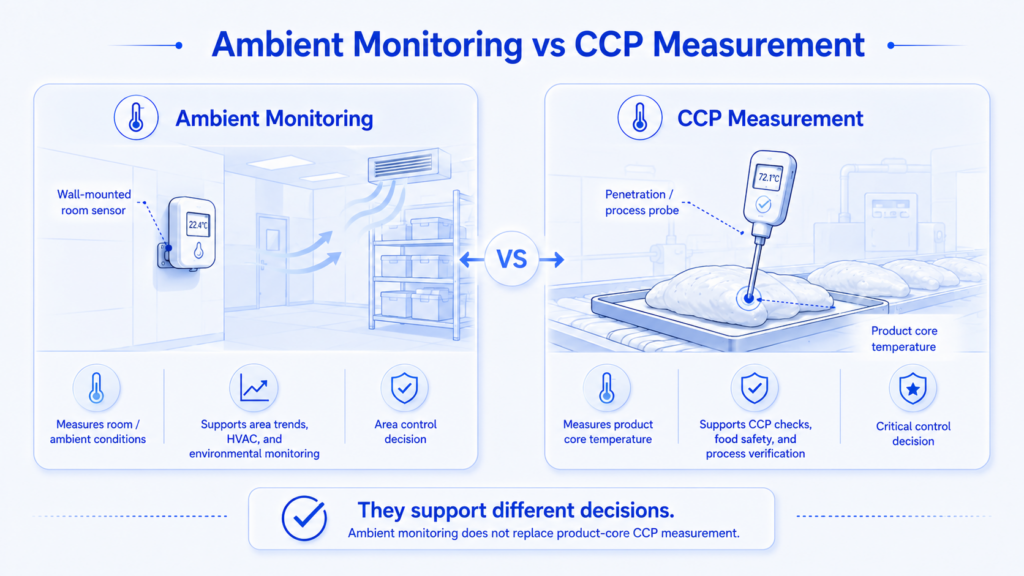
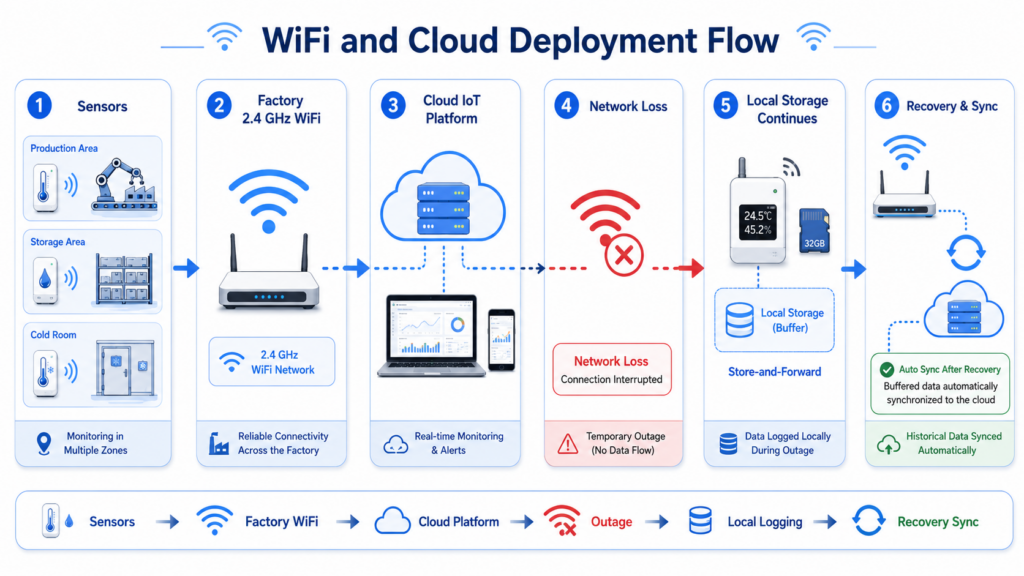
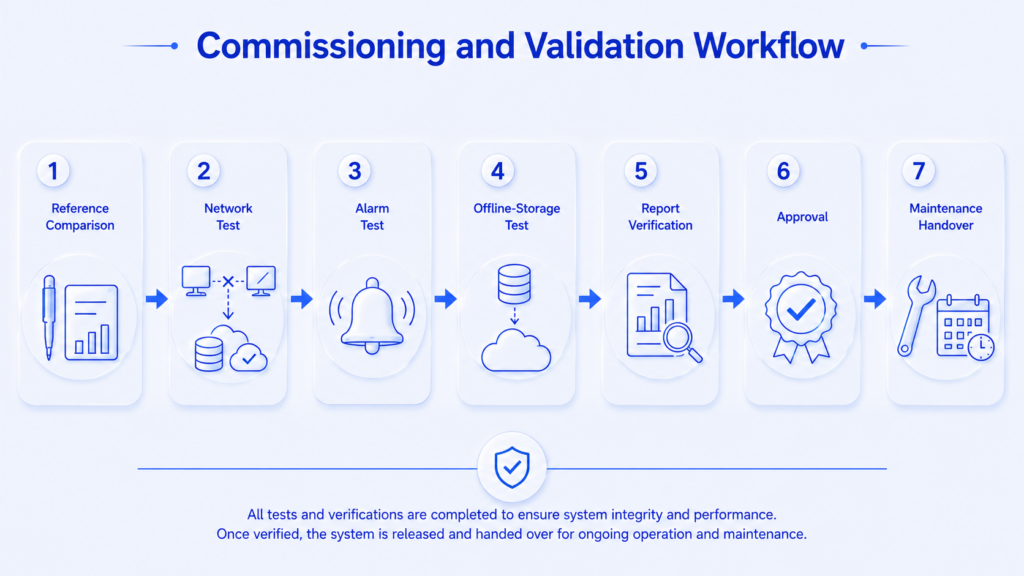
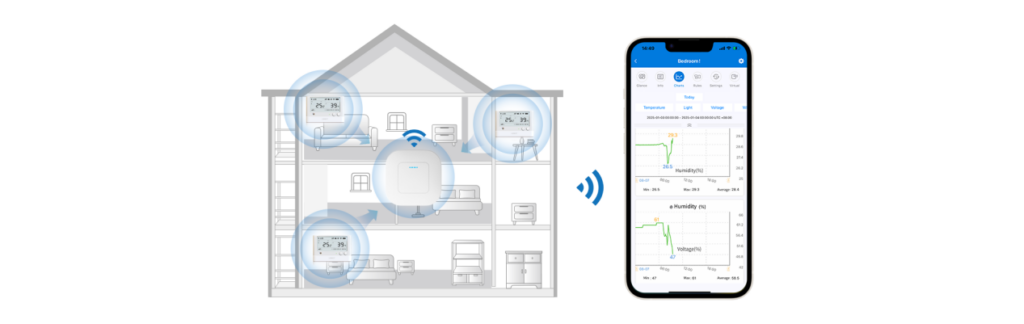
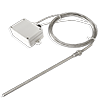
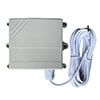
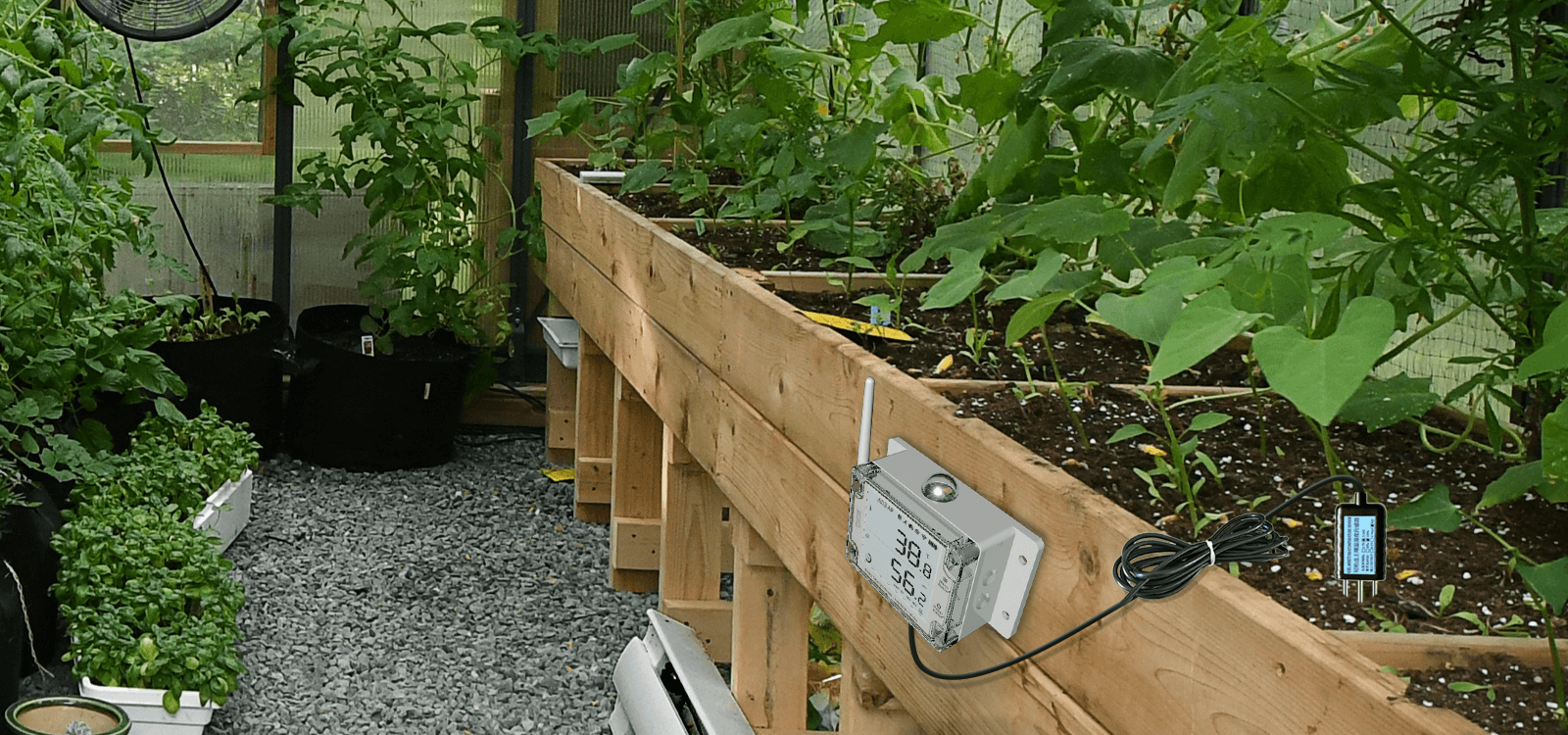
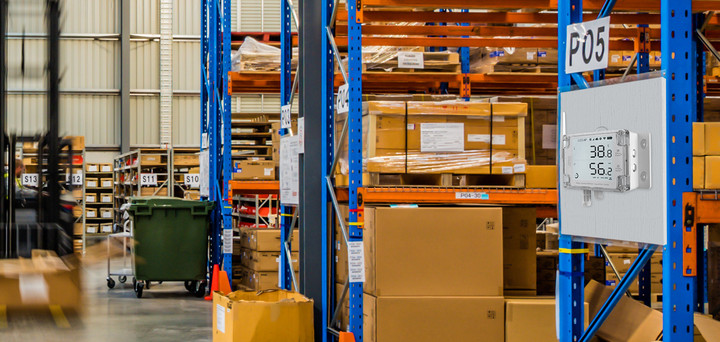
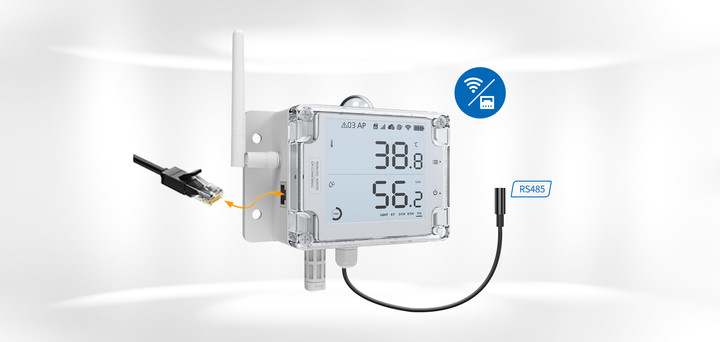
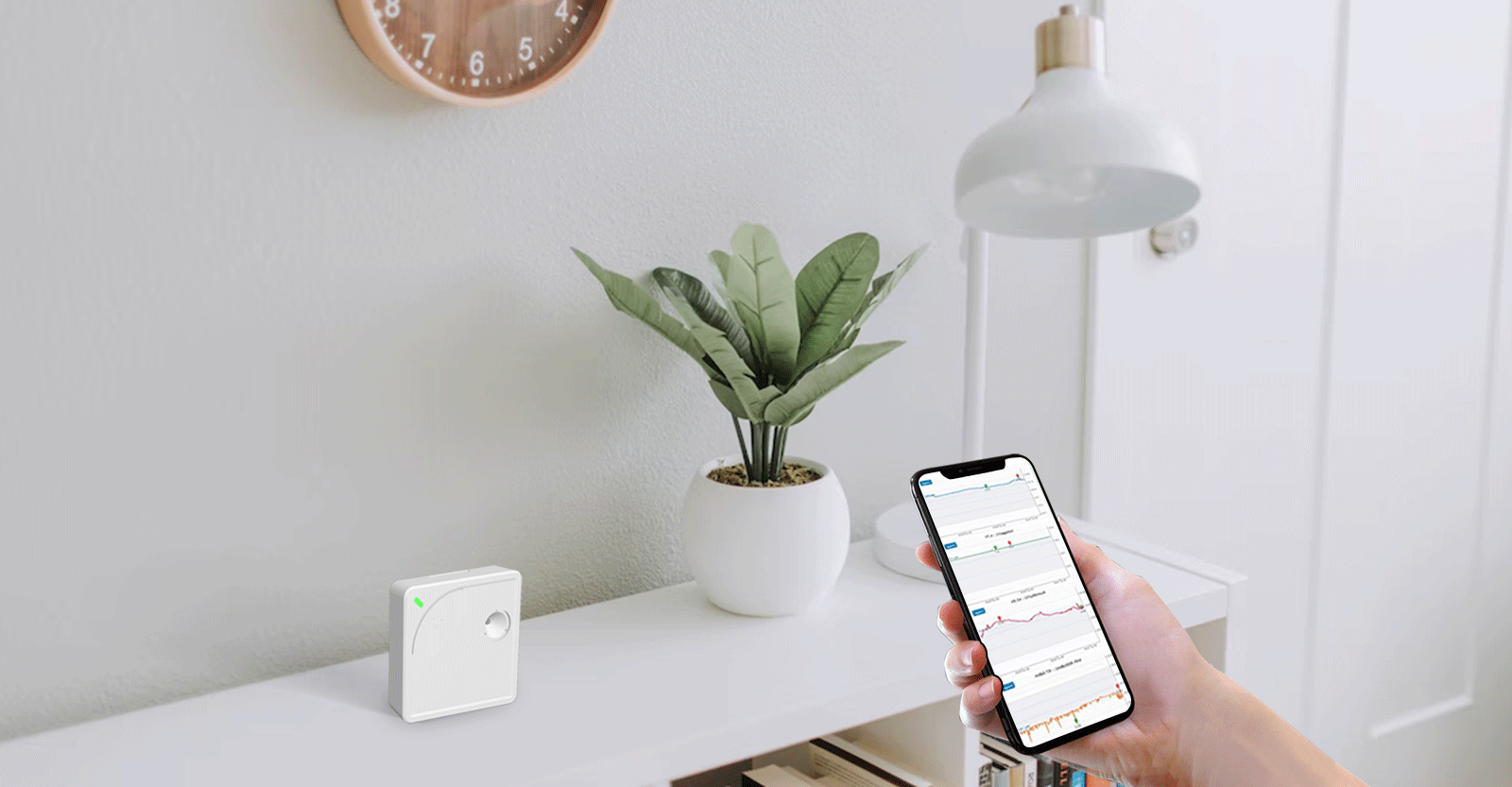
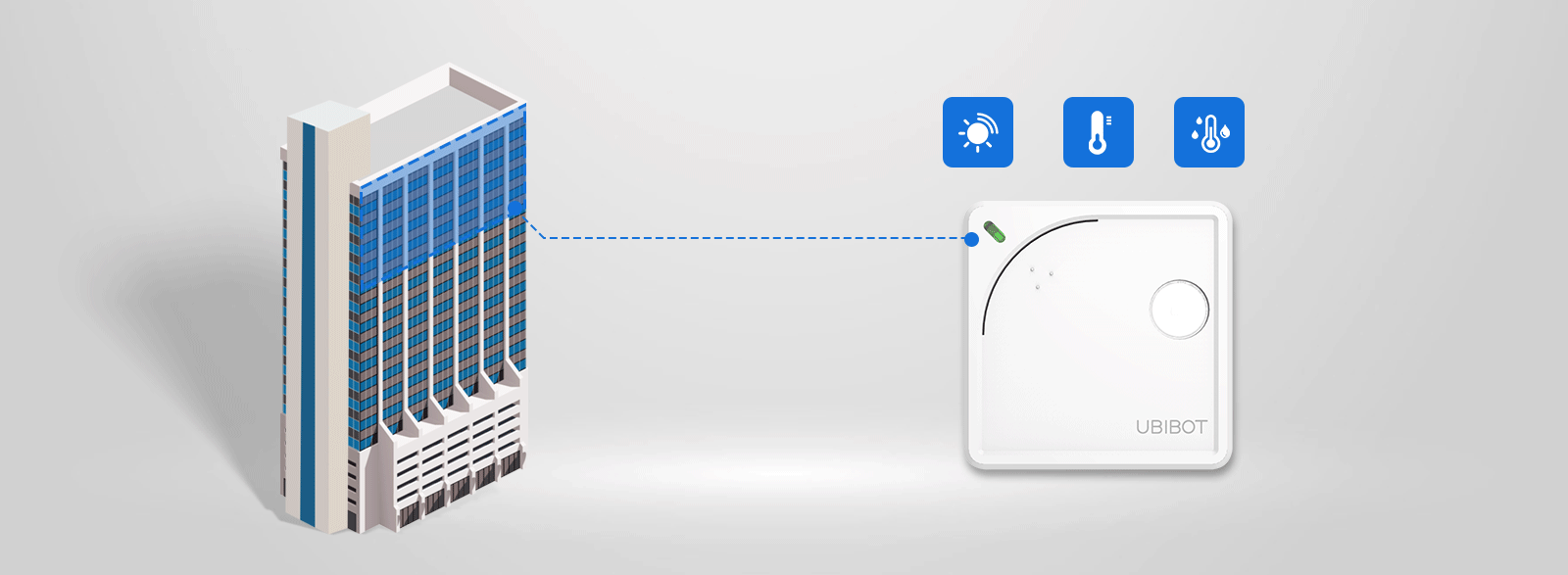
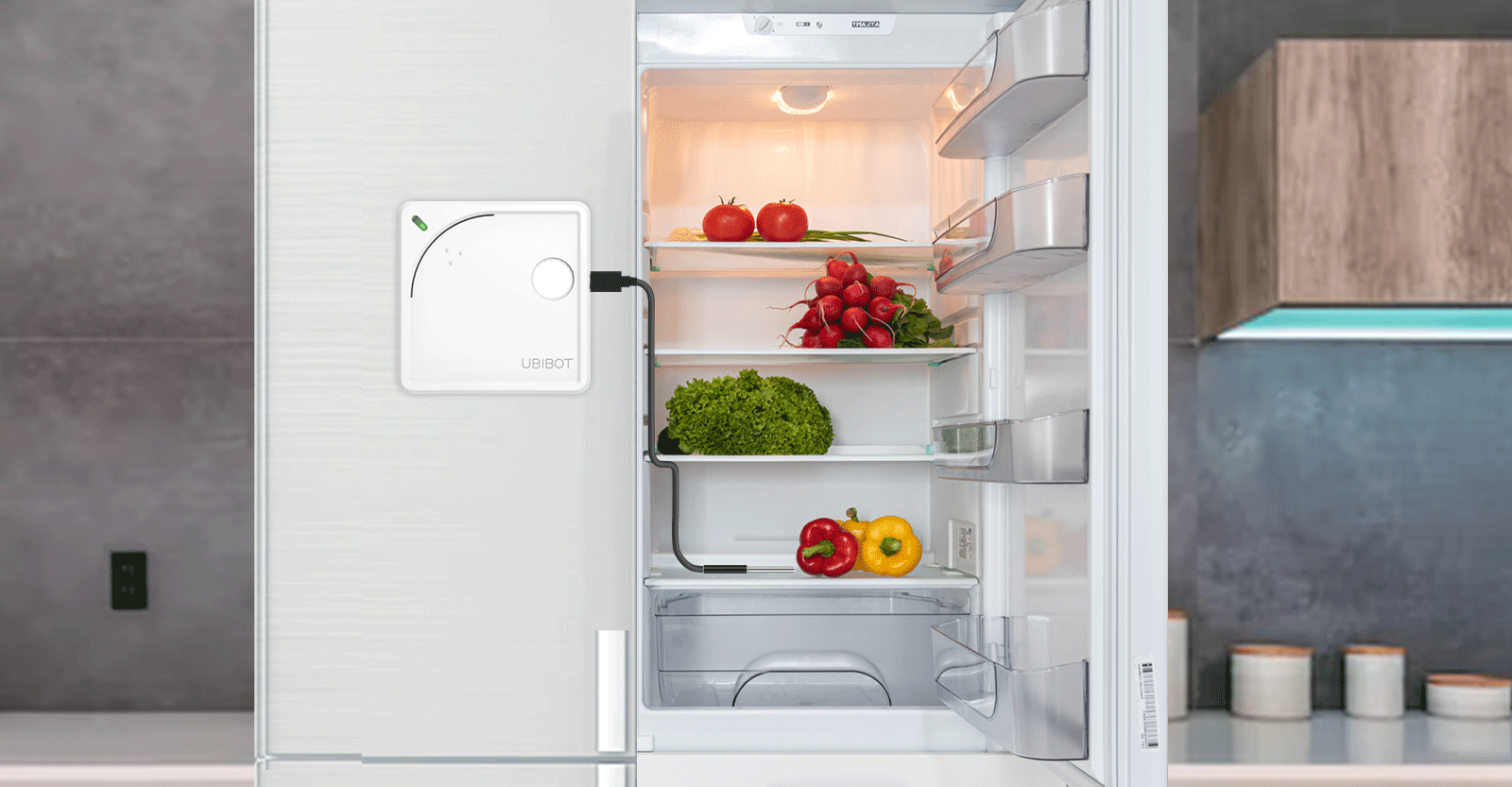
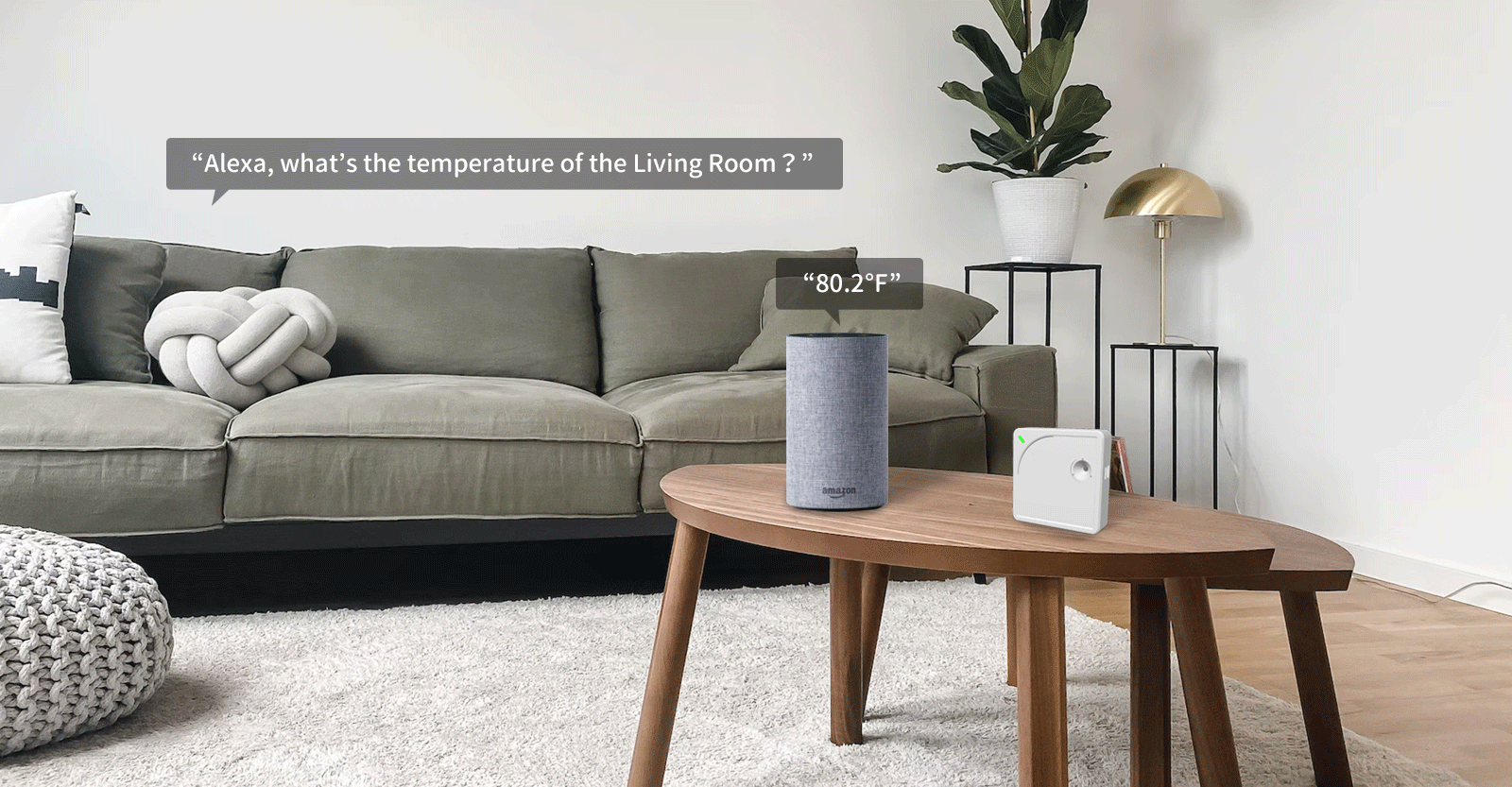
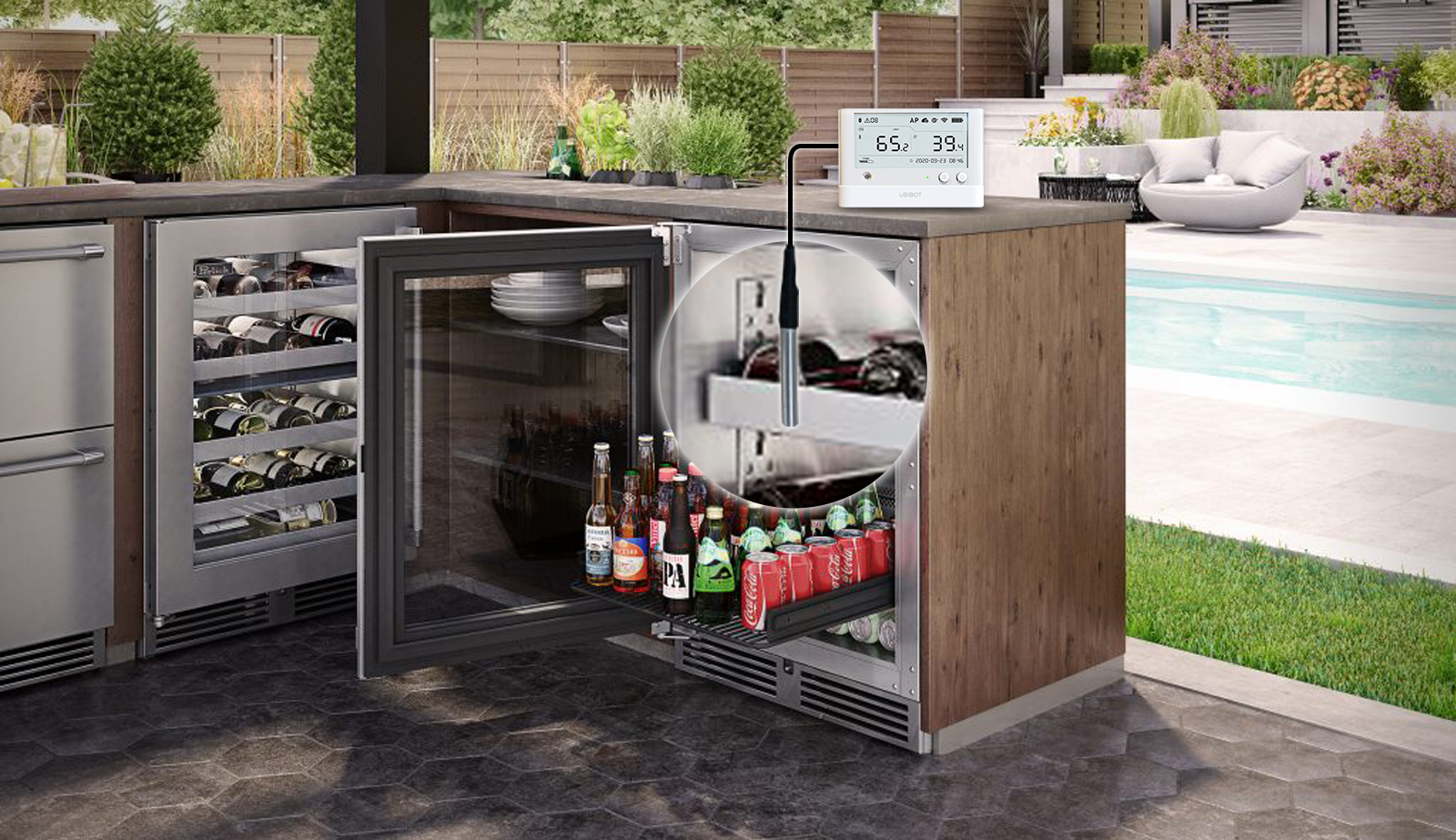
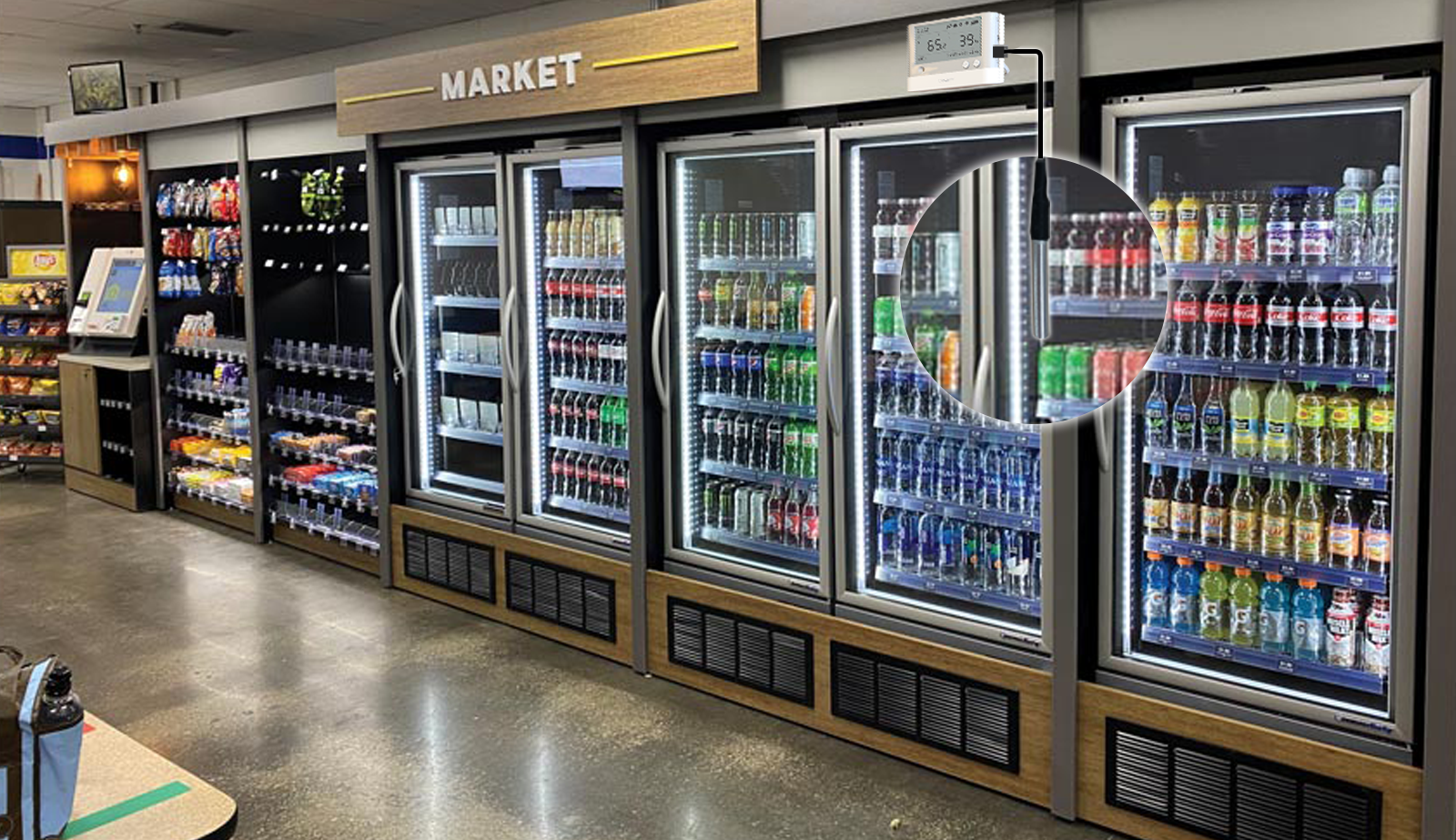
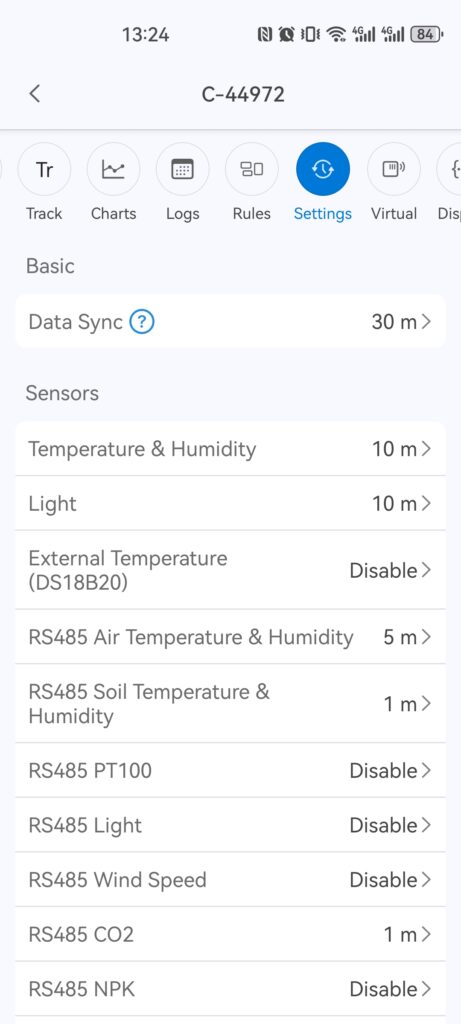
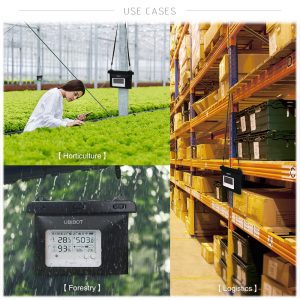
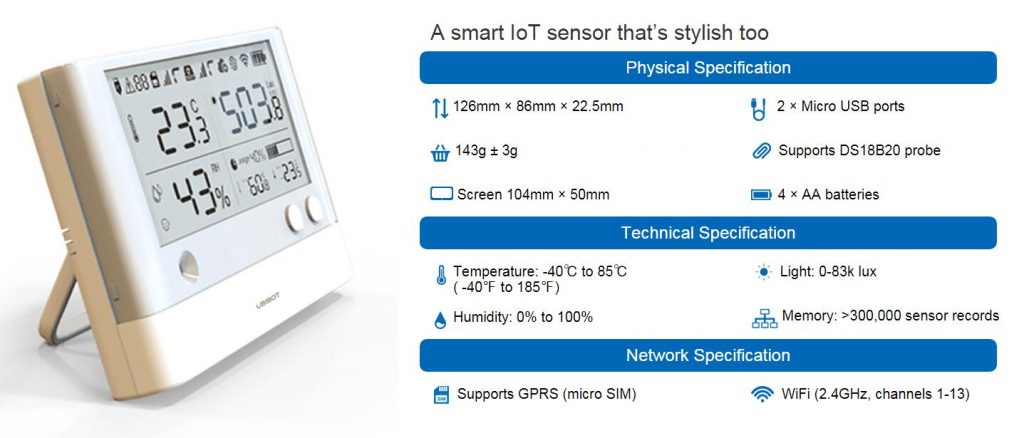
UbiBot Industrial-grade Temperature and Humidity Sensor THS-NEX
UbiBot Vision AI Box VA1 / VE1
UbiBot Device 4G Setup Guide
UbiBot Device Ethernet Setup Guide
UbiBot Device WiFi Setup Guide
Telegram with UbiBot Trigger Alerts and UbiHTTP
We now support integration with Telegram via HTTP to provide additional alert notification methods.
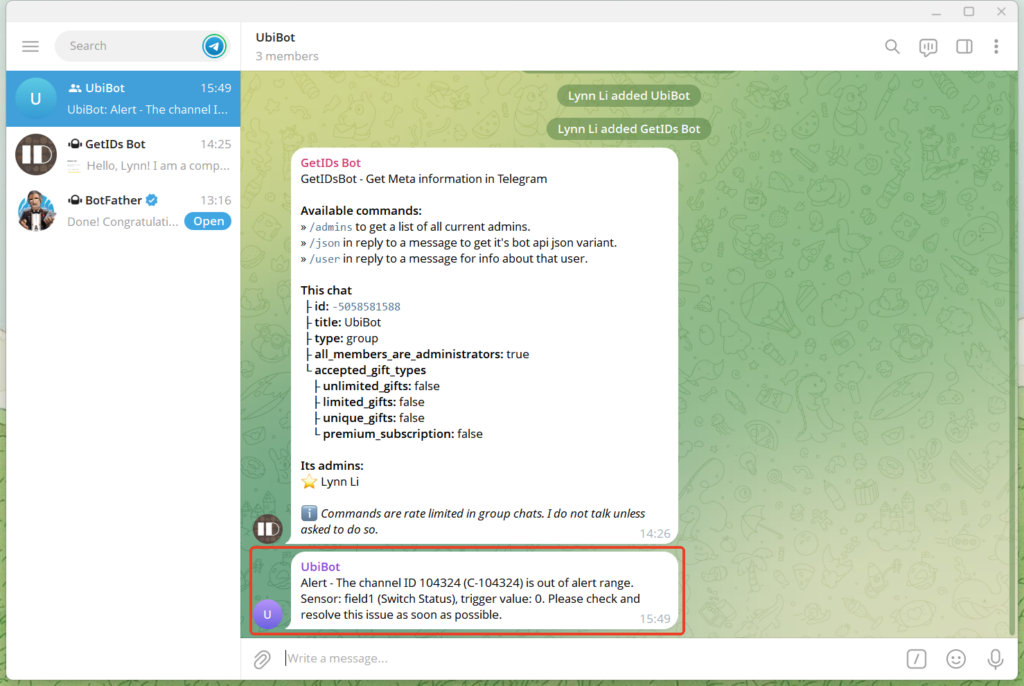
This example demonstrates how to integrate the UbiBot platform with Telegram. You will need to first create a UbiHTTP item on the HTTP interaction page first, then configure the corresponding trigger rule under channel page. When the rule is triggered, it will invoke the Telegram bot to send a message to your group or channel.
Steps 1: Create a Telegram Bot
- Search for @BotFather, and send '/start'.
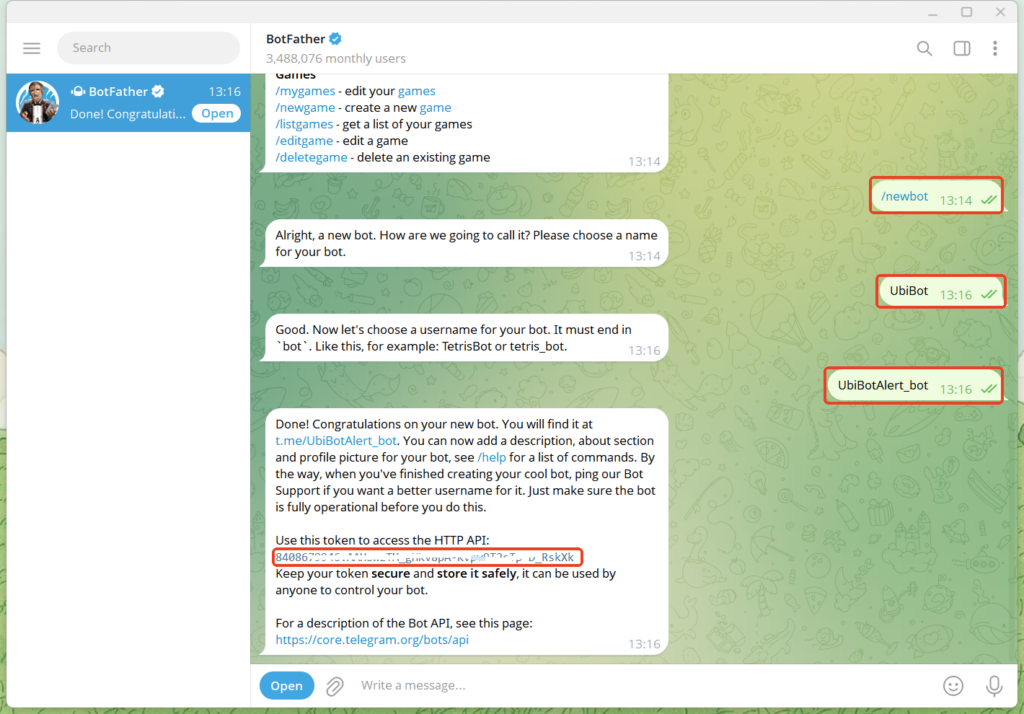
- Send '/newbot' to create a bew bot.
- Set the bot's name and username (such as UbiBotAlert_bot).
- After successful creation, @BotFather will provide an API Token (such as 123456:ABC-DEF1234ghIkl-zyx57W2v1u123ew11).
Steps 2: Add the bot to the group
- Create and open your group.
- Tap the group name to access settings.
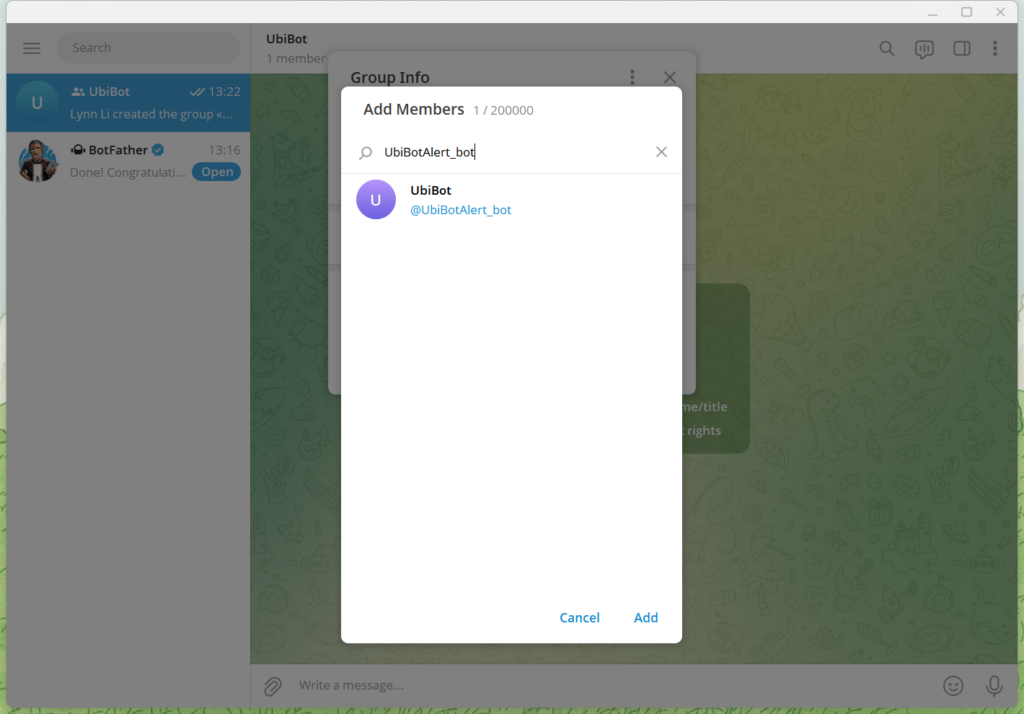
- Select "Add members", search for the bot's username you just created (e.g. UbiBotAlert_bot) and add the bot.
Note: If the bot cannot be added, it may be due to privacy mode settings or group permission restrictions. Please follow the steps below to adjust the settings.
To ensure the bot functions properly, you need to assign it the appropriate permissions.
In the group, click the bot's name and select "
Promote to Administrator". Then, enable the following permissions as needed:
- Delete Messages: Allows the bot to clean up spam or unwanted messages.
- Restrict Members: Enables the bot to mute or remove members.
- Invite Users via Link: Allows the bot to create or share invite links.
- Change Group Info: Allows the bot to modify group details such as name or profile picture.
- Post Messages Anonymously: Usually not required.
- Adjust Bot Privacy Settings
By default, many bots operate in Privacy Mode, meaning they can only see messages that mention them or are replies to them.If you want the bot to monitor all messages (e.g., for keyword detection or automatic greetings), you need to disable privacy mode.
To disable privacy mode, send
'/setprivacy' to
@BotFather. Select your bot and choose "
Disable" to turn off privacy mode.Once disabled, the bot will be able to receive all messages in the group (administrator permissions are still required).
Steps 3: Retrieve the group chat_id
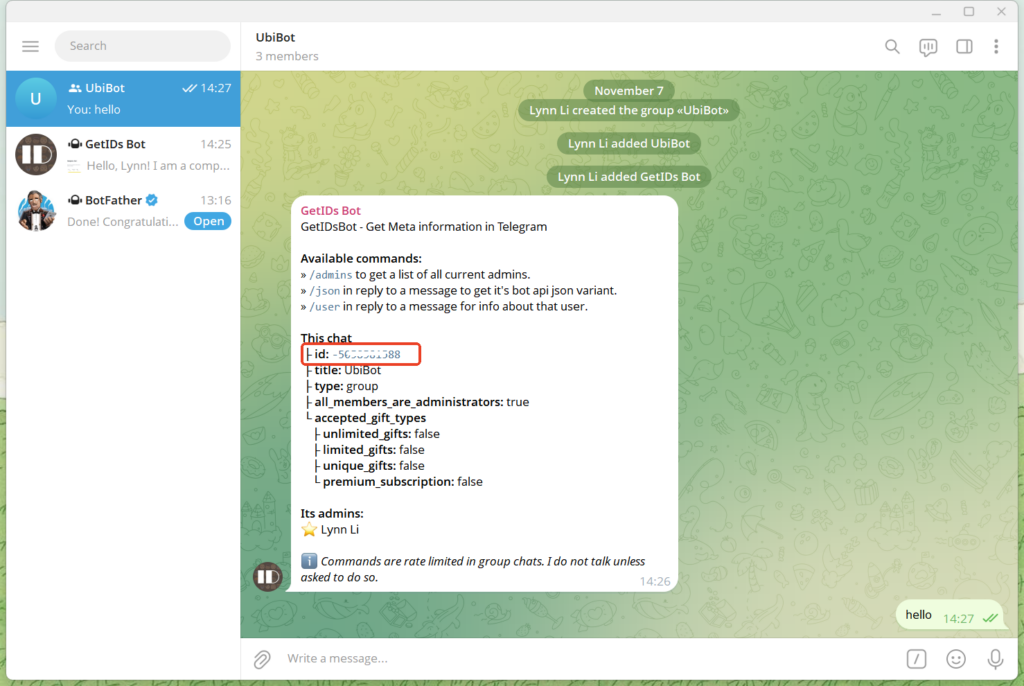
- Search for @getidsbot and click START or send the '/start'.
- Add @getidsbot to your group.
- The bot will send the group ID, which is usually a negative number (for example, -50******88).
Steps 4: Set up HTTP
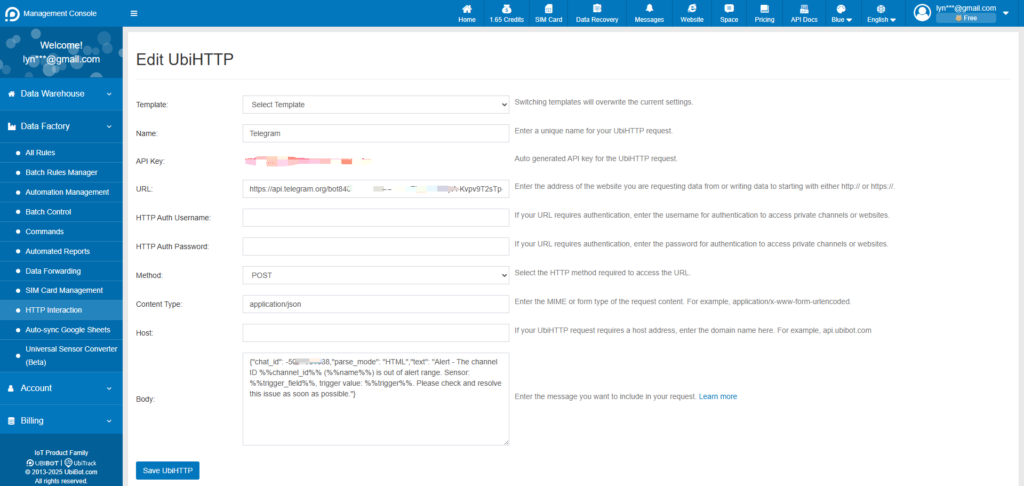
- Log in to the Ubibot console(console.ubibot.com), navigate to HTTP interaction page.
- Create a HTTP.
- Enter the URL, select "POST" method and enter content type "application/json". The URL should be "https://api.telegram.org/botAPI Token/sendMessage", the API Token is the token obtained in the first step, e.g. https://api.telegram.org/bot8408679946:AAHowzTM_gHKv8pA-Kvpv9T2sTp-D_RskXk/sendMessage.
- The Body contains the message content to be sent, and the chat_id must be replaced with the group chat ID obtained in the third step. If you need to adjust the content, please refer to the FAQ.
Steps 5: Create an Alert Rule
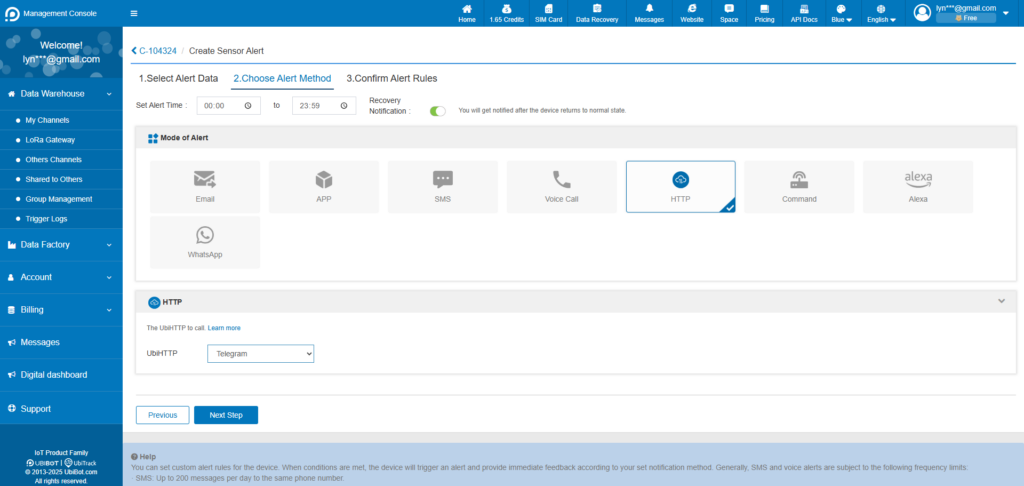
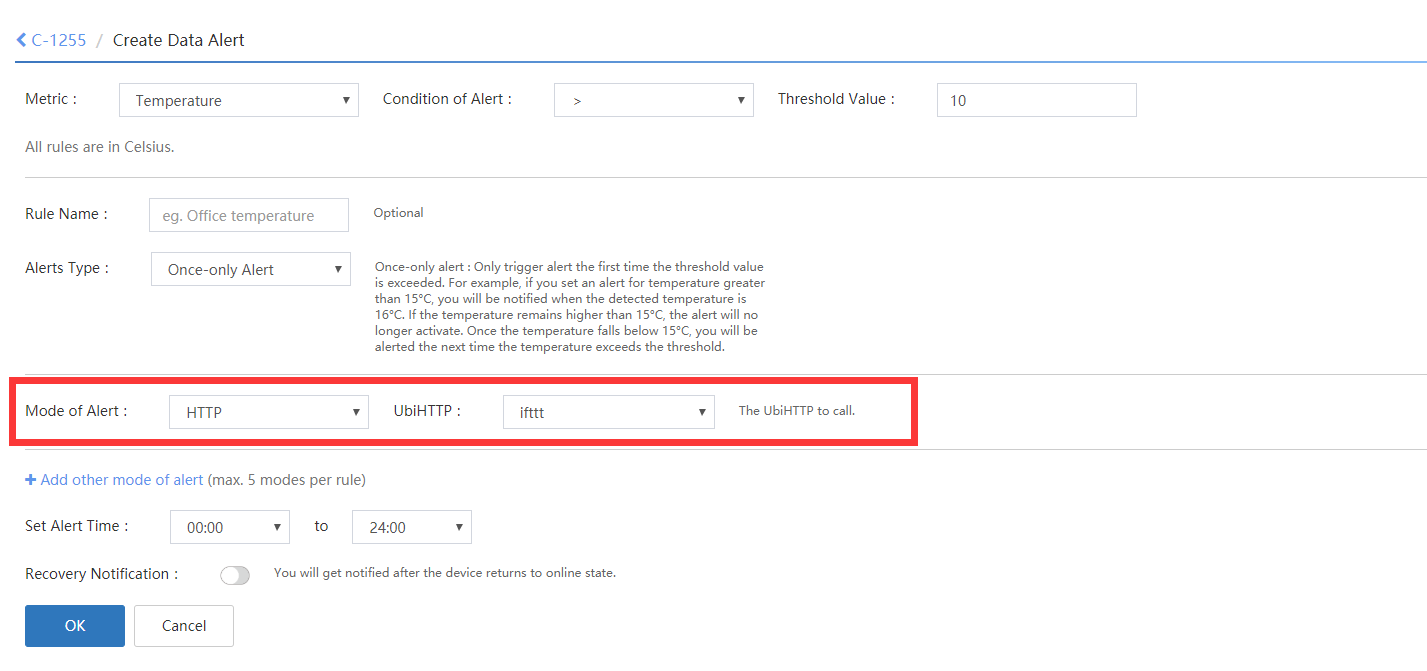
Create an alert rule from the console panel of the selected channel. Choose "HTTP" as the alert mode and select the created UbiHTTP in step 4. When the this sensor rule is satisfied, it will trigger the UbiHTTP to send a message the your Telegram group.

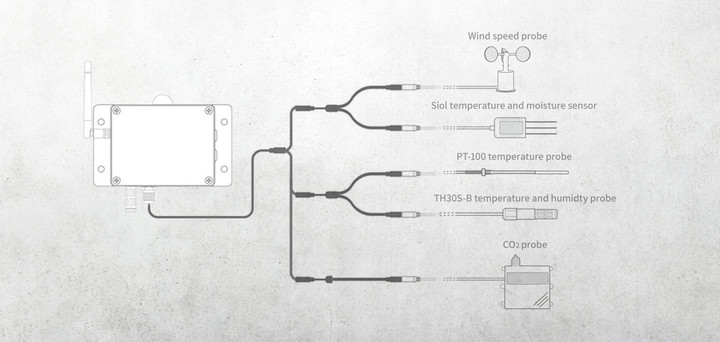
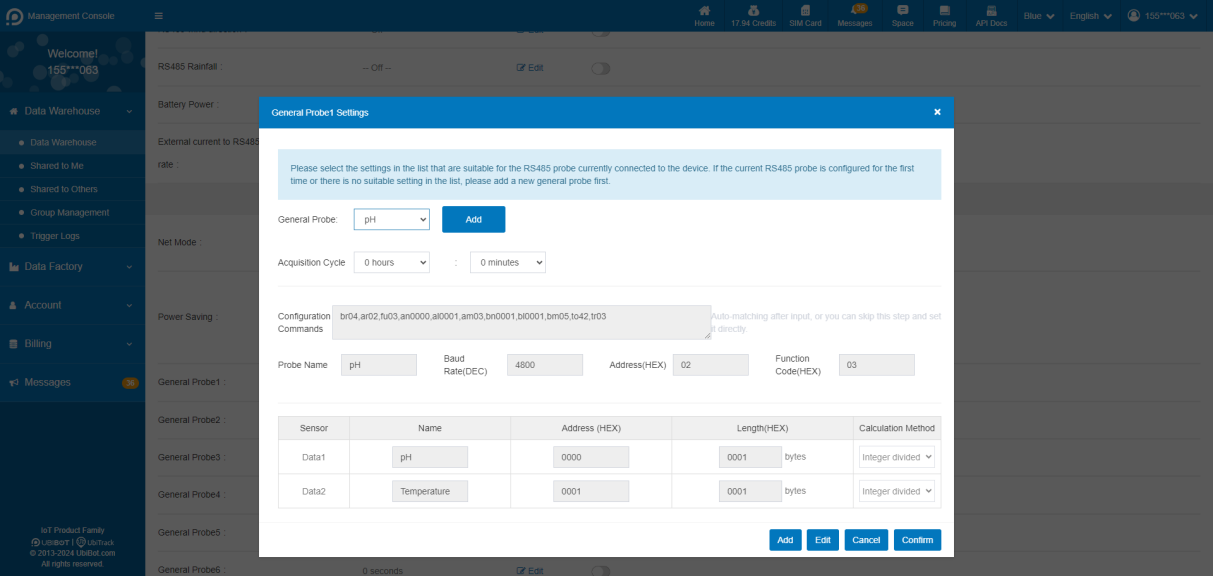
UbiBot General Probe Feature Now Available
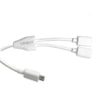
Using UbiBot Micro-USB Cable Splitter
Micro-USB Cable Splitter
1. Product Overview
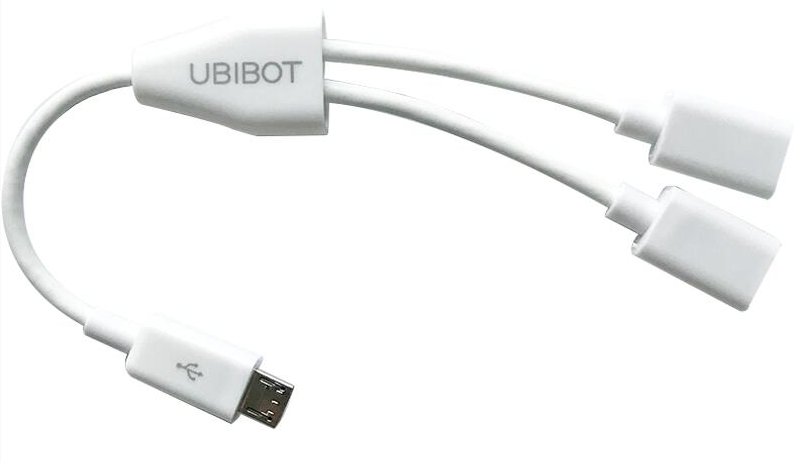
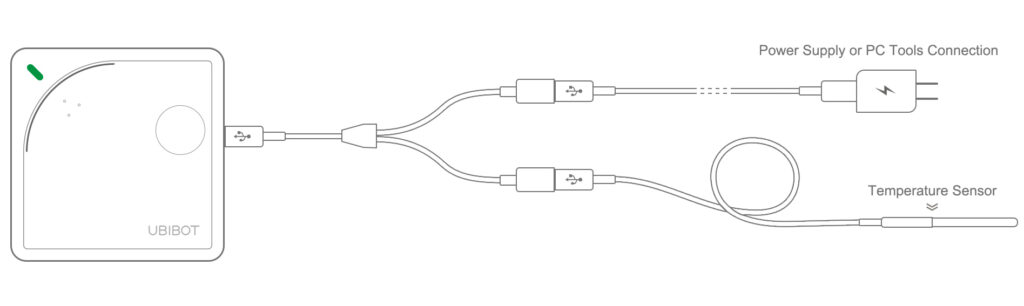
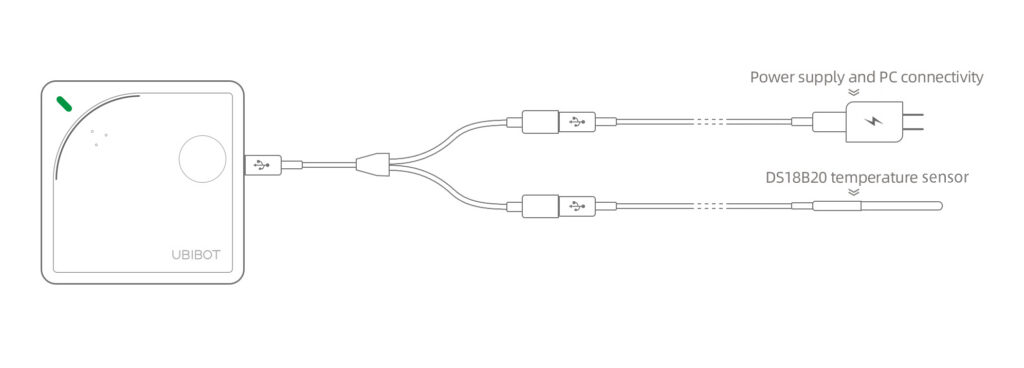
The UbiBot Micro-USB Cable Splitter converts a single Micro-USB port into two Micro-USB female ports. It can be used with UbiBot WS1 and WS1 Pro devices.

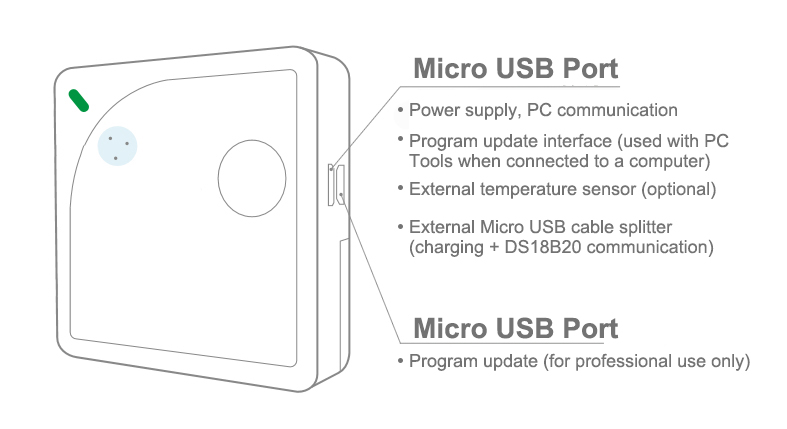
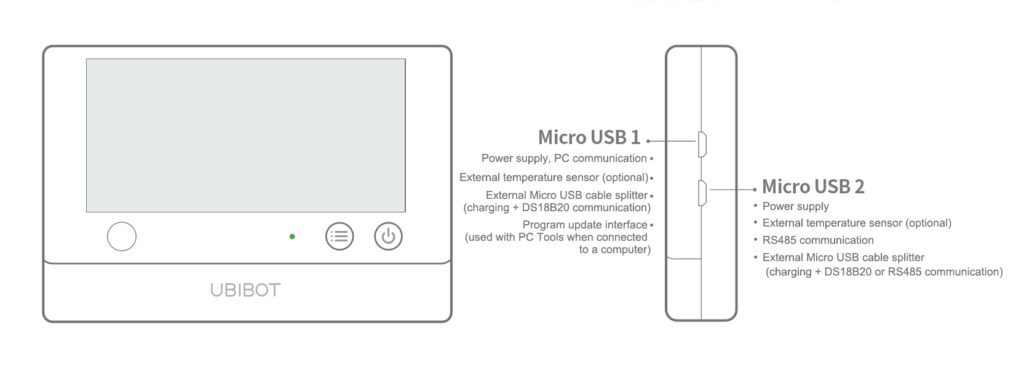
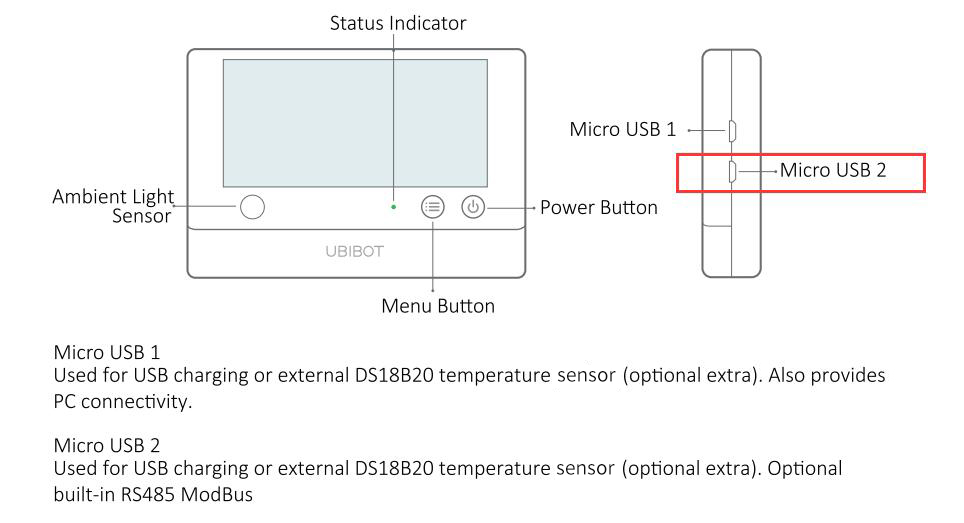
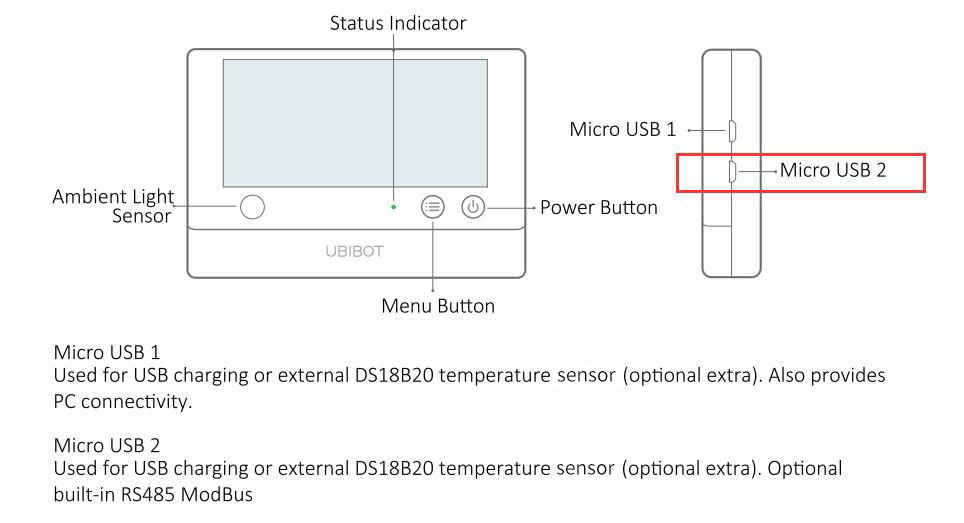
2. External Interface Overview of WS1 and WS1 Pro
WS1: The WS1 has only one Micro-USB port, so only one splitter can be connected.

WS1 Pro: The WS1 Pro has two Micro-USB ports, and both ports can be connected to a splitter.

3. Instructions for Use
The Micro-USB Cable Splitter offers multiple connection options when used with WS1 and WS1 Pro devices.
3.1 Using with WS1
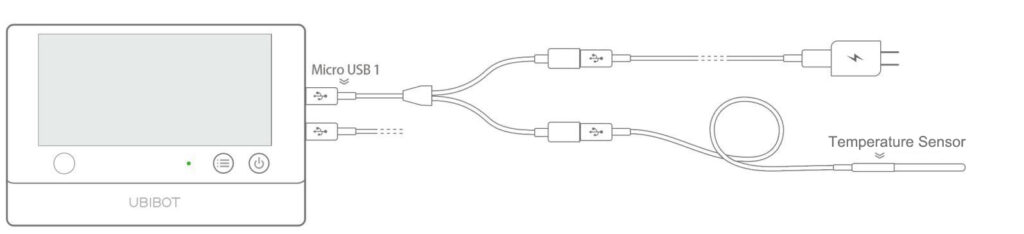
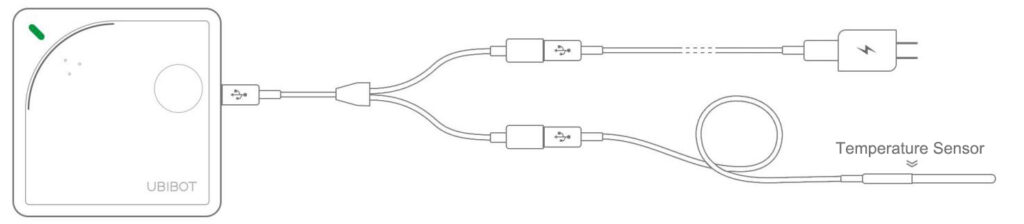
When used with WS1, the splitter connects to the Micro-USB port. One end connects to a power adapter, and the other end connects to an external temperature sensor.
The WS1 can also work without the splitter by directly connecting a temperature sensor and using two AA batteries for power. In this case, please pay attention to the battery level to avoid unexpected shutdown.

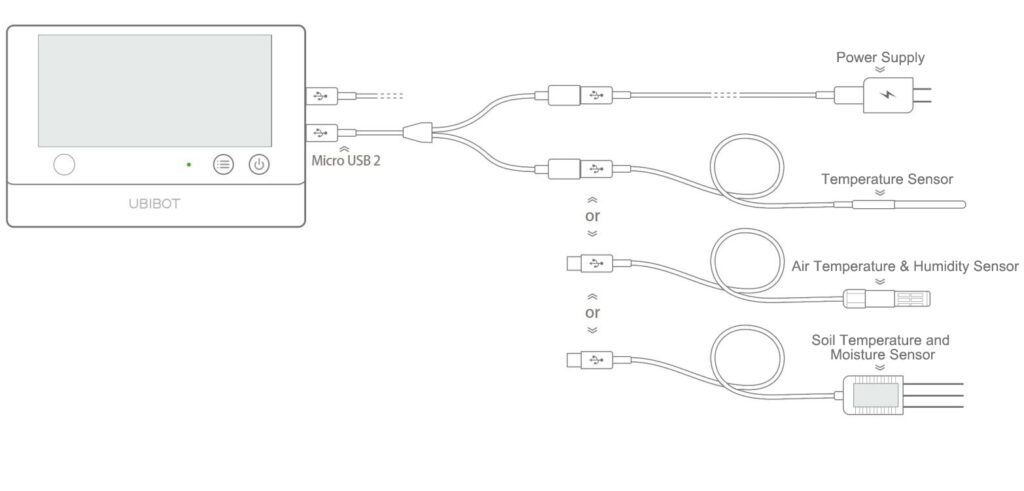
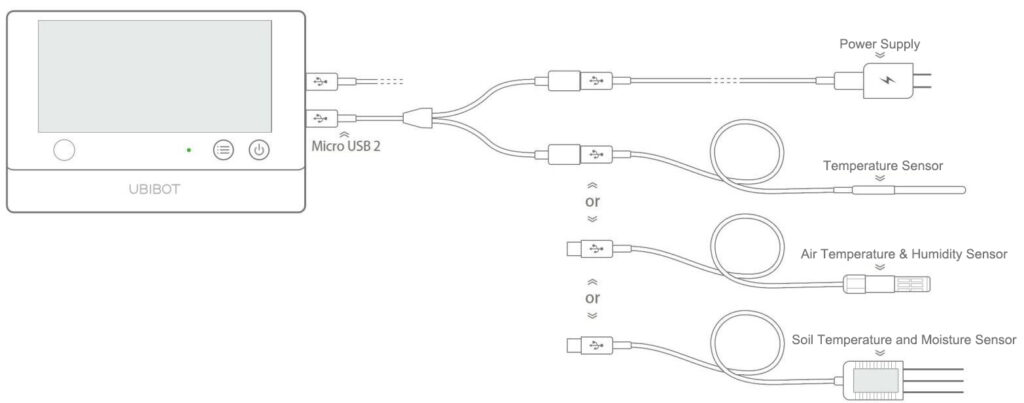
(2) When a splitter is connected to Micro-USB2, one end can be connected to a power adapter, and the other end can be connected to an external temperature sensor, or to an RS485 sensor such as an air temperature & humidity sensor, soil temperature and moisture sensor, wind speed sensor, or light sensor.

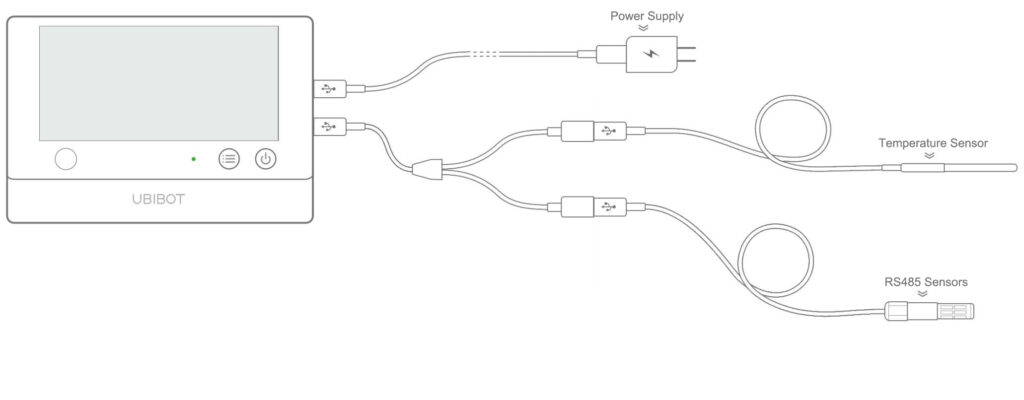
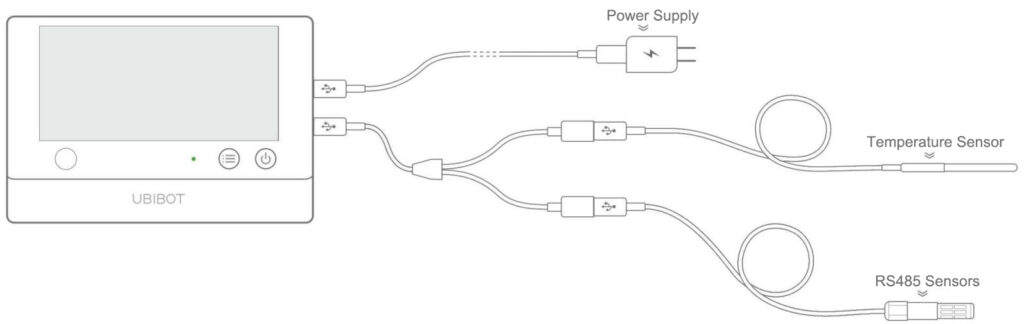
(3) The splitter can also connect two different types of sensors at the same time, for example, one external temperature sensor and one RS485 sensor. RS485 sensors can include air temperature & humidity, soil temperature and moisture sensor, or wind speed sensor.

⚠️ Note: The splitter cannot be used to connect two identical external sensors at the same time. For example, do not connect two temperature sensors, or two RS485 sensors simultaneously, as this may cause data errors.
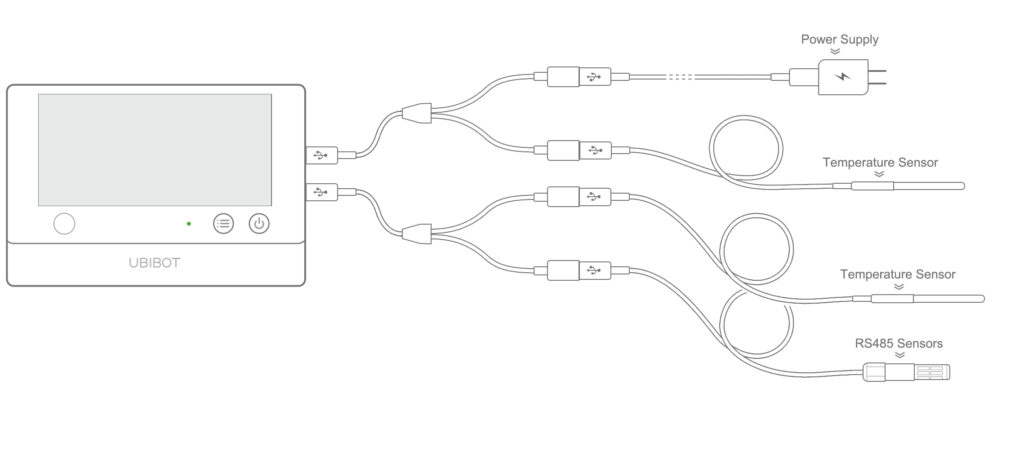
(4) The two Micro-USB ports on the WS1 Pro can also be used in combination with Micro-USB Cable Splitters to maximize the functionality of the device, as shown below.

Alternatively, both Micro-USB ports can be used independently without a splitter. Micro-USB1 can be connected directly to a power adapter, PC Tools, or an external temperature sensor. Micro-USB2 can be connected directly to a power adapter, an external temperature sensor, or an RS485 sensor. The device can be powered either by batteries or through any of the Micro-USB ports.
It is clear that using a Micro-USB Cable Splitter greatly increases the convenience and expandability of the WS1 Pro.
Using a Micro-USB Cable Splitter significantly enhances the convenience and expandability of the WS1 Pro.
How to Use a Micro-USB Cable Splitter with UbiBot Devices
1. Using a Micro-USB Cable Splitter with WS1 Pro / WS1 Pro-L
A Micro-USB Cable Splitter can be connected to either Micro-USB port on the WS1 Pro or WS1 Pro-L.
When connected to Micro-USB 1, one end can be used for charging or connecting to PC Tools, while the other end can connect to an external temperature sensor.

When connected to Micro-USB 2, the splitter can be used in two ways: one end can provide power for charging while the other connects to an external temperature sensor, an RS485 air temperature & humidity sensor, or a soil temperature & humidity sensor; alternatively, one end can connect to an external temperature sensor while the other connects to an RS485 air temperature & humidity sensor or a soil temperature and moisture sensor.

2. Using a Micro-USB Cable Splitter with WS1
Connect the Micro-USB Cable Splitter to the Micro-USB port on the WS1 device. One end of the splitter should connect to an external temperature sensor, while the other end connects to a DC power cable. This setup allows the device to use an external temperature sensor while simultaneously receiving DC power.

Get Channels
Overview
The Get Channels call will return a JSON object listing the metadata and
last sensor data for every channel associated with a user. In the majority of cases each channel is a separate sensor device.
API URL
https://webapi.ubibot.com/channels?parameters
HTTP Method
GET
URL Parameters
| Name |
Type |
Required |
Description |
| account_key |
String |
Required |
Specify the account_key obtained from the web console panel. |
Response
An HTTP code of 200 is responded for each successful data requests. The message body contains a JSON object listing the metadata for all channels associated with the specified user.
Error: See the separate list of error codes for more details.
Response Parameters
| Data Field |
Description |
| public_flag |
Device Public Permissions |
| usage |
Device Used Space |
| size_storage |
Total Plan Space |
| traffic_in |
Device Upload Traffic |
| traffic_out |
Device Download Traffic |
| size_out |
Plan Traffic Limit |
| last_values |
Last Sensor Value |
| last_entry_date |
Last Sync Time |
| last_ip |
Last Synchronised IP Address |
| name |
Channle Name |
| channel_id |
Channle ID |
| field1, field2….field10 |
Name of each field (sensor name) |
| net |
0: offline, 1: online, 2: unknown, -1: manually uploaded |
| vconfig |
Content of each field (with values, units and other information), corresponding to the sensor name |
Examples
GET https://webapi.ubibot.com/channels?account_key=xxxxx-xxxxx-xxxxx-xxxx
The response is a JSON object containing a list of channels with their associated metadata. For example:
{"
result": "success",
"server_time": "2017 - 08 - 20 T10: 01: 54 Z",
"channels": [{"
channel_id": "395″,
"field1″: "\u6e29\ u5ea6″,
"field2″: "\u6e7f\ u5ea6″,
"field3″: "\u5149\ u7167″,
"field4″: "\u7535\ u91cf",
"field5″: "\u4fe1\ u53f7\ u5f3a\ u5ea6″,
"field6″: "\u52a0\ u901f\ u5ea6″,
"field7″: "\u6572\ u51fb",
"field8″: "\u5916\ u63a5\ u6e29\ u5ea6″,
"field9″: "\u95e8\ u78c1″,
"field10″: null,
"latitude": null,
"longitude": null,
"name": "\u8bbe\ u5907 395″,
"public_flag": "false",
"tags": null,
"url": null,
"metadata": "{\"
fn_th\": 60,
\"fn_light\": 60,
\"fn_mag\": 0,
\"fn_mag_int\": 2,
\"fn_acc_tap1\": 0,
\"fn_acc_tap2\": 0,
\"fn_acc_act\": 0,
\"fn_acc_min\": 5,
\"fn_bt\": 0,
\"fn_ext_t\": 300,
\"fn_battery\": 3600,
\"fn_dp\": 600,
\"cg_data_led\": 1
}",
"description": null,
"traffic_out": "0″,
"traffic_in": "0″,
"created_at": "2017 - 07 - 11 T03: 17: 44 Z",
"updated_at": "2017 - 07 - 11 T03: 17: 44 Z",
"usage": "549397″,
"last_entry_id": "15403″,
"last_entry_date": "2017 - 07 - 14 T06: 41: 27 Z",
"product_id": "ubibot - ws1 - cn",
"device_id": "4 b1fca94ad758faab349bbd7a01cf00ea39e8ba4″,
"channel_icon": null,
"last_ip": "175.171 .43 .88″,
"attached_at": "2017 - 07 - 11 T03: 17: 44 Z",
"firmware": null,
"serial": "E57 ** * WS1″,
"size_out": "5368709120″,
"size_storage": "1073741824″,
"plan_code": "ubibot_1g",
"plan_start": "2017 - 07 - 11 T03: 17: 44 Z",
"plan_end": null,
"bill_start": "2017 - 08 - 10 T03: 17: 44 Z",
"bill_end": "2017 - 09 - 09 T03: 17: 44 Z",
"last_values": "{\"
field1\": {\"
value\": 26.220337,
\"created_at\": 1500014464
},
\"field3\": {\"
value\": 0.4,
\"created_at\": 1500014464
},
\"field4\": {\"
value\": 2.901859,
\"created_at\": 1500013142
},
\"field2\": {\"
value\": 57,
\"created_at\": 1500014464
},
\"field5\": {\"
value\": -49,
\"created_at\": 1500014484
},
\"field9\": {\"
value\": 1,
\"created_at\": 1499749687
},
\"field8\": {\"
value\": 25.6875,
\"created_at\": 1500014396
}
}",
"vconfig": "",
"net": "0″,
"c_icon_base": null
}]
}
Quick Start & Limits
Overview
The UbiBot IoT platform allows you to collect, store, analyse and visualise data collected from UbiBot sensor devices, as well as create rules related to that data. All these functions are accessible via our RESTful API over HTTP.
Authentication
| Name |
Description |
| account_key |
Unique key for each account. Used for all account-level authentication requests. It can be found on the web console panel-> Account->Security page. |
| api_key |
Only used for channel and channel feed management operations. The api_key can be read only or read-write. It can be found on the web console panel->Data Warehouse->Selected Channel->API Keys page. |
Platform API Endpoint
https://webapi.ubibot.com
Supported Timezone List
The list of supported timezones can be found at
https://webapi.ubibot.com/constants/timezones
This will return a JSON file listing all timezones currently supported on the IoT platform. For more information on timezones see
http://php.net/manual/en/timezones.php
API Access Limits and Restrictions
| Actions |
Limits |
| Get Channel Feed Summaries Request |
- Up to 1 IP request per second
- Up to 1 feed requests per channel, per minute
-Up to 12 feed requests per account, per minute |
| Channel Feed Read Request |
- Up to 1 IP request per second
- Up to 1 feed requests per channel, per minute
-Up to 6 feed requests per account, per minute |
| Chanel Feeds Import from CSV file |
File contains maximum 5,000 lines |
| Default token_id expiry time |
15 minutes |
| Maximum number of rules for each channel |
20 |
| Trigger log items for each page |
1000 |
| Channel access log items for each page |
3000 |
| User messages for each page |
1000 |
| Maximum number of groups for each user account |
50 |
| Maximum number of pending commands for each channel |
3000 |
| Maximum channel feeds and file upload size |
5MB |
View Channel
Overview
The View Channel call is used to retrieve the metadata and
last sensor data associated with a specific channel. In the majority of cases each channel is a separate sensor device.
API URL
https://webapi.ubibot.com/channels/CHANNEL_ID?parameters
Where CHANNEL_ID is the ID of the target channel.
HTTP Method
GET
URL Parameters
| Name |
Type |
Required |
Description |
| api_key or account_key |
String |
Required for private channels |
Specify the API write key or read key of the channel or the account_key obtained from the web console panel. |
Response
An HTTP code of 200 is responded for each successful data requests. The message body contains a JSON object listing the metadata for the specified channel.
Error: See the separate list of error codes for more details.
The field value of
"write_key" can be used to update Channel Feed.
Response Parameters
| Data Field |
Description |
| public_flag |
Device Public Permissions |
| usage |
Device Used Space |
| size_storage |
Total Plan Space |
| traffic_in |
Device Upload Traffic |
| traffic_out |
Device Download Traffic |
| size_out |
Plan Traffic Limit |
| last_values |
Last Sensor Value |
| last_entry_date |
Last Sync Time |
| last_ip |
Last Synchronised IP Address |
| name |
Channle Name |
| channel_id |
Channle ID |
| field1, field2….field10 |
Name of each field (sensor name) |
| net |
0: offline, 1: online, 2: unknown, -1: manually uploaded |
| vconfig |
Content of each field (with values, units and other information), corresponding to the sensor name |
Examples
GET https://webapi.ubibot.com/channels/123?account_key=xxxxx-xxxxx-xxxxx-xxxx
This returns a JSON object listing all the metadata for the specified channel. For example:
{"
result": "success",
"server_time": "2017 - 08 - 20 T10: 01: 54 Z",
"channels": [{"
channel_id": "123″,
"field1″: "\u6e29\ u5ea6″,
"field2″: "\u6e7f\ u5ea6″,
"field3″: "\u5149\ u7167″,
"field4″: "\u7535\ u91cf",
"field5″: "\u4fe1\ u53f7\ u5f3a\ u5ea6″,
"field6″: "\u52a0\ u901f\ u5ea6″,
"field7″: "\u6572\ u51fb",
"field8″: "\u5916\ u63a5\ u6e29\ u5ea6″,
"field9″: "\u95e8\ u78c1″,
"field10″: null,
"latitude": null,
"longitude": null,
"name": "\u8bbe\ u5907 395″,
"public_flag": "false",
"tags": null,
"url": null,
"metadata": "{\"
fn_th\": 60,
\"fn_light\": 60,
\"fn_mag\": 0,
\"fn_mag_int\": 2,
\"fn_acc_tap1\": 0,
\"fn_acc_tap2\": 0,
\"fn_acc_act\": 0,
\"fn_acc_min\": 5,
\"fn_bt\": 0,
\"fn_ext_t\": 300,
\"fn_battery\": 3600,
\"fn_dp\": 600,
\"cg_data_led\": 1
}",
"description": null,
"traffic_out": "0″,
"traffic_in": "0″,
"created_at": "2017 - 07 - 11 T03: 17: 44 Z",
"updated_at": "2017 - 07 - 11 T03: 17: 44 Z",
"usage": "549397″,
"last_entry_id": "15403″,
"last_entry_date": "2017 - 07 - 14 T06: 41: 27 Z",
"product_id": "ubibot - ws1 - cn",
"device_id": "4 b1fca94ad758faab349bbd7a01cf00ea39e8ba4″,
"channel_icon": null,
"last_ip": "175.171 .43 .88″,
"attached_at": "2017 - 07 - 11 T03: 17: 44 Z",
"firmware": null,
"serial": "E57 ** * WS1″,
"size_out": "5368709120″,
"size_storage": "1073741824″,
"plan_code": "ubibot_1g",
"plan_start": "2017 - 07 - 11 T03: 17: 44 Z",
"plan_end": null,
"bill_start": "2017 - 08 - 10 T03: 17: 44 Z",
"bill_end": "2017 - 09 - 09 T03: 17: 44 Z",
"last_values": "{\"
field1\": {\"
value\": 26.220337,
\"created_at\": 1500014464
},
\"field3\": {\"
value\": 0.4,
\"created_at\": 1500014464
},
\"field4\": {\"
value\": 2.901859,
\"created_at\": 1500013142
},
\"field2\": {\"
value\": 57,
\"created_at\": 1500014464
},
\"field5\": {\"
value\": -49,
\"created_at\": 1500014484
},
\"field9\": {\"
value\": 1,
\"created_at\": 1499749687
},
\"field8\": {\"
value\": 25.6875,
\"created_at\": 1500014396
}
}",
"vconfig": "",
"net": "0″,
"c_icon_base": null
}]
}
List Channel API Keys
Overview
This API call will return a list containing all API keys associated with the specified channel.
API URL
https://webapi.ubibot.com/channels/CHANNEL_ID/api_keys?action=list¶meters
Where CHANNEL_ID is the ID of the target channel and the parameters are as defined below.
HTTP Method
GET
URL Parameters
| Name |
Type |
Required |
Description |
| account_key |
String |
Required |
Specify the account_key obtained from the web console panel. |
Response
An HTTP code of 200 is responded for each successful data requests. The message body contains a JSON object containing all the API keys for the specified channel.
Error: See the separate list of error codes for more details.
NB The write_key is used to update the channel and its feeds. Each channel has a single write_key. A read_key allows the channel metadata to be read. Each channel can have up to 10 read_keys. These will be returned as a list.
Examples
GET https://webapi.ubibot.com/channels/CHANNEL_ID/api_keys?action=list&account_key=xxxxx-xxxxx-xxxxx-xxxx
The response is a JSON object containing the write_key and the list of read_keys that are available. For example:
{"
result": "success",
"server_time": "2017 - 09 - 04 T08: 23: 16 Z",
"write_key": "XXX5af4b4e43b2xxx30f584XX587",
"read_keys": [{"
read_key": "5972 XXX478bd4xxf3d0X28a9X",
"note": null,
"created_at": "2017 - 09 - 04 T05: 49: 37 Z",
"updated_at": "2017 - 09 - 04 T05: 49: 37 Z"
}]
}
Get Channel Feed Summaries
Overview
The Get Channel Feed Summaries API is used to read feed summaries from all the sensor fields in a channel. This method can return either a JSON or CSV object. Each feed summary record consists hourly sum total, average, number of records, standard deviation, maximum and minimum values of each individual field.
If you only need to access the latest readings from the channel, using the Get Channels API is recommended. It will return latest readings from all the channels in once.
API URL
To return a JSON object:
https://webapi.ubibot.com/channels/CHANNEL_ID/summary.json?parameters
To return a CSV file:
https://webapi.ubibot.com/channels/CHANNEL_ID/summary.csv?parameters
Where CHANNEL_ID is the ID of the target channel.
HTTP Method
GET
URL Parameters
| Name |
Type |
Required |
Description |
| api_key or account_key |
String |
Required for private channels |
Specify the API write key or read key of the channel, or the account_key obtained from the web console panel. |
| results |
Integer |
Optional |
Number of entries to retrieve. The maximum number is 8,000 |
| start |
Datetime |
Optional |
Start date in format YYYY-MM-DD%20HH:NN:SS. |
| end |
Datetime |
Optional |
End date in format YYYY-MM-DD%20HH:NN:SS. |
| timezone |
String |
Optional |
Identifier from Time Zones Reference for this request. |
| callback |
String |
Optional |
Function name to be used for JSONP cross-domain requests. |
Response
An HTTP code of 200 is responded for each successful data requests. Body contains a JSON object with the feed summaries in the requested format. If
is_truncated is presented in the response JSON and value is true, it means the result has been truncated because of the maximum number of entries for retrieving has been reached. You can change the start and end value to shrink the range.
Error: See the list of error codes for details.
Examples
GET https://webapi.ubibot.com/channels/123/summary?api_key=XXXXXXXXXXXXX
The response is a JSON object, for example:
{
"result": "success",
"server_time": "2019-02-07T13:13:15Z",
"is_truncated": false,
"start": "2019-02-07T02:00:00+00:00",
"end": "2019-02-07T11:00:00+00:00",
"timezone": "Europe/London",
"num_records": 10,
"results": 10,
"channel": {
"channel_id": "1419",
"name": "C-1419",
"field1": "Temperature",
"field2": "Humidity",
"field3": "Light",
"field4": "Voltage",
"field5": "WIFI RSSI",
"field6": "Vibration Index",
"field7": "Knocks",
"field8": "External Temperature Sensor",
"field9": "Reed Sensor",
"field10": null,
"latitude": "41.7922",
"longitude": "123.4328",
"elevation": null,
"created_at": "2018-12-07T03:15:40Z",
"public_flag": "false",
"user_id": "8D5F3ACB-87A5-4D80-AA5F-FC64E8647990",
"last_entry_date": "2019-02-07T13:10:26Z",
"last_entry_id": "50982",
"vconfig": "{\"field1\":{\"h\":\"0\",\"u\":\"1\"},\"field2\":{\"h\":\"0\",\"u\":\"3\"},\"field3\":{\"h\":\"0\",\"u\":\"4\"},\"field4\":{\"h\":\"0\",\"u\":\"5\"},\"field5\":{\"h\":\"0\",\"u\":\"6\"},\"field6\":{\"h\":\"0\",\"u\":\"7\"},\"field7\":{\"h\":\"0\",\"u\":\"8\"},\"field8\":{\"h\":\"0\",\"u\":\"1\"},\"field9\":{\"h\":\"0\",\"u\":\"9\"}}",
"full_dump": "0",
"plan_code": "ubibot_free",
"username": "cloudleader"
},
"feeds": [{
"created_at": "2019-02-07T11:00:00+00:00",
"field3": {
"sum": 0.24,
"avg": 0.06,
"count": 4,
"sd": 0,
"max": 0.06,
"min": 0.06
},
"field1": {
"sum": 94.515136,
"avg": 23.628784,
"count": 4,
"sd": 0.018257971122225,
"max": 23.646141,
"min": 23.603416
},
"field2": {
"sum": 40,
"avg": 10,
"count": 4,
"sd": 0,
"max": 10,
"min": 10
},
"field5": {
"sum": -160,
"avg": -40,
"count": 4,
"sd": 0,
"max": -40,
"min": -40
}
}, {
"created_at": "2019-02-07T10:00:00+00:00",
"field3": {
"sum": 0.69,
"avg": 0.062727272727273,
"count": 11,
"sd": 0.0044536177141512,
"max": 0.07,
"min": 0.06
},
"field1": {
"sum": 260.85257,
"avg": 23.71387,
"count": 11,
"sd": 0.035359001690453,
"max": 23.803696,
"min": 23.675514
},
"field2": {
"sum": 110,
"avg": 10,
"count": 11,
"sd": 0,
"max": 10,
"min": 10
},
"field5": {
"sum": -487,
"avg": -44.272727272727,
"count": 11,
"sd": 4.3294112362875,
"max": -40,
"min": -49
},
"field4": {
"sum": 4.472982,
"avg": 4.472982,
"count": 1,
"sd": 0,
"max": 4.472982,
"min": 4.472982
}
}, {
"created_at": "2019-02-07T09:00:00+00:00",
"field3": {
"sum": 22.48,
"avg": 11.24,
"count": 2,
"sd": 1.74,
"max": 12.98,
"min": 9.5
},
"field1": {
"sum": 48.264282,
"avg": 24.132141,
"count": 2,
"sd": 0.021362,
"max": 24.153503,
"min": 24.110779
},
"field2": {
"sum": 20,
"avg": 10,
"count": 2,
"sd": 0,
"max": 10,
"min": 10
},
"field5": {
"sum": -80,
"avg": -40,
"count": 2,
"sd": 0,
"max": -40,
"min": -40
}
}, {
"created_at": "2019-02-07T08:00:00+00:00",
"field3": {
"sum": 457.879989,
"avg": 38.15666575,
"count": 12,
"sd": 12.868984722494,
"max": 57.32,
"min": 16.779999
},
"field1": {
"sum": 294.736777,
"avg": 24.561398083333,
"count": 12,
"sd": 0.27719641719199,
"max": 25.056076,
"min": 24.209579
},
"field2": {
"sum": 113,
"avg": 9.4166666666667,
"count": 12,
"sd": 0.49300664859163,
"max": 10,
"min": 9
},
"field5": {
"sum": -512,
"avg": -42.666666666667,
"count": 12,
"sd": 4.0892813821284,
"max": -40,
"min": -51
},
"field4": {
"sum": 4.475632,
"avg": 4.475632,
"count": 1,
"sd": 0,
"max": 4.475632,
"min": 4.475632
}
}, {
"created_at": "2019-02-07T07:00:00+00:00",
"field3": {
"sum": 200.879997,
"avg": 100.4399985,
"count": 2,
"sd": 2.6000025,
"max": 103.040001,
"min": 97.839996
},
"field1": {
"sum": 56.227211,
"avg": 28.1136055,
"count": 2,
"sd": 0.2456705,
"max": 28.359276,
"min": 27.867935
},
"field2": {
"sum": 16,
"avg": 8,
"count": 2,
"sd": 0,
"max": 8,
"min": 8
},
"field5": {
"sum": -90,
"avg": -45,
"count": 2,
"sd": 4,
"max": -41,
"min": -49
}
}, {
"created_at": "2019-02-07T06:00:00+00:00",
"field3": {
"sum": 31344.398927,
"avg": 2612.0332439167,
"count": 12,
"sd": 2824.6816531297,
"max": 7016.959961,
"min": 116.199997
},
"field1": {
"sum": 378.384835,
"avg": 31.532069583333,
"count": 12,
"sd": 2.9701401037999,
"max": 35.892273,
"min": 26.377892
},
"field2": {
"sum": 87,
"avg": 7.25,
"count": 12,
"sd": 1.0103629710818,
"max": 9,
"min": 6
},
"field5": {
"sum": -491,
"avg": -40.916666666667,
"count": 12,
"sd": 0.27638539919628,
"max": -40,
"min": -41
},
"field4": {
"sum": 4.487029,
"avg": 4.487029,
"count": 1,
"sd": 0,
"max": 4.487029,
"min": 4.487029
}
}, {
"created_at": "2019-02-07T05:00:00+00:00",
"field3": {
"sum": 197.159996,
"avg": 98.579998,
"count": 2,
"sd": 1.579998,
"max": 100.159996,
"min": 97
},
"field1": {
"sum": 46.082627,
"avg": 23.0413135,
"count": 2,
"sd": 0.0146865,
"max": 23.056,
"min": 23.026627
},
"field2": {
"sum": 20,
"avg": 10,
"count": 2,
"sd": 0,
"max": 10,
"min": 10
},
"field5": {
"sum": -89,
"avg": -44.5,
"count": 2,
"sd": 4.5,
"max": -40,
"min": -49
}
}, {
"created_at": "2019-02-07T04:00:00+00:00",
"field3": {
"sum": 1133.039978,
"avg": 94.419998166667,
"count": 12,
"sd": 6.4416674668395,
"max": 115.040001,
"min": 89.68
},
"field1": {
"sum": 277.075209,
"avg": 23.08960075,
"count": 12,
"sd": 0.015318618498007,
"max": 23.114746,
"min": 23.069351
},
"field2": {
"sum": 120,
"avg": 10,
"count": 12,
"sd": 0,
"max": 10,
"min": 10
},
"field5": {
"sum": -535,
"avg": -44.583333333333,
"count": 12,
"sd": 5.3456888133232,
"max": -40,
"min": -52
},
"field4": {
"sum": 4.469537,
"avg": 4.469537,
"count": 1,
"sd": 0,
"max": 4.469537,
"min": 4.469537
}
}, {
"created_at": "2019-02-07T03:00:00+00:00",
"field3": {
"sum": 153.099998,
"avg": 76.549999,
"count": 2,
"sd": 0.549999,
"max": 77.099998,
"min": 76
},
"field1": {
"sum": 46.242844,
"avg": 23.121422,
"count": 2,
"sd": 0.0066760000000006,
"max": 23.128098,
"min": 23.114746
},
"field2": {
"sum": 20,
"avg": 10,
"count": 2,
"sd": 0,
"max": 10,
"min": 10
},
"field5": {
"sum": -82,
"avg": -41,
"count": 2,
"sd": 0,
"max": -41,
"min": -41
}
}, {
"created_at": "2019-02-07T02:00:00+00:00",
"field3": {
"sum": 1153.739984,
"avg": 96.144998666667,
"count": 12,
"sd": 50.714404305812,
"max": 256.320007,
"min": 73.059998
},
"field1": {
"sum": 278.933775,
"avg": 23.24448125,
"count": 12,
"sd": 0.069417701157708,
"max": 23.352409,
"min": 23.141449
},
"field2": {
"sum": 122,
"avg": 10.166666666667,
"count": 12,
"sd": 0.37267799624997,
"max": 11,
"min": 10
},
"field5": {
"sum": -536,
"avg": -44.666666666667,
"count": 12,
"sd": 7.3861732687201,
"max": -40,
"min": -66
},
"field4": {
"sum": 4.497895,
"avg": 4.497895,
"count": 1,
"sd": 0,
"max": 4.497895,
"min": 4.497895
}
}]
}
PHP Quickstarts
<?php
// +----------------------------------------------------------------------
// | UbiBot
// +----------------------------------------------------------------------
// | Copyright (c) 2016-2019 https://www.ubibot.com All rights reserved.
// +----------------------------------------------------------------------
// | Author: UbiBot <[email protected]>
// +----------------------------------------------------------------------
//----------------------------------
// Get Channel Summaries (Get Channel Summaries)
// To view a channel feed, send an HTTP GET replacing CHANNEL_ID with the ID of your channel
// https://webapi.ubibot.com/docs/
//----------------------------------
header('Content-type:text/html;charset=utf-8');
//yours channel read key, can be obtained from web console panel
$apikey = "xxxxxxxxx";
$channel_id = 'XXXXXX'; //channel ID of your device
$url = 'https://webapi.ubibot.com/channels/'.$channel_id.'/summary';
$params = array(
"api_key" => $apikey,// (string) is Read or Write key for this specific channel (no key required for public channels)
"results" => 30,//(integer) Number of entries to retrieve, 8000 max (optional)
// "start" => "",//(datetime) Start date in format YYYY-MM-DD%20HH:NN:SS (optional)
// "end" => "",//(datetime) End date in format YYYY-MM-DD%20HH:NN:SS (optional)
// "timezone" => "",//(string) Identifier from Time Zones Reference for this request (optional)
// "callback" => "",//(string) Function name to be used for JSONP cross-domain requests (optional)
);
$paramstring = http_build_query($params);
$content = getcurl($url,$paramstring);
$result = json_decode($content,true);
if($result){
if($result['result']=='success'){
$result['channel']['vconfig'] = json_decode($result['channel']['vconfig'],true);
//Filter channels that need to be displayed
$filter_fields = array('field1','field2','field3','field4','field5','field6','field7','field8','field9','field10');
//Sensor unit
$unit = array('temperature_celcius','temperature_feh','humidity','light_lux','voltage','WIFI_dbm','vibration','knocks','magnetic_switch','soil_absolute_moisture');
$list = array();
foreach ($filter_fields as $value) {
$list[$value]['name'] = $result['channel'][$value];
if (isset($result['channel']['vconfig'][$value])) {
$list[$value]['show'] = $result['channel']['vconfig'][$value]['h']?0:1;
$list[$value]['unit'] = $unit[$result['channel']['vconfig'][$value]['u']];
} else {
$list[$value]['show'] = 0;
$list[$value]['unit'] = null;
}
}
foreach ($result['feeds'] as $value) {
foreach ($value as $k => $val) {
$tmp = array();
if (in_array($k, $filter_fields)) {
$val['created_at'] = $value['created_at'];
$list[$k]['data'][] = $val;
}
}
}
}else{
echo $result['errorCode'].":".$result['desp'];
}
}else{
echo "failed";
}
//**************************************************
/**
* @param string $url
* @param string $params
* @param int $ispost
* @return string
*/
function getcurl($url,$params=false,$ispost=0){
$httpInfo = array();
$ch = curl_init();
curl_setopt( $ch, CURLOPT_HTTP_VERSION , CURL_HTTP_VERSION_1_1 );
curl_setopt( $ch, CURLOPT_USERAGENT , 'JuheData' );
curl_setopt( $ch, CURLOPT_CONNECTTIMEOUT , 60 );
curl_setopt( $ch, CURLOPT_TIMEOUT , 60);
curl_setopt( $ch, CURLOPT_RETURNTRANSFER , true );
curl_setopt($ch, CURLOPT_FOLLOWLOCATION, true);
if( $ispost )
{
curl_setopt( $ch , CURLOPT_POST , true );
curl_setopt( $ch , CURLOPT_POSTFIELDS , $params );
curl_setopt( $ch , CURLOPT_URL , $url );
}
else
{
if($params){
curl_setopt( $ch , CURLOPT_URL , $url.'?'.$params );
}else{
curl_setopt( $ch , CURLOPT_URL , $url);
}
}
$response = curl_exec( $ch );
if ($response === FALSE) {
//echo "cURL Error: " . curl_error($ch);
return false;
}
$httpCode = curl_getinfo( $ch , CURLINFO_HTTP_CODE );
$httpInfo = array_merge( $httpInfo , curl_getinfo( $ch ) );
curl_close( $ch );
return $response;
}
?>
<html>
<head>
<style type="text/css">
table
{
border-collapse: collapse;
border: none;
width: 100%;
}
td,th
{
border: solid #000 1px;
text-align:center;
}
li{ display:inline}
</style>
</head>
<body>
<table>
<tr>
<th>KEY</th>
<th>Sensor name</th>
<th>Show</th>
<th>Unit</th>
<th>Summary Feeds</th>
</tr>
<?php foreach ($list as $key => $value) :?>
<tr>
<td><?php echo $key;?></td>
<td><?php echo $value['name'];?></td>
<td><?php echo $value['show']?'是':'否';?></td>
<td><?php echo $value['unit'];?></td>
<td style="text-align: left;">
<?php if (empty($value['data'])) :?>
No data
<?php else :?>
<?php foreach ($value['data'] as $val):?>
<ul>
<li>avg:<?php echo $val['avg'];?></li>
<li style="margin-left:20px;">sum:<?php echo $val['sum'];?></li>
<li style="margin-left:20px;">count:<?php echo $val['count'];?></li>
<li style="margin-left:20px;">sd:<?php echo $val['sd'];?></li>
<li style="margin-left:20px;">min:<?php echo $val['min'];?></li>
<li style="margin-left:20px;">max:<?php echo $val['max'];?></li>
<li style="margin-left:20px;">created_at:<?php echo $val['created_at'];?></li>
</ul>
<?php endforeach;?>
<?php endif;?>
</td>
</tr>
<?php endforeach;?>
</table>
</body>
</html>
Node JS
const http = require("http");
let channel_id = xxxx;
let url = 'http://webapi.ubibot.io/channels/' + channel_id + '/summary';
let data = {
api_key: "xxxxxxxxxxxxxxxxxx",
results: 30
// ...
};
let querystring = require('querystring');
let content = querystring.stringify(data);
http.get(url + '?' + content, (resp) => {
let data = '';
resp.on('data', (chunk) => {
data += chunk;
});
resp.on('end', () => {
let json = JSON.parse(data);
if (json.error_code == 'success') {
console.log(json);
} else {
console.log(json["errorCode"] + ":" + json["desp"]);
}
});
}).on('error', (e) => {
console.log('request api error');
});
Python
#!/usr/bin/env python3
# -*- coding: utf-8 -*-
import json
import requests
from urllib.parse import urlencode
api_key = "xxxxxxxxxxxxxxx"
channel_id = xxxxx;
url = "http://webapi.ubibot.io/channels/%s/summary" % (channel_id)
params = {
"api_key": api_key,
"results": 30,
# ......
}
params = urlencode(params)
r = requests.get("%s?%s" % (url, params))
res = r.json()
if res:
error_code = res["result"]
if error_code == 'success':
print(res)
else:
print("%s:%s" % (res["errorCode"], res["desp"]))
else:
print("request api error")
Generate Account Key
Overview
This API call is used to create a new account key or to reset the existing key. Calling this API will cause the existing account key to be permanently deleted.
*To obtain the token only, please find
Quick Start & Limits.
API URL
https://webapi.ubibot.com/accounts/api_keys?action=generate_account_key¶meters
Where the parameters are as defined below.
HTTP Method
POST
URL Parameters
| Name |
Type |
Required |
Description |
| account_key |
String |
Required |
Specify the account_key obtained from the web console panel. |
Response
An HTTP code of 200 is responded for each successful data requests. The message body contains a JSON object containing the new account key for the specified user.
Error: See the separate list of error codes for more details.
Examples
GET https://webapi.ubibot.com/accounts/api_keys?action=generate_account_key&account_key=xxxxx-xxxxx-xxxxx-xxxx
{"
result": "success",
"server_time": "2017 - 09 - 04 T08: 36: 55 Z",
"account_key": "2 X598e4123xx8X9597f0f9200d2X"
}
Generate Channel Write Key
Overview
This API call is used to generate a new write key for a channel or to reset the existing key. After calling this API, the previous write key will no longer be valid. Please note that this will cause your device to stop uploading data as the credentials will have changed.
API URL
https://webapi.ubibot.com/channels/CHANNEL_ID/api_keys?action=generate_write_key¶meters
Where CHANNEL_ID is the ID of the target channel and the parameters are as defined below.
HTTP Method
POST
URL Parameters
| Name |
Type |
Required |
Description |
| account_key |
String |
Required |
Specify the account_key obtained from the web console panel. |
Response
An HTTP code of 200 is responded for each successful data requests. The message body contains a JSON object containing the new write key for the specified channel.
Error: See the separate list of error codes for more details.
Examples
POST https://webapi.ubibot.com/channels/CHANNEL_ID/api_keys?action=generate_write_key&account_key=xxxxxx-xxxxxx-xxxxxx-xxxxx
{"
result": "success",
"server_time": "2017 - 09 - 04 T08: 59: 30 Z",
"write_key": "9 b11Xxxx5XbacbXa0e8dd53″
}
Generate Channel Read-only Key
Overview
This API call is used to generate a read-only key for a specified user on this channel.
API URL
https://webapi.ubibot.com/channels/CHANNEL_ID/api_keys?action=generate_read_key¶meters
Where CHANNEL_ID is the ID of the target channel and the parameters are as defined below.
HTTP Method
POST
URL Parameters
| Name |
Type |
Required |
Description |
| account_key |
String |
Required |
Specify the account_key obtained from the web console panel. |
Response
An HTTP code of 200 is responded for each successful data requests. The message body contains a JSON object containing the new read-only key for the specified channel.
Error: See the separate list of error codes for more details.
Examples
POST https://webapi.ubibot.com/channels/CHANNEL_ID/api_keys?action=generate_read_key&account_key=xxxxxx-xxxxxx-xxxxxx-xxxxx
{"
result": "success",
"server_time": "2017 - 09 - 04 T08: 59: 30 Z",
"read_key": "9 b11Xxxx5XbacbXa0e8dd53″
}
Delete Channel Read-only Key
Overview
This API call is used to delete a specified read-only key for a channel.
API URL
https://webapi.ubibot.com/channels/CHANNEL_ID/api_keys?action=delete_read_key¶meters
Where CHANNEL_ID is the ID of the target channel and the parameters are as defined below
HTTP Method
POST
URL Parameters
| Name |
Type |
Required |
Description |
| account_key |
String |
Required |
Specify the account_key obtained from the web console panel. |
| read_key |
String |
Required |
Specify the read_key that needs to be removed. |
Response
An HTTP code of 200 is responded for each successful data requests.
Error: See the separate list of error codes for more details.
Import Feeds from CSV
Overview
The Import Feeds call is used to import data to a channel from a CSV file. The imported CSV file must be in the correct format.
API URL
https://webapi.ubibot.com/update.csv?parameters
HTTP METHOD
POST
URL Parameters
| Name |
Type |
Required |
Description |
| api_key or account_key |
String |
Required |
Specify the write key of the channel or the account_key obtained from the web console panel. |
| feeds |
File |
Required |
A CSV file containing the new feed data. The file must be shorter than 5,000 lines and the maximum file size is 10MB. |
Response
An HTTP code of 200 is responded for each successful data requests. Body contains a JSON object with the success message.
Error: See the separate list of error codes for more details
Upload Channel Icon (File)
Overview
The Upload Channel Icon call allows you to upload or replace the custom icon associated with the channel. There are two methods. The first method attaches the file with the icon to the API call. The second method triggers an HTTP request with a Base64 encoded image.
HTTP Method
POST
API URL (File method)
https://webapi.ubibot.com/channels/CHANNEL_ID/device/upload_icon?parameters
Where CHANNEL_ID is the ID of the target channel.
URL Parameters (File method)
| Name |
Type |
Required |
Description |
| account_key |
String |
Required |
Specify the account_key obtained from the web console panel. |
| channel_icon |
File |
Required |
The image must be a JPG, GIF or PNG file with a maximum size of 1MB. |
Response
An HTTP code of 200 is responded for each successful data requests. Body contains a JSON object with the success message.
Error: See the separate list of error codes for more details
API Response Format
Overview
An HTTP code of 200 is responded for each successful data requests. If there is any error exists, an HTTP code other than 200 will be given as well as platform Error Code and error description.
Success
A valid request made using current credentials will return a 200 response. The body of the response will be a JSON file starting as follows:
{
"result": "success",
"server_time": "2017-10-09T08:48:34Z",
......
}
Failure
An invalid request or a request that cannot be authenticated will result in returning an error code (4XX or 5XX). The body of the response will give detailed information as in this example:
{
"result": "error",
"server_time": "2017-10-09T08:53:18Z",
"errorCode": "permission_denied_force_log_off",
"desp": "account_key, or token_id is not correct"
}
Every failed request will include an
errorCode and
desp field giving more details.
List of Error Codes
| Error Code (errorCode) |
Description |
| permission_denied_force_log_off |
You supplied invalid credentials, or the account details changed recently |
| missing_data |
The request is missing required data |
| invalid_format |
The request data is not in the correct format |
| over_limit |
You have exceeded the system limits |
| error_method_invalid |
Request method is invalid |
| invalid_created_at |
The format of created_at field is invalid |
| invalid_json_format |
The input JSON string format is invalid |
| invalid_channel_id |
Invalid channel_id |
| invalid_api_key |
Invalid API Key |
| invalid_field_value |
The input field value is invalid |
| invalid_read_key |
Invalid read_key value |
| invalid_timezone |
Invalid timezone value |
| missing_field_data |
The request is missing field data |
| missing_field_data |
The request is missing field data |
| request_too_fast |
Too many simultaneous requests |
| low_balance |
The account balance is too low |
| field_length_over_limit |
The length of the field string is over the limit |
| group_name_exist |
The input group_name also exists in the platform |
| openid_not_binded |
Wechat account hasn't been linked to the platform account. |
| account_require_verify |
Account is not activated yet |
| wrong_password |
Password is incorrect |
Upload Channel Icon (Base64)
Overview
The Upload Channel Icon call allows you to upload or replace the custom icon associated with the channel. There are two methods. The first method attaches the file with the icon to the API call. The second method triggers an HTTP request with a Base64 encoded image.
HTTP Method
POST
API URL
https://webapi.ubibot.com/channels/CHANNEL_ID/device/upload_icon_base64?parameters
Where CHANNEL_ID is the ID of the target channel.
URL Parameters
| Name |
Type |
Required |
Description |
| account_key |
String |
Required |
Specify the account_key obtained from the web console panel. |
HTTP Request Payload
| Name |
Type |
Required |
Description |
| channel_icon |
String |
Required |
Base64 encoded image |
| name |
String |
Required |
Full name of the source file including the suffix. The image must be a JPG, GIF or PNG file with a maximum size of 1MB. |
Response
An HTTP code of 200 is responded for each successful data requests. Body contains a JSON object with the success message.
Error: See the separate list of error codes for more details
Channel Feeds Data Forwarding
Overview
The Channel Feeds Data Forwarding service will forward a copy of the original feed data from any UbiBot device to the given URL endpoint. This can be useful to seamlessly connect UbiBot devices to third-party platform business logic or third-party applications. This service requires activation on the UbiBot platform along with some development work on the data endpoint to correctly handle the incoming data feeds.
Activation Method
- Please login to https://console.ubibot.com
- From left side menu, click "Data Factory" -> "Data Forwarding".
- Follow the "Add new forwarding" instructions.
Data Forwarding Message Format
Data forwarding is achieved by sending POST requests to the given endpoint URL. The Content-Type header is set to "application / json". The original feed data is contained in the request body as follows:
- The feed data will be forwarded in JSON format to the given URL.
- The unique device channel_id: (string) can be used to distinguish the data from different devices.
- product_id: (string) device model
- serial: (string) serial number of the device.
- The feeds are an array consisting of:
- created_at: the time when the data feed was sampled in ISO 8601 format.
- field1..field10: sensor readings
- status: status information, such as SSID and ICCID
Note that you will need to send a response to the UbiBot platform within 15 seconds for each message.
Example Forwarded Data:
{
"channel_id": "123456",
"product_id": "ubibot-ws1p",
"serial": "123456XXXXX",
"feeds": [{
"created_at": "2022-04-24T09:06:56Z",
"field1": 24.495308
}, {
"created_at": "2022-04-24T09:06:56Z",
"field2": 82
}, {
"created_at": "2022-04-24T09:07:00Z",
"field5": -34
}],
"status": "mac=98:7b:f3:10:a1:e2,usb=1",
"ssid_base64": "VFBHUw=="
}
Requirements for Endpoint Response
- Please ensure the endpoint's response is made within 15 seconds, otherwise the platform will close the connection.
- If the endpoint sends a response with the string "SUCCESS", the platform will mark this forward request as successful. If the endpoint sends the string "ERROR" it means the request was unsuccessful. The UbiBot platform keeps track of all the response results for statistics purposes.
Simple PHP endpoint example:
<?php
try{
$data = file_get_contents('php://input'); //get POST payload forwarded from the UbiBot platform
$json = json_decode($data, true); //parse input data into json. You can handle the $json object from here.
//------Please make sure the response is made within 15 seconds, otherwise connection will be disconnected and marked unsuccessful.----------//
$myfile = file_put_contents('log.txt', $data.PHP_EOL , FILE_APPEND | LOCK_EX); //Write to a local log file for the demo.
echo "SUCCESS"; // if the request has been handled successfully.
}
catch (Exception $ex)
{
echo "ERROR";// if there is some error encountered
}
Simple NodeJS endpoint example:
const http = require('http');
const server = http.createServer(function (req, res) {
let type = req.headers["content-type"];
if (req.method.toLowerCase() === 'post' && type === "application/json") {
try{
////get POST payload
var jsonData = "";
req.on("data", function(chunk) {
jsonData += chunk;
});
req.on("end", function() {
//parse input data into json
var reqObj = JSON.parse(jsonData);
//-----------Make sure response is sent within 15 seconds------------//
var fs = require('fs');
fs.writeFile("log.txt", JSON.stringify(reqObj), function(err) {
if(err) {
res.end('ERROR');//mark request as error
}
});
res.end('SUCCESS');//mark request as successful
});
}catch{
res.end('ERROR');//mark request as error
}
}else{
res.end('ERROR');//mark request as error
}
});
//Setup listening IP and port
server.listen(8080, "127.0.0.1", function () {
console.log("server is started listen port 8080");
});
Simple Python endpoint example:
from http.server import BaseHTTPRequestHandler, HTTPServer
import cgi
import json
class testHTTPServer_RequestHandler(BaseHTTPRequestHandler):
def do_POST(self):
try:
ctype, pdict = cgi.parse_header(self.headers.get('content-type'))
if ctype == 'application/json':
#get POST payload, parse input data into json
length = int(self.headers['content-length'])
jsonArray = json.loads(self.rfile.read(length))
#-----------Make sure response is made within 15 seconds------------#
myfile = open("log.txt",'a')
myfile.write(json.dumps(jsonArray))
myfile.write("\n")
myfile.close()
#request handled successfully
self.protocal_version = 'HTTP/1.1'
self.send_response(200)
self.send_header("Welcome", "Contect")
self.end_headers()
self.wfile.write(bytes("SUCCESS", "utf-8"))
return
else:
#request handled with error
self.protocal_version = 'HTTP/1.1'
self.send_response(300)
self.send_header("Welcome", "Contect")
self.end_headers()
self.wfile.write(bytes("ERROR", "utf-8"))
return
except:
#request handled with error
self.protocal_version = 'HTTP/1.1'
self.send_response(300)
self.send_header("Welcome", "Contect")
self.end_headers()
self.wfile.write(bytes("ERROR", "utf-8"))
return
def run():
port = 8080
print('starting server, port', port)
# Server settings
server_address = ('', port)
httpd = HTTPServer(server_address, testHTTPServer_RequestHandler)
print('running server...')
httpd.serve_forever()
if __name__ == '__main__':
run()
Simple C# ASP.NET endpoint example:
using Microsoft.AspNetCore.Http;
using Microsoft.AspNetCore.Mvc;
using System;
using System.Collections.Generic;
using System.Linq;
using System.Threading.Tasks;
namespace demo1.Controllers
{
public class FeedData
{
public DateTime created_at { get; set; }
public object field1 { get; set; }
public object field2 { get; set; }
public object field3 { get; set; }
public object field4 { get; set; }
public object field5 { get; set; }
public object field6 { get; set; }
public object field7 { get; set; }
public object field8 { get; set; }
public object field9 { get; set; }
public object field10 { get; set; }
}
public class DeviceData
{
public string channel_id { get; set; }
public string status { get; set; }
public List feeds { get; set; }
public string ssid_base64 { get; set; }
}
[Route("api/[controller]")]
[ApiController]
public class RestApiController : ControllerBase
{
[HttpPost]
[Route("recv")]
public string ReceiveData([FromBody] DeviceData data)
{
try
{
//Data is used for processing
return "SUCCESS";//Successfully processed a request
}
catch (Exception)
{
return "ERROR";//An error occurred while processing your request
}
}
}
}
HTTP Interaction
Overview
HTTP interaction services, also known as UbiHTTP. It allows the communication between devices, websites, and Web services without implementing protocols at the device level. You can specify operations in UbiHTTP and then trigger them in other Ubibot functions, such as the alert function.
Create a UbiHTTP request
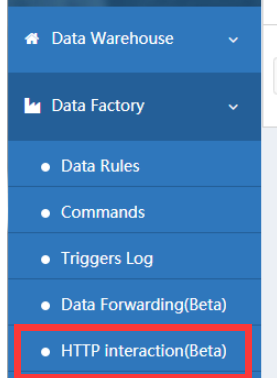
- Create a new UbiHTTP request - Click "Data factory" -> "HTTP interaction" and then click new UbiHTTP.
- Specify Settings - Not all Settings are required for every type of request. All UbiHTTP requests require the following parameters.
| Required parameters |
Description |
| Name |
Enter a unique name for your UbiHTTP request. |
| API Key |
API key generated automatically for UbiHTTP requests. |
| Url |
Enter the web site address where the data is requested or written, starting with http:// or https://. |
| Method |
Select one of the following HTTP request methods to access the web site url: GET,POST,PUT,DELETE. |
Additional parameters can be specified depending on the nature of your request. For example, UbiHTTP requests to servers that require authentication require a user name and password.
| Optional parameters |
Description |
| HTTP authorized user name |
If your URL requires authentication, enter an authentication user name to access a private channel or website. |
| HTTP authentication password |
If your URL needs authentication, enter the authentication password to access the private channel or website. |
| Content type |
Enter the MIME or form type of the requested content. For example, application/x-www-form-ubibot. |
| Host |
If your ThingHTTP request requires a host address, enter the domain name. For example, webapi.ubibot.cn. |
| Content |
Enter the message you want to include in the request.
If you want to include variables in the message content, the following types of substitution characters are currently supported:
%%trigger_subject%% Subject of Alert Message
eg:
Alert Reminder - The channel id XXXX (C-xxxx) is out of alert range
%%trigger_body%% Full Contents of Alert Message
eg:
Alert Reminder - The channel id XXXX (C-xxxx) is out of alert range.
Sensor:field1 (temperature),trigger value:1 (rule name:high temperature warning).
The trigger ID is 2692595. You can log in the console to check it.
%%trigger_field%% Trigger_field Value
eg: field1 (temperature)
%%channel_id%% Channel ID
%%name%% Channel Name
%%trigger_type%% Trigger Type
%%sampled_at%% Data acquisition time (return timestamp)
eg: 1603263103
%%rule_type%% Mode of Alert
(numeric- Sensor Alert | no_data_check- Offline Alert | status_field- USB Down Alert)
eg: numeric
%%rule_name%% Rule Name
%%rule_condition%% Threshold Value of the Rule
%%action_frequency%% (change_only - Once-only Alert | change_only_delayed- Delayed Once-only Alert | always- Continuous Alert | always_delayed- Delayed Continuous Alert)
%%frequency%% The delay time set when the alert is Delayed Alert ( unit:s )
eg: 120
%%criteria%% Condition of Alert
eg: >
%%trigger_id%% Trigger ID
eg: 2692622
%%trigger%% Trigger Value
eg: 1 |
Trigger UbiHTTP
UbiHTTP is triggered by setting up an alert rule using a GET or POST request.
- Click "Data Warehouse" -> "Data Warehouse";
- Select the device to set HTTP interaction -> "Rules" -> "Create Offline/Sensor/USB Down Alert";
- Set the early alert information according to the application situation;
- Mode of alert select "HTTP interaction" -> select the UbiHTTP request name just set up;
- Save alert;
UbiHTTP requests are triggered when the device's sensor detection value reaches a user-set threshold.
Supported Substitution Characters
For example,
Body: The temperature now is %%trigger%% ℃.
Display: The temperature now is 27℃.
Body: The trigger field is %%trigger_field%%.
Display: The trigger field is field1 (Temperature).
AutoSync Google Sheets
Overview
When you successfully bind your UbiBot account to Google account, your devices will automatically upload its newly generated data to the Google Drive Spreadsheet for backup.
Details of charges
One credit per month for each device, service expiration will end automatically.
Each device can be tried once for 24 hours.
Activation Method
Please login to https://console.ubibot.com ;
From left side menu, click "Account" -> "Profile Settings" and bind your UbiBot Account to Google Account;
After successfully binding the Google account, from left side menu, click "Data factory" -> "AutoSync Google Sheets";
Follow the "Add Device" instructions;
Add Command
Overview
The Add Command API call is used to issue commands to devices, such as turning on/off a smart plug (SP1) or a network relay device (NR1).
API URL
https://webapi.ubibot.com/channels/CHANNEL_ID/commands?parameters
HTTP Method
POST
URL Parameters
| Name |
Type |
Required |
Description |
| account_key |
String |
Required |
Specify the account_key obtained from the web console panel. |
| command_string |
String |
Required |
Command to be sent to your device. There is a limit of 255 characters per command_string. |
command_string Format
For SP1-based Devices: Use a JSON string in the following format:
Turn on the switch: {"action":"command","set_state":1,"s_port":"port1"}
Turn off the switch: {"action":"command","set_state":0,"s_port":"port1"}
Where set_state represents the target action. For SP1, only port1 exists.
For NR1-based Devices: Use a JSON string in the following format:
{"action":"command", "control_list":[{"s_port":"port1", "set_state":1}, {"s_port":"port2", "set_state":0}, {"s_port":"port3", "set_state":0}, {"s_port":"port4", "set_state":0}]}
The control_list array is used. set_state represents the target action. For NR1, four ports are allowed, each representing the associated relay.
Response
An HTTP code of 200 is responded for each successful data requests. The message body contains a JSON object listing the metadata for all channels associated with the specified user.
Error: See the separate list of error codes for more details.
MQTT Real-time Feed Topics
Overview
The UbiBot MQTT Real-time Feed service allows real-time data feed delivery from the UbiBot platform via MQTT protocol. Clients can subscribe to their own or shared channel feed topics to receive original sensor data instantly. A heartbeat mechanism is required to maintain active subscription status.
Note: The MQTT Channel Feeds service is available only to users with a UbiBot Plus Membership of Bronze level or higher. It is not available for FREE-tier accounts.
Connection Details
- Host: mqtt-api.ubibot.com
- Port: 1883 or 8883 (for SSL encrypted connection)
- WebSocket Port: 8083 or 8084 (for SSL encrypted connection)
- WebSocket Path:/mqtt
- Username: Format: user_id=USER_ID
- Password: Format: account_key=ACCOUNT_KEY
Replace
USER_ID and
ACCOUNT_KEY with your actual credentials from
UbiBot Console.
MQTT Subscription Heartbeat
To receive real-time feed data, clients must send a heartbeat HTTP GET request to:
https://webapi.ubibot.com/mqtt-user-feeds/subcribe-ping
A heartbeat must be sent at least once every 300 seconds to maintain the subscription. If the heartbeat is not received in time, the server will stop pushing MQTT feed data for the account. We recommend sending the heartbeat every
240 seconds. Please avoid sending heartbeats too frequently (e.g., more than once every 10 seconds).
Heartbeat Request Parameters
account_key (string, required)
user_id (optional): Comma-separated list of other user IDs (max 20) for subscribing to their devices.
MQTT Topics
Replace
USER_ID and
CHANNEL_ID accordingly. You may also subscribe to feeds under other accounts by specifying their user_id.
Note: Those users must enable data sharing (share permission) for your account in the UbiBot Console; otherwise, you will not receive their data.
Python - MQTT Feed Subscription Example
# -*- coding: utf-8 -*-
# UbiBot MQTT Feed Subscription with Heartbeat (Python)
import paho.mqtt.client as mqtt
import threading
import requests
import time
# Replace with your actual credentials
USER_ID = "your_user_id"
ACCOUNT_KEY = "your_account_key"
OTHER_USER_IDS = "" # Optional, e.g., "user1,user2"
# MQTT connection settings
MQTT_HOST = "mqtt-api.ubibot.com"
MQTT_PORT = 1883
MQTT_USERNAME = f"user_id={USER_ID}"
MQTT_PASSWORD = f"account_key={ACCOUNT_KEY}"
MQTT_TOPIC = f"/user/{USER_ID}/channel_feeds/#"
# Heartbeat settings
HEARTBEAT_URL = "https://webapi.ubibot.com/mqtt-user-feeds/subcribe-ping"
HEARTBEAT_INTERVAL = 240 # seconds
# Heartbeat function
def send_heartbeat():
params = {
"account_key": ACCOUNT_KEY
}
if OTHER_USER_IDS:
params["user_id"] = OTHER_USER_IDS
try:
response = requests.get(HEARTBEAT_URL, params=params, timeout=5)
print(f"[HEARTBEAT] Sent. Status: {response.status_code}, Response: {response.text}")
except Exception as e:
print(f"[HEARTBEAT] Failed: {e}")
# Schedule next heartbeat
threading.Timer(HEARTBEAT_INTERVAL, send_heartbeat).start()
# MQTT Callbacks
def on_message(client, userdata, msg):
print(f"[RECV] Topic: {msg.topic}")
print(f"[RECV] Payload: {msg.payload.decode()}")
def on_connect(client, userdata, flags, rc):
if rc == 0:
print("[INFO] Connected successfully.")
client.subscribe(MQTT_TOPIC)
print(f"[INFO] Subscribed to: {MQTT_TOPIC}")
else:
print(f"[ERROR] Connection failed with code {rc}")
# Start MQTT client
client = mqtt.Client()
client.username_pw_set(MQTT_USERNAME, MQTT_PASSWORD)
client.on_connect = on_connect
client.on_message = on_message
print("[INFO] Connecting to MQTT broker...")
client.connect(MQTT_HOST, MQTT_PORT, 60)
# Start heartbeat thread
send_heartbeat()
# Start MQTT loop
client.loop_forever()
NodeJS- MQTT Feed Subscription Example
// Node.js – MQTT Feed Subscription Example with Heartbeat
const mqtt = require('mqtt');
const https = require('https');
const querystring = require('querystring');
// Replace with your actual credentials
const USER_ID = 'your_user_id';
const ACCOUNT_KEY = 'your_account_key';
const OTHER_USER_IDS = ''; // Optional, e.g., 'user1,user2'
const options = {
username: `user_id=${USER_ID}`,
password: `account_key=${ACCOUNT_KEY}`
};
const topic = `/user/${USER_ID}/channel_feeds/#`;
const client = mqtt.connect('mqtt://mqtt-api.ubibot.com:1883', options);
client.on('connect', () => {
console.log('[INFO] Connected to MQTT broker.');
client.subscribe(topic, (err) => {
if (!err) {
console.log('[INFO] Subscribed to:', topic);
} else {
console.error('[ERROR] Subscribe failed:', err.message);
}
});
// Start sending heartbeat
sendHeartbeat();
setInterval(sendHeartbeat, 240000); // every 240 seconds
});
client.on('message', (topic, message) => {
console.log(`[RECV] Topic: ${topic}`);
console.log(`[RECV] Payload: ${message.toString()}`);
});
function sendHeartbeat() {
const params = {
account_key: ACCOUNT_KEY
};
if (OTHER_USER_IDS) {
params.user_id = OTHER_USER_IDS;
}
const query = querystring.stringify(params);
const url = `https://webapi.ubibot.com/mqtt-user-feeds/subcribe-ping?${query}`;
https.get(url, (res) => {
let data = '';
res.on('data', (chunk) => { data += chunk; });
res.on('end', () => {
console.log(`[HEARTBEAT] Status: ${res.statusCode}, Response: ${data}`);
});
}).on('error', (err) => {
console.error(`[HEARTBEAT] Error: ${err.message}`);
});
}
C# – MQTT Feed Subscription Example
// C# – MQTT Feed Subscription Example with Heartbeat
// Requires MQTTnet (via NuGet) and System.Net.Http
using MQTTnet;
using MQTTnet.Client;
using MQTTnet.Client.Options;
using System;
using System.Net.Http;
using System.Text;
using System.Threading;
using System.Threading.Tasks;
class Program
{
private static readonly string USER_ID = "your_user_id";
private static readonly string ACCOUNT_KEY = "your_account_key";
private static readonly string OTHER_USER_IDS = ""; // Optional: "user1,user2"
private static readonly string TOPIC = $"/user/{USER_ID}/channel_feeds/#";
private static readonly string HEARTBEAT_URL = "https://webapi.ubibot.com/mqtt-user-feeds/subcribe-ping";
private static readonly int HEARTBEAT_INTERVAL = 240; // seconds
private static readonly HttpClient httpClient = new HttpClient();
static async Task Main(string[] args)
{
var factory = new MqttFactory();
var mqttClient = factory.CreateMqttClient();
var options = new MqttClientOptionsBuilder()
.WithTcpServer("mqtt-api.ubibot.com", 1883)
.WithCredentials($"user_id={USER_ID}", $"account_key={ACCOUNT_KEY}")
.WithCleanSession()
.Build();
mqttClient.UseConnectedHandler(async e =>
{
Console.WriteLine("[INFO] Connected to MQTT broker.");
await mqttClient.SubscribeAsync(TOPIC);
Console.WriteLine($"[INFO] Subscribed to: {TOPIC}");
// Start heartbeat loop
_ = Task.Run(() => StartHeartbeatLoop());
});
mqttClient.UseApplicationMessageReceivedHandler(e =>
{
Console.WriteLine($"[RECV] Topic: {e.ApplicationMessage.Topic}");
Console.WriteLine($"[RECV] Payload: {Encoding.UTF8.GetString(e.ApplicationMessage.Payload)}");
});
mqttClient.UseDisconnectedHandler(e =>
{
Console.WriteLine("[WARN] Disconnected from MQTT broker.");
});
Console.WriteLine("[INFO] Connecting...");
await mqttClient.ConnectAsync(options);
Console.WriteLine("[INFO] Press any key to exit.");
Console.ReadLine();
}
static async Task StartHeartbeatLoop()
{
while (true)
{
try
{
var uriBuilder = new UriBuilder(HEARTBEAT_URL);
var query = $"account_key={ACCOUNT_KEY}";
if (!string.IsNullOrEmpty(OTHER_USER_IDS))
{
query += $"&user_id={OTHER_USER_IDS}";
}
uriBuilder.Query = query;
var response = await httpClient.GetAsync(uriBuilder.Uri);
var result = await response.Content.ReadAsStringAsync();
Console.WriteLine($"[HEARTBEAT] Status: {response.StatusCode}, Response: {result}");
}
catch (Exception ex)
{
Console.WriteLine($"[HEARTBEAT] Error: {ex.Message}");
}
await Task.Delay(HEARTBEAT_INTERVAL * 1000);
}
}
}
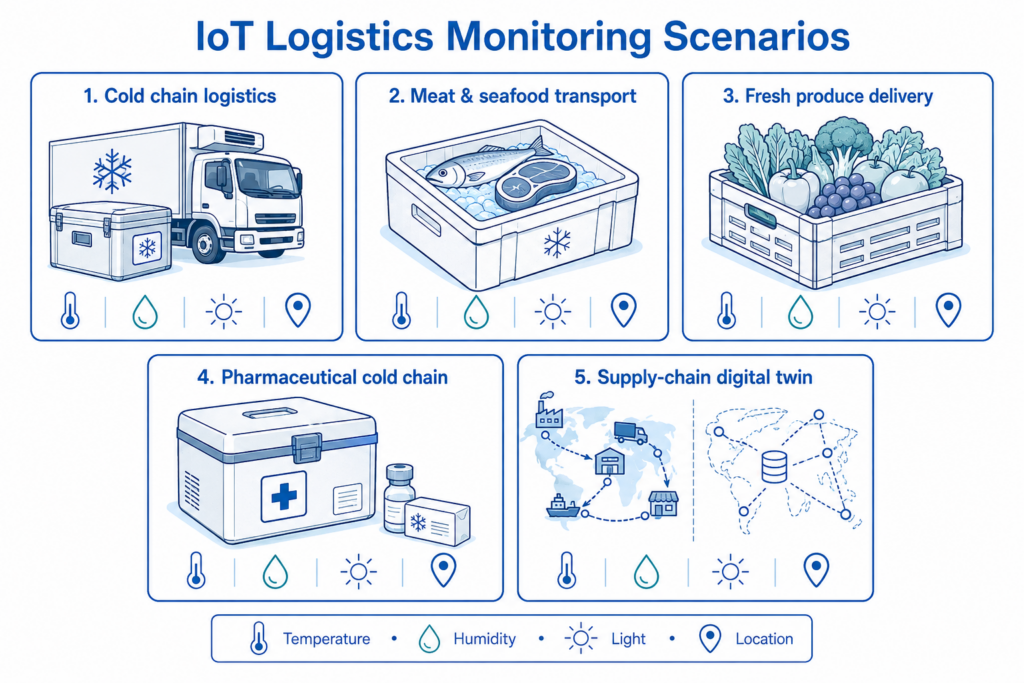
The Importance of Temperature and Humidity Monitoring for Food Preservation
Temperature & Humidity Monitoring Importance for Food Preservation
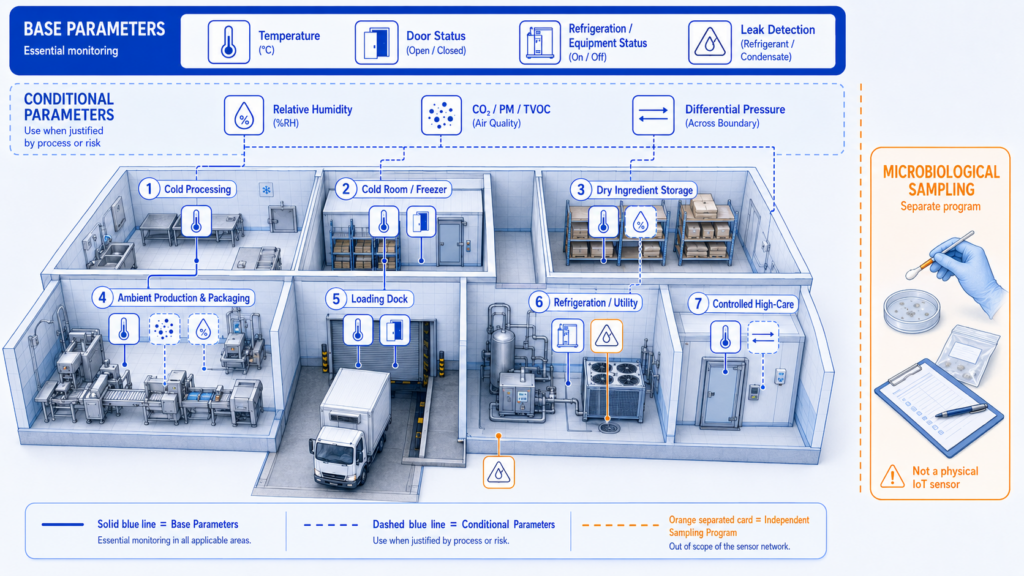
Learn the importance of temperature and humidity monitoring in food preservation. How do they affect food quality, and what measures can you take?
The Importance of Temperature and Humidity Monitoring for Food Preservation
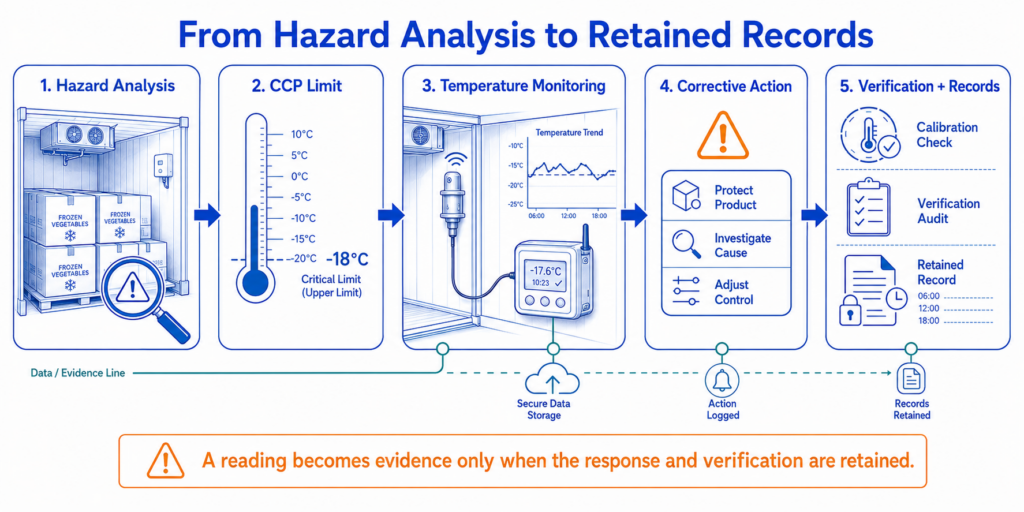
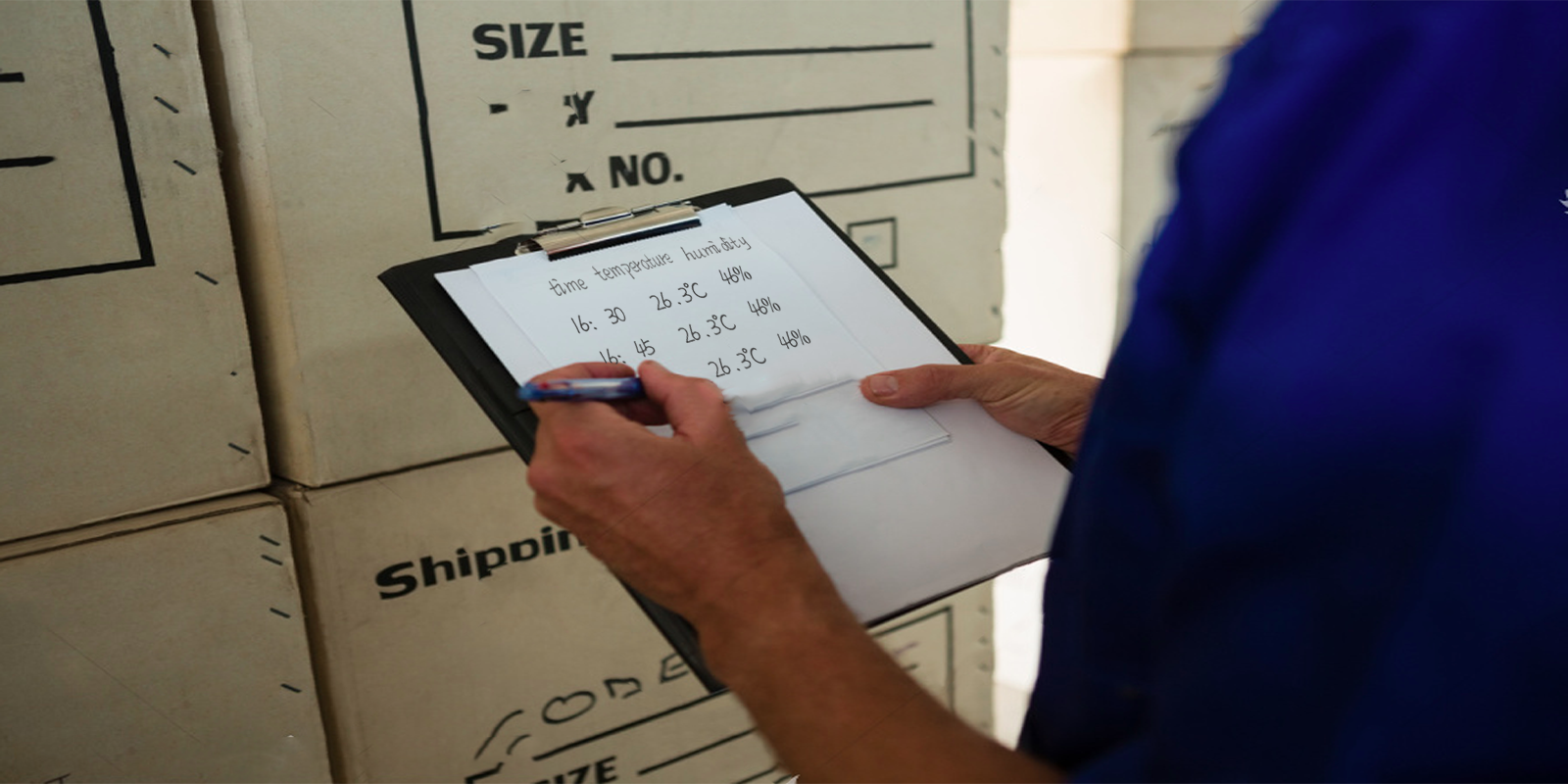
Temperature and humidity can affect the quality of food in many ways. Temperature can alter the food's consistency, leading to the development of dangerous bacteria. Uncontrolled humidity can also compromise nutrition.
It's important for food to be handled and stored properly under regulated conditions. Food is extremely sensitive to environmental conditions, and one simple mistake can have a devastating effect. Not only will the food go bad, but consuming that food can lead to health issues.
In the Era of Big Data, How do You Manage Your Data?
Nowadays, with data erupting like a volcano, people have to spend as much as plenty of time on managing the complex statistics. Regarding this business challenge, we make a comprehensive solution for all of our customers.
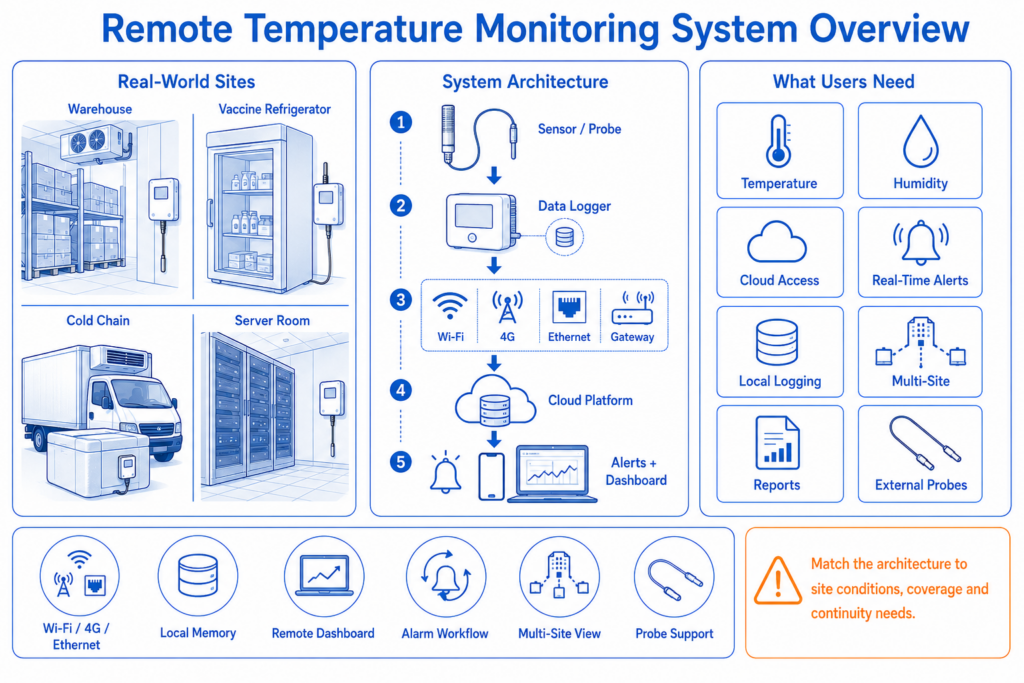
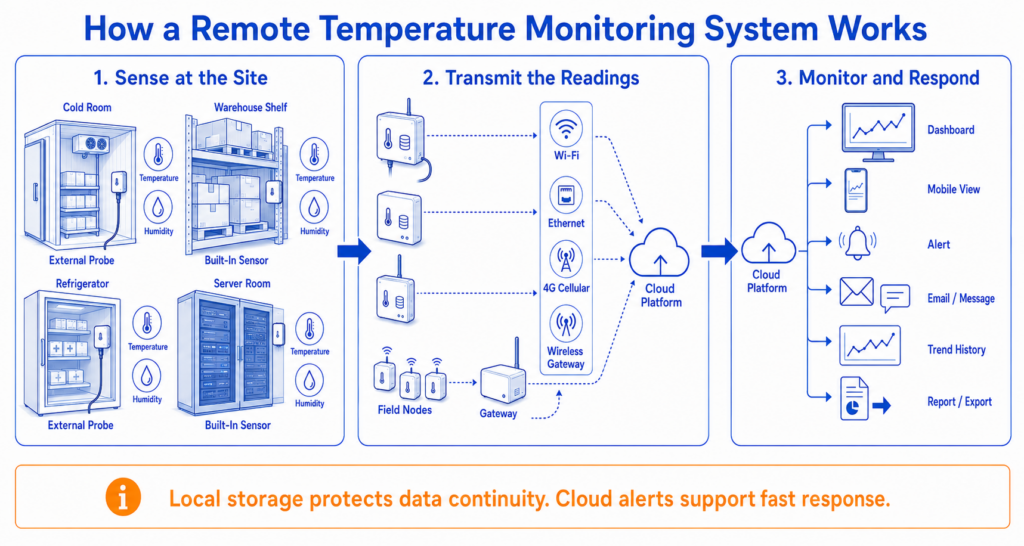
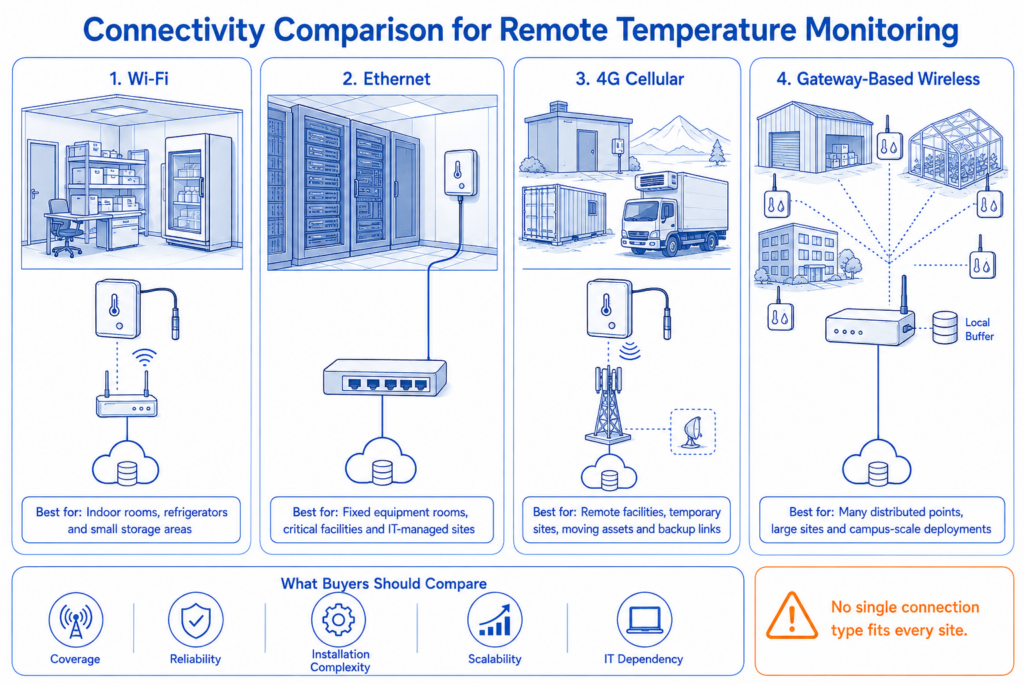
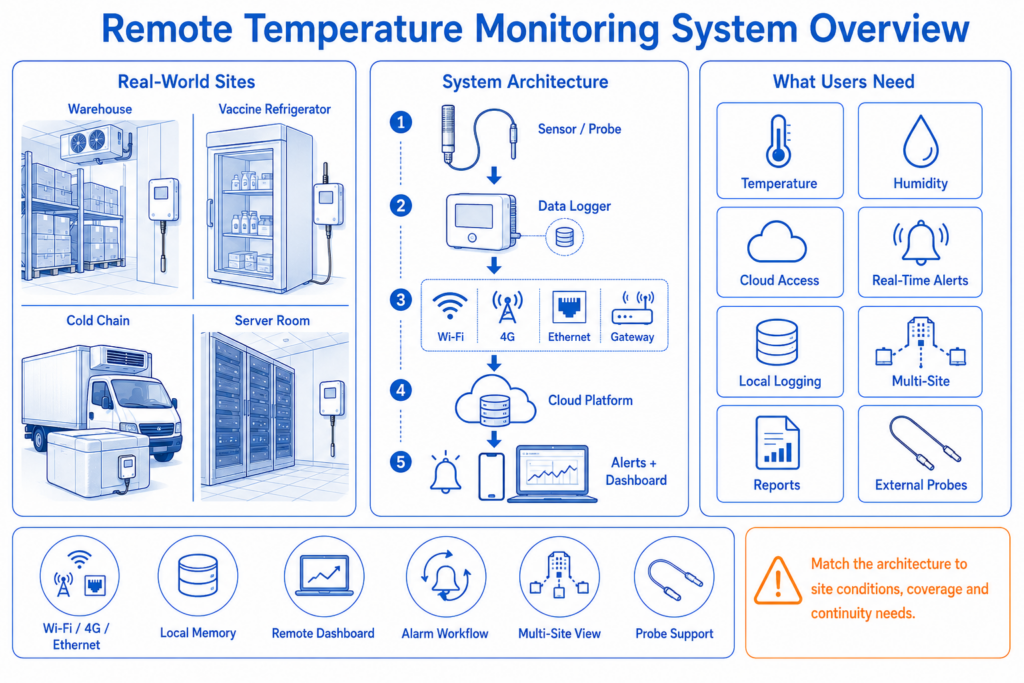
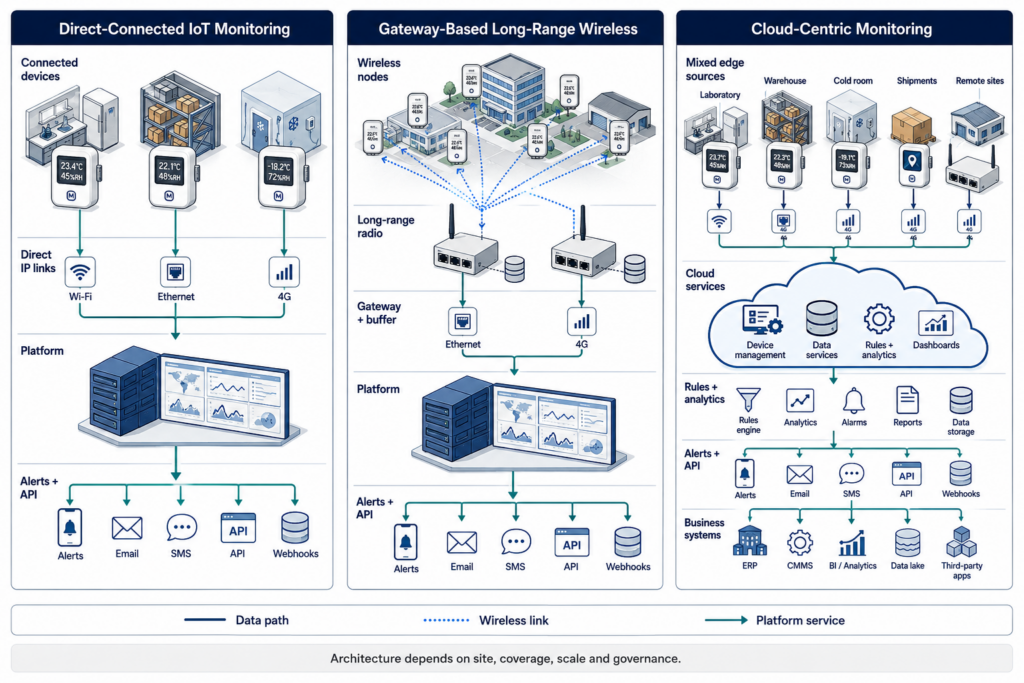
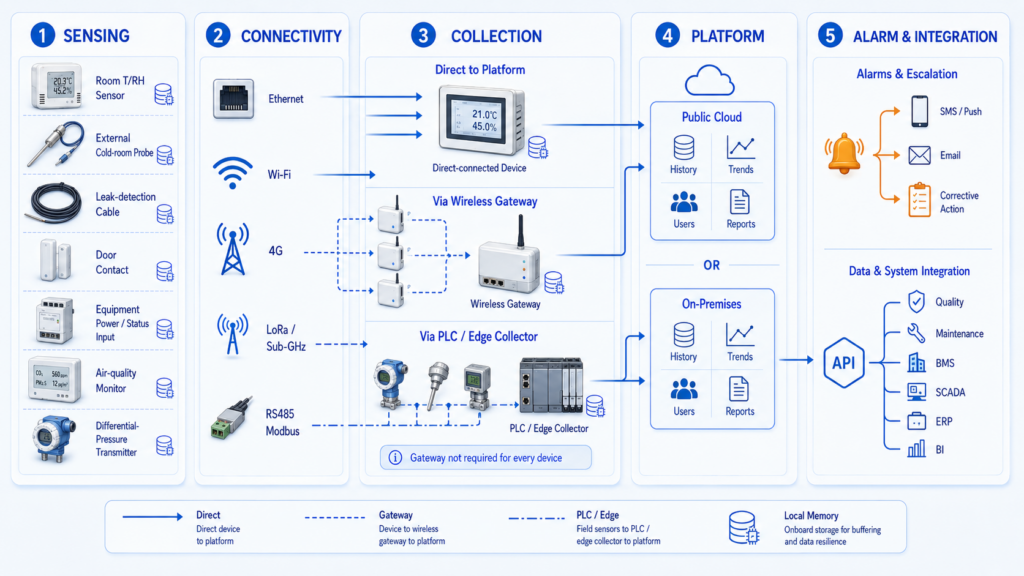
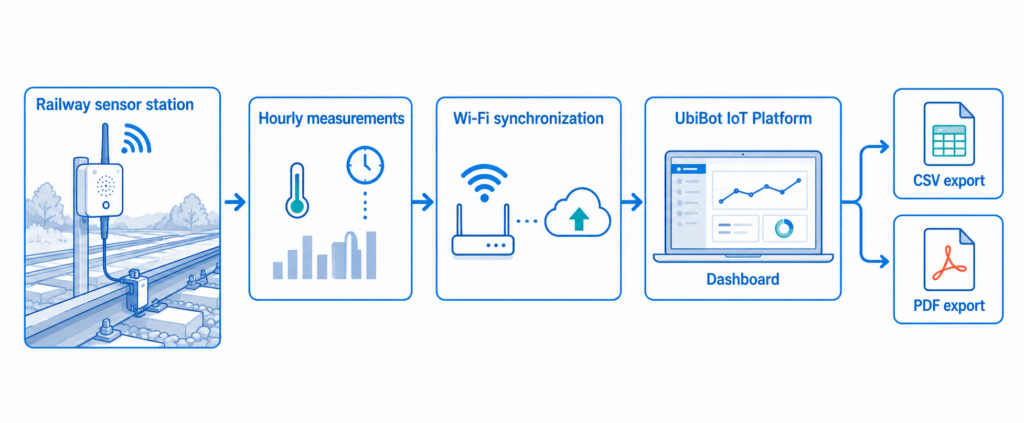
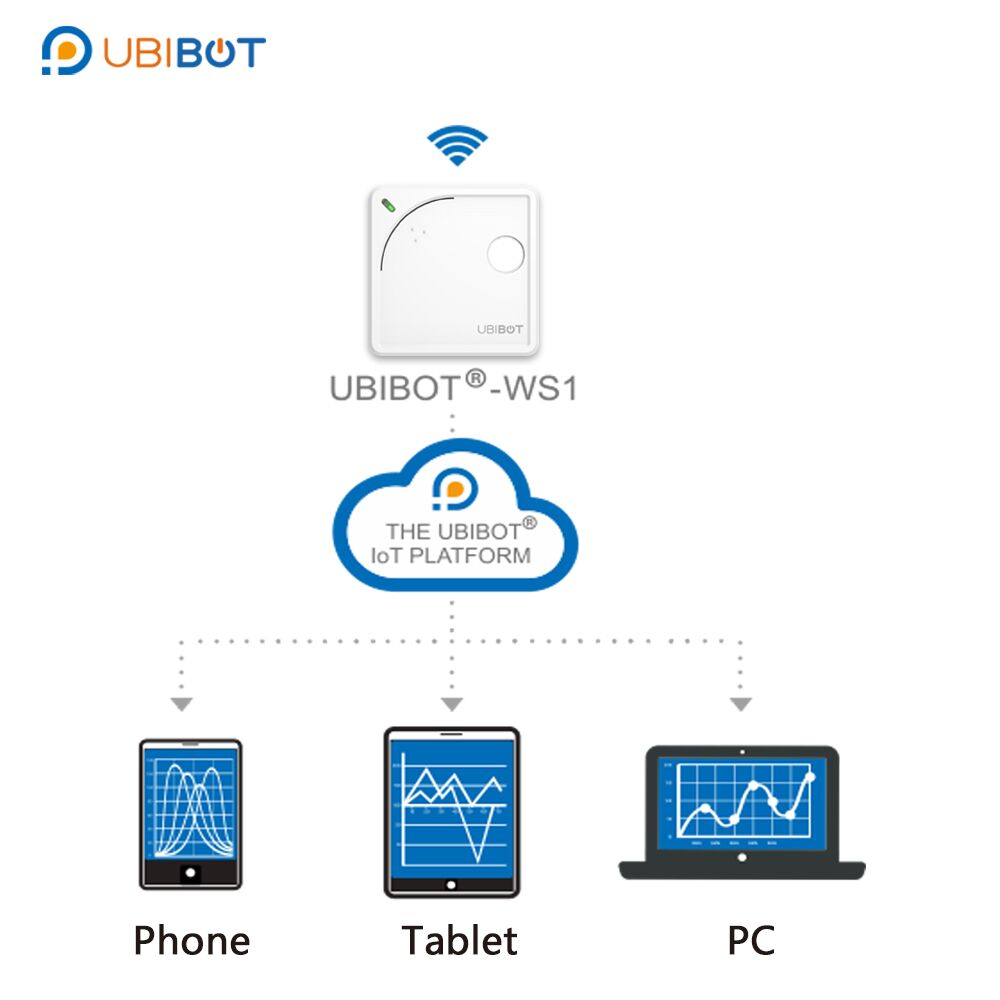
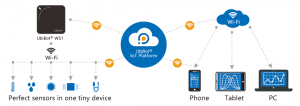
With our ending device -- the Wireless Smart Multi-Sensor Device WS1, you are able to access the environmental data remotely via your phone. Due to the WiFi connectivity and our user-oriented App, your data are synced in real-time and can be viewed instantly at anytime and anywhere in the world.
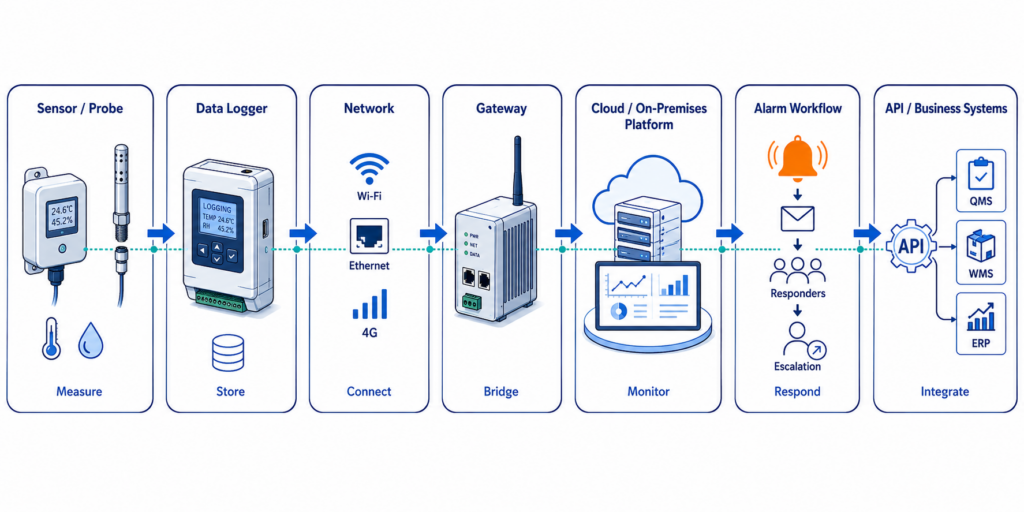
While, the App works just like a window where your data are displayed. The core technology is our UbiBot® IoT Platform. It offers all the features to process the huge amount of data, including secure data management, intelligent alerts, unlimited storage and data analysis.
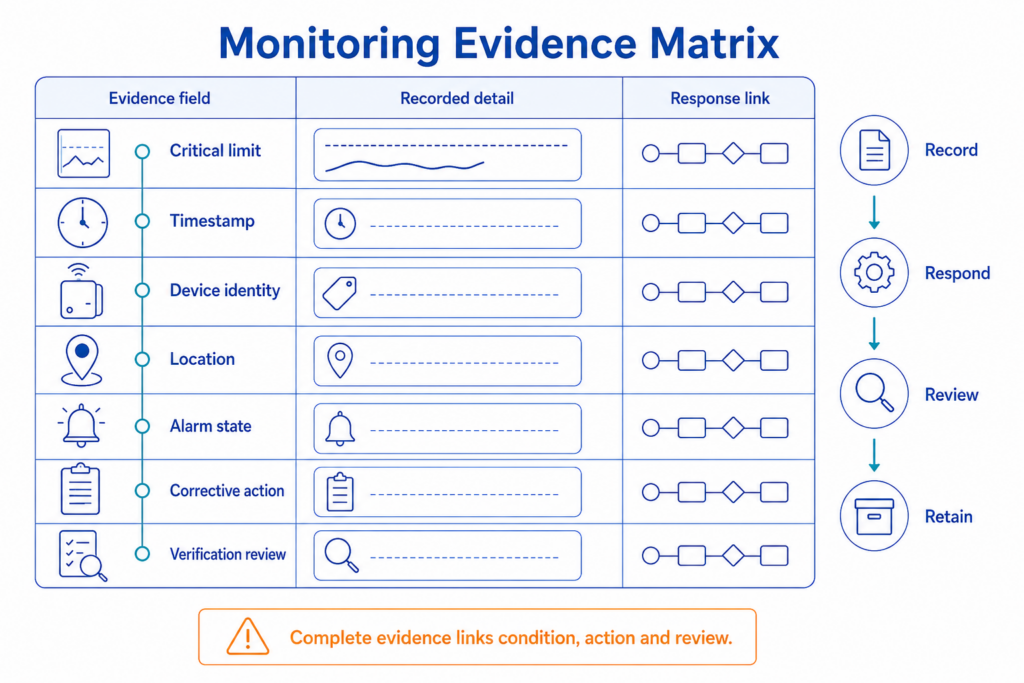
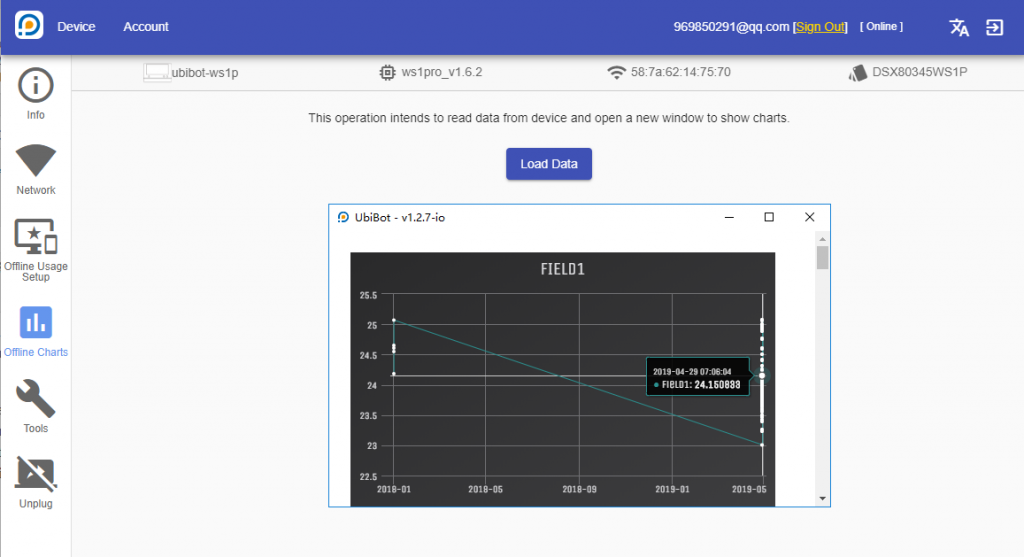
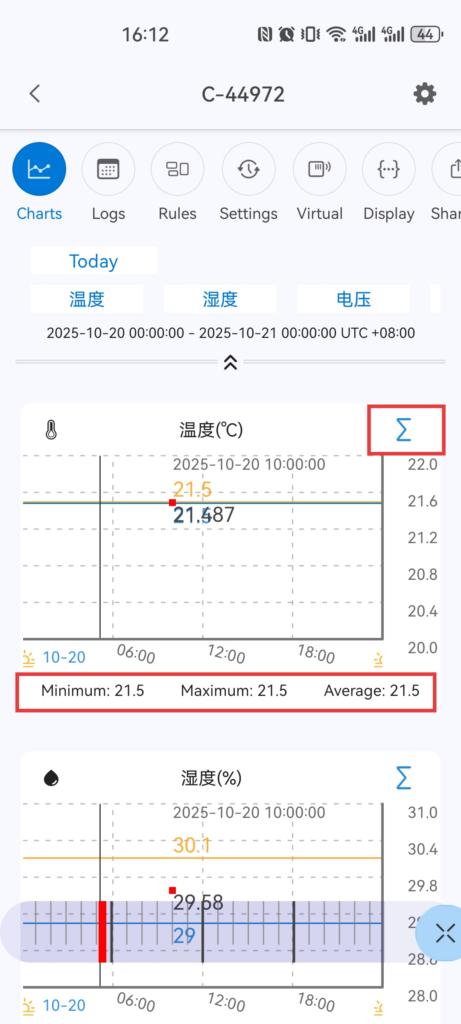
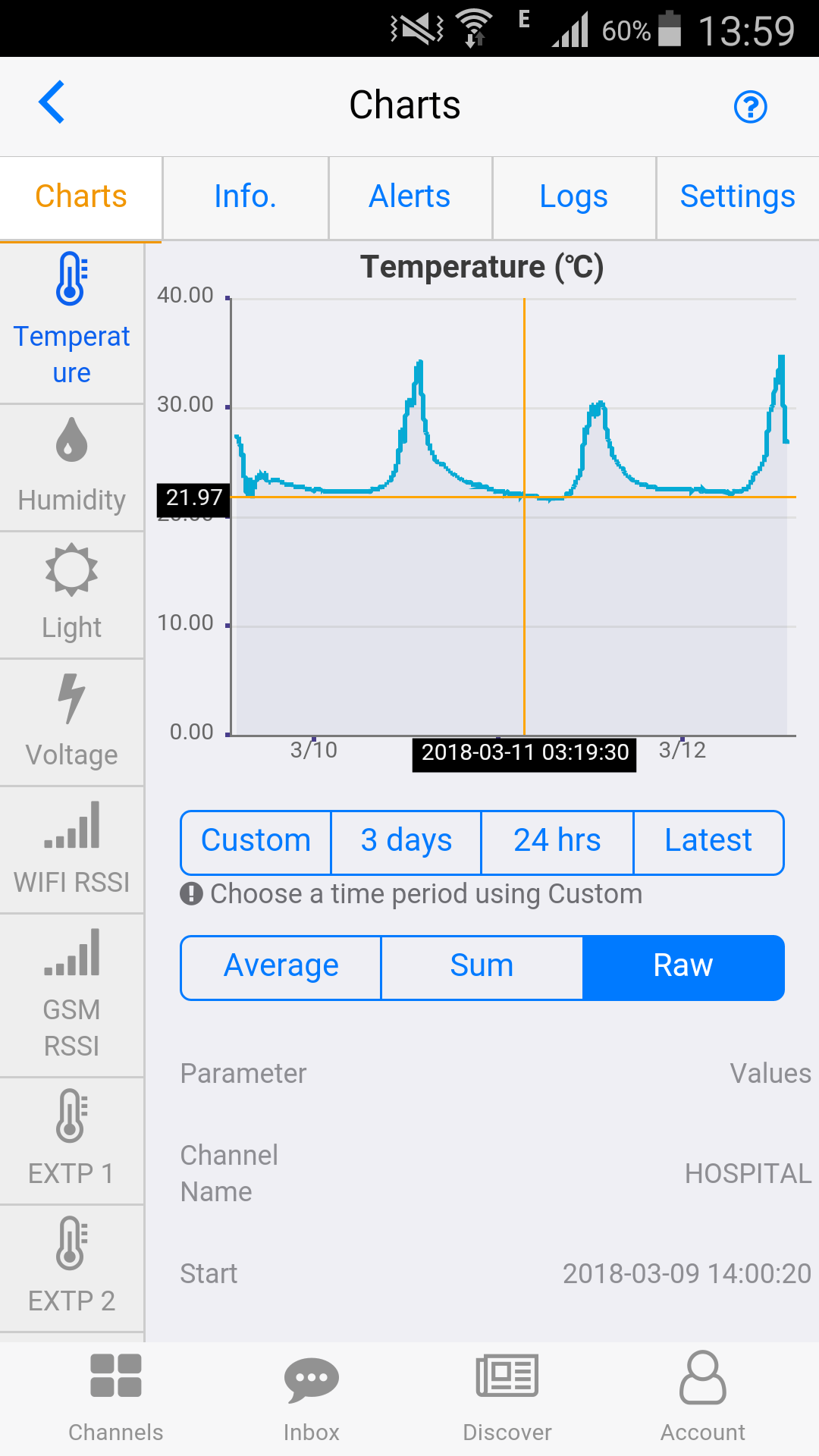
When you set a data sync interval or with the default settings, the device will automatically sync the data to our platform and store it securely in the large memory. You can not only view the real-time data, but also check the history record and compare with current conditions. The visible charts give you direct insights and tell the highest and lowest point.
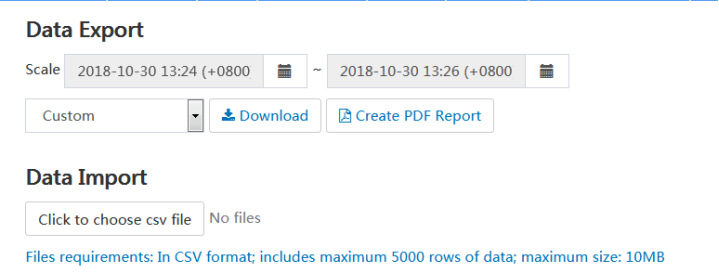
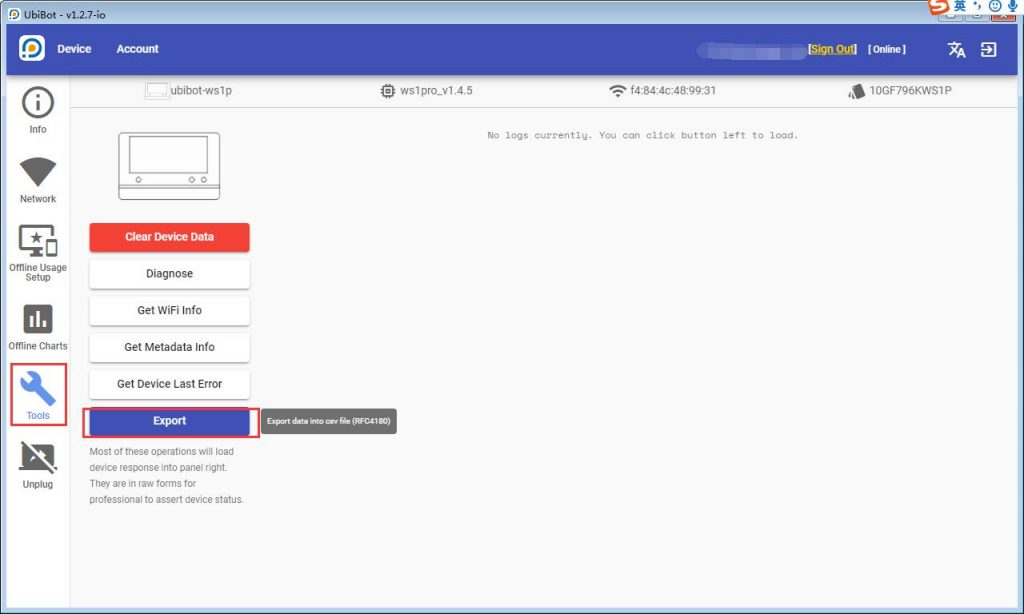
If you need to archive the records, click "Download" on the export page and save as CSV file. The platform analyses your raw data and produces periodic reports. This will benefit you in business summary.
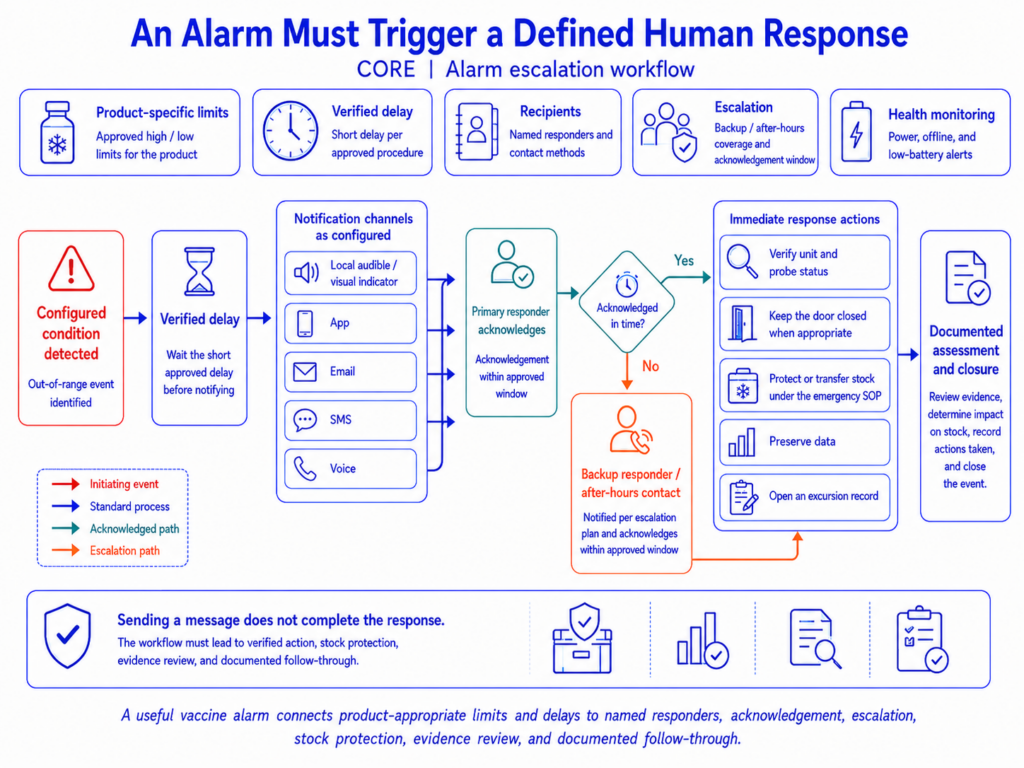
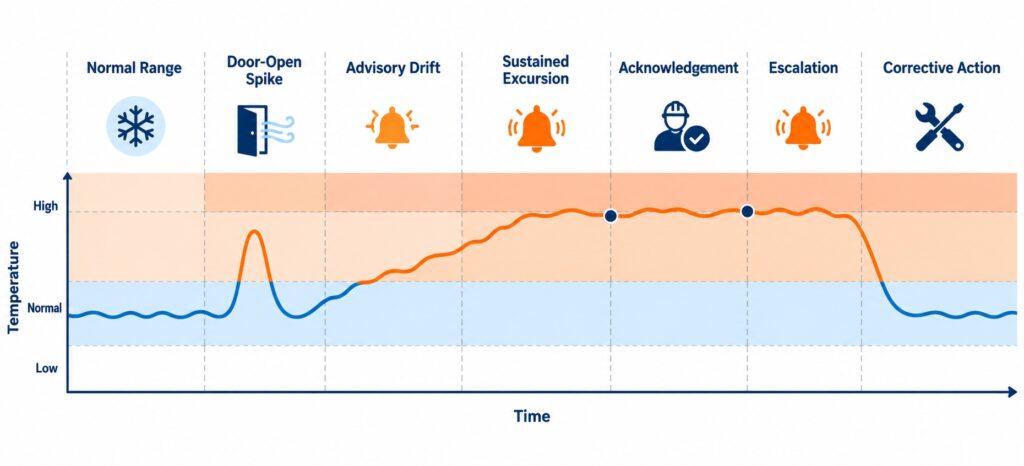
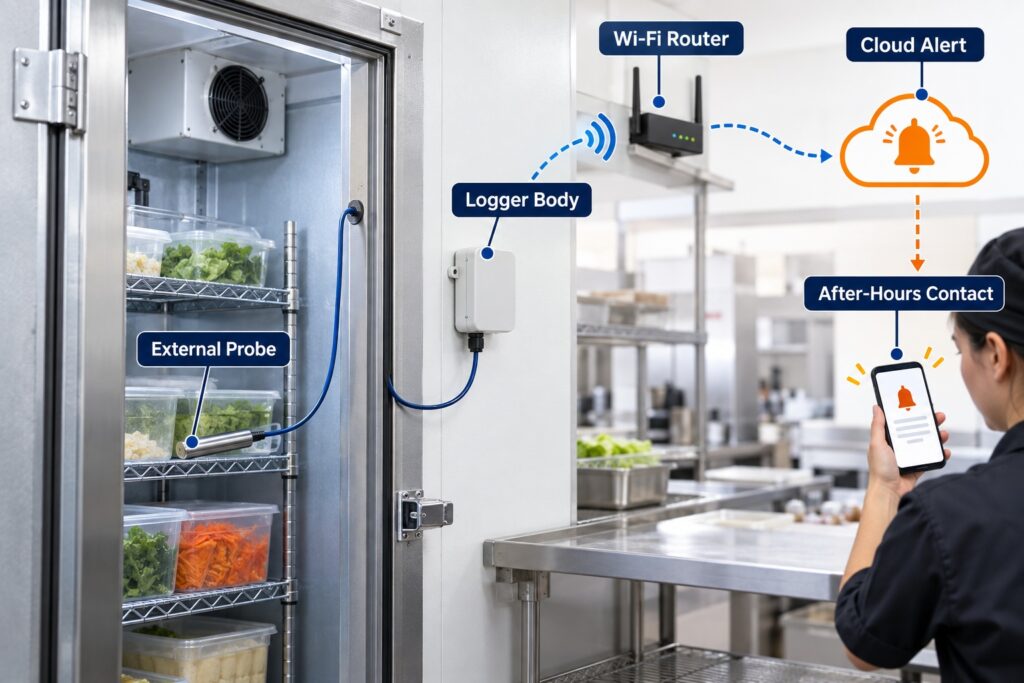
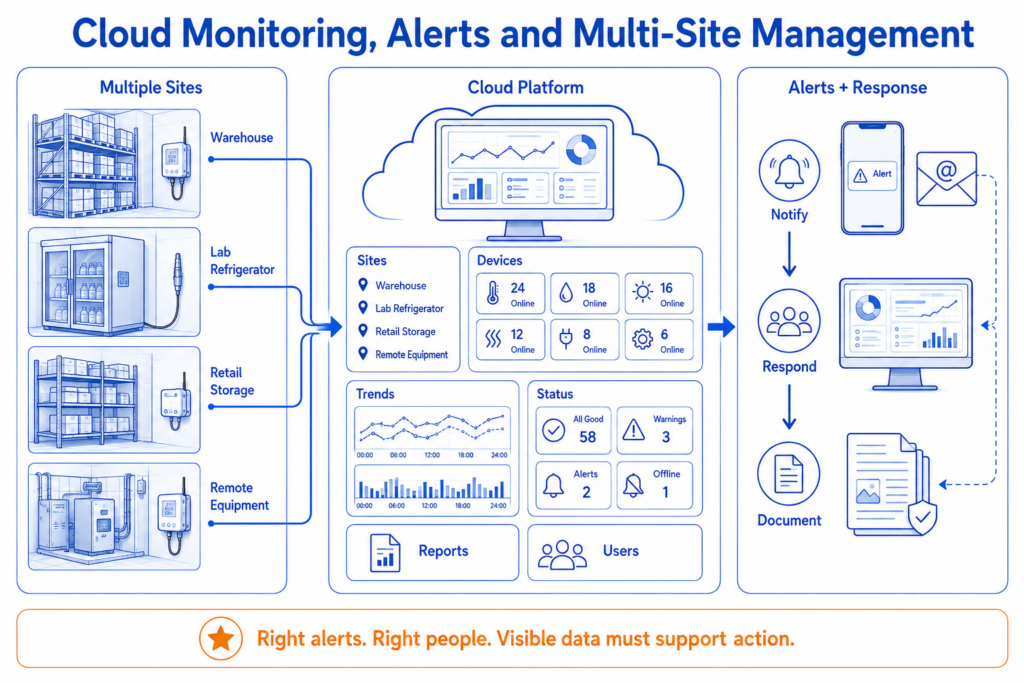
Apart from the storage and visualisation, the platform also allows you to set customised alerts. The threshold, the alert types, and the receiver, all can be set individually on the web as well as in the App.
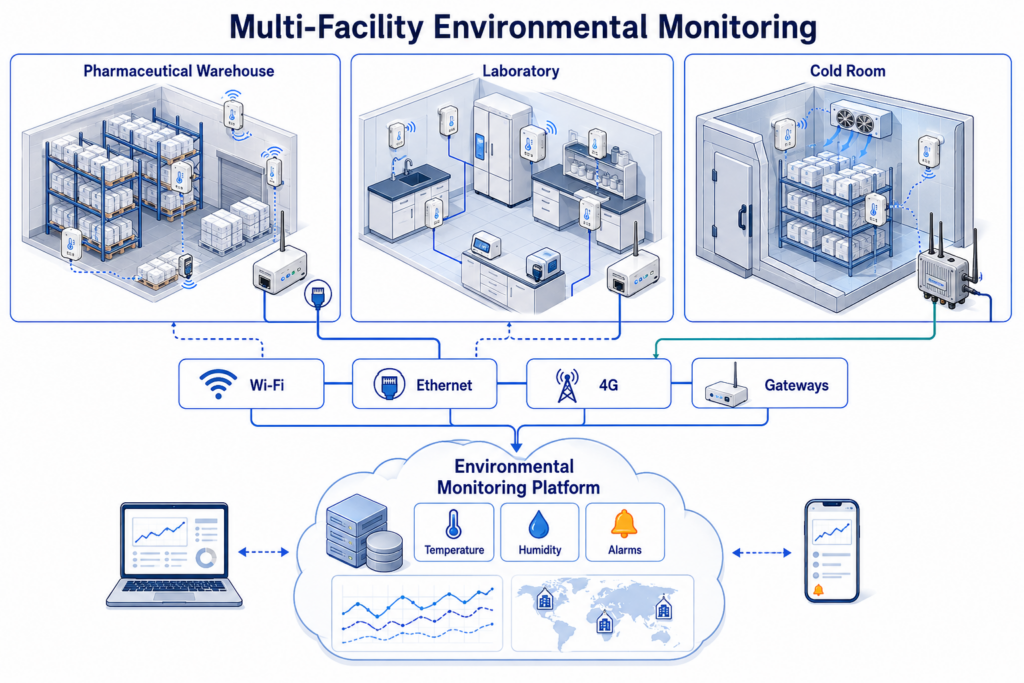
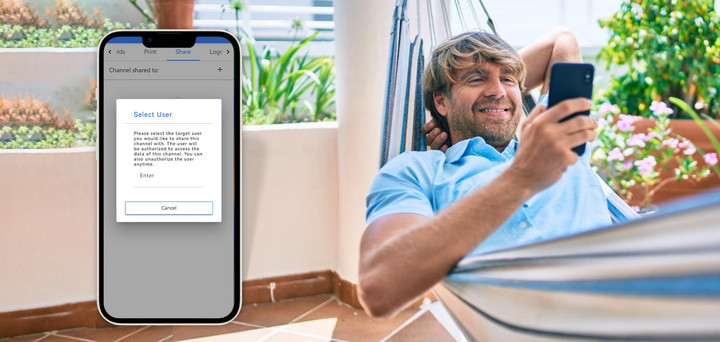
For business users, you might have trouble in managing multiple devices at the same time. The "Group" function ensures your easy operation by separating devices into several groups. In addition, you are able to share your device to your colleagues or your boss. Make sure important conditions are under close supervision.
We also open up our RESTful API, offering you the chance to develop your own monitoring solutions.
We're always put the customer's demands at first. As long as you get problems in collecting and managing data, we can help you to maximise your profits and minimise your risks.
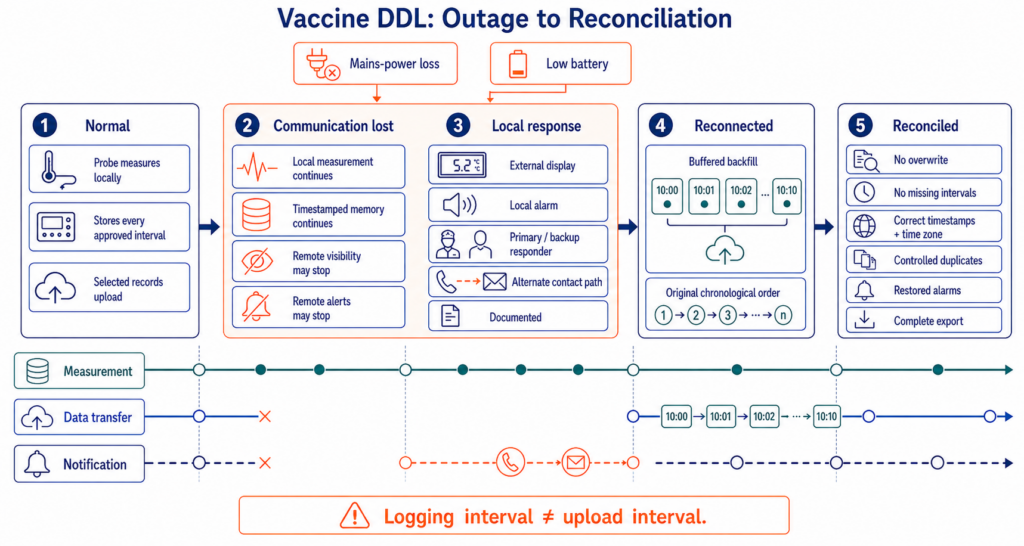
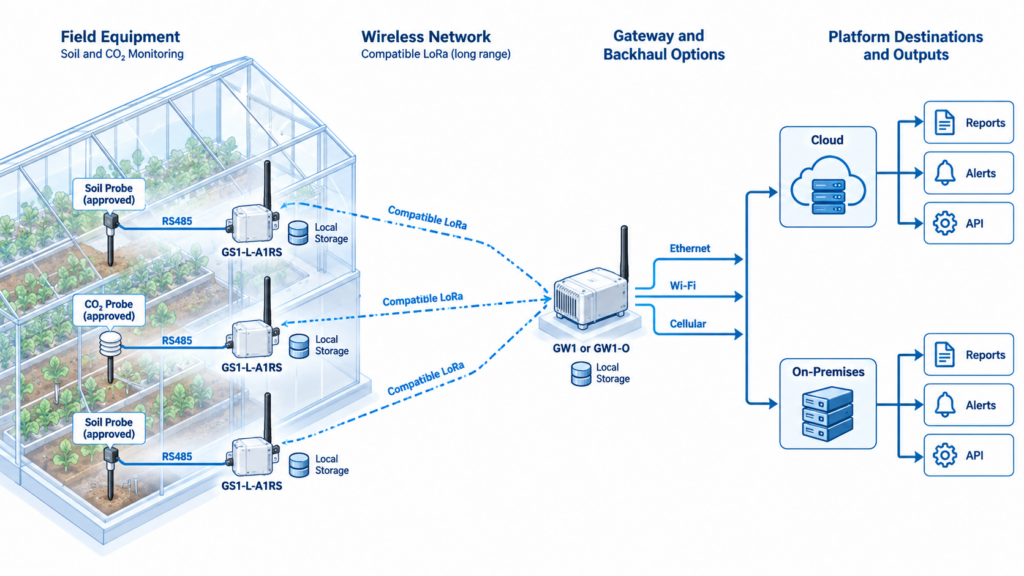
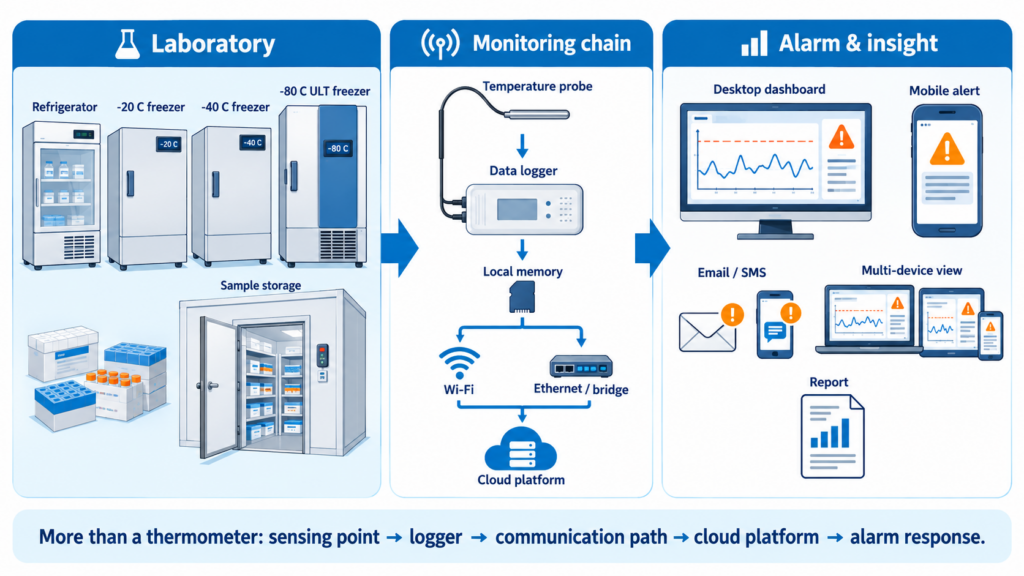
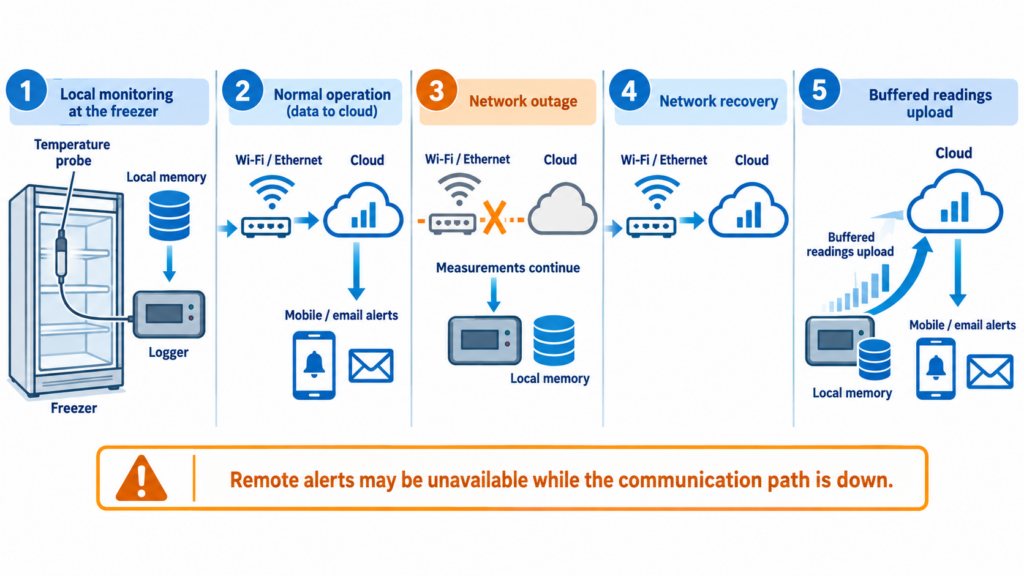
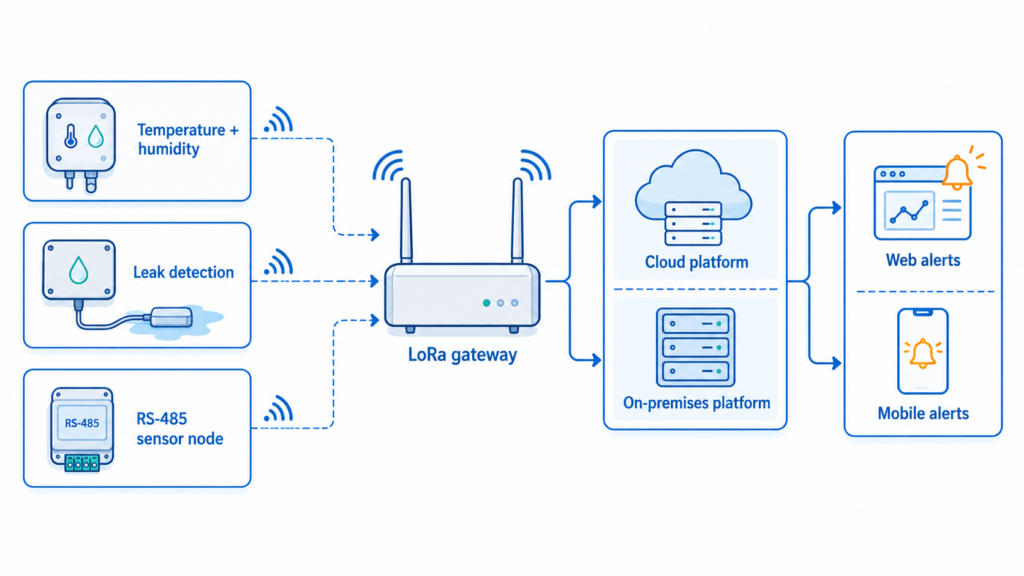
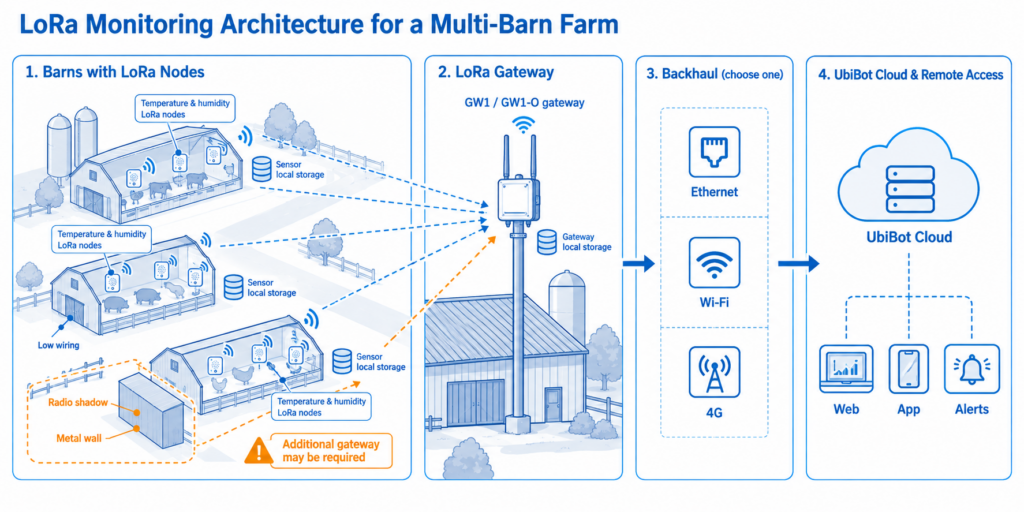
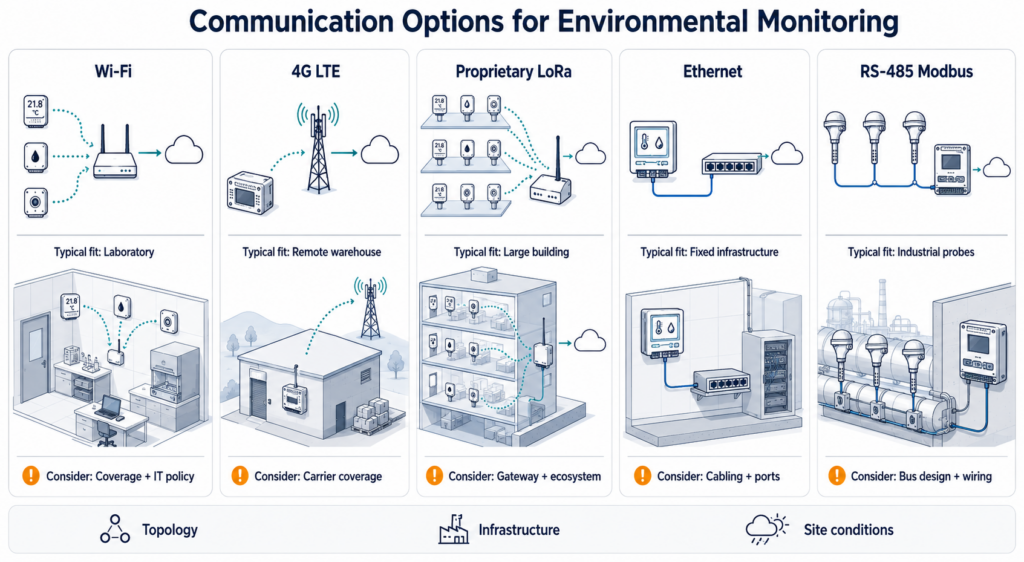
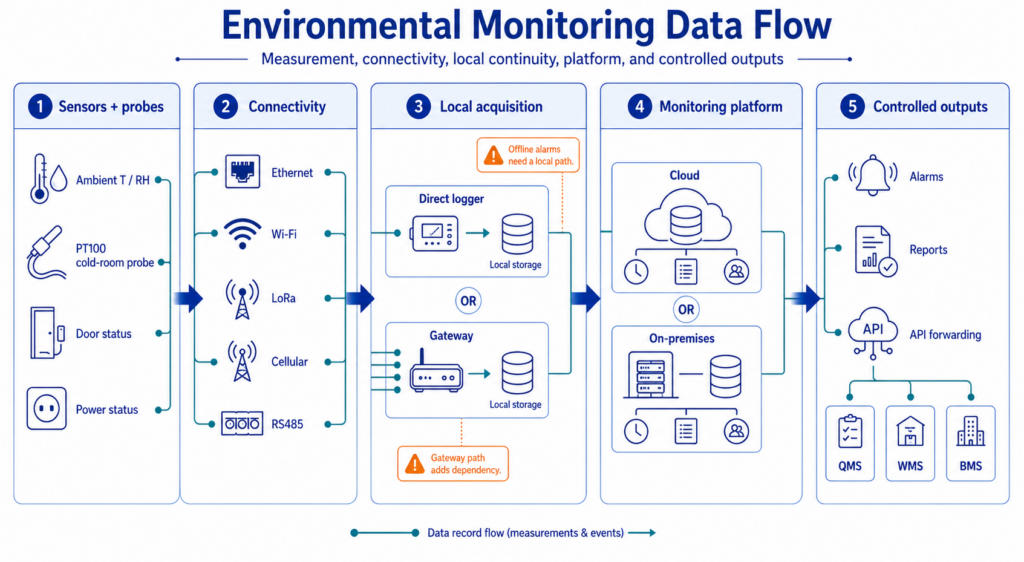
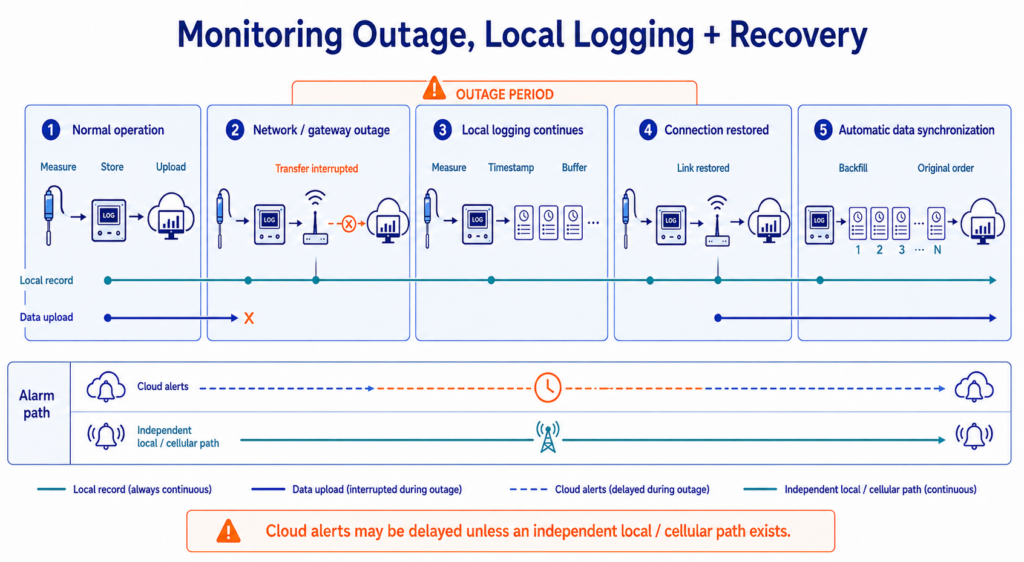
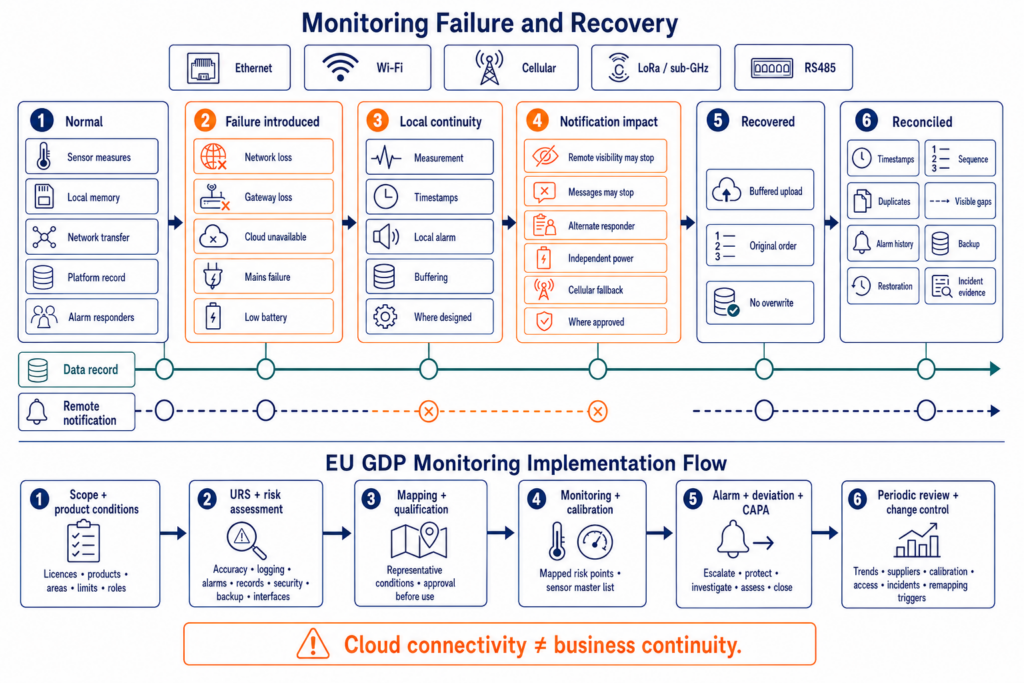
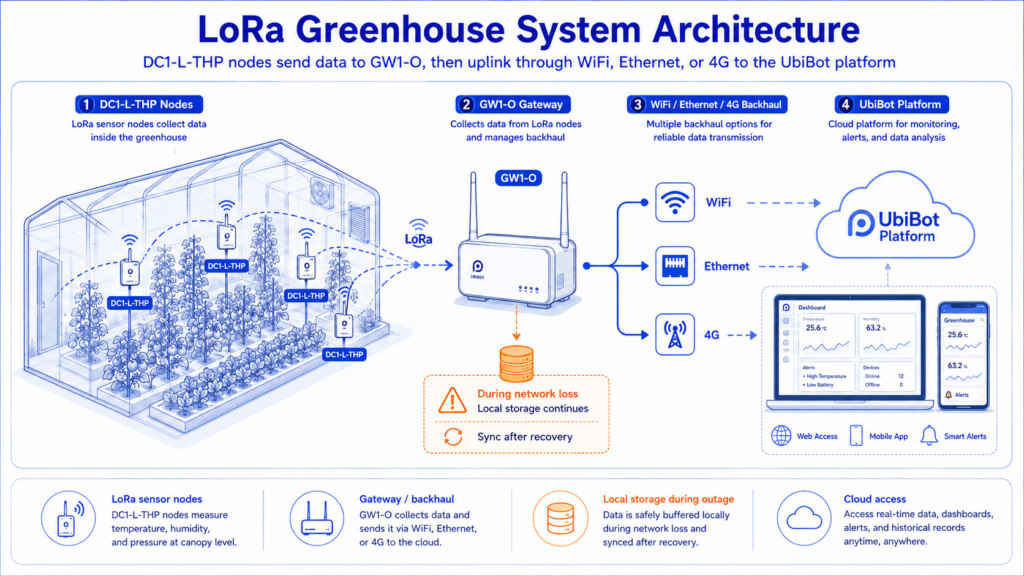
Does the UbiBot LoRa Gateway Store Data When Offline?
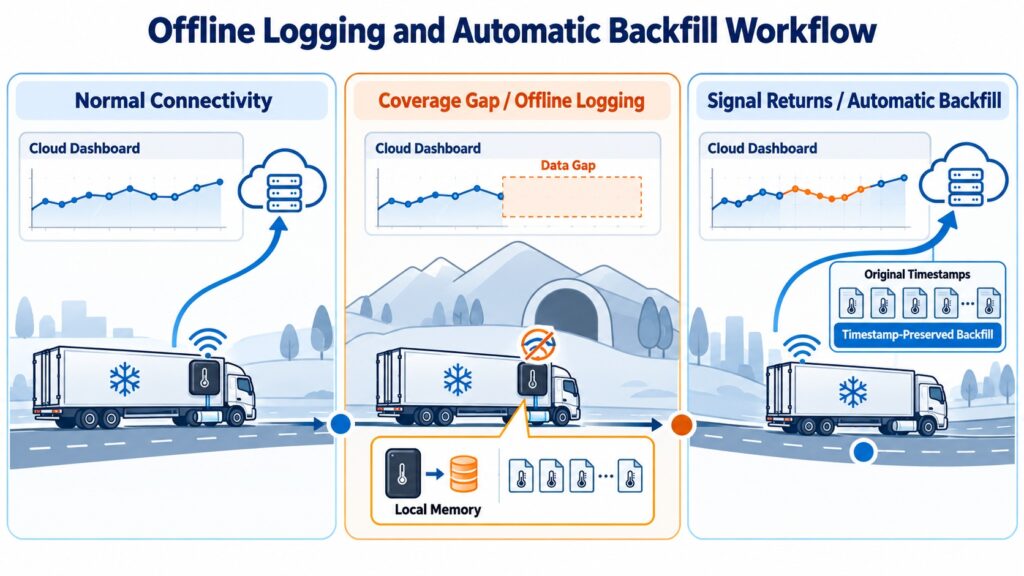
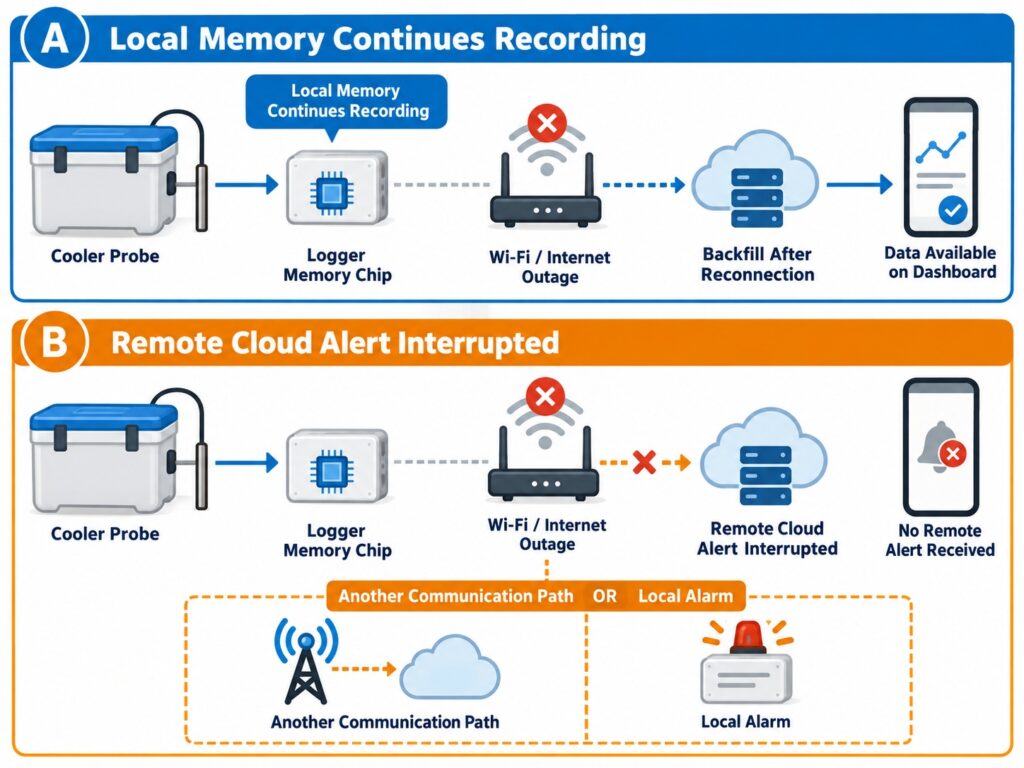
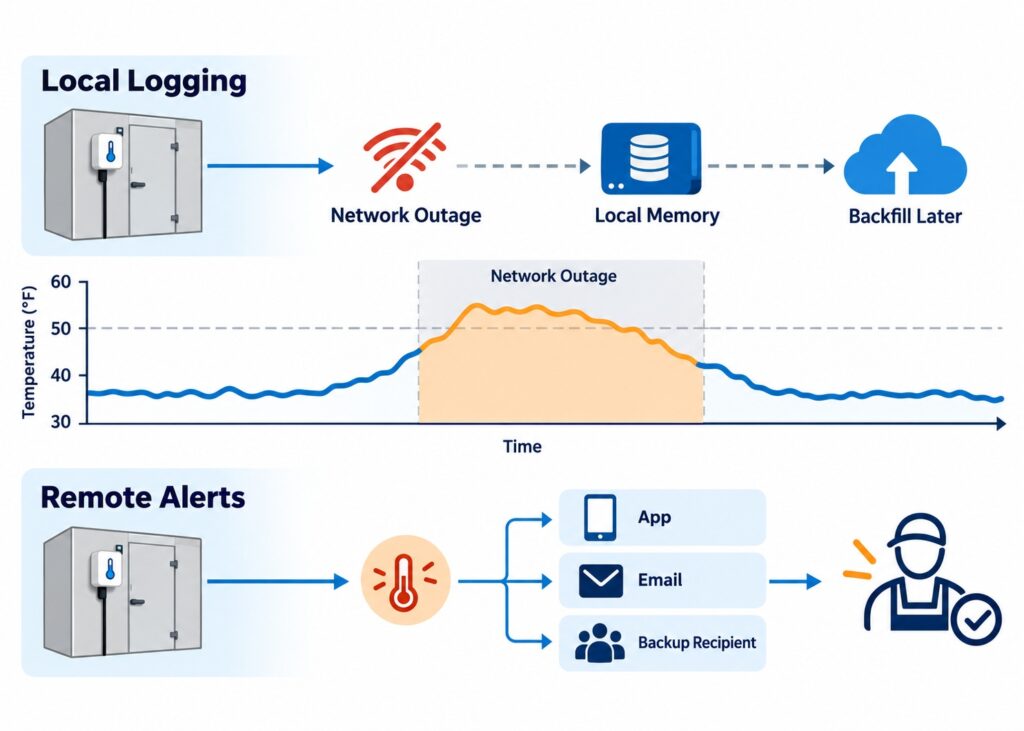
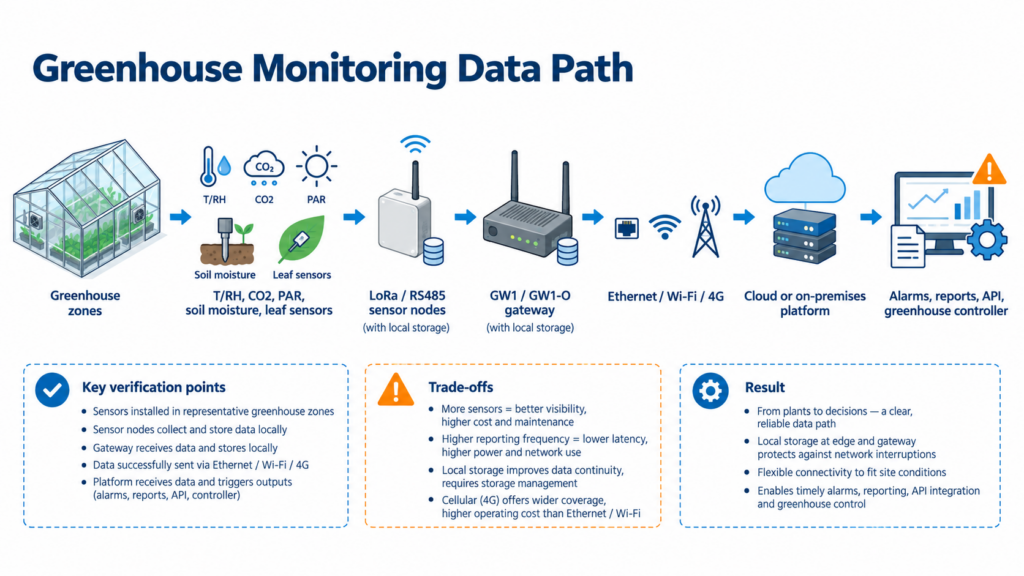
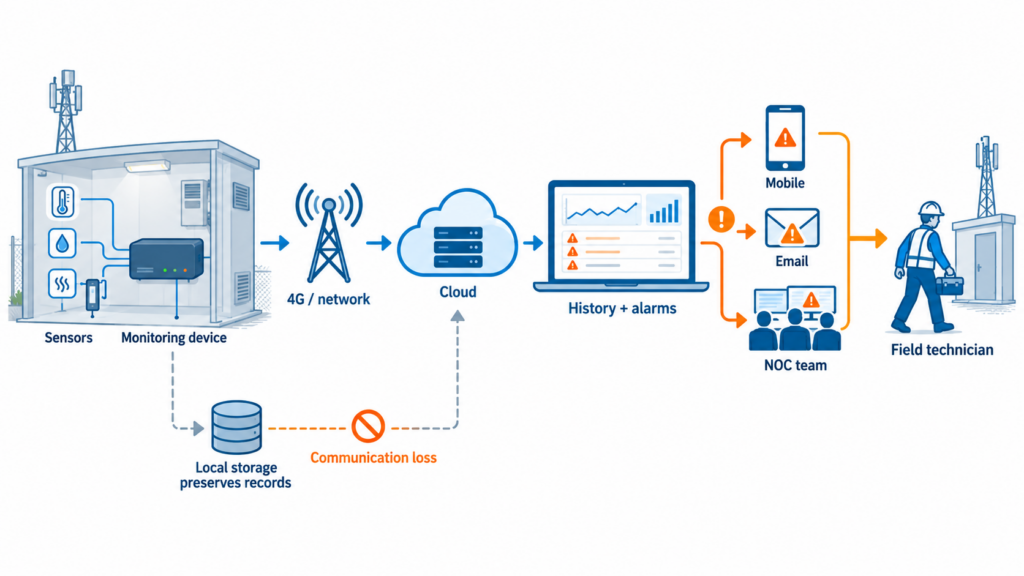
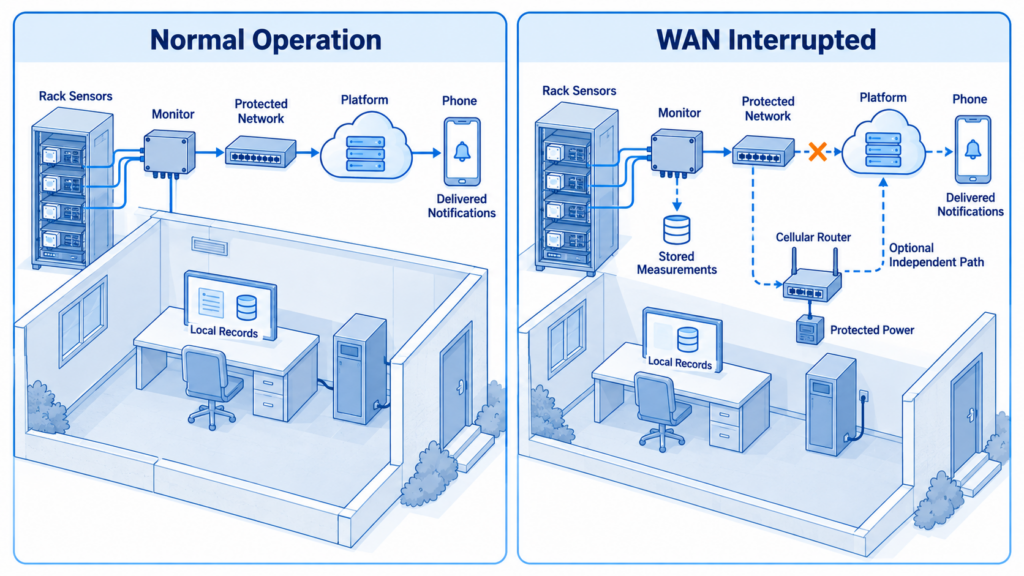
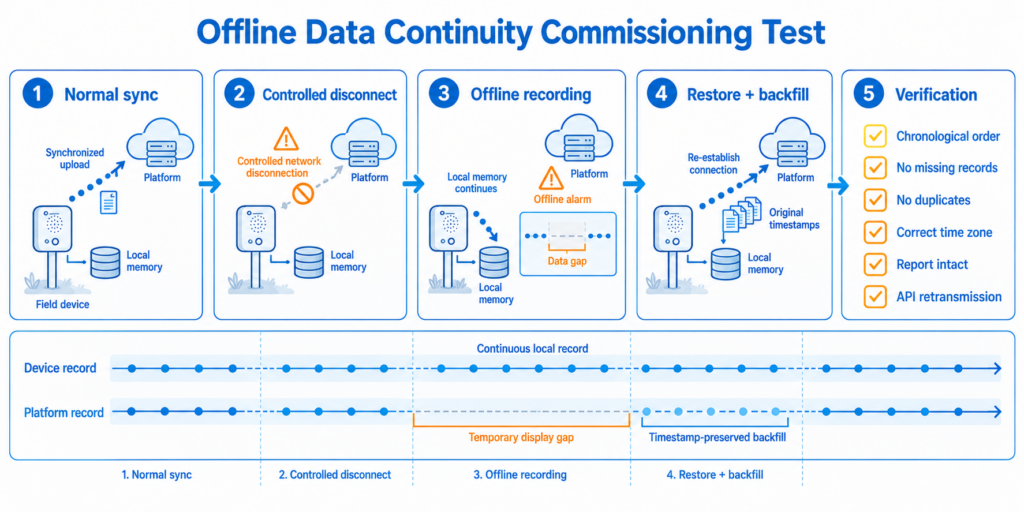
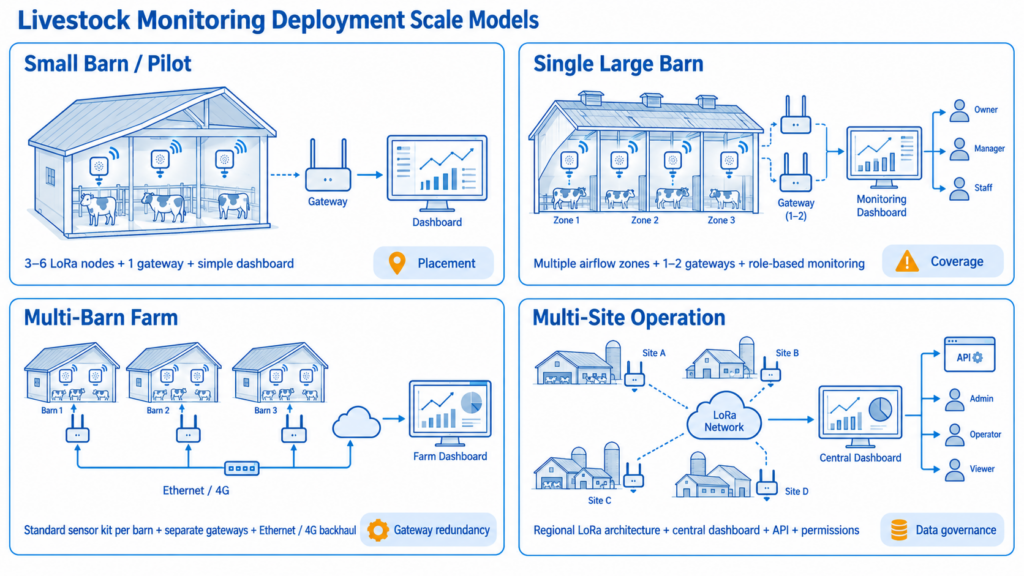
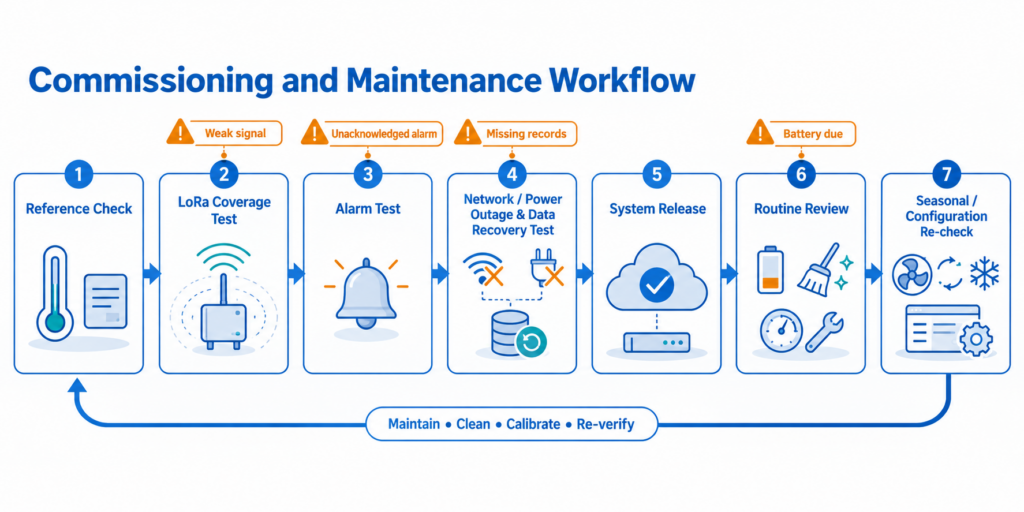
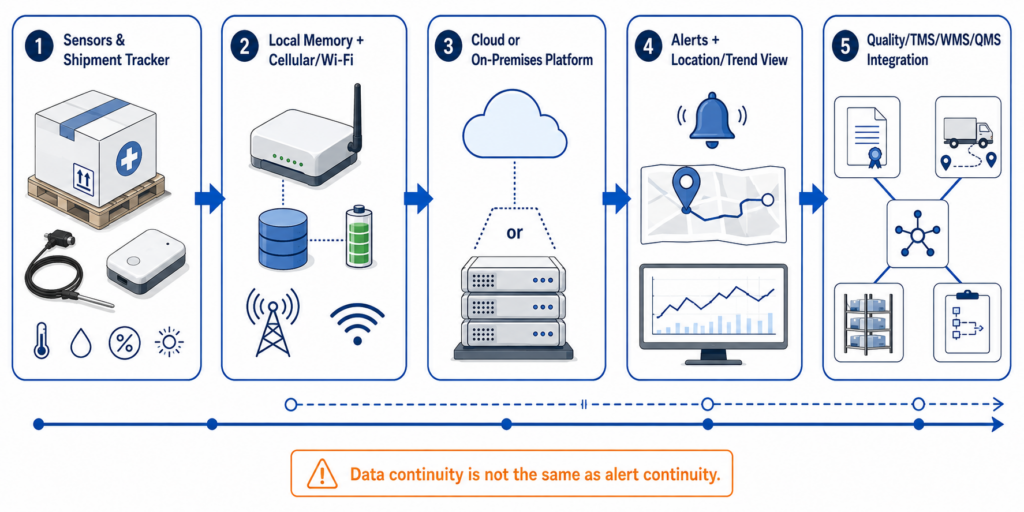
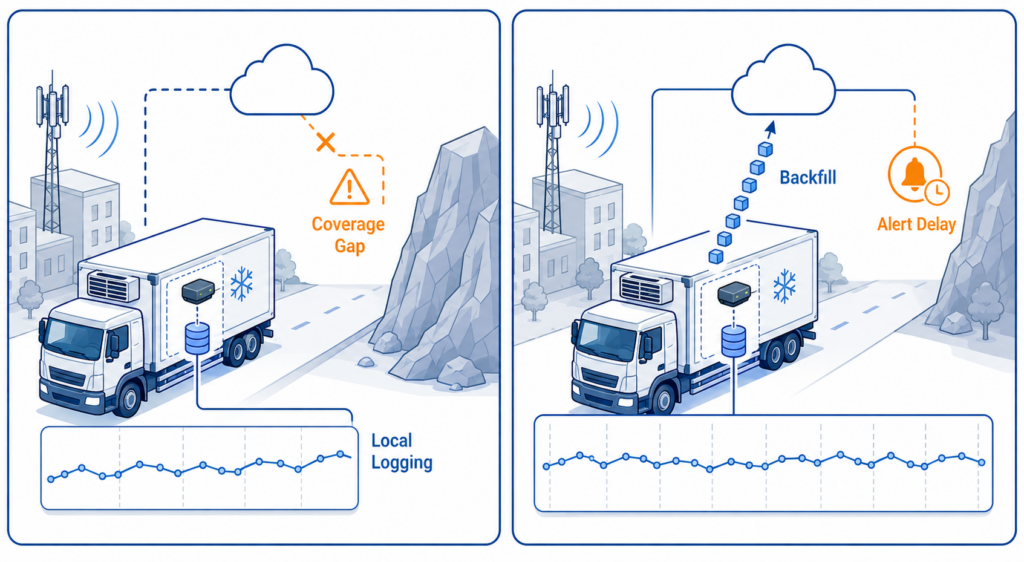
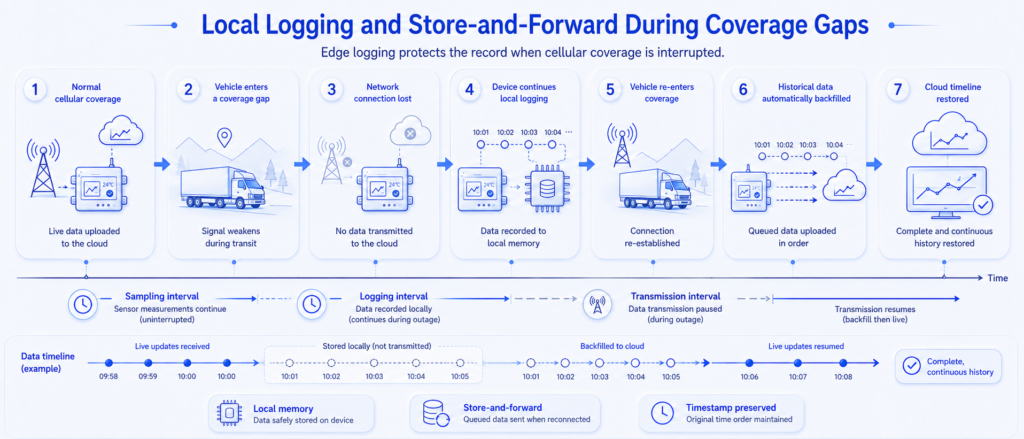
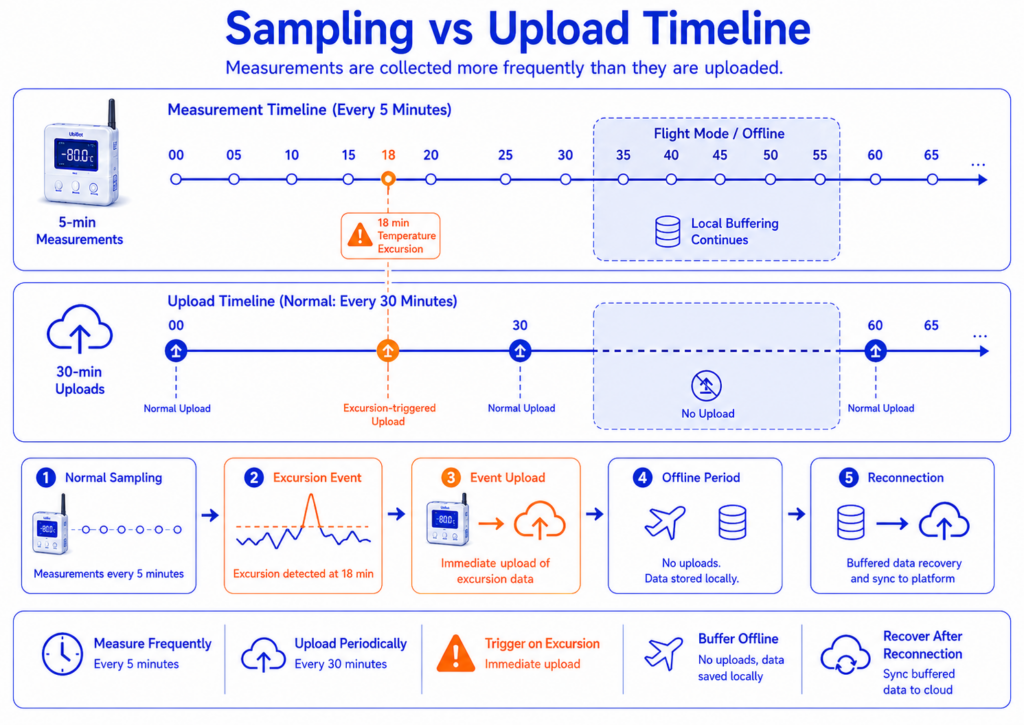
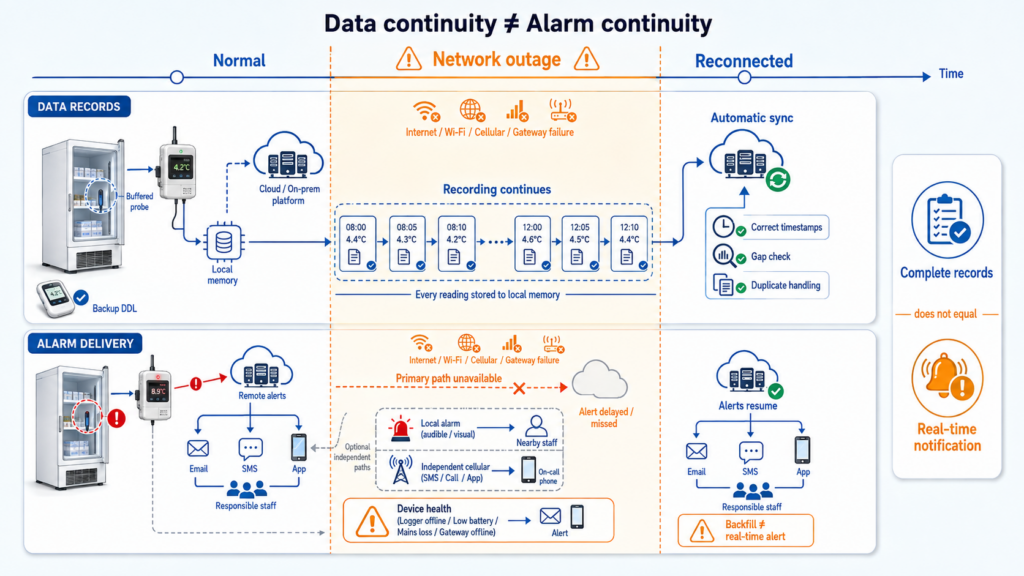
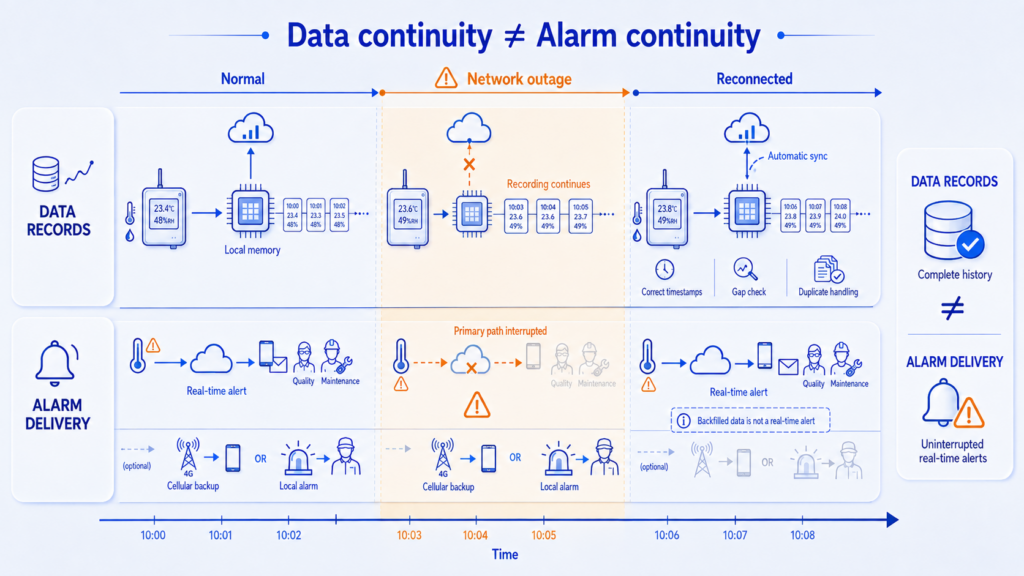
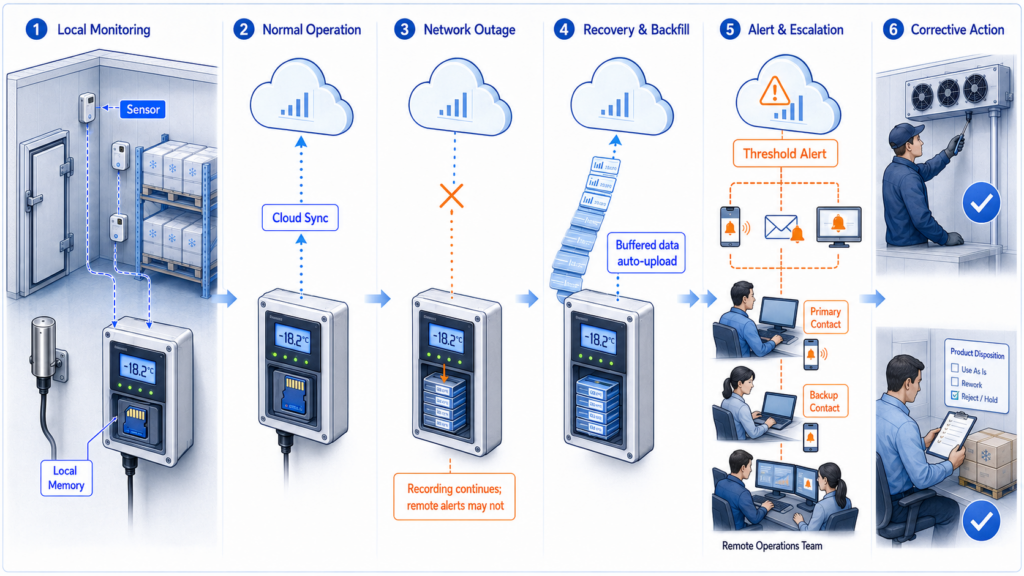
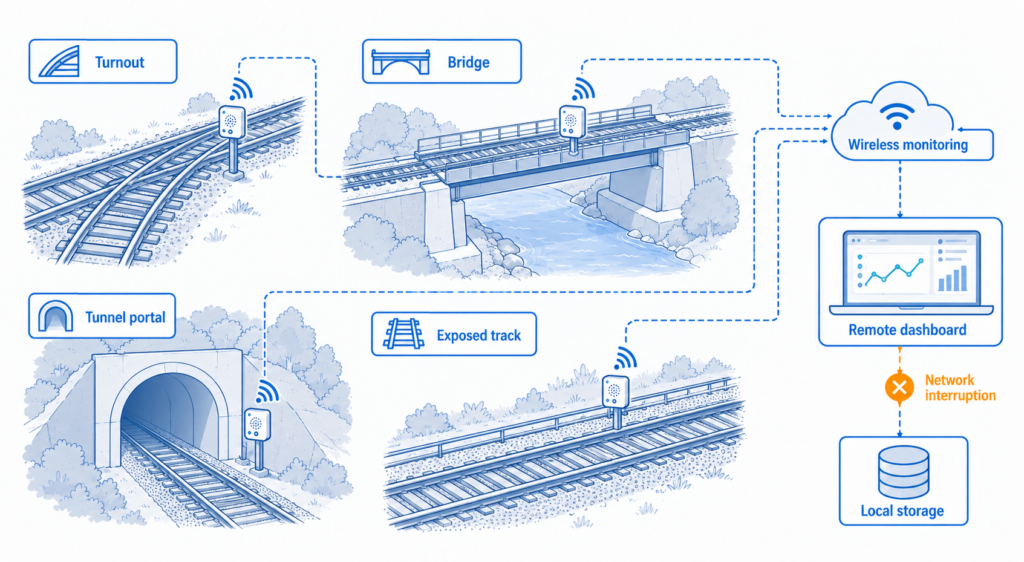
Yes. UbiBot LoRa devices are designed with robust local storage capabilities, allowing them to continue collecting and saving data even when the network connection is interrupted. The LoRa gateway can store up to 300,000 data records offline.
Once the network connection is restored, the gateway automatically syncs the stored sensor data to the platform. This ensures that no information is lost and every data point remains complete, traceable, and accessible at any time.
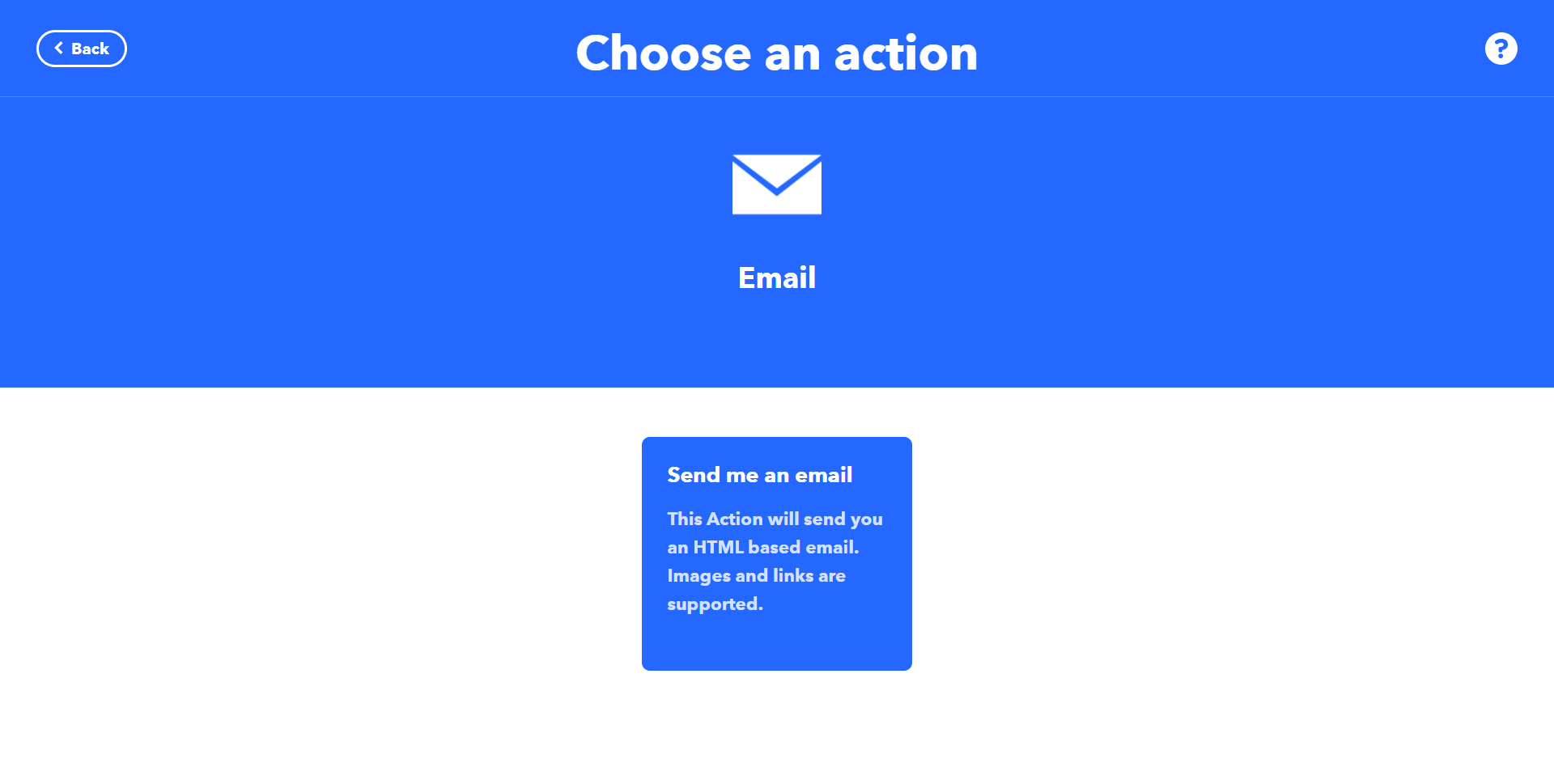
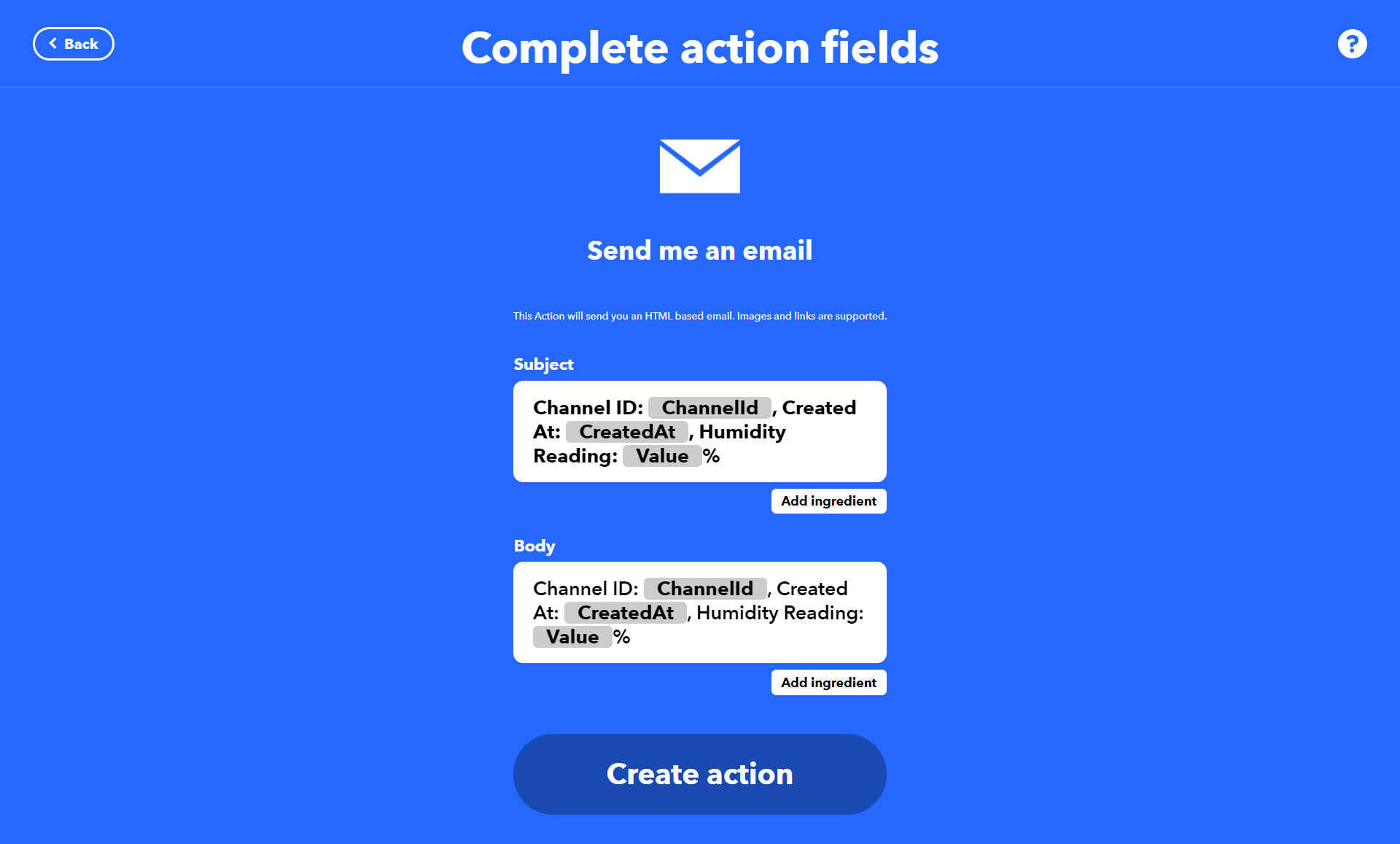
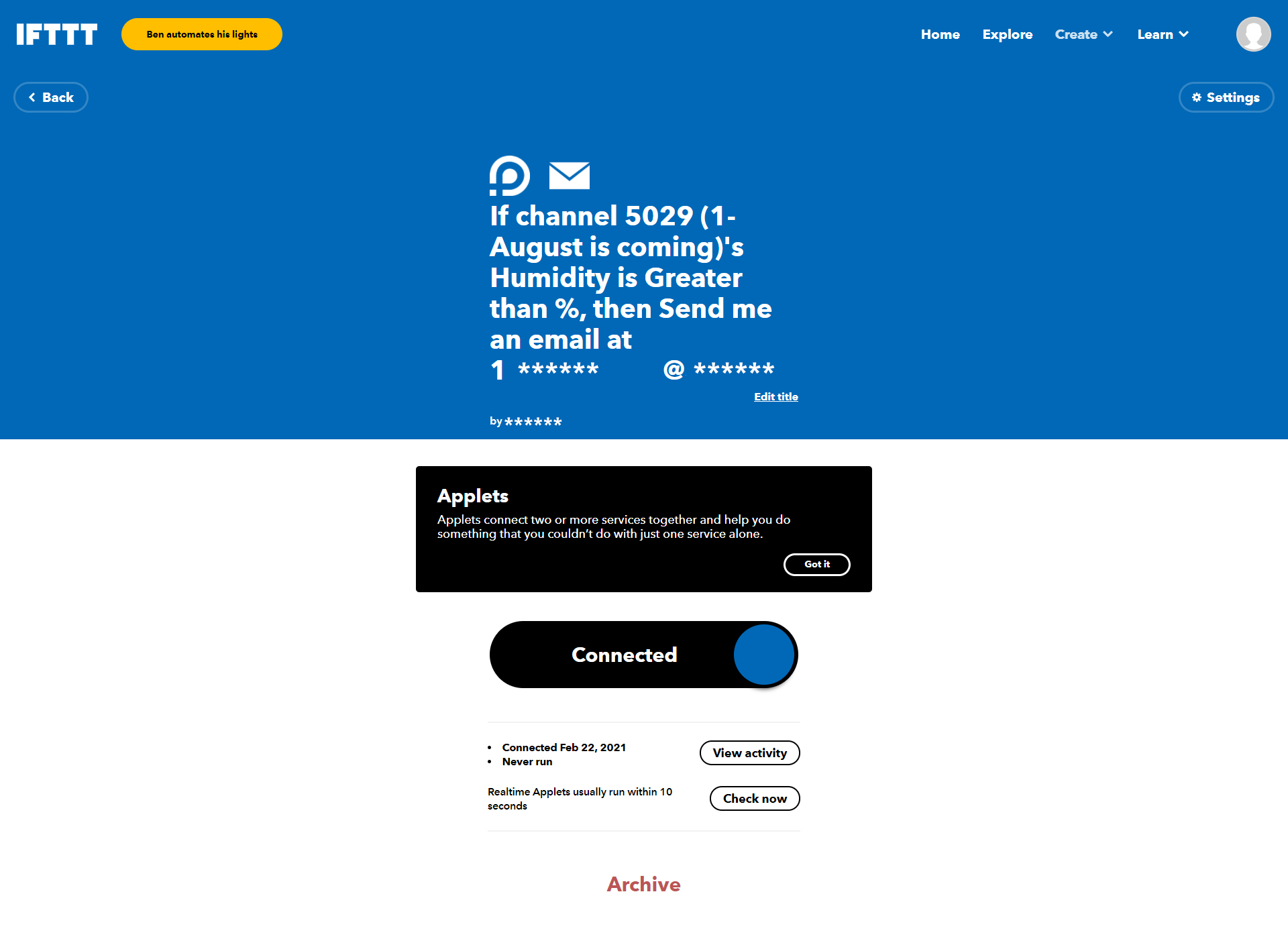
Seamless Integration of UbiBot with IFTTT: A Step-by-Step Guide
Do LoRa sensors support offline data storage?
Yes. LoRa sensors have built-in local memory that can store up to 50,000 data records. They continue to log data even when the network is unavailable, ensuring continuous monitoring without gaps. Once the connection is restored, the stored data is automatically uploaded to the UbiBot IoT platform, ensuring complete and reliable records.
When to change batteries?
There is no exact time for changing the batteries because it depends on the battery performance which differs from different brands. Also, the usage environment affects the life of batteries too. According to our test, the Duracell batteries can still work at the voltage of 2.4V.
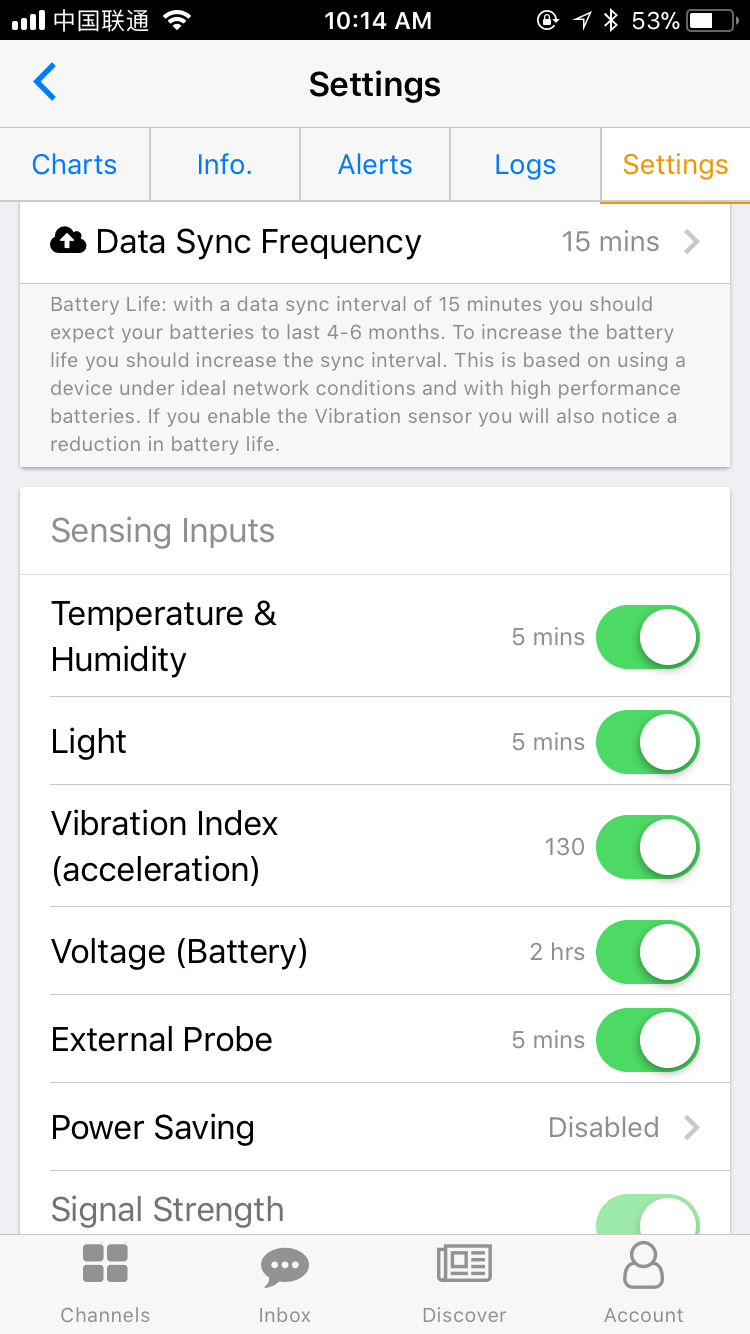
So, you can watch the battery voltage changes and set an alert for low voltage, such as 2.5v. For WS1 device, the batteries are expected to work for 4-6 months under default settings. While, as for WS1 Pro device, the batteries can last for 8-12 months.
If possible, we recommend you plug the device to USB power with batteries installed, which is more reliable, because the batteries can be backup and you can also set alerts for USB DOWN. This also helps you to monitor the conditions of power off. You can have completely peace of mind then.
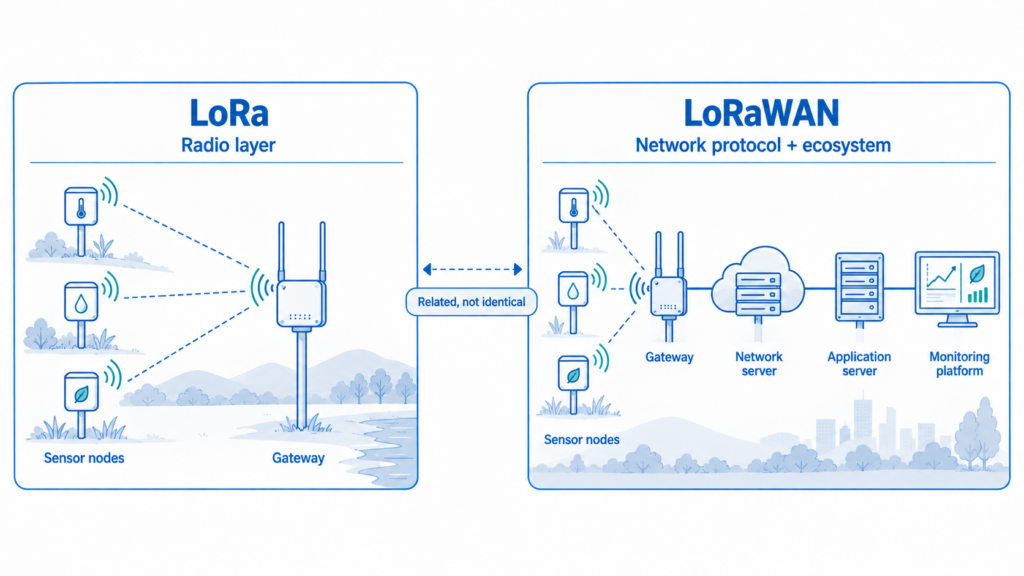
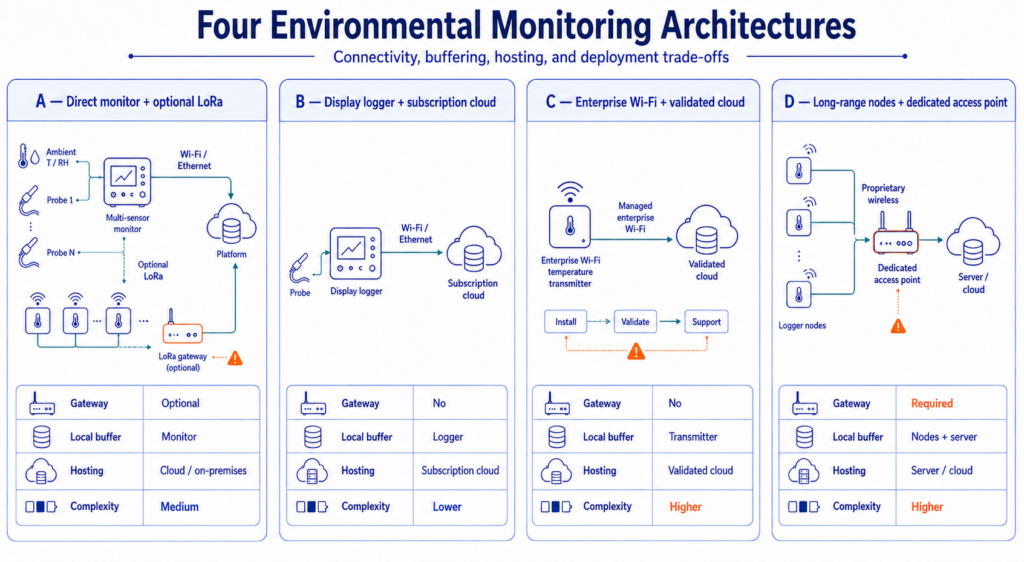
How Many LoRa Sensors Can the LoRa GW1 Gateway Support?
The LoRa gateway GW1 series can connect to up to 100 LoRa Sensors, and each LoRa Sensors can be bound to multiple gateways at the same time.
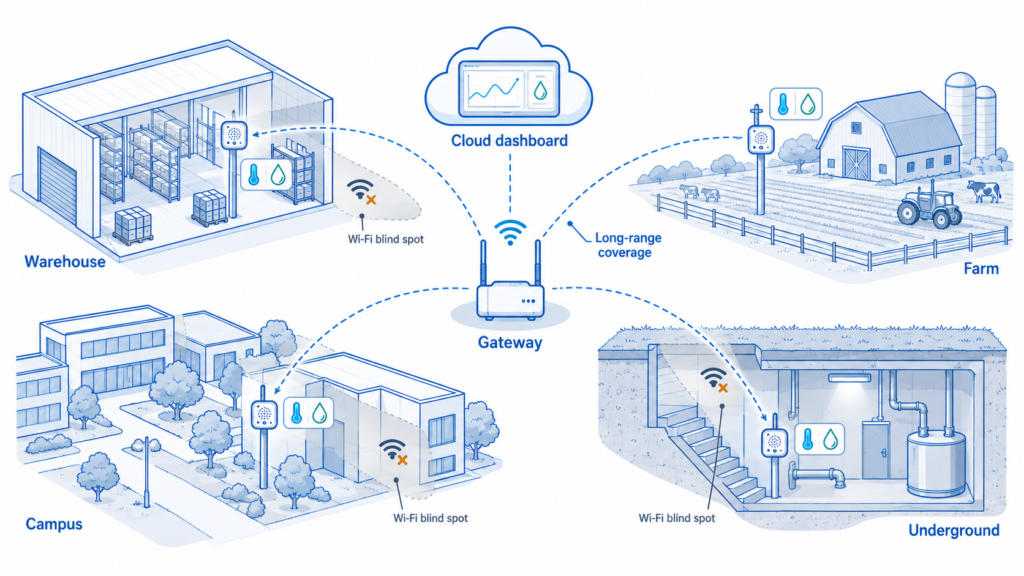
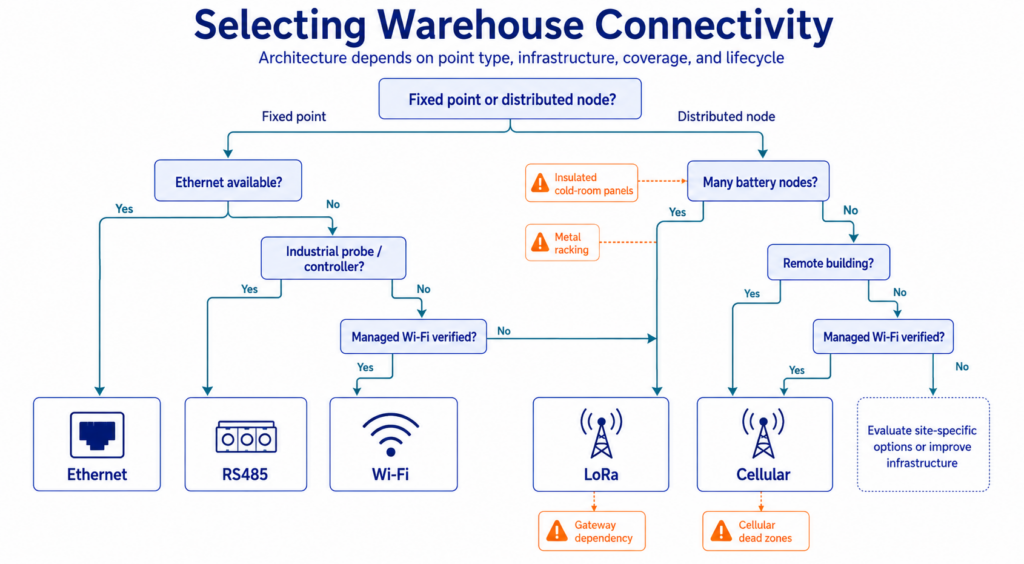
What Is the Communication Range of LoRa, and What Happens if the Signal Is Lost?
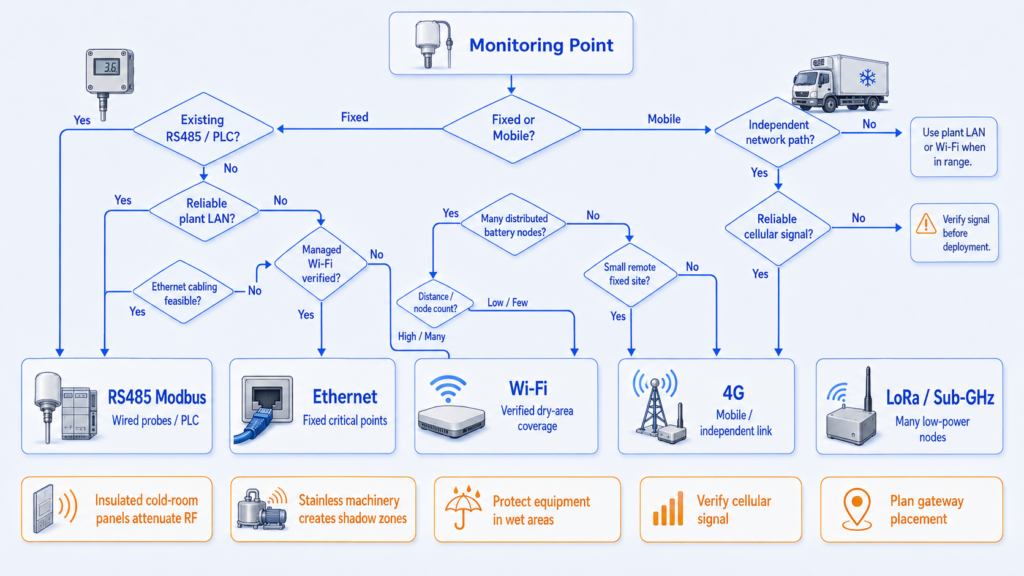
LoRa communication offers a range of up to 1 kilometer in in clear line-of-sight conditions.
If data transmission is temporarily interrupted, the device will store the collected data locally and automatically upload it to the gateway once communication is restored, ensuring no data is lost.
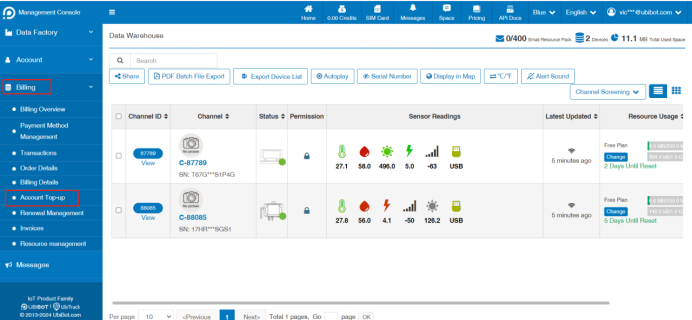
Guidance on Managing Your UbiBot Cloud Storage
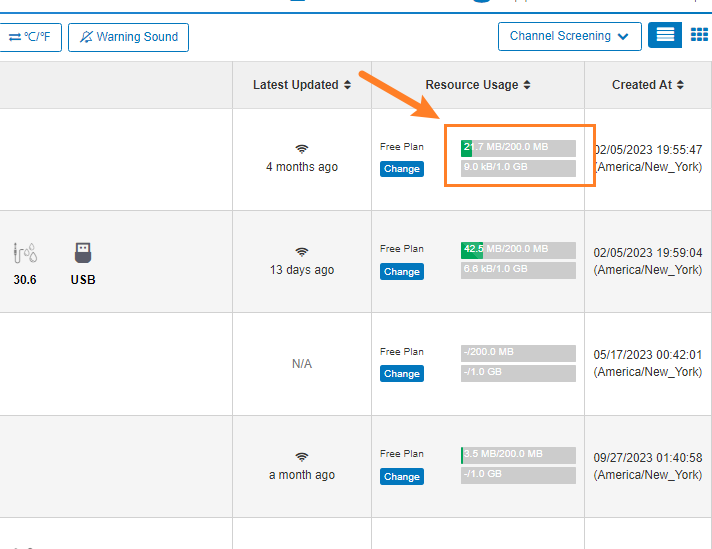
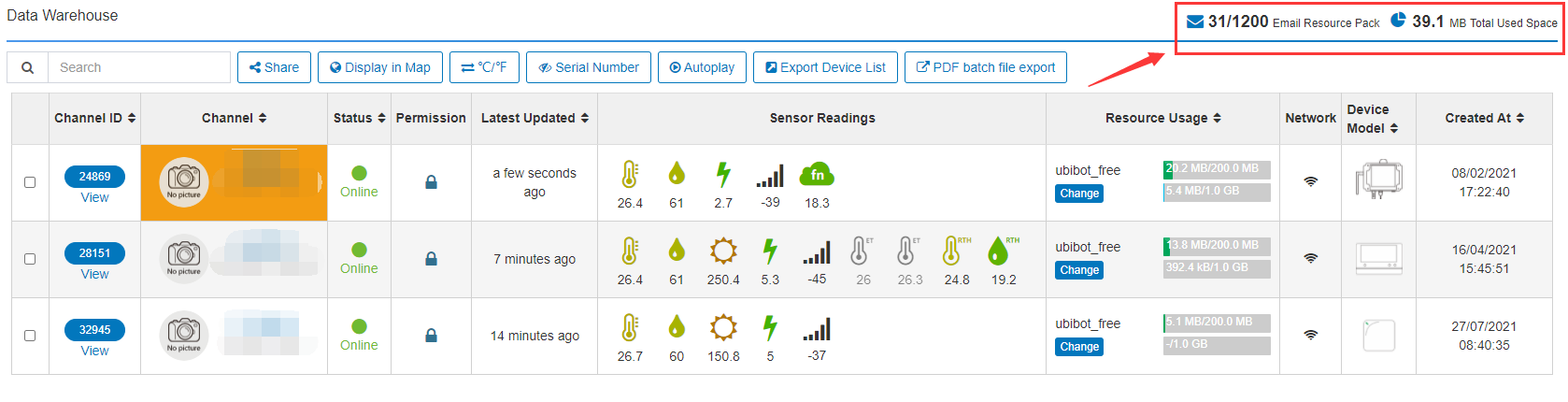
As part of our commitment to ensure seamless data management, we've noticed that your device's cloud storage is nearing its capacity limit. Typically, the free 200MB cloud storage provided for each UbiBot device supports data storage for 12-18 months under standard data collection and upload frequencies.
To effectively manage your storage, we offer two solutions:
Option 1: Data Export and Cleanup You can log into the
UbiBot Web-Console to export and clear historical cloud storage data. Here are the steps:
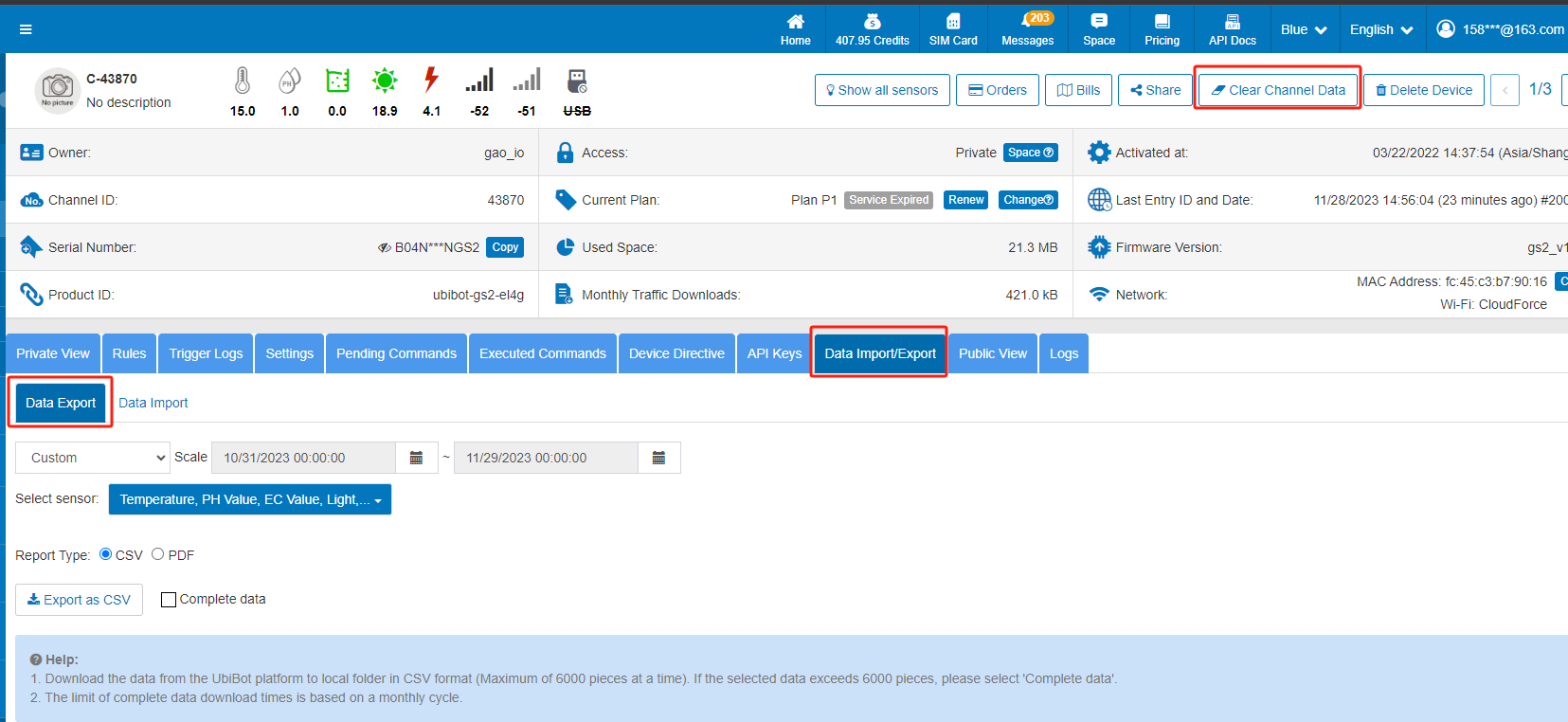
- Log in to the Web-Console.
- In the Data Warehouse, select the UbiBot device you need to manage. If you have multiple devices, use the 'Resource Usage' column to easily identify the devices requiring action.
- Navigate to the 'Data Import/Export' tab and select the data interval and categories you wish to archive locally.
- Choose your preferred export format (CSV/PDF) and save the data to your local storage. (Please note that complete data exports are limited to three times per month.)
- Once you have archived the necessary data, you can click on 'Clear Channel Data' at the top of the screen to clear the cloud storage data for the selected period.
Option 2: Plan Upgrade If you prefer to retain historical data for easy access and require additional storage space, we offer an upgrade to your Device Plan. Simply select the device you wish to upgrade in the console and click the 'Change' button in the 'Current Plan' column to choose an upgraded plan according to your needs.Should you require further assistance or have any questions regarding these processes, please do not hesitate to contact our support team at
[email protected].
We appreciate your cooperation and look forward to assisting you in maintaining optimal performance of your UbiBot devices.
WiFi SSID was not detected during the WiFi setup
In this condition, please check the following things:
- Please check if you enabled the "Positioning Function" in your phone. If not, you need to switch it on. Typically, you will see a notification of switching it on when you tap the "setup" button.
- Please confirm if you have VPN installed on your phone. Some settings of the VPN app may conflict with Ubibot app or forbid its permission to access WiFi information. Please switch off the VPN app and try again.
- It may be the issue with your iOS version. Please contact the Ubibot support team for detailed instructions. support email: [email protected]
WiFi Setup Requirements
Please note UbiBot WS1 and WS1 Pro cannot connected to 5 GHz only networks. When checking your network settings, please ensure:
- Radio Mode = 2.4 GHz or 2.4/5 GHz Mixed Network.
- WiFi Protocol: 2.4GHz (802.11 b/g/n) Compatible.
- WiFi Channel Supported: 1-13. (Some earlier models may only support channel 1-11 as US standard)
- Channel width is set to 20 MHz or "auto."
- WiFi Security: use OPEN, WEP, or WPA / WPA2 on your WiFi router.
- Your router does not need any additional login procedure to access the Internet after connecting.
- Your router has turned off MAC Address Filtering.
- You are not using a VPN (Virtual Private Network) or Proxy Server.
- Your router does not have WiFi Isolation enabled. Some "guest" networks have this setting as a default.
- Your router supports IPv4.
- If you are using a network extender / repeater, the network name (SSID) and password are the same as your primary network.
- If you are using a 2.4/5 GHz mixed network, make sure your mobile device is connected to a 2.4 GHz network at the beginning of the setup process.
- If your device is automatically switching back to the 5 GHz network during setup, your mobile device may need to forget the 5 GHz network. You can rejoin the network after setup.
- If you are using a 2.4/5 GHz mixed router and you have not set up a 2.4 GHz network, please set up the 2.4 GHz network to connect your UbiBot device. Access your router's administrator screen. Type in the IP address of your router in an internet browser window. To locate the IP of your router, please refer to your router's documentation or this list of common router IP addresses.
UbiBot Smart Network Camera IPC
How do I top up my UbiBot account?
Can I View Video from the Smart Network Camera IPC Without a Network Connection?
No, the device requires a network connection to stream video. The Vision AI Box VA1 acts as a pass-through for the Smart Network Camera IPC, meaning it forwards the video stream in real time but does not store any footage locally. Video can only be accessed while both devices are online.
How to Connect the Smart Network Camera IPC and Vision AI Box VA1
The devices are equipped with RJ45 Ethernet ports and support only wired connections. They use DHCP by default. To access video from the Smart Network Camera IPC, ensure that both it and the Vision AI Box VA1 are connected to the same local network (LAN).
UbiBot LoRa Smart Sensor GS1-L Activation Guide
UbiBot LoRa Smart Sensor WS1 Pro-L Activation Guide
UbiBot LoRa Gateway GW1 WiFi Setup Guide
UbiBot HW1 Setup Guide
How to Set Up the UbiBot Universal Sensor Converter
UbiBot Smart Watch HW1: The Ultimate Health Companion!
UbiBot On-Premises Platform
UbiBot On-Premises Platform Data Forwarding Function
UbiBot General Sensor Feature
How to Connect UbiBot with IFTTT Platform
How to Set Alerts on the UbiBot App
UbiBot Smart Watch HW1: The Ultimate Health Companion!
UbiBot GS1 Outdoor Waterproof Bag Installation Guide
SIM Card Configuration for UbiBot WS1 PRO SIM
SIM Card Configuration for UbiBot SP1 Smart Plug
SIM Card Configuration for UbiBot GS1-AL4G1RS
UbiBot GS2 EC Sensor Calibration
UbiBot GS2 pH Sensor Calibration for Use to Test Acid Liquid
UbiBot GS2 pH Sensor Calibration for Use to Test Alkaline Liquid
UbiBot Smart Watch HW1: The Ultimate Health Companion!
UbiBot LoRa Gateway GW1
UbiBot Vibration Sensor: Real-Time Vibration Monitoring Made Easy
UbiBot Temperature Sensor: Smart Monitoring Made Easy
UbiBot® Air Temperature & Humidity Sensor – Accurate. Reliable. Real-Time.
UbiBot PT100 Industrial-grade Temperature Sensor
UbiBot GS1A-PL4G1RS Intelligent Environmental Monitoring and GPS Location
UbiBot CO₂ Sensor
UbiBot CO₂ Sensor
UbiBot NH₃ Sensor
UbiBot NH₃ Sensor
UbiBot® Digital Power Line DPL1
Wireless Smart Sensor WS1
UbiBot Smart Watch HW1: The Ultimate Health Companion!
Wireless Smart Sensor WS1 PRO
Wireless Smart Multi-Sensor GS1
Wireless Smart Multi-Sensor GS2
Wireless Motion Sensor MS1
Smart Leak Detector LD1
Wireless Smart Plug SP1
Smart Network Relay NR1
UbiBot Unveils New LoRa-Powered IoT Solutions: GW1 LoRa Gateway and WS1 Pro-L LoRa Sensor
UbiBot has announced new products leveraging LoRa (Long Range) technology: the GW1 LoRa Gateway and the WS1 Pro-L LoRa Sensor. These new devices enhance robust, long-range, and energy-efficient monitoring solutions for a wide array of industries, marking a significant advancement in wireless data acquisition capabilities.
LoRa technology is rapidly gaining traction for its ability to enable long-range communication with minimal power consumption, making it ideal for large-scale IoT deployments across various sectors. Its inherent benefits, such as broad coverage and strong signal penetration, overcome traditional wireless communication limitations, facilitating efficient data transmission from remote or challenging environments.
GW1 LoRa Gateway: Extending Reach and Connectivity
The GW1 LoRa Gateway is designed to bridge advanced sensors with a powerful IoT platform, facilitating seamless data transmission over extended distances. Utilizing LoRa technology, the GW1 connects directly to the UbiBot IoT Platform, simplifying deployment by eliminating the need for a separate network server. This direct integration streamlines data flow and management, offering unparalleled ease of use for complex monitoring setups. Key features of the GW1 include:
1.Extended Range: Boasting an impressive wireless communication range of up to 1 km in ideal outdoor environments, the GW1 ensures reliable data collection even from vast or remote areas. This extensive reach is crucial for applications spanning large agricultural fields, sprawling industrial parks, or extensive building complexes, where laying cables would be impractical and costly.

2.High Concurrency: The GW1 is engineered to support seamless wireless communication with up to 100 UbiBot LoRa sensors simultaneously. This high capacity makes it an incredibly scalable solution, allowing a single gateway to manage a dense network of sensors. This capability is vital for large-scale deployments where numerous data points need to be monitored efficiently, from a multitude of environmental sensors in a smart city to hundreds of asset trackers in a logistics hub.

3.Flexible Connectivity: The gateway offers multiple network connection methods, including stable 2.4GHz Wi-Fi, reliable 4G cellular, and direct RJ45 Ethernet, ensuring versatile deployment options adaptable to various infrastructure availability, from urban settings to rural locations.

4.Low Power Consumption: Engineered for energy efficiency, the GW1 ensures long-term, stable operation with minimal power draw (DC 12V/PoE), reducing operational costs and environmental impact.
5.Robust Performance: With high sensitivity and strong interference resistance, the GW1 provides reliable data transmission even in challenging environments where other wireless signals might falter, ensuring data integrity.

6.Real-time Monitoring: The device features a clear status display for network, LoRa communication, and device performance, enabling easy oversight and troubleshooting.
The GW1 is an ideal solution for a diverse array of applications requiring broad coverage and high device density, facilitating comprehensive monitoring and data collection across various sectors.
WS1 Pro-L LoRa Sensor: Precision Monitoring with Long-Lasting Power
The WS1 Pro-L LoRa Sensor is a sophisticated wireless smart sensor capable of real-time monitoring of essential environmental parameters including temperature, humidity, and ambient light. It also features robust support for external sensors, expanding its utility to specialized measurements like soil moisture or industrial-grade temperature (PT-100). Its standout features include:
1.Real-Time Data Display: Equipped with a clear 4.4-inch LCD screen, the WS1 Pro-L provides instant, at-a-glance readings of environmental conditions directly on the device, complementing cloud-based data access.

2.High Accuracy: The sensor delivers precise measurements with a temperature accuracy of ±0.2°C, humidity accuracy of ±2% RH, and ambient light accuracy of ±10%, ensuring reliable data for critical applications.

3.Extended Battery Life: Designed for long operational periods, the sensor can be powered by 4 AA batteries or a Micro USB (5V/2A). LoRa's inherent low power consumption further enhances battery longevity, reducing maintenance frequency.

4.Offline Data Storage: With built-in memory for up to 50,000 data points, the WS1 Pro-L ensures continuous data recording even when connectivity is temporarily lost, with automatic synchronization to the platform upon reconnection, safeguarding data integrity.

5.Versatile External Sensor Support: Two USB ports allow connection of various external sensors, including RS485 interface sensors and additional temperature sensors via a splitter, significantly expanding its monitoring capabilities for diverse applications.
6.Long-Range Transmission: Leveraging LoRa technology, the WS1 Pro-L offers an impressive outdoor transmission range of up to 1 km when paired with the GW1 gateway, enabling monitoring across vast areas with minimal infrastructure.

The WS1 Pro-L is perfectly suited for applications demanding accurate environmental monitoring over long distances, such as optimizing crop conditions in agriculture, ensuring compliance in cold chain logistics for pharmaceuticals and food, and maintaining ideal climates for comfort and preservation in indoor climate control.
Diverse Application Scenarios for UbiBot LoRa Solutions
The combined capabilities of the GW1 LoRa Gateway and WS1 Pro-L LoRa Sensor open up a multitude of application possibilities across various industries:
1.Smart Agriculture: Monitor soil moisture, ambient temperature, humidity, and light levels across large farmlands or in greenhouses. This data allows for precise irrigation, climate control, and disease prevention, leading to optimized crop yield and resource efficiency.
2.Smart Farming/Livestock Management: Track environmental conditions in barns or breeding facilities, ensuring optimal health and growth for livestock. Monitor feed storage conditions to prevent spoilage.
3.Smart Buildings & Facilities Management: Deploy sensors throughout large office buildings, factories, or warehouses to continuously monitor indoor air quality, temperature, humidity, and light. This enables efficient HVAC operation, energy saving, and creation of comfortable working environments, while identifying potential issues like mold growth or excessive heat.
4.Cold Chain Logistics & Warehousing: Crucial for monitoring temperature and humidity in refrigerated trucks, containers, and cold storage facilities. Ensures perishable goods like food, pharmaceuticals, and chemicals remain within safe temperature ranges from origin to destination, maintaining product quality and compliance with regulations.
5.Environmental Monitoring: For large outdoor areas, parks, or remote sites, these devices can track microclimates, air quality parameters, or water levels, providing essential data for environmental conservation, disaster prevention, or urban planning.
6.Industrial Monitoring: Monitor conditions in critical machinery rooms, data centers, or production lines to detect anomalies in temperature or humidity that could indicate equipment malfunction or risk to sensitive components, contributing to preventive maintenance and operational safety.

These new LoRa-enabled products represent a significant step forward in providing comprehensive, accessible, and highly efficient environmental monitoring solutions globally, empowering users with robust data collection and management for enhanced operational control and insights.
MQTT Real-time Feed Topics
Overview
The UbiBot MQTT Real-time Feed service allows real-time data feed delivery from the UbiBot platform via MQTT protocol. Clients can subscribe to their own or shared channel feed topics to receive original sensor data instantly. A heartbeat mechanism is required to maintain active subscription status.
Note: The MQTT Channel Feeds service is available only to users with a UbiBot Plus Membership of Bronze level or higher. It is not available for FREE-tier accounts.
Connection Details
- Host: mqtt-api.ubibot.com
- Port: 1883 or 8883 (for SSL encrypted connection)
- WebSocket Port: 8083 or 8084 (for SSL encrypted connection)
- WebSocket Path:/mqtt
- Username: Format: user_id=USER_ID
- Password: Format: account_key=ACCOUNT_KEY
Replace
USER_ID and
ACCOUNT_KEY with your actual credentials from
UbiBot Console.
MQTT Subscription Heartbeat
To receive real-time feed data, clients must send a heartbeat HTTP GET request to:
https://webapi.ubibot.com/mqtt-user-feeds/subcribe-ping
A heartbeat must be sent at least once every 300 seconds to maintain the subscription. If the heartbeat is not received in time, the server will stop pushing MQTT feed data for the account. We recommend sending the heartbeat every
240 seconds. Please avoid sending heartbeats too frequently (e.g., more than once every 10 seconds).
Heartbeat Request Parameters
account_key (string, required)
user_id (optional): Comma-separated list of other user IDs (max 20) for subscribing to their devices.
MQTT Topics
Replace
USER_ID and
CHANNEL_ID accordingly. You may also subscribe to feeds under other accounts by specifying their user_id.
Note: Those users must enable data sharing (share permission) for your account in the UbiBot Console; otherwise, you will not receive their data.
Python - MQTT Feed Subscription Example
# -*- coding: utf-8 -*-
# UbiBot MQTT Feed Subscription with Heartbeat (Python)
import paho.mqtt.client as mqtt
import threading
import requests
import time
# Replace with your actual credentials
USER_ID = "your_user_id"
ACCOUNT_KEY = "your_account_key"
OTHER_USER_IDS = "" # Optional, e.g., "user1,user2"
# MQTT connection settings
MQTT_HOST = "mqtt-api.ubibot.com"
MQTT_PORT = 1883
MQTT_USERNAME = f"user_id={USER_ID}"
MQTT_PASSWORD = f"account_key={ACCOUNT_KEY}"
MQTT_TOPIC = f"/user/{USER_ID}/channel_feeds/#"
# Heartbeat settings
HEARTBEAT_URL = "https://webapi.ubibot.com/mqtt-user-feeds/subcribe-ping"
HEARTBEAT_INTERVAL = 240 # seconds
# Heartbeat function
def send_heartbeat():
params = {
"account_key": ACCOUNT_KEY
}
if OTHER_USER_IDS:
params["user_id"] = OTHER_USER_IDS
try:
response = requests.get(HEARTBEAT_URL, params=params, timeout=5)
print(f"[HEARTBEAT] Sent. Status: {response.status_code}, Response: {response.text}")
except Exception as e:
print(f"[HEARTBEAT] Failed: {e}")
# Schedule next heartbeat
threading.Timer(HEARTBEAT_INTERVAL, send_heartbeat).start()
# MQTT Callbacks
def on_message(client, userdata, msg):
print(f"[RECV] Topic: {msg.topic}")
print(f"[RECV] Payload: {msg.payload.decode()}")
def on_connect(client, userdata, flags, rc):
if rc == 0:
print("[INFO] Connected successfully.")
client.subscribe(MQTT_TOPIC)
print(f"[INFO] Subscribed to: {MQTT_TOPIC}")
else:
print(f"[ERROR] Connection failed with code {rc}")
# Start MQTT client
client = mqtt.Client()
client.username_pw_set(MQTT_USERNAME, MQTT_PASSWORD)
client.on_connect = on_connect
client.on_message = on_message
print("[INFO] Connecting to MQTT broker...")
client.connect(MQTT_HOST, MQTT_PORT, 60)
# Start heartbeat thread
send_heartbeat()
# Start MQTT loop
client.loop_forever()
NodeJS- MQTT Feed Subscription Example
// Node.js – MQTT Feed Subscription Example with Heartbeat
const mqtt = require('mqtt');
const https = require('https');
const querystring = require('querystring');
// Replace with your actual credentials
const USER_ID = 'your_user_id';
const ACCOUNT_KEY = 'your_account_key';
const OTHER_USER_IDS = ''; // Optional, e.g., 'user1,user2'
const options = {
username: `user_id=${USER_ID}`,
password: `account_key=${ACCOUNT_KEY}`
};
const topic = `/user/${USER_ID}/channel_feeds/#`;
const client = mqtt.connect('mqtt://mqtt-api.ubibot.com:1883', options);
client.on('connect', () => {
console.log('[INFO] Connected to MQTT broker.');
client.subscribe(topic, (err) => {
if (!err) {
console.log('[INFO] Subscribed to:', topic);
} else {
console.error('[ERROR] Subscribe failed:', err.message);
}
});
// Start sending heartbeat
sendHeartbeat();
setInterval(sendHeartbeat, 240000); // every 240 seconds
});
client.on('message', (topic, message) => {
console.log(`[RECV] Topic: ${topic}`);
console.log(`[RECV] Payload: ${message.toString()}`);
});
function sendHeartbeat() {
const params = {
account_key: ACCOUNT_KEY
};
if (OTHER_USER_IDS) {
params.user_id = OTHER_USER_IDS;
}
const query = querystring.stringify(params);
const url = `https://webapi.ubibot.com/mqtt-user-feeds/subcribe-ping?${query}`;
https.get(url, (res) => {
let data = '';
res.on('data', (chunk) => { data += chunk; });
res.on('end', () => {
console.log(`[HEARTBEAT] Status: ${res.statusCode}, Response: ${data}`);
});
}).on('error', (err) => {
console.error(`[HEARTBEAT] Error: ${err.message}`);
});
}
C# – MQTT Feed Subscription Example
// C# – MQTT Feed Subscription Example with Heartbeat
// Requires MQTTnet (via NuGet) and System.Net.Http
using MQTTnet;
using MQTTnet.Client;
using MQTTnet.Client.Options;
using System;
using System.Net.Http;
using System.Text;
using System.Threading;
using System.Threading.Tasks;
class Program
{
private static readonly string USER_ID = "your_user_id";
private static readonly string ACCOUNT_KEY = "your_account_key";
private static readonly string OTHER_USER_IDS = ""; // Optional: "user1,user2"
private static readonly string TOPIC = $"/user/{USER_ID}/channel_feeds/#";
private static readonly string HEARTBEAT_URL = "https://webapi.ubibot.com/mqtt-user-feeds/subcribe-ping";
private static readonly int HEARTBEAT_INTERVAL = 240; // seconds
private static readonly HttpClient httpClient = new HttpClient();
static async Task Main(string[] args)
{
var factory = new MqttFactory();
var mqttClient = factory.CreateMqttClient();
var options = new MqttClientOptionsBuilder()
.WithTcpServer("mqtt-api.ubibot.com", 1883)
.WithCredentials($"user_id={USER_ID}", $"account_key={ACCOUNT_KEY}")
.WithCleanSession()
.Build();
mqttClient.UseConnectedHandler(async e =>
{
Console.WriteLine("[INFO] Connected to MQTT broker.");
await mqttClient.SubscribeAsync(TOPIC);
Console.WriteLine($"[INFO] Subscribed to: {TOPIC}");
// Start heartbeat loop
_ = Task.Run(() => StartHeartbeatLoop());
});
mqttClient.UseApplicationMessageReceivedHandler(e =>
{
Console.WriteLine($"[RECV] Topic: {e.ApplicationMessage.Topic}");
Console.WriteLine($"[RECV] Payload: {Encoding.UTF8.GetString(e.ApplicationMessage.Payload)}");
});
mqttClient.UseDisconnectedHandler(e =>
{
Console.WriteLine("[WARN] Disconnected from MQTT broker.");
});
Console.WriteLine("[INFO] Connecting...");
await mqttClient.ConnectAsync(options);
Console.WriteLine("[INFO] Press any key to exit.");
Console.ReadLine();
}
static async Task StartHeartbeatLoop()
{
while (true)
{
try
{
var uriBuilder = new UriBuilder(HEARTBEAT_URL);
var query = $"account_key={ACCOUNT_KEY}";
if (!string.IsNullOrEmpty(OTHER_USER_IDS))
{
query += $"&user_id={OTHER_USER_IDS}";
}
uriBuilder.Query = query;
var response = await httpClient.GetAsync(uriBuilder.Uri);
var result = await response.Content.ReadAsStringAsync();
Console.WriteLine($"[HEARTBEAT] Status: {response.StatusCode}, Response: {result}");
}
catch (Exception ex)
{
Console.WriteLine($"[HEARTBEAT] Error: {ex.Message}");
}
await Task.Delay(HEARTBEAT_INTERVAL * 1000);
}
}
}
Securing your Ubibot account with two-factor authentication
Ubibot offers tools to enhance the security of your account. You can enable two-factor authentication (2FA) on your account. This two-factor authentication is added to your username/password pair, and is managed from a device you own: a phone, tablet, or security key.
Enable two-factor authentication
For this method, you will need to install an OTP application on your Android or iOS smartphone or tablet. Many OTP applications exist (no OTP applications have been developed by Ubibot) and can be downloaded from the Google Play Store for Android or from the Apple Store for iOS.
To enable secondary authentication, you need to install an authentication app on your smartphone/tablet. You can get it by searching for keywords in the app store, such as authenticator, 2FA, etc. Once the application is linked to your Ubibot account, the application generates a one-time code that is valid for a short period of time each time you try to log in.
① Log in to the Ubibot console, click [Account] → [Settings] → [Security Settings], click [Link].

② Enter your password.

③ A QR code is generated, scan it via your OTP application. If your OTP application does not offer this option, click Show secret to display a code to enter into the OTP application.Your application then generates a one-time code. Enter this code in the field to the right of the QR code. You can also add a description for this authentication method.

④ When you enable two-factor authentication for the first time, you will see 10 single-use recovery codes displayed in the Console. Please keep them safe.
Edit two-factor authentication
Once the two-factor authentication is enabled, you can manage the Recovery Code or disable two-factor authentication.
Recovery Code
① Click [Change], enter your password.

② Click Recovery Code.

③ Enter the one-time code on your OTP App.

④ Now you can view and re-download or reset the recovery code. After reset, all the original recovery codes are invalidated.
Disable two-factor authentication
① Click Disable.

② The console supports both Authentication App and Email.

Authentication App: Enter the one-time code in the App to completely disable the two-factor authentication function. Two-factor authentication is no longer required after disabling.

Email: Only unbind the Authentication APP, does not disable the two-factor authentication function, the backup code is still valid. It is recommended to relink the available authentication APP immediately after unlink.
Log in with two-factor authentication
Go to the login page for the Ubibot Console and enter your account and password.

Enter the one-time code within the Authentication App to complete the login. Recovery code can also be used to log in.

UbiBot Smart Watch HW1: The Ultimate Companion for Health Monitoring and Precision Tracking
UbiBot is excited to introduce the UbiBot Smart Watch HW1, a next-generation wearable designed to deliver comprehensive health insights, real-time tracking, and seamless connectivity. Whether you're focused on improving your wellness, tracking your outdoor activities, or ensuring your safety in emergencies, the Smart Watch HW1 offers all the tools you need.
Comprehensive Health Monitoring for Better Insights
The UbiBot Smart Watch HW1 empowers users with real-time health data that includes key metrics like blood oxygen levels, heart rate, heart rate variability (HRV), step count, and body temperature. With this range of monitoring capabilities, users can gain a clearer and more complete view of their health. The watch effortlessly syncs with the UbiBot app and cloud platform, allowing for precise data analysis and helping users make informed decisions to better protect and improve their health.
Multi-System GNSS for Precision Tracking
Whether you're indoors or outdoors, the UbiBot Smart Watch HW1 ensures accurate tracking with its multi-system GNSS (Global Navigation Satellite System) that combines GPS, WiFi, and LBS (Location-Based Services). This integrated positioning system tracks your every step with exceptional precision, making it ideal for outdoor adventures or everyday activities, all while maintaining real-time tracking accuracy.
Crystal-Clear Display for Easy Viewing
Equipped with a 1.22-inch IPS TFT color touch screen, the UbiBot Smart Watch HW1 features a vibrant, full-screen display that ensures clarity in all lighting conditions. Whether you're out in bright sunlight or using the watch at night, the display remains easily visible, providing a superior viewing experience without compromise.
Long-Lasting Battery Life – Your Guardian for Up to 7 Days
The UbiBot Smart Watch HW1 is designed for continuous use, boasting a 7-day battery life thanks to intelligent wear detection. The smart watch automatically enters power-saving mode when not in use, ensuring long-lasting performance and reducing the need for frequent charging. This feature gives users the peace of mind that their watch will always be ready when they need it.
Seamless Connectivity & Smart Interactions
Stay connected like never before with the UbiBot Smart Watch HW1. Access important health data through your smartphone, tablet, or computer with seamless integration. In emergencies, the SOS alert function immediately notifies the UbiBot cloud platform, ensuring that help is always just a notification away. Additionally, the watch provides real-time weather alerts and personalized notifications, keeping you informed and prepared for anything that comes your way.
Effortless Integration and Customization
The UbiBot Smart Watch HW1 supports a range of systems, from public clouds and private platforms to proprietary systems. This wide compatibility, coupled with the device's open SDK, enables effortless customization, making it ideal for businesses or developers looking to scale operations or integrate the watch into existing systems.
Advanced Data Management
Users can easily manage their health data with real-time charts via the UbiBot app or web platform. The watch offers seamless data forwarding and API calls, making it easier to integrate with other systems. Automatic data reports are available in CSV, PDF, and HTML formats, providing an organized and easily accessible summary of all tracked data.
Customizable Alerts and Messaging
The UbiBot Smart Watch HW1 is equipped with alert management capabilities, allowing users to set custom health thresholds and receive alerts through multiple channels, including app notifications, email, WhatsApp, and even voice calls. Alerts can be sent to multiple recipients, ensuring that important notifications reach the right people.

For added convenience, the watch supports message interaction, so users can send and receive messages on-the-go. In emergency situations, the SOS feature provides immediate assistance, while weather alerts keep users prepared for changing conditions.
Conclusion
The UbiBot Smart Watch HW1 is more than just a wearable device – it's a comprehensive health management tool that combines advanced health monitoring, precision tracking, and smart connectivity in a sleek and durable design. Whether you're monitoring your health, tracking your activities, or staying safe in an emergency, the UbiBot Smart Watch HW1 is the ideal companion for today's fast-paced world.
UbiBot® GS2 User Guide
[download id="5204"]
Click to preview
[download id="5207"]
Click to preview
[download id="5210"]
[download id="5213"]
[download id="5216"]
[download id="5219"]
[download id="5222"]
[download id="5225"]
[download id="5228"]
[download id="5231"]
[download id="5234"]
[download id="5237"]
UbiBot® MS1 User Guide
[download id="3621"]
Click to preview
[download id="5047"]
[download id="5050"]
[download id="5053"]
[download id="5056"]
[download id="5059"]
[download id="5062"]
[download id="5065"]
[download id="5068"]
[download id="5071"]
[download id="5074"]
[download id="5077"]
UbiBot® SP1 User Guide
[download id="4967"]
点击预览
[download id="5008"]
[download id="5011"]
[download id="5014"]
[download id="5017"]
[download id="5020"]
[download id="5023"]
[download id="5024"]
[download id="5027"]
[download id="5030"]
[download id="5033"]
[download id="5036"]
Enhancing Operational Efficiency with the UbiBot NR1: A Versatile IoT Network Relay
In the age of smart technology and the Internet of Things (IoT), having reliable and intelligent control systems is essential for various industries. The UbiBot® Network Relay NR1 stands out as a versatile and advanced IoT device designed to meet diverse automation needs. This article explores the key features, technical specifications, applications, and benefits of the UbiBot® NR1, demonstrating its value in enhancing operational efficiency across different sectors.
1.Independent Control with 4 Outputs
The UbiBot® NR1 offers four independent relay outputs, each capable of handling a contact capacity of 250V AC/10A or 30V DC/10A. This allows for durable and reliable switching operations, with each relay rated for up to 100,000 operations. Users can manage each channel independently, providing flexibility and precision in controlling connected devices.
2.Remote Control
One of the standout features of the NR1 is its ability to be controlled remotely via the UbiBot® cloud platform. This remote control capability means that users can manage their relay operations from anywhere in the world, using a smartphone, tablet, or computer.
3.Time Task Management
The NR1 excels in automation with its advanced time task management features. Users can set timers, cycles, and delays to automate relay operations, ensuring that tasks are performed precisely when needed. This feature is particularly useful in applications where timing is critical, such as in industrial processes or agricultural irrigation systems.
4.Local Linkage and Offline Control
The device supports local linkage with other sensors and devices, such as smoke detectors and access control systems. This integration enables automated switching operations based on sensor inputs, enhancing the overall automation system. Additionally, the NR1 supports the Modbus RTU protocol, allowing for offline relay control through the RS485 communication interface.
5.Safety and Reliability
Safety is a top priority with the NR1. The device includes a safety interlock feature, which prevents the simultaneous operation of potentially dangerous devices. Users can define safety interlock groups to ensure that only safe and intended operations are performed. Moreover, the NR1 allows users to set default power-up states for each relay, ensuring stability and preventing accidental operations after power disruptions.
Technical Specifications
The UbiBot® Network Relay NR1 is built to high standards, offering robust performance and durability. Here are the key technical specifications:
Contact Capacity: 250V AC/10A, 30V DC/10A
Durability: Up to 100,000 times
Device Input: 4-way DI (optocoupler isolated)
Power Supply: DC 12V/2A
Communication: WiFi 2.4GHz, 4G, RJ45, RS485
Material: ABS
Dimensions: 145mm x 90mm x 40mm
Working Environment: -20 to 60℃, 5 to 85% RH (non-condensing)
Certifications: CE, RoHS
Applications
The versatility of the UbiBot® NR1 makes it suitable for a wide range of applications across different industries. Here are some of the key areas where the NR1 can be deployed:
1.Intelligent Agriculture
In the agricultural sector, the NR1 can automate irrigation systems, shading devices, and other equipment based on environmental conditions. This automation helps optimize water usage, enhance crop growth, and reduce labor costs.
2.Industrial Automation
The NR1 can be integrated into industrial control systems, providing offline management of machinery and equipment. This integration enhances operational efficiency, reduces downtime, and improves safety in industrial environments.
3.Building Automation
For smart buildings, the NR1 offers control over HVAC systems, lighting, and security gates. The device can be managed via the UbiBot® platform or a mobile app, providing convenience and energy savings for building managers and occupants.
4.Livestock Management
In livestock breeding, the NR1 can manage large equipment such as oxygenators and blowers. This automation helps maintain optimal breeding conditions, improving animal health and productivity.
5.Intelligent Parking
The NR1 can automate vehicle entry systems in parking facilities, reducing maintenance costs and improving operational efficiency. This automation provides a seamless and secure parking experience for users.
6.Access Control and Security
The NR1 enhances security systems by linking with infrared switches and other sensors. This integration allows for remote access control of doors and gates, improving safety and convenience for users.
Network Connectivity
The UbiBot® NR1 offers multiple connectivity options, including WiFi, 4G, and RJ45. This flexibility ensures that the device can connect to the IoT platform in various environments, providing real-time control and monitoring. Users can access and manage their devices through the UbiBot® app or web platform, ensuring seamless integration with their existing systems.
Conclusion
The UbiBot® Network Relay NR1 is a powerful and versatile device designed to meet the diverse needs of modern automation systems. Its robust features, including independent control of multiple outputs, remote and local control, time task management, and safety measures, make it an ideal choice for various applications.
Protect Your Property with the UbiBot LD1 Smart Leak Detector: Advanced Water Damage Prevention for Homes and Businesses
Water damage is a critical issue that can affect both residential and commercial properties. It can lead to costly repairs, damage valuable assets, and create unsafe living or working conditions. The UbiBot LD1 Smart Leak Detector is designed to tackle this problem head-on by providing real-time water leak detection and alerting users immediately upon detection of any leak.
Overview of the UbiBot LD1 Smart Leak Detector
The UbiBot LD1 is an advanced leak detection device that combines high sensitivity detection technology with robust connectivity and user-friendly features. It offers continuous monitoring of areas prone to leaks and provides immediate notifications to prevent potential damage. The device integrates seamlessly with the UbiBot IoT platform, allowing users to manage and monitor multiple detectors from a single interface.
Key Features
1.High Sensitivity Detection: The UbiBot LD1 is designed to detect conductive liquid leaks with exceptional sensitivity. This ensures that even minor leaks are identified early, preventing potential damage.

2.Real-Time Notifications: One of the standout features of the UbiBot LD1 is its ability to send real-time alerts. When a leak is detected, the device triggers an audio-visual alarm and sends notifications via multiple channels, including SMS, email, and app notifications, etc. This ensures that users are informed instantly, no matter where they are.

3.Real-Time Monitoring: The device features an LCD screen that displays real-time leakage locations. This allows users to pinpoint the exact location of the leak and address it promptly.

4.Multiple Network Connections: The LD1 supports a variety of network connections, including WiFi, 4G, and Ethernet. This flexibility ensures that the device remains connected and functional in different environments and scenarios.

5.UbiBot IoT Platform Integration: The LD1 seamlessly integrates with the UbiBot IoT platform, offering robust data management capabilities. Users can access detailed logs, analytics, and remote monitoring features through this platform.

6.Simultaneous Monitoring of Two Areas: The UbiBot LD1 is capable of monitoring two distinct areas simultaneously by connecting two leakage detection ropes, each with a range of up to 100 meters. This feature makes it ideal for comprehensive monitoring in larger or separate zones, ensuring effective and efficient leak detection across multiple locations.

7.Relay Control: The LD1 integrates seamlessly with UbiBot's relay system. Upon detecting a leak, the relay automatically closes the connected valve, halting the leak and preventing further damage or loss. This automated response ensures rapid and effective leak management, providing enhanced protection for your property.
Applications of the UbiBot LD1
The versatility of the UbiBot LD1 makes it suitable for a wide range of applications. Here are some key areas where this smart leak detector can be utilized effectively:
Residential Use: Homeowners can install the LD1 in basements, kitchens, bathrooms, and other areas prone to water leaks. Early detection helps prevent water damage, mold growth, and costly repairs.

Commercial Buildings: Offices, retail stores, and commercial complexes can benefit from the LD1's real-time monitoring and immediate alert features. Protecting valuable assets and maintaining a safe environment becomes easier with this smart device.
Server Rooms and Data Centers: Water leaks in server rooms and data centers can lead to catastrophic data loss and equipment damage. The LD1 provides reliable leak detection, ensuring that any issues are addressed before they escalate.

Warehouses and Storage Facilities: Protecting inventory from water damage is crucial for warehouses and storage facilities. The LD1 helps in monitoring these spaces and preventing potential losses due to leaks.

Libraries and Museums: Valuable books, artifacts, and exhibits can be severely damaged by water. The LD1 offers an added layer of protection, ensuring that any leaks are detected and addressed promptly.
Healthcare Facilities: Hospitals and clinics require a safe and secure environment for patients and staff. The LD1 helps in maintaining this environment by providing continuous leak monitoring and immediate alerts.
Benefits of Using the UbiBot LD1
1.Preventing Costly Damage: Water damage can lead to significant financial losses. The LD1's early detection capabilities help in preventing such damage, saving money on repairs and replacements.
2.Enhancing Safety: By identifying and addressing leaks promptly, the LD1 contributes to a safer environment. This is particularly important in settings like hospitals, data centers, and commercial buildings.
3.Improving Efficiency: The real-time monitoring and alert features of the LD1 ensure that issues are addressed swiftly. This improves operational efficiency and minimizes downtime.
4.Reliable Data Management: The integration with the UbiBot IoT platform provides comprehensive data management capabilities. Users can access detailed logs, analytics, and remote monitoring features, enhancing the overall user experience.
Conclusion
The UbiBot LD1 Smart Leak Detector is a powerful and versatile solution for water leak detection. Its advanced features, including high sensitivity detection, immediate alerts, real-time monitoring, and multiple network connections, make it an essential tool for ensuring safety and preventing water damage. Whether for residential use, commercial buildings, data centers, or other applications, the LD1 provides reliable performance and comprehensive protection. By integrating with the UbiBot IoT platform, it offers robust data management and remote monitoring capabilities, enhancing the overall user experience.
Protect your property, assets, and environment with the UbiBot LD1 Smart Leak Detector—a smart solution for a safer future.
Add Command
Overview
The Add Command API call is used to issue commands to devices, such as turning on/off a smart plug (SP1) or a network relay device (NR1).
API URL
https://webapi.ubibot.com/channels/CHANNEL_ID/commands?parameters
HTTP Method
POST
URL Parameters
| Name |
Type |
Required |
Description |
| account_key |
String |
Required |
Specify the account_key obtained from the web console panel. |
| command_string |
String |
Required |
Command to be sent to your device. There is a limit of 255 characters per command_string. |
command_string Format
For SP1-based Devices: Use a JSON string in the following format:
Turn on the switch: {"action":"command","set_state":1,"s_port":"port1"}
Turn off the switch: {"action":"command","set_state":0,"s_port":"port1"}
Where set_state represents the target action. For SP1, only port1 exists.
For NR1-based Devices: Use a JSON string in the following format:
{"action":"command", "control_list":[{"s_port":"port1", "set_state":1}, {"s_port":"port2", "set_state":0}, {"s_port":"port3", "set_state":0}, {"s_port":"port4", "set_state":0}]}
The control_list array is used. set_state represents the target action. For NR1, four ports are allowed, each representing the associated relay.
Response
An HTTP code of 200 is responded for each successful data requests. The message body contains a JSON object listing the metadata for all channels associated with the specified user.
Error: See the separate list of error codes for more details.
Temperature Calibration
The sensor chips that we integrated such as SHT30 (temperature & humidity) have been fully calibrated, linearized and compensated for temperature and supply voltage dependencies by the chip factory. The SHT30 is a digital sensor that shows best performance when operated within recommended normal temperature and humidity range of 5 – 60 °C and 20 – 80 %RH, respectively. Long term exposure to conditions outside normal range, especially at high humidity, may temporarily offset the RH signal (e.g. +3%RH after 60h at >80%RH). After returning into the normal temperature and humidity range the sensor will slowly come back to calibration state by itself. Prolonged exposure to extreme conditions may accelerate ageing.
The chip factory provides us with a period of 12 months warranty. However the chip was designed to meet the industry standard and is expected to have a long lifetime that over 3 years. We can't suggest exactly when you need calibration as it will depend on the environment where you use the device. Our customers normally do yearly calibration just to make sure the whole system works as expected. Our platform does provide the interface for calibrating the displayed values which can be configured as follows:
- Please login to http://console.ubibot.com
- Go to the channel which you want to calibrate
- Select Settings, then Calibrate sensors from the sub-menu.
- Configure and you will see the calibrated reading instantly.
Please find attached datasheet for SHT30 sensor.
Sensirion_Humidity_Sensors_SHT3x_Datasheet_digital-971521.pdf
900K · Download
How to delete your UbiBot account
Before deleting your account, please make sure to unbind all devices associated with your account.
- Click [Me-Account].

2. Click [Delete Account].

3. Click [Delete].

4. Follow the prompts to obtain and enter the verification code, and then enter your password.

5. Once confirmed, we will immediately delete your account and all related data.
How to use automation management
Automation management can quickly realise the linkage between devices. When the trigger device reaches the pre-set trigger conditions, the execution device will automatically trigger the operation.
- Click [Data Factory]-[Automation Management]-[Create Automation].

2. Select trigger device, and set the trigger condition.

3. Select the execution device and action. Execution devices only support intelligent control devices such as Smart Plug SP1 and Network Relay NR1, and up to 5 execution devices can be set at the same time.

4. Confirm the automation rule and save it.

5. Setup successful.

UbiBot Big Data IoT system theory introduction
UbiBot Big Data IoT System Theory Introduction
WiFi Configuration Guide for UbiBot devices
WiFi Configuration Guide for UbiBot Devices
UbiBot GS1 Industrial-Grade Wireless Environmental Monitor
How to use “Universal Sensor Converter”
In order to access more RS485 sensors, UbiBot has developed the Universal Sensor Converter function, which can be set easily according to the sensor communication protocol. At present, it only supports GS1 series v2.0.7 and above firmware. Before using, please make sure the communication protocol of the sensor meets the following format.
Send/Inquiry Frame
Receive/Answer Frame

The audio cable wiring sequence for the external sensor is shown below. Please confirm the working voltage of the sensor to be connected, if the output voltage of the RS485 interface of the device is not satisfied, you need to supply power to the sensor separately.
Universal Sensor Converter Settings
Click [Data Factory] → [Universal Sensor Converter] → [New]. According to the communication protocol of the sensor to be connected, fill in the sensor name, baud rate, address, function code and sensor information. You can also paste the command string and parse it automatically.

After the setting is completed, enter the device page, click [Settings] → [Data Management]. Scroll down to Universal Sensor and click [Edit]. Then select the corresponding sensor and set the acquisition cycle.

Click [Sensor Display Settings], find the corresponding field and click [Edit] to select the sensor data name of the sensor setting.

Click the unit as shown in the figure and select the corresponding unit or select "External current to RS485 converter" to customize the unit.
Example
For external NH4-N sensor, the sensor address is 0x05, the baud rate is 4800 bit/s, the function code is 03, and the communication protocol and register address are listed in the table below.
Send Frame
| Slave Address |
Function Code |
Register Address |
No. of registers |
CRC LSB |
CRC MSB |
| 1 byte |
1 byte |
2 byte |
2 byte |
1 byte |
1 byte |
Receive Frame
| Slave Address |
Function Code |
No. of Bytes |
Data Area 1 |
Data Area 2 |
... |
Data Area n |
CRC LSB |
CRC MSB |
| 1 byte |
1 byte |
1 byte |
1 byte |
1 byte |
... |
1 byte |
1 byte |
1 byte |
Register Address
| Register Address |
Function Code |
Data type |
Description |
| 0000H |
0x03 |
16-bit unsigned integer |
ammonia nitrogen value (10 *actual value) |
| 0001H |
0x03 |
16-bit unsigned integer |
PH value (10 *actual value) |
| 0002H |
0x03 |
16-bit signed integer |
temperature (10 *actual value) |
The new sensor settings are as follows.

Use UbiBot with Google Home
Full cloud space will cause the device to go offline
If your device drops out, you can start by checking to see if your cloud space is full.

When the device's storage is full, it cannot record fresh data and may result in dropped connections. The previous data can be saved and then cleared as shown below.

For mobile apps, you can operate as below.

Important : the action will delete all the data, please DO download the previous data and save it!
UbiBot Cloud Storage Architecture
An overview of UbiBot cloud storage architecture and its reliability and security

Cloud Storage is a durable and readily available object repository with advanced security and sharing capabilities. This service is used for storing and accessing data on UbiBot Cloud infrastructure. Building a reliable IoT solution requires careful consideration of devices, cloud services, and how they interact. The choices you make for device hardware, connectivity, protocols, and cloud services affect your solution's reliability requirements and capabilities.
Since its inception, the UbiBot team has made maintaining the security of our customer's data and information the primary goal of our Research & Development (R&D) and Operation & Maintenance (O&M) divisions. In addition, our customers' needs, along with shared sense of responsibility, drive the UbiBot team to innovate as a means of ensuring there are no errors in data security.
Working with Leading Cloud Providers
UbiBot public platform's storage servers are hosted in the New York City data centers of the world's fastest and second largest growing cloud computing platform; in respect to the number of public facing apps and websites - DigitalOcean and the data centers of the largest
hosting provider in Europe - OVHcloud. Working with renowned cloud providers helps us minimize the risk of outages, given their focus on reliability and uptime.
Both DigitalOcean and OVHCloud certify their solutions to the very highest security standards, including ISO 27001, which is a widely adopted global security standard outlining the requirements for information security management systems and providing a systematic approach to managing company and customer information based on periodic risk assessments.
Conversely, SOC 1 Type II and SOC 2 Type II certification is developed by the American Institute of CPAs (AICPA). SOC 2 defines criteria for managing customer data.
Strong R&D Team
The core R&D members of the UbiBot team have many IT PhDs and Master holders who graduated from Imperial College London, University of London, and the University of Edinburgh. We also liaise and work in conjunction with professor teams from the Massachusetts Institute of Technology, University of Edinburgh, Hong Kong University of Science and Technology, and the University of Manchester. This enables us to carry out industry research and cooperation while providing us with access to continuous R&D technical consultants.
Highest-level of Data Durability and Data Availability Architecture
UbiBot has been consistently innovating our hardware and software technology, with a strong emphasis on data storage and data performance. To achieve the highest data storage reliability and durability, we have developed a scalable, high-performance distributed system architecture. We have also implemented an innovative "2+2+1" data storage mechanism to achieve the highest data durability and availability. Each piece of sensing data is replicated live at two different server clusters on DigitalOcean data centers, while another two are implemented across two server clusters on OVHCloud data centers. One copy of the full data dump is performed every 24 hours and securely uploaded to AWS Simple Cloud Storage (S3).
UbiBot Public Platform Data Solutions Advantages
Security: The UbiBot data solution is dedicated to ensuring the security of customer data by preventing unauthorized access, use, disclosure, alteration, or destruction. This is achieved through the implementation of rigorous security measures, including access controls, encryption, and vigilant monitoring, all designed to safeguard sensitive customer information.
Availability: Guaranteeing the continuous availability of customer data, the UbiBot data solution ensures data remains accessible and usable by authorized individuals whenever needed. This involves implementing redundant systems, backups, and disaster recovery plans to mitigate any potential service interruptions.
Integrity: The UbiBot data solution focuses on the accuracy, completeness, and reliability of customer data processing. It also ensures that customer data is processed correctly and in line with defined procedures, minimizing the risk of errors, omissions, or unauthorized changes.
Confidentiality: Providing a robust shield against unauthorized disclosure of customer data, UbiBot's data solution encourages organizations to enact stringent policies and procedures to further deter the unauthorized access of customer information. These measures encompass a spectrum of safeguards, including data encryption, access controls, and the implementation of confidentiality agreements with employees and third-party partners.
Privacy: The UbiBot data solution focuses on the collection, use, retention, disclosure, and destruction of customer data in accordance with applicable privacy laws and regulations. In addition, it provides transparent privacy policies, obtains necessary consent for data collection and use, and takes steps to handle personal information responsibly.
Transparency: With the resilient foundation of the UbiBot cloud platform, you can now achieve your organization's reliability goals for all your workloads. You can design and operate your mission-critical applications with confidence, knowing that you can trust your cloud due to the prioritization that UbiBot places on transparency. Consequently, you are always kept informed and able to act quickly during service issues.
If you have any questions, please feel free to contact us at
[email protected].
UbiBot Air Quality Monitor AQS1: A Comprehensive Solution to Monitor and Improve Indoor Air Quality
Air pollution has become a major concern for our health. Our daily activities, such as building materials, furniture, printers, cleaners, and driving cars, contribute to the deterioration of air quality. Breathing in fresh air is essential for our well-being, and it is of utmost importance to monitor the air quality in our indoor environments, including homes, offices, schools, hospitals, and gyms,etc. This is where the UbiBot Air Quality Monitor
AQS1 comes in.
The AQS1 is a revolutionary device that allows you to monitor various air quality indices in real-time. By keeping track of these indices, you can determine whether the air quality is within normal ranges and take appropriate action to protect your health.
1. Carbon Dioxide (CO2)
In crowded offices and poorly ventilated bedrooms, carbon dioxide levels can rise, leading to symptoms such as irritability, difficulty in concentrating, and a feeling of stuffiness. High concentrations of carbon dioxide can stimulate the human respiratory center, resulting in shortness of breath, headaches, confusion, and other health issues. With the AQS1, you can monitor the real-time concentration of CO2 in your living or working spaces, ensuring that you are breathing in air with safe levels of this harmful gas.
2. TVOC
TVOC is a major contributor to indoor air pollution and can have severe effects on our health. It is derived from various sources such as building and decorative materials, adhesives, paints, and coatings. Prolonged exposure to TVOC can lead to symptoms like headaches, itchy eyes, breathing difficulties, fatigue, and skin allergies. Certain groups of people, including pregnant women, children, office workers, the elderly, and those with respiratory or heart diseases, are particularly vulnerable to the harmful effects of indoor air pollution. By monitoring TVOC levels, you can take timely action to reduce exposure and prevent potential health issues.
3. PM
Particulate Matter (PM) is another major component of air pollution that needs to be monitored. PM refers to solid particles or liquid droplets suspended in the air, and it comes in different sizes. PM10, with a particle size of less than or equal to 10µm, and PM2.5, with a particle size of less than or equal to 2.5µm, are of particular concern. These particles can accumulate in our respiratory system, leading to respiratory and cardiovascular diseases like asthma, lung cancer, heart disease, and even premature death. Additionally, PM1.0, with a particle size less than or equal to 1µm, possesses strong penetrating power, allowing it to enter not only our respiratory system but also our bloodstream, potentially causing stroke and other serious conditions. By monitoring PM levels, you can take necessary steps to minimize exposure to these harmful particles.
4. Atmospheric Pressure
In daily life, We generally ignore atmospheric pressure. In fact, changes in atmospheric pressure can have adverse effects on our bodies. People in the low atmospheric pressure environment will appear dizziness, headache, nausea, vomiting and fatigue and other symptoms. When the atmospheric pressure is high, the effects on the human body are mostly characterized by earache, tinnitus and nasal pain.
At the same time, changes in atmospheric pressure will also affect our psychological changes, so that people produce depressing and depressing emotions. For example, low atmospheric pressure under the rain and snow, especially in summer thunderstorms before the high temperature and humidity weather, will be unusually difficult for people with poor cardiorespiratory fitness, and normal people will also have a depressing sense of discomfort. Changes in atmospheric pressure not only have an impact on the human body, but also on the laboratory and some sensitive to atmospheric pressure requirements of the industry will also have a great impact.
5. Temperature & Humidity
Extreme temperatures, whether too hot or too cold, can also impact our health negatively, ranging from increased susceptibility to viruses and bacteria in warmer temperatures to frostbite and heart diseases in colder temperatures. Moreover, incorrect humidity levels can lead to various problems, from mold and rust in high humidity settings to electronics damage and static electricity in low humidity environments. By monitoring these factors, you can create a comfortable and healthy living or working space.
How can AQS1 help you effectively monitor and improve your air quality?
1. 9-in-1 Air Quality Monitor:The UbiBot Air Quality Monitor AQS1 is a revolutionary device that combines nine sensors into one powerful solution. It effectively measures the concentration of CO2, CO2e, PM1.0, PM2.5, PM10, TVOC, atmospheric pressure, temperature, and humidity, offering a comprehensive overview of your indoor air quality.
2. MultipleAlert Methods: The AQS1 features multiple warning methods, including Email, App notifications, SMS, Voice Call, Http, Alexa and Line Notify, ensuring that you are promptly alerted when any of the air quality indices exceed the normal range. With the UbiBot App and big data platform, you can access real-time data and receive timely warnings to take appropriate action to improve air quality.

The sensor's indicator also changes according to the air quality, with green indicating good air quality and red warning of poor air quality. This enables you to take action promptly to improve the air quality around them.
3. Fresh Air System Integration: The AQS1 supports RS485 communication, making it compatible with fresh air systems and intelligent control systems. By connecting the AQS1 to these systems, you can effectively monitor and improve the air quality in your office. This integration ensures you have better control over your environment and can take proactive steps to reduce air pollution.
4. UbiBot Product Integration: The AQS1 can be seamlessly interconnected with UbiBot Smart Plug
SP1. The SP1 enables you to control home appliances such as air conditioners, heaters, and dehumidifiers. When the AQS1 detects poor air quality, it will automatically trigger the SP1 to adjust the settings of these appliances, improving the air quality effectively. This integrated approach allows for an automated response to maintain a healthy indoor environment by improving air circulation and reducing pollutants.
Conclusion
The UbiBot Air Quality Monitor AQS1 is an indispensable tool for monitoring and improving indoor air quality. Its ability to detect various pollutants and environmental factors enables you to take proactive measures to protect your health and well-being. With its multiple warning methods, seamless integration with UbiBot devices, and easy-to-use interface, the AQS1 provides a comprehensive solution to ensure that you and your loved ones breathe clean and fresh air in your daily environments.
How to update device firmware
UbiBot are continuously optimising the device functionality and user experience, and will update the firmware from time to time.
Some of the devices support remote upgrade function, the supported product ids are as follows: ubibot-ws1a series, ubibot-ws1pb series, ubibot-gs1a series, ubibot-gs2a series, ubibot-sp1 series, ubibot-sp1a series, ubibot-ms1 series, ubibot-ms1a series, ubibot-aqs1 series, ubibot -ld1 series, etc.
Before upgrading, please make sure your product id is in the above range. Go to the device page and check the product id.

Click [Pending Commands] - [New Command], enter the upgrade instruction at the command string and click Save. Please confirm the upgrade instruction with the after-sales staff.

After saving, the device will execute the command and complete the upgrade in the next sync cycle, please check the device firmware version and confirm it in time.
The ultimate solution for temperature and humidity monitoring and data analysis
Are you involved in research, experiments, planting, warehousing, or any other activity that requires extensive temperature and humidity monitoring?
In various industries such as agriculture, construction, healthcare, and research, temperature and humidity monitoring are crucial for maintaining optimal conditions. UbiBot temperature and humidity Sensors have emerged as the preferred choice due to their accuracy, versatility, and advanced data analysis capabilities. UbiBot offers three series of devices that cater to a wide range of applications, making them suitable for everyone. In this article, we will delve into the features and benefits of each UbiBot devices, highlighting their unique capabilities and the advantages of using the UbiBot console platform for data analysis.
1. WS1: Portable and Versatile Temperature and Humidity Sensor
The WS1 series is a small and portable device that can be easily hung anywhere. It can be powered by 2xAA batteries or USB, offering convenience and flexibility. Equipped with high-precision sensors for temperature, humidity, and light, the WS1 boasts an impressive temperature range of -4℉ to 140℉ (-20℃ to 60℃), humidity range of 10% to 90%RH, and light range of 0.01 to 157K lux. The WS1 can be connected to an external
temperature sensor, expanding its monitoring capabilities to -55℃ to 125℃. With WiFi connectivity, users can remotely monitor their environments without the need for a hub, making it suitable for applications such as home and office monitoring, refrigeration, reptile, medicine storage, and food preservation.
2.WS1-Pro: Enhanced Features for Advanced Monitoring
Building upon the parameters of the WS1, the WS1-Pro incorporates a 4.4-inch LCD screen and is available in WiFi and 4G versions. Additionally, the WS1-Pro includes voice prompts and alarms, ensuring timely alerts in case of abnormal conditions. This device supports five different external sensors(USB cable), including temperature sensor, wind speed sensor, soil temperature and moisture sensor, air temperature and humidity sensor, and PT100 temperature sensor. The WS1-Pro is ideal for applications in greenhouse planting, medicine storage, wine cellars, laboratories, and more.
3.GS1: High-Precision Temperature and Humidity Monitoring for Industry
GS1 series is a high-precision temperature and humidity sensor specially designed for industry, in order to meet the needs of different situations, GS1 series have
GS1-A,
GS1-A1RS,
GS1-PL4G1RS,
GS1-AETH1RS several versions of the device.

The GS1 series has a built-in RS485 interface and supports multiple external sensors for use in a variety of industries (with the exception of the GS1-A and GS1-A4G). The devices have a built-in 2500mAh rechargeable lithium battery and can be powered by Type-C. The devices are IP65 waterproof (except GS1-AETH1RS) and can be used in harsh environments (non-condensing) such as greenhouses, cold rooms, wine cellars, warehouses, etc.

All UbiBot devices have internal storage capacity of 300,000 data records, ensuring that data is not lost during network failures. The devices can record offline data and upload it to the cloud platform once the network is restored. The data can be viewed and analyzed through the UbiBot App and the UbiBot console platform.
Now, let's talk about the data functions of the UbiBot console platform.
- Free storage space: Each device has200MB of free storage space, which can store data for 1-2 years, depending on the data collection frequency.
- Customizable Data Import and Export: Users can import and export data in PDF and CSV formats, customize time for data analysis and download historical data.
- Data Chart Analysis: The platform presents data in easy-to-understand charts, providing insights into the maximum, minimum, and average values. Users can customize the Y-axis to set value ranges and view real-time chart data.
- Efficient Data Export: Users can export data from all devices in a single click, choosing a specific time range for convenient data analysis.

To ensure data security, UbiBot prioritizes data security and offers a private platform(UbiBot OPP) to protect sensitive information. Additionally, custom versions can be developed to cater to unique customer requirements.
Conclusion
UbiBot is committed to providing innovative and reliable solutions for temperature and humidity monitoring and data analysis. Take advantage of our cutting-edge devices and comprehensive console platform to optimize your operations, improve productivity, and achieve your goals with ease. Get started with UbiBot today!
PC Tools
Download PC Tools:
For Windows 64bit zip (v1.6.15):
UbiBot PC Tools for ZIP
For Windows 32bit (v1.6.9):
UbiBot PC Tools for windows 32bit
For Windows 64bit (v1.8.8):
UbiBot PC Tools for windows 64bit
For Mac (v1.6.9):
UbiBot PC Tools for Mac
Download CH340 driver:
CH340 is a USB bus conversion chip, it can realize USB to UART interface or USB to printer interface. In serial UART mode, CH340 provides common MODEM liaison signal, used to expand UART interface of computer or upgrade the common serial device to USB bus directly.
Windows
Size: 277KB
CH341SER.EXE
MacOS
Size: 26KB
CH34x_Install_V1.3.pkg
Download CP210x driver:
CP210x is a USB bus conversion chip, it can realize USB to UART interface.
Windows(32bit)
Size: 3627 KB
silicon_labscp210x_6710_32_1024.exe
Windows(64bit)
Size: 3627 KB
silicon_labscp210x_6710_64_1024.exe
MacOS
Size: 64KB
Silicon Labs VCP Driver.pkg
Tips for Installation on Mac
By default, Mac OS only allows users to install applications from 'verified sources.' In effect, this means that users are unable to install most applications downloaded from the internet or stored on physical media. You may receive security notifications as the image below:

In this case, please go to the Security & Privacy settings to allow apps from both App Store and indentified developers.

After the above step, you may also see the warning as below. Please click "Cancel", then follow the steps below to continue.

Navigate to the Security & Privacy Settings.

Click "Open Anyway"

Click "Open"

UbiBot ® Logo Files

[download id="2641"]
Console Operation
To make it easier for you to manage your devices on the web console, we write this file for you to refer to.
This file contains all the main feantures you may need to use and the corresponding screenshots.
You can go through the catalog to search for the feature you want and check the detailed steps by the pagination.
Please don't hesitate to let us know if you encounter any problems. Support email:
[email protected].
Console user guide
Click to preview
Worried about your home while on vacation? Introducing UbiBot devices to provide peace of mind
Do you constantly worry about the security of your home when you're away on vacation? The thought of leaving your precious abode unattended can often cast a shadow over your much-awaited getaway. Whether it's the temperature and humidity levels, the condition of plants and pets, or the possibility of a break-in, there are many things that can cause anxiety for homeowners.But fret no more, as UbiBot offers an innovative range of devices that provide a seamless and hassle-free solution to monitor and safeguard your house even from a remote location. In this comprehensive article, we will introduce you to three remarkable UbiBot devices that will put your mind at ease and allow you to enjoy your vacation worry-free.
WS1 - Your Guardian for Temperature and Humidity Monitoring
Concerned about the temperature and humidity levels within your home while you are away? The UbiBot
WS1 is a wireless temperature and humidity sensor that allows for real-time monitoring of these crucial factors to ensure your home remains safe and free from any potential damage. With the ability to connect to your smartphone or computer remotely, the WS1 lets you keep a close eye on the temperature and humidity in your house at all times. By efficiently monitoring these parameters, you can take timely action to prevent any issues such as extreme temperatures leading to mold growth or excessive humidity causing damage to your belongings. The WS1 provides real-time data and can alert you through various methods such as email, App, IFTTT, HTTP, Alexa, SMS(Fees may apply), and voice call(Fees may apply).

The WS1 can also be integrated with Google Home, IFTTT and Alexa, to allow for voice control and automation.Whether you are thousands of miles away or simply lounging on a beach, the WS1 will provide you with peace of mind, allowing you to take timely measures to prevent any potential damages caused by extreme temperature or humidity fluctuations.
SP1 - The Smart Plug that Grant You Complete Control
Have you ever wished for the ability to control your household appliances while on vacation? The
SP1 is a remarkable smart plug that enables you to automatically turn on or off any plugged-in appliance based on a predetermined set of conditions. Whether it is to create an impression of an occupied home or to conserve energy, the SP1 proves to be a versatile companion to fulfill your needs. And it can be linked to other smart home devices, such as IFTTT, Alexa, and Google Home.

The SP1 can also be connected to an external temperature and humidity sensor, which allows it to automatically turn on or off appliances such as fans, air conditioners, and humidifiers based on the temperature and humidity levels in your home. you can set rules to automatically activate or deactivate appliances in response to specific environmental conditions. For example, when the external sensor detects a significant rise in temperature, the SP1 can switch on the air conditioning to regulate the indoor climate, preventing any damage to valuable possessions. With the SP1, your home becomes an intelligent entity, working alongside you to ensure security and efficiency throughout your vacation.
MS1 - Wireless Motion Sensor for Enhanced Security
Looking for an extra layer of security for your home while you're away? The
MS1 motion sensor is your solution. Equipped with advanced detection technology, the MS1 can accurately detect people and animals within a range of 12 meters and immediately notify you of any movement within your premises. By linking it with other UbiBot device SP1, you gain the power to control various aspects of your home's security. For instance, upon detecting movement, the MS1 can trigger the SP1 to turn on lights, giving the impression that someone is present, deterring potential intruders. Moreover, the MS1 can generate comprehensive reports detailing the motion patterns in your home, allowing you to analyze and optimize your security measures. With the MS1, you can enjoy your vacation with the peace of mind that your home is protected.
Conclusion
In today's interconnected world, keeping your home secure even during summer vacations has never been easier. Thanks to UbiBot's innovative range of devices, you can now remotely monitor and protect your house with ease. The WS1, SP1, and MS1 work seamlessly together to ensure your home remains safe and secure, no matter where you are. Whether through temperature and humidity monitoring with the WS1, automating household appliances with the SP1, or enhancing security with the MS1, UbiBot devices provide ultimate convenience and control. So the next time you're planning a summer getaway, leave all your worries at the door, knowing that UbiBot is diligently safeguarding your home.
APP Changelog
v4.5.1 (Nov 2025)
- Dashboard improvements
- Bug fixes and UI improvements
- Added support for new products
v4.4.0 (Sep 2025)
- Supports iOS 26 system
- Bug fixes and UI improvements
- Added support for new products
v4.3.1 (Aug 2025)
- Added UbiBot Plus Membership management and automated report management
- Added support for new products
v4.3.0 (June 2025)
- Optimized homepage navigation
- Page optimization
- Added workspace
- Bug fixes and UI improvements
v4.2.0 (Apr 2025)
- Added support for new products
- Page optimization
- Bug fixes and UI improvements
v4.1.0 (Nov 2024)
- Page optimization
- Upgraded widget features
- Bug fixes and UI improvements
v4.1.0 (Nov 2024)
- Page optimization
- Upgraded widget features
- Bug fixes and UI improvements
v4.0.2 (Sep 2024)
- Multi-language support
- Bug fixes and UI improvements
v4.0.0 (July 2024)
v3.2.6 (Nov 2023)
- Add new product support
- Fix bugs and optimise UI
v3.2.5 (July 2023)
- Add new product support
- Adding disable remote control setting for SP1 Series
- Add sound and light alarm setting for GS2A series
- Add Line alarm setting
- Fix bugs and optimise UI
v3.2.2 (Mar 2023)
- Add support for new product
- Fix bugs
v3.0.9 (Oct 2022)
- Add dark mode
- User experience optimisation
v2.6.26 (June 2022)
- Add APP version update prompt
- Add Alexa alert method
- Bug fixes
v2.6.16 (Apr 2022)
- Optimisation of device activation and other functions
- Add Introduction guide
- Add sensor selection in Amazon Alexa
- Fix bugs
v2.5.30 (Dec 2021)
- Multi-language optimization
- Fix bugs
v2.5.21 (Dec 2021)
- Optimize the process of adding equipment
- Interface update
v2.5.14 (Sep 2021)
- Fix the sound and light alarm prompt of the equipment
- Add support for WS1-A and GS1-DS series product
v2.5.11 (July 2021)
- Improve display of charts when truncated
- Add sound and light alarm settings
- Add support for target warning rule devices
v2.5.5 (Mar 2021)
- Add device list sorting function
- Fix some issues and text errors
v2.5.1 (Dec 2020)
- Update diagram interaction
- Add virtual sensor function
- Add GS2 series product
- Some UI improvements
- Fix some bugs
v2.4.1 (July 2020)
-
- Add support for Bluetooth printer, which can print data through thermal printer
- Add more product support
- Fix an issue that could cause the wrong time zone
v2.3.0 (Mar 2020)
-
-
- Add Japanese version
- Add email binding and unbinding warnings
- Add mobile phone binding
- Multi – email/ multi – SMS/multi – voice support has been added to the alert Settings
- Add lower version warning (when android version is below 6)
- Add the down sample to the chart
- Add global chart display parameter setting and decimal point setting
- Add the setting of upper and lower bounds on the chart
- Fixed a bug where the registration page did not trigger validation
v2.2.3 (Jan 2020)
-
-
- The registered/logged in username is trimmed to prevent the user from copying the paste with spaces
- Adjust the height of the data drop-down box when editing rules to prompt the drop-down box for scrolling content
- Fixed a bug in the charts subtitle date
- Trigger alerts are also applied to change the color of the map
- The trigger log's trigger data has also been added units
- Add a new page where the user can customize the field name of the channel
- Add channel independent time zone
v2.2.2 (Dec 2019)
-
- APP UI design update
- Top navigation redesign
- Move the function button to the top right corner of the page
- List/mappages add trigger alert
- Addtime zone switch
- Fixed the bug that eth version not actually configured to DNS parameters
GS1-A1RS A Versatile and Affordable Solution for Remote Monitoring
GS1-A1RS: A Versatile and Affordable Solution for Remote Monitoring
The world is becoming more connected, and that means we have access to more information than ever before. Whether it's tracking shipments through the supply chain or keeping an eye on your home while you're away, there are endless possibilities when it comes to remote temperature and humidity monitoring. But for most businesses and organizations, finding a reliable and cost-effective solution can be a challenge. That's where the
GS1-A1RS comes in.

As a leading provider of IoT products, we recently launched the GS1-A1RS, a device that is specifically designed for remote monitoring of temperature, humidity, and light. This innovative device is the perfect solution for businesses and organizations that need to monitor environmental conditions in remote locations, without the need for on-site staff. Here, we'll take a closer look at the advantages of the GS1-A1RS and how it can help businesses and organizations around the world.
Suitable for Any Monitoring Environment
One of the biggest advantages of the GS1-A1RS is its versatility. It's designed to work in a wide range of environments, from warehouses and factories to greenhouses and offices. No matter what your monitoring needs are, this device is up to the task. It can even be used to monitor conditions in locations where traditional monitoring methods are not effective, such as in harsh outdoor environments.
Easy and Simple to Set Up
Setting up the GS1-A1RS is easy and straightforward. It connects to 2.4GHz Wi-Fi and can be set up in just a few minutes following the instructions provided. Once it's connected to the network, you can easily monitor conditions remotely using the UbiBot app or UbiBot console platform. Whether you're in the same room or on the other side of the world, you'll be able to access real-time data from the device.
High Precision Sensors
One of the key features of the GS1-A1RS is its 3-in-1 sensors. It can monitor temperature, humidity, and light levels all at once. The device has a high-precision sensor that can detect temperatures ranging from -20 to 60 ℃ with an accuracy of +/-0.2℃. Humidity can be monitored from 10% to 90% with an accuracy of +/-2% RH, while light levels can be tracked from 0.01 to 157,000 lux with an accuracy of +/-10%.
LCD Screen and No Subscription Fees
The GS1-A1RS has a built-in LCD screen that allows you to view the data even when you're not connected to the app or platform. This is useful when you need to check on the conditions at a glance without using your phone or computer. Additionally, there are no subscription fees for using the device, which makes it an affordable choice for businesses and organizations of any size.
Multiple Alerts Methods
The GS1-A1RS has a range of alert methods that can be configured based on the monitoring needs. It can send email and app notifications, HTTP, IFTTT, Alexa, SMS (fees may apply), voice calls (fees may apply), and alerts for various sensor data such as temperature, humidity, light, Wi-Fi, voltage, etc. Businesses can select the best alert method based on their preference and needs.
Built-in Rechargeable Battery and External Sensor Support
The GS1-A1RS has a built-in rechargeable lithium battery that lasts up to 4-6 months on a single charge. It also includes multiple power sources, including Type-C 5V and DC 5-12V. The device also has a voltage warning to prevent the battery from running out of power. Additionally, it can be connected to a range of external sensors to monitor other sensor data, such as wind speed, soil temperature and humidity, CO2, and PT-100 temperature sensor. Businesses have the flexibility to use different sensors for different use cases, making the GS1-A1RS an excellent value for money.
Waterproof and Durable
The GS1-A1RS has an IP65 waterproof and dustproof rating, making it suitable for use in even the harshest environments.
UbiBot On-Premises Platform
All of UbiBot's hardware products are privately accessible, providing a one-stop IoT solution for businesses and organizations. This UbiBot On-Premises Platform allows businesses to store, visualize, and manage data from all their devices in one place. It's also highly secure, so you can rest assured that your data is safe and protected at all times.
If you're looking for a reliable and cost-effective solution for remote monitoring, look no further than the GS1-A1RS from UbiBot. With its versatility, ease of use, and a wide range of features, this device is the ultimate solution for businesses and organizations that need to monitor environmental conditions in remote locations.
Archiving and accessing cold data in UbiBot® Cloud
In order to ensure the security of users' cold data and the optimal speed of writing and reading regular data in UbiBot
® Cloud, we will archive and delete cold data on a regular basis. Please rest assured that this operation will only be performed for a device that has been active for more than two years and has been offline for more than 180 days.
The process is as follows:
Phase 1:
- The device has been active for over 2 years.
- The device has been offline for more than 180 days.
- If the above conditions are met, the data of the target device will be considered as cold data.
Phase 2:
- You will receive multiple reminder emails and app alerts from the platform over the next 60 days.
- If the device comes back online within this period, the offline time will be recalculated.
Phase 3:
- If the device has been offline for 240 days, the historical data will be archived and stored for an additional 120 days. The used cloud storage space of the device will be zeroed out.
- During this 120-day period, the archived data can be restored, but you will have to pay applicable fees.
Phase 4:
- If the archived data is not restored during the 120-day period, it will be permanently deleted.
If you have any questions, please feel free to
contact us.
The Importance of Industrial Temperature and Humidity Sensors
Industrial operations require temperature and humidity control, and that's why we use sensors. Let's learn about their importance in industrial processes.
The Importance of Industrial Temperature and Humidity Sensors
Industrial temperature and humidity sensors are essential for the activities in which they are utilized to monitor climate factors across various industries. They deliver precise measurements of a space or item's temperature and humidity conditions.
Variable temperatures and humidity levels can severely impact the employees' well-being and the total cost of the goods created based on the product or procedure included.
Without temperature and humidity sensors, it would be impossible to correctly produce essential commodities for our civilization, like medicines and medications, putting the public's safety in danger.
Here's where our
GS1-AETH1RS comes into the picture! With its outstanding specifications, no wonder it's one of the best industrial temperature and humidity sensors but let's see what it offers!
Functions of GS1-AETH1RS
The GS1-AETH1RS has provided peace of mind in various contexts, such as server control, agricultural production management, inventory monitoring, and industrial production. These settings include
wireless monitoring, clear LCD, industrial-grade sensors, and online access to data.
Now, let's look at some of the functions that GS1-AETH1RS offers.
#1: Remote Control
The GS1 device has an RJ45 interface built in to provide a more reliable network connection and guarantee ongoing data synchronization. The Ethernet cable gives you another way to access
remote wireless 24/7 data monitoring in places lacking Wi-Fi.
#2: Alerts
You have access to several different notifications using GS1-AETH1RS. You can receive notifications when the device loses network connection; the sensor readings go beyond the predetermined range, the battery is low, etc.
Email, app notifications, HTTP, API, IFTTT (free), SMS, and voice calls are all alerting options.
#3: Data Export
You can view historical and current data graphs using the
UbiBot App and Web Console. You can see even the smallest variations in the curve because of the Y-scaleable axis's scale. Cloud-based services are offered by GS1-AETH1RS powered by UbiBot, which also allows users to use their storage servers. You can preserve your privacy by transferring the data that your device collects to your private URL using the data forwarding service.
#4: Using Lithium Batteries
The GS1-AETH1RS employs a
2500 mAh lithium battery for the GS1 handset to give corporate customers a better option. When combined with low-power technologies, the device has a longer standby duration for continuous monitoring. A type-C USB cable with a 2A input can quickly and efficiently charge it—additionally, they're more
environmentally friendly since they are rechargeable batteries.
#5: Sharing Devices
There is
no restriction on the number of devices you can manage under one account for users who want to centrally manage numerous devices. Additionally,
it enables you to create automated links with other smart devices using IFTTT and Alexa.
Can GS1-AETH1RS Be Connected to a Variety of Sensors?
Multiple sensors employed in various industrial fields are supported by the GS1-AETH1RS series' built-in RS485 interface (GS1-A excluded). When more than one sensor is attached, the big, crisp LCD screen facilitates the presentation of the readings from the external sensor in order.
- An industrial-grade sensor called a wind speed sensor can accurately measure wind speedin various situations. Both a Micro USB and a 3.5 mm audio plug are included with the sensor. The GS1 and SP1 series are compatible with audio plug. Through the Modbus-rs485 interface, the sensor's acquired data is transmitted from the sensor's internal chip to UbiBot devices. Data access options are immediately on the screen and remotely using the UbiBot App or Web Console
- Effectively tracking soil temperature and moisture is the soil temperature and moisture sensor. The sensor provides precise measurement thanks to an incorporated industrial-grade chip. The stainless steel sensor doesn't rust when left in the soil for a long time. Data transfer is steady thanks to the robust cable. Based on the frequency domain reflection technique, the soil temperature and moisture sensor determine the amount of moisture in the soil. Both a Micro USB and a 3.5 mm audio plug are included with the sensor. The audio plug iscompatible with the GS1 and SP1 series.
- The UbiBot CO2 Sensor is an industrial-grade instrument with an accuracy of 30 ppm + 3% and can measure CO2 concentration levels in a range of 0–10,000 ppm. It has superior stability and interference-fighting capabilities, robust product protection capabilities, and top-notch lightning protection. This sensor applies to the agricultural sector and monitoring carbon dioxide concentration levels in offices, labs, pharmacies, workshops, warehouses, and museums.
- A specially treated platinum wire is wrapped around the inner surface of the PT-100 Industrial-grade Temperature Sensor.It can rapidly and accurately reflect the actual temperature. A fiberglass substance that can endure temperatures of up to 200 degrees Celsius protects the lead wire of the sensor. The PT-100 uses a chip with great stability to guarantee precision and interference resistance.
- The exterior air temperature and humidity sensor, model number TH30S-B,integrates temperature and humidity sensors into a single sensor and can simultaneously track two metrics.
Conclusion
For various applications, sensors like the GS1-AETH1RS have been developed that monitor the humidity and temperature of the surroundings. The demand for these sensors arises from the fact that temperature and humidity should be detected and managed in various industries due to their significant impact on various biological, chemical, and physical processes.
The Ultimate Guide to Smart Motion Sensor MS1 The Device We Can’t Live Without
Smart motion sensors are part of our lifestyles. Here's a guide to help you understand MS1 so you can enjoy every benefit the sensor offers.
The Ultimate Guide to Smart Motion Sensor MS1: The Device We Can't Live Without
Facilities can track and recognize activity by installing
motion sensors, which are security systems. During night hours, such appliances notify owners of unlawful activities in restricted regions.
Motion sensors provide houses with a high level of safety that safeguard family and friends secure, and possessions secured from crime.
The following are the main advantages that motion sensors provide:
- Protect your family and your propertyfrom intruders
- Protect business facilitiesfrom robberies
- Prevent petsfrom wandering into risky locations
- Prevent unauthorized accessfrom entering off-limits areas
Let's explore how these devices work and how we can benefit from them.
The Function of MS1
Let's take a look at some of the functions that our new device,
MS1, has to offer.
1. Easy to Install
Simple installation and MS1 are synonymous terms. It can either be
mounted on the wall with a screw or placed directly in the area that has to be monitored. The MS1 is, therefore, conveniently installed with your preferred settings. Thanks to the device's matte soft white surface, you can effortlessly fade it into the surroundings while the MS1 recognizes ambient movements with incredible precision.
2. Instant and Multiple Alerts
When joined to the IoT cloud service via WiFi and a POE Ethernet connection,
MS1 will automatically inform you in several ways about any movement you want to know about (App notifications, emails, voice calls, SMS, HTTP).

Various situations can produce various client experiences, such as:
- Induced lighting: Put MS1 in the office to connect to a Smart Plug and turn on/off the lights as somebody else walks by
- Security Alert:Through the Internet of Things cloud platform, alerts will be delivered immediately to the owner if one enters the residence without authorization
- Animal concern:The user will be alerted if the pet escapes the household
3. High Precision Detection
The detection range is 12 meters, and the detection angles are 40 degrees vertically and 105 degrees horizontally.
4. Device Sharing
There is
no limitation on the number of devices simultaneously under one user's supervision. Therefore, sharing devices with others enables distributed control by various acquaintances, coworkers, or family members.
Application Scenarios of The MS1
Let's explore a few of the MS1 application scenarios.
1. Automates Your Home
IFTTT, Alexa (2.4GHz WiFi only), Google Assistant, and Google Sheets all function with the MS1. To reduce energy consumption, MS1 automatically switches on and off linked smart devices whenever you enter and go.
2. Protects Your Home
You will be quickly informed by MS1 of any activity, such as when a person approaches the front door, and you will receive the notifications we indicated above in different ways.
3. Shows Up for Your Loved Ones
MS1 monitors elders' motions in the house and
alerts you if there is no motion (an adult has fallen or left the house), which also provides you and your household with assistance when you most need it. Additionally,
MS1 will alert you if your playful children approach risky locations, enabling you to maintain a check on your children while you are occupied with chores. You can ensure your kid''s welfare with the warning.
4. Pets Care
For added peace of mind, this
pet-friendly sophisticated motion sensor can alert you right away when your pet enters or exits the house. Additionally, MS1 instantly turns on/off fans while your pets are home alone, keeping them cool during the summer. MS1 is ideal for both you and your devoted pet!
Conclusion
An easy and affordable way to begin when establishing a home is with a smart motion sensor like the MS1. This adaptable tool may assist you with various tasks, such as improving the protection of your household, lowering your monthly electricity consumption, safeguarding your pets, and many others. We hope this guide clarifies why MS1 is an investment worth making.
PC Tools Changelog
v1.6.15(Sep 2023)
- Add new product adaptation
v1.6.9(Apr 2023)
- Add new product adaptation
v1.5.7(Sep 2022)
- Add new product adaptation
- Add sensor measurement function
- Add multi-language options
v1.4.8(May 2022)
- Add IP type setting function for WiFi configuration
- Add PH and EC calibration function for GS2
- Performance optimization and bug fixes
v1.3.5(Jan 2022)
- Add restart function for GS1
- Add serial port debugging function
- Optimize the performance and experience issues to improve the usage experience
Ubibot GDPR Privacy Notice
INTRODUCTION
Thank you for choosing to be part of our community at UbiBot ("company", "we", "us", or "our"). We are committed to protecting your personal information and your right to privacy. If you have any questions or concerns about our policy, or our practices with regards to your personal information, please contact us at
[email protected].
When you visit our website www.ubibot.com ("Sit") and use our services, you trust us with your personal information. We take your privacy very seriously. In this privacy notice, we describe our privacy policy. We seek to explain to you in the clearest way possible what information we collect, how we use it and what rights you have in relation to it. We hope you take some time to read through it carefully, as it is important. If there are any terms in this privacy policy that you do not agree with, please discontinue use of our site and our services.
This privacy policy applies to all information collected through our websites (such as https://console.ubibot.com/), UbiBot App ("
Apps"), and/or any related services, sales, marketing or events (we refer to them collectively in this privacy policy as the "
Sites").
Please read this privacy policy carefully as it will help you make informed decisions about sharing your personal information with us.
This privacy policy was created using
Termly's Privacy Policy Generator.
TABLE OF CONTENTS
1.WHAT INFORMATION DO WE COLLECT?
2.HOW DO WE USE YOUR INFORMATION?
3.WILL YOUR INFORMATION BE SHARED WITH ANYONE?
4.DO WE USE COOKIES AND OTHER TRACKING TECHNOLOGIES?
5.DO WE USE GOOGLE MAPS?
6.WHAT IS OUR STANCE ON THIRD-PARTY WEBSITES?
7.HOW LONG DO WE KEEP YOUR INFORMATION?
8.HOW DO WE KEEP YOUR INFORMATION SAFE?
9.WHAT ARE YOUR PRIVACY RIGHTS?
10.DO CALIFORNIA RESIDENTS HAVE SPECIFIC PRIVACY RIGHTS?
11.DO WE MAKE UPDATES TO THIS POLICY?
12.HOW CAN YOU CONTACT US ABOUT THIS POLICY?
WHAT INFORMATION DO WE COLLECT?
Personal information you disclose to us
In Short: We collect personal information that you provide to us such as name, address, contact information, passwords and security data, payment information, and social media login data.
We collect personal information that you voluntarily provide to us when [registering at the Sites or Apps,] expressing an interest in obtaining information about us or our products and services, when participating in activities on the Sites [(such as posting messages in our online forums or entering competitions, contests or giveaways)] or otherwise contacting us.
The personal information that we collect depends on the context of your interactions with us and the Sites, the choices you make and the products and features you use. The personal information we collect can include the following:
Name and Contact Data. We collect your first and last name, email address, postal address, phone number, and other similar contact data.
Credentials. We collect passwords, password hints, and similar security information used for authentication and account access.
Payment Data. We collect data necessary to process your payment if you make purchases, such as your payment instrument number (such as a credit card number), and the security code associated with your payment instrument. All payment data is stored by our payment processor and you should review its privacy policies and contact the payment processor directly to respond to your questions.
All personal information that you provide to us must be true, complete and accurate, and you must notify us of any changes to such personal information.
Information automatically collected
In Short: Some information – such as IP address and / or browser and device characteristics – is collected automatically when you visit our websites.
We automatically collect certain information when you visit, use or navigate the Sites. This information does not reveal your specific identity (like your name or contact information) but may include device and usage information, such as your IP address, browser and device characteristics, operating system, language preferences, referring URLs, device name, country, location, information about how and when you use our Site and other technical information. This information is primarily needed to maintain the security and operation of our Sites, and for our internal analytics and reporting purposes.
Like many businesses, we also collect information through cookies and similar technologies.
Information collected through our Apps
In Short: We may collect information regarding your geo-location, mobile device, push notifications when you use our apps.
If you use our Apps, we may also collect the following information:
- Geo-Location Information. We may request access or permission to and track location-based information from your mobile device, either continuously or while you are using our mobile application, to provide location-based services. If you wish to change our access or permissions, you may do so in your device's settings.
- Mobile Device Access. We may request access or permission to certain features from your mobile device, including your mobile device's [Bluetooth, calendar, camera, contacts, microphone, reminders, sensors, SMS messages, social media accounts, storage,] and other features. If you wish to change our access or permissions, you may do so in your device's settings.
- Mobile Device Data. We may automatically collect device information (such as your mobile device ID, model and manufacturer), operating system, version information and IP address.
- Push Notifications. We may request to send you push notifications regarding your account or the mobile application. If you wish to opt-out from receiving these types of communications, you may turn them off in your device's settings.]
Information collected from other Sources
In Short: We may collect limited data from public databases, marketing partners, social media platforms, and other outside sources.
We may obtain information about you from other sources, such as public databases, joint marketing partners, social media platforms (such as Facebook), as well as from other third parties. Examples of the information we receive from other sources include: social media profile information (your name, gender, birthday, email, current city, state and country, user identification numbers for your contacts, profile picture URL and any other information that you choose to make public); marketing leads and search results and links, including paid listings (such as sponsored links).
HOW DO WE USE YOUR INFORMATION?
In Short: We process your information for purposes based on legitimate business interests, the fulfillment of our contract with you, compliance with our legal obligations, and/or your consent.
We use personal information collected via our Sites for a variety of business purposes described below. We process your personal information for these purposes in reliance on our legitimate business interests ("Business Purposes"), in order to enter into or perform a contract with you ("Contractual"), with your consent ("Consent"), and / or for compliance with our legal obligations ("Legal Reasons"). We indicate the specific processing grounds we rely on next to each purpose listed below.
We use the information we collect or receive:
- To facilitate account creation and logon process [with your Consent]. If you choose to link your account with us to a third party account *(such as your Google or Facebook account), we use the information you allowed us to collect from those third parties to facilitate account creation and logon process. See the section below headed "Social Logins" for further information.
- To send you marketing and promotional communications [for Business Purposes and / or with your Consent]. We and/or our third party marketing partners may use the personal information you send to us for our marketing purposes, if this is in accordance with your marketing preferences. You can opt-out of our marketing emails at any time (see the "Your Privacy Rights" below).
- To send administrative information to you [for Business Purposes, Legal Reasons and / or possibly Contractual]. We may use your personal information to send you product, service and new feature information and / or information about changes to our terms, conditions, and policies.
- Fulfill and manage your orders [for Contractual reasons]. We may use your information to fulfill and manage your orders, payments, returns, and exchanges made through the Sites.
- To post testimonials [with your Consent]. We post testimonials on our Sites that may contain personal information. Prior to posting a testimonial, we will obtain your consent to use your name and testimonial. If you wish to update, or delete your testimonial, please contact us at [[email protected]] and be sure to include your name, testimonial location, and contact information.
- Deliver targeted advertising to you [for our Business Purposes and / or with your Consent]. We may use your information to develop and display content and advertising (and work with third parties who do so) tailored to your interests and / or location and to measure its effectiveness.
- Administer prize draws and competitions [for our Business Purposes and / or with your Consent]. We may use your information to administer prize draws and competitions when you elect to participate in competitions.
- Request Feedback [for our Business Purposes and / or with your Consent]. We may use your information to request feedback and to contact you about your use of our Sites.
- To protect our Sites [for Business Purposes and / or Legal Reasons]. We may use your information as part of our efforts to keep our Sites safe and secure (for example, for fraud monitoring and prevention).
- To enable user-to-user communications [with your consent]. We may use your information in order to enable user-to-user communications with each user's consent.
- To enforce our terms, conditions and policies [for Business Purposes, Legal Reasons and / or possibly Contractual].
- To respond to legal requests and prevent harm [for Legal Reasons]. If we receive a subpoena or other legal request, we may need to inspect the data we hold to determine how to respond.
- For other Business Purposes. We may use your information for other Business Purposes, such as data analysis, identifying usage trends, determining the effectiveness of our promotional campaigns and to evaluate and improve our Sites, products, services, marketing and your experience.
WILL YOUR INFORMATION BE SHARED WITH ANYONE?
In Short: We only share information with your consent, to comply with laws, to protect your rights, or to fulfill business obligations.
We only share and disclose your information in the following situations:
- Compliance with Laws. We may disclose your information where we are legally required to do so in order to comply with applicable law, governmental requests, a judicial proceeding, court order, or legal process, such as in response to a court order or a subpoena (including in response to public authorities to meet national security or law enforcement requirements).
- Vital Interests and Legal Rights. We may disclose your information where we believe it is necessary to investigate, prevent, or take action regarding potential violations of our policies, suspected fraud, situations involving potential threats to the safety of any person and illegal activities, or as evidence in litigation in which we are involved.
- Vendors, Consultants and Other Third-Party Service Providers. We may share your data with third party vendors, service providers, contractors or agents who perform services for us or on our behalf and require access to such information to do that work. Examples include: payment processing, data analysis, email delivery, hosting services, customer service and marketing efforts. We may allow selected third parties to use tracking technology on the Sites, which will enable them to collect data about how you interact with the Sites over time. This information may be used to, among other things, analyze and track data, determine the popularity of certain content and better understand online activity. Unless described in this Policy, we do not share, sell, rent or trade any of your information with third parties for their promotional purposes.
- Business Transfers. We may share or transfer your information in connection with, or during negotiations of, any merger, sale of company assets, financing, or acquisition of all or a portion of our business to another company.
- Third-Party Advertisers. We may use third-party advertising companies to serve ads when you visit the Sites. These companies may use information about your visits to our Website(s) and other websites that are contained in web cookies and other tracking technologies in order to provide advertisements about goods and services of interest to you. [See our Cookie Policy [Hyperlink] for further information]
- Affiliates. We may share your information with our affiliates, in which case we will require those affiliates to honor this privacy policy. Affiliates include our parent company and any subsidiaries, joint venture partners or other companies that we control or that are under common control with us.
- Business Partners. We may share your information with our business partners to offer you certain products, services or promotions.
- With your Consent. We may disclose your personal information for any other purpose with your consent.
- Other Users. When you share personal information (for example, by posting comments, contributions or other content to the Sites) or otherwise interact with public areas of the Site [or App], such personal information may be viewed by all users and may be publicly distributed outside the Site [and our App] in perpetuity. Similarly, other users will be able to view descriptions of your activity, communicate with you within our Sites, and view your profile.
DO WE USE COOKIES AND OTHER TRACKING TECHNOLOGIES?
In Short: We may use cookies and other tracking technologies to collect and store your information.
We may use cookies and similar tracking technologies (like web beacons and pixels) to access or store information. Specific information about how we use such technologies and how you can refuse certain cookies is set out in our Cookie Policy.
DO WE USE GOOGLE MAPS?
In Short: Yes, we use Google Maps for the purpose of providing better service.
This website, mobile application uses Google Maps APIs. You may find the Google Maps APIs Terms of Service
here. To better understand Google's Privacy Policy, please refer to this
link.
By using our Maps API Implementation, you agree to be bound by Google's Terms of Service. [By using our implementation of the Google Maps APIs, you agree to allow us to gain access to information about you including personally identifiable information (such as usernames) and non-personally identifiable information (such as location).
For a full list of what we use information for, please see the previous sections titled "Use of Your Information" and "Disclosure of Your Information." [You agree to allow us to obtain or cache your location. You may revoke your consent at anytime.] [We use information about location in conjunction with data from other data providers.]
WHAT IS OUR STANCE ON THIRD-PARTY WEBSITES?
In Short: We are not responsible for the safety of any information that you share with third-party providers who advertise, but are not affiliated with, our websites.
The Sites may contain advertisements from third parties that are not affiliated with us and which may link to other websites, online services or mobile applications. We cannot guarantee the safety and privacy of data you provide to any third parties. Any data collected by third parties is not covered by this privacy policy. We are not responsible for the content or privacy and security practices and policies of any third parties, including other websites, services or applications that may be linked to or from the Sites. You should review the policies of such third parties and contact them directly to respond to your questions.
HOW LONG DO WE KEEP YOUR INFORMATION?
In Short: We keep your information for as long as necessary to fulfill the purposes outlined in this privacy policy unless otherwise required by law.
We will only keep your personal information for as long as it is necessary for the purposes set out in this privacy policy, unless a longer retention period is required or permitted by law (such as tax, accounting or other legal requirements). No purpose in this policy will require us keeping your personal information for longer than the period of time in which you have an account with us.
When we have no ongoing legitimate business need to process your personal information, we will either delete or anonymize it, or, if this is not possible (for example, because your personal information has been stored in backup archives), then we will securely store your personal information and isolate it from any further processing until deletion is possible.
HOW DO WE KEEP YOUR INFORMATION SAFE?
In Short: We aim to protect your personal information through a system of organizational and technical security measures.
We have implemented appropriate technical and organizational security measures designed to protect the security of any personal information we process. However, please also remember that we cannot guarantee that the internet itself is 100% secure. Although we will do our best to protect your personal information, transmission of personal information to and from our Sites is at your own risk. You should only access the services within a secure environment.
WHAT ARE YOUR PRIVACY RIGHTS?
In Short: [In some regions, such as the European Economic Area, you have rights that allow you greater access to and control over your personal information.] You may review, change, or terminate your account at any time.
[In some regions (like the European Economic Area), you have certain rights under applicable data protection laws. These may include the right (i) to request access and obtain a copy of your personal information, (ii) to request rectification or erasure; (iii) to restrict the processing of your personal information; and (iv) if applicable, to data portability. In certain circumstances, you may also have the right to object to the processing of your personal information. To make such a request, please use the contact details provided below [
[email protected]]. We will consider and act upon any request in accordance with applicable data protection laws.
If we are relying on your consent to process your personal information, you have the right to withdraw your consent at any time. Please note however that this will not affect the lawfulness of the processing before its withdrawal.
If you are resident in the European Economic Area and you believe we are unlawfully processing your personal information, you also have the right to complain to your local data protection supervisory authority. You can find their contact details here: http://ec.europa.eu/justice/data-protection/bodies/authorities/index_en.htm] ]
[Account Information
You may at any time review or change the information in your account or terminate your account by:
- Logging into your account settings and updating your account
- Contacting us using the contact information provided below
Upon your request to terminate your account, we will deactivate or delete your account and information from our active databases. However, some information may be retained in our files to prevent fraud, troubleshoot problems, assist with any investigations, enforce our Terms of Use and / or comply with legal requirements.]
Cookies and similar technologies: Most Web browsers are set to accept cookies by default. If you prefer, you can usually choose to set your browser to remove cookies and to reject cookies. If you choose to remove cookies or reject cookies, this could affect certain features or services of our Sites.
Opting out of email marketing: You can unsubscribe from our marketing email list at any time by clicking on the unsubscribe link in the emails that we send or by contacting us using the details provided below. You will then be removed from the marketing email list – however, we will still need to send you service-related emails that are necessary for the administration and use of your account. You can also opt-out by:
- Noting your preferences at the time you register your account with the Sites.
- Logging into your account settings and updating your preferences.
- Contacting us using the contact information provided below
DO CALIFORNIA RESIDENTS HAVE SPECIFIC PRIVACY RIGHTS?
In Short: Yes, if you are a resident of California, you are granted specific rights regarding access to your personal information.
California Civil Code Section 1798.83, also known as the "Shine The Light" law, permits our users who are California residents to request and obtain from us, once a year and free of charge, information about categories of personal information (if any) we disclosed to third parties for direct marketing purposes and the names and addresses of all third parties with which we shared personal information in the immediately preceding calendar year. If you are a California resident and would like to make such a request, please submit your request in writing to us using the contact information provided below.
If you are under 18 years of age, reside in California, and have a registered account with the [Sites/ Mobile Application], you have the right to request removal of unwanted data that you publicly post on the [Sites/ Mobile Application]. To request removal of such data, please contact us using the contact information provided below, and include the email address associated with your account and a statement that you reside in California. We will make sure the data is not publicly displayed on the [Sites/ Mobile Application], but please be aware that the data may not be completely or comprehensively removed from our systems.
DO WE MAKE UPDATES TO THIS POLICY?
In Short: Yes, we will update this policy as necessary to stay compliant with relevant laws.
We may update this privacy policy from time to time. The updated version will be indicated by an updated "Revised" date and the updated version will be effective as soon as it is accessible. If we make material changes to this privacy policy, we may notify you either by prominently posting a notice of such changes or by directly sending you a notification. We encourage you to review this privacy policy frequently to be informed of how we are protecting your information.
HOW CAN YOU CONTACT US ABOUT THIS POLICY?
If you have questions or comments about this policy, email us [Our Privacy Officer] at [
[email protected]]
If you have any further questions or comments about us or our policies, email us at
[email protected].
The Best of Home Automation: Smart Plug SP1
What may a smart plug be used for? Many options are available, including setting up your machines to switch on and off at ideal times. Let's learn more!
The Best of Home Automation: Smart Plug SP1
An appliance plug that you can connect to your devices and plug into wall outlets is called a smart plug. It enables your smartphone to operate as a controller to switch on and off your devices. You may start turning devices on from your smartphone, saving you from repeatedly walking to and from different locations throughout your home.
Some smart plugs go quite a level upwards and track how much electricity is being used by the item attached to them. Therefore, this is a helpful option for consumers concerned about their electricity consumption.
Let's learn more about smart plugs and why they're the best in home automation!
The Benefits of Smart Plug
Smart plugs have many benefits, so let's look at some of them.
#1: You Can Create the Perfect Holiday Atmosphere
Making a terrifying household to frighten your neighbors, roommates, or children will help you have the ideal Halloween party. You may release hot air, switch on and off the TV with the smart plug, create tension by turning off the music, and frighten your pals simultaneously.
You may control the Christmas lights by plugging all your pairs of lighting into one power board and connecting that to power with a smart plug for a cheerier ambiance. Then, you may program your lighting to turn on at the appropriate time every day for a few hours each evening.
The festivities are simpler and more enjoyable, thanks to smart plugs!
#2: You Can Determine High Energy Usage Save on Future Purchases
When an item is connected to a smart plug, you can monitor how much power it uses. You also can connect one item at a period to a smart plug if you do not wish to purchase ten smart plugs. You'll be able to keep track of how much energy each item uses and specify which one is consuming more than any other.
Moreover, this will enable you to determine which item, if replaced, will significantly reduce your energy bills. To turn an item off and reduce residual power usage, you can keep it connected to the smart plug.

#3: You Can Experience the Ideal Ambiance
With a smart plug,
you may program your devices to switch on and off at the ideal times. Therefore, you can program timing for your cooling system and heater to switch over, whether in summertime or wintertime.
#4: You Can Make the Most of Your Charging Devices
You must recharge your smartphone relatively frequently, although they can go without charging for up to 8 hours at once. Leaving them on the charger for longer than required will harm their battery.
Using a smart plug to attach your charger, you may operate it on a timetable that switches off the electricity at predetermined intervals to
preserve your batteries.
#5: You Can Reduce Kids' Screen Time
Smart plugs can assist you in
limiting your kids' technology usage and creating a production schedule.
For instance, you could turn the electricity back on for the time beforehand supper so you would have the tranquility you need to resolve it. Lastly, switch off the electricity before you rest to ensure that no one is rolling out of bed during the night to engage in video games when they should be asleep.
#6: You Can Prepare Your Meals Without Risk of Fire
With smart plugs, you may
set a timer on your smartphone to switch on your stove at the correct moment; this will ensure that your supper is cooked when you return from a long starving day.
Additionally, assuring these devices are turned off when not in use with a smart plug can lessen the
likelihood that one of them malfunction and burst into flames while you are at work.
Introduction of SP1 Functions- Why Are Smart Plugs 'Smart'?
Let's explore what
SP1 offers and its functions.
#1: Voice Control
With SP1, you may use
straightforward voice commands to manage several devices in the home through
Alexa using a UbiBot smart outlet. With such a smart plug, you can operate your apartment's electronic equipment conveniently and hands-free anytime.
#2: Remote Control
Without a router, the Smart Plug SP1 offers network connections with a simple setup
over 2.4G WiFi. Only with
UbiBot APP (compatible with Android 8.1+ & iOS 11+) you may sign in to the cloud platform to setup up and monitor the system's status at any moment and place. It transfers data to the Internet of Things cloud platform instantaneously. It lets users track the system's state by implementing customized notification configurations. In addition,
a web console is available for free wireless monitoring.
#3: Electricity Statistics
The Smart Plug SP1 may automatically turn on and off the appliances attached to it to the surrounding conditions using the automated criteria you specify. For instance, it can activate ventilation if the temperature increases above 28 °C. Whenever data deviate from the predetermined range, it can send notifications.
With SP1, you have a sophisticated energy counting feature that shows you how much power is being used and gives you insights into each device. So, you can make preparations for energy conservation.
#4: Schedule
Utilizing a timer or countdown schedule, you may set your SP1 to automatically switch on and off any electronic items, including lighting, heaters, air purifiers, Christmas lights, and many more.

#5: Temperature and Humidity Monitor
SP1 handles temperature and humidity measurements via the UB-DT-P1 and UB-ATH-N1 external sensors, and this potent addition may enrich the product's features and make it suitable for additional utilization circumstances. The autonomous automated process is formed because all the data is synchronized with the same
UbiBot platform. You will not be concerned if you establish a regulation to switch on the fans when the temperatures reach 30 ℃ and send an email notification.
Interfacing with Other UbiBot Products
IFTTT, Alexa, Google Assistant, and Google Sheets all function with SP1. Products from UbiBot, including WS1, WS1-Pro, and GS1, allow you to define regulations and quickly instruct SP1 to check your home's gadgets whenever something is out of the ordinary.
For instance, you will most frequently use an SP1 in a bath or dormitory. You already know how helpful this may be if you ever forgot to unplug a hair appliance before leaving home. Plug an SP1 into the restroom socket, then connect along your straightener or dryer. It can provide you some comfort, knowing that your apartment won't fire up when you leave, even if you turn it off.
A strong alliance formed by SP1 and UbiBot products is created to simplify your life.
Introduction to the Application Scenarios of SP1
Let's explore some SP1 application scenarios and how SP1 can come in handy in these situations.
#1: Remotely Controls the Lights
You spend a lot of time in the living area socializing with your loved ones and watching tv. The first thing that might cross your mind is utilizing the SP1 on headlights and lamps. Additionally, this might benefit lightbulbs in difficult-to-reach places, so you can
switch them on and off as needed and save energy. You might reduce your energy costs by employing an SP1 in your workplace. You may remotely disable everything by hooking it into your computer screens and hard disk drives during specific hours during the day.
#2: Timing Control of Home Appliances On and Off
SP1 can be employed for power protection, electric power-off protection, and other purposes like turning off household appliances after two hours. External connections for strobe lights and siren alarms can lower the likelihood of accidents occurring.
#3: Temperature and Humidity Control On and Off
When the external humidity and temperature sensor is connected to SP1, you can use the information obtained from
SP1 to manage the humidity and temperature by turning the humidifier or thermostat on or off. The basement ventilation system, for instance, can have its turnaround time controlled on a pc or phone application after it has been connected to SP1. For instance, the airflow could be turned on for 10 to 15 minutes per two hours. Owners can monitor the basement's ambient conditions with the external sensor.

#4: When You Connect Your Appliance Through a Smart Plug, You Can Track How Much Electricity It Consumes
Even when an appliance is turned off, it continues to use energy in your home or workplace, and using an SP1 with your appliances will cut down on the number of dollars you spend on things you don't use all day. The capability to control your device and manage it remotely is the main advantage of utilizing an SP1. As a result, you can
reduce your energy costs and improve safety.
Conclusion
You have more control with a smart plug like the SP1 to cut high energy bills and save cash without worrying about forgetting what lights you switched on that evening. SP1 handles all the work; all you have to do is to make the purchase!
How WS1 Helped the World in Combating the Overheating Problem
There's no denying that our globe is becoming warmer. It's critical to monitor and address potential threats; that's where WS1 steps in to save the day!
How WS1 Helped the World in Combating the Overheating Problem
Overheating in residential structures throughout the summer is becoming a bigger worry since global warming is no longer a secret but a menace. Over 70,000 people died during the 2003 pan-European heatwave, which brought the issue to light.
High-temperature indoor surroundings raise the chance of death. Overheating can impact inhabitants' efficiency and academic performance, and health. Additionally,
overheating may lead to higher energy costs and carbon emission levels. It is anticipated that rising ambient temperatures will increase the energy needed to cool buildings. We have the problem, but where's the solution?
In that manner, China's
Harbin Institute of Technology conducted a
thesis published in the
ELSEVIER journal. It addressed the issue of overheating in homes in China's colder regions and how the
WS1 temperature sensor was used to track indoor temperatures in four Chinese cities and provided information for their research. The study concentrates on the phenomena of building overheating, which raises the risk of overheating, as well as the global trend of global warming. The information offered by WS1 is helpful and may also be utilized to make recommendations for policymakers thinking about low-carbon building plans and thermal comfort laws.
The Phenomenon of Overheating and Its Potential Consequences
WS1 monitored four cold locations in China for the thesis. All of the chosen residences were newly constructed, strengthened, and included two bedrooms and a living area that faced south (facing south and north). UbiBot- WS1 sensors gathered information from the living room, two bedrooms, and the indoor operational temperature every five minutes. These sensors can monitor the indoor operating temperature and simultaneously upload the measurement data across the network. They have a
measuring range of -20 °C to 60 °C. The sensors were mounted on the walls of each chosen room to protect them from direct sunlight. A total of 3672 hourly temperature records in each area of the observed building were gathered after basic information from each period was sorted.
The recorded data show that overheating occurs to variable degrees in locations that experience extreme cold. People frequently reject adequate natural ventilation due to the noisy environment or the unpredictability of the nighttime weather. Additionally, weaker people want to remain in warmer climates, which can be dangerous. Hence, it is advised that when people are exposed to considerable overheating risk in these areas, they be given guidance and precautions be taken to guard against heat in the bedroom. The risk of overheating in the living rooms remains due to global warming. Given the global warming predictions and the rising frequency of heatwaves, there could be an overheating problem in extremely cold and frigid regions.
WS1 measurements in recently constructed homes in these sub-regions provided concrete proof of the severity of the overheating. In various subregions, the level of overheating intensity surpassed the requirements.
According to data collected by WS1, it is recommended that China's construction policy and associated design specifications consider the trade-off between retaining heat in the winter and preventing overheating in the summer. Therefore, some changes to the existing national laws and design standards are recommended. In places with extreme cold and cold climates, it should be advised to include heat protection needs such as ventilation and envelope design management due to the changing environment and rising likelihood of heatwaves. The findings gathered by WS1 offer helpful information and direction for
developing low-carbon construction plans and thermal environment building rules.
Functions of WS1
Since you've already seen how much fantastic work WS1 has accomplished, it's time to find out what makes it unique.
A cloud-based data recorder for environmental monitoring is called UbiBot- WS1. It is light and small in size.
Its integrated industrial-grade sensors can provide precise measurements of environmental conditions by keeping track of temperature, humidity, and light source values. With a WiFi network connection, it instantly synchronizes data to the UbiBot IoT Platform, permitting you to view your data remotely from any PC in the globe via the UbiBot App or Web Console platform and observe it instantaneously.
The external temperature sensor, which can be utilized in severe environments, including liquids, freezers, and refrigerators, is also supported by WS1.

Now, it's time to explore some of the functions!
#1: Easy to Install
With a simple setup using the
PC Tools or Ubibot App, you can have WS1. With WS1, 2.4GHz WiFi is supported without a hub (5GHz WiFi is not supported). The update rate for WS1 is at least about a minute so that you won't miss anything.
#2: Remote Control
To ensure that you got all the things, WS1 offers you free history tracking and
24/7 remote monitoring. Free 50MB of cloud storage is sufficient for two years of data. Even while on a trip abroad or work assignment, you can check the current conditions remotely with WS1 and your mobile device nearby.
#3: High Accuracy
All UbiBot products have
high-accuracy sensors that have been previously tested before leaving the factory. Conditions
- 20°C to +60°C (-4°F to 140°F), 10% to 90% RH, are suitable for WS1 (No condensation). High temperatures (ranging from -55°C to 125°C) can be connected to WS1 functionalities with additional external sensor(UB-DT-P1).
#4: Alerts
Numerous alert types, including
app push, email, voice call, SMS, and API/HTTP forwarding, are supported by the UbiBot app and web console. The WS1 has a sizable onboard memory and keeps gathering and storing data even when the network is offline.
You will be alerted if the network ever malfunctions.

#5: Numerous Applications
Multi-sensor WS1 has been employed in many domains, including intelligent agriculture, inventory control, medicinal storage, and server room monitoring, thanks to its wireless monitoring and digital access to the data.
#6: Voice Control
IFTTT, Alexa, Google Assistant, and Google Sheets are compatible with WS1.

Conclusion
As we can see from the outstanding functions of WS1 that have already been mentioned, there is no question that its monitoring and measurements helped the study, and they found a solution that, while it may not completely solve the problem, provided important information about how serious the issue of global warming is and how to safeguard against its potential dangers.
WS1 is more than a sensor; it's necessary for the future!
How WS1-Pro Makes Your Life Easier
Have you thought about how temperature and humidity sensors can simplify your life? If you don't know the answer, it's time to find out!
How WS1-Pro Makes Your Life Easier
Temperature, frequently described as degrees Fahrenheit or Celsius, is the measurement of warmth or coolness about a predetermined norm. The quantity of water vapor, often known as moisture, mostly in the air is known as
humidity. It is important to monitor and keep the right temperature and humidity conditions in the perspective of safety and well-being to
sustain health, comfort, and productivity.
Since humidity is nearly absurd without insight into the temperature, humidity and temperature nearly always seem to go in tandem. As temperature rises, a particular moisture level in a given air volume will decrease the humidity value (since hot air is capable of holding more water).
One of the various explanations why you must monitor and graphically show the humidity and temperature throughout time is that they
vary over time, just like temperature.
With temperature and humidity sensors like the
WS1-Pro, it is easiest to regulate and monitor temperature and humidity. With these smart sensors,
your physical and emotional wellness and your ability to sleep soundly and stay healthy are significantly improved by monitoring temperature and humidity.
Functions of the WS1-Pro
Let's explore some of the WS1-Pro functions.
1: Remote Control
A cloud-based monitoring data logger is WS1-Pro. The temperature, humidity, and light sources are detected and measured by the W
S1-Pro's built-in sensors. It matches data to the UbiBot IoT cloud platform over WiFi, enabling you to view true and based on past through the UbiBot App or Web Console platform from any location and get real-time warnings.
The WS1-Pro also has
two Micro USB connections, letting you use additional measuring sensors to increase your devices' usefulness.

Your home can incorporate the WS1-Pro with simplicity. While away from the house, keep an eye on the temperature and choose when to activate your wireless heater. The modern style fits well in any household, and the huge screen provides a quick overview of the present situation.
2: Alerts
You can develop smart warnings to sound on the WS1-Pro anytime any measurements deviate from the predefined range. You can receive notifications when the device lacks internet connectivity.
The sensors continuously go beyond the defined range, low power, etc. Email, app notifications, HTTP, API, IFTTT(Free), SMS, and voice calls(Fees may apply) are all alerting options.
For instance, everyone knows how crucial it is to prevent your infant from overheating. If you install a WS1-Pro sensor in the child's room, you can unwind, knowing that you will be notified whenever it becomes too hot or cold.
3: Share with Others: Share the Device with Multiple People
With WS1-Pro, you can control many devices under a single account. There is no limitation on the number of devices you can manage under one account for business users who want to centrally manage numerous devices.
Mass operations for device settings, alarms, and remotely controlled procedures are additionally offered. The option to share devices with others enables distributed management by various coworkers.
4: Voice Control
You may create automated voice connections with other smart devices, such as
Google Assistant and Google Sheets, by using WS1-Pro in connection with
IFTTT and Alexa.
#5: Data Export
All data is downloaded and saved on the UbiBot Platform, a cloud-based IoT platform. You can view past and current data visualizations using the UbiBot App and Web Console. You can see even the smallest variations in the curve because of the Y-scaleable axis's scale. You can get the records from the UbiBot Platform in
CSV or PDF format. Using the data forwarding service, you can preserve your privacy by transferring the data gathered by WS1-Pro to your private URL.
Conclusion
Having a WS1-Pro is essential if you wish to monitor humidity and temperature. Such wireless safety shields your area from the effects of temperature and humidity fluctuations that could cause pricey and lasting damage to your home, workplace, equipment, and much more.
Console Changelog
v1.8.0.15 (02-06-2026)
- Optimisation of Batch Control
- Bug fixes and functional enhancements
v1.7.9.36 (12-26-2025)
- Optimisation of Email pack renewal functionality
- Bug fixes and functional enhancements
v1.7.9.1 (12-12-2025)
- Data export optimisation, with the addition of time-aligned data export
- Bug fixes and functional enhancements
v1.7.7.61 (29-08-2025)
- Added shortcut key to My Devices page
- Optimized alert device popup color
- Improved historical chart page
- Optimized virtual fields with function input parameter hints
v1.7.7.29 (16-07-2025)
- Added historical track page
- Optimized PDF reports
- Bug fixes
v1.7.6.3 (07-05-2025)
- Added device dashboard
- Bug fixes
v1.7.5.11 (14-03-2025)
- Added two-factor authentication
- Bug fixes
v1.7.5.3 (12-10-2024)
- PDF export now supports virtual fields
- Added data recovery function
- Optimized quick recharge
- Bug fixes
v1.7.4.45 (19-08-2024)
- Added interlock settings for network relay
- Optimized Voice Call alarm
- Added WhatsApp alerts
- Optimized SIM card management
- Bug fixes
v1.7.2.19 (29-02-2024)
- Optimized automation management
- Bug fixes
v1.7.0.1 (24-11-2023)
- Added Ubibot Plus membership plans
- Added scheduled report feature
- Added scheduled reporting
- Added new product support
v1.6.7.1(16-01-2023)
- Add support for new devices and sensors
- Add GS2 device PH calibration combination
- Add the sound warning function on the home page
- Optimize the alert rule page
- Function optimization and bug fixing
- Add google home/alexa display settings
v1.6.6.1(13-10-2022)
- SP1 Timed task optimization (the maximum length can be set to 15 days)
- Add RS485 alarm in rule setting (for new WS1 Pro and GS1)
- UI optimisation and bug fixes
- Update new sensor icon
v1.6.2.28 (18-05-2022)
- Add Alexa alert method (create virtual doorbell to trigger routines)
- UI and function optimisation
- Bug fixes
v1.6.1.52(02-03-2022)
- Data alert optimisation
- Renewal management optimization
- GS2 PH and EC sensor level calibration function
- Fix some bugs
v1.6.0.13(24-01-2022)
- Add remote upgrade function for some devices
- Add low balance warning function
- Add the function of selecting parameters for PDF reports
- Fix some bugs
v1.5.5.20(05-01-2022)
- Add sensor display unit setting function
- Add platform version number display
- Performance optimization and bug fixing
Temperature Sensor Comparison
|
Temperature Sensor (UB-DT-P1) |
PT100 Temperature Sensor (UB-PT-N1) |
| Measurement Principle |
Commonly used digital temperature sensors, with digital output signals. It has small size, low hardware overhead, high interference immunity and high accuracy. |
A platinum RTD whose resistance varies with temperature. At 0°C the resistance is 100 ohms and increases approximately uniformly as the temperature rises. |
| Range |
-55℃~125℃ |
-200~400℃ |
| Accuracy |
±0.5℃ (over the range -10℃ to +85℃) |
±(2%+1℃) |
| Communication Protocols |
Single Bus Protocol |
MODBUS RTU |
| Working Voltage |
3~5.5V |
DC5~12V |
| Sensor Material |
Stainless steel |
Stainless steel |
| Applicable Device |
WS1, WS1 Pro, GS1-DS, GS2, SP1 |
WS1 Pro, GS1, SP1, NR1 |
Importance of Intelligent Livestock Farming Environmental Monitoring
Learn about the importance of environmental monitoring in livestock and poultry. What happens when the environmental requirements are not fulfilled?
The Importance of Intelligent Livestock Farming Environmental Monitoring
Are you aware that livestock and poultry housing have high requirements for environmental quality? The environment in which the livestock and poultry are kept plays a huge role, and it can affect the health of the animals.

When the environmental requirements are not fulfilled, it is not only bad for the livestock and poultry. The bad quality of air can spread infectious diseases among the animals.
Environmental Effects on the Livestock and Poultry Industry
Livestock and poultry production in recent years has been under a lot of pressure to improve their production procedures, animal welfare, and environmental quality. In reality, animal food production has significantly increased in the last 100 years. More than 6 million animals and more than 56 billion mammals and birds are killed for food every year.
Taking care of livestock and poultry is not an easy job, and you first need to consider whether you fulfill the requirements before starting. When a farmer follows the requirement, he'll be able to reduce problems that might come from odors, pesticide drift, damage, etc.
Housing
Most farm animals need to have shelter to escape from environmental elements. Although poultry should be free-range, they need to have shelter when environmental conditions are bad. Most think winter is when a shelter is needed the most, but the truth is that summer is more difficult for farm animals than winter. If the animals are kept out in the open, they need shades, and if they're kept in barns, they must have ventilation.
What Are The Best Environmental Conditions for Livestock and Poultry?
Farmers must be focused on providing the best environmental conditions for the animals, not only because it's good for the animals, but it can also prevent the infectious disease from spreading.
Air Quality for Livestock
Natural ventilation is the best, but the animal shelter must be open. If the animal shelter is closed, farmers must use fans and ventilation to provide good air circulation. Providing air quality for the livestock has a direct influence on the health and production performance of livestock. As you already know, livestock produces high concentrations of gases, and long-term exposure to those gases can affect the animals and the farmers' health. The dust in animal buildings contains tons of fungi, bacteria, and antibiotic residues and can devastate the water, soil, and soil quality. To obtain perfect air quality conditions, the space where the livestock is kept must be constantly monitored. If there are irregularities, problems should be solved as fast as possible to avoid a negative effect on the health of the animals.
Air Quality for Poultry
Poultry is more resistant, but they also need quality air. The reality is that air quality is important for every living creature on the planet. Poultry farms also contain dangerous dust particles, microorganisms, and spores, and when they're not controlled can lead to infectious disease and sometimes even death among poultry. The best way to prevent any negative effects is to incorporate proper air ventilation. Ventilation is also important for controlling heat and humidity.
Temperature
Regulated temperature is also key for the well-being of the livestock and poultry. Extremely high temperatures can affect the production and fertility of livestock. The temperature can also influence milk production and reduce it by up to 30%. Farmers need to ensure that the temperature where their animals are placed is regulated to prevent health problems. The ideal livestock temperature is less than 0 °C and not more than 18 °C. Everything beyond and above can have a negative effect on the livestock.

When it comes to poultry, they're more resistant than livestock. They can tolerate freezing temperatures but prefer a warmer climate. The ideal temperature for poultry is 20 °C-25 °C. Although they can tolerate the cold weather, farmers must keep them warm and dry. When poultry is exposed to high temperatures, that can result in decreased egg production, bad quality eggs, and reduced appetite.
Why is Intelligent Livestock Farming Environmental Monitoring Important?
ntelligent livestock farming environmental monitoring is important because it will give the farmer proper information about the conditions in which its animals live. By incorporating this monitoring, farmers will know what conditions should be improved and which ones are good. This method will help farmers significantly improve the livestock and poultry living conditions. The animals will be healthy, and diseases will be prevented.
How Can UbiBot Help?
UbiBot's
GS1 carries out and collects all environmental information in the barns. GS1 is extremely beneficial for farmers because it can measure and monitor the barns' temperature, humidity, and light.

GS1 goes even further, monitoring the carbon dioxide and wind speed. With deployed monitoring nodes and a built wireless sensor network, UbiBot's GS1 will collect all environmental values and upload them to a cloud platform where breeders can monitor them.
The Importance of Temperature and Humidity Monitoring for Food Preservation
Temperature & Humidity Monitoring Importance for Food Preservation
Learn the importance of temperature and humidity monitoring in food preservation. How do they affect food quality, and what measures can you take?
The Importance of Temperature and Humidity Monitoring for Food Preservation
Temperature and humidity can affect the quality of food in many ways. Temperature can alter the food's consistency, leading to the development of dangerous bacteria. Uncontrolled humidity can also compromise nutrition.
It's important for food to be handled and stored properly under regulated conditions. Food is extremely sensitive to environmental conditions, and one simple mistake can have a devastating effect. Not only will the food go bad, but consuming that food can lead to health issues.
Benefits of Temperature and Humidity Control in Food Storages
Ler's see the benefits of storing food properly at the right temperature and humidity levels.
• You'll be keeping food out of the danger zone
In terms of temperature, there's a danger zone that should never be crossed. The ideal temperature is between 4 °C and 40 °C. When food is exposed to a temperature higher or lower than recommended, it can cause the growth of bacteria.
• Bacteria will stop growing
It would help if you didn't worry about developing bacteria when the food is managed and stored properly. Most people don't think food bacteria are dangerous, but the reality is that many harmful bacteria can affect the people consuming the food. Hazardous bacteria such as Salmonella, Staph, and Escherichia coli can be transmitted from food. Although these bacteria can't cause death, the treatment is difficult and can affect the person's quality of life.
• You'll keep the quality of the product intact
Temperature and humidity can make food go bad if not controlled properly. Foods preserved in controlled environments have the highest quality and extended shelf life.
• You'll reduce food waste
When the food is not preserved properly, it can go bad and must be discarded. We're not discussing discarding 2 pounds of meat but hundreds of pounds of food that can feed thousands of people. When the food is preserved under the proper temperature and humidity, the food will stay intact, and you'll be reducing food waste.
Preservation Methods For Different Types of Food
Different foods require differently typed preservation methods. Let's see what the most convenient food storage options are.
Iced and Ventilated Storage
The iced storage method preserves fish, meat, and certain perishable agricultural products. The ice has been previously harvested from frozen lakes and stored in cold storage. The ventilation is crucial when storing food products because it removes heat and humidity caused by transpiration and respiration. Food storage must have a proper ventilation system regulated 24/7 to ensure food quality stays intact.
Drying
Drying is probably the oldest technique for preserving food. The food undergoes a drying process caused by heat and mass transfer. The moisture is removed from the food product, and the dries products will have a longer shelf life. Back in the day, people used the sun to dry, but solar drying methods were taking over. Depending on the energy mode, there are four drying methods: natural solar dryer, direct solar dryer, indirect solar dryer, and mixed/hybrid type solar dryer.
Controlled Atmosphere Storage
Fruits and vegetables are mainly stored in storage chambers with a controlled atmosphere. In these chambers, the food is under low-temperature air with O2 and CO2. The oxygen and carbon dioxide levels are regulated according to the type of stored food. The storage chambers consist of special equipment, such as carbon dioxide scrubbers and gas generation, to ensure the food stays intact. Carbon dioxide is used because it has antiseptic properties and can prevent the development of microorganisms. On the other hand, if carbon dioxide levels are not controlled, the products can be browning.
Hypobaric and Huperbaric Storage
In hypobaric storage units, hypobaric pressure is applied to the food for a short period. These hypobaric chambers require proper ventilation control to keep the appropriate levels of oxygen. Oxygen levels must be controlled at all times because ethylene can deteriorate the quality of the stored food. Another thing that the hypobaric chambers have is a vacuum pump. The vacuum pump evacuates the air from the chamber and replaces it with fresh air. However, the replaced air must be saturated because air with low pressure can cause the food to lose its moisture.
In hyperbaric storage, food is preserved at a higher pressure than atmospheric pressure. Although these hyperbaric chambers are mainly used in the diving and medical industry, it's proven that they're also beneficial for extending the life of some food products.
The bottom line is that whatever preservation method is used, the temperature, humidity, and light must always be controlled. A slight temperature change can have a devastating effect on the food and cause it to go bad. That is why temperature, humidity, air conditioning, and light must be monitored 24/7 to ensure that the process of preservation is successful.
How Can UbiBot Help?
WS1-Pro is a product designed by Ubibot that can monitor the temperature and humidity in the environment in real-time. WS1-Pro monitors the temperature, humidity, and light 24/7, and all the data can be visualized on an LCD screen. The best thing about this device is that it a battery-powered; it's water resistant and can be placed anywhere. The WS1-Pro will alert you anytime there's a change in the environmental conditions in the storage unit. Additionally, the temperature sensor can be placed directly into the refrigerator to collect internal temperature data and ensure the quality of the food stays perfect.

Sync external sensor data
- Why can't I see the external sensor data on the charts?
The external sensor is disabled by default. You need to turn it on in the "Settings" page under each channel. Then you are able to use the external sensor (optional extra) to monitor your conditions.
2.Does the external temperature sensor offer another temperature reading or does it replace the existing internal temperature reading on the app?
The external temperature sensor offers another temperature reading on the app and console. The sensing interval can also be adjusted on the settings page.


The Importance of Environmental Monitoring of Wine Storage
Do you want to know how wine is produced and why environmental monitoring for wine storage is important? Keep on reading to learn it all!
The Importance of Environmental Monitoring of Wine Storage
The road from grapes to a perfect bottle of high-quality wine is long and not as simple as most people think. The production of wine takes a lot of time, hard work, and effort, and everything can fall down the drain if the wine is not stored properly.
To ensure that the wine is stored properly, it must fulfill many requirements for humidity, temperature, and light. Everything can affect the wine quality, so winemakers need to incorporate environmental monitoring of wine storage to ensure that their products will stay top-quality.
How is Wine Produced?
Wine is one of the most popular alcoholic beverages, adored by millions worldwide. While it's super easy popping your favorite bottle of wine, have you thought about how difficult the wine production process is? To produce high-quality wines, winemakers do several operations. Every process is important and requires knowledge and dedication.
Let's see how winemakers produce your favorite type of wine, from grape picking to storage.
Grapes Picking
Grapes are picked at the right moment. Some grapes are picked when they're slightly ripe for wines with higher acidity. Some grapes are picked when they're riper to give the wine more sweetness.
The quality of the grapes is measured in pH (acidity), Brix (sugar), and phenolic maturity, which is the ripeness of the skins. It depends on many factors: soil, microclimate, vine orientation, etc.
All the best grapes will be used to produce high-quality wines, and the others will be used for making supermarket value wine brands. When it comes to picking, while mechanical harvesting is more affordable, handpicking the grapes is 100% better because the picker can tell if the grapes are healthy before picking them.
Crush
Once the grapes are picked, they're delivered to the wineries, where they undergo a process called "the crush." In the production of red wine, the grapes are crushed together with the skin and seeds. The juice, containing skin and seeds, is then placed in a fermentation tank. In white wine production, the grapes get crushed, but the liquid is separated from the skin and seeds before being placed in a fermentation tank.
Fermentation
Fermentation is the process that will turn the grape's sugars into alcohol. Simply put, it's the process where the magic happens. The grape juice ferments with the help of yeast. Winemakers have two options for the yeast. One is to use the natural yeast present in the grapes themselves. Although this is the natural way to go, it can be unpredictable. The wild yeast can sometimes cause the wine to have a unique flavor, while other times can destroy the wine. The second option is more predictable and involves cultured yeast designed for winemaking.
The fermentation process takes around two weeks if the winemaker uses cultivated yeast. It can take much longer when natural yeast is used. The experienced winemakers who have been in the winemaking business for ages are mainly focused on using only natural ingredients, and that's why, although it's risky, most winemakers choose the wild yeast found in grapes for the fermentation process.
Aging
Once the fermentation process is done, the grape juice is placed in aging vessels. To age red wine, winemakers commonly use oak barrels, and for white wines, they use stainless steel barrels or concrete barrels. Aging is an important step in winemaking because that's when the wine rests and develops its flavor. Light wine wines are rarely placed in oak barrels, and if the winemaker decides to use oak barrels, they use neutral oak and only allow it to age in them for a short time. On the other hand, red wine is aged in new oak barrels and left to age for months and even years. The more time spends in the barrels, the more bold taste the wine will have.
Blending
Once the wine is properly aged, winemakers take samples of each aging vessel. The reality is that every wine is a blend. Even if the wine is made from Cabernet Sauvignon grapes, those grapes come from different vineyards and are grown on different soils. Once the proper blending is determined, the right amounts of the blends are placed into a holding tank to mix those blends well before the wine is bottled. The wine is later properly bottled, labeled, and ready to be placed in storage.
Why is Environmental Monitoring Important For Wine Storage?
Although every step of wine production is important, wine storage is crucial for producing high-quality wine. Everything can go to waste if the wine is not stored in optimal conditions. The main things that must be considered for storing wine are temperature, humidity, and light. If not controlled, these three can have a devastating impact on the win.
First, the temperature plays a huge role, and the ideal temperature is 12-13°C. If the temperature is above 24°C, the wine will start oxidizing. When it comes to humidity, the recommended percentage is 60%-80%. This humidity is ideal because it will keep the cork moist and evaporation to a minimum. More than 80% humidity can cause molds on the label, and less than 60% will dry the cork and cause it to release carbonation. To keep the standards and prevent the wine from going bad, winemakers must constantly monitor their wine storage units.
How Can UbiBot Help?
The UbiBot
GS1 is an environmental monitoring data logger that can detect the temperature and humidity of the wine storage unit in real-time. The model has internal temperature, humidity, and ambient light sensors that can detect the environmental data and collect it in its cloud platform.

Additionally, the
SP1 can control the ventilation fan inside the wine cellar since ventilation is important. You directly access the SP1 through an app, operate the fan on and off, or remotely set the ventilation control. Another huge plus is that SP1 can be accessed and used on all devices, thus making management convenient.
The Importance of Pharmaceutical Cold Chain Monitoring & Tracking
If you want to know why real-time monitoring and tracking of the cold pharmaceutical chain is important, read this article.
Why is Pharmaceutical Cold Chain Real-Time Monitoring and Tracking Important?
To ensure safety and product quality during pharmaceutical distribution, the products must be stored properly and at the right temperature.
All pharmaceutical products, including vaccines, pills, and blood products, are sensitive to temperature and humidity, and not handling the distribution of those products properly can completely damage the product or reduce its efficiency.
Environmental Control of Pharmaceutical Products
The pharmaceutical industry is among the most profitable, with an estimated worth of $1170 billion in 2021. The constant growth of the industry implies strict regulations regarding handling, storing, and transportation. To ensure the proper handling of sensitive pharmaceutical products, the World Health Organization has published guidelines that every pharmaceutical company needs to follow.
Here are some of the guidelines that pharmaceutical companies are obligated to follow.
Importation
Properly equipped pots of entries must import temperature and time-sensitive pharmaceuticals. After the medications are offloaded, the transport to the pharmaceutical company should be minimized, and the pharmaceutical products must be carried in temperature-controlled storage. This temporary storage has the best conditions for the pharmaceutical products while waiting for customs clearance.
Proper Warehouse
After the products pass the customs, they must be transferred to safe storage in a controlled environment. Pharmaceutical companies must carefully select the proper warehouse to minimize the damage that natural disasters can eventually cause. The warehouse must be designed to handle temperature and time-sensitive pharmaceutical products and be energy efficient. The pharmaceutical products must not be exposed to dirt, dust, rain, and direct sunlight during loading and delivery. A proper warehouse must also have a quarantine area in case there's an accident with faulty pharmaceutical products.
Security
Pharmaceutical products are a target for robbers because they have a high value. Some pharmaceutical products contain restricted substances that need secure storage, so the pharmaceutical company needs to take extra security measures.
Additional Power Supply
Pharmaceutical companies must have a backup power system. Sometimes the power can go down, and that can cause the chillers and freezers to stop working and cause the pharmaceutical products to go bad. A backup power system or generator will ensure that there's electricity even if the power is off.
Temperature Control
Several rules must be followed to ensure that temperature-sensitive pharmaceutical products are handled properly. The freezer rooms and temperature-controlled storage must:
- Have proper equipment for temperature monitoring
- Have accurate sensor monitoring for humidity
- Have an alarm that will alert when there's something wrong with the temperature
- Have sensors that are accurate to +/- 0.5 °C
- Have an excellent control system
Cold Chain Transport of Temperature Sensitive Pharmaceutical Products
A cold chain is a temperature-controlled supply chain that involves constant refrigeration of pharmaceutical products. A cold chain transport is important because it preserves the usability and quality of pharmaceutical products. The pharmaceutical industry transports a variety of products every day, such as:
- Over-the-counter medicines
- Biologics such as blood, vaccines, and tissue
- Prescribed medications
- Raw pharmaceutical materials
To preserve the efficacy of the pharmaceutical products, the products must be frozen or chilled. Products that need to be transported frozen must be in a temperature colder than -15 °C. Commonly, frozen products undergo a laboratory check-up before being used because it can be difficult to see whether the product has been re-frozen, etc. Frozen cargo is mainly used for organs and tissues.
Products that need a chilled environment must be transported to a temperature of 2 °C-8 °C. These products must not be frozen or exposed to a higher temperature because it will damage the efficiency of the product.
What Can Happen if the Pharmaceutical Products Are Not Transported at The Right Temperature?
The consequences can be life-threatening when temperature-sensitive pharmaceutical products are not handled properly during transport. Products that are sensitive to high temperatures can deteriorate if they're exposed to a higher temperature. The active ingredients content will decrease, possibly toxic the product's properties. When exposed to high temperatures, some products can depreciate their formulation properties.
Some pharmaceutical products are sensitive to cold temperatures, and when they're exposed, they can lose their therapeutic properties. Some special pharmaceutical products can even harm people's health if they're not transported and kept at the right temperature.
Other pharmaceutical products, like vaccines, require a temperature from 2 °C up to 8°C. Exposure of vaccines to temperatures below and higher and exposure to light can cause the vaccine to lose its efficiency and potency.
Cold-supply chain is extremely important to avoid unnecessary deterioration of pharmaceutical products. If the temperature, humidity, and other conditions are properly monitored during transport, there will be no room left for mistakes, and not one pharmaceutical product will be damaged.
How Can UbiBot Help?
UbiBot GS1 is a device that can improve the cold-chain pharmaceutical supply because it can effectively regulate the transportation of drugs, including holding tanks and refrigerated trucks.
GS1 is an industrial-grade cloud-based wireless data logger monitoring temperature, humidity, and ambient light. The device works on Wi-Fi and has two cellular types: connection and GPS location tracking.
The special thing about GS1 is that it provides real-time detection during the pharmaceutical product's transportation and enables pharmaceutical companies to trace the entire logistics fully.
Benefits of WiFi Refrigerator Temperature Monitoring Systems
The Benefits of Using WiFi Type Refrigerator Temperature Monitoring System
Temperature monitoring systems have a crucial role in many industries. Most industries rely on temperature control, from laboratories to food industries, because the temperature can influence their products. The benefits of a refrigerator temperature monitoring system are huge, and they can have a crucial role in defining the quality of the product.
· You'll get more than just temperature control
While maintaining the proper temperature is crucial, how will you solve the problems if you receive an alert about a temperature change? Most systems don't do just basic temperature readings; they also give information about the humidity levels, the lighting, power outages, etc. This vital information makes a huge difference in maintaining perfect conditions. No matter where you are, you can access the monitoring system and check the freezers and refrigerators.
· You'll reduce human error
Mistakes can happen, even if you have the most trained staff. People can make mistakes out of negligence or forgetfulness, but those mistakes can cause tons of money, especially in the pharmaceutical industry. The monitoring systems will keep an eye on your products 24/7, so you'll have better chances of avoiding mistakes. You'll be instantly notified if there's even the slightest temperature change.
· You'll be faced with fewer compliance issues
Companies must meet a certain standard to satisfy the regulatory agencies. If a company fails to comply, it will face penalties and fines. If there is a serious violation, your company can even be shut down. The refrigerator temperature monitoring systems can help your business meet the requirements implied by the regulatory agencies. The WiFi monitoring systems will track your products in every stage, from manufacturing, shipping, and storage; you'll get detailed reports about the environmental conditions surrounding your products. This will show that your company complies with the regulatory standards from beginning to end.
· You'll get detailed reports and analytics
Do you remember the days when people manually monitored the temperature and wrote it down on paper? That was ages ago, and thanks to technology, we can have all the information we need with just a simple click. Thanks to the temperature monitoring systems, you'll be getting reports and valuable data that you can later use to improve the work of your storage facilities. The best part is that you can access the data anywhere, even if you're miles away from the storage facility.
· You'll save time and money
Manual temperature checkups take a lot of energy, time, and money. With a remote monitoring system, your employees can focus on other important tasks rather than always check the environmental conditions. You can see exactly what's happening all the time, and if there's any change, you'll get a notification. When it comes to the cost, the monitoring system will pay for itself because it will help you eliminate product loss and waste. The bottom line is that it's an investment worth making.
Industries That Need Temperature Monitoring
While many people haven't even considered the need for WiFi temperature monitoring systems, many industries rely on these systems.
Let's look at some industries that can benefit from the monitoring systems.
Inventory Management
Many products are temperature and humidity sensors. If the products are not kept in an environment with the right environmental conditions, it can make the products go bad and lead to financial losses. Most companies that produce and sell temperature-sensitive products know they must keep them in temperature-controlled facilities. But what happens if there's a sudden temperature change in the storage?
If the warehouse doesn't have a proper temperature monitoring system, you wouldn't know if something is wrong until it's too late. This is where the wireless refrigerator monitoring system comes to the rescue. Anytime there's a slight temperature change in the industrial freezer, you'll get a notification. You'll be able to track the temperature all the time and make changes if needed.
Laboratory and Pharmacy Temperature Monitoring
Testing sites, pharmaceutical companies, and laboratories must control the temperature 24/7 because it can have a devastating effect. Temperature plays a key role in keeping the integrity of the bio substances, and one slight temperature change can terminate the product's efficiency. The worst part is not wasting the product, but the fact that if used, these pharma products, such as meds, vaccines, etc., can have a devastating effect on human health. To ensure safe conditions, a WiFi refrigerator temperature monitoring system is a must in these facilities. The system will ensure that the products remain intact and always under the proper temperature.
Restaurants and Retail
Temperature can also have a devastating effect on food. Research shows more than 40 million cases of food poisoning yearly in the US. These numbers indicate how important it is for restaurants and retail businesses to think about food safety and find the proper ways to improve it. The WiFi refrigerator temperature monitoring system comes to the rescue again. These systems will ensure that the food is properly handled under the right temperature during the preparation stage, storage, and transportation process.
How Can UbiBot Help?
The high demand for proper WiFi temperature sensors made UbiBot develop the
WS1-Pro WiFi device. The device uses signal transmission to upload the collected temperature data to a cloud platform. The cloud platform can be later used for advanced data analytics and management. The data can be viewed through any mobile phone or computer. WS1-Pro will monitor the environmental changes 24/7 and notify you instantly if there's a slight change.
Additionally, the external temperature sensor called
UB-DT-P1 can be used in the freezer and refrigerator external sensor. The sensor adopts imported DS18B20 temperature sensor chip, each pin of the chip is separated by heat-shrinkable tube to prevent short circuit, internal sealing glue, waterproof and moisture-proof. High quality stainless steel tube package, waterproof, moisture-proof and rust-proof. Each sensor is strictly tested 3.0~5.5V power supply, 9~12 bit adjustable resolution, wide temperature sensing range -55℃~125℃ (the highest lead can only withstand about 85℃). No external components, the unique single bus interface DS18B20 sealant is super hard rubber, the wire is pure copper lead (never aluminum copper plating). The external sensor for freezer/refrigerator uses flat wire design, which is convenient for the sensor to reach into the freezer/refrigerator to collect internal temperature data.
Habitat Management for Reptiles
Unlike mammals and birds, reptiles do not maintain a constant internal body temperature. Without feathers or fur for insulation, they cannot stay warm on a freezing day. In addition, without the ability to pant or without sweat glands, they are not able to cool off on a hot day.
Instead of this, they move into the shade and into the sun as needed. They become inactive during cooler parts of the year. Reptiles are cold-blooded due to their heat-seeking behavior and slow metabolism.
Reptiles should be able to avoid extreme temperature and bask since they rely on conditions that allow them to maintain the temperature of their body. Some of the necessities of reptiles are the following:
- Suitable hibernation sites
- Suitable breeding sites for species that lay eggs
- Cover to avoid predators
- Sufficiently large populations of prey species
- Shelter from excessive heat and wind
- Access to direct sunlight
Much of the daily activities of reptiles are governed by the need to control body temperature. Usually, reptiles need to maintain a body temperature between 20 and 30 Celsius. The structure provided by the habitats needs to allow reptiles to warm up and use the energy of the sun, but at the same time to avoid extremely cold or hot temperatures.
In order to stay healthy and thrive, these animals require unique and special conditions.
How To Properly Setup the Habitat?
There are some things you should keep an eye out for when setting up the perfect space for your reptile friend.
- Space – When it comes to the space itself, it is always preferred that there is a large habitat. The reason for this is that a habitat that is large will allow you to set up a thermal gradient that is more effective.
- Temperature – Like we already mentioned, reptiles aren't able to regulate the temperature of their bodies on their own. A wide range of reptile heating devices, including ceramic heating elements, under-tank heaters, tubular heaters, pads, basking lights, and light bulbs, are available to regulate the temperature of the environment for your reptile. The constant temperature that your reptile needs will be different for every season, time of day, and species. Make sure that even when all the lights are out, the low ambient temperature does go below the low-end of the ideal temperature range of your pet.
- Light – This is a factor that depends on the type of species you have. For instance, lizards, such as Green Iguanas and Collared Lizards, need to be exposed to light every day, while there are reptiles that are nocturnal and require more passive lighting. Species that need basking require special types of lamps, specific light bulbs for the lamps, and correct positioning of the lambs. These species need D3 that helps them absorb calcium, and they get from standing in direct sunlight. This cannot be provided by normal lightbulbs you can find lying around in your household, which is why you need to get a hold of lightbulbs that are ultraviolet. Make sure that there is a barrier in order to avoid the risking of your reptile getting burned.
- Humidity – You might need a different amount of humidity and different methods you're going to use to introduce humidity into their environment, depending on the reptile that you have. For instance, different kinds of Chameleons need only droplets of water on the sides of their habitats or foliage to drink. On the other hand, in order for Tropical Iguanas to maintain their health, they need high humidity levels. When it comes to moisture, every species has its own preferences. Get acquainted with the moisture needs of your pet and the equipment you will need to satisfy those needs.
How Can UbiBot Help?
One of the most impactful and helpful things you can do for your pet reptile is to buy a device that controls the temperature. As we've previously mentioned, when you own a reptile, it is important that you maintain the proper temperature.
You need to make sure that you're using a proper controller of the temperature; otherwise, many issues might arise. Fluctuating or inaccurate temperatures can cause serious problems for your reptile.
The
UbiBot WS1 is a monitoring system that collects data for the environment in real-time and automatically syncs all of the data on the UbiBot Platform. It does this by using WiFi. You can access the collected data on the clear screen of the device or by using a browser or app anywhere in the world. This device offers 24/7 humidity and temperature monitoring, which is perfect for keeping a safe environment for your lizard.
How to set up Alexa Routines with UbiBot device?
With UbiBot Smart Home skill in Amazon Alexa, users can set up Alexa routines that will be triggered by UbiBot's alerts. Once triggered, a specific routine will perform a series of actions, such as turning on/off the heating or air conditioning.
Step1 - Enable the UbiBot Skill
Enable the Ubibot skill in the Alexa App or Amazon Skills Store. You will be asked to link your Amazon account and accept the notifications permissions. You can find the step-by-step guide at
https://www.amazon.com/dp/B0824WC43Z.
Step2 - Create an alert rule in UbiBot Console platform
- (1)Select the alert data you need and set the rule.
- (2)Choose "Alexa" as the mode of alert.
- (3)Confirm the alert rules and save it.
Once you have signed in and completed the set-up, a 'virtual doorbell' that will play the role of a 'routine trigger' will be created in Alexa. The default name will be "(VT) Rule Name [Channel Id]". Please DO NOT delete this virtual doorbell in Alexa.
Step3 - Create a routine in Alexa
- (1)Enter the routine name.
- (2)Choose the 'virtual doorbell' as the trigger. ("When this happens" >"Smart Home" > "Virtual Doorbell name)
- (3)Add the action.
If you have any further questions, please feel free to open a ticket via UbiBot App or Web-console, or send an email to
[email protected] to get more details.
How to set the time zone screen display on UbiBot WS1 Pro
Before activating the device, please set the account time zone firstly as below.

Meanwhile, the device's time zone can be set individually via the device settings page after activating the device.

The Importance of Having a Cleanroom
Any industry where small particles interfere with manufacturing processes needs cleanroom panels within their systems. They control the contamination level as well as humidity, pressure and temperature in various factories.
Most cleanrooms differ in size and complexity in that setting, such as those of a biotech or pharmaceutical industries have more controlled environments than others. Remember that many things can contaminate production including people, equipment, facilities and even the manufacturing processes.
The electronic, high-tech, semiconductor, pharmaceutical, aero space, medical and many other industries depend on cleanroom technology. As products such as cell phone circuit boards become smaller, the chance of contamination in manufacturing becomes higher. For pharmaceutical companies, clean, safe and contaminant-free products are imperative to manufacturing and distributing a viable product.
The most effective way to ensure your room maintains its day to day cleanliness is to establish daily maintenance routines. Regular routines, while working, serve to clear the room from particles introduced by cleanroom staff.
How Can UbiBot Help?
The
UbiBot GS1 is embedded with internal humidity and temperature sensors, and it offers high-performing and stable monitoring of the environment, which is ideal for maintaining cleanroom's environmental factors. We also provide mutiple types of external sensor like Temperature & Humidity sensor, CO2 monitor, Extreme temperature sensor and Wind-speed sensor to meet your different needs. In addition, the
UbiBot WS1 also allows you to set up real-time notifications, and if a certain metric goes outside the range that you've specified, the platform will notify you through HTTP, voice call, SMS text, and email. You can meet all your cleanroom monitoring needs by choosing UbiBot.
How to Prevent Myopia
Are you having a hard time seeing objects from a distance, but reading a book up close is no problem for you? If you do, chances as you are nearsighted or myopic.
What causes myopia is the structure of your eye. When the cornea of your eye is too curved, or the eyeball is too long, the light that enters your eye won't focus in a correct manner. Instead of focusing directly on the retina, images focus in front of the retina, which is the part of your eye that is light sensitive, and this is what results in blurred vision.
Some symptoms you might experience if you have myopia, besides seeing distant objects blurred, are the following:
- Eye fatigue when you're trying to see objects that are a few feet away from you
- Eyestrain
- Squinting
- Headaches
- Children that have myopia typically have problems reading the blackboard at school
How To Prevent Myopia from Worsening
To determine whether you have vision problems, you need to be examined. Your doctor can use several instruments and ask you to look through various lenses to test your vision. The goal of treating airtightness is to improve your vision through the use of refractive surgery or corrective lenses.
Clinical practitioners and researchers are constantly looking for effective approaches to stop nearsightedness from worsening. Things that have proven effective are the following:
- Increased time outside – During early adult years and adolescence, spending time outside can help decrease the risk of nearsightedness. Researchers think that exposure to the ultraviolet rays, or UV rays of the sun, can change the molecular structure of the cornea and sclera and help maintain and normal shape.
- Atropine – Atropine is a topical medication that is commonly used to dilate the pupil of the eye, often before and after eye surgery or as part of eye exams. Eyedrops with atropine in different doses can also help slow the progress of myopia. However, this effect's mechanism is unknown.
- Dual focus contact lenses – The progress of myopia in children between 8 and 12 years old has been slowed down by a new type of dual-focus contact lens, as studies show.
- Orthokeratology – During this procedure, you wear gas-permeable and rigid contact lenses for a few hours a day until you even out the curvature of your eye. To maintain the new shape, you wear these lenses less often. However, your eyes will return to their former shape if you discontinue this treatment. Studies show that this lens slows down the elongation of the eyeball that is nearsighted and decreases myopia.
- Eye exercises – Myopic conditions are affected by eye exercises, which is why ophthalmologists always recommend eye exercises along with prescription glasses and medication.
- Taking Breaks – Working on a computer, watching TV, and continuously reading for long hours requires our eyes to focus on short distances, which helps worsen myopia. In order to reduce the appearance or severity of myopia, you need to take regular breaks for working on a computer, watching tv, and reading for many hours.
- Vitamin D – Low vitamin D levels are often associated with myopia, especially in young adults. Getting the vitamin D in your body to its natural levels can help with myopia. You need to consume vitamin D daily by eating foods rich with this vitamin, such as orange juice, egg yolks, cheese, beef, salmon, tuna, and fatty fish. After consulting your doctor, you can also take additional supplements for vitamin D.
- Omega-3 – Omega-3 fatty acids are one of the best remedies for myopia since they repair the damaged cell membranes in your eyes. You need to take omega-3 on a daily basis by consuming foods that are rich with this vitamin, such as dark leafy vegetables, fish, flax seeds, and walnuts. After you consult your doctor, you can also take omega-3 supplements in addition.
- Licorice – Licorice has also shown some effects in lessening the effects of myopia. Take half a spoon of licorice and mash it up into two parts. Mix one of the parts in ghee and the other in honey. These mixtures should be consumed every day with milk.
How Can UbiBot Help?
The
UbiBot Smart Plug is a WiFi-enabled wireless controller that lets you schedule and remotely control everything. You can plug your TV into the SP1, and through the monitoring of the SP1, parents can find out how much time their children are spending watching TV. Consequently, the TV can be turned on or off via remote control. By doing this, parents can limit the screen time of their children, which, as we previously mentioned, is very important to reduce the appearance or severity of myopia.
Monitoring Spa Temperature By UbiBot WS1
A few things in life make us as happy as a soak in the hot tub, a refreshing swim, or relaxing a couple of minutes in a personal steam room or sauna. To get the most out of the experience, you need to monitor the temperature and humidity.
Benefits Of a Home Spa
Below, we will go over the benefits of a home spa.
Slows Down Aging
A lot of people go to the spa and spend a lot of money on it due to the anti-aging qualities it offers. While most of the spa treatments offered by facilities offer facials, it can be very costly to find a spa that offers an age reversal treatment and full-body rejuvenation.
Instead of spending a big portion of your budget, you can instead get a home spa treatment that is personalized for you and will give you anti-aging therapy and rejuvenation for your entire body, both inside and out. This is a much better option than just focusing on one single area, like your face.
Good for Skincare
Skin benefits are something that goes in tandem with the effect of anti-aging that spas offer. By soaking up the waters from your home spa on a regular basis, you will get a natural firmness and slowness to your skin. Adding gentle exfoliating treatments and minerals to the spa water or just applying them directly to your skin while you're in the spa can greatly benefit your skin.
You can get clean and polished skin, your pores will be refined, your skin will benefit from the regeneration of cells, and you will cleanse yourself from pollution and harmful irritants. In addition, absorbing oxygen can promote the creation of new skin cells by removing dead skin cells. Having a spa in your own home will give your skin a break from the pollution that the city creates and all the stress you go through the day.
Improves Blood Circulation
The jets and the heat from the home spa relax the tissues around arthritic joints and improve blood flow. Inflammation and stiffness can be reduced by improved circulation around the joints. Immersing in a hot spa gets blood to move around the body and can reduce discomfort, bruises, and swelling, and this is especially helpful for muscle injuries and pains.
Also, the functioning of the heart can benefit from improved blood circulation around the body. The heart can start functioning at optimum levels due to the improved circulation of blood around the body. A home spa can definitely be beneficial for people that have cardiovascular conditions.
Better Sleep
People who struggle with sleeping will surely benefit from having a home spa. Water or air jets give you that focused massage, specifically in areas with discomfort and stiffness. Your blood pressure is lowered, your muscles are relaxed, and your heart rate is normalized, and all of these things contribute to a comfortable and light feeling of your body which will result in getting a good night's sleep.
Stress Relief
One of the main reasons why people use spas is to be able to relax. Imagine yourself sitting and soaking in warm water while you're at home. Doing this will do wonders for your well-being. It is an amazing way to get rid of all the bad energy that was caused by stress from school, work, or any other activity that you did throughout the day.
Stress can manifest in many ways, including tightening of the neck and stiffening of the muscles around the shoulder, and a quick dip in the spa can quickly relieve this stress.
Improves Mood
You can lighten your mood by having a regular spa session. Considering all the work pressure, deadlines, and tight schedules we face during the day, this can truly be a blessing. You can gain back your vibrant and positive mood and loosen up by having a schedule dip in your spa.
Your happiness levels will rise due to the release of serotonin, which is the body's feel-good chemical, that is associated with having a good mood and being happy. The best thing is the effects of the spa last relatively long. You will feel positive and happy the whole day, and even in the following next days after you've taken some time for yourself.
How Can UbiBot Help?
People using a hot tub usually prefer the temperature in the range of 100 degrees Fahrenheit to 102 degrees Fahrenheit. The
WS1 by UbiBot is able to measure temperature and humidity with its internal sensors. You will be able to monitor your spa in real-time, and you will have access to all of this data from your web console or app. You can use your computer, tablet, or iOS or Android phone to view the data in graphs.
Installation Instruction
Please click to download: [download id="5668"]
I. Installation
i.Install UbiBotOPP
a Double click "UbiBotOPP Setup".

b Select setup language, click
[OK].

c Confirm the installation path, the default installation path for the programme is "C:\UbibotOpp", then click
[Next].

d Set the server port, then click
[Next].

e Select additional tasks and click
[Next].

f Click
[Install].

g Click
[Finish].

ii.Privatization Environment Parameter Setting
a Open the browser and go to http://127.0.0.1/.

b Upload the license which download in the App Center, click
[Next].

After the upload, the key information will be shown on the page.

c If no special setting is needed, please click
[DB Link Test] to check whether the database is connected. Click
[Next].
Note: [Reset database] will clear the original database, please operate with caution.
After click
[Reset database], please click
[DB link test] again to confirm the database link is successful.
d Set website related information, you can set the name, logo and background image. Click
[Next].

e Set the system setting like default timezone, language, account, etc.

f If you need to use the email alert function (not supported in the free version), please set up the Mail Server Settings (server for sending alert emails). Click
[Finish], then it will jump to the console platform.
Please check with the mail service provider you are using for the relevant settings. Here is an example, the relevant settings are as follows.
II. Activate the device
i.Install the CH340 driver
a Double click "CH341SER".

b Click
[Install].

ii.Install PC Tool
a Double click "PcToolsIO Setup".

b Click
[Install].

c Click
[Finish].

iii.Activate device
Please ensure that the device to be activated is not bound. If not, restore the factory setting of the device first.
a Double click PC Tool.

b Connect the device to the computer with a USB cable.
c Click
[Server Setup].

d Click
[Start].

e Enter the host, port and backup IP, then click
[Next].
- Host: the host name set in the key.
- Port: 80(default). If the port has been modified, please fill in the new port number.
- Backup IP: the IP address set in the key.

f WiFi setup. Choose the network, set the Network SSID and password, then click
[Start Setup]. After the setup, the device will be shown in the console platform.
III. Login the console platform
Access http://127.0.0.1/ (local server only) or the specified host address, such as http://192.168.2.34.
The username and password are set in the system settings.

Click
[Data Warehouse], the activated devices are shown in the page.
Note: If you need to bind the device again after deleting it, restore the factory setting of the device first.
IV. Login APP (standard version and above)
a Download and install the "123 IoT OPP".
b Open the APP and input the server, account and password. The server address must be the server address+port, such as 192.168.2.34:80.

Pre-sale notice
Please click to download: [download id="5627"]
1.Server Configuration
| Configuration |
Recommended Configurations |
Minimum
Configuration |
| Number of devices |
200 |
20 |
| Operating System
(64bit only) |
Windows Server 2012+ /Windows10+ |
Windows Server 2008+ /Windows7+ |
| Installation & Running Environment |
Pure system |
Pure system |
| CPU |
2GHz+ |
1GHz+ |
| Memory |
8G |
4G |
| HDD |
50G (SSD) |
10G |
| NIC |
100M+ (Ethernet) |
10M+ |
* The data volume is estimated as follows. If there are more devices or data collection is frequent, please increase the HDD space as appropriate:
For 10 WS1 Pro devices with 10-minute acquisition cycles, data storage and backup will require approximately 750MB per year.
200 WS1 Pro devices with a 10-minute acquisition cycle, data storage and backup will require approximately 15GB per year.
2.Obtain the local IP address of the server
①Press Win+R, enter "cmd" and click [OK].
②Enter "ipconfig" and record the IP address.
3.Download framework and key
①Open UbiBot App Center (
https://www.ubibot.com/appcenter/) , you need to use UbiBot account to login and select the corresponding plan, click [Try it now].

②Enter the order information page, fill in product-related information and select the plan, click [Next].
For public network use, please make sure the domain name and IP address can be accessed on the public network. For internal LAN use, please confirm the IP address of the server to be deployed, see the above section for the method of obtaining the server IP. Both domain name and IP address can be filled in IP.
Note: The domain name must be less than 32 bits.

③Confirm purchase information and make payment. If you have a coupon, please enter the coupon code first.

④After the purchase is completed, click [My Order] - [Product Service] to enter the All Services page.

Click [Framework], [Key] and [Doc] to download the installation zip file, key file and deployment documents respectively.

Guide to Vertical Farming
Vertical farming, also known as indoor farming, has gained a lot of recognition in recent years as a solid method of sustainability. Vertical farming has been conceived out of the challenges affecting the present, more specifically issues such as overpopulation, resource depletion, and food shortage.
Vertical farming is the process of production of food that takes the form of vertically inclined surfaces and vertically stacked layers. The method is typically executed without natural light or soil, and it is done inside a controlled environment building.
The method of vertical farming involves the following elements:
- Artificial lighting
- Humidity control
- Temperature control
- Control and monitoring of fertilizer and nutrients
Planning is essential when you're a small to medium business that is undertaking vertical farming. You need to make sure that the costs for production aren't too high and that you can sell the things that you're growing.

How does vertical farming work?
- APhysical layout – Maximizing volume is the goal of vertical farming. The vertical tower structure comes from maximizing the output efficiency per square meter.
- Lighting – Optimizing light for the crop in vertical farming typically involves a mixture of natural lights and grow lights. The efficiency of light sources is increased by specialized technologies like rotating beds.
- Growing medium – For vertical farming, there are three different models. The first one is hydroponics, where lower water consumption and better efficiency are created by growing crops in water that is rich in nutrients and recirculated. Hydroponic farming is highly adaptable to the production needs and goals of the farmers due to the fact that it is scalable in cost and size. It includes methods like the Wick System, Nutrient Film Technique, Ebb and Flow, Deep Water Culture, and Drip Irrigation. The second method is aeroponic farming that uses a periodic timer to spray crops with a mist that is nutrient-based on a frequent basis, and it involves no water, sunlight, or soil. Intensive labor is reduced, and water is conserved thanks to the nutrients that are delivered to the plants' roots by aeroponics. Without soil, all crops are easily harvested, and another great benefit to this method is its scalability. Lastly, the third method is aquaponics. Aquaponics is the practice of cultivating both plants and fish. The plants filter the water for the fish, while the fish provide beneficial bacteria and nutrients to the plants. This method creates a highly balanced and productive ecosystem with many benefits, including its approach that conserves water.
- Sustainability – Energy costs in a vertical farm can be offset by many built-in sustainable features like multipurpose spaces, wind turbines, and rainwater tanks. When compared to conventional farming practices, vertical farming uses less water, and it does not depend on seeds for the growth of seeds, which increases the revenue throughout the entire year.
Something that is a necessary element of vertical farming is patience. The total amount of time it takes to introduce a seed into the farming system, grow it, harvest it, sell it at the market, and serve it on your plate is known as a turn. When it comes to crops you can grow, there are two different types between which you can choose, and those are slow turn crops and fast turn crops. You can pick one or both for your vertical farm, depending on your requirements, needs, and growing reason.
Fast turn crops include basil, chives, mint, parsley, cilantro, collard greens, mustard greens, chard, cabbage, lettuce, and different microgreens. These fast turn crops typically take up about six weeks in order to be produced.
On the other hand, slot turn crops are a bit harder to grow. However, when it comes to revenue, slow turn crops bring higher revenue when compared to fast turn crops. These include herbs that are woody, such as rosemary and oregano, and fruiting crops such as tomato and strawberry. If you're a beginner grower, a good rule of thumb is to plant 20% herbs and 80% greens.
Vertical farming can be as large or as small in scale – it all hinges on the requirements and the goals that the farmer has. Having a vertical farm can benefit your business and home, providing your whole community with a reliable source of fresh products.
How Can UbiBot Help?
The UbiBot GS1 is a reliable sensing device that supports Ethernet and Wi-Fi cable connections. The data is instantly visualized through the LCD screen on the device. You can use the UbiBot GS1 supports multiple types of external sensors you can use for your vertical garden, including external CO2 sensor, PT 100 Industrial-grade temperature sensor, soil temperature, and moisture sensor, and TH30S-B temperature and humidity sensor.
FDA 21 CFR Part 11
About FDA 21 CFR Part 11
FDA 21 CFR Part 11 was developed by the FDA in 1997. The rules change significantly how computer-generated data is to be stored and used, and aim to make electronic records comparable to a lab notebook in terms of providing a traceable record that is immutable.
This regulation requires the protection, accuracy, and quick retrieval of all records. Secured, computer-generated, time-stamped audit trails must be available to independently record the date and time of operator actions that modify the manufacturing process.
Meets 21 CFR Part 11 Requirements
UbiBot takes great pride in making sure the readings delivered by both our UbiBot and Ubitrack product lines are authentic, reliable, and confidential.
No data on UbiBot Platform can be accessed by unauthorized users. Username and password combinations are not shared between other users. UbiBot Platform is a secure cloud-based portal.
UbiBot securely and automatically posts all field changes to a separate database. The Audit Trail includes the field's old value, new value, name of the user who made the change, and date and time. UbiBot not only stores the audit trail information but also allows for the information to be queried and help present the information to support a regulatory audit.
For more details, please kindly find attached docs. If you have more question, please feel free to voice out via
[email protected]
UbiBot ® Software FDA 21 CFR Part 11 Compliance
UbiBot External CO2 Sensor
Carbon dioxide cannot be detected by a carbon monoxide detector. A carbon dioxide detector uses NDIR (non-dispersive infrared sensor) that measures light in a sample of air. The amount of light is contrarywise proportional to the amount of carbon dioxide that is present in the air. On the other hand, a carbon monoxide detector uses an electrochemical sensor that detects the presence of carbon monoxide gas.
Many people believe that carbon dioxide and carbon monoxide are the same things since they have many characteristics in common. The abbreviations and the names are similar, and both are known as silent killers.
Carbon dioxide is a gas that is naturally occurring on the planet, and it is not created by humans. It can be formed from many different sources.
A source of indoor carbon dioxide is home cooking since any form of fire in your house is the cause of carbon dioxide. You will definitely produce carbon dioxide if you're using a fireplace, wood stove, or gas stove. Even lighting a candle will produce carbon dioxide. Another source is poor ventilation since many homes are tightly sealed and trap carbon dioxide in the confined space. Lastly, one of the largest sources of indoor CO2 is our own bodies. During a series of chemical reactions that happen while you breathe, our body creates carbon dioxide.
Common sources of carbon dioxide include transportation like planes, trucks, and cars, electricity production, especially coal-fired power plants, and industrial processes like cement, chemical production, and refineries. Solid and liquid carbon dioxide, which are known as dry ice, is frequently used in the beverage and the food industry.
Too much CO2 means that there is an exhaustion of oxygen, and the air in the space can become hard to breathe and hazardous. However, if the deficiency is due to too much carbon dioxide, and you are waiting for an oxygen deficiency alarm sound, it can mean that the levels of carbon dioxide have already reached a level that is dangerous.
Typical symptoms of carbon dioxide exposure include shortage of breath, tremors of the muscles, sweating, faster heart rate, lessened vision field, disorientation, dry or cottonmouth, and reduced focus. Studies show that as carbon dioxide levels rise, people have a harder task performing simple and complex tasks, as well as learning.
What Is the Proper Height for A CO2 Sensor?
CO2 gravitates toward the floor, and it is heavier than air. In order to properly detect harmful CO2 levels, the device needs to be placed 18 inches above to floor. This way, you will increase safety by detecting increased levels of carbon dioxide.
Overexposure and leaks of these gases can happen any time of the day, so no matter which industry you work in, you need to be able to prevent potential injuries from happening.
To be alert in a timely manner when carbon dioxide levels reach high concentration, and to be able to combat this, UbiBot offers the external CO2 sensor. With the
UbiBot external CO2 sensor, you can know the quality of the indoor air.
The Carbon Dioxide sensor by UbiBot is created with an industrial sensor that can measure carbon dioxide in a range from 0 to 10000 ppm. Carbon dioxide can play a negative role in many scenarios, like a lab, greenhouse, home, and so on. In order to have good air quality in your lab, to grow your plants, and to prevent carbon dioxide from harming our health, the UbiBot External sensor will play a crucial role.
The sensor will notify you when the threshold you set has been crossed. It can be used as an accessory of a GS1 device, and it will need a connection to the GS1 series of devices, like GS1-AETH, GS1-AL4G, and so on.
Thanks to the UbiBot external sensor, you won't have to watch the readings all of the time. You can access all of the data from the web console or our app since it is long-term stored on UbiBot's platform. Extreme conditions or a sudden change will be the cause for an alert through IFTTT, voice calls, SMS texts, emails, app notifications, and so on.
Some other platform features will be accessible to the CO2 data if you integrate it with a GS1 device. The platforms work with IFTTT, which supports automation with other electronic appliances, like ventilation systems or fans. The CO2 data has access to data forwarding, long-term storage, and free data export.
To conclude, the sensor has multiple nodes of alert, which will notify you every time that the reading goes over the normal range, so you don't have to bother about constantly checking them. You can remotely access the data through the web console or app, and the sensor matches with GS1 devices. The readings can also be displayed on the GS1 screen.
UbiBot New Features Update 2nd half 2021
We are glad to announce that UbiBot's R&D team has recently added 5 new features to our platform and product. All of the new features listed below have been applied to both the web console and the App.
- Email Resource Pack usage viewing and platform data usage viewing
Some of our enterprise users often have problems with an unintuitive display of a multi-device email plan and storage usage (Total Used Space). To make it more intuitive and easier for users to control the current usage, we have added the usage notice in the upper right corner of the Data Warehouse.
- The notification message delete function in Message Center
In the past, UbiBot's web-console Message Center did not support message deletion, and accumulated messages would interfere with the users' experience. Now we've made the messages deletable as shown below.
- External sensor offline alerts
The device offline alert is one of the most frequently used default features for UbiBot users. However, external sensors may encounter issues such as dislodgement or failure. We've added the sensor offline alert to make sure you can manage sensor's performance in real time. You can set the sensor
offline alert in the same way you set the offline alert.
- Self-invoicing function update—you can now issue the invoice based on the amount of recharge
UbiBot platform credits can be used to expand storage and your traffic plan. Normally, customers top up the credits (refill / add credits) by themselves and we support the self-issue invoice function. Route as "Billing-Invoice" and please make sure you have added your billing information before you use this feature for the first time.
As you probably know, UbiBot has launched a new product called Wireless Smart Plug SP1. This product allows for the linkage of multiple UbiBot devices (Like GS1 to SP1 or GS1 to WS1 Pro). For example, if you have a SP1 and your fan has been plugged to it, you can use GS1 to monitor room temperature and control the fan's switch. If the room temperature raises over 25 °C, GS1 will send command to SP1 to switch the fan on. Please see below.

From the very beginning, UbiBot as a company and we as a team have been constantly improving and growing with the help of our customers, and we would like to hear more from you. You're free to send your questions and suggestions to
[email protected], or you can post a topic in UbiBot community at
https://support.ubibot.com/hc/en-us/community/topics. Our product manager will answer all your questions and keep in touch with you.
Take care and see you soon.
UbiBot Team
UbiBot SP1 For Tropical Fish Breeding
Temperature changes greatly influence tropical aquarium fish, so it is essential to have good temperature control in order to keep your fish comfortable and healthy.
We can divide fish into two types, coldwater and tropical. However, what makes a fish tropical, and what temperature do they need? The term tropical is determined when water temperatures are above 69 Fahrenheit or 20 degrees Celsius. So, tropical fish live in waters that are above 69 Fahrenheit or 20 Celsius year-round. Tropical fish can be divided further into those who like the mid-20s, high 20s, or low 20s Celsius.
Most hardy tropical fish, including catfish, livebearers, cichlids, gouramis, rasboras, barbs, and tetras, can tolerate a lower and upper range of approximately 5 Celsius outside of their preferred temperature. Even though these temperatures can be tolerated by the fish, they should still be avoided when it is possible since long-term exposure to this temperature can be the cause of detrimental or fatal consequences.
Humans can easily adjust to changing temperatures. When it is cold, you can snuggle under a blanket, bask in the sun, bundle up in cozy layers, or turn on the furnace. When it is hot, we can just stay in a shady area, take a cool drink, choose lightweight clothing, or turn on an air conditioner or fan.
However, when it comes to fish, they don't have the ability to do these things. The only environment they have is their tank, and the temperature in their tank is essential for their health and well-being. Minor fluctuations in the temperature can be handled by most aquarium fish. But, if the temperature changes too quickly or too drastically, different types of problems can happen.
Some of the problems that can happen are: changing the breeding readiness of the fish, impacting the metabolism of the fishes, which will impact their feeding needs, changes in the oxygenation levels of the water, illness, and fatalities might happen due to the great bacteria growth, and plant decay or algae growth can change the tank's chemical balance.
Tips for Maintaining Proper Temperature
Following, we are going to discuss several ways on how to maintain proper temperature in your fish tank.
Many fish-keepers who are beginners don't know that the temperature of the tank can depend on where the tank is placed. Make sure you avoid placing your fish tank near fireplaces, heating and air conditioning vents, exterior doorways, sunny windows, and drafter areas that can affect the temperature of the water.
Make sure you use a good quality heather that is fit for your tank size. More than one heater might be needed for large aquariums. For the best results, position your heater in the middle of your tank. This will keep the temperature of the tank as stable as possible.
Keep the water level constant. Naturally, the water evaporates from the fish tank, even if the tank has a lid. The temperature can fluctuate more easily if the water level drops. The temperature can also dramatically change if you add a large amount of water to the tank all at once. This is why water that is added should be conditional and properly balanced. When performing water exchanges, match the replacement water's temperature as close as you can to your aquarium.
Make sure that there is proper circulation around your heater so there can be even heat distribution. By doing this, you will also extend the lifetime of the heater.
If your home tends to get very hot, it might be a wise choice to add a chiller to your fish tank. A chiller will act as air conditioning for your fish. Choose the best chiller you can find according to your budget, and make sure that you are choosing a chiller that is suitable for the size of your tank.
Check the product warranties that you get for your aquarium. Poor manufacturing can cause product failure, in turn destroying your carefully created aquatic environment and harming your fish.
How UbiBot SP1 Can Help?
The UbiBot SP1 can detect the water temperature in the breeding pond and automatically switch on the heating unit once the temperature falls below the needed temperature for the normal growth of tropical fish.
The UbiBot SP1 is made out of polycarbonate and flame-retardant ABS material. When it comes to network support, it supports 4G and GPRS. The maximum power is 3.5 KW Max, and the working voltage is 240V.
The smart plug is widely used in smart homes, storage, industry, agriculture, and other scenarios. Users are able to monitor real-time conditions, and there's no need for users to be on the spot.
The Smart Plug SP1 can be connected to a mobile network or Wi-Fi. The data collected by external sensors and devices can be uploaded in real-time and can be accessed from different devices like tablets, smartphones, and computers that have an internet connection.
UbiBot SP1 For Light Regulation
To grow plant plants in greenhouses, you need light. The amount of light a plant receives determines the length of time a plan remains active and its rate of growth. The most basic metabolic process of the plant is photosynthesis, and photosynthesis requires light energy.
Three Aspects of Light Effect
There are three aspects of light that should be considered when determining the effect that light has on plant growth. These three aspects are the length of the day, intensity, and quality. All of these aspects affect the development and growth of food crops; however, they affect it in different ways.
The length of the day, or the photoperiod, is important since the ratio of light to darkness controls processes like forming of growth and flowering in many plants.
Light quality describes the colors of light. The green light is the least effective. The green color of plans is due to the reflection of green light. Blue and red have the greatest impact on the growth of plants. Blue light helps with vegetative leaf growth. When the blue light is combined with the red light, it encourages flowering.
The total amount of light supplied to the plant is described by the term light intensity. Light intensity is used for photosynthesis.
In greenhouses that are commercial, there are several strategies put into place that help manage light levels seasonally and throughout the day. Sunlight conditions in greenhouses can vary rapidly, affecting illuminance, humidity, and temperature. To compensate, greenhouse heating, ventilation, irrigations, lighting equipment, and humidification need to be responsive to these fluctuations.
The reasons why greenhouses usually manipulate light levels are optimizing photosynthesis, minimizing crop stress, photoperiod control, irrigation and temperature management, and so on.
Some of the lighting technologies include fluorescent lamps, halogen incandescent bulbs, incandescent bulbs, high-intensity discharge lamps, compact fluorescent lamps, and diodes that emit light.
The Importance of Light in Plant Development
As we previously mentioned, the flowering and vegetative stages of growth are directly influenced by light. Light is important in plant development for several reasons.
Light directly influencers plant flowering and growth by feeding plants energy and inducing photosynthesis. To generate food, allow for healthy development, and induce the growing cycle, plants depend on light. Without light, no matter if it's artificial or natural, most plants don't have the ability to reproduce or grow. Without the energy absorbed from sunlight, there would be no photosynthesis and no oxygen to support life.
Lighting Control
Regardless of the control method of lighting, it is best to operate the light for an extended period. The reason for this is that the short cycling of these luminaires will reduce the ballast and lamp life greatly. It's best to set up some conditions that prevent cycling when setting up programs based on accumulated and instantaneous light energy.
The need for turning the lights on and off must be sustained for the desired period. This will prevent the lights from cycling in partially cloudy weather. Another useful method to prevent light cycling is using light-based control and provide minimum on and off time override.
How Can UbiBot SP1 Help?
The Smart Plug SP1 can make appliances connect to the internet and become intelligent.
The SP1 can connect to the UbiBot
IoT platform. To achieve intelligence, the timing, working status, and linkage of other connected devices can be set on the platform.
During the winter, you can use the GS1 to monitor light levels. When the light falls below a certain amount, the SP1 automatically switches on the fill light in the greenhouse. The light hours for vegetables are guaranteed.
There are two external sensor interfaces on the Smart Plug SP1, DS19B20, and RS485 communication protocols. The functions of the product can be enriched by the great expansion. The personalized needs of users can be easily met by the self-monitoring linkage access device.
The plug is designed to fit many standards. Each of them is compliant with the country's certification, which is trustworthy and security assured.
The European standard is applicable in Russia, Spain, Korea, and Germany. The French standard is applicable in France. The International standard is applicable in China, except in Taiwan and Hong Kong. The Australian standard is applicable in New Zealand and Australia. The American standard is applicable in the USA, Columbia, the Philippines, Brazil, China, Taiwan, Mexico, and Canada. The Japanese standard is applicable in Japan. Lastly, the British standard is applicable in Britain, China, Hong Kong, Malaysia, Singapore, The United Arab Emirates, India, and the Maldives.
The Smart Plug Sp1 has a child protection design, which prevents children from accidentally inserting any metal objects in it, for instance, keys or forks. The smart plug is also made out of 750 ℃ high-temperature flame-resistant material.
The SP1 can be connected directly to the internet through a mobile network or Wi-Fi.
UbiBot MS1 For Hospitals
A motion sensor, also known as a motion detector, is an electronic device created to measure and detect the movement of its surroundings. Motion sensors are primarily used in business security systems and homes, but they are also used in virtual reality systems, game consoles, paper towel dispenses, phones, and many other places.
Today, we will look at one way to use a motion sensor, and that is to ensure security at a hospital. A motion sensor can be especially useful in the isolation ward in hospitals. By monitoring the isolation ward, you will be able to prevent extraneous persons' go in and out of the isolation area.
The aim of a motion sensor is to sense a movement and send an alert to your control panel, which will alert the monitoring center. Motion sensors also react to several different situations, such as window breaking, windows or doors closing or opening, or movement in the room.
Some common uses for motion sensors are to save energy by powering light in the area only when they are needed, detect if a potential intruder is inside a space or near a space you are monitoring (in our case, the hospital), and alert you if people enter restricted areas (the isolation ward).
Some other uses for motion sensors include to close and open automatic doors, to control ATM displays, to turn automatic toilets and water faucets on and off, for some parking meters, and at automatic ticket gates.
Where to Place the Motion Sensor in Your Hospital?
Motion sensors have a limited range of distance they cover, so to maximize your security coverage, you will need to work with a professional to decide where is the best place to install them. As with burglar alarm installations, fire alarms, and security cameras, you want to ensure that a certain area is secure as possible. To do this, you need to place the device and its components in a strategic way.
In case you're installing the motion sensor on your own, we will offer some tips that might help you. Firstly, place the sensor in a high traffic area in the isolation ward. If you want to catch a person who's trying to sneak in or out of the isolation ward, you're going to want to install the sensor in a stairwell or hallway or another location where people frequently walkthrough.
Another useful tip is to install sensors near points for entry. You can specifically locate them on windows and doors. Remember not to block the sensors. If the sensor is obstructed, it won't work properly. Try to install the sensor in an area that is clear of any objects that might block the sensor. Lastly, after you're done with the installation of your sensor, make sure you clean it of any debris and dust and be sure that you clean it every once in a while.
How Can UbiBot MS1 Help?
The UbiBot MS1 strives for perfection and offers very innovative technology. Any slight movement made by humans can be detected with the help of this decision. The log of the triggers is recorded on the cloud platform of UbiBot, which allows you to export the data reports remotely anywhere and anytime.
The motion sensor support RJ45 Ethernet cable connection and Wi-Fi. Different monitoring environments are suitable for multiple ways of power supply and communications, which can reduce the rate of wiring.
With this device, you will be able to remotely suprvise your hospital, thanks to the various alert modes it supports. The false alert rate of this device is as low as 0.3%, and it offers instant status reports.
You will be able to install the motion sensor in your hospital without any hassle. You can place it in the area you want to monitor or glue it to a smooth surface wall using an adhesive that is double-sided. The third option is using crews to hang it on the wall. The device will easily blend with the surrounding of the hospital since the device is a warm white color and matte.
Are you wondering what the benefits of this motion sensor are? The device is pretty easy and straightforward to set up. If you need to reposition your motion sensor to another area of your hospital, there aren't any wires that will cause a hassle for you.
This device doesn't depend on the power grid of your object but instead uses its own batteries to power it. This means that if there is a power outage or a blackout, you can be sure that any people won't sneak out or in the isolation ward since the motion sensor will still be in full functionality.
The sensor has a variety of options for installation, and it is designed to be able to fit any type of flat surface. A person won't be able to easily sabotage the security system by cutting the wires of the sensor since this motion sensor doesn't have wires that can be cut.
To install the motion sensor, all you need to do is unbox it, decide on the location with the help of the tips we've offered above, mount the sensor, connect it to the system, and you're set to go. As we mentioned, debris and dust will collect on the screen of the motion sensor over time, and this can influence the sensor, making it less effective. For this reason, you need to clean it every couple of months with a slightly damp or dry microfiber cloth.
UbiBot MS1 For Museum Security
In 2004, masked and armed robbers walked into the Munch Museum in Oslo and stole two incredibly important artworks, "Madonna" and "The Scream." As a result of this event, to museum wanted to update its security measures and closed for about a year.
Public museums and galleries have quite a challenge when it comes to protecting valuable objects. They face a certain dilemma of allowing the visitors to see them and keeping the objects safe.
A person who is a private collector of priceless objects can store those objects in a vault and hide them from people. However, that's not the role of museums. Museums need to do the exact opposite. Museums need to be open for visitors so they can look at the objects.
Museums and exhibitions have always been facing challenges in terms of security. One useful tip is being careful where and how you place different objects inside the museum. The most valuable objects that your museums own shouldn't be placed on the out corners of the building. Even though you can place alarms in the building, no one responsible for alarm response will be fast enough to react in an adequate manner since the burglar can take the objects out in less than a minute.
Benefits of Proper Museum Security Equipment
What are the advantages of using good museum security equipment?
Protection from Vandalism
It is a sad reality that sometimes people cause damage to a piece of artwork when they are displayed right in front of them. Having a movement sensor can discourage acts of vandalism and help workers at the museum identify any potential dangers.
Theft protection
A motion sensor will closely be monitoring the main area of the museum, storage rooms, and other places and watching out for any activity that is suspicious. This function of the motion sensor will help you avoid theft.
There is also a possibility that employee theft will happen at your museum. A motion sensor will discourage your employees from any suspicious moves.
Remote viewing
Lastly, proper museum security equipment will allow you to remote view the internet.
How can UbiBot Help?
The UbiBot MS1 is a compact and powerful monitoring and security system which can be used in exhibitions and museums. It efficiently protects artworks and exhibits from vandalism, theft, or physical contact.
In case a person touches a monitored object, the UbiBot MS1 will be able to detect it, and you will receive an alert in real-time. Besides security, you can use this device to measure the density of people coming in and out of your museum.
UbiBot MS1 can reliably detect any physical contact a person has with an object, like tapping or opening doors in antique furniture.
The use of UbiBot MS1 Is flexible, fast, and cost-effective. Damages to your museum through carelessness, vandalism, or theft can be significantly reduced. It provides complete protection through multi-sensor surveillance, and it is able to detect approaches before a contact happens.
The UbiBot MS1 is ideal for temporary and permanent exhibitions, and you have access to it through your smartphone from all over the world. The installation process is pretty straightforward and easy.
The UbiBot MS1 supports RJ45 Ethernet cable connection and WiFi. This motion sensor can accurately sense even the slightest motion of people. The motion sensor should be installed in a place that has a wide field of view. You can download the trigger log anywhere and anytime since it is recorded on the IoT cloud platform of UbiBot.
POE network ensures real-time update, stability, and much easier deployment. It supports POE, USB power supply, or 220V power supply. Several ways of power supply and communications fit different monitoring environments, thus reducing the rate of wiring.
To realize remote security supervision, the MS1 supports various alert modes and alert rules. The sensors have a reasonable and efficient algorithm that reduces the number of false positives. The false alert rate is as low as 0.3%. The alerts are received in real-time. The data of motion from people can be accessed through computers, tablets, mobile phones, and other devices connected to the internet.
The installation of the motion sensor is quite easy. It can be glued with a double-sided adhesive to any wall surface that's smooth, or it can be placed directly in the monitoring area. Another option is hanging the motion sensor on the wall using screws. The sensor will easily blend into the environment due to the fact that its surface is warm white and matte, so you can be sure it won't stick out.
The devices that are produced by UbiBot have received several certifications, including RoHS, IC, FCC, and CE. The devices also work in accordance with all the relevant stands for Wi-Fi and GSM devices. Since UbiBot complies with all of these regulations, its devices are sold in many major markets, including the EU and the USA.
Keep Your Food Safe in Coming Summer
Summer is a time of joy, happiness, sitting at the beach, drinking a cold martini, and enjoying the sunset. However, for some of us out there, we still need to figure out ways to monitor the things we leave at home or keep our food as safe as possible so it does not spoil. With summers becoming a lot warmer than ever before, our food must be kept as safe as possible, both in our home and throughout its transportation process.
Most fresh foods have to be stored in the refrigerator to delay their deterioration and decomposition. The most basic rule you need to follow goes like this: raw store products below, never above, your cooked or ready-to-eat products. Keep foods at four °C (39°F) or colder, the safe temperature for refrigerated storage. But how do you monitor this both while you are at home and away from your home? Well, there's a solution for everything.
Luckily for you, Ubibot is a company that specializes in developing professional gear that is up to the task, and today we'll be discussing three products that are exceptional at keeping your food safe.
The Wireless Smart Sensor WS1
The Ubibot WS1 is an advanced IoT sensor built with industrial-grade components and can measure temperature, humidity, and ambient light. The WS1 also allows you to monitor your environment in real-time wirelessly and gives you remote access to your data wherever you are in the world. All of this data is automatically synchronized to a big data platform through WiFi.
The Wireless Smart Sensor WS1 Pro
The Ubibot WS1 Pro is a state-of-the-art environmental monitoring system that takes advantage of the latest IoT technologies. You can collect environmental data in real-time and automatically synchronize all of the data to the Ubibot IoT platform through WiFi. It has a clear 4.4 screen that allows you to view all of your data instantly, and you can access all of your readings in real-time.
The Wireless Smart Multi-Sensor Device GS1
This is essentially quite similar to the WS1 Pro, except it is built for the most challenging conditions out there. It is IP 65 waterproof but not resistant to the high humidity of over 90%.
You get free apps and email alerts, instant data visualization through the LCD screen, data sync through WiFi & SIM connectivity, and 24/ temperature and humidity monitoring.
The Ubibot IoT Platform
But the devices by themselves can only read the data; the way you get the data to you at any time is through the Ubibot IoT platform.
This platform is designed to be the one-stop solution for all of your IoT needs, where you can manage all of your devices from a single location and take advantage of advanced analytics as well as visualization, dynamic alerts, and secure data storage to maximize the benefits of IoT for your business.
It offers you data management, where you can manage all of your IoT data in a single location, extract clear insights, and maximize your value. Best of all, you always retain complete control over your data. Next, you get unlimited cloud-based storage which will ensure that you never run out of space, and this will allow you to view all of your historical data through the app or browser. Then you have the Open API, which is available through the RESTful API that gives you full access to the platform. Here, you can essentially build your apps to access the data you need securely. Then you have analysis and visualization, where you can use robust analysis and visualization tools to get the most out of your information, spot trends, and make direct comparisons. Then you have real-time alerts, which is a system that will notify you by app notifications or emails as soon as any metrics cross the threshold you have set. The platform is also designed to keep all of your data secure, so you never have to worry about hackers or other security breaches.
You also get advanced device management, where you can manage all of your IoT devices from a single location. The platform can communicate with any other IoT sensor with network connectivity. This means that you can essentially streamline the process of sharing data, creating logical device groups, and getting the most out of all of your services.
What's specifically interesting about it is the way through which you get this data. You can receive notifications through email, where you get 200 free alert emails per month, which are rotated every month. These are per device, which means that you get access to 2000 free email alerts if you own ten devices.
Then you have SMS and Call alerts, but these have a fee associated with them.
You also get detailed spreadsheets that showcase what kind of data you have generated daily, weekly, or monthly, so you are always aware of how your food has been maintained throughout the days.
This means that whenever your refrigerator starts acting weirdly and your food begins to suffer because of it, you can be notified before any damage is done to the food so you can take immediate action and resolve the issue as quickly and as efficiently as possible. This will save you a lot of food in the long term, and you will not be wasteful as a result.
The Internet of Things and How UbiBot Uses This Theory to Create the Product and Platform
What is the Internet of Things (IoT)?
The internet of things (IoT) refers to the billions of physical devices across the globe that are connected to the internet in some way and can collect and share data from one device to another. They're things connected to the internet. This is a consequence of the arrival of cheap computer chips and the ubiquity of wireless networks. This essentially means that you can turn anything, from something as small as a pill to something as huge as an airplane, into this part of the IoT devices.
Once you connect all of these different objects and add sensors to them, you are essentially adding a level of digital intelligence to devices that, without that chop, would be dumb devices. You are effectively enabling them to communicate real-time data without needing to involve a human being. That being the case, the IoT is making the fabric of the world around us more intelligent, cheaper, and more efficient.
What the IoT is referring to are embedded devices with sensors, software, and other technology, for the specific purpose of connecting and exchanging data with other devices and systems across the web.
The central concept behind this network was discussed back in the 80s when a modified Coca-Cola vending machine at Carnegie Mellon University became the first ARPANET-connected appliance. It was essentially able to report its inventory and whether newly loaded drinks were cold or not.
Another thing we need to discuss is the Fourth Industrial Revolution or Industry 4.0.
We are essentially in the midst of a significant transformation regarding the way we produce, thanks to the digitization of manufacturing. This transition is compelling to the point where it is called Industry 4.0, which represents the fourth revolution in manufacturing. If we look back throughout our history, in Industry 3.0, we introduced computers, which was disruptive thanks to new technology. Now, computers are connected and communicate with one another to make decisions without the involvement of a human being, and this is one next revolution.
Combining cyber-physical systems, the Internet of Things, and the Internet of Systems makes Industry 4.0 possible and the intelligent factory genuine. In fact, as a result of the support f intelligent machines that keep getting more competent as they access more data, factories will end up being a lot more efficient and productive and less wasteful.
UbiBot's Remote Temperature and Humidity Monitor and Alert Linkage
If you haven't heard about them, UbiBot has a line of remote temperature and humidity monitors.
The most common out of these are:
The Wireless Smart Sensor WS1
The Wireless Smart Sensor WS1 Pro
The Wireless Smart Multi-Sensor Device GS1
However, what truly makes them bright is the
UbiBot IoT platform.
You see, aside from the physical devices themselves, which offer their fair share of innovation and bring something new to the table, what truly makes each of them stand out is the way through which they operate and connect to the
UbiBot IoT platform.
UbiBot essentially offers a revolutionary way through which you can monitor the environmental conditions where they matter. The sensors effectively synchronize with the UbiBot IoT platform through WiFi usage, and you can then access your data from anywhere in the world through the smartphone you have in your pocket or through the web app.
The UbiBot IoT platform is a cloud-based platform that handles big data, analytics, and visualization to help you maximize the value of IoT.
It is a one-stop solution for all of your IoT needs. You can manage all of your devices from a single location and take advantage of advanced analytics and visualization, dynamic alerts, and secure data storage to maximize the benefits of IoT for your business.
- Data Management -You can manage all of your IoT data from a single location while also being able to extract clear insights and maximize your value. You will essentially always retain complete control over your data.
- Unlimited Storage – Unlimited cloud-based storage will ensure that you never run out of space, and this will also allow you to view all of your historical data through the app or browser.
- Open API -The available RESTful API gives you full access to the platform, which allows you to build your apps to access your data securely.
- Analytics and Visualization – You can use robust analysis and visualization tools to get the most out of your data and spot trends, as well as make direct comparisons.
- Real-time Alerts – This fully customizable alerts system will notify you by app notifications or emails as soon as any metrics cross the threshold you set.
- Highly Secure Platform – This platform is designed to keep your data secure, so you never have to worry about hackers or security breaches.
UbiBot's Smart Plug
Then there's the UbiBot Smart Plus SP1 Which can make ordinary appliances connected to the Internet of Things and become intelligent. The Smart Plug SP1 It can be connected to the UbiBot IoT platform, and the functional status, timing, and linkage of other connected devices can be set on the platform to achieve a high level of intelligence.
The internet of things is just the next revolution in our everyday lives, and there will come the point in time where just about any device in the world will be connected to the internet somehow.
How the Ubibot Device and Platform Could Guarantee Vaccine’s Storage During Its Develop and Transportation
Just as with any medical equipment out there or any vaccine, doctors, researchers, and transportation experts must know some things.
Development
From the very moment that they are developed, vaccines and the equipment there need to be monitored at all times, or in other words, the room needs to remain at a specific level of both temperature and humidity.
This can be done through the following Ubibot devices:
The Wireless Smart Sensor WS1
The Wireless Smart Sensor WS1 Pro
The Wireless Smart Multi-Sensor Device GS1
That being the case, when it comes to monitoring the vaccines, aside from the development process, there is also the transportation process that we need to worry about.
Transportation
Specifically, let's look at the COVID-19 vaccine storage and handling file to see what they are required to know.
- ll of the ult and freezer storage units that will be storing the COVID-19 vaccine must be set up to stabilize temperatures at the recommended temperature range specified by the manufacturer before placing any vaccine into the unit.
- Pfizer-BioNTech COVID-19 vaccine: The unit's internal temperature should be stabilized between -80C to -60C (-112F to -76F) before stocking the vaccine. Recommended storage temperature is -70C.
- Moderna COVID-19 vaccine: The internal temperature of the unit should be stabilized at -25C to -15C (-13F to +5F) before stocking the vaccine. Recommended storage temperature is -20C.
- Monitor temperatures for 2 to 7 consecutive days.
In other words, the people transporting the vaccines need always to be aware of their temperature.
This is where
the Ubibot Internet of Things Platform can truly shine.
So, here's the thing. Any device out there can be created to monitor the humidity and the temperature of a given room. However, what makes the Ubibot line of devices special is how they use that information and how they transfer that information to someone who is required to know it at all times.
This is why Ubibot has developed its very own Internet of Things platform. This is essentially a big data, analytics, and visualization platform that enables you to maximize the value of IoT for vaccine transportation. You, and everyone else you permit them to, can gain access to data management, unlimited storage, an Open API, analytics and visualizations, real-time alerts, and a high level of security.
The Ubibot Internet of Things Platform
Let's discuss the real-time alerts for a second here and their use case. Now, imagine that throughout the development or the transportation part of the vaccines, the temperature would suddenly drop or rise, depending on the situation. Here, through this method, you would essentially be able to get an alert, on your smartphone or laptop, in an instant, so you or someone you know can instantly react and save the vaccines. You see, every single vaccine out there has the potential to save a life, and many countries throughout the world lack access to these vaccines because the demand is much greater than the supply, so the last thing the manufacturers of these vaccines, as well as the governments, want is to lose any of them due to a lack of information about their storage as well as transportation.
Through the IoT platform, you can manage all of the IoT devices from a single platform.
This means that if you have four trucks moving to different cities, and all of the devices in them are connected to the internet and can stream the data to the IoT platform, you can monitor each and every one of them from a single screen.
When something flashes in the red zone, you will know and instantly call the truck driver to stop and handle the situation accordingly.
But things get a lot more interesting. When the devices are deployed in multiple locations such as this, the IoT platform also offers an advanced map view that shows all of your devices and allows you to make direct comparisons on the screen. This means that you can pinpoint precisely where the transportation truck is and call anyone that you have envisioned to go to that location and hopefully resolve the issue, assuming the driver and an expert with him do not have the ability to do so at the time of the occurrence.
When it comes to alerts, the best way you can view them is, as mentioned, through the official mobile or web app. However, let's assume for a moment that you need to rest and are not in front of them. Let's take you are out and traveling; how do you know when something goes wrong, as something can go wrong at any time?
This is where the advanced alerts come into the picture. The Ubibot IoT connected devices notice an issue. You get notified with push notifications or an email, assuming your device is connected to an internet connection. However, if it is not, you can also receive notifications through SMS or Call; however, keep in mind that these have a fee associated with them. That being said, at the end of the day, week, month, or year you will receive a full report of the temperature as well as the humidity across all of the Ubibot devices that you own through Google's Spreadsheets, so you always have a perspective as to what the temperature and humidity were like for the vaccines at any point in time.
How 2.4GHz WiFi Mode Can Support Ubibot Devices’ Connection
WiFi has two leading frequency bands. One is 2.4GHz, and the other is 5GHz.
The Ubibot line of devices, such as the following, supports 2.4GHz at this point; however, Ubibot has plans to introduce 5GHz devices in the future.
To truly get an understanding of the difference between these two frequency bands, let's take a deep dive into the world of WiFi and see precisely what makes each of them unique.
A frequency band is how wireless data can be transmitted between devices. These bands are radio waves that transfer the data and can be either 2.4GHz or 5GHz. The primary difference between 2.4GHz or 5GHz is that one has better range, and the other has better bandwidth.
The Difference Between 2.4GHz and 5Ghz WiFi
The wireless router you probably have at home uses radio frequencies in an attempt to transmit the internet to your WiFi-connected devices such as smartphones, laptops, and the Ubibot line of devices. The difference between the 2.4GHz and 5GHz comes down to specific factors:
- The bandwidth which is the speed
- The range
When we look at both of them, we can see that a 2.4GHz connection travels further at a lower speed, while 5GHz frequencies provide faster speeds at a shorter range.
The GHz range that wireless devices end up using does not determine the maximum speed of the WiFi.
2.4GHz supports up to 450 Mbps or 600Mbps, depending on the device type; however, as there are so many devices that use this band, it has become the industry standard.
5GHz supports up to 1300 Mbps, and the maximum speed depends on the wireless standard that the access points support. Some of the most common criteria are 802.11b, 802.11g, 802.11n, or 802.11ac.
When we compare 2.4GHz with 5GHz, the latter provides a lower coverage. When the frequency increases, its ability to penetrate solid objects such as walls decreases, which is the main reason you will see 5GHz bands being used in outdoor deployments. However, at the same time, the higher the frequency, the faster the data can be transmitted as well. The 5GHz brand carries more data and sends it faster.
Aside from this, you will need to analyze the interference with the WiFi network's frequency range.
Interference can slow down a network significantly as well as reduce the scope it has. For the 2.4GHz band, the two most prominent sources of wireless network interference are phones and microwave ovens for the 5GHz band, cordless phones, radars, digital satellite, and the most common sources of interference.
When a multitude of devices operates on the same frequency, you will find that there is usually interference that can affect the signal's characteristics at the receiving point and reduce the connection speed. Your WiFi connection on a particular frequency band can also be faster or slower, and this is dependent on the devices around you.
Let's dive a little deeper into what the Ubibot devices do so you know why 2.4GHz was chosen.
The Ubibot IoT Platform
You see, the
Ubibot IoT platform is a one-stop solution for all of your IoT needs and allows you to manage all of your devices from one location. It provides you with data management, unlimited storage, Open API and analytics, and visualization, as well as real-time alerts on a highly secure platform.
In other words, it sends multiple, small chunks of data through the wireless network that all connect to the platform as a whole. You are not transferring gigabytes of data at a time, but kilobytes, if not megabytes, which are significantly smaller. This means that the main priority here is the range.
Think about it; the sensors will typically be multiple rooms away from the closest WiFi routers, which means that various walls will act as barriers to this connection. 2.4GHz makes a lot more sense in this case as well, as you want the link to always be stable and online, as this is the main priority for monitoring the temperature and the humidity of any given room.
Now, what you need to consider are the size of your home as well as the room or storage unit where you will be monitoring the temperature and humidity, alongside the interferences as well as the obstacles, the types of devices that are being used on the same WiFi network alongside it, and what kind of options you have for future expansion.
Overall, the Ubibot line of devices has selected and used the 2.4GHz connection type due to t its range, flexibility, and general usage by just about any other machine out there, as it is a lot more common option when compared to the 5GHz option. Each of them has its benefits and drawbacks. However, this was just the more obvious choice. You are essentially transferring small bytes of data through the network to the platform that allows you to view each measurement in real-time, so there is no need to worry about speed as much as there is to worry about the range and the level of reliability through which the information is sent your way, which is the number one priority of just about any device that is responsible for handling all of your humidity and temperature monitoring needs.
UbiBot Products Support Intelligent Hospital and Clinic Operation
Temperature as well as relative humidity can affect the airborne survival of viruses, bacteria and even fungi. As such, environmental control in hospitals is important because disease transmission from the aerosol or airborne infection is possible. Environmental exposure is a common hazard for organisms and throughout this can pass on from one host to another. Factors such as temperature, humidity, sunlight and exposure can have an effect on them and can allow inactive free-floating, airborne infectious organisms to exist.
As such, maintaining hospital premises at a certain temperature as well as a certain relative humidity will reduce the airborne survival and therefore the transmission of any potential virus. Temperature as well as RH settings in different parts of the hospital can differ between summer and winter.
In summer specifically, you will find that the recommended room temperature can range from 23°C-27°C in the ER, throughout all areas of the hospital, especially X-ray and treatment rooms. The recommended RH is consistent, and this is between 50% to 60%rh.
In the winter, the recommended temperature range between 24°C -26°C, with the RH settings remaining the same.
Why You Need to Measure Humidity
Temperature is the most important factor when it comes to the survival of a certain virus, as it has the ability to affect the state of the viral proteins as well as the virus genome. Virus survival decreases progressively at below 30°C temperatures. The survival of viruses and other infectious agents is highly dependent on the RH levels as well. Now, keep in mind that different airborne infectious agents such as viruses, bacteria and fungi will have different conditions under which they can be suppressed. The main question will be which one poses the most risk to both patients and staff members in hospitals.
Hospital environments require secure as well as 24/7 monitoring in order to maintain drugs, vaccines, blood, tissues, and crucial medical devices and equipment within specified temperatures and humidity.
Relative Humidity Explained
Within hospitals and other sensitive healthcare environments, one of the biggest threats to patient health is the spread of pathogens. Exposure to viruses, bacteria and pollen as well as fungi pose a hazard to patients and care providers which can compromise critical aspects, such as operating rooms.
There are many factors that can contribute to building a sickness; however one of the most important parameters to measure and control this is relative humidity or %rh. This is the percentage of the partial pressure of water vapor when compared to the equilibrium vapor pressure of water at a specific temperature.
It is essentially a way of describing how much water vapor is in the air when compared to how much there could be at a given temperature. More water vapor is present in the air at higher temperature than on cooler temperatures.
It is understood that the monitoring of these factors is extremely important, and gaining valid measurements plays an essential role in all of this.
This is where the
UbiBot line of devices can truly help.
UbiBot Line of Devices
UbiBot has a line of devices that is up to the task of solving this dilemma in any hospital or clinic operation.
Three main devices truly make this an interesting option.
This WiFi enabled device continually monitors temperature, humidity and more. The WS1 gives you insights into conditions in your home, office, factory or hospital.
This is an advanced version of the WS1, with the fact that it has a large LCD screen, as well as, aside from WiFi, the ability to connect through a mobile network.
Thinks of this device as the UbiBot WS1 Pro, however, this one is specifically designed to handle harsh industrial environments, is waterproof as well as dustproof, and ensures stable running as well as reliable measurements.
The UbiBot IoT Platform
The UbiBot IoT platform is a solution represented within the UbiBot app as-well as ecosystem.
You have the ability to gain access to all of the information of any of the UbiBot devices through the usage of the app. It is available as both a web app that can be viewed from just about any device, from laptops, to PCs and even tablets and a downloadable app that is available for iOS and Android devices.
What this means for you as a user is that, the devices can measure the temperature as well as the humidity within a given room and as such, all of this data will be wirelessly transmitted to the cloud. While on the cloud, it is just sitting on a server, in a database, which you can access through the app.
What this means is that, you can essentially access information gathered by the devices from anywhere, at any time, from just about any device.
Now, let us assume that at one point, and this does indeed happen even if it happens 0.1% of the time, the Wi-Fi or internet connection drops. In this case, the devices have on-board data that stores all of the gathered information while they are offline. At the point in time where they do get back online, they instantly stream this data to the cloud again and inform you of any changes.
Speaking of staying informed, you will essentially be able to view your data however, you choose, and if a sudden change occurs, you can be informed in multiple ways. For one, you can be informed through the usage of push notifications assuming your device is connected to the internet, and if it is not, you can also receive the notification through an SMS or a Phone Call as-well, although this has fees associated with it. The last resort is also through an email notification, which is also an option available to you and an option you can enable. That being said, you will always be able to stay in the loop about the level of humidity as well as the temperature within the hospital, and all staff or employees can also have access to this info by sharing it with them through the application.
UbiBot New Launched Product GS2
If you want to make several simultaneous measurements through the usage of different kinds of devices and sensors from different brands at the same time can be difficult due to the crosstalk between the sensors. The conditions at different locations in plant beds also differ, and measurements need to be done in smaller, localized areas.
Another bad side of using multiple devices is the fact that each and every one of them needs to be manually calibrated, all of the data gained from those sensors need to also manually be written down in order to be analyzed, and as a result, all of this will end up eating a lot out of your day.
Imagine waking up every day only to have to go to each individual device, measuring the data, and analyzing if your plants will grow at the rate that they should.
Aside from EC / pH measurements, you always need to be on the lookout for agriculture and food transfer needs is temperature and humidity. All of these factors have an effect on exactly how the food will survive the transfer process, and all of this needs to be measured non-stop in order to gain the most efficient results.
So this leaves people with an issue, how do you monitor EC / pH and temperature and humidity while also keeping all of the information synced and easy to read, from just about anywhere?
The UbiBot GS2
The UbiBot GS2 is a series of devices that retain the sturdy shell and durability characteristics of their predecessors, but is completely overhauled to be a different kind of device. It is now an EC and pH value monitoring device that is specifically designed for the agricultural hydroponic industry.
Through the connection of an external EC or pH sensors, the readings can be monitored as well as displayed on the large LCD screen for an instant view. After the configuration process is completed through Wi-Fi, the readings can be synched through the platform for storage and online data analysis, alert triggers, and so on. We will discuss the full power of the UbiBot IoT as we move along. There are also on-board knobs that even allow you to accurately calibrate the EC and pH sensor by immersing the sensor tip into the solutions, which makes it easy to operate and allows it to be friendly to new users.
With the usage of the UbiBot GS2, you are essentially getting a 24/7 temperature and humidity sensor, and through the RS485 interface, you are getting the EC and pH value sensor. You can even have multiple power supply methods.
Now, the main difference between the first model aside from the better display is of-course the fact that it has an internal storage capacity that is much larger than the original and comes to 300.000 records in total. This means that, let us assume the internet connection drops, but you do not want the device to stop storing and generating newly acquired data, well, it keeps all of that data in records, out of which 300.000 can be stored offline. The very moment the internet connection comes back, all of that data that was stored offline will sync with the
UbiBot IoT platform and as such, you will end up keeping track of everything without ever skipping a beat as to how your room is doing in terms of EC, pH, temperature and humidity measurements.
The UbiBot IoT Platform
Think of the UbiBot IoT platform as this cloud. Okay, once you have that idea in your head, imagine the UbiBot GS2 and any other UbiBot Device you own, connected to that cloud through the usage of an internet connection, which is most commonly in the form of a WiFi connection. Now, that cloud is essentially a server located somewhere in the world. You can then download and install the UbiBot application on your mobile smartphone, tablet, or even open it directly on the web through the usage of a PC or Laptop if that is better for you.
This essentially lets you access the data and view everything you require, from EC and pH values to temperature as well as humidity. Now, let us assume that you want to share this data with someone, maybe a colleague or a friend; well, this is also a viable option available to you.
The way these devices and this platform stands out is in the way that they inform you.
Let us assume that you want to keep a certain temperature within a room at the same percentage throughout the entire day and night. You can set up a custom alert to alert you if the temperature shifts. This is also the case for the EC and pH values.
Now, the way you can get informed is as followed, you can receive a push notification on your phone that is free, or a free email as well to keep you in the loop. While this is excellent for a lot of people, you always have that % of people who are always offline or do not have regular access to mobile internet, so what do they do?
They can also receive an SMS or a Phone Call notification; however, these, while originally free, after a certain amount of alerts, will start to have a fee associated with them. However, this is an excellent way to stay informed even if you end up being offline and just want everything in that room to survive for as long as possible.
Another piece of information that you need to know about the GS2 is that it has an internal 2500 mAh battery that can be charged through a Type-C USB cable and a DC 5-12V power supply. However, since adapters do change throughout the entirety of the world, you are only provided with the USB cable and can use your phone's charger to do the work for you. With all of that being said the GS2 should prove to be extremely effective in measuring EC and pH as well as temperature and humidity.
Monitor Products at a Supermarket or Restaurant Fridge through the Usage of UbiBot Products
When monitoring products at a supermarket or at a restaurant refrigerator, the chances are high that you need a device capable of doing so. Keep in mind that in a refrigerator, the temperatures can go low, and as such, you need devices that are capable of surviving those temperatures.

Now, why is the temperature important?
Food needs to remain frozen or at a certain temperature in order for it to not spoil and be tasty. If food spoils, it could potentially make people sick or just taste horribly. This is why it is always an important aspect to store it in a refrigerator that actually works and does its job well.
However, in many restaurants or even stores, people just leave the fridge unattended. What would happen if there was a power outage that the owner was not aware of, and the food spoiled? What would happen if nobody was alerted of the change, in order to move the food to a different location? What if all of this could have been avoided? Well, there is where the UbiBot line of devices can actually help in making this a reality. You see, the UbiBot devices are specifically made to measure humidity as well as temperature in even the most intense of location, and it has a wide family of devices available.
The unique selling factor of this and the main reason why they are so desirable is due to the fact that they offer access to the UbiBot IoT platform, that is essentially a platform connected to the internet all the time through a cloud service. This in turn allows any user to view the data in real time and even set up custom alerts. However, before we dive deeper into that, let us first look at the products that are available.
The UbiBot Line of Devices
There are many UbiBot devices available, however in this specific case we will be talking about the three main ones in the lineup, and these are the UbiBot WS1, the UbiBot WS1 Pro, and the UbiBot GS1.
UbiBot WS1 – This device is a WiFi-enabled device that continuously monitors the temperature as well as the humidity within a room. It allows you to access all of this information through the UbiBot IoT platform and even has the ability to store data offline if the need ever occurs.
UbiBot WS1 Pro – This is like the previous device, except it is better. This is due to the fact that it has a large LCD screen which gives you insights into all of the data at a glance. This will mean that you will not have to constantly check the app to see the temperature as well as the humidity levels within a room.
UbiBot GS1 – This is like the Pro, except it is specifically designed for harsh industrial environments. It can also connect through an Ethernet cable, which is excellent for locations without WiFi or mobile data access.
These devices are specifically designed to ensure better connection as well as higher performance through the usage of large-capacity lithium batteries for long standby time. They also integrate well with external antennas for stable WiFi connections, and the devices can even be embedded with RS485 interfaces for multiple types of external sensors.
The UbiBot IoT Platform
When it comes to this IoT platform, we keep mentioning, well it is a big deal due to the fact that it offers a high level of customizability as well as support. You see, the main difference between these humidity and temperature monitors as compared to any of the other ones which are available on the market as a whole is the fact that these specifically have access to this IoT platform and once connected to the internet, can connect to a cloud where the data they collect can be synched and given to you with ease.
This is done through the usage of the UbiBot Application itself. You see, once you download and install the application on your iOS or Android supported device, or simply access the web version of the web app through the usage of just about any device out there through the usage of an internet browser, you have access to all of the information you will ever need when it comes to the humidity level as well as the temperature within the supermarket or restaurant refrigerator.
This will in turn tell you at all times everything you need to know about a specific refrigerator in terms of what the temperature is like.
However, what really comes in handy is the fact that, aside from collecting this data, you can also set up custom alerts. These alerts allow you to know exactly when the temperature rises. Let us be more clear for a second. Let's say your ideal temperature is at -10 ℃, so you want it to remain that way for a long time, and the temperature suddenly rises to +30 ℃ without you noticing. Well, you can set a custom notification on the application itself that will alert you the moment this happens so you can instantly run towards the fridge and resolve any issue it might have, or simply move the food itself to a different location which will save you a lot of money as you will not lose out on any of the food or drinks that needed to remain cold at all times.
Best of all, there are multiple ways through which you can be alerted, and these can be done through free push notifications and emails as well as through SMS, Phone Calls and other solutions out there. The data can all be synced through the Google Suite that allows you to have detailed reports on the humidity and temperature of the refrigerator on a daily, weekly or monthly basis which always comes in handy, and you can even connect it to voice-activated devices so you can control the device remotely.
UbiBot Launched a New Product Known as The Smart Plug 1
UbiBot Smart Plug SP1 Detailed
The Smart Plug 1 or SP1 essentially helps you make any ordinary appliance, into a smart appliance that is connected to the Internet of Things. This means that that device, will in turn become intelligence. The Smart plug works through connecting it to the cloud platform using Wi-Fi technology, or in some cases even a mobile network. The network status, as well as timing and linkage to other connected devices can be set on the platform in order to achieve this high degree of intelligence.
Now, let us imagine a scenario where you connect a device to a Wi-Fi or a mobile network by using the Smart Plug SP1. The device transmits the data to the cloud IoT platform, in real time, and you can log in to the platform in order to fully setup as well as check the device status at any time, wherever you might be. This is done through the usage of the UbiBot mobile application that works with any modern smartphone or tablet. It even supports custom alerts and settings, that allow you to monitor the status of your environment.
The External Sensors Explained
The
Smart Plug SP1 even comes with two external sensor interfaces. These are known as the RS485 and the DS18B20 communication protocols. This powerful expansion can increase the product's functions, and make it usable in much more use-scenarios as a result.
This means that you can connect it to the following sensors:
- Air Temperature & Humidity Sensor
- Soil Temperature & Moisture Sensor
- Temperature Sensor
- PT100 Temperature Sensor
- CO2 Sensor
- Wind Speed Sensor
Now, you might be asking yourself at this point, this is excellent, but what if I live in a part of the world where it cannot be connected to my wall socket?
To ease your mind and answer your question, the Smart Plug SP1 is designed in multiple versions and standards, including:
- European Standard
- French Standard
- International Standard
- Australian Standard
- American Standard
- Japanese Standard
- British Standard
It also has a Child Protection Design that prevents children from accidentally being able to put metal objects inside of these devices, such as keys, silverware and others. The device is also 750℃ high temperature flame resistant, which makes it safer and of a higher quality as a result.
The Intelligence of the Smart Plug SP1
By now you might have noticed that we threw around the word "intelligence" a lot, and its high-time you figured out exactly what that implies. You see, the Smart Plug SP1 can be directly connected to the big data platform of the Internet of Things through wireless Wi-Fi or Mobile Networks. This data is then collected by devices and external sensors, and is uploaded in real time. This data can then also be access and used in various terminals of the IoT platform, including phones and tables as a mobile app or computers through the use of a web app.
Basically, imagine your device connected to the Smart Plug SP1. While that device is connected, it generates a stream of data, this stream of data then gets transferred through Wi-Fi or mobile data onto the UbiBot IoT platform, where you can access the data in real time. The more SP1 devices you have in your home, the more data is generated, and you can view all of the readings from the device in your pocket at any time.
Use-Cases of the Smart Plug SP1
The
Smart Plug SP1 can be used in a wide variety of industries as locations, such as in a Greenhouse, in a Warehouse and Factory, and in a Wine Cellar as well as any home in order to make it a smart home.
Let's start with the Greenhouse. Imagine that you are responsible for the management of a greenhouse, once you connect an external temperature and humidity sensor to the SP1, the data that is collected can be used to control the temperature and humidity, by switching the thermostat on or off in order to ensure the perfect plating environment for your various plants.
Moving on to the Warehouse and Factory usage, imagine that the lighting equipment there is connected to the SP1, and you can se the power off time on the mobile app in order to reduce your electracy bills. With this external sensor, you will not have to imagine this anymore and in turn create it into your reality and have the perfect warehouse that will not drain your wallet without need.
If you are a type of person that has a wine cellar, you have the ability to connect your cellar ventilation system to the SP1. Next, you can set the cycle time on the mobile app, and in turn be able to turn on or off the ventilation every 2 hours for around 10 minutes. This will allow you a lot more control over your wine cellar, and as such, turn what was something simple, into something truly intelligence.
Now we come to the main part that we genuinely feel like most people will get the most value off of, and this is the smart home implementation. The SP1 can be used for electric power off protection, as well as battery protection. For example, if you are not using a piece of equipment, but it is still connected to a wall, you can program the device through the UbiBot mobile application to turn off the equipment or device in question after 2 hours of inactivity. The Strobe light as well as the siren alarm can also be connected externally, and this will in turn help you avoid any electrical incidents as a result, making it a truly smart home.
There are endless usages for the UbiBot
Smart Plug SP1, and it will highly depend on your specific use-cases as well as needs, but if you truly want to turn any room smart, this is the perfect way of doing so and gaining actual control of what is happening in that room remotely.
Musical Instrument Store or Piano Room Temperature and Humidity Measurement
Humidity levels are featured in just about any article you read when it comes to string instrument care. This is due to the fact that the majority of string instruments are made out of wood, that is susceptible to moisture, which includes fluctuations in the ambient humidity level.
When it comes to the ideal humidity level in string instruments, it is 50% + / - 10%. This is also the ideal humidity level for us humans as well which is quite a unique fact.
How Humidity Damages Instruments
Now, the wood cells expand and contract as the humidity levels increase or decrease, and aside from this, it affects the general sound and tone of the instruments but it can also lead to cracking, splitting or even warping. You will wind up with an instrument that requires expensive repairs or even damages so severe that the instrument will not be worth repairing, or will end up being impossible to repair as a result of it, which is something you definitely do not want happening.
In addition to the body of the instrument itself, you also have other parts that are susceptible to damage as well as undesirable effects as the result of undesirable humidity levels.
This means that you can experience permanent distortion of the neck and the scroll of the instrument, wrapping, loosening or sticking in the pegs, distortion of the bow, an increase in wood width with just a 20% increase in humidity, swelling or shrinking that can affect the string position as well as tuning, and corrosion of the string which can be the case particularly in metal types.
Why Measuring Temperature and Humidity is Important
Needless to say that measuring the temperature and humidity of your room is an essential part of keeping the instruments as safe from harm's way as possible, and in turn this will lead them to have a much longer life. The last thing an instrument shop owner wants is to sell merchandise which has been damaged due to humidity levels that owner could not keep track of nor analyze in any way.
However, that no longer has to be the case due to the fact that there have been specific tools developed to solve this dilemma.
This is a small investment that you can make, that can pay off in the long term due to the fact that you will not have to spend money of repair costs or having to deal with the heartbreak of having to part ways with an instrument that cannot be repaired all-together due to the fact that it is non-repairable due to the level of damage that has happened to it.
How the UbiBot Line of Devices Can Help
There are specifically created UbiBot devices that can be purchased at the moment as an investment in your instrument store or piano room. Ubibot offer WS1/WS1 Pro and GS1.
- UbiBot WS1 – This device is a WiFi-enabled device that has the capability of continuously monitoring the temperature as well as the humidity within a room. It allows you to access all of this information through the UbiBot IoT platform and even has the ability to store data offline if the need ever occurs, which leads to an extremely convenient access to the data you require.
- UbiBot WS1 Pro – This is like the previous device, except it is better. This is due to the fact that it has a large LCD screen which gives you insights into all of the data at a glance. Through this LCD screen that is already in the device itself, you will be able to instantly view all of the levels you are interested in reading, and as such, you will not be only restricted to having the information visible through the mobile application or the web browser itself.
- UbiBot GS1 – This device is very similar to the previous two, it has an LCD screen, it has all of the sensors associated with it, except it is specifically designed for harsh industrial environments. It can also connect through an Ethernet cable, which is excellent for locations without WiFi or mobile data access.
The beauty of all of these devices is that they all have sensors as well and other add-ons that can increase their functionality even further, and all of them are a part of the UbiBot family of devices, which all syncs in well with the UbiBot IoT Platform.
UbiBot IoT Explained
The UbiBot IoT platform, at its core, is designed to streamline the usage of the UbiBot line of devices, by making them smarter.
Before we get deep into the world of the UbiBot IoT platform, keep in mind that if your device or internet connection by whatever reason drops the internet connection, all of the logs, statistics, and measurement, are kept within the device's internal storage up until the point where it re-gains internet connection after which they are synched with the cloud again.
With that being said, the UbiBot IoT platform can be accessed through an app or through an internet browser and it shows you real-time measurements of your devices within the room or location you have set it in. You can also set custom alerts to inform you when the level of temperature or humidity rises or drops, depending on the specific parameters you have placed there. That being said, you can also be alerted through push notifications, emails, phone calls or even SMS, so wherever you are in the world and whatever you are doing, you can always stay up to date and be informed if the temperature changes.
This is the ultimate way for you to take care of your instrument store or piano room due to the fact that you will not be physically in that location all of the time, so it is essential that you add a device to inform you about all of these levels even if you are not there.
Chicken Farm Temperature and Humidity Monitoring
When it comes to boiler chicken, it is a livestock which is characterized by growing extremely fast. As such, temperature and humidity are some of the most important factors that need to be considered during growth. Unmonitored and uncontrolled temperature and humidity, within a cage, can lead to reduced productivity and a high rate of mortality.
The chicken farm monitoring system which is developed by UbiBot is based on wireless communication in order to transfer data using a wireless module which is combined with the sensors which enable it to detect humidity and temperature levels within a given room. This system as such is focused on collecting ,storing and controlling all of the information of the chicken farm so that the high quality and quantity of the meal production can be the main focus.
As such, it solves several problems in the farm, and it helps in finishing a project within a given time period and time frame.
As such, we can come to the conclusion that a climate in poultry houses influences the wellbeing and health of both the humans, as well as the birds.
Respiratory, digestive and behavioral disorders are more likely to occur in houses in which the climatic conditions do not live up to the desired standard. The efficiency with which feed is unutilized is related to the health and the status of the flock itself.
As such, animals which are not healthy cannot be expected to perform as optimally as one which are healthy.
There are certain factors that need to be measured including the temperature and the relative humidity.
When it comes to the temperature, on average, the body temperature of birds is between 41°C and 42.2°C, and the body temperature needs to be kept constant and regulated by part of the chicken brain. This part of the brain is comparable to a thermostat.
As such, the UbiBot line of devices is here to solve some of these issues and ensure that the chicken have the best possible environment to be productive in when it comes to both temperature and humidity.
The UbiBot Line of Devices Which can help
The UbiBot WS1
The
UbiBot WS1 is a Wi-Fi enabled device which can continuously monitor the temperature, humidity and much more. The WS1 will give you insights into the conditions of your home, office, or in this specific case, your laboratory. It is top of its class and comes with an application that allows you to control everything and set specific parameters.
The UbiBot WS1 Pro
The
UbiBot WS1 Pro is better than the WS1 due to the fact that it has an LCD screen which gives you the information at a glance, even before you open up the UbiBot IoT platform. It can connect through both mobile data and Wi-Fi, and allow you to view the data from just about anywhere. However, aside from those benefits, it is a lot more sturdy in comparison.
The UbiBot GS1
The
UbiBot GS1 is the same as the WS1 Pro, except for the fact that it has an industrial-grade build which makes it last and withstand harsh environment, and it even comes in a waterproof casing. This is by far a top of the line product out of all of the three options due to the fact that it is industrial-grade and nothing can really cause too much damage to it, making it last for the longest period of time when comparing it to the others.
The UbiBot IoT Platform and its Usage
One of the main reasons as to why the UbiBot line of devices is perfect for chicken farm temperature and humidity monitoring is due to the fact that it connects to the UbiBot IoT platform.
Imagine the IoT platform as a cloud that all of the devise connect with.
This cloud basically stores all of the data, and provides it to you through the official UbiBot Application.
Now, within this application, you can set specific temperature and humidity guidelines that need to be followed, and the moment your specific measurements are bypassed, and there is a drastic change in both the temperature and the humidity of the environment, you are alerted.
You can be alerted in a multitude of ways, including:
- Through a push notification from the application itself – this allows you to be alerted unlimited times
- Through an email notification – this allows you to receive up to 200 emails per months, and it stacks which each device you own, so if you own 10 devices, its 2000 free emails per months, and the rest come at an additional cost.
- Through a phone call – ideal for when you do not have access to the internet
- Through an SMS – again, ideal for when you do not have access to the internet, but still want to be alerted.
The beauty of it is the fact that you can also connect it with Google Spreadsheets, so every data log is securely and perfectly kept in sheets which you can review at any given time.
Aside from that if you want to future proof your farm, you might want to know that it is fully supported with Google home and Amazon Alexa as-well, ensuring that you can change some settings in the sensors through the use of your voice for example.
However, we assume that you are not the kind of person who runs this chicken farm on your own, and ideally, you probably have an entire group of people by your side helping you out.
Another beauty of the UbiBot IoT platform is the fact that you can share this data with just about anyone else, and they can review the data in real time from their own smart devices.
Speaking of devices, the platform is fully supported to run on mobile devices from the usage of an application, or through a web browser which can be access from just about any modern computer or laptop, making things really accessible to just about anyone.
Laboratory Temperature & Humidity Monitor
When it comes to laboratories, the temperature and the humidity are the most monitored environmental factors.
You need to monitor and control the temperature and humidly due to the fact that you want to prevent the formation of molds and fungus, that can cause diseases, and maintain a fresh storage room where you store your equipment. You need to ensure that the maintenance level is of the highest quality and provide a healthy environment.
When environmental conditions are controlled this means that there is a specific range of conditions which are accepted, that cover certain parameters such as temperature and humidity.
It needs to be monitored, and that means that there need to be checked on specified intervals to check if everything meets the acceptable range and conditions, and if it should be recorded for the purpose of reviewing the results as evidenced of monitoring and documentation.
The UbiBot laboratory temperature and humidity monitoring equipment is fully optimized for laboratory data recording. It monitors everything with a level of precision and a large memory capacity that allows for easy data storage.
They measure laboratory environments in pharmaceutical and biotechnology applications, including research and development, manufacturing, storage and distribution.
It can be used in refrigerators, freezers, cold rooms, clean rooms, calibration laboratories, incubators, stability testing chambers, globe boxes, insulators, transfer catch bio-decontamination units, drying, compressed airs and in animal facilities.
The environment needs to be continuously monitored and controlled, and the traditional temperature and humidity recording methods do not meet most of the requirements.
In the United States, these regulations describe optimal temperatures between 20 and 25 degrees Celsius. Humidity should be somewhere between 30 to 50 percent, however this is highly variable depending on the type of laboratory you manage.
If an instrument you tend to use in your laboratory is calibrated at one temperature, and then it is being operated at a significantly different temperature, the temperature-induced error can also degrade the results' accuracy.
This is where the UbiBot line of devices comes into the picture.
The UbiBot Line of Devices
When it comes to the UbiBot line of devices, many of them solve the issues many laboratories have when it comes to temperature and humidity monitoring.
What we mean by this is the fact that all of the devices are precise, and in cases can even use external sensors to measure the humidity and temperature in extremely hot or extremely cold environments.
As such, some of the mainline UbiBot devices include:
The UbiBot WS1
The
UbiBot WS1 is aa WiFi enabled device which can continuously monitor the temperature, humidity and much more. The WS1 will give you insights into the conditions of your home, office, or in this specific case, your laboratory.
The UbiBot WS1 Pro
The
UbiBot WS1 Pro is better than the WS1 due to the fact that it has an LCD screen which gives you the information at a glance, even before you open up the UbiBot IoT platform. It can connect through both mobile data and Wi-Fi, and allow you to view the data from just about anywhere.
The UbiBot GS1
The
UbiBot GS1 is the same as the WS1 Pro, except for the fact that it has an industrial-grade build which makes it last and withstand harsh environment, and it even comes in a waterproof casing.
Each of these devices is special with the fact that they can connect to the UbiBot IoT platform, and that is what makes them tick.
Let us dig a little deeper inside of this platform so you can get a clearer understanding of what exactly it offers.
The UbiBot IoT Platform
So, you may be asking yourself, what makes the UbiBot IoT platform so powerful and special?
You see, the IoT platform gives you access to quite a bit of options.
The idea behind the platform is to provide you with some of the best, all in one solution for all of your temperature and humidity monitoring needs. You see, everything that gets stored and generated from the UbiBot line of devices, will be uploaded to the cloud, or in other words, the platform.
After this data is generated, you will receive it in a Spreadsheet.
If you set specific parameters, and there are some specific data changes, the device will also alert you of these drastic changes that go above or drop below your pre-set amount. In other words, you will receive an email, an sms message or a call that informs you of this change.
Each device is limited to 200 free alerts, however, for every device you own you get the 200 alerts and they stack, so, theoretically, if you owned 10 UbiBot devices, you would get access to 2000 free email alerts.
Aside from that, you can also set specific parameters by using Google Home or Amazon Alexa, which future proofs your laboratory if you were to upgrade to gear like that in the future.
This will make your laboratories one of the smartest when it comes to temperature and humidity monitoring.
Aside from this, you can share all of this information with a work colleague which might be interested in knowing this information at all times just like you, or a closer relative or friend which has the job of maintaining the laboratory while you are away on a trip somewhere.
This is where shared alerts come into play.
Both of you can be alerted at the same time, and whichever one of you is closer to the laboratory can take action and potentially save it from getting into a fatal accident in the process.
With that out of the way, many laboratories do indeed need this in order to operate efficiently, and an investment of this level will go far in keeping your laboratory up to the highest standards in regards to keeping the gear in shape.
UWB-Based Integrated Multi-Dimensional Indoor Positioning Solution
Everyone out there knows about a global position system or GPS that has the ability to determine the precise location of any person or object on earth, which is based on satellite signals. However, what do we do if we are interested in learning more about a person's position in an indoor location?
GPS does not work well inside of buildings, and that is where indoor position systems and tracking comes into play.
Indoor positioning solutions are typically used to track objects and people. These help you analyze the visitor and route by generating the timeline. The nodes are modular hardware components that can detect all Wi-Fi capable end-user devices and Bluetooth low-energy beacons, however, they can do so much more.
Just like a GPS, but for indoor environments, IPS refers to a technology that can help locate people and objects indoors. This information is then fed into an application software which can make the information useful.
There are different technologies commonly used for indoor positioning, such as proximity-based systems, Wi-Fi-based systems, ultra Wide-Band systems, acoustic systems, and infrared systems.
UbiTrack as a Product
When it comes to indoor tracking in different environments, these often require precise localization, and for this purpose, we have developed a system that is based on ultra-wideband.
This
UbiTrack device is an integrated multi-dimensional indoor position solution that offers high accuracy and flexibility at a lower cost when compared to anything else out there.
This system enables you to access functions including:
- Real-time positioning
- Tracking playback
- High-speed camera linkage
- Accurate face recognition
- Electronic fence alarm
The configuration and deployment process as a whole will take just four steps, including deployment and positioning of anchors, configuring the software itself, uploading the floor plan, and setting up the positioning tags.
When it comes to the technical features of the UbiTrack, it implements industry-leading technologies that ensure that you get the positions measured in centimeters instead of meters.
It has an up to 10 cm accuracy rating, it is extremely easy to use, offering low latency and easy integration with an open API and a low power consumption rating.
When it comes to the technical overview of the UbiTrack, it combines both the TWR and the TDOA protocols with an innovative algorithm that enables it to achieve high precision tracking.
This means that the system can use one or more anchor nodes, which are able to support a larger number of tracking tags.
The online platform offers you tracking and monitoring wherever you are and can store petabytes of positional data.
When it comes to the use cases, the UbiTrack uses Ultra-wideband or UWB technology in order to achieve the highest level of accuracy in the form of centimeters. The read-to-use products include wireless tracking badges and tamper-proof wristbands, that are ideal to use in locations such as smart buildings, hospitals, and in extreme cases, prisons.
Tags are also offered with built-in environmental monitoring that is an excellent option for logistics and warehousing.
The main advantage of the UbiTrack is the fact that it is cost-effective, easy to deploy, easily scalable, highly secure, and extremely user-friendly.
UbiTrack as a Platform
UbiTrack as a platform is a multi-algorithm, multi-mode, non-stop, centimeter-level positioning service which allows you to view everything, at all times.
It offers an accurate display of real-time location from any tag, and online and offline tag quantity statistics, with device details display, which in turn allows you to monitor video and alarm information at any time, with map rotation, zooming, and full-screen display support.
Furthermore, you can review historical track playback, with multi-speed track playback for single or multiple tags at any time, with intelligent filtering without the removal of positioning data periods.
With that out of the way, you also gain access to electronic fence roll call, which allows support for rectangle, circle, polygon, and other shapes of the fence.
Entry and exit fence warning, roll call, checking of actual and expected attendance, automatic attendance, and data reports, which are generated automatically.
When it comes to face recognition, you have video linkage, or in other words, surveillance camera streaming which transcodes media and gives you access.
The camera features a preset position and a holder setup and operation, with face recognition, positioning tag matches, and an electronic fence.
Another cool feature is the device management, as it allows you to monitor everything and even gives you alerts of heart rate and blood oxygen psychological states. This is all presented in a chart form, and it gives you abnormal data statistics.
You can manage everything with alarm information, history of alarm data, and even support for exporting alarm and information data.
There's also a multi-level authority management function that allows you to give permissions, module management, and function authorization for each individual user, and it even logs the records and actions of each user.
By far one of the most impressive features is the 0–3D multi-dimensional position, which supports:
- Zero-dimensional positioning
- One-dimensional tunnel and narrow area positioning
- Two-dimensional accurate plane positioning
- Three-dimensional panoramic positioning
When it comes to the API, it has an open interface and SDK, which allows you to have fast data docking and efficient integrated development.
To summarize all of this, you are getting the world's best UWB-Based integrated multi-dimensional indoor positioning solution, no matter what kind of business you are in, which allows you to track everything that occurs in your work environment.
This can come in specifically handy as information in locations such as a hospital, or in prison, where you have potentially hundreds of users that need to be tracked. With custom tracking parameters and tags that can be customized to an extended level on a per-device basis, you will be informed of who does what, at any given time, and all of the data can be shared with other people as well. This makes it one of the simplest solutions out there, which is based on some of the most complex and developed algorithms in the background.
Hot Spa & Ubibot in Cold Winter
There's nothing quite like having a hot spa throughout the winter season, however, in order to have an effective spa, you need to ensure that it has the perfect temperature, and level of humidity in the air itself, and as such, tools need to be implemented in order to do this efficiently.
Ideally, you want a temperature and humidity monitor that has an alert system and an external temperature sensor.
The UbiBot Line of Products
The first device you need to consider is the UbiBot WS1.
The
UbiBot WS1 is an all-in-one IoT-based sensor for environmental data which is also compatible with IFTTT.
Let's face it, there are plenty of environmental sensors out there, so now you may be asking yourself, what exactly makes the UbiBot line of devices special?
Well we're glad you asked and we are here to assist you with everything that you need to know, so let us begin.
For one, the UbiBot WS1 has an industrial-grade sensor that works seamlessly in its mission to give you the most accurate sensing of environmental conditions. The optional external temperature sensor also allows you to monitor liquids and other harsh environments.
When it comes to the sensor in question, you have the
Temperature Sensor,which is made out of a stainless steel material that is suitable for extremely cold or extremely hot environments and works well with all of our IoT devices, and it is ready to use straight out of the box, which means that it requires very minimal setup processes.
The temperature sensor is a waterproof external temperature sensor that is designed to operate in extreme conditions ranging from -55ºC to 125ºC and the Micro USB connector is fully compatible with just about all of the smart monitoring devices, even including the WS1 and WS1 Pro which was mentioned before.
The sensor is made from some of the most high-quality stainless steel out there and it will not rust under any conditions. The different cable lengths are also designed to offer you the maximum flexibility possible, and the ready to use micro USB connector allows you to deploy this sensor in literal seconds.
We also have a variation with a flat cable which can be put through the refrigerator door.
The UbiBot IoT Platform
Through the use of a smartphone, tablet, or computer, you can remotely monitor all of the data, including the temperature and humidity level that affect your hot tub, home, business, aquarium, or even garden. You can protect your property, and prevent mold growth or food spoilage as a result.
This is all done through the UbiBot IoT platform, which syncs everything across all of your devices.
How does the UbiBot Platform Work?
The platform works in a way in which it offers you a revolutionary way to monitor environmental conditions where they matter, including sensors that synchronize with the platform through the usage of WiFi, and you can access all of the data from just about anywhere through a smartphone or a web browser.
Some of the most popular UbiBot lines of devices that take advantage of the UbiBot IoT platform and have proven to be efficient are the UbiBot WS1, The Ubibot WS1 Pro, and the Ubibot GS1.
Each of them has its own pros and things that separate them to be slightly unique, however, all of them connect to the same platform and provide the same type of data.
Speaking of platform, the UbiBot IoT platform can connect through a variety of different services out there, including giving you notifications of temperature changes through email, SMS, calls, or even logging all of the data through Spreadsheets, and you can even engage different commands using smart hubs such as Google Home and even Amazon Alexa, which can streamline things quite a bit.
Aside from that, with UbiBot, you can set an alert by email which has a threshold of 200 free alert emails per device, per month.
This however stacks up, so if you have 10 devices, you will get 2000 free email notifications.
Another key part that truly makes the platform unique is the fact that it offers you advanced alert options, multiple channels, a virtual guardian, and constant online monitoring.
Before we get to data sharing, we first need to analyze how the data is stored.
You see, no internet connection is 100% secure, and no matter how secure your internet provider may lead you to believe that it is, there is always that 1% chance that the internet will fail at a moment, however, when that happens, the WS1 will store the data on its on-board storage, and re-sync it with all of your cloud-connected devices the moment the internet gets back online, allowing you not to miss out on any valuable monitoring data that has occurred throughout the moment the internet connection has failed.
With that out of the way, data sharing is also an option here, allowing you to share real-time observations, alerts, and manage the data all in one place. In other words, you can allow any other person you choose, to have access to all of these graphs and statistics, so if you are away on a trip, and want someone to monitor the hot spa temperature through the sensor, you can leave it in safe hands.
With all of that said and done, the UbiBot line of devices is known for their IoT platform and connectivity, which allows all of these options and features to become a possibility, and streamline all of the processes that go into play when you want to measure the temperature and humidity on any given location.
They come at an affordable price range, and with the smart solutions that they provide, with IoT systems that have been developed for decades, you can rest assured knowing that even if things to bad, the data will always be there for you, safe, secure and always accessible no matter where you are, all from the convenience of your smartphone or laptop.
Relevant Industrial Standards
UbiBot devices have obtained CE/FCC/IC ID and other related certifications. Associated certification agencies and laboratories are accredited by A2LA (American Association for Laboratory Accreditation). Their calibration and measurement standards meet the specification of ISO/IEC 17025.
Ubibot IOT Based Device Support Intelligent Retirement Life
Retirement life, the point in our lives where we just want to relax for a bit, and forget about the troubles of this world. After all, you have probably dedicated a lifetime in the fulfillment of some goal, and as such, you have been rewarded tremendously. Now you probably have children, and even grandchildren and all you want to do is spend as much time with them as possible.
However, with old age, you can also expect to have a bit more issues than usual. For example, your body cannot handle too much heat anymore, and it also cannot handle too much cold, so you ideally want to keep the room's temperature, and humidity, to an ideal level at all times.
What this leads you with is with quite the conundrum, as you want to keep everything in check, but do not want to constantly get up, check some meter out there to let you know what is happening, so is there a solution to this issue?
How UbiBot Can Help
Throughout the past few decades, when it comes to developments made in the humidity and temperature device industry, we are happy to report that there have been some developments which are specifically made to assist seniors, and, well, people in their retirement, so they do not have to deal with many of the complexities associated with home care.
This comes in the form of the UbiBot WS1, and the UbiBot WS1 Pro.
The UbiBot WS1
This is an industrial-grade sensor which works seamlessly in order to give you some of the most accurate sensing of environmental conditions, and it even has an external temperature sensor which is optional and allows you to monitor liquids, soils and other environments.
The UbiBot WS1 Pro
The main difference between the original WS1 and the Pro model is the fact that it has a screen on it which instantly tells you everything you need to know. This means that you could be sitting on your couch, or simply passing along a room and for a split second view all of the temperature and humidity information you are interested in learning more about.
It has state-of-the-art environmental monitoring and uses the latest IoT technologies.
This means that It can collect data in real-time just about anywhere in the world through the usage of built-in mobile data and WiFi.
How the UbiBot IoT Platform Changes Things for the Better
So now you might be thinking, this all sounds swell, however, what makes the
UbiBot line of monitoring devices any different from any other brand out there, after all, you have probably seen monitoring devices with screens on them for a decade now.
Well, this is where the UbiBot IoT platform mixes things up, and streamlines the entire process for the sake of your convenience.
The UbiBot IoT Platform
This platform is designed to be accessible from just about anywhere through the usage of the UbiBot smartphone application or through a web browser commonly found on your desktop or laptop machine.
It automates the data storage and analysis process and allows you to set real-time alerts.
These alerts can then be received in multiple ways, including:
- If you have access to the internet, the application itself will send you push notifications which will prompt a sound on your phone, alerting you if any humidity and temperature changes have occurred based on your specific preferences.
- If you are the kind of person who does, for whatever reason, not want to install the application, you can also be alerted through email notification, and as such, you can receive 200 free alerts per device per month.
- If you are offline for whatever reason, you can also receive these notifications in the form of a phone call where an automated message will play, or through an SMS where you will receive a text basically that informs you about the changes.
All of the data can be synched, logged and automated to be added to a Google Spreadsheet, which is a part of the Google Services on offer.
All of this together makes the UbiBot IoT platform one of the smartest platforms out there when it comes to temperature monitors in the world.
Once the monitor picks up any change, it will upload this information and sync it with the UbiBot IoT platform, after which you will be alerted of these changes yourself.
However, there are times where your home WiFi network will go offline, and as such, the UbiBot devices are smartly designed to the point where they wills tore the data offline, in their internal storage, until the network picks up again. You will be instantly notified of all of the changes that have occurred while the device was not connected to any network.
The application itself has a wide variety of features as-well, such as multi-channel configurable alerts, and advanced alert options. Best of all, it has data sharing, which means that you can share all of this information and make it accessible to your relatives, or significant other.
As a senior in retirement, the chances are high that you will want your room to remain the same optimal temperature for as long as possible, and instead of getting up and checking it, you can simply view all of the data from the convenience of your smartphone. This is essentially what makes the UbiBot Line of devices perfect for retirement life as a whole.
If you have older parents and are looking for the perfect gift, this is just what they might need as it will allow them to have a higher level of convenience than ever before, and hey, if you are in retirement and reading this, maybe consider making your home a little bit smarter, one UbiBot device at a time.
EC/pH Monitoring in Hydroponics – Gain Instantly Notified About All and Any Data
What is the UbiBot GS2 EC pH Monitor?
This is a sensor which belongs in the GS family of Ubibot sensors, the GS2 series of devices retain the original shell, and characteristics of the original design, but it is a completely new, revamped system on the inside.
It is an EC & pH value monitoring device which is specifically designed with agriculture in mind.
Hydroponics is a type of horticulture and a subset of hydroculture, which is by itself a method of growing plants and crops, without the need of soil, through natural nutrient solutions in an aqueous solvent.
This means that the growth is highly dependent on the nutrient solution in order to ensure that the plant grows properly and healthy.
Keep in mind that hydroponic gardens typically contain different varieties of plants, and as such, they require different nutrient solution concentrations for their growth.
It is an extremely useful technique for growing but it is dependent on the constant monitoring of pH and EC in the nutrient solution which is used for their growth.
This means that you must have a proper measurement, and proper control of pH and EC in order to be able to get most out of the hydroponic systems and in turn, grow larger, healthier plants than ever before, and through the EC/PC Monitoring solution known as the
Ubibot GS2 EC pH Monitor, this is a possibility.
You can connect external EC or pH sensors to this device, after which the readings can be monitored and displayed on the LCD screen instantly, as well as be linked and synced to the IoT platform which can be accessed from any web browser, or through your mobile phone from the original, free application you get with each purchase of an
Ubibot device.
However, if we look back at the device, we can also find on-board knobs which can allow you to efficiently and easily calibrate the accuracy of the EC and pH sensor through immersing the sensor tip to throughout the solutions.
What this means for the end-user is the fact that this is extremely easy to operate, and as such, even the most inexperienced and new users into the Ubibot ecosystem can have an easy time understanding and using this monitor.
How Does This Monitor Work?
The GS2 connects to the UbiBot Big Data IoT platform through a WiFi / SIM connection.
On this platform, you can add multiple Ubibot devices, and are able to view all of them, as well as their entire data at any time through the Ubibot application, or through the web application, which can be accessed from any modern device on any modern web browser.
This means that you can gain easy access to tools such as remote visualization, data sharing, alert notification, report exportation and a large amount of storage.
What do we mean by storage?
Well, one of the beautiful features of this device may sound heavenly to people who have lost data in the past.
You now may be asking yourself, how exactly is it special?
Well, it features an internet connection, and through WiFi/SIM, this device, as well as all other devices, can monitor the temperature and humidity of a given room, thing or liquid 24/7, and store all of that data onto their onboard memory, after which that data is transferred to the IoT cloud platform where you can easily view it from your mobile device.
However, what happens if your device goes offline, what do you do in the rare case scenario where the GS2 EC pH Monitor stops the WiFi connection?
In that case, all of the data is stored onto the on-board memory, and as such, nothing is lost.
The moment your device gets back online, all of the newly generated data is instantly uploaded to the big data platform, otherwise known as the cloud, and you can easily view and monitor it with ease.
This will leave you with a lot of peace of mind, knowing that no data can ever be lost.
Specifications of the Ubibot GS2 EC pH Monitor
This monitor features an internal 2500 mAh lithium battery which can be charged through the usage of the latest Type-C USB Cable, or DC 5-12V power supply.
However, since the adapter that goes into the wall socket is different across the entire world, you will receive the USB cable only, which you can connect to your phone's charger. As to the DC 5-12V charger, please prepare one in your local store if needed.
How Does This Monitor Connect With the Ubibot Network?
The device has WiFi capabilities, and as such, can wirelessly connect to your own personal or company network.
The connection supports up to 2.4 GHZ WiFi, and it is extremely stable.
But what does the device connect to?
It connects to the revolutionary, Big Data based Ubibot IoT platform, that can seamlessly sync data from all Ubibot devices instantly right to your pocket.
What Are Some of the Advantages of the Ubibot IoT Platform?
The UbiBot IoT platform is a revolutionary way through which you can monitor any condition.
The sensors are synchronized with the UbiBot Platform through WiFi, without a need to invest in a separate hub, where you can then access that generated data through a smartphone or through an internet browser.
However, the data access does not stop just there, for example, let's say you are monitoring something, and the device notices a sudden change, it can then notify you about this change through a pop-up notification directly from the application itself, through a phone call, or through an SMS, so even if your phone is offline, you will know if something went wrong.
Embracing a Smarter Lifestyle with a Smart Plug
A smart plug is a plug which can change its activity and be turned on or off through the usage of a smartphone application.
This allows you to have the ability of turning on or off any appliance which is connected into that specific wall socket.
This means that you can actively control it, or automate it to a level through which it can react to schedules and triggers based on the specific preferences you have set for it.
How a smart plug works?
A smart plug can convert ordinary appliances into smart ones.
What do we mean by smart appliances?
This means that you can control the power supply to the appliances, and their on or off status, through the power of your smartphone, and a little bit from the application as well.
This means that you can take just about any ordinary electrical outlet in your home, and transform it into a smart plug.
What Makes the UbiBot SP1 Special?
The
UbiBot Smart Plug SP1 differs from traditional smart plugs in the way through which it can connect your appliances to the internet of things, which allows them to become much more intelligent.
If other plugs are smart plugs, you can think of this as a genius plug, as this smart plug can be connected to a cloud platform through either a WiFi connection that you already probably have in your home, or through a mobile connection through various means.
This means that the work status, timing, and linkage of other connected devices can be set on the platform.
As a result, you have full control on which device runs where at which time period based on your specific needs and preferences.
How this smart plug stays connected
Through the support of an internet connection achieved through either a WiFi signal or a mobile network, the smart plug can transmit the data to the cloud platform in real time.
This means that you can log into the cloud platform through the application, set it up, and check the device status at just about any time, from wherever you are.
This is done through the usage of the UbiBot App, which supports all of the UbiBot line of devices seamlessly.
This application allows support for custom alerts settings, which will allow you to monitor the status of the environment with ease, as you will be constantly alerted if something does not go as planned, or when a device is being turned on or off.
The device also supports an external sensor, which can link it to other devices with ease.
What truly makes the UbiBot SP1 extra-ordinary is the fact that it comes with two external sensor interfaces.
These are:
Through this expansion, you can increase the functions of the plug.
When it comes to the availability, the plug supports and has international certification of multinational standards.
The UbiBot SP1 Supports:
- European Standard
- French Standard
- International Standard
- Australian Standard
- American Standard
- Japanese Standard
- British Standard
This means that you can gain easy access to it and use it no matter where you are in the world, making it a suitable option for just about anyone trying to enrich their home and transform it into a smart home.
Another great reason why the UbiBot SP1 remarkable is the fact that it has a design that has the protection of children in mind.
This means that, through its construction, it can prevent children from accidentally inserting metal objects, such as keys, into the sockets and potentially getting hurt in the process, safety comes first.
Due to the flame-resistant materials used for the UbiBot SP1, you can rest assured knowing that its shell can stand temperatures of up to 750℃.
The device is constructed from a flame-resistant ABS material as well as polycarbonate.
The Wi-Fi connection has support for WiFi 2.4 GHz (1-13 channel).
The Mobile network which is supported is a single Nano – SIM card, which can be purchased and activated from just about any network provider. Ubibot also provides
Global SIM which covers over 90 countries and regions in the world. It's customised for Ubibot series, but also accessible for other common IoT devices.
The network which it supports is GPRS, 4G.
The system through which the
UbiBot application runs has to be on Android 8.1 or above, or iOS 11 or above in order to efficiently work.
When it comes to the voltage through which this plug operates, it is at 250V, offering a maximum power of 3.5 KW MAX and a maximum current of 16A MAX.
It has an average operating temperate that ranges between 10℃ to 60℃.
As such, this plug allows for a lot of variety and can bring your home to the next level in terms of smart capabilities.
Why Enter the UbiBot Ecosystem?
The UbiBot application is based on the internet of things, and it features a cloud that can consistently and reliably connect you with your entire lineup of UbiBot devices through a single application.
The Smart Plug SP1 is no exception to this rule, as it can be directly connected to this revolutionary big data platform on the internet of things through a WiFi or mobile network.
As such, any data which is collected by the device, as well as any other external sensors you might already have in your home, can be uploaded and viewed in real time, from anywhere in the world, and can be accessed through different terminals which the application supports, such as smartphones, tablets, and desktop or laptops computers with a modern operating system.
This Smart Plug, known as the UbiBot SP1, is commonly used in agriculture, smart homes, industry buildings and other institutions which might require some of the services that are offered by a device of this nature.
As such, it can be integrated with a lot of systems, and devices, which will lead to less energy usage when the devices do not need to run, as well as remote monitoring of the real-time conditions through which these devices operate, without the need of a person to physically go there to do so.
The Proper Way to Manage Your Honey Bee Farm
When you manage a honey bee farm, CO2 and temperature and humidity are the factors that can make or break that farms efficiency.
What is Ubibot External CO2 Sensor?
The Ubibot External CO2 Sensor is a sensor which has been specifically engineered and designed with Ubibot's self-developed Carbon Dioxide Sensor technology.
What this means is that it features an industrial grade sensor which has the capability and capacity to measure CO2 in a range of 0 to 10000 ppm, with an accuracy of ±(30ppm + 3%).
When it comes to most cases, the CO2 can play a negative role, such as at home, at a greenhouse, or other locations.
Keep in mind that this sensor, is an extension, addon, and accessory to other UbiBot Devices.
This means that you can connect it to the GS1 series of the devices, such as the GS1-AL4G, the GS1-AETH and so on.
Through this sensor, you will no longer have a need to look at the readings at all times, as the data is consistently synced with the IoT platform, and can be stored on the cloud, allowing you to view all of the data from the application itself.
You can also implement custom alerts which can notify you if a sudden change or extreme condition occurs through a notification, email, SMS text, voice call or IFTTT.
How the Ubibot External CO2 Sensor Works?
You insert the sensor in the location where you want to measure the level of CO2.
The sensor then transfers that information to the devices such as the GS1-AL4G, the GS1-AETH.
You can then view this information through the UbiBot IoT platform where you will receive all of the information in real-time based on your specific preferences, and be notified if things start going bad.
What Makes Ubibot External CO2 Sensor Special?
The thing that makes this sensor so special and stand out from the rest of the sensors out there is through its integration with other UbiBot devices.
What this means is that you can gain access to the complete feature set of the platform from the comfort of the smartphone in your pocket at all times.
Our ecosystem is fully optimized to work with all of these systems in place which ensures maximum efficiency as well as seamless integration.
How Does Ubibot External CO2 Sensor Connect with the Ubibot IoT Cloud?
Once you establish a connection between the Ubibot External CO2 Sensorand the, for example the GS1, you start receiving the raw data in real time from the sensor itself.
This is made possible through the UbiBot IoT platform which has been developed with this integration In mind.
How Does Ubibot External CO2 Sensor Transfer Data to Other Devices?
The UbiBot GS1 is a reliable sensing device which offers reliable sensing, and supports WiFi or Ethernet connections.
It comes alongside a free application, as well as email alerts, phone alerts, and even SMS alerts.
The data can sync through WiFi or Ethernet, and it has a 24/7 temperature and humidity monitoring sensor.
The RS485 interface allows access for multiple sensor accessories, and has a larger internal storage which can keep track of up to 300.000 records.
Why is the internal storage important?
Everything gets synced to the cloud, this is correct, but let's imagine that for whatever reason, the internet connection stops working for a certain period of time, and this data cannot get synced, what do you do in this case?
Well, this device is so smart, that it can store those logs in its own memory database while it is offline, and the second the connection gets backed online, all of that data can be synced again to the cloud, allowing you to view it through the mobile application.
The data is transferred through an internet connection, or stored in the GS1 device itself, making data loss basically impossible, and ensuring that you have a maximum readout for the CO2 levels on your honey bee farm.
Why Take Advantage of the Ubibot IoT Platform?
The main reason why people choose Ubibot devices, when compared to other devices which offer similar functionality on the market, is due to the fact that these devices are special in their own way.
What we man by this is the fact that they offer the Ubibot IoT platform, and it's time you finally understood what this means.
This means that you can easily connect the device, and its notifications, through an email service, through an IFTTT application, through SMS, Calls, Spreadsheets,
UbiHTTP, Google Home and Alexa.
This seamless connectivity allows for quite the flexibility.
So, let's go to a step by step guide as to how everything works:
- The UbiBot sensor connects to the smart device.
- The smart device processes the data.
- The data is then stored on the physical memory of the device.
- If an internet connection is established, the device connects to the Ubibot IoT platform.
- The data is then uploaded to the platform.
- The platform then sends you a notification through your preferred service if anything happens.
- You can simply open up the phone application, or web application, and view all of the raw data at any time, in real time.
- Everything gets consistently synced.
This allows for a high level of data reliability, and best of all, access to all of this can be shared with just about anyone.
As such, you won't have to worry about your honey bee farm if you are away from it, as you will be constantly aware about the CO2 levels due to the power of this sensor as well as the device it is connected to.
So, the next time you are thinking about making an upgrade to your farm which will be valuable in the long-term, look no further than the Ubibot External CO2 Sensor.
Make sure to check out all of the UbiBot devices and sensors available for you at any time.
The Ultimate Industrial Grade Temperature Sensor
What Is a Temperature Sensor?
A temperature sensor is a sensor which can be used for the purpose of measuring the temperature at a certain location you cannot easily get to through any other means.
The temperature sensor works through the constant monitoring in the change in resistance of a given area which includes:
It then uses this information and converts it to a format understandable by the operator.
What Does Industrial Grade Mean?
Industrial standard, or industrial grade equipment means that the equipment lives up to the standards of design, engineering, construction, operation, maintenance, workmanship and so on.
In other words, it is a term used to define that a product is larger in size, toughness, and resilience.
In the case of this sensor, it means that it can withstand a lot of different temperature changes and surfaces.
What Is an Industrial Grade Temperature Sensor?
PT means platinum, and 100 means 100 ohms electrical resistance at a temperature of 0 °C.
This means that a coil of fine platinum wire was made to an exact specification.
Through this, the resistance of platinum changes with the temperature, and as a result it is stable, and it can sense the part of what is called a resistance thermometer.
This means that it needs to work in extreme conditions, be durable with high quality materials within its construction, and doing all of this while having direct access of sensing readings.
How to Use a Temperature Sensor?
To efficiently and effectively use the temperature sensor, you need to insert the stem of a sensor thermometer, in this case the
Ubibot PT 100 Industrial-Grade Temperature Sensor, into the thickest part, or at the center of whatever you are trying to measure.
If it is liquid, ensure that the heat is evenly distributed before inserting the thermometer in order to get an accurate temperature reading.
Everything You Need to Know About the PT 100 Industrial-Grade Temperature Sensor
Now that you know the basics of probing, and what goes into an industrial grade sensor, it is time to learn about the PT 100 and what makes it special.
This is an external sensor, which is designed to be used in some of the harshest environments imaginable, typically in industrial conditions found at steelworks, oil refinery plants, and so on.
When it comes to its usage, it's extreme and industrial grade in every way.
This model specifically can withstand -200°C to +400°C, making it a measurement monster.
This is due to the fact that the material of the sensor is 304 stainless steel that is erosion-resistant in mild acid or alkalescent liquids.
So now you may be asking yourself, how do you connect this plug?
There are two versions:
The Micro USB port is designed to work with the
WS1 Pro device.
The Audio Plug is designed to work with the
GS1 device.
How Does the PT 100 Work?
The sensor gathers all of the information it needs in the form of measurements, and then these measurements are transferred to the rest of the devices, which are displayed on a larger LCD screen.
However, the main way this sensor is different from any other sensor is the devices it connects to.
We previously mentioned the UbiBot WS1 Pro and the UbiBot GS1.
These devices all work through an internet of things web platform known as the UbiBot IoT Platform.
This IoT platform can be accessed from just about anywhere, and we do mean everywhere.
This means that if you have a modern device which runs android, iOS or Windows, you can simply access the platform through a web browser, or through the dedicated, downloadable application.
What does this mean for you?
Any measurements made from the PT 100 will automatically be synched with either the WS1 Pro or the GS1, after which, those devices will link up with the UbiBot IoT platform and synchronize all of that information to the cloud.
You, as a user, can simply get your smartphone out of your pocket, and you can view all of that data, instantly, without putting yourself at risk by entering and industrial zone, or having to be physically in the same place as the sensor.
Another great feature about all of this is the fact that you will not have to manually go to a location to check the temperature reading of a certain liquid or area.
This is due to the fact that UbiBot can notify you remotely if any changes occur during the time of your absence, so you can react accordingly.
This can be done through a notification from the application itself.
But what if you are offline, or in an area that does not support any internet connection?
In that case, you can set up notification that can come to you through SMS, or through a Call, ensuring that you get notified immediately if something is about to go wrong.
If you are not the only person worried about the temperature readings, and have to share that responsibility with someone else, you can also give access to the information showcased on the devices to an employee, co-worker and friend, where they can instantly, through the application itself, installed on their own devices, view the data in real-time.
What this means is that you can travel, leave the factory or industrial zone, and not have to worry about the information showcased on the
UbiBot line of devices, as the information will always be there, regularly available, right in your pocket.
The PT 100 Industrial-Grade Temperature Sensor is an integrated sensor with a transmitter, with a durable high quality material build, which works in extreme conditions, has two options to plug and pair with other UbiBot devices, and gives you all of the raw data in rea-time from the comfort of your phone or other device.
It is the ultimate, industrial-grade sensor which should be on anyone's list.
Monitor Your Greenhouse for CO2 With the Ubibot External CO2 Sensor
What is the Ubibot External CO2 Sensor?
When it comes to sensors, they come in all shapes and sizes.
What makes good ones good, and bad ones bad, is their functionality, durability, and general quality.
When it comes to the
External CO2 Sensor developed by Ubibot,
1212,it takes advantage of our self-developed Carbon Dioxide Sensor technology, ensuring that it can measure CO2 in a range from 400 to 10000 ppm with an accuracy of (±30ppm) ± 3%.
When it comes to managing a greenhouse, you need to look out for CO2 levels.
When it comes to the CO2 concentration in ambient air, it can range from 300 to 500 parts per million or ppm, which can play a huge role in the greenhouse development cycle.
With the global atmospheric average of 400 ppm, if you are growing in a greenhouse, or indoors, the CO2 levels might get reduced as the plant can use it up during photosynthesis.
Chances are that if you are a gardening professional, or even an amateur, you might be aware that carbon dioxide, as well as the gas we as human being s exhale, is critical in order for a plant to grow and develop.
Through the process of photosynthesis, the process through which the plans use light to create food, you are looking at a large requirement of carbon dioxide.
Through the increasing of CO2 levels in these environments, you can gain better overall results.
Furthermore, there are other benefits to this, if you go up to 1500 PPM, the yields can be increased by 30%.
Keep in mind that this sensor, is an extension, addon, and accessory to other
UbiBot Devices.
This means that you can connect it to the GS1 series of the devices, such as the GS1-AL4G, the GS1-AETH and so on.
How does the Ubibot External CO2 Sensor Work?
You insert the sensor in the location where you want to measure the level of CO2 in a given room or environment.
After the sensor has been placed and set, it then transfers that information to the devices such as the GS1-AL4G, the GS1-AETH.
You can then view this information through the UbiBot IoT platform.
Through this platform, you have the capabilities of receiving all of the information instantly, which is based on the preferences you yourself set in the application settings.
What Makes Ubibot External CO2 Sensor Best When Compared to the Rest
One of the key features that this sensor has, is the fact that it can connect to the pre-established Ubibot line of devices, which all work flawlessly in one connected ecosystem through the IoT platform.
This means that, you can access all and any of the information the sensor generates about the CO2 levels in the room, all from either the web app or the downloadable application available on many modern smartphones and tablets.
As such, our ecosystem is fully optimized to work with all of these systems in place which ensures maximum efficiency as well as seamless integration.
Ubibot External CO2 Sensor Connects through the Ubibot IoT Cloud
When you purchase any of the Ubibot line of products, you get instant availability to our free application.
This application can be used to view the data from devices such as the UbiBot GS1.
The GS1 can connect to the internet through either a WiFi or an Ethernet connection.
It can also store the data locally, on its physical memory, for up to 300.000 records.
Why would you need internal storage in a device that can easily connect to the internet?
Well, this is due to the fact that many internet connections are unstable.
Even the most stable connection, is online 99% of the time.
This leaves to a 1% gap where the data cannot be synched with the services.
As such, since the GS1 is smart and coded well, it will store the data on its physical memory before it gets online again.
The moment when the device gets online, all of the data will instantly be synced with the IoT platform from Ubibot, although the speed depends on the speed of the internet connection.
This means that your greenhouse data will remain safe no matter what happens.
What You Can Gain from Taking Advantage of the Ubbot Iot Platform?
In order to fully understand why the Ubibot IoT ecosystem works, you need to understand how it is used.
You connect your sensor to your Ubibot device, next, the smart device will be able to process and store the data in its physical memory, after which, the data, after an internet connection has been established, will be able to sync to the application, giving you access to it from just about anywhere.
You can set your own parameters about how you want to be notified.
This can be done through either the room dropping CO2 levels by a huge amount, or increasing the CO2 levels by a huge amount.
Once you set these parameters, the platform can notify you through your smartphone.
How does this happen?
There are multiple ways through which you can be notified, including push notifications from the application itself, calls, SMS notifications, and other things.
This is due to the fact that in some cases, even your own phone may go offline, so having a plan B, for example, an SMS, can really help you in tricky situations.
The best part about all of this is the fact that you can share access to this information with just about anyone you want to.
The data is fully sharable, and with your permission, another person who might be interested in maintaining CO2 levels in your greenhouse can also view the data in real time, analyze it, and intervene if possible.
This is the main reason why the Ubibot line of products stand out from any other, and why the Ubibot External CO2 Sensor should be on your list the next time you are shopping for your greenhouse solution when it comes to monitoring the levels.
Real-Time Temperature Alerts in Any Compact Substation
Substation ventilation is required to dissipate any of the heat, which is produced by the transformers and other types of equipment, and in order to allow for drying after wet or humid periods.
The ventilation needs to be kept at the minimum required level in order for the Compact Substation to work efficiently.
The ventilation has to never generate any sudden temperature variations that might cause a dew point to be reached.
This is why natural ventilation should be used if it is possible, and in situations where it can be proved as an efficient method.
Heating could be required when the application can be de-energized for a period of time, and this can occur if you want to maintain a minimum airflow within the whole system.
If forced ventilation is required, the fans should operate continuously in order to avoid temperature fluctuations.
If forced ventilation is not enough to assure the indoor service condition of the switchgear or the installation surrounding it ends up being a hazardous area, an HVAC unit will be required to separate completely the indoor service conditions to the outside conditions.
As such, knowing the levels of temperature shifts, and at what level the Compact Substation is operating in is extremely important if you want to ensure the safety of the environment surrounding it.
To do this,
UbiBot has developed specific sensors tailored towards this need in varying options that should fit just about anyone's specific needs and budget.
The UbiBot Line of Products
Each UbiBot device is unique and developed with specific interests in mind, and as such has its own advantages and disadvantages, and so you can ensure that you make the right choice when choosing one, we will go in-depth in all of their constructions, features, and what type of users need them.
The UbiBot WS1
The UbiBot WS1 is a device, which through the usage of Wi-FI technology can connect to a wireless connection and can continuously monitor the humidity, temperature, and changes that might occur within the substation.
It can give you insights into the conditions of your compact substation directly to your smartphone or computer through the UbiBot IoT platform, where you will see a live feed of all of the stats and analytics as well as have the ability to receive notifications if the temperature would shift dramatically at any given moment.
The UbiBot WS1 Pro
The UbiBot WS1 Pro is an upgraded version of the UbiBot WS1 tailored towards professionals.
It is packed with advanced sensors, and one of the main advantages it has over the original is the large LCD screen and can connect through both a wireless connection and a mobile connection.
This allows the end-user to view the information from just about anywhere and it will lead them to be instantly informed if any temperature drops or spikes occur within the atmosphere of the room.
The UbiBot GS1
The UbiBot GS1 is an industrial-grade version of the UbiBot WS1 Pro, which means that it not only comes with a large LCD screen; it is also designed with harsher environments in mind.
The GS1 is completely waterproof and dustproof and ensures that it can run effectively and reliably within even the harshest environment, which makes it a perfect device to be used for operation and sensing within a Compact Substation.
How the UbiBot IoT Platform Keeps You Informed
While the devices may sound neat and extremely attractive as an option, they might end up make you wondering, how exactly will you receive the information you need on time in order to react if anything would occur, such as a rapid heat increase within the compact substation?
To answer that question, we have the UbiBot revolutionary IoT platform, which enables the sensors to synchronize with the cloud through the usage of Wi-Fi technology in order to allow you to access all of the information from just about anywhere.
The UbiBot IoT platform has an application that is available on the iOS, on Android, and on PC such as any PC running Windows 7, 8.1, or 10, and any Mac running OSX v10.8 or above.
This means that, as long as you own any smartphone, tablet, or PC, you should be able to access the control panel and see the temperature and humidity information live from your screen.
The way through which the UbiBot platform informs you of any changes, even when you are not directly looking at the platform, is through notifications.
These notifications can be received in the form of email notifications, which are available for up to 200 emails per device per month, or through more traditional methods such as a voice call or an SMS, which have their own charge rates that go per voice call or per SMS sent.
You can also request a detailed spreadsheet that features analytics and information about the temperature and humidity indexes which have occurred within the past week, month, or even year, which should give you a clear indication as to how exactly the compact substation is operating annually.
You are, however, not limited to having only one person view the information required.
If you want to disperse an entire team to resolve an issue that might have occurred within the compact substation, each and every one of them can be configured and given access to the platform.
This is in order to view all of the information live, as well as know when exactly the temperature shift occurred in order to try to analyze to eventually figure out what might have caused it and come up with a solution more quickly and efficiently.
This gives everyone a tremendous advantage as not all of them will need to be staring at a single screen trying to view different statistics, but each and every one of them can open up their own session on their preferred device and analyze it in as much time as they need to without rushing for the next person to view the information.
UbiBot Sensor Calibration Tool
UbiBot Brand Story — on the way to build the future of the Internet of Things

UbiBot is a brand that has been registered in the United Kingdom, the European Union and the United States.
We believe in the world of tomorrow, robots, AI and IoT will play an increasingly important role.
Artificial intelligence promises a brand new world of computers that can plan, strategize and make smart decisions. But to actually do anything, AI needs the data from the Internet of Things (IoT).
in order to evaluate options, calculate probabilities and make smart decisions. In return, some of these insights and decisions can then be acted upon by IoT and end devices such as robots, drones and industrial machines.
That's why we created the Wireless Smart Multi-Sensor device WS1 -- a smart real-time data monitoring solution. It is embedded the industrial-leading IoT technologies, allowing you to wirelessly monitor the environment conditions that matter to you.
The team behind UbiBot, is composed of young, energetic and motivated people led by Dr. Yang Li who received his computer science PhD degree from Imperial College London. These people are dedicated in building the future of the Internet of Things and have made great progress in this field.
We are committed to building an end-to-end IoT ecosystem that leverages our expertise in cloud and hardware. We seamlessly integrate cloud-based data analytics into all our products and, combined with our advanced devices, we are able to offer customers unique environmental insights in real time.we are now looking to use our experience in big data to drive the next generation of artificial intelligence(Al) based devices.
How to get started with Platform APIs?
In regards to the platform RestFul APIs, please read this page first to get started. This page describes the important information such as endpoint and ways of authentications:
https://www.ubibot.com/platform-api/1232/quick-start/
To obtain the required authentication credentials, please login to
http://console.ubibot.com.
The account key can be found on page: Account->Security.
The API key is located on each channel page.
This page describes how to get the list of devices (channels). This is one of the most useful APIs that will return the latest readings of all the sensors of all device in one call:
https://www.ubibot.com/platform-api/1113/get-channels/
This page describes how to use data forwarding service. In generate, it will forward a copy of the original feed data from any UbiBot device to the given URL endpoint. This can be useful to seamlessly connect UbiBot devices to third-party platform business logic or third-party applications. This service requires activation on the UbiBot platform along with some development work on the data endpoint to correctly handle the incoming data feeds:
https://www.ubibot.com/platform-api/channel-feeds/2327/channel-data-forwarding/
This page describes the feed summaries API. Each feed summary record consists hourly sum total, average, number of records, standard deviation, maximum and minimum values of each individual field. It is useful for large-scale data analysis usage. There will be 1-2 hours data reading delay as back-end summary processing required:
https://www.ubibot.com/platform-api/2735/get-channel-feed-summaries/
The Best Motion Sensors for Any Warehouse
Motions sensors are commonly being used in warehouses within multiple aisles and crossing points in order to provide in-depth signaling when a person or forklift is approaching an intersection.
As a result, you can have a more streamlined workflow and improved worker safety.
This is the common usage of a lot of sensors when it comes to warehousing, however, it does not need to stop here.
Improving Warehouse Awareness
Motion detection can be one of the most important aspects of any warehouse security program as it is the first line of defense that can truly alert and help you when someone is on your property, in this case, your warehouse, without any permission.
When the motion sensor is tripped it can send a signal to your mobile device through Wi-Fi so it can instantly notify you if something horrible is about to happen or if someone is trying to steal the merchandise out of your warehouse.
The UbiBot motion Sensor known as the MS1 is an infrared motion sensor that gives you information about any movement that occurs within the room or in this case, the warehouse you place it in.
It can detect movement of up to 12 meters in terms of distance and it has a wide detection range of horizontal 105 degrees and vertical 40 degrees.
The MS1 supports a connection of 2.4 GHz Wi-Fi and is extremely easy and intuitive to set up.
When it comes to other features, the wireless Motion Sensor is a compact motion sensor, which allows you to detect any movement within your given warehouse by using infrared motion-sensing technology, which can monitor the real-time mild dynamics of the human body and animals and keep you informed about their presence at any time.
The UbiBot MS1 device is based on the UbiBot IoT platform which allows a stable and efficient environmental monitoring process to be active at any given moment which provides an advanced level of performance.
It can detect any environmental data 24 hours a day, 7 days a week, 365 days a year, and sync all of the date to the UbiBot IoT platform, which can be accessed at any time from your smartphone or computer device.
This device shines in the fact that it can detect the movement of even the smallest animal, which means that nobody will visit your warehouse undetected.
The device can be set up in any way you'd wish, for example, you will be able to turn the light on each time a person leaves or enters a room, so that both you, and the person himself can be informed that someone is aware of their presence, which can discourage theft and unpermitted entry.
The cloud-based UbiBot IoT platform offers advanced data analytics and management.
What Does This Mean for the End-User?
This means that any user who has an UbiBot device of any kind, and access to either a smartphone or a computer, can set up real-time notifications.
How Do These Notifications Work?
Each time a metric goes outside of the range specified by you, the user, the platform will notify you through either a notification on your smartphone or an email, call, SMS, and so on.
This can also be done through a choice call and HTTP, which allows you to respond promptly before any damage occurs to your warehouse or even prevent theft of things you might have stored within the warehouse as a whole.
How the UbiBot MS1 Works
Overall, it adds peace of mind knowing that if the sensor detects any movement, you will know about it and can respond accordingly.
Keep in mind that charges apply to SMS and voice call alerts, while you have access to 200 free emails per device.
You are not only limited to real-time notifications of-course, while these are convenient for the moment-to-moment scenarios, at times, you just might want to view your history and analyze what has happened in the past, and as such, you can analyze all of the changes that have occurred during the time that you were away from the warehouse if any genuinely have done so.
Keep in mind that the device has the capability of storing up to 300.000 records in its internal memory storage, which can protect your data if a network error occurs at any time.
In other words, if your Wi-Fi connection drops, and you are afraid you might miss out on any readouts, you need to worry not, as the UbiBot MS1 can store things internally and sync them back to the cloud the moment it connects to a network again.
When it comes to power on the UbiBot MS1, you can power it through either a power supply or through Micro USB, which makes it simple to connect to just about anything and it can gain power easily.
When you first get the MS1, in the box you are greeted with mounting screws which can be used to mount the Motion Sensor to a corner or a flat surface on the wall, however, you are free to mount it in any way which fits the specific needs of your warehouse.
Warehousing is a simple process at its core, you are basically storing physical things in a warehouse which is usually away from your home in the hopes of keeping everything much safer and reducing clutter within your home or garage, however, this comes with its own set of risks.
For example, if you are not physically near a warehouse, you might never know if someone is about to break into it and steal your precious belongings.
As such, you need to implement a high level of security, such as cameras, and in some cases, even motion sensors that cannot be covered by thieves and can instantly inform you when someone is within the room as a whole.
If you are the kind of person who is genuinely serious about the protection of their belongings within a warehouse, or just want to automate things based on movement, the UbiBot MS1 is the device for you.
Exciting Announcement: UbiBot.IO is Moving to UbiBot.COM from this point onward

One of the main challenges people have when taking care of anything in a closed environment is the sensor monitoring which needs to occur on a daily basis.
If you have been following us along our adventure, and have been a fan of our products, but have not been able to access it for whatever reason, we are proud to announce that as of today, Ubibot is going global.
This is a huge leap for our company as a whole, as the company evolves, so does the quality of the services and products that we provide to our customers.
Since we grew to a massive scale during the past few years, we managed to acquire the domain ubibot.com, and as we grow larger, you can expect more improvements like these as a result.
From now on, our website will be changed and improved upon. We will be switching from ubibot.io to ubibot.com gradually. Please note, the ".io" domain name is also available during the migration. We will inform you as soon as we complete the migration.
What does this mean for you as an end-user?

Ubibot is a globalized brand that offers the most advanced monitoring solutions that enable you to protect what you care about.
As a global provider of monitoring devices, we have developed an Ubibot IoT platform that works throughout the entire world.
This means that if you are a person or company interested in any of our Ubibot line of products, you will now be able to easily access and order each and every one of them through ubibot.com.
Improved e-mail experiences
From this point onward, all of the emails sent from Ubibot, including alert notifications, registration notifications, and any other email with promotional materials or updates about our company, will be sent from the domain name ubibot.com.
Our Mission
We are on a mission to empower different industries throughout the entire world through our innovative, efficient, and effective monitoring devices, and as such, all of our products feature manuals available in different languages.

These languages include:
English; Spanish; Portuguese; German; Italian; Russian; French; Polish; Dutch; Arabic; Japanese
With many more to come in the future as well.
Ubibot.com will also be available in multiple languages as time moves on and it evolves, as the website, just like our products, is evolving on a daily basis, improving with each following day.
The Future of Ubibot
With leading-edge developers behind the development of our website, we will ensure that you have the highest level of both qualities in terms of product availability, access for shipping, blog posts with informative content, and many other guides that will help you transition to the Ubibot line of products with ease.
Here at Ubibot, we are IoT specialists with a proven track record of building user-oriented ecosystems.
Through our wireless solution is known as the Ubibot IoT, each and every one of our sensors can provide accurate environmental monitoring and you can access each of these readings through our application on any device that you might have.
This means that our solution and software is on the cloud, making it easily accessible by just about any person located anywhere in the world, so why should our physical sensors be any different?
While the transition from ubibot.io to ubibot.com may seem minimal, it is a huge step for the future of our company, and a huge step in the ease of access for all of our fans and users throughout the world who want to have a solid product which is responsible for the monitoring of their precious products.
Consistent Improvement
An ecosystem can be seen as a living, breathing platform which takes care of the passage of information from one device to another.
It is never stationary, or strict.
This means that it can be consistently improved upon, and upgraded, wirelessly through the power of the cloud.
In other words, if the application does not currently support your language, it will inevitably be added in the future, alongside some local features that might be specific to your needs.
This means that, as the company grows and evolves, so will our products, and our IoT platform, and the change to ubibot.com is a big leap towards this change.
The global movement is happening before our very eyes, and we could not be more excited to bring our line of products into the hands and homes of many future customers.
How to Maintain Laboratory Temperature at a Stable Level
If you are storing items in a laboratory, chances are that they need to be kept at a certain level of heat or cold in order to be stored properly.
Temperature can vary in any environment, and when you choose to keep things in a storage unit such as a laboratory, chances are that you cannot be physically within the laboratory at all times to measure the level of humidity, and the temperature as a whole.
As such, there are even bigger chances that you will be heading out to seek a solution to this issue.
So you end up asking yourself, what can I do if I, for example, am storing a liquid, or some equipment which needs to be consistently at the set temperature, and exactly, how can I monitor the temperature at all times, without the need to hire someone to be constantly within the laboratory?
The Power of Humidity Sensors
Through a humidity sensor, you can distribute sensors all across your laboratory and on racking as-well, where the sensor data can be logged and broadcast at regular intervals to the nearest sensor or wireless repeater.
Each of the following
UbiBot devices has its own advantage, and so you can ensure that you make the right choice when choosing one, we will go in-depth in all of their constructions, features, and what type of users need them.
The UbiBot WS1
The UbiBot WS1 is a Wi-Fi enabled device that can connect to a wireless connection within seconds and can continuously monitor the humidity, temperature, and a lot more things that happen within the time.
It can give you insights into the conditions of your laboratory directly to your smartphone or computer through the UbiBot IoT platform, where you will see a live feed of all of the stats and analytics as well as have the ability to receive notifications if the temperature would shift dramatically at any given moment.
The UbiBot WS1 Pro
The UbiBot WS1 Pro, as the name might imply, is a version of the UbiBot WS1 tailored towards a professional crowd.
It is packed with advanced sensors, but the main advantage over the original is the fact that it features a large LCD screen and can connect through both a wireless connection (Wi-Fi) and a mobile connection (4G), which means that you can use it just about anywhere.
It allows you to view the information from just about anywhere and you will be instantly informed if any temperature drops or spikes occur within the atmosphere of the room.
The UbiBot GS1
The UbiBot GS1 is an industrial-grade version of the UbiBot WS1 Pro, which means that it also comes with an LCD screen, however, it is designed with harsher environments in mind.
The GS1 is completely waterproof and dustproof and ensures that it can run effectively and reliably within even the harshest environment, which is recommended for people who tend to store things that might be brittle or fragile, or in some cases can chemically change their construction due to a difference in the level of heat within their laboratories.
The UbiBot IoT Plaftorm
A clinical laboratory usually uses temperature to maintain the stability of testing samples, so the laboratory environment and the analytical reactions, instrumentation, and materials need to be consistently monitored and controlled to the required and assigned temperatures.
As such, it is of the utmost importance that you constantly have the information available to you at any given time throughout the day, 24 hours a day, 7 days a week, 365 days a year.
As such, UbiBot devices use a truly safe of the art and revolutionary technology through which they measure your environmental conditions.
The innovation here is in the fact that the sensors can synchronize with the UbiBot IoT platform using Wi-Fi to allow you to access your data from anywhere, using a device such as a smartphone, tablet, or computer.
This can be done in the form of alerts, which can be accessed at sent throughout multiple ways of using the IoT platform, which is completely up to you.
If you are an avid user of a smartphone, you can be notified about different changes that occur in the laboratory when it comes to the temperature through an email, of which you get 200 free email notifications per month, or through SMS and Voice Calls which have their own charge associated with them.
It can also generate analytical Spreadsheets so you know what kind of temperature levels you had in the laboratory throughout the week, month or year, and you can even make custom IFTTT commands to trigger certain events if the temperature drops below a certain level.
Chances are that if you are using a laboratory, you are not truly alone.
You are usually alongside a companion, assistant, or a person with a huge interest in keeping the temperature within the laboratory just as equal as you want it to be.
As such, you can share your access to the sensor's information with this person and allow them to view and monitor the information just as you would.
This means that if you are ever away on a business trip or on a vacation for example, and if the laboratory triggers a temperature change, but you are not in front of your device, or even in the same country in order to react accordingly, your companion within the laboratory can also be informed and if available react accordingly.
This means that they can resolve any issue, which might have occurred during the time at which the issue has occurred.
Keeping laboratory equipment stable is of the utmost importance if you want a stable and safe environment for work.
As such, by investing in monitoring equipment, you are not only investing in your life of business or in your laboratory but also in yourself, as the safer and more stable the work environment is, the safe and more stable you are as you attend to work in that laboratory each day.
Remotely Monitor Liquid Environments with the External Temperature Sensor
When it comes to remote monitoring in terms of swimming pools and hot tubs, this refers to the ability to be able to check the temperature within it securely and through an internet connection and being quickly informed if any drastic changes occur.
This can also be used in a hot tub when you want to check what exactly the temperature of the tub is before entering it with your body.
To accomplish this need and fill this gap in the market,
UbiBot has developed a smart, all-in-one, IoT based sensor for environmental data that is even compatible with IFTTT.
The UbiBot WS1
When it comes to the UbiBot WS1, it is a product that has industrial-grade sensors that can work seamlessly and give you accurate sensing of environmental conditions.
The optional external temperature sensor, such as the
Temperature Sensor, will allow you to monitor liquids, soil, and other harsh environments as well.
The UbiBot WS1 features:
- A temperature sensor
- A humidity sensor
- An ambient light sensor
- External Temperature sensors
What Makes the UbiBot WS1 Special

The UbiBot WS1 stands out from other sensors due to the fact that it uses the UbiBot IoT platform, to which it connects through a Wi-Fi connection, to automatically synchronize all of the data to the UbiBot platform and allow you to view it from basically any device you might own in your home, or even in your pocket.
The UbiBot IoT platform has an application that is available on the iOS, on Android, and on PC such as any PC running Windows 7, 8.1, or 10, and any Mac running OSX v10.8 or above.
The UbiBot IoT platform is a cloud-based solution, however, there may be times where the Wi-Fi network connection fails, and in these cases, you want your data to be ideally stored.
AS such, the UbiBot WS1 has large on-board memory that can continue to collect and store data even when the network fails and goes offline.
This is what happens:
When the network fails, you receive a notification alerting you of the situation.
The UbiBot WS1 carries on collecting data on its on-board memory.
As soon as the network connection goes back online, all of the data is re-synched and you can view what happened during the downtime of the network.
AS such, the UbiBot WS1 offers a Wi-Fi connection, Global Access to your data, historical data trends, multiple sensors linking, notifications, and all of this can work through standard AA batteries.
When it comes to the Sensing range, it can sense the temperature in the lines of -4℉ to 140℉(-20℃ to 60℃).
When it comes to the level of humidity, it can sense from 10% to 90% RH.
The device supports a minimum device sync interval of 1 minute and a minimum sensing interval of 1 minute.
You can be alerted about any of the humidity and temperature changes in your swimming pool or hot tub through APP push notifications, emails, SMS texts, and phone call alerts.
Alters can be set on numeric based sensor readings and network status, such as when the connection is lost or when the battery gets low.
Connecting the Sensor
In order to measure the temperature within liquids, you need to connect the External Temperature Sensor UB-DT-P1.
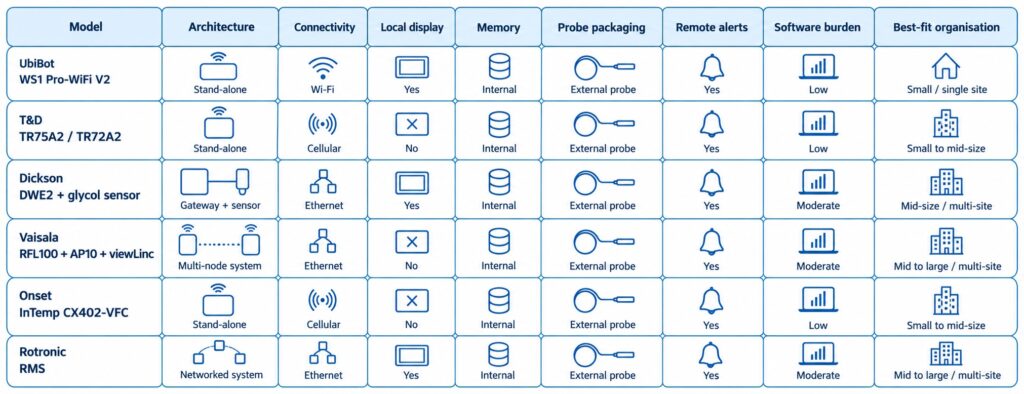
The WS1 device supports one external temperature sensor for external temperature monitoring.
This is due to the fact that it has only one Micro USB port.
To power it with the USB cable at the same time, you can connect a USB splitter.
When it comes to the External Temperature Sensor, it is waterproof and designed to operate in extreme conditions, such as temperatures between -55ºC to 125ºC.

The Micro USB connector is compatible with every monitoring device in the UbiBot lineup of products, such as the WS1 and WS1 Pro.
The sensor is made from high-quality stainless steel, ensuring that it will not rust under any condition.
The different cable lengths are designed to offer a high level of flexibility, and the connector allows you to deploy the sensor within seconds.
The flat cable is unshielded.
How the UbiBot IoT Platform Works
Through the UbiBot IoT Platform, you can set alerts by emails, which includes 200 free emails per device, per month, or through different methods such as phone voice alerts or through SMS messages.
You can also download complete Spreadsheets that go in-depth into a summary of the temperature throughout a specific time-interval, and you can connect it to IFTTT.
You can also set specific times when you do not want to receive any notifications, such as at night, and you can add multiple channels through which you can receive alerts at any given time, such as in-app notifications alongside SMS messages.
This way, you will be informed about any changes that might occur even if you are not connected to a network from your mobile device and it will give you an added level of peace of mind.
The UbiBot platform also allows for shared alerts, which means that you can share your device with another person when you choose to add them, and they can view the data as well as see alerts just as you would, which is convenient if you are traveling and leave your pool to be managed by a relative or neighbor.
The UbiBot line of products are excellent for monitoring the temperature and humidity level of just about any environment, as they offer products which can withstand harsh conditions such as water or sand, and they offer sensors which can get into any liquid and give you accurate readouts based on your specific needs.
This allows you to always be informed about exactly what is happening in the environment you place the sensor or sensor in and as a result you will have a higher level of awareness and as a result, the performance of those specific locations and things that you are managing within them.
Error 1412 – Invalid activation code
When it prompts up "Error 1412 - Invalid activation code" after you scan the serial number of the device, please contact our support team by creating a ticket in the app. Please see the screenshot below as reference. You can also contact us by our email:
[email protected].
Our technical support team can figure out this issue as soon as they are available.
Your understanding and patience are highly appreciated.

It’s Time for You to Protect Your Home Using a Motion Sensor
Imagine leaving your home or apartment unattended and leaving for a vacation.
Amazing, right? Maybe leave the light on, maybe let the TV run, and do not let it turn off on its own to give the illusion that you are at home the entire time.
Maybe that will give you some level of peace of mind while you are out there strolling and traveling to different countries.
However, what if that was not enough?
When you are not at home, you are never quite sure what is happening, and even if you add a camera, each camera has its blind spots.
These blind spots are spots that the camera does not cover with its field of vision.
Another step you can take to avoid potential theft or burglars within your home is through a motion sensor.
The UbiBot MS1/MS1P

The
UbiBot MS1 / MS1P is a sensitive motion perception device.
UbiBot as a company strives to bring monitoring and alerts to the users of all of their devices, and as such have developed a device that senses motion.
In the search for perfection, the Motion Sensor MS1 / MS1P supports WiFi and RJ45 Ethernet cable connection, ensuring that the connection drops are almost non-existent, or better put, if your Internet Service Provider is stable, so will the motion sensor.
When you install it in a place with a wide field of view, the motion sensor can accurately sense any slight movement made by either people or animals.
When someone moves, a movement log is generated, and this log is recorded on the IoT cloud platform of UbiBot that allows you to download it anytime and anywhere.
The UbiBot MS1 / MS1P Can:
- Monitor even the slightest movements of humans or animals.
- Connect to the Internet of Things cloud platforms where it can store the data logs.
- Export data remotely anytime, anywhere.
The Data Transmission
A Power over Ethernet connection also known as a POE network ensures easy deployment, stability, and real-time updates. Additional POE splitter is needed for the device.
The device supports 220V power supply or USB and has multiple ways of communicating, which can reduce the requirements of wiring.
It offers multiple alert modes that are widely used within the security field as a whole such as platform-based alert rules, real-time alerts, a wide variety of alarm modes and options, device online and offline notifications.
Specifications

When it comes to the specifications of the UbiBot MS1 / MS1P, its dimensions are 80x80x48mm, it features a detection distance of up to 12 meters, it has a detection angle of vertical 40 degrees and horizontal 105 degrees while requiring a power supply in the form of a Micro USB, POE power supply or AC power supply.
The operating temperature is from 0℃ to 50℃ and it can connect through a 2.4 GHz WiFi or RJ45 Ethernet connection.
It supports all devices running Android 8.1 or above and all iOS devices running iOS 11 or above.
When it comes to the installation process, it can be placed directly in the required monitoring area or it can be glued on the smooth wall surface with double-sided adhesive.
You can also hang it on the wall with screws if that is more convenient for you.
The surface of the product is in a matte warm white color and it can blend easily with the surrounding environment as it is not intended to stand out but blend in.
Connectivity

Once the device senses motion, it generates a log.
Later on, that generated log is transferred through a WiFi 2.4 GHz connection or through an RJ45 Ethernet Cable to the UbiBot IoT platform, after which that data is transferred to the UbiBot application which you can easily access through a variety of different devices such as a phone or tablet through the official application or through a desktop computer or laptop through a web browser, making it extremely convenient.
The role of a motion sensor in a home security system is to sense an intruder and send an alert to you as soon as possible.
Sensors work when you are not at home, or when you tell the system you are not there.
The best placement of a motion sensor is in a corner of a room that has a good viewpoint of your entryways and can easily detect any changes in the room.
A motion sensor can be used both at home and at any business, and they can be found on phones, paper towel dispensers, game consoles, and virtual reality systems, so chances are you have probably experienced a motion sensor somewhere so far and are aware of how exactly they work.
Motion sensors are like flashlights which send out a beam of light, but with motion-detecting infrared energy waves instead of light waves.
When you get closer to the device, the infrared radiation becomes denser the nearer to the device you go and it spreads out the further of the device you get.
By adding a motion-sensing device to your home, you are increasing the level of security at an unexpected level to any potential intruder.
As many potential intruders expect a camera, they usually seek it out and look for spots that the camera does not see, so by strategically placing the motion sensor in places where the camera does not see, you are covering those spots with an added layer of protection and catching the burglars off-guard.

Once the motion detection tool detects someone, it can trigger a chain of events.
This can specifically happen when it is integrated with IFTTT.
This includes features such as a sound, music, lights and so on to freak out the intruders or burglars and makes them run away while stealing nothing in the process, while also alerting you from a distance so you can stop your daily or nightly commute and rush back to your home to check if everything is okay.
Alternatively, you can also call the police for a little bit of backup if things turn sour quickly, but at the end of the day, you will have peace of mind knowing that you are protected.
Be Aware of the Extreme Humidity of Your Garage Before Damage Occurs
Before we begin anything, it is important that you understand exactly what humidity is.
Humidity is the concentration of water vapor present within the air.
Water vapor is the gaseous state of water and is invisible to the human eye. Humidity indicates the likelihood for precipitation, dew or fog that can be present within a given area.
Now, during rainy seasons, or sudden shifts in temperature, humidity can occur within your garage.
As many of us store a lot of things within our garages, chances are that some of them, especially electronic things, can be damaged in a very serious way, up to a point of completely breaking, and as such, we need to make sure that the humidity level is controlled, or at least that we are always aware of what is happening in our garage and what level of humidity we can expect throughout any specific season.
By taking good care of everything, we can lead to expanded lifespans of each and every product we store within our storage units known as garages, from electronics all the way to mechanical things that help us in our everyday life.
A lot of us love to work with tools as-well, and humidity can also damage electronic tools that rely on a stable weather to operate.
The impact of hot weather
In summer, garage doors are especially prone to failure due to the high level of humidity.
Wooden garage doors can absorb a lot of moisture during humid weather, and this excess of moisture can cause wood to swell, and in turn your garage door will be at risk of cracking or splitting in half.
You also gain the added risk of accelerated rotting due to the high level of humidity.
Keep in mind, your garage door is probably not the only wooden thing you keep in there.
You may have a shovel, a mop, other things you use to take care of your home and backyard for example, that all have some wooden part about them.
Now, how exactly can you stop this from happening, and does a device out there exist which is specifically designed to help you save a lot of money in repairs within the long-term?
The UbiBot Devices to the Rescue
UbiBot features a revolutionary line of devices that can truly help you monitor the level of humidity you have in your garage from wherever you are.
Best of all, you do not need to worry about anything, as it is all connected through the UbiBot IoT platform.
What are the devices and how exactly do they work?
Some of the most commonly bought UbiBot devices include:
The UbiBot WS1
This is a device capable of monitoring the temperature and humidity of your garage as well as give you insight into other conditions throughout your entire home.
It connects flawlessly to the UbiBot smartphone and web application and allows you to monitor the activity within the room at any time, from anywhere.
The UbiBot WS1 Pro
Another variant of the WS1, the Pro name comes from the fact that it features a large LCD screen which allows you to view each statistic at a glance, so you can check up on the level of humidity, weather and other stats before leaving the garage just to make sure that everything is in prime conditions for that added peace of mind before going out on a trip.
It allows for both WiFi and mobile data connectivity which makes it easily accessible from anywhere.
The UbiBot GS1
What makes the GS1 special is the fact that it is industrial-grade.
This means that it is:
Because of this, it can run in harsh environments, and will not break easily.
This is perfect for companies or people who live a more robust lifestyle and want something that can handle the pressure.
As mentioned previously, all of this is connected through the IoT platform by UbiBot.
The Services
Let us start off by taking the alerts out of the way.
You can be alerted through several ways
App Alerts – completely free notifications to your phone of tablets.
Email Alerts – up to 200 free alerts per device per month, after which you will be charged 3 credits per 1000 emails.
SMS Alerts – these cost an average of 0.02 credits per SMS(fees vary in different regions)
Call Alerts – these cost an average of 0.03 credits per SMS(fees vary in different regions)
You also have Google Drive functionality through Google Spreadsheets where you can receive data security and data integrity of the raw data and real-time sync you receive across all of the devices to your designated account.
You can also connect everything to a Google Home and get temperature and other data with your voice as well as control a series of actions, like turning on or off the heating and air conditioning of a room.
Last but not least, you can even connect it with Alexa, giving you access to the readings through your voice commands.
When it comes to data sharing, you can share access to the monitoring and statistics from these devices to any family member, friend or colleague who you think would help you out in a pinch if you are too far away from your garage to handle things manually.
You can also set up shared alerts with another person who you choose to add.
The UbiBot app gives you a single ecosystem to manage data sharing and view who previously had access to all of the data, ensuring that everything is monitored and up to standard.
Keeping your garage in prime condition will lead to a longer life span for both the doors, hinges, mechanisms that make everything work, windows, and most importantly, the things within the garage itself, so making sure that you have constant access to the information about the level of humidity within the room can ensure that you can take the right action at the right time and get the desired outcome where you end up saving everything.
About Humidex
What is Humidex?
Humidex is an index to indicate how hot or humid the weather feels to the average person. It is derived by combining temperature and humidity values into one number to reflect the perceived temperature. For example, a humidex of 40 means that the sensation of heat when the temperature is 30 degrees and the air is humid feels more or less the same as when the temperature is 40 degrees and the air is dry. Hourly Humidex values are only displayed when the air temperature is 20C or greater and the humidex value is at least 1 degree greater than the air temperature.
The current formula for determining the humidex was developed by J. M. Masterton and F. A. Richardson of Canada's Atmospheric Environment Service in 1979. Humidex differs from the
heat index used in the United States in being derived from the
dew point rather than the
relative humidity, though both dew point and relative humidity (when used in conjunction with air temperature) are directly related to atmospheric moisture.
What is the formula of Humidex?
When the
temperature is 30 °C (86 °F) and the
dew point is 15 °C (59 °F), the humidex is 34. If the temperature remains 30 °C and the dew point rises to 25 °C (77 °F), the humidex rises to 42. The humidex is higher than the U.S. heat index at equal temperature and relative humidity.
The humidex formula is as follows:

where
- H denotes the Humidex
- Tair is the air temperature in °C
- Tdew is the dewpoint temperature in °C
- e = 2.71828
5417.7530 is a rounded constant based on the molecular weight of water,
latent heat of evaporation, and the
universal gas constant. The humidity adjustment approximately amounts to one Fahrenheit degree for every millibar by which the
partial pressure of water in the atmosphere exceeds 10 millibars (10 hPa).
At the time the humidex was originally developed in 1965, Canada was still on the
Fahrenheit scale, and thus the humidex was originally based on that. The 1979 reformulation, which added the 5⁄9 factor, was largely to address
metrication in Canada as the country switched to the Celsius scale.
Humidex Feature Is Available Now!
A Humidex is short for humidity index and is a value that is calculated, not measured.
It originates back from 1965 and it describes how hot or humid weather feels to a human being.
It combines temperature and dew points into one computed value, the higher the dewpoint, the more moisture there is in the air.
The Humidex formula goes as followed: humidex = (air temperature in Celsius) + h. h = (0.5555)*(e — 10.0)
The difference between humidity and humidex is that humidity is the dampness in the air, while humidex is a measurement used to reflect the combined effect of heat and humidity to determine the temperature felt by a person.
Levels of Humidity
Humidity which is above 50% is typically considered to be too high while humidity below 30% is considered to be too low.
The ideal range of relative humidity for a home is between 30% and 50% according to the EPA.
If the air within a room is 100 percent relative humidity, the sweat of our bodies will not evaporate into the air.
If the relative humidity is low however, we can feel cool due to the fact that the sweat evaporates easily and cools us off.
It is impossible to hit a humidity level of zero percent due to the way Earth's climate and weather conditions work. Water vapor is always present within our air, even if only in minute quantities.
How Do You Measure Humidex?
The
UbiBot line of products features sensors that can measure the temperature and the level of humidity within a room. You are able to set alert rules for the Humidex readings. And, the readings can be displayed in both Fahrenheit and Celsius degree. Currently, it's available on the Ubibot web console:
console.ubibot.com.
The UbiBot line of products is also connected through its IoT platform that allows them to communicate with one another, and as such, they can measure the level of humidex within a given room, giving you insight if you can handle the heat at the moment.
This is especially useful for business owners that have enormous warehouses filled with workers who want to perform well and excel at their jobs, and making sure that the temperature and humidity are ideal for their work environment is a must.
What Products Can Get the Job Done
Many UbiBot devices can continuously monitor the temperature and humidity within a room, but today we will be looking at the UbiBot WS1, the UbiBot WS1 Pro, and the UbiBot GS1.
What makes each of these devices special and what exactly makes them unique?
The
UbiBot WS1 device is the standard one, coming with excellent sensors for both temperature and humidity, which can give you amazing insights into the conditions in your home, office, or factory and successfully calculate the humidex within the room.
The
UbiBot WS1 Pro is a more advanced version of the previous product but with an added large LCD screen and Mobile connectivity alongside the WiFi connectivity, making it an overall better device as you can clearly see everything at a glance even before loading up the UbiBot application.
The
UbiBot GS1 is a mix of the two, but with an added benefit of being waterproof and dust resistant.
This means that it should be able to withstand the harsher environment and is suitable for places where it might take a lot of beating.
All of this is connected through the UbiBot IoT Platform, which can be easily accessed from both a static desktop computer or a laptop through a web browser, or through any mobile device from its official application, where you can receive alerts and set up different activities to trigger when a certain temperature or level of humidity is measured.
Explaining the Platform Services
To put it into perspective, the devices work like this:
The UbiBot smart Device features a perfect sensor in one tiny device, once these measurements are made, they are synced to the Ubibot IoT platform, and the information and analysis generated here are eventually transferred to you.
The way at which you receive this information is up to you, but you can be alerted through four methods.
- The first and most preferable method is through App Notifications as these are completely free and can be easily recognized.
- The second method is through which you can receive notifications is through email, as you can receive up to 200 free email alerts per device, or you are charged 3 credits per extra 1000 emails.
- The third method is through SMS, where you are charged 0.02 credits per SMS(fees vary in different regions).
- The fourth method is through a Call, where you are charged 0.03 credits per call(fees vary in different regions).
Of course, this is not where the beauty of the IoT platform stops.
You can also use IFTTT to configure millions of different IFTTT events such as turning on the hue light when UbiBot senses that the light is becoming low and other such events.
It also integrates efficiently with a platform from a company you might have heard of known as Google.
You can connect to Google Drive, more specifically, the Spreadsheets platform, where raw data is generated and transferred to you with real-time sync.
You also get the added benefit of a high level of data security and data integrity, which makes it appealing.
It also integrates exceptionally well with both Google Home and Alexa, where you can give voice commands to the devices to receive some kind of notification or trigger a set of events that were preconfigured.
You Are Never Alone
Possibly one of the best features of all of this is the fact that all of this information can be shared with a person you give access too.
This means that, if you are a business owner, and want a manager to go over the level of humidex within the company, he can easily gain access to all of the statistics and analysis which is made on a daily basis and configure things accordingly.
The data sharing function allows for around the clock monitoring, real-time observation, shared alerts and can be managed within the UbiBot application itself.
This allows for a high level of flexibility and freedom within the work you want to do with this device and will not let everything fall on your shoulders, but can be shared with teammates, colleagues or friends.
Protect Your Animals from Dog Days
With summer being as hot as ever, we can expect dangerous weather conditions throughout the entire world.
As a pet owner, one must recognize that dogs, and even cats, can suffer from heat-related issues that are also affecting us as human beings.
This implies that animals can over-heat, dehydrate and receive sunburns.
So how do you notice if your pet is over-heating?
In most cases, you will notice that your animal has slowed down or stopped all movement in order to take in the heat.
You might also notice more subtle things such as excessive panting, drooling or confusion. Always make sure to pay attention to how your specific pet acts and how they react to different situations.
Dog days or dog days of summer are the hot days you can expect during the season of summer.
This means that each and every pet can receive some sort of side effect on their health due to the excessive heat.
Keeping Your Pet Safe
In order to keep your pet as safe as possible during this season, there are certain things you need to do and consider, and taking as much care of our loved ones as possible can lead to an extended and healthier life, so make sure to pay close attention.
Never leave your pet alone in any vehicle, even with the windows down or the AC turned on.
Make sure that your pet always has access to fresh and cool water as well as a place out of direct sunlight that will help them avoid a potential heat stroke.
Never leave your pet outside for too long, and avoid times where the temperature is simply too high for them to handle.
Taking Action at Home
Imagine a situation where you are having an enjoyable day at home, and the heat does not bother you as a person, so you just sit down on your couch and start enjoying a football game or whatever you are into.
Suddenly, at the corner of your eye you start to notice that your pet is slowly losing consciousness and fainting. You quickly get up to treat it and reserve a slot to the nearest veterinarian to see what is happening, only to find out that that pet has gotten a heat stroke and as a result, has fainted.
So how do you avoid a situation like this one?
Well, this is where
UbiBot can change things and improve the life for you as well as the pet for the better.
The UbiBot Line of Devices
UbiBot is a line of products centered and specializing in Wireless Environmental Sensors and Sensors.
These are, put simply, devices that you can attach to any room or piece of furniture that can monitor certain levels in the room.
They can measure temperature, humidity, light and much more.
There are many UbiBot devices, but for the time being we will be discussing:
- The UbiBot WS1– A WiFi enabled device which continually monitors the temperature and humidity of a room. The Ws1 gives you insight into the conditions within your home where your animal might be staying while you are outside.
- The UbiBot WS1 Pro– A more advanced version of the WS1 which features a large LCD display and can be connected to through both WiFi and Mobile connectivity which will allow you to monitor everything from anywhere in the world.
- The UbiBot GS1– An industrial-grade version that is specifically designed for harsher environments and features waterproofing and dustproofing features which can ensure stable runtimes and reliable measurements just about anywhere.
How It Is All Connected
You may now be asking yourself; this sounds amazing, these devices will surely let me know if my animal has the right conditions and if he is at risk of getting a heat-stroke, but how are these devices connected to my phone, and what other features do they have?
Well, all of this is made possible by the UbiBot IoT Platform which can be accessed from any device through the smartphone application or through a web browser.
It automates data storage and analysis and even allows you to set real-time alerts.
When it comes to the platform services you will gain access to, you can connect through the following methods:
Email – through this method, you can set up an alert by email and receive up to 200 free alert emails per device per month, which refreshes on a monthly basis.
IFTTT – this gives you access to an array of possibilities when monitoring any environment as you can trigger million of different IFTTT events that are a result of certain changes in the temperature or environment as a whole, giving you a lot of flexibility.
SMS – through this method you can receive alerts by SMS, assuming you are not connected to an online connection through a mobile network or WiFi, think of this as a fail-safe when you really need to be informed. The Fee of this service is 0.02 credits per SMS (The fees vary in different regions).
Call – similar as the SMS, except here you are alerted through a voice call instead of an SMS and it costs 0.03 credits per call (The fees vary in different regions).
A great way to manage and generate your tables with constant syncing of real data and real-time data security and integrity is through Google Spreadsheets.
This service allows you to gain access to different Spreadsheets that work within the Google Drive platform, which in turn allows you to analyze, store and monitor your data through servers which are protected and monitored by a large company such as Google, ensuring that you have the maximum level of support at any time.
With all of this said and done, the best way to take care of your pet is to know exactly in what kind of living conditions they are resting it at all times, even when you are outside, and through the UbiBot line of devices, you can make sure to always be in the loop of what your pet is exposed to, especially during the hot summer dog days.
Soil Temperature and Humidity Determines the Grow of Your Plant
Soil temperature affects the growth of plants in an indirect way by affecting water and nutrient uptake as well as the growth of the root.
At a constant moisture content, a decrease in temperature can result in a decrease in water and nutrient uptake.
At lower temperatures, transport from the root to the shoot is reduced.
Water helps a plant by transporting important nutrients through the plant itself.
These nutrients are drawn from the soil and used by the plant for growth and without enough water within the cells, the plants droop, so the water helps a plant to stand. The water carries the dissolved sugar and other nutrient through the plant.
The Solution
The
Ubibot RS485 Soil Temperature and Moisture Sensor, Waterproof Soil Sensor, Garden Soil Temperature Humidity Monitor, Stainless Steel Soil Tester connects through USB to our WS1Pro and GS1-AETH1RS, GS1-AL4G1RS devices.
The ideal temperature range for indoor plant growth is between 70 degrees F to 80 degrees F per day and 65 degrees F to 70 degrees F at night.
Soil moisture associated with variations of air humidity can affect the soil susceptibility to wind erosion.
It has been shown that air-dry soils decrease as humidity increases.
Warmer temperatures increase respiration and as such, reduce the growth.
The appropriate temperature can help a plant maintain its growth process at an optimum level.
The right range of temperature can affect the transpiration and help plants maintain their water content.
The Features
The Ubibot RS485 is a waterproof soil temperature moisture sensor with a monitoring range of -40 to 85 C, +/-0.5 C; 0 to 100%RH.
The sensor is made out of stainless steel and is easy to plug into soil and easy to clean due to the fact that it is rust-resistance.
It connects through a USB connector and is easy to deploy with 3 meters lead which is appropriate for use in an outdoor environment while keeping the main device indoors.
Once the Ubibot RS485 gathers data, it can be viewed on the WS1Pro and GS1-AETH1RS, GS1-AL4G1RS device screens as well as on the application or web console remotely.
There are also available alerts for all of the readings gathered by this device and can be switched in the platform between absolute humidity and relative humidity.
This sensor is embedded with an industrial-grade chip and offers accurate measurement. The stainless-steel sensor can be inserted into any soil for a long period of time without it being corroded.
It features a durable cable which ensures stable data transmission at any time.
In order to use it, dig a hole at over 20 cm in diameter on the ground or soil within your use case.
Insert the steel sensor into the point in a horizonal direction.
Finally, berry the sensor with soil and you can have your data transmitted instantly.
In order to connect to the device, simply use the USB port, then go to Settings and enable the RS485 S button.
Finally, press the power button once to trigger data sync. You will see the temperature data as EXT2 at the bottom right corner of the screen.
Each of the soil sensors have been calculated within a specific factory and include data points which are conducted by placing the sensor in the air to reach the minimum of 0% and pure water to reach the maximum of 100%.
When it comes to the wettest soil, the reading is expected to be at 30% AH depending on the soil type.
UbiBot devices are tailor made to work in Industry, Agriculture, Pharmacy and in Homes.
The devices monitor data and transfer it to you through Wi-Fi, 2G, 3G, 4G, Ethernet cable methods.
Once the data gets to the UbiBot IoT Platform, you can view it from any phone, tablet or PC through either the official application or through the web browser.
They work through multiple platform services, which can alert you through app notifications, emails that you get 200 free email alerts per device, SMS that costs 0.02 credits per SMS and through Voice Calls that cost 0.03 credits per call.
Many features can also be automatized and implemented through IFTTT and can allow for your smart devices to talk to one another.
You can also activate things through voice commands by using Google Home and Alexa, with which all UbiBot devices can communicate with.
When it comes to the data sharing functions available with each UbiBot device, you also gain around the clock monitoring where you can share your devices with colleagues, friends or family members interested in your profession or hobby.
You can also view real-time observations and use the app to view real-time conditions while you choose exactly who to share them with.
Shared Alerts are also an option when you want another person to be aware of exactly what is happening to the soil and at what temperature and humidity it is.
You can set everything up manually and know exactly who is aware of what is happening to the soil at any given time.
The UbiBot application also gives you a single place to manage data sharing and gives you a view of who previously had access to the data, so you can manage everything more efficiently.
All of this makes the UbiBot line of devices and their extensions a must have for anyone looking to monitor their soil and have a deeper understanding on what exactly is happening to their plants and as such can bring your knowledge and plants to a whole new level of growth and efficiency.
By taking the added step of letting hardware do the heavy lifting for you, you can use the extra time to gain a bigger and more in-depth understanding on everything soil related instead of constantly having to manually monitor its temperature and humidity,
With that out of the way, make sure to try out the Ubibot RS485 for yourself.
Growing conditions at home do change in several subtle ways during the colder, darker months of the year, but while most of us are well-equipped to handle the change – the combination of cold air, lower temperatures, and shorter days can make it difficult for plants to thrive. We would like to share a vital resource with you: Houseplants 101: The Ultimate Guide to Healthy Indoor Plants
According to Terrarium Tribe, 59% of plant buyers say that houseplants are important to their health and wellness, and caring for them brings a sense of happiness and peace into our lives. This article will cover which plants are most common to thrive through cold weather, and also it will list great tips for general care and maintenance during fall and winter.
How to Monitor the Temperature in Refrigerated Vehicles Using a Wireless Temperature Sensor?
Refrigerated vehicles are an amazing way of transporting frozen goods and services across any geographical region.
As such, these vehicles need to be capable of withstanding the sunrays when driven daily and maintain a certain level of cold temperature in order to not ruin the goods inside.
A lot of frozen goods require the vehicle to maintain a certain level of cold, as such, this level needs to be constantly monitored and maintained at that low-level temperature.
Many of them feature thermometers, however, you are not aware of the temperature within the vehicle until you manually open the doors and view the thermometer yourself.
As such, hours or even days can pass before you check if the temperature is still correct, and you might end up ruining some of the hard-earned and maintained goods that are stored in vehicles from this kind.
The Problem
When it comes to the issues that need to be resolved with transporting refrigerating systems like these vehicles, it all boils down to being informed about the temperatures within them.
You need to consistently be aware of them, and so does the driver.
This means that you need a system, which monitors the temperatures of all time, a device that will work even while offline, and a device that can keep everything in sync with both you and the driver handling the vehicle during its transportation phase.
This means that there are three points that need to be covered.
- Device availability
- Transfer of information in real-time
- Delivery of said information to multiple people
So what device out there is designed to specifically fill these needs?
There is a device known as
Ubibot which is specifically made to fill this void in the market and will be your future solution.
The Solution
Ubibot offers a variety of features that make it stand out as the ultimate tool for the job of monitoring the temperature in refrigerated vehicles.
As it is a wireless temperature sensor, you are constantly receiving the latest updates related to temperature.
However, the
Ubibot devices are not just limited to temperature, you also have access to temperature, humidity, light, and much, much more which all syncs in real-time using WiFi, mobile data, or RJ45 Ethernet connection, through an IoT cloud platform that offers 24/7 intelligent monitoring.
It covers industries such as agriculture, home, industry, and pharmacy.
The Ubibot smart devices use a revolutionary way that monitors environmental conditions where they matter.
The sensors synchronize with the Ubibot IoT platform through a WiFi connection where you can access your data from anywhere through the smartphone application or simply through any device from the web browser.
Your phone can connect online through WiFi, 2G, 3G, 4G, Zigbee, UWB/NB-IoT, and through this connection, you can monitor your whole environment remotely, without having to physically be located at the location of the device.
There are multiple models of the Ubibot, such as the WS1, the WS1 Pro, The GS1, and the IoT platform which all work in conjunction with one another.
How Ubibot Excels
When it comes to the selection of platforms you have at your disposal when using Ubibot, you have access to:
- Email — 200 free emails per month, 3 credits per thousand emails
- IFTTT — trigger millions of different IFTTT events such as turning the hue light when light falls below 40 lux
- SMS — 0.02 credit per SMS
- Call — Alert by voice call, 0.03 credit per call
- Spreadsheets — With Auto-syncing to Google Sheets as a service, this service costs 1 USD per month, note that Spreadsheets is used for detailed reports, not alerts.
UbiHTTP — HTTP interaction services known as UbiHTTP allow the communication between devices, websites, and web services without implementing any protocols at the device level.
Google Home — by connecting the Ubibot to Google Home, you can receive updates about the temperature and other data with your voice and let it control a series of actions, such as turning on or off heating and air conditioning automatically
Alexa — Ubibot features a smart home function that can interact with any voice devices such as Alexa, where you can set up routines to use readings from Ubibot temperature sensors as conditions which can perform any series of actions such as turning on or off air conditioning or heating
You also have features through the platform-based Ubibot app such as:
- Advanced Alerts — allows you to select when to not be disturbed
- Multiple Channels — allow you to receive notifications through different channels
- Virtual Guardian — an alert service which monitors devices remotely
- 7/24 Monitoring — allows devices to record data even when offline
By far the most suitable device for the refrigerated vehicles is the
GS1-PL4G1RS. It is integrated with an external BD GPS Active Antenna, which provides real-time positioning function. It supports both wifi and mobile data transmission. With it, no matter where the truck goes, data can be updated via the 2G/3G/4G signal. And you can know it's travel trace.
One of the most useful features for the refrigerated vehicles is the data sharing options.
This means that, if you are a business owner which employs multiple drivers to drive multiple refrigerated vehicles to their destination, you can assign each one of the information about the Ubibot device within each vehicle.
So you would have access to the information in vehicles:
- Vehicle 1
- Vehicle 2
- Vehicle 3
- You and driver 1 will have access to the data in vehicle 1
- You and driver 2 will have access to the data in vehicle 2
- You and driver 3 will have access to the data in vehicle 3
This makes it a perfect method to ensure that everyone is informed about everything and that each driver knows exactly at which temperature their device is functioning, so if they need to take action they can instantly do so.
You gain knowledge about this as well and can monitor which driver takes the right precautions to ensure that everything is delivered efficiently and effectively, and can instantly make all of the arrangements when anything starts to go wrong even before the driver calls you to inform you that such an occurrence has happened during his shift.
There are a lot more use-cases when it comes to the Ubibot devices, this was just one example of how effective it can be and it can bring your monitoring to the next level.
Here Are Two Key Points That You Should Know About Growing Edible Fungus
Before we begin about the key points, first we need to understand exactly which fungus is edible.
What is an edible fungus?
Edible mushrooms are these fleshy and eatable fruits which consist of several species of macrofungi that have fruiting structures that are large enough to a point that they can be seen with a naked eye and these edible mushrooms include many fungal species that are either harvested while or cultivated.
There are more than 200 genera of macrofungi that contain species of use to people and feature edible properties.
Yeast is single-celled fungi, they are related to the other fungi that people are more familiar with such as edible mushrooms available at the supermarket.
There is also the common baker yeast which is used to leaven bread, molts that ripen the blue cheese and models that produce antibiotics for medical and veterinary use across the world.
Edible mushrooms are ones with gills that are brown or tan, while some mushroom white gills are edible, the most deadly and poisonous one, the Amanitas, almost always features white gills.
Mushrooms without a red cap on the stem should be selected.
Always try to pick mushrooms with white, tan, or brown caps and stems.
How do fungi feed?
Fungi are dependent on both dead and living material for their growth.
They obtain nutrients in three ways:
- SARPROBIC — growing on dead organic matter
- SYMBIOTIC — growing in association with other organisms
- PATHOGENIC or PARASITIC — by causing harm to another organism
How to Grow Your Own
Mushrooms grow from spores, or the mushroom spawns.
They need organic substances to grow and there are a number of different ones that are suitable such as mushroom compost, horse manure, and straw.
When it comes to the different mushroom varieties, there are mushroom spawn, pre-spawned plugs and dowels, and mushroom growing kits.
You can grow white button, chestnut, brown cap or Portobello, shitake, oyster, yellow oyster mushrooms.
How Do You Take Care of the Mushrooms
You can grow mushrooms indoors for the best effect.
They grow best at an even temperature of about 15 C, and they do not grow well below 10 C or above 20 C.
When it comes to harvesting, mushrooms are usually ready to harvest when the cap shape is perfectly formed.
You can harvest them with a cutting knife, or by grabbing the mushroom at the base and twisting it in a counterclockwise motion.
How Ubibot Devices Help
By implementing an
Ubibot device into your growing platform, the most advanced solution that allows you to protect what you truly care about, you can constantly monitor the temperature at which your fungus grows.
As mushrooms grow best at a temperature of 15 C, you need to ensure that the temperature is consistently at that level, and if any changes in the temperature occur, you need to always be informed and react accordingly.
The UbiBot network of devices is connected through the IoT platform which allows them, when a well-established connection to the internet is secured through a WiFi network, to constantly and consistently stream and sync information to any of your
devices.
This way, you are always informed of exactly what the temperature is like at any of your growing locations where you have placed a UbiBot device.
As such, you can constantly be aware if your fungi are growing at the right temperature even if you are not physically at your home or growing site as a whole at any given moment.
But let's say you have a scenario where you have to leave the city, country, or simply go on vacation, but still want someone to be able to correctly manage and monitor the crops, do you need to give them your device or WiFi password?
The answer is no, through this application you can share just the information you want to any person you trust, without giving them access to your personal device or network.
This way they can constantly keep track of the temperature on your crops no matter where you are in the world.
The Available Ubibot Devices
The UbiBot
WS1 has access to temperature monitors, humidity monitors, and much more.
The UbiBot
WS1 Pro which features a large LCD screen and can use both mobile data and WiFi to connect to the internet.
The UbiBot
GS1 which is an industrial-grade device designed for harsher environments and can withstand water and dust-filled environment.
All of this is connected through the Ubibot IoT platform through which all of the vices can talk to each other and stream all of the information to your application which can be accessed anywhere.
The platform can talk to a lot of services which communicate between one another such as:
- Email
- IFTTT
- SMS
- CALL
- Spreadsheets
- UbiHTTP
- Google Home
- Alexa
You can receive alerts through email, SMS or Call, while Spreadsheets can generate and sync detailed reports, and Google Home and Alexa can be used to check the current temperature through voice commands.
This allows the service to have multiple ways of giving you control over it, and multiple ways for it to speak to you as well through notifications and alerts across multiple ways.
It features perfect sensors in a tiny device that connect to the Ubibot IoT platform and eventually sends all of the data to you with the service of your choosing.
All of them differ in the way the information is shown but ultimately serve the same function.
You also gain access to:
- Advanced Alert options
- Multiple Channels
- A Virtual Guardian
- Online Monitoring
As well as data sharing in the form of:
- Around the Clock Monitoring
- Real-time Observations
- Shared Alerts
- Managed Data in One place
With all of this in mind, the Ubibot family of devices, alongside its own ecosystem of software and different implementation for alerts and programming, you can always expect the best performance out of these devices.
It offers a really capable and consistent management system that constantly ensures that you are informed about everything happening at your crops at any given time of the day or night.
As such, it is a highly flexible and adaptable system that should fill the needs for just about anyone.
Remote Light Strength Monitoring With Ubibot Multi-Sensor Device
Light can be an important factor in the growth of both plans and exotic animals.
As such, it can play a huge role in their development and sustainability.
Many reptiles are cold-blooded animals that require light to warm them up, while many plants rely on the sun to give them the proper tools to grow.
This varies from animal to animal, and from a plant to a plant.
Some plants might need more light than others, and as such, you would need a system that schedules the lighting, as well as monitors its strength.
The differences vary between each industry and use case-scenario, but chances are, that if you are looking at this product, you know exactly what you need it for, so it is time now to learn why you need this specific product in your life.
You see, we usually manually, and physically have to get up, get home or wherever we have our growth mini-farm or mini zoo with reptile animals and measure the temperature and strength of the lights.
What if you could monitor all of this remotely, wherever you are at any geographical location?
The Ultimate Tool
The ultimate and most advanced solution that allows you to consistently monitor and protect what you care about, the
Ubibot line of products provides you with constant, in-sync transfers of live information across all of your devices in terms of temperature, humidity, light and much more.
The Internet of Things cloud platforms allows you to have a 24/7 intelligent monitoring function which consistently pumps out the right numbers to all of your devices no matter where you are in the world.
This means that you can go out, have fun with your friends or family, without worrying if there is a hardware failure in any of your enclosures, as you would be instantly informed about it if it were to happen.
The devices are perfect for industry, agriculture, home, or pharmacy use and can bring you a lot of benefits.
How Ubibot Works
UbiBot works through a revolutionary way in which it allows the systems to monitor environmental conditions when they need to.
The sensors synchronize with the Ubibot IoT platform through an internet connection based on WiFi technology and as such you can have instant access to all of your data from anywhere, be it from a web browser running on any
device or through a dedicated smartphone application.
The UbiBot smart devices use WiFi/ mobile data/ Ethernet cable to connect to the UbiBot IoT platform after which, through an internet connection it can sync all of the live information directly to your phone, tablet, or PC, where you will have a feed of information and alerts by your specification.
Devices available
The UbiBot
WS1 — WiFi Enabled device which can continually monitor the temperature, humidity, and more.
The UbiBot
WS1 Pro — advanced device packed with sensors and features with a large LCD screen.
Allows for both mobile data and WiFi connectivity.
The UbiBot
GS1 allows usage on harsh industrial environment and features waterproof and dustproof features which ensures that it will run in almost any environment.
You also gain access to the UbiBot IoT platform which can be accessed from anywhere using the UbiBot smartphone application or through the web by using an internet browser.
Platform Services Supported
The supported services include Email, IFTTT, SMS, Call, Spreadsheets by Google, UbiHTTP, Google Home, and Alexa, each of which have their own specific benefits and features.
Email allows support for up to 200 free alerts per month, and 3 credits per 1000 emails after that cap is passed.
IFTTT allows you to monitor your environments by triggering different events.
You can turn the light hue on when UbiBot senses a change in a different attribute in the environment, making the light strength different depending on the parameters and circumstances you decide on.
SMS costs average 0.02 credits per SMS and can inform you for the most important changes that might occur in your lighting environment.
You can also gain alerts by
voice call, which costs average 0.03 credits per call.
Spreadsheets, a service that costs 1 USD per month to use, allows you to automatically upload newly generated data to Google Drive Spreadsheets for backup purposes.
UbiHTTP allows the communication between devices, websites, and Web services without implementing protocols at the device level. You can specify operations in UbiHTTP and then trigger them in other Ubibot functions, such as the alert function. allows communication between the multiple devices to occur.
Google Home and Alexa support allow you to receive updates and notifications through the voice speaker and you can command the devices through them.
You also gain features through the platform-based app such as advanced alert options, multiple channels, a virtual guardian, and online monitoring.
Data Sharing Options
You gain around the clock monitoring with colleagues, friends, or family members through which multiple people can monitor the light strength in real-time, and you can take shifts in a way.
Real-time observation allows the app to view the real-time conditions of the lighting.
Shared alerts allow you to choose and add alerts at any given time, which means that you can turn them off while you sleep so they do not disturb you.
The UbiBot cloud also gives you a place to share all of your data and view the previously accessed data.
There are a lot more devices and tools that can help you with any given job, but for the time being, if you want to remotely monitor the light strength, we have the device to provide those features to you.
By implementing an UbiBot device in your system, you can constantly receive real-time updates, or assign someone else to receive them as-well when you are busy with something else.
This allows for a lot of flexibility and ensuring that you are always aware of the surrounding temperature your plants or reptiles are receiving at any given time of the day or night.
With the do not disturb options you can also ensure when you want to receive these notifications through any of the many options through which they can be activated, making it an excellent choice for anyone.
Can Your Freezer Thermometer Alert You of Emergency in Time? Ubibot Will Do
We've all been there, your power goes out, and your fridge suddenly stops working as it requires power to run.
What you may not be aware of is that the many things you have placed in the fridge, and especially in the freezer are starting to defrost.
This in turn will make them go bad, and you cannot cook nor eat them if it is too late.
So how do you combat such an occurrence or simply ensure that it never happens to you in the future ever again?
One Solution to Solve It All
Many modern freezers feature advanced tools that monitor the temperature within them.
However, most of them are extremely outdated when it comes to features.
This means that even if the thermometer measures that the temperature is getting hot due to power loss or device failure, you are simply not informed that this has occurred until the very last moment.
This in turn could lead to potentially rotten food that can become poisonous to consume, and you might end up losing thousands of dollars in the process.
This is especially the case if you are a business owner who relies on the tools at his disposal to run his business effectively and efficiently.
So you now may be asking yourself, how can you make an investment to save you from such troubles?
What in the world exists with the current technological advancements to ensure that you are always aware of the temperature shifts your thermometer logs no matter where you are in the world of how away you are from the freezers as a whole?
It is high time that you learned about Ubibot, the bot that keeps everything going.
Ubibot Explained
Think of
Ubibot as your friend, not just as a piece of technology that makes your life easier.
You see, this friend constantly informs you about the changes in temperature throughout your freezer in real-time.
Ubibot has access to the internet of things, through which, with the official application, you gain synched access to all of the climate information available from the platform at any given time.
This is the perfect solution for anyone in agriculture, industries, pharmacies or just people living at home with specific hobbies which requires the monitoring of temperature, humidity, light, and more.
With 24/7 intelligent monitoring, you will always know if an emergency occurs, no matter the time of day or night.
You now may be wondering, this all sounds great and neat, but what kind of technology goes behind Ubibot and how exactly does it work?
Ubibot has a revolutionary way through which it monitors environmental conditions exactly where they matter.
It features sensors that synchronize with the IoT platform, where it takes advantage of the wireless sensors and creates a WiFi thermometer, which allows for remote environmental monitoring.
Fundamentally you are using a wireless sensing device to monitor everything.
You can put the device inside a refrigerator when the monitoring range is between -20 to 60 C, RH: 10% to 90%, or use a flat
cable sensor which can be inside of the refrigerator while leaving the device outside.
The capabilities and sheer level of flexibility you get out of this device are endless and it truly provides a unique experience.
The temperature sensor is a waterproof external temperature sensor that you can use within the liquid, outdoors, or in a freezer.
It features a stainless-steel material and is suitable within an extremely hot or an extremely cold environment.
Best of all, it works with all IoT devices and is ready to use outside of the box.
Due to the high build quality, it will not rust under any condition, and the different cable lengths are designed to offer the end-user a very high level of flexibility in the long term.
The USB connector which is connected to the cable allows you to deploy the sensor within seconds, and there is even a variant where the flat cable can be put through the refrigerator door.
You should also keep in mind that the flat cable is unshielded.
The
cable is offered in:
- 3 meters round cable which is shielded
- 5 meters round cable which is shielded
- 3 meters flat cable which is unshielded
When the cable is connected to an Ubibot device, it can stream and sync the data to any platform service you choose to have it on.
These services include:
- Email
- IFTTT
- SMS
- CALL
- Spreadsheets
- UbiHTTP
- Google Home
- Alexa
Google Sheets can help you export your data automatically.
Google Assistant and Alexa can report the current temperature to you by simply asking them "What's the temperature", however, they will not alert you like the other services.
There is a threshold of 200 free alert emails per device per month and this is rotated on a monthly basis.
If you own 10
devices, you will have 2000 free email notifications per month.
Any excess notifications cost 3 credits per 1000 emails.
There are multi-channel configurable alerts with real-time alerts that provide you with peace of mind.
Advanced alert options make sure that you are not interrupted when you do not want to be, so you can turn off notifications throughout any selected period of the day.
The multiple channels allow you to receive alerts throughout many different options, and a virtual guardian receives alerts if any metric goes outside of the range you set.
The online monitoring tool allows you to be alerted as soon as any single one of your devices goes offline, but the device keeps on collecting data even while offline, this way you do not lose any readings what so ever which makes it amazing for people who want to always remain in the loop.
As such, the Ubibot ecosystem is developed with the intent of helping out the end-user and saving him potentially thousands in the long term.
With constant monitoring available at your fingertips through the app you can install on any device, you are constantly aware of what is happening within your freezer and other enclosures you might be using at your home, which will make an impact on the overall outcome of your many endeavors.
Knowing the Temperature Changes in Hatching Incubator Wirelessly by Using Ubibot Sensors
If you are a bird breeder, chances are you have to deal with the fact that sudden power failures happen.
As such, what damage can be expected if the incubator would go off during the entire process?
Temperature zones can have major effects on the developing embryo.
At 40.5 C you have a zone of heat injury, at 35 C you have a zone of hatching potential, at 27 C you have a zone of suspended development and at -2 C you have a zone of cold injury.
This leads us to believe that the temperature is the most important incubator parameter, and if we allow the eggshell to dictate the air temperature during the entire incubation process we can lead towards an excellent outcome.
As incubation has high-temperature requirements, and you have to pay constant attention to it to not damage the embryo, you need to seek out a device that can provide you with the proper information at any given time.
As such, when you have the information constantly at hand, you can ensure that if something were to go wrong within the hatching incubator, you can instantly react and address the issue without causing any damage.
This is where Ubibot sets the stage.
How Ubibot Helps
Ubibot is the most advanced solution to allow you to protect what you care about, with information such as temperature, humidity, light, and other data that syncs to any of your
devices using a WiFi connection.
UbiBot uses an Internet of things platform to constantly monitor, share, and sync the data of any of the devices you have within your home at any given moment.
This means that you can be out and about your day, and the moment the temperature starts to rapidly rise or drop within the incubator you will be constantly informed that this shift has occurred and can rush your way back home to save that embryo.
Wireless sensors are the way of the future and provide the information you need to you from anywhere, and through the remote environment monitoring which occurs through the IoT platform, you have a wireless sensing device or a WiFi thermometer of sorts which can indicate when any changes occur within the hatching incubator that you can react upon.
The Way of the Future
The UbiBot smart device features a perfect sensor that is located within a tiny device capable of being fitted anywhere.
This device syncs through the Ubibot IoT platform, which allows it to continuously monitor and stream information to the Platform-based Ubibot App.
There is an advanced alert option which allows you to choose when you want to be alerted, this means that if you decide to have a mid-day nap without any disturbance, you can rely on our systems to restrict the notifications throughout different time-frame intervals.
The multiple channels allow you to receive alerts from any service you might already have in your home.
The supported services include Email, IFTTT, SMS, Calls, HTTP. You can choose any one of them or combination of 5 methods at a time.
The Online Monitoring options alert you as soon as any of your devices go offline for whatever reason.
It is important to note that all of these devices record data when they are offline as well, which means that no readings are lost for the time period before they are brought back online.
Data Sharing Options
Another great feature that the Ubibot provides is the device share feature.
This means that you can share your data with anyone you trust to monitor over the incubator.
As such, a family member, friend, or colleague that lives close by can monitor and intervene if something were to go wrong.
As such, you can leave your house and travel throughout the world knowing that if something bad happens, another person can step in and resolve any of those issues.
Real-time observations work through the app and allow you to read real-time conditions and choose exactly who to share these measurements with.
Why Ubibot Matters
Ubibot is created with the intention of potentially saving the lives of millions of animals and creatures that people take care of around the world.
It gives you another dimension of care and commitment through which you can monitor, view, and take care of your precious pets.
If you are a breeder, you always need to ensure that the eggs are receiving the right level of heat in order to not hurt them, and our tools are specifically made to fill this hole in the system.
With Ubibot, you are not just getting a piece of hardware you can attach on your enclosing and forget about, but you are getting an extension of yourself, another set of eyes and ears that allow you to monitor everything even when you are not at home, and it such it makes it an excellent choice for anyone looking to broaden their horizons and have a bit of peace of mind when venturing outside of their comfort zones.
Take great care of your animals and always ensure that they are in an effective and healthy environment through the Ubibot tools and applications available to you at any time.
By having access to a constant stream of information you can always know exactly what is happening within your home, or wherever the enclosure may be and as such this makes it a priceless tool that truly delivers on its promise to help you in any way shape and form it can through constant monitoring and syncing of information directly to your smartphone through the official application.
The main target group for this product includes greenhouse growers, warehouse and cold and chain, pharmaceutical storage, the IT industry, product companies, and museums.
External Sensor Platform Setup Instructions
Wireless Monitoring of the Aquarium Temperature Using the Ubibot Devices
A lot of people love taking care of animals of all kinds, one of which is the sort that has to live with an aquarium in order to survive.
There are different kinds of aquariums around the world, and they all require a certain level of prerequisites in order to strive and help the inhabitants within them survive.
The importance of keeping the right temperature within a given room or an enclosure is the fact that these animals need to have a certain degree of comfort in order to survive and strive within their being, and if this was in some way or shape compromised it could lead to premature death or issues with them that will inevitably cause a lot of anger and sadness to their owners.
That being said, having the right environment can make them really happy and give them the ability to live out their destined lifetime and even reproduce more easily, which might be the reason some users choose to keep animals in aquariums in the first place.
You should not be limited with the amount of premium and exotic animals you can take care of from the comfort of your home simply because they require specific temperatures in order to strive and survive, and as such we have developed devices and an application that makes it easier than ever to confront these challenges and take care of the animal of your dreams.
The Right Temperature for an Aquarium
When it comes to choosing the right temperature when taking care of animals within a water-based aquarium, it is recommended to keep the temperature around 78°F (25°C) and 80°F(27°C).
However, this varies between different kinds of species, for example, some species will require temperatures that are a few degrees cooler or warmer, depending on the animal we are talking about.
The best place to figure out exactly what temperature each animal requires, be it a water-based on land-based animal, you should do your research in great detail and create custom profiles that allow you to switch and configure each setting based on the animal that you are taking care of inside of the aquarium at any given moment.
This will ensure that they have maximum comfort and a decent lifespan that will not hinder their growth and evolution like an underdeveloped enclosure with less attention to detail might.
Once you figure out the exact temperatures that each animal requires in order to strive and succeed, all you need to do is configure the device accordingly and monitor it through the app, after which you can set specific alerts to alert you if the temperature starts spiking to the lower end of the spectrum or the higher end to a point where it can cause damage to the animal you are taking care of and potentially cause it to get deceased, which is something no owner wants to happen, so in the end, it all comes down to how much you really care about the enclosure of the animal you are taking care of within your aquarium or set of aquariums that you might have within your home.
With Ubibot products and devices in place, you can specifically monitor the temperature on all of your aquariums with ease and make sure that all of your animals within them have the right temperature to feel comfortable and survive for longer periods of time without needing to be physically there.
So the next time you plan your trip you can rest assured knowing what your animals are dealing with on a daily basis when it comes to the temperature within their quarters.
How Ubibot Devices Help
Through our devices and apps, you will have real-time temperature, humidity, and light data completely wirelessly from the comfort of the device of choice.
If there is a drastic spike within the temperature of the quarters you are monitoring you can also receive an email notification as well as a voice call or SMS text that will alert you instantly so you can take action and ensure that everything flows as normally.
Advantages of Using Ubibot Devices
Ubibot devices future a Ubibot app that has multi-channel configurable alerts which will make it extremely easy and convenient for you to monitor and view everything that is happening within your home or room of choice from the comfort of any device you are using at the moment.
It offers multiple channels from which you can receive information, such as email, voice, and SMS messages, and best of all you can choose when these are distributed to you so they do not intrude on your sleeping sessions at night for example.
It is important to note that these devices also store data when offline, so the moment you turn them back on you will be updated with all of the changes that took place during your downtime or when you were not connected to the web from those devices.
When it comes to data sharing, you can share the information that passes through these devices to anyone of your choosing such as friends and family that might share an interest or have a need to know the same information from these devices as you do.
You can also monitor everything in real-time and manage all of the data in one single place, the UbiBot app.
Making the right choice when it comes to aquarium temperature measurement devices does not need to be hard as even though there are a lot of them out there on the market, few have the level of accessibility, reliability, and connection to the digital age as the UbiBot devices do and this makes them stand out from the competition as some of the best pieces of measurement gear you can get on the market, as such you should always do your research carefully before deciding on which device is right for your specific aquarium and needs.
Know Your Pet’s/Reptiles Living Environment Remotely on the UbiBot App
Reptiles can be a joy to take care of, their interesting and exotic looks and differentiating factors make them a must for people looking for pets that are unique and interesting to the outside world.
They also play a huge role within the animal kingdom too by preventing the overpopulation of lesser creatures they feed on and are an amazing animal to take care of due to the fact that its slightly different than average.
That being said, there are certain things that come into play when deciding to start taking care of one, they need to have the right temperature, right water, right enclosure, and right environment in order to truly strive and evolve to their fullest potential, as getting these things wrong could lead to a horrible result or even premature death, so you should always take care of your reptiles and know exactly what kind of environment they are living in.
It's All in Knowing What's Right
It is important to note that, first and foremost, reptiles are cold-blooded animals.
This means that they are not able to regulate their body temperatures on their own, so having a source of heat is an extremely critical factor when taking care of them.
The common need of a reptile to properly function is between 70 and 85 F with basking areas that can go over 100 F if required.
This means that you always need to make sure that the temperature never drops below this as it can cause severe issues to your pet reptile.
Luckily for you, we offer UbiBot products that monitor the temperature of your reptile's living environment constantly and you can even receive that information wherever you are remotely, so if you are out and about or traveling and want to check in on your pet reptile to see if he is receiving the right amount of heat he requires in order to strive, you can simply open up the UbiBot app and have peace of mind in knowing that he is well heated.
Why Going Remote Matters
As we evolve in life and progress throughout our career chances are we do not have as much time to be at home and monitor our pet reptiles in real-time, this means that we start to rely heavily on hardware and software that can do the work for us.
That is why the UbiBot is developed with this in mind and it can help anyone monitor levels of heat with accuracy at any given time.
The combination of hardware and software that works excellently with one another ensures that you always have solid and valid data wherever you are and can constantly receive updates be it through email, SMS, or voice message.
As such it is important to note that you need to configure this based on your preferences as well as the reptiles needs, so make sure to do a lot of research online prior to using these products.
They are easy to use and have a simple user interface ensuring that they are accessible to just about any pet owner in the market for something to help them take care of their new and existing animals with ease.
Advantages of Using the Ubibot App
There are a lot of advantages of having an app do most of the work you would otherwise have to do manually.
For one, you can view all of the information you need from the palm of your hand and it is constantly and regularly available to view from your pocket.
Second, the application is seamlessly accessible to a lot of devices, and the data can be transferred easily to any one of your choosing.
So if you leave the city for example for a trip and want your friend to take care of your animals, he can simply hop into the app and view all of the info you can view yourself at any moment, ensuring an effective environment that is stable no matter what happens throughout life.
It offers advanced alerts that can be turned on or off at specific times not to hinder sleep schedules or important online meetings.
These alerts ensure that you are instantly informed if a drop or overheat of temperature happens and your pet might be compromised or damaged if you do not react quickly, ensuring a maximum level of support, trust, and peace of mind when leaving the reptile unattended in an aquarium for longer periods of time.
Online monitoring allows you to view what is happening at any given time, at least temperature-wise and as such you have the freedom to do other things without worrying too much or constantly manually checking the temperature physically within the enclosure.
Reptiles are one of the best animals you can take care of that will truly make you unique and stand out from the rest, however, some of them can prove challenging to take care of and need constant monitoring and a lot of commitment of both your time and resources, however, through different devices available through the UniBot brand, you can ease this kind of lifestyle with tools specifically developed to help ease some work out of this entire process.
So no matter what you do in life you can always be assured that your pet reptile is in a healthy living environment and is truly happy to be there, receiving constant heat and nutrition that will allow it to have a long and happy life without risks of ever becoming too cold and dying out too quickly.
Never again feel intimated from taking up the kind of challenge that involves taking care of a pet reptile and create the environment that it truly deserves and one that will truly be a real-life recreation of all of the dreams you had growing up wanting to take care of a pet reptile but always being afraid and asking yourself if you are or are not good enough to take care of one due to the technological restriction at the time.
Greenhouse Temperature and Humidity Monitoring System – UbiBot GS1
Greenhouses, no matter how big or small, are quite the handful. They require a lot of work and dedication, as well as the right conditions to successfully grow plants in them. Greenhouse gardeners know how important it is to keep the proper humidity and temperature in this environment. Failing to do so, will often result in a lot of damage.
By default, greenhouses are warm because they are built in a way that they let sunlight pass through the glass and then trap the warmth inside. Still, even with this, the temperatures are not constant, and they need extra monitoring and regulation. Greenhouses cannot keep the temperature at the same level by themselves, and often they require extra heat or cooling down.
To operate a greenhouse in the long term, one must understand the basics behind it, including how to control this very, if not most, important aspect. Another crucial matter is to maintain humidity at the appropriate level and to not let it get too high or too low. Although this might have been a tedious task years ago, today it can be handled with a single solution -
wireless temperature monitoring sensors. This smart technology allows users to remotely monitor and keep track of the temperature within a facility, no matter how big or small it is, by using the Internet of Things (IoT) to simplify the entire process.
Greenhouse gardeners no longer need to manually do all the work, as this can be done by using one of the best greenhouse monitoring solutions on the market - the
UbiBot GS1. Before we get to that, let's see why it is so necessary to keep a close eye on humidity and temperature in a greenhouse, and how to properly do it.
The Importance Of Monitoring Greenhouse Temperature and Humidity
A greenhouse is an excellent way of growing plants, whether you are a gardener, a farmer, or you run a large business. Still, no matter the size they require special treatment and a lot of attention.
One of the main things in greenhouse gardening is to adjust the temperature and humidity and to keep them consistent. Ideally,
temperatures in a greenhouse range from 80 to 85 degrees Fahrenheit or 26 to 29 degrees Celsius. However, outdoor conditions can affect these parameters, and they can disrupt the temperature indoors. When this happens, there is a high chance for the plants to dry and die out.
More often than not, as the temperature inside the glass rises, so does the humidity. High humidity can be the
main cause of fungal infections or an outbreak of culprits in plants since moisture keeps building up without any proper regulation. As opposed to that, in winter, as the temperatures fall significantly during the night, temperatures inside a greenhouse can also decrease causing malnourished plants and bad crops.
There are a lot of things included in the process of growing plants this way, from installing fitting vents to 24/7 monitoring of the humidity and air in the contained space. With that, you need a proper solution that will make this method a whole lot easier by replacing manual work with advanced wireless sensors that can track all metric changes, including temperature and humidity. For that, we introduce you to the UbiBot GS1 - the latest solution for effective and smooth greenhouse gardening.
Introducing UbiBot GS1 - Temperature and Humidity Sensing Device
The
GS1 temperature and humidity sensing device from UbiBot is the perfect solution for greenhouse control, thanks to its numerous features. The GS1 model is more resistant compared to the other UbiBot devices, making it perfect for harsher industrial environments and high humidity. It consists of different distributed nodes of a wireless sensor that can monitor the temperature in the greenhouse, as well as the humidity, the air, the light, etc., and it comes with instant data visualization through a 4'' LCD screen.
UbiBot GS1 is a handy temperature sensing device that monitors the changes in the environment 24/7 and alerts the user if the metrics are off or if the system stops working. The data that the sensors collect is synchronized with the UbiBot IoT Platform through Wi-Fi and backed up on the cloud. From there, users can access it through their phone, computer, or tablet, for as long as they have an active internet connection. Users can either download the app on their phone or access the cloud via a browser.
Since greenhouses have different indoor conditions, including excessive heat and humidity, this sensor device is made to be waterproof against rain and spray. For additional convenience, UbiBot GS1 has large internal storage that can keep extensive amounts of data, and it has low energy consumption and multiple power supply methods.
UbiBot, as a brand, prides itself in its feature-rich and cost-effective alternatives, suitable not only for greenhouses but for all sorts of facilities, businesses, entire industries, and homes. Although they differ in some aspects, all UbiBot devices are secure and private, and they work on the same principles. You can monitor the facility, and you will receive alerts every time there is some kind of a change that can be critical for the wellbeing of the contents in the room. Additionally, you can allow access to other users as well, such as family members, colleagues, or staff members.
The Future Of Greenhouse Gardening
The way you take care of your greenhouse will later determine the results you get from it. Your greenhouse plants can thrive, as long as you keep them in good shape, by keeping the right temperature and the humidity they need. So, make sure that you do the right choice and get the UbiBot temperature monitoring sensor for your greenhouse.
Keeping Babies Warm: Temperature Monitoring in Neonatal Intensive Care Units
Neonatal Intensive Care Units (NICUs) are the arenas for the survival of the tiniest, most fragile beings - premature babies. Globally, about
1 in 10 babies are born prematurely, 80 percent of which are unexpected. Therefore, hospitals must be equipped to help these little ones to survive. A big part of a premature infant's survival is a constant temperature to help the rest of their growth outside of the ideal conditions in the womb.
But it's not only NICUs that we are concerned about. The hospital wards for newborns also need to maintain the right temperatures for these young babies. Studies show that extreme heat or cold can
adversely affect babies' birth weights. We'll discuss the importance of temperature control for the best infant care and their optimal development. We will also explore how an
innovative temperature management system can provide the ideal conditions for newborns in hospitals.
Temperature Monitoring for Premature and Full-Term Infants
Premature Infant Care
This is one of the core operations of any major hospital. Approximately
15 million babies are born prematurely around the world. Plus the medical expenses of caring for these infants are almost fourteen times the cost of full-term delivery. The first few weeks of a premature infant's life requires close monitoring in a NICU.
The average NICU contains
a lot of equipment which is used every day to care for premature babies. All those pieces of equipment can generate significant heat, so temperature monitoring of the space is essential. The
recommended temperature for a NICU lies within the range of 22 and 26 degrees Celsius (or 72 and 78 degrees Fahrenheit). The humidity level should also be between 30 and 60 percent to prevent infants from losing heat when they are outside of their usual heated cribs. Since temperature and humidity vary throughout the year, then climate management is needed to maintain the optimal NICU environment.
Full-Term Infant Care
Even though it costs relatively less to take care of a full-term baby, there are no fewer climate requirements. Newborns still need the ideal temperature and humidity levels to be maintained. There may also be complications that need special climatic conditions to aid in recovery.
Caring for Babies at Home
Temperature control is not only a priority for hospitals. Once a baby comes home, it's still important to maintain a comfortable temperature. Regardless of whether we are talking about premature or full-term babies, all infants tend to lose heat fairly quickly. Therefore it's essential to maintain the ideal temperature and humidity levels for their comfort and general health.
Maintaining the Right Temperature for Babies
Babies are quite delicate and they need a lot of care. This also means maintaining the ideal temperature and humidity levels. Whether it's temperature control for an entire NICU, maternity ward, or a home, it can be hard to maintain constant climatic conditions. However, this is all possible with an integrated wireless temperature management system that records and regulates climatic conditions.
Such a system contains special wireless sensors that can manage a variety of temperatures, humidity, and pressure levels. Once installed, the system provides on-demand access to all data collected by these smart sensors. This collected data can be analysed to provide insights into how a space functions and the ideal temperature settings.
This climate management system is embedded with analytical tools that are supported by
innovative cloud technologies. So, it's possible to access your space's data on any device of your choice and at any time. Even with multiple facilities or locations, it's still possible to manage them simultaneously with this innovative temperature monitoring system: the
UbiBot.
The Best Temperature Monitoring System: UbiBot
The
UbiBot system is the best among the set of wireless monitoring applications, and it consists of the base and pro versions. All of these systems feature durable
smart sensors that can easily manage variations in all climatic conditions. The
pro sensor also has an LCD screen which allows for manual readings from each device. However, manual readings aren't necessary as the UbiBot® IoT interface syncs each remote thermometer sensor via Wi-Fi connectivity. So, there's no need for an expensive, separate hub. You can also access all the readings from one or more locations with no hassles!
The IFTTT Protocol
The IFTTT (if this then that) protocol is a powerful component in the UbiBot system. So, regardless of the temperature changes that may occur, the system generates an array of possible responses to regulate the conditions back to their ideal levels. UbiBot will automatically execute all adjustments seamlessly. So you can relax!
Advantages of the UbiBot Application
Whether it's a hospital unit or a residential home, UbiBot is the best at securing the data from your facilities. The high-quality virtual guardian feature allows for easy management of all sensors and alerts. As a manager or a homeowner, you determine the frequency and avenues through which you receive notifications from our system. You can choose to be notified within the app, via email, or SMS. Even if the Wi-Fi connection drops, we will never drop our duties to you! Our sensors will continue to work even our system goes offline.
You can also decide how and what to share with work colleagues or family members and friends. You would simply select which person has access to which data and you can also monitor how the data is used. The UbiBot system is designed to allow you to easily monitor and maintain the ideal climate conditions throughout each of your locations.
The Perfect Temperature Control to Keep Babies Warm and Happy!
We have established that both premature and full-term babies have a lot of needs that must be addressed for their development and wellbeing. Climate control is just one of these many requirements. So get the
UbiBot system for your hospital or even for your home. Enjoy perfect temperature control and keep babies happy and comfortable all year long.
Contact us today to find out more details!
Intelligent Thermometer for the Server Room with High Temperature
Server rooms are crucial for the wellbeing of many businesses since they store valuable and sensitive data as well as important applications. However, data processing requires a lot of energy making these rooms warm to the point that this can be damaging to all of the stored information in there. The servers can get extremely hot and overheat slowing down the entire work, and leading to massive losses of information that might never be restored. Some server rooms use an air conditioner to regulate the temperature and prevent the machines from overheating. Windows and airflow can also help. Sill, sometimes, this is not enough.
Left unattended, server rooms can cause data loss, which can lead to the damaging or destruction of a business, or even harm entire industries.
The ideal temperature in a regular server room should be kept between 50 degrees Fahrenheit and 82 degrees Fahrenheit or 10 and 27 degrees Celsius. Anything less or more than this can inflict costly damage. With that being said, one of your main responsibilities should be to keep the server room at the ideal temperature to avoid further problems and possible issues with the hardware.
In this day and age, keeping the temperature and humidity of a server room does not require so much manual work. That means you don't have to think about how many air conditioners to keep in the room nor about adjusting their temperature day and night. Instead, you can use a remote temperature monitoring sensor that will do the job for you, and alert you when something is slightly off so that you can quickly react before the damage is done. In a way, this device is like an intelligent thermometer that will keep everything under control in one of the most important rooms for your business - the server room.
What Is A Remote Temperature Monitoring Sensor?
The technological advancement over the last few years has produced many feasible solutions that have made our lives much easier, and the remote temperature monitoring sensor is one of them. It's a device that works based on your commands after you set up the wanted metrics. With the implementation of the Internet of Things, the device can keep an eye on the room 24/7, and communicate every change in the environmental parameters, such as temperature, humidity, and ambient light. Each of these parameters has its role to play in the wellbeing of the facility, and any significant variation from this might suggest that something's wrong.
The way this device communicates is through an active internet connection in most cases, although it can also be through an Ethernet cable or even Bluetooth. Through WiFi, the sensors that pick every change in the facility can synchronize the data on a cloud for easy access to the users.
The wireless sensors are packed with a lot of features that will make the entire experience much more peaceful. That also made them excellent not only for server rooms, but also for domestic, commercial, and industrial use.
Introducing UbiBot - Wi-Fi and Ethernet Cable Powered Temperature Monitoring Sensor
If you want to protect your server room from overheating, you need an advanced solution that will provide maximum performance, such as the UbiBot remote temperature monitoring sensor.
UbiBot is a brand that produces feasible solutions that monitor and control the environmental parameters and alert whenever there is a change that needs to be addressed. These sensors work with the help of IoT, and they use Wi-Fi for around the clock synchronizing of data on the cloud. That way, you will be able to take a sneak peek in the server room to see if everything is under control, even if you are not there personally.
Through a single click on your phone, computer, or tablet, you will see the temperature rate, as well as the room humidity and other parameters that the sensors uniformly monitor. The data you receive is accurate and precise, and the moment something changes, you will be notified. Users also get alerts when the network fails, although the device will keep collecting and storing data. To make the responsibility of keeping an eye on the server room easier, the alerts can be shared with other people, colleagues, or staff members.
All of UbiBot's devices can be used with IFTTT (if this then that), which means you can communicate with the devices in the server room no matter where you are, once you sign up to IFTTT.
UbiBot has several available models, and each of them fit with specific features that make them suitable for different environments. Your server room will be best off with the UbiBot GS1-AETH1RS.
The GS1-AETH1RS type has RJ45 port, which can be used to connect it to a network that uses an Ethernet cable, which makes it very suitable for server rooms. And, to provide constant power supply, you can also use a POE splitter to connect the device with the Ethernet cable, which is suitable server room. It also supports wifi connection as a backup. You are allowed to customise the network connection order in the app, either choose wifi as primary or Ethernet cable.
The GS1-AETH1RS can provide you a more advanced experience by supporting multiple external sensors. The embedded RS485 interface supports external temperature & humidity sensor, soil sensor, PT100 platinum resistor sensor, etc. All the external sensor readings can be viewed on the LCD screen. You only need to press the menu button once, the readings will switch from internal readings to external readings automatically.
Regardless of the server's room capacity and size, both temperature monitoring sensors can fit nicely, not only in this but in any enclosed environment.
Protect Sensitive and Valuable Data With UbiBot Wireless Sensors
Remote temperature monitoring sensors are now being used in agriculture, pharmaceutics, horticulture, cold chains, wine cellars, retirement homes, etc. They are changing entire industries with their convenience and effective methods of monitoring indoor and outdoor environmental changes. UbiBot temperature monitoring sensors will give you peace of mind no matter what kind of business you are running. So make sure to get yours today!
In This IoT Age, People Use Wi-Fi Powered Sensor to Monitor the Temperature and Humidity
The technological revolution that happened over the last two decades affected all spheres of our existence, immensely simplifying our everyday life. The advancements in tech spread throughout all industries, and the Internet of Things, as well as the digitalization of everyday tasks, had a big influence on this as well.
We live in the era of the internet, and many painstakingly bothersome chores are now done remotely, instead of manually. Overall, the best thing about the growth of IoT, the internet, and advanced technology is that they made many of our everyday tasks much more affordable and time-efficient.
What Is IoT?
IoT, in plain words, is a system that allows sensors and devices to communicate and exchange data on the cloud through an active internet connection. Despite the somewhat complex nature, the idea behind IoT is quite simple and it has revolutionized many industries since it initially appeared. Following its humble beginnings back in the 1990s, the Internet of Things has found its way into many devices. In 2013, the number of connected devices by IoT was estimated at approximately
9 billion and is expected to grow even more in the upcoming years. Essentially, IoT provides a connection that goes way beyond what smartphones or the internet can provide to us.
Today, among other things, real-life applications of IoT can be seen in things such as smart homes and smart cities, retail, agriculture, healthcare, poultry, and farming.
Another one of its many great uses is linked to remote monitoring of temperature and humidity in enclosed environments. The smart system based on IoT can be used in homes and in all sorts of businesses that require such monitoring. That includes warehouses, server rooms, retirement homes, wine cellars, food storage facilities, etc. Since they were introduced on the market, the
need for remote monitoring sensors is on the rise.
IoT in Remote Temperature and Humidity Monitoring
Wireless temperature and humidity monitoring systems are helping entire industries, and the main reason behind their creation is precisely the IoT. Thanks to this, people can now remotely monitor their homes or businesses by installing a sensor system that will collect valuable data and store it on a cloud with the help of a simple internet connection. Since IoT allows sensors to communicate data and store it on a cloud, it was the perfect outcome that ultimately revolutionized many industries by providing a feasible solution on the market. That would not have been possible without the technological improvement we see today that has completely replaced manual work in certain aspects of running a business.
Depending on the manufacturer, these devices can operate in different ways. Some of the older remote monitoring sensors use outdated means of communication to share this data with the users, such as Bluetooth. The more modern solutions, however, use the help of a Wi-Fi connection, which is much easier to use and a much more efficient solution.
Introducing UbiBot - Wi-Fi Powered Wireless Temperature Monitoring Sensors
UbiBot's devices enable remote monitoring of the temperature and humidity, covering different types of facilities - large or small - as well as houses. These devices have found their way into many homes and companies, and they are used for many purposes, such as in agriculture, horticulture, cold chains, wine cellars, pharmaceuticals, server rooms, homes, etc.
The brand prides itself on the advanced technology used in these temperature monitoring devices and its excellent features that can fit all of the users
' needs.
Apart from temperature and humidity, UbiBot sensors capture other environmental parameters such as the air or the ambient light in the room. Depending on what you need them for, they range from more basic solutions to advanced industrial-grade sensors resistant to water and dust. Still, all of the devices from UbiBot come with many valuable features that will make manual temperature monitoring a thing of the past.
Feature-Rich Devices for 24/7 Monitoring
All of UbiBot's devices come with mutual features. For starters, they facilitate monitoring of several different environmental parameters, including temperature, humidity, ambient light, etc. Except for the devices' internal sensors, they also provide external sensors for use in extreme environments, such as cold room, high humid greenhouse, etc. They also enable alerts in case there are changes in the facility that need to be addressed. The remote monitoring devices provide around the clock monitoring, and they synchronize data on the cloud in real-time, allowing you to keep an eye on everything that is happening in the room/facility while you are away. All of this is possible through a single click on your phone, computer, or tablet.
Wi-Fi Powered for Easy use
Unlike some other similar devices on the market that use somewhat outdated technologies, UbiBot bases all of its products on an active internet connection, such as Wi-Fi or, in some cases, it uses the help of an Ethernet cable. That means the wireless monitoring systems can connect to the network using Wi-Fi, and then they automatically synchronize all information on the UbiBot IoT Platform. To reach this data, you, too, should obtain the app either by downloading it on your smartphone or accessing it on your computer via a web browser.
Compatible with IFTTT
Finally, as one of the best aspects of these devices, UbiBot works with IFTTT (if this then that), which allows your smart devices to 'talk' to each other. That way, you can take real-time control over the things that are happening in the facility through a single click, no matter where you are.
Stay In Touch With Technology and Get UbiBot Today
It's only a matter of time until we see the next big thing in technology. For now, the IoT is doing an incredible work of connecting devices in ways that were once unimaginable. UbiBot recognizes the need for change and improvement in many industries, which is why we came up with a feasible and convenient idea that might make your life easier. Don't miss out on the opportunity and get UbiBot for your home or business today!
Platform API Changelog
Feb 2020
- Field option is added to the Get Channel Feeds API
- vpref field is added to the channel entity
Monitoring of the Heating System in This Cold Winter
Winters are unpredictable. The temperatures can go from mild to freezing in a matter of hours, and dealing with such a thing can be very bothersome. Not only that, but the shift in temperatures can cause serious consequences on people's health, and it can also be very damaging to businesses. This winter is going to be a hard one. Still, with the right heating system, this does not have to be a big concern for families or business owners.
Remote temperature monitoring is a convenient solution for households as well as businesses, particularly during this long cold winter. Wireless temperature monitoring sensors make dealing with the cold winter a much easier task, and they are currently your best solution for any facility or household.
This smart technology has found its way into many industries, and its most prominent advantage is the fact that it can be easily employed anywhere, regardless of the size of the home, the facility, or even the unique heating requirements. It's easy to use and very helpful, making it suitable for everything from homes, stores, and wine cellars to greenhouses, server rooms, and large warehouses.
Manual temperature controlling and monitoring is already outdated. Also, it's something that can be quite complex to do because it requires a person to be present at the facility at all times, including during the winter nights when the temperatures significantly decrease. Remote temperature monitoring sensors, on the other hand, use advanced technology and the Internet of Things (IoT) to make this task much more manageable.
The technology behind them is complex, but despite how they might sound, these wireless sensors are easy to use and they can be controlled with a single click. They serve many purposes, depending on which model is used, and can be utilized for constant monitoring of an environment and the changes of some conditions such as, but not limited to, the temperature, the humidity, etc.
It's safe to say that, with this technology, manually fixing the temperatures has become a thing of the past.
How To Use Wireless Sensors To Regulate The Temperature?
Wireless sensors are highly efficient, yet they have low power consumption. That makes them perfect for temperature control for residential and for industrial use. The remote sensors by themselves have a variety of different applications, including in energy consumption monitoring, healthcare, and temperature monitoring. The latter has had a tremendous impact not only on businesses but on entire industries.
Remote temperature sensors can be used in many ways, from controlling the temperature, humidity, and light in your child's room to keeping an eye on entire facilities that deal with food production, wine cellars, and warehouses.
These handy tools work in a way that they incorporate IoT so that the sensors can 'talk' to the cloud, where all the data is saved.
To use a wireless sensor device to regulate the temperature during the winter, you only have to adjust the wanted metrics and to decide when you want to get alerts. The system will then start working 24/7 while monitoring all changes and saving them on the cloud that you have access to. Once the temperatures start shifting and surpass the established metrics, you will get an alert promptly.
Winters can be devastating if you don't deal with the decreasing temperatures in the right way. These wireless sensors will protect you from any harmful effect that might be caused by the cold weather, whether it's within your home or your business. With that being said, let's see where you can find the best one for this winter.
Introducing UbiBot - Wireless Temperature Sensors Excellent for the Cold Winter
UbiBot wireless sensors can regulate temperature, humidity, ambient lights, and other important metrics. The technology behind them allows users to get the best solution for this winter, by allowing 24/7 remote monitoring of the temperature in any facility, no matter how big or small they are.
Depending on what the UbiBot products are used on, there are several different types of temperature monitoring sensors that differ in features and characteristics. Depending on what you need, you can choose the most suitable device.
UbiBot Sensor For Your House
Temperature monitoring in your homes can be a real blessing during the winter. That way you will know exactly what the temperature is like at all times, even when you are not there.
The UbiBot ® WS1 is perfect for home use in the winter days when you want to keep an eye on the temperature in every room, including the children's bedroom. Despite being a more simplistic device, the model employs the same advanced technology as the other temperature monitoring sensors produced by the brand. The UbiBot WS1 is Wi-Fi enabled, and it can monitor humidity and ambient light, apart from the temperature in the rooms.
It's an excellent solution for enclosed spaces such as offices and even factories.
UbiBot Sensors For Your Business
The winter can be devastating for business owners if they are not paying close attention to their facilities. Whether you are using a warehouse, you store things that can be affected by the cold weather, or if you facilitate people, you need to be aware of the conditions in the space.
The UbiBot ® WS1 Pro sensor is excellent for indoor use, and it has more advanced options compared to the UbiBot WS1. One of the best things about it is that it comes packed with a large LCD screen for more convenient use.
UbiBot For Industrial Use
Apart from your home or business UbiBot can be used in many industries, especially in hard industrial environments. The UbiBot industrial-grade ® GS1-AETH is an excellent alternative for temperature monitoring this winter. The model is waterproof and dustproof, and it can be used outside and indoors. The GS1 device is backed up with an integrated RJ45 interface, and it also comes with an Ethernet cable for places without Wi-Fi.
Get the Best Temperature Management System This Winter
The winter and the cold temperatures can be much easier to handle with the right tools. Remote temperature monitoring sensors are not a luxury but a necessity right now. So make sure to get the best solution for your home or business, and contact us at UbiBot.
Temperature Matters in Food Production Industry
The food production business is one of the largest and most complex global industries. It requires precise conditions and has to be dealt with a lot of care and caution. One wrong move would mean releasing a possible health hazard that can affect thousands or even millions of people.
One of the most crucial responsibilities for food production businesses is to control the temperatures and humidity while producing and storing food. Unpredictable and shifting environment changes can plunder food products since it needs controlled conditions at all times.
Temperature and time abuse are the leading causes of foodborne illnesses. Products that stay in an uncontrolled environment are more likely to grow harmful bacteria and to get spoiled. As such, the food production industry requires a reliable and efficient solution that will prevent this from happening and will keep all food fresh before and after it reaches the stores. Same as with production, proper storage temperature is essential in this industry. Therefore, it requires the utmost attention, as well as efficient and up-to-date environment-controlling resolution.
With the advancement in technology, manually monitoring temperatures and other environmental conditions is a thing of the past. Now, wireless temperature monitoring sensors are the best solution for all sorts of businesses and industries, especially food production. This smart system allows 24/7 remote monitoring of temperature conditions and alerts when something goes wrong, making it the perfect solution for the food industry, particularly when it comes to food production and storage.
Overall, it's easy, it's efficient, and it's much more convenient than manual temperature regulation. But what exactly does it mean to use a wireless monitoring sensor?
Remote Temperature Monitoring - How Does It Work?
Manual tracking and regulation of the temperature in food-containing storage are complex, time-consuming, and restless tasks. On the other hand, wireless temperature sensors can trace the temperature as well as other important criteria in a facility through a single click, no matter where you are.
Users apply the smart monitoring sensor in all varieties of industries and businesses because they want to keep up with the technological advancements and the competitive market. It was only a matter of time when this tool would find its use in the food production industry, considering all of the benefits that it brings to the table. Still, some people are yet to understand the importance and benefits of using remote temperature monitoring systems for their businesses.
Remote temperature and humidity monitoring works in a way that it allows the user to record and keep track of all metric changes that are recorded from the facility at any given time, thanks to the implementation of the Internet of Things (IoT). Through this, the tracking can be done by only using a smartphone or a computer and an active internet connection.
The sensor tracks all variations that happen in the facility and collects data, while at the same time uploading this information on a cloud. The remote system also alerts the users in case there is a change that needs to be addressed, like when some metrics go outside the range that has been previously set up by the user. These alerts can be sent to the user in a text message, email, and voice to in-app notifications. Accessing all the backed up data is as simple as clicking on the app on your phone, computer or tablet, as long as you are connected to the internet.
In simple words, remote temperature monitoring is the most reliable way to protect the food and to keep it fresh and healthy, without running the risk of growing bacteria and spoiling. Plus, this smart system is affordable and economical since it reduces the costs that come with manual work and complex temperature controlling systems.
Introducing UbiBot - The Solution That Can Change the Food Production Industry
The UbiBot wireless temperature monitoring system is an innovative solution on the market, suitable for many businesses and industries, including food production and storage. The convenient way this technology is built revolutionizes the process of controlling the environment by providing an easy and time-efficient way or monitoring and keeping track of not only the temperatures but also other relevant factors, such as the room's humidity or light.
UbiBot is a brand that enables user-friendly wireless sensors that can be used in the food production business as an excellent way of maintaining the quality of the products as well as their freshness. It's a beneficial product that can monitor any facility, no matter how big or small.
As a brand that produces innovative solutions, UbiBot employs the latest technologies and uses a different approach to track temperatures by incorporating IoT.
There are different types of products under the UbiBot brand, which accommodate users with a wide array of possibilities for their businesses. Depending on your needs, you can find basic remote temperature monitoring sensors, as well as advanced, industrial-grade sensors that can be used outside. These wireless smart systems can monitor and regulate the inner and outer temperature of a facility, the humidity, vibrations, and even the ambient light. The gathered information is synchronized continually to the UbiBot IoT interface that is easy to use and makes access to the data available at any time and from anywhere.
UbiBot Features
One of the best things about the UbiBot systems is that they have a lot of features that can be very handy when it comes to regulating temperatures in facilities that require constant monitoring and specific conditions for food storage and production. Even though the features mainly depend on which UbiBot sensor you choose, they all serve one principal purpose - providing accessible solutions that can revolutionize the way you run a business.
IFTTT Protocol
One of its most praised features it the IFTTT protocol (if this then that), which enables the possibility to control the temperature of the environment in case something unexpected happens while you are not there yourself. The IFTTT reduces manual work by enabling interactive responses between the systems that are automatically activated.
Privacy and Security
All UbiBot products are completely secure and private, which means you don't have to worry about someone accessing your valuable data. The UbiBot app by itself is pretty secure, and it sends the alerts only to the people who are authorized to receive them. You can be the only one getting these alerts, or you can share the data with your staff.
24/7 Intelligent Monitoring
One of the best things about remote temperature monitoring sensors is that they work 24/7 so you won't have to worry about the conditions in the facility during the night, on weekends, or during the holidays. Even if the device loses connection to network, it will keep monitoring data, and it will alert you so that you can take action promptly.
Food preservation should no longer be a tedious and complex task. The UbiBot smart monitoring systems allow businesses to keep a close eye on the quality of their products without much effort. As one of the most innovative systems on the market, UboBot temperature monitoring sensors are a necessity in any food production or food storing business.
It's an adequate solution that will save you both your time and your money, all that by keeping the food fresh and healthy. Make sure to get yours now!
Use UbiBot with IFTTT Platform
App operation guide
To make it easier for you to use the app, we write this file for you to refer to.
This file contains all the main feantures you may need to use and the corresponding screenshots.
You can go through the catalog to search for the feature you want and check the detailed steps by the pagination.
Please don't hesitate to let us know if you encounter any problems. Support email:
[email protected].
Please check the link below:
https://www.ubibot.com/manuals/3304/app-user-guide-2/
Web console operation instructions
To make it easier for you to manage your devices on the web console, we write this file for you to refer to.
This file contains all the main features you may need to use and corresponding screenshots are attached.
You can go through the catalog to search for the feature you want and check the detailed steps by the pagination.
Please don't hesitate to let us know if you encounter any problems. Support email:
[email protected].
Please check the link below:
https://www.ubibot.com/manuals/3256/platform-operation/
How to find the MAC address of the device?
There are three ways to obtain the MAC address:
- You can login to: http://console.ubibot.com and lookup the MAC address from the portal (Data Warehouse → MAC address lookup).
- Download and install the PC tools to read MAC address from the device: https://www.ubibot.com/manuals/2001/pc-offline-tools/
- In the near future, we will add the MAC address in the Network field so that it's obvious to read.
Cold Air is Approaching. Come and Get the Best Solution for this Winter’s Temperature Mointoring
Harsh weather is coming up with the winter getting closer. Are you ready for the cold weather? Get a wireless temperature sensor to monitor the environment that matters.
With winter approaching and temperatures going down, one of your main priorities this season should be to equip yourself with proper heating. It's going to be a cold one, so it's best to stay safe than sorry and prepare yourself for the chilly winter months with easy and effective heating solutions.

Following the technological progress in recent years, this process has been simplified to a point where you no longer have to adjust the temperature manually. Instead, you can use
wireless temperature sensors to conveniently control the temperature as well as other crucial factors in the desired environment, such as the humidity and the light.

Taking care of the temperature in your house or any other environment that matters to you is much easier than it used to be. With the help of advanced automation through the Internet of Things, remote environment monitoring is as simple as it gets. These automated tools can be very beneficial through the winter when the temperatures drastically fall, or during the holiday season when you are away, and can't manually do this on your own. Wireless temperature sensors can be an excellent solution for your home. They are even more convenient if you are a business owner and want to keep your business up and going this winter, without having to constantly worry about the temperature and conditions you are leaving it in outside work hours or on weekends and holidays.
The best thing about these wireless sensing devices is that you can control them no matter where you are, as long as you have your smartphone or computer with you, as well as an internet connection.
The technology behind the wireless temperature sensor allows you to spend a carefree winter. The WiFi thermometer is a small, wireless device, resistant to different weather conditions. It senses the temperature in the environment, but it can also sense and collect information about the humidity, the light, the pressure in the room, etc. The gathered data is then processed and synchronized on a cloud, from where it becomes available to you on your phone or computer at any time.
The remote temperature sensor has found its use in many industries and businesses, including warehouses, wine cellars, production companies, museums, the IT industry, etc. The simplicity behind its mechanism allows it to be used in many ways and by all types of business owners and businesses. It's also a cost-effective solution since it reduces the costs that might come with manual monitoring and maintenance when you are running a business. In the long run, installing wireless sensors can be an excellent investment, one that will save both your effort and your money.
To enjoy your winter holidays at peace and without worrying about the low temperatures, equip your home and your business with
UbiBot Wireless Temperature Sensors.

UbiBot is one of the leading providers for Wireless Temperature Sensors. The manufacturer offers different temperature-controlling solutions, depending on your preferences, all of which can be synchronized and controlled through their
UbiBot IoT cloud platform. You can easily access the IoT platform through UbiBot smartphone app, or directly on the internet.
UbiBot sensor devices are made with the latest technology and incorporate the benefits of IoT so that you can access and change the temperature data from anywhere remotely. You can choose the one that fits your needs the most, as there are different solutions based on the environment you want to protect this winter, whether it's your home, office, or storage. The automation from IoT enables you with round the clock alerts about the conditions in the selected environment, as well as data storage and analysis. When the temperature or the other conditions are not suitable for the needs of the environment, you can easily change them from anywhere in a single click.

To control the conditions in the environment that matters to you, UbiBot provides 24/7 monitoring, with advanced alert options that will further ensure the safety of the controlled environment. UbiBot also enables real-time observations, shared alerts, one place data management, a virtual guardian, etc. The devices can be easily controlled through a computer, tablet or smartphone, as long as you have an internet connection.
UbiBot also works with IFTTT (if this then that), providing you several ways through which you can control the temperature in the environment.
Whether you choose UbiBot Wireless Smart Sensor WS1, the upgraded version WS1 Pro or any other device, you won't be making a mistake. These WiFi thermometers are very easy to install and use, and they will be an excellent assistance this winter, no matter what you need them for. Plus, these and all the other available products come at an affordable price.
Be ready for this winter, and every other to come with one of the best heating options on the market. If you haven't yet purchased your wireless temperature sensor, yet you want simplicity and convenience for an affordable price, now is the right time to get one.
General Guide of the Ubibot Web Console
The Ubibot web console is a secure innovative platform. Here you are given the access to all your devices and custom settings.
We offer many features for you, including account profile settings, device sharing, C/F switching, exporting data in CSV/PDF, data forwarding, alerts rules, clearing data or device, IFTTT automation connection, MAC address search, etc. To help you with each detail step, we write all the feature down in a file for reference. Please check the link below. For any problems, please don't hesitate to let us know via
[email protected]
https://www.ubibot.com/manuals/3256/platform-operation/
AutoSync Google Sheets
Overview
When you successfully bind your UbiBot account to Google account, your devices will automatically upload its newly generated data to the Google Drive Spreadsheet for backup.
Details of charges
One credit per month for each device, service expiration will end automatically.
Each device can be tried once for 24 hours.
Activation Method
Please login to https://console.ubibot.com ;
From left side menu, click "Account" -> "Profile Settings" and bind your UbiBot Account to Google Account;
After successfully binding the Google account, from left side menu, click "Data factory" -> "AutoSync Google Sheets";
Follow the "Add Device" instructions;
HTTP Interaction
Overview
HTTP interaction services, also known as UbiHTTP. It allows the communication between devices, websites, and Web services without implementing protocols at the device level. You can specify operations in UbiHTTP and then trigger them in other Ubibot functions, such as the alert function.
Create a UbiHTTP request
- Create a new UbiHTTP request - Click "Data factory" -> "HTTP interaction" and then click new UbiHTTP.
- Specify Settings - Not all Settings are required for every type of request. All UbiHTTP requests require the following parameters.
| Required parameters |
Description |
| Name |
Enter a unique name for your UbiHTTP request. |
| API Key |
API key generated automatically for UbiHTTP requests. |
| Url |
Enter the web site address where the data is requested or written, starting with http:// or https://. |
| Method |
Select one of the following HTTP request methods to access the web site url: GET,POST,PUT,DELETE. |
Additional parameters can be specified depending on the nature of your request. For example, UbiHTTP requests to servers that require authentication require a user name and password.
| Optional parameters |
Description |
| HTTP authorized user name |
If your URL requires authentication, enter an authentication user name to access a private channel or website. |
| HTTP authentication password |
If your URL needs authentication, enter the authentication password to access the private channel or website. |
| Content type |
Enter the MIME or form type of the requested content. For example, application/x-www-form-ubibot. |
| Host |
If your ThingHTTP request requires a host address, enter the domain name. For example, webapi.ubibot.cn. |
| Content |
Enter the message you want to include in the request.
If you want to include variables in the message content, the following types of substitution characters are currently supported:
%%trigger_subject%% Subject of Alert Message
eg:
Alert Reminder - The channel id XXXX (C-xxxx) is out of alert range
%%trigger_body%% Full Contents of Alert Message
eg:
Alert Reminder - The channel id XXXX (C-xxxx) is out of alert range.
Sensor:field1 (temperature),trigger value:1 (rule name:high temperature warning).
The trigger ID is 2692595. You can log in the console to check it.
%%trigger_field%% Trigger_field Value
eg: field1 (temperature)
%%channel_id%% Channel ID
%%name%% Channel Name
%%trigger_type%% Trigger Type
%%sampled_at%% Data acquisition time (return timestamp)
eg: 1603263103
%%rule_type%% Mode of Alert
(numeric- Sensor Alert | no_data_check- Offline Alert | status_field- USB Down Alert)
eg: numeric
%%rule_name%% Rule Name
%%rule_condition%% Threshold Value of the Rule
%%action_frequency%% (change_only - Once-only Alert | change_only_delayed- Delayed Once-only Alert | always- Continuous Alert | always_delayed- Delayed Continuous Alert)
%%frequency%% The delay time set when the alert is Delayed Alert ( unit:s )
eg: 120
%%criteria%% Condition of Alert
eg: >
%%trigger_id%% Trigger ID
eg: 2692622
%%trigger%% Trigger Value
eg: 1 |
Trigger UbiHTTP
UbiHTTP is triggered by setting up an alert rule using a GET or POST request.
- Click "Data Warehouse" -> "Data Warehouse";
- Select the device to set HTTP interaction -> "Rules" -> "Create Offline/Sensor/USB Down Alert";
- Set the early alert information according to the application situation;
- Mode of alert select "HTTP interaction" -> select the UbiHTTP request name just set up;
- Save alert;
UbiHTTP requests are triggered when the device's sensor detection value reaches a user-set threshold.
Supported Substitution Characters
For example,
Body: The temperature now is %%trigger%% ℃.
Display: The temperature now is 27℃.
Body: The trigger field is %%trigger_field%%.
Display: The trigger field is field1 (Temperature).
Temperature Management for Optimal Drug Storage
Global health is a combination of preventative and curative care, and effective storage of medical drugs is essential. This is a fast-growing industry, as international pharmaceuticals are expected to increase by
5.8 percent to value US$1170 billion by 2021. Therefore, you will want to preserve your stocks as a matter of getting a good return on your investment and for national health.
The storage of pharmaceuticals is critical for their effectiveness in preventing and treating diseases. Most of these substances have strict climatic requirements for their best shelf life. So, many countries have regulatory agencies that dictate the temperatures suitable for the production, transport, handling, and storage of these medicines. In this article, we will explore the
latest innovation in temperature management for optimal pharmaceutical storage.
The Importance of Temperature Control
The
supply chain in this industry involves moving large quantities of medications from one facility to the next. The World Health Organisation (WHO) has regulations that determine the storage conditions of these drugs. These regulations are guided by various label requirements. If these products are subject to wrong temperatures, decomposition quickly sets in and this then reduces their effectiveness. This can lead to medicines so compromised that they generate illness and even fatalities. Thus, it is important to maintain the right temperatures.
Some medicines can be stored in dry, well-ventilated areas that are between 15 to 25 degrees Celsius. But, a lot of pharmaceuticals must remain in temperatures that lie between 2 to 8 degrees Celsius (or 36 to 46 degrees Fahrenheit). For example, vaccines like measles, MMR, and yellow fever, must all be stored at such temperatures until they are administered to patients. You should also note that the liquid vaccines (for diphtheria, pertussis, tetanus, and hepatitis B) should never be frozen, but stored in cool locations.
In some cases, warehouses are kept at -20 degrees Celsius to maintain some drugs. So, all stages of the logistical chain must be committed to setting, maintaining, and refining the required temperature levels. This is the difference between drugs that work the way they were intended and ones that don't work and may even result in serious illness and even death.
Drug Storage Climate Management
It is vital to maintain the right temperature for medicine storage. We recommend mapping the storage space to discover the zones that undergo extreme temperature spikes. Ideally, this temperature mapping should be done both when the warehouse is empty and when it is full. Temperature mapping is important regardless of the size of your warehouse, as it's possible to have temperature variations even in a small space.
Careful climate management is not just a storage requirement. This care must be applied even in the packing and shipping processes. The
entire supply chain should be temperature mapped to maintain the longevity of all medicines. Every stage of the chain must be optimised to avoid climate fluctuations. An integrated wireless system is ideal for your drug storage space. This system facilitates the temperature mapping exercise, and also provides the appropriate temperature control.
Temperature Monitoring 101
Most temperature monitoring systems feature wireless sensors that can record and regulate a variety of environmental conditions. The system is
supported by cloud technologies, which allows you to have instantaneous access to data about your facility. This info will give you new insights into how your storage space operates. You can also use the data to guide your daily operations and plan for future logistics. If you have multiple warehouses, then they can all be managed simultaneously. Adopting such a temperature management system will save you time and money in your drug storage operations.
UbiBot: Temperature Monitoring for Drug Storage
The
UbiBot wireless temperature monitoring system is perfect to manage the environmental conditions of your drug storage space. There are two versions available for you to choose from: the base and pro versions. Every
sensor collects data on the internal and external climatic conditions of your warehouse. In the case of the
pro sensor, you also get an LCD screen display for manual readings.
However, there's no need to do manual readings. This is because the UbiBot® IoT system synchronizes each remote thermometer sensor via a Wi-Fi connection. This means that you don't need a costly, distinct hub to access your facility's data. You have total control over how you manage the data from your space.
The IFTTT Protocol
The UbiBot application utilises the IFTTT (if this then that) protocol. This enables the system to draw upon an infinite array of interactive responses to resolve any possible events that may arise in your storage space. These responses (or corrective actions) are automatically executed, so you can be sure that your facility will always have the optimal environmental conditions. This will keep your medical inventory in the best form.
The Advantages of the UbiBot System
The UbiBot application will keep all the data about your storage space private and secure. The virtual guardian interface helps you to manage all the sensors and the notifications that are generated. You can schedule the frequency with which you receive these alerts and how you get them (within the app, via email, or SMS). You'll never have to worry about losing Internet connectivity, as your sensors will keep working even when they are offline.
You can also choose to share your facility's data with your staff members. You can control who sees what data, so you can share with no hesitation. You will also be able to monitor how each person uses the data that you've shared with them. We invite you to enjoy the ease of perfect temperature control at your fingertips and with no stress to you!
Get the Best Temperature Management System
We know that you have to maintain optimal environmental conditions for your valuable inventory. It's not just about preserving your bottom line, but it's about national health.
Contact us at UbiBot right away so that we can give you the best temperature management system for your business!
Comfort in the Golden Years: Temperature Control in Retirement Homes
Comfort is all one needs in the golden years. However, each year we read the sad reports of the elderly succumbing to extreme weather conditions. Last year,
nearly 700 deaths occurred from the UK's heatwave, and many were older people diagnosed with heart and kidney illnesses. This statistic does not account for many elderly who have reported to health facilities for treatment from heatstroke. Seasons of extreme cold are also problematic. The Office of National Statistics (ONS) reported that the 2017/2018 winter season saw an increase of
over 50,000 deaths in England and Wales. In this case, women and people aged 85 years and older were most likely to have succumbed to the extreme cold. But, this is not a problem only in the UK. Countries such as
the USA and
Australia have also reported a high incidence of mortality among the elderly due to extreme weather.
As we age with or without medical ailments, the atmospheric conditions must be ideal for the quality of life. Retirement homes are intended to be safe spaces for the elderly to live in a supportive community. However, temperature control is an important consideration in the safety and wellbeing of persons in such care facilities. We'll explore the increasing need for retirement homes. Most importantly, we will show you how an
innovative temperature control system can be the answer to maintaining the comfort necessary for the golden years.
The Future of Retirement Homes
In countries such as Japan, Canada, France, and Germany, the elderly population is becoming the dominant share of the national population. The
average life expectancy in developed countries lies between 75 and 80 years, and it is expected to reach 85 years by 2040. Similarly, the number of global citizens aged 80 and above is expected to increase 56 percent to 192 million by 2030 (or roughly 2.3 percent of the global population). This means an increase in the demand for residential care facilities worldwide.
There are three types of retirement care facilities:
Independent Living Facilities
These facilities allow seniors to choose their lifestyle in age-appropriate multi-family apartments. Seniors in these homes enjoy relatively good health and get help with routine housework.
Assisted Living Facilities
Some elderly may not require full-time supervision but may be unable to live in their own homes. However, they still enjoy some sense of autonomy while accessing support for their medical care and social needs.
Skilled Nursing Facilities
These facilities are generally characterised by long-stay residents who are 85 years and older. However, there may be some short-stay residents who require rehabilitation after leaving the hospital.
Regardless of the category that your facility fits in, efficient temperature control is still required.
Temperature Requirements for Retirement Homes
The degree of regulatory oversight increases from independent living to skilled nursing facilities. One of the environmental
standards of care homes in the UK requires central heating of rooms and also the provision of natural ventilation. Many other countries also have regulations governing the state of care in retirement homes.
Retirement homes are large spaces that need comprehensive temperature control. So it's necessary to have industrial wireless sensors that can measure and regulate environmental conditions. These sensors will provide data which will allow you to understand how all areas of your facility work.
These temperature monitoring systems utilise cloud technologies, so you can access your facility's information at any time and from any access point. You can also customize the temperature setting in each resident's apartment and all areas of your building. It's also possible to monitor many facilities simultaneously. Therefore, implementing a wireless monitoring system will result in valuable time and cost savings.
Introducing UbiBot: The Innovative Temperature Monitoring Solution
UbiBot allows you to easily monitor every area of your retirement facility. This system consists of
wireless smart sensors that are industrial-grade. In both the base and pro versions, each sensor manages your facility's inner and outer temperatures, humidity, vibration, and ambient light. The
pro sensor also features a clear LCD screen that displays the current readings. However, you don't have to get the readings from each sensor. The UbiBot® IoT interface synchronizes each remote thermometer sensor via Wi-Fi connectivity. Therefore, you won't need a separate, expensive hub to access your data. So, you can decide what info you want to access and at what time.
The IFTTT Feature
The UbiBot app incorporates the comprehensive IFTTT (if this then that) protocol. This feature ensures that if any climate scenario occurs in your retirement facility, then there's an array of solutions that can be used to adjust the temperature. These interactive responses are activated automatically, so you won't have to do any manual adjustments.
The UbiBot App: Data Privacy and Security
You don't have to be concerned about the privacy and security of your data. Why? The UbiBot app features the virtual guardian, which manages the sensors in your facility's building and sends you alerts. You can choose how often you get those alerts and where you get them (within the app, email, or SMS notifications). Your sensors will still work even when you lose your WiFi connection. So, you'll never miss a beat!
You also have the option to share the information about your facility with members of your staff. It's possible to determine who sees what kind of data. Plus, you will be able to monitor how each person uses the data from your UbiBot wireless interface. Get this temperature monitoring solution today and keep your residents comfortable all year long!
Perfect Temperature Monitoring For Retirement Homes
The elderly residents in your retirement home must remain healthy and comfortable in their golden years. The
UbiBot system is the solution you need to keep a constant, safe temperature throughout your facility. This is the most innovative temperature monitoring system on the market. Get your retirement home connected to the UbiBot system today. Perfect temperature monitoring will be one less thing for you to worry about.
Contact us right away!
Temperature Monitoring for Animal Husbandry
Animal husbandry is a historical industry, as livestock has been used as a store of value. It is also one of the main pillars of global food security. The rising international demand for animal-based foods has increased livestock production. Although most of this demand is met by large commercial operations, there are also small-scale livestock owners that serve this market. Animal husbandry accounts for
40 percent of the global value of the agriculture sector. This industry also provides a livelihood for about 1.3 billion people.
Temperature monitoring is very important for livestock production. Animals are quite vulnerable to weather extremes even when they are housed in structures. Maintaining the correct climatic conditions will decrease the probability of ill-health and mortality in your herds. This will ensure greater yields, increased revenue flows, and better profitability of your business. By adopting a cost-effective temperature monitoring system, you will further boost your profits. We invite you to keep reading as we share more about the
best innovation in temperature control that will make your daily operations so much easier!
Temperature Considerations for Livestock
The temperature and other environmental factors are essential for the wellbeing of your livestock. Regardless of the climate zones (temperate or tropical), animals are often exposed to extreme weather fluctuations. Some animals may grow thicker coats to deal with cold weather and then shed in warmer months. However, all livestock tend to experience adverse symptoms whenever they are continuously exposed to bad weather conditions.
From your experience, you know that it's important to consider
several climate factors so that you can be successful in animal husbandry. The overall climate needs to be suitable to maintain the necessary environmental conditions for your chosen livestock. Humidity is another consideration that is not often discussed. This condition may hamper your animals' ability to naturally cool. Excessive humidity levels can also lead to numerous infections among your herd, as well as the deterioration of their shelters. It is best to have a free flow of air around your animals to maintain their health and control any negative side-effects, such as odour. There are many things that you will need to keep in sync for the best results in your husbandry business. But, not to worry! All of these requirements can be easily handled by a comprehensive temperature management system.
Temperature Control for Your Husbandry Operations
Your livestock will likely have shelters that cover large square footage and need constant temperature control. This can be a difficult goal to accomplish, but it is possible with an integrated wireless monitoring system. This system can record and manage a variety of temperatures, humidity, and pressure levels. Let's explore more details about
an innovative solution for temperature management.
Temperature Monitoring Basics
These latest industrial smart sensors can regulate a wide range of environmental conditions. These systems also have
platforms that are embedded with the latest cloud technologies. This helps you to have instant access to your facility's data, from any device and at any time. You will also be able to monitor more than one facility at the same time. The data collected from these sensors can be analysed and used to guide your business' processes.
UbiBot: The Innovative Wireless Temperature Management System
UbiBot is a unique high-quality temperature management system that is perfect to regulate the climate conditions in your animal shelters. This system features industrial-grade smart devices in the
base and
pro versions. Each device records and regulates a variety of temperatures, levels of humidity, as well as light and vibrations. In the case of the pro device, you also get a LCD screen that shows the readings recorded by each sensor. However, the UbiBot® IoT interface syncs data via any WiFi connection or SIM card. Therefore, you won't need to rely on manual readings, nor will you need a separate, costly hub for access. You can access your data at any time, anywhere.
A Wide Range of Automatic Responses
The UbiBot app features the interactive IFTTT (if this then that) protocol. So, regardless of the temperature fluctuations, UbiBot has an infinite set of possible responses to address that scenario. The best thing is that this is an automatic adjustment process, so you don't need to do anything at all to get back to the ideal temperature settings for your facility. This means that you have one less thing to worry about!
The Upsides of the UbiBot Platform
The UbiBot app is built with your requirements for data privacy and security in mind. The virtual guardian feature manages all your devices and the accompanying notifications. You can choose how frequently you get these notifications. You can also choose whether you receive these alerts within the app, in your email inbox, or via SMS. Although UbiBot syncs via Internet connectivity, it is not completely dependent on that connection. Even when your smart sensors go offline, there is no need to worry! The UbiBot devices will keep working, even when you lose Wi-Fi coverage.
It's also easy for you to share the data collected by the UbiBot smart devices. You can also set up which staff member to receive the alerts via email. But, you don't have to fear giving up control of this data. The team members only have access to the device conditions but have no permissions to operate on them. The UbiBot wireless temperature monitoring system is perfect to help you easily manage all the climate requirements without any costly damage.
The Best Temperature Control for Your Livestock
Your animals are the core of your business, so you want to do all that you can to maximize the return on your investment. The
UbiBot temperature management system features highly efficient smart devices that will help you to easily maintain the best environmental conditions for your livestock. So, you can stop fearing extreme weather! Simply get the UbiBot app and keep your stock healthy and happy all year long.
Contact us today to get started!
Why You Should Consider Getting Remote Thermometer Sensors
Remote temperature sensors have recently become a very accessible tool for anyone to use and shown utility in the home and in industry alike. These wireless thermometer sensors are small devices which allow you to monitor the temperature and humidity of any location you choose. Developers and sellers of these sensors are highlighting the diverse range of places that they may be useful, from your home or office to in your greenhouse, a bakery, walk-in freezer and holiday home. Traditionally, these sensors have been bulky, unreliable, and costly devices, but due to a growing need and the development of new technologies, these sensors are now more than affordable and easy to use than ever before.
First off, many may be asking themselves why they would need a wireless temperature monitoring system. For some, monitoring the temperature of a property, caravan or RV to ensure that the temperature remains between a normal range may aid in preventing humidity-related damage that may occur in your absence and cause costly damage and a hefty bill to pay down the line. This small, preventative measure could make a real difference. For others, monitoring the temperature of their home during the day and early evening before they return from work gives them the peace of mind that a beloved pet, or children returning home from school, are in a comfortable and warm home. Perhaps from a cost-saving stance, using remote thermometer sensors can ensure you are using your central heating in the most cost-effective way and keeping your energy bill to a minimum.
But the real utility of these remote temperature sensors comes from a business point of view, remote temperature sensors offer a way to minimise product loss in stores, supermarkets, and warehouses. These monitors incur a one-off purchase cost with no further monthly subscription fees. When using them to monitor freezers and stores in supermarkets and shops, you will be alerted immediately to any power and appliance failure such as a fridge or freezer which will ultimately cost you money due to damaged foods. Moreover, the most useful application of remote temperature sensors is in server rooms. Servers are extremely sensitive to air humidity and temperature changes, which can result in the shutdown of the servers, ultimately halting business operations, by affecting internet and thereby restricting access to files and preventing emails being sent. In any business, this translates into the loss of money, something any business owner wants to acutely avoid. The use of one simple temperature monitor sensor in the server room would provide alerts to the correct person long before the changes caused detrimental damage to equipment. Today, these sensors are a necessity and a requirement in all businesses hosting a server room.
It may be useful to give a brief overview of how these technologies work. Temperature sensor monitors are small, light-weight devices which can be placed in your home and chosen location where they monitor temperature and humidity within a wide range. Most of these sensors come with an app that can be downloaded onto your phone or you can link the sensor to your email account and access it through your laptop or tablet. Set-up is simple and quick and you will then be able to set the temperature and humidity levels for which you would like to receive an alert, i.e. outside the normal range. Once it has been set up, you can simply leave these monitors to do their work and forget about them until you receive an alert. These sensors are usually battery operated, but some plug into the mains in your home. As technology has improved, these sensors have become increasingly reliable and trustworthy and are very hassle-free to use. Remote thermometer sensors typically run on the Wi-Fi and many on the market today can be linked to multiple contacts – for instance both you and your partner, and several sensor monitors can be set up on one platform. This means you could monitor several locations simultaneously.
An important note: You may already have a remote temperature monitor within your home if you own the Echo Plus, Amazon's smart-home hub. The Echo Plus contains an integrated temperature monitor to which you can set up alerts to your phone and, in response to which, set up actions accordingly. For instance, an increase in temperature may trigger the action of a fan being turned on. This nifty addition to the Echo means one less device to add to your home, but maximizes the utility of your Echo.
Business owners and home-owners should look at investing in one of these intelligent devices. They can both directly and indirectly save money and allow the monitoring of conditions in places where temperature and humidity need to be tightly regulated.
References
- Wireless Sensors, 2019. Unlimited Application Sensors. Available at: https://wireless-sensors.co.uk/Last Accessed: May 2019
- Sensmax, 2019. Solutions. Available at: https://sensmax.eu/solutions/temperature-and-humidity-monitoring-for-freezers-and-coolers/Last Accessed: May 2019
- Amazon, 2019. Use the Temperature Sensor on Echo Plus (2nd Generation). Available at: https://www.amazon.co.uk/gp/help/customer/display.html?nodeId=GKEP4RCTQMN6DQ2X) Last Accessed: May 2019
- CNET, 2019. Amazon Echo Plus stays $150 but gets clearer sound, temperature sensor. Available at: https://www.cnet.com/news/amazon-echo-plus-costs-150-but-clearer-sound-more-bass-temperature-sensor-local-voice-control/Last Accessed: May 2019
Instructions of Ubibot Sensors Connection
Ubibot insists on researching and developing self-owned patent products, including the external sensors that match our sensing devices.
Different types of sensors can match with different device. Here are the instructions of how to use them.
Using WS1 device:
This device supports external temperature sensor. As it only has one USB port, only one sensor can be connected. When using USB power at the same time, one USB splitter is needed. Connect the splitter to the device USB port, one female port is for power and the other is for data transmission.
Using WS1 Pro device:
This device supports external temperature sensor, Air temperature & humidity sensor, Soil temperature and moisture sensor, PT100 temperature sensor, and wind speed sensor.
It has two USB ports, of which the lower one is embedded with RS485 interface. Except the temperature sensor, the others both need to be connected to this lower USB port. While, you can use temperature sensor on either of the USB port. When you need to power the device via Micro USB and you want to connect more than two sensors at the same time, please remember, the ends of the splitter must be connected with one power supply and one sensor, or one temperature sensor and one RS485 sensor. Two same sensors are not supported on one port.
Using GS1 device:
The GS1 device is built with RS485 interface and audio jack. It supports all of the 6 types of Ubibot sensors , such as TH30S-B temperature humidity sensor, Soil moisture sensor, PT-100 temperature sensor, CO2 sensor, wind speed sensor, external light sensor.
If you only need one type sensor, you can connect it to the device directly. If you need more than one type, our splitters will allow you to attach multiple sensor simultaneously. Please see the following cutline for reference.
Please note, only one piece of sensor of each type is supported. You can not attach two or more of the same sensors at a time. For details, please contact us for specific instructions.
*Please note, the sensors are under one year limited warranty since the purchase date. For details, please click here.
The Importance of Pharmaceutical Temperature Monitoring
Exceptional healthcare delivery is dependent on the provision of high-quality medical supplies. Most medications must be kept in climate-controlled areas to maintain their shelf life and effectiveness. Therefore,
temperature monitoring of pharmaceutical products is vital.
Most countries have agencies that regulate the temperatures of pharmaceuticals when they are produced, being transported, and when they are in storage. This means that for all stages of the supply chain, the right ambient temperatures must be maintained.
The value of the global pharmaceutical industry is expected to reach
US$1170 billion by 2021. It is evident that you operate in a growing industry, and you want to preserve your stock of medicines and supplies. We invite you to keep reading for more information on how you can have
the best in climate-controlled storage. You will have peace of mind knowing that you face less risk of losing valuable inventory, and that your organisation is compliant.
WHO Regulations on the Pharmaceutical Industry
The World Health Organisation (WHO) has regulations that govern the storage conditions of medical products. These regulations are guided by the label requirements for each product. Medicines should be stored in ambient conditions in dry, well-ventilated areas between 15 to 25 degrees Celsius. Whenever they are being transported, then
temperature monitoring devices should also be used to record and adjust the climatic conditions.
Some medications, such as vaccines, have
specific storage requirements. Vaccines (like measles, MMR, and yellow fever) must be stored between 2 to 8 degrees Celsius until they are administered to patients. However the liquid versions (such as those for diphtheria, pertussis, tetanus, and hepatitis B) should never be frozen, but kept in cool conditions.
Good Distribution Practice Guidelines
These are the
baseline standards that pharmaceutical distributors must meet to ensure the integrity of their medicines and supplies. This quality assurance begins with good manufacturing practices at the beginning of the supply chain.
The good distribution guidelines ensure that products pass through the supply chain without any alteration to their medical properties. This means the use of appropriate equipment and processes to maintain the right balance between the correct temperature and humidity levels.
Climate Control for Pharmaceutical Products
Climate control is a necessity in the pharmaceutical logistics process, and care must be taken with the storage space for these items. The space should be temperature mapped to determine the zones that experience extreme spikes. This should be done regardless of the size of the space, as temperature variations are also possible in a small space.
This careful
temperature monitoring also applies to the packing and shipping phases. The temperatures present during the
entire logistical process should be measured and managed. The overall conditions during shipping preparation, physical loading, and transit must also be controlled to minimize climatic fluctuations.
When dealing with a space with varying temperatures, an integrated wireless system is essential. This system should be able to read native temperatures and then automatically adjust to provide the right levels of heating and cooling. We have the best option on the market to fit your organisation's needs!
The Basics of Temperature Monitoring
These
industrial wireless sensors are perfectly suited to register and respond to a variety of conditions like temperature, humidity, and pressure. The sensors give real-time info and help you learn more about how your storage space functions. You can use the archived data and the statistical analysis tools to guide daily procedures.
This integrated system also connects with cloud technologies. This means that you will have on-demand access to your storage data on any device and at any time. Is your pharmaceutical business spread across multiple storage facilities? That's not a problem. You can manage many different locations simultaneously. All the data for each location will be available at your fingertips. So installing a
wireless monitoring system means that you will save time and have lower costs for your pharmaceutical operations.
Wireless Temperature Monitoring System
Do you want a
wireless temperature monitoring system that is adaptable to every location? Then
UbiBot is the best system for you! The base and pro versions of this system offer robust wireless sensors. Each one of these
sensors collects internal and external temperatures, vibration, humidity, as well as ambient light. With the pro sensor, you also get an LCD screen so that you can see the readings from each device at a glance.
The UbiBot® IoT system syncs each of these
remote thermometer sensors via your standard Internet connectivity. This allows you to bypass an expensive separate hub to access and manage your information. You will have complete freedom over the use of the data from your pharmaceutical operations.
A Wide Range of Responses
You don't have to worry that UbiBot won't be able to respond to certain circumstances. This unique
wireless temperature monitoring system includes the IFTTT (if this then that) feature. This means that you're covered, as all the possible scenarios that could occur in your storage facilities have an extensive number of responses. These responses are all interactive and are automatically activated. So, you never have to do anything, as the UbiBot system does it all for you!
Keep Up to Date with the UbiBot App
The UbiBot app will keep all the data about your facilities private and secure. The virtual guardian feature also allows you to manage all of the sensors across your locations and sends you alerts. But these alerts won't be an annoyance, as you can schedule how often you receive notifications. You can also set the notifications to be sent to you via the app, email or SMS. Even when you lose Wi-Fi access, the UbiBot system keeps working, as the sensors also record when offline.
The app gives you the option to share data and notifications with your team members. Are you uncomfortable about sharing some of these details? Then you can choose to customise which team member has access to what data. You can also manage how each member utilises data collected from the
temperature monitoring system. Enjoy all the advantages of perfect climate control, while maintaining the integrity of your pharmaceutical supplies. It's all at your fingertips with no fuss at all!
Perfect Temperature Control for Your Pharmaceutical Products
The integrity of your medical supplies and compliance with regulations are essential. The cost-savings from preserved inventory and efficient climate control will also benefit your organisation.
UbiBot's smart sensors offer you the best performance in your
temperature monitoring requirements. Not only will you get the best in climate regulation, but you will be able to give the very best in healthcare support!
Failed to detect SIM card with WS1 Pro device (WiFi and SIM version)
When the voice guide says" No SIM card was found, sync failed" , you can check the problems from the aspects as listed below.
- Check if the SIM card was installed correctly. The notch should face the down right corner.
- SIM card consumes much more power to sync the data than the WiFi modes. Please try again with USB power supply (5V / 2A).
- Please make sure that the SIM card clicked into the slot.
Please feel free to contact us for any questions. The support email is:
[email protected]

The Finest Wine: Best Temperature Monitoring System for Wine Storage
Wines can be a very expensive acquisition – especially if they require aging for best results. Therefore it's important to preserve their quality while they are in storage. One of the biggest culprits that can wreak havoc with your wine storage is the wrong temperature. The temperature has to be just right to maintain the inherent qualities of your wines. Keep reading as we share some of the
important tips to consider in wine storage. We'll also explore the
best solution on the market to give you perfect temperature monitoring in your wine cellar.
Important Tips for Successful Wine Storage
Avoid Heat
If the temperature in your wine storage area goes above 70 degrees Fahrenheit, then it will age your wines too fast. When that happens, all the aromas and flavours will go flat. The best temperature for wines lies between 45 and 65 degrees Fahrenheit.
Be Careful With Fridges and Freezers
While you want to avoid the heat, you also don't want it to be too cold. You can safely store your wines in a household fridge for a few months, but it's not suitable for long-term storage. This is because the temperature in your fridge is likely to fall below the recommended range. A cold climate will dry out the corks, allow air into the wine and damage it. You also don't want to freeze your wine bottles, since the freezing of the liquid generates enough pressure to push out the corks.
Constant Temperature
Ideally, you can aim to maintain an optimal temperature of 55 degrees Fahrenheit. Otherwise, your bottles will keep expanding and contracting with the fluctuating temperature levels. So for the best results, consistency is vital!
No Lights!
Do you want great tasting wine? Then you need to store your bottles in a dark, cool area. This is because the sun's UV rays may damage the wine's properties and age it too rapidly. While the regular household light bulbs may not be strong enough to damage your wine, they can still fade the labels. If you need some light in your wine cellar, incandescent bulbs that emit low UV light may be more ideal.
Maintain the Correct Position
It's best to keep your bottles lying on their sides for long-term storage. This ensures that the wine keeps the cork from drying out. However, if you intend to consume your wine soon, or if the bottles are sealed with screwcaps, glass or plastic corks, then store them upright. But, stacking your bottles horizontally saves on valuable space. You also don't want to shake your bottles, as that could disrupt the gentle aging process.
Manage Humidity
An arid atmosphere can dry out the corks, let air into the bottles and spoil the wine. On the other hand, too much damp can present as a mold problem, which damages the labels and defaces your bottles. Ideally, you want to keep your relative humidity levels between 50 and 80 percent for best results.
Temperature Management for Your Wine Cellar
Temperature management is essential for the longevity of your wines. We also recognize that maintaining a constant temperature can be difficult. However, an integrated wireless system can both register the current temperature and regulate the same in real-time.
These innovative wireless sensors are unique, as they can manage a variety of temperatures, humidity levels, and pressure conditions. You will also have on-demand access to data from these sensors, which will let you know the details of your wine cellar's environment.
This system also features built-in analytical tools powered by the best cloud technologies. You can access the data from the sensors when you want and from any device. Do you have many wine cellars? Then you can manage multiple locations simultaneously with this integrated wireless system.
Let's explore the latest innovation in temperature control:
UbiBot: The Best Wireless Temperature Management System for Your Wine Storage
UbiBot is the best wireless temperature monitoring system that will help you keep your wines in stellar condition. You can choose from either the base or pro versions, and both versions consist of industrial-grade
smart sensors. Each sensor records and manages the temperature, humidity, vibrations, and light distribution in your wine cellar. With the pro sensor, you will also have an LCD screen that shows the readings from each device. But, you don't need to get manual readings, as the UbiBot® IoT interface syncs each of these remote thermometer sensors via WiFi connectivity. So, there's no need to track each sensor or use an expensive hub to get access to your data. Simply access your wine cellar's data whenever and wherever you choose!
An Endless Range of Interactive Responses
UbiBot's wireless temperature management system uses the IFTTT (if this then that) protocol. This means that regardless of the temperature conditions that may occur, this system has a diverse array of responses to get your wine cellar back to its optimal environment. The great news is that these are automatic responses, so you can simply relax and let UbiBot do all the work!
Explore the Advantages of the UbiBot App
The UbiBot app is designed to protect the privacy of the data that's collected about your wine cellar. The virtual guardian feature manages all your sensors and their alerts. You will also be able to determine the frequency of these alerts or notifications, and how you receive them (in the app, email, or SMS). Worried about losing your WiFi connection? No problem! Your sensors will still work even offline.
You can also share your data and alerts with others. Simply decide who gets to see what data about the climatic conditions in your wine cellar. But even after granting them access to your system, you can still manage their use of your facility's data. Everything about the UbiBot app is designed with your comfort and convenience in mind.
Get the Best in Temperature Monitoring for Your Wine Cellar
Your wines deserve the very best in temperature management. The
UbiBot system uses the most innovative sensors to maintain the optimal temperature in your wine cellar. So get UbiBot and enjoy peace of mind and the best vintage ever!
The Importance of Temperature Monitor in Fine Art and Antique Storage
Regardless of the size and value of your collection, you still want to preserve them for the enjoyment of generations to come. Whether you have an eclectic home collection, a small gallery, or a large museum, temperature control is essential for the longevity of your treasured pieces. Keep reading as we explore some key facts about the optimal storage of fine art and antiques. We'll also share the details of the most
innovative temperature management system to help you preserve your historical items.
The Fundamentals of Fine Art and Antique Storage
The storage requirements will vary for different types of fine art pieces and antiques. However, let's consider some key factors that govern these requirements.
Manage Temperature Fluctuations
The temperature has serious implications for your pieces. Climate fluctuations can cause the materials of your art pieces to expand and contract a lot. These dimensional changes can cause dislocation of joints / connections, splitting, breaking, cracking, and overall distortion of the surface material.
If the temperature increases a lot in a storage space or container, then some materials may sftart to sweat. This sweating can cause colours to run and materials to warp. While you may avoid placing these items in direct sunlight or under heated lighting, this is not enough. The increase in the overall temperature can still cause sweating to occur. Climate-controlled storage helps to eliminate these temperature swings and preserve your objects. The best storage temperatures range from 68 to 73 degrees Fahrenheit.
Humidity Has Many Implications
Humidity is the enemy of great art. The moisture in the atmosphere can impact all forms of art, from paintings to sculptures. Many historical pieces have been affected by the mold and mildew brought by a humid climate. This can cause irreversible damage to a collection, which then lessens its value.
High relative humidity levels may also generate chemical reactions in a variety of art pieces. These effects may include rusting of metals, dyes fading, clouding of glasses, or yellowing of paper. The sad thing is that some of these types of damage can't be reversed. Therefore, these changes are likely to have a lasting adverse impact on treasured pieces.
The only way to ensure the preservation of art pieces and antiques is to maintain the humidity levels within specific boundaries. This will provide the ideal conditions to store your valued artwork and historical artefacts.
Getting the Temperature Just Right for Your Art Collection
You spent a lot of time collecting your artwork, so it's only wise to spend just as much time to preserve it. Maintaining the optimal temperature is vital for the protection of your valuable pieces of art. We also know that it can be difficult to keep a constant temperature. But, it's possible with an integrated wireless system that is designed to record the temperature and also regulate it to the desired level.
These specialised wireless sensors can manage a wide range of temperatures, levels of humidity and pressure settings. You'll have real-time access to the data storage attached to these sensors. You can also use this historical data to plan the operations of your gallery or museum for the best results.
This wireless temperature management system also contains analytical tools that are fuelled by cutting-edge cloud technologies. You will be able to access data about your fine art and antique storage facility at any time and from any device of your choice. Even if you have multiple locations to monitor, that's no hassle! You will be able to manage all your locations at the same time with this innovative temperature monitoring system.
Now, let's delve into all that
UbiBot has to offer in temperature management!
UbiBot: The Best Wireless Temperature Monitoring System
If you want to get the best in wireless temperature management, then you need to get
UbiBot. Your fine art and antique storage can benefit from either the base or pro versions. However, you should note that all UbiBot systems feature industrial-grade
smart sensors. These sensors register and regulate the variations in the temperature, humidity, vibrations, and light distribution. In the case of the pro sensor, you also have an LCD screen that displays the readings from each device. However, you don't need to access manual readings, as the UbiBot® IoT interface syncs these remote thermometer sensors using a Wi-Fi connection. There's no need to monitor each sensor or use a costly hub. You can simply access your facility's storage data whenever and wherever you choose!
An Infinite Set of Interactive Responses
The UbiBot wireless temperature monitoring system features the IFTTT (if this then that) protocol. So it doesn't matter what temperature changes occur in your storage facility, because the system has a wide range of responses to return the environment to the optimal level. These responses are all automated, so you can rest easy and let UbiBot do all the work for you!
Get the Benefits of the UbiBot App
All the data from your fine art and antique storage facility will be completely secure within the UbiBot app. The virtual guardian component helps you to manage all of your sensors and alerts. You decide how frequently you receive alerts, and whether you receive them within the app, via email or SMS. You don't have to worry about losing your WiFi connection. This is because your sensors will still work even when the system goes offline.
You can also choose to share your data and alerts with other team members. All you need to do is select which person accesses what data. You can also monitor how these persons utilise the data that they access. The UbiBot app is designed to give you peace of mind and the optimal temperature control in your storage facility.
Innovative Climate Control for Your Fine Art and Antique Storage
You can preserve your artwork by implementing the best temperature monitoring system. The UbiBot system uses the best smart sensors to record and regulate the optimal temperature in your storage facility. Contact us today to find out how you can get this innovative system for your facility!
Reconnect to WiFi after changing a new WiFi SSID or password
When you need to move your device to a new WiFi environment, change your WiFi SSID or password, please re-setup the device by going through the setup process again. The re-setup process will neither delete your device records nor revise the custom settings, such as data synchronisation, alert rules, etc.
Please note, you don't need to delete the device from your account or set it to default settings. These two operations will delete all history and settings.
You can refer to the
WS1 setup demonstration for a reference.
Why isn’t the sensor data synced to the platform?
Some customers contacted us for unable to view the data detected by the sensor. Here is the right way to enable this feature.
Insert the sensor into the device.
Launch the UbiBot App and log in.
In the home page, press the channel in which a sensor is inserted.

Go to the "Settings" page.
Down at the page, you would see a tab for "External Temperature (DS18B20)".

Enable it, then select the sensing inputs interval.

You have to press the power button to manually sync the data if you'd like to view the data immediately. Or, you have to wait 5 minutes (for example, you set 5 minutes interval) for the data to automatically sync to the platform.
Tips: the data sync interval will have direct impact on the data update. So, sometimes, you need to wait for a little while before the data displayed on your app or the platform. Setup the interval in your preference, then you are able to have peace of mind.
Enterprise Class Wireless Sensors Deployments in the Industry 4.0 Age
Digital transformation is nowadays at the very top of the strategic agendas of industrial organizations in sectors like manufacturing, oil & gas, energy and logistics. A key element of the digital transformation of enterprises in these sectors is the digitization of their physical processes, which is empowered by the introduction of wireless sensors and cyber-physical systems in their plants. The latter are the cornerstone of the fourth industrial revolution (Industry 4.0), which entails the control of physical processes based on the acquisition and processing of digital information about their surrounding environment.
Prominent Industry 4.0 Applications for Wireless Environment Sensors
Industrial wireless sensor networks are among the key elements of any Industry 4.0 deployment, as they provide the means for acquiring information about the physical world, including physical quantities like temperature, humidity, vibration and more. Some of the most prominent examples of wireless sensor networks deployments in Industry4.0 use cases are:
- Predictive Maintenance: Industrial enterprises are increasingly leveraging digital data in order to realize a shift from conventional condition monitoring and preventive maintenance, towards a predictive maintenance approach. The latter repairs equipment at the best point in time in order to minimize downtimes and maximize Overall Equipment Efficiency. To this end, predictive maintenance applications process data from a wide array of industrial sensors (e.g., temperature, vibration, thermal cameras, acoustic and ultrasonic sensors) as a means of providing credible estimates for the Remaining Useful Life (RUL) of industrial assets and scheduling their maintenance accordingly.
- Quality Management: Industry 4.0 applications leverage data from wireless sensors in order to detect and/or predict defects and other quality problems of the production process. For instance, temperature data and quality inspection cameras are commonly used to provide quality control insights as part of quality management disciplines like Six Sigma and Total Quality Management (TQM).
- Digital Simulations and Digital Twins: Industrial enterprises are nowadays simulating processes in the digital world as a means of running what-if analysis and identifying how to optimize their deployments. To this end, they develop digital twins of products, assets and production processes, which comprise a faithful digital representation of physical assets and processes in the digital world. In most cases, digital twins integrate wireless sensors networks as means of collecting information for the status of the physical objects in their environment such as their temperature or humidity. The latter are needed in order to accurately simulate the behavior of physical assets and processes based on knowledge about their actual condition.
- Flexible Production Lines: In the Industry4.0 age, production lines are gradually become flexible in order to support highly customized production models like Made-to-Order (MTO) and Engineering-to-Order (ETO). The flexibility of such production lines is empowered by their ability to sense products and their surrounding environment using RFID readers, temperature sensors, laser sensors and more.
- Environmental Monitoring: Various Industry 4.0 applications rely on environmental sensing. As a prominent example, moisture sensing, video surveillance of crop and weather sensors, can optimize harvesting and water use in agricultural scenarios. In this context, wireless sensors are key enablers of precision agriculture and of the emerging digitization of farming.
Industrial wireless sensors networks deliver significant benefits to all of the above applications. Specifically, they offer accuracy and robustness in information acquisition based on the use of smarter and smaller sensors, which comprise embedded CPUs and intelligent algorithms. Most important, they have much lower installation and deployment costs than conventional wired solutions, while at the same time offering more sensing points and leading to cleaner deployments.
Deployment Challenges and Solution Guidelines
Despite the proclaimed benefits of industrial wireless sensors, pragmatic integrated deployments in industrial environments are still in their infancy. This is largely due to the fact that effective wireless sensor deployments are associated with a variety of challenges including:
- Power efficiency: The energy autonomy of wireless sensor networks is usually limited and hence its energy efficient operation is a prerequisite for supporting enterprise scale applications in industrial environments. Power efficiency is influenced by various factors such as the communication protocols used, the I/O needs of the application and the efficiency of the wireless network middleware.
- Sensing Accuracy: The sensors' accuracy is yet another factor that affects the overall efficiency of wireless sensor network deployments in Industry 4.0 applications. Industrial grade sensors must therefore provide accurate measurements, not only when operating in normal conditions, but also when deployed in harsh environments, including environments that comprise liquids and source of interference.
- Scalable Storage and Data Management: Industry 4.0 applications are typically collecting, storing and processing large volumes of data, which must be managed in a scalable and cost-effective way. This is the reason why industrial wireless sensor networks are commonly integrated in the cloud in order to benefit from the capacity, scalability and quality of service of cloud computing.
- Application Development and Analytics: The business value of Industry4.0 lies in the analytics, rather than on the acquisition of raw data. To this end, any deployment should come with tools and techniques for developing applications, including data analytics applications. Developers should be offered with well documented and easy to use APIs for processing sensors' data and for integrating them into applications. Likewise, there is a need for integrating raw data within machine learning and other data analytics toolkits, as a means of transforming sensor readings to insights that can drive optimizations.
- Visualization: Industrial wireless sensor applications should provide ergonomic visualizations of their data in order to facilitate the interpretation and use of data driven insights. Therefore, they shall be integrated with visualization frameworks that include dashboards and charts for BigData representation.
- Real Time Processing of Streaming Data: In several cases data have to be processed in short time scales i.e. in near real time. This is very common in use cases involving real-time alerts. This requires the integration of streaming analytics frameworks over data from heterogeneous sensors, which is generally a challenging task.
- Security and Data Protection: Sensor datasets can in several cases be sensitive, as they are directly associated with trade secrets and other forms of Intellectual Property (IP). Protecting such datasets from malicious parties is a key to ensuring brand protection and compliance to privacy regulations. Likewise, industrial sensors deployments should offer strong security features, since this is key to avoiding attacks and their associated financial losses and downtimes.
Ubidot provides a range of solutions for industrial wireless sensors and their applications in Industry 4.0 settings. Our solutions address most of the above challenges and enable organizations to deploy and fully leverage sensors in industrial environments. They ease the deployment of power efficient, accurate and multi-purpose sensors, while at the same time providing a versatile environment for developing and deploying intelligent and secure applications. In a nutshell, Ubidot enables companies to start their Industry 4.0 safe and on the right foot.
Read more about our solutions at:
https://www.ubibot.com/
Follows us on Twitter:
https://twitter.com/UbiBot3
Why does the device temperature differs from the external temperature?
The accuracy of the device and the external sensor are tested under stable laboratory environment. When used in real cases, the readings will be affected by the conditions.
We conclude some possibilities that could increase or decrease the temperature readings:
- The sunlight - If the device or the sensor is exposed to direct sunlight, it will be heat up.
- Contact material - Is your sensor hanged over the air or placed on the ground? The material it contacts will also affect the temperature transmission. For example, in the same room, the temperature of the wooden desk surface might be warmer than the iron desk leg.
- Ventilation - This is also an important factor for the temperature. With better ventilation, the temperature is lower. Since the device sensor is very sensitive, they can detect tiny air changes.
In conclusion, we recommend you place both the device and the sensor on the same place and wait for half an hour. Then they will come out close readings within the tolerant accurate range.
Temperature Monitoring for the Best Agricultural Output
Food security is a global and national concern, which means that the horticulture and livestock industries must be supported to yield the best returns. However, the temperature plays an important role in how well these industries perform. Agricultural businesses in temperate zones tend to rely on greenhouses to produce year-round. But greenhouses require that the right climatic conditions are maintained. Animals are susceptible to extreme heat or cold even when they are indoors. The right temperature will lower the risk of illnesses and deaths in the herds. So
temperature monitoring is a necessity for success in both areas.
Maintaining the appropriate temperatures means that greater yields are likely. This, in turn, boosts your revenue flow. Implementing a low-cost but effective
temperature monitoring system will improve your profit margins. Are you interested in learning how to make climate control a breeze for your firm? Keep reading as we share
the best technology in stress-free, comprehensive temperature control.
Maintaining the Right Temperature to Make Your Plants Thrive
The international horticulture market is expected to value USD$41.85 billion by 2025. This growth is fuelled by the rising demand for healthy food via innovative agricultural methods. Along with advanced irrigation systems and nutrients, the proper climate is essential.
Horticultural climate control requires the close management of many complex processes in your greenhouses to provide the best environment for your plants. While it is a given that you have extensive knowledge of your crops, your reliance on manual controls is not only exhausting but also prone to error.
A
wireless temperature monitoring system allows you to precisely measure and set the right climatic conditions for increased yields. The collected data also give greater insights into your production processes. You can analyse the best growth conditions across seasons and also use the historical data as a baseline for your future climate control procedures. Your company will experience efficiency gains, as fewer resources are wasted in production. You'll also remove the trial-and-error dimension to your operations. Greater precision in the environmental conditions will lead to your increased and higher-quality output.
Keep Your Livestock Happy and Healthy
Livestock accounts for
40% of the global value of agriculture output and provides financial support for approximately 1.3 billion people. But, maintaining the wellbeing of your animal stock in adverse climates can be quite difficult. While some animals may grow thicker coats in winter and shed during the warmer months, this still doesn't mean that they do well with continued exposure to extreme weather.
There are
several climatic factors to consider in animal husbandry. The general climate must be sufficient to maintain constant temperatures for the animals. Another factor is humidity, which makes it harder for animals to naturally cool. Excess humidity also encourages fungal infections and the decay of animal shelters. The free flow of air around your livestock will also help with both climate and odour control. However, all of these factors can be easily managed with a
temperature monitoring system.
Temperature Management
Whether it's a greenhouse, animal shelter, or both,
temperature monitoring is vital. These structures all tend to have a large square footage, so maintaining one constant temperature across all areas can be difficult. However, an integrated wireless system will read the existing temperatures and create the right climatic conditions. Let's talk about an
interesting and high-quality solution designed with your business in mind!
The Fundamentals of Temperature Monitoring
We now have the latest
industrial wireless sensors that can monitor and respond to varying temperatures, levels of humidity and pressure. You will have free access to real-time data from these sensors, which will give you new insights into different areas of your facility. The archived data can also be analysed and applied to manage your daily operations.
These built-in analytical tools also combine with the latest cloud technologies. This allows you to access data on every sensor in your facility at any time and on any device. It's also possible to keep track of multiple locations simultaneously. This monitoring system will give you the time and cost savings that you need.
The Wireless Temperature Monitoring System for Your Agricultural Operations
UbiBot is an innovative
wireless temperature monitoring system designed to fulfil the climatic requirements of a number of spaces. The base and pro versions of this system feature industrial-grade
smart sensors. These sensors record and manage the various temperatures, humidity levels, vibrations, and light distribution. With the pro sensor, you get an LCD screen that displays the readings from each device. However the UbiBot® IoT interface syncs each
remote thermometer sensor using your Internet connectivity. So, there's no need to keep track of each sensor, and there's no separate, expensive hub to navigate for access. You get to choose
what data to access
when and
wherever you desire!
An Infinite Array of Interactive Responses
UbiBot includes the IFTTT (if this then that) protocol in its
wireless temperature monitoring system. So you don't have to worry that this system will not work for your facility. Whatever the scenarios that may occur; this system has a wide range of responses to realign back to your optimal climatic conditions. These responses are all automatic, so you can simply relax and let UbiBot do all the heavy lifting!
The Benefits of the UbiBot App
It's understandable that you may be concerned about the safety of your data. But, the UbiBot app is secure. The virtual guardian option manages all your sensors and relevant alerts. You also have the power to determine how often you receive these alerts and in what format (within the app, email, or SMS). What happens if you lose your Wi-Fi connection? Nothing at all! Your sensors will continue to work even when they go offline.
Sharing your data and alerts is quite easy. You can decide
which members of your team see
what data about your operations. Even after giving your team members access, you can still monitor how they use the data collected by the
wireless temperature monitoring system. All the features of the UbiBot system and app are designed to help you easily control the climatic conditions in your facilities.
Get Perfect Climate Control for Your Plants and Animals
Your horticulture and livestock deserve the best in climate control. The
UbiBot temperature monitoring system utilizes smart sensors to read temperatures in your facility and maintain the right conditions. No more worries with extreme weather! Your plants and animals will be grateful for the consistency and give you great returns. So, give UbiBot a try today!
Warehouse Temperature Monitoring: Not too Hot, Not too Cold, Get It Just Right!
Temperature matters… a lot! As the owner of a major storage facility, you know that
warehouse temperature monitoring is essential. The optimal climatic conditions are not only critical when storing and transporting perishable products. Non-perishables also need the right temperature to maintain shelf life. Your stock of goods requires year-round protection from the many fluctuations in the climate. So regardless of how long you hold on to your inventory, you still need to account for your warehouse temperature. Accurate climate control will preserve your assets and profit margins.
However, it's not only your inventory that's at risk. The health and morale of your staff and their productivity are other issues to consider. Do you need a better handle on the temperature in your warehouse? Then keep reading for more info on how to
maintain your warehouse's temperature with minimum hassle.
The Tightrope between Temperature and Humidity
Temperature is just one side of the coin, as the humidity is another factor. Your warehouse has to walk the fine line between the ideal temperature and the right humidity level. It's essential that both of these environmental conditions are managed to preserve your inventory.
What is the relationship between temperature and humidity? As the outdoor temperature rises, so does the humidity level and vice-versa.
Excessive humidity can wreak havoc on the goods stored in your warehouse. Too much humidity can give you mould and mildew problems, as well as dust mites, which are all expensive to remove from your facility.
Temperature Levels and Productivity
We've talked a lot about warehouse inventory. But we also have to consider your valuable employees. In many countries, there are labour regulations that
govern the conditions under which employees work. These include regulations on the minimum indoor temperature for your staff. This required base temperature is also dependent on their activity level.
However, maintaining the appropriate temperature is not only important from the standpoint of labour regulations. Productivity also suffers from the wrong climatic conditions. A low temperature generally results in low productivity, especially during the winter season. Employees also run the risk of getting ill, which means more sick days and less production. A very hot day indoors also distracts your staff from their duties. Morale can also fall when workers believe that management does not care for their needs. So, effective climate control is a good idea for all concerned.
Maintaining the Right Temperature
It's clear that you need to have the right temperature in your warehouse. This is critical for your inventory, staff, operational efficiency, and cost savings. But this is easier said than done, as this is a bit of a Goldilocks scenario. You don't want it too hot or too cold. You want the temperature to be just right!
When we are talking about a large space, it can be difficult to maintain a consistent temperature across all zones. This task requires an integrated wireless system that can read the existing temperatures and then respond with the appropriate levels of heating and cooling. We understand this need and there's an innovative solution just for you!
Warehouse Temperature Monitoring 101
Industrial wireless sensors are able to measure and
manage a range of environmental conditions such as temperature, humidity, and pressure. You will also benefit from real-time info from the sensors, and get a better understanding about how different areas of your space function. This data can be collected over time and used to guide decisions about the operation of your warehouse.
These systems also come with built-in data analysis tools. When combined with cloud technologies, then it means you can access your warehouse data anywhere, anytime and from any device. You can even monitor multiple warehouses - all at the same time. The implementation of a wireless monitoring system also means time and cost savings for businesses similar to your own.
Wireless Temperature Monitoring System
UbiBot provides a
wireless temperature monitoring system to suit a variety of spaces - like your warehouse. This system features wireless smart sensors in both the base and pro versions that are industrial-grade. Each
sensor monitors and manages internal and external temperatures, humidity, vibration, and ambient light. The pro sensor also has a clear LCD screen to give you readings from each device. But, you don't need to look at each sensor to get the readings. The UbiBot® IoT interface syncs each
remote thermometer sensor using WiFi. So, there's no need for a costly, separate hub to access your data. It's totally up to you to choose what info you want to access and when.
IFTTT Feature
This innovative
wireless temperature monitoring system incorporates the IFTTT (if this then that) feature. This ensures that regardless of the possible scenarios that could arise in your warehouse, you have an endless array of events. These interactive responses are activated automatically so you won't need to do any manual adjustments.
The UbiBot App
Are you worried about the safety of your data? There's no need. The virtual guardian monitors the sensors in your warehouse and generates alerts. But you can schedule when you receive any alerts and how you receive them (within the app, email or SMS notifications). Even if you lose internet connectivity, your sensors will still record offline, so you'll never lose a step!
You can also share your data and alerts with members of your team. It's possible to customize who sees what data. You can also monitor how each employee uses the info gathered by the
wireless temperature monitoring system. So you will be able to reap the benefits of a perfectly controlled climate in your warehouse, hassle-free!
The Temperature Solution for Your Warehouse Needs
Your daily operations, personnel, and inventory are vital elements for the success of your warehouse. The UbiBot smart sensors are perfect for your facility regardless of its size and requirements. We invite you to get the
best in class for your
warehouse temperature monitoring needs. So you can forget about extreme heat or cold. Choose to go directly for the temperature that's just right for you and your warehouse!
Why am I not receiving the verification email for registration?
If you are having trouble receiving the verification email, follow these steps to resolve the issue:
1. Check Your Spam/Junk Folder:
- The email may have been filtered into your spam or junk mail folder. Please check there first.
2. Add UbiBot to Your Whitelist:
- Add our sender address
[email protected] to your email whitelist.
- Also, add our sending IPs to your whitelist: 51.81.23.63, 66.70.227.12, and 69.72.37.127.
3. Try a Different Email Provider:
- If possible, use an alternative email address such as Gmail to register.
4. Contact Support:
- If you still do not receive the email, contact us at
[email protected] with your email address. We can check the status from our server and assist you further.
By following these steps, you should be able to receive the verification email without any issues.
USB Power Down Alerts
Ubibot recently released a new feature: USB power down alerts.
This feature is designed for sending notifications for socket powered off by our WS1 and WS1 Pro device. This means, you can use the WS1 or WS1 Pro device as a power off alarm in critical environments where power off causes great damages.
Before you start with this, please make sure that you plug the device in USB socket or connect it to a wall socket via a 5V/2A adapter. Meanwhile, remember to insert AA batteries into the device.
Please follow the instructions below to set up an alert. At this moment, only web console supports this kind of alert settings.
- Choose the device you want to use as USB power off alarm, enter the Channel.
- Click Rules - Create USB Down Alert(Beta).
- Select alerts type and modes of alert. You can set up to 5 modes of alert.
Please note, to avoid your inbox being flooded by alert notifications, up to 5 notifications can be sent within per hour when you select "Continous Alert". After then, only one alert can be sent each hour.
This feature is available for hardware versions: WS1_v2.5.6 or later, WS1 Pro_v1.4 or later.
The difference between Once-only alert and Continuous alert.
Once-only alert : Only trigger an alert the first time the alert threshold is crossed.
For example, if you set an alert for a temperature greater than 15℃, you will be notified when the detected temperature reaches 15.1℃.
If new temperature reading remains higher than 15℃, no new alerts will be triggered. When the temperature falls below 15℃, the alert resets and you will be notified when the temperature next exceeds 15℃.
Continuous alert: Trigger an alert every time the alert threshold is crossed.
For example, if you set an alert for a temperature greater than 15℃, you will be notified when the detected temperature reaches 15.1℃. Each time the device records a new temperature above 15℃, it will trigger a new notification.
Please note, the continuous alert can generate large amount of redundant alerts that can be annoying to certain users and also may raise concerns of spamming from email, SMS and push notification gateway providers. Therefore, when a continuous rule is triggered more than 5 alerts within the last hour, no further alert messages will be received until the next alert is triggered 1 hour later. The report icons in the Sensor Logs page will be displayed in red, illustrating the trigger has not been sent successfully.
Instructions on how to set alert rules
Settings of Sensors with RS485 Interface
Currently, UbiBot offers five types of sensors that are embedded with RS485 interface, including TH30S-B sensor, Soil Temperature and Moisture Sensor, PT-100 temperature sensor, CO
2 sensor, and Wind speed sensor . Before you get started with them, please take a few minutes to go through following steps below to enable them firstly.
1.Insert the sensor into the RS485 connector on the
*Note: UbiBot WS1 doesn't support this type of sensors.
2.Log into your UbiBot accountvia web-console (console.ubibot.com) or UbiBot App.
(a)Web-console route as: Data Warehouse- Choose target device- Settings- Data Management- Turn on RS485 interface.
Please note, "RS485 S" button is for the Soil sensor.

(b)UbiBot App please follow below screenshot:

3.Press the power button once, you can manually sync the data to the platform. After the synchronisation completely, you can view the data on device LCD screendirectly or via mobile app or web-console remotely.
*Please note, the sensors are under one year limited warranty since the purchase date. For details, please click here.
No display of external humidity readings on the WS1 Pro screen
Currently, the WS1 Pro doesn't support display of the external humidity readings on its screen when using the TH30S-B sensor.
When you are using TH30S-B sensor, please be restfully assured that the sensors are working properly as long as the data can be viewed via the app or the console.
The development team is working hard to improve this feature and hopefully the next batch of screens would be able to display all the external readings by an easy tap on the button.
The UbiBot IoT Platform Enables People All Over The Globe To Remotely Monitor Special Environmental Sensors In Their Home
The UbiBot team were pleased to announce their partnership with IFTTT, If This, Then That). UbiBot's WS1 and WS1 Pro IoT sensors provide accurate
environmental monitoring including temperature, humidity and light levels. IFTTT allows users to connect diverse services together and create custom applets. This means they can now use the sensor readings to trigger a huge range of other actions. UbiBot joins a list of household names appearing on the IFTTT platform including Google, Philips Hue and WeMo.

UbiBot has created a number of applets for IFTTT. Want to process sensor data in Google Sheets? Simply activate the applet to send all the sensor readings to a Google Sheet. Need to create customized alerts when the temperature falls too low? There are applets to trigger custom email, text and phone alerts, further extending the impressive alerts functionality of the UbiBot app.

The real power of
IFTTT is creating one's own custom applets. So, the UbiBot
environment sensor can now be used as part of a smart home. How about setting lighting color according to the temperature outside? Simply, connect the UbiBot WS1 to any Philips Hue lighting and have a play. With the huge range of services available on IFTTT, the possibilities are nearly endless.
During a recent interview about this new initiative, Dr Yang Li, CEO and founder of UbiBot, made these comments: "Partnering with IFTTT is an exciting move for us. We have always believed in opening up our platform and this was a logical step to make our devices even more user friendly and useful."
About UbiBot:
UbiBot was founded 5 years ago with the intention to create easy-to-use environmental sensors and IoT devices. The UbiBot app and IoT Portal make it easy to access readings. UbiBot also allows users to create custom integrations and solutions using their open API. UbiBot devices are available on eBay, Amazon and directly from the website (
https://www.ubibot.com/).
Media Contact
Company Name: Dalian Cloud Force Technologies CO LTD
Contact Person: Ellen Lee
Email: Send Email
Phone: +8641186686675
City: Dalian
Country: China
Website: www.ubibot.com/
Introduction of the features of the Ubibot App
About Free Plan Subscription
Each UbiBot device comes with the free plan on UbiBot platform that offers 50MB storage and 200MB outbound traffic. The 50MB storage is for lifetime and 200MB of outbound traffic is rotated monthly for each device. For example, if your device takes temperature, humidity and light sensor readings every 10 minutes, the free 50MB storage is enough to store over 2 years amount of data.At anytime you can export the whole data stored and remove the data to reuse the storage that offers in the free plan.
If your use case requires high sensing frequency that generate data on high rate or you do not want to remote the data when the storage space is full, you can upgrade to a higher plan at any time.
You can find more pricing information from here:
https://www.ubibot.com/pricing/.
Battery life of the four types of Ubibot devices.
The WS1 and WS1 Pro device can be powered both by AA alkaline batteries and rechargeable batteries. According to our test, the VARTA Industrial batteries perform well so they are recommended. Please note, when using rechargeable batteries, you need to charge them separately with battery charger.
The GS1 device is embedded with 3000 mAh lithium battery which can be recharged by type-C USB and DC 5V/12V charger.
Battery life can be affected by many factors.
The following examples are tested under default synchronisation and sampling settings. The WS1 and WS1 Pro are tested with VARTA industrial batteries.
Please note, stable network signal also helps saving power. The signal under which we tested was stable -60dbm.
Here are the different battery life of our products for your reference:
| Device type |
Battery life |
| WS1 |
4-6 months |
| WS1 Pro WiFi only |
8-12 months |
| WS1 Pro 4G (sync via SIM only) |
1-2 months |
| GS1 - A |
4-6 months |
| GS1 - AL4G1RS(sync via SIM only) |
3-6 weeks |
| GS1 - AETH1RS (WiFi+RJ45) |
3-5 days |
| GS2 - EL |
8-12 months |
| GS2 - EL4G |
3-6 weeks |
The battery life changes accordingly with the synchronisation and the sampling frequencies.
The shorter the sync interval is, the shorter the battery life becomes, vice versa.
The screenshot below is the default settings of the UbiBot platform for WS1:

The screenshot below is the default settings of the UbiBot platform for WS1 Pro:

The screenshot below is the default settings of the UbiBot platform for GS1:

IFTTT Webhooks Integration with UbiBot Trigger Alerts and UbiHTTP
Please note we are now signed up with IFTTT platform as a public service provider. More information about the Triggers and Applets can be found here.
This example demonstrates how to integrate the
IFTTT Webhooks with UbiBot platform. You will need to first create a UbiHTTP item on the HTTP interaction page (
http://console.ubibot.com/#/ubiHttp), then configure the corresponding trigger rule under channel page. When the rule is triggered, it will call the IFTTT webhook URL to interact with other service actions listed on IFTTT.
Steps 1: Create a new Applet on IFTTT platform (
https://ifttt.com) by select Webhooks from the service list.
Steps 2: Select "Receive a web request". Enter the event name, please keep a note of this. The string value of this event name will be used later.
Steps 3: Choose the desired action, in this example, we are choosing "Send me an email".
Step 4: From the IFTTT webhook page (
https://ifttt.com/maker_webhooks) navigate to "settings"page, or open the URL directly
https://ifttt.com/services/maker_webhooks/settings.
Copy the URL showing on the page and open it in the browser. Substitute the EVENT_NAME of the trigger event URL showing on page with the string of the event name you created in previous steps.
For example: http://maker.ifttt.com/trigger/
temperature_over_10_degress/with/key/xxx
This trigger event URL will be used to setup the UbiHTTP.
Step 5:: Login to console.ubibot.com, navigate to HTTP interaction page (http://console.ubibot.com/#/ubiHttp). Enter the URL of the trigger event URL from IFTTT. Select "
POST" method, enter content type "
application/json". You can pass the channel ID, trigger field and the trigger value to the body by entering this:
{"value1":"%%channel_id%%","value2": "%%trigger%%", "value3": "%%trigger_field%%"}
Step 6: Create a Sensor Alert from the console panel of the selected channel. Choose "HTTP" from the mode of alert drop-down menu, and select the created UbiHTTP in the previous step. When the this sensor rule is satisfied, it will trigger the UbiHTTP to call the IFTTT event webhook and pass the required information to IFTTT to trigger the selected actions. If the Applet is triggered, you will see the events on IFTTT platform (
https://ifttt.com/activity)
UbiBot® WiFi Device Setup Guidance
WiFi Setup Requirements
Please note UbiBot WS1 and WS1 Pro cannot connected to 5 GHz only networks. When checking your network settings, please ensure:
- Radio Mode = 2.4 GHz or 2.4/5 GHz Mixed Network.
- WiFi Protocol: 2.4GHz (802.11 b/g/n) Compatible.
- WiFi Channel Supported: 1-13. (Some earlier models may only support channel 1-11 as US standard)
- Channel width is set to 20 MHz or "auto."
- WiFi Security: use OPEN, WEP, or WPA / WPA2 on your WiFi router.
- Your router does not need any additional login procedure to access the Internet after connecting.
- Your router has turned off MAC Address Filtering.
- You are not using a VPN (Virtual Private Network) or Proxy Server.
- Your router does not have WiFi Isolation enabled. Some "guest" networks have this setting as a default.
- Your router supports IPv4.
- If you are using a network extender/repeater, the network name (SSID) and password are the same as your primary network.
- If you are using a 2.4/5 GHz mixed network, make sure your mobile device is connected to a 2.4 GHz network at the beginning of the setup process.
- If your device is automatically switching back to the 5 GHz network during setup, your mobile device may need to forget the 5 GHz network. You can rejoin the network after setup.
- If you are using a 2.4/5 GHz mixed router and you have not set up a 2.4 GHz network, please set up the 2.4 GHz network to connect your UbiBot device. Access your router's administrator screen. Type in the IP address of your router in an internet browser window. To locate the IP of your router, please refer to your router's documentation or this list of common router IP addresses.
How do I access the Admin screen on my router?
Common IP Addresses
Your router's default IP Address may also be found in your documentation, which can often be found online. Use the following steps to search for your IP Address using your computer.
| Manufacturer |
Default IP Address |
| 3Com |
192.168.1.1 |
| Apple |
10.0.1.1 |
| Asus |
192.168.1.1 or 192.168.1.220 |
| Belkin |
192.168.2.1 or 10.1.1.1 |
| Buffalo |
192.168.11.1 |
| Dell |
192.168.1.1 |
| D-Link |
192.168.0.1 / 192.168.0.30 / 192.168.0.50 / 192.168.1.1 or 10.1.1.1 |
| Linksys |
192.168.0.1 or 192.168.1.1 |
| Microsoft |
192.168.2.1 |
| Motorola |
192.168.10.1 / 192.168.20.1 / 192.168.30.1 / 192.168.62.1 / 192.168.100.1 / 192.168.102.1 / 192.168.1.254 |
| MSI |
192.168.1.254 |
| Netgear |
192.168.0.1 or 192.168.0.227 |
| Senao |
192.168.0.1 |
| SpeedTouch |
10.0.0.138 or 192.168.1.254 |
| Trendnet |
192.168.0.1 / 192.168.1.1 / 192.168.2.1 or 192.168.10.1 |
| US Robotics |
192.168.1.1 / 192.168.2.1 /192.168.123.254 |
| Zyxel |
192.168.1.1 /192.168.2.1 / 192.168.4.1 / 192.168.10.1 / 192.168.1.254 / 10.0.0.2 or 10.0.0.138 |
PC Instructions
- Open the Command Prompt window by selecting Start → All Programs → Accessories → Command Prompt.
- In the Command Prompt window, type "ipconfig" and press Enter on your keyboard.
- Search for "Default Gateway" and the corresponding IP Address.
Mac Instructions
- Open System Preferences. This can be found in the
Apple drop-down menu.
- Select Network → Advanced → TCP/IP. Use the IP Address displayed as "Router."
How do I mount the device?
All our devices are lightweight and designed for easy wall mounting using the hangning hole. The WS1 Pro also comes with a stand to allow it to be placed on any surface.
My device isn’t synchronising with the IoT platform. Why?
Please check the following things:
- Check that the device is powered on. Press the button to make the device manually sync the data. If the indicator flashes green then the sync is working. If it flashes red once then there is another problem. Try the next steps.
- Check that the device has sufficient battery power for the WiFi to work. WiFi takes a lot of power — the device may be on, but unable to connect to the WiFi.
- Make sure your device's WiFi router has a working Internet connection (e.g. try to access www.ubibot.com using a mobile connected to the same WiFi). Without an Internet connection, the device won't be able to connect to the IoT platform.
- Check that the WiFi connection is working properly, if need be, go through the WiFi setup again.
How to sync data to the platform?
- As long as you connect the device to the WiFi network or using mobile data, it will automatically sync data to the platform. The sync frequency is 15 minutes by default. You can change this according to your requirements with the minimal frequency being 1 minute. (*Please note, if the frequency is set too high, the frequent WiFi usage may increase the internal temperature of the device, in which case the measured temperature may be inaccurate. Therefore, we recommend to set the sync frequency to a value higher than 10 minutes.)You can also manually trigger the sync by pressing the power button once. The indicator will flash green for a couple of seconds and you can hear the voice guide.*Remember to enable the sensors you need to use, such as the vibration index sensor and the external temperature (DS18B20) sensor. If you don't turn it on, you will see no data in the readings.
- If you have any historic data that are not available on the UbiBot device, you can upload your data in a CSV format to our platform. This operation can only be made in your account on the website. You will then be able to view this data on the website. As you see in the following screen, you can also download your history data to your computer in a CSV format or create a PDF report.
Please note. As the full data dump can consume a lot of server resource, to prevent malicious attempt, our platform has a limit of 3 times per month full data dumps.

How can I view the data if there is no WiFi connection?
In the situations where your WiFi network is down, the device continues to collect environmental data and store it in its internal memory.
There are several ways to access the data of the device without a WiFi connection:
- Move the device to an area where there is a WiFi connection which the device can connect to. Press the button to trigger a manual data sync. The indicator should flash green for a few seconds. You can now take the device back to the measurement location (Recommended).
- Use your mobile phone and enable Internet Connection Sharing. This can work well in situations where your devices are installed in an area with limited or no WiFi coverage.
- Use a laptop and the Micro USB cable to connect to the device manually. You can now perform a data export to your computer using the PC Offline Tools.
- View offline data charts via the PC Offline Tools. Click the "Offline Charts" button on menu bar then click "Load Data". A new page will pop up.
- Set it up with a mobile data card*. Once you are in range of the network, press the power button once to sync all data with the IoT platform.
*Depending on the specific model purchased.
What is the battery life of the WS1 Pro?
When using high performance alkaline batteries, the WS1 Pro gives up to 4-6 months continuous use with a 15 minute data sync interval. Choosing less frequent data syncs will extend the battery life.
Install the UbiBot® App
- Download the App by following the appropriate link from www.ubibot.com/setup or search for "UbiBot" on the App Store or Google Play.
- There is an Android apk file available on the website if the app is not available on the play store.
NOTE: The iOS App requires at least iOS version 16 or higher. The Android App needs Android 11 or higher. If your phone / tablet is on running an older version of the OS you won't be able to install the App.
Register an account
- Please follow the onscreen instructions to register an account with your email.
- Please make sure that the email address has never been registered with this App. If you have registered before , you can ask for your password to be reset.
- See "Account Management" for detailed instructions.
Channel Feeds Data Forwarding
Overview
The Channel Feeds Data Forwarding service will forward a copy of the original feed data from any UbiBot device to the given URL endpoint. This can be useful to seamlessly connect UbiBot devices to third-party platform business logic or third-party applications. This service requires activation on the UbiBot platform along with some development work on the data endpoint to correctly handle the incoming data feeds.
Activation Method
- Please login to https://console.ubibot.com
- From left side menu, click "Data Factory" -> "Data Forwarding".
- Follow the "Add new forwarding" instructions.
Data Forwarding Message Format
Data forwarding is achieved by sending POST requests to the given endpoint URL. The Content-Type header is set to "application / json". The original feed data is contained in the request body as follows:
- The feed data will be forwarded in JSON format to the given URL.
- The unique device channel_id: (string) can be used to distinguish the data from different devices.
- product_id: (string) device model
- serial: (string) serial number of the device.
- The feeds are an array consisting of:
- created_at: the time when the data feed was sampled in ISO 8601 format.
- field1..field10: sensor readings
- status: status information, such as SSID and ICCID
Note that you will need to send a response to the UbiBot platform within 15 seconds for each message.
Example Forwarded Data:
{
"channel_id": "123456",
"product_id": "ubibot-ws1p",
"serial": "123456XXXXX",
"feeds": [{
"created_at": "2022-04-24T09:06:56Z",
"field1": 24.495308
}, {
"created_at": "2022-04-24T09:06:56Z",
"field2": 82
}, {
"created_at": "2022-04-24T09:07:00Z",
"field5": -34
}],
"status": "mac=98:7b:f3:10:a1:e2,usb=1",
"ssid_base64": "VFBHUw=="
}
Requirements for Endpoint Response
- Please ensure the endpoint's response is made within 15 seconds, otherwise the platform will close the connection.
- If the endpoint sends a response with the string "SUCCESS", the platform will mark this forward request as successful. If the endpoint sends the string "ERROR" it means the request was unsuccessful. The UbiBot platform keeps track of all the response results for statistics purposes.
Simple PHP endpoint example:
<?php
try{
$data = file_get_contents('php://input'); //get POST payload forwarded from the UbiBot platform
$json = json_decode($data, true); //parse input data into json. You can handle the $json object from here.
//------Please make sure the response is made within 15 seconds, otherwise connection will be disconnected and marked unsuccessful.----------//
$myfile = file_put_contents('log.txt', $data.PHP_EOL , FILE_APPEND | LOCK_EX); //Write to a local log file for the demo.
echo "SUCCESS"; // if the request has been handled successfully.
}
catch (Exception $ex)
{
echo "ERROR";// if there is some error encountered
}
Simple NodeJS endpoint example:
const http = require('http');
const server = http.createServer(function (req, res) {
let type = req.headers["content-type"];
if (req.method.toLowerCase() === 'post' && type === "application/json") {
try{
////get POST payload
var jsonData = "";
req.on("data", function(chunk) {
jsonData += chunk;
});
req.on("end", function() {
//parse input data into json
var reqObj = JSON.parse(jsonData);
//-----------Make sure response is sent within 15 seconds------------//
var fs = require('fs');
fs.writeFile("log.txt", JSON.stringify(reqObj), function(err) {
if(err) {
res.end('ERROR');//mark request as error
}
});
res.end('SUCCESS');//mark request as successful
});
}catch{
res.end('ERROR');//mark request as error
}
}else{
res.end('ERROR');//mark request as error
}
});
//Setup listening IP and port
server.listen(8080, "127.0.0.1", function () {
console.log("server is started listen port 8080");
});
Simple Python endpoint example:
from http.server import BaseHTTPRequestHandler, HTTPServer
import cgi
import json
class testHTTPServer_RequestHandler(BaseHTTPRequestHandler):
def do_POST(self):
try:
ctype, pdict = cgi.parse_header(self.headers.get('content-type'))
if ctype == 'application/json':
#get POST payload, parse input data into json
length = int(self.headers['content-length'])
jsonArray = json.loads(self.rfile.read(length))
#-----------Make sure response is made within 15 seconds------------#
myfile = open("log.txt",'a')
myfile.write(json.dumps(jsonArray))
myfile.write("\n")
myfile.close()
#request handled successfully
self.protocal_version = 'HTTP/1.1'
self.send_response(200)
self.send_header("Welcome", "Contect")
self.end_headers()
self.wfile.write(bytes("SUCCESS", "utf-8"))
return
else:
#request handled with error
self.protocal_version = 'HTTP/1.1'
self.send_response(300)
self.send_header("Welcome", "Contect")
self.end_headers()
self.wfile.write(bytes("ERROR", "utf-8"))
return
except:
#request handled with error
self.protocal_version = 'HTTP/1.1'
self.send_response(300)
self.send_header("Welcome", "Contect")
self.end_headers()
self.wfile.write(bytes("ERROR", "utf-8"))
return
def run():
port = 8080
print('starting server, port', port)
# Server settings
server_address = ('', port)
httpd = HTTPServer(server_address, testHTTPServer_RequestHandler)
print('running server...')
httpd.serve_forever()
if __name__ == '__main__':
run()
Simple C# ASP.NET endpoint example:
using Microsoft.AspNetCore.Http;
using Microsoft.AspNetCore.Mvc;
using System;
using System.Collections.Generic;
using System.Linq;
using System.Threading.Tasks;
namespace demo1.Controllers
{
public class FeedData
{
public DateTime created_at { get; set; }
public object field1 { get; set; }
public object field2 { get; set; }
public object field3 { get; set; }
public object field4 { get; set; }
public object field5 { get; set; }
public object field6 { get; set; }
public object field7 { get; set; }
public object field8 { get; set; }
public object field9 { get; set; }
public object field10 { get; set; }
}
public class DeviceData
{
public string channel_id { get; set; }
public string status { get; set; }
public List feeds { get; set; }
public string ssid_base64 { get; set; }
}
[Route("api/[controller]")]
[ApiController]
public class RestApiController : ControllerBase
{
[HttpPost]
[Route("recv")]
public string ReceiveData([FromBody] DeviceData data)
{
try
{
//Data is used for processing
return "SUCCESS";//Successfully processed a request
}
catch (Exception)
{
return "ERROR";//An error occurred while processing your request
}
}
}
}
Why are my device Temperature readings not accurate?
Regarding to the sensing accuracy of the device, please note that:
- The initial WiFi setup procedure for the device will may cause the MCU (Microprogrammed Control Unit) temperature to go up significantly depending on how long the WiFi setup goes, thus the temperature sensor will have a higher reading as the internal temperature does get higher than outside of the device. Also holding the device during the setup process can also increase the overall temperature of the device. After the initial setup, normally after 30 minutes, the device only awakes on sync and sampling cycles that will not cause this problem any more.
- If you use Micro USB to power the device, it will automatically enter USB connection mode, in which case the device's MCU keeps on working for receiving PC command for the first 15 minutes. The internal temperature of the device will go up significantly. After the first 15 minutes, the device will quit the USB connection mode, MCU will go back to sleep again. Therefore, If you have just plugged in your device to the USB power source, please wait about 45 minutes for the device to be fully recovered to the environment temperature.
- If the data sync frequency is set too high, such as 1 minute, it also increases the temperature internally. The default frequency is 15 minutes. We notice you are currently setting this to 1 minute. We recommend to set the sync frequency to a value higher than 10 minutes or use external temperature sensor that we offer.
- If you are concerned with the internal temperature sensor reading affected by the MCU, you can purchase our external temperature sensor that can be attached to the device through micro-usb port. The external temperature sensor (UB-DT-P1) is waterproof and designed to operate in extreme conditions (-55ºC to 125ºC).
- If after a few hours, your device is still not reading correctly, please contact our support team.
You can find more about our accessories on
https://www.ubibot.com/accessories/
Register an account
- Please follow the onscreen instructions to register an account with your email.
- Please make sure that the email address has never been registered with this App. If you have registered before , you can ask for your password to be reset.
- See "Account Management" for detailed instructions.
Get access to the platform without subscriptions
There is no need of subscription to use the UbiBot Platform.
Each device comes with the free plan on UbiBot platform that offers 50MB storage and 200MB outbound traffic. The 50MB storage is for lifetime and 200MB of outbound traffic is rotated monthly for each device. But any balance of the outbound traffic will not roll over to the next month. For example, if you have 500 MB outbound traffic unused this month, you still have 1 GB next month.
The free 50MB storage is enough to store over 2 years amount of data in case of your device takes temperature, humidity and light sensor readings every 10 minutes.
You can also pay for larger amount of storage and outbound traffic. Please go to the "
Pricing" page to see details.
My device isn’t synchronising with the IoT platform. Why?
Please check the following things:
- Check that the device is powered on. Press the button and listen for a beep. This will make the device manually sync the data. If the indicator flashes green then the sync is working. If it flashes red once then there is another problem. Try the next steps.
- Check that the device has sufficient battery power for the WiFi to work. WiFi takes a lot of power — the device may be on, but unable to connect to the WiFi.
- Make sure your device's WiFi router has a working Internet connection (e.g. try to access www.ubibot.com using a mobile connected to the same WiFi). Without an Internet connection, the device won't be able to connect to the IoT platform.
- Check that the WiFi connection is working properly, if need be, go through the WiFi setup again.
What are the typical peak values for the light sensor? And how can I ensure accurate readings?
The device can record light levels from 0 to 83,000 lux. In Europe, a really bright summer day in full sunlight might exceed this level, but typically the maximum light level will be 60-80,000 lux.
The light meter is accurate to ±2%. To ensure accurate readings, make sure the device isn't shaded and isn't placed immediately under a light source. Consider installing several devices in the environment to get a good average reading across the area.
Two devices in the same area show different temperatures. Why?
Please note:
- The device may temporarily show inaccurate temperatures during and after initial WiFi setup. The setup process involves heavy WiFi usage that increases the internal temperature of the device. It may take 15- 30 minutes for the unit to equilibrate with its environment after initial setup.
- If you have been holding a device in your hand, it can cause it to warm up noticeably. This is also true if the device has been on a warm surface or in full sunlight.
- If you use Micro-USB to power the device, the device will be running the USB connection mode for the first 15 minutes that may increase the internal temperature of the device. If you have just plugged in your device to the USB power source, please wait about 30-45 minutes for the device to leave the USB connection mode and equilibrate with its environment.
- If the data syncing frequency is set too high, such as 1 minute, the frequent WiFi usage may increase the internal temperature of the device. The default sync frequency is 15 minutes. We recommend to set the sync frequency to a value higher than 10 minutes.
- If you are concerned with the internal temperature sensor reading affected by the WiFi usage, you can purchase our external temperature sensor that can be attached to the device via Micro-USB port. The external temperature sensor(UB-DT-P1) is waterproof and designed to operate in extreme conditions (-55ºC to 125ºC).
- If after a few hours, your device is still not reading correctly, please contact our support team.
When the device is first powered on, why is the indicator flashing red and green?
A new device always defaults to WiFi setup mode (indicator flashing alternate red and green). This is also the case if the device has just been reset to factory defaults.
Data storage limit
1.Does the device have internal storage?
Yes. For WS1, WS1 Pro, GS1, GS2 and AQS1 series, it has a large internal storage which can store up to 300,000 sensor readings. This can ensure the offline use in conditions where WiFi network is unavailable.
2.Is the 200MB of storage and 1GB of outbound traffic for lifetime use on my account or monthly?
Pricing plans are at device-level. e.g. The free 200MB storage and 1GB outbound traffic is for each device. If you have multiple devices, each of it will have 200MB storage and 1GB outbound traffic. 200MB storage is for lifetime and 1GB of outbound traffic is rotated monthly.
How to view the data remotely?
All the sensing data is periodically synced to our platform via WiFi according to the interval you set (default 15 minutes). You can view the latest measurements using the UbiBot App or any browser.You can view the raw data or apply functions such as average, min/max or sum.

How to change measurement and data sync frequency?
By default, your device will take sensor readings every 5 minutes and will sync these with the IoT Platform every 15 minutes.
The measurement and data sync frequency can be changed under the device Settings tab in the App. Tap next to any sensor entry to bring up a popup. This gives some standard intervals, or you can use the custom field to set the interval according your requirements. The minimum interval is 1 minute. You can also enable or disable each sensor on this screen.
Remember to enable any sensors you need to use, especially the external sensor. Many customers forget to turn on the External Sensor button, so they see no data in the readings.
The data sync interval can be set in a similar manner.
Please note, the more frequently it syncs, the shorter the battery life is, and the more frequently the sensor readings, the more quickly you will use up the internal memory. If the frequency is set too high, the frequent WiFi usage may increase the internal temperature of the device, in which case the measured temperature may be inaccurate. Therefore, we recommend to set the sync frequency to a value higher than 10 minutes.

Can I use the device without WiFi?
The device is optimised to be used with WiFi to allow regular synchronisation with the IoT platform and to enable alerts. However, if you want to operate the device in an area without WiFi, it will work perfectly well. Each device can store over 300,000 records in its internal memory. If you do install a device in an area without WiFi you will have to manually output the data using a computer or by periodically moving the device back in range of a WiFi network. In this situation you won't benefit from the automatic alert functions.
If you want to use this approach we suggest setting up your device with a working WiFi connection first, then move it to the measurement environment. Alternatively you might be able to share your smartphone's mobile Internet to setup the device.
What should I do if the WiFi connection fails?
Please make sure that your WiFi router has a working network connection using other devices. If the network is working properly, please check the following:
- WiFi frequency: The WS1 can only connect to 2.4GHz (802.11 b / g / n) networks, channels 1-13 (Some older version WS1 devices may only supports channels 1-11). Please note 5GHz WiFi is NOT supported. If you are using a 2.4/5 GHz mixed network, make sure your mobile device is connected to a 2.4 GHz network at the beginning of the setup process. For detailed WiFi setup requirements please check this link.
- If your WiFi password has changed, you need to go through the WiFi setup again.
- Battery problems: the WiFi connection consumes a lot of power. Your device may be able to power on but may not have enough power for the WiFi. Try replacing the batteries.
- Power-saving routers: Your WiFi router may be set to low power or network connection on demand. Some routers do this to save power or to avoid interference. You may need to boost the power of your WiFi router, or move the device closer to the router.
- Interference: Interference from electrical or electronic devices in the area can cause transmission problems. This may be more prevalent in some industrial settings.
- WiFi interference. If there are too many other WiFi networks in the vicinity using the same channel, you won't get a good connection. Consider changing to a different channel to avoid interference. Remember, even if the device can't connect to WiFi, it will continue to take measurements and store these internally.
Device Error Types
Methods
You can use USB serial to read the device's recent errors. It helps to diagnose your device issues.
Request
Please refer to the
Serial APIs page for more information.
{"command": "GetLastError"}
Response
If there is no error found:
{"Result":"NoneErrorCode"}
Otherwise, it will show all the recent errors that have been encountered. The keys in JSON response are the error types. The numeric values are the timestamps these errors were recorded. For example:
{"c_wf_flr":1540520023,"pt_dt_flr":1540520044}
Device Error Types
- mlc_flr: device memory allocation error
- stc_ov_fw: device memory overflow
- wd_rst: watchdog reset
- c_wf_flr: failed to connect to the WiFi
- rsl_h_flr: failed to resolve the DNS domain.
- c_srv_flr: failed to connect to the UbiBot server
- api_gt_flr: failed to activate the device
- udt_tm_flr: failed to sync the device clock
- mry_dt_err: internal storage JSON format error
- pt_dt_js_err: uploaded data was not valid JSON format
- pt_dt_flr: data upload failed
- simcard_err: no SIM card was found (only for WS1 Pro)
- c_gprs_flr: failed to connect to the mobile network provider using the SIM card provided (only for WS1 Pro)
- enet_cnt_err:Network (Ethernet cable) connection error
- ip_cft_err:IP address conflict
- dns_rsv_err:DNS (Ethernet cable) resolution error
- scn_wf_flr:WiFi scanning failed
- wf_pwd_wr:WiFi password error
UbiBot Launched New Product–Protective Cover
The UbiBot team recently launched a new product--Protective Cover, for the device used in rainy dusty conditions.

For customers who use the WS1 device in horticulture, forestry or logistics, they would care about that the device might be destroyed in the rain or spray, because the device is not waterproof.

This question also matters to the UbiBot team. Therefore, they recently launched this kind of cover to protect the device from rain, spray, and dust.
Made of PC and ABS, the cover is actually designed in a shape of a bag. It looks similar the waterproof case for our phone. The waterproof strip is the key factor to prevent the water from leaking to the bag. The three clips ensure the cover is seamlessly closed.
Put your device in, then you will have peace of mind forever.

We always put the measurement accuracy on the first. So any factors that would affect the accuracy will be considered. So we leave a hole at the bottom right corner of the cover. It's for the external sensor to stretch out. There is velcro at the bottom, open it up to connect your device through the hole.
Just remember, never immerse the cover into water. The hole is not sealed.

We attach a hanging strap and a velcro strap with the cover for you to hang or secure the cover. Therefore, it will not swing in the air or being damaged.

Make it easy for you to sense the world is always the pursuit of UbiBot. Now we want this process to be much easier and more secure.
Ready to Upgrade Your UbiBot? The WS1 Pro Will Be Ready Next Month!
After the release of the first generation of UbiBot -- WS1, we knew that it would be welcomed in the data sensing marketplace. And the truth is, it is widely recognised by customers around the world.
It is our honor to provide a customer-satisfying product. The WS1 helps you to monitor the environments and sync data to the platform. It is in extra small size so you can carry it anywhere and put it in any place. It suits customers' demand of using it in compact place or industrial cases. While, for many other customers who want to use the device at home, they need instant visualisation and sleek design.
We then develop the WS1 Pro.

The UbiBot® WS1 Pro is a state-of-the-art environmental monitoring system that leverages the latest IoT capabilities. The clear 4.4" screen allows you to instantly see the latest readings and all the data is synced in real-time using the built in GPRS and WiFi. The embedded RS485 interface and external sensors allow it to be used in the most extreme conditions and you can access your data anywhere in the world via our App or website.

The 4.4 inch screen allows you to quickly see the temperature (Celsius or Fahrenheit), ambient light and humidity. Tell the humidity at a glance using the emoticons on screen.
Setting up the WS1 Pro takes just 3 minutes and it uses WiFi or GPRS to sync your data automatically. Our App allows you to access the data via your smartphone or you can access it from any browser.
The UbiBot® WS1 Pro is in the configuration and test stage. It will ship to customers all over the world next month once it is produced in bulk.
Please keep an eye on our Amazon store or our website
www.ubibot.com get your new UbiBot device one step ahead.
UbiBot Brand Story — on the way to build the future of the Internet of Things

UbiBot is a brand that has been registered in the United Kingdom, the European Union, and the United States.
The word, UbiBot, technically is a short form for ubiquitous robot. We believe in the world of tomorrow, robots, AI and IoT will play an increasingly important role.
Artificial intelligence promises a brand new world of computers that can plan, strategize and make smart decisions. But to actually do anything, AI needs the data from the Internet of Things (IoT) in order to evaluate options, calculate probabilities and make smart decisions. In return, some of these insights and decisions can then be acted upon by IoT and end devices such as robots, drones and industrial machines.
That's why we created the Wireless Smart Multi-Sensor device WS1 -- a smart real-time data monitoring solution. It is embedded the industrial-leading IoT technologies, allowing you to wirelessly monitor the environment conditions that matter to you.
The team behind UbiBot, is composed of young, energetic and motivated people led by Dr. Yang Li who received his computer science PhD degree from Imperial College London. These people are dedicated in building the future of the Internet of Things and have made great progress in this field.
We are committed to building an end-to-end IoT ecosystem that leverages our expertise in cloud and hardware. We seamlessly integrate cloud-based data analytics into all our products and, combined with our advanced devices, we are able to offer customers unique environmental insights in real time.we are now looking to use our experience in big data to drive the next generation of artificial intelligence(Al) based devices.
Many Customers’ Concerns: How to Monitor the Environment in Extremely Cold or Hot Conditions?
Extremely cold or hot weather always gets us crazy. It's such a sudden strike that damaged our values over a night. How long will it take for you to notice the temperature change? Maybe it's too late when you feel or notice the exact high temperature.

<
Therefore, many customers purchased our Wireless Smart Multi-Sensor Device--WS1. It will alerts you by email or the App notifications before any costly damage happens. The monitoring range of the device is -40 to 85 Celsius (-40 to 185 Fahrenheit) which covers most of the application cases, such as greenhouse, wine cellar, server room and warehouse.

However, you have to pay attention to the device operating conditions. The optimal operating conditions ranges from -20 to 60 Celsius (-4 to 140 Fahrenheit) with the well-performed batteries.
What about the conditions outside of this range? Don't worry. We always put your concerns on the first place.
When you have to detect and monitor a condition where the temperature is extremely high or cold, we recommend you use the external temperature sensor. It supports usage in temperature range of -55 to 125 Celsius (-57 to 257 Fahrenheit). NB, For the best performance, we suggest you use it under 100 Celsius.

We provide this sort of sensor on the Amazon marketplace both in the UK and the USA. You can place an order by click the link below.
https://www.amazon.co.uk/DS18B20-Temperature-Refrigerator-Monitoring-Condition/dp/B07FX6QSDN/

You may notice that our sensor is customised for connecting with our WS1 device with a ready-to-use Micro USB connector. It is easy to use and well matched with our device.

Regarding to customers' different requirements, we offer various lengths for you to choose. Just make sure the WS1 device can be isolated from the extreme cold or heat.
The last tip for you to use the WS1 device:
Select alkaline batteries instead of Carbon-Zinc batteries or rechargeable batteries. Stable battery performance ensures the best device performance.
How do You Manage Your Data in the Era of Big Data?
Nowadays, with data erupting like a volcano, people have to spend as much as plenty of time on managing the complex statistics. Regarding this business challenge, we make a comprehensive solution for all of our customers.

With our ending device -- the Wireless Smart Multi-Sensor Device WS1, you are able to access the environmental data remotely via your phone. Thanks to the WiFi connectivity and our user-oriented App, your data are synced in real-time and can be viewed instantly at anytime and anywhere in the world.

While, the App works just like a window where your data are displayed. The core technology is our UbiBot® IoT Platform. It offers all the features to process the huge amount of data, including secure data management, intelligent alerts, unlimited storage and data analysis.

With the default data sync interval or your customized settings, the device will automatically sync the data to our platform and store it securely in the large memory. You can not only view the real-time data, but also check the history record and compare with current conditions. The visible charts give you direct insights and tell the highest and lowest point.
If you need to archive the records, click "Download" on the export page to save the readings as CSV file. The platform also analyses your raw data and produces periodic reports. This will benefit you in business summary.

Apart from the storage and visualisation, the platform also allows you to set customised alerts. The threshold, the alert types, and the receiver, all can be set individually on the web as well as in the App.
For business users, you might have trouble in managing multiple devices at the same time. The "Group" function ensures your easy operation by separating devices into several groups. In addition, you are able to share your device to your colleagues or your boss. Make sure important conditions are under close supervision.

We also open up our RESTful API, offering you the chance to develop your own monitoring solutions.
It is being called "IoT" (Internet of Things) to sense physical data and connect things with internet. We are working to make the IoT solutions smarter and easier.
Thanks for your interest in the UbiBot wireless sensing solutions. We will work harder to provide the best service for you.
Amazing Smart Management Solution — Ubibot Multi-sensing Device WS1
Many people are intended to make their business smarter. With wirelessly monitor of temperature and humidity, your business will be in high security.
UbiBot WS1 integrates several sensors into one sleek enclosure. It can monitor temperature, humidity, ambient light and vibration. Industrial-grade sensor ensures the accurate results and long durability. Extra low power consumption allows 2 AA batteries to be used for up to 4-6 months with default 15 minutes sync interval.

Under WiFi environment, all the sensing data are automatically synced to our platform and can be accessed via our mobile App or any browser. By using this device, you are able to monitor the condition that matters remotely and wirelessly.

In some cases the WiFi is unavailable, you don't have to worry at all! The device continues to collect data and store it in its large on-device memory. You are then able to manually sync the data via USB or WiFi AP. Therefore, there is no gap in the history record.

We provide mobile App for you to check the real-time conditions. Download it on the Google Play Store or App Store(In case of this method fails, we upload the APK file at our website), then you are able to setup a device, view the measurements, receive out-of-range alerts and more.

The sensor can monitor a wide range of temperature from -40 to 85 Celsius (-40 to 185 Fahrenheit). While, for the optimal device performance, we recommend you to use it within -20 to 60 Celsius. For utilization in extreme hot or cold conditions, you can purchase our external sensor from our website.

By using this smart sensing device, you will never have to worry about the damage cost by harsh environments.
Upload Channel Icon (Base64)
Overview
The Upload Channel Icon call allows you to upload or replace the custom icon associated with the channel. There are two methods. The first method attaches the file with the icon to the API call. The second method triggers an HTTP request with a Base64 encoded image.
HTTP Method
POST
API URL
https://webapi.ubibot.com/channels/CHANNEL_ID/device/upload_icon_base64?parameters
Where CHANNEL_ID is the ID of the target channel.
URL Parameters
| Name |
Type |
Required |
Description |
| account_key |
String |
Required |
Specify the account_key obtained from the web console panel. |
HTTP Request Payload
| Name |
Type |
Required |
Description |
| channel_icon |
String |
Required |
Base64 encoded image |
| name |
String |
Required |
Full name of the source file including the suffix. The image must be a JPG, GIF or PNG file with a maximum size of 1MB. |
Response
An HTTP code of 200 is responded for each successful data requests. Body contains a JSON object with the success message.
Error: See the separate list of error codes for more details
Failure to setup the device via the UbiBot App
During setup, your device will need to be in WiFi setup mode. This activates its internal WiFi connection and allows you to transfer details of your own WiFi network to it. Here's some more help:
- This Setup Demonstration Video provides the step-by-step guide to get your first device connected. Full link: https://www.youtube.com/watch?v=fTmc7euwAu4
- If you are encountering ERROR 1 in the setup process, it means the connection between your phone and the device was not made successfully.
- In some cases, your phone preferentially uses its mobile network instead of the device WiFi to send data during the setup process, please try to turn off the mobile data then try again.
- Please check the device is in device setup mode (the indicator flashes alternate red and green.
- Please make sure your phone connects to the device WiFi. Then return to the App.
- Please make sure to use brand new Alkaline batteries. The WiFi setup will consume a lot of energy. External 5V 2A Micro USB can also be used as power source.
- Please note UbiBot devices cannot connected to 5 GHz only networks. When checking your network settings, please ensure:
- Radio Mode = 2.4 GHz or 2.4/5 GHz Mixed Network.
- WiFi Channel Supported: 1-13. (Some earlier models may only support channel 1-11 as US standard)
- Channel width is set to 20 MHz or auto.
- WiFi Security: use OPEN, WEP, or WPA/WPA2 on your WiFi router.
- Your router does not need any additional login procedure to access the Internet after connecting.
- Your router has turned off MAC Address Filtering.
- You are not using a VPN (Virtual Private Network) or Proxy Server.
- Your router does not have WiFi Isolation enabled. Some "guest" networks have this setting as a default.
- Your router supports IPv4.
- If you are using a network extender/repeater, the network name (SSID) and password are the same as your primary network.
- If you are using a 2.4/5 GHz mixed network, make sure your mobile device is connected to a 2.4 GHz network at the beginning of the setup process.
- If your device is automatically switching back to the 5 GHz network during setup, your mobile device may need to forget the 5 GHz network. You can rejoing the network after setup.
- If you are using a 2.4/5 GHz mixed router and you have not set up a 2.4 GHz network, please set up the 2.4 GHz network to connect your UbiBot device. Access your router's administrator screen. Type in the IP address of your router in an internet browser window. To locate the IP of your router, please refer to your router's documentation or this list of common router IP addresses.
- Common special characters in WiFi SSID or password are acceptable but double quotation mark " will not be supported. Please check if there is this mark in the SSID or the WiFi password.
- Is the indicator flashing alternate red and green during the setup process? If it isn't, turn the device off and then re-enter WiFi setup mode.
UbiBot for iOS 1.2.62 Released
APP Preview:

Released Date: 21th March, 2018
Size: 50.1 MB
Language:Chinese, English
Developer: Dalian Cloud Force Technologies CO., LTD
Brief Introduction:
Control panel for managing UbiBot's IoT device series.
This version of the App provides the following features:
-Data management: View real-time and historical IoT sensor data, graph raw or average data, share data channels and groups, manage automatic alerts when readings cross user-defined thresholds, export data in CSV format.
-Device Management: Adjust sampling rates for the sensors on the IoT device, enable/disable sensors, change how often the devices synchronises with the UbiBot IoT Platform, monitor data usage, view device details (battery status, serial number, etc.)
-Logs and messages: Manage data logs, view alert notifications and see details of data imports and exports.
-IoT Device Setup: Setup device Wi-Fi and GPRS (not available on WS1)
-Account management: Create user account, update account details, password reset.
New Features:
The following features are new:
-Language settings: Choose English(UK) or Chinese;
-Adds offline power-saving and network mode;
-Customise display and setup to reflect different IoT devices;
-Add region and timezone settings;
-Update App help text;
-Bug fixes to improve App stability.
Compatibility:
Requires iOS 9 or later.
UbiBot for Android 1.2.60 Released
APP Preview:

Released Date: 19th March, 2018
Size: 13.6 MB
Language:Chinese, English
Developer: Dalian Cloud Force Technologies CO., LTD
Brief Introduction:
Control panel for managing UbiBot's IoT device series.
This version of the App provides the following features:
-Data management: View real-time and historical IoT sensor data, graph raw or average data, share data channels and groups, manage automatic alerts when readings cross user-defined thresholds, export data in CSV format.
-Device Management: Adjust sampling rates for the sensors on the IoT device, enable/disable sensors, change how often the devices synchronises with the UbiBot IoT Platform, monitor data usage, view device details (battery status, serial number, etc.)
-Logs and messages: Manage data logs, view alert notifications and see details of data imports and exports.
-IoT Device Setup: Setup device Wi-Fi and GPRS (not available on WS1)
-Account management: Create user account, update account details, password reset.
New Features:
The following features are new:
-Language settings: Choose English(UK) or Chinese;
-Adds offline power-saving and network mode;
-Customise display and setup to reflect different IoT devices;
-Add region and timezone settings;
-Update App help text;
-Bug fixes to improve App stability.
Compatibility:
Requires Android 11+ or later.
UbiBot Android APP
UbiBot for PC1.0.7 Released
PC Software Preview:

Released Date:7th February, 2018
Size:4.35 MB
Language:Chinese, English
Developer: Dalian Cloud Force Technologies CO., LTD
Brief Introduction:
Control panel for managing UbiBot's IoT device series.
This version of the App provides the following features:
-Data management: View sensor data in graph raw and export data in CSV format.
-Device Management: Enable/disable sensors, monitor data usage, and view device details (battery status, serial number, etc.)
-IoT Device Setup: Setup device Wi-Fi and GPRS (not available on WS1)
-Account management: Create user account, and password reset.
Compatibility:
Requires Windows 7 or later(.NET Framework 4.5+ device).
Serial APIs
Overview
This page describes the low-level serial APIs used to manage UbiBot devices such as WS1 and WS1 Pro model. There are currently two ways to access the APIs:
- USB serial port
Please note the following when connecting to your device:
- Use the supplied Micro-USB cable or a compatible cable with four wires inside (positive, negative, data transfer & data receive). Some cheap cables only offer charging.
- Switch off the device before connecting it to the PC using the Micro-USB cable.
- Make sure the correct USB serial port is selected and turned on for connection.
- Serial port settings:
- Baudrate: 115200
- Data bits: 8
- Parity: none
- Stop Bits: 1
- Receive & Send: Text format
Serial APIs for Reading Information About the Device
The following APIs read information from the connected device.
Read device firmware information
This returns details of the firmware version, channel ID, user ID and serial number of the device.
Request:
{"command":"ReadProduct"}
Response:
{"ProductID":"ubibot-ws1-cn","SeriesNumber":"XXXXXX","Host":"webapi.ubibot.com","CHANNEL_ID":"XX","USER_ID":"XXX-XXXX","USAGE":"0%","firmware":"ws1_v1.6_17_10_18","backup_ip":"xxx.xxx.xxx.xxx"}
Read device WiFi configuration
This returns the SSID and password of the Wi-Fi access point the device is configured to use.
Request:
{"command":"ReadWifi"}
Response:
{"SSID":"XXXXXX","password":"XXXXXX","type":"WPA"}
Read device sensor configuration (metadata)
This returns the SSID and password of the Wi-Fi access point the device is configured to use.
Request:
{"command":"ReadMetaData"}
Response:
{"fn_th":120,"fn_light":60,"fn_mag":86400,"fn_mag_int":2,"fn_acc_tap1":0,"fn_acc_tap2":0,"fn_acc_act":0,"fn_acc_min":90,"fn_bt":300,"fn_ext":600,"fn_battery":36
00,"fn_dp":600,"cg_data_led":1}
Read stored sensor data from device
This returns the sensor data that is stored on the device. The WS1 can hold over 300,000 sensor readings.
Request:
{"command":"ReadData"}
Response:
{"created_at":"2015-12-17T18:16:22Z","field1":0}……
Read error log
Request:
{"command":"GetLastError"}
Scan nearby WiFi access points
This returns the sensor data that is stored on the device. The WS1 can hold over 300,000 sensor readings.
Request:
{"command":"ScanWifiList"}
Response:
{"WiFi_List_Sum":%d }\n\r
{"SSID":"%s","rssi":%d,"type":%d}\n\r
Run device diagnostics test
This command triggers the device to read all the sensors and return the results.
Request:
{"command":"CheckSensors"}
Response:
{"created_at":"2017-05-12T04:41:10Z","temp_val":32.132446,"humi_val":17,"light_val":767.359985,"power_vol_val":4.524133,"ssid":"m_work-GN","rssi":-37,"acce_xval":0,"acce_yval":0,"acce_zval":0,"mag_val":1,"ext_temp_val":65535}
Serial APIs for Making Changes to the Device (Make sure you have backed up all the data)
The following commands are used to change the device settings. Please make sure you have backed up or synced all data before running these commands.
Delete all stored data
This command deletes the data stored internally on the device. It can take up to 30 seconds to run.
NB the data is deleted permanently.
Request:
{"command":"ClearData"}
Change device sensor configuration
This command is used to change the sensor metadata.
NB the new metadata sent with the request must be supplied in JSON format as show in the example.
Request:
{"command":"SetMetaData","metadata":"{\"fn_th\":60,\"fn_light\":60,\"fn_mag\":120,\"fn_mag_int\":2,\"fn_acc_tap1\":0,\"fn_acc_tap2\":0,\"fn_acc_act\":0,\"fn_acc_min\":5,\"fn_bt\":120,\"fn_ext_t\":1480041854,\"fn_battery\":120,\"fn_dp\":120,\"cg_data_led\":\"on\"}"}
Response (if successful):
{\"status\":0,\"code\": 0x00}
Change WiFi configuration
This command updates the Wi-Fi configuration of the device. It takes the following parameters:
SSID: SSID of the new Wi-Fi access point
Password: The password for the access point (plain text)
Type: WPA, WEP or OPEN
Backup IP: IP address to use if DNS 't working
Request:
{"command":"SetupWifi","SSID":"XXXXX","password": "XXXXX","backup_ip":"101.201.30.5","type":"wpa"}
Response if successful:
{\"status\":0,\"code\": 0x00}
Change device host endpoint address
If you're interested in configuring UbiBot devices to connect to your own private server or platform, please join the UbiBot Developer program. Membership includes the following benefits and resources:
- UbiBot device and server communication API documents
- UbiBot server-side quick-start SDK (PHP): demo code showing how device activation and data sync processes are carried out.
- User guide for building a private IoT platform utilising UbiBot devices.
- Access to UbiBot Beta Devices
- Access to UbiBot Beta Releases
- Advanced API capabilities
- Development support
- Partner with us
Forgotten Your Password
There are three ways to reset your password:
Open the App and on the Login page click "Forgot Password" under the Login button. This brings up a new screen where you need to enter your registered email address. Click the "Get verification code" button and you will be sent a reset code to your email. Enter this Code in the "Verify" box and then enter a new password in the Password Box. Finally click on "Confirm" to save the new password.
-
- Using the IoT Platform
Go to the IoT platform Login page and click "Forgot your password" under the Login button. This brings up a new screen where you need to enter your registered email address. Click the "Send code" button and you will be sent a reset code to your email. Enter this Code in the "Verify" box, then enter a new password in the Password Box and confirm this password. Finally click on "Reset" to save the new password.
-
- Using the UbiBot PC Software
Go to the Login page and click "Forgot your password" under the Login button. This will redirect you to the webpage reset form. Now proceed in the same way described above.
How to use “General Probe Settings”
In order to access more RS485 sensors, UbiBot has developed the General Sensor function, which can be set easily according to the sensor communication protocol. At present, it only supports GS1 series v2.0.7 and above firmware. Before using, please make sure the communication protocol of the sensor meets the following format.
Send/Inquiry Frame
Receive/Answer Frame

The audio cable wiring sequence for the external sensor is shown below. Please confirm the working voltage of the sensor to be connected, if the output voltage of the RS485 interface of the device is not satisfied, you need to supply power to the sensor separately.
General Sensor Settings
Click [Data Factory] → [General Sensor Settings] → [New]. According to the communication protocol of the sensor to be connected, fill in the sensor name, baud rate, address, function code and sensor information. You can also paste the command string and parse it automatically.

After the setting is completed, enter the device page, click [Settings] → [Data Management]. Scroll down to General Sensor and click [Edit]. Then select the corresponding sensor and set the acquisition cycle.

Click [Sensor Display Settings], find the corresponding field and click [Edit] to select the sensor data name of the sensor setting.

Click the unit as shown in the figure and select the corresponding unit or select "External current to RS485 converter" to customize the unit.
Example
For external NH4-N sensor, the sensor address is 0x05, the baud rate is 4800 bit/s, the function code is 03, and the communication protocol and register address are listed in the table below.
Send Frame
| Slave Address |
Function Code |
Register Address |
No. of registers |
CRC LSB |
CRC MSB |
| 1 byte |
1 byte |
2 byte |
2 byte |
1 byte |
1 byte |
Receive Frame
| Slave Address |
Function Code |
No. of Bytes |
Data Area 1 |
Data Area 2 |
… |
Data Area n |
CRC LSB |
CRC MSB |
| 1 byte |
1 byte |
1 byte |
1 byte |
1 byte |
… |
1 byte |
1 byte |
1 byte |
Register Address
| Register Address |
Function Code |
Data type |
Description |
| 0000H |
0x03 |
16-bit unsigned integer |
ammonia nitrogen value (10 *actual value) |
| 0001H |
0x03 |
16-bit unsigned integer |
PH value (10 *actual value) |
| 0002H |
0x03 |
16-bit signed integer |
temperature (10 *actual value) |
The new sensor settings are as follows.

How to share data with another user?
You can enable data sharing from the App and from the IoT platform.
-
- Using the App
-
-
- Launch the App and log in.
- Select the device you want to share and go to the info tab.
- Click on Sharing and in the search box search for the other user by username, or email.
- If the user is found, their name and details will be displayed. Click on their name and confirm that you want to share the device with them.
- Using the IoT platform
- Log in to your account on the platform and locate the correct device.
- In the device information screen select Share and search for the user by email or user name.
- If the system finds a match, select the user and confirm you want to share the device.
*Devices that have been shared with you will appear under the Other tab in the app and on the platform. Devices you have shared with other people will appear under the Shared tab.
*To stop sharing the device on the App, locate it in the Shared tab, then swipe to the left and click on the revealed Delete button. Confirm that you want to stop sharing the device.
Questions about using the UbiBot PC Offline Tools
Here are some questions you may encounter:
How to set up the device using the PC Offline Tools?
- Setup the device for online usage.
- Download the UbiBot PC Offline Tools from https://www.ubibot.com/setup/.
- Launch the PC Offline Tools, register if needed, and log in. With your device switched on, connect it to your computer via the Micro-USB cable provided. Please note, for WS1 Pro device, only the upper USB (USB1 ) can be used for PC connectivity.
- Click "Network "on the menu bar . Choose your WiFi SSID by clicking the WiFi icon on the right side of the first line. Enter the correct password then select the network type. Generally, we recommend you select "Auto". Click "Start setup" to begin with setup.
- Setup the device for offline usage.
Click "Offline Usage Setup" on the menu bar. Click "Start setup" to start the setup process.
I just tried to activate my device using a PC, but I keep seeing an "Error 904" popup?
- If the activation failed, go through the activation procedure again and try the three steps the system point out.
- Re-connect the USB. Check if the COM port is occupied by another application, remember to use the USB cable we provided with the device
- Restart the device.
I am activating my device using a PC, but I see a popup that says "Error 506", what should I do?
If the activation failed, try the three steps the system point out and go through the activation process again. Make sure that you selected the correct WiFi. Then confirm that you have entered the correct password for that WiFi network. Click "Got it"and try activating your device again.
How to export the data via the PC Offline Tools?
Launch the Offline Tools and log in. Connect the device to your computer via the USB cable provided. Click "Tools"on the menu bar, then click "Export". You are now able to select a path to save the file.
Please note: If your device is working properly and has access to your WiFi, you will see the exported file is empty. Only when the data sync failed casued by unavailable WiFi, the data will be stored in the internal memory.

API Response Format
Overview
An HTTP code of 200 is responded for each successful data requests. If there is any error exists, an HTTP code other than 200 will be given as well as platform Error Code and error description.
Success
A valid request made using current credentials will return a 200 response. The body of the response will be a JSON file starting as follows:
{
"result": "success",
"server_time": "2017-10-09T08:48:34Z",
......
}
Failure
An invalid request or a request that cannot be authenticated will result in returning an error code (4XX or 5XX). The body of the response will give detailed information as in this example:
{
"result": "error",
"server_time": "2017-10-09T08:53:18Z",
"errorCode": "permission_denied_force_log_off",
"desp": "account_key, or token_id is not correct"
}
Every failed request will include an
errorCode and
desp field giving more details.
List of Error Codes
| Error Code (errorCode) |
Description |
| permission_denied_force_log_off |
You supplied invalid credentials, or the account details changed recently |
| missing_data |
The request is missing required data |
| invalid_format |
The request data is not in the correct format |
| over_limit |
You have exceeded the system limits |
| error_method_invalid |
Request method is invalid |
| invalid_created_at |
The format of created_at field is invalid |
| invalid_json_format |
The input JSON string format is invalid |
| invalid_channel_id |
Invalid channel_id |
| invalid_api_key |
Invalid API Key |
| invalid_field_value |
The input field value is invalid |
| invalid_read_key |
Invalid read_key value |
| invalid_timezone |
Invalid timezone value |
| missing_field_data |
The request is missing field data |
| missing_field_data |
The request is missing field data |
| request_too_fast |
Too many simultaneous requests |
| low_balance |
The account balance is too low |
| field_length_over_limit |
The length of the field string is over the limit |
| group_name_exist |
The input group_name also exists in the platform |
| openid_not_binded |
Wechat account hasn't been linked to the platform account. |
| account_require_verify |
Account is not activated yet |
| wrong_password |
Password is incorrect |
Upload Channel Icon (File)
Overview
The Upload Channel Icon call allows you to upload or replace the custom icon associated with the channel. There are two methods. The first method attaches the file with the icon to the API call. The second method triggers an HTTP request with a Base64 encoded image.
HTTP Method
POST
API URL (File method)
https://webapi.ubibot.com/channels/CHANNEL_ID/device/upload_icon?parameters
Where CHANNEL_ID is the ID of the target channel.
URL Parameters (File method)
| Name |
Type |
Required |
Description |
| account_key |
String |
Required |
Specify the account_key obtained from the web console panel. |
| channel_icon |
File |
Required |
The image must be a JPG, GIF or PNG file with a maximum size of 1MB. |
Response
An HTTP code of 200 is responded for each successful data requests. Body contains a JSON object with the success message.
Error: See the separate list of error codes for more details
Import Feeds from CSV
Overview
The Import Feeds call is used to import data to a channel from a CSV file. The imported CSV file must be in the correct format.
API URL
https://webapi.ubibot.com/update.csv?parameters
HTTP METHOD
POST
URL Parameters
| Name |
Type |
Required |
Description |
| api_key or account_key |
String |
Required |
Specify the write key of the channel or the account_key obtained from the web console panel. |
| feeds |
File |
Required |
A CSV file containing the new feed data. The file must be shorter than 5,000 lines and the maximum file size is 10MB. |
Response
An HTTP code of 200 is responded for each successful data requests. Body contains a JSON object with the success message.
Error: See the separate list of error codes for more details
Delete Channel Read-only Key
Overview
This API call is used to delete a specified read-only key for a channel.
API URL
https://webapi.ubibot.com/channels/CHANNEL_ID/api_keys?action=delete_read_key¶meters
Where CHANNEL_ID is the ID of the target channel and the parameters are as defined below
HTTP Method
POST
URL Parameters
| Name |
Type |
Required |
Description |
| account_key |
String |
Required |
Specify the account_key obtained from the web console panel. |
| read_key |
String |
Required |
Specify the read_key that needs to be removed. |
Response
An HTTP code of 200 is responded for each successful data requests.
Error: See the separate list of error codes for more details.
Generate Channel Read-only Key
Overview
This API call is used to generate a read-only key for a specified user on this channel.
API URL
https://webapi.ubibot.com/channels/CHANNEL_ID/api_keys?action=generate_read_key¶meters
Where CHANNEL_ID is the ID of the target channel and the parameters are as defined below.
HTTP Method
POST
URL Parameters
| Name |
Type |
Required |
Description |
| account_key |
String |
Required |
Specify the account_key obtained from the web console panel. |
Response
An HTTP code of 200 is responded for each successful data requests. The message body contains a JSON object containing the new read-only key for the specified channel.
Error: See the separate list of error codes for more details.
Examples
POST https://webapi.ubibot.com/channels/CHANNEL_ID/api_keys?action=generate_read_key&account_key=xxxxxx-xxxxxx-xxxxxx-xxxxx
{"
result": "success",
"server_time": "2017 - 09 - 04 T08: 59: 30 Z",
"read_key": "9 b11Xxxx5XbacbXa0e8dd53″
}
Generate Channel Write Key
Overview
This API call is used to generate a new write key for a channel or to reset the existing key. After calling this API, the previous write key will no longer be valid. Please note that this will cause your device to stop uploading data as the credentials will have changed.
API URL
https://webapi.ubibot.com/channels/CHANNEL_ID/api_keys?action=generate_write_key¶meters
Where CHANNEL_ID is the ID of the target channel and the parameters are as defined below.
HTTP Method
POST
URL Parameters
| Name |
Type |
Required |
Description |
| account_key |
String |
Required |
Specify the account_key obtained from the web console panel. |
Response
An HTTP code of 200 is responded for each successful data requests. The message body contains a JSON object containing the new write key for the specified channel.
Error: See the separate list of error codes for more details.
Examples
POST https://webapi.ubibot.com/channels/CHANNEL_ID/api_keys?action=generate_write_key&account_key=xxxxxx-xxxxxx-xxxxxx-xxxxx
{"
result": "success",
"server_time": "2017 - 09 - 04 T08: 59: 30 Z",
"write_key": "9 b11Xxxx5XbacbXa0e8dd53″
}
Generate Account Key
Overview
This API call is used to create a new account key or to reset the existing key. Calling this API will cause the existing account key to be permanently deleted.
*To obtain the token only, please find
Quick Start & Limits.
API URL
https://webapi.ubibot.com/accounts/api_keys?action=generate_account_key¶meters
Where the parameters are as defined below.
HTTP Method
POST
URL Parameters
| Name |
Type |
Required |
Description |
| account_key |
String |
Required |
Specify the account_key obtained from the web console panel. |
Response
An HTTP code of 200 is responded for each successful data requests. The message body contains a JSON object containing the new account key for the specified user.
Error: See the separate list of error codes for more details.
Examples
GET https://webapi.ubibot.com/accounts/api_keys?action=generate_account_key&account_key=xxxxx-xxxxx-xxxxx-xxxx
{"
result": "success",
"server_time": "2017 - 09 - 04 T08: 36: 55 Z",
"account_key": "2 X598e4123xx8X9597f0f9200d2X"
}
Get Channel Feed Summaries
Overview
The Get Channel Feed Summaries API is used to read feed summaries from all the sensor fields in a channel. This method can return either a JSON or CSV object. Each feed summary record consists hourly sum total, average, number of records, standard deviation, maximum and minimum values of each individual field.
If you only need to access the latest readings from the channel, using the Get Channels API is recommended. It will return latest readings from all the channels in once.
API URL
To return a JSON object:
https://webapi.ubibot.com/channels/CHANNEL_ID/summary.json?parameters
To return a CSV file:
https://webapi.ubibot.com/channels/CHANNEL_ID/summary.csv?parameters
Where CHANNEL_ID is the ID of the target channel.
HTTP Method
GET
URL Parameters
| Name |
Type |
Required |
Description |
| api_key or account_key |
String |
Required for private channels |
Specify the API write key or read key of the channel, or the account_key obtained from the web console panel. |
| results |
Integer |
Optional |
Number of entries to retrieve. The maximum number is 8,000 |
| start |
Datetime |
Optional |
Start date in format YYYY-MM-DD%20HH:NN:SS. |
| end |
Datetime |
Optional |
End date in format YYYY-MM-DD%20HH:NN:SS. |
| timezone |
String |
Optional |
Identifier from Time Zones Reference for this request. |
| callback |
String |
Optional |
Function name to be used for JSONP cross-domain requests. |
Response
An HTTP code of 200 is responded for each successful data requests. Body contains a JSON object with the feed summaries in the requested format. If
is_truncated is presented in the response JSON and value is true, it means the result has been truncated because of the maximum number of entries for retrieving has been reached. You can change the start and end value to shrink the range.
Error: See the list of error codes for details.
Examples
GET https://webapi.ubibot.com/channels/123/summary?api_key=XXXXXXXXXXXXX
The response is a JSON object, for example:
{
"result": "success",
"server_time": "2019-02-07T13:13:15Z",
"is_truncated": false,
"start": "2019-02-07T02:00:00+00:00",
"end": "2019-02-07T11:00:00+00:00",
"timezone": "Europe/London",
"num_records": 10,
"results": 10,
"channel": {
"channel_id": "1419",
"name": "C-1419",
"field1": "Temperature",
"field2": "Humidity",
"field3": "Light",
"field4": "Voltage",
"field5": "WIFI RSSI",
"field6": "Vibration Index",
"field7": "Knocks",
"field8": "External Temperature Sensor",
"field9": "Reed Sensor",
"field10": null,
"latitude": "41.7922",
"longitude": "123.4328",
"elevation": null,
"created_at": "2018-12-07T03:15:40Z",
"public_flag": "false",
"user_id": "8D5F3ACB-87A5-4D80-AA5F-FC64E8647990",
"last_entry_date": "2019-02-07T13:10:26Z",
"last_entry_id": "50982",
"vconfig": "{\"field1\":{\"h\":\"0\",\"u\":\"1\"},\"field2\":{\"h\":\"0\",\"u\":\"3\"},\"field3\":{\"h\":\"0\",\"u\":\"4\"},\"field4\":{\"h\":\"0\",\"u\":\"5\"},\"field5\":{\"h\":\"0\",\"u\":\"6\"},\"field6\":{\"h\":\"0\",\"u\":\"7\"},\"field7\":{\"h\":\"0\",\"u\":\"8\"},\"field8\":{\"h\":\"0\",\"u\":\"1\"},\"field9\":{\"h\":\"0\",\"u\":\"9\"}}",
"full_dump": "0",
"plan_code": "ubibot_free",
"username": "cloudleader"
},
"feeds": [{
"created_at": "2019-02-07T11:00:00+00:00",
"field3": {
"sum": 0.24,
"avg": 0.06,
"count": 4,
"sd": 0,
"max": 0.06,
"min": 0.06
},
"field1": {
"sum": 94.515136,
"avg": 23.628784,
"count": 4,
"sd": 0.018257971122225,
"max": 23.646141,
"min": 23.603416
},
"field2": {
"sum": 40,
"avg": 10,
"count": 4,
"sd": 0,
"max": 10,
"min": 10
},
"field5": {
"sum": -160,
"avg": -40,
"count": 4,
"sd": 0,
"max": -40,
"min": -40
}
}, {
"created_at": "2019-02-07T10:00:00+00:00",
"field3": {
"sum": 0.69,
"avg": 0.062727272727273,
"count": 11,
"sd": 0.0044536177141512,
"max": 0.07,
"min": 0.06
},
"field1": {
"sum": 260.85257,
"avg": 23.71387,
"count": 11,
"sd": 0.035359001690453,
"max": 23.803696,
"min": 23.675514
},
"field2": {
"sum": 110,
"avg": 10,
"count": 11,
"sd": 0,
"max": 10,
"min": 10
},
"field5": {
"sum": -487,
"avg": -44.272727272727,
"count": 11,
"sd": 4.3294112362875,
"max": -40,
"min": -49
},
"field4": {
"sum": 4.472982,
"avg": 4.472982,
"count": 1,
"sd": 0,
"max": 4.472982,
"min": 4.472982
}
}, {
"created_at": "2019-02-07T09:00:00+00:00",
"field3": {
"sum": 22.48,
"avg": 11.24,
"count": 2,
"sd": 1.74,
"max": 12.98,
"min": 9.5
},
"field1": {
"sum": 48.264282,
"avg": 24.132141,
"count": 2,
"sd": 0.021362,
"max": 24.153503,
"min": 24.110779
},
"field2": {
"sum": 20,
"avg": 10,
"count": 2,
"sd": 0,
"max": 10,
"min": 10
},
"field5": {
"sum": -80,
"avg": -40,
"count": 2,
"sd": 0,
"max": -40,
"min": -40
}
}, {
"created_at": "2019-02-07T08:00:00+00:00",
"field3": {
"sum": 457.879989,
"avg": 38.15666575,
"count": 12,
"sd": 12.868984722494,
"max": 57.32,
"min": 16.779999
},
"field1": {
"sum": 294.736777,
"avg": 24.561398083333,
"count": 12,
"sd": 0.27719641719199,
"max": 25.056076,
"min": 24.209579
},
"field2": {
"sum": 113,
"avg": 9.4166666666667,
"count": 12,
"sd": 0.49300664859163,
"max": 10,
"min": 9
},
"field5": {
"sum": -512,
"avg": -42.666666666667,
"count": 12,
"sd": 4.0892813821284,
"max": -40,
"min": -51
},
"field4": {
"sum": 4.475632,
"avg": 4.475632,
"count": 1,
"sd": 0,
"max": 4.475632,
"min": 4.475632
}
}, {
"created_at": "2019-02-07T07:00:00+00:00",
"field3": {
"sum": 200.879997,
"avg": 100.4399985,
"count": 2,
"sd": 2.6000025,
"max": 103.040001,
"min": 97.839996
},
"field1": {
"sum": 56.227211,
"avg": 28.1136055,
"count": 2,
"sd": 0.2456705,
"max": 28.359276,
"min": 27.867935
},
"field2": {
"sum": 16,
"avg": 8,
"count": 2,
"sd": 0,
"max": 8,
"min": 8
},
"field5": {
"sum": -90,
"avg": -45,
"count": 2,
"sd": 4,
"max": -41,
"min": -49
}
}, {
"created_at": "2019-02-07T06:00:00+00:00",
"field3": {
"sum": 31344.398927,
"avg": 2612.0332439167,
"count": 12,
"sd": 2824.6816531297,
"max": 7016.959961,
"min": 116.199997
},
"field1": {
"sum": 378.384835,
"avg": 31.532069583333,
"count": 12,
"sd": 2.9701401037999,
"max": 35.892273,
"min": 26.377892
},
"field2": {
"sum": 87,
"avg": 7.25,
"count": 12,
"sd": 1.0103629710818,
"max": 9,
"min": 6
},
"field5": {
"sum": -491,
"avg": -40.916666666667,
"count": 12,
"sd": 0.27638539919628,
"max": -40,
"min": -41
},
"field4": {
"sum": 4.487029,
"avg": 4.487029,
"count": 1,
"sd": 0,
"max": 4.487029,
"min": 4.487029
}
}, {
"created_at": "2019-02-07T05:00:00+00:00",
"field3": {
"sum": 197.159996,
"avg": 98.579998,
"count": 2,
"sd": 1.579998,
"max": 100.159996,
"min": 97
},
"field1": {
"sum": 46.082627,
"avg": 23.0413135,
"count": 2,
"sd": 0.0146865,
"max": 23.056,
"min": 23.026627
},
"field2": {
"sum": 20,
"avg": 10,
"count": 2,
"sd": 0,
"max": 10,
"min": 10
},
"field5": {
"sum": -89,
"avg": -44.5,
"count": 2,
"sd": 4.5,
"max": -40,
"min": -49
}
}, {
"created_at": "2019-02-07T04:00:00+00:00",
"field3": {
"sum": 1133.039978,
"avg": 94.419998166667,
"count": 12,
"sd": 6.4416674668395,
"max": 115.040001,
"min": 89.68
},
"field1": {
"sum": 277.075209,
"avg": 23.08960075,
"count": 12,
"sd": 0.015318618498007,
"max": 23.114746,
"min": 23.069351
},
"field2": {
"sum": 120,
"avg": 10,
"count": 12,
"sd": 0,
"max": 10,
"min": 10
},
"field5": {
"sum": -535,
"avg": -44.583333333333,
"count": 12,
"sd": 5.3456888133232,
"max": -40,
"min": -52
},
"field4": {
"sum": 4.469537,
"avg": 4.469537,
"count": 1,
"sd": 0,
"max": 4.469537,
"min": 4.469537
}
}, {
"created_at": "2019-02-07T03:00:00+00:00",
"field3": {
"sum": 153.099998,
"avg": 76.549999,
"count": 2,
"sd": 0.549999,
"max": 77.099998,
"min": 76
},
"field1": {
"sum": 46.242844,
"avg": 23.121422,
"count": 2,
"sd": 0.0066760000000006,
"max": 23.128098,
"min": 23.114746
},
"field2": {
"sum": 20,
"avg": 10,
"count": 2,
"sd": 0,
"max": 10,
"min": 10
},
"field5": {
"sum": -82,
"avg": -41,
"count": 2,
"sd": 0,
"max": -41,
"min": -41
}
}, {
"created_at": "2019-02-07T02:00:00+00:00",
"field3": {
"sum": 1153.739984,
"avg": 96.144998666667,
"count": 12,
"sd": 50.714404305812,
"max": 256.320007,
"min": 73.059998
},
"field1": {
"sum": 278.933775,
"avg": 23.24448125,
"count": 12,
"sd": 0.069417701157708,
"max": 23.352409,
"min": 23.141449
},
"field2": {
"sum": 122,
"avg": 10.166666666667,
"count": 12,
"sd": 0.37267799624997,
"max": 11,
"min": 10
},
"field5": {
"sum": -536,
"avg": -44.666666666667,
"count": 12,
"sd": 7.3861732687201,
"max": -40,
"min": -66
},
"field4": {
"sum": 4.497895,
"avg": 4.497895,
"count": 1,
"sd": 0,
"max": 4.497895,
"min": 4.497895
}
}]
}
PHP Quickstarts
<?php
// +----------------------------------------------------------------------
// | UbiBot
// +----------------------------------------------------------------------
// | Copyright (c) 2016-2019 https://www.ubibot.com All rights reserved.
// +----------------------------------------------------------------------
// | Author: UbiBot <[email protected]>
// +----------------------------------------------------------------------
//----------------------------------
// Get Channel Summaries (Get Channel Summaries)
// To view a channel feed, send an HTTP GET replacing CHANNEL_ID with the ID of your channel
// https://webapi.ubibot.com/docs/
//----------------------------------
header('Content-type:text/html;charset=utf-8');
//yours channel read key, can be obtained from web console panel
$apikey = "xxxxxxxxx";
$channel_id = 'XXXXXX'; //channel ID of your device
$url = 'https://webapi.ubibot.com/channels/'.$channel_id.'/summary';
$params = array(
"api_key" => $apikey,// (string) is Read or Write key for this specific channel (no key required for public channels)
"results" => 30,//(integer) Number of entries to retrieve, 8000 max (optional)
// "start" => "",//(datetime) Start date in format YYYY-MM-DD%20HH:NN:SS (optional)
// "end" => "",//(datetime) End date in format YYYY-MM-DD%20HH:NN:SS (optional)
// "timezone" => "",//(string) Identifier from Time Zones Reference for this request (optional)
// "callback" => "",//(string) Function name to be used for JSONP cross-domain requests (optional)
);
$paramstring = http_build_query($params);
$content = getcurl($url,$paramstring);
$result = json_decode($content,true);
if($result){
if($result['result']=='success'){
$result['channel']['vconfig'] = json_decode($result['channel']['vconfig'],true);
//Filter channels that need to be displayed
$filter_fields = array('field1','field2','field3','field4','field5','field6','field7','field8','field9','field10');
//Sensor unit
$unit = array('temperature_celcius','temperature_feh','humidity','light_lux','voltage','WIFI_dbm','vibration','knocks','magnetic_switch','soil_absolute_moisture');
$list = array();
foreach ($filter_fields as $value) {
$list[$value]['name'] = $result['channel'][$value];
if (isset($result['channel']['vconfig'][$value])) {
$list[$value]['show'] = $result['channel']['vconfig'][$value]['h']?0:1;
$list[$value]['unit'] = $unit[$result['channel']['vconfig'][$value]['u']];
} else {
$list[$value]['show'] = 0;
$list[$value]['unit'] = null;
}
}
foreach ($result['feeds'] as $value) {
foreach ($value as $k => $val) {
$tmp = array();
if (in_array($k, $filter_fields)) {
$val['created_at'] = $value['created_at'];
$list[$k]['data'][] = $val;
}
}
}
}else{
echo $result['errorCode'].":".$result['desp'];
}
}else{
echo "failed";
}
//**************************************************
/**
* @param string $url
* @param string $params
* @param int $ispost
* @return string
*/
function getcurl($url,$params=false,$ispost=0){
$httpInfo = array();
$ch = curl_init();
curl_setopt( $ch, CURLOPT_HTTP_VERSION , CURL_HTTP_VERSION_1_1 );
curl_setopt( $ch, CURLOPT_USERAGENT , 'JuheData' );
curl_setopt( $ch, CURLOPT_CONNECTTIMEOUT , 60 );
curl_setopt( $ch, CURLOPT_TIMEOUT , 60);
curl_setopt( $ch, CURLOPT_RETURNTRANSFER , true );
curl_setopt($ch, CURLOPT_FOLLOWLOCATION, true);
if( $ispost )
{
curl_setopt( $ch , CURLOPT_POST , true );
curl_setopt( $ch , CURLOPT_POSTFIELDS , $params );
curl_setopt( $ch , CURLOPT_URL , $url );
}
else
{
if($params){
curl_setopt( $ch , CURLOPT_URL , $url.'?'.$params );
}else{
curl_setopt( $ch , CURLOPT_URL , $url);
}
}
$response = curl_exec( $ch );
if ($response === FALSE) {
//echo "cURL Error: " . curl_error($ch);
return false;
}
$httpCode = curl_getinfo( $ch , CURLINFO_HTTP_CODE );
$httpInfo = array_merge( $httpInfo , curl_getinfo( $ch ) );
curl_close( $ch );
return $response;
}
?>
<html>
<head>
<style type="text/css">
table
{
border-collapse: collapse;
border: none;
width: 100%;
}
td,th
{
border: solid #000 1px;
text-align:center;
}
li{ display:inline}
</style>
</head>
<body>
<table>
<tr>
<th>KEY</th>
<th>Sensor name</th>
<th>Show</th>
<th>Unit</th>
<th>Summary Feeds</th>
</tr>
<?php foreach ($list as $key => $value) :?>
<tr>
<td><?php echo $key;?></td>
<td><?php echo $value['name'];?></td>
<td><?php echo $value['show']?'是':'否';?></td>
<td><?php echo $value['unit'];?></td>
<td style="text-align: left;">
<?php if (empty($value['data'])) :?>
No data
<?php else :?>
<?php foreach ($value['data'] as $val):?>
<ul>
<li>avg:<?php echo $val['avg'];?></li>
<li style="margin-left:20px;">sum:<?php echo $val['sum'];?></li>
<li style="margin-left:20px;">count:<?php echo $val['count'];?></li>
<li style="margin-left:20px;">sd:<?php echo $val['sd'];?></li>
<li style="margin-left:20px;">min:<?php echo $val['min'];?></li>
<li style="margin-left:20px;">max:<?php echo $val['max'];?></li>
<li style="margin-left:20px;">created_at:<?php echo $val['created_at'];?></li>
</ul>
<?php endforeach;?>
<?php endif;?>
</td>
</tr>
<?php endforeach;?>
</table>
</body>
</html>
Node JS
const http = require("http");
let channel_id = xxxx;
let url = 'http://webapi.ubibot.io/channels/' + channel_id + '/summary';
let data = {
api_key: "xxxxxxxxxxxxxxxxxx",
results: 30
// ...
};
let querystring = require('querystring');
let content = querystring.stringify(data);
http.get(url + '?' + content, (resp) => {
let data = '';
resp.on('data', (chunk) => {
data += chunk;
});
resp.on('end', () => {
let json = JSON.parse(data);
if (json.error_code == 'success') {
console.log(json);
} else {
console.log(json["errorCode"] + ":" + json["desp"]);
}
});
}).on('error', (e) => {
console.log('request api error');
});
Python
#!/usr/bin/env python3
# -*- coding: utf-8 -*-
import json
import requests
from urllib.parse import urlencode
api_key = "xxxxxxxxxxxxxxx"
channel_id = xxxxx;
url = "http://webapi.ubibot.io/channels/%s/summary" % (channel_id)
params = {
"api_key": api_key,
"results": 30,
# ......
}
params = urlencode(params)
r = requests.get("%s?%s" % (url, params))
res = r.json()
if res:
error_code = res["result"]
if error_code == 'success':
print(res)
else:
print("%s:%s" % (res["errorCode"], res["desp"]))
else:
print("request api error")
List Channel API Keys
Overview
This API call will return a list containing all API keys associated with the specified channel.
API URL
https://webapi.ubibot.com/channels/CHANNEL_ID/api_keys?action=list¶meters
Where CHANNEL_ID is the ID of the target channel and the parameters are as defined below.
HTTP Method
GET
URL Parameters
| Name |
Type |
Required |
Description |
| account_key |
String |
Required |
Specify the account_key obtained from the web console panel. |
Response
An HTTP code of 200 is responded for each successful data requests. The message body contains a JSON object containing all the API keys for the specified channel.
Error: See the separate list of error codes for more details.
NB The write_key is used to update the channel and its feeds. Each channel has a single write_key. A read_key allows the channel metadata to be read. Each channel can have up to 10 read_keys. These will be returned as a list.
Examples
GET https://webapi.ubibot.com/channels/CHANNEL_ID/api_keys?action=list&account_key=xxxxx-xxxxx-xxxxx-xxxx
The response is a JSON object containing the write_key and the list of read_keys that are available. For example:
{"
result": "success",
"server_time": "2017 - 09 - 04 T08: 23: 16 Z",
"write_key": "XXX5af4b4e43b2xxx30f584XX587",
"read_keys": [{"
read_key": "5972 XXX478bd4xxf3d0X28a9X",
"note": null,
"created_at": "2017 - 09 - 04 T05: 49: 37 Z",
"updated_at": "2017 - 09 - 04 T05: 49: 37 Z"
}]
}
View Channel
Overview
The View Channel call is used to retrieve the metadata and
last sensor data associated with a specific channel. In the majority of cases each channel is a separate sensor device.
API URL
https://webapi.ubibot.com/channels/CHANNEL_ID?parameters
Where CHANNEL_ID is the ID of the target channel.
HTTP Method
GET
URL Parameters
| Name |
Type |
Required |
Description |
| api_key or account_key |
String |
Required for private channels |
Specify the API write key or read key of the channel or the account_key obtained from the web console panel. |
Response
An HTTP code of 200 is responded for each successful data requests. The message body contains a JSON object listing the metadata for the specified channel.
Error: See the separate list of error codes for more details.
The field value of
"write_key" can be used to update Channel Feed.
Response Parameters
| Data Field |
Description |
| public_flag |
Device Public Permissions |
| usage |
Device Used Space |
| size_storage |
Total Plan Space |
| traffic_in |
Device Upload Traffic |
| traffic_out |
Device Download Traffic |
| size_out |
Plan Traffic Limit |
| last_values |
Last Sensor Value |
| last_entry_date |
Last Sync Time |
| last_ip |
Last Synchronised IP Address |
| name |
Channle Name |
| channel_id |
Channle ID |
| field1, field2….field10 |
Name of each field (sensor name) |
| net |
0: offline, 1: online, 2: unknown, -1: manually uploaded |
| vconfig |
Content of each field (with values, units and other information), corresponding to the sensor name |
Examples
GET https://webapi.ubibot.com/channels/123?account_key=xxxxx-xxxxx-xxxxx-xxxx
This returns a JSON object listing all the metadata for the specified channel. For example:
{"
result": "success",
"server_time": "2017 - 08 - 20 T10: 01: 54 Z",
"channels": [{"
channel_id": "123″,
"field1″: "\u6e29\ u5ea6″,
"field2″: "\u6e7f\ u5ea6″,
"field3″: "\u5149\ u7167″,
"field4″: "\u7535\ u91cf",
"field5″: "\u4fe1\ u53f7\ u5f3a\ u5ea6″,
"field6″: "\u52a0\ u901f\ u5ea6″,
"field7″: "\u6572\ u51fb",
"field8″: "\u5916\ u63a5\ u6e29\ u5ea6″,
"field9″: "\u95e8\ u78c1″,
"field10″: null,
"latitude": null,
"longitude": null,
"name": "\u8bbe\ u5907 395″,
"public_flag": "false",
"tags": null,
"url": null,
"metadata": "{\"
fn_th\": 60,
\"fn_light\": 60,
\"fn_mag\": 0,
\"fn_mag_int\": 2,
\"fn_acc_tap1\": 0,
\"fn_acc_tap2\": 0,
\"fn_acc_act\": 0,
\"fn_acc_min\": 5,
\"fn_bt\": 0,
\"fn_ext_t\": 300,
\"fn_battery\": 3600,
\"fn_dp\": 600,
\"cg_data_led\": 1
}",
"description": null,
"traffic_out": "0″,
"traffic_in": "0″,
"created_at": "2017 - 07 - 11 T03: 17: 44 Z",
"updated_at": "2017 - 07 - 11 T03: 17: 44 Z",
"usage": "549397″,
"last_entry_id": "15403″,
"last_entry_date": "2017 - 07 - 14 T06: 41: 27 Z",
"product_id": "ubibot - ws1 - cn",
"device_id": "4 b1fca94ad758faab349bbd7a01cf00ea39e8ba4″,
"channel_icon": null,
"last_ip": "175.171 .43 .88″,
"attached_at": "2017 - 07 - 11 T03: 17: 44 Z",
"firmware": null,
"serial": "E57 ** * WS1″,
"size_out": "5368709120″,
"size_storage": "1073741824″,
"plan_code": "ubibot_1g",
"plan_start": "2017 - 07 - 11 T03: 17: 44 Z",
"plan_end": null,
"bill_start": "2017 - 08 - 10 T03: 17: 44 Z",
"bill_end": "2017 - 09 - 09 T03: 17: 44 Z",
"last_values": "{\"
field1\": {\"
value\": 26.220337,
\"created_at\": 1500014464
},
\"field3\": {\"
value\": 0.4,
\"created_at\": 1500014464
},
\"field4\": {\"
value\": 2.901859,
\"created_at\": 1500013142
},
\"field2\": {\"
value\": 57,
\"created_at\": 1500014464
},
\"field5\": {\"
value\": -49,
\"created_at\": 1500014484
},
\"field9\": {\"
value\": 1,
\"created_at\": 1499749687
},
\"field8\": {\"
value\": 25.6875,
\"created_at\": 1500014396
}
}",
"vconfig": "",
"net": "0″,
"c_icon_base": null
}]
}
Quick Start & Limits
Overview
The UbiBot IoT platform allows you to collect, store, analyse and visualise data collected from UbiBot sensor devices, as well as create rules related to that data. All these functions are accessible via our RESTful API over HTTP.
Authentication
| Name |
Description |
| account_key |
Unique key for each account. Used for all account-level authentication requests. It can be found on the web console panel-> Account->Security page. |
| api_key |
Only used for channel and channel feed management operations. The api_key can be read only or read-write. It can be found on the web console panel->Data Warehouse->Selected Channel->API Keys page. |
Platform API Endpoint
https://webapi.ubibot.com
Supported Timezone List
The list of supported timezones can be found at
https://webapi.ubibot.com/constants/timezones
This will return a JSON file listing all timezones currently supported on the IoT platform. For more information on timezones see
http://php.net/manual/en/timezones.php
API Access Limits and Restrictions
| Actions |
Limits |
| Get Channel Feed Summaries Request |
- Up to 1 IP request per second
- Up to 1 feed requests per channel, per minute
-Up to 12 feed requests per account, per minute |
| Channel Feed Read Request |
- Up to 1 IP request per second
- Up to 1 feed requests per channel, per minute
-Up to 6 feed requests per account, per minute |
| Chanel Feeds Import from CSV file |
File contains maximum 5,000 lines |
| Default token_id expiry time |
15 minutes |
| Maximum number of rules for each channel |
20 |
| Trigger log items for each page |
1000 |
| Channel access log items for each page |
3000 |
| User messages for each page |
1000 |
| Maximum number of groups for each user account |
50 |
| Maximum number of pending commands for each channel |
3000 |
| Maximum channel feeds and file upload size |
5MB |
Get Channels
Overview
The Get Channels call will return a JSON object listing the metadata and
last sensor data for every channel associated with a user. In the majority of cases each channel is a separate sensor device.
API URL
https://webapi.ubibot.com/channels?parameters
HTTP Method
GET
URL Parameters
| Name |
Type |
Required |
Description |
| account_key |
String |
Required |
Specify the account_key obtained from the web console panel. |
Response
An HTTP code of 200 is responded for each successful data requests. The message body contains a JSON object listing the metadata for all channels associated with the specified user.
Error: See the separate list of error codes for more details.
Response Parameters
| Data Field |
Description |
| public_flag |
Device Public Permissions |
| usage |
Device Used Space |
| size_storage |
Total Plan Space |
| traffic_in |
Device Upload Traffic |
| traffic_out |
Device Download Traffic |
| size_out |
Plan Traffic Limit |
| last_values |
Last Sensor Value |
| last_entry_date |
Last Sync Time |
| last_ip |
Last Synchronised IP Address |
| name |
Channle Name |
| channel_id |
Channle ID |
| field1, field2….field10 |
Name of each field (sensor name) |
| net |
0: offline, 1: online, 2: unknown, -1: manually uploaded |
| vconfig |
Content of each field (with values, units and other information), corresponding to the sensor name |
Examples
GET https://webapi.ubibot.com/channels?account_key=xxxxx-xxxxx-xxxxx-xxxx
The response is a JSON object containing a list of channels with their associated metadata. For example:
{"
result": "success",
"server_time": "2017 - 08 - 20 T10: 01: 54 Z",
"channels": [{"
channel_id": "395″,
"field1″: "\u6e29\ u5ea6″,
"field2″: "\u6e7f\ u5ea6″,
"field3″: "\u5149\ u7167″,
"field4″: "\u7535\ u91cf",
"field5″: "\u4fe1\ u53f7\ u5f3a\ u5ea6″,
"field6″: "\u52a0\ u901f\ u5ea6″,
"field7″: "\u6572\ u51fb",
"field8″: "\u5916\ u63a5\ u6e29\ u5ea6″,
"field9″: "\u95e8\ u78c1″,
"field10″: null,
"latitude": null,
"longitude": null,
"name": "\u8bbe\ u5907 395″,
"public_flag": "false",
"tags": null,
"url": null,
"metadata": "{\"
fn_th\": 60,
\"fn_light\": 60,
\"fn_mag\": 0,
\"fn_mag_int\": 2,
\"fn_acc_tap1\": 0,
\"fn_acc_tap2\": 0,
\"fn_acc_act\": 0,
\"fn_acc_min\": 5,
\"fn_bt\": 0,
\"fn_ext_t\": 300,
\"fn_battery\": 3600,
\"fn_dp\": 600,
\"cg_data_led\": 1
}",
"description": null,
"traffic_out": "0″,
"traffic_in": "0″,
"created_at": "2017 - 07 - 11 T03: 17: 44 Z",
"updated_at": "2017 - 07 - 11 T03: 17: 44 Z",
"usage": "549397″,
"last_entry_id": "15403″,
"last_entry_date": "2017 - 07 - 14 T06: 41: 27 Z",
"product_id": "ubibot - ws1 - cn",
"device_id": "4 b1fca94ad758faab349bbd7a01cf00ea39e8ba4″,
"channel_icon": null,
"last_ip": "175.171 .43 .88″,
"attached_at": "2017 - 07 - 11 T03: 17: 44 Z",
"firmware": null,
"serial": "E57 ** * WS1″,
"size_out": "5368709120″,
"size_storage": "1073741824″,
"plan_code": "ubibot_1g",
"plan_start": "2017 - 07 - 11 T03: 17: 44 Z",
"plan_end": null,
"bill_start": "2017 - 08 - 10 T03: 17: 44 Z",
"bill_end": "2017 - 09 - 09 T03: 17: 44 Z",
"last_values": "{\"
field1\": {\"
value\": 26.220337,
\"created_at\": 1500014464
},
\"field3\": {\"
value\": 0.4,
\"created_at\": 1500014464
},
\"field4\": {\"
value\": 2.901859,
\"created_at\": 1500013142
},
\"field2\": {\"
value\": 57,
\"created_at\": 1500014464
},
\"field5\": {\"
value\": -49,
\"created_at\": 1500014484
},
\"field9\": {\"
value\": 1,
\"created_at\": 1499749687
},
\"field8\": {\"
value\": 25.6875,
\"created_at\": 1500014396
}
}",
"vconfig": "",
"net": "0″,
"c_icon_base": null
}]
}
What are the typical peak values for the light sensor? And how can I ensure accurate readings?
The device can record light levels from 0 to 157,000 lux.
The light meter is accurate to ±10%. To ensure accurate readings, make sure the device isn't shaded and isn't placed immediately under a light source. Consider installing several devices in the environment to get a good average reading across the area.
Data Synchronizing Failed
-
- I have set up my device, but I don't see any data on the App or IoT Platform. Why?When the device first connects to the IoT Platform it may not have any data to synchronize. Please check again after 15 minutes. Alternatively, you can trigger a manual data sync by pressing the button once. The device will beep and will flash green for a few seconds. However, remember the device only records sensor data periodically (by default every 5 minutes) so you need to wait at least this long.If the data sync still doesn't work, reset the device and setup the WiFi connection again.
- My device isn't synchronising with the IoT platform. Why?Please check the following things:
- Check that the device is powered on. Press the button and listen for a beep. This will make the device manually sync the data. If the indicator flashes green, then the sync is working. If it flashes red once then there is another problem. Try the next steps.
- Check that the device has sufficient battery power for the WiFi to work. WiFi takes a lot of power -- the device may be on, but unable to connect to the WiFi. If you have access to recent readings from the device, check if the voltage has dropped below 2.6v. If so, try changing the batteries.
- Make sure your device's WiFi router has a working Internet connection (for instance, try to access www.ubibot.com using a mobile connected to the same WiFi). Without an Internet connection, the device won't be able to connect to the IoT platform.
- Check that the WiFi connection is working properly, if need be, go through the WiFi setup again.
How often are data measurements taken and what is the default frequency for data synchronization?
By default your device will take readings every 5 minutes and will sync with the IoT Platform every 15 minutes. The measurement and data sync frequency can be changed under the device Settings tab in the App. Remember, the more frequently it syncs, the shorter your battery life. And if the frequency is set too high, the frequent WiFi usage may increase the internal temperature of the device, in which case the measured temperature may be inaccurate. Therefore, we recommend to set the sync frequency to a value higher than 10 minutes and the measurement frequency to the same or shorter interval than the data sync.

UbiBot ® WS1– A Wireless Smart Multi-Sensor Device New Born in IoT Industry

You've likely heard the phrase "Internet of things"-- or IoT, which is the third revolution of world's information and technology development. The IoT allows objects or environment to be sensed or controlled remotely across existing network infrastructure, creating opportunities for more direct integration of the physical world into computer-based systems, and resulting in improved efficiency, accuracy and economic benefit in addition to reduced human intervention.
"Things", in the IoT sense, can refer to a wide variety of devices. Here with more than three years R&D, we've launched a new production that has authorized patents for invention and design-- UbiBot
® WS1.

The UbiBot
® WS1 is a smart wireless multi-sensor device. The WS1 makes monitoring environmental conditions easier than ever before.

The integrated sensors give fast, accurate measurements and the device periodically synchronizes all data to the UbiBot
® IoT Platform via WiFi. The IoT Platform offers custom monitoring, analysis, reports and alerts. All your data and reports are stored securely, and can be accessed via the web or the UbiBot
® mobile APP.

With its wireless monitoring capabilities and online access to the data, our multi-sensor WS1 has been used in numerous industries.
- Agriculture Monitoring - Horticulture

UbiBot
® gives you confidence that your plants are thriving by providing wireless real-time temperature, humidity and light data.
- Art Masterpieces Monitoring - Museum and Gallery

Historic relics, paintings, sculptures are extremely precious and need to be carefully preserved. The slightest change in temperature or humidity could damage them. Museum and gallery curators can use the UbiBot
® WS1 to monitor the environment remotely through real-time visibility of environmental conditions and configurable alerts if conditions ever change.
- Pharmaceutical Monitoring - Pharmacy

Environmental condition are critical when storing medications. UbiBot
® gives you round the clock monitoring of storage conditions to ensure quality and safety.
- Industry Monitoring - Warehouse

UbiBot
® provides you with real-time wireless monitoring of storage conditions in your warehouse. Monitor conditions remotely, or out of hours, and give yourself peace of mind that all's well.
- Industry Monitoring - Wine Cellar

Wine is best kept at 50% ~ 70% relative humidity and needs a consistent cool temperature. By installing UbiBot
® WS1 sensors in your wine cellar you are assured that you will be notified of any deviation from the ideal conditions.
- Industry Monitoring - Server Room

UbiBot's 24/7 environment monitoring and advanced real-time alerts can warn you about problems in your server room before they become critical.
UbiBot will offer you the most advanced solution to protect what you care about!
Why the soil sensor humidity increase and drop significantly?
About Humidity Readings:
When you use the default settings of the humidity sensor (absolute humidity), you may see there will be significant increase to 100% after you irrigate the soil. Then, after a short period of time, the reading drop sharply from 100% to about 30%. Please be assured, all of our soil sensors have been calibrated in the factory. Calibration including data points is conducted by placing the sensor in the air to reach the minimum of 0% and pure water to reach the maximum 100%. For very wet soil, the reading is expected to be around 30% depends on the soil type. Please note that when the soil is waterlogged, the reading may jump from the values of 30%-35% to 100% as it is very close to the situation of soaking the sensor in the pure water.
Therefore, you don't need to calibrate the sensor when the above phenomenon happens.
Warranty of Ubibot Sensors
- The Ubibot sensor is warranted to be free of defects in materials and workmanship for a period of up to One Year from the original purchase date. To claim under this limited warranty and to obtain warranty service, please contact customer service or local distributor to obtain instructions on how to pack and ship the product to us.
- The following situations will not be covered by the warranty:
- Issues arising after the warranty period has ended.
- Malfunction or damage caused by improper handling or not operating the sensor according to the instructions.
- Damage occuring from using sensor outside the recommended temperature and humidity range, damage from applying excessive force to the sensor cable and connector.
- Natural wear and aging of materials. Failure or damage caused by unauthorized removal of the parts.
- We are only liable for faults due to manufacturing or design.
- We are not responsible for damage caused by Force Majeure or acts of God.
How do I mount the device?
All our devices are lightweight and designed for easy wall mounting using the provided bracket, mounting holes or sticky pads. The WS1 Pro also comes with a stand to allow it to be placed on any surface.
What’s the storage capacity of the device?
WS1, WS1 Pro, GS1, GS2 and AQS1 series have a large built-in memory that can store over 300,000 sensor records. These are synced to our UbiBot ® IoT Platform and old records can then be over-written.
What is the battery life of the WS1?
When using high performance alkaline batteries, the WS1 gives up to 4-6 months continuous use with a 15 minute data sync interval. Choosing less frequent data syncs will extend the battery life.
UbiBot Industrial-grade Temperature and Humidity Sensor THS-NEX
UbiBot Vision AI Box VA1 / VE1
UbiBot Device 4G Setup Guide
UbiBot Device Ethernet Setup Guide
UbiBot Device WiFi Setup Guide
Telegram with UbiBot Trigger Alerts and UbiHTTP
We now support integration with Telegram via HTTP to provide additional alert notification methods.
This example demonstrates how to integrate the UbiBot platform with Telegram. You will need to first create a UbiHTTP item on the HTTP interaction page first, then configure the corresponding trigger rule under channel page. When the rule is triggered, it will invoke the Telegram bot to send a message to your group or channel.
Steps 1: Create a Telegram Bot
- Search for @BotFather, and send '/start'.
- Send '/newbot' to create a bew bot.
- Set the bot's name and username (such as UbiBotAlert_bot).
- After successful creation, @BotFather will provide an API Token (such as 123456:ABC-DEF1234ghIkl-zyx57W2v1u123ew11).
Steps 2: Add the bot to the group
- Create and open your group.
- Tap the group name to access settings.
- Select "Add members", search for the bot's username you just created (e.g. UbiBotAlert_bot) and add the bot.
Note: If the bot cannot be added, it may be due to privacy mode settings or group permission restrictions. Please follow the steps below to adjust the settings.
To ensure the bot functions properly, you need to assign it the appropriate permissions.
In the group, click the bot's name and select "
Promote to Administrator". Then, enable the following permissions as needed:
- Delete Messages: Allows the bot to clean up spam or unwanted messages.
- Restrict Members: Enables the bot to mute or remove members.
- Invite Users via Link: Allows the bot to create or share invite links.
- Change Group Info: Allows the bot to modify group details such as name or profile picture.
- Post Messages Anonymously: Usually not required.
- Adjust Bot Privacy Settings
By default, many bots operate in Privacy Mode, meaning they can only see messages that mention them or are replies to them.If you want the bot to monitor all messages (e.g., for keyword detection or automatic greetings), you need to disable privacy mode.
To disable privacy mode, send
'/setprivacy' to
@BotFather. Select your bot and choose "
Disable" to turn off privacy mode.Once disabled, the bot will be able to receive all messages in the group (administrator permissions are still required).
Steps 3: Retrieve the group chat_id
- Search for @getidsbot and click START or send the '/start'.
- Add @getidsbot to your group.
- The bot will send the group ID, which is usually a negative number (for example, -50******88).
Steps 4: Set up HTTP
- Log in to the Ubibot console(console.ubibot.com), navigate to HTTP interaction page.
- Create a HTTP.
- Enter the URL, select "POST" method and enter content type "application/json". The URL should be "https://api.telegram.org/botAPI Token/sendMessage", the API Token is the token obtained in the first step, e.g. https://api.telegram.org/bot8408679946:AAHowzTM_gHKv8pA-Kvpv9T2sTp-D_RskXk/sendMessage.
- The Body contains the message content to be sent, and the chat_id must be replaced with the group chat ID obtained in the third step. If you need to adjust the content, please refer to the FAQ.
Steps 5: Create an Alert Rule
Create an alert rule from the console panel of the selected channel. Choose "HTTP" as the alert mode and select the created UbiHTTP in step 4. When the this sensor rule is satisfied, it will trigger the UbiHTTP to send a message the your Telegram group.

UbiBot General Probe Feature Now Available
Using UbiBot Micro-USB Cable Splitter
Micro-USB Cable Splitter
1. Product Overview
The UbiBot Micro-USB Cable Splitter converts a single Micro-USB port into two Micro-USB female ports. It can be used with UbiBot WS1 and WS1 Pro devices.

2. External Interface Overview of WS1 and WS1 Pro
WS1: The WS1 has only one Micro-USB port, so only one splitter can be connected.

WS1 Pro: The WS1 Pro has two Micro-USB ports, and both ports can be connected to a splitter.

3. Instructions for Use
The Micro-USB Cable Splitter offers multiple connection options when used with WS1 and WS1 Pro devices.
3.1 Using with WS1
When used with WS1, the splitter connects to the Micro-USB port. One end connects to a power adapter, and the other end connects to an external temperature sensor.
The WS1 can also work without the splitter by directly connecting a temperature sensor and using two AA batteries for power. In this case, please pay attention to the battery level to avoid unexpected shutdown.

(2) When a splitter is connected to Micro-USB2, one end can be connected to a power adapter, and the other end can be connected to an external temperature sensor, or to an RS485 sensor such as an air temperature & humidity sensor, soil temperature and moisture sensor, wind speed sensor, or light sensor.

(3) The splitter can also connect two different types of sensors at the same time, for example, one external temperature sensor and one RS485 sensor. RS485 sensors can include air temperature & humidity, soil temperature and moisture sensor, or wind speed sensor.

⚠️ Note: The splitter cannot be used to connect two identical external sensors at the same time. For example, do not connect two temperature sensors, or two RS485 sensors simultaneously, as this may cause data errors.
(4) The two Micro-USB ports on the WS1 Pro can also be used in combination with Micro-USB Cable Splitters to maximize the functionality of the device, as shown below.

Alternatively, both Micro-USB ports can be used independently without a splitter. Micro-USB1 can be connected directly to a power adapter, PC Tools, or an external temperature sensor. Micro-USB2 can be connected directly to a power adapter, an external temperature sensor, or an RS485 sensor. The device can be powered either by batteries or through any of the Micro-USB ports.
It is clear that using a Micro-USB Cable Splitter greatly increases the convenience and expandability of the WS1 Pro.
Using a Micro-USB Cable Splitter significantly enhances the convenience and expandability of the WS1 Pro.
How to Use a Micro-USB Cable Splitter with UbiBot Devices
1. Using a Micro-USB Cable Splitter with WS1 Pro / WS1 Pro-L
A Micro-USB Cable Splitter can be connected to either Micro-USB port on the WS1 Pro or WS1 Pro-L.
When connected to Micro-USB 1, one end can be used for charging or connecting to PC Tools, while the other end can connect to an external temperature sensor.

When connected to Micro-USB 2, the splitter can be used in two ways: one end can provide power for charging while the other connects to an external temperature sensor, an RS485 air temperature & humidity sensor, or a soil temperature & humidity sensor; alternatively, one end can connect to an external temperature sensor while the other connects to an RS485 air temperature & humidity sensor or a soil temperature and moisture sensor.

2. Using a Micro-USB Cable Splitter with WS1
Connect the Micro-USB Cable Splitter to the Micro-USB port on the WS1 device. One end of the splitter should connect to an external temperature sensor, while the other end connects to a DC power cable. This setup allows the device to use an external temperature sensor while simultaneously receiving DC power.

Get Channels
Overview
The Get Channels call will return a JSON object listing the metadata and
last sensor data for every channel associated with a user. In the majority of cases each channel is a separate sensor device.
API URL
https://webapi.ubibot.com/channels?parameters
HTTP Method
GET
URL Parameters
| Name |
Type |
Required |
Description |
| account_key |
String |
Required |
Specify the account_key obtained from the web console panel. |
Response
An HTTP code of 200 is responded for each successful data requests. The message body contains a JSON object listing the metadata for all channels associated with the specified user.
Error: See the separate list of error codes for more details.
Response Parameters
| Data Field |
Description |
| public_flag |
Device Public Permissions |
| usage |
Device Used Space |
| size_storage |
Total Plan Space |
| traffic_in |
Device Upload Traffic |
| traffic_out |
Device Download Traffic |
| size_out |
Plan Traffic Limit |
| last_values |
Last Sensor Value |
| last_entry_date |
Last Sync Time |
| last_ip |
Last Synchronised IP Address |
| name |
Channle Name |
| channel_id |
Channle ID |
| field1, field2….field10 |
Name of each field (sensor name) |
| net |
0: offline, 1: online, 2: unknown, -1: manually uploaded |
| vconfig |
Content of each field (with values, units and other information), corresponding to the sensor name |
Examples
GET https://webapi.ubibot.com/channels?account_key=xxxxx-xxxxx-xxxxx-xxxx
The response is a JSON object containing a list of channels with their associated metadata. For example:
{"
result": "success",
"server_time": "2017 - 08 - 20 T10: 01: 54 Z",
"channels": [{"
channel_id": "395″,
"field1″: "\u6e29\ u5ea6″,
"field2″: "\u6e7f\ u5ea6″,
"field3″: "\u5149\ u7167″,
"field4″: "\u7535\ u91cf",
"field5″: "\u4fe1\ u53f7\ u5f3a\ u5ea6″,
"field6″: "\u52a0\ u901f\ u5ea6″,
"field7″: "\u6572\ u51fb",
"field8″: "\u5916\ u63a5\ u6e29\ u5ea6″,
"field9″: "\u95e8\ u78c1″,
"field10″: null,
"latitude": null,
"longitude": null,
"name": "\u8bbe\ u5907 395″,
"public_flag": "false",
"tags": null,
"url": null,
"metadata": "{\"
fn_th\": 60,
\"fn_light\": 60,
\"fn_mag\": 0,
\"fn_mag_int\": 2,
\"fn_acc_tap1\": 0,
\"fn_acc_tap2\": 0,
\"fn_acc_act\": 0,
\"fn_acc_min\": 5,
\"fn_bt\": 0,
\"fn_ext_t\": 300,
\"fn_battery\": 3600,
\"fn_dp\": 600,
\"cg_data_led\": 1
}",
"description": null,
"traffic_out": "0″,
"traffic_in": "0″,
"created_at": "2017 - 07 - 11 T03: 17: 44 Z",
"updated_at": "2017 - 07 - 11 T03: 17: 44 Z",
"usage": "549397″,
"last_entry_id": "15403″,
"last_entry_date": "2017 - 07 - 14 T06: 41: 27 Z",
"product_id": "ubibot - ws1 - cn",
"device_id": "4 b1fca94ad758faab349bbd7a01cf00ea39e8ba4″,
"channel_icon": null,
"last_ip": "175.171 .43 .88″,
"attached_at": "2017 - 07 - 11 T03: 17: 44 Z",
"firmware": null,
"serial": "E57 ** * WS1″,
"size_out": "5368709120″,
"size_storage": "1073741824″,
"plan_code": "ubibot_1g",
"plan_start": "2017 - 07 - 11 T03: 17: 44 Z",
"plan_end": null,
"bill_start": "2017 - 08 - 10 T03: 17: 44 Z",
"bill_end": "2017 - 09 - 09 T03: 17: 44 Z",
"last_values": "{\"
field1\": {\"
value\": 26.220337,
\"created_at\": 1500014464
},
\"field3\": {\"
value\": 0.4,
\"created_at\": 1500014464
},
\"field4\": {\"
value\": 2.901859,
\"created_at\": 1500013142
},
\"field2\": {\"
value\": 57,
\"created_at\": 1500014464
},
\"field5\": {\"
value\": -49,
\"created_at\": 1500014484
},
\"field9\": {\"
value\": 1,
\"created_at\": 1499749687
},
\"field8\": {\"
value\": 25.6875,
\"created_at\": 1500014396
}
}",
"vconfig": "",
"net": "0″,
"c_icon_base": null
}]
}
Quick Start & Limits
Overview
The UbiBot IoT platform allows you to collect, store, analyse and visualise data collected from UbiBot sensor devices, as well as create rules related to that data. All these functions are accessible via our RESTful API over HTTP.
Authentication
| Name |
Description |
| account_key |
Unique key for each account. Used for all account-level authentication requests. It can be found on the web console panel-> Account->Security page. |
| api_key |
Only used for channel and channel feed management operations. The api_key can be read only or read-write. It can be found on the web console panel->Data Warehouse->Selected Channel->API Keys page. |
Platform API Endpoint
https://webapi.ubibot.com
Supported Timezone List
The list of supported timezones can be found at
https://webapi.ubibot.com/constants/timezones
This will return a JSON file listing all timezones currently supported on the IoT platform. For more information on timezones see
http://php.net/manual/en/timezones.php
API Access Limits and Restrictions
| Actions |
Limits |
| Get Channel Feed Summaries Request |
- Up to 1 IP request per second
- Up to 1 feed requests per channel, per minute
-Up to 12 feed requests per account, per minute |
| Channel Feed Read Request |
- Up to 1 IP request per second
- Up to 1 feed requests per channel, per minute
-Up to 6 feed requests per account, per minute |
| Chanel Feeds Import from CSV file |
File contains maximum 5,000 lines |
| Default token_id expiry time |
15 minutes |
| Maximum number of rules for each channel |
20 |
| Trigger log items for each page |
1000 |
| Channel access log items for each page |
3000 |
| User messages for each page |
1000 |
| Maximum number of groups for each user account |
50 |
| Maximum number of pending commands for each channel |
3000 |
| Maximum channel feeds and file upload size |
5MB |
View Channel
Overview
The View Channel call is used to retrieve the metadata and
last sensor data associated with a specific channel. In the majority of cases each channel is a separate sensor device.
API URL
https://webapi.ubibot.com/channels/CHANNEL_ID?parameters
Where CHANNEL_ID is the ID of the target channel.
HTTP Method
GET
URL Parameters
| Name |
Type |
Required |
Description |
| api_key or account_key |
String |
Required for private channels |
Specify the API write key or read key of the channel or the account_key obtained from the web console panel. |
Response
An HTTP code of 200 is responded for each successful data requests. The message body contains a JSON object listing the metadata for the specified channel.
Error: See the separate list of error codes for more details.
The field value of
"write_key" can be used to update Channel Feed.
Response Parameters
| Data Field |
Description |
| public_flag |
Device Public Permissions |
| usage |
Device Used Space |
| size_storage |
Total Plan Space |
| traffic_in |
Device Upload Traffic |
| traffic_out |
Device Download Traffic |
| size_out |
Plan Traffic Limit |
| last_values |
Last Sensor Value |
| last_entry_date |
Last Sync Time |
| last_ip |
Last Synchronised IP Address |
| name |
Channle Name |
| channel_id |
Channle ID |
| field1, field2….field10 |
Name of each field (sensor name) |
| net |
0: offline, 1: online, 2: unknown, -1: manually uploaded |
| vconfig |
Content of each field (with values, units and other information), corresponding to the sensor name |
Examples
GET https://webapi.ubibot.com/channels/123?account_key=xxxxx-xxxxx-xxxxx-xxxx
This returns a JSON object listing all the metadata for the specified channel. For example:
{"
result": "success",
"server_time": "2017 - 08 - 20 T10: 01: 54 Z",
"channels": [{"
channel_id": "123″,
"field1″: "\u6e29\ u5ea6″,
"field2″: "\u6e7f\ u5ea6″,
"field3″: "\u5149\ u7167″,
"field4″: "\u7535\ u91cf",
"field5″: "\u4fe1\ u53f7\ u5f3a\ u5ea6″,
"field6″: "\u52a0\ u901f\ u5ea6″,
"field7″: "\u6572\ u51fb",
"field8″: "\u5916\ u63a5\ u6e29\ u5ea6″,
"field9″: "\u95e8\ u78c1″,
"field10″: null,
"latitude": null,
"longitude": null,
"name": "\u8bbe\ u5907 395″,
"public_flag": "false",
"tags": null,
"url": null,
"metadata": "{\"
fn_th\": 60,
\"fn_light\": 60,
\"fn_mag\": 0,
\"fn_mag_int\": 2,
\"fn_acc_tap1\": 0,
\"fn_acc_tap2\": 0,
\"fn_acc_act\": 0,
\"fn_acc_min\": 5,
\"fn_bt\": 0,
\"fn_ext_t\": 300,
\"fn_battery\": 3600,
\"fn_dp\": 600,
\"cg_data_led\": 1
}",
"description": null,
"traffic_out": "0″,
"traffic_in": "0″,
"created_at": "2017 - 07 - 11 T03: 17: 44 Z",
"updated_at": "2017 - 07 - 11 T03: 17: 44 Z",
"usage": "549397″,
"last_entry_id": "15403″,
"last_entry_date": "2017 - 07 - 14 T06: 41: 27 Z",
"product_id": "ubibot - ws1 - cn",
"device_id": "4 b1fca94ad758faab349bbd7a01cf00ea39e8ba4″,
"channel_icon": null,
"last_ip": "175.171 .43 .88″,
"attached_at": "2017 - 07 - 11 T03: 17: 44 Z",
"firmware": null,
"serial": "E57 ** * WS1″,
"size_out": "5368709120″,
"size_storage": "1073741824″,
"plan_code": "ubibot_1g",
"plan_start": "2017 - 07 - 11 T03: 17: 44 Z",
"plan_end": null,
"bill_start": "2017 - 08 - 10 T03: 17: 44 Z",
"bill_end": "2017 - 09 - 09 T03: 17: 44 Z",
"last_values": "{\"
field1\": {\"
value\": 26.220337,
\"created_at\": 1500014464
},
\"field3\": {\"
value\": 0.4,
\"created_at\": 1500014464
},
\"field4\": {\"
value\": 2.901859,
\"created_at\": 1500013142
},
\"field2\": {\"
value\": 57,
\"created_at\": 1500014464
},
\"field5\": {\"
value\": -49,
\"created_at\": 1500014484
},
\"field9\": {\"
value\": 1,
\"created_at\": 1499749687
},
\"field8\": {\"
value\": 25.6875,
\"created_at\": 1500014396
}
}",
"vconfig": "",
"net": "0″,
"c_icon_base": null
}]
}
List Channel API Keys
Overview
This API call will return a list containing all API keys associated with the specified channel.
API URL
https://webapi.ubibot.com/channels/CHANNEL_ID/api_keys?action=list¶meters
Where CHANNEL_ID is the ID of the target channel and the parameters are as defined below.
HTTP Method
GET
URL Parameters
| Name |
Type |
Required |
Description |
| account_key |
String |
Required |
Specify the account_key obtained from the web console panel. |
Response
An HTTP code of 200 is responded for each successful data requests. The message body contains a JSON object containing all the API keys for the specified channel.
Error: See the separate list of error codes for more details.
NB The write_key is used to update the channel and its feeds. Each channel has a single write_key. A read_key allows the channel metadata to be read. Each channel can have up to 10 read_keys. These will be returned as a list.
Examples
GET https://webapi.ubibot.com/channels/CHANNEL_ID/api_keys?action=list&account_key=xxxxx-xxxxx-xxxxx-xxxx
The response is a JSON object containing the write_key and the list of read_keys that are available. For example:
{"
result": "success",
"server_time": "2017 - 09 - 04 T08: 23: 16 Z",
"write_key": "XXX5af4b4e43b2xxx30f584XX587",
"read_keys": [{"
read_key": "5972 XXX478bd4xxf3d0X28a9X",
"note": null,
"created_at": "2017 - 09 - 04 T05: 49: 37 Z",
"updated_at": "2017 - 09 - 04 T05: 49: 37 Z"
}]
}
Get Channel Feed Summaries
Overview
The Get Channel Feed Summaries API is used to read feed summaries from all the sensor fields in a channel. This method can return either a JSON or CSV object. Each feed summary record consists hourly sum total, average, number of records, standard deviation, maximum and minimum values of each individual field.
If you only need to access the latest readings from the channel, using the Get Channels API is recommended. It will return latest readings from all the channels in once.
API URL
To return a JSON object:
https://webapi.ubibot.com/channels/CHANNEL_ID/summary.json?parameters
To return a CSV file:
https://webapi.ubibot.com/channels/CHANNEL_ID/summary.csv?parameters
Where CHANNEL_ID is the ID of the target channel.
HTTP Method
GET
URL Parameters
| Name |
Type |
Required |
Description |
| api_key or account_key |
String |
Required for private channels |
Specify the API write key or read key of the channel, or the account_key obtained from the web console panel. |
| results |
Integer |
Optional |
Number of entries to retrieve. The maximum number is 8,000 |
| start |
Datetime |
Optional |
Start date in format YYYY-MM-DD%20HH:NN:SS. |
| end |
Datetime |
Optional |
End date in format YYYY-MM-DD%20HH:NN:SS. |
| timezone |
String |
Optional |
Identifier from Time Zones Reference for this request. |
| callback |
String |
Optional |
Function name to be used for JSONP cross-domain requests. |
Response
An HTTP code of 200 is responded for each successful data requests. Body contains a JSON object with the feed summaries in the requested format. If
is_truncated is presented in the response JSON and value is true, it means the result has been truncated because of the maximum number of entries for retrieving has been reached. You can change the start and end value to shrink the range.
Error: See the list of error codes for details.
Examples
GET https://webapi.ubibot.com/channels/123/summary?api_key=XXXXXXXXXXXXX
The response is a JSON object, for example:
{
"result": "success",
"server_time": "2019-02-07T13:13:15Z",
"is_truncated": false,
"start": "2019-02-07T02:00:00+00:00",
"end": "2019-02-07T11:00:00+00:00",
"timezone": "Europe/London",
"num_records": 10,
"results": 10,
"channel": {
"channel_id": "1419",
"name": "C-1419",
"field1": "Temperature",
"field2": "Humidity",
"field3": "Light",
"field4": "Voltage",
"field5": "WIFI RSSI",
"field6": "Vibration Index",
"field7": "Knocks",
"field8": "External Temperature Sensor",
"field9": "Reed Sensor",
"field10": null,
"latitude": "41.7922",
"longitude": "123.4328",
"elevation": null,
"created_at": "2018-12-07T03:15:40Z",
"public_flag": "false",
"user_id": "8D5F3ACB-87A5-4D80-AA5F-FC64E8647990",
"last_entry_date": "2019-02-07T13:10:26Z",
"last_entry_id": "50982",
"vconfig": "{\"field1\":{\"h\":\"0\",\"u\":\"1\"},\"field2\":{\"h\":\"0\",\"u\":\"3\"},\"field3\":{\"h\":\"0\",\"u\":\"4\"},\"field4\":{\"h\":\"0\",\"u\":\"5\"},\"field5\":{\"h\":\"0\",\"u\":\"6\"},\"field6\":{\"h\":\"0\",\"u\":\"7\"},\"field7\":{\"h\":\"0\",\"u\":\"8\"},\"field8\":{\"h\":\"0\",\"u\":\"1\"},\"field9\":{\"h\":\"0\",\"u\":\"9\"}}",
"full_dump": "0",
"plan_code": "ubibot_free",
"username": "cloudleader"
},
"feeds": [{
"created_at": "2019-02-07T11:00:00+00:00",
"field3": {
"sum": 0.24,
"avg": 0.06,
"count": 4,
"sd": 0,
"max": 0.06,
"min": 0.06
},
"field1": {
"sum": 94.515136,
"avg": 23.628784,
"count": 4,
"sd": 0.018257971122225,
"max": 23.646141,
"min": 23.603416
},
"field2": {
"sum": 40,
"avg": 10,
"count": 4,
"sd": 0,
"max": 10,
"min": 10
},
"field5": {
"sum": -160,
"avg": -40,
"count": 4,
"sd": 0,
"max": -40,
"min": -40
}
}, {
"created_at": "2019-02-07T10:00:00+00:00",
"field3": {
"sum": 0.69,
"avg": 0.062727272727273,
"count": 11,
"sd": 0.0044536177141512,
"max": 0.07,
"min": 0.06
},
"field1": {
"sum": 260.85257,
"avg": 23.71387,
"count": 11,
"sd": 0.035359001690453,
"max": 23.803696,
"min": 23.675514
},
"field2": {
"sum": 110,
"avg": 10,
"count": 11,
"sd": 0,
"max": 10,
"min": 10
},
"field5": {
"sum": -487,
"avg": -44.272727272727,
"count": 11,
"sd": 4.3294112362875,
"max": -40,
"min": -49
},
"field4": {
"sum": 4.472982,
"avg": 4.472982,
"count": 1,
"sd": 0,
"max": 4.472982,
"min": 4.472982
}
}, {
"created_at": "2019-02-07T09:00:00+00:00",
"field3": {
"sum": 22.48,
"avg": 11.24,
"count": 2,
"sd": 1.74,
"max": 12.98,
"min": 9.5
},
"field1": {
"sum": 48.264282,
"avg": 24.132141,
"count": 2,
"sd": 0.021362,
"max": 24.153503,
"min": 24.110779
},
"field2": {
"sum": 20,
"avg": 10,
"count": 2,
"sd": 0,
"max": 10,
"min": 10
},
"field5": {
"sum": -80,
"avg": -40,
"count": 2,
"sd": 0,
"max": -40,
"min": -40
}
}, {
"created_at": "2019-02-07T08:00:00+00:00",
"field3": {
"sum": 457.879989,
"avg": 38.15666575,
"count": 12,
"sd": 12.868984722494,
"max": 57.32,
"min": 16.779999
},
"field1": {
"sum": 294.736777,
"avg": 24.561398083333,
"count": 12,
"sd": 0.27719641719199,
"max": 25.056076,
"min": 24.209579
},
"field2": {
"sum": 113,
"avg": 9.4166666666667,
"count": 12,
"sd": 0.49300664859163,
"max": 10,
"min": 9
},
"field5": {
"sum": -512,
"avg": -42.666666666667,
"count": 12,
"sd": 4.0892813821284,
"max": -40,
"min": -51
},
"field4": {
"sum": 4.475632,
"avg": 4.475632,
"count": 1,
"sd": 0,
"max": 4.475632,
"min": 4.475632
}
}, {
"created_at": "2019-02-07T07:00:00+00:00",
"field3": {
"sum": 200.879997,
"avg": 100.4399985,
"count": 2,
"sd": 2.6000025,
"max": 103.040001,
"min": 97.839996
},
"field1": {
"sum": 56.227211,
"avg": 28.1136055,
"count": 2,
"sd": 0.2456705,
"max": 28.359276,
"min": 27.867935
},
"field2": {
"sum": 16,
"avg": 8,
"count": 2,
"sd": 0,
"max": 8,
"min": 8
},
"field5": {
"sum": -90,
"avg": -45,
"count": 2,
"sd": 4,
"max": -41,
"min": -49
}
}, {
"created_at": "2019-02-07T06:00:00+00:00",
"field3": {
"sum": 31344.398927,
"avg": 2612.0332439167,
"count": 12,
"sd": 2824.6816531297,
"max": 7016.959961,
"min": 116.199997
},
"field1": {
"sum": 378.384835,
"avg": 31.532069583333,
"count": 12,
"sd": 2.9701401037999,
"max": 35.892273,
"min": 26.377892
},
"field2": {
"sum": 87,
"avg": 7.25,
"count": 12,
"sd": 1.0103629710818,
"max": 9,
"min": 6
},
"field5": {
"sum": -491,
"avg": -40.916666666667,
"count": 12,
"sd": 0.27638539919628,
"max": -40,
"min": -41
},
"field4": {
"sum": 4.487029,
"avg": 4.487029,
"count": 1,
"sd": 0,
"max": 4.487029,
"min": 4.487029
}
}, {
"created_at": "2019-02-07T05:00:00+00:00",
"field3": {
"sum": 197.159996,
"avg": 98.579998,
"count": 2,
"sd": 1.579998,
"max": 100.159996,
"min": 97
},
"field1": {
"sum": 46.082627,
"avg": 23.0413135,
"count": 2,
"sd": 0.0146865,
"max": 23.056,
"min": 23.026627
},
"field2": {
"sum": 20,
"avg": 10,
"count": 2,
"sd": 0,
"max": 10,
"min": 10
},
"field5": {
"sum": -89,
"avg": -44.5,
"count": 2,
"sd": 4.5,
"max": -40,
"min": -49
}
}, {
"created_at": "2019-02-07T04:00:00+00:00",
"field3": {
"sum": 1133.039978,
"avg": 94.419998166667,
"count": 12,
"sd": 6.4416674668395,
"max": 115.040001,
"min": 89.68
},
"field1": {
"sum": 277.075209,
"avg": 23.08960075,
"count": 12,
"sd": 0.015318618498007,
"max": 23.114746,
"min": 23.069351
},
"field2": {
"sum": 120,
"avg": 10,
"count": 12,
"sd": 0,
"max": 10,
"min": 10
},
"field5": {
"sum": -535,
"avg": -44.583333333333,
"count": 12,
"sd": 5.3456888133232,
"max": -40,
"min": -52
},
"field4": {
"sum": 4.469537,
"avg": 4.469537,
"count": 1,
"sd": 0,
"max": 4.469537,
"min": 4.469537
}
}, {
"created_at": "2019-02-07T03:00:00+00:00",
"field3": {
"sum": 153.099998,
"avg": 76.549999,
"count": 2,
"sd": 0.549999,
"max": 77.099998,
"min": 76
},
"field1": {
"sum": 46.242844,
"avg": 23.121422,
"count": 2,
"sd": 0.0066760000000006,
"max": 23.128098,
"min": 23.114746
},
"field2": {
"sum": 20,
"avg": 10,
"count": 2,
"sd": 0,
"max": 10,
"min": 10
},
"field5": {
"sum": -82,
"avg": -41,
"count": 2,
"sd": 0,
"max": -41,
"min": -41
}
}, {
"created_at": "2019-02-07T02:00:00+00:00",
"field3": {
"sum": 1153.739984,
"avg": 96.144998666667,
"count": 12,
"sd": 50.714404305812,
"max": 256.320007,
"min": 73.059998
},
"field1": {
"sum": 278.933775,
"avg": 23.24448125,
"count": 12,
"sd": 0.069417701157708,
"max": 23.352409,
"min": 23.141449
},
"field2": {
"sum": 122,
"avg": 10.166666666667,
"count": 12,
"sd": 0.37267799624997,
"max": 11,
"min": 10
},
"field5": {
"sum": -536,
"avg": -44.666666666667,
"count": 12,
"sd": 7.3861732687201,
"max": -40,
"min": -66
},
"field4": {
"sum": 4.497895,
"avg": 4.497895,
"count": 1,
"sd": 0,
"max": 4.497895,
"min": 4.497895
}
}]
}
PHP Quickstarts
<?php
// +----------------------------------------------------------------------
// | UbiBot
// +----------------------------------------------------------------------
// | Copyright (c) 2016-2019 https://www.ubibot.com All rights reserved.
// +----------------------------------------------------------------------
// | Author: UbiBot <[email protected]>
// +----------------------------------------------------------------------
//----------------------------------
// Get Channel Summaries (Get Channel Summaries)
// To view a channel feed, send an HTTP GET replacing CHANNEL_ID with the ID of your channel
// https://webapi.ubibot.com/docs/
//----------------------------------
header('Content-type:text/html;charset=utf-8');
//yours channel read key, can be obtained from web console panel
$apikey = "xxxxxxxxx";
$channel_id = 'XXXXXX'; //channel ID of your device
$url = 'https://webapi.ubibot.com/channels/'.$channel_id.'/summary';
$params = array(
"api_key" => $apikey,// (string) is Read or Write key for this specific channel (no key required for public channels)
"results" => 30,//(integer) Number of entries to retrieve, 8000 max (optional)
// "start" => "",//(datetime) Start date in format YYYY-MM-DD%20HH:NN:SS (optional)
// "end" => "",//(datetime) End date in format YYYY-MM-DD%20HH:NN:SS (optional)
// "timezone" => "",//(string) Identifier from Time Zones Reference for this request (optional)
// "callback" => "",//(string) Function name to be used for JSONP cross-domain requests (optional)
);
$paramstring = http_build_query($params);
$content = getcurl($url,$paramstring);
$result = json_decode($content,true);
if($result){
if($result['result']=='success'){
$result['channel']['vconfig'] = json_decode($result['channel']['vconfig'],true);
//Filter channels that need to be displayed
$filter_fields = array('field1','field2','field3','field4','field5','field6','field7','field8','field9','field10');
//Sensor unit
$unit = array('temperature_celcius','temperature_feh','humidity','light_lux','voltage','WIFI_dbm','vibration','knocks','magnetic_switch','soil_absolute_moisture');
$list = array();
foreach ($filter_fields as $value) {
$list[$value]['name'] = $result['channel'][$value];
if (isset($result['channel']['vconfig'][$value])) {
$list[$value]['show'] = $result['channel']['vconfig'][$value]['h']?0:1;
$list[$value]['unit'] = $unit[$result['channel']['vconfig'][$value]['u']];
} else {
$list[$value]['show'] = 0;
$list[$value]['unit'] = null;
}
}
foreach ($result['feeds'] as $value) {
foreach ($value as $k => $val) {
$tmp = array();
if (in_array($k, $filter_fields)) {
$val['created_at'] = $value['created_at'];
$list[$k]['data'][] = $val;
}
}
}
}else{
echo $result['errorCode'].":".$result['desp'];
}
}else{
echo "failed";
}
//**************************************************
/**
* @param string $url
* @param string $params
* @param int $ispost
* @return string
*/
function getcurl($url,$params=false,$ispost=0){
$httpInfo = array();
$ch = curl_init();
curl_setopt( $ch, CURLOPT_HTTP_VERSION , CURL_HTTP_VERSION_1_1 );
curl_setopt( $ch, CURLOPT_USERAGENT , 'JuheData' );
curl_setopt( $ch, CURLOPT_CONNECTTIMEOUT , 60 );
curl_setopt( $ch, CURLOPT_TIMEOUT , 60);
curl_setopt( $ch, CURLOPT_RETURNTRANSFER , true );
curl_setopt($ch, CURLOPT_FOLLOWLOCATION, true);
if( $ispost )
{
curl_setopt( $ch , CURLOPT_POST , true );
curl_setopt( $ch , CURLOPT_POSTFIELDS , $params );
curl_setopt( $ch , CURLOPT_URL , $url );
}
else
{
if($params){
curl_setopt( $ch , CURLOPT_URL , $url.'?'.$params );
}else{
curl_setopt( $ch , CURLOPT_URL , $url);
}
}
$response = curl_exec( $ch );
if ($response === FALSE) {
//echo "cURL Error: " . curl_error($ch);
return false;
}
$httpCode = curl_getinfo( $ch , CURLINFO_HTTP_CODE );
$httpInfo = array_merge( $httpInfo , curl_getinfo( $ch ) );
curl_close( $ch );
return $response;
}
?>
<html>
<head>
<style type="text/css">
table
{
border-collapse: collapse;
border: none;
width: 100%;
}
td,th
{
border: solid #000 1px;
text-align:center;
}
li{ display:inline}
</style>
</head>
<body>
<table>
<tr>
<th>KEY</th>
<th>Sensor name</th>
<th>Show</th>
<th>Unit</th>
<th>Summary Feeds</th>
</tr>
<?php foreach ($list as $key => $value) :?>
<tr>
<td><?php echo $key;?></td>
<td><?php echo $value['name'];?></td>
<td><?php echo $value['show']?'是':'否';?></td>
<td><?php echo $value['unit'];?></td>
<td style="text-align: left;">
<?php if (empty($value['data'])) :?>
No data
<?php else :?>
<?php foreach ($value['data'] as $val):?>
<ul>
<li>avg:<?php echo $val['avg'];?></li>
<li style="margin-left:20px;">sum:<?php echo $val['sum'];?></li>
<li style="margin-left:20px;">count:<?php echo $val['count'];?></li>
<li style="margin-left:20px;">sd:<?php echo $val['sd'];?></li>
<li style="margin-left:20px;">min:<?php echo $val['min'];?></li>
<li style="margin-left:20px;">max:<?php echo $val['max'];?></li>
<li style="margin-left:20px;">created_at:<?php echo $val['created_at'];?></li>
</ul>
<?php endforeach;?>
<?php endif;?>
</td>
</tr>
<?php endforeach;?>
</table>
</body>
</html>
Node JS
const http = require("http");
let channel_id = xxxx;
let url = 'http://webapi.ubibot.io/channels/' + channel_id + '/summary';
let data = {
api_key: "xxxxxxxxxxxxxxxxxx",
results: 30
// ...
};
let querystring = require('querystring');
let content = querystring.stringify(data);
http.get(url + '?' + content, (resp) => {
let data = '';
resp.on('data', (chunk) => {
data += chunk;
});
resp.on('end', () => {
let json = JSON.parse(data);
if (json.error_code == 'success') {
console.log(json);
} else {
console.log(json["errorCode"] + ":" + json["desp"]);
}
});
}).on('error', (e) => {
console.log('request api error');
});
Python
#!/usr/bin/env python3
# -*- coding: utf-8 -*-
import json
import requests
from urllib.parse import urlencode
api_key = "xxxxxxxxxxxxxxx"
channel_id = xxxxx;
url = "http://webapi.ubibot.io/channels/%s/summary" % (channel_id)
params = {
"api_key": api_key,
"results": 30,
# ......
}
params = urlencode(params)
r = requests.get("%s?%s" % (url, params))
res = r.json()
if res:
error_code = res["result"]
if error_code == 'success':
print(res)
else:
print("%s:%s" % (res["errorCode"], res["desp"]))
else:
print("request api error")
Generate Account Key
Overview
This API call is used to create a new account key or to reset the existing key. Calling this API will cause the existing account key to be permanently deleted.
*To obtain the token only, please find
Quick Start & Limits.
API URL
https://webapi.ubibot.com/accounts/api_keys?action=generate_account_key¶meters
Where the parameters are as defined below.
HTTP Method
POST
URL Parameters
| Name |
Type |
Required |
Description |
| account_key |
String |
Required |
Specify the account_key obtained from the web console panel. |
Response
An HTTP code of 200 is responded for each successful data requests. The message body contains a JSON object containing the new account key for the specified user.
Error: See the separate list of error codes for more details.
Examples
GET https://webapi.ubibot.com/accounts/api_keys?action=generate_account_key&account_key=xxxxx-xxxxx-xxxxx-xxxx
{"
result": "success",
"server_time": "2017 - 09 - 04 T08: 36: 55 Z",
"account_key": "2 X598e4123xx8X9597f0f9200d2X"
}
Generate Channel Write Key
Overview
This API call is used to generate a new write key for a channel or to reset the existing key. After calling this API, the previous write key will no longer be valid. Please note that this will cause your device to stop uploading data as the credentials will have changed.
API URL
https://webapi.ubibot.com/channels/CHANNEL_ID/api_keys?action=generate_write_key¶meters
Where CHANNEL_ID is the ID of the target channel and the parameters are as defined below.
HTTP Method
POST
URL Parameters
| Name |
Type |
Required |
Description |
| account_key |
String |
Required |
Specify the account_key obtained from the web console panel. |
Response
An HTTP code of 200 is responded for each successful data requests. The message body contains a JSON object containing the new write key for the specified channel.
Error: See the separate list of error codes for more details.
Examples
POST https://webapi.ubibot.com/channels/CHANNEL_ID/api_keys?action=generate_write_key&account_key=xxxxxx-xxxxxx-xxxxxx-xxxxx
{"
result": "success",
"server_time": "2017 - 09 - 04 T08: 59: 30 Z",
"write_key": "9 b11Xxxx5XbacbXa0e8dd53″
}
Generate Channel Read-only Key
Overview
This API call is used to generate a read-only key for a specified user on this channel.
API URL
https://webapi.ubibot.com/channels/CHANNEL_ID/api_keys?action=generate_read_key¶meters
Where CHANNEL_ID is the ID of the target channel and the parameters are as defined below.
HTTP Method
POST
URL Parameters
| Name |
Type |
Required |
Description |
| account_key |
String |
Required |
Specify the account_key obtained from the web console panel. |
Response
An HTTP code of 200 is responded for each successful data requests. The message body contains a JSON object containing the new read-only key for the specified channel.
Error: See the separate list of error codes for more details.
Examples
POST https://webapi.ubibot.com/channels/CHANNEL_ID/api_keys?action=generate_read_key&account_key=xxxxxx-xxxxxx-xxxxxx-xxxxx
{"
result": "success",
"server_time": "2017 - 09 - 04 T08: 59: 30 Z",
"read_key": "9 b11Xxxx5XbacbXa0e8dd53″
}
Delete Channel Read-only Key
Overview
This API call is used to delete a specified read-only key for a channel.
API URL
https://webapi.ubibot.com/channels/CHANNEL_ID/api_keys?action=delete_read_key¶meters
Where CHANNEL_ID is the ID of the target channel and the parameters are as defined below
HTTP Method
POST
URL Parameters
| Name |
Type |
Required |
Description |
| account_key |
String |
Required |
Specify the account_key obtained from the web console panel. |
| read_key |
String |
Required |
Specify the read_key that needs to be removed. |
Response
An HTTP code of 200 is responded for each successful data requests.
Error: See the separate list of error codes for more details.
Import Feeds from CSV
Overview
The Import Feeds call is used to import data to a channel from a CSV file. The imported CSV file must be in the correct format.
API URL
https://webapi.ubibot.com/update.csv?parameters
HTTP METHOD
POST
URL Parameters
| Name |
Type |
Required |
Description |
| api_key or account_key |
String |
Required |
Specify the write key of the channel or the account_key obtained from the web console panel. |
| feeds |
File |
Required |
A CSV file containing the new feed data. The file must be shorter than 5,000 lines and the maximum file size is 10MB. |
Response
An HTTP code of 200 is responded for each successful data requests. Body contains a JSON object with the success message.
Error: See the separate list of error codes for more details
Upload Channel Icon (File)
Overview
The Upload Channel Icon call allows you to upload or replace the custom icon associated with the channel. There are two methods. The first method attaches the file with the icon to the API call. The second method triggers an HTTP request with a Base64 encoded image.
HTTP Method
POST
API URL (File method)
https://webapi.ubibot.com/channels/CHANNEL_ID/device/upload_icon?parameters
Where CHANNEL_ID is the ID of the target channel.
URL Parameters (File method)
| Name |
Type |
Required |
Description |
| account_key |
String |
Required |
Specify the account_key obtained from the web console panel. |
| channel_icon |
File |
Required |
The image must be a JPG, GIF or PNG file with a maximum size of 1MB. |
Response
An HTTP code of 200 is responded for each successful data requests. Body contains a JSON object with the success message.
Error: See the separate list of error codes for more details
API Response Format
Overview
An HTTP code of 200 is responded for each successful data requests. If there is any error exists, an HTTP code other than 200 will be given as well as platform Error Code and error description.
Success
A valid request made using current credentials will return a 200 response. The body of the response will be a JSON file starting as follows:
{
"result": "success",
"server_time": "2017-10-09T08:48:34Z",
......
}
Failure
An invalid request or a request that cannot be authenticated will result in returning an error code (4XX or 5XX). The body of the response will give detailed information as in this example:
{
"result": "error",
"server_time": "2017-10-09T08:53:18Z",
"errorCode": "permission_denied_force_log_off",
"desp": "account_key, or token_id is not correct"
}
Every failed request will include an
errorCode and
desp field giving more details.
List of Error Codes
| Error Code (errorCode) |
Description |
| permission_denied_force_log_off |
You supplied invalid credentials, or the account details changed recently |
| missing_data |
The request is missing required data |
| invalid_format |
The request data is not in the correct format |
| over_limit |
You have exceeded the system limits |
| error_method_invalid |
Request method is invalid |
| invalid_created_at |
The format of created_at field is invalid |
| invalid_json_format |
The input JSON string format is invalid |
| invalid_channel_id |
Invalid channel_id |
| invalid_api_key |
Invalid API Key |
| invalid_field_value |
The input field value is invalid |
| invalid_read_key |
Invalid read_key value |
| invalid_timezone |
Invalid timezone value |
| missing_field_data |
The request is missing field data |
| missing_field_data |
The request is missing field data |
| request_too_fast |
Too many simultaneous requests |
| low_balance |
The account balance is too low |
| field_length_over_limit |
The length of the field string is over the limit |
| group_name_exist |
The input group_name also exists in the platform |
| openid_not_binded |
Wechat account hasn't been linked to the platform account. |
| account_require_verify |
Account is not activated yet |
| wrong_password |
Password is incorrect |
Upload Channel Icon (Base64)
Overview
The Upload Channel Icon call allows you to upload or replace the custom icon associated with the channel. There are two methods. The first method attaches the file with the icon to the API call. The second method triggers an HTTP request with a Base64 encoded image.
HTTP Method
POST
API URL
https://webapi.ubibot.com/channels/CHANNEL_ID/device/upload_icon_base64?parameters
Where CHANNEL_ID is the ID of the target channel.
URL Parameters
| Name |
Type |
Required |
Description |
| account_key |
String |
Required |
Specify the account_key obtained from the web console panel. |
HTTP Request Payload
| Name |
Type |
Required |
Description |
| channel_icon |
String |
Required |
Base64 encoded image |
| name |
String |
Required |
Full name of the source file including the suffix. The image must be a JPG, GIF or PNG file with a maximum size of 1MB. |
Response
An HTTP code of 200 is responded for each successful data requests. Body contains a JSON object with the success message.
Error: See the separate list of error codes for more details
Channel Feeds Data Forwarding
Overview
The Channel Feeds Data Forwarding service will forward a copy of the original feed data from any UbiBot device to the given URL endpoint. This can be useful to seamlessly connect UbiBot devices to third-party platform business logic or third-party applications. This service requires activation on the UbiBot platform along with some development work on the data endpoint to correctly handle the incoming data feeds.
Activation Method
- Please login to https://console.ubibot.com
- From left side menu, click "Data Factory" -> "Data Forwarding".
- Follow the "Add new forwarding" instructions.
Data Forwarding Message Format
Data forwarding is achieved by sending POST requests to the given endpoint URL. The Content-Type header is set to "application / json". The original feed data is contained in the request body as follows:
- The feed data will be forwarded in JSON format to the given URL.
- The unique device channel_id: (string) can be used to distinguish the data from different devices.
- product_id: (string) device model
- serial: (string) serial number of the device.
- The feeds are an array consisting of:
- created_at: the time when the data feed was sampled in ISO 8601 format.
- field1..field10: sensor readings
- status: status information, such as SSID and ICCID
Note that you will need to send a response to the UbiBot platform within 15 seconds for each message.
Example Forwarded Data:
{
"channel_id": "123456",
"product_id": "ubibot-ws1p",
"serial": "123456XXXXX",
"feeds": [{
"created_at": "2022-04-24T09:06:56Z",
"field1": 24.495308
}, {
"created_at": "2022-04-24T09:06:56Z",
"field2": 82
}, {
"created_at": "2022-04-24T09:07:00Z",
"field5": -34
}],
"status": "mac=98:7b:f3:10:a1:e2,usb=1",
"ssid_base64": "VFBHUw=="
}
Requirements for Endpoint Response
- Please ensure the endpoint's response is made within 15 seconds, otherwise the platform will close the connection.
- If the endpoint sends a response with the string "SUCCESS", the platform will mark this forward request as successful. If the endpoint sends the string "ERROR" it means the request was unsuccessful. The UbiBot platform keeps track of all the response results for statistics purposes.
Simple PHP endpoint example:
<?php
try{
$data = file_get_contents('php://input'); //get POST payload forwarded from the UbiBot platform
$json = json_decode($data, true); //parse input data into json. You can handle the $json object from here.
//------Please make sure the response is made within 15 seconds, otherwise connection will be disconnected and marked unsuccessful.----------//
$myfile = file_put_contents('log.txt', $data.PHP_EOL , FILE_APPEND | LOCK_EX); //Write to a local log file for the demo.
echo "SUCCESS"; // if the request has been handled successfully.
}
catch (Exception $ex)
{
echo "ERROR";// if there is some error encountered
}
Simple NodeJS endpoint example:
const http = require('http');
const server = http.createServer(function (req, res) {
let type = req.headers["content-type"];
if (req.method.toLowerCase() === 'post' && type === "application/json") {
try{
////get POST payload
var jsonData = "";
req.on("data", function(chunk) {
jsonData += chunk;
});
req.on("end", function() {
//parse input data into json
var reqObj = JSON.parse(jsonData);
//-----------Make sure response is sent within 15 seconds------------//
var fs = require('fs');
fs.writeFile("log.txt", JSON.stringify(reqObj), function(err) {
if(err) {
res.end('ERROR');//mark request as error
}
});
res.end('SUCCESS');//mark request as successful
});
}catch{
res.end('ERROR');//mark request as error
}
}else{
res.end('ERROR');//mark request as error
}
});
//Setup listening IP and port
server.listen(8080, "127.0.0.1", function () {
console.log("server is started listen port 8080");
});
Simple Python endpoint example:
from http.server import BaseHTTPRequestHandler, HTTPServer
import cgi
import json
class testHTTPServer_RequestHandler(BaseHTTPRequestHandler):
def do_POST(self):
try:
ctype, pdict = cgi.parse_header(self.headers.get('content-type'))
if ctype == 'application/json':
#get POST payload, parse input data into json
length = int(self.headers['content-length'])
jsonArray = json.loads(self.rfile.read(length))
#-----------Make sure response is made within 15 seconds------------#
myfile = open("log.txt",'a')
myfile.write(json.dumps(jsonArray))
myfile.write("\n")
myfile.close()
#request handled successfully
self.protocal_version = 'HTTP/1.1'
self.send_response(200)
self.send_header("Welcome", "Contect")
self.end_headers()
self.wfile.write(bytes("SUCCESS", "utf-8"))
return
else:
#request handled with error
self.protocal_version = 'HTTP/1.1'
self.send_response(300)
self.send_header("Welcome", "Contect")
self.end_headers()
self.wfile.write(bytes("ERROR", "utf-8"))
return
except:
#request handled with error
self.protocal_version = 'HTTP/1.1'
self.send_response(300)
self.send_header("Welcome", "Contect")
self.end_headers()
self.wfile.write(bytes("ERROR", "utf-8"))
return
def run():
port = 8080
print('starting server, port', port)
# Server settings
server_address = ('', port)
httpd = HTTPServer(server_address, testHTTPServer_RequestHandler)
print('running server...')
httpd.serve_forever()
if __name__ == '__main__':
run()
Simple C# ASP.NET endpoint example:
using Microsoft.AspNetCore.Http;
using Microsoft.AspNetCore.Mvc;
using System;
using System.Collections.Generic;
using System.Linq;
using System.Threading.Tasks;
namespace demo1.Controllers
{
public class FeedData
{
public DateTime created_at { get; set; }
public object field1 { get; set; }
public object field2 { get; set; }
public object field3 { get; set; }
public object field4 { get; set; }
public object field5 { get; set; }
public object field6 { get; set; }
public object field7 { get; set; }
public object field8 { get; set; }
public object field9 { get; set; }
public object field10 { get; set; }
}
public class DeviceData
{
public string channel_id { get; set; }
public string status { get; set; }
public List feeds { get; set; }
public string ssid_base64 { get; set; }
}
[Route("api/[controller]")]
[ApiController]
public class RestApiController : ControllerBase
{
[HttpPost]
[Route("recv")]
public string ReceiveData([FromBody] DeviceData data)
{
try
{
//Data is used for processing
return "SUCCESS";//Successfully processed a request
}
catch (Exception)
{
return "ERROR";//An error occurred while processing your request
}
}
}
}
HTTP Interaction
Overview
HTTP interaction services, also known as UbiHTTP. It allows the communication between devices, websites, and Web services without implementing protocols at the device level. You can specify operations in UbiHTTP and then trigger them in other Ubibot functions, such as the alert function.
Create a UbiHTTP request
- Create a new UbiHTTP request - Click "Data factory" -> "HTTP interaction" and then click new UbiHTTP.
- Specify Settings - Not all Settings are required for every type of request. All UbiHTTP requests require the following parameters.
| Required parameters |
Description |
| Name |
Enter a unique name for your UbiHTTP request. |
| API Key |
API key generated automatically for UbiHTTP requests. |
| Url |
Enter the web site address where the data is requested or written, starting with http:// or https://. |
| Method |
Select one of the following HTTP request methods to access the web site url: GET,POST,PUT,DELETE. |
Additional parameters can be specified depending on the nature of your request. For example, UbiHTTP requests to servers that require authentication require a user name and password.
| Optional parameters |
Description |
| HTTP authorized user name |
If your URL requires authentication, enter an authentication user name to access a private channel or website. |
| HTTP authentication password |
If your URL needs authentication, enter the authentication password to access the private channel or website. |
| Content type |
Enter the MIME or form type of the requested content. For example, application/x-www-form-ubibot. |
| Host |
If your ThingHTTP request requires a host address, enter the domain name. For example, webapi.ubibot.cn. |
| Content |
Enter the message you want to include in the request.
If you want to include variables in the message content, the following types of substitution characters are currently supported:
%%trigger_subject%% Subject of Alert Message
eg:
Alert Reminder - The channel id XXXX (C-xxxx) is out of alert range
%%trigger_body%% Full Contents of Alert Message
eg:
Alert Reminder - The channel id XXXX (C-xxxx) is out of alert range.
Sensor:field1 (temperature),trigger value:1 (rule name:high temperature warning).
The trigger ID is 2692595. You can log in the console to check it.
%%trigger_field%% Trigger_field Value
eg: field1 (temperature)
%%channel_id%% Channel ID
%%name%% Channel Name
%%trigger_type%% Trigger Type
%%sampled_at%% Data acquisition time (return timestamp)
eg: 1603263103
%%rule_type%% Mode of Alert
(numeric- Sensor Alert | no_data_check- Offline Alert | status_field- USB Down Alert)
eg: numeric
%%rule_name%% Rule Name
%%rule_condition%% Threshold Value of the Rule
%%action_frequency%% (change_only - Once-only Alert | change_only_delayed- Delayed Once-only Alert | always- Continuous Alert | always_delayed- Delayed Continuous Alert)
%%frequency%% The delay time set when the alert is Delayed Alert ( unit:s )
eg: 120
%%criteria%% Condition of Alert
eg: >
%%trigger_id%% Trigger ID
eg: 2692622
%%trigger%% Trigger Value
eg: 1 |
Trigger UbiHTTP
UbiHTTP is triggered by setting up an alert rule using a GET or POST request.
- Click "Data Warehouse" -> "Data Warehouse";
- Select the device to set HTTP interaction -> "Rules" -> "Create Offline/Sensor/USB Down Alert";
- Set the early alert information according to the application situation;
- Mode of alert select "HTTP interaction" -> select the UbiHTTP request name just set up;
- Save alert;
UbiHTTP requests are triggered when the device's sensor detection value reaches a user-set threshold.
Supported Substitution Characters
For example,
Body: The temperature now is %%trigger%% ℃.
Display: The temperature now is 27℃.
Body: The trigger field is %%trigger_field%%.
Display: The trigger field is field1 (Temperature).
AutoSync Google Sheets
Overview
When you successfully bind your UbiBot account to Google account, your devices will automatically upload its newly generated data to the Google Drive Spreadsheet for backup.
Details of charges
One credit per month for each device, service expiration will end automatically.
Each device can be tried once for 24 hours.
Activation Method
Please login to https://console.ubibot.com ;
From left side menu, click "Account" -> "Profile Settings" and bind your UbiBot Account to Google Account;
After successfully binding the Google account, from left side menu, click "Data factory" -> "AutoSync Google Sheets";
Follow the "Add Device" instructions;
Add Command
Overview
The Add Command API call is used to issue commands to devices, such as turning on/off a smart plug (SP1) or a network relay device (NR1).
API URL
https://webapi.ubibot.com/channels/CHANNEL_ID/commands?parameters
HTTP Method
POST
URL Parameters
| Name |
Type |
Required |
Description |
| account_key |
String |
Required |
Specify the account_key obtained from the web console panel. |
| command_string |
String |
Required |
Command to be sent to your device. There is a limit of 255 characters per command_string. |
command_string Format
For SP1-based Devices: Use a JSON string in the following format:
Turn on the switch: {"action":"command","set_state":1,"s_port":"port1"}
Turn off the switch: {"action":"command","set_state":0,"s_port":"port1"}
Where set_state represents the target action. For SP1, only port1 exists.
For NR1-based Devices: Use a JSON string in the following format:
{"action":"command", "control_list":[{"s_port":"port1", "set_state":1}, {"s_port":"port2", "set_state":0}, {"s_port":"port3", "set_state":0}, {"s_port":"port4", "set_state":0}]}
The control_list array is used. set_state represents the target action. For NR1, four ports are allowed, each representing the associated relay.
Response
An HTTP code of 200 is responded for each successful data requests. The message body contains a JSON object listing the metadata for all channels associated with the specified user.
Error: See the separate list of error codes for more details.
MQTT Real-time Feed Topics
Overview
The UbiBot MQTT Real-time Feed service allows real-time data feed delivery from the UbiBot platform via MQTT protocol. Clients can subscribe to their own or shared channel feed topics to receive original sensor data instantly. A heartbeat mechanism is required to maintain active subscription status.
Note: The MQTT Channel Feeds service is available only to users with a UbiBot Plus Membership of Bronze level or higher. It is not available for FREE-tier accounts.
Connection Details
- Host: mqtt-api.ubibot.com
- Port: 1883 or 8883 (for SSL encrypted connection)
- WebSocket Port: 8083 or 8084 (for SSL encrypted connection)
- WebSocket Path:/mqtt
- Username: Format: user_id=USER_ID
- Password: Format: account_key=ACCOUNT_KEY
Replace
USER_ID and
ACCOUNT_KEY with your actual credentials from
UbiBot Console.
MQTT Subscription Heartbeat
To receive real-time feed data, clients must send a heartbeat HTTP GET request to:
https://webapi.ubibot.com/mqtt-user-feeds/subcribe-ping
A heartbeat must be sent at least once every 300 seconds to maintain the subscription. If the heartbeat is not received in time, the server will stop pushing MQTT feed data for the account. We recommend sending the heartbeat every
240 seconds. Please avoid sending heartbeats too frequently (e.g., more than once every 10 seconds).
Heartbeat Request Parameters
account_key (string, required)
user_id (optional): Comma-separated list of other user IDs (max 20) for subscribing to their devices.
MQTT Topics
Replace
USER_ID and
CHANNEL_ID accordingly. You may also subscribe to feeds under other accounts by specifying their user_id.
Note: Those users must enable data sharing (share permission) for your account in the UbiBot Console; otherwise, you will not receive their data.
Python - MQTT Feed Subscription Example
# -*- coding: utf-8 -*-
# UbiBot MQTT Feed Subscription with Heartbeat (Python)
import paho.mqtt.client as mqtt
import threading
import requests
import time
# Replace with your actual credentials
USER_ID = "your_user_id"
ACCOUNT_KEY = "your_account_key"
OTHER_USER_IDS = "" # Optional, e.g., "user1,user2"
# MQTT connection settings
MQTT_HOST = "mqtt-api.ubibot.com"
MQTT_PORT = 1883
MQTT_USERNAME = f"user_id={USER_ID}"
MQTT_PASSWORD = f"account_key={ACCOUNT_KEY}"
MQTT_TOPIC = f"/user/{USER_ID}/channel_feeds/#"
# Heartbeat settings
HEARTBEAT_URL = "https://webapi.ubibot.com/mqtt-user-feeds/subcribe-ping"
HEARTBEAT_INTERVAL = 240 # seconds
# Heartbeat function
def send_heartbeat():
params = {
"account_key": ACCOUNT_KEY
}
if OTHER_USER_IDS:
params["user_id"] = OTHER_USER_IDS
try:
response = requests.get(HEARTBEAT_URL, params=params, timeout=5)
print(f"[HEARTBEAT] Sent. Status: {response.status_code}, Response: {response.text}")
except Exception as e:
print(f"[HEARTBEAT] Failed: {e}")
# Schedule next heartbeat
threading.Timer(HEARTBEAT_INTERVAL, send_heartbeat).start()
# MQTT Callbacks
def on_message(client, userdata, msg):
print(f"[RECV] Topic: {msg.topic}")
print(f"[RECV] Payload: {msg.payload.decode()}")
def on_connect(client, userdata, flags, rc):
if rc == 0:
print("[INFO] Connected successfully.")
client.subscribe(MQTT_TOPIC)
print(f"[INFO] Subscribed to: {MQTT_TOPIC}")
else:
print(f"[ERROR] Connection failed with code {rc}")
# Start MQTT client
client = mqtt.Client()
client.username_pw_set(MQTT_USERNAME, MQTT_PASSWORD)
client.on_connect = on_connect
client.on_message = on_message
print("[INFO] Connecting to MQTT broker...")
client.connect(MQTT_HOST, MQTT_PORT, 60)
# Start heartbeat thread
send_heartbeat()
# Start MQTT loop
client.loop_forever()
NodeJS- MQTT Feed Subscription Example
// Node.js – MQTT Feed Subscription Example with Heartbeat
const mqtt = require('mqtt');
const https = require('https');
const querystring = require('querystring');
// Replace with your actual credentials
const USER_ID = 'your_user_id';
const ACCOUNT_KEY = 'your_account_key';
const OTHER_USER_IDS = ''; // Optional, e.g., 'user1,user2'
const options = {
username: `user_id=${USER_ID}`,
password: `account_key=${ACCOUNT_KEY}`
};
const topic = `/user/${USER_ID}/channel_feeds/#`;
const client = mqtt.connect('mqtt://mqtt-api.ubibot.com:1883', options);
client.on('connect', () => {
console.log('[INFO] Connected to MQTT broker.');
client.subscribe(topic, (err) => {
if (!err) {
console.log('[INFO] Subscribed to:', topic);
} else {
console.error('[ERROR] Subscribe failed:', err.message);
}
});
// Start sending heartbeat
sendHeartbeat();
setInterval(sendHeartbeat, 240000); // every 240 seconds
});
client.on('message', (topic, message) => {
console.log(`[RECV] Topic: ${topic}`);
console.log(`[RECV] Payload: ${message.toString()}`);
});
function sendHeartbeat() {
const params = {
account_key: ACCOUNT_KEY
};
if (OTHER_USER_IDS) {
params.user_id = OTHER_USER_IDS;
}
const query = querystring.stringify(params);
const url = `https://webapi.ubibot.com/mqtt-user-feeds/subcribe-ping?${query}`;
https.get(url, (res) => {
let data = '';
res.on('data', (chunk) => { data += chunk; });
res.on('end', () => {
console.log(`[HEARTBEAT] Status: ${res.statusCode}, Response: ${data}`);
});
}).on('error', (err) => {
console.error(`[HEARTBEAT] Error: ${err.message}`);
});
}
C# – MQTT Feed Subscription Example
// C# – MQTT Feed Subscription Example with Heartbeat
// Requires MQTTnet (via NuGet) and System.Net.Http
using MQTTnet;
using MQTTnet.Client;
using MQTTnet.Client.Options;
using System;
using System.Net.Http;
using System.Text;
using System.Threading;
using System.Threading.Tasks;
class Program
{
private static readonly string USER_ID = "your_user_id";
private static readonly string ACCOUNT_KEY = "your_account_key";
private static readonly string OTHER_USER_IDS = ""; // Optional: "user1,user2"
private static readonly string TOPIC = $"/user/{USER_ID}/channel_feeds/#";
private static readonly string HEARTBEAT_URL = "https://webapi.ubibot.com/mqtt-user-feeds/subcribe-ping";
private static readonly int HEARTBEAT_INTERVAL = 240; // seconds
private static readonly HttpClient httpClient = new HttpClient();
static async Task Main(string[] args)
{
var factory = new MqttFactory();
var mqttClient = factory.CreateMqttClient();
var options = new MqttClientOptionsBuilder()
.WithTcpServer("mqtt-api.ubibot.com", 1883)
.WithCredentials($"user_id={USER_ID}", $"account_key={ACCOUNT_KEY}")
.WithCleanSession()
.Build();
mqttClient.UseConnectedHandler(async e =>
{
Console.WriteLine("[INFO] Connected to MQTT broker.");
await mqttClient.SubscribeAsync(TOPIC);
Console.WriteLine($"[INFO] Subscribed to: {TOPIC}");
// Start heartbeat loop
_ = Task.Run(() => StartHeartbeatLoop());
});
mqttClient.UseApplicationMessageReceivedHandler(e =>
{
Console.WriteLine($"[RECV] Topic: {e.ApplicationMessage.Topic}");
Console.WriteLine($"[RECV] Payload: {Encoding.UTF8.GetString(e.ApplicationMessage.Payload)}");
});
mqttClient.UseDisconnectedHandler(e =>
{
Console.WriteLine("[WARN] Disconnected from MQTT broker.");
});
Console.WriteLine("[INFO] Connecting...");
await mqttClient.ConnectAsync(options);
Console.WriteLine("[INFO] Press any key to exit.");
Console.ReadLine();
}
static async Task StartHeartbeatLoop()
{
while (true)
{
try
{
var uriBuilder = new UriBuilder(HEARTBEAT_URL);
var query = $"account_key={ACCOUNT_KEY}";
if (!string.IsNullOrEmpty(OTHER_USER_IDS))
{
query += $"&user_id={OTHER_USER_IDS}";
}
uriBuilder.Query = query;
var response = await httpClient.GetAsync(uriBuilder.Uri);
var result = await response.Content.ReadAsStringAsync();
Console.WriteLine($"[HEARTBEAT] Status: {response.StatusCode}, Response: {result}");
}
catch (Exception ex)
{
Console.WriteLine($"[HEARTBEAT] Error: {ex.Message}");
}
await Task.Delay(HEARTBEAT_INTERVAL * 1000);
}
}
}
The Importance of Temperature and Humidity Monitoring for Food Preservation
Temperature & Humidity Monitoring Importance for Food Preservation
Learn the importance of temperature and humidity monitoring in food preservation. How do they affect food quality, and what measures can you take?
The Importance of Temperature and Humidity Monitoring for Food Preservation
Temperature and humidity can affect the quality of food in many ways. Temperature can alter the food's consistency, leading to the development of dangerous bacteria. Uncontrolled humidity can also compromise nutrition.
It's important for food to be handled and stored properly under regulated conditions. Food is extremely sensitive to environmental conditions, and one simple mistake can have a devastating effect. Not only will the food go bad, but consuming that food can lead to health issues.
In the Era of Big Data, How do You Manage Your Data?
Nowadays, with data erupting like a volcano, people have to spend as much as plenty of time on managing the complex statistics. Regarding this business challenge, we make a comprehensive solution for all of our customers.
With our ending device -- the Wireless Smart Multi-Sensor Device WS1, you are able to access the environmental data remotely via your phone. Due to the WiFi connectivity and our user-oriented App, your data are synced in real-time and can be viewed instantly at anytime and anywhere in the world.
While, the App works just like a window where your data are displayed. The core technology is our UbiBot® IoT Platform. It offers all the features to process the huge amount of data, including secure data management, intelligent alerts, unlimited storage and data analysis.
When you set a data sync interval or with the default settings, the device will automatically sync the data to our platform and store it securely in the large memory. You can not only view the real-time data, but also check the history record and compare with current conditions. The visible charts give you direct insights and tell the highest and lowest point.
If you need to archive the records, click "Download" on the export page and save as CSV file. The platform analyses your raw data and produces periodic reports. This will benefit you in business summary.
Apart from the storage and visualisation, the platform also allows you to set customised alerts. The threshold, the alert types, and the receiver, all can be set individually on the web as well as in the App.
For business users, you might have trouble in managing multiple devices at the same time. The "Group" function ensures your easy operation by separating devices into several groups. In addition, you are able to share your device to your colleagues or your boss. Make sure important conditions are under close supervision.
We also open up our RESTful API, offering you the chance to develop your own monitoring solutions.
We're always put the customer's demands at first. As long as you get problems in collecting and managing data, we can help you to maximise your profits and minimise your risks.
Does the UbiBot LoRa Gateway Store Data When Offline?
Yes. UbiBot LoRa devices are designed with robust local storage capabilities, allowing them to continue collecting and saving data even when the network connection is interrupted. The LoRa gateway can store up to 300,000 data records offline.
Once the network connection is restored, the gateway automatically syncs the stored sensor data to the platform. This ensures that no information is lost and every data point remains complete, traceable, and accessible at any time.
Seamless Integration of UbiBot with IFTTT: A Step-by-Step Guide
Do LoRa sensors support offline data storage?
Yes. LoRa sensors have built-in local memory that can store up to 50,000 data records. They continue to log data even when the network is unavailable, ensuring continuous monitoring without gaps. Once the connection is restored, the stored data is automatically uploaded to the UbiBot IoT platform, ensuring complete and reliable records.
When to change batteries?
There is no exact time for changing the batteries because it depends on the battery performance which differs from different brands. Also, the usage environment affects the life of batteries too. According to our test, the Duracell batteries can still work at the voltage of 2.4V.
So, you can watch the battery voltage changes and set an alert for low voltage, such as 2.5v. For WS1 device, the batteries are expected to work for 4-6 months under default settings. While, as for WS1 Pro device, the batteries can last for 8-12 months.
If possible, we recommend you plug the device to USB power with batteries installed, which is more reliable, because the batteries can be backup and you can also set alerts for USB DOWN. This also helps you to monitor the conditions of power off. You can have completely peace of mind then.
How Many LoRa Sensors Can the LoRa GW1 Gateway Support?
The LoRa gateway GW1 series can connect to up to 100 LoRa Sensors, and each LoRa Sensors can be bound to multiple gateways at the same time.
What Is the Communication Range of LoRa, and What Happens if the Signal Is Lost?
LoRa communication offers a range of up to 1 kilometer in in clear line-of-sight conditions.
If data transmission is temporarily interrupted, the device will store the collected data locally and automatically upload it to the gateway once communication is restored, ensuring no data is lost.
Guidance on Managing Your UbiBot Cloud Storage
As part of our commitment to ensure seamless data management, we've noticed that your device's cloud storage is nearing its capacity limit. Typically, the free 200MB cloud storage provided for each UbiBot device supports data storage for 12-18 months under standard data collection and upload frequencies.
To effectively manage your storage, we offer two solutions:
Option 1: Data Export and Cleanup You can log into the
UbiBot Web-Console to export and clear historical cloud storage data. Here are the steps:
- Log in to the Web-Console.
- In the Data Warehouse, select the UbiBot device you need to manage. If you have multiple devices, use the 'Resource Usage' column to easily identify the devices requiring action.
- Navigate to the 'Data Import/Export' tab and select the data interval and categories you wish to archive locally.
- Choose your preferred export format (CSV/PDF) and save the data to your local storage. (Please note that complete data exports are limited to three times per month.)
- Once you have archived the necessary data, you can click on 'Clear Channel Data' at the top of the screen to clear the cloud storage data for the selected period.
Option 2: Plan Upgrade If you prefer to retain historical data for easy access and require additional storage space, we offer an upgrade to your Device Plan. Simply select the device you wish to upgrade in the console and click the 'Change' button in the 'Current Plan' column to choose an upgraded plan according to your needs.Should you require further assistance or have any questions regarding these processes, please do not hesitate to contact our support team at
[email protected].
We appreciate your cooperation and look forward to assisting you in maintaining optimal performance of your UbiBot devices.
WiFi SSID was not detected during the WiFi setup
In this condition, please check the following things:
- Please check if you enabled the "Positioning Function" in your phone. If not, you need to switch it on. Typically, you will see a notification of switching it on when you tap the "setup" button.
- Please confirm if you have VPN installed on your phone. Some settings of the VPN app may conflict with Ubibot app or forbid its permission to access WiFi information. Please switch off the VPN app and try again.
- It may be the issue with your iOS version. Please contact the Ubibot support team for detailed instructions. support email: [email protected]
WiFi Setup Requirements
Please note UbiBot WS1 and WS1 Pro cannot connected to 5 GHz only networks. When checking your network settings, please ensure:
- Radio Mode = 2.4 GHz or 2.4/5 GHz Mixed Network.
- WiFi Protocol: 2.4GHz (802.11 b/g/n) Compatible.
- WiFi Channel Supported: 1-13. (Some earlier models may only support channel 1-11 as US standard)
- Channel width is set to 20 MHz or "auto."
- WiFi Security: use OPEN, WEP, or WPA / WPA2 on your WiFi router.
- Your router does not need any additional login procedure to access the Internet after connecting.
- Your router has turned off MAC Address Filtering.
- You are not using a VPN (Virtual Private Network) or Proxy Server.
- Your router does not have WiFi Isolation enabled. Some "guest" networks have this setting as a default.
- Your router supports IPv4.
- If you are using a network extender / repeater, the network name (SSID) and password are the same as your primary network.
- If you are using a 2.4/5 GHz mixed network, make sure your mobile device is connected to a 2.4 GHz network at the beginning of the setup process.
- If your device is automatically switching back to the 5 GHz network during setup, your mobile device may need to forget the 5 GHz network. You can rejoin the network after setup.
- If you are using a 2.4/5 GHz mixed router and you have not set up a 2.4 GHz network, please set up the 2.4 GHz network to connect your UbiBot device. Access your router's administrator screen. Type in the IP address of your router in an internet browser window. To locate the IP of your router, please refer to your router's documentation or this list of common router IP addresses.
UbiBot Smart Network Camera IPC
How do I top up my UbiBot account?
Can I View Video from the Smart Network Camera IPC Without a Network Connection?
No, the device requires a network connection to stream video. The Vision AI Box VA1 acts as a pass-through for the Smart Network Camera IPC, meaning it forwards the video stream in real time but does not store any footage locally. Video can only be accessed while both devices are online.
How to Connect the Smart Network Camera IPC and Vision AI Box VA1
The devices are equipped with RJ45 Ethernet ports and support only wired connections. They use DHCP by default. To access video from the Smart Network Camera IPC, ensure that both it and the Vision AI Box VA1 are connected to the same local network (LAN).
UbiBot LoRa Smart Sensor GS1-L Activation Guide
UbiBot LoRa Smart Sensor WS1 Pro-L Activation Guide
UbiBot LoRa Gateway GW1 WiFi Setup Guide
UbiBot HW1 Setup Guide
How to Set Up the UbiBot Universal Sensor Converter
UbiBot Smart Watch HW1: The Ultimate Health Companion!
UbiBot On-Premises Platform
UbiBot On-Premises Platform Data Forwarding Function
UbiBot General Sensor Feature
How to Connect UbiBot with IFTTT Platform
How to Set Alerts on the UbiBot App
UbiBot Smart Watch HW1: The Ultimate Health Companion!
UbiBot GS1 Outdoor Waterproof Bag Installation Guide
SIM Card Configuration for UbiBot WS1 PRO SIM
SIM Card Configuration for UbiBot SP1 Smart Plug
SIM Card Configuration for UbiBot GS1-AL4G1RS
UbiBot GS2 EC Sensor Calibration
UbiBot GS2 pH Sensor Calibration for Use to Test Acid Liquid
UbiBot GS2 pH Sensor Calibration for Use to Test Alkaline Liquid
UbiBot Smart Watch HW1: The Ultimate Health Companion!
UbiBot LoRa Gateway GW1
UbiBot Vibration Sensor: Real-Time Vibration Monitoring Made Easy
UbiBot Temperature Sensor: Smart Monitoring Made Easy
UbiBot® Air Temperature & Humidity Sensor – Accurate. Reliable. Real-Time.
UbiBot PT100 Industrial-grade Temperature Sensor
UbiBot GS1A-PL4G1RS Intelligent Environmental Monitoring and GPS Location
UbiBot CO₂ Sensor
UbiBot CO₂ Sensor
UbiBot NH₃ Sensor
UbiBot NH₃ Sensor
UbiBot® Digital Power Line DPL1
Wireless Smart Sensor WS1
UbiBot Smart Watch HW1: The Ultimate Health Companion!
Wireless Smart Sensor WS1 PRO
Wireless Smart Multi-Sensor GS1
Wireless Smart Multi-Sensor GS2
Wireless Motion Sensor MS1
Smart Leak Detector LD1
Wireless Smart Plug SP1
Smart Network Relay NR1
UbiBot Unveils New LoRa-Powered IoT Solutions: GW1 LoRa Gateway and WS1 Pro-L LoRa Sensor
UbiBot has announced new products leveraging LoRa (Long Range) technology: the GW1 LoRa Gateway and the WS1 Pro-L LoRa Sensor. These new devices enhance robust, long-range, and energy-efficient monitoring solutions for a wide array of industries, marking a significant advancement in wireless data acquisition capabilities.
LoRa technology is rapidly gaining traction for its ability to enable long-range communication with minimal power consumption, making it ideal for large-scale IoT deployments across various sectors. Its inherent benefits, such as broad coverage and strong signal penetration, overcome traditional wireless communication limitations, facilitating efficient data transmission from remote or challenging environments.
GW1 LoRa Gateway: Extending Reach and Connectivity
The GW1 LoRa Gateway is designed to bridge advanced sensors with a powerful IoT platform, facilitating seamless data transmission over extended distances. Utilizing LoRa technology, the GW1 connects directly to the UbiBot IoT Platform, simplifying deployment by eliminating the need for a separate network server. This direct integration streamlines data flow and management, offering unparalleled ease of use for complex monitoring setups. Key features of the GW1 include:
1.Extended Range: Boasting an impressive wireless communication range of up to 1 km in ideal outdoor environments, the GW1 ensures reliable data collection even from vast or remote areas. This extensive reach is crucial for applications spanning large agricultural fields, sprawling industrial parks, or extensive building complexes, where laying cables would be impractical and costly.

2.High Concurrency: The GW1 is engineered to support seamless wireless communication with up to 100 UbiBot LoRa sensors simultaneously. This high capacity makes it an incredibly scalable solution, allowing a single gateway to manage a dense network of sensors. This capability is vital for large-scale deployments where numerous data points need to be monitored efficiently, from a multitude of environmental sensors in a smart city to hundreds of asset trackers in a logistics hub.

3.Flexible Connectivity: The gateway offers multiple network connection methods, including stable 2.4GHz Wi-Fi, reliable 4G cellular, and direct RJ45 Ethernet, ensuring versatile deployment options adaptable to various infrastructure availability, from urban settings to rural locations.

4.Low Power Consumption: Engineered for energy efficiency, the GW1 ensures long-term, stable operation with minimal power draw (DC 12V/PoE), reducing operational costs and environmental impact.
5.Robust Performance: With high sensitivity and strong interference resistance, the GW1 provides reliable data transmission even in challenging environments where other wireless signals might falter, ensuring data integrity.

6.Real-time Monitoring: The device features a clear status display for network, LoRa communication, and device performance, enabling easy oversight and troubleshooting.
The GW1 is an ideal solution for a diverse array of applications requiring broad coverage and high device density, facilitating comprehensive monitoring and data collection across various sectors.
WS1 Pro-L LoRa Sensor: Precision Monitoring with Long-Lasting Power
The WS1 Pro-L LoRa Sensor is a sophisticated wireless smart sensor capable of real-time monitoring of essential environmental parameters including temperature, humidity, and ambient light. It also features robust support for external sensors, expanding its utility to specialized measurements like soil moisture or industrial-grade temperature (PT-100). Its standout features include:
1.Real-Time Data Display: Equipped with a clear 4.4-inch LCD screen, the WS1 Pro-L provides instant, at-a-glance readings of environmental conditions directly on the device, complementing cloud-based data access.

2.High Accuracy: The sensor delivers precise measurements with a temperature accuracy of ±0.2°C, humidity accuracy of ±2% RH, and ambient light accuracy of ±10%, ensuring reliable data for critical applications.

3.Extended Battery Life: Designed for long operational periods, the sensor can be powered by 4 AA batteries or a Micro USB (5V/2A). LoRa's inherent low power consumption further enhances battery longevity, reducing maintenance frequency.

4.Offline Data Storage: With built-in memory for up to 50,000 data points, the WS1 Pro-L ensures continuous data recording even when connectivity is temporarily lost, with automatic synchronization to the platform upon reconnection, safeguarding data integrity.

5.Versatile External Sensor Support: Two USB ports allow connection of various external sensors, including RS485 interface sensors and additional temperature sensors via a splitter, significantly expanding its monitoring capabilities for diverse applications.
6.Long-Range Transmission: Leveraging LoRa technology, the WS1 Pro-L offers an impressive outdoor transmission range of up to 1 km when paired with the GW1 gateway, enabling monitoring across vast areas with minimal infrastructure.

The WS1 Pro-L is perfectly suited for applications demanding accurate environmental monitoring over long distances, such as optimizing crop conditions in agriculture, ensuring compliance in cold chain logistics for pharmaceuticals and food, and maintaining ideal climates for comfort and preservation in indoor climate control.
Diverse Application Scenarios for UbiBot LoRa Solutions
The combined capabilities of the GW1 LoRa Gateway and WS1 Pro-L LoRa Sensor open up a multitude of application possibilities across various industries:
1.Smart Agriculture: Monitor soil moisture, ambient temperature, humidity, and light levels across large farmlands or in greenhouses. This data allows for precise irrigation, climate control, and disease prevention, leading to optimized crop yield and resource efficiency.
2.Smart Farming/Livestock Management: Track environmental conditions in barns or breeding facilities, ensuring optimal health and growth for livestock. Monitor feed storage conditions to prevent spoilage.
3.Smart Buildings & Facilities Management: Deploy sensors throughout large office buildings, factories, or warehouses to continuously monitor indoor air quality, temperature, humidity, and light. This enables efficient HVAC operation, energy saving, and creation of comfortable working environments, while identifying potential issues like mold growth or excessive heat.
4.Cold Chain Logistics & Warehousing: Crucial for monitoring temperature and humidity in refrigerated trucks, containers, and cold storage facilities. Ensures perishable goods like food, pharmaceuticals, and chemicals remain within safe temperature ranges from origin to destination, maintaining product quality and compliance with regulations.
5.Environmental Monitoring: For large outdoor areas, parks, or remote sites, these devices can track microclimates, air quality parameters, or water levels, providing essential data for environmental conservation, disaster prevention, or urban planning.
6.Industrial Monitoring: Monitor conditions in critical machinery rooms, data centers, or production lines to detect anomalies in temperature or humidity that could indicate equipment malfunction or risk to sensitive components, contributing to preventive maintenance and operational safety.

These new LoRa-enabled products represent a significant step forward in providing comprehensive, accessible, and highly efficient environmental monitoring solutions globally, empowering users with robust data collection and management for enhanced operational control and insights.
MQTT Real-time Feed Topics
Overview
The UbiBot MQTT Real-time Feed service allows real-time data feed delivery from the UbiBot platform via MQTT protocol. Clients can subscribe to their own or shared channel feed topics to receive original sensor data instantly. A heartbeat mechanism is required to maintain active subscription status.
Note: The MQTT Channel Feeds service is available only to users with a UbiBot Plus Membership of Bronze level or higher. It is not available for FREE-tier accounts.
Connection Details
- Host: mqtt-api.ubibot.com
- Port: 1883 or 8883 (for SSL encrypted connection)
- WebSocket Port: 8083 or 8084 (for SSL encrypted connection)
- WebSocket Path:/mqtt
- Username: Format: user_id=USER_ID
- Password: Format: account_key=ACCOUNT_KEY
Replace
USER_ID and
ACCOUNT_KEY with your actual credentials from
UbiBot Console.
MQTT Subscription Heartbeat
To receive real-time feed data, clients must send a heartbeat HTTP GET request to:
https://webapi.ubibot.com/mqtt-user-feeds/subcribe-ping
A heartbeat must be sent at least once every 300 seconds to maintain the subscription. If the heartbeat is not received in time, the server will stop pushing MQTT feed data for the account. We recommend sending the heartbeat every
240 seconds. Please avoid sending heartbeats too frequently (e.g., more than once every 10 seconds).
Heartbeat Request Parameters
account_key (string, required)
user_id (optional): Comma-separated list of other user IDs (max 20) for subscribing to their devices.
MQTT Topics
Replace
USER_ID and
CHANNEL_ID accordingly. You may also subscribe to feeds under other accounts by specifying their user_id.
Note: Those users must enable data sharing (share permission) for your account in the UbiBot Console; otherwise, you will not receive their data.
Python - MQTT Feed Subscription Example
# -*- coding: utf-8 -*-
# UbiBot MQTT Feed Subscription with Heartbeat (Python)
import paho.mqtt.client as mqtt
import threading
import requests
import time
# Replace with your actual credentials
USER_ID = "your_user_id"
ACCOUNT_KEY = "your_account_key"
OTHER_USER_IDS = "" # Optional, e.g., "user1,user2"
# MQTT connection settings
MQTT_HOST = "mqtt-api.ubibot.com"
MQTT_PORT = 1883
MQTT_USERNAME = f"user_id={USER_ID}"
MQTT_PASSWORD = f"account_key={ACCOUNT_KEY}"
MQTT_TOPIC = f"/user/{USER_ID}/channel_feeds/#"
# Heartbeat settings
HEARTBEAT_URL = "https://webapi.ubibot.com/mqtt-user-feeds/subcribe-ping"
HEARTBEAT_INTERVAL = 240 # seconds
# Heartbeat function
def send_heartbeat():
params = {
"account_key": ACCOUNT_KEY
}
if OTHER_USER_IDS:
params["user_id"] = OTHER_USER_IDS
try:
response = requests.get(HEARTBEAT_URL, params=params, timeout=5)
print(f"[HEARTBEAT] Sent. Status: {response.status_code}, Response: {response.text}")
except Exception as e:
print(f"[HEARTBEAT] Failed: {e}")
# Schedule next heartbeat
threading.Timer(HEARTBEAT_INTERVAL, send_heartbeat).start()
# MQTT Callbacks
def on_message(client, userdata, msg):
print(f"[RECV] Topic: {msg.topic}")
print(f"[RECV] Payload: {msg.payload.decode()}")
def on_connect(client, userdata, flags, rc):
if rc == 0:
print("[INFO] Connected successfully.")
client.subscribe(MQTT_TOPIC)
print(f"[INFO] Subscribed to: {MQTT_TOPIC}")
else:
print(f"[ERROR] Connection failed with code {rc}")
# Start MQTT client
client = mqtt.Client()
client.username_pw_set(MQTT_USERNAME, MQTT_PASSWORD)
client.on_connect = on_connect
client.on_message = on_message
print("[INFO] Connecting to MQTT broker...")
client.connect(MQTT_HOST, MQTT_PORT, 60)
# Start heartbeat thread
send_heartbeat()
# Start MQTT loop
client.loop_forever()
NodeJS- MQTT Feed Subscription Example
// Node.js – MQTT Feed Subscription Example with Heartbeat
const mqtt = require('mqtt');
const https = require('https');
const querystring = require('querystring');
// Replace with your actual credentials
const USER_ID = 'your_user_id';
const ACCOUNT_KEY = 'your_account_key';
const OTHER_USER_IDS = ''; // Optional, e.g., 'user1,user2'
const options = {
username: `user_id=${USER_ID}`,
password: `account_key=${ACCOUNT_KEY}`
};
const topic = `/user/${USER_ID}/channel_feeds/#`;
const client = mqtt.connect('mqtt://mqtt-api.ubibot.com:1883', options);
client.on('connect', () => {
console.log('[INFO] Connected to MQTT broker.');
client.subscribe(topic, (err) => {
if (!err) {
console.log('[INFO] Subscribed to:', topic);
} else {
console.error('[ERROR] Subscribe failed:', err.message);
}
});
// Start sending heartbeat
sendHeartbeat();
setInterval(sendHeartbeat, 240000); // every 240 seconds
});
client.on('message', (topic, message) => {
console.log(`[RECV] Topic: ${topic}`);
console.log(`[RECV] Payload: ${message.toString()}`);
});
function sendHeartbeat() {
const params = {
account_key: ACCOUNT_KEY
};
if (OTHER_USER_IDS) {
params.user_id = OTHER_USER_IDS;
}
const query = querystring.stringify(params);
const url = `https://webapi.ubibot.com/mqtt-user-feeds/subcribe-ping?${query}`;
https.get(url, (res) => {
let data = '';
res.on('data', (chunk) => { data += chunk; });
res.on('end', () => {
console.log(`[HEARTBEAT] Status: ${res.statusCode}, Response: ${data}`);
});
}).on('error', (err) => {
console.error(`[HEARTBEAT] Error: ${err.message}`);
});
}
C# – MQTT Feed Subscription Example
// C# – MQTT Feed Subscription Example with Heartbeat
// Requires MQTTnet (via NuGet) and System.Net.Http
using MQTTnet;
using MQTTnet.Client;
using MQTTnet.Client.Options;
using System;
using System.Net.Http;
using System.Text;
using System.Threading;
using System.Threading.Tasks;
class Program
{
private static readonly string USER_ID = "your_user_id";
private static readonly string ACCOUNT_KEY = "your_account_key";
private static readonly string OTHER_USER_IDS = ""; // Optional: "user1,user2"
private static readonly string TOPIC = $"/user/{USER_ID}/channel_feeds/#";
private static readonly string HEARTBEAT_URL = "https://webapi.ubibot.com/mqtt-user-feeds/subcribe-ping";
private static readonly int HEARTBEAT_INTERVAL = 240; // seconds
private static readonly HttpClient httpClient = new HttpClient();
static async Task Main(string[] args)
{
var factory = new MqttFactory();
var mqttClient = factory.CreateMqttClient();
var options = new MqttClientOptionsBuilder()
.WithTcpServer("mqtt-api.ubibot.com", 1883)
.WithCredentials($"user_id={USER_ID}", $"account_key={ACCOUNT_KEY}")
.WithCleanSession()
.Build();
mqttClient.UseConnectedHandler(async e =>
{
Console.WriteLine("[INFO] Connected to MQTT broker.");
await mqttClient.SubscribeAsync(TOPIC);
Console.WriteLine($"[INFO] Subscribed to: {TOPIC}");
// Start heartbeat loop
_ = Task.Run(() => StartHeartbeatLoop());
});
mqttClient.UseApplicationMessageReceivedHandler(e =>
{
Console.WriteLine($"[RECV] Topic: {e.ApplicationMessage.Topic}");
Console.WriteLine($"[RECV] Payload: {Encoding.UTF8.GetString(e.ApplicationMessage.Payload)}");
});
mqttClient.UseDisconnectedHandler(e =>
{
Console.WriteLine("[WARN] Disconnected from MQTT broker.");
});
Console.WriteLine("[INFO] Connecting...");
await mqttClient.ConnectAsync(options);
Console.WriteLine("[INFO] Press any key to exit.");
Console.ReadLine();
}
static async Task StartHeartbeatLoop()
{
while (true)
{
try
{
var uriBuilder = new UriBuilder(HEARTBEAT_URL);
var query = $"account_key={ACCOUNT_KEY}";
if (!string.IsNullOrEmpty(OTHER_USER_IDS))
{
query += $"&user_id={OTHER_USER_IDS}";
}
uriBuilder.Query = query;
var response = await httpClient.GetAsync(uriBuilder.Uri);
var result = await response.Content.ReadAsStringAsync();
Console.WriteLine($"[HEARTBEAT] Status: {response.StatusCode}, Response: {result}");
}
catch (Exception ex)
{
Console.WriteLine($"[HEARTBEAT] Error: {ex.Message}");
}
await Task.Delay(HEARTBEAT_INTERVAL * 1000);
}
}
}
Securing your Ubibot account with two-factor authentication
Ubibot offers tools to enhance the security of your account. You can enable two-factor authentication (2FA) on your account. This two-factor authentication is added to your username/password pair, and is managed from a device you own: a phone, tablet, or security key.
Enable two-factor authentication
For this method, you will need to install an OTP application on your Android or iOS smartphone or tablet. Many OTP applications exist (no OTP applications have been developed by Ubibot) and can be downloaded from the Google Play Store for Android or from the Apple Store for iOS.
To enable secondary authentication, you need to install an authentication app on your smartphone/tablet. You can get it by searching for keywords in the app store, such as authenticator, 2FA, etc. Once the application is linked to your Ubibot account, the application generates a one-time code that is valid for a short period of time each time you try to log in.
① Log in to the Ubibot console, click [Account] → [Settings] → [Security Settings], click [Link].

② Enter your password.

③ A QR code is generated, scan it via your OTP application. If your OTP application does not offer this option, click Show secret to display a code to enter into the OTP application.Your application then generates a one-time code. Enter this code in the field to the right of the QR code. You can also add a description for this authentication method.

④ When you enable two-factor authentication for the first time, you will see 10 single-use recovery codes displayed in the Console. Please keep them safe.
Edit two-factor authentication
Once the two-factor authentication is enabled, you can manage the Recovery Code or disable two-factor authentication.
Recovery Code
① Click [Change], enter your password.

② Click Recovery Code.

③ Enter the one-time code on your OTP App.

④ Now you can view and re-download or reset the recovery code. After reset, all the original recovery codes are invalidated.
Disable two-factor authentication
① Click Disable.

② The console supports both Authentication App and Email.

Authentication App: Enter the one-time code in the App to completely disable the two-factor authentication function. Two-factor authentication is no longer required after disabling.

Email: Only unbind the Authentication APP, does not disable the two-factor authentication function, the backup code is still valid. It is recommended to relink the available authentication APP immediately after unlink.
Log in with two-factor authentication
Go to the login page for the Ubibot Console and enter your account and password.

Enter the one-time code within the Authentication App to complete the login. Recovery code can also be used to log in.

UbiBot Smart Watch HW1: The Ultimate Companion for Health Monitoring and Precision Tracking
UbiBot is excited to introduce the UbiBot Smart Watch HW1, a next-generation wearable designed to deliver comprehensive health insights, real-time tracking, and seamless connectivity. Whether you're focused on improving your wellness, tracking your outdoor activities, or ensuring your safety in emergencies, the Smart Watch HW1 offers all the tools you need.
Comprehensive Health Monitoring for Better Insights
The UbiBot Smart Watch HW1 empowers users with real-time health data that includes key metrics like blood oxygen levels, heart rate, heart rate variability (HRV), step count, and body temperature. With this range of monitoring capabilities, users can gain a clearer and more complete view of their health. The watch effortlessly syncs with the UbiBot app and cloud platform, allowing for precise data analysis and helping users make informed decisions to better protect and improve their health.
Multi-System GNSS for Precision Tracking
Whether you're indoors or outdoors, the UbiBot Smart Watch HW1 ensures accurate tracking with its multi-system GNSS (Global Navigation Satellite System) that combines GPS, WiFi, and LBS (Location-Based Services). This integrated positioning system tracks your every step with exceptional precision, making it ideal for outdoor adventures or everyday activities, all while maintaining real-time tracking accuracy.
Crystal-Clear Display for Easy Viewing
Equipped with a 1.22-inch IPS TFT color touch screen, the UbiBot Smart Watch HW1 features a vibrant, full-screen display that ensures clarity in all lighting conditions. Whether you're out in bright sunlight or using the watch at night, the display remains easily visible, providing a superior viewing experience without compromise.
Long-Lasting Battery Life – Your Guardian for Up to 7 Days
The UbiBot Smart Watch HW1 is designed for continuous use, boasting a 7-day battery life thanks to intelligent wear detection. The smart watch automatically enters power-saving mode when not in use, ensuring long-lasting performance and reducing the need for frequent charging. This feature gives users the peace of mind that their watch will always be ready when they need it.
Seamless Connectivity & Smart Interactions
Stay connected like never before with the UbiBot Smart Watch HW1. Access important health data through your smartphone, tablet, or computer with seamless integration. In emergencies, the SOS alert function immediately notifies the UbiBot cloud platform, ensuring that help is always just a notification away. Additionally, the watch provides real-time weather alerts and personalized notifications, keeping you informed and prepared for anything that comes your way.
Effortless Integration and Customization
The UbiBot Smart Watch HW1 supports a range of systems, from public clouds and private platforms to proprietary systems. This wide compatibility, coupled with the device's open SDK, enables effortless customization, making it ideal for businesses or developers looking to scale operations or integrate the watch into existing systems.
Advanced Data Management
Users can easily manage their health data with real-time charts via the UbiBot app or web platform. The watch offers seamless data forwarding and API calls, making it easier to integrate with other systems. Automatic data reports are available in CSV, PDF, and HTML formats, providing an organized and easily accessible summary of all tracked data.
Customizable Alerts and Messaging
The UbiBot Smart Watch HW1 is equipped with alert management capabilities, allowing users to set custom health thresholds and receive alerts through multiple channels, including app notifications, email, WhatsApp, and even voice calls. Alerts can be sent to multiple recipients, ensuring that important notifications reach the right people.

For added convenience, the watch supports message interaction, so users can send and receive messages on-the-go. In emergency situations, the SOS feature provides immediate assistance, while weather alerts keep users prepared for changing conditions.
Conclusion
The UbiBot Smart Watch HW1 is more than just a wearable device – it's a comprehensive health management tool that combines advanced health monitoring, precision tracking, and smart connectivity in a sleek and durable design. Whether you're monitoring your health, tracking your activities, or staying safe in an emergency, the UbiBot Smart Watch HW1 is the ideal companion for today's fast-paced world.
UbiBot® GS2 User Guide
[download id="5204"]
Click to preview
[download id="5207"]
Click to preview
[download id="5210"]
[download id="5213"]
[download id="5216"]
[download id="5219"]
[download id="5222"]
[download id="5225"]
[download id="5228"]
[download id="5231"]
[download id="5234"]
[download id="5237"]
UbiBot® MS1 User Guide
[download id="3621"]
Click to preview
[download id="5047"]
[download id="5050"]
[download id="5053"]
[download id="5056"]
[download id="5059"]
[download id="5062"]
[download id="5065"]
[download id="5068"]
[download id="5071"]
[download id="5074"]
[download id="5077"]
UbiBot® SP1 User Guide
[download id="4967"]
点击预览
[download id="5008"]
[download id="5011"]
[download id="5014"]
[download id="5017"]
[download id="5020"]
[download id="5023"]
[download id="5024"]
[download id="5027"]
[download id="5030"]
[download id="5033"]
[download id="5036"]
Enhancing Operational Efficiency with the UbiBot NR1: A Versatile IoT Network Relay
In the age of smart technology and the Internet of Things (IoT), having reliable and intelligent control systems is essential for various industries. The UbiBot® Network Relay NR1 stands out as a versatile and advanced IoT device designed to meet diverse automation needs. This article explores the key features, technical specifications, applications, and benefits of the UbiBot® NR1, demonstrating its value in enhancing operational efficiency across different sectors.
1.Independent Control with 4 Outputs
The UbiBot® NR1 offers four independent relay outputs, each capable of handling a contact capacity of 250V AC/10A or 30V DC/10A. This allows for durable and reliable switching operations, with each relay rated for up to 100,000 operations. Users can manage each channel independently, providing flexibility and precision in controlling connected devices.
2.Remote Control
One of the standout features of the NR1 is its ability to be controlled remotely via the UbiBot® cloud platform. This remote control capability means that users can manage their relay operations from anywhere in the world, using a smartphone, tablet, or computer.
3.Time Task Management
The NR1 excels in automation with its advanced time task management features. Users can set timers, cycles, and delays to automate relay operations, ensuring that tasks are performed precisely when needed. This feature is particularly useful in applications where timing is critical, such as in industrial processes or agricultural irrigation systems.
4.Local Linkage and Offline Control
The device supports local linkage with other sensors and devices, such as smoke detectors and access control systems. This integration enables automated switching operations based on sensor inputs, enhancing the overall automation system. Additionally, the NR1 supports the Modbus RTU protocol, allowing for offline relay control through the RS485 communication interface.
5.Safety and Reliability
Safety is a top priority with the NR1. The device includes a safety interlock feature, which prevents the simultaneous operation of potentially dangerous devices. Users can define safety interlock groups to ensure that only safe and intended operations are performed. Moreover, the NR1 allows users to set default power-up states for each relay, ensuring stability and preventing accidental operations after power disruptions.
Technical Specifications
The UbiBot® Network Relay NR1 is built to high standards, offering robust performance and durability. Here are the key technical specifications:
Contact Capacity: 250V AC/10A, 30V DC/10A
Durability: Up to 100,000 times
Device Input: 4-way DI (optocoupler isolated)
Power Supply: DC 12V/2A
Communication: WiFi 2.4GHz, 4G, RJ45, RS485
Material: ABS
Dimensions: 145mm x 90mm x 40mm
Working Environment: -20 to 60℃, 5 to 85% RH (non-condensing)
Certifications: CE, RoHS
Applications
The versatility of the UbiBot® NR1 makes it suitable for a wide range of applications across different industries. Here are some of the key areas where the NR1 can be deployed:
1.Intelligent Agriculture
In the agricultural sector, the NR1 can automate irrigation systems, shading devices, and other equipment based on environmental conditions. This automation helps optimize water usage, enhance crop growth, and reduce labor costs.
2.Industrial Automation
The NR1 can be integrated into industrial control systems, providing offline management of machinery and equipment. This integration enhances operational efficiency, reduces downtime, and improves safety in industrial environments.
3.Building Automation
For smart buildings, the NR1 offers control over HVAC systems, lighting, and security gates. The device can be managed via the UbiBot® platform or a mobile app, providing convenience and energy savings for building managers and occupants.
4.Livestock Management
In livestock breeding, the NR1 can manage large equipment such as oxygenators and blowers. This automation helps maintain optimal breeding conditions, improving animal health and productivity.
5.Intelligent Parking
The NR1 can automate vehicle entry systems in parking facilities, reducing maintenance costs and improving operational efficiency. This automation provides a seamless and secure parking experience for users.
6.Access Control and Security
The NR1 enhances security systems by linking with infrared switches and other sensors. This integration allows for remote access control of doors and gates, improving safety and convenience for users.
Network Connectivity
The UbiBot® NR1 offers multiple connectivity options, including WiFi, 4G, and RJ45. This flexibility ensures that the device can connect to the IoT platform in various environments, providing real-time control and monitoring. Users can access and manage their devices through the UbiBot® app or web platform, ensuring seamless integration with their existing systems.
Conclusion
The UbiBot® Network Relay NR1 is a powerful and versatile device designed to meet the diverse needs of modern automation systems. Its robust features, including independent control of multiple outputs, remote and local control, time task management, and safety measures, make it an ideal choice for various applications.
Protect Your Property with the UbiBot LD1 Smart Leak Detector: Advanced Water Damage Prevention for Homes and Businesses
Water damage is a critical issue that can affect both residential and commercial properties. It can lead to costly repairs, damage valuable assets, and create unsafe living or working conditions. The UbiBot LD1 Smart Leak Detector is designed to tackle this problem head-on by providing real-time water leak detection and alerting users immediately upon detection of any leak.
Overview of the UbiBot LD1 Smart Leak Detector
The UbiBot LD1 is an advanced leak detection device that combines high sensitivity detection technology with robust connectivity and user-friendly features. It offers continuous monitoring of areas prone to leaks and provides immediate notifications to prevent potential damage. The device integrates seamlessly with the UbiBot IoT platform, allowing users to manage and monitor multiple detectors from a single interface.
Key Features
1.High Sensitivity Detection: The UbiBot LD1 is designed to detect conductive liquid leaks with exceptional sensitivity. This ensures that even minor leaks are identified early, preventing potential damage.

2.Real-Time Notifications: One of the standout features of the UbiBot LD1 is its ability to send real-time alerts. When a leak is detected, the device triggers an audio-visual alarm and sends notifications via multiple channels, including SMS, email, and app notifications, etc. This ensures that users are informed instantly, no matter where they are.

3.Real-Time Monitoring: The device features an LCD screen that displays real-time leakage locations. This allows users to pinpoint the exact location of the leak and address it promptly.

4.Multiple Network Connections: The LD1 supports a variety of network connections, including WiFi, 4G, and Ethernet. This flexibility ensures that the device remains connected and functional in different environments and scenarios.

5.UbiBot IoT Platform Integration: The LD1 seamlessly integrates with the UbiBot IoT platform, offering robust data management capabilities. Users can access detailed logs, analytics, and remote monitoring features through this platform.

6.Simultaneous Monitoring of Two Areas: The UbiBot LD1 is capable of monitoring two distinct areas simultaneously by connecting two leakage detection ropes, each with a range of up to 100 meters. This feature makes it ideal for comprehensive monitoring in larger or separate zones, ensuring effective and efficient leak detection across multiple locations.

7.Relay Control: The LD1 integrates seamlessly with UbiBot's relay system. Upon detecting a leak, the relay automatically closes the connected valve, halting the leak and preventing further damage or loss. This automated response ensures rapid and effective leak management, providing enhanced protection for your property.
Applications of the UbiBot LD1
The versatility of the UbiBot LD1 makes it suitable for a wide range of applications. Here are some key areas where this smart leak detector can be utilized effectively:
Residential Use: Homeowners can install the LD1 in basements, kitchens, bathrooms, and other areas prone to water leaks. Early detection helps prevent water damage, mold growth, and costly repairs.

Commercial Buildings: Offices, retail stores, and commercial complexes can benefit from the LD1's real-time monitoring and immediate alert features. Protecting valuable assets and maintaining a safe environment becomes easier with this smart device.
Server Rooms and Data Centers: Water leaks in server rooms and data centers can lead to catastrophic data loss and equipment damage. The LD1 provides reliable leak detection, ensuring that any issues are addressed before they escalate.

Warehouses and Storage Facilities: Protecting inventory from water damage is crucial for warehouses and storage facilities. The LD1 helps in monitoring these spaces and preventing potential losses due to leaks.

Libraries and Museums: Valuable books, artifacts, and exhibits can be severely damaged by water. The LD1 offers an added layer of protection, ensuring that any leaks are detected and addressed promptly.
Healthcare Facilities: Hospitals and clinics require a safe and secure environment for patients and staff. The LD1 helps in maintaining this environment by providing continuous leak monitoring and immediate alerts.
Benefits of Using the UbiBot LD1
1.Preventing Costly Damage: Water damage can lead to significant financial losses. The LD1's early detection capabilities help in preventing such damage, saving money on repairs and replacements.
2.Enhancing Safety: By identifying and addressing leaks promptly, the LD1 contributes to a safer environment. This is particularly important in settings like hospitals, data centers, and commercial buildings.
3.Improving Efficiency: The real-time monitoring and alert features of the LD1 ensure that issues are addressed swiftly. This improves operational efficiency and minimizes downtime.
4.Reliable Data Management: The integration with the UbiBot IoT platform provides comprehensive data management capabilities. Users can access detailed logs, analytics, and remote monitoring features, enhancing the overall user experience.
Conclusion
The UbiBot LD1 Smart Leak Detector is a powerful and versatile solution for water leak detection. Its advanced features, including high sensitivity detection, immediate alerts, real-time monitoring, and multiple network connections, make it an essential tool for ensuring safety and preventing water damage. Whether for residential use, commercial buildings, data centers, or other applications, the LD1 provides reliable performance and comprehensive protection. By integrating with the UbiBot IoT platform, it offers robust data management and remote monitoring capabilities, enhancing the overall user experience.
Protect your property, assets, and environment with the UbiBot LD1 Smart Leak Detector—a smart solution for a safer future.
Add Command
Overview
The Add Command API call is used to issue commands to devices, such as turning on/off a smart plug (SP1) or a network relay device (NR1).
API URL
https://webapi.ubibot.com/channels/CHANNEL_ID/commands?parameters
HTTP Method
POST
URL Parameters
| Name |
Type |
Required |
Description |
| account_key |
String |
Required |
Specify the account_key obtained from the web console panel. |
| command_string |
String |
Required |
Command to be sent to your device. There is a limit of 255 characters per command_string. |
command_string Format
For SP1-based Devices: Use a JSON string in the following format:
Turn on the switch: {"action":"command","set_state":1,"s_port":"port1"}
Turn off the switch: {"action":"command","set_state":0,"s_port":"port1"}
Where set_state represents the target action. For SP1, only port1 exists.
For NR1-based Devices: Use a JSON string in the following format:
{"action":"command", "control_list":[{"s_port":"port1", "set_state":1}, {"s_port":"port2", "set_state":0}, {"s_port":"port3", "set_state":0}, {"s_port":"port4", "set_state":0}]}
The control_list array is used. set_state represents the target action. For NR1, four ports are allowed, each representing the associated relay.
Response
An HTTP code of 200 is responded for each successful data requests. The message body contains a JSON object listing the metadata for all channels associated with the specified user.
Error: See the separate list of error codes for more details.
Temperature Calibration
The sensor chips that we integrated such as SHT30 (temperature & humidity) have been fully calibrated, linearized and compensated for temperature and supply voltage dependencies by the chip factory. The SHT30 is a digital sensor that shows best performance when operated within recommended normal temperature and humidity range of 5 – 60 °C and 20 – 80 %RH, respectively. Long term exposure to conditions outside normal range, especially at high humidity, may temporarily offset the RH signal (e.g. +3%RH after 60h at >80%RH). After returning into the normal temperature and humidity range the sensor will slowly come back to calibration state by itself. Prolonged exposure to extreme conditions may accelerate ageing.
The chip factory provides us with a period of 12 months warranty. However the chip was designed to meet the industry standard and is expected to have a long lifetime that over 3 years. We can't suggest exactly when you need calibration as it will depend on the environment where you use the device. Our customers normally do yearly calibration just to make sure the whole system works as expected. Our platform does provide the interface for calibrating the displayed values which can be configured as follows:
- Please login to http://console.ubibot.com
- Go to the channel which you want to calibrate
- Select Settings, then Calibrate sensors from the sub-menu.
- Configure and you will see the calibrated reading instantly.
Please find attached datasheet for SHT30 sensor.
Sensirion_Humidity_Sensors_SHT3x_Datasheet_digital-971521.pdf
900K · Download
How to delete your UbiBot account
Before deleting your account, please make sure to unbind all devices associated with your account.
- Click [Me-Account].

2. Click [Delete Account].

3. Click [Delete].

4. Follow the prompts to obtain and enter the verification code, and then enter your password.

5. Once confirmed, we will immediately delete your account and all related data.
How to use automation management
Automation management can quickly realise the linkage between devices. When the trigger device reaches the pre-set trigger conditions, the execution device will automatically trigger the operation.
- Click [Data Factory]-[Automation Management]-[Create Automation].

2. Select trigger device, and set the trigger condition.

3. Select the execution device and action. Execution devices only support intelligent control devices such as Smart Plug SP1 and Network Relay NR1, and up to 5 execution devices can be set at the same time.

4. Confirm the automation rule and save it.

5. Setup successful.

UbiBot Big Data IoT system theory introduction
UbiBot Big Data IoT System Theory Introduction
WiFi Configuration Guide for UbiBot devices
WiFi Configuration Guide for UbiBot Devices
UbiBot GS1 Industrial-Grade Wireless Environmental Monitor
How to use “Universal Sensor Converter”
In order to access more RS485 sensors, UbiBot has developed the Universal Sensor Converter function, which can be set easily according to the sensor communication protocol. At present, it only supports GS1 series v2.0.7 and above firmware. Before using, please make sure the communication protocol of the sensor meets the following format.
Send/Inquiry Frame
Receive/Answer Frame

The audio cable wiring sequence for the external sensor is shown below. Please confirm the working voltage of the sensor to be connected, if the output voltage of the RS485 interface of the device is not satisfied, you need to supply power to the sensor separately.
Universal Sensor Converter Settings
Click [Data Factory] → [Universal Sensor Converter] → [New]. According to the communication protocol of the sensor to be connected, fill in the sensor name, baud rate, address, function code and sensor information. You can also paste the command string and parse it automatically.

After the setting is completed, enter the device page, click [Settings] → [Data Management]. Scroll down to Universal Sensor and click [Edit]. Then select the corresponding sensor and set the acquisition cycle.

Click [Sensor Display Settings], find the corresponding field and click [Edit] to select the sensor data name of the sensor setting.

Click the unit as shown in the figure and select the corresponding unit or select "External current to RS485 converter" to customize the unit.
Example
For external NH4-N sensor, the sensor address is 0x05, the baud rate is 4800 bit/s, the function code is 03, and the communication protocol and register address are listed in the table below.
Send Frame
| Slave Address |
Function Code |
Register Address |
No. of registers |
CRC LSB |
CRC MSB |
| 1 byte |
1 byte |
2 byte |
2 byte |
1 byte |
1 byte |
Receive Frame
| Slave Address |
Function Code |
No. of Bytes |
Data Area 1 |
Data Area 2 |
... |
Data Area n |
CRC LSB |
CRC MSB |
| 1 byte |
1 byte |
1 byte |
1 byte |
1 byte |
... |
1 byte |
1 byte |
1 byte |
Register Address
| Register Address |
Function Code |
Data type |
Description |
| 0000H |
0x03 |
16-bit unsigned integer |
ammonia nitrogen value (10 *actual value) |
| 0001H |
0x03 |
16-bit unsigned integer |
PH value (10 *actual value) |
| 0002H |
0x03 |
16-bit signed integer |
temperature (10 *actual value) |
The new sensor settings are as follows.

Use UbiBot with Google Home
Full cloud space will cause the device to go offline
If your device drops out, you can start by checking to see if your cloud space is full.

When the device's storage is full, it cannot record fresh data and may result in dropped connections. The previous data can be saved and then cleared as shown below.

For mobile apps, you can operate as below.

Important : the action will delete all the data, please DO download the previous data and save it!
UbiBot Cloud Storage Architecture
An overview of UbiBot cloud storage architecture and its reliability and security

Cloud Storage is a durable and readily available object repository with advanced security and sharing capabilities. This service is used for storing and accessing data on UbiBot Cloud infrastructure. Building a reliable IoT solution requires careful consideration of devices, cloud services, and how they interact. The choices you make for device hardware, connectivity, protocols, and cloud services affect your solution's reliability requirements and capabilities.
Since its inception, the UbiBot team has made maintaining the security of our customer's data and information the primary goal of our Research & Development (R&D) and Operation & Maintenance (O&M) divisions. In addition, our customers' needs, along with shared sense of responsibility, drive the UbiBot team to innovate as a means of ensuring there are no errors in data security.
Working with Leading Cloud Providers
UbiBot public platform's storage servers are hosted in the New York City data centers of the world's fastest and second largest growing cloud computing platform; in respect to the number of public facing apps and websites - DigitalOcean and the data centers of the largest
hosting provider in Europe - OVHcloud. Working with renowned cloud providers helps us minimize the risk of outages, given their focus on reliability and uptime.
Both DigitalOcean and OVHCloud certify their solutions to the very highest security standards, including ISO 27001, which is a widely adopted global security standard outlining the requirements for information security management systems and providing a systematic approach to managing company and customer information based on periodic risk assessments.
Conversely, SOC 1 Type II and SOC 2 Type II certification is developed by the American Institute of CPAs (AICPA). SOC 2 defines criteria for managing customer data.
Strong R&D Team
The core R&D members of the UbiBot team have many IT PhDs and Master holders who graduated from Imperial College London, University of London, and the University of Edinburgh. We also liaise and work in conjunction with professor teams from the Massachusetts Institute of Technology, University of Edinburgh, Hong Kong University of Science and Technology, and the University of Manchester. This enables us to carry out industry research and cooperation while providing us with access to continuous R&D technical consultants.
Highest-level of Data Durability and Data Availability Architecture
UbiBot has been consistently innovating our hardware and software technology, with a strong emphasis on data storage and data performance. To achieve the highest data storage reliability and durability, we have developed a scalable, high-performance distributed system architecture. We have also implemented an innovative "2+2+1" data storage mechanism to achieve the highest data durability and availability. Each piece of sensing data is replicated live at two different server clusters on DigitalOcean data centers, while another two are implemented across two server clusters on OVHCloud data centers. One copy of the full data dump is performed every 24 hours and securely uploaded to AWS Simple Cloud Storage (S3).
UbiBot Public Platform Data Solutions Advantages
Security: The UbiBot data solution is dedicated to ensuring the security of customer data by preventing unauthorized access, use, disclosure, alteration, or destruction. This is achieved through the implementation of rigorous security measures, including access controls, encryption, and vigilant monitoring, all designed to safeguard sensitive customer information.
Availability: Guaranteeing the continuous availability of customer data, the UbiBot data solution ensures data remains accessible and usable by authorized individuals whenever needed. This involves implementing redundant systems, backups, and disaster recovery plans to mitigate any potential service interruptions.
Integrity: The UbiBot data solution focuses on the accuracy, completeness, and reliability of customer data processing. It also ensures that customer data is processed correctly and in line with defined procedures, minimizing the risk of errors, omissions, or unauthorized changes.
Confidentiality: Providing a robust shield against unauthorized disclosure of customer data, UbiBot's data solution encourages organizations to enact stringent policies and procedures to further deter the unauthorized access of customer information. These measures encompass a spectrum of safeguards, including data encryption, access controls, and the implementation of confidentiality agreements with employees and third-party partners.
Privacy: The UbiBot data solution focuses on the collection, use, retention, disclosure, and destruction of customer data in accordance with applicable privacy laws and regulations. In addition, it provides transparent privacy policies, obtains necessary consent for data collection and use, and takes steps to handle personal information responsibly.
Transparency: With the resilient foundation of the UbiBot cloud platform, you can now achieve your organization's reliability goals for all your workloads. You can design and operate your mission-critical applications with confidence, knowing that you can trust your cloud due to the prioritization that UbiBot places on transparency. Consequently, you are always kept informed and able to act quickly during service issues.
If you have any questions, please feel free to contact us at
[email protected].
UbiBot Air Quality Monitor AQS1: A Comprehensive Solution to Monitor and Improve Indoor Air Quality
Air pollution has become a major concern for our health. Our daily activities, such as building materials, furniture, printers, cleaners, and driving cars, contribute to the deterioration of air quality. Breathing in fresh air is essential for our well-being, and it is of utmost importance to monitor the air quality in our indoor environments, including homes, offices, schools, hospitals, and gyms,etc. This is where the UbiBot Air Quality Monitor
AQS1 comes in.
The AQS1 is a revolutionary device that allows you to monitor various air quality indices in real-time. By keeping track of these indices, you can determine whether the air quality is within normal ranges and take appropriate action to protect your health.
1. Carbon Dioxide (CO2)
In crowded offices and poorly ventilated bedrooms, carbon dioxide levels can rise, leading to symptoms such as irritability, difficulty in concentrating, and a feeling of stuffiness. High concentrations of carbon dioxide can stimulate the human respiratory center, resulting in shortness of breath, headaches, confusion, and other health issues. With the AQS1, you can monitor the real-time concentration of CO2 in your living or working spaces, ensuring that you are breathing in air with safe levels of this harmful gas.
2. TVOC
TVOC is a major contributor to indoor air pollution and can have severe effects on our health. It is derived from various sources such as building and decorative materials, adhesives, paints, and coatings. Prolonged exposure to TVOC can lead to symptoms like headaches, itchy eyes, breathing difficulties, fatigue, and skin allergies. Certain groups of people, including pregnant women, children, office workers, the elderly, and those with respiratory or heart diseases, are particularly vulnerable to the harmful effects of indoor air pollution. By monitoring TVOC levels, you can take timely action to reduce exposure and prevent potential health issues.
3. PM
Particulate Matter (PM) is another major component of air pollution that needs to be monitored. PM refers to solid particles or liquid droplets suspended in the air, and it comes in different sizes. PM10, with a particle size of less than or equal to 10µm, and PM2.5, with a particle size of less than or equal to 2.5µm, are of particular concern. These particles can accumulate in our respiratory system, leading to respiratory and cardiovascular diseases like asthma, lung cancer, heart disease, and even premature death. Additionally, PM1.0, with a particle size less than or equal to 1µm, possesses strong penetrating power, allowing it to enter not only our respiratory system but also our bloodstream, potentially causing stroke and other serious conditions. By monitoring PM levels, you can take necessary steps to minimize exposure to these harmful particles.
4. Atmospheric Pressure
In daily life, We generally ignore atmospheric pressure. In fact, changes in atmospheric pressure can have adverse effects on our bodies. People in the low atmospheric pressure environment will appear dizziness, headache, nausea, vomiting and fatigue and other symptoms. When the atmospheric pressure is high, the effects on the human body are mostly characterized by earache, tinnitus and nasal pain.
At the same time, changes in atmospheric pressure will also affect our psychological changes, so that people produce depressing and depressing emotions. For example, low atmospheric pressure under the rain and snow, especially in summer thunderstorms before the high temperature and humidity weather, will be unusually difficult for people with poor cardiorespiratory fitness, and normal people will also have a depressing sense of discomfort. Changes in atmospheric pressure not only have an impact on the human body, but also on the laboratory and some sensitive to atmospheric pressure requirements of the industry will also have a great impact.
5. Temperature & Humidity
Extreme temperatures, whether too hot or too cold, can also impact our health negatively, ranging from increased susceptibility to viruses and bacteria in warmer temperatures to frostbite and heart diseases in colder temperatures. Moreover, incorrect humidity levels can lead to various problems, from mold and rust in high humidity settings to electronics damage and static electricity in low humidity environments. By monitoring these factors, you can create a comfortable and healthy living or working space.
How can AQS1 help you effectively monitor and improve your air quality?
1. 9-in-1 Air Quality Monitor:The UbiBot Air Quality Monitor AQS1 is a revolutionary device that combines nine sensors into one powerful solution. It effectively measures the concentration of CO2, CO2e, PM1.0, PM2.5, PM10, TVOC, atmospheric pressure, temperature, and humidity, offering a comprehensive overview of your indoor air quality.
2. MultipleAlert Methods: The AQS1 features multiple warning methods, including Email, App notifications, SMS, Voice Call, Http, Alexa and Line Notify, ensuring that you are promptly alerted when any of the air quality indices exceed the normal range. With the UbiBot App and big data platform, you can access real-time data and receive timely warnings to take appropriate action to improve air quality.

The sensor's indicator also changes according to the air quality, with green indicating good air quality and red warning of poor air quality. This enables you to take action promptly to improve the air quality around them.
3. Fresh Air System Integration: The AQS1 supports RS485 communication, making it compatible with fresh air systems and intelligent control systems. By connecting the AQS1 to these systems, you can effectively monitor and improve the air quality in your office. This integration ensures you have better control over your environment and can take proactive steps to reduce air pollution.
4. UbiBot Product Integration: The AQS1 can be seamlessly interconnected with UbiBot Smart Plug
SP1. The SP1 enables you to control home appliances such as air conditioners, heaters, and dehumidifiers. When the AQS1 detects poor air quality, it will automatically trigger the SP1 to adjust the settings of these appliances, improving the air quality effectively. This integrated approach allows for an automated response to maintain a healthy indoor environment by improving air circulation and reducing pollutants.
Conclusion
The UbiBot Air Quality Monitor AQS1 is an indispensable tool for monitoring and improving indoor air quality. Its ability to detect various pollutants and environmental factors enables you to take proactive measures to protect your health and well-being. With its multiple warning methods, seamless integration with UbiBot devices, and easy-to-use interface, the AQS1 provides a comprehensive solution to ensure that you and your loved ones breathe clean and fresh air in your daily environments.
How to update device firmware
UbiBot are continuously optimising the device functionality and user experience, and will update the firmware from time to time.
Some of the devices support remote upgrade function, the supported product ids are as follows: ubibot-ws1a series, ubibot-ws1pb series, ubibot-gs1a series, ubibot-gs2a series, ubibot-sp1 series, ubibot-sp1a series, ubibot-ms1 series, ubibot-ms1a series, ubibot-aqs1 series, ubibot -ld1 series, etc.
Before upgrading, please make sure your product id is in the above range. Go to the device page and check the product id.

Click [Pending Commands] - [New Command], enter the upgrade instruction at the command string and click Save. Please confirm the upgrade instruction with the after-sales staff.

After saving, the device will execute the command and complete the upgrade in the next sync cycle, please check the device firmware version and confirm it in time.
The ultimate solution for temperature and humidity monitoring and data analysis
Are you involved in research, experiments, planting, warehousing, or any other activity that requires extensive temperature and humidity monitoring?
In various industries such as agriculture, construction, healthcare, and research, temperature and humidity monitoring are crucial for maintaining optimal conditions. UbiBot temperature and humidity Sensors have emerged as the preferred choice due to their accuracy, versatility, and advanced data analysis capabilities. UbiBot offers three series of devices that cater to a wide range of applications, making them suitable for everyone. In this article, we will delve into the features and benefits of each UbiBot devices, highlighting their unique capabilities and the advantages of using the UbiBot console platform for data analysis.
1. WS1: Portable and Versatile Temperature and Humidity Sensor
The WS1 series is a small and portable device that can be easily hung anywhere. It can be powered by 2xAA batteries or USB, offering convenience and flexibility. Equipped with high-precision sensors for temperature, humidity, and light, the WS1 boasts an impressive temperature range of -4℉ to 140℉ (-20℃ to 60℃), humidity range of 10% to 90%RH, and light range of 0.01 to 157K lux. The WS1 can be connected to an external
temperature sensor, expanding its monitoring capabilities to -55℃ to 125℃. With WiFi connectivity, users can remotely monitor their environments without the need for a hub, making it suitable for applications such as home and office monitoring, refrigeration, reptile, medicine storage, and food preservation.
2.WS1-Pro: Enhanced Features for Advanced Monitoring
Building upon the parameters of the WS1, the WS1-Pro incorporates a 4.4-inch LCD screen and is available in WiFi and 4G versions. Additionally, the WS1-Pro includes voice prompts and alarms, ensuring timely alerts in case of abnormal conditions. This device supports five different external sensors(USB cable), including temperature sensor, wind speed sensor, soil temperature and moisture sensor, air temperature and humidity sensor, and PT100 temperature sensor. The WS1-Pro is ideal for applications in greenhouse planting, medicine storage, wine cellars, laboratories, and more.
3.GS1: High-Precision Temperature and Humidity Monitoring for Industry
GS1 series is a high-precision temperature and humidity sensor specially designed for industry, in order to meet the needs of different situations, GS1 series have
GS1-A,
GS1-A1RS,
GS1-PL4G1RS,
GS1-AETH1RS several versions of the device.

The GS1 series has a built-in RS485 interface and supports multiple external sensors for use in a variety of industries (with the exception of the GS1-A and GS1-A4G). The devices have a built-in 2500mAh rechargeable lithium battery and can be powered by Type-C. The devices are IP65 waterproof (except GS1-AETH1RS) and can be used in harsh environments (non-condensing) such as greenhouses, cold rooms, wine cellars, warehouses, etc.

All UbiBot devices have internal storage capacity of 300,000 data records, ensuring that data is not lost during network failures. The devices can record offline data and upload it to the cloud platform once the network is restored. The data can be viewed and analyzed through the UbiBot App and the UbiBot console platform.
Now, let's talk about the data functions of the UbiBot console platform.
- Free storage space: Each device has200MB of free storage space, which can store data for 1-2 years, depending on the data collection frequency.
- Customizable Data Import and Export: Users can import and export data in PDF and CSV formats, customize time for data analysis and download historical data.
- Data Chart Analysis: The platform presents data in easy-to-understand charts, providing insights into the maximum, minimum, and average values. Users can customize the Y-axis to set value ranges and view real-time chart data.
- Efficient Data Export: Users can export data from all devices in a single click, choosing a specific time range for convenient data analysis.

To ensure data security, UbiBot prioritizes data security and offers a private platform(UbiBot OPP) to protect sensitive information. Additionally, custom versions can be developed to cater to unique customer requirements.
Conclusion
UbiBot is committed to providing innovative and reliable solutions for temperature and humidity monitoring and data analysis. Take advantage of our cutting-edge devices and comprehensive console platform to optimize your operations, improve productivity, and achieve your goals with ease. Get started with UbiBot today!
PC Tools
Download PC Tools:
For Windows 64bit zip (v1.6.15):
UbiBot PC Tools for ZIP
For Windows 32bit (v1.6.9):
UbiBot PC Tools for windows 32bit
For Windows 64bit (v1.8.8):
UbiBot PC Tools for windows 64bit
For Mac (v1.6.9):
UbiBot PC Tools for Mac
Download CH340 driver:
CH340 is a USB bus conversion chip, it can realize USB to UART interface or USB to printer interface. In serial UART mode, CH340 provides common MODEM liaison signal, used to expand UART interface of computer or upgrade the common serial device to USB bus directly.
Windows
Size: 277KB
CH341SER.EXE
MacOS
Size: 26KB
CH34x_Install_V1.3.pkg
Download CP210x driver:
CP210x is a USB bus conversion chip, it can realize USB to UART interface.
Windows(32bit)
Size: 3627 KB
silicon_labscp210x_6710_32_1024.exe
Windows(64bit)
Size: 3627 KB
silicon_labscp210x_6710_64_1024.exe
MacOS
Size: 64KB
Silicon Labs VCP Driver.pkg
Tips for Installation on Mac
By default, Mac OS only allows users to install applications from 'verified sources.' In effect, this means that users are unable to install most applications downloaded from the internet or stored on physical media. You may receive security notifications as the image below:

In this case, please go to the Security & Privacy settings to allow apps from both App Store and indentified developers.

After the above step, you may also see the warning as below. Please click "Cancel", then follow the steps below to continue.

Navigate to the Security & Privacy Settings.

Click "Open Anyway"

Click "Open"

UbiBot ® Logo Files

[download id="2641"]
Console Operation
To make it easier for you to manage your devices on the web console, we write this file for you to refer to.
This file contains all the main feantures you may need to use and the corresponding screenshots.
You can go through the catalog to search for the feature you want and check the detailed steps by the pagination.
Please don't hesitate to let us know if you encounter any problems. Support email:
[email protected].
Console user guide
Click to preview
Worried about your home while on vacation? Introducing UbiBot devices to provide peace of mind
Do you constantly worry about the security of your home when you're away on vacation? The thought of leaving your precious abode unattended can often cast a shadow over your much-awaited getaway. Whether it's the temperature and humidity levels, the condition of plants and pets, or the possibility of a break-in, there are many things that can cause anxiety for homeowners.But fret no more, as UbiBot offers an innovative range of devices that provide a seamless and hassle-free solution to monitor and safeguard your house even from a remote location. In this comprehensive article, we will introduce you to three remarkable UbiBot devices that will put your mind at ease and allow you to enjoy your vacation worry-free.
WS1 - Your Guardian for Temperature and Humidity Monitoring
Concerned about the temperature and humidity levels within your home while you are away? The UbiBot
WS1 is a wireless temperature and humidity sensor that allows for real-time monitoring of these crucial factors to ensure your home remains safe and free from any potential damage. With the ability to connect to your smartphone or computer remotely, the WS1 lets you keep a close eye on the temperature and humidity in your house at all times. By efficiently monitoring these parameters, you can take timely action to prevent any issues such as extreme temperatures leading to mold growth or excessive humidity causing damage to your belongings. The WS1 provides real-time data and can alert you through various methods such as email, App, IFTTT, HTTP, Alexa, SMS(Fees may apply), and voice call(Fees may apply).

The WS1 can also be integrated with Google Home, IFTTT and Alexa, to allow for voice control and automation.Whether you are thousands of miles away or simply lounging on a beach, the WS1 will provide you with peace of mind, allowing you to take timely measures to prevent any potential damages caused by extreme temperature or humidity fluctuations.
SP1 - The Smart Plug that Grant You Complete Control
Have you ever wished for the ability to control your household appliances while on vacation? The
SP1 is a remarkable smart plug that enables you to automatically turn on or off any plugged-in appliance based on a predetermined set of conditions. Whether it is to create an impression of an occupied home or to conserve energy, the SP1 proves to be a versatile companion to fulfill your needs. And it can be linked to other smart home devices, such as IFTTT, Alexa, and Google Home.

The SP1 can also be connected to an external temperature and humidity sensor, which allows it to automatically turn on or off appliances such as fans, air conditioners, and humidifiers based on the temperature and humidity levels in your home. you can set rules to automatically activate or deactivate appliances in response to specific environmental conditions. For example, when the external sensor detects a significant rise in temperature, the SP1 can switch on the air conditioning to regulate the indoor climate, preventing any damage to valuable possessions. With the SP1, your home becomes an intelligent entity, working alongside you to ensure security and efficiency throughout your vacation.
MS1 - Wireless Motion Sensor for Enhanced Security
Looking for an extra layer of security for your home while you're away? The
MS1 motion sensor is your solution. Equipped with advanced detection technology, the MS1 can accurately detect people and animals within a range of 12 meters and immediately notify you of any movement within your premises. By linking it with other UbiBot device SP1, you gain the power to control various aspects of your home's security. For instance, upon detecting movement, the MS1 can trigger the SP1 to turn on lights, giving the impression that someone is present, deterring potential intruders. Moreover, the MS1 can generate comprehensive reports detailing the motion patterns in your home, allowing you to analyze and optimize your security measures. With the MS1, you can enjoy your vacation with the peace of mind that your home is protected.
Conclusion
In today's interconnected world, keeping your home secure even during summer vacations has never been easier. Thanks to UbiBot's innovative range of devices, you can now remotely monitor and protect your house with ease. The WS1, SP1, and MS1 work seamlessly together to ensure your home remains safe and secure, no matter where you are. Whether through temperature and humidity monitoring with the WS1, automating household appliances with the SP1, or enhancing security with the MS1, UbiBot devices provide ultimate convenience and control. So the next time you're planning a summer getaway, leave all your worries at the door, knowing that UbiBot is diligently safeguarding your home.
APP Changelog
v4.5.1 (Nov 2025)
- Dashboard improvements
- Bug fixes and UI improvements
- Added support for new products
v4.4.0 (Sep 2025)
- Supports iOS 26 system
- Bug fixes and UI improvements
- Added support for new products
v4.3.1 (Aug 2025)
- Added UbiBot Plus Membership management and automated report management
- Added support for new products
v4.3.0 (June 2025)
- Optimized homepage navigation
- Page optimization
- Added workspace
- Bug fixes and UI improvements
v4.2.0 (Apr 2025)
- Added support for new products
- Page optimization
- Bug fixes and UI improvements
v4.1.0 (Nov 2024)
- Page optimization
- Upgraded widget features
- Bug fixes and UI improvements
v4.1.0 (Nov 2024)
- Page optimization
- Upgraded widget features
- Bug fixes and UI improvements
v4.0.2 (Sep 2024)
- Multi-language support
- Bug fixes and UI improvements
v4.0.0 (July 2024)
v3.2.6 (Nov 2023)
- Add new product support
- Fix bugs and optimise UI
v3.2.5 (July 2023)
- Add new product support
- Adding disable remote control setting for SP1 Series
- Add sound and light alarm setting for GS2A series
- Add Line alarm setting
- Fix bugs and optimise UI
v3.2.2 (Mar 2023)
- Add support for new product
- Fix bugs
v3.0.9 (Oct 2022)
- Add dark mode
- User experience optimisation
v2.6.26 (June 2022)
- Add APP version update prompt
- Add Alexa alert method
- Bug fixes
v2.6.16 (Apr 2022)
- Optimisation of device activation and other functions
- Add Introduction guide
- Add sensor selection in Amazon Alexa
- Fix bugs
v2.5.30 (Dec 2021)
- Multi-language optimization
- Fix bugs
v2.5.21 (Dec 2021)
- Optimize the process of adding equipment
- Interface update
v2.5.14 (Sep 2021)
- Fix the sound and light alarm prompt of the equipment
- Add support for WS1-A and GS1-DS series product
v2.5.11 (July 2021)
- Improve display of charts when truncated
- Add sound and light alarm settings
- Add support for target warning rule devices
v2.5.5 (Mar 2021)
- Add device list sorting function
- Fix some issues and text errors
v2.5.1 (Dec 2020)
- Update diagram interaction
- Add virtual sensor function
- Add GS2 series product
- Some UI improvements
- Fix some bugs
v2.4.1 (July 2020)
-
- Add support for Bluetooth printer, which can print data through thermal printer
- Add more product support
- Fix an issue that could cause the wrong time zone
v2.3.0 (Mar 2020)
-
-
- Add Japanese version
- Add email binding and unbinding warnings
- Add mobile phone binding
- Multi – email/ multi – SMS/multi – voice support has been added to the alert Settings
- Add lower version warning (when android version is below 6)
- Add the down sample to the chart
- Add global chart display parameter setting and decimal point setting
- Add the setting of upper and lower bounds on the chart
- Fixed a bug where the registration page did not trigger validation
v2.2.3 (Jan 2020)
-
-
- The registered/logged in username is trimmed to prevent the user from copying the paste with spaces
- Adjust the height of the data drop-down box when editing rules to prompt the drop-down box for scrolling content
- Fixed a bug in the charts subtitle date
- Trigger alerts are also applied to change the color of the map
- The trigger log's trigger data has also been added units
- Add a new page where the user can customize the field name of the channel
- Add channel independent time zone
v2.2.2 (Dec 2019)
-
- APP UI design update
- Top navigation redesign
- Move the function button to the top right corner of the page
- List/mappages add trigger alert
- Addtime zone switch
- Fixed the bug that eth version not actually configured to DNS parameters
GS1-A1RS A Versatile and Affordable Solution for Remote Monitoring
GS1-A1RS: A Versatile and Affordable Solution for Remote Monitoring
The world is becoming more connected, and that means we have access to more information than ever before. Whether it's tracking shipments through the supply chain or keeping an eye on your home while you're away, there are endless possibilities when it comes to remote temperature and humidity monitoring. But for most businesses and organizations, finding a reliable and cost-effective solution can be a challenge. That's where the
GS1-A1RS comes in.

As a leading provider of IoT products, we recently launched the GS1-A1RS, a device that is specifically designed for remote monitoring of temperature, humidity, and light. This innovative device is the perfect solution for businesses and organizations that need to monitor environmental conditions in remote locations, without the need for on-site staff. Here, we'll take a closer look at the advantages of the GS1-A1RS and how it can help businesses and organizations around the world.
Suitable for Any Monitoring Environment
One of the biggest advantages of the GS1-A1RS is its versatility. It's designed to work in a wide range of environments, from warehouses and factories to greenhouses and offices. No matter what your monitoring needs are, this device is up to the task. It can even be used to monitor conditions in locations where traditional monitoring methods are not effective, such as in harsh outdoor environments.
Easy and Simple to Set Up
Setting up the GS1-A1RS is easy and straightforward. It connects to 2.4GHz Wi-Fi and can be set up in just a few minutes following the instructions provided. Once it's connected to the network, you can easily monitor conditions remotely using the UbiBot app or UbiBot console platform. Whether you're in the same room or on the other side of the world, you'll be able to access real-time data from the device.
High Precision Sensors
One of the key features of the GS1-A1RS is its 3-in-1 sensors. It can monitor temperature, humidity, and light levels all at once. The device has a high-precision sensor that can detect temperatures ranging from -20 to 60 ℃ with an accuracy of +/-0.2℃. Humidity can be monitored from 10% to 90% with an accuracy of +/-2% RH, while light levels can be tracked from 0.01 to 157,000 lux with an accuracy of +/-10%.
LCD Screen and No Subscription Fees
The GS1-A1RS has a built-in LCD screen that allows you to view the data even when you're not connected to the app or platform. This is useful when you need to check on the conditions at a glance without using your phone or computer. Additionally, there are no subscription fees for using the device, which makes it an affordable choice for businesses and organizations of any size.
Multiple Alerts Methods
The GS1-A1RS has a range of alert methods that can be configured based on the monitoring needs. It can send email and app notifications, HTTP, IFTTT, Alexa, SMS (fees may apply), voice calls (fees may apply), and alerts for various sensor data such as temperature, humidity, light, Wi-Fi, voltage, etc. Businesses can select the best alert method based on their preference and needs.
Built-in Rechargeable Battery and External Sensor Support
The GS1-A1RS has a built-in rechargeable lithium battery that lasts up to 4-6 months on a single charge. It also includes multiple power sources, including Type-C 5V and DC 5-12V. The device also has a voltage warning to prevent the battery from running out of power. Additionally, it can be connected to a range of external sensors to monitor other sensor data, such as wind speed, soil temperature and humidity, CO2, and PT-100 temperature sensor. Businesses have the flexibility to use different sensors for different use cases, making the GS1-A1RS an excellent value for money.
Waterproof and Durable
The GS1-A1RS has an IP65 waterproof and dustproof rating, making it suitable for use in even the harshest environments.
UbiBot On-Premises Platform
All of UbiBot's hardware products are privately accessible, providing a one-stop IoT solution for businesses and organizations. This UbiBot On-Premises Platform allows businesses to store, visualize, and manage data from all their devices in one place. It's also highly secure, so you can rest assured that your data is safe and protected at all times.
If you're looking for a reliable and cost-effective solution for remote monitoring, look no further than the GS1-A1RS from UbiBot. With its versatility, ease of use, and a wide range of features, this device is the ultimate solution for businesses and organizations that need to monitor environmental conditions in remote locations.
Archiving and accessing cold data in UbiBot® Cloud
In order to ensure the security of users' cold data and the optimal speed of writing and reading regular data in UbiBot
® Cloud, we will archive and delete cold data on a regular basis. Please rest assured that this operation will only be performed for a device that has been active for more than two years and has been offline for more than 180 days.
The process is as follows:
Phase 1:
- The device has been active for over 2 years.
- The device has been offline for more than 180 days.
- If the above conditions are met, the data of the target device will be considered as cold data.
Phase 2:
- You will receive multiple reminder emails and app alerts from the platform over the next 60 days.
- If the device comes back online within this period, the offline time will be recalculated.
Phase 3:
- If the device has been offline for 240 days, the historical data will be archived and stored for an additional 120 days. The used cloud storage space of the device will be zeroed out.
- During this 120-day period, the archived data can be restored, but you will have to pay applicable fees.
Phase 4:
- If the archived data is not restored during the 120-day period, it will be permanently deleted.
If you have any questions, please feel free to
contact us.
The Importance of Industrial Temperature and Humidity Sensors
Industrial operations require temperature and humidity control, and that's why we use sensors. Let's learn about their importance in industrial processes.
The Importance of Industrial Temperature and Humidity Sensors
Industrial temperature and humidity sensors are essential for the activities in which they are utilized to monitor climate factors across various industries. They deliver precise measurements of a space or item's temperature and humidity conditions.
Variable temperatures and humidity levels can severely impact the employees' well-being and the total cost of the goods created based on the product or procedure included.
Without temperature and humidity sensors, it would be impossible to correctly produce essential commodities for our civilization, like medicines and medications, putting the public's safety in danger.
Here's where our
GS1-AETH1RS comes into the picture! With its outstanding specifications, no wonder it's one of the best industrial temperature and humidity sensors but let's see what it offers!
Functions of GS1-AETH1RS
The GS1-AETH1RS has provided peace of mind in various contexts, such as server control, agricultural production management, inventory monitoring, and industrial production. These settings include
wireless monitoring, clear LCD, industrial-grade sensors, and online access to data.
Now, let's look at some of the functions that GS1-AETH1RS offers.
#1: Remote Control
The GS1 device has an RJ45 interface built in to provide a more reliable network connection and guarantee ongoing data synchronization. The Ethernet cable gives you another way to access
remote wireless 24/7 data monitoring in places lacking Wi-Fi.
#2: Alerts
You have access to several different notifications using GS1-AETH1RS. You can receive notifications when the device loses network connection; the sensor readings go beyond the predetermined range, the battery is low, etc.
Email, app notifications, HTTP, API, IFTTT (free), SMS, and voice calls are all alerting options.
#3: Data Export
You can view historical and current data graphs using the
UbiBot App and Web Console. You can see even the smallest variations in the curve because of the Y-scaleable axis's scale. Cloud-based services are offered by GS1-AETH1RS powered by UbiBot, which also allows users to use their storage servers. You can preserve your privacy by transferring the data that your device collects to your private URL using the data forwarding service.
#4: Using Lithium Batteries
The GS1-AETH1RS employs a
2500 mAh lithium battery for the GS1 handset to give corporate customers a better option. When combined with low-power technologies, the device has a longer standby duration for continuous monitoring. A type-C USB cable with a 2A input can quickly and efficiently charge it—additionally, they're more
environmentally friendly since they are rechargeable batteries.
#5: Sharing Devices
There is
no restriction on the number of devices you can manage under one account for users who want to centrally manage numerous devices. Additionally,
it enables you to create automated links with other smart devices using IFTTT and Alexa.
Can GS1-AETH1RS Be Connected to a Variety of Sensors?
Multiple sensors employed in various industrial fields are supported by the GS1-AETH1RS series' built-in RS485 interface (GS1-A excluded). When more than one sensor is attached, the big, crisp LCD screen facilitates the presentation of the readings from the external sensor in order.
- An industrial-grade sensor called a wind speed sensor can accurately measure wind speedin various situations. Both a Micro USB and a 3.5 mm audio plug are included with the sensor. The GS1 and SP1 series are compatible with audio plug. Through the Modbus-rs485 interface, the sensor's acquired data is transmitted from the sensor's internal chip to UbiBot devices. Data access options are immediately on the screen and remotely using the UbiBot App or Web Console
- Effectively tracking soil temperature and moisture is the soil temperature and moisture sensor. The sensor provides precise measurement thanks to an incorporated industrial-grade chip. The stainless steel sensor doesn't rust when left in the soil for a long time. Data transfer is steady thanks to the robust cable. Based on the frequency domain reflection technique, the soil temperature and moisture sensor determine the amount of moisture in the soil. Both a Micro USB and a 3.5 mm audio plug are included with the sensor. The audio plug iscompatible with the GS1 and SP1 series.
- The UbiBot CO2 Sensor is an industrial-grade instrument with an accuracy of 30 ppm + 3% and can measure CO2 concentration levels in a range of 0–10,000 ppm. It has superior stability and interference-fighting capabilities, robust product protection capabilities, and top-notch lightning protection. This sensor applies to the agricultural sector and monitoring carbon dioxide concentration levels in offices, labs, pharmacies, workshops, warehouses, and museums.
- A specially treated platinum wire is wrapped around the inner surface of the PT-100 Industrial-grade Temperature Sensor.It can rapidly and accurately reflect the actual temperature. A fiberglass substance that can endure temperatures of up to 200 degrees Celsius protects the lead wire of the sensor. The PT-100 uses a chip with great stability to guarantee precision and interference resistance.
- The exterior air temperature and humidity sensor, model number TH30S-B,integrates temperature and humidity sensors into a single sensor and can simultaneously track two metrics.
Conclusion
For various applications, sensors like the GS1-AETH1RS have been developed that monitor the humidity and temperature of the surroundings. The demand for these sensors arises from the fact that temperature and humidity should be detected and managed in various industries due to their significant impact on various biological, chemical, and physical processes.
The Ultimate Guide to Smart Motion Sensor MS1 The Device We Can’t Live Without
Smart motion sensors are part of our lifestyles. Here's a guide to help you understand MS1 so you can enjoy every benefit the sensor offers.
The Ultimate Guide to Smart Motion Sensor MS1: The Device We Can't Live Without
Facilities can track and recognize activity by installing
motion sensors, which are security systems. During night hours, such appliances notify owners of unlawful activities in restricted regions.
Motion sensors provide houses with a high level of safety that safeguard family and friends secure, and possessions secured from crime.
The following are the main advantages that motion sensors provide:
- Protect your family and your propertyfrom intruders
- Protect business facilitiesfrom robberies
- Prevent petsfrom wandering into risky locations
- Prevent unauthorized accessfrom entering off-limits areas
Let's explore how these devices work and how we can benefit from them.
The Function of MS1
Let's take a look at some of the functions that our new device,
MS1, has to offer.
1. Easy to Install
Simple installation and MS1 are synonymous terms. It can either be
mounted on the wall with a screw or placed directly in the area that has to be monitored. The MS1 is, therefore, conveniently installed with your preferred settings. Thanks to the device's matte soft white surface, you can effortlessly fade it into the surroundings while the MS1 recognizes ambient movements with incredible precision.
2. Instant and Multiple Alerts
When joined to the IoT cloud service via WiFi and a POE Ethernet connection,
MS1 will automatically inform you in several ways about any movement you want to know about (App notifications, emails, voice calls, SMS, HTTP).

Various situations can produce various client experiences, such as:
- Induced lighting: Put MS1 in the office to connect to a Smart Plug and turn on/off the lights as somebody else walks by
- Security Alert:Through the Internet of Things cloud platform, alerts will be delivered immediately to the owner if one enters the residence without authorization
- Animal concern:The user will be alerted if the pet escapes the household
3. High Precision Detection
The detection range is 12 meters, and the detection angles are 40 degrees vertically and 105 degrees horizontally.
4. Device Sharing
There is
no limitation on the number of devices simultaneously under one user's supervision. Therefore, sharing devices with others enables distributed control by various acquaintances, coworkers, or family members.
Application Scenarios of The MS1
Let's explore a few of the MS1 application scenarios.
1. Automates Your Home
IFTTT, Alexa (2.4GHz WiFi only), Google Assistant, and Google Sheets all function with the MS1. To reduce energy consumption, MS1 automatically switches on and off linked smart devices whenever you enter and go.
2. Protects Your Home
You will be quickly informed by MS1 of any activity, such as when a person approaches the front door, and you will receive the notifications we indicated above in different ways.
3. Shows Up for Your Loved Ones
MS1 monitors elders' motions in the house and
alerts you if there is no motion (an adult has fallen or left the house), which also provides you and your household with assistance when you most need it. Additionally,
MS1 will alert you if your playful children approach risky locations, enabling you to maintain a check on your children while you are occupied with chores. You can ensure your kid''s welfare with the warning.
4. Pets Care
For added peace of mind, this
pet-friendly sophisticated motion sensor can alert you right away when your pet enters or exits the house. Additionally, MS1 instantly turns on/off fans while your pets are home alone, keeping them cool during the summer. MS1 is ideal for both you and your devoted pet!
Conclusion
An easy and affordable way to begin when establishing a home is with a smart motion sensor like the MS1. This adaptable tool may assist you with various tasks, such as improving the protection of your household, lowering your monthly electricity consumption, safeguarding your pets, and many others. We hope this guide clarifies why MS1 is an investment worth making.
PC Tools Changelog
v1.6.15(Sep 2023)
- Add new product adaptation
v1.6.9(Apr 2023)
- Add new product adaptation
v1.5.7(Sep 2022)
- Add new product adaptation
- Add sensor measurement function
- Add multi-language options
v1.4.8(May 2022)
- Add IP type setting function for WiFi configuration
- Add PH and EC calibration function for GS2
- Performance optimization and bug fixes
v1.3.5(Jan 2022)
- Add restart function for GS1
- Add serial port debugging function
- Optimize the performance and experience issues to improve the usage experience
Ubibot GDPR Privacy Notice
INTRODUCTION
Thank you for choosing to be part of our community at UbiBot ("company", "we", "us", or "our"). We are committed to protecting your personal information and your right to privacy. If you have any questions or concerns about our policy, or our practices with regards to your personal information, please contact us at
[email protected].
When you visit our website www.ubibot.com ("Sit") and use our services, you trust us with your personal information. We take your privacy very seriously. In this privacy notice, we describe our privacy policy. We seek to explain to you in the clearest way possible what information we collect, how we use it and what rights you have in relation to it. We hope you take some time to read through it carefully, as it is important. If there are any terms in this privacy policy that you do not agree with, please discontinue use of our site and our services.
This privacy policy applies to all information collected through our websites (such as https://console.ubibot.com/), UbiBot App ("
Apps"), and/or any related services, sales, marketing or events (we refer to them collectively in this privacy policy as the "
Sites").
Please read this privacy policy carefully as it will help you make informed decisions about sharing your personal information with us.
This privacy policy was created using
Termly's Privacy Policy Generator.
TABLE OF CONTENTS
1.WHAT INFORMATION DO WE COLLECT?
2.HOW DO WE USE YOUR INFORMATION?
3.WILL YOUR INFORMATION BE SHARED WITH ANYONE?
4.DO WE USE COOKIES AND OTHER TRACKING TECHNOLOGIES?
5.DO WE USE GOOGLE MAPS?
6.WHAT IS OUR STANCE ON THIRD-PARTY WEBSITES?
7.HOW LONG DO WE KEEP YOUR INFORMATION?
8.HOW DO WE KEEP YOUR INFORMATION SAFE?
9.WHAT ARE YOUR PRIVACY RIGHTS?
10.DO CALIFORNIA RESIDENTS HAVE SPECIFIC PRIVACY RIGHTS?
11.DO WE MAKE UPDATES TO THIS POLICY?
12.HOW CAN YOU CONTACT US ABOUT THIS POLICY?
WHAT INFORMATION DO WE COLLECT?
Personal information you disclose to us
In Short: We collect personal information that you provide to us such as name, address, contact information, passwords and security data, payment information, and social media login data.
We collect personal information that you voluntarily provide to us when [registering at the Sites or Apps,] expressing an interest in obtaining information about us or our products and services, when participating in activities on the Sites [(such as posting messages in our online forums or entering competitions, contests or giveaways)] or otherwise contacting us.
The personal information that we collect depends on the context of your interactions with us and the Sites, the choices you make and the products and features you use. The personal information we collect can include the following:
Name and Contact Data. We collect your first and last name, email address, postal address, phone number, and other similar contact data.
Credentials. We collect passwords, password hints, and similar security information used for authentication and account access.
Payment Data. We collect data necessary to process your payment if you make purchases, such as your payment instrument number (such as a credit card number), and the security code associated with your payment instrument. All payment data is stored by our payment processor and you should review its privacy policies and contact the payment processor directly to respond to your questions.
All personal information that you provide to us must be true, complete and accurate, and you must notify us of any changes to such personal information.
Information automatically collected
In Short: Some information – such as IP address and / or browser and device characteristics – is collected automatically when you visit our websites.
We automatically collect certain information when you visit, use or navigate the Sites. This information does not reveal your specific identity (like your name or contact information) but may include device and usage information, such as your IP address, browser and device characteristics, operating system, language preferences, referring URLs, device name, country, location, information about how and when you use our Site and other technical information. This information is primarily needed to maintain the security and operation of our Sites, and for our internal analytics and reporting purposes.
Like many businesses, we also collect information through cookies and similar technologies.
Information collected through our Apps
In Short: We may collect information regarding your geo-location, mobile device, push notifications when you use our apps.
If you use our Apps, we may also collect the following information:
- Geo-Location Information. We may request access or permission to and track location-based information from your mobile device, either continuously or while you are using our mobile application, to provide location-based services. If you wish to change our access or permissions, you may do so in your device's settings.
- Mobile Device Access. We may request access or permission to certain features from your mobile device, including your mobile device's [Bluetooth, calendar, camera, contacts, microphone, reminders, sensors, SMS messages, social media accounts, storage,] and other features. If you wish to change our access or permissions, you may do so in your device's settings.
- Mobile Device Data. We may automatically collect device information (such as your mobile device ID, model and manufacturer), operating system, version information and IP address.
- Push Notifications. We may request to send you push notifications regarding your account or the mobile application. If you wish to opt-out from receiving these types of communications, you may turn them off in your device's settings.]
Information collected from other Sources
In Short: We may collect limited data from public databases, marketing partners, social media platforms, and other outside sources.
We may obtain information about you from other sources, such as public databases, joint marketing partners, social media platforms (such as Facebook), as well as from other third parties. Examples of the information we receive from other sources include: social media profile information (your name, gender, birthday, email, current city, state and country, user identification numbers for your contacts, profile picture URL and any other information that you choose to make public); marketing leads and search results and links, including paid listings (such as sponsored links).
HOW DO WE USE YOUR INFORMATION?
In Short: We process your information for purposes based on legitimate business interests, the fulfillment of our contract with you, compliance with our legal obligations, and/or your consent.
We use personal information collected via our Sites for a variety of business purposes described below. We process your personal information for these purposes in reliance on our legitimate business interests ("Business Purposes"), in order to enter into or perform a contract with you ("Contractual"), with your consent ("Consent"), and / or for compliance with our legal obligations ("Legal Reasons"). We indicate the specific processing grounds we rely on next to each purpose listed below.
We use the information we collect or receive:
- To facilitate account creation and logon process [with your Consent]. If you choose to link your account with us to a third party account *(such as your Google or Facebook account), we use the information you allowed us to collect from those third parties to facilitate account creation and logon process. See the section below headed "Social Logins" for further information.
- To send you marketing and promotional communications [for Business Purposes and / or with your Consent]. We and/or our third party marketing partners may use the personal information you send to us for our marketing purposes, if this is in accordance with your marketing preferences. You can opt-out of our marketing emails at any time (see the "Your Privacy Rights" below).
- To send administrative information to you [for Business Purposes, Legal Reasons and / or possibly Contractual]. We may use your personal information to send you product, service and new feature information and / or information about changes to our terms, conditions, and policies.
- Fulfill and manage your orders [for Contractual reasons]. We may use your information to fulfill and manage your orders, payments, returns, and exchanges made through the Sites.
- To post testimonials [with your Consent]. We post testimonials on our Sites that may contain personal information. Prior to posting a testimonial, we will obtain your consent to use your name and testimonial. If you wish to update, or delete your testimonial, please contact us at [[email protected]] and be sure to include your name, testimonial location, and contact information.
- Deliver targeted advertising to you [for our Business Purposes and / or with your Consent]. We may use your information to develop and display content and advertising (and work with third parties who do so) tailored to your interests and / or location and to measure its effectiveness.
- Administer prize draws and competitions [for our Business Purposes and / or with your Consent]. We may use your information to administer prize draws and competitions when you elect to participate in competitions.
- Request Feedback [for our Business Purposes and / or with your Consent]. We may use your information to request feedback and to contact you about your use of our Sites.
- To protect our Sites [for Business Purposes and / or Legal Reasons]. We may use your information as part of our efforts to keep our Sites safe and secure (for example, for fraud monitoring and prevention).
- To enable user-to-user communications [with your consent]. We may use your information in order to enable user-to-user communications with each user's consent.
- To enforce our terms, conditions and policies [for Business Purposes, Legal Reasons and / or possibly Contractual].
- To respond to legal requests and prevent harm [for Legal Reasons]. If we receive a subpoena or other legal request, we may need to inspect the data we hold to determine how to respond.
- For other Business Purposes. We may use your information for other Business Purposes, such as data analysis, identifying usage trends, determining the effectiveness of our promotional campaigns and to evaluate and improve our Sites, products, services, marketing and your experience.
WILL YOUR INFORMATION BE SHARED WITH ANYONE?
In Short: We only share information with your consent, to comply with laws, to protect your rights, or to fulfill business obligations.
We only share and disclose your information in the following situations:
- Compliance with Laws. We may disclose your information where we are legally required to do so in order to comply with applicable law, governmental requests, a judicial proceeding, court order, or legal process, such as in response to a court order or a subpoena (including in response to public authorities to meet national security or law enforcement requirements).
- Vital Interests and Legal Rights. We may disclose your information where we believe it is necessary to investigate, prevent, or take action regarding potential violations of our policies, suspected fraud, situations involving potential threats to the safety of any person and illegal activities, or as evidence in litigation in which we are involved.
- Vendors, Consultants and Other Third-Party Service Providers. We may share your data with third party vendors, service providers, contractors or agents who perform services for us or on our behalf and require access to such information to do that work. Examples include: payment processing, data analysis, email delivery, hosting services, customer service and marketing efforts. We may allow selected third parties to use tracking technology on the Sites, which will enable them to collect data about how you interact with the Sites over time. This information may be used to, among other things, analyze and track data, determine the popularity of certain content and better understand online activity. Unless described in this Policy, we do not share, sell, rent or trade any of your information with third parties for their promotional purposes.
- Business Transfers. We may share or transfer your information in connection with, or during negotiations of, any merger, sale of company assets, financing, or acquisition of all or a portion of our business to another company.
- Third-Party Advertisers. We may use third-party advertising companies to serve ads when you visit the Sites. These companies may use information about your visits to our Website(s) and other websites that are contained in web cookies and other tracking technologies in order to provide advertisements about goods and services of interest to you. [See our Cookie Policy [Hyperlink] for further information]
- Affiliates. We may share your information with our affiliates, in which case we will require those affiliates to honor this privacy policy. Affiliates include our parent company and any subsidiaries, joint venture partners or other companies that we control or that are under common control with us.
- Business Partners. We may share your information with our business partners to offer you certain products, services or promotions.
- With your Consent. We may disclose your personal information for any other purpose with your consent.
- Other Users. When you share personal information (for example, by posting comments, contributions or other content to the Sites) or otherwise interact with public areas of the Site [or App], such personal information may be viewed by all users and may be publicly distributed outside the Site [and our App] in perpetuity. Similarly, other users will be able to view descriptions of your activity, communicate with you within our Sites, and view your profile.
DO WE USE COOKIES AND OTHER TRACKING TECHNOLOGIES?
In Short: We may use cookies and other tracking technologies to collect and store your information.
We may use cookies and similar tracking technologies (like web beacons and pixels) to access or store information. Specific information about how we use such technologies and how you can refuse certain cookies is set out in our Cookie Policy.
DO WE USE GOOGLE MAPS?
In Short: Yes, we use Google Maps for the purpose of providing better service.
This website, mobile application uses Google Maps APIs. You may find the Google Maps APIs Terms of Service
here. To better understand Google's Privacy Policy, please refer to this
link.
By using our Maps API Implementation, you agree to be bound by Google's Terms of Service. [By using our implementation of the Google Maps APIs, you agree to allow us to gain access to information about you including personally identifiable information (such as usernames) and non-personally identifiable information (such as location).
For a full list of what we use information for, please see the previous sections titled "Use of Your Information" and "Disclosure of Your Information." [You agree to allow us to obtain or cache your location. You may revoke your consent at anytime.] [We use information about location in conjunction with data from other data providers.]
WHAT IS OUR STANCE ON THIRD-PARTY WEBSITES?
In Short: We are not responsible for the safety of any information that you share with third-party providers who advertise, but are not affiliated with, our websites.
The Sites may contain advertisements from third parties that are not affiliated with us and which may link to other websites, online services or mobile applications. We cannot guarantee the safety and privacy of data you provide to any third parties. Any data collected by third parties is not covered by this privacy policy. We are not responsible for the content or privacy and security practices and policies of any third parties, including other websites, services or applications that may be linked to or from the Sites. You should review the policies of such third parties and contact them directly to respond to your questions.
HOW LONG DO WE KEEP YOUR INFORMATION?
In Short: We keep your information for as long as necessary to fulfill the purposes outlined in this privacy policy unless otherwise required by law.
We will only keep your personal information for as long as it is necessary for the purposes set out in this privacy policy, unless a longer retention period is required or permitted by law (such as tax, accounting or other legal requirements). No purpose in this policy will require us keeping your personal information for longer than the period of time in which you have an account with us.
When we have no ongoing legitimate business need to process your personal information, we will either delete or anonymize it, or, if this is not possible (for example, because your personal information has been stored in backup archives), then we will securely store your personal information and isolate it from any further processing until deletion is possible.
HOW DO WE KEEP YOUR INFORMATION SAFE?
In Short: We aim to protect your personal information through a system of organizational and technical security measures.
We have implemented appropriate technical and organizational security measures designed to protect the security of any personal information we process. However, please also remember that we cannot guarantee that the internet itself is 100% secure. Although we will do our best to protect your personal information, transmission of personal information to and from our Sites is at your own risk. You should only access the services within a secure environment.
WHAT ARE YOUR PRIVACY RIGHTS?
In Short: [In some regions, such as the European Economic Area, you have rights that allow you greater access to and control over your personal information.] You may review, change, or terminate your account at any time.
[In some regions (like the European Economic Area), you have certain rights under applicable data protection laws. These may include the right (i) to request access and obtain a copy of your personal information, (ii) to request rectification or erasure; (iii) to restrict the processing of your personal information; and (iv) if applicable, to data portability. In certain circumstances, you may also have the right to object to the processing of your personal information. To make such a request, please use the contact details provided below [
[email protected]]. We will consider and act upon any request in accordance with applicable data protection laws.
If we are relying on your consent to process your personal information, you have the right to withdraw your consent at any time. Please note however that this will not affect the lawfulness of the processing before its withdrawal.
If you are resident in the European Economic Area and you believe we are unlawfully processing your personal information, you also have the right to complain to your local data protection supervisory authority. You can find their contact details here: http://ec.europa.eu/justice/data-protection/bodies/authorities/index_en.htm] ]
[Account Information
You may at any time review or change the information in your account or terminate your account by:
- Logging into your account settings and updating your account
- Contacting us using the contact information provided below
Upon your request to terminate your account, we will deactivate or delete your account and information from our active databases. However, some information may be retained in our files to prevent fraud, troubleshoot problems, assist with any investigations, enforce our Terms of Use and / or comply with legal requirements.]
Cookies and similar technologies: Most Web browsers are set to accept cookies by default. If you prefer, you can usually choose to set your browser to remove cookies and to reject cookies. If you choose to remove cookies or reject cookies, this could affect certain features or services of our Sites.
Opting out of email marketing: You can unsubscribe from our marketing email list at any time by clicking on the unsubscribe link in the emails that we send or by contacting us using the details provided below. You will then be removed from the marketing email list – however, we will still need to send you service-related emails that are necessary for the administration and use of your account. You can also opt-out by:
- Noting your preferences at the time you register your account with the Sites.
- Logging into your account settings and updating your preferences.
- Contacting us using the contact information provided below
DO CALIFORNIA RESIDENTS HAVE SPECIFIC PRIVACY RIGHTS?
In Short: Yes, if you are a resident of California, you are granted specific rights regarding access to your personal information.
California Civil Code Section 1798.83, also known as the "Shine The Light" law, permits our users who are California residents to request and obtain from us, once a year and free of charge, information about categories of personal information (if any) we disclosed to third parties for direct marketing purposes and the names and addresses of all third parties with which we shared personal information in the immediately preceding calendar year. If you are a California resident and would like to make such a request, please submit your request in writing to us using the contact information provided below.
If you are under 18 years of age, reside in California, and have a registered account with the [Sites/ Mobile Application], you have the right to request removal of unwanted data that you publicly post on the [Sites/ Mobile Application]. To request removal of such data, please contact us using the contact information provided below, and include the email address associated with your account and a statement that you reside in California. We will make sure the data is not publicly displayed on the [Sites/ Mobile Application], but please be aware that the data may not be completely or comprehensively removed from our systems.
DO WE MAKE UPDATES TO THIS POLICY?
In Short: Yes, we will update this policy as necessary to stay compliant with relevant laws.
We may update this privacy policy from time to time. The updated version will be indicated by an updated "Revised" date and the updated version will be effective as soon as it is accessible. If we make material changes to this privacy policy, we may notify you either by prominently posting a notice of such changes or by directly sending you a notification. We encourage you to review this privacy policy frequently to be informed of how we are protecting your information.
HOW CAN YOU CONTACT US ABOUT THIS POLICY?
If you have questions or comments about this policy, email us [Our Privacy Officer] at [
[email protected]]
If you have any further questions or comments about us or our policies, email us at
[email protected].
The Best of Home Automation: Smart Plug SP1
What may a smart plug be used for? Many options are available, including setting up your machines to switch on and off at ideal times. Let's learn more!
The Best of Home Automation: Smart Plug SP1
An appliance plug that you can connect to your devices and plug into wall outlets is called a smart plug. It enables your smartphone to operate as a controller to switch on and off your devices. You may start turning devices on from your smartphone, saving you from repeatedly walking to and from different locations throughout your home.
Some smart plugs go quite a level upwards and track how much electricity is being used by the item attached to them. Therefore, this is a helpful option for consumers concerned about their electricity consumption.
Let's learn more about smart plugs and why they're the best in home automation!
The Benefits of Smart Plug
Smart plugs have many benefits, so let's look at some of them.
#1: You Can Create the Perfect Holiday Atmosphere
Making a terrifying household to frighten your neighbors, roommates, or children will help you have the ideal Halloween party. You may release hot air, switch on and off the TV with the smart plug, create tension by turning off the music, and frighten your pals simultaneously.
You may control the Christmas lights by plugging all your pairs of lighting into one power board and connecting that to power with a smart plug for a cheerier ambiance. Then, you may program your lighting to turn on at the appropriate time every day for a few hours each evening.
The festivities are simpler and more enjoyable, thanks to smart plugs!
#2: You Can Determine High Energy Usage Save on Future Purchases
When an item is connected to a smart plug, you can monitor how much power it uses. You also can connect one item at a period to a smart plug if you do not wish to purchase ten smart plugs. You'll be able to keep track of how much energy each item uses and specify which one is consuming more than any other.
Moreover, this will enable you to determine which item, if replaced, will significantly reduce your energy bills. To turn an item off and reduce residual power usage, you can keep it connected to the smart plug.

#3: You Can Experience the Ideal Ambiance
With a smart plug,
you may program your devices to switch on and off at the ideal times. Therefore, you can program timing for your cooling system and heater to switch over, whether in summertime or wintertime.
#4: You Can Make the Most of Your Charging Devices
You must recharge your smartphone relatively frequently, although they can go without charging for up to 8 hours at once. Leaving them on the charger for longer than required will harm their battery.
Using a smart plug to attach your charger, you may operate it on a timetable that switches off the electricity at predetermined intervals to
preserve your batteries.
#5: You Can Reduce Kids' Screen Time
Smart plugs can assist you in
limiting your kids' technology usage and creating a production schedule.
For instance, you could turn the electricity back on for the time beforehand supper so you would have the tranquility you need to resolve it. Lastly, switch off the electricity before you rest to ensure that no one is rolling out of bed during the night to engage in video games when they should be asleep.
#6: You Can Prepare Your Meals Without Risk of Fire
With smart plugs, you may
set a timer on your smartphone to switch on your stove at the correct moment; this will ensure that your supper is cooked when you return from a long starving day.
Additionally, assuring these devices are turned off when not in use with a smart plug can lessen the
likelihood that one of them malfunction and burst into flames while you are at work.
Introduction of SP1 Functions- Why Are Smart Plugs 'Smart'?
Let's explore what
SP1 offers and its functions.
#1: Voice Control
With SP1, you may use
straightforward voice commands to manage several devices in the home through
Alexa using a UbiBot smart outlet. With such a smart plug, you can operate your apartment's electronic equipment conveniently and hands-free anytime.
#2: Remote Control
Without a router, the Smart Plug SP1 offers network connections with a simple setup
over 2.4G WiFi. Only with
UbiBot APP (compatible with Android 8.1+ & iOS 11+) you may sign in to the cloud platform to setup up and monitor the system's status at any moment and place. It transfers data to the Internet of Things cloud platform instantaneously. It lets users track the system's state by implementing customized notification configurations. In addition,
a web console is available for free wireless monitoring.
#3: Electricity Statistics
The Smart Plug SP1 may automatically turn on and off the appliances attached to it to the surrounding conditions using the automated criteria you specify. For instance, it can activate ventilation if the temperature increases above 28 °C. Whenever data deviate from the predetermined range, it can send notifications.
With SP1, you have a sophisticated energy counting feature that shows you how much power is being used and gives you insights into each device. So, you can make preparations for energy conservation.
#4: Schedule
Utilizing a timer or countdown schedule, you may set your SP1 to automatically switch on and off any electronic items, including lighting, heaters, air purifiers, Christmas lights, and many more.

#5: Temperature and Humidity Monitor
SP1 handles temperature and humidity measurements via the UB-DT-P1 and UB-ATH-N1 external sensors, and this potent addition may enrich the product's features and make it suitable for additional utilization circumstances. The autonomous automated process is formed because all the data is synchronized with the same
UbiBot platform. You will not be concerned if you establish a regulation to switch on the fans when the temperatures reach 30 ℃ and send an email notification.
Interfacing with Other UbiBot Products
IFTTT, Alexa, Google Assistant, and Google Sheets all function with SP1. Products from UbiBot, including WS1, WS1-Pro, and GS1, allow you to define regulations and quickly instruct SP1 to check your home's gadgets whenever something is out of the ordinary.
For instance, you will most frequently use an SP1 in a bath or dormitory. You already know how helpful this may be if you ever forgot to unplug a hair appliance before leaving home. Plug an SP1 into the restroom socket, then connect along your straightener or dryer. It can provide you some comfort, knowing that your apartment won't fire up when you leave, even if you turn it off.
A strong alliance formed by SP1 and UbiBot products is created to simplify your life.
Introduction to the Application Scenarios of SP1
Let's explore some SP1 application scenarios and how SP1 can come in handy in these situations.
#1: Remotely Controls the Lights
You spend a lot of time in the living area socializing with your loved ones and watching tv. The first thing that might cross your mind is utilizing the SP1 on headlights and lamps. Additionally, this might benefit lightbulbs in difficult-to-reach places, so you can
switch them on and off as needed and save energy. You might reduce your energy costs by employing an SP1 in your workplace. You may remotely disable everything by hooking it into your computer screens and hard disk drives during specific hours during the day.
#2: Timing Control of Home Appliances On and Off
SP1 can be employed for power protection, electric power-off protection, and other purposes like turning off household appliances after two hours. External connections for strobe lights and siren alarms can lower the likelihood of accidents occurring.
#3: Temperature and Humidity Control On and Off
When the external humidity and temperature sensor is connected to SP1, you can use the information obtained from
SP1 to manage the humidity and temperature by turning the humidifier or thermostat on or off. The basement ventilation system, for instance, can have its turnaround time controlled on a pc or phone application after it has been connected to SP1. For instance, the airflow could be turned on for 10 to 15 minutes per two hours. Owners can monitor the basement's ambient conditions with the external sensor.

#4: When You Connect Your Appliance Through a Smart Plug, You Can Track How Much Electricity It Consumes
Even when an appliance is turned off, it continues to use energy in your home or workplace, and using an SP1 with your appliances will cut down on the number of dollars you spend on things you don't use all day. The capability to control your device and manage it remotely is the main advantage of utilizing an SP1. As a result, you can
reduce your energy costs and improve safety.
Conclusion
You have more control with a smart plug like the SP1 to cut high energy bills and save cash without worrying about forgetting what lights you switched on that evening. SP1 handles all the work; all you have to do is to make the purchase!
How WS1 Helped the World in Combating the Overheating Problem
There's no denying that our globe is becoming warmer. It's critical to monitor and address potential threats; that's where WS1 steps in to save the day!
How WS1 Helped the World in Combating the Overheating Problem
Overheating in residential structures throughout the summer is becoming a bigger worry since global warming is no longer a secret but a menace. Over 70,000 people died during the 2003 pan-European heatwave, which brought the issue to light.
High-temperature indoor surroundings raise the chance of death. Overheating can impact inhabitants' efficiency and academic performance, and health. Additionally,
overheating may lead to higher energy costs and carbon emission levels. It is anticipated that rising ambient temperatures will increase the energy needed to cool buildings. We have the problem, but where's the solution?
In that manner, China's
Harbin Institute of Technology conducted a
thesis published in the
ELSEVIER journal. It addressed the issue of overheating in homes in China's colder regions and how the
WS1 temperature sensor was used to track indoor temperatures in four Chinese cities and provided information for their research. The study concentrates on the phenomena of building overheating, which raises the risk of overheating, as well as the global trend of global warming. The information offered by WS1 is helpful and may also be utilized to make recommendations for policymakers thinking about low-carbon building plans and thermal comfort laws.
The Phenomenon of Overheating and Its Potential Consequences
WS1 monitored four cold locations in China for the thesis. All of the chosen residences were newly constructed, strengthened, and included two bedrooms and a living area that faced south (facing south and north). UbiBot- WS1 sensors gathered information from the living room, two bedrooms, and the indoor operational temperature every five minutes. These sensors can monitor the indoor operating temperature and simultaneously upload the measurement data across the network. They have a
measuring range of -20 °C to 60 °C. The sensors were mounted on the walls of each chosen room to protect them from direct sunlight. A total of 3672 hourly temperature records in each area of the observed building were gathered after basic information from each period was sorted.
The recorded data show that overheating occurs to variable degrees in locations that experience extreme cold. People frequently reject adequate natural ventilation due to the noisy environment or the unpredictability of the nighttime weather. Additionally, weaker people want to remain in warmer climates, which can be dangerous. Hence, it is advised that when people are exposed to considerable overheating risk in these areas, they be given guidance and precautions be taken to guard against heat in the bedroom. The risk of overheating in the living rooms remains due to global warming. Given the global warming predictions and the rising frequency of heatwaves, there could be an overheating problem in extremely cold and frigid regions.
WS1 measurements in recently constructed homes in these sub-regions provided concrete proof of the severity of the overheating. In various subregions, the level of overheating intensity surpassed the requirements.
According to data collected by WS1, it is recommended that China's construction policy and associated design specifications consider the trade-off between retaining heat in the winter and preventing overheating in the summer. Therefore, some changes to the existing national laws and design standards are recommended. In places with extreme cold and cold climates, it should be advised to include heat protection needs such as ventilation and envelope design management due to the changing environment and rising likelihood of heatwaves. The findings gathered by WS1 offer helpful information and direction for
developing low-carbon construction plans and thermal environment building rules.
Functions of WS1
Since you've already seen how much fantastic work WS1 has accomplished, it's time to find out what makes it unique.
A cloud-based data recorder for environmental monitoring is called UbiBot- WS1. It is light and small in size.
Its integrated industrial-grade sensors can provide precise measurements of environmental conditions by keeping track of temperature, humidity, and light source values. With a WiFi network connection, it instantly synchronizes data to the UbiBot IoT Platform, permitting you to view your data remotely from any PC in the globe via the UbiBot App or Web Console platform and observe it instantaneously.
The external temperature sensor, which can be utilized in severe environments, including liquids, freezers, and refrigerators, is also supported by WS1.

Now, it's time to explore some of the functions!
#1: Easy to Install
With a simple setup using the
PC Tools or Ubibot App, you can have WS1. With WS1, 2.4GHz WiFi is supported without a hub (5GHz WiFi is not supported). The update rate for WS1 is at least about a minute so that you won't miss anything.
#2: Remote Control
To ensure that you got all the things, WS1 offers you free history tracking and
24/7 remote monitoring. Free 50MB of cloud storage is sufficient for two years of data. Even while on a trip abroad or work assignment, you can check the current conditions remotely with WS1 and your mobile device nearby.
#3: High Accuracy
All UbiBot products have
high-accuracy sensors that have been previously tested before leaving the factory. Conditions
- 20°C to +60°C (-4°F to 140°F), 10% to 90% RH, are suitable for WS1 (No condensation). High temperatures (ranging from -55°C to 125°C) can be connected to WS1 functionalities with additional external sensor(UB-DT-P1).
#4: Alerts
Numerous alert types, including
app push, email, voice call, SMS, and API/HTTP forwarding, are supported by the UbiBot app and web console. The WS1 has a sizable onboard memory and keeps gathering and storing data even when the network is offline.
You will be alerted if the network ever malfunctions.

#5: Numerous Applications
Multi-sensor WS1 has been employed in many domains, including intelligent agriculture, inventory control, medicinal storage, and server room monitoring, thanks to its wireless monitoring and digital access to the data.
#6: Voice Control
IFTTT, Alexa, Google Assistant, and Google Sheets are compatible with WS1.

Conclusion
As we can see from the outstanding functions of WS1 that have already been mentioned, there is no question that its monitoring and measurements helped the study, and they found a solution that, while it may not completely solve the problem, provided important information about how serious the issue of global warming is and how to safeguard against its potential dangers.
WS1 is more than a sensor; it's necessary for the future!
How WS1-Pro Makes Your Life Easier
Have you thought about how temperature and humidity sensors can simplify your life? If you don't know the answer, it's time to find out!
How WS1-Pro Makes Your Life Easier
Temperature, frequently described as degrees Fahrenheit or Celsius, is the measurement of warmth or coolness about a predetermined norm. The quantity of water vapor, often known as moisture, mostly in the air is known as
humidity. It is important to monitor and keep the right temperature and humidity conditions in the perspective of safety and well-being to
sustain health, comfort, and productivity.
Since humidity is nearly absurd without insight into the temperature, humidity and temperature nearly always seem to go in tandem. As temperature rises, a particular moisture level in a given air volume will decrease the humidity value (since hot air is capable of holding more water).
One of the various explanations why you must monitor and graphically show the humidity and temperature throughout time is that they
vary over time, just like temperature.
With temperature and humidity sensors like the
WS1-Pro, it is easiest to regulate and monitor temperature and humidity. With these smart sensors,
your physical and emotional wellness and your ability to sleep soundly and stay healthy are significantly improved by monitoring temperature and humidity.
Functions of the WS1-Pro
Let's explore some of the WS1-Pro functions.
1: Remote Control
A cloud-based monitoring data logger is WS1-Pro. The temperature, humidity, and light sources are detected and measured by the W
S1-Pro's built-in sensors. It matches data to the UbiBot IoT cloud platform over WiFi, enabling you to view true and based on past through the UbiBot App or Web Console platform from any location and get real-time warnings.
The WS1-Pro also has
two Micro USB connections, letting you use additional measuring sensors to increase your devices' usefulness.

Your home can incorporate the WS1-Pro with simplicity. While away from the house, keep an eye on the temperature and choose when to activate your wireless heater. The modern style fits well in any household, and the huge screen provides a quick overview of the present situation.
2: Alerts
You can develop smart warnings to sound on the WS1-Pro anytime any measurements deviate from the predefined range. You can receive notifications when the device lacks internet connectivity.
The sensors continuously go beyond the defined range, low power, etc. Email, app notifications, HTTP, API, IFTTT(Free), SMS, and voice calls(Fees may apply) are all alerting options.
For instance, everyone knows how crucial it is to prevent your infant from overheating. If you install a WS1-Pro sensor in the child's room, you can unwind, knowing that you will be notified whenever it becomes too hot or cold.
3: Share with Others: Share the Device with Multiple People
With WS1-Pro, you can control many devices under a single account. There is no limitation on the number of devices you can manage under one account for business users who want to centrally manage numerous devices.
Mass operations for device settings, alarms, and remotely controlled procedures are additionally offered. The option to share devices with others enables distributed management by various coworkers.
4: Voice Control
You may create automated voice connections with other smart devices, such as
Google Assistant and Google Sheets, by using WS1-Pro in connection with
IFTTT and Alexa.
#5: Data Export
All data is downloaded and saved on the UbiBot Platform, a cloud-based IoT platform. You can view past and current data visualizations using the UbiBot App and Web Console. You can see even the smallest variations in the curve because of the Y-scaleable axis's scale. You can get the records from the UbiBot Platform in
CSV or PDF format. Using the data forwarding service, you can preserve your privacy by transferring the data gathered by WS1-Pro to your private URL.
Conclusion
Having a WS1-Pro is essential if you wish to monitor humidity and temperature. Such wireless safety shields your area from the effects of temperature and humidity fluctuations that could cause pricey and lasting damage to your home, workplace, equipment, and much more.
Console Changelog
v1.8.0.15 (02-06-2026)
- Optimisation of Batch Control
- Bug fixes and functional enhancements
v1.7.9.36 (12-26-2025)
- Optimisation of Email pack renewal functionality
- Bug fixes and functional enhancements
v1.7.9.1 (12-12-2025)
- Data export optimisation, with the addition of time-aligned data export
- Bug fixes and functional enhancements
v1.7.7.61 (29-08-2025)
- Added shortcut key to My Devices page
- Optimized alert device popup color
- Improved historical chart page
- Optimized virtual fields with function input parameter hints
v1.7.7.29 (16-07-2025)
- Added historical track page
- Optimized PDF reports
- Bug fixes
v1.7.6.3 (07-05-2025)
- Added device dashboard
- Bug fixes
v1.7.5.11 (14-03-2025)
- Added two-factor authentication
- Bug fixes
v1.7.5.3 (12-10-2024)
- PDF export now supports virtual fields
- Added data recovery function
- Optimized quick recharge
- Bug fixes
v1.7.4.45 (19-08-2024)
- Added interlock settings for network relay
- Optimized Voice Call alarm
- Added WhatsApp alerts
- Optimized SIM card management
- Bug fixes
v1.7.2.19 (29-02-2024)
- Optimized automation management
- Bug fixes
v1.7.0.1 (24-11-2023)
- Added Ubibot Plus membership plans
- Added scheduled report feature
- Added scheduled reporting
- Added new product support
v1.6.7.1(16-01-2023)
- Add support for new devices and sensors
- Add GS2 device PH calibration combination
- Add the sound warning function on the home page
- Optimize the alert rule page
- Function optimization and bug fixing
- Add google home/alexa display settings
v1.6.6.1(13-10-2022)
- SP1 Timed task optimization (the maximum length can be set to 15 days)
- Add RS485 alarm in rule setting (for new WS1 Pro and GS1)
- UI optimisation and bug fixes
- Update new sensor icon
v1.6.2.28 (18-05-2022)
- Add Alexa alert method (create virtual doorbell to trigger routines)
- UI and function optimisation
- Bug fixes
v1.6.1.52(02-03-2022)
- Data alert optimisation
- Renewal management optimization
- GS2 PH and EC sensor level calibration function
- Fix some bugs
v1.6.0.13(24-01-2022)
- Add remote upgrade function for some devices
- Add low balance warning function
- Add the function of selecting parameters for PDF reports
- Fix some bugs
v1.5.5.20(05-01-2022)
- Add sensor display unit setting function
- Add platform version number display
- Performance optimization and bug fixing
Temperature Sensor Comparison
|
Temperature Sensor (UB-DT-P1) |
PT100 Temperature Sensor (UB-PT-N1) |
| Measurement Principle |
Commonly used digital temperature sensors, with digital output signals. It has small size, low hardware overhead, high interference immunity and high accuracy. |
A platinum RTD whose resistance varies with temperature. At 0°C the resistance is 100 ohms and increases approximately uniformly as the temperature rises. |
| Range |
-55℃~125℃ |
-200~400℃ |
| Accuracy |
±0.5℃ (over the range -10℃ to +85℃) |
±(2%+1℃) |
| Communication Protocols |
Single Bus Protocol |
MODBUS RTU |
| Working Voltage |
3~5.5V |
DC5~12V |
| Sensor Material |
Stainless steel |
Stainless steel |
| Applicable Device |
WS1, WS1 Pro, GS1-DS, GS2, SP1 |
WS1 Pro, GS1, SP1, NR1 |
Importance of Intelligent Livestock Farming Environmental Monitoring
Learn about the importance of environmental monitoring in livestock and poultry. What happens when the environmental requirements are not fulfilled?
The Importance of Intelligent Livestock Farming Environmental Monitoring
Are you aware that livestock and poultry housing have high requirements for environmental quality? The environment in which the livestock and poultry are kept plays a huge role, and it can affect the health of the animals.

When the environmental requirements are not fulfilled, it is not only bad for the livestock and poultry. The bad quality of air can spread infectious diseases among the animals.
Environmental Effects on the Livestock and Poultry Industry
Livestock and poultry production in recent years has been under a lot of pressure to improve their production procedures, animal welfare, and environmental quality. In reality, animal food production has significantly increased in the last 100 years. More than 6 million animals and more than 56 billion mammals and birds are killed for food every year.
Taking care of livestock and poultry is not an easy job, and you first need to consider whether you fulfill the requirements before starting. When a farmer follows the requirement, he'll be able to reduce problems that might come from odors, pesticide drift, damage, etc.
Housing
Most farm animals need to have shelter to escape from environmental elements. Although poultry should be free-range, they need to have shelter when environmental conditions are bad. Most think winter is when a shelter is needed the most, but the truth is that summer is more difficult for farm animals than winter. If the animals are kept out in the open, they need shades, and if they're kept in barns, they must have ventilation.
What Are The Best Environmental Conditions for Livestock and Poultry?
Farmers must be focused on providing the best environmental conditions for the animals, not only because it's good for the animals, but it can also prevent the infectious disease from spreading.
Air Quality for Livestock
Natural ventilation is the best, but the animal shelter must be open. If the animal shelter is closed, farmers must use fans and ventilation to provide good air circulation. Providing air quality for the livestock has a direct influence on the health and production performance of livestock. As you already know, livestock produces high concentrations of gases, and long-term exposure to those gases can affect the animals and the farmers' health. The dust in animal buildings contains tons of fungi, bacteria, and antibiotic residues and can devastate the water, soil, and soil quality. To obtain perfect air quality conditions, the space where the livestock is kept must be constantly monitored. If there are irregularities, problems should be solved as fast as possible to avoid a negative effect on the health of the animals.
Air Quality for Poultry
Poultry is more resistant, but they also need quality air. The reality is that air quality is important for every living creature on the planet. Poultry farms also contain dangerous dust particles, microorganisms, and spores, and when they're not controlled can lead to infectious disease and sometimes even death among poultry. The best way to prevent any negative effects is to incorporate proper air ventilation. Ventilation is also important for controlling heat and humidity.
Temperature
Regulated temperature is also key for the well-being of the livestock and poultry. Extremely high temperatures can affect the production and fertility of livestock. The temperature can also influence milk production and reduce it by up to 30%. Farmers need to ensure that the temperature where their animals are placed is regulated to prevent health problems. The ideal livestock temperature is less than 0 °C and not more than 18 °C. Everything beyond and above can have a negative effect on the livestock.

When it comes to poultry, they're more resistant than livestock. They can tolerate freezing temperatures but prefer a warmer climate. The ideal temperature for poultry is 20 °C-25 °C. Although they can tolerate the cold weather, farmers must keep them warm and dry. When poultry is exposed to high temperatures, that can result in decreased egg production, bad quality eggs, and reduced appetite.
Why is Intelligent Livestock Farming Environmental Monitoring Important?
ntelligent livestock farming environmental monitoring is important because it will give the farmer proper information about the conditions in which its animals live. By incorporating this monitoring, farmers will know what conditions should be improved and which ones are good. This method will help farmers significantly improve the livestock and poultry living conditions. The animals will be healthy, and diseases will be prevented.
How Can UbiBot Help?
UbiBot's
GS1 carries out and collects all environmental information in the barns. GS1 is extremely beneficial for farmers because it can measure and monitor the barns' temperature, humidity, and light.

GS1 goes even further, monitoring the carbon dioxide and wind speed. With deployed monitoring nodes and a built wireless sensor network, UbiBot's GS1 will collect all environmental values and upload them to a cloud platform where breeders can monitor them.
The Importance of Temperature and Humidity Monitoring for Food Preservation
Temperature & Humidity Monitoring Importance for Food Preservation
Learn the importance of temperature and humidity monitoring in food preservation. How do they affect food quality, and what measures can you take?
The Importance of Temperature and Humidity Monitoring for Food Preservation
Temperature and humidity can affect the quality of food in many ways. Temperature can alter the food's consistency, leading to the development of dangerous bacteria. Uncontrolled humidity can also compromise nutrition.
It's important for food to be handled and stored properly under regulated conditions. Food is extremely sensitive to environmental conditions, and one simple mistake can have a devastating effect. Not only will the food go bad, but consuming that food can lead to health issues.
Benefits of Temperature and Humidity Control in Food Storages
Ler's see the benefits of storing food properly at the right temperature and humidity levels.
• You'll be keeping food out of the danger zone
In terms of temperature, there's a danger zone that should never be crossed. The ideal temperature is between 4 °C and 40 °C. When food is exposed to a temperature higher or lower than recommended, it can cause the growth of bacteria.
• Bacteria will stop growing
It would help if you didn't worry about developing bacteria when the food is managed and stored properly. Most people don't think food bacteria are dangerous, but the reality is that many harmful bacteria can affect the people consuming the food. Hazardous bacteria such as Salmonella, Staph, and Escherichia coli can be transmitted from food. Although these bacteria can't cause death, the treatment is difficult and can affect the person's quality of life.
• You'll keep the quality of the product intact
Temperature and humidity can make food go bad if not controlled properly. Foods preserved in controlled environments have the highest quality and extended shelf life.
• You'll reduce food waste
When the food is not preserved properly, it can go bad and must be discarded. We're not discussing discarding 2 pounds of meat but hundreds of pounds of food that can feed thousands of people. When the food is preserved under the proper temperature and humidity, the food will stay intact, and you'll be reducing food waste.
Preservation Methods For Different Types of Food
Different foods require differently typed preservation methods. Let's see what the most convenient food storage options are.
Iced and Ventilated Storage
The iced storage method preserves fish, meat, and certain perishable agricultural products. The ice has been previously harvested from frozen lakes and stored in cold storage. The ventilation is crucial when storing food products because it removes heat and humidity caused by transpiration and respiration. Food storage must have a proper ventilation system regulated 24/7 to ensure food quality stays intact.
Drying
Drying is probably the oldest technique for preserving food. The food undergoes a drying process caused by heat and mass transfer. The moisture is removed from the food product, and the dries products will have a longer shelf life. Back in the day, people used the sun to dry, but solar drying methods were taking over. Depending on the energy mode, there are four drying methods: natural solar dryer, direct solar dryer, indirect solar dryer, and mixed/hybrid type solar dryer.
Controlled Atmosphere Storage
Fruits and vegetables are mainly stored in storage chambers with a controlled atmosphere. In these chambers, the food is under low-temperature air with O2 and CO2. The oxygen and carbon dioxide levels are regulated according to the type of stored food. The storage chambers consist of special equipment, such as carbon dioxide scrubbers and gas generation, to ensure the food stays intact. Carbon dioxide is used because it has antiseptic properties and can prevent the development of microorganisms. On the other hand, if carbon dioxide levels are not controlled, the products can be browning.
Hypobaric and Huperbaric Storage
In hypobaric storage units, hypobaric pressure is applied to the food for a short period. These hypobaric chambers require proper ventilation control to keep the appropriate levels of oxygen. Oxygen levels must be controlled at all times because ethylene can deteriorate the quality of the stored food. Another thing that the hypobaric chambers have is a vacuum pump. The vacuum pump evacuates the air from the chamber and replaces it with fresh air. However, the replaced air must be saturated because air with low pressure can cause the food to lose its moisture.
In hyperbaric storage, food is preserved at a higher pressure than atmospheric pressure. Although these hyperbaric chambers are mainly used in the diving and medical industry, it's proven that they're also beneficial for extending the life of some food products.
The bottom line is that whatever preservation method is used, the temperature, humidity, and light must always be controlled. A slight temperature change can have a devastating effect on the food and cause it to go bad. That is why temperature, humidity, air conditioning, and light must be monitored 24/7 to ensure that the process of preservation is successful.
How Can UbiBot Help?
WS1-Pro is a product designed by Ubibot that can monitor the temperature and humidity in the environment in real-time. WS1-Pro monitors the temperature, humidity, and light 24/7, and all the data can be visualized on an LCD screen. The best thing about this device is that it a battery-powered; it's water resistant and can be placed anywhere. The WS1-Pro will alert you anytime there's a change in the environmental conditions in the storage unit. Additionally, the temperature sensor can be placed directly into the refrigerator to collect internal temperature data and ensure the quality of the food stays perfect.

Sync external sensor data
- Why can't I see the external sensor data on the charts?
The external sensor is disabled by default. You need to turn it on in the "Settings" page under each channel. Then you are able to use the external sensor (optional extra) to monitor your conditions.
2.Does the external temperature sensor offer another temperature reading or does it replace the existing internal temperature reading on the app?
The external temperature sensor offers another temperature reading on the app and console. The sensing interval can also be adjusted on the settings page.


The Importance of Environmental Monitoring of Wine Storage
Do you want to know how wine is produced and why environmental monitoring for wine storage is important? Keep on reading to learn it all!
The Importance of Environmental Monitoring of Wine Storage
The road from grapes to a perfect bottle of high-quality wine is long and not as simple as most people think. The production of wine takes a lot of time, hard work, and effort, and everything can fall down the drain if the wine is not stored properly.
To ensure that the wine is stored properly, it must fulfill many requirements for humidity, temperature, and light. Everything can affect the wine quality, so winemakers need to incorporate environmental monitoring of wine storage to ensure that their products will stay top-quality.
How is Wine Produced?
Wine is one of the most popular alcoholic beverages, adored by millions worldwide. While it's super easy popping your favorite bottle of wine, have you thought about how difficult the wine production process is? To produce high-quality wines, winemakers do several operations. Every process is important and requires knowledge and dedication.
Let's see how winemakers produce your favorite type of wine, from grape picking to storage.
Grapes Picking
Grapes are picked at the right moment. Some grapes are picked when they're slightly ripe for wines with higher acidity. Some grapes are picked when they're riper to give the wine more sweetness.
The quality of the grapes is measured in pH (acidity), Brix (sugar), and phenolic maturity, which is the ripeness of the skins. It depends on many factors: soil, microclimate, vine orientation, etc.
All the best grapes will be used to produce high-quality wines, and the others will be used for making supermarket value wine brands. When it comes to picking, while mechanical harvesting is more affordable, handpicking the grapes is 100% better because the picker can tell if the grapes are healthy before picking them.
Crush
Once the grapes are picked, they're delivered to the wineries, where they undergo a process called "the crush." In the production of red wine, the grapes are crushed together with the skin and seeds. The juice, containing skin and seeds, is then placed in a fermentation tank. In white wine production, the grapes get crushed, but the liquid is separated from the skin and seeds before being placed in a fermentation tank.
Fermentation
Fermentation is the process that will turn the grape's sugars into alcohol. Simply put, it's the process where the magic happens. The grape juice ferments with the help of yeast. Winemakers have two options for the yeast. One is to use the natural yeast present in the grapes themselves. Although this is the natural way to go, it can be unpredictable. The wild yeast can sometimes cause the wine to have a unique flavor, while other times can destroy the wine. The second option is more predictable and involves cultured yeast designed for winemaking.
The fermentation process takes around two weeks if the winemaker uses cultivated yeast. It can take much longer when natural yeast is used. The experienced winemakers who have been in the winemaking business for ages are mainly focused on using only natural ingredients, and that's why, although it's risky, most winemakers choose the wild yeast found in grapes for the fermentation process.
Aging
Once the fermentation process is done, the grape juice is placed in aging vessels. To age red wine, winemakers commonly use oak barrels, and for white wines, they use stainless steel barrels or concrete barrels. Aging is an important step in winemaking because that's when the wine rests and develops its flavor. Light wine wines are rarely placed in oak barrels, and if the winemaker decides to use oak barrels, they use neutral oak and only allow it to age in them for a short time. On the other hand, red wine is aged in new oak barrels and left to age for months and even years. The more time spends in the barrels, the more bold taste the wine will have.
Blending
Once the wine is properly aged, winemakers take samples of each aging vessel. The reality is that every wine is a blend. Even if the wine is made from Cabernet Sauvignon grapes, those grapes come from different vineyards and are grown on different soils. Once the proper blending is determined, the right amounts of the blends are placed into a holding tank to mix those blends well before the wine is bottled. The wine is later properly bottled, labeled, and ready to be placed in storage.
Why is Environmental Monitoring Important For Wine Storage?
Although every step of wine production is important, wine storage is crucial for producing high-quality wine. Everything can go to waste if the wine is not stored in optimal conditions. The main things that must be considered for storing wine are temperature, humidity, and light. If not controlled, these three can have a devastating impact on the win.
First, the temperature plays a huge role, and the ideal temperature is 12-13°C. If the temperature is above 24°C, the wine will start oxidizing. When it comes to humidity, the recommended percentage is 60%-80%. This humidity is ideal because it will keep the cork moist and evaporation to a minimum. More than 80% humidity can cause molds on the label, and less than 60% will dry the cork and cause it to release carbonation. To keep the standards and prevent the wine from going bad, winemakers must constantly monitor their wine storage units.
How Can UbiBot Help?
The UbiBot
GS1 is an environmental monitoring data logger that can detect the temperature and humidity of the wine storage unit in real-time. The model has internal temperature, humidity, and ambient light sensors that can detect the environmental data and collect it in its cloud platform.

Additionally, the
SP1 can control the ventilation fan inside the wine cellar since ventilation is important. You directly access the SP1 through an app, operate the fan on and off, or remotely set the ventilation control. Another huge plus is that SP1 can be accessed and used on all devices, thus making management convenient.
The Importance of Pharmaceutical Cold Chain Monitoring & Tracking
If you want to know why real-time monitoring and tracking of the cold pharmaceutical chain is important, read this article.
Why is Pharmaceutical Cold Chain Real-Time Monitoring and Tracking Important?
To ensure safety and product quality during pharmaceutical distribution, the products must be stored properly and at the right temperature.
All pharmaceutical products, including vaccines, pills, and blood products, are sensitive to temperature and humidity, and not handling the distribution of those products properly can completely damage the product or reduce its efficiency.
Environmental Control of Pharmaceutical Products
The pharmaceutical industry is among the most profitable, with an estimated worth of $1170 billion in 2021. The constant growth of the industry implies strict regulations regarding handling, storing, and transportation. To ensure the proper handling of sensitive pharmaceutical products, the World Health Organization has published guidelines that every pharmaceutical company needs to follow.
Here are some of the guidelines that pharmaceutical companies are obligated to follow.
Importation
Properly equipped pots of entries must import temperature and time-sensitive pharmaceuticals. After the medications are offloaded, the transport to the pharmaceutical company should be minimized, and the pharmaceutical products must be carried in temperature-controlled storage. This temporary storage has the best conditions for the pharmaceutical products while waiting for customs clearance.
Proper Warehouse
After the products pass the customs, they must be transferred to safe storage in a controlled environment. Pharmaceutical companies must carefully select the proper warehouse to minimize the damage that natural disasters can eventually cause. The warehouse must be designed to handle temperature and time-sensitive pharmaceutical products and be energy efficient. The pharmaceutical products must not be exposed to dirt, dust, rain, and direct sunlight during loading and delivery. A proper warehouse must also have a quarantine area in case there's an accident with faulty pharmaceutical products.
Security
Pharmaceutical products are a target for robbers because they have a high value. Some pharmaceutical products contain restricted substances that need secure storage, so the pharmaceutical company needs to take extra security measures.
Additional Power Supply
Pharmaceutical companies must have a backup power system. Sometimes the power can go down, and that can cause the chillers and freezers to stop working and cause the pharmaceutical products to go bad. A backup power system or generator will ensure that there's electricity even if the power is off.
Temperature Control
Several rules must be followed to ensure that temperature-sensitive pharmaceutical products are handled properly. The freezer rooms and temperature-controlled storage must:
- Have proper equipment for temperature monitoring
- Have accurate sensor monitoring for humidity
- Have an alarm that will alert when there's something wrong with the temperature
- Have sensors that are accurate to +/- 0.5 °C
- Have an excellent control system
Cold Chain Transport of Temperature Sensitive Pharmaceutical Products
A cold chain is a temperature-controlled supply chain that involves constant refrigeration of pharmaceutical products. A cold chain transport is important because it preserves the usability and quality of pharmaceutical products. The pharmaceutical industry transports a variety of products every day, such as:
- Over-the-counter medicines
- Biologics such as blood, vaccines, and tissue
- Prescribed medications
- Raw pharmaceutical materials
To preserve the efficacy of the pharmaceutical products, the products must be frozen or chilled. Products that need to be transported frozen must be in a temperature colder than -15 °C. Commonly, frozen products undergo a laboratory check-up before being used because it can be difficult to see whether the product has been re-frozen, etc. Frozen cargo is mainly used for organs and tissues.
Products that need a chilled environment must be transported to a temperature of 2 °C-8 °C. These products must not be frozen or exposed to a higher temperature because it will damage the efficiency of the product.
What Can Happen if the Pharmaceutical Products Are Not Transported at The Right Temperature?
The consequences can be life-threatening when temperature-sensitive pharmaceutical products are not handled properly during transport. Products that are sensitive to high temperatures can deteriorate if they're exposed to a higher temperature. The active ingredients content will decrease, possibly toxic the product's properties. When exposed to high temperatures, some products can depreciate their formulation properties.
Some pharmaceutical products are sensitive to cold temperatures, and when they're exposed, they can lose their therapeutic properties. Some special pharmaceutical products can even harm people's health if they're not transported and kept at the right temperature.
Other pharmaceutical products, like vaccines, require a temperature from 2 °C up to 8°C. Exposure of vaccines to temperatures below and higher and exposure to light can cause the vaccine to lose its efficiency and potency.
Cold-supply chain is extremely important to avoid unnecessary deterioration of pharmaceutical products. If the temperature, humidity, and other conditions are properly monitored during transport, there will be no room left for mistakes, and not one pharmaceutical product will be damaged.
How Can UbiBot Help?
UbiBot GS1 is a device that can improve the cold-chain pharmaceutical supply because it can effectively regulate the transportation of drugs, including holding tanks and refrigerated trucks.
GS1 is an industrial-grade cloud-based wireless data logger monitoring temperature, humidity, and ambient light. The device works on Wi-Fi and has two cellular types: connection and GPS location tracking.
The special thing about GS1 is that it provides real-time detection during the pharmaceutical product's transportation and enables pharmaceutical companies to trace the entire logistics fully.
Benefits of WiFi Refrigerator Temperature Monitoring Systems
The Benefits of Using WiFi Type Refrigerator Temperature Monitoring System
Temperature monitoring systems have a crucial role in many industries. Most industries rely on temperature control, from laboratories to food industries, because the temperature can influence their products. The benefits of a refrigerator temperature monitoring system are huge, and they can have a crucial role in defining the quality of the product.
· You'll get more than just temperature control
While maintaining the proper temperature is crucial, how will you solve the problems if you receive an alert about a temperature change? Most systems don't do just basic temperature readings; they also give information about the humidity levels, the lighting, power outages, etc. This vital information makes a huge difference in maintaining perfect conditions. No matter where you are, you can access the monitoring system and check the freezers and refrigerators.
· You'll reduce human error
Mistakes can happen, even if you have the most trained staff. People can make mistakes out of negligence or forgetfulness, but those mistakes can cause tons of money, especially in the pharmaceutical industry. The monitoring systems will keep an eye on your products 24/7, so you'll have better chances of avoiding mistakes. You'll be instantly notified if there's even the slightest temperature change.
· You'll be faced with fewer compliance issues
Companies must meet a certain standard to satisfy the regulatory agencies. If a company fails to comply, it will face penalties and fines. If there is a serious violation, your company can even be shut down. The refrigerator temperature monitoring systems can help your business meet the requirements implied by the regulatory agencies. The WiFi monitoring systems will track your products in every stage, from manufacturing, shipping, and storage; you'll get detailed reports about the environmental conditions surrounding your products. This will show that your company complies with the regulatory standards from beginning to end.
· You'll get detailed reports and analytics
Do you remember the days when people manually monitored the temperature and wrote it down on paper? That was ages ago, and thanks to technology, we can have all the information we need with just a simple click. Thanks to the temperature monitoring systems, you'll be getting reports and valuable data that you can later use to improve the work of your storage facilities. The best part is that you can access the data anywhere, even if you're miles away from the storage facility.
· You'll save time and money
Manual temperature checkups take a lot of energy, time, and money. With a remote monitoring system, your employees can focus on other important tasks rather than always check the environmental conditions. You can see exactly what's happening all the time, and if there's any change, you'll get a notification. When it comes to the cost, the monitoring system will pay for itself because it will help you eliminate product loss and waste. The bottom line is that it's an investment worth making.
Industries That Need Temperature Monitoring
While many people haven't even considered the need for WiFi temperature monitoring systems, many industries rely on these systems.
Let's look at some industries that can benefit from the monitoring systems.
Inventory Management
Many products are temperature and humidity sensors. If the products are not kept in an environment with the right environmental conditions, it can make the products go bad and lead to financial losses. Most companies that produce and sell temperature-sensitive products know they must keep them in temperature-controlled facilities. But what happens if there's a sudden temperature change in the storage?
If the warehouse doesn't have a proper temperature monitoring system, you wouldn't know if something is wrong until it's too late. This is where the wireless refrigerator monitoring system comes to the rescue. Anytime there's a slight temperature change in the industrial freezer, you'll get a notification. You'll be able to track the temperature all the time and make changes if needed.
Laboratory and Pharmacy Temperature Monitoring
Testing sites, pharmaceutical companies, and laboratories must control the temperature 24/7 because it can have a devastating effect. Temperature plays a key role in keeping the integrity of the bio substances, and one slight temperature change can terminate the product's efficiency. The worst part is not wasting the product, but the fact that if used, these pharma products, such as meds, vaccines, etc., can have a devastating effect on human health. To ensure safe conditions, a WiFi refrigerator temperature monitoring system is a must in these facilities. The system will ensure that the products remain intact and always under the proper temperature.
Restaurants and Retail
Temperature can also have a devastating effect on food. Research shows more than 40 million cases of food poisoning yearly in the US. These numbers indicate how important it is for restaurants and retail businesses to think about food safety and find the proper ways to improve it. The WiFi refrigerator temperature monitoring system comes to the rescue again. These systems will ensure that the food is properly handled under the right temperature during the preparation stage, storage, and transportation process.
How Can UbiBot Help?
The high demand for proper WiFi temperature sensors made UbiBot develop the
WS1-Pro WiFi device. The device uses signal transmission to upload the collected temperature data to a cloud platform. The cloud platform can be later used for advanced data analytics and management. The data can be viewed through any mobile phone or computer. WS1-Pro will monitor the environmental changes 24/7 and notify you instantly if there's a slight change.
Additionally, the external temperature sensor called
UB-DT-P1 can be used in the freezer and refrigerator external sensor. The sensor adopts imported DS18B20 temperature sensor chip, each pin of the chip is separated by heat-shrinkable tube to prevent short circuit, internal sealing glue, waterproof and moisture-proof. High quality stainless steel tube package, waterproof, moisture-proof and rust-proof. Each sensor is strictly tested 3.0~5.5V power supply, 9~12 bit adjustable resolution, wide temperature sensing range -55℃~125℃ (the highest lead can only withstand about 85℃). No external components, the unique single bus interface DS18B20 sealant is super hard rubber, the wire is pure copper lead (never aluminum copper plating). The external sensor for freezer/refrigerator uses flat wire design, which is convenient for the sensor to reach into the freezer/refrigerator to collect internal temperature data.
Habitat Management for Reptiles
Unlike mammals and birds, reptiles do not maintain a constant internal body temperature. Without feathers or fur for insulation, they cannot stay warm on a freezing day. In addition, without the ability to pant or without sweat glands, they are not able to cool off on a hot day.
Instead of this, they move into the shade and into the sun as needed. They become inactive during cooler parts of the year. Reptiles are cold-blooded due to their heat-seeking behavior and slow metabolism.
Reptiles should be able to avoid extreme temperature and bask since they rely on conditions that allow them to maintain the temperature of their body. Some of the necessities of reptiles are the following:
- Suitable hibernation sites
- Suitable breeding sites for species that lay eggs
- Cover to avoid predators
- Sufficiently large populations of prey species
- Shelter from excessive heat and wind
- Access to direct sunlight
Much of the daily activities of reptiles are governed by the need to control body temperature. Usually, reptiles need to maintain a body temperature between 20 and 30 Celsius. The structure provided by the habitats needs to allow reptiles to warm up and use the energy of the sun, but at the same time to avoid extremely cold or hot temperatures.
In order to stay healthy and thrive, these animals require unique and special conditions.
How To Properly Setup the Habitat?
There are some things you should keep an eye out for when setting up the perfect space for your reptile friend.
- Space – When it comes to the space itself, it is always preferred that there is a large habitat. The reason for this is that a habitat that is large will allow you to set up a thermal gradient that is more effective.
- Temperature – Like we already mentioned, reptiles aren't able to regulate the temperature of their bodies on their own. A wide range of reptile heating devices, including ceramic heating elements, under-tank heaters, tubular heaters, pads, basking lights, and light bulbs, are available to regulate the temperature of the environment for your reptile. The constant temperature that your reptile needs will be different for every season, time of day, and species. Make sure that even when all the lights are out, the low ambient temperature does go below the low-end of the ideal temperature range of your pet.
- Light – This is a factor that depends on the type of species you have. For instance, lizards, such as Green Iguanas and Collared Lizards, need to be exposed to light every day, while there are reptiles that are nocturnal and require more passive lighting. Species that need basking require special types of lamps, specific light bulbs for the lamps, and correct positioning of the lambs. These species need D3 that helps them absorb calcium, and they get from standing in direct sunlight. This cannot be provided by normal lightbulbs you can find lying around in your household, which is why you need to get a hold of lightbulbs that are ultraviolet. Make sure that there is a barrier in order to avoid the risking of your reptile getting burned.
- Humidity – You might need a different amount of humidity and different methods you're going to use to introduce humidity into their environment, depending on the reptile that you have. For instance, different kinds of Chameleons need only droplets of water on the sides of their habitats or foliage to drink. On the other hand, in order for Tropical Iguanas to maintain their health, they need high humidity levels. When it comes to moisture, every species has its own preferences. Get acquainted with the moisture needs of your pet and the equipment you will need to satisfy those needs.
How Can UbiBot Help?
One of the most impactful and helpful things you can do for your pet reptile is to buy a device that controls the temperature. As we've previously mentioned, when you own a reptile, it is important that you maintain the proper temperature.
You need to make sure that you're using a proper controller of the temperature; otherwise, many issues might arise. Fluctuating or inaccurate temperatures can cause serious problems for your reptile.
The
UbiBot WS1 is a monitoring system that collects data for the environment in real-time and automatically syncs all of the data on the UbiBot Platform. It does this by using WiFi. You can access the collected data on the clear screen of the device or by using a browser or app anywhere in the world. This device offers 24/7 humidity and temperature monitoring, which is perfect for keeping a safe environment for your lizard.
How to set up Alexa Routines with UbiBot device?
With UbiBot Smart Home skill in Amazon Alexa, users can set up Alexa routines that will be triggered by UbiBot's alerts. Once triggered, a specific routine will perform a series of actions, such as turning on/off the heating or air conditioning.
Step1 - Enable the UbiBot Skill
Enable the Ubibot skill in the Alexa App or Amazon Skills Store. You will be asked to link your Amazon account and accept the notifications permissions. You can find the step-by-step guide at
https://www.amazon.com/dp/B0824WC43Z.
Step2 - Create an alert rule in UbiBot Console platform
- (1)Select the alert data you need and set the rule.
- (2)Choose "Alexa" as the mode of alert.
- (3)Confirm the alert rules and save it.
Once you have signed in and completed the set-up, a 'virtual doorbell' that will play the role of a 'routine trigger' will be created in Alexa. The default name will be "(VT) Rule Name [Channel Id]". Please DO NOT delete this virtual doorbell in Alexa.
Step3 - Create a routine in Alexa
- (1)Enter the routine name.
- (2)Choose the 'virtual doorbell' as the trigger. ("When this happens" >"Smart Home" > "Virtual Doorbell name)
- (3)Add the action.
If you have any further questions, please feel free to open a ticket via UbiBot App or Web-console, or send an email to
[email protected] to get more details.
How to set the time zone screen display on UbiBot WS1 Pro
Before activating the device, please set the account time zone firstly as below.

Meanwhile, the device's time zone can be set individually via the device settings page after activating the device.

The Importance of Having a Cleanroom
Any industry where small particles interfere with manufacturing processes needs cleanroom panels within their systems. They control the contamination level as well as humidity, pressure and temperature in various factories.
Most cleanrooms differ in size and complexity in that setting, such as those of a biotech or pharmaceutical industries have more controlled environments than others. Remember that many things can contaminate production including people, equipment, facilities and even the manufacturing processes.
The electronic, high-tech, semiconductor, pharmaceutical, aero space, medical and many other industries depend on cleanroom technology. As products such as cell phone circuit boards become smaller, the chance of contamination in manufacturing becomes higher. For pharmaceutical companies, clean, safe and contaminant-free products are imperative to manufacturing and distributing a viable product.
The most effective way to ensure your room maintains its day to day cleanliness is to establish daily maintenance routines. Regular routines, while working, serve to clear the room from particles introduced by cleanroom staff.
How Can UbiBot Help?
The
UbiBot GS1 is embedded with internal humidity and temperature sensors, and it offers high-performing and stable monitoring of the environment, which is ideal for maintaining cleanroom's environmental factors. We also provide mutiple types of external sensor like Temperature & Humidity sensor, CO2 monitor, Extreme temperature sensor and Wind-speed sensor to meet your different needs. In addition, the
UbiBot WS1 also allows you to set up real-time notifications, and if a certain metric goes outside the range that you've specified, the platform will notify you through HTTP, voice call, SMS text, and email. You can meet all your cleanroom monitoring needs by choosing UbiBot.
How to Prevent Myopia
Are you having a hard time seeing objects from a distance, but reading a book up close is no problem for you? If you do, chances as you are nearsighted or myopic.
What causes myopia is the structure of your eye. When the cornea of your eye is too curved, or the eyeball is too long, the light that enters your eye won't focus in a correct manner. Instead of focusing directly on the retina, images focus in front of the retina, which is the part of your eye that is light sensitive, and this is what results in blurred vision.
Some symptoms you might experience if you have myopia, besides seeing distant objects blurred, are the following:
- Eye fatigue when you're trying to see objects that are a few feet away from you
- Eyestrain
- Squinting
- Headaches
- Children that have myopia typically have problems reading the blackboard at school
How To Prevent Myopia from Worsening
To determine whether you have vision problems, you need to be examined. Your doctor can use several instruments and ask you to look through various lenses to test your vision. The goal of treating airtightness is to improve your vision through the use of refractive surgery or corrective lenses.
Clinical practitioners and researchers are constantly looking for effective approaches to stop nearsightedness from worsening. Things that have proven effective are the following:
- Increased time outside – During early adult years and adolescence, spending time outside can help decrease the risk of nearsightedness. Researchers think that exposure to the ultraviolet rays, or UV rays of the sun, can change the molecular structure of the cornea and sclera and help maintain and normal shape.
- Atropine – Atropine is a topical medication that is commonly used to dilate the pupil of the eye, often before and after eye surgery or as part of eye exams. Eyedrops with atropine in different doses can also help slow the progress of myopia. However, this effect's mechanism is unknown.
- Dual focus contact lenses – The progress of myopia in children between 8 and 12 years old has been slowed down by a new type of dual-focus contact lens, as studies show.
- Orthokeratology – During this procedure, you wear gas-permeable and rigid contact lenses for a few hours a day until you even out the curvature of your eye. To maintain the new shape, you wear these lenses less often. However, your eyes will return to their former shape if you discontinue this treatment. Studies show that this lens slows down the elongation of the eyeball that is nearsighted and decreases myopia.
- Eye exercises – Myopic conditions are affected by eye exercises, which is why ophthalmologists always recommend eye exercises along with prescription glasses and medication.
- Taking Breaks – Working on a computer, watching TV, and continuously reading for long hours requires our eyes to focus on short distances, which helps worsen myopia. In order to reduce the appearance or severity of myopia, you need to take regular breaks for working on a computer, watching tv, and reading for many hours.
- Vitamin D – Low vitamin D levels are often associated with myopia, especially in young adults. Getting the vitamin D in your body to its natural levels can help with myopia. You need to consume vitamin D daily by eating foods rich with this vitamin, such as orange juice, egg yolks, cheese, beef, salmon, tuna, and fatty fish. After consulting your doctor, you can also take additional supplements for vitamin D.
- Omega-3 – Omega-3 fatty acids are one of the best remedies for myopia since they repair the damaged cell membranes in your eyes. You need to take omega-3 on a daily basis by consuming foods that are rich with this vitamin, such as dark leafy vegetables, fish, flax seeds, and walnuts. After you consult your doctor, you can also take omega-3 supplements in addition.
- Licorice – Licorice has also shown some effects in lessening the effects of myopia. Take half a spoon of licorice and mash it up into two parts. Mix one of the parts in ghee and the other in honey. These mixtures should be consumed every day with milk.
How Can UbiBot Help?
The
UbiBot Smart Plug is a WiFi-enabled wireless controller that lets you schedule and remotely control everything. You can plug your TV into the SP1, and through the monitoring of the SP1, parents can find out how much time their children are spending watching TV. Consequently, the TV can be turned on or off via remote control. By doing this, parents can limit the screen time of their children, which, as we previously mentioned, is very important to reduce the appearance or severity of myopia.
Monitoring Spa Temperature By UbiBot WS1
A few things in life make us as happy as a soak in the hot tub, a refreshing swim, or relaxing a couple of minutes in a personal steam room or sauna. To get the most out of the experience, you need to monitor the temperature and humidity.
Benefits Of a Home Spa
Below, we will go over the benefits of a home spa.
Slows Down Aging
A lot of people go to the spa and spend a lot of money on it due to the anti-aging qualities it offers. While most of the spa treatments offered by facilities offer facials, it can be very costly to find a spa that offers an age reversal treatment and full-body rejuvenation.
Instead of spending a big portion of your budget, you can instead get a home spa treatment that is personalized for you and will give you anti-aging therapy and rejuvenation for your entire body, both inside and out. This is a much better option than just focusing on one single area, like your face.
Good for Skincare
Skin benefits are something that goes in tandem with the effect of anti-aging that spas offer. By soaking up the waters from your home spa on a regular basis, you will get a natural firmness and slowness to your skin. Adding gentle exfoliating treatments and minerals to the spa water or just applying them directly to your skin while you're in the spa can greatly benefit your skin.
You can get clean and polished skin, your pores will be refined, your skin will benefit from the regeneration of cells, and you will cleanse yourself from pollution and harmful irritants. In addition, absorbing oxygen can promote the creation of new skin cells by removing dead skin cells. Having a spa in your own home will give your skin a break from the pollution that the city creates and all the stress you go through the day.
Improves Blood Circulation
The jets and the heat from the home spa relax the tissues around arthritic joints and improve blood flow. Inflammation and stiffness can be reduced by improved circulation around the joints. Immersing in a hot spa gets blood to move around the body and can reduce discomfort, bruises, and swelling, and this is especially helpful for muscle injuries and pains.
Also, the functioning of the heart can benefit from improved blood circulation around the body. The heart can start functioning at optimum levels due to the improved circulation of blood around the body. A home spa can definitely be beneficial for people that have cardiovascular conditions.
Better Sleep
People who struggle with sleeping will surely benefit from having a home spa. Water or air jets give you that focused massage, specifically in areas with discomfort and stiffness. Your blood pressure is lowered, your muscles are relaxed, and your heart rate is normalized, and all of these things contribute to a comfortable and light feeling of your body which will result in getting a good night's sleep.
Stress Relief
One of the main reasons why people use spas is to be able to relax. Imagine yourself sitting and soaking in warm water while you're at home. Doing this will do wonders for your well-being. It is an amazing way to get rid of all the bad energy that was caused by stress from school, work, or any other activity that you did throughout the day.
Stress can manifest in many ways, including tightening of the neck and stiffening of the muscles around the shoulder, and a quick dip in the spa can quickly relieve this stress.
Improves Mood
You can lighten your mood by having a regular spa session. Considering all the work pressure, deadlines, and tight schedules we face during the day, this can truly be a blessing. You can gain back your vibrant and positive mood and loosen up by having a schedule dip in your spa.
Your happiness levels will rise due to the release of serotonin, which is the body's feel-good chemical, that is associated with having a good mood and being happy. The best thing is the effects of the spa last relatively long. You will feel positive and happy the whole day, and even in the following next days after you've taken some time for yourself.
How Can UbiBot Help?
People using a hot tub usually prefer the temperature in the range of 100 degrees Fahrenheit to 102 degrees Fahrenheit. The
WS1 by UbiBot is able to measure temperature and humidity with its internal sensors. You will be able to monitor your spa in real-time, and you will have access to all of this data from your web console or app. You can use your computer, tablet, or iOS or Android phone to view the data in graphs.
Installation Instruction
Please click to download: [download id="5668"]
I. Installation
i.Install UbiBotOPP
a Double click "UbiBotOPP Setup".

b Select setup language, click
[OK].

c Confirm the installation path, the default installation path for the programme is "C:\UbibotOpp", then click
[Next].

d Set the server port, then click
[Next].

e Select additional tasks and click
[Next].

f Click
[Install].

g Click
[Finish].

ii.Privatization Environment Parameter Setting
a Open the browser and go to http://127.0.0.1/.

b Upload the license which download in the App Center, click
[Next].

After the upload, the key information will be shown on the page.

c If no special setting is needed, please click
[DB Link Test] to check whether the database is connected. Click
[Next].
Note: [Reset database] will clear the original database, please operate with caution.
After click
[Reset database], please click
[DB link test] again to confirm the database link is successful.
d Set website related information, you can set the name, logo and background image. Click
[Next].

e Set the system setting like default timezone, language, account, etc.

f If you need to use the email alert function (not supported in the free version), please set up the Mail Server Settings (server for sending alert emails). Click
[Finish], then it will jump to the console platform.
Please check with the mail service provider you are using for the relevant settings. Here is an example, the relevant settings are as follows.
II. Activate the device
i.Install the CH340 driver
a Double click "CH341SER".

b Click
[Install].

ii.Install PC Tool
a Double click "PcToolsIO Setup".

b Click
[Install].

c Click
[Finish].

iii.Activate device
Please ensure that the device to be activated is not bound. If not, restore the factory setting of the device first.
a Double click PC Tool.

b Connect the device to the computer with a USB cable.
c Click
[Server Setup].

d Click
[Start].

e Enter the host, port and backup IP, then click
[Next].
- Host: the host name set in the key.
- Port: 80(default). If the port has been modified, please fill in the new port number.
- Backup IP: the IP address set in the key.

f WiFi setup. Choose the network, set the Network SSID and password, then click
[Start Setup]. After the setup, the device will be shown in the console platform.
III. Login the console platform
Access http://127.0.0.1/ (local server only) or the specified host address, such as http://192.168.2.34.
The username and password are set in the system settings.

Click
[Data Warehouse], the activated devices are shown in the page.
Note: If you need to bind the device again after deleting it, restore the factory setting of the device first.
IV. Login APP (standard version and above)
a Download and install the "123 IoT OPP".
b Open the APP and input the server, account and password. The server address must be the server address+port, such as 192.168.2.34:80.

Pre-sale notice
Please click to download: [download id="5627"]
1.Server Configuration
| Configuration |
Recommended Configurations |
Minimum
Configuration |
| Number of devices |
200 |
20 |
| Operating System
(64bit only) |
Windows Server 2012+ /Windows10+ |
Windows Server 2008+ /Windows7+ |
| Installation & Running Environment |
Pure system |
Pure system |
| CPU |
2GHz+ |
1GHz+ |
| Memory |
8G |
4G |
| HDD |
50G (SSD) |
10G |
| NIC |
100M+ (Ethernet) |
10M+ |
* The data volume is estimated as follows. If there are more devices or data collection is frequent, please increase the HDD space as appropriate:
For 10 WS1 Pro devices with 10-minute acquisition cycles, data storage and backup will require approximately 750MB per year.
200 WS1 Pro devices with a 10-minute acquisition cycle, data storage and backup will require approximately 15GB per year.
2.Obtain the local IP address of the server
①Press Win+R, enter "cmd" and click [OK].
②Enter "ipconfig" and record the IP address.
3.Download framework and key
①Open UbiBot App Center (
https://www.ubibot.com/appcenter/) , you need to use UbiBot account to login and select the corresponding plan, click [Try it now].

②Enter the order information page, fill in product-related information and select the plan, click [Next].
For public network use, please make sure the domain name and IP address can be accessed on the public network. For internal LAN use, please confirm the IP address of the server to be deployed, see the above section for the method of obtaining the server IP. Both domain name and IP address can be filled in IP.
Note: The domain name must be less than 32 bits.

③Confirm purchase information and make payment. If you have a coupon, please enter the coupon code first.

④After the purchase is completed, click [My Order] - [Product Service] to enter the All Services page.

Click [Framework], [Key] and [Doc] to download the installation zip file, key file and deployment documents respectively.

Guide to Vertical Farming
Vertical farming, also known as indoor farming, has gained a lot of recognition in recent years as a solid method of sustainability. Vertical farming has been conceived out of the challenges affecting the present, more specifically issues such as overpopulation, resource depletion, and food shortage.
Vertical farming is the process of production of food that takes the form of vertically inclined surfaces and vertically stacked layers. The method is typically executed without natural light or soil, and it is done inside a controlled environment building.
The method of vertical farming involves the following elements:
- Artificial lighting
- Humidity control
- Temperature control
- Control and monitoring of fertilizer and nutrients
Planning is essential when you're a small to medium business that is undertaking vertical farming. You need to make sure that the costs for production aren't too high and that you can sell the things that you're growing.

How does vertical farming work?
- APhysical layout – Maximizing volume is the goal of vertical farming. The vertical tower structure comes from maximizing the output efficiency per square meter.
- Lighting – Optimizing light for the crop in vertical farming typically involves a mixture of natural lights and grow lights. The efficiency of light sources is increased by specialized technologies like rotating beds.
- Growing medium – For vertical farming, there are three different models. The first one is hydroponics, where lower water consumption and better efficiency are created by growing crops in water that is rich in nutrients and recirculated. Hydroponic farming is highly adaptable to the production needs and goals of the farmers due to the fact that it is scalable in cost and size. It includes methods like the Wick System, Nutrient Film Technique, Ebb and Flow, Deep Water Culture, and Drip Irrigation. The second method is aeroponic farming that uses a periodic timer to spray crops with a mist that is nutrient-based on a frequent basis, and it involves no water, sunlight, or soil. Intensive labor is reduced, and water is conserved thanks to the nutrients that are delivered to the plants' roots by aeroponics. Without soil, all crops are easily harvested, and another great benefit to this method is its scalability. Lastly, the third method is aquaponics. Aquaponics is the practice of cultivating both plants and fish. The plants filter the water for the fish, while the fish provide beneficial bacteria and nutrients to the plants. This method creates a highly balanced and productive ecosystem with many benefits, including its approach that conserves water.
- Sustainability – Energy costs in a vertical farm can be offset by many built-in sustainable features like multipurpose spaces, wind turbines, and rainwater tanks. When compared to conventional farming practices, vertical farming uses less water, and it does not depend on seeds for the growth of seeds, which increases the revenue throughout the entire year.
Something that is a necessary element of vertical farming is patience. The total amount of time it takes to introduce a seed into the farming system, grow it, harvest it, sell it at the market, and serve it on your plate is known as a turn. When it comes to crops you can grow, there are two different types between which you can choose, and those are slow turn crops and fast turn crops. You can pick one or both for your vertical farm, depending on your requirements, needs, and growing reason.
Fast turn crops include basil, chives, mint, parsley, cilantro, collard greens, mustard greens, chard, cabbage, lettuce, and different microgreens. These fast turn crops typically take up about six weeks in order to be produced.
On the other hand, slot turn crops are a bit harder to grow. However, when it comes to revenue, slow turn crops bring higher revenue when compared to fast turn crops. These include herbs that are woody, such as rosemary and oregano, and fruiting crops such as tomato and strawberry. If you're a beginner grower, a good rule of thumb is to plant 20% herbs and 80% greens.
Vertical farming can be as large or as small in scale – it all hinges on the requirements and the goals that the farmer has. Having a vertical farm can benefit your business and home, providing your whole community with a reliable source of fresh products.
How Can UbiBot Help?
The UbiBot GS1 is a reliable sensing device that supports Ethernet and Wi-Fi cable connections. The data is instantly visualized through the LCD screen on the device. You can use the UbiBot GS1 supports multiple types of external sensors you can use for your vertical garden, including external CO2 sensor, PT 100 Industrial-grade temperature sensor, soil temperature, and moisture sensor, and TH30S-B temperature and humidity sensor.
FDA 21 CFR Part 11
About FDA 21 CFR Part 11
FDA 21 CFR Part 11 was developed by the FDA in 1997. The rules change significantly how computer-generated data is to be stored and used, and aim to make electronic records comparable to a lab notebook in terms of providing a traceable record that is immutable.
This regulation requires the protection, accuracy, and quick retrieval of all records. Secured, computer-generated, time-stamped audit trails must be available to independently record the date and time of operator actions that modify the manufacturing process.
Meets 21 CFR Part 11 Requirements
UbiBot takes great pride in making sure the readings delivered by both our UbiBot and Ubitrack product lines are authentic, reliable, and confidential.
No data on UbiBot Platform can be accessed by unauthorized users. Username and password combinations are not shared between other users. UbiBot Platform is a secure cloud-based portal.
UbiBot securely and automatically posts all field changes to a separate database. The Audit Trail includes the field's old value, new value, name of the user who made the change, and date and time. UbiBot not only stores the audit trail information but also allows for the information to be queried and help present the information to support a regulatory audit.
For more details, please kindly find attached docs. If you have more question, please feel free to voice out via
[email protected]
UbiBot ® Software FDA 21 CFR Part 11 Compliance
UbiBot External CO2 Sensor
Carbon dioxide cannot be detected by a carbon monoxide detector. A carbon dioxide detector uses NDIR (non-dispersive infrared sensor) that measures light in a sample of air. The amount of light is contrarywise proportional to the amount of carbon dioxide that is present in the air. On the other hand, a carbon monoxide detector uses an electrochemical sensor that detects the presence of carbon monoxide gas.
Many people believe that carbon dioxide and carbon monoxide are the same things since they have many characteristics in common. The abbreviations and the names are similar, and both are known as silent killers.
Carbon dioxide is a gas that is naturally occurring on the planet, and it is not created by humans. It can be formed from many different sources.
A source of indoor carbon dioxide is home cooking since any form of fire in your house is the cause of carbon dioxide. You will definitely produce carbon dioxide if you're using a fireplace, wood stove, or gas stove. Even lighting a candle will produce carbon dioxide. Another source is poor ventilation since many homes are tightly sealed and trap carbon dioxide in the confined space. Lastly, one of the largest sources of indoor CO2 is our own bodies. During a series of chemical reactions that happen while you breathe, our body creates carbon dioxide.
Common sources of carbon dioxide include transportation like planes, trucks, and cars, electricity production, especially coal-fired power plants, and industrial processes like cement, chemical production, and refineries. Solid and liquid carbon dioxide, which are known as dry ice, is frequently used in the beverage and the food industry.
Too much CO2 means that there is an exhaustion of oxygen, and the air in the space can become hard to breathe and hazardous. However, if the deficiency is due to too much carbon dioxide, and you are waiting for an oxygen deficiency alarm sound, it can mean that the levels of carbon dioxide have already reached a level that is dangerous.
Typical symptoms of carbon dioxide exposure include shortage of breath, tremors of the muscles, sweating, faster heart rate, lessened vision field, disorientation, dry or cottonmouth, and reduced focus. Studies show that as carbon dioxide levels rise, people have a harder task performing simple and complex tasks, as well as learning.
What Is the Proper Height for A CO2 Sensor?
CO2 gravitates toward the floor, and it is heavier than air. In order to properly detect harmful CO2 levels, the device needs to be placed 18 inches above to floor. This way, you will increase safety by detecting increased levels of carbon dioxide.
Overexposure and leaks of these gases can happen any time of the day, so no matter which industry you work in, you need to be able to prevent potential injuries from happening.
To be alert in a timely manner when carbon dioxide levels reach high concentration, and to be able to combat this, UbiBot offers the external CO2 sensor. With the
UbiBot external CO2 sensor, you can know the quality of the indoor air.
The Carbon Dioxide sensor by UbiBot is created with an industrial sensor that can measure carbon dioxide in a range from 0 to 10000 ppm. Carbon dioxide can play a negative role in many scenarios, like a lab, greenhouse, home, and so on. In order to have good air quality in your lab, to grow your plants, and to prevent carbon dioxide from harming our health, the UbiBot External sensor will play a crucial role.
The sensor will notify you when the threshold you set has been crossed. It can be used as an accessory of a GS1 device, and it will need a connection to the GS1 series of devices, like GS1-AETH, GS1-AL4G, and so on.
Thanks to the UbiBot external sensor, you won't have to watch the readings all of the time. You can access all of the data from the web console or our app since it is long-term stored on UbiBot's platform. Extreme conditions or a sudden change will be the cause for an alert through IFTTT, voice calls, SMS texts, emails, app notifications, and so on.
Some other platform features will be accessible to the CO2 data if you integrate it with a GS1 device. The platforms work with IFTTT, which supports automation with other electronic appliances, like ventilation systems or fans. The CO2 data has access to data forwarding, long-term storage, and free data export.
To conclude, the sensor has multiple nodes of alert, which will notify you every time that the reading goes over the normal range, so you don't have to bother about constantly checking them. You can remotely access the data through the web console or app, and the sensor matches with GS1 devices. The readings can also be displayed on the GS1 screen.
UbiBot New Features Update 2nd half 2021
We are glad to announce that UbiBot's R&D team has recently added 5 new features to our platform and product. All of the new features listed below have been applied to both the web console and the App.
- Email Resource Pack usage viewing and platform data usage viewing
Some of our enterprise users often have problems with an unintuitive display of a multi-device email plan and storage usage (Total Used Space). To make it more intuitive and easier for users to control the current usage, we have added the usage notice in the upper right corner of the Data Warehouse.
- The notification message delete function in Message Center
In the past, UbiBot's web-console Message Center did not support message deletion, and accumulated messages would interfere with the users' experience. Now we've made the messages deletable as shown below.
- External sensor offline alerts
The device offline alert is one of the most frequently used default features for UbiBot users. However, external sensors may encounter issues such as dislodgement or failure. We've added the sensor offline alert to make sure you can manage sensor's performance in real time. You can set the sensor
offline alert in the same way you set the offline alert.
- Self-invoicing function update—you can now issue the invoice based on the amount of recharge
UbiBot platform credits can be used to expand storage and your traffic plan. Normally, customers top up the credits (refill / add credits) by themselves and we support the self-issue invoice function. Route as "Billing-Invoice" and please make sure you have added your billing information before you use this feature for the first time.
As you probably know, UbiBot has launched a new product called Wireless Smart Plug SP1. This product allows for the linkage of multiple UbiBot devices (Like GS1 to SP1 or GS1 to WS1 Pro). For example, if you have a SP1 and your fan has been plugged to it, you can use GS1 to monitor room temperature and control the fan's switch. If the room temperature raises over 25 °C, GS1 will send command to SP1 to switch the fan on. Please see below.

From the very beginning, UbiBot as a company and we as a team have been constantly improving and growing with the help of our customers, and we would like to hear more from you. You're free to send your questions and suggestions to
[email protected], or you can post a topic in UbiBot community at
https://support.ubibot.com/hc/en-us/community/topics. Our product manager will answer all your questions and keep in touch with you.
Take care and see you soon.
UbiBot Team
UbiBot SP1 For Tropical Fish Breeding
Temperature changes greatly influence tropical aquarium fish, so it is essential to have good temperature control in order to keep your fish comfortable and healthy.
We can divide fish into two types, coldwater and tropical. However, what makes a fish tropical, and what temperature do they need? The term tropical is determined when water temperatures are above 69 Fahrenheit or 20 degrees Celsius. So, tropical fish live in waters that are above 69 Fahrenheit or 20 Celsius year-round. Tropical fish can be divided further into those who like the mid-20s, high 20s, or low 20s Celsius.
Most hardy tropical fish, including catfish, livebearers, cichlids, gouramis, rasboras, barbs, and tetras, can tolerate a lower and upper range of approximately 5 Celsius outside of their preferred temperature. Even though these temperatures can be tolerated by the fish, they should still be avoided when it is possible since long-term exposure to this temperature can be the cause of detrimental or fatal consequences.
Humans can easily adjust to changing temperatures. When it is cold, you can snuggle under a blanket, bask in the sun, bundle up in cozy layers, or turn on the furnace. When it is hot, we can just stay in a shady area, take a cool drink, choose lightweight clothing, or turn on an air conditioner or fan.
However, when it comes to fish, they don't have the ability to do these things. The only environment they have is their tank, and the temperature in their tank is essential for their health and well-being. Minor fluctuations in the temperature can be handled by most aquarium fish. But, if the temperature changes too quickly or too drastically, different types of problems can happen.
Some of the problems that can happen are: changing the breeding readiness of the fish, impacting the metabolism of the fishes, which will impact their feeding needs, changes in the oxygenation levels of the water, illness, and fatalities might happen due to the great bacteria growth, and plant decay or algae growth can change the tank's chemical balance.
Tips for Maintaining Proper Temperature
Following, we are going to discuss several ways on how to maintain proper temperature in your fish tank.
Many fish-keepers who are beginners don't know that the temperature of the tank can depend on where the tank is placed. Make sure you avoid placing your fish tank near fireplaces, heating and air conditioning vents, exterior doorways, sunny windows, and drafter areas that can affect the temperature of the water.
Make sure you use a good quality heather that is fit for your tank size. More than one heater might be needed for large aquariums. For the best results, position your heater in the middle of your tank. This will keep the temperature of the tank as stable as possible.
Keep the water level constant. Naturally, the water evaporates from the fish tank, even if the tank has a lid. The temperature can fluctuate more easily if the water level drops. The temperature can also dramatically change if you add a large amount of water to the tank all at once. This is why water that is added should be conditional and properly balanced. When performing water exchanges, match the replacement water's temperature as close as you can to your aquarium.
Make sure that there is proper circulation around your heater so there can be even heat distribution. By doing this, you will also extend the lifetime of the heater.
If your home tends to get very hot, it might be a wise choice to add a chiller to your fish tank. A chiller will act as air conditioning for your fish. Choose the best chiller you can find according to your budget, and make sure that you are choosing a chiller that is suitable for the size of your tank.
Check the product warranties that you get for your aquarium. Poor manufacturing can cause product failure, in turn destroying your carefully created aquatic environment and harming your fish.
How UbiBot SP1 Can Help?
The UbiBot SP1 can detect the water temperature in the breeding pond and automatically switch on the heating unit once the temperature falls below the needed temperature for the normal growth of tropical fish.
The UbiBot SP1 is made out of polycarbonate and flame-retardant ABS material. When it comes to network support, it supports 4G and GPRS. The maximum power is 3.5 KW Max, and the working voltage is 240V.
The smart plug is widely used in smart homes, storage, industry, agriculture, and other scenarios. Users are able to monitor real-time conditions, and there's no need for users to be on the spot.
The Smart Plug SP1 can be connected to a mobile network or Wi-Fi. The data collected by external sensors and devices can be uploaded in real-time and can be accessed from different devices like tablets, smartphones, and computers that have an internet connection.
UbiBot SP1 For Light Regulation
To grow plant plants in greenhouses, you need light. The amount of light a plant receives determines the length of time a plan remains active and its rate of growth. The most basic metabolic process of the plant is photosynthesis, and photosynthesis requires light energy.
Three Aspects of Light Effect
There are three aspects of light that should be considered when determining the effect that light has on plant growth. These three aspects are the length of the day, intensity, and quality. All of these aspects affect the development and growth of food crops; however, they affect it in different ways.
The length of the day, or the photoperiod, is important since the ratio of light to darkness controls processes like forming of growth and flowering in many plants.
Light quality describes the colors of light. The green light is the least effective. The green color of plans is due to the reflection of green light. Blue and red have the greatest impact on the growth of plants. Blue light helps with vegetative leaf growth. When the blue light is combined with the red light, it encourages flowering.
The total amount of light supplied to the plant is described by the term light intensity. Light intensity is used for photosynthesis.
In greenhouses that are commercial, there are several strategies put into place that help manage light levels seasonally and throughout the day. Sunlight conditions in greenhouses can vary rapidly, affecting illuminance, humidity, and temperature. To compensate, greenhouse heating, ventilation, irrigations, lighting equipment, and humidification need to be responsive to these fluctuations.
The reasons why greenhouses usually manipulate light levels are optimizing photosynthesis, minimizing crop stress, photoperiod control, irrigation and temperature management, and so on.
Some of the lighting technologies include fluorescent lamps, halogen incandescent bulbs, incandescent bulbs, high-intensity discharge lamps, compact fluorescent lamps, and diodes that emit light.
The Importance of Light in Plant Development
As we previously mentioned, the flowering and vegetative stages of growth are directly influenced by light. Light is important in plant development for several reasons.
Light directly influencers plant flowering and growth by feeding plants energy and inducing photosynthesis. To generate food, allow for healthy development, and induce the growing cycle, plants depend on light. Without light, no matter if it's artificial or natural, most plants don't have the ability to reproduce or grow. Without the energy absorbed from sunlight, there would be no photosynthesis and no oxygen to support life.
Lighting Control
Regardless of the control method of lighting, it is best to operate the light for an extended period. The reason for this is that the short cycling of these luminaires will reduce the ballast and lamp life greatly. It's best to set up some conditions that prevent cycling when setting up programs based on accumulated and instantaneous light energy.
The need for turning the lights on and off must be sustained for the desired period. This will prevent the lights from cycling in partially cloudy weather. Another useful method to prevent light cycling is using light-based control and provide minimum on and off time override.
How Can UbiBot SP1 Help?
The Smart Plug SP1 can make appliances connect to the internet and become intelligent.
The SP1 can connect to the UbiBot
IoT platform. To achieve intelligence, the timing, working status, and linkage of other connected devices can be set on the platform.
During the winter, you can use the GS1 to monitor light levels. When the light falls below a certain amount, the SP1 automatically switches on the fill light in the greenhouse. The light hours for vegetables are guaranteed.
There are two external sensor interfaces on the Smart Plug SP1, DS19B20, and RS485 communication protocols. The functions of the product can be enriched by the great expansion. The personalized needs of users can be easily met by the self-monitoring linkage access device.
The plug is designed to fit many standards. Each of them is compliant with the country's certification, which is trustworthy and security assured.
The European standard is applicable in Russia, Spain, Korea, and Germany. The French standard is applicable in France. The International standard is applicable in China, except in Taiwan and Hong Kong. The Australian standard is applicable in New Zealand and Australia. The American standard is applicable in the USA, Columbia, the Philippines, Brazil, China, Taiwan, Mexico, and Canada. The Japanese standard is applicable in Japan. Lastly, the British standard is applicable in Britain, China, Hong Kong, Malaysia, Singapore, The United Arab Emirates, India, and the Maldives.
The Smart Plug Sp1 has a child protection design, which prevents children from accidentally inserting any metal objects in it, for instance, keys or forks. The smart plug is also made out of 750 ℃ high-temperature flame-resistant material.
The SP1 can be connected directly to the internet through a mobile network or Wi-Fi.
UbiBot MS1 For Hospitals
A motion sensor, also known as a motion detector, is an electronic device created to measure and detect the movement of its surroundings. Motion sensors are primarily used in business security systems and homes, but they are also used in virtual reality systems, game consoles, paper towel dispenses, phones, and many other places.
Today, we will look at one way to use a motion sensor, and that is to ensure security at a hospital. A motion sensor can be especially useful in the isolation ward in hospitals. By monitoring the isolation ward, you will be able to prevent extraneous persons' go in and out of the isolation area.
The aim of a motion sensor is to sense a movement and send an alert to your control panel, which will alert the monitoring center. Motion sensors also react to several different situations, such as window breaking, windows or doors closing or opening, or movement in the room.
Some common uses for motion sensors are to save energy by powering light in the area only when they are needed, detect if a potential intruder is inside a space or near a space you are monitoring (in our case, the hospital), and alert you if people enter restricted areas (the isolation ward).
Some other uses for motion sensors include to close and open automatic doors, to control ATM displays, to turn automatic toilets and water faucets on and off, for some parking meters, and at automatic ticket gates.
Where to Place the Motion Sensor in Your Hospital?
Motion sensors have a limited range of distance they cover, so to maximize your security coverage, you will need to work with a professional to decide where is the best place to install them. As with burglar alarm installations, fire alarms, and security cameras, you want to ensure that a certain area is secure as possible. To do this, you need to place the device and its components in a strategic way.
In case you're installing the motion sensor on your own, we will offer some tips that might help you. Firstly, place the sensor in a high traffic area in the isolation ward. If you want to catch a person who's trying to sneak in or out of the isolation ward, you're going to want to install the sensor in a stairwell or hallway or another location where people frequently walkthrough.
Another useful tip is to install sensors near points for entry. You can specifically locate them on windows and doors. Remember not to block the sensors. If the sensor is obstructed, it won't work properly. Try to install the sensor in an area that is clear of any objects that might block the sensor. Lastly, after you're done with the installation of your sensor, make sure you clean it of any debris and dust and be sure that you clean it every once in a while.
How Can UbiBot MS1 Help?
The UbiBot MS1 strives for perfection and offers very innovative technology. Any slight movement made by humans can be detected with the help of this decision. The log of the triggers is recorded on the cloud platform of UbiBot, which allows you to export the data reports remotely anywhere and anytime.
The motion sensor support RJ45 Ethernet cable connection and Wi-Fi. Different monitoring environments are suitable for multiple ways of power supply and communications, which can reduce the rate of wiring.
With this device, you will be able to remotely suprvise your hospital, thanks to the various alert modes it supports. The false alert rate of this device is as low as 0.3%, and it offers instant status reports.
You will be able to install the motion sensor in your hospital without any hassle. You can place it in the area you want to monitor or glue it to a smooth surface wall using an adhesive that is double-sided. The third option is using crews to hang it on the wall. The device will easily blend with the surrounding of the hospital since the device is a warm white color and matte.
Are you wondering what the benefits of this motion sensor are? The device is pretty easy and straightforward to set up. If you need to reposition your motion sensor to another area of your hospital, there aren't any wires that will cause a hassle for you.
This device doesn't depend on the power grid of your object but instead uses its own batteries to power it. This means that if there is a power outage or a blackout, you can be sure that any people won't sneak out or in the isolation ward since the motion sensor will still be in full functionality.
The sensor has a variety of options for installation, and it is designed to be able to fit any type of flat surface. A person won't be able to easily sabotage the security system by cutting the wires of the sensor since this motion sensor doesn't have wires that can be cut.
To install the motion sensor, all you need to do is unbox it, decide on the location with the help of the tips we've offered above, mount the sensor, connect it to the system, and you're set to go. As we mentioned, debris and dust will collect on the screen of the motion sensor over time, and this can influence the sensor, making it less effective. For this reason, you need to clean it every couple of months with a slightly damp or dry microfiber cloth.
UbiBot MS1 For Museum Security
In 2004, masked and armed robbers walked into the Munch Museum in Oslo and stole two incredibly important artworks, "Madonna" and "The Scream." As a result of this event, to museum wanted to update its security measures and closed for about a year.
Public museums and galleries have quite a challenge when it comes to protecting valuable objects. They face a certain dilemma of allowing the visitors to see them and keeping the objects safe.
A person who is a private collector of priceless objects can store those objects in a vault and hide them from people. However, that's not the role of museums. Museums need to do the exact opposite. Museums need to be open for visitors so they can look at the objects.
Museums and exhibitions have always been facing challenges in terms of security. One useful tip is being careful where and how you place different objects inside the museum. The most valuable objects that your museums own shouldn't be placed on the out corners of the building. Even though you can place alarms in the building, no one responsible for alarm response will be fast enough to react in an adequate manner since the burglar can take the objects out in less than a minute.
Benefits of Proper Museum Security Equipment
What are the advantages of using good museum security equipment?
Protection from Vandalism
It is a sad reality that sometimes people cause damage to a piece of artwork when they are displayed right in front of them. Having a movement sensor can discourage acts of vandalism and help workers at the museum identify any potential dangers.
Theft protection
A motion sensor will closely be monitoring the main area of the museum, storage rooms, and other places and watching out for any activity that is suspicious. This function of the motion sensor will help you avoid theft.
There is also a possibility that employee theft will happen at your museum. A motion sensor will discourage your employees from any suspicious moves.
Remote viewing
Lastly, proper museum security equipment will allow you to remote view the internet.
How can UbiBot Help?
The UbiBot MS1 is a compact and powerful monitoring and security system which can be used in exhibitions and museums. It efficiently protects artworks and exhibits from vandalism, theft, or physical contact.
In case a person touches a monitored object, the UbiBot MS1 will be able to detect it, and you will receive an alert in real-time. Besides security, you can use this device to measure the density of people coming in and out of your museum.
UbiBot MS1 can reliably detect any physical contact a person has with an object, like tapping or opening doors in antique furniture.
The use of UbiBot MS1 Is flexible, fast, and cost-effective. Damages to your museum through carelessness, vandalism, or theft can be significantly reduced. It provides complete protection through multi-sensor surveillance, and it is able to detect approaches before a contact happens.
The UbiBot MS1 is ideal for temporary and permanent exhibitions, and you have access to it through your smartphone from all over the world. The installation process is pretty straightforward and easy.
The UbiBot MS1 supports RJ45 Ethernet cable connection and WiFi. This motion sensor can accurately sense even the slightest motion of people. The motion sensor should be installed in a place that has a wide field of view. You can download the trigger log anywhere and anytime since it is recorded on the IoT cloud platform of UbiBot.
POE network ensures real-time update, stability, and much easier deployment. It supports POE, USB power supply, or 220V power supply. Several ways of power supply and communications fit different monitoring environments, thus reducing the rate of wiring.
To realize remote security supervision, the MS1 supports various alert modes and alert rules. The sensors have a reasonable and efficient algorithm that reduces the number of false positives. The false alert rate is as low as 0.3%. The alerts are received in real-time. The data of motion from people can be accessed through computers, tablets, mobile phones, and other devices connected to the internet.
The installation of the motion sensor is quite easy. It can be glued with a double-sided adhesive to any wall surface that's smooth, or it can be placed directly in the monitoring area. Another option is hanging the motion sensor on the wall using screws. The sensor will easily blend into the environment due to the fact that its surface is warm white and matte, so you can be sure it won't stick out.
The devices that are produced by UbiBot have received several certifications, including RoHS, IC, FCC, and CE. The devices also work in accordance with all the relevant stands for Wi-Fi and GSM devices. Since UbiBot complies with all of these regulations, its devices are sold in many major markets, including the EU and the USA.
Keep Your Food Safe in Coming Summer
Summer is a time of joy, happiness, sitting at the beach, drinking a cold martini, and enjoying the sunset. However, for some of us out there, we still need to figure out ways to monitor the things we leave at home or keep our food as safe as possible so it does not spoil. With summers becoming a lot warmer than ever before, our food must be kept as safe as possible, both in our home and throughout its transportation process.
Most fresh foods have to be stored in the refrigerator to delay their deterioration and decomposition. The most basic rule you need to follow goes like this: raw store products below, never above, your cooked or ready-to-eat products. Keep foods at four °C (39°F) or colder, the safe temperature for refrigerated storage. But how do you monitor this both while you are at home and away from your home? Well, there's a solution for everything.
Luckily for you, Ubibot is a company that specializes in developing professional gear that is up to the task, and today we'll be discussing three products that are exceptional at keeping your food safe.
The Wireless Smart Sensor WS1
The Ubibot WS1 is an advanced IoT sensor built with industrial-grade components and can measure temperature, humidity, and ambient light. The WS1 also allows you to monitor your environment in real-time wirelessly and gives you remote access to your data wherever you are in the world. All of this data is automatically synchronized to a big data platform through WiFi.
The Wireless Smart Sensor WS1 Pro
The Ubibot WS1 Pro is a state-of-the-art environmental monitoring system that takes advantage of the latest IoT technologies. You can collect environmental data in real-time and automatically synchronize all of the data to the Ubibot IoT platform through WiFi. It has a clear 4.4 screen that allows you to view all of your data instantly, and you can access all of your readings in real-time.
The Wireless Smart Multi-Sensor Device GS1
This is essentially quite similar to the WS1 Pro, except it is built for the most challenging conditions out there. It is IP 65 waterproof but not resistant to the high humidity of over 90%.
You get free apps and email alerts, instant data visualization through the LCD screen, data sync through WiFi & SIM connectivity, and 24/ temperature and humidity monitoring.
The Ubibot IoT Platform
But the devices by themselves can only read the data; the way you get the data to you at any time is through the Ubibot IoT platform.
This platform is designed to be the one-stop solution for all of your IoT needs, where you can manage all of your devices from a single location and take advantage of advanced analytics as well as visualization, dynamic alerts, and secure data storage to maximize the benefits of IoT for your business.
It offers you data management, where you can manage all of your IoT data in a single location, extract clear insights, and maximize your value. Best of all, you always retain complete control over your data. Next, you get unlimited cloud-based storage which will ensure that you never run out of space, and this will allow you to view all of your historical data through the app or browser. Then you have the Open API, which is available through the RESTful API that gives you full access to the platform. Here, you can essentially build your apps to access the data you need securely. Then you have analysis and visualization, where you can use robust analysis and visualization tools to get the most out of your information, spot trends, and make direct comparisons. Then you have real-time alerts, which is a system that will notify you by app notifications or emails as soon as any metrics cross the threshold you have set. The platform is also designed to keep all of your data secure, so you never have to worry about hackers or other security breaches.
You also get advanced device management, where you can manage all of your IoT devices from a single location. The platform can communicate with any other IoT sensor with network connectivity. This means that you can essentially streamline the process of sharing data, creating logical device groups, and getting the most out of all of your services.
What's specifically interesting about it is the way through which you get this data. You can receive notifications through email, where you get 200 free alert emails per month, which are rotated every month. These are per device, which means that you get access to 2000 free email alerts if you own ten devices.
Then you have SMS and Call alerts, but these have a fee associated with them.
You also get detailed spreadsheets that showcase what kind of data you have generated daily, weekly, or monthly, so you are always aware of how your food has been maintained throughout the days.
This means that whenever your refrigerator starts acting weirdly and your food begins to suffer because of it, you can be notified before any damage is done to the food so you can take immediate action and resolve the issue as quickly and as efficiently as possible. This will save you a lot of food in the long term, and you will not be wasteful as a result.
The Internet of Things and How UbiBot Uses This Theory to Create the Product and Platform
What is the Internet of Things (IoT)?
The internet of things (IoT) refers to the billions of physical devices across the globe that are connected to the internet in some way and can collect and share data from one device to another. They're things connected to the internet. This is a consequence of the arrival of cheap computer chips and the ubiquity of wireless networks. This essentially means that you can turn anything, from something as small as a pill to something as huge as an airplane, into this part of the IoT devices.
Once you connect all of these different objects and add sensors to them, you are essentially adding a level of digital intelligence to devices that, without that chop, would be dumb devices. You are effectively enabling them to communicate real-time data without needing to involve a human being. That being the case, the IoT is making the fabric of the world around us more intelligent, cheaper, and more efficient.
What the IoT is referring to are embedded devices with sensors, software, and other technology, for the specific purpose of connecting and exchanging data with other devices and systems across the web.
The central concept behind this network was discussed back in the 80s when a modified Coca-Cola vending machine at Carnegie Mellon University became the first ARPANET-connected appliance. It was essentially able to report its inventory and whether newly loaded drinks were cold or not.
Another thing we need to discuss is the Fourth Industrial Revolution or Industry 4.0.
We are essentially in the midst of a significant transformation regarding the way we produce, thanks to the digitization of manufacturing. This transition is compelling to the point where it is called Industry 4.0, which represents the fourth revolution in manufacturing. If we look back throughout our history, in Industry 3.0, we introduced computers, which was disruptive thanks to new technology. Now, computers are connected and communicate with one another to make decisions without the involvement of a human being, and this is one next revolution.
Combining cyber-physical systems, the Internet of Things, and the Internet of Systems makes Industry 4.0 possible and the intelligent factory genuine. In fact, as a result of the support f intelligent machines that keep getting more competent as they access more data, factories will end up being a lot more efficient and productive and less wasteful.
UbiBot's Remote Temperature and Humidity Monitor and Alert Linkage
If you haven't heard about them, UbiBot has a line of remote temperature and humidity monitors.
The most common out of these are:
The Wireless Smart Sensor WS1
The Wireless Smart Sensor WS1 Pro
The Wireless Smart Multi-Sensor Device GS1
However, what truly makes them bright is the
UbiBot IoT platform.
You see, aside from the physical devices themselves, which offer their fair share of innovation and bring something new to the table, what truly makes each of them stand out is the way through which they operate and connect to the
UbiBot IoT platform.
UbiBot essentially offers a revolutionary way through which you can monitor the environmental conditions where they matter. The sensors effectively synchronize with the UbiBot IoT platform through WiFi usage, and you can then access your data from anywhere in the world through the smartphone you have in your pocket or through the web app.
The UbiBot IoT platform is a cloud-based platform that handles big data, analytics, and visualization to help you maximize the value of IoT.
It is a one-stop solution for all of your IoT needs. You can manage all of your devices from a single location and take advantage of advanced analytics and visualization, dynamic alerts, and secure data storage to maximize the benefits of IoT for your business.
- Data Management -You can manage all of your IoT data from a single location while also being able to extract clear insights and maximize your value. You will essentially always retain complete control over your data.
- Unlimited Storage – Unlimited cloud-based storage will ensure that you never run out of space, and this will also allow you to view all of your historical data through the app or browser.
- Open API -The available RESTful API gives you full access to the platform, which allows you to build your apps to access your data securely.
- Analytics and Visualization – You can use robust analysis and visualization tools to get the most out of your data and spot trends, as well as make direct comparisons.
- Real-time Alerts – This fully customizable alerts system will notify you by app notifications or emails as soon as any metrics cross the threshold you set.
- Highly Secure Platform – This platform is designed to keep your data secure, so you never have to worry about hackers or security breaches.
UbiBot's Smart Plug
Then there's the UbiBot Smart Plus SP1 Which can make ordinary appliances connected to the Internet of Things and become intelligent. The Smart Plug SP1 It can be connected to the UbiBot IoT platform, and the functional status, timing, and linkage of other connected devices can be set on the platform to achieve a high level of intelligence.
The internet of things is just the next revolution in our everyday lives, and there will come the point in time where just about any device in the world will be connected to the internet somehow.
How the Ubibot Device and Platform Could Guarantee Vaccine’s Storage During Its Develop and Transportation
Just as with any medical equipment out there or any vaccine, doctors, researchers, and transportation experts must know some things.
Development
From the very moment that they are developed, vaccines and the equipment there need to be monitored at all times, or in other words, the room needs to remain at a specific level of both temperature and humidity.
This can be done through the following Ubibot devices:
The Wireless Smart Sensor WS1
The Wireless Smart Sensor WS1 Pro
The Wireless Smart Multi-Sensor Device GS1
That being the case, when it comes to monitoring the vaccines, aside from the development process, there is also the transportation process that we need to worry about.
Transportation
Specifically, let's look at the COVID-19 vaccine storage and handling file to see what they are required to know.
- ll of the ult and freezer storage units that will be storing the COVID-19 vaccine must be set up to stabilize temperatures at the recommended temperature range specified by the manufacturer before placing any vaccine into the unit.
- Pfizer-BioNTech COVID-19 vaccine: The unit's internal temperature should be stabilized between -80C to -60C (-112F to -76F) before stocking the vaccine. Recommended storage temperature is -70C.
- Moderna COVID-19 vaccine: The internal temperature of the unit should be stabilized at -25C to -15C (-13F to +5F) before stocking the vaccine. Recommended storage temperature is -20C.
- Monitor temperatures for 2 to 7 consecutive days.
In other words, the people transporting the vaccines need always to be aware of their temperature.
This is where
the Ubibot Internet of Things Platform can truly shine.
So, here's the thing. Any device out there can be created to monitor the humidity and the temperature of a given room. However, what makes the Ubibot line of devices special is how they use that information and how they transfer that information to someone who is required to know it at all times.
This is why Ubibot has developed its very own Internet of Things platform. This is essentially a big data, analytics, and visualization platform that enables you to maximize the value of IoT for vaccine transportation. You, and everyone else you permit them to, can gain access to data management, unlimited storage, an Open API, analytics and visualizations, real-time alerts, and a high level of security.
The Ubibot Internet of Things Platform
Let's discuss the real-time alerts for a second here and their use case. Now, imagine that throughout the development or the transportation part of the vaccines, the temperature would suddenly drop or rise, depending on the situation. Here, through this method, you would essentially be able to get an alert, on your smartphone or laptop, in an instant, so you or someone you know can instantly react and save the vaccines. You see, every single vaccine out there has the potential to save a life, and many countries throughout the world lack access to these vaccines because the demand is much greater than the supply, so the last thing the manufacturers of these vaccines, as well as the governments, want is to lose any of them due to a lack of information about their storage as well as transportation.
Through the IoT platform, you can manage all of the IoT devices from a single platform.
This means that if you have four trucks moving to different cities, and all of the devices in them are connected to the internet and can stream the data to the IoT platform, you can monitor each and every one of them from a single screen.
When something flashes in the red zone, you will know and instantly call the truck driver to stop and handle the situation accordingly.
But things get a lot more interesting. When the devices are deployed in multiple locations such as this, the IoT platform also offers an advanced map view that shows all of your devices and allows you to make direct comparisons on the screen. This means that you can pinpoint precisely where the transportation truck is and call anyone that you have envisioned to go to that location and hopefully resolve the issue, assuming the driver and an expert with him do not have the ability to do so at the time of the occurrence.
When it comes to alerts, the best way you can view them is, as mentioned, through the official mobile or web app. However, let's assume for a moment that you need to rest and are not in front of them. Let's take you are out and traveling; how do you know when something goes wrong, as something can go wrong at any time?
This is where the advanced alerts come into the picture. The Ubibot IoT connected devices notice an issue. You get notified with push notifications or an email, assuming your device is connected to an internet connection. However, if it is not, you can also receive notifications through SMS or Call; however, keep in mind that these have a fee associated with them. That being said, at the end of the day, week, month, or year you will receive a full report of the temperature as well as the humidity across all of the Ubibot devices that you own through Google's Spreadsheets, so you always have a perspective as to what the temperature and humidity were like for the vaccines at any point in time.
How 2.4GHz WiFi Mode Can Support Ubibot Devices’ Connection
WiFi has two leading frequency bands. One is 2.4GHz, and the other is 5GHz.
The Ubibot line of devices, such as the following, supports 2.4GHz at this point; however, Ubibot has plans to introduce 5GHz devices in the future.
To truly get an understanding of the difference between these two frequency bands, let's take a deep dive into the world of WiFi and see precisely what makes each of them unique.
A frequency band is how wireless data can be transmitted between devices. These bands are radio waves that transfer the data and can be either 2.4GHz or 5GHz. The primary difference between 2.4GHz or 5GHz is that one has better range, and the other has better bandwidth.
The Difference Between 2.4GHz and 5Ghz WiFi
The wireless router you probably have at home uses radio frequencies in an attempt to transmit the internet to your WiFi-connected devices such as smartphones, laptops, and the Ubibot line of devices. The difference between the 2.4GHz and 5GHz comes down to specific factors:
- The bandwidth which is the speed
- The range
When we look at both of them, we can see that a 2.4GHz connection travels further at a lower speed, while 5GHz frequencies provide faster speeds at a shorter range.
The GHz range that wireless devices end up using does not determine the maximum speed of the WiFi.
2.4GHz supports up to 450 Mbps or 600Mbps, depending on the device type; however, as there are so many devices that use this band, it has become the industry standard.
5GHz supports up to 1300 Mbps, and the maximum speed depends on the wireless standard that the access points support. Some of the most common criteria are 802.11b, 802.11g, 802.11n, or 802.11ac.
When we compare 2.4GHz with 5GHz, the latter provides a lower coverage. When the frequency increases, its ability to penetrate solid objects such as walls decreases, which is the main reason you will see 5GHz bands being used in outdoor deployments. However, at the same time, the higher the frequency, the faster the data can be transmitted as well. The 5GHz brand carries more data and sends it faster.
Aside from this, you will need to analyze the interference with the WiFi network's frequency range.
Interference can slow down a network significantly as well as reduce the scope it has. For the 2.4GHz band, the two most prominent sources of wireless network interference are phones and microwave ovens for the 5GHz band, cordless phones, radars, digital satellite, and the most common sources of interference.
When a multitude of devices operates on the same frequency, you will find that there is usually interference that can affect the signal's characteristics at the receiving point and reduce the connection speed. Your WiFi connection on a particular frequency band can also be faster or slower, and this is dependent on the devices around you.
Let's dive a little deeper into what the Ubibot devices do so you know why 2.4GHz was chosen.
The Ubibot IoT Platform
You see, the
Ubibot IoT platform is a one-stop solution for all of your IoT needs and allows you to manage all of your devices from one location. It provides you with data management, unlimited storage, Open API and analytics, and visualization, as well as real-time alerts on a highly secure platform.
In other words, it sends multiple, small chunks of data through the wireless network that all connect to the platform as a whole. You are not transferring gigabytes of data at a time, but kilobytes, if not megabytes, which are significantly smaller. This means that the main priority here is the range.
Think about it; the sensors will typically be multiple rooms away from the closest WiFi routers, which means that various walls will act as barriers to this connection. 2.4GHz makes a lot more sense in this case as well, as you want the link to always be stable and online, as this is the main priority for monitoring the temperature and the humidity of any given room.
Now, what you need to consider are the size of your home as well as the room or storage unit where you will be monitoring the temperature and humidity, alongside the interferences as well as the obstacles, the types of devices that are being used on the same WiFi network alongside it, and what kind of options you have for future expansion.
Overall, the Ubibot line of devices has selected and used the 2.4GHz connection type due to t its range, flexibility, and general usage by just about any other machine out there, as it is a lot more common option when compared to the 5GHz option. Each of them has its benefits and drawbacks. However, this was just the more obvious choice. You are essentially transferring small bytes of data through the network to the platform that allows you to view each measurement in real-time, so there is no need to worry about speed as much as there is to worry about the range and the level of reliability through which the information is sent your way, which is the number one priority of just about any device that is responsible for handling all of your humidity and temperature monitoring needs.
UbiBot Products Support Intelligent Hospital and Clinic Operation
Temperature as well as relative humidity can affect the airborne survival of viruses, bacteria and even fungi. As such, environmental control in hospitals is important because disease transmission from the aerosol or airborne infection is possible. Environmental exposure is a common hazard for organisms and throughout this can pass on from one host to another. Factors such as temperature, humidity, sunlight and exposure can have an effect on them and can allow inactive free-floating, airborne infectious organisms to exist.
As such, maintaining hospital premises at a certain temperature as well as a certain relative humidity will reduce the airborne survival and therefore the transmission of any potential virus. Temperature as well as RH settings in different parts of the hospital can differ between summer and winter.
In summer specifically, you will find that the recommended room temperature can range from 23°C-27°C in the ER, throughout all areas of the hospital, especially X-ray and treatment rooms. The recommended RH is consistent, and this is between 50% to 60%rh.
In the winter, the recommended temperature range between 24°C -26°C, with the RH settings remaining the same.
Why You Need to Measure Humidity
Temperature is the most important factor when it comes to the survival of a certain virus, as it has the ability to affect the state of the viral proteins as well as the virus genome. Virus survival decreases progressively at below 30°C temperatures. The survival of viruses and other infectious agents is highly dependent on the RH levels as well. Now, keep in mind that different airborne infectious agents such as viruses, bacteria and fungi will have different conditions under which they can be suppressed. The main question will be which one poses the most risk to both patients and staff members in hospitals.
Hospital environments require secure as well as 24/7 monitoring in order to maintain drugs, vaccines, blood, tissues, and crucial medical devices and equipment within specified temperatures and humidity.
Relative Humidity Explained
Within hospitals and other sensitive healthcare environments, one of the biggest threats to patient health is the spread of pathogens. Exposure to viruses, bacteria and pollen as well as fungi pose a hazard to patients and care providers which can compromise critical aspects, such as operating rooms.
There are many factors that can contribute to building a sickness; however one of the most important parameters to measure and control this is relative humidity or %rh. This is the percentage of the partial pressure of water vapor when compared to the equilibrium vapor pressure of water at a specific temperature.
It is essentially a way of describing how much water vapor is in the air when compared to how much there could be at a given temperature. More water vapor is present in the air at higher temperature than on cooler temperatures.
It is understood that the monitoring of these factors is extremely important, and gaining valid measurements plays an essential role in all of this.
This is where the
UbiBot line of devices can truly help.
UbiBot Line of Devices
UbiBot has a line of devices that is up to the task of solving this dilemma in any hospital or clinic operation.
Three main devices truly make this an interesting option.
This WiFi enabled device continually monitors temperature, humidity and more. The WS1 gives you insights into conditions in your home, office, factory or hospital.
This is an advanced version of the WS1, with the fact that it has a large LCD screen, as well as, aside from WiFi, the ability to connect through a mobile network.
Thinks of this device as the UbiBot WS1 Pro, however, this one is specifically designed to handle harsh industrial environments, is waterproof as well as dustproof, and ensures stable running as well as reliable measurements.
The UbiBot IoT Platform
The UbiBot IoT platform is a solution represented within the UbiBot app as-well as ecosystem.
You have the ability to gain access to all of the information of any of the UbiBot devices through the usage of the app. It is available as both a web app that can be viewed from just about any device, from laptops, to PCs and even tablets and a downloadable app that is available for iOS and Android devices.
What this means for you as a user is that, the devices can measure the temperature as well as the humidity within a given room and as such, all of this data will be wirelessly transmitted to the cloud. While on the cloud, it is just sitting on a server, in a database, which you can access through the app.
What this means is that, you can essentially access information gathered by the devices from anywhere, at any time, from just about any device.
Now, let us assume that at one point, and this does indeed happen even if it happens 0.1% of the time, the Wi-Fi or internet connection drops. In this case, the devices have on-board data that stores all of the gathered information while they are offline. At the point in time where they do get back online, they instantly stream this data to the cloud again and inform you of any changes.
Speaking of staying informed, you will essentially be able to view your data however, you choose, and if a sudden change occurs, you can be informed in multiple ways. For one, you can be informed through the usage of push notifications assuming your device is connected to the internet, and if it is not, you can also receive the notification through an SMS or a Phone Call as-well, although this has fees associated with it. The last resort is also through an email notification, which is also an option available to you and an option you can enable. That being said, you will always be able to stay in the loop about the level of humidity as well as the temperature within the hospital, and all staff or employees can also have access to this info by sharing it with them through the application.
UbiBot New Launched Product GS2
If you want to make several simultaneous measurements through the usage of different kinds of devices and sensors from different brands at the same time can be difficult due to the crosstalk between the sensors. The conditions at different locations in plant beds also differ, and measurements need to be done in smaller, localized areas.
Another bad side of using multiple devices is the fact that each and every one of them needs to be manually calibrated, all of the data gained from those sensors need to also manually be written down in order to be analyzed, and as a result, all of this will end up eating a lot out of your day.
Imagine waking up every day only to have to go to each individual device, measuring the data, and analyzing if your plants will grow at the rate that they should.
Aside from EC / pH measurements, you always need to be on the lookout for agriculture and food transfer needs is temperature and humidity. All of these factors have an effect on exactly how the food will survive the transfer process, and all of this needs to be measured non-stop in order to gain the most efficient results.
So this leaves people with an issue, how do you monitor EC / pH and temperature and humidity while also keeping all of the information synced and easy to read, from just about anywhere?
The UbiBot GS2
The UbiBot GS2 is a series of devices that retain the sturdy shell and durability characteristics of their predecessors, but is completely overhauled to be a different kind of device. It is now an EC and pH value monitoring device that is specifically designed for the agricultural hydroponic industry.
Through the connection of an external EC or pH sensors, the readings can be monitored as well as displayed on the large LCD screen for an instant view. After the configuration process is completed through Wi-Fi, the readings can be synched through the platform for storage and online data analysis, alert triggers, and so on. We will discuss the full power of the UbiBot IoT as we move along. There are also on-board knobs that even allow you to accurately calibrate the EC and pH sensor by immersing the sensor tip into the solutions, which makes it easy to operate and allows it to be friendly to new users.
With the usage of the UbiBot GS2, you are essentially getting a 24/7 temperature and humidity sensor, and through the RS485 interface, you are getting the EC and pH value sensor. You can even have multiple power supply methods.
Now, the main difference between the first model aside from the better display is of-course the fact that it has an internal storage capacity that is much larger than the original and comes to 300.000 records in total. This means that, let us assume the internet connection drops, but you do not want the device to stop storing and generating newly acquired data, well, it keeps all of that data in records, out of which 300.000 can be stored offline. The very moment the internet connection comes back, all of that data that was stored offline will sync with the
UbiBot IoT platform and as such, you will end up keeping track of everything without ever skipping a beat as to how your room is doing in terms of EC, pH, temperature and humidity measurements.
The UbiBot IoT Platform
Think of the UbiBot IoT platform as this cloud. Okay, once you have that idea in your head, imagine the UbiBot GS2 and any other UbiBot Device you own, connected to that cloud through the usage of an internet connection, which is most commonly in the form of a WiFi connection. Now, that cloud is essentially a server located somewhere in the world. You can then download and install the UbiBot application on your mobile smartphone, tablet, or even open it directly on the web through the usage of a PC or Laptop if that is better for you.
This essentially lets you access the data and view everything you require, from EC and pH values to temperature as well as humidity. Now, let us assume that you want to share this data with someone, maybe a colleague or a friend; well, this is also a viable option available to you.
The way these devices and this platform stands out is in the way that they inform you.
Let us assume that you want to keep a certain temperature within a room at the same percentage throughout the entire day and night. You can set up a custom alert to alert you if the temperature shifts. This is also the case for the EC and pH values.
Now, the way you can get informed is as followed, you can receive a push notification on your phone that is free, or a free email as well to keep you in the loop. While this is excellent for a lot of people, you always have that % of people who are always offline or do not have regular access to mobile internet, so what do they do?
They can also receive an SMS or a Phone Call notification; however, these, while originally free, after a certain amount of alerts, will start to have a fee associated with them. However, this is an excellent way to stay informed even if you end up being offline and just want everything in that room to survive for as long as possible.
Another piece of information that you need to know about the GS2 is that it has an internal 2500 mAh battery that can be charged through a Type-C USB cable and a DC 5-12V power supply. However, since adapters do change throughout the entirety of the world, you are only provided with the USB cable and can use your phone's charger to do the work for you. With all of that being said the GS2 should prove to be extremely effective in measuring EC and pH as well as temperature and humidity.
Monitor Products at a Supermarket or Restaurant Fridge through the Usage of UbiBot Products
When monitoring products at a supermarket or at a restaurant refrigerator, the chances are high that you need a device capable of doing so. Keep in mind that in a refrigerator, the temperatures can go low, and as such, you need devices that are capable of surviving those temperatures.

Now, why is the temperature important?
Food needs to remain frozen or at a certain temperature in order for it to not spoil and be tasty. If food spoils, it could potentially make people sick or just taste horribly. This is why it is always an important aspect to store it in a refrigerator that actually works and does its job well.
However, in many restaurants or even stores, people just leave the fridge unattended. What would happen if there was a power outage that the owner was not aware of, and the food spoiled? What would happen if nobody was alerted of the change, in order to move the food to a different location? What if all of this could have been avoided? Well, there is where the UbiBot line of devices can actually help in making this a reality. You see, the UbiBot devices are specifically made to measure humidity as well as temperature in even the most intense of location, and it has a wide family of devices available.
The unique selling factor of this and the main reason why they are so desirable is due to the fact that they offer access to the UbiBot IoT platform, that is essentially a platform connected to the internet all the time through a cloud service. This in turn allows any user to view the data in real time and even set up custom alerts. However, before we dive deeper into that, let us first look at the products that are available.
The UbiBot Line of Devices
There are many UbiBot devices available, however in this specific case we will be talking about the three main ones in the lineup, and these are the UbiBot WS1, the UbiBot WS1 Pro, and the UbiBot GS1.
UbiBot WS1 – This device is a WiFi-enabled device that continuously monitors the temperature as well as the humidity within a room. It allows you to access all of this information through the UbiBot IoT platform and even has the ability to store data offline if the need ever occurs.
UbiBot WS1 Pro – This is like the previous device, except it is better. This is due to the fact that it has a large LCD screen which gives you insights into all of the data at a glance. This will mean that you will not have to constantly check the app to see the temperature as well as the humidity levels within a room.
UbiBot GS1 – This is like the Pro, except it is specifically designed for harsh industrial environments. It can also connect through an Ethernet cable, which is excellent for locations without WiFi or mobile data access.
These devices are specifically designed to ensure better connection as well as higher performance through the usage of large-capacity lithium batteries for long standby time. They also integrate well with external antennas for stable WiFi connections, and the devices can even be embedded with RS485 interfaces for multiple types of external sensors.
The UbiBot IoT Platform
When it comes to this IoT platform, we keep mentioning, well it is a big deal due to the fact that it offers a high level of customizability as well as support. You see, the main difference between these humidity and temperature monitors as compared to any of the other ones which are available on the market as a whole is the fact that these specifically have access to this IoT platform and once connected to the internet, can connect to a cloud where the data they collect can be synched and given to you with ease.
This is done through the usage of the UbiBot Application itself. You see, once you download and install the application on your iOS or Android supported device, or simply access the web version of the web app through the usage of just about any device out there through the usage of an internet browser, you have access to all of the information you will ever need when it comes to the humidity level as well as the temperature within the supermarket or restaurant refrigerator.
This will in turn tell you at all times everything you need to know about a specific refrigerator in terms of what the temperature is like.
However, what really comes in handy is the fact that, aside from collecting this data, you can also set up custom alerts. These alerts allow you to know exactly when the temperature rises. Let us be more clear for a second. Let's say your ideal temperature is at -10 ℃, so you want it to remain that way for a long time, and the temperature suddenly rises to +30 ℃ without you noticing. Well, you can set a custom notification on the application itself that will alert you the moment this happens so you can instantly run towards the fridge and resolve any issue it might have, or simply move the food itself to a different location which will save you a lot of money as you will not lose out on any of the food or drinks that needed to remain cold at all times.
Best of all, there are multiple ways through which you can be alerted, and these can be done through free push notifications and emails as well as through SMS, Phone Calls and other solutions out there. The data can all be synced through the Google Suite that allows you to have detailed reports on the humidity and temperature of the refrigerator on a daily, weekly or monthly basis which always comes in handy, and you can even connect it to voice-activated devices so you can control the device remotely.
UbiBot Launched a New Product Known as The Smart Plug 1
UbiBot Smart Plug SP1 Detailed
The Smart Plug 1 or SP1 essentially helps you make any ordinary appliance, into a smart appliance that is connected to the Internet of Things. This means that that device, will in turn become intelligence. The Smart plug works through connecting it to the cloud platform using Wi-Fi technology, or in some cases even a mobile network. The network status, as well as timing and linkage to other connected devices can be set on the platform in order to achieve this high degree of intelligence.
Now, let us imagine a scenario where you connect a device to a Wi-Fi or a mobile network by using the Smart Plug SP1. The device transmits the data to the cloud IoT platform, in real time, and you can log in to the platform in order to fully setup as well as check the device status at any time, wherever you might be. This is done through the usage of the UbiBot mobile application that works with any modern smartphone or tablet. It even supports custom alerts and settings, that allow you to monitor the status of your environment.
The External Sensors Explained
The
Smart Plug SP1 even comes with two external sensor interfaces. These are known as the RS485 and the DS18B20 communication protocols. This powerful expansion can increase the product's functions, and make it usable in much more use-scenarios as a result.
This means that you can connect it to the following sensors:
- Air Temperature & Humidity Sensor
- Soil Temperature & Moisture Sensor
- Temperature Sensor
- PT100 Temperature Sensor
- CO2 Sensor
- Wind Speed Sensor
Now, you might be asking yourself at this point, this is excellent, but what if I live in a part of the world where it cannot be connected to my wall socket?
To ease your mind and answer your question, the Smart Plug SP1 is designed in multiple versions and standards, including:
- European Standard
- French Standard
- International Standard
- Australian Standard
- American Standard
- Japanese Standard
- British Standard
It also has a Child Protection Design that prevents children from accidentally being able to put metal objects inside of these devices, such as keys, silverware and others. The device is also 750℃ high temperature flame resistant, which makes it safer and of a higher quality as a result.
The Intelligence of the Smart Plug SP1
By now you might have noticed that we threw around the word "intelligence" a lot, and its high-time you figured out exactly what that implies. You see, the Smart Plug SP1 can be directly connected to the big data platform of the Internet of Things through wireless Wi-Fi or Mobile Networks. This data is then collected by devices and external sensors, and is uploaded in real time. This data can then also be access and used in various terminals of the IoT platform, including phones and tables as a mobile app or computers through the use of a web app.
Basically, imagine your device connected to the Smart Plug SP1. While that device is connected, it generates a stream of data, this stream of data then gets transferred through Wi-Fi or mobile data onto the UbiBot IoT platform, where you can access the data in real time. The more SP1 devices you have in your home, the more data is generated, and you can view all of the readings from the device in your pocket at any time.
Use-Cases of the Smart Plug SP1
The
Smart Plug SP1 can be used in a wide variety of industries as locations, such as in a Greenhouse, in a Warehouse and Factory, and in a Wine Cellar as well as any home in order to make it a smart home.
Let's start with the Greenhouse. Imagine that you are responsible for the management of a greenhouse, once you connect an external temperature and humidity sensor to the SP1, the data that is collected can be used to control the temperature and humidity, by switching the thermostat on or off in order to ensure the perfect plating environment for your various plants.
Moving on to the Warehouse and Factory usage, imagine that the lighting equipment there is connected to the SP1, and you can se the power off time on the mobile app in order to reduce your electracy bills. With this external sensor, you will not have to imagine this anymore and in turn create it into your reality and have the perfect warehouse that will not drain your wallet without need.
If you are a type of person that has a wine cellar, you have the ability to connect your cellar ventilation system to the SP1. Next, you can set the cycle time on the mobile app, and in turn be able to turn on or off the ventilation every 2 hours for around 10 minutes. This will allow you a lot more control over your wine cellar, and as such, turn what was something simple, into something truly intelligence.
Now we come to the main part that we genuinely feel like most people will get the most value off of, and this is the smart home implementation. The SP1 can be used for electric power off protection, as well as battery protection. For example, if you are not using a piece of equipment, but it is still connected to a wall, you can program the device through the UbiBot mobile application to turn off the equipment or device in question after 2 hours of inactivity. The Strobe light as well as the siren alarm can also be connected externally, and this will in turn help you avoid any electrical incidents as a result, making it a truly smart home.
There are endless usages for the UbiBot
Smart Plug SP1, and it will highly depend on your specific use-cases as well as needs, but if you truly want to turn any room smart, this is the perfect way of doing so and gaining actual control of what is happening in that room remotely.
Musical Instrument Store or Piano Room Temperature and Humidity Measurement
Humidity levels are featured in just about any article you read when it comes to string instrument care. This is due to the fact that the majority of string instruments are made out of wood, that is susceptible to moisture, which includes fluctuations in the ambient humidity level.
When it comes to the ideal humidity level in string instruments, it is 50% + / - 10%. This is also the ideal humidity level for us humans as well which is quite a unique fact.
How Humidity Damages Instruments
Now, the wood cells expand and contract as the humidity levels increase or decrease, and aside from this, it affects the general sound and tone of the instruments but it can also lead to cracking, splitting or even warping. You will wind up with an instrument that requires expensive repairs or even damages so severe that the instrument will not be worth repairing, or will end up being impossible to repair as a result of it, which is something you definitely do not want happening.
In addition to the body of the instrument itself, you also have other parts that are susceptible to damage as well as undesirable effects as the result of undesirable humidity levels.
This means that you can experience permanent distortion of the neck and the scroll of the instrument, wrapping, loosening or sticking in the pegs, distortion of the bow, an increase in wood width with just a 20% increase in humidity, swelling or shrinking that can affect the string position as well as tuning, and corrosion of the string which can be the case particularly in metal types.
Why Measuring Temperature and Humidity is Important
Needless to say that measuring the temperature and humidity of your room is an essential part of keeping the instruments as safe from harm's way as possible, and in turn this will lead them to have a much longer life. The last thing an instrument shop owner wants is to sell merchandise which has been damaged due to humidity levels that owner could not keep track of nor analyze in any way.
However, that no longer has to be the case due to the fact that there have been specific tools developed to solve this dilemma.
This is a small investment that you can make, that can pay off in the long term due to the fact that you will not have to spend money of repair costs or having to deal with the heartbreak of having to part ways with an instrument that cannot be repaired all-together due to the fact that it is non-repairable due to the level of damage that has happened to it.
How the UbiBot Line of Devices Can Help
There are specifically created UbiBot devices that can be purchased at the moment as an investment in your instrument store or piano room. Ubibot offer WS1/WS1 Pro and GS1.
- UbiBot WS1 – This device is a WiFi-enabled device that has the capability of continuously monitoring the temperature as well as the humidity within a room. It allows you to access all of this information through the UbiBot IoT platform and even has the ability to store data offline if the need ever occurs, which leads to an extremely convenient access to the data you require.
- UbiBot WS1 Pro – This is like the previous device, except it is better. This is due to the fact that it has a large LCD screen which gives you insights into all of the data at a glance. Through this LCD screen that is already in the device itself, you will be able to instantly view all of the levels you are interested in reading, and as such, you will not be only restricted to having the information visible through the mobile application or the web browser itself.
- UbiBot GS1 – This device is very similar to the previous two, it has an LCD screen, it has all of the sensors associated with it, except it is specifically designed for harsh industrial environments. It can also connect through an Ethernet cable, which is excellent for locations without WiFi or mobile data access.
The beauty of all of these devices is that they all have sensors as well and other add-ons that can increase their functionality even further, and all of them are a part of the UbiBot family of devices, which all syncs in well with the UbiBot IoT Platform.
UbiBot IoT Explained
The UbiBot IoT platform, at its core, is designed to streamline the usage of the UbiBot line of devices, by making them smarter.
Before we get deep into the world of the UbiBot IoT platform, keep in mind that if your device or internet connection by whatever reason drops the internet connection, all of the logs, statistics, and measurement, are kept within the device's internal storage up until the point where it re-gains internet connection after which they are synched with the cloud again.
With that being said, the UbiBot IoT platform can be accessed through an app or through an internet browser and it shows you real-time measurements of your devices within the room or location you have set it in. You can also set custom alerts to inform you when the level of temperature or humidity rises or drops, depending on the specific parameters you have placed there. That being said, you can also be alerted through push notifications, emails, phone calls or even SMS, so wherever you are in the world and whatever you are doing, you can always stay up to date and be informed if the temperature changes.
This is the ultimate way for you to take care of your instrument store or piano room due to the fact that you will not be physically in that location all of the time, so it is essential that you add a device to inform you about all of these levels even if you are not there.
Chicken Farm Temperature and Humidity Monitoring
When it comes to boiler chicken, it is a livestock which is characterized by growing extremely fast. As such, temperature and humidity are some of the most important factors that need to be considered during growth. Unmonitored and uncontrolled temperature and humidity, within a cage, can lead to reduced productivity and a high rate of mortality.
The chicken farm monitoring system which is developed by UbiBot is based on wireless communication in order to transfer data using a wireless module which is combined with the sensors which enable it to detect humidity and temperature levels within a given room. This system as such is focused on collecting ,storing and controlling all of the information of the chicken farm so that the high quality and quantity of the meal production can be the main focus.
As such, it solves several problems in the farm, and it helps in finishing a project within a given time period and time frame.
As such, we can come to the conclusion that a climate in poultry houses influences the wellbeing and health of both the humans, as well as the birds.
Respiratory, digestive and behavioral disorders are more likely to occur in houses in which the climatic conditions do not live up to the desired standard. The efficiency with which feed is unutilized is related to the health and the status of the flock itself.
As such, animals which are not healthy cannot be expected to perform as optimally as one which are healthy.
There are certain factors that need to be measured including the temperature and the relative humidity.
When it comes to the temperature, on average, the body temperature of birds is between 41°C and 42.2°C, and the body temperature needs to be kept constant and regulated by part of the chicken brain. This part of the brain is comparable to a thermostat.
As such, the UbiBot line of devices is here to solve some of these issues and ensure that the chicken have the best possible environment to be productive in when it comes to both temperature and humidity.
The UbiBot Line of Devices Which can help
The UbiBot WS1
The
UbiBot WS1 is a Wi-Fi enabled device which can continuously monitor the temperature, humidity and much more. The WS1 will give you insights into the conditions of your home, office, or in this specific case, your laboratory. It is top of its class and comes with an application that allows you to control everything and set specific parameters.
The UbiBot WS1 Pro
The
UbiBot WS1 Pro is better than the WS1 due to the fact that it has an LCD screen which gives you the information at a glance, even before you open up the UbiBot IoT platform. It can connect through both mobile data and Wi-Fi, and allow you to view the data from just about anywhere. However, aside from those benefits, it is a lot more sturdy in comparison.
The UbiBot GS1
The
UbiBot GS1 is the same as the WS1 Pro, except for the fact that it has an industrial-grade build which makes it last and withstand harsh environment, and it even comes in a waterproof casing. This is by far a top of the line product out of all of the three options due to the fact that it is industrial-grade and nothing can really cause too much damage to it, making it last for the longest period of time when comparing it to the others.
The UbiBot IoT Platform and its Usage
One of the main reasons as to why the UbiBot line of devices is perfect for chicken farm temperature and humidity monitoring is due to the fact that it connects to the UbiBot IoT platform.
Imagine the IoT platform as a cloud that all of the devise connect with.
This cloud basically stores all of the data, and provides it to you through the official UbiBot Application.
Now, within this application, you can set specific temperature and humidity guidelines that need to be followed, and the moment your specific measurements are bypassed, and there is a drastic change in both the temperature and the humidity of the environment, you are alerted.
You can be alerted in a multitude of ways, including:
- Through a push notification from the application itself – this allows you to be alerted unlimited times
- Through an email notification – this allows you to receive up to 200 emails per months, and it stacks which each device you own, so if you own 10 devices, its 2000 free emails per months, and the rest come at an additional cost.
- Through a phone call – ideal for when you do not have access to the internet
- Through an SMS – again, ideal for when you do not have access to the internet, but still want to be alerted.
The beauty of it is the fact that you can also connect it with Google Spreadsheets, so every data log is securely and perfectly kept in sheets which you can review at any given time.
Aside from that if you want to future proof your farm, you might want to know that it is fully supported with Google home and Amazon Alexa as-well, ensuring that you can change some settings in the sensors through the use of your voice for example.
However, we assume that you are not the kind of person who runs this chicken farm on your own, and ideally, you probably have an entire group of people by your side helping you out.
Another beauty of the UbiBot IoT platform is the fact that you can share this data with just about anyone else, and they can review the data in real time from their own smart devices.
Speaking of devices, the platform is fully supported to run on mobile devices from the usage of an application, or through a web browser which can be access from just about any modern computer or laptop, making things really accessible to just about anyone.
Laboratory Temperature & Humidity Monitor
When it comes to laboratories, the temperature and the humidity are the most monitored environmental factors.
You need to monitor and control the temperature and humidly due to the fact that you want to prevent the formation of molds and fungus, that can cause diseases, and maintain a fresh storage room where you store your equipment. You need to ensure that the maintenance level is of the highest quality and provide a healthy environment.
When environmental conditions are controlled this means that there is a specific range of conditions which are accepted, that cover certain parameters such as temperature and humidity.
It needs to be monitored, and that means that there need to be checked on specified intervals to check if everything meets the acceptable range and conditions, and if it should be recorded for the purpose of reviewing the results as evidenced of monitoring and documentation.
The UbiBot laboratory temperature and humidity monitoring equipment is fully optimized for laboratory data recording. It monitors everything with a level of precision and a large memory capacity that allows for easy data storage.
They measure laboratory environments in pharmaceutical and biotechnology applications, including research and development, manufacturing, storage and distribution.
It can be used in refrigerators, freezers, cold rooms, clean rooms, calibration laboratories, incubators, stability testing chambers, globe boxes, insulators, transfer catch bio-decontamination units, drying, compressed airs and in animal facilities.
The environment needs to be continuously monitored and controlled, and the traditional temperature and humidity recording methods do not meet most of the requirements.
In the United States, these regulations describe optimal temperatures between 20 and 25 degrees Celsius. Humidity should be somewhere between 30 to 50 percent, however this is highly variable depending on the type of laboratory you manage.
If an instrument you tend to use in your laboratory is calibrated at one temperature, and then it is being operated at a significantly different temperature, the temperature-induced error can also degrade the results' accuracy.
This is where the UbiBot line of devices comes into the picture.
The UbiBot Line of Devices
When it comes to the UbiBot line of devices, many of them solve the issues many laboratories have when it comes to temperature and humidity monitoring.
What we mean by this is the fact that all of the devices are precise, and in cases can even use external sensors to measure the humidity and temperature in extremely hot or extremely cold environments.
As such, some of the mainline UbiBot devices include:
The UbiBot WS1
The
UbiBot WS1 is aa WiFi enabled device which can continuously monitor the temperature, humidity and much more. The WS1 will give you insights into the conditions of your home, office, or in this specific case, your laboratory.
The UbiBot WS1 Pro
The
UbiBot WS1 Pro is better than the WS1 due to the fact that it has an LCD screen which gives you the information at a glance, even before you open up the UbiBot IoT platform. It can connect through both mobile data and Wi-Fi, and allow you to view the data from just about anywhere.
The UbiBot GS1
The
UbiBot GS1 is the same as the WS1 Pro, except for the fact that it has an industrial-grade build which makes it last and withstand harsh environment, and it even comes in a waterproof casing.
Each of these devices is special with the fact that they can connect to the UbiBot IoT platform, and that is what makes them tick.
Let us dig a little deeper inside of this platform so you can get a clearer understanding of what exactly it offers.
The UbiBot IoT Platform
So, you may be asking yourself, what makes the UbiBot IoT platform so powerful and special?
You see, the IoT platform gives you access to quite a bit of options.
The idea behind the platform is to provide you with some of the best, all in one solution for all of your temperature and humidity monitoring needs. You see, everything that gets stored and generated from the UbiBot line of devices, will be uploaded to the cloud, or in other words, the platform.
After this data is generated, you will receive it in a Spreadsheet.
If you set specific parameters, and there are some specific data changes, the device will also alert you of these drastic changes that go above or drop below your pre-set amount. In other words, you will receive an email, an sms message or a call that informs you of this change.
Each device is limited to 200 free alerts, however, for every device you own you get the 200 alerts and they stack, so, theoretically, if you owned 10 UbiBot devices, you would get access to 2000 free email alerts.
Aside from that, you can also set specific parameters by using Google Home or Amazon Alexa, which future proofs your laboratory if you were to upgrade to gear like that in the future.
This will make your laboratories one of the smartest when it comes to temperature and humidity monitoring.
Aside from this, you can share all of this information with a work colleague which might be interested in knowing this information at all times just like you, or a closer relative or friend which has the job of maintaining the laboratory while you are away on a trip somewhere.
This is where shared alerts come into play.
Both of you can be alerted at the same time, and whichever one of you is closer to the laboratory can take action and potentially save it from getting into a fatal accident in the process.
With that out of the way, many laboratories do indeed need this in order to operate efficiently, and an investment of this level will go far in keeping your laboratory up to the highest standards in regards to keeping the gear in shape.
UWB-Based Integrated Multi-Dimensional Indoor Positioning Solution
Everyone out there knows about a global position system or GPS that has the ability to determine the precise location of any person or object on earth, which is based on satellite signals. However, what do we do if we are interested in learning more about a person's position in an indoor location?
GPS does not work well inside of buildings, and that is where indoor position systems and tracking comes into play.
Indoor positioning solutions are typically used to track objects and people. These help you analyze the visitor and route by generating the timeline. The nodes are modular hardware components that can detect all Wi-Fi capable end-user devices and Bluetooth low-energy beacons, however, they can do so much more.
Just like a GPS, but for indoor environments, IPS refers to a technology that can help locate people and objects indoors. This information is then fed into an application software which can make the information useful.
There are different technologies commonly used for indoor positioning, such as proximity-based systems, Wi-Fi-based systems, ultra Wide-Band systems, acoustic systems, and infrared systems.
UbiTrack as a Product
When it comes to indoor tracking in different environments, these often require precise localization, and for this purpose, we have developed a system that is based on ultra-wideband.
This
UbiTrack device is an integrated multi-dimensional indoor position solution that offers high accuracy and flexibility at a lower cost when compared to anything else out there.
This system enables you to access functions including:
- Real-time positioning
- Tracking playback
- High-speed camera linkage
- Accurate face recognition
- Electronic fence alarm
The configuration and deployment process as a whole will take just four steps, including deployment and positioning of anchors, configuring the software itself, uploading the floor plan, and setting up the positioning tags.
When it comes to the technical features of the UbiTrack, it implements industry-leading technologies that ensure that you get the positions measured in centimeters instead of meters.
It has an up to 10 cm accuracy rating, it is extremely easy to use, offering low latency and easy integration with an open API and a low power consumption rating.
When it comes to the technical overview of the UbiTrack, it combines both the TWR and the TDOA protocols with an innovative algorithm that enables it to achieve high precision tracking.
This means that the system can use one or more anchor nodes, which are able to support a larger number of tracking tags.
The online platform offers you tracking and monitoring wherever you are and can store petabytes of positional data.
When it comes to the use cases, the UbiTrack uses Ultra-wideband or UWB technology in order to achieve the highest level of accuracy in the form of centimeters. The read-to-use products include wireless tracking badges and tamper-proof wristbands, that are ideal to use in locations such as smart buildings, hospitals, and in extreme cases, prisons.
Tags are also offered with built-in environmental monitoring that is an excellent option for logistics and warehousing.
The main advantage of the UbiTrack is the fact that it is cost-effective, easy to deploy, easily scalable, highly secure, and extremely user-friendly.
UbiTrack as a Platform
UbiTrack as a platform is a multi-algorithm, multi-mode, non-stop, centimeter-level positioning service which allows you to view everything, at all times.
It offers an accurate display of real-time location from any tag, and online and offline tag quantity statistics, with device details display, which in turn allows you to monitor video and alarm information at any time, with map rotation, zooming, and full-screen display support.
Furthermore, you can review historical track playback, with multi-speed track playback for single or multiple tags at any time, with intelligent filtering without the removal of positioning data periods.
With that out of the way, you also gain access to electronic fence roll call, which allows support for rectangle, circle, polygon, and other shapes of the fence.
Entry and exit fence warning, roll call, checking of actual and expected attendance, automatic attendance, and data reports, which are generated automatically.
When it comes to face recognition, you have video linkage, or in other words, surveillance camera streaming which transcodes media and gives you access.
The camera features a preset position and a holder setup and operation, with face recognition, positioning tag matches, and an electronic fence.
Another cool feature is the device management, as it allows you to monitor everything and even gives you alerts of heart rate and blood oxygen psychological states. This is all presented in a chart form, and it gives you abnormal data statistics.
You can manage everything with alarm information, history of alarm data, and even support for exporting alarm and information data.
There's also a multi-level authority management function that allows you to give permissions, module management, and function authorization for each individual user, and it even logs the records and actions of each user.
By far one of the most impressive features is the 0–3D multi-dimensional position, which supports:
- Zero-dimensional positioning
- One-dimensional tunnel and narrow area positioning
- Two-dimensional accurate plane positioning
- Three-dimensional panoramic positioning
When it comes to the API, it has an open interface and SDK, which allows you to have fast data docking and efficient integrated development.
To summarize all of this, you are getting the world's best UWB-Based integrated multi-dimensional indoor positioning solution, no matter what kind of business you are in, which allows you to track everything that occurs in your work environment.
This can come in specifically handy as information in locations such as a hospital, or in prison, where you have potentially hundreds of users that need to be tracked. With custom tracking parameters and tags that can be customized to an extended level on a per-device basis, you will be informed of who does what, at any given time, and all of the data can be shared with other people as well. This makes it one of the simplest solutions out there, which is based on some of the most complex and developed algorithms in the background.
Hot Spa & Ubibot in Cold Winter
There's nothing quite like having a hot spa throughout the winter season, however, in order to have an effective spa, you need to ensure that it has the perfect temperature, and level of humidity in the air itself, and as such, tools need to be implemented in order to do this efficiently.
Ideally, you want a temperature and humidity monitor that has an alert system and an external temperature sensor.
The UbiBot Line of Products
The first device you need to consider is the UbiBot WS1.
The
UbiBot WS1 is an all-in-one IoT-based sensor for environmental data which is also compatible with IFTTT.
Let's face it, there are plenty of environmental sensors out there, so now you may be asking yourself, what exactly makes the UbiBot line of devices special?
Well we're glad you asked and we are here to assist you with everything that you need to know, so let us begin.
For one, the UbiBot WS1 has an industrial-grade sensor that works seamlessly in its mission to give you the most accurate sensing of environmental conditions. The optional external temperature sensor also allows you to monitor liquids and other harsh environments.
When it comes to the sensor in question, you have the
Temperature Sensor,which is made out of a stainless steel material that is suitable for extremely cold or extremely hot environments and works well with all of our IoT devices, and it is ready to use straight out of the box, which means that it requires very minimal setup processes.
The temperature sensor is a waterproof external temperature sensor that is designed to operate in extreme conditions ranging from -55ºC to 125ºC and the Micro USB connector is fully compatible with just about all of the smart monitoring devices, even including the WS1 and WS1 Pro which was mentioned before.
The sensor is made from some of the most high-quality stainless steel out there and it will not rust under any conditions. The different cable lengths are also designed to offer you the maximum flexibility possible, and the ready to use micro USB connector allows you to deploy this sensor in literal seconds.
We also have a variation with a flat cable which can be put through the refrigerator door.
The UbiBot IoT Platform
Through the use of a smartphone, tablet, or computer, you can remotely monitor all of the data, including the temperature and humidity level that affect your hot tub, home, business, aquarium, or even garden. You can protect your property, and prevent mold growth or food spoilage as a result.
This is all done through the UbiBot IoT platform, which syncs everything across all of your devices.
How does the UbiBot Platform Work?
The platform works in a way in which it offers you a revolutionary way to monitor environmental conditions where they matter, including sensors that synchronize with the platform through the usage of WiFi, and you can access all of the data from just about anywhere through a smartphone or a web browser.
Some of the most popular UbiBot lines of devices that take advantage of the UbiBot IoT platform and have proven to be efficient are the UbiBot WS1, The Ubibot WS1 Pro, and the Ubibot GS1.
Each of them has its own pros and things that separate them to be slightly unique, however, all of them connect to the same platform and provide the same type of data.
Speaking of platform, the UbiBot IoT platform can connect through a variety of different services out there, including giving you notifications of temperature changes through email, SMS, calls, or even logging all of the data through Spreadsheets, and you can even engage different commands using smart hubs such as Google Home and even Amazon Alexa, which can streamline things quite a bit.
Aside from that, with UbiBot, you can set an alert by email which has a threshold of 200 free alert emails per device, per month.
This however stacks up, so if you have 10 devices, you will get 2000 free email notifications.
Another key part that truly makes the platform unique is the fact that it offers you advanced alert options, multiple channels, a virtual guardian, and constant online monitoring.
Before we get to data sharing, we first need to analyze how the data is stored.
You see, no internet connection is 100% secure, and no matter how secure your internet provider may lead you to believe that it is, there is always that 1% chance that the internet will fail at a moment, however, when that happens, the WS1 will store the data on its on-board storage, and re-sync it with all of your cloud-connected devices the moment the internet gets back online, allowing you not to miss out on any valuable monitoring data that has occurred throughout the moment the internet connection has failed.
With that out of the way, data sharing is also an option here, allowing you to share real-time observations, alerts, and manage the data all in one place. In other words, you can allow any other person you choose, to have access to all of these graphs and statistics, so if you are away on a trip, and want someone to monitor the hot spa temperature through the sensor, you can leave it in safe hands.
With all of that said and done, the UbiBot line of devices is known for their IoT platform and connectivity, which allows all of these options and features to become a possibility, and streamline all of the processes that go into play when you want to measure the temperature and humidity on any given location.
They come at an affordable price range, and with the smart solutions that they provide, with IoT systems that have been developed for decades, you can rest assured knowing that even if things to bad, the data will always be there for you, safe, secure and always accessible no matter where you are, all from the convenience of your smartphone or laptop.
Relevant Industrial Standards
UbiBot devices have obtained CE/FCC/IC ID and other related certifications. Associated certification agencies and laboratories are accredited by A2LA (American Association for Laboratory Accreditation). Their calibration and measurement standards meet the specification of ISO/IEC 17025.
Ubibot IOT Based Device Support Intelligent Retirement Life
Retirement life, the point in our lives where we just want to relax for a bit, and forget about the troubles of this world. After all, you have probably dedicated a lifetime in the fulfillment of some goal, and as such, you have been rewarded tremendously. Now you probably have children, and even grandchildren and all you want to do is spend as much time with them as possible.
However, with old age, you can also expect to have a bit more issues than usual. For example, your body cannot handle too much heat anymore, and it also cannot handle too much cold, so you ideally want to keep the room's temperature, and humidity, to an ideal level at all times.
What this leads you with is with quite the conundrum, as you want to keep everything in check, but do not want to constantly get up, check some meter out there to let you know what is happening, so is there a solution to this issue?
How UbiBot Can Help
Throughout the past few decades, when it comes to developments made in the humidity and temperature device industry, we are happy to report that there have been some developments which are specifically made to assist seniors, and, well, people in their retirement, so they do not have to deal with many of the complexities associated with home care.
This comes in the form of the UbiBot WS1, and the UbiBot WS1 Pro.
The UbiBot WS1
This is an industrial-grade sensor which works seamlessly in order to give you some of the most accurate sensing of environmental conditions, and it even has an external temperature sensor which is optional and allows you to monitor liquids, soils and other environments.
The UbiBot WS1 Pro
The main difference between the original WS1 and the Pro model is the fact that it has a screen on it which instantly tells you everything you need to know. This means that you could be sitting on your couch, or simply passing along a room and for a split second view all of the temperature and humidity information you are interested in learning more about.
It has state-of-the-art environmental monitoring and uses the latest IoT technologies.
This means that It can collect data in real-time just about anywhere in the world through the usage of built-in mobile data and WiFi.
How the UbiBot IoT Platform Changes Things for the Better
So now you might be thinking, this all sounds swell, however, what makes the
UbiBot line of monitoring devices any different from any other brand out there, after all, you have probably seen monitoring devices with screens on them for a decade now.
Well, this is where the UbiBot IoT platform mixes things up, and streamlines the entire process for the sake of your convenience.
The UbiBot IoT Platform
This platform is designed to be accessible from just about anywhere through the usage of the UbiBot smartphone application or through a web browser commonly found on your desktop or laptop machine.
It automates the data storage and analysis process and allows you to set real-time alerts.
These alerts can then be received in multiple ways, including:
- If you have access to the internet, the application itself will send you push notifications which will prompt a sound on your phone, alerting you if any humidity and temperature changes have occurred based on your specific preferences.
- If you are the kind of person who does, for whatever reason, not want to install the application, you can also be alerted through email notification, and as such, you can receive 200 free alerts per device per month.
- If you are offline for whatever reason, you can also receive these notifications in the form of a phone call where an automated message will play, or through an SMS where you will receive a text basically that informs you about the changes.
All of the data can be synched, logged and automated to be added to a Google Spreadsheet, which is a part of the Google Services on offer.
All of this together makes the UbiBot IoT platform one of the smartest platforms out there when it comes to temperature monitors in the world.
Once the monitor picks up any change, it will upload this information and sync it with the UbiBot IoT platform, after which you will be alerted of these changes yourself.
However, there are times where your home WiFi network will go offline, and as such, the UbiBot devices are smartly designed to the point where they wills tore the data offline, in their internal storage, until the network picks up again. You will be instantly notified of all of the changes that have occurred while the device was not connected to any network.
The application itself has a wide variety of features as-well, such as multi-channel configurable alerts, and advanced alert options. Best of all, it has data sharing, which means that you can share all of this information and make it accessible to your relatives, or significant other.
As a senior in retirement, the chances are high that you will want your room to remain the same optimal temperature for as long as possible, and instead of getting up and checking it, you can simply view all of the data from the convenience of your smartphone. This is essentially what makes the UbiBot Line of devices perfect for retirement life as a whole.
If you have older parents and are looking for the perfect gift, this is just what they might need as it will allow them to have a higher level of convenience than ever before, and hey, if you are in retirement and reading this, maybe consider making your home a little bit smarter, one UbiBot device at a time.
EC/pH Monitoring in Hydroponics – Gain Instantly Notified About All and Any Data
What is the UbiBot GS2 EC pH Monitor?
This is a sensor which belongs in the GS family of Ubibot sensors, the GS2 series of devices retain the original shell, and characteristics of the original design, but it is a completely new, revamped system on the inside.
It is an EC & pH value monitoring device which is specifically designed with agriculture in mind.
Hydroponics is a type of horticulture and a subset of hydroculture, which is by itself a method of growing plants and crops, without the need of soil, through natural nutrient solutions in an aqueous solvent.
This means that the growth is highly dependent on the nutrient solution in order to ensure that the plant grows properly and healthy.
Keep in mind that hydroponic gardens typically contain different varieties of plants, and as such, they require different nutrient solution concentrations for their growth.
It is an extremely useful technique for growing but it is dependent on the constant monitoring of pH and EC in the nutrient solution which is used for their growth.
This means that you must have a proper measurement, and proper control of pH and EC in order to be able to get most out of the hydroponic systems and in turn, grow larger, healthier plants than ever before, and through the EC/PC Monitoring solution known as the
Ubibot GS2 EC pH Monitor, this is a possibility.
You can connect external EC or pH sensors to this device, after which the readings can be monitored and displayed on the LCD screen instantly, as well as be linked and synced to the IoT platform which can be accessed from any web browser, or through your mobile phone from the original, free application you get with each purchase of an
Ubibot device.
However, if we look back at the device, we can also find on-board knobs which can allow you to efficiently and easily calibrate the accuracy of the EC and pH sensor through immersing the sensor tip to throughout the solutions.
What this means for the end-user is the fact that this is extremely easy to operate, and as such, even the most inexperienced and new users into the Ubibot ecosystem can have an easy time understanding and using this monitor.
How Does This Monitor Work?
The GS2 connects to the UbiBot Big Data IoT platform through a WiFi / SIM connection.
On this platform, you can add multiple Ubibot devices, and are able to view all of them, as well as their entire data at any time through the Ubibot application, or through the web application, which can be accessed from any modern device on any modern web browser.
This means that you can gain easy access to tools such as remote visualization, data sharing, alert notification, report exportation and a large amount of storage.
What do we mean by storage?
Well, one of the beautiful features of this device may sound heavenly to people who have lost data in the past.
You now may be asking yourself, how exactly is it special?
Well, it features an internet connection, and through WiFi/SIM, this device, as well as all other devices, can monitor the temperature and humidity of a given room, thing or liquid 24/7, and store all of that data onto their onboard memory, after which that data is transferred to the IoT cloud platform where you can easily view it from your mobile device.
However, what happens if your device goes offline, what do you do in the rare case scenario where the GS2 EC pH Monitor stops the WiFi connection?
In that case, all of the data is stored onto the on-board memory, and as such, nothing is lost.
The moment your device gets back online, all of the newly generated data is instantly uploaded to the big data platform, otherwise known as the cloud, and you can easily view and monitor it with ease.
This will leave you with a lot of peace of mind, knowing that no data can ever be lost.
Specifications of the Ubibot GS2 EC pH Monitor
This monitor features an internal 2500 mAh lithium battery which can be charged through the usage of the latest Type-C USB Cable, or DC 5-12V power supply.
However, since the adapter that goes into the wall socket is different across the entire world, you will receive the USB cable only, which you can connect to your phone's charger. As to the DC 5-12V charger, please prepare one in your local store if needed.
How Does This Monitor Connect With the Ubibot Network?
The device has WiFi capabilities, and as such, can wirelessly connect to your own personal or company network.
The connection supports up to 2.4 GHZ WiFi, and it is extremely stable.
But what does the device connect to?
It connects to the revolutionary, Big Data based Ubibot IoT platform, that can seamlessly sync data from all Ubibot devices instantly right to your pocket.
What Are Some of the Advantages of the Ubibot IoT Platform?
The UbiBot IoT platform is a revolutionary way through which you can monitor any condition.
The sensors are synchronized with the UbiBot Platform through WiFi, without a need to invest in a separate hub, where you can then access that generated data through a smartphone or through an internet browser.
However, the data access does not stop just there, for example, let's say you are monitoring something, and the device notices a sudden change, it can then notify you about this change through a pop-up notification directly from the application itself, through a phone call, or through an SMS, so even if your phone is offline, you will know if something went wrong.
Embracing a Smarter Lifestyle with a Smart Plug
A smart plug is a plug which can change its activity and be turned on or off through the usage of a smartphone application.
This allows you to have the ability of turning on or off any appliance which is connected into that specific wall socket.
This means that you can actively control it, or automate it to a level through which it can react to schedules and triggers based on the specific preferences you have set for it.
How a smart plug works?
A smart plug can convert ordinary appliances into smart ones.
What do we mean by smart appliances?
This means that you can control the power supply to the appliances, and their on or off status, through the power of your smartphone, and a little bit from the application as well.
This means that you can take just about any ordinary electrical outlet in your home, and transform it into a smart plug.
What Makes the UbiBot SP1 Special?
The
UbiBot Smart Plug SP1 differs from traditional smart plugs in the way through which it can connect your appliances to the internet of things, which allows them to become much more intelligent.
If other plugs are smart plugs, you can think of this as a genius plug, as this smart plug can be connected to a cloud platform through either a WiFi connection that you already probably have in your home, or through a mobile connection through various means.
This means that the work status, timing, and linkage of other connected devices can be set on the platform.
As a result, you have full control on which device runs where at which time period based on your specific needs and preferences.
How this smart plug stays connected
Through the support of an internet connection achieved through either a WiFi signal or a mobile network, the smart plug can transmit the data to the cloud platform in real time.
This means that you can log into the cloud platform through the application, set it up, and check the device status at just about any time, from wherever you are.
This is done through the usage of the UbiBot App, which supports all of the UbiBot line of devices seamlessly.
This application allows support for custom alerts settings, which will allow you to monitor the status of the environment with ease, as you will be constantly alerted if something does not go as planned, or when a device is being turned on or off.
The device also supports an external sensor, which can link it to other devices with ease.
What truly makes the UbiBot SP1 extra-ordinary is the fact that it comes with two external sensor interfaces.
These are:
Through this expansion, you can increase the functions of the plug.
When it comes to the availability, the plug supports and has international certification of multinational standards.
The UbiBot SP1 Supports:
- European Standard
- French Standard
- International Standard
- Australian Standard
- American Standard
- Japanese Standard
- British Standard
This means that you can gain easy access to it and use it no matter where you are in the world, making it a suitable option for just about anyone trying to enrich their home and transform it into a smart home.
Another great reason why the UbiBot SP1 remarkable is the fact that it has a design that has the protection of children in mind.
This means that, through its construction, it can prevent children from accidentally inserting metal objects, such as keys, into the sockets and potentially getting hurt in the process, safety comes first.
Due to the flame-resistant materials used for the UbiBot SP1, you can rest assured knowing that its shell can stand temperatures of up to 750℃.
The device is constructed from a flame-resistant ABS material as well as polycarbonate.
The Wi-Fi connection has support for WiFi 2.4 GHz (1-13 channel).
The Mobile network which is supported is a single Nano – SIM card, which can be purchased and activated from just about any network provider. Ubibot also provides
Global SIM which covers over 90 countries and regions in the world. It's customised for Ubibot series, but also accessible for other common IoT devices.
The network which it supports is GPRS, 4G.
The system through which the
UbiBot application runs has to be on Android 8.1 or above, or iOS 11 or above in order to efficiently work.
When it comes to the voltage through which this plug operates, it is at 250V, offering a maximum power of 3.5 KW MAX and a maximum current of 16A MAX.
It has an average operating temperate that ranges between 10℃ to 60℃.
As such, this plug allows for a lot of variety and can bring your home to the next level in terms of smart capabilities.
Why Enter the UbiBot Ecosystem?
The UbiBot application is based on the internet of things, and it features a cloud that can consistently and reliably connect you with your entire lineup of UbiBot devices through a single application.
The Smart Plug SP1 is no exception to this rule, as it can be directly connected to this revolutionary big data platform on the internet of things through a WiFi or mobile network.
As such, any data which is collected by the device, as well as any other external sensors you might already have in your home, can be uploaded and viewed in real time, from anywhere in the world, and can be accessed through different terminals which the application supports, such as smartphones, tablets, and desktop or laptops computers with a modern operating system.
This Smart Plug, known as the UbiBot SP1, is commonly used in agriculture, smart homes, industry buildings and other institutions which might require some of the services that are offered by a device of this nature.
As such, it can be integrated with a lot of systems, and devices, which will lead to less energy usage when the devices do not need to run, as well as remote monitoring of the real-time conditions through which these devices operate, without the need of a person to physically go there to do so.
The Proper Way to Manage Your Honey Bee Farm
When you manage a honey bee farm, CO2 and temperature and humidity are the factors that can make or break that farms efficiency.
What is Ubibot External CO2 Sensor?
The Ubibot External CO2 Sensor is a sensor which has been specifically engineered and designed with Ubibot's self-developed Carbon Dioxide Sensor technology.
What this means is that it features an industrial grade sensor which has the capability and capacity to measure CO2 in a range of 0 to 10000 ppm, with an accuracy of ±(30ppm + 3%).
When it comes to most cases, the CO2 can play a negative role, such as at home, at a greenhouse, or other locations.
Keep in mind that this sensor, is an extension, addon, and accessory to other UbiBot Devices.
This means that you can connect it to the GS1 series of the devices, such as the GS1-AL4G, the GS1-AETH and so on.
Through this sensor, you will no longer have a need to look at the readings at all times, as the data is consistently synced with the IoT platform, and can be stored on the cloud, allowing you to view all of the data from the application itself.
You can also implement custom alerts which can notify you if a sudden change or extreme condition occurs through a notification, email, SMS text, voice call or IFTTT.
How the Ubibot External CO2 Sensor Works?
You insert the sensor in the location where you want to measure the level of CO2.
The sensor then transfers that information to the devices such as the GS1-AL4G, the GS1-AETH.
You can then view this information through the UbiBot IoT platform where you will receive all of the information in real-time based on your specific preferences, and be notified if things start going bad.
What Makes Ubibot External CO2 Sensor Special?
The thing that makes this sensor so special and stand out from the rest of the sensors out there is through its integration with other UbiBot devices.
What this means is that you can gain access to the complete feature set of the platform from the comfort of the smartphone in your pocket at all times.
Our ecosystem is fully optimized to work with all of these systems in place which ensures maximum efficiency as well as seamless integration.
How Does Ubibot External CO2 Sensor Connect with the Ubibot IoT Cloud?
Once you establish a connection between the Ubibot External CO2 Sensorand the, for example the GS1, you start receiving the raw data in real time from the sensor itself.
This is made possible through the UbiBot IoT platform which has been developed with this integration In mind.
How Does Ubibot External CO2 Sensor Transfer Data to Other Devices?
The UbiBot GS1 is a reliable sensing device which offers reliable sensing, and supports WiFi or Ethernet connections.
It comes alongside a free application, as well as email alerts, phone alerts, and even SMS alerts.
The data can sync through WiFi or Ethernet, and it has a 24/7 temperature and humidity monitoring sensor.
The RS485 interface allows access for multiple sensor accessories, and has a larger internal storage which can keep track of up to 300.000 records.
Why is the internal storage important?
Everything gets synced to the cloud, this is correct, but let's imagine that for whatever reason, the internet connection stops working for a certain period of time, and this data cannot get synced, what do you do in this case?
Well, this device is so smart, that it can store those logs in its own memory database while it is offline, and the second the connection gets backed online, all of that data can be synced again to the cloud, allowing you to view it through the mobile application.
The data is transferred through an internet connection, or stored in the GS1 device itself, making data loss basically impossible, and ensuring that you have a maximum readout for the CO2 levels on your honey bee farm.
Why Take Advantage of the Ubibot IoT Platform?
The main reason why people choose Ubibot devices, when compared to other devices which offer similar functionality on the market, is due to the fact that these devices are special in their own way.
What we man by this is the fact that they offer the Ubibot IoT platform, and it's time you finally understood what this means.
This means that you can easily connect the device, and its notifications, through an email service, through an IFTTT application, through SMS, Calls, Spreadsheets,
UbiHTTP, Google Home and Alexa.
This seamless connectivity allows for quite the flexibility.
So, let's go to a step by step guide as to how everything works:
- The UbiBot sensor connects to the smart device.
- The smart device processes the data.
- The data is then stored on the physical memory of the device.
- If an internet connection is established, the device connects to the Ubibot IoT platform.
- The data is then uploaded to the platform.
- The platform then sends you a notification through your preferred service if anything happens.
- You can simply open up the phone application, or web application, and view all of the raw data at any time, in real time.
- Everything gets consistently synced.
This allows for a high level of data reliability, and best of all, access to all of this can be shared with just about anyone.
As such, you won't have to worry about your honey bee farm if you are away from it, as you will be constantly aware about the CO2 levels due to the power of this sensor as well as the device it is connected to.
So, the next time you are thinking about making an upgrade to your farm which will be valuable in the long-term, look no further than the Ubibot External CO2 Sensor.
Make sure to check out all of the UbiBot devices and sensors available for you at any time.
The Ultimate Industrial Grade Temperature Sensor
What Is a Temperature Sensor?
A temperature sensor is a sensor which can be used for the purpose of measuring the temperature at a certain location you cannot easily get to through any other means.
The temperature sensor works through the constant monitoring in the change in resistance of a given area which includes:
It then uses this information and converts it to a format understandable by the operator.
What Does Industrial Grade Mean?
Industrial standard, or industrial grade equipment means that the equipment lives up to the standards of design, engineering, construction, operation, maintenance, workmanship and so on.
In other words, it is a term used to define that a product is larger in size, toughness, and resilience.
In the case of this sensor, it means that it can withstand a lot of different temperature changes and surfaces.
What Is an Industrial Grade Temperature Sensor?
PT means platinum, and 100 means 100 ohms electrical resistance at a temperature of 0 °C.
This means that a coil of fine platinum wire was made to an exact specification.
Through this, the resistance of platinum changes with the temperature, and as a result it is stable, and it can sense the part of what is called a resistance thermometer.
This means that it needs to work in extreme conditions, be durable with high quality materials within its construction, and doing all of this while having direct access of sensing readings.
How to Use a Temperature Sensor?
To efficiently and effectively use the temperature sensor, you need to insert the stem of a sensor thermometer, in this case the
Ubibot PT 100 Industrial-Grade Temperature Sensor, into the thickest part, or at the center of whatever you are trying to measure.
If it is liquid, ensure that the heat is evenly distributed before inserting the thermometer in order to get an accurate temperature reading.
Everything You Need to Know About the PT 100 Industrial-Grade Temperature Sensor
Now that you know the basics of probing, and what goes into an industrial grade sensor, it is time to learn about the PT 100 and what makes it special.
This is an external sensor, which is designed to be used in some of the harshest environments imaginable, typically in industrial conditions found at steelworks, oil refinery plants, and so on.
When it comes to its usage, it's extreme and industrial grade in every way.
This model specifically can withstand -200°C to +400°C, making it a measurement monster.
This is due to the fact that the material of the sensor is 304 stainless steel that is erosion-resistant in mild acid or alkalescent liquids.
So now you may be asking yourself, how do you connect this plug?
There are two versions:
The Micro USB port is designed to work with the
WS1 Pro device.
The Audio Plug is designed to work with the
GS1 device.
How Does the PT 100 Work?
The sensor gathers all of the information it needs in the form of measurements, and then these measurements are transferred to the rest of the devices, which are displayed on a larger LCD screen.
However, the main way this sensor is different from any other sensor is the devices it connects to.
We previously mentioned the UbiBot WS1 Pro and the UbiBot GS1.
These devices all work through an internet of things web platform known as the UbiBot IoT Platform.
This IoT platform can be accessed from just about anywhere, and we do mean everywhere.
This means that if you have a modern device which runs android, iOS or Windows, you can simply access the platform through a web browser, or through the dedicated, downloadable application.
What does this mean for you?
Any measurements made from the PT 100 will automatically be synched with either the WS1 Pro or the GS1, after which, those devices will link up with the UbiBot IoT platform and synchronize all of that information to the cloud.
You, as a user, can simply get your smartphone out of your pocket, and you can view all of that data, instantly, without putting yourself at risk by entering and industrial zone, or having to be physically in the same place as the sensor.
Another great feature about all of this is the fact that you will not have to manually go to a location to check the temperature reading of a certain liquid or area.
This is due to the fact that UbiBot can notify you remotely if any changes occur during the time of your absence, so you can react accordingly.
This can be done through a notification from the application itself.
But what if you are offline, or in an area that does not support any internet connection?
In that case, you can set up notification that can come to you through SMS, or through a Call, ensuring that you get notified immediately if something is about to go wrong.
If you are not the only person worried about the temperature readings, and have to share that responsibility with someone else, you can also give access to the information showcased on the devices to an employee, co-worker and friend, where they can instantly, through the application itself, installed on their own devices, view the data in real-time.
What this means is that you can travel, leave the factory or industrial zone, and not have to worry about the information showcased on the
UbiBot line of devices, as the information will always be there, regularly available, right in your pocket.
The PT 100 Industrial-Grade Temperature Sensor is an integrated sensor with a transmitter, with a durable high quality material build, which works in extreme conditions, has two options to plug and pair with other UbiBot devices, and gives you all of the raw data in rea-time from the comfort of your phone or other device.
It is the ultimate, industrial-grade sensor which should be on anyone's list.
Monitor Your Greenhouse for CO2 With the Ubibot External CO2 Sensor
What is the Ubibot External CO2 Sensor?
When it comes to sensors, they come in all shapes and sizes.
What makes good ones good, and bad ones bad, is their functionality, durability, and general quality.
When it comes to the
External CO2 Sensor developed by Ubibot,
1212,it takes advantage of our self-developed Carbon Dioxide Sensor technology, ensuring that it can measure CO2 in a range from 400 to 10000 ppm with an accuracy of (±30ppm) ± 3%.
When it comes to managing a greenhouse, you need to look out for CO2 levels.
When it comes to the CO2 concentration in ambient air, it can range from 300 to 500 parts per million or ppm, which can play a huge role in the greenhouse development cycle.
With the global atmospheric average of 400 ppm, if you are growing in a greenhouse, or indoors, the CO2 levels might get reduced as the plant can use it up during photosynthesis.
Chances are that if you are a gardening professional, or even an amateur, you might be aware that carbon dioxide, as well as the gas we as human being s exhale, is critical in order for a plant to grow and develop.
Through the process of photosynthesis, the process through which the plans use light to create food, you are looking at a large requirement of carbon dioxide.
Through the increasing of CO2 levels in these environments, you can gain better overall results.
Furthermore, there are other benefits to this, if you go up to 1500 PPM, the yields can be increased by 30%.
Keep in mind that this sensor, is an extension, addon, and accessory to other
UbiBot Devices.
This means that you can connect it to the GS1 series of the devices, such as the GS1-AL4G, the GS1-AETH and so on.
How does the Ubibot External CO2 Sensor Work?
You insert the sensor in the location where you want to measure the level of CO2 in a given room or environment.
After the sensor has been placed and set, it then transfers that information to the devices such as the GS1-AL4G, the GS1-AETH.
You can then view this information through the UbiBot IoT platform.
Through this platform, you have the capabilities of receiving all of the information instantly, which is based on the preferences you yourself set in the application settings.
What Makes Ubibot External CO2 Sensor Best When Compared to the Rest
One of the key features that this sensor has, is the fact that it can connect to the pre-established Ubibot line of devices, which all work flawlessly in one connected ecosystem through the IoT platform.
This means that, you can access all and any of the information the sensor generates about the CO2 levels in the room, all from either the web app or the downloadable application available on many modern smartphones and tablets.
As such, our ecosystem is fully optimized to work with all of these systems in place which ensures maximum efficiency as well as seamless integration.
Ubibot External CO2 Sensor Connects through the Ubibot IoT Cloud
When you purchase any of the Ubibot line of products, you get instant availability to our free application.
This application can be used to view the data from devices such as the UbiBot GS1.
The GS1 can connect to the internet through either a WiFi or an Ethernet connection.
It can also store the data locally, on its physical memory, for up to 300.000 records.
Why would you need internal storage in a device that can easily connect to the internet?
Well, this is due to the fact that many internet connections are unstable.
Even the most stable connection, is online 99% of the time.
This leaves to a 1% gap where the data cannot be synched with the services.
As such, since the GS1 is smart and coded well, it will store the data on its physical memory before it gets online again.
The moment when the device gets online, all of the data will instantly be synced with the IoT platform from Ubibot, although the speed depends on the speed of the internet connection.
This means that your greenhouse data will remain safe no matter what happens.
What You Can Gain from Taking Advantage of the Ubbot Iot Platform?
In order to fully understand why the Ubibot IoT ecosystem works, you need to understand how it is used.
You connect your sensor to your Ubibot device, next, the smart device will be able to process and store the data in its physical memory, after which, the data, after an internet connection has been established, will be able to sync to the application, giving you access to it from just about anywhere.
You can set your own parameters about how you want to be notified.
This can be done through either the room dropping CO2 levels by a huge amount, or increasing the CO2 levels by a huge amount.
Once you set these parameters, the platform can notify you through your smartphone.
How does this happen?
There are multiple ways through which you can be notified, including push notifications from the application itself, calls, SMS notifications, and other things.
This is due to the fact that in some cases, even your own phone may go offline, so having a plan B, for example, an SMS, can really help you in tricky situations.
The best part about all of this is the fact that you can share access to this information with just about anyone you want to.
The data is fully sharable, and with your permission, another person who might be interested in maintaining CO2 levels in your greenhouse can also view the data in real time, analyze it, and intervene if possible.
This is the main reason why the Ubibot line of products stand out from any other, and why the Ubibot External CO2 Sensor should be on your list the next time you are shopping for your greenhouse solution when it comes to monitoring the levels.
Real-Time Temperature Alerts in Any Compact Substation
Substation ventilation is required to dissipate any of the heat, which is produced by the transformers and other types of equipment, and in order to allow for drying after wet or humid periods.
The ventilation needs to be kept at the minimum required level in order for the Compact Substation to work efficiently.
The ventilation has to never generate any sudden temperature variations that might cause a dew point to be reached.
This is why natural ventilation should be used if it is possible, and in situations where it can be proved as an efficient method.
Heating could be required when the application can be de-energized for a period of time, and this can occur if you want to maintain a minimum airflow within the whole system.
If forced ventilation is required, the fans should operate continuously in order to avoid temperature fluctuations.
If forced ventilation is not enough to assure the indoor service condition of the switchgear or the installation surrounding it ends up being a hazardous area, an HVAC unit will be required to separate completely the indoor service conditions to the outside conditions.
As such, knowing the levels of temperature shifts, and at what level the Compact Substation is operating in is extremely important if you want to ensure the safety of the environment surrounding it.
To do this,
UbiBot has developed specific sensors tailored towards this need in varying options that should fit just about anyone's specific needs and budget.
The UbiBot Line of Products
Each UbiBot device is unique and developed with specific interests in mind, and as such has its own advantages and disadvantages, and so you can ensure that you make the right choice when choosing one, we will go in-depth in all of their constructions, features, and what type of users need them.
The UbiBot WS1
The UbiBot WS1 is a device, which through the usage of Wi-FI technology can connect to a wireless connection and can continuously monitor the humidity, temperature, and changes that might occur within the substation.
It can give you insights into the conditions of your compact substation directly to your smartphone or computer through the UbiBot IoT platform, where you will see a live feed of all of the stats and analytics as well as have the ability to receive notifications if the temperature would shift dramatically at any given moment.
The UbiBot WS1 Pro
The UbiBot WS1 Pro is an upgraded version of the UbiBot WS1 tailored towards professionals.
It is packed with advanced sensors, and one of the main advantages it has over the original is the large LCD screen and can connect through both a wireless connection and a mobile connection.
This allows the end-user to view the information from just about anywhere and it will lead them to be instantly informed if any temperature drops or spikes occur within the atmosphere of the room.
The UbiBot GS1
The UbiBot GS1 is an industrial-grade version of the UbiBot WS1 Pro, which means that it not only comes with a large LCD screen; it is also designed with harsher environments in mind.
The GS1 is completely waterproof and dustproof and ensures that it can run effectively and reliably within even the harshest environment, which makes it a perfect device to be used for operation and sensing within a Compact Substation.
How the UbiBot IoT Platform Keeps You Informed
While the devices may sound neat and extremely attractive as an option, they might end up make you wondering, how exactly will you receive the information you need on time in order to react if anything would occur, such as a rapid heat increase within the compact substation?
To answer that question, we have the UbiBot revolutionary IoT platform, which enables the sensors to synchronize with the cloud through the usage of Wi-Fi technology in order to allow you to access all of the information from just about anywhere.
The UbiBot IoT platform has an application that is available on the iOS, on Android, and on PC such as any PC running Windows 7, 8.1, or 10, and any Mac running OSX v10.8 or above.
This means that, as long as you own any smartphone, tablet, or PC, you should be able to access the control panel and see the temperature and humidity information live from your screen.
The way through which the UbiBot platform informs you of any changes, even when you are not directly looking at the platform, is through notifications.
These notifications can be received in the form of email notifications, which are available for up to 200 emails per device per month, or through more traditional methods such as a voice call or an SMS, which have their own charge rates that go per voice call or per SMS sent.
You can also request a detailed spreadsheet that features analytics and information about the temperature and humidity indexes which have occurred within the past week, month, or even year, which should give you a clear indication as to how exactly the compact substation is operating annually.
You are, however, not limited to having only one person view the information required.
If you want to disperse an entire team to resolve an issue that might have occurred within the compact substation, each and every one of them can be configured and given access to the platform.
This is in order to view all of the information live, as well as know when exactly the temperature shift occurred in order to try to analyze to eventually figure out what might have caused it and come up with a solution more quickly and efficiently.
This gives everyone a tremendous advantage as not all of them will need to be staring at a single screen trying to view different statistics, but each and every one of them can open up their own session on their preferred device and analyze it in as much time as they need to without rushing for the next person to view the information.
UbiBot Sensor Calibration Tool
UbiBot Brand Story — on the way to build the future of the Internet of Things

UbiBot is a brand that has been registered in the United Kingdom, the European Union and the United States.
We believe in the world of tomorrow, robots, AI and IoT will play an increasingly important role.
Artificial intelligence promises a brand new world of computers that can plan, strategize and make smart decisions. But to actually do anything, AI needs the data from the Internet of Things (IoT).
in order to evaluate options, calculate probabilities and make smart decisions. In return, some of these insights and decisions can then be acted upon by IoT and end devices such as robots, drones and industrial machines.
That's why we created the Wireless Smart Multi-Sensor device WS1 -- a smart real-time data monitoring solution. It is embedded the industrial-leading IoT technologies, allowing you to wirelessly monitor the environment conditions that matter to you.
The team behind UbiBot, is composed of young, energetic and motivated people led by Dr. Yang Li who received his computer science PhD degree from Imperial College London. These people are dedicated in building the future of the Internet of Things and have made great progress in this field.
We are committed to building an end-to-end IoT ecosystem that leverages our expertise in cloud and hardware. We seamlessly integrate cloud-based data analytics into all our products and, combined with our advanced devices, we are able to offer customers unique environmental insights in real time.we are now looking to use our experience in big data to drive the next generation of artificial intelligence(Al) based devices.
How to get started with Platform APIs?
In regards to the platform RestFul APIs, please read this page first to get started. This page describes the important information such as endpoint and ways of authentications:
https://www.ubibot.com/platform-api/1232/quick-start/
To obtain the required authentication credentials, please login to
http://console.ubibot.com.
The account key can be found on page: Account->Security.
The API key is located on each channel page.
This page describes how to get the list of devices (channels). This is one of the most useful APIs that will return the latest readings of all the sensors of all device in one call:
https://www.ubibot.com/platform-api/1113/get-channels/
This page describes how to use data forwarding service. In generate, it will forward a copy of the original feed data from any UbiBot device to the given URL endpoint. This can be useful to seamlessly connect UbiBot devices to third-party platform business logic or third-party applications. This service requires activation on the UbiBot platform along with some development work on the data endpoint to correctly handle the incoming data feeds:
https://www.ubibot.com/platform-api/channel-feeds/2327/channel-data-forwarding/
This page describes the feed summaries API. Each feed summary record consists hourly sum total, average, number of records, standard deviation, maximum and minimum values of each individual field. It is useful for large-scale data analysis usage. There will be 1-2 hours data reading delay as back-end summary processing required:
https://www.ubibot.com/platform-api/2735/get-channel-feed-summaries/
The Best Motion Sensors for Any Warehouse
Motions sensors are commonly being used in warehouses within multiple aisles and crossing points in order to provide in-depth signaling when a person or forklift is approaching an intersection.
As a result, you can have a more streamlined workflow and improved worker safety.
This is the common usage of a lot of sensors when it comes to warehousing, however, it does not need to stop here.
Improving Warehouse Awareness
Motion detection can be one of the most important aspects of any warehouse security program as it is the first line of defense that can truly alert and help you when someone is on your property, in this case, your warehouse, without any permission.
When the motion sensor is tripped it can send a signal to your mobile device through Wi-Fi so it can instantly notify you if something horrible is about to happen or if someone is trying to steal the merchandise out of your warehouse.
The UbiBot motion Sensor known as the MS1 is an infrared motion sensor that gives you information about any movement that occurs within the room or in this case, the warehouse you place it in.
It can detect movement of up to 12 meters in terms of distance and it has a wide detection range of horizontal 105 degrees and vertical 40 degrees.
The MS1 supports a connection of 2.4 GHz Wi-Fi and is extremely easy and intuitive to set up.
When it comes to other features, the wireless Motion Sensor is a compact motion sensor, which allows you to detect any movement within your given warehouse by using infrared motion-sensing technology, which can monitor the real-time mild dynamics of the human body and animals and keep you informed about their presence at any time.
The UbiBot MS1 device is based on the UbiBot IoT platform which allows a stable and efficient environmental monitoring process to be active at any given moment which provides an advanced level of performance.
It can detect any environmental data 24 hours a day, 7 days a week, 365 days a year, and sync all of the date to the UbiBot IoT platform, which can be accessed at any time from your smartphone or computer device.
This device shines in the fact that it can detect the movement of even the smallest animal, which means that nobody will visit your warehouse undetected.
The device can be set up in any way you'd wish, for example, you will be able to turn the light on each time a person leaves or enters a room, so that both you, and the person himself can be informed that someone is aware of their presence, which can discourage theft and unpermitted entry.
The cloud-based UbiBot IoT platform offers advanced data analytics and management.
What Does This Mean for the End-User?
This means that any user who has an UbiBot device of any kind, and access to either a smartphone or a computer, can set up real-time notifications.
How Do These Notifications Work?
Each time a metric goes outside of the range specified by you, the user, the platform will notify you through either a notification on your smartphone or an email, call, SMS, and so on.
This can also be done through a choice call and HTTP, which allows you to respond promptly before any damage occurs to your warehouse or even prevent theft of things you might have stored within the warehouse as a whole.
How the UbiBot MS1 Works
Overall, it adds peace of mind knowing that if the sensor detects any movement, you will know about it and can respond accordingly.
Keep in mind that charges apply to SMS and voice call alerts, while you have access to 200 free emails per device.
You are not only limited to real-time notifications of-course, while these are convenient for the moment-to-moment scenarios, at times, you just might want to view your history and analyze what has happened in the past, and as such, you can analyze all of the changes that have occurred during the time that you were away from the warehouse if any genuinely have done so.
Keep in mind that the device has the capability of storing up to 300.000 records in its internal memory storage, which can protect your data if a network error occurs at any time.
In other words, if your Wi-Fi connection drops, and you are afraid you might miss out on any readouts, you need to worry not, as the UbiBot MS1 can store things internally and sync them back to the cloud the moment it connects to a network again.
When it comes to power on the UbiBot MS1, you can power it through either a power supply or through Micro USB, which makes it simple to connect to just about anything and it can gain power easily.
When you first get the MS1, in the box you are greeted with mounting screws which can be used to mount the Motion Sensor to a corner or a flat surface on the wall, however, you are free to mount it in any way which fits the specific needs of your warehouse.
Warehousing is a simple process at its core, you are basically storing physical things in a warehouse which is usually away from your home in the hopes of keeping everything much safer and reducing clutter within your home or garage, however, this comes with its own set of risks.
For example, if you are not physically near a warehouse, you might never know if someone is about to break into it and steal your precious belongings.
As such, you need to implement a high level of security, such as cameras, and in some cases, even motion sensors that cannot be covered by thieves and can instantly inform you when someone is within the room as a whole.
If you are the kind of person who is genuinely serious about the protection of their belongings within a warehouse, or just want to automate things based on movement, the UbiBot MS1 is the device for you.
Exciting Announcement: UbiBot.IO is Moving to UbiBot.COM from this point onward

One of the main challenges people have when taking care of anything in a closed environment is the sensor monitoring which needs to occur on a daily basis.
If you have been following us along our adventure, and have been a fan of our products, but have not been able to access it for whatever reason, we are proud to announce that as of today, Ubibot is going global.
This is a huge leap for our company as a whole, as the company evolves, so does the quality of the services and products that we provide to our customers.
Since we grew to a massive scale during the past few years, we managed to acquire the domain ubibot.com, and as we grow larger, you can expect more improvements like these as a result.
From now on, our website will be changed and improved upon. We will be switching from ubibot.io to ubibot.com gradually. Please note, the ".io" domain name is also available during the migration. We will inform you as soon as we complete the migration.
What does this mean for you as an end-user?

Ubibot is a globalized brand that offers the most advanced monitoring solutions that enable you to protect what you care about.
As a global provider of monitoring devices, we have developed an Ubibot IoT platform that works throughout the entire world.
This means that if you are a person or company interested in any of our Ubibot line of products, you will now be able to easily access and order each and every one of them through ubibot.com.
Improved e-mail experiences
From this point onward, all of the emails sent from Ubibot, including alert notifications, registration notifications, and any other email with promotional materials or updates about our company, will be sent from the domain name ubibot.com.
Our Mission
We are on a mission to empower different industries throughout the entire world through our innovative, efficient, and effective monitoring devices, and as such, all of our products feature manuals available in different languages.

These languages include:
English; Spanish; Portuguese; German; Italian; Russian; French; Polish; Dutch; Arabic; Japanese
With many more to come in the future as well.
Ubibot.com will also be available in multiple languages as time moves on and it evolves, as the website, just like our products, is evolving on a daily basis, improving with each following day.
The Future of Ubibot
With leading-edge developers behind the development of our website, we will ensure that you have the highest level of both qualities in terms of product availability, access for shipping, blog posts with informative content, and many other guides that will help you transition to the Ubibot line of products with ease.
Here at Ubibot, we are IoT specialists with a proven track record of building user-oriented ecosystems.
Through our wireless solution is known as the Ubibot IoT, each and every one of our sensors can provide accurate environmental monitoring and you can access each of these readings through our application on any device that you might have.
This means that our solution and software is on the cloud, making it easily accessible by just about any person located anywhere in the world, so why should our physical sensors be any different?
While the transition from ubibot.io to ubibot.com may seem minimal, it is a huge step for the future of our company, and a huge step in the ease of access for all of our fans and users throughout the world who want to have a solid product which is responsible for the monitoring of their precious products.
Consistent Improvement
An ecosystem can be seen as a living, breathing platform which takes care of the passage of information from one device to another.
It is never stationary, or strict.
This means that it can be consistently improved upon, and upgraded, wirelessly through the power of the cloud.
In other words, if the application does not currently support your language, it will inevitably be added in the future, alongside some local features that might be specific to your needs.
This means that, as the company grows and evolves, so will our products, and our IoT platform, and the change to ubibot.com is a big leap towards this change.
The global movement is happening before our very eyes, and we could not be more excited to bring our line of products into the hands and homes of many future customers.
How to Maintain Laboratory Temperature at a Stable Level
If you are storing items in a laboratory, chances are that they need to be kept at a certain level of heat or cold in order to be stored properly.
Temperature can vary in any environment, and when you choose to keep things in a storage unit such as a laboratory, chances are that you cannot be physically within the laboratory at all times to measure the level of humidity, and the temperature as a whole.
As such, there are even bigger chances that you will be heading out to seek a solution to this issue.
So you end up asking yourself, what can I do if I, for example, am storing a liquid, or some equipment which needs to be consistently at the set temperature, and exactly, how can I monitor the temperature at all times, without the need to hire someone to be constantly within the laboratory?
The Power of Humidity Sensors
Through a humidity sensor, you can distribute sensors all across your laboratory and on racking as-well, where the sensor data can be logged and broadcast at regular intervals to the nearest sensor or wireless repeater.
Each of the following
UbiBot devices has its own advantage, and so you can ensure that you make the right choice when choosing one, we will go in-depth in all of their constructions, features, and what type of users need them.
The UbiBot WS1
The UbiBot WS1 is a Wi-Fi enabled device that can connect to a wireless connection within seconds and can continuously monitor the humidity, temperature, and a lot more things that happen within the time.
It can give you insights into the conditions of your laboratory directly to your smartphone or computer through the UbiBot IoT platform, where you will see a live feed of all of the stats and analytics as well as have the ability to receive notifications if the temperature would shift dramatically at any given moment.
The UbiBot WS1 Pro
The UbiBot WS1 Pro, as the name might imply, is a version of the UbiBot WS1 tailored towards a professional crowd.
It is packed with advanced sensors, but the main advantage over the original is the fact that it features a large LCD screen and can connect through both a wireless connection (Wi-Fi) and a mobile connection (4G), which means that you can use it just about anywhere.
It allows you to view the information from just about anywhere and you will be instantly informed if any temperature drops or spikes occur within the atmosphere of the room.
The UbiBot GS1
The UbiBot GS1 is an industrial-grade version of the UbiBot WS1 Pro, which means that it also comes with an LCD screen, however, it is designed with harsher environments in mind.
The GS1 is completely waterproof and dustproof and ensures that it can run effectively and reliably within even the harshest environment, which is recommended for people who tend to store things that might be brittle or fragile, or in some cases can chemically change their construction due to a difference in the level of heat within their laboratories.
The UbiBot IoT Plaftorm
A clinical laboratory usually uses temperature to maintain the stability of testing samples, so the laboratory environment and the analytical reactions, instrumentation, and materials need to be consistently monitored and controlled to the required and assigned temperatures.
As such, it is of the utmost importance that you constantly have the information available to you at any given time throughout the day, 24 hours a day, 7 days a week, 365 days a year.
As such, UbiBot devices use a truly safe of the art and revolutionary technology through which they measure your environmental conditions.
The innovation here is in the fact that the sensors can synchronize with the UbiBot IoT platform using Wi-Fi to allow you to access your data from anywhere, using a device such as a smartphone, tablet, or computer.
This can be done in the form of alerts, which can be accessed at sent throughout multiple ways of using the IoT platform, which is completely up to you.
If you are an avid user of a smartphone, you can be notified about different changes that occur in the laboratory when it comes to the temperature through an email, of which you get 200 free email notifications per month, or through SMS and Voice Calls which have their own charge associated with them.
It can also generate analytical Spreadsheets so you know what kind of temperature levels you had in the laboratory throughout the week, month or year, and you can even make custom IFTTT commands to trigger certain events if the temperature drops below a certain level.
Chances are that if you are using a laboratory, you are not truly alone.
You are usually alongside a companion, assistant, or a person with a huge interest in keeping the temperature within the laboratory just as equal as you want it to be.
As such, you can share your access to the sensor's information with this person and allow them to view and monitor the information just as you would.
This means that if you are ever away on a business trip or on a vacation for example, and if the laboratory triggers a temperature change, but you are not in front of your device, or even in the same country in order to react accordingly, your companion within the laboratory can also be informed and if available react accordingly.
This means that they can resolve any issue, which might have occurred during the time at which the issue has occurred.
Keeping laboratory equipment stable is of the utmost importance if you want a stable and safe environment for work.
As such, by investing in monitoring equipment, you are not only investing in your life of business or in your laboratory but also in yourself, as the safer and more stable the work environment is, the safe and more stable you are as you attend to work in that laboratory each day.
Remotely Monitor Liquid Environments with the External Temperature Sensor
When it comes to remote monitoring in terms of swimming pools and hot tubs, this refers to the ability to be able to check the temperature within it securely and through an internet connection and being quickly informed if any drastic changes occur.
This can also be used in a hot tub when you want to check what exactly the temperature of the tub is before entering it with your body.
To accomplish this need and fill this gap in the market,
UbiBot has developed a smart, all-in-one, IoT based sensor for environmental data that is even compatible with IFTTT.
The UbiBot WS1
When it comes to the UbiBot WS1, it is a product that has industrial-grade sensors that can work seamlessly and give you accurate sensing of environmental conditions.
The optional external temperature sensor, such as the
Temperature Sensor, will allow you to monitor liquids, soil, and other harsh environments as well.
The UbiBot WS1 features:
- A temperature sensor
- A humidity sensor
- An ambient light sensor
- External Temperature sensors
What Makes the UbiBot WS1 Special

The UbiBot WS1 stands out from other sensors due to the fact that it uses the UbiBot IoT platform, to which it connects through a Wi-Fi connection, to automatically synchronize all of the data to the UbiBot platform and allow you to view it from basically any device you might own in your home, or even in your pocket.
The UbiBot IoT platform has an application that is available on the iOS, on Android, and on PC such as any PC running Windows 7, 8.1, or 10, and any Mac running OSX v10.8 or above.
The UbiBot IoT platform is a cloud-based solution, however, there may be times where the Wi-Fi network connection fails, and in these cases, you want your data to be ideally stored.
AS such, the UbiBot WS1 has large on-board memory that can continue to collect and store data even when the network fails and goes offline.
This is what happens:
When the network fails, you receive a notification alerting you of the situation.
The UbiBot WS1 carries on collecting data on its on-board memory.
As soon as the network connection goes back online, all of the data is re-synched and you can view what happened during the downtime of the network.
AS such, the UbiBot WS1 offers a Wi-Fi connection, Global Access to your data, historical data trends, multiple sensors linking, notifications, and all of this can work through standard AA batteries.
When it comes to the Sensing range, it can sense the temperature in the lines of -4℉ to 140℉(-20℃ to 60℃).
When it comes to the level of humidity, it can sense from 10% to 90% RH.
The device supports a minimum device sync interval of 1 minute and a minimum sensing interval of 1 minute.
You can be alerted about any of the humidity and temperature changes in your swimming pool or hot tub through APP push notifications, emails, SMS texts, and phone call alerts.
Alters can be set on numeric based sensor readings and network status, such as when the connection is lost or when the battery gets low.
Connecting the Sensor
In order to measure the temperature within liquids, you need to connect the External Temperature Sensor UB-DT-P1.
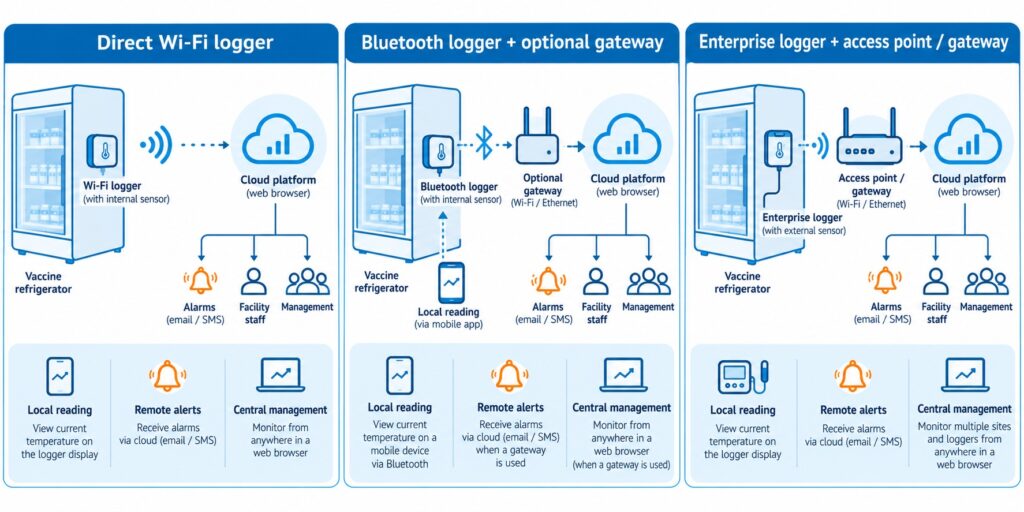
The WS1 device supports one external temperature sensor for external temperature monitoring.
This is due to the fact that it has only one Micro USB port.
To power it with the USB cable at the same time, you can connect a USB splitter.
When it comes to the External Temperature Sensor, it is waterproof and designed to operate in extreme conditions, such as temperatures between -55ºC to 125ºC.

The Micro USB connector is compatible with every monitoring device in the UbiBot lineup of products, such as the WS1 and WS1 Pro.
The sensor is made from high-quality stainless steel, ensuring that it will not rust under any condition.
The different cable lengths are designed to offer a high level of flexibility, and the connector allows you to deploy the sensor within seconds.
The flat cable is unshielded.
How the UbiBot IoT Platform Works
Through the UbiBot IoT Platform, you can set alerts by emails, which includes 200 free emails per device, per month, or through different methods such as phone voice alerts or through SMS messages.
You can also download complete Spreadsheets that go in-depth into a summary of the temperature throughout a specific time-interval, and you can connect it to IFTTT.
You can also set specific times when you do not want to receive any notifications, such as at night, and you can add multiple channels through which you can receive alerts at any given time, such as in-app notifications alongside SMS messages.
This way, you will be informed about any changes that might occur even if you are not connected to a network from your mobile device and it will give you an added level of peace of mind.
The UbiBot platform also allows for shared alerts, which means that you can share your device with another person when you choose to add them, and they can view the data as well as see alerts just as you would, which is convenient if you are traveling and leave your pool to be managed by a relative or neighbor.
The UbiBot line of products are excellent for monitoring the temperature and humidity level of just about any environment, as they offer products which can withstand harsh conditions such as water or sand, and they offer sensors which can get into any liquid and give you accurate readouts based on your specific needs.
This allows you to always be informed about exactly what is happening in the environment you place the sensor or sensor in and as a result you will have a higher level of awareness and as a result, the performance of those specific locations and things that you are managing within them.
Error 1412 – Invalid activation code
When it prompts up "Error 1412 - Invalid activation code" after you scan the serial number of the device, please contact our support team by creating a ticket in the app. Please see the screenshot below as reference. You can also contact us by our email:
[email protected].
Our technical support team can figure out this issue as soon as they are available.
Your understanding and patience are highly appreciated.

It’s Time for You to Protect Your Home Using a Motion Sensor
Imagine leaving your home or apartment unattended and leaving for a vacation.
Amazing, right? Maybe leave the light on, maybe let the TV run, and do not let it turn off on its own to give the illusion that you are at home the entire time.
Maybe that will give you some level of peace of mind while you are out there strolling and traveling to different countries.
However, what if that was not enough?
When you are not at home, you are never quite sure what is happening, and even if you add a camera, each camera has its blind spots.
These blind spots are spots that the camera does not cover with its field of vision.
Another step you can take to avoid potential theft or burglars within your home is through a motion sensor.
The UbiBot MS1/MS1P

The
UbiBot MS1 / MS1P is a sensitive motion perception device.
UbiBot as a company strives to bring monitoring and alerts to the users of all of their devices, and as such have developed a device that senses motion.
In the search for perfection, the Motion Sensor MS1 / MS1P supports WiFi and RJ45 Ethernet cable connection, ensuring that the connection drops are almost non-existent, or better put, if your Internet Service Provider is stable, so will the motion sensor.
When you install it in a place with a wide field of view, the motion sensor can accurately sense any slight movement made by either people or animals.
When someone moves, a movement log is generated, and this log is recorded on the IoT cloud platform of UbiBot that allows you to download it anytime and anywhere.
The UbiBot MS1 / MS1P Can:
- Monitor even the slightest movements of humans or animals.
- Connect to the Internet of Things cloud platforms where it can store the data logs.
- Export data remotely anytime, anywhere.
The Data Transmission
A Power over Ethernet connection also known as a POE network ensures easy deployment, stability, and real-time updates. Additional POE splitter is needed for the device.
The device supports 220V power supply or USB and has multiple ways of communicating, which can reduce the requirements of wiring.
It offers multiple alert modes that are widely used within the security field as a whole such as platform-based alert rules, real-time alerts, a wide variety of alarm modes and options, device online and offline notifications.
Specifications

When it comes to the specifications of the UbiBot MS1 / MS1P, its dimensions are 80x80x48mm, it features a detection distance of up to 12 meters, it has a detection angle of vertical 40 degrees and horizontal 105 degrees while requiring a power supply in the form of a Micro USB, POE power supply or AC power supply.
The operating temperature is from 0℃ to 50℃ and it can connect through a 2.4 GHz WiFi or RJ45 Ethernet connection.
It supports all devices running Android 8.1 or above and all iOS devices running iOS 11 or above.
When it comes to the installation process, it can be placed directly in the required monitoring area or it can be glued on the smooth wall surface with double-sided adhesive.
You can also hang it on the wall with screws if that is more convenient for you.
The surface of the product is in a matte warm white color and it can blend easily with the surrounding environment as it is not intended to stand out but blend in.
Connectivity

Once the device senses motion, it generates a log.
Later on, that generated log is transferred through a WiFi 2.4 GHz connection or through an RJ45 Ethernet Cable to the UbiBot IoT platform, after which that data is transferred to the UbiBot application which you can easily access through a variety of different devices such as a phone or tablet through the official application or through a desktop computer or laptop through a web browser, making it extremely convenient.
The role of a motion sensor in a home security system is to sense an intruder and send an alert to you as soon as possible.
Sensors work when you are not at home, or when you tell the system you are not there.
The best placement of a motion sensor is in a corner of a room that has a good viewpoint of your entryways and can easily detect any changes in the room.
A motion sensor can be used both at home and at any business, and they can be found on phones, paper towel dispensers, game consoles, and virtual reality systems, so chances are you have probably experienced a motion sensor somewhere so far and are aware of how exactly they work.
Motion sensors are like flashlights which send out a beam of light, but with motion-detecting infrared energy waves instead of light waves.
When you get closer to the device, the infrared radiation becomes denser the nearer to the device you go and it spreads out the further of the device you get.
By adding a motion-sensing device to your home, you are increasing the level of security at an unexpected level to any potential intruder.
As many potential intruders expect a camera, they usually seek it out and look for spots that the camera does not see, so by strategically placing the motion sensor in places where the camera does not see, you are covering those spots with an added layer of protection and catching the burglars off-guard.

Once the motion detection tool detects someone, it can trigger a chain of events.
This can specifically happen when it is integrated with IFTTT.
This includes features such as a sound, music, lights and so on to freak out the intruders or burglars and makes them run away while stealing nothing in the process, while also alerting you from a distance so you can stop your daily or nightly commute and rush back to your home to check if everything is okay.
Alternatively, you can also call the police for a little bit of backup if things turn sour quickly, but at the end of the day, you will have peace of mind knowing that you are protected.
Be Aware of the Extreme Humidity of Your Garage Before Damage Occurs
Before we begin anything, it is important that you understand exactly what humidity is.
Humidity is the concentration of water vapor present within the air.
Water vapor is the gaseous state of water and is invisible to the human eye. Humidity indicates the likelihood for precipitation, dew or fog that can be present within a given area.
Now, during rainy seasons, or sudden shifts in temperature, humidity can occur within your garage.
As many of us store a lot of things within our garages, chances are that some of them, especially electronic things, can be damaged in a very serious way, up to a point of completely breaking, and as such, we need to make sure that the humidity level is controlled, or at least that we are always aware of what is happening in our garage and what level of humidity we can expect throughout any specific season.
By taking good care of everything, we can lead to expanded lifespans of each and every product we store within our storage units known as garages, from electronics all the way to mechanical things that help us in our everyday life.
A lot of us love to work with tools as-well, and humidity can also damage electronic tools that rely on a stable weather to operate.
The impact of hot weather
In summer, garage doors are especially prone to failure due to the high level of humidity.
Wooden garage doors can absorb a lot of moisture during humid weather, and this excess of moisture can cause wood to swell, and in turn your garage door will be at risk of cracking or splitting in half.
You also gain the added risk of accelerated rotting due to the high level of humidity.
Keep in mind, your garage door is probably not the only wooden thing you keep in there.
You may have a shovel, a mop, other things you use to take care of your home and backyard for example, that all have some wooden part about them.
Now, how exactly can you stop this from happening, and does a device out there exist which is specifically designed to help you save a lot of money in repairs within the long-term?
The UbiBot Devices to the Rescue
UbiBot features a revolutionary line of devices that can truly help you monitor the level of humidity you have in your garage from wherever you are.
Best of all, you do not need to worry about anything, as it is all connected through the UbiBot IoT platform.
What are the devices and how exactly do they work?
Some of the most commonly bought UbiBot devices include:
The UbiBot WS1
This is a device capable of monitoring the temperature and humidity of your garage as well as give you insight into other conditions throughout your entire home.
It connects flawlessly to the UbiBot smartphone and web application and allows you to monitor the activity within the room at any time, from anywhere.
The UbiBot WS1 Pro
Another variant of the WS1, the Pro name comes from the fact that it features a large LCD screen which allows you to view each statistic at a glance, so you can check up on the level of humidity, weather and other stats before leaving the garage just to make sure that everything is in prime conditions for that added peace of mind before going out on a trip.
It allows for both WiFi and mobile data connectivity which makes it easily accessible from anywhere.
The UbiBot GS1
What makes the GS1 special is the fact that it is industrial-grade.
This means that it is:
Because of this, it can run in harsh environments, and will not break easily.
This is perfect for companies or people who live a more robust lifestyle and want something that can handle the pressure.
As mentioned previously, all of this is connected through the IoT platform by UbiBot.
The Services
Let us start off by taking the alerts out of the way.
You can be alerted through several ways
App Alerts – completely free notifications to your phone of tablets.
Email Alerts – up to 200 free alerts per device per month, after which you will be charged 3 credits per 1000 emails.
SMS Alerts – these cost an average of 0.02 credits per SMS(fees vary in different regions)
Call Alerts – these cost an average of 0.03 credits per SMS(fees vary in different regions)
You also have Google Drive functionality through Google Spreadsheets where you can receive data security and data integrity of the raw data and real-time sync you receive across all of the devices to your designated account.
You can also connect everything to a Google Home and get temperature and other data with your voice as well as control a series of actions, like turning on or off the heating and air conditioning of a room.
Last but not least, you can even connect it with Alexa, giving you access to the readings through your voice commands.
When it comes to data sharing, you can share access to the monitoring and statistics from these devices to any family member, friend or colleague who you think would help you out in a pinch if you are too far away from your garage to handle things manually.
You can also set up shared alerts with another person who you choose to add.
The UbiBot app gives you a single ecosystem to manage data sharing and view who previously had access to all of the data, ensuring that everything is monitored and up to standard.
Keeping your garage in prime condition will lead to a longer life span for both the doors, hinges, mechanisms that make everything work, windows, and most importantly, the things within the garage itself, so making sure that you have constant access to the information about the level of humidity within the room can ensure that you can take the right action at the right time and get the desired outcome where you end up saving everything.
About Humidex
What is Humidex?
Humidex is an index to indicate how hot or humid the weather feels to the average person. It is derived by combining temperature and humidity values into one number to reflect the perceived temperature. For example, a humidex of 40 means that the sensation of heat when the temperature is 30 degrees and the air is humid feels more or less the same as when the temperature is 40 degrees and the air is dry. Hourly Humidex values are only displayed when the air temperature is 20C or greater and the humidex value is at least 1 degree greater than the air temperature.
The current formula for determining the humidex was developed by J. M. Masterton and F. A. Richardson of Canada's Atmospheric Environment Service in 1979. Humidex differs from the
heat index used in the United States in being derived from the
dew point rather than the
relative humidity, though both dew point and relative humidity (when used in conjunction with air temperature) are directly related to atmospheric moisture.
What is the formula of Humidex?
When the
temperature is 30 °C (86 °F) and the
dew point is 15 °C (59 °F), the humidex is 34. If the temperature remains 30 °C and the dew point rises to 25 °C (77 °F), the humidex rises to 42. The humidex is higher than the U.S. heat index at equal temperature and relative humidity.
The humidex formula is as follows:

where
- H denotes the Humidex
- Tair is the air temperature in °C
- Tdew is the dewpoint temperature in °C
- e = 2.71828
5417.7530 is a rounded constant based on the molecular weight of water,
latent heat of evaporation, and the
universal gas constant. The humidity adjustment approximately amounts to one Fahrenheit degree for every millibar by which the
partial pressure of water in the atmosphere exceeds 10 millibars (10 hPa).
At the time the humidex was originally developed in 1965, Canada was still on the
Fahrenheit scale, and thus the humidex was originally based on that. The 1979 reformulation, which added the 5⁄9 factor, was largely to address
metrication in Canada as the country switched to the Celsius scale.
Humidex Feature Is Available Now!
A Humidex is short for humidity index and is a value that is calculated, not measured.
It originates back from 1965 and it describes how hot or humid weather feels to a human being.
It combines temperature and dew points into one computed value, the higher the dewpoint, the more moisture there is in the air.
The Humidex formula goes as followed: humidex = (air temperature in Celsius) + h. h = (0.5555)*(e — 10.0)
The difference between humidity and humidex is that humidity is the dampness in the air, while humidex is a measurement used to reflect the combined effect of heat and humidity to determine the temperature felt by a person.
Levels of Humidity
Humidity which is above 50% is typically considered to be too high while humidity below 30% is considered to be too low.
The ideal range of relative humidity for a home is between 30% and 50% according to the EPA.
If the air within a room is 100 percent relative humidity, the sweat of our bodies will not evaporate into the air.
If the relative humidity is low however, we can feel cool due to the fact that the sweat evaporates easily and cools us off.
It is impossible to hit a humidity level of zero percent due to the way Earth's climate and weather conditions work. Water vapor is always present within our air, even if only in minute quantities.
How Do You Measure Humidex?
The
UbiBot line of products features sensors that can measure the temperature and the level of humidity within a room. You are able to set alert rules for the Humidex readings. And, the readings can be displayed in both Fahrenheit and Celsius degree. Currently, it's available on the Ubibot web console:
console.ubibot.com.
The UbiBot line of products is also connected through its IoT platform that allows them to communicate with one another, and as such, they can measure the level of humidex within a given room, giving you insight if you can handle the heat at the moment.
This is especially useful for business owners that have enormous warehouses filled with workers who want to perform well and excel at their jobs, and making sure that the temperature and humidity are ideal for their work environment is a must.
What Products Can Get the Job Done
Many UbiBot devices can continuously monitor the temperature and humidity within a room, but today we will be looking at the UbiBot WS1, the UbiBot WS1 Pro, and the UbiBot GS1.
What makes each of these devices special and what exactly makes them unique?
The
UbiBot WS1 device is the standard one, coming with excellent sensors for both temperature and humidity, which can give you amazing insights into the conditions in your home, office, or factory and successfully calculate the humidex within the room.
The
UbiBot WS1 Pro is a more advanced version of the previous product but with an added large LCD screen and Mobile connectivity alongside the WiFi connectivity, making it an overall better device as you can clearly see everything at a glance even before loading up the UbiBot application.
The
UbiBot GS1 is a mix of the two, but with an added benefit of being waterproof and dust resistant.
This means that it should be able to withstand the harsher environment and is suitable for places where it might take a lot of beating.
All of this is connected through the UbiBot IoT Platform, which can be easily accessed from both a static desktop computer or a laptop through a web browser, or through any mobile device from its official application, where you can receive alerts and set up different activities to trigger when a certain temperature or level of humidity is measured.
Explaining the Platform Services
To put it into perspective, the devices work like this:
The UbiBot smart Device features a perfect sensor in one tiny device, once these measurements are made, they are synced to the Ubibot IoT platform, and the information and analysis generated here are eventually transferred to you.
The way at which you receive this information is up to you, but you can be alerted through four methods.
- The first and most preferable method is through App Notifications as these are completely free and can be easily recognized.
- The second method is through which you can receive notifications is through email, as you can receive up to 200 free email alerts per device, or you are charged 3 credits per extra 1000 emails.
- The third method is through SMS, where you are charged 0.02 credits per SMS(fees vary in different regions).
- The fourth method is through a Call, where you are charged 0.03 credits per call(fees vary in different regions).
Of course, this is not where the beauty of the IoT platform stops.
You can also use IFTTT to configure millions of different IFTTT events such as turning on the hue light when UbiBot senses that the light is becoming low and other such events.
It also integrates efficiently with a platform from a company you might have heard of known as Google.
You can connect to Google Drive, more specifically, the Spreadsheets platform, where raw data is generated and transferred to you with real-time sync.
You also get the added benefit of a high level of data security and data integrity, which makes it appealing.
It also integrates exceptionally well with both Google Home and Alexa, where you can give voice commands to the devices to receive some kind of notification or trigger a set of events that were preconfigured.
You Are Never Alone
Possibly one of the best features of all of this is the fact that all of this information can be shared with a person you give access too.
This means that, if you are a business owner, and want a manager to go over the level of humidex within the company, he can easily gain access to all of the statistics and analysis which is made on a daily basis and configure things accordingly.
The data sharing function allows for around the clock monitoring, real-time observation, shared alerts and can be managed within the UbiBot application itself.
This allows for a high level of flexibility and freedom within the work you want to do with this device and will not let everything fall on your shoulders, but can be shared with teammates, colleagues or friends.
Protect Your Animals from Dog Days
With summer being as hot as ever, we can expect dangerous weather conditions throughout the entire world.
As a pet owner, one must recognize that dogs, and even cats, can suffer from heat-related issues that are also affecting us as human beings.
This implies that animals can over-heat, dehydrate and receive sunburns.
So how do you notice if your pet is over-heating?
In most cases, you will notice that your animal has slowed down or stopped all movement in order to take in the heat.
You might also notice more subtle things such as excessive panting, drooling or confusion. Always make sure to pay attention to how your specific pet acts and how they react to different situations.
Dog days or dog days of summer are the hot days you can expect during the season of summer.
This means that each and every pet can receive some sort of side effect on their health due to the excessive heat.
Keeping Your Pet Safe
In order to keep your pet as safe as possible during this season, there are certain things you need to do and consider, and taking as much care of our loved ones as possible can lead to an extended and healthier life, so make sure to pay close attention.
Never leave your pet alone in any vehicle, even with the windows down or the AC turned on.
Make sure that your pet always has access to fresh and cool water as well as a place out of direct sunlight that will help them avoid a potential heat stroke.
Never leave your pet outside for too long, and avoid times where the temperature is simply too high for them to handle.
Taking Action at Home
Imagine a situation where you are having an enjoyable day at home, and the heat does not bother you as a person, so you just sit down on your couch and start enjoying a football game or whatever you are into.
Suddenly, at the corner of your eye you start to notice that your pet is slowly losing consciousness and fainting. You quickly get up to treat it and reserve a slot to the nearest veterinarian to see what is happening, only to find out that that pet has gotten a heat stroke and as a result, has fainted.
So how do you avoid a situation like this one?
Well, this is where
UbiBot can change things and improve the life for you as well as the pet for the better.
The UbiBot Line of Devices
UbiBot is a line of products centered and specializing in Wireless Environmental Sensors and Sensors.
These are, put simply, devices that you can attach to any room or piece of furniture that can monitor certain levels in the room.
They can measure temperature, humidity, light and much more.
There are many UbiBot devices, but for the time being we will be discussing:
- The UbiBot WS1– A WiFi enabled device which continually monitors the temperature and humidity of a room. The Ws1 gives you insight into the conditions within your home where your animal might be staying while you are outside.
- The UbiBot WS1 Pro– A more advanced version of the WS1 which features a large LCD display and can be connected to through both WiFi and Mobile connectivity which will allow you to monitor everything from anywhere in the world.
- The UbiBot GS1– An industrial-grade version that is specifically designed for harsher environments and features waterproofing and dustproofing features which can ensure stable runtimes and reliable measurements just about anywhere.
How It Is All Connected
You may now be asking yourself; this sounds amazing, these devices will surely let me know if my animal has the right conditions and if he is at risk of getting a heat-stroke, but how are these devices connected to my phone, and what other features do they have?
Well, all of this is made possible by the UbiBot IoT Platform which can be accessed from any device through the smartphone application or through a web browser.
It automates data storage and analysis and even allows you to set real-time alerts.
When it comes to the platform services you will gain access to, you can connect through the following methods:
Email – through this method, you can set up an alert by email and receive up to 200 free alert emails per device per month, which refreshes on a monthly basis.
IFTTT – this gives you access to an array of possibilities when monitoring any environment as you can trigger million of different IFTTT events that are a result of certain changes in the temperature or environment as a whole, giving you a lot of flexibility.
SMS – through this method you can receive alerts by SMS, assuming you are not connected to an online connection through a mobile network or WiFi, think of this as a fail-safe when you really need to be informed. The Fee of this service is 0.02 credits per SMS (The fees vary in different regions).
Call – similar as the SMS, except here you are alerted through a voice call instead of an SMS and it costs 0.03 credits per call (The fees vary in different regions).
A great way to manage and generate your tables with constant syncing of real data and real-time data security and integrity is through Google Spreadsheets.
This service allows you to gain access to different Spreadsheets that work within the Google Drive platform, which in turn allows you to analyze, store and monitor your data through servers which are protected and monitored by a large company such as Google, ensuring that you have the maximum level of support at any time.
With all of this said and done, the best way to take care of your pet is to know exactly in what kind of living conditions they are resting it at all times, even when you are outside, and through the UbiBot line of devices, you can make sure to always be in the loop of what your pet is exposed to, especially during the hot summer dog days.
Soil Temperature and Humidity Determines the Grow of Your Plant
Soil temperature affects the growth of plants in an indirect way by affecting water and nutrient uptake as well as the growth of the root.
At a constant moisture content, a decrease in temperature can result in a decrease in water and nutrient uptake.
At lower temperatures, transport from the root to the shoot is reduced.
Water helps a plant by transporting important nutrients through the plant itself.
These nutrients are drawn from the soil and used by the plant for growth and without enough water within the cells, the plants droop, so the water helps a plant to stand. The water carries the dissolved sugar and other nutrient through the plant.
The Solution
The
Ubibot RS485 Soil Temperature and Moisture Sensor, Waterproof Soil Sensor, Garden Soil Temperature Humidity Monitor, Stainless Steel Soil Tester connects through USB to our WS1Pro and GS1-AETH1RS, GS1-AL4G1RS devices.
The ideal temperature range for indoor plant growth is between 70 degrees F to 80 degrees F per day and 65 degrees F to 70 degrees F at night.
Soil moisture associated with variations of air humidity can affect the soil susceptibility to wind erosion.
It has been shown that air-dry soils decrease as humidity increases.
Warmer temperatures increase respiration and as such, reduce the growth.
The appropriate temperature can help a plant maintain its growth process at an optimum level.
The right range of temperature can affect the transpiration and help plants maintain their water content.
The Features
The Ubibot RS485 is a waterproof soil temperature moisture sensor with a monitoring range of -40 to 85 C, +/-0.5 C; 0 to 100%RH.
The sensor is made out of stainless steel and is easy to plug into soil and easy to clean due to the fact that it is rust-resistance.
It connects through a USB connector and is easy to deploy with 3 meters lead which is appropriate for use in an outdoor environment while keeping the main device indoors.
Once the Ubibot RS485 gathers data, it can be viewed on the WS1Pro and GS1-AETH1RS, GS1-AL4G1RS device screens as well as on the application or web console remotely.
There are also available alerts for all of the readings gathered by this device and can be switched in the platform between absolute humidity and relative humidity.
This sensor is embedded with an industrial-grade chip and offers accurate measurement. The stainless-steel sensor can be inserted into any soil for a long period of time without it being corroded.
It features a durable cable which ensures stable data transmission at any time.
In order to use it, dig a hole at over 20 cm in diameter on the ground or soil within your use case.
Insert the steel sensor into the point in a horizonal direction.
Finally, berry the sensor with soil and you can have your data transmitted instantly.
In order to connect to the device, simply use the USB port, then go to Settings and enable the RS485 S button.
Finally, press the power button once to trigger data sync. You will see the temperature data as EXT2 at the bottom right corner of the screen.
Each of the soil sensors have been calculated within a specific factory and include data points which are conducted by placing the sensor in the air to reach the minimum of 0% and pure water to reach the maximum of 100%.
When it comes to the wettest soil, the reading is expected to be at 30% AH depending on the soil type.
UbiBot devices are tailor made to work in Industry, Agriculture, Pharmacy and in Homes.
The devices monitor data and transfer it to you through Wi-Fi, 2G, 3G, 4G, Ethernet cable methods.
Once the data gets to the UbiBot IoT Platform, you can view it from any phone, tablet or PC through either the official application or through the web browser.
They work through multiple platform services, which can alert you through app notifications, emails that you get 200 free email alerts per device, SMS that costs 0.02 credits per SMS and through Voice Calls that cost 0.03 credits per call.
Many features can also be automatized and implemented through IFTTT and can allow for your smart devices to talk to one another.
You can also activate things through voice commands by using Google Home and Alexa, with which all UbiBot devices can communicate with.
When it comes to the data sharing functions available with each UbiBot device, you also gain around the clock monitoring where you can share your devices with colleagues, friends or family members interested in your profession or hobby.
You can also view real-time observations and use the app to view real-time conditions while you choose exactly who to share them with.
Shared Alerts are also an option when you want another person to be aware of exactly what is happening to the soil and at what temperature and humidity it is.
You can set everything up manually and know exactly who is aware of what is happening to the soil at any given time.
The UbiBot application also gives you a single place to manage data sharing and gives you a view of who previously had access to the data, so you can manage everything more efficiently.
All of this makes the UbiBot line of devices and their extensions a must have for anyone looking to monitor their soil and have a deeper understanding on what exactly is happening to their plants and as such can bring your knowledge and plants to a whole new level of growth and efficiency.
By taking the added step of letting hardware do the heavy lifting for you, you can use the extra time to gain a bigger and more in-depth understanding on everything soil related instead of constantly having to manually monitor its temperature and humidity,
With that out of the way, make sure to try out the Ubibot RS485 for yourself.
Growing conditions at home do change in several subtle ways during the colder, darker months of the year, but while most of us are well-equipped to handle the change – the combination of cold air, lower temperatures, and shorter days can make it difficult for plants to thrive. We would like to share a vital resource with you: Houseplants 101: The Ultimate Guide to Healthy Indoor Plants
According to Terrarium Tribe, 59% of plant buyers say that houseplants are important to their health and wellness, and caring for them brings a sense of happiness and peace into our lives. This article will cover which plants are most common to thrive through cold weather, and also it will list great tips for general care and maintenance during fall and winter.
How to Monitor the Temperature in Refrigerated Vehicles Using a Wireless Temperature Sensor?
Refrigerated vehicles are an amazing way of transporting frozen goods and services across any geographical region.
As such, these vehicles need to be capable of withstanding the sunrays when driven daily and maintain a certain level of cold temperature in order to not ruin the goods inside.
A lot of frozen goods require the vehicle to maintain a certain level of cold, as such, this level needs to be constantly monitored and maintained at that low-level temperature.
Many of them feature thermometers, however, you are not aware of the temperature within the vehicle until you manually open the doors and view the thermometer yourself.
As such, hours or even days can pass before you check if the temperature is still correct, and you might end up ruining some of the hard-earned and maintained goods that are stored in vehicles from this kind.
The Problem
When it comes to the issues that need to be resolved with transporting refrigerating systems like these vehicles, it all boils down to being informed about the temperatures within them.
You need to consistently be aware of them, and so does the driver.
This means that you need a system, which monitors the temperatures of all time, a device that will work even while offline, and a device that can keep everything in sync with both you and the driver handling the vehicle during its transportation phase.
This means that there are three points that need to be covered.
- Device availability
- Transfer of information in real-time
- Delivery of said information to multiple people
So what device out there is designed to specifically fill these needs?
There is a device known as
Ubibot which is specifically made to fill this void in the market and will be your future solution.
The Solution
Ubibot offers a variety of features that make it stand out as the ultimate tool for the job of monitoring the temperature in refrigerated vehicles.
As it is a wireless temperature sensor, you are constantly receiving the latest updates related to temperature.
However, the
Ubibot devices are not just limited to temperature, you also have access to temperature, humidity, light, and much, much more which all syncs in real-time using WiFi, mobile data, or RJ45 Ethernet connection, through an IoT cloud platform that offers 24/7 intelligent monitoring.
It covers industries such as agriculture, home, industry, and pharmacy.
The Ubibot smart devices use a revolutionary way that monitors environmental conditions where they matter.
The sensors synchronize with the Ubibot IoT platform through a WiFi connection where you can access your data from anywhere through the smartphone application or simply through any device from the web browser.
Your phone can connect online through WiFi, 2G, 3G, 4G, Zigbee, UWB/NB-IoT, and through this connection, you can monitor your whole environment remotely, without having to physically be located at the location of the device.
There are multiple models of the Ubibot, such as the WS1, the WS1 Pro, The GS1, and the IoT platform which all work in conjunction with one another.
How Ubibot Excels
When it comes to the selection of platforms you have at your disposal when using Ubibot, you have access to:
- Email — 200 free emails per month, 3 credits per thousand emails
- IFTTT — trigger millions of different IFTTT events such as turning the hue light when light falls below 40 lux
- SMS — 0.02 credit per SMS
- Call — Alert by voice call, 0.03 credit per call
- Spreadsheets — With Auto-syncing to Google Sheets as a service, this service costs 1 USD per month, note that Spreadsheets is used for detailed reports, not alerts.
UbiHTTP — HTTP interaction services known as UbiHTTP allow the communication between devices, websites, and web services without implementing any protocols at the device level.
Google Home — by connecting the Ubibot to Google Home, you can receive updates about the temperature and other data with your voice and let it control a series of actions, such as turning on or off heating and air conditioning automatically
Alexa — Ubibot features a smart home function that can interact with any voice devices such as Alexa, where you can set up routines to use readings from Ubibot temperature sensors as conditions which can perform any series of actions such as turning on or off air conditioning or heating
You also have features through the platform-based Ubibot app such as:
- Advanced Alerts — allows you to select when to not be disturbed
- Multiple Channels — allow you to receive notifications through different channels
- Virtual Guardian — an alert service which monitors devices remotely
- 7/24 Monitoring — allows devices to record data even when offline
By far the most suitable device for the refrigerated vehicles is the
GS1-PL4G1RS. It is integrated with an external BD GPS Active Antenna, which provides real-time positioning function. It supports both wifi and mobile data transmission. With it, no matter where the truck goes, data can be updated via the 2G/3G/4G signal. And you can know it's travel trace.
One of the most useful features for the refrigerated vehicles is the data sharing options.
This means that, if you are a business owner which employs multiple drivers to drive multiple refrigerated vehicles to their destination, you can assign each one of the information about the Ubibot device within each vehicle.
So you would have access to the information in vehicles:
- Vehicle 1
- Vehicle 2
- Vehicle 3
- You and driver 1 will have access to the data in vehicle 1
- You and driver 2 will have access to the data in vehicle 2
- You and driver 3 will have access to the data in vehicle 3
This makes it a perfect method to ensure that everyone is informed about everything and that each driver knows exactly at which temperature their device is functioning, so if they need to take action they can instantly do so.
You gain knowledge about this as well and can monitor which driver takes the right precautions to ensure that everything is delivered efficiently and effectively, and can instantly make all of the arrangements when anything starts to go wrong even before the driver calls you to inform you that such an occurrence has happened during his shift.
There are a lot more use-cases when it comes to the Ubibot devices, this was just one example of how effective it can be and it can bring your monitoring to the next level.
Here Are Two Key Points That You Should Know About Growing Edible Fungus
Before we begin about the key points, first we need to understand exactly which fungus is edible.
What is an edible fungus?
Edible mushrooms are these fleshy and eatable fruits which consist of several species of macrofungi that have fruiting structures that are large enough to a point that they can be seen with a naked eye and these edible mushrooms include many fungal species that are either harvested while or cultivated.
There are more than 200 genera of macrofungi that contain species of use to people and feature edible properties.
Yeast is single-celled fungi, they are related to the other fungi that people are more familiar with such as edible mushrooms available at the supermarket.
There is also the common baker yeast which is used to leaven bread, molts that ripen the blue cheese and models that produce antibiotics for medical and veterinary use across the world.
Edible mushrooms are ones with gills that are brown or tan, while some mushroom white gills are edible, the most deadly and poisonous one, the Amanitas, almost always features white gills.
Mushrooms without a red cap on the stem should be selected.
Always try to pick mushrooms with white, tan, or brown caps and stems.
How do fungi feed?
Fungi are dependent on both dead and living material for their growth.
They obtain nutrients in three ways:
- SARPROBIC — growing on dead organic matter
- SYMBIOTIC — growing in association with other organisms
- PATHOGENIC or PARASITIC — by causing harm to another organism
How to Grow Your Own
Mushrooms grow from spores, or the mushroom spawns.
They need organic substances to grow and there are a number of different ones that are suitable such as mushroom compost, horse manure, and straw.
When it comes to the different mushroom varieties, there are mushroom spawn, pre-spawned plugs and dowels, and mushroom growing kits.
You can grow white button, chestnut, brown cap or Portobello, shitake, oyster, yellow oyster mushrooms.
How Do You Take Care of the Mushrooms
You can grow mushrooms indoors for the best effect.
They grow best at an even temperature of about 15 C, and they do not grow well below 10 C or above 20 C.
When it comes to harvesting, mushrooms are usually ready to harvest when the cap shape is perfectly formed.
You can harvest them with a cutting knife, or by grabbing the mushroom at the base and twisting it in a counterclockwise motion.
How Ubibot Devices Help
By implementing an
Ubibot device into your growing platform, the most advanced solution that allows you to protect what you truly care about, you can constantly monitor the temperature at which your fungus grows.
As mushrooms grow best at a temperature of 15 C, you need to ensure that the temperature is consistently at that level, and if any changes in the temperature occur, you need to always be informed and react accordingly.
The UbiBot network of devices is connected through the IoT platform which allows them, when a well-established connection to the internet is secured through a WiFi network, to constantly and consistently stream and sync information to any of your
devices.
This way, you are always informed of exactly what the temperature is like at any of your growing locations where you have placed a UbiBot device.
As such, you can constantly be aware if your fungi are growing at the right temperature even if you are not physically at your home or growing site as a whole at any given moment.
But let's say you have a scenario where you have to leave the city, country, or simply go on vacation, but still want someone to be able to correctly manage and monitor the crops, do you need to give them your device or WiFi password?
The answer is no, through this application you can share just the information you want to any person you trust, without giving them access to your personal device or network.
This way they can constantly keep track of the temperature on your crops no matter where you are in the world.
The Available Ubibot Devices
The UbiBot
WS1 has access to temperature monitors, humidity monitors, and much more.
The UbiBot
WS1 Pro which features a large LCD screen and can use both mobile data and WiFi to connect to the internet.
The UbiBot
GS1 which is an industrial-grade device designed for harsher environments and can withstand water and dust-filled environment.
All of this is connected through the Ubibot IoT platform through which all of the vices can talk to each other and stream all of the information to your application which can be accessed anywhere.
The platform can talk to a lot of services which communicate between one another such as:
- Email
- IFTTT
- SMS
- CALL
- Spreadsheets
- UbiHTTP
- Google Home
- Alexa
You can receive alerts through email, SMS or Call, while Spreadsheets can generate and sync detailed reports, and Google Home and Alexa can be used to check the current temperature through voice commands.
This allows the service to have multiple ways of giving you control over it, and multiple ways for it to speak to you as well through notifications and alerts across multiple ways.
It features perfect sensors in a tiny device that connect to the Ubibot IoT platform and eventually sends all of the data to you with the service of your choosing.
All of them differ in the way the information is shown but ultimately serve the same function.
You also gain access to:
- Advanced Alert options
- Multiple Channels
- A Virtual Guardian
- Online Monitoring
As well as data sharing in the form of:
- Around the Clock Monitoring
- Real-time Observations
- Shared Alerts
- Managed Data in One place
With all of this in mind, the Ubibot family of devices, alongside its own ecosystem of software and different implementation for alerts and programming, you can always expect the best performance out of these devices.
It offers a really capable and consistent management system that constantly ensures that you are informed about everything happening at your crops at any given time of the day or night.
As such, it is a highly flexible and adaptable system that should fill the needs for just about anyone.
Remote Light Strength Monitoring With Ubibot Multi-Sensor Device
Light can be an important factor in the growth of both plans and exotic animals.
As such, it can play a huge role in their development and sustainability.
Many reptiles are cold-blooded animals that require light to warm them up, while many plants rely on the sun to give them the proper tools to grow.
This varies from animal to animal, and from a plant to a plant.
Some plants might need more light than others, and as such, you would need a system that schedules the lighting, as well as monitors its strength.
The differences vary between each industry and use case-scenario, but chances are, that if you are looking at this product, you know exactly what you need it for, so it is time now to learn why you need this specific product in your life.
You see, we usually manually, and physically have to get up, get home or wherever we have our growth mini-farm or mini zoo with reptile animals and measure the temperature and strength of the lights.
What if you could monitor all of this remotely, wherever you are at any geographical location?
The Ultimate Tool
The ultimate and most advanced solution that allows you to consistently monitor and protect what you care about, the
Ubibot line of products provides you with constant, in-sync transfers of live information across all of your devices in terms of temperature, humidity, light and much more.
The Internet of Things cloud platforms allows you to have a 24/7 intelligent monitoring function which consistently pumps out the right numbers to all of your devices no matter where you are in the world.
This means that you can go out, have fun with your friends or family, without worrying if there is a hardware failure in any of your enclosures, as you would be instantly informed about it if it were to happen.
The devices are perfect for industry, agriculture, home, or pharmacy use and can bring you a lot of benefits.
How Ubibot Works
UbiBot works through a revolutionary way in which it allows the systems to monitor environmental conditions when they need to.
The sensors synchronize with the Ubibot IoT platform through an internet connection based on WiFi technology and as such you can have instant access to all of your data from anywhere, be it from a web browser running on any
device or through a dedicated smartphone application.
The UbiBot smart devices use WiFi/ mobile data/ Ethernet cable to connect to the UbiBot IoT platform after which, through an internet connection it can sync all of the live information directly to your phone, tablet, or PC, where you will have a feed of information and alerts by your specification.
Devices available
The UbiBot
WS1 — WiFi Enabled device which can continually monitor the temperature, humidity, and more.
The UbiBot
WS1 Pro — advanced device packed with sensors and features with a large LCD screen.
Allows for both mobile data and WiFi connectivity.
The UbiBot
GS1 allows usage on harsh industrial environment and features waterproof and dustproof features which ensures that it will run in almost any environment.
You also gain access to the UbiBot IoT platform which can be accessed from anywhere using the UbiBot smartphone application or through the web by using an internet browser.
Platform Services Supported
The supported services include Email, IFTTT, SMS, Call, Spreadsheets by Google, UbiHTTP, Google Home, and Alexa, each of which have their own specific benefits and features.
Email allows support for up to 200 free alerts per month, and 3 credits per 1000 emails after that cap is passed.
IFTTT allows you to monitor your environments by triggering different events.
You can turn the light hue on when UbiBot senses a change in a different attribute in the environment, making the light strength different depending on the parameters and circumstances you decide on.
SMS costs average 0.02 credits per SMS and can inform you for the most important changes that might occur in your lighting environment.
You can also gain alerts by
voice call, which costs average 0.03 credits per call.
Spreadsheets, a service that costs 1 USD per month to use, allows you to automatically upload newly generated data to Google Drive Spreadsheets for backup purposes.
UbiHTTP allows the communication between devices, websites, and Web services without implementing protocols at the device level. You can specify operations in UbiHTTP and then trigger them in other Ubibot functions, such as the alert function. allows communication between the multiple devices to occur.
Google Home and Alexa support allow you to receive updates and notifications through the voice speaker and you can command the devices through them.
You also gain features through the platform-based app such as advanced alert options, multiple channels, a virtual guardian, and online monitoring.
Data Sharing Options
You gain around the clock monitoring with colleagues, friends, or family members through which multiple people can monitor the light strength in real-time, and you can take shifts in a way.
Real-time observation allows the app to view the real-time conditions of the lighting.
Shared alerts allow you to choose and add alerts at any given time, which means that you can turn them off while you sleep so they do not disturb you.
The UbiBot cloud also gives you a place to share all of your data and view the previously accessed data.
There are a lot more devices and tools that can help you with any given job, but for the time being, if you want to remotely monitor the light strength, we have the device to provide those features to you.
By implementing an UbiBot device in your system, you can constantly receive real-time updates, or assign someone else to receive them as-well when you are busy with something else.
This allows for a lot of flexibility and ensuring that you are always aware of the surrounding temperature your plants or reptiles are receiving at any given time of the day or night.
With the do not disturb options you can also ensure when you want to receive these notifications through any of the many options through which they can be activated, making it an excellent choice for anyone.
Can Your Freezer Thermometer Alert You of Emergency in Time? Ubibot Will Do
We've all been there, your power goes out, and your fridge suddenly stops working as it requires power to run.
What you may not be aware of is that the many things you have placed in the fridge, and especially in the freezer are starting to defrost.
This in turn will make them go bad, and you cannot cook nor eat them if it is too late.
So how do you combat such an occurrence or simply ensure that it never happens to you in the future ever again?
One Solution to Solve It All
Many modern freezers feature advanced tools that monitor the temperature within them.
However, most of them are extremely outdated when it comes to features.
This means that even if the thermometer measures that the temperature is getting hot due to power loss or device failure, you are simply not informed that this has occurred until the very last moment.
This in turn could lead to potentially rotten food that can become poisonous to consume, and you might end up losing thousands of dollars in the process.
This is especially the case if you are a business owner who relies on the tools at his disposal to run his business effectively and efficiently.
So you now may be asking yourself, how can you make an investment to save you from such troubles?
What in the world exists with the current technological advancements to ensure that you are always aware of the temperature shifts your thermometer logs no matter where you are in the world of how away you are from the freezers as a whole?
It is high time that you learned about Ubibot, the bot that keeps everything going.
Ubibot Explained
Think of
Ubibot as your friend, not just as a piece of technology that makes your life easier.
You see, this friend constantly informs you about the changes in temperature throughout your freezer in real-time.
Ubibot has access to the internet of things, through which, with the official application, you gain synched access to all of the climate information available from the platform at any given time.
This is the perfect solution for anyone in agriculture, industries, pharmacies or just people living at home with specific hobbies which requires the monitoring of temperature, humidity, light, and more.
With 24/7 intelligent monitoring, you will always know if an emergency occurs, no matter the time of day or night.
You now may be wondering, this all sounds great and neat, but what kind of technology goes behind Ubibot and how exactly does it work?
Ubibot has a revolutionary way through which it monitors environmental conditions exactly where they matter.
It features sensors that synchronize with the IoT platform, where it takes advantage of the wireless sensors and creates a WiFi thermometer, which allows for remote environmental monitoring.
Fundamentally you are using a wireless sensing device to monitor everything.
You can put the device inside a refrigerator when the monitoring range is between -20 to 60 C, RH: 10% to 90%, or use a flat
cable sensor which can be inside of the refrigerator while leaving the device outside.
The capabilities and sheer level of flexibility you get out of this device are endless and it truly provides a unique experience.
The temperature sensor is a waterproof external temperature sensor that you can use within the liquid, outdoors, or in a freezer.
It features a stainless-steel material and is suitable within an extremely hot or an extremely cold environment.
Best of all, it works with all IoT devices and is ready to use outside of the box.
Due to the high build quality, it will not rust under any condition, and the different cable lengths are designed to offer the end-user a very high level of flexibility in the long term.
The USB connector which is connected to the cable allows you to deploy the sensor within seconds, and there is even a variant where the flat cable can be put through the refrigerator door.
You should also keep in mind that the flat cable is unshielded.
The
cable is offered in:
- 3 meters round cable which is shielded
- 5 meters round cable which is shielded
- 3 meters flat cable which is unshielded
When the cable is connected to an Ubibot device, it can stream and sync the data to any platform service you choose to have it on.
These services include:
- Email
- IFTTT
- SMS
- CALL
- Spreadsheets
- UbiHTTP
- Google Home
- Alexa
Google Sheets can help you export your data automatically.
Google Assistant and Alexa can report the current temperature to you by simply asking them "What's the temperature", however, they will not alert you like the other services.
There is a threshold of 200 free alert emails per device per month and this is rotated on a monthly basis.
If you own 10
devices, you will have 2000 free email notifications per month.
Any excess notifications cost 3 credits per 1000 emails.
There are multi-channel configurable alerts with real-time alerts that provide you with peace of mind.
Advanced alert options make sure that you are not interrupted when you do not want to be, so you can turn off notifications throughout any selected period of the day.
The multiple channels allow you to receive alerts throughout many different options, and a virtual guardian receives alerts if any metric goes outside of the range you set.
The online monitoring tool allows you to be alerted as soon as any single one of your devices goes offline, but the device keeps on collecting data even while offline, this way you do not lose any readings what so ever which makes it amazing for people who want to always remain in the loop.
As such, the Ubibot ecosystem is developed with the intent of helping out the end-user and saving him potentially thousands in the long term.
With constant monitoring available at your fingertips through the app you can install on any device, you are constantly aware of what is happening within your freezer and other enclosures you might be using at your home, which will make an impact on the overall outcome of your many endeavors.
Knowing the Temperature Changes in Hatching Incubator Wirelessly by Using Ubibot Sensors
If you are a bird breeder, chances are you have to deal with the fact that sudden power failures happen.
As such, what damage can be expected if the incubator would go off during the entire process?
Temperature zones can have major effects on the developing embryo.
At 40.5 C you have a zone of heat injury, at 35 C you have a zone of hatching potential, at 27 C you have a zone of suspended development and at -2 C you have a zone of cold injury.
This leads us to believe that the temperature is the most important incubator parameter, and if we allow the eggshell to dictate the air temperature during the entire incubation process we can lead towards an excellent outcome.
As incubation has high-temperature requirements, and you have to pay constant attention to it to not damage the embryo, you need to seek out a device that can provide you with the proper information at any given time.
As such, when you have the information constantly at hand, you can ensure that if something were to go wrong within the hatching incubator, you can instantly react and address the issue without causing any damage.
This is where Ubibot sets the stage.
How Ubibot Helps
Ubibot is the most advanced solution to allow you to protect what you care about, with information such as temperature, humidity, light, and other data that syncs to any of your
devices using a WiFi connection.
UbiBot uses an Internet of things platform to constantly monitor, share, and sync the data of any of the devices you have within your home at any given moment.
This means that you can be out and about your day, and the moment the temperature starts to rapidly rise or drop within the incubator you will be constantly informed that this shift has occurred and can rush your way back home to save that embryo.
Wireless sensors are the way of the future and provide the information you need to you from anywhere, and through the remote environment monitoring which occurs through the IoT platform, you have a wireless sensing device or a WiFi thermometer of sorts which can indicate when any changes occur within the hatching incubator that you can react upon.
The Way of the Future
The UbiBot smart device features a perfect sensor that is located within a tiny device capable of being fitted anywhere.
This device syncs through the Ubibot IoT platform, which allows it to continuously monitor and stream information to the Platform-based Ubibot App.
There is an advanced alert option which allows you to choose when you want to be alerted, this means that if you decide to have a mid-day nap without any disturbance, you can rely on our systems to restrict the notifications throughout different time-frame intervals.
The multiple channels allow you to receive alerts from any service you might already have in your home.
The supported services include Email, IFTTT, SMS, Calls, HTTP. You can choose any one of them or combination of 5 methods at a time.
The Online Monitoring options alert you as soon as any of your devices go offline for whatever reason.
It is important to note that all of these devices record data when they are offline as well, which means that no readings are lost for the time period before they are brought back online.
Data Sharing Options
Another great feature that the Ubibot provides is the device share feature.
This means that you can share your data with anyone you trust to monitor over the incubator.
As such, a family member, friend, or colleague that lives close by can monitor and intervene if something were to go wrong.
As such, you can leave your house and travel throughout the world knowing that if something bad happens, another person can step in and resolve any of those issues.
Real-time observations work through the app and allow you to read real-time conditions and choose exactly who to share these measurements with.
Why Ubibot Matters
Ubibot is created with the intention of potentially saving the lives of millions of animals and creatures that people take care of around the world.
It gives you another dimension of care and commitment through which you can monitor, view, and take care of your precious pets.
If you are a breeder, you always need to ensure that the eggs are receiving the right level of heat in order to not hurt them, and our tools are specifically made to fill this hole in the system.
With Ubibot, you are not just getting a piece of hardware you can attach on your enclosing and forget about, but you are getting an extension of yourself, another set of eyes and ears that allow you to monitor everything even when you are not at home, and it such it makes it an excellent choice for anyone looking to broaden their horizons and have a bit of peace of mind when venturing outside of their comfort zones.
Take great care of your animals and always ensure that they are in an effective and healthy environment through the Ubibot tools and applications available to you at any time.
By having access to a constant stream of information you can always know exactly what is happening within your home, or wherever the enclosure may be and as such this makes it a priceless tool that truly delivers on its promise to help you in any way shape and form it can through constant monitoring and syncing of information directly to your smartphone through the official application.
The main target group for this product includes greenhouse growers, warehouse and cold and chain, pharmaceutical storage, the IT industry, product companies, and museums.
External Sensor Platform Setup Instructions
Wireless Monitoring of the Aquarium Temperature Using the Ubibot Devices
A lot of people love taking care of animals of all kinds, one of which is the sort that has to live with an aquarium in order to survive.
There are different kinds of aquariums around the world, and they all require a certain level of prerequisites in order to strive and help the inhabitants within them survive.
The importance of keeping the right temperature within a given room or an enclosure is the fact that these animals need to have a certain degree of comfort in order to survive and strive within their being, and if this was in some way or shape compromised it could lead to premature death or issues with them that will inevitably cause a lot of anger and sadness to their owners.
That being said, having the right environment can make them really happy and give them the ability to live out their destined lifetime and even reproduce more easily, which might be the reason some users choose to keep animals in aquariums in the first place.
You should not be limited with the amount of premium and exotic animals you can take care of from the comfort of your home simply because they require specific temperatures in order to strive and survive, and as such we have developed devices and an application that makes it easier than ever to confront these challenges and take care of the animal of your dreams.
The Right Temperature for an Aquarium
When it comes to choosing the right temperature when taking care of animals within a water-based aquarium, it is recommended to keep the temperature around 78°F (25°C) and 80°F(27°C).
However, this varies between different kinds of species, for example, some species will require temperatures that are a few degrees cooler or warmer, depending on the animal we are talking about.
The best place to figure out exactly what temperature each animal requires, be it a water-based on land-based animal, you should do your research in great detail and create custom profiles that allow you to switch and configure each setting based on the animal that you are taking care of inside of the aquarium at any given moment.
This will ensure that they have maximum comfort and a decent lifespan that will not hinder their growth and evolution like an underdeveloped enclosure with less attention to detail might.
Once you figure out the exact temperatures that each animal requires in order to strive and succeed, all you need to do is configure the device accordingly and monitor it through the app, after which you can set specific alerts to alert you if the temperature starts spiking to the lower end of the spectrum or the higher end to a point where it can cause damage to the animal you are taking care of and potentially cause it to get deceased, which is something no owner wants to happen, so in the end, it all comes down to how much you really care about the enclosure of the animal you are taking care of within your aquarium or set of aquariums that you might have within your home.
With Ubibot products and devices in place, you can specifically monitor the temperature on all of your aquariums with ease and make sure that all of your animals within them have the right temperature to feel comfortable and survive for longer periods of time without needing to be physically there.
So the next time you plan your trip you can rest assured knowing what your animals are dealing with on a daily basis when it comes to the temperature within their quarters.
How Ubibot Devices Help
Through our devices and apps, you will have real-time temperature, humidity, and light data completely wirelessly from the comfort of the device of choice.
If there is a drastic spike within the temperature of the quarters you are monitoring you can also receive an email notification as well as a voice call or SMS text that will alert you instantly so you can take action and ensure that everything flows as normally.
Advantages of Using Ubibot Devices
Ubibot devices future a Ubibot app that has multi-channel configurable alerts which will make it extremely easy and convenient for you to monitor and view everything that is happening within your home or room of choice from the comfort of any device you are using at the moment.
It offers multiple channels from which you can receive information, such as email, voice, and SMS messages, and best of all you can choose when these are distributed to you so they do not intrude on your sleeping sessions at night for example.
It is important to note that these devices also store data when offline, so the moment you turn them back on you will be updated with all of the changes that took place during your downtime or when you were not connected to the web from those devices.
When it comes to data sharing, you can share the information that passes through these devices to anyone of your choosing such as friends and family that might share an interest or have a need to know the same information from these devices as you do.
You can also monitor everything in real-time and manage all of the data in one single place, the UbiBot app.
Making the right choice when it comes to aquarium temperature measurement devices does not need to be hard as even though there are a lot of them out there on the market, few have the level of accessibility, reliability, and connection to the digital age as the UbiBot devices do and this makes them stand out from the competition as some of the best pieces of measurement gear you can get on the market, as such you should always do your research carefully before deciding on which device is right for your specific aquarium and needs.
Know Your Pet’s/Reptiles Living Environment Remotely on the UbiBot App
Reptiles can be a joy to take care of, their interesting and exotic looks and differentiating factors make them a must for people looking for pets that are unique and interesting to the outside world.
They also play a huge role within the animal kingdom too by preventing the overpopulation of lesser creatures they feed on and are an amazing animal to take care of due to the fact that its slightly different than average.
That being said, there are certain things that come into play when deciding to start taking care of one, they need to have the right temperature, right water, right enclosure, and right environment in order to truly strive and evolve to their fullest potential, as getting these things wrong could lead to a horrible result or even premature death, so you should always take care of your reptiles and know exactly what kind of environment they are living in.
It's All in Knowing What's Right
It is important to note that, first and foremost, reptiles are cold-blooded animals.
This means that they are not able to regulate their body temperatures on their own, so having a source of heat is an extremely critical factor when taking care of them.
The common need of a reptile to properly function is between 70 and 85 F with basking areas that can go over 100 F if required.
This means that you always need to make sure that the temperature never drops below this as it can cause severe issues to your pet reptile.
Luckily for you, we offer UbiBot products that monitor the temperature of your reptile's living environment constantly and you can even receive that information wherever you are remotely, so if you are out and about or traveling and want to check in on your pet reptile to see if he is receiving the right amount of heat he requires in order to strive, you can simply open up the UbiBot app and have peace of mind in knowing that he is well heated.
Why Going Remote Matters
As we evolve in life and progress throughout our career chances are we do not have as much time to be at home and monitor our pet reptiles in real-time, this means that we start to rely heavily on hardware and software that can do the work for us.
That is why the UbiBot is developed with this in mind and it can help anyone monitor levels of heat with accuracy at any given time.
The combination of hardware and software that works excellently with one another ensures that you always have solid and valid data wherever you are and can constantly receive updates be it through email, SMS, or voice message.
As such it is important to note that you need to configure this based on your preferences as well as the reptiles needs, so make sure to do a lot of research online prior to using these products.
They are easy to use and have a simple user interface ensuring that they are accessible to just about any pet owner in the market for something to help them take care of their new and existing animals with ease.
Advantages of Using the Ubibot App
There are a lot of advantages of having an app do most of the work you would otherwise have to do manually.
For one, you can view all of the information you need from the palm of your hand and it is constantly and regularly available to view from your pocket.
Second, the application is seamlessly accessible to a lot of devices, and the data can be transferred easily to any one of your choosing.
So if you leave the city for example for a trip and want your friend to take care of your animals, he can simply hop into the app and view all of the info you can view yourself at any moment, ensuring an effective environment that is stable no matter what happens throughout life.
It offers advanced alerts that can be turned on or off at specific times not to hinder sleep schedules or important online meetings.
These alerts ensure that you are instantly informed if a drop or overheat of temperature happens and your pet might be compromised or damaged if you do not react quickly, ensuring a maximum level of support, trust, and peace of mind when leaving the reptile unattended in an aquarium for longer periods of time.
Online monitoring allows you to view what is happening at any given time, at least temperature-wise and as such you have the freedom to do other things without worrying too much or constantly manually checking the temperature physically within the enclosure.
Reptiles are one of the best animals you can take care of that will truly make you unique and stand out from the rest, however, some of them can prove challenging to take care of and need constant monitoring and a lot of commitment of both your time and resources, however, through different devices available through the UniBot brand, you can ease this kind of lifestyle with tools specifically developed to help ease some work out of this entire process.
So no matter what you do in life you can always be assured that your pet reptile is in a healthy living environment and is truly happy to be there, receiving constant heat and nutrition that will allow it to have a long and happy life without risks of ever becoming too cold and dying out too quickly.
Never again feel intimated from taking up the kind of challenge that involves taking care of a pet reptile and create the environment that it truly deserves and one that will truly be a real-life recreation of all of the dreams you had growing up wanting to take care of a pet reptile but always being afraid and asking yourself if you are or are not good enough to take care of one due to the technological restriction at the time.
Greenhouse Temperature and Humidity Monitoring System – UbiBot GS1
Greenhouses, no matter how big or small, are quite the handful. They require a lot of work and dedication, as well as the right conditions to successfully grow plants in them. Greenhouse gardeners know how important it is to keep the proper humidity and temperature in this environment. Failing to do so, will often result in a lot of damage.
By default, greenhouses are warm because they are built in a way that they let sunlight pass through the glass and then trap the warmth inside. Still, even with this, the temperatures are not constant, and they need extra monitoring and regulation. Greenhouses cannot keep the temperature at the same level by themselves, and often they require extra heat or cooling down.
To operate a greenhouse in the long term, one must understand the basics behind it, including how to control this very, if not most, important aspect. Another crucial matter is to maintain humidity at the appropriate level and to not let it get too high or too low. Although this might have been a tedious task years ago, today it can be handled with a single solution -
wireless temperature monitoring sensors. This smart technology allows users to remotely monitor and keep track of the temperature within a facility, no matter how big or small it is, by using the Internet of Things (IoT) to simplify the entire process.
Greenhouse gardeners no longer need to manually do all the work, as this can be done by using one of the best greenhouse monitoring solutions on the market - the
UbiBot GS1. Before we get to that, let's see why it is so necessary to keep a close eye on humidity and temperature in a greenhouse, and how to properly do it.
The Importance Of Monitoring Greenhouse Temperature and Humidity
A greenhouse is an excellent way of growing plants, whether you are a gardener, a farmer, or you run a large business. Still, no matter the size they require special treatment and a lot of attention.
One of the main things in greenhouse gardening is to adjust the temperature and humidity and to keep them consistent. Ideally,
temperatures in a greenhouse range from 80 to 85 degrees Fahrenheit or 26 to 29 degrees Celsius. However, outdoor conditions can affect these parameters, and they can disrupt the temperature indoors. When this happens, there is a high chance for the plants to dry and die out.
More often than not, as the temperature inside the glass rises, so does the humidity. High humidity can be the
main cause of fungal infections or an outbreak of culprits in plants since moisture keeps building up without any proper regulation. As opposed to that, in winter, as the temperatures fall significantly during the night, temperatures inside a greenhouse can also decrease causing malnourished plants and bad crops.
There are a lot of things included in the process of growing plants this way, from installing fitting vents to 24/7 monitoring of the humidity and air in the contained space. With that, you need a proper solution that will make this method a whole lot easier by replacing manual work with advanced wireless sensors that can track all metric changes, including temperature and humidity. For that, we introduce you to the UbiBot GS1 - the latest solution for effective and smooth greenhouse gardening.
Introducing UbiBot GS1 - Temperature and Humidity Sensing Device
The
GS1 temperature and humidity sensing device from UbiBot is the perfect solution for greenhouse control, thanks to its numerous features. The GS1 model is more resistant compared to the other UbiBot devices, making it perfect for harsher industrial environments and high humidity. It consists of different distributed nodes of a wireless sensor that can monitor the temperature in the greenhouse, as well as the humidity, the air, the light, etc., and it comes with instant data visualization through a 4'' LCD screen.
UbiBot GS1 is a handy temperature sensing device that monitors the changes in the environment 24/7 and alerts the user if the metrics are off or if the system stops working. The data that the sensors collect is synchronized with the UbiBot IoT Platform through Wi-Fi and backed up on the cloud. From there, users can access it through their phone, computer, or tablet, for as long as they have an active internet connection. Users can either download the app on their phone or access the cloud via a browser.
Since greenhouses have different indoor conditions, including excessive heat and humidity, this sensor device is made to be waterproof against rain and spray. For additional convenience, UbiBot GS1 has large internal storage that can keep extensive amounts of data, and it has low energy consumption and multiple power supply methods.
UbiBot, as a brand, prides itself in its feature-rich and cost-effective alternatives, suitable not only for greenhouses but for all sorts of facilities, businesses, entire industries, and homes. Although they differ in some aspects, all UbiBot devices are secure and private, and they work on the same principles. You can monitor the facility, and you will receive alerts every time there is some kind of a change that can be critical for the wellbeing of the contents in the room. Additionally, you can allow access to other users as well, such as family members, colleagues, or staff members.
The Future Of Greenhouse Gardening
The way you take care of your greenhouse will later determine the results you get from it. Your greenhouse plants can thrive, as long as you keep them in good shape, by keeping the right temperature and the humidity they need. So, make sure that you do the right choice and get the UbiBot temperature monitoring sensor for your greenhouse.
Keeping Babies Warm: Temperature Monitoring in Neonatal Intensive Care Units
Neonatal Intensive Care Units (NICUs) are the arenas for the survival of the tiniest, most fragile beings - premature babies. Globally, about
1 in 10 babies are born prematurely, 80 percent of which are unexpected. Therefore, hospitals must be equipped to help these little ones to survive. A big part of a premature infant's survival is a constant temperature to help the rest of their growth outside of the ideal conditions in the womb.
But it's not only NICUs that we are concerned about. The hospital wards for newborns also need to maintain the right temperatures for these young babies. Studies show that extreme heat or cold can
adversely affect babies' birth weights. We'll discuss the importance of temperature control for the best infant care and their optimal development. We will also explore how an
innovative temperature management system can provide the ideal conditions for newborns in hospitals.
Temperature Monitoring for Premature and Full-Term Infants
Premature Infant Care
This is one of the core operations of any major hospital. Approximately
15 million babies are born prematurely around the world. Plus the medical expenses of caring for these infants are almost fourteen times the cost of full-term delivery. The first few weeks of a premature infant's life requires close monitoring in a NICU.
The average NICU contains
a lot of equipment which is used every day to care for premature babies. All those pieces of equipment can generate significant heat, so temperature monitoring of the space is essential. The
recommended temperature for a NICU lies within the range of 22 and 26 degrees Celsius (or 72 and 78 degrees Fahrenheit). The humidity level should also be between 30 and 60 percent to prevent infants from losing heat when they are outside of their usual heated cribs. Since temperature and humidity vary throughout the year, then climate management is needed to maintain the optimal NICU environment.
Full-Term Infant Care
Even though it costs relatively less to take care of a full-term baby, there are no fewer climate requirements. Newborns still need the ideal temperature and humidity levels to be maintained. There may also be complications that need special climatic conditions to aid in recovery.
Caring for Babies at Home
Temperature control is not only a priority for hospitals. Once a baby comes home, it's still important to maintain a comfortable temperature. Regardless of whether we are talking about premature or full-term babies, all infants tend to lose heat fairly quickly. Therefore it's essential to maintain the ideal temperature and humidity levels for their comfort and general health.
Maintaining the Right Temperature for Babies
Babies are quite delicate and they need a lot of care. This also means maintaining the ideal temperature and humidity levels. Whether it's temperature control for an entire NICU, maternity ward, or a home, it can be hard to maintain constant climatic conditions. However, this is all possible with an integrated wireless temperature management system that records and regulates climatic conditions.
Such a system contains special wireless sensors that can manage a variety of temperatures, humidity, and pressure levels. Once installed, the system provides on-demand access to all data collected by these smart sensors. This collected data can be analysed to provide insights into how a space functions and the ideal temperature settings.
This climate management system is embedded with analytical tools that are supported by
innovative cloud technologies. So, it's possible to access your space's data on any device of your choice and at any time. Even with multiple facilities or locations, it's still possible to manage them simultaneously with this innovative temperature monitoring system: the
UbiBot.
The Best Temperature Monitoring System: UbiBot
The
UbiBot system is the best among the set of wireless monitoring applications, and it consists of the base and pro versions. All of these systems feature durable
smart sensors that can easily manage variations in all climatic conditions. The
pro sensor also has an LCD screen which allows for manual readings from each device. However, manual readings aren't necessary as the UbiBot® IoT interface syncs each remote thermometer sensor via Wi-Fi connectivity. So, there's no need for an expensive, separate hub. You can also access all the readings from one or more locations with no hassles!
The IFTTT Protocol
The IFTTT (if this then that) protocol is a powerful component in the UbiBot system. So, regardless of the temperature changes that may occur, the system generates an array of possible responses to regulate the conditions back to their ideal levels. UbiBot will automatically execute all adjustments seamlessly. So you can relax!
Advantages of the UbiBot Application
Whether it's a hospital unit or a residential home, UbiBot is the best at securing the data from your facilities. The high-quality virtual guardian feature allows for easy management of all sensors and alerts. As a manager or a homeowner, you determine the frequency and avenues through which you receive notifications from our system. You can choose to be notified within the app, via email, or SMS. Even if the Wi-Fi connection drops, we will never drop our duties to you! Our sensors will continue to work even our system goes offline.
You can also decide how and what to share with work colleagues or family members and friends. You would simply select which person has access to which data and you can also monitor how the data is used. The UbiBot system is designed to allow you to easily monitor and maintain the ideal climate conditions throughout each of your locations.
The Perfect Temperature Control to Keep Babies Warm and Happy!
We have established that both premature and full-term babies have a lot of needs that must be addressed for their development and wellbeing. Climate control is just one of these many requirements. So get the
UbiBot system for your hospital or even for your home. Enjoy perfect temperature control and keep babies happy and comfortable all year long.
Contact us today to find out more details!
Intelligent Thermometer for the Server Room with High Temperature
Server rooms are crucial for the wellbeing of many businesses since they store valuable and sensitive data as well as important applications. However, data processing requires a lot of energy making these rooms warm to the point that this can be damaging to all of the stored information in there. The servers can get extremely hot and overheat slowing down the entire work, and leading to massive losses of information that might never be restored. Some server rooms use an air conditioner to regulate the temperature and prevent the machines from overheating. Windows and airflow can also help. Sill, sometimes, this is not enough.
Left unattended, server rooms can cause data loss, which can lead to the damaging or destruction of a business, or even harm entire industries.
The ideal temperature in a regular server room should be kept between 50 degrees Fahrenheit and 82 degrees Fahrenheit or 10 and 27 degrees Celsius. Anything less or more than this can inflict costly damage. With that being said, one of your main responsibilities should be to keep the server room at the ideal temperature to avoid further problems and possible issues with the hardware.
In this day and age, keeping the temperature and humidity of a server room does not require so much manual work. That means you don't have to think about how many air conditioners to keep in the room nor about adjusting their temperature day and night. Instead, you can use a remote temperature monitoring sensor that will do the job for you, and alert you when something is slightly off so that you can quickly react before the damage is done. In a way, this device is like an intelligent thermometer that will keep everything under control in one of the most important rooms for your business - the server room.
What Is A Remote Temperature Monitoring Sensor?
The technological advancement over the last few years has produced many feasible solutions that have made our lives much easier, and the remote temperature monitoring sensor is one of them. It's a device that works based on your commands after you set up the wanted metrics. With the implementation of the Internet of Things, the device can keep an eye on the room 24/7, and communicate every change in the environmental parameters, such as temperature, humidity, and ambient light. Each of these parameters has its role to play in the wellbeing of the facility, and any significant variation from this might suggest that something's wrong.
The way this device communicates is through an active internet connection in most cases, although it can also be through an Ethernet cable or even Bluetooth. Through WiFi, the sensors that pick every change in the facility can synchronize the data on a cloud for easy access to the users.
The wireless sensors are packed with a lot of features that will make the entire experience much more peaceful. That also made them excellent not only for server rooms, but also for domestic, commercial, and industrial use.
Introducing UbiBot - Wi-Fi and Ethernet Cable Powered Temperature Monitoring Sensor
If you want to protect your server room from overheating, you need an advanced solution that will provide maximum performance, such as the UbiBot remote temperature monitoring sensor.
UbiBot is a brand that produces feasible solutions that monitor and control the environmental parameters and alert whenever there is a change that needs to be addressed. These sensors work with the help of IoT, and they use Wi-Fi for around the clock synchronizing of data on the cloud. That way, you will be able to take a sneak peek in the server room to see if everything is under control, even if you are not there personally.
Through a single click on your phone, computer, or tablet, you will see the temperature rate, as well as the room humidity and other parameters that the sensors uniformly monitor. The data you receive is accurate and precise, and the moment something changes, you will be notified. Users also get alerts when the network fails, although the device will keep collecting and storing data. To make the responsibility of keeping an eye on the server room easier, the alerts can be shared with other people, colleagues, or staff members.
All of UbiBot's devices can be used with IFTTT (if this then that), which means you can communicate with the devices in the server room no matter where you are, once you sign up to IFTTT.
UbiBot has several available models, and each of them fit with specific features that make them suitable for different environments. Your server room will be best off with the UbiBot GS1-AETH1RS.
The GS1-AETH1RS type has RJ45 port, which can be used to connect it to a network that uses an Ethernet cable, which makes it very suitable for server rooms. And, to provide constant power supply, you can also use a POE splitter to connect the device with the Ethernet cable, which is suitable server room. It also supports wifi connection as a backup. You are allowed to customise the network connection order in the app, either choose wifi as primary or Ethernet cable.
The GS1-AETH1RS can provide you a more advanced experience by supporting multiple external sensors. The embedded RS485 interface supports external temperature & humidity sensor, soil sensor, PT100 platinum resistor sensor, etc. All the external sensor readings can be viewed on the LCD screen. You only need to press the menu button once, the readings will switch from internal readings to external readings automatically.
Regardless of the server's room capacity and size, both temperature monitoring sensors can fit nicely, not only in this but in any enclosed environment.
Protect Sensitive and Valuable Data With UbiBot Wireless Sensors
Remote temperature monitoring sensors are now being used in agriculture, pharmaceutics, horticulture, cold chains, wine cellars, retirement homes, etc. They are changing entire industries with their convenience and effective methods of monitoring indoor and outdoor environmental changes. UbiBot temperature monitoring sensors will give you peace of mind no matter what kind of business you are running. So make sure to get yours today!
In This IoT Age, People Use Wi-Fi Powered Sensor to Monitor the Temperature and Humidity
The technological revolution that happened over the last two decades affected all spheres of our existence, immensely simplifying our everyday life. The advancements in tech spread throughout all industries, and the Internet of Things, as well as the digitalization of everyday tasks, had a big influence on this as well.
We live in the era of the internet, and many painstakingly bothersome chores are now done remotely, instead of manually. Overall, the best thing about the growth of IoT, the internet, and advanced technology is that they made many of our everyday tasks much more affordable and time-efficient.
What Is IoT?
IoT, in plain words, is a system that allows sensors and devices to communicate and exchange data on the cloud through an active internet connection. Despite the somewhat complex nature, the idea behind IoT is quite simple and it has revolutionized many industries since it initially appeared. Following its humble beginnings back in the 1990s, the Internet of Things has found its way into many devices. In 2013, the number of connected devices by IoT was estimated at approximately
9 billion and is expected to grow even more in the upcoming years. Essentially, IoT provides a connection that goes way beyond what smartphones or the internet can provide to us.
Today, among other things, real-life applications of IoT can be seen in things such as smart homes and smart cities, retail, agriculture, healthcare, poultry, and farming.
Another one of its many great uses is linked to remote monitoring of temperature and humidity in enclosed environments. The smart system based on IoT can be used in homes and in all sorts of businesses that require such monitoring. That includes warehouses, server rooms, retirement homes, wine cellars, food storage facilities, etc. Since they were introduced on the market, the
need for remote monitoring sensors is on the rise.
IoT in Remote Temperature and Humidity Monitoring
Wireless temperature and humidity monitoring systems are helping entire industries, and the main reason behind their creation is precisely the IoT. Thanks to this, people can now remotely monitor their homes or businesses by installing a sensor system that will collect valuable data and store it on a cloud with the help of a simple internet connection. Since IoT allows sensors to communicate data and store it on a cloud, it was the perfect outcome that ultimately revolutionized many industries by providing a feasible solution on the market. That would not have been possible without the technological improvement we see today that has completely replaced manual work in certain aspects of running a business.
Depending on the manufacturer, these devices can operate in different ways. Some of the older remote monitoring sensors use outdated means of communication to share this data with the users, such as Bluetooth. The more modern solutions, however, use the help of a Wi-Fi connection, which is much easier to use and a much more efficient solution.
Introducing UbiBot - Wi-Fi Powered Wireless Temperature Monitoring Sensors
UbiBot's devices enable remote monitoring of the temperature and humidity, covering different types of facilities - large or small - as well as houses. These devices have found their way into many homes and companies, and they are used for many purposes, such as in agriculture, horticulture, cold chains, wine cellars, pharmaceuticals, server rooms, homes, etc.
The brand prides itself on the advanced technology used in these temperature monitoring devices and its excellent features that can fit all of the users
' needs.
Apart from temperature and humidity, UbiBot sensors capture other environmental parameters such as the air or the ambient light in the room. Depending on what you need them for, they range from more basic solutions to advanced industrial-grade sensors resistant to water and dust. Still, all of the devices from UbiBot come with many valuable features that will make manual temperature monitoring a thing of the past.
Feature-Rich Devices for 24/7 Monitoring
All of UbiBot's devices come with mutual features. For starters, they facilitate monitoring of several different environmental parameters, including temperature, humidity, ambient light, etc. Except for the devices' internal sensors, they also provide external sensors for use in extreme environments, such as cold room, high humid greenhouse, etc. They also enable alerts in case there are changes in the facility that need to be addressed. The remote monitoring devices provide around the clock monitoring, and they synchronize data on the cloud in real-time, allowing you to keep an eye on everything that is happening in the room/facility while you are away. All of this is possible through a single click on your phone, computer, or tablet.
Wi-Fi Powered for Easy use
Unlike some other similar devices on the market that use somewhat outdated technologies, UbiBot bases all of its products on an active internet connection, such as Wi-Fi or, in some cases, it uses the help of an Ethernet cable. That means the wireless monitoring systems can connect to the network using Wi-Fi, and then they automatically synchronize all information on the UbiBot IoT Platform. To reach this data, you, too, should obtain the app either by downloading it on your smartphone or accessing it on your computer via a web browser.
Compatible with IFTTT
Finally, as one of the best aspects of these devices, UbiBot works with IFTTT (if this then that), which allows your smart devices to 'talk' to each other. That way, you can take real-time control over the things that are happening in the facility through a single click, no matter where you are.
Stay In Touch With Technology and Get UbiBot Today
It's only a matter of time until we see the next big thing in technology. For now, the IoT is doing an incredible work of connecting devices in ways that were once unimaginable. UbiBot recognizes the need for change and improvement in many industries, which is why we came up with a feasible and convenient idea that might make your life easier. Don't miss out on the opportunity and get UbiBot for your home or business today!
Platform API Changelog
Feb 2020
- Field option is added to the Get Channel Feeds API
- vpref field is added to the channel entity
Monitoring of the Heating System in This Cold Winter
Winters are unpredictable. The temperatures can go from mild to freezing in a matter of hours, and dealing with such a thing can be very bothersome. Not only that, but the shift in temperatures can cause serious consequences on people's health, and it can also be very damaging to businesses. This winter is going to be a hard one. Still, with the right heating system, this does not have to be a big concern for families or business owners.
Remote temperature monitoring is a convenient solution for households as well as businesses, particularly during this long cold winter. Wireless temperature monitoring sensors make dealing with the cold winter a much easier task, and they are currently your best solution for any facility or household.
This smart technology has found its way into many industries, and its most prominent advantage is the fact that it can be easily employed anywhere, regardless of the size of the home, the facility, or even the unique heating requirements. It's easy to use and very helpful, making it suitable for everything from homes, stores, and wine cellars to greenhouses, server rooms, and large warehouses.
Manual temperature controlling and monitoring is already outdated. Also, it's something that can be quite complex to do because it requires a person to be present at the facility at all times, including during the winter nights when the temperatures significantly decrease. Remote temperature monitoring sensors, on the other hand, use advanced technology and the Internet of Things (IoT) to make this task much more manageable.
The technology behind them is complex, but despite how they might sound, these wireless sensors are easy to use and they can be controlled with a single click. They serve many purposes, depending on which model is used, and can be utilized for constant monitoring of an environment and the changes of some conditions such as, but not limited to, the temperature, the humidity, etc.
It's safe to say that, with this technology, manually fixing the temperatures has become a thing of the past.
How To Use Wireless Sensors To Regulate The Temperature?
Wireless sensors are highly efficient, yet they have low power consumption. That makes them perfect for temperature control for residential and for industrial use. The remote sensors by themselves have a variety of different applications, including in energy consumption monitoring, healthcare, and temperature monitoring. The latter has had a tremendous impact not only on businesses but on entire industries.
Remote temperature sensors can be used in many ways, from controlling the temperature, humidity, and light in your child's room to keeping an eye on entire facilities that deal with food production, wine cellars, and warehouses.
These handy tools work in a way that they incorporate IoT so that the sensors can 'talk' to the cloud, where all the data is saved.
To use a wireless sensor device to regulate the temperature during the winter, you only have to adjust the wanted metrics and to decide when you want to get alerts. The system will then start working 24/7 while monitoring all changes and saving them on the cloud that you have access to. Once the temperatures start shifting and surpass the established metrics, you will get an alert promptly.
Winters can be devastating if you don't deal with the decreasing temperatures in the right way. These wireless sensors will protect you from any harmful effect that might be caused by the cold weather, whether it's within your home or your business. With that being said, let's see where you can find the best one for this winter.
Introducing UbiBot - Wireless Temperature Sensors Excellent for the Cold Winter
UbiBot wireless sensors can regulate temperature, humidity, ambient lights, and other important metrics. The technology behind them allows users to get the best solution for this winter, by allowing 24/7 remote monitoring of the temperature in any facility, no matter how big or small they are.
Depending on what the UbiBot products are used on, there are several different types of temperature monitoring sensors that differ in features and characteristics. Depending on what you need, you can choose the most suitable device.
UbiBot Sensor For Your House
Temperature monitoring in your homes can be a real blessing during the winter. That way you will know exactly what the temperature is like at all times, even when you are not there.
The UbiBot ® WS1 is perfect for home use in the winter days when you want to keep an eye on the temperature in every room, including the children's bedroom. Despite being a more simplistic device, the model employs the same advanced technology as the other temperature monitoring sensors produced by the brand. The UbiBot WS1 is Wi-Fi enabled, and it can monitor humidity and ambient light, apart from the temperature in the rooms.
It's an excellent solution for enclosed spaces such as offices and even factories.
UbiBot Sensors For Your Business
The winter can be devastating for business owners if they are not paying close attention to their facilities. Whether you are using a warehouse, you store things that can be affected by the cold weather, or if you facilitate people, you need to be aware of the conditions in the space.
The UbiBot ® WS1 Pro sensor is excellent for indoor use, and it has more advanced options compared to the UbiBot WS1. One of the best things about it is that it comes packed with a large LCD screen for more convenient use.
UbiBot For Industrial Use
Apart from your home or business UbiBot can be used in many industries, especially in hard industrial environments. The UbiBot industrial-grade ® GS1-AETH is an excellent alternative for temperature monitoring this winter. The model is waterproof and dustproof, and it can be used outside and indoors. The GS1 device is backed up with an integrated RJ45 interface, and it also comes with an Ethernet cable for places without Wi-Fi.
Get the Best Temperature Management System This Winter
The winter and the cold temperatures can be much easier to handle with the right tools. Remote temperature monitoring sensors are not a luxury but a necessity right now. So make sure to get the best solution for your home or business, and contact us at UbiBot.
Temperature Matters in Food Production Industry
The food production business is one of the largest and most complex global industries. It requires precise conditions and has to be dealt with a lot of care and caution. One wrong move would mean releasing a possible health hazard that can affect thousands or even millions of people.
One of the most crucial responsibilities for food production businesses is to control the temperatures and humidity while producing and storing food. Unpredictable and shifting environment changes can plunder food products since it needs controlled conditions at all times.
Temperature and time abuse are the leading causes of foodborne illnesses. Products that stay in an uncontrolled environment are more likely to grow harmful bacteria and to get spoiled. As such, the food production industry requires a reliable and efficient solution that will prevent this from happening and will keep all food fresh before and after it reaches the stores. Same as with production, proper storage temperature is essential in this industry. Therefore, it requires the utmost attention, as well as efficient and up-to-date environment-controlling resolution.
With the advancement in technology, manually monitoring temperatures and other environmental conditions is a thing of the past. Now, wireless temperature monitoring sensors are the best solution for all sorts of businesses and industries, especially food production. This smart system allows 24/7 remote monitoring of temperature conditions and alerts when something goes wrong, making it the perfect solution for the food industry, particularly when it comes to food production and storage.
Overall, it's easy, it's efficient, and it's much more convenient than manual temperature regulation. But what exactly does it mean to use a wireless monitoring sensor?
Remote Temperature Monitoring - How Does It Work?
Manual tracking and regulation of the temperature in food-containing storage are complex, time-consuming, and restless tasks. On the other hand, wireless temperature sensors can trace the temperature as well as other important criteria in a facility through a single click, no matter where you are.
Users apply the smart monitoring sensor in all varieties of industries and businesses because they want to keep up with the technological advancements and the competitive market. It was only a matter of time when this tool would find its use in the food production industry, considering all of the benefits that it brings to the table. Still, some people are yet to understand the importance and benefits of using remote temperature monitoring systems for their businesses.
Remote temperature and humidity monitoring works in a way that it allows the user to record and keep track of all metric changes that are recorded from the facility at any given time, thanks to the implementation of the Internet of Things (IoT). Through this, the tracking can be done by only using a smartphone or a computer and an active internet connection.
The sensor tracks all variations that happen in the facility and collects data, while at the same time uploading this information on a cloud. The remote system also alerts the users in case there is a change that needs to be addressed, like when some metrics go outside the range that has been previously set up by the user. These alerts can be sent to the user in a text message, email, and voice to in-app notifications. Accessing all the backed up data is as simple as clicking on the app on your phone, computer or tablet, as long as you are connected to the internet.
In simple words, remote temperature monitoring is the most reliable way to protect the food and to keep it fresh and healthy, without running the risk of growing bacteria and spoiling. Plus, this smart system is affordable and economical since it reduces the costs that come with manual work and complex temperature controlling systems.
Introducing UbiBot - The Solution That Can Change the Food Production Industry
The UbiBot wireless temperature monitoring system is an innovative solution on the market, suitable for many businesses and industries, including food production and storage. The convenient way this technology is built revolutionizes the process of controlling the environment by providing an easy and time-efficient way or monitoring and keeping track of not only the temperatures but also other relevant factors, such as the room's humidity or light.
UbiBot is a brand that enables user-friendly wireless sensors that can be used in the food production business as an excellent way of maintaining the quality of the products as well as their freshness. It's a beneficial product that can monitor any facility, no matter how big or small.
As a brand that produces innovative solutions, UbiBot employs the latest technologies and uses a different approach to track temperatures by incorporating IoT.
There are different types of products under the UbiBot brand, which accommodate users with a wide array of possibilities for their businesses. Depending on your needs, you can find basic remote temperature monitoring sensors, as well as advanced, industrial-grade sensors that can be used outside. These wireless smart systems can monitor and regulate the inner and outer temperature of a facility, the humidity, vibrations, and even the ambient light. The gathered information is synchronized continually to the UbiBot IoT interface that is easy to use and makes access to the data available at any time and from anywhere.
UbiBot Features
One of the best things about the UbiBot systems is that they have a lot of features that can be very handy when it comes to regulating temperatures in facilities that require constant monitoring and specific conditions for food storage and production. Even though the features mainly depend on which UbiBot sensor you choose, they all serve one principal purpose - providing accessible solutions that can revolutionize the way you run a business.
IFTTT Protocol
One of its most praised features it the IFTTT protocol (if this then that), which enables the possibility to control the temperature of the environment in case something unexpected happens while you are not there yourself. The IFTTT reduces manual work by enabling interactive responses between the systems that are automatically activated.
Privacy and Security
All UbiBot products are completely secure and private, which means you don't have to worry about someone accessing your valuable data. The UbiBot app by itself is pretty secure, and it sends the alerts only to the people who are authorized to receive them. You can be the only one getting these alerts, or you can share the data with your staff.
24/7 Intelligent Monitoring
One of the best things about remote temperature monitoring sensors is that they work 24/7 so you won't have to worry about the conditions in the facility during the night, on weekends, or during the holidays. Even if the device loses connection to network, it will keep monitoring data, and it will alert you so that you can take action promptly.
Food preservation should no longer be a tedious and complex task. The UbiBot smart monitoring systems allow businesses to keep a close eye on the quality of their products without much effort. As one of the most innovative systems on the market, UboBot temperature monitoring sensors are a necessity in any food production or food storing business.
It's an adequate solution that will save you both your time and your money, all that by keeping the food fresh and healthy. Make sure to get yours now!
Use UbiBot with IFTTT Platform
App operation guide
To make it easier for you to use the app, we write this file for you to refer to.
This file contains all the main feantures you may need to use and the corresponding screenshots.
You can go through the catalog to search for the feature you want and check the detailed steps by the pagination.
Please don't hesitate to let us know if you encounter any problems. Support email:
[email protected].
Please check the link below:
https://www.ubibot.com/manuals/3304/app-user-guide-2/
Web console operation instructions
To make it easier for you to manage your devices on the web console, we write this file for you to refer to.
This file contains all the main features you may need to use and corresponding screenshots are attached.
You can go through the catalog to search for the feature you want and check the detailed steps by the pagination.
Please don't hesitate to let us know if you encounter any problems. Support email:
[email protected].
Please check the link below:
https://www.ubibot.com/manuals/3256/platform-operation/
How to find the MAC address of the device?
There are three ways to obtain the MAC address:
- You can login to: http://console.ubibot.com and lookup the MAC address from the portal (Data Warehouse → MAC address lookup).
- Download and install the PC tools to read MAC address from the device: https://www.ubibot.com/manuals/2001/pc-offline-tools/
- In the near future, we will add the MAC address in the Network field so that it's obvious to read.
Cold Air is Approaching. Come and Get the Best Solution for this Winter’s Temperature Mointoring
Harsh weather is coming up with the winter getting closer. Are you ready for the cold weather? Get a wireless temperature sensor to monitor the environment that matters.
With winter approaching and temperatures going down, one of your main priorities this season should be to equip yourself with proper heating. It's going to be a cold one, so it's best to stay safe than sorry and prepare yourself for the chilly winter months with easy and effective heating solutions.

Following the technological progress in recent years, this process has been simplified to a point where you no longer have to adjust the temperature manually. Instead, you can use
wireless temperature sensors to conveniently control the temperature as well as other crucial factors in the desired environment, such as the humidity and the light.

Taking care of the temperature in your house or any other environment that matters to you is much easier than it used to be. With the help of advanced automation through the Internet of Things, remote environment monitoring is as simple as it gets. These automated tools can be very beneficial through the winter when the temperatures drastically fall, or during the holiday season when you are away, and can't manually do this on your own. Wireless temperature sensors can be an excellent solution for your home. They are even more convenient if you are a business owner and want to keep your business up and going this winter, without having to constantly worry about the temperature and conditions you are leaving it in outside work hours or on weekends and holidays.
The best thing about these wireless sensing devices is that you can control them no matter where you are, as long as you have your smartphone or computer with you, as well as an internet connection.
The technology behind the wireless temperature sensor allows you to spend a carefree winter. The WiFi thermometer is a small, wireless device, resistant to different weather conditions. It senses the temperature in the environment, but it can also sense and collect information about the humidity, the light, the pressure in the room, etc. The gathered data is then processed and synchronized on a cloud, from where it becomes available to you on your phone or computer at any time.
The remote temperature sensor has found its use in many industries and businesses, including warehouses, wine cellars, production companies, museums, the IT industry, etc. The simplicity behind its mechanism allows it to be used in many ways and by all types of business owners and businesses. It's also a cost-effective solution since it reduces the costs that might come with manual monitoring and maintenance when you are running a business. In the long run, installing wireless sensors can be an excellent investment, one that will save both your effort and your money.
To enjoy your winter holidays at peace and without worrying about the low temperatures, equip your home and your business with
UbiBot Wireless Temperature Sensors.

UbiBot is one of the leading providers for Wireless Temperature Sensors. The manufacturer offers different temperature-controlling solutions, depending on your preferences, all of which can be synchronized and controlled through their
UbiBot IoT cloud platform. You can easily access the IoT platform through UbiBot smartphone app, or directly on the internet.
UbiBot sensor devices are made with the latest technology and incorporate the benefits of IoT so that you can access and change the temperature data from anywhere remotely. You can choose the one that fits your needs the most, as there are different solutions based on the environment you want to protect this winter, whether it's your home, office, or storage. The automation from IoT enables you with round the clock alerts about the conditions in the selected environment, as well as data storage and analysis. When the temperature or the other conditions are not suitable for the needs of the environment, you can easily change them from anywhere in a single click.

To control the conditions in the environment that matters to you, UbiBot provides 24/7 monitoring, with advanced alert options that will further ensure the safety of the controlled environment. UbiBot also enables real-time observations, shared alerts, one place data management, a virtual guardian, etc. The devices can be easily controlled through a computer, tablet or smartphone, as long as you have an internet connection.
UbiBot also works with IFTTT (if this then that), providing you several ways through which you can control the temperature in the environment.
Whether you choose UbiBot Wireless Smart Sensor WS1, the upgraded version WS1 Pro or any other device, you won't be making a mistake. These WiFi thermometers are very easy to install and use, and they will be an excellent assistance this winter, no matter what you need them for. Plus, these and all the other available products come at an affordable price.
Be ready for this winter, and every other to come with one of the best heating options on the market. If you haven't yet purchased your wireless temperature sensor, yet you want simplicity and convenience for an affordable price, now is the right time to get one.
General Guide of the Ubibot Web Console
The Ubibot web console is a secure innovative platform. Here you are given the access to all your devices and custom settings.
We offer many features for you, including account profile settings, device sharing, C/F switching, exporting data in CSV/PDF, data forwarding, alerts rules, clearing data or device, IFTTT automation connection, MAC address search, etc. To help you with each detail step, we write all the feature down in a file for reference. Please check the link below. For any problems, please don't hesitate to let us know via
[email protected]
https://www.ubibot.com/manuals/3256/platform-operation/
AutoSync Google Sheets
Overview
When you successfully bind your UbiBot account to Google account, your devices will automatically upload its newly generated data to the Google Drive Spreadsheet for backup.
Details of charges
One credit per month for each device, service expiration will end automatically.
Each device can be tried once for 24 hours.
Activation Method
Please login to https://console.ubibot.com ;
From left side menu, click "Account" -> "Profile Settings" and bind your UbiBot Account to Google Account;
After successfully binding the Google account, from left side menu, click "Data factory" -> "AutoSync Google Sheets";
Follow the "Add Device" instructions;
HTTP Interaction
Overview
HTTP interaction services, also known as UbiHTTP. It allows the communication between devices, websites, and Web services without implementing protocols at the device level. You can specify operations in UbiHTTP and then trigger them in other Ubibot functions, such as the alert function.
Create a UbiHTTP request
- Create a new UbiHTTP request - Click "Data factory" -> "HTTP interaction" and then click new UbiHTTP.
- Specify Settings - Not all Settings are required for every type of request. All UbiHTTP requests require the following parameters.
| Required parameters |
Description |
| Name |
Enter a unique name for your UbiHTTP request. |
| API Key |
API key generated automatically for UbiHTTP requests. |
| Url |
Enter the web site address where the data is requested or written, starting with http:// or https://. |
| Method |
Select one of the following HTTP request methods to access the web site url: GET,POST,PUT,DELETE. |
Additional parameters can be specified depending on the nature of your request. For example, UbiHTTP requests to servers that require authentication require a user name and password.
| Optional parameters |
Description |
| HTTP authorized user name |
If your URL requires authentication, enter an authentication user name to access a private channel or website. |
| HTTP authentication password |
If your URL needs authentication, enter the authentication password to access the private channel or website. |
| Content type |
Enter the MIME or form type of the requested content. For example, application/x-www-form-ubibot. |
| Host |
If your ThingHTTP request requires a host address, enter the domain name. For example, webapi.ubibot.cn. |
| Content |
Enter the message you want to include in the request.
If you want to include variables in the message content, the following types of substitution characters are currently supported:
%%trigger_subject%% Subject of Alert Message
eg:
Alert Reminder - The channel id XXXX (C-xxxx) is out of alert range
%%trigger_body%% Full Contents of Alert Message
eg:
Alert Reminder - The channel id XXXX (C-xxxx) is out of alert range.
Sensor:field1 (temperature),trigger value:1 (rule name:high temperature warning).
The trigger ID is 2692595. You can log in the console to check it.
%%trigger_field%% Trigger_field Value
eg: field1 (temperature)
%%channel_id%% Channel ID
%%name%% Channel Name
%%trigger_type%% Trigger Type
%%sampled_at%% Data acquisition time (return timestamp)
eg: 1603263103
%%rule_type%% Mode of Alert
(numeric- Sensor Alert | no_data_check- Offline Alert | status_field- USB Down Alert)
eg: numeric
%%rule_name%% Rule Name
%%rule_condition%% Threshold Value of the Rule
%%action_frequency%% (change_only - Once-only Alert | change_only_delayed- Delayed Once-only Alert | always- Continuous Alert | always_delayed- Delayed Continuous Alert)
%%frequency%% The delay time set when the alert is Delayed Alert ( unit:s )
eg: 120
%%criteria%% Condition of Alert
eg: >
%%trigger_id%% Trigger ID
eg: 2692622
%%trigger%% Trigger Value
eg: 1 |
Trigger UbiHTTP
UbiHTTP is triggered by setting up an alert rule using a GET or POST request.
- Click "Data Warehouse" -> "Data Warehouse";
- Select the device to set HTTP interaction -> "Rules" -> "Create Offline/Sensor/USB Down Alert";
- Set the early alert information according to the application situation;
- Mode of alert select "HTTP interaction" -> select the UbiHTTP request name just set up;
- Save alert;
UbiHTTP requests are triggered when the device's sensor detection value reaches a user-set threshold.
Supported Substitution Characters
For example,
Body: The temperature now is %%trigger%% ℃.
Display: The temperature now is 27℃.
Body: The trigger field is %%trigger_field%%.
Display: The trigger field is field1 (Temperature).
Temperature Management for Optimal Drug Storage
Global health is a combination of preventative and curative care, and effective storage of medical drugs is essential. This is a fast-growing industry, as international pharmaceuticals are expected to increase by
5.8 percent to value US$1170 billion by 2021. Therefore, you will want to preserve your stocks as a matter of getting a good return on your investment and for national health.
The storage of pharmaceuticals is critical for their effectiveness in preventing and treating diseases. Most of these substances have strict climatic requirements for their best shelf life. So, many countries have regulatory agencies that dictate the temperatures suitable for the production, transport, handling, and storage of these medicines. In this article, we will explore the
latest innovation in temperature management for optimal pharmaceutical storage.
The Importance of Temperature Control
The
supply chain in this industry involves moving large quantities of medications from one facility to the next. The World Health Organisation (WHO) has regulations that determine the storage conditions of these drugs. These regulations are guided by various label requirements. If these products are subject to wrong temperatures, decomposition quickly sets in and this then reduces their effectiveness. This can lead to medicines so compromised that they generate illness and even fatalities. Thus, it is important to maintain the right temperatures.
Some medicines can be stored in dry, well-ventilated areas that are between 15 to 25 degrees Celsius. But, a lot of pharmaceuticals must remain in temperatures that lie between 2 to 8 degrees Celsius (or 36 to 46 degrees Fahrenheit). For example, vaccines like measles, MMR, and yellow fever, must all be stored at such temperatures until they are administered to patients. You should also note that the liquid vaccines (for diphtheria, pertussis, tetanus, and hepatitis B) should never be frozen, but stored in cool locations.
In some cases, warehouses are kept at -20 degrees Celsius to maintain some drugs. So, all stages of the logistical chain must be committed to setting, maintaining, and refining the required temperature levels. This is the difference between drugs that work the way they were intended and ones that don't work and may even result in serious illness and even death.
Drug Storage Climate Management
It is vital to maintain the right temperature for medicine storage. We recommend mapping the storage space to discover the zones that undergo extreme temperature spikes. Ideally, this temperature mapping should be done both when the warehouse is empty and when it is full. Temperature mapping is important regardless of the size of your warehouse, as it's possible to have temperature variations even in a small space.
Careful climate management is not just a storage requirement. This care must be applied even in the packing and shipping processes. The
entire supply chain should be temperature mapped to maintain the longevity of all medicines. Every stage of the chain must be optimised to avoid climate fluctuations. An integrated wireless system is ideal for your drug storage space. This system facilitates the temperature mapping exercise, and also provides the appropriate temperature control.
Temperature Monitoring 101
Most temperature monitoring systems feature wireless sensors that can record and regulate a variety of environmental conditions. The system is
supported by cloud technologies, which allows you to have instantaneous access to data about your facility. This info will give you new insights into how your storage space operates. You can also use the data to guide your daily operations and plan for future logistics. If you have multiple warehouses, then they can all be managed simultaneously. Adopting such a temperature management system will save you time and money in your drug storage operations.
UbiBot: Temperature Monitoring for Drug Storage
The
UbiBot wireless temperature monitoring system is perfect to manage the environmental conditions of your drug storage space. There are two versions available for you to choose from: the base and pro versions. Every
sensor collects data on the internal and external climatic conditions of your warehouse. In the case of the
pro sensor, you also get an LCD screen display for manual readings.
However, there's no need to do manual readings. This is because the UbiBot® IoT system synchronizes each remote thermometer sensor via a Wi-Fi connection. This means that you don't need a costly, distinct hub to access your facility's data. You have total control over how you manage the data from your space.
The IFTTT Protocol
The UbiBot application utilises the IFTTT (if this then that) protocol. This enables the system to draw upon an infinite array of interactive responses to resolve any possible events that may arise in your storage space. These responses (or corrective actions) are automatically executed, so you can be sure that your facility will always have the optimal environmental conditions. This will keep your medical inventory in the best form.
The Advantages of the UbiBot System
The UbiBot application will keep all the data about your storage space private and secure. The virtual guardian interface helps you to manage all the sensors and the notifications that are generated. You can schedule the frequency with which you receive these alerts and how you get them (within the app, via email, or SMS). You'll never have to worry about losing Internet connectivity, as your sensors will keep working even when they are offline.
You can also choose to share your facility's data with your staff members. You can control who sees what data, so you can share with no hesitation. You will also be able to monitor how each person uses the data that you've shared with them. We invite you to enjoy the ease of perfect temperature control at your fingertips and with no stress to you!
Get the Best Temperature Management System
We know that you have to maintain optimal environmental conditions for your valuable inventory. It's not just about preserving your bottom line, but it's about national health.
Contact us at UbiBot right away so that we can give you the best temperature management system for your business!
Comfort in the Golden Years: Temperature Control in Retirement Homes
Comfort is all one needs in the golden years. However, each year we read the sad reports of the elderly succumbing to extreme weather conditions. Last year,
nearly 700 deaths occurred from the UK's heatwave, and many were older people diagnosed with heart and kidney illnesses. This statistic does not account for many elderly who have reported to health facilities for treatment from heatstroke. Seasons of extreme cold are also problematic. The Office of National Statistics (ONS) reported that the 2017/2018 winter season saw an increase of
over 50,000 deaths in England and Wales. In this case, women and people aged 85 years and older were most likely to have succumbed to the extreme cold. But, this is not a problem only in the UK. Countries such as
the USA and
Australia have also reported a high incidence of mortality among the elderly due to extreme weather.
As we age with or without medical ailments, the atmospheric conditions must be ideal for the quality of life. Retirement homes are intended to be safe spaces for the elderly to live in a supportive community. However, temperature control is an important consideration in the safety and wellbeing of persons in such care facilities. We'll explore the increasing need for retirement homes. Most importantly, we will show you how an
innovative temperature control system can be the answer to maintaining the comfort necessary for the golden years.
The Future of Retirement Homes
In countries such as Japan, Canada, France, and Germany, the elderly population is becoming the dominant share of the national population. The
average life expectancy in developed countries lies between 75 and 80 years, and it is expected to reach 85 years by 2040. Similarly, the number of global citizens aged 80 and above is expected to increase 56 percent to 192 million by 2030 (or roughly 2.3 percent of the global population). This means an increase in the demand for residential care facilities worldwide.
There are three types of retirement care facilities:
Independent Living Facilities
These facilities allow seniors to choose their lifestyle in age-appropriate multi-family apartments. Seniors in these homes enjoy relatively good health and get help with routine housework.
Assisted Living Facilities
Some elderly may not require full-time supervision but may be unable to live in their own homes. However, they still enjoy some sense of autonomy while accessing support for their medical care and social needs.
Skilled Nursing Facilities
These facilities are generally characterised by long-stay residents who are 85 years and older. However, there may be some short-stay residents who require rehabilitation after leaving the hospital.
Regardless of the category that your facility fits in, efficient temperature control is still required.
Temperature Requirements for Retirement Homes
The degree of regulatory oversight increases from independent living to skilled nursing facilities. One of the environmental
standards of care homes in the UK requires central heating of rooms and also the provision of natural ventilation. Many other countries also have regulations governing the state of care in retirement homes.
Retirement homes are large spaces that need comprehensive temperature control. So it's necessary to have industrial wireless sensors that can measure and regulate environmental conditions. These sensors will provide data which will allow you to understand how all areas of your facility work.
These temperature monitoring systems utilise cloud technologies, so you can access your facility's information at any time and from any access point. You can also customize the temperature setting in each resident's apartment and all areas of your building. It's also possible to monitor many facilities simultaneously. Therefore, implementing a wireless monitoring system will result in valuable time and cost savings.
Introducing UbiBot: The Innovative Temperature Monitoring Solution
UbiBot allows you to easily monitor every area of your retirement facility. This system consists of
wireless smart sensors that are industrial-grade. In both the base and pro versions, each sensor manages your facility's inner and outer temperatures, humidity, vibration, and ambient light. The
pro sensor also features a clear LCD screen that displays the current readings. However, you don't have to get the readings from each sensor. The UbiBot® IoT interface synchronizes each remote thermometer sensor via Wi-Fi connectivity. Therefore, you won't need a separate, expensive hub to access your data. So, you can decide what info you want to access and at what time.
The IFTTT Feature
The UbiBot app incorporates the comprehensive IFTTT (if this then that) protocol. This feature ensures that if any climate scenario occurs in your retirement facility, then there's an array of solutions that can be used to adjust the temperature. These interactive responses are activated automatically, so you won't have to do any manual adjustments.
The UbiBot App: Data Privacy and Security
You don't have to be concerned about the privacy and security of your data. Why? The UbiBot app features the virtual guardian, which manages the sensors in your facility's building and sends you alerts. You can choose how often you get those alerts and where you get them (within the app, email, or SMS notifications). Your sensors will still work even when you lose your WiFi connection. So, you'll never miss a beat!
You also have the option to share the information about your facility with members of your staff. It's possible to determine who sees what kind of data. Plus, you will be able to monitor how each person uses the data from your UbiBot wireless interface. Get this temperature monitoring solution today and keep your residents comfortable all year long!
Perfect Temperature Monitoring For Retirement Homes
The elderly residents in your retirement home must remain healthy and comfortable in their golden years. The
UbiBot system is the solution you need to keep a constant, safe temperature throughout your facility. This is the most innovative temperature monitoring system on the market. Get your retirement home connected to the UbiBot system today. Perfect temperature monitoring will be one less thing for you to worry about.
Contact us right away!
Temperature Monitoring for Animal Husbandry
Animal husbandry is a historical industry, as livestock has been used as a store of value. It is also one of the main pillars of global food security. The rising international demand for animal-based foods has increased livestock production. Although most of this demand is met by large commercial operations, there are also small-scale livestock owners that serve this market. Animal husbandry accounts for
40 percent of the global value of the agriculture sector. This industry also provides a livelihood for about 1.3 billion people.
Temperature monitoring is very important for livestock production. Animals are quite vulnerable to weather extremes even when they are housed in structures. Maintaining the correct climatic conditions will decrease the probability of ill-health and mortality in your herds. This will ensure greater yields, increased revenue flows, and better profitability of your business. By adopting a cost-effective temperature monitoring system, you will further boost your profits. We invite you to keep reading as we share more about the
best innovation in temperature control that will make your daily operations so much easier!
Temperature Considerations for Livestock
The temperature and other environmental factors are essential for the wellbeing of your livestock. Regardless of the climate zones (temperate or tropical), animals are often exposed to extreme weather fluctuations. Some animals may grow thicker coats to deal with cold weather and then shed in warmer months. However, all livestock tend to experience adverse symptoms whenever they are continuously exposed to bad weather conditions.
From your experience, you know that it's important to consider
several climate factors so that you can be successful in animal husbandry. The overall climate needs to be suitable to maintain the necessary environmental conditions for your chosen livestock. Humidity is another consideration that is not often discussed. This condition may hamper your animals' ability to naturally cool. Excessive humidity levels can also lead to numerous infections among your herd, as well as the deterioration of their shelters. It is best to have a free flow of air around your animals to maintain their health and control any negative side-effects, such as odour. There are many things that you will need to keep in sync for the best results in your husbandry business. But, not to worry! All of these requirements can be easily handled by a comprehensive temperature management system.
Temperature Control for Your Husbandry Operations
Your livestock will likely have shelters that cover large square footage and need constant temperature control. This can be a difficult goal to accomplish, but it is possible with an integrated wireless monitoring system. This system can record and manage a variety of temperatures, humidity, and pressure levels. Let's explore more details about
an innovative solution for temperature management.
Temperature Monitoring Basics
These latest industrial smart sensors can regulate a wide range of environmental conditions. These systems also have
platforms that are embedded with the latest cloud technologies. This helps you to have instant access to your facility's data, from any device and at any time. You will also be able to monitor more than one facility at the same time. The data collected from these sensors can be analysed and used to guide your business' processes.
UbiBot: The Innovative Wireless Temperature Management System
UbiBot is a unique high-quality temperature management system that is perfect to regulate the climate conditions in your animal shelters. This system features industrial-grade smart devices in the
base and
pro versions. Each device records and regulates a variety of temperatures, levels of humidity, as well as light and vibrations. In the case of the pro device, you also get a LCD screen that shows the readings recorded by each sensor. However, the UbiBot® IoT interface syncs data via any WiFi connection or SIM card. Therefore, you won't need to rely on manual readings, nor will you need a separate, costly hub for access. You can access your data at any time, anywhere.
A Wide Range of Automatic Responses
The UbiBot app features the interactive IFTTT (if this then that) protocol. So, regardless of the temperature fluctuations, UbiBot has an infinite set of possible responses to address that scenario. The best thing is that this is an automatic adjustment process, so you don't need to do anything at all to get back to the ideal temperature settings for your facility. This means that you have one less thing to worry about!
The Upsides of the UbiBot Platform
The UbiBot app is built with your requirements for data privacy and security in mind. The virtual guardian feature manages all your devices and the accompanying notifications. You can choose how frequently you get these notifications. You can also choose whether you receive these alerts within the app, in your email inbox, or via SMS. Although UbiBot syncs via Internet connectivity, it is not completely dependent on that connection. Even when your smart sensors go offline, there is no need to worry! The UbiBot devices will keep working, even when you lose Wi-Fi coverage.
It's also easy for you to share the data collected by the UbiBot smart devices. You can also set up which staff member to receive the alerts via email. But, you don't have to fear giving up control of this data. The team members only have access to the device conditions but have no permissions to operate on them. The UbiBot wireless temperature monitoring system is perfect to help you easily manage all the climate requirements without any costly damage.
The Best Temperature Control for Your Livestock
Your animals are the core of your business, so you want to do all that you can to maximize the return on your investment. The
UbiBot temperature management system features highly efficient smart devices that will help you to easily maintain the best environmental conditions for your livestock. So, you can stop fearing extreme weather! Simply get the UbiBot app and keep your stock healthy and happy all year long.
Contact us today to get started!
Why You Should Consider Getting Remote Thermometer Sensors
Remote temperature sensors have recently become a very accessible tool for anyone to use and shown utility in the home and in industry alike. These wireless thermometer sensors are small devices which allow you to monitor the temperature and humidity of any location you choose. Developers and sellers of these sensors are highlighting the diverse range of places that they may be useful, from your home or office to in your greenhouse, a bakery, walk-in freezer and holiday home. Traditionally, these sensors have been bulky, unreliable, and costly devices, but due to a growing need and the development of new technologies, these sensors are now more than affordable and easy to use than ever before.
First off, many may be asking themselves why they would need a wireless temperature monitoring system. For some, monitoring the temperature of a property, caravan or RV to ensure that the temperature remains between a normal range may aid in preventing humidity-related damage that may occur in your absence and cause costly damage and a hefty bill to pay down the line. This small, preventative measure could make a real difference. For others, monitoring the temperature of their home during the day and early evening before they return from work gives them the peace of mind that a beloved pet, or children returning home from school, are in a comfortable and warm home. Perhaps from a cost-saving stance, using remote thermometer sensors can ensure you are using your central heating in the most cost-effective way and keeping your energy bill to a minimum.
But the real utility of these remote temperature sensors comes from a business point of view, remote temperature sensors offer a way to minimise product loss in stores, supermarkets, and warehouses. These monitors incur a one-off purchase cost with no further monthly subscription fees. When using them to monitor freezers and stores in supermarkets and shops, you will be alerted immediately to any power and appliance failure such as a fridge or freezer which will ultimately cost you money due to damaged foods. Moreover, the most useful application of remote temperature sensors is in server rooms. Servers are extremely sensitive to air humidity and temperature changes, which can result in the shutdown of the servers, ultimately halting business operations, by affecting internet and thereby restricting access to files and preventing emails being sent. In any business, this translates into the loss of money, something any business owner wants to acutely avoid. The use of one simple temperature monitor sensor in the server room would provide alerts to the correct person long before the changes caused detrimental damage to equipment. Today, these sensors are a necessity and a requirement in all businesses hosting a server room.
It may be useful to give a brief overview of how these technologies work. Temperature sensor monitors are small, light-weight devices which can be placed in your home and chosen location where they monitor temperature and humidity within a wide range. Most of these sensors come with an app that can be downloaded onto your phone or you can link the sensor to your email account and access it through your laptop or tablet. Set-up is simple and quick and you will then be able to set the temperature and humidity levels for which you would like to receive an alert, i.e. outside the normal range. Once it has been set up, you can simply leave these monitors to do their work and forget about them until you receive an alert. These sensors are usually battery operated, but some plug into the mains in your home. As technology has improved, these sensors have become increasingly reliable and trustworthy and are very hassle-free to use. Remote thermometer sensors typically run on the Wi-Fi and many on the market today can be linked to multiple contacts – for instance both you and your partner, and several sensor monitors can be set up on one platform. This means you could monitor several locations simultaneously.
An important note: You may already have a remote temperature monitor within your home if you own the Echo Plus, Amazon's smart-home hub. The Echo Plus contains an integrated temperature monitor to which you can set up alerts to your phone and, in response to which, set up actions accordingly. For instance, an increase in temperature may trigger the action of a fan being turned on. This nifty addition to the Echo means one less device to add to your home, but maximizes the utility of your Echo.
Business owners and home-owners should look at investing in one of these intelligent devices. They can both directly and indirectly save money and allow the monitoring of conditions in places where temperature and humidity need to be tightly regulated.
References
- Wireless Sensors, 2019. Unlimited Application Sensors. Available at: https://wireless-sensors.co.uk/Last Accessed: May 2019
- Sensmax, 2019. Solutions. Available at: https://sensmax.eu/solutions/temperature-and-humidity-monitoring-for-freezers-and-coolers/Last Accessed: May 2019
- Amazon, 2019. Use the Temperature Sensor on Echo Plus (2nd Generation). Available at: https://www.amazon.co.uk/gp/help/customer/display.html?nodeId=GKEP4RCTQMN6DQ2X) Last Accessed: May 2019
- CNET, 2019. Amazon Echo Plus stays $150 but gets clearer sound, temperature sensor. Available at: https://www.cnet.com/news/amazon-echo-plus-costs-150-but-clearer-sound-more-bass-temperature-sensor-local-voice-control/Last Accessed: May 2019
Instructions of Ubibot Sensors Connection
Ubibot insists on researching and developing self-owned patent products, including the external sensors that match our sensing devices.
Different types of sensors can match with different device. Here are the instructions of how to use them.
Using WS1 device:
This device supports external temperature sensor. As it only has one USB port, only one sensor can be connected. When using USB power at the same time, one USB splitter is needed. Connect the splitter to the device USB port, one female port is for power and the other is for data transmission.
Using WS1 Pro device:
This device supports external temperature sensor, Air temperature & humidity sensor, Soil temperature and moisture sensor, PT100 temperature sensor, and wind speed sensor.
It has two USB ports, of which the lower one is embedded with RS485 interface. Except the temperature sensor, the others both need to be connected to this lower USB port. While, you can use temperature sensor on either of the USB port. When you need to power the device via Micro USB and you want to connect more than two sensors at the same time, please remember, the ends of the splitter must be connected with one power supply and one sensor, or one temperature sensor and one RS485 sensor. Two same sensors are not supported on one port.
Using GS1 device:
The GS1 device is built with RS485 interface and audio jack. It supports all of the 6 types of Ubibot sensors , such as TH30S-B temperature humidity sensor, Soil moisture sensor, PT-100 temperature sensor, CO2 sensor, wind speed sensor, external light sensor.
If you only need one type sensor, you can connect it to the device directly. If you need more than one type, our splitters will allow you to attach multiple sensor simultaneously. Please see the following cutline for reference.
Please note, only one piece of sensor of each type is supported. You can not attach two or more of the same sensors at a time. For details, please contact us for specific instructions.
*Please note, the sensors are under one year limited warranty since the purchase date. For details, please click here.
The Importance of Pharmaceutical Temperature Monitoring
Exceptional healthcare delivery is dependent on the provision of high-quality medical supplies. Most medications must be kept in climate-controlled areas to maintain their shelf life and effectiveness. Therefore,
temperature monitoring of pharmaceutical products is vital.
Most countries have agencies that regulate the temperatures of pharmaceuticals when they are produced, being transported, and when they are in storage. This means that for all stages of the supply chain, the right ambient temperatures must be maintained.
The value of the global pharmaceutical industry is expected to reach
US$1170 billion by 2021. It is evident that you operate in a growing industry, and you want to preserve your stock of medicines and supplies. We invite you to keep reading for more information on how you can have
the best in climate-controlled storage. You will have peace of mind knowing that you face less risk of losing valuable inventory, and that your organisation is compliant.
WHO Regulations on the Pharmaceutical Industry
The World Health Organisation (WHO) has regulations that govern the storage conditions of medical products. These regulations are guided by the label requirements for each product. Medicines should be stored in ambient conditions in dry, well-ventilated areas between 15 to 25 degrees Celsius. Whenever they are being transported, then
temperature monitoring devices should also be used to record and adjust the climatic conditions.
Some medications, such as vaccines, have
specific storage requirements. Vaccines (like measles, MMR, and yellow fever) must be stored between 2 to 8 degrees Celsius until they are administered to patients. However the liquid versions (such as those for diphtheria, pertussis, tetanus, and hepatitis B) should never be frozen, but kept in cool conditions.
Good Distribution Practice Guidelines
These are the
baseline standards that pharmaceutical distributors must meet to ensure the integrity of their medicines and supplies. This quality assurance begins with good manufacturing practices at the beginning of the supply chain.
The good distribution guidelines ensure that products pass through the supply chain without any alteration to their medical properties. This means the use of appropriate equipment and processes to maintain the right balance between the correct temperature and humidity levels.
Climate Control for Pharmaceutical Products
Climate control is a necessity in the pharmaceutical logistics process, and care must be taken with the storage space for these items. The space should be temperature mapped to determine the zones that experience extreme spikes. This should be done regardless of the size of the space, as temperature variations are also possible in a small space.
This careful
temperature monitoring also applies to the packing and shipping phases. The temperatures present during the
entire logistical process should be measured and managed. The overall conditions during shipping preparation, physical loading, and transit must also be controlled to minimize climatic fluctuations.
When dealing with a space with varying temperatures, an integrated wireless system is essential. This system should be able to read native temperatures and then automatically adjust to provide the right levels of heating and cooling. We have the best option on the market to fit your organisation's needs!
The Basics of Temperature Monitoring
These
industrial wireless sensors are perfectly suited to register and respond to a variety of conditions like temperature, humidity, and pressure. The sensors give real-time info and help you learn more about how your storage space functions. You can use the archived data and the statistical analysis tools to guide daily procedures.
This integrated system also connects with cloud technologies. This means that you will have on-demand access to your storage data on any device and at any time. Is your pharmaceutical business spread across multiple storage facilities? That's not a problem. You can manage many different locations simultaneously. All the data for each location will be available at your fingertips. So installing a
wireless monitoring system means that you will save time and have lower costs for your pharmaceutical operations.
Wireless Temperature Monitoring System
Do you want a
wireless temperature monitoring system that is adaptable to every location? Then
UbiBot is the best system for you! The base and pro versions of this system offer robust wireless sensors. Each one of these
sensors collects internal and external temperatures, vibration, humidity, as well as ambient light. With the pro sensor, you also get an LCD screen so that you can see the readings from each device at a glance.
The UbiBot® IoT system syncs each of these
remote thermometer sensors via your standard Internet connectivity. This allows you to bypass an expensive separate hub to access and manage your information. You will have complete freedom over the use of the data from your pharmaceutical operations.
A Wide Range of Responses
You don't have to worry that UbiBot won't be able to respond to certain circumstances. This unique
wireless temperature monitoring system includes the IFTTT (if this then that) feature. This means that you're covered, as all the possible scenarios that could occur in your storage facilities have an extensive number of responses. These responses are all interactive and are automatically activated. So, you never have to do anything, as the UbiBot system does it all for you!
Keep Up to Date with the UbiBot App
The UbiBot app will keep all the data about your facilities private and secure. The virtual guardian feature also allows you to manage all of the sensors across your locations and sends you alerts. But these alerts won't be an annoyance, as you can schedule how often you receive notifications. You can also set the notifications to be sent to you via the app, email or SMS. Even when you lose Wi-Fi access, the UbiBot system keeps working, as the sensors also record when offline.
The app gives you the option to share data and notifications with your team members. Are you uncomfortable about sharing some of these details? Then you can choose to customise which team member has access to what data. You can also manage how each member utilises data collected from the
temperature monitoring system. Enjoy all the advantages of perfect climate control, while maintaining the integrity of your pharmaceutical supplies. It's all at your fingertips with no fuss at all!
Perfect Temperature Control for Your Pharmaceutical Products
The integrity of your medical supplies and compliance with regulations are essential. The cost-savings from preserved inventory and efficient climate control will also benefit your organisation.
UbiBot's smart sensors offer you the best performance in your
temperature monitoring requirements. Not only will you get the best in climate regulation, but you will be able to give the very best in healthcare support!
Failed to detect SIM card with WS1 Pro device (WiFi and SIM version)
When the voice guide says" No SIM card was found, sync failed" , you can check the problems from the aspects as listed below.
- Check if the SIM card was installed correctly. The notch should face the down right corner.
- SIM card consumes much more power to sync the data than the WiFi modes. Please try again with USB power supply (5V / 2A).
- Please make sure that the SIM card clicked into the slot.
Please feel free to contact us for any questions. The support email is:
[email protected]

The Finest Wine: Best Temperature Monitoring System for Wine Storage
Wines can be a very expensive acquisition – especially if they require aging for best results. Therefore it's important to preserve their quality while they are in storage. One of the biggest culprits that can wreak havoc with your wine storage is the wrong temperature. The temperature has to be just right to maintain the inherent qualities of your wines. Keep reading as we share some of the
important tips to consider in wine storage. We'll also explore the
best solution on the market to give you perfect temperature monitoring in your wine cellar.
Important Tips for Successful Wine Storage
Avoid Heat
If the temperature in your wine storage area goes above 70 degrees Fahrenheit, then it will age your wines too fast. When that happens, all the aromas and flavours will go flat. The best temperature for wines lies between 45 and 65 degrees Fahrenheit.
Be Careful With Fridges and Freezers
While you want to avoid the heat, you also don't want it to be too cold. You can safely store your wines in a household fridge for a few months, but it's not suitable for long-term storage. This is because the temperature in your fridge is likely to fall below the recommended range. A cold climate will dry out the corks, allow air into the wine and damage it. You also don't want to freeze your wine bottles, since the freezing of the liquid generates enough pressure to push out the corks.
Constant Temperature
Ideally, you can aim to maintain an optimal temperature of 55 degrees Fahrenheit. Otherwise, your bottles will keep expanding and contracting with the fluctuating temperature levels. So for the best results, consistency is vital!
No Lights!
Do you want great tasting wine? Then you need to store your bottles in a dark, cool area. This is because the sun's UV rays may damage the wine's properties and age it too rapidly. While the regular household light bulbs may not be strong enough to damage your wine, they can still fade the labels. If you need some light in your wine cellar, incandescent bulbs that emit low UV light may be more ideal.
Maintain the Correct Position
It's best to keep your bottles lying on their sides for long-term storage. This ensures that the wine keeps the cork from drying out. However, if you intend to consume your wine soon, or if the bottles are sealed with screwcaps, glass or plastic corks, then store them upright. But, stacking your bottles horizontally saves on valuable space. You also don't want to shake your bottles, as that could disrupt the gentle aging process.
Manage Humidity
An arid atmosphere can dry out the corks, let air into the bottles and spoil the wine. On the other hand, too much damp can present as a mold problem, which damages the labels and defaces your bottles. Ideally, you want to keep your relative humidity levels between 50 and 80 percent for best results.
Temperature Management for Your Wine Cellar
Temperature management is essential for the longevity of your wines. We also recognize that maintaining a constant temperature can be difficult. However, an integrated wireless system can both register the current temperature and regulate the same in real-time.
These innovative wireless sensors are unique, as they can manage a variety of temperatures, humidity levels, and pressure conditions. You will also have on-demand access to data from these sensors, which will let you know the details of your wine cellar's environment.
This system also features built-in analytical tools powered by the best cloud technologies. You can access the data from the sensors when you want and from any device. Do you have many wine cellars? Then you can manage multiple locations simultaneously with this integrated wireless system.
Let's explore the latest innovation in temperature control:
UbiBot: The Best Wireless Temperature Management System for Your Wine Storage
UbiBot is the best wireless temperature monitoring system that will help you keep your wines in stellar condition. You can choose from either the base or pro versions, and both versions consist of industrial-grade
smart sensors. Each sensor records and manages the temperature, humidity, vibrations, and light distribution in your wine cellar. With the pro sensor, you will also have an LCD screen that shows the readings from each device. But, you don't need to get manual readings, as the UbiBot® IoT interface syncs each of these remote thermometer sensors via WiFi connectivity. So, there's no need to track each sensor or use an expensive hub to get access to your data. Simply access your wine cellar's data whenever and wherever you choose!
An Endless Range of Interactive Responses
UbiBot's wireless temperature management system uses the IFTTT (if this then that) protocol. This means that regardless of the temperature conditions that may occur, this system has a diverse array of responses to get your wine cellar back to its optimal environment. The great news is that these are automatic responses, so you can simply relax and let UbiBot do all the work!
Explore the Advantages of the UbiBot App
The UbiBot app is designed to protect the privacy of the data that's collected about your wine cellar. The virtual guardian feature manages all your sensors and their alerts. You will also be able to determine the frequency of these alerts or notifications, and how you receive them (in the app, email, or SMS). Worried about losing your WiFi connection? No problem! Your sensors will still work even offline.
You can also share your data and alerts with others. Simply decide who gets to see what data about the climatic conditions in your wine cellar. But even after granting them access to your system, you can still manage their use of your facility's data. Everything about the UbiBot app is designed with your comfort and convenience in mind.
Get the Best in Temperature Monitoring for Your Wine Cellar
Your wines deserve the very best in temperature management. The
UbiBot system uses the most innovative sensors to maintain the optimal temperature in your wine cellar. So get UbiBot and enjoy peace of mind and the best vintage ever!
The Importance of Temperature Monitor in Fine Art and Antique Storage
Regardless of the size and value of your collection, you still want to preserve them for the enjoyment of generations to come. Whether you have an eclectic home collection, a small gallery, or a large museum, temperature control is essential for the longevity of your treasured pieces. Keep reading as we explore some key facts about the optimal storage of fine art and antiques. We'll also share the details of the most
innovative temperature management system to help you preserve your historical items.
The Fundamentals of Fine Art and Antique Storage
The storage requirements will vary for different types of fine art pieces and antiques. However, let's consider some key factors that govern these requirements.
Manage Temperature Fluctuations
The temperature has serious implications for your pieces. Climate fluctuations can cause the materials of your art pieces to expand and contract a lot. These dimensional changes can cause dislocation of joints / connections, splitting, breaking, cracking, and overall distortion of the surface material.
If the temperature increases a lot in a storage space or container, then some materials may sftart to sweat. This sweating can cause colours to run and materials to warp. While you may avoid placing these items in direct sunlight or under heated lighting, this is not enough. The increase in the overall temperature can still cause sweating to occur. Climate-controlled storage helps to eliminate these temperature swings and preserve your objects. The best storage temperatures range from 68 to 73 degrees Fahrenheit.
Humidity Has Many Implications
Humidity is the enemy of great art. The moisture in the atmosphere can impact all forms of art, from paintings to sculptures. Many historical pieces have been affected by the mold and mildew brought by a humid climate. This can cause irreversible damage to a collection, which then lessens its value.
High relative humidity levels may also generate chemical reactions in a variety of art pieces. These effects may include rusting of metals, dyes fading, clouding of glasses, or yellowing of paper. The sad thing is that some of these types of damage can't be reversed. Therefore, these changes are likely to have a lasting adverse impact on treasured pieces.
The only way to ensure the preservation of art pieces and antiques is to maintain the humidity levels within specific boundaries. This will provide the ideal conditions to store your valued artwork and historical artefacts.
Getting the Temperature Just Right for Your Art Collection
You spent a lot of time collecting your artwork, so it's only wise to spend just as much time to preserve it. Maintaining the optimal temperature is vital for the protection of your valuable pieces of art. We also know that it can be difficult to keep a constant temperature. But, it's possible with an integrated wireless system that is designed to record the temperature and also regulate it to the desired level.
These specialised wireless sensors can manage a wide range of temperatures, levels of humidity and pressure settings. You'll have real-time access to the data storage attached to these sensors. You can also use this historical data to plan the operations of your gallery or museum for the best results.
This wireless temperature management system also contains analytical tools that are fuelled by cutting-edge cloud technologies. You will be able to access data about your fine art and antique storage facility at any time and from any device of your choice. Even if you have multiple locations to monitor, that's no hassle! You will be able to manage all your locations at the same time with this innovative temperature monitoring system.
Now, let's delve into all that
UbiBot has to offer in temperature management!
UbiBot: The Best Wireless Temperature Monitoring System
If you want to get the best in wireless temperature management, then you need to get
UbiBot. Your fine art and antique storage can benefit from either the base or pro versions. However, you should note that all UbiBot systems feature industrial-grade
smart sensors. These sensors register and regulate the variations in the temperature, humidity, vibrations, and light distribution. In the case of the pro sensor, you also have an LCD screen that displays the readings from each device. However, you don't need to access manual readings, as the UbiBot® IoT interface syncs these remote thermometer sensors using a Wi-Fi connection. There's no need to monitor each sensor or use a costly hub. You can simply access your facility's storage data whenever and wherever you choose!
An Infinite Set of Interactive Responses
The UbiBot wireless temperature monitoring system features the IFTTT (if this then that) protocol. So it doesn't matter what temperature changes occur in your storage facility, because the system has a wide range of responses to return the environment to the optimal level. These responses are all automated, so you can rest easy and let UbiBot do all the work for you!
Get the Benefits of the UbiBot App
All the data from your fine art and antique storage facility will be completely secure within the UbiBot app. The virtual guardian component helps you to manage all of your sensors and alerts. You decide how frequently you receive alerts, and whether you receive them within the app, via email or SMS. You don't have to worry about losing your WiFi connection. This is because your sensors will still work even when the system goes offline.
You can also choose to share your data and alerts with other team members. All you need to do is select which person accesses what data. You can also monitor how these persons utilise the data that they access. The UbiBot app is designed to give you peace of mind and the optimal temperature control in your storage facility.
Innovative Climate Control for Your Fine Art and Antique Storage
You can preserve your artwork by implementing the best temperature monitoring system. The UbiBot system uses the best smart sensors to record and regulate the optimal temperature in your storage facility. Contact us today to find out how you can get this innovative system for your facility!
Reconnect to WiFi after changing a new WiFi SSID or password
When you need to move your device to a new WiFi environment, change your WiFi SSID or password, please re-setup the device by going through the setup process again. The re-setup process will neither delete your device records nor revise the custom settings, such as data synchronisation, alert rules, etc.
Please note, you don't need to delete the device from your account or set it to default settings. These two operations will delete all history and settings.
You can refer to the
WS1 setup demonstration for a reference.
Why isn’t the sensor data synced to the platform?
Some customers contacted us for unable to view the data detected by the sensor. Here is the right way to enable this feature.
Insert the sensor into the device.
Launch the UbiBot App and log in.
In the home page, press the channel in which a sensor is inserted.

Go to the "Settings" page.
Down at the page, you would see a tab for "External Temperature (DS18B20)".

Enable it, then select the sensing inputs interval.

You have to press the power button to manually sync the data if you'd like to view the data immediately. Or, you have to wait 5 minutes (for example, you set 5 minutes interval) for the data to automatically sync to the platform.
Tips: the data sync interval will have direct impact on the data update. So, sometimes, you need to wait for a little while before the data displayed on your app or the platform. Setup the interval in your preference, then you are able to have peace of mind.
Enterprise Class Wireless Sensors Deployments in the Industry 4.0 Age
Digital transformation is nowadays at the very top of the strategic agendas of industrial organizations in sectors like manufacturing, oil & gas, energy and logistics. A key element of the digital transformation of enterprises in these sectors is the digitization of their physical processes, which is empowered by the introduction of wireless sensors and cyber-physical systems in their plants. The latter are the cornerstone of the fourth industrial revolution (Industry 4.0), which entails the control of physical processes based on the acquisition and processing of digital information about their surrounding environment.
Prominent Industry 4.0 Applications for Wireless Environment Sensors
Industrial wireless sensor networks are among the key elements of any Industry 4.0 deployment, as they provide the means for acquiring information about the physical world, including physical quantities like temperature, humidity, vibration and more. Some of the most prominent examples of wireless sensor networks deployments in Industry4.0 use cases are:
- Predictive Maintenance: Industrial enterprises are increasingly leveraging digital data in order to realize a shift from conventional condition monitoring and preventive maintenance, towards a predictive maintenance approach. The latter repairs equipment at the best point in time in order to minimize downtimes and maximize Overall Equipment Efficiency. To this end, predictive maintenance applications process data from a wide array of industrial sensors (e.g., temperature, vibration, thermal cameras, acoustic and ultrasonic sensors) as a means of providing credible estimates for the Remaining Useful Life (RUL) of industrial assets and scheduling their maintenance accordingly.
- Quality Management: Industry 4.0 applications leverage data from wireless sensors in order to detect and/or predict defects and other quality problems of the production process. For instance, temperature data and quality inspection cameras are commonly used to provide quality control insights as part of quality management disciplines like Six Sigma and Total Quality Management (TQM).
- Digital Simulations and Digital Twins: Industrial enterprises are nowadays simulating processes in the digital world as a means of running what-if analysis and identifying how to optimize their deployments. To this end, they develop digital twins of products, assets and production processes, which comprise a faithful digital representation of physical assets and processes in the digital world. In most cases, digital twins integrate wireless sensors networks as means of collecting information for the status of the physical objects in their environment such as their temperature or humidity. The latter are needed in order to accurately simulate the behavior of physical assets and processes based on knowledge about their actual condition.
- Flexible Production Lines: In the Industry4.0 age, production lines are gradually become flexible in order to support highly customized production models like Made-to-Order (MTO) and Engineering-to-Order (ETO). The flexibility of such production lines is empowered by their ability to sense products and their surrounding environment using RFID readers, temperature sensors, laser sensors and more.
- Environmental Monitoring: Various Industry 4.0 applications rely on environmental sensing. As a prominent example, moisture sensing, video surveillance of crop and weather sensors, can optimize harvesting and water use in agricultural scenarios. In this context, wireless sensors are key enablers of precision agriculture and of the emerging digitization of farming.
Industrial wireless sensors networks deliver significant benefits to all of the above applications. Specifically, they offer accuracy and robustness in information acquisition based on the use of smarter and smaller sensors, which comprise embedded CPUs and intelligent algorithms. Most important, they have much lower installation and deployment costs than conventional wired solutions, while at the same time offering more sensing points and leading to cleaner deployments.
Deployment Challenges and Solution Guidelines
Despite the proclaimed benefits of industrial wireless sensors, pragmatic integrated deployments in industrial environments are still in their infancy. This is largely due to the fact that effective wireless sensor deployments are associated with a variety of challenges including:
- Power efficiency: The energy autonomy of wireless sensor networks is usually limited and hence its energy efficient operation is a prerequisite for supporting enterprise scale applications in industrial environments. Power efficiency is influenced by various factors such as the communication protocols used, the I/O needs of the application and the efficiency of the wireless network middleware.
- Sensing Accuracy: The sensors' accuracy is yet another factor that affects the overall efficiency of wireless sensor network deployments in Industry 4.0 applications. Industrial grade sensors must therefore provide accurate measurements, not only when operating in normal conditions, but also when deployed in harsh environments, including environments that comprise liquids and source of interference.
- Scalable Storage and Data Management: Industry 4.0 applications are typically collecting, storing and processing large volumes of data, which must be managed in a scalable and cost-effective way. This is the reason why industrial wireless sensor networks are commonly integrated in the cloud in order to benefit from the capacity, scalability and quality of service of cloud computing.
- Application Development and Analytics: The business value of Industry4.0 lies in the analytics, rather than on the acquisition of raw data. To this end, any deployment should come with tools and techniques for developing applications, including data analytics applications. Developers should be offered with well documented and easy to use APIs for processing sensors' data and for integrating them into applications. Likewise, there is a need for integrating raw data within machine learning and other data analytics toolkits, as a means of transforming sensor readings to insights that can drive optimizations.
- Visualization: Industrial wireless sensor applications should provide ergonomic visualizations of their data in order to facilitate the interpretation and use of data driven insights. Therefore, they shall be integrated with visualization frameworks that include dashboards and charts for BigData representation.
- Real Time Processing of Streaming Data: In several cases data have to be processed in short time scales i.e. in near real time. This is very common in use cases involving real-time alerts. This requires the integration of streaming analytics frameworks over data from heterogeneous sensors, which is generally a challenging task.
- Security and Data Protection: Sensor datasets can in several cases be sensitive, as they are directly associated with trade secrets and other forms of Intellectual Property (IP). Protecting such datasets from malicious parties is a key to ensuring brand protection and compliance to privacy regulations. Likewise, industrial sensors deployments should offer strong security features, since this is key to avoiding attacks and their associated financial losses and downtimes.
Ubidot provides a range of solutions for industrial wireless sensors and their applications in Industry 4.0 settings. Our solutions address most of the above challenges and enable organizations to deploy and fully leverage sensors in industrial environments. They ease the deployment of power efficient, accurate and multi-purpose sensors, while at the same time providing a versatile environment for developing and deploying intelligent and secure applications. In a nutshell, Ubidot enables companies to start their Industry 4.0 safe and on the right foot.
Read more about our solutions at:
https://www.ubibot.com/
Follows us on Twitter:
https://twitter.com/UbiBot3
Why does the device temperature differs from the external temperature?
The accuracy of the device and the external sensor are tested under stable laboratory environment. When used in real cases, the readings will be affected by the conditions.
We conclude some possibilities that could increase or decrease the temperature readings:
- The sunlight - If the device or the sensor is exposed to direct sunlight, it will be heat up.
- Contact material - Is your sensor hanged over the air or placed on the ground? The material it contacts will also affect the temperature transmission. For example, in the same room, the temperature of the wooden desk surface might be warmer than the iron desk leg.
- Ventilation - This is also an important factor for the temperature. With better ventilation, the temperature is lower. Since the device sensor is very sensitive, they can detect tiny air changes.
In conclusion, we recommend you place both the device and the sensor on the same place and wait for half an hour. Then they will come out close readings within the tolerant accurate range.
Temperature Monitoring for the Best Agricultural Output
Food security is a global and national concern, which means that the horticulture and livestock industries must be supported to yield the best returns. However, the temperature plays an important role in how well these industries perform. Agricultural businesses in temperate zones tend to rely on greenhouses to produce year-round. But greenhouses require that the right climatic conditions are maintained. Animals are susceptible to extreme heat or cold even when they are indoors. The right temperature will lower the risk of illnesses and deaths in the herds. So
temperature monitoring is a necessity for success in both areas.
Maintaining the appropriate temperatures means that greater yields are likely. This, in turn, boosts your revenue flow. Implementing a low-cost but effective
temperature monitoring system will improve your profit margins. Are you interested in learning how to make climate control a breeze for your firm? Keep reading as we share
the best technology in stress-free, comprehensive temperature control.
Maintaining the Right Temperature to Make Your Plants Thrive
The international horticulture market is expected to value USD$41.85 billion by 2025. This growth is fuelled by the rising demand for healthy food via innovative agricultural methods. Along with advanced irrigation systems and nutrients, the proper climate is essential.
Horticultural climate control requires the close management of many complex processes in your greenhouses to provide the best environment for your plants. While it is a given that you have extensive knowledge of your crops, your reliance on manual controls is not only exhausting but also prone to error.
A
wireless temperature monitoring system allows you to precisely measure and set the right climatic conditions for increased yields. The collected data also give greater insights into your production processes. You can analyse the best growth conditions across seasons and also use the historical data as a baseline for your future climate control procedures. Your company will experience efficiency gains, as fewer resources are wasted in production. You'll also remove the trial-and-error dimension to your operations. Greater precision in the environmental conditions will lead to your increased and higher-quality output.
Keep Your Livestock Happy and Healthy
Livestock accounts for
40% of the global value of agriculture output and provides financial support for approximately 1.3 billion people. But, maintaining the wellbeing of your animal stock in adverse climates can be quite difficult. While some animals may grow thicker coats in winter and shed during the warmer months, this still doesn't mean that they do well with continued exposure to extreme weather.
There are
several climatic factors to consider in animal husbandry. The general climate must be sufficient to maintain constant temperatures for the animals. Another factor is humidity, which makes it harder for animals to naturally cool. Excess humidity also encourages fungal infections and the decay of animal shelters. The free flow of air around your livestock will also help with both climate and odour control. However, all of these factors can be easily managed with a
temperature monitoring system.
Temperature Management
Whether it's a greenhouse, animal shelter, or both,
temperature monitoring is vital. These structures all tend to have a large square footage, so maintaining one constant temperature across all areas can be difficult. However, an integrated wireless system will read the existing temperatures and create the right climatic conditions. Let's talk about an
interesting and high-quality solution designed with your business in mind!
The Fundamentals of Temperature Monitoring
We now have the latest
industrial wireless sensors that can monitor and respond to varying temperatures, levels of humidity and pressure. You will have free access to real-time data from these sensors, which will give you new insights into different areas of your facility. The archived data can also be analysed and applied to manage your daily operations.
These built-in analytical tools also combine with the latest cloud technologies. This allows you to access data on every sensor in your facility at any time and on any device. It's also possible to keep track of multiple locations simultaneously. This monitoring system will give you the time and cost savings that you need.
The Wireless Temperature Monitoring System for Your Agricultural Operations
UbiBot is an innovative
wireless temperature monitoring system designed to fulfil the climatic requirements of a number of spaces. The base and pro versions of this system feature industrial-grade
smart sensors. These sensors record and manage the various temperatures, humidity levels, vibrations, and light distribution. With the pro sensor, you get an LCD screen that displays the readings from each device. However the UbiBot® IoT interface syncs each
remote thermometer sensor using your Internet connectivity. So, there's no need to keep track of each sensor, and there's no separate, expensive hub to navigate for access. You get to choose
what data to access
when and
wherever you desire!
An Infinite Array of Interactive Responses
UbiBot includes the IFTTT (if this then that) protocol in its
wireless temperature monitoring system. So you don't have to worry that this system will not work for your facility. Whatever the scenarios that may occur; this system has a wide range of responses to realign back to your optimal climatic conditions. These responses are all automatic, so you can simply relax and let UbiBot do all the heavy lifting!
The Benefits of the UbiBot App
It's understandable that you may be concerned about the safety of your data. But, the UbiBot app is secure. The virtual guardian option manages all your sensors and relevant alerts. You also have the power to determine how often you receive these alerts and in what format (within the app, email, or SMS). What happens if you lose your Wi-Fi connection? Nothing at all! Your sensors will continue to work even when they go offline.
Sharing your data and alerts is quite easy. You can decide
which members of your team see
what data about your operations. Even after giving your team members access, you can still monitor how they use the data collected by the
wireless temperature monitoring system. All the features of the UbiBot system and app are designed to help you easily control the climatic conditions in your facilities.
Get Perfect Climate Control for Your Plants and Animals
Your horticulture and livestock deserve the best in climate control. The
UbiBot temperature monitoring system utilizes smart sensors to read temperatures in your facility and maintain the right conditions. No more worries with extreme weather! Your plants and animals will be grateful for the consistency and give you great returns. So, give UbiBot a try today!
Warehouse Temperature Monitoring: Not too Hot, Not too Cold, Get It Just Right!
Temperature matters… a lot! As the owner of a major storage facility, you know that
warehouse temperature monitoring is essential. The optimal climatic conditions are not only critical when storing and transporting perishable products. Non-perishables also need the right temperature to maintain shelf life. Your stock of goods requires year-round protection from the many fluctuations in the climate. So regardless of how long you hold on to your inventory, you still need to account for your warehouse temperature. Accurate climate control will preserve your assets and profit margins.
However, it's not only your inventory that's at risk. The health and morale of your staff and their productivity are other issues to consider. Do you need a better handle on the temperature in your warehouse? Then keep reading for more info on how to
maintain your warehouse's temperature with minimum hassle.
The Tightrope between Temperature and Humidity
Temperature is just one side of the coin, as the humidity is another factor. Your warehouse has to walk the fine line between the ideal temperature and the right humidity level. It's essential that both of these environmental conditions are managed to preserve your inventory.
What is the relationship between temperature and humidity? As the outdoor temperature rises, so does the humidity level and vice-versa.
Excessive humidity can wreak havoc on the goods stored in your warehouse. Too much humidity can give you mould and mildew problems, as well as dust mites, which are all expensive to remove from your facility.
Temperature Levels and Productivity
We've talked a lot about warehouse inventory. But we also have to consider your valuable employees. In many countries, there are labour regulations that
govern the conditions under which employees work. These include regulations on the minimum indoor temperature for your staff. This required base temperature is also dependent on their activity level.
However, maintaining the appropriate temperature is not only important from the standpoint of labour regulations. Productivity also suffers from the wrong climatic conditions. A low temperature generally results in low productivity, especially during the winter season. Employees also run the risk of getting ill, which means more sick days and less production. A very hot day indoors also distracts your staff from their duties. Morale can also fall when workers believe that management does not care for their needs. So, effective climate control is a good idea for all concerned.
Maintaining the Right Temperature
It's clear that you need to have the right temperature in your warehouse. This is critical for your inventory, staff, operational efficiency, and cost savings. But this is easier said than done, as this is a bit of a Goldilocks scenario. You don't want it too hot or too cold. You want the temperature to be just right!
When we are talking about a large space, it can be difficult to maintain a consistent temperature across all zones. This task requires an integrated wireless system that can read the existing temperatures and then respond with the appropriate levels of heating and cooling. We understand this need and there's an innovative solution just for you!
Warehouse Temperature Monitoring 101
Industrial wireless sensors are able to measure and
manage a range of environmental conditions such as temperature, humidity, and pressure. You will also benefit from real-time info from the sensors, and get a better understanding about how different areas of your space function. This data can be collected over time and used to guide decisions about the operation of your warehouse.
These systems also come with built-in data analysis tools. When combined with cloud technologies, then it means you can access your warehouse data anywhere, anytime and from any device. You can even monitor multiple warehouses - all at the same time. The implementation of a wireless monitoring system also means time and cost savings for businesses similar to your own.
Wireless Temperature Monitoring System
UbiBot provides a
wireless temperature monitoring system to suit a variety of spaces - like your warehouse. This system features wireless smart sensors in both the base and pro versions that are industrial-grade. Each
sensor monitors and manages internal and external temperatures, humidity, vibration, and ambient light. The pro sensor also has a clear LCD screen to give you readings from each device. But, you don't need to look at each sensor to get the readings. The UbiBot® IoT interface syncs each
remote thermometer sensor using WiFi. So, there's no need for a costly, separate hub to access your data. It's totally up to you to choose what info you want to access and when.
IFTTT Feature
This innovative
wireless temperature monitoring system incorporates the IFTTT (if this then that) feature. This ensures that regardless of the possible scenarios that could arise in your warehouse, you have an endless array of events. These interactive responses are activated automatically so you won't need to do any manual adjustments.
The UbiBot App
Are you worried about the safety of your data? There's no need. The virtual guardian monitors the sensors in your warehouse and generates alerts. But you can schedule when you receive any alerts and how you receive them (within the app, email or SMS notifications). Even if you lose internet connectivity, your sensors will still record offline, so you'll never lose a step!
You can also share your data and alerts with members of your team. It's possible to customize who sees what data. You can also monitor how each employee uses the info gathered by the
wireless temperature monitoring system. So you will be able to reap the benefits of a perfectly controlled climate in your warehouse, hassle-free!
The Temperature Solution for Your Warehouse Needs
Your daily operations, personnel, and inventory are vital elements for the success of your warehouse. The UbiBot smart sensors are perfect for your facility regardless of its size and requirements. We invite you to get the
best in class for your
warehouse temperature monitoring needs. So you can forget about extreme heat or cold. Choose to go directly for the temperature that's just right for you and your warehouse!
Why am I not receiving the verification email for registration?
If you are having trouble receiving the verification email, follow these steps to resolve the issue:
1. Check Your Spam/Junk Folder:
- The email may have been filtered into your spam or junk mail folder. Please check there first.
2. Add UbiBot to Your Whitelist:
- Add our sender address
[email protected] to your email whitelist.
- Also, add our sending IPs to your whitelist: 51.81.23.63, 66.70.227.12, and 69.72.37.127.
3. Try a Different Email Provider:
- If possible, use an alternative email address such as Gmail to register.
4. Contact Support:
- If you still do not receive the email, contact us at
[email protected] with your email address. We can check the status from our server and assist you further.
By following these steps, you should be able to receive the verification email without any issues.
USB Power Down Alerts
Ubibot recently released a new feature: USB power down alerts.
This feature is designed for sending notifications for socket powered off by our WS1 and WS1 Pro device. This means, you can use the WS1 or WS1 Pro device as a power off alarm in critical environments where power off causes great damages.
Before you start with this, please make sure that you plug the device in USB socket or connect it to a wall socket via a 5V/2A adapter. Meanwhile, remember to insert AA batteries into the device.
Please follow the instructions below to set up an alert. At this moment, only web console supports this kind of alert settings.
- Choose the device you want to use as USB power off alarm, enter the Channel.
- Click Rules - Create USB Down Alert(Beta).
- Select alerts type and modes of alert. You can set up to 5 modes of alert.
Please note, to avoid your inbox being flooded by alert notifications, up to 5 notifications can be sent within per hour when you select "Continous Alert". After then, only one alert can be sent each hour.
This feature is available for hardware versions: WS1_v2.5.6 or later, WS1 Pro_v1.4 or later.
The difference between Once-only alert and Continuous alert.
Once-only alert : Only trigger an alert the first time the alert threshold is crossed.
For example, if you set an alert for a temperature greater than 15℃, you will be notified when the detected temperature reaches 15.1℃.
If new temperature reading remains higher than 15℃, no new alerts will be triggered. When the temperature falls below 15℃, the alert resets and you will be notified when the temperature next exceeds 15℃.
Continuous alert: Trigger an alert every time the alert threshold is crossed.
For example, if you set an alert for a temperature greater than 15℃, you will be notified when the detected temperature reaches 15.1℃. Each time the device records a new temperature above 15℃, it will trigger a new notification.
Please note, the continuous alert can generate large amount of redundant alerts that can be annoying to certain users and also may raise concerns of spamming from email, SMS and push notification gateway providers. Therefore, when a continuous rule is triggered more than 5 alerts within the last hour, no further alert messages will be received until the next alert is triggered 1 hour later. The report icons in the Sensor Logs page will be displayed in red, illustrating the trigger has not been sent successfully.
Instructions on how to set alert rules
Settings of Sensors with RS485 Interface
Currently, UbiBot offers five types of sensors that are embedded with RS485 interface, including TH30S-B sensor, Soil Temperature and Moisture Sensor, PT-100 temperature sensor, CO
2 sensor, and Wind speed sensor . Before you get started with them, please take a few minutes to go through following steps below to enable them firstly.
1.Insert the sensor into the RS485 connector on the
*Note: UbiBot WS1 doesn't support this type of sensors.
2.Log into your UbiBot accountvia web-console (console.ubibot.com) or UbiBot App.
(a)Web-console route as: Data Warehouse- Choose target device- Settings- Data Management- Turn on RS485 interface.
Please note, "RS485 S" button is for the Soil sensor.

(b)UbiBot App please follow below screenshot:

3.Press the power button once, you can manually sync the data to the platform. After the synchronisation completely, you can view the data on device LCD screendirectly or via mobile app or web-console remotely.
*Please note, the sensors are under one year limited warranty since the purchase date. For details, please click here.
No display of external humidity readings on the WS1 Pro screen
Currently, the WS1 Pro doesn't support display of the external humidity readings on its screen when using the TH30S-B sensor.
When you are using TH30S-B sensor, please be restfully assured that the sensors are working properly as long as the data can be viewed via the app or the console.
The development team is working hard to improve this feature and hopefully the next batch of screens would be able to display all the external readings by an easy tap on the button.
The UbiBot IoT Platform Enables People All Over The Globe To Remotely Monitor Special Environmental Sensors In Their Home
The UbiBot team were pleased to announce their partnership with IFTTT, If This, Then That). UbiBot's WS1 and WS1 Pro IoT sensors provide accurate
environmental monitoring including temperature, humidity and light levels. IFTTT allows users to connect diverse services together and create custom applets. This means they can now use the sensor readings to trigger a huge range of other actions. UbiBot joins a list of household names appearing on the IFTTT platform including Google, Philips Hue and WeMo.

UbiBot has created a number of applets for IFTTT. Want to process sensor data in Google Sheets? Simply activate the applet to send all the sensor readings to a Google Sheet. Need to create customized alerts when the temperature falls too low? There are applets to trigger custom email, text and phone alerts, further extending the impressive alerts functionality of the UbiBot app.

The real power of
IFTTT is creating one's own custom applets. So, the UbiBot
environment sensor can now be used as part of a smart home. How about setting lighting color according to the temperature outside? Simply, connect the UbiBot WS1 to any Philips Hue lighting and have a play. With the huge range of services available on IFTTT, the possibilities are nearly endless.
During a recent interview about this new initiative, Dr Yang Li, CEO and founder of UbiBot, made these comments: "Partnering with IFTTT is an exciting move for us. We have always believed in opening up our platform and this was a logical step to make our devices even more user friendly and useful."
About UbiBot:
UbiBot was founded 5 years ago with the intention to create easy-to-use environmental sensors and IoT devices. The UbiBot app and IoT Portal make it easy to access readings. UbiBot also allows users to create custom integrations and solutions using their open API. UbiBot devices are available on eBay, Amazon and directly from the website (
https://www.ubibot.com/).
Media Contact
Company Name: Dalian Cloud Force Technologies CO LTD
Contact Person: Ellen Lee
Email: Send Email
Phone: +8641186686675
City: Dalian
Country: China
Website: www.ubibot.com/
Introduction of the features of the Ubibot App
About Free Plan Subscription
Each UbiBot device comes with the free plan on UbiBot platform that offers 50MB storage and 200MB outbound traffic. The 50MB storage is for lifetime and 200MB of outbound traffic is rotated monthly for each device. For example, if your device takes temperature, humidity and light sensor readings every 10 minutes, the free 50MB storage is enough to store over 2 years amount of data.At anytime you can export the whole data stored and remove the data to reuse the storage that offers in the free plan.
If your use case requires high sensing frequency that generate data on high rate or you do not want to remote the data when the storage space is full, you can upgrade to a higher plan at any time.
You can find more pricing information from here:
https://www.ubibot.com/pricing/.
Battery life of the four types of Ubibot devices.
The WS1 and WS1 Pro device can be powered both by AA alkaline batteries and rechargeable batteries. According to our test, the VARTA Industrial batteries perform well so they are recommended. Please note, when using rechargeable batteries, you need to charge them separately with battery charger.
The GS1 device is embedded with 3000 mAh lithium battery which can be recharged by type-C USB and DC 5V/12V charger.
Battery life can be affected by many factors.
The following examples are tested under default synchronisation and sampling settings. The WS1 and WS1 Pro are tested with VARTA industrial batteries.
Please note, stable network signal also helps saving power. The signal under which we tested was stable -60dbm.
Here are the different battery life of our products for your reference:
| Device type |
Battery life |
| WS1 |
4-6 months |
| WS1 Pro WiFi only |
8-12 months |
| WS1 Pro 4G (sync via SIM only) |
1-2 months |
| GS1 - A |
4-6 months |
| GS1 - AL4G1RS(sync via SIM only) |
3-6 weeks |
| GS1 - AETH1RS (WiFi+RJ45) |
3-5 days |
| GS2 - EL |
8-12 months |
| GS2 - EL4G |
3-6 weeks |
The battery life changes accordingly with the synchronisation and the sampling frequencies.
The shorter the sync interval is, the shorter the battery life becomes, vice versa.
The screenshot below is the default settings of the UbiBot platform for WS1:

The screenshot below is the default settings of the UbiBot platform for WS1 Pro:

The screenshot below is the default settings of the UbiBot platform for GS1:

IFTTT Webhooks Integration with UbiBot Trigger Alerts and UbiHTTP
Please note we are now signed up with IFTTT platform as a public service provider. More information about the Triggers and Applets can be found here.
This example demonstrates how to integrate the
IFTTT Webhooks with UbiBot platform. You will need to first create a UbiHTTP item on the HTTP interaction page (
http://console.ubibot.com/#/ubiHttp), then configure the corresponding trigger rule under channel page. When the rule is triggered, it will call the IFTTT webhook URL to interact with other service actions listed on IFTTT.
Steps 1: Create a new Applet on IFTTT platform (
https://ifttt.com) by select Webhooks from the service list.
Steps 2: Select "Receive a web request". Enter the event name, please keep a note of this. The string value of this event name will be used later.
Steps 3: Choose the desired action, in this example, we are choosing "Send me an email".
Step 4: From the IFTTT webhook page (
https://ifttt.com/maker_webhooks) navigate to "settings"page, or open the URL directly
https://ifttt.com/services/maker_webhooks/settings.
Copy the URL showing on the page and open it in the browser. Substitute the EVENT_NAME of the trigger event URL showing on page with the string of the event name you created in previous steps.
For example: http://maker.ifttt.com/trigger/
temperature_over_10_degress/with/key/xxx
This trigger event URL will be used to setup the UbiHTTP.
Step 5:: Login to console.ubibot.com, navigate to HTTP interaction page (http://console.ubibot.com/#/ubiHttp). Enter the URL of the trigger event URL from IFTTT. Select "
POST" method, enter content type "
application/json". You can pass the channel ID, trigger field and the trigger value to the body by entering this:
{"value1":"%%channel_id%%","value2": "%%trigger%%", "value3": "%%trigger_field%%"}
Step 6: Create a Sensor Alert from the console panel of the selected channel. Choose "HTTP" from the mode of alert drop-down menu, and select the created UbiHTTP in the previous step. When the this sensor rule is satisfied, it will trigger the UbiHTTP to call the IFTTT event webhook and pass the required information to IFTTT to trigger the selected actions. If the Applet is triggered, you will see the events on IFTTT platform (
https://ifttt.com/activity)
UbiBot® WiFi Device Setup Guidance
WiFi Setup Requirements
Please note UbiBot WS1 and WS1 Pro cannot connected to 5 GHz only networks. When checking your network settings, please ensure:
- Radio Mode = 2.4 GHz or 2.4/5 GHz Mixed Network.
- WiFi Protocol: 2.4GHz (802.11 b/g/n) Compatible.
- WiFi Channel Supported: 1-13. (Some earlier models may only support channel 1-11 as US standard)
- Channel width is set to 20 MHz or "auto."
- WiFi Security: use OPEN, WEP, or WPA / WPA2 on your WiFi router.
- Your router does not need any additional login procedure to access the Internet after connecting.
- Your router has turned off MAC Address Filtering.
- You are not using a VPN (Virtual Private Network) or Proxy Server.
- Your router does not have WiFi Isolation enabled. Some "guest" networks have this setting as a default.
- Your router supports IPv4.
- If you are using a network extender/repeater, the network name (SSID) and password are the same as your primary network.
- If you are using a 2.4/5 GHz mixed network, make sure your mobile device is connected to a 2.4 GHz network at the beginning of the setup process.
- If your device is automatically switching back to the 5 GHz network during setup, your mobile device may need to forget the 5 GHz network. You can rejoin the network after setup.
- If you are using a 2.4/5 GHz mixed router and you have not set up a 2.4 GHz network, please set up the 2.4 GHz network to connect your UbiBot device. Access your router's administrator screen. Type in the IP address of your router in an internet browser window. To locate the IP of your router, please refer to your router's documentation or this list of common router IP addresses.
How do I access the Admin screen on my router?
Common IP Addresses
Your router's default IP Address may also be found in your documentation, which can often be found online. Use the following steps to search for your IP Address using your computer.
| Manufacturer |
Default IP Address |
| 3Com |
192.168.1.1 |
| Apple |
10.0.1.1 |
| Asus |
192.168.1.1 or 192.168.1.220 |
| Belkin |
192.168.2.1 or 10.1.1.1 |
| Buffalo |
192.168.11.1 |
| Dell |
192.168.1.1 |
| D-Link |
192.168.0.1 / 192.168.0.30 / 192.168.0.50 / 192.168.1.1 or 10.1.1.1 |
| Linksys |
192.168.0.1 or 192.168.1.1 |
| Microsoft |
192.168.2.1 |
| Motorola |
192.168.10.1 / 192.168.20.1 / 192.168.30.1 / 192.168.62.1 / 192.168.100.1 / 192.168.102.1 / 192.168.1.254 |
| MSI |
192.168.1.254 |
| Netgear |
192.168.0.1 or 192.168.0.227 |
| Senao |
192.168.0.1 |
| SpeedTouch |
10.0.0.138 or 192.168.1.254 |
| Trendnet |
192.168.0.1 / 192.168.1.1 / 192.168.2.1 or 192.168.10.1 |
| US Robotics |
192.168.1.1 / 192.168.2.1 /192.168.123.254 |
| Zyxel |
192.168.1.1 /192.168.2.1 / 192.168.4.1 / 192.168.10.1 / 192.168.1.254 / 10.0.0.2 or 10.0.0.138 |
PC Instructions
- Open the Command Prompt window by selecting Start → All Programs → Accessories → Command Prompt.
- In the Command Prompt window, type "ipconfig" and press Enter on your keyboard.
- Search for "Default Gateway" and the corresponding IP Address.
Mac Instructions
- Open System Preferences. This can be found in the
Apple drop-down menu.
- Select Network → Advanced → TCP/IP. Use the IP Address displayed as "Router."
How do I mount the device?
All our devices are lightweight and designed for easy wall mounting using the hangning hole. The WS1 Pro also comes with a stand to allow it to be placed on any surface.
My device isn’t synchronising with the IoT platform. Why?
Please check the following things:
- Check that the device is powered on. Press the button to make the device manually sync the data. If the indicator flashes green then the sync is working. If it flashes red once then there is another problem. Try the next steps.
- Check that the device has sufficient battery power for the WiFi to work. WiFi takes a lot of power — the device may be on, but unable to connect to the WiFi.
- Make sure your device's WiFi router has a working Internet connection (e.g. try to access www.ubibot.com using a mobile connected to the same WiFi). Without an Internet connection, the device won't be able to connect to the IoT platform.
- Check that the WiFi connection is working properly, if need be, go through the WiFi setup again.
How to sync data to the platform?
- As long as you connect the device to the WiFi network or using mobile data, it will automatically sync data to the platform. The sync frequency is 15 minutes by default. You can change this according to your requirements with the minimal frequency being 1 minute. (*Please note, if the frequency is set too high, the frequent WiFi usage may increase the internal temperature of the device, in which case the measured temperature may be inaccurate. Therefore, we recommend to set the sync frequency to a value higher than 10 minutes.)You can also manually trigger the sync by pressing the power button once. The indicator will flash green for a couple of seconds and you can hear the voice guide.*Remember to enable the sensors you need to use, such as the vibration index sensor and the external temperature (DS18B20) sensor. If you don't turn it on, you will see no data in the readings.
- If you have any historic data that are not available on the UbiBot device, you can upload your data in a CSV format to our platform. This operation can only be made in your account on the website. You will then be able to view this data on the website. As you see in the following screen, you can also download your history data to your computer in a CSV format or create a PDF report.
Please note. As the full data dump can consume a lot of server resource, to prevent malicious attempt, our platform has a limit of 3 times per month full data dumps.

How can I view the data if there is no WiFi connection?
In the situations where your WiFi network is down, the device continues to collect environmental data and store it in its internal memory.
There are several ways to access the data of the device without a WiFi connection:
- Move the device to an area where there is a WiFi connection which the device can connect to. Press the button to trigger a manual data sync. The indicator should flash green for a few seconds. You can now take the device back to the measurement location (Recommended).
- Use your mobile phone and enable Internet Connection Sharing. This can work well in situations where your devices are installed in an area with limited or no WiFi coverage.
- Use a laptop and the Micro USB cable to connect to the device manually. You can now perform a data export to your computer using the PC Offline Tools.
- View offline data charts via the PC Offline Tools. Click the "Offline Charts" button on menu bar then click "Load Data". A new page will pop up.
- Set it up with a mobile data card*. Once you are in range of the network, press the power button once to sync all data with the IoT platform.
*Depending on the specific model purchased.
What is the battery life of the WS1 Pro?
When using high performance alkaline batteries, the WS1 Pro gives up to 4-6 months continuous use with a 15 minute data sync interval. Choosing less frequent data syncs will extend the battery life.
Install the UbiBot® App
- Download the App by following the appropriate link from www.ubibot.com/setup or search for "UbiBot" on the App Store or Google Play.
- There is an Android apk file available on the website if the app is not available on the play store.
NOTE: The iOS App requires at least iOS version 16 or higher. The Android App needs Android 11 or higher. If your phone / tablet is on running an older version of the OS you won't be able to install the App.
Register an account
- Please follow the onscreen instructions to register an account with your email.
- Please make sure that the email address has never been registered with this App. If you have registered before , you can ask for your password to be reset.
- See "Account Management" for detailed instructions.
Channel Feeds Data Forwarding
Overview
The Channel Feeds Data Forwarding service will forward a copy of the original feed data from any UbiBot device to the given URL endpoint. This can be useful to seamlessly connect UbiBot devices to third-party platform business logic or third-party applications. This service requires activation on the UbiBot platform along with some development work on the data endpoint to correctly handle the incoming data feeds.
Activation Method
- Please login to https://console.ubibot.com
- From left side menu, click "Data Factory" -> "Data Forwarding".
- Follow the "Add new forwarding" instructions.
Data Forwarding Message Format
Data forwarding is achieved by sending POST requests to the given endpoint URL. The Content-Type header is set to "application / json". The original feed data is contained in the request body as follows:
- The feed data will be forwarded in JSON format to the given URL.
- The unique device channel_id: (string) can be used to distinguish the data from different devices.
- product_id: (string) device model
- serial: (string) serial number of the device.
- The feeds are an array consisting of:
- created_at: the time when the data feed was sampled in ISO 8601 format.
- field1..field10: sensor readings
- status: status information, such as SSID and ICCID
Note that you will need to send a response to the UbiBot platform within 15 seconds for each message.
Example Forwarded Data:
{
"channel_id": "123456",
"product_id": "ubibot-ws1p",
"serial": "123456XXXXX",
"feeds": [{
"created_at": "2022-04-24T09:06:56Z",
"field1": 24.495308
}, {
"created_at": "2022-04-24T09:06:56Z",
"field2": 82
}, {
"created_at": "2022-04-24T09:07:00Z",
"field5": -34
}],
"status": "mac=98:7b:f3:10:a1:e2,usb=1",
"ssid_base64": "VFBHUw=="
}
Requirements for Endpoint Response
- Please ensure the endpoint's response is made within 15 seconds, otherwise the platform will close the connection.
- If the endpoint sends a response with the string "SUCCESS", the platform will mark this forward request as successful. If the endpoint sends the string "ERROR" it means the request was unsuccessful. The UbiBot platform keeps track of all the response results for statistics purposes.
Simple PHP endpoint example:
<?php
try{
$data = file_get_contents('php://input'); //get POST payload forwarded from the UbiBot platform
$json = json_decode($data, true); //parse input data into json. You can handle the $json object from here.
//------Please make sure the response is made within 15 seconds, otherwise connection will be disconnected and marked unsuccessful.----------//
$myfile = file_put_contents('log.txt', $data.PHP_EOL , FILE_APPEND | LOCK_EX); //Write to a local log file for the demo.
echo "SUCCESS"; // if the request has been handled successfully.
}
catch (Exception $ex)
{
echo "ERROR";// if there is some error encountered
}
Simple NodeJS endpoint example:
const http = require('http');
const server = http.createServer(function (req, res) {
let type = req.headers["content-type"];
if (req.method.toLowerCase() === 'post' && type === "application/json") {
try{
////get POST payload
var jsonData = "";
req.on("data", function(chunk) {
jsonData += chunk;
});
req.on("end", function() {
//parse input data into json
var reqObj = JSON.parse(jsonData);
//-----------Make sure response is sent within 15 seconds------------//
var fs = require('fs');
fs.writeFile("log.txt", JSON.stringify(reqObj), function(err) {
if(err) {
res.end('ERROR');//mark request as error
}
});
res.end('SUCCESS');//mark request as successful
});
}catch{
res.end('ERROR');//mark request as error
}
}else{
res.end('ERROR');//mark request as error
}
});
//Setup listening IP and port
server.listen(8080, "127.0.0.1", function () {
console.log("server is started listen port 8080");
});
Simple Python endpoint example:
from http.server import BaseHTTPRequestHandler, HTTPServer
import cgi
import json
class testHTTPServer_RequestHandler(BaseHTTPRequestHandler):
def do_POST(self):
try:
ctype, pdict = cgi.parse_header(self.headers.get('content-type'))
if ctype == 'application/json':
#get POST payload, parse input data into json
length = int(self.headers['content-length'])
jsonArray = json.loads(self.rfile.read(length))
#-----------Make sure response is made within 15 seconds------------#
myfile = open("log.txt",'a')
myfile.write(json.dumps(jsonArray))
myfile.write("\n")
myfile.close()
#request handled successfully
self.protocal_version = 'HTTP/1.1'
self.send_response(200)
self.send_header("Welcome", "Contect")
self.end_headers()
self.wfile.write(bytes("SUCCESS", "utf-8"))
return
else:
#request handled with error
self.protocal_version = 'HTTP/1.1'
self.send_response(300)
self.send_header("Welcome", "Contect")
self.end_headers()
self.wfile.write(bytes("ERROR", "utf-8"))
return
except:
#request handled with error
self.protocal_version = 'HTTP/1.1'
self.send_response(300)
self.send_header("Welcome", "Contect")
self.end_headers()
self.wfile.write(bytes("ERROR", "utf-8"))
return
def run():
port = 8080
print('starting server, port', port)
# Server settings
server_address = ('', port)
httpd = HTTPServer(server_address, testHTTPServer_RequestHandler)
print('running server...')
httpd.serve_forever()
if __name__ == '__main__':
run()
Simple C# ASP.NET endpoint example:
using Microsoft.AspNetCore.Http;
using Microsoft.AspNetCore.Mvc;
using System;
using System.Collections.Generic;
using System.Linq;
using System.Threading.Tasks;
namespace demo1.Controllers
{
public class FeedData
{
public DateTime created_at { get; set; }
public object field1 { get; set; }
public object field2 { get; set; }
public object field3 { get; set; }
public object field4 { get; set; }
public object field5 { get; set; }
public object field6 { get; set; }
public object field7 { get; set; }
public object field8 { get; set; }
public object field9 { get; set; }
public object field10 { get; set; }
}
public class DeviceData
{
public string channel_id { get; set; }
public string status { get; set; }
public List feeds { get; set; }
public string ssid_base64 { get; set; }
}
[Route("api/[controller]")]
[ApiController]
public class RestApiController : ControllerBase
{
[HttpPost]
[Route("recv")]
public string ReceiveData([FromBody] DeviceData data)
{
try
{
//Data is used for processing
return "SUCCESS";//Successfully processed a request
}
catch (Exception)
{
return "ERROR";//An error occurred while processing your request
}
}
}
}
Why are my device Temperature readings not accurate?
Regarding to the sensing accuracy of the device, please note that:
- The initial WiFi setup procedure for the device will may cause the MCU (Microprogrammed Control Unit) temperature to go up significantly depending on how long the WiFi setup goes, thus the temperature sensor will have a higher reading as the internal temperature does get higher than outside of the device. Also holding the device during the setup process can also increase the overall temperature of the device. After the initial setup, normally after 30 minutes, the device only awakes on sync and sampling cycles that will not cause this problem any more.
- If you use Micro USB to power the device, it will automatically enter USB connection mode, in which case the device's MCU keeps on working for receiving PC command for the first 15 minutes. The internal temperature of the device will go up significantly. After the first 15 minutes, the device will quit the USB connection mode, MCU will go back to sleep again. Therefore, If you have just plugged in your device to the USB power source, please wait about 45 minutes for the device to be fully recovered to the environment temperature.
- If the data sync frequency is set too high, such as 1 minute, it also increases the temperature internally. The default frequency is 15 minutes. We notice you are currently setting this to 1 minute. We recommend to set the sync frequency to a value higher than 10 minutes or use external temperature sensor that we offer.
- If you are concerned with the internal temperature sensor reading affected by the MCU, you can purchase our external temperature sensor that can be attached to the device through micro-usb port. The external temperature sensor (UB-DT-P1) is waterproof and designed to operate in extreme conditions (-55ºC to 125ºC).
- If after a few hours, your device is still not reading correctly, please contact our support team.
You can find more about our accessories on
https://www.ubibot.com/accessories/
Register an account
- Please follow the onscreen instructions to register an account with your email.
- Please make sure that the email address has never been registered with this App. If you have registered before , you can ask for your password to be reset.
- See "Account Management" for detailed instructions.
Get access to the platform without subscriptions
There is no need of subscription to use the UbiBot Platform.
Each device comes with the free plan on UbiBot platform that offers 50MB storage and 200MB outbound traffic. The 50MB storage is for lifetime and 200MB of outbound traffic is rotated monthly for each device. But any balance of the outbound traffic will not roll over to the next month. For example, if you have 500 MB outbound traffic unused this month, you still have 1 GB next month.
The free 50MB storage is enough to store over 2 years amount of data in case of your device takes temperature, humidity and light sensor readings every 10 minutes.
You can also pay for larger amount of storage and outbound traffic. Please go to the "
Pricing" page to see details.
My device isn’t synchronising with the IoT platform. Why?
Please check the following things:
- Check that the device is powered on. Press the button and listen for a beep. This will make the device manually sync the data. If the indicator flashes green then the sync is working. If it flashes red once then there is another problem. Try the next steps.
- Check that the device has sufficient battery power for the WiFi to work. WiFi takes a lot of power — the device may be on, but unable to connect to the WiFi.
- Make sure your device's WiFi router has a working Internet connection (e.g. try to access www.ubibot.com using a mobile connected to the same WiFi). Without an Internet connection, the device won't be able to connect to the IoT platform.
- Check that the WiFi connection is working properly, if need be, go through the WiFi setup again.
What are the typical peak values for the light sensor? And how can I ensure accurate readings?
The device can record light levels from 0 to 83,000 lux. In Europe, a really bright summer day in full sunlight might exceed this level, but typically the maximum light level will be 60-80,000 lux.
The light meter is accurate to ±2%. To ensure accurate readings, make sure the device isn't shaded and isn't placed immediately under a light source. Consider installing several devices in the environment to get a good average reading across the area.
Two devices in the same area show different temperatures. Why?
Please note:
- The device may temporarily show inaccurate temperatures during and after initial WiFi setup. The setup process involves heavy WiFi usage that increases the internal temperature of the device. It may take 15- 30 minutes for the unit to equilibrate with its environment after initial setup.
- If you have been holding a device in your hand, it can cause it to warm up noticeably. This is also true if the device has been on a warm surface or in full sunlight.
- If you use Micro-USB to power the device, the device will be running the USB connection mode for the first 15 minutes that may increase the internal temperature of the device. If you have just plugged in your device to the USB power source, please wait about 30-45 minutes for the device to leave the USB connection mode and equilibrate with its environment.
- If the data syncing frequency is set too high, such as 1 minute, the frequent WiFi usage may increase the internal temperature of the device. The default sync frequency is 15 minutes. We recommend to set the sync frequency to a value higher than 10 minutes.
- If you are concerned with the internal temperature sensor reading affected by the WiFi usage, you can purchase our external temperature sensor that can be attached to the device via Micro-USB port. The external temperature sensor(UB-DT-P1) is waterproof and designed to operate in extreme conditions (-55ºC to 125ºC).
- If after a few hours, your device is still not reading correctly, please contact our support team.
When the device is first powered on, why is the indicator flashing red and green?
A new device always defaults to WiFi setup mode (indicator flashing alternate red and green). This is also the case if the device has just been reset to factory defaults.
Data storage limit
1.Does the device have internal storage?
Yes. For WS1, WS1 Pro, GS1, GS2 and AQS1 series, it has a large internal storage which can store up to 300,000 sensor readings. This can ensure the offline use in conditions where WiFi network is unavailable.
2.Is the 200MB of storage and 1GB of outbound traffic for lifetime use on my account or monthly?
Pricing plans are at device-level. e.g. The free 200MB storage and 1GB outbound traffic is for each device. If you have multiple devices, each of it will have 200MB storage and 1GB outbound traffic. 200MB storage is for lifetime and 1GB of outbound traffic is rotated monthly.
How to view the data remotely?
All the sensing data is periodically synced to our platform via WiFi according to the interval you set (default 15 minutes). You can view the latest measurements using the UbiBot App or any browser.You can view the raw data or apply functions such as average, min/max or sum.

How to change measurement and data sync frequency?
By default, your device will take sensor readings every 5 minutes and will sync these with the IoT Platform every 15 minutes.
The measurement and data sync frequency can be changed under the device Settings tab in the App. Tap next to any sensor entry to bring up a popup. This gives some standard intervals, or you can use the custom field to set the interval according your requirements. The minimum interval is 1 minute. You can also enable or disable each sensor on this screen.
Remember to enable any sensors you need to use, especially the external sensor. Many customers forget to turn on the External Sensor button, so they see no data in the readings.
The data sync interval can be set in a similar manner.
Please note, the more frequently it syncs, the shorter the battery life is, and the more frequently the sensor readings, the more quickly you will use up the internal memory. If the frequency is set too high, the frequent WiFi usage may increase the internal temperature of the device, in which case the measured temperature may be inaccurate. Therefore, we recommend to set the sync frequency to a value higher than 10 minutes.

Can I use the device without WiFi?
The device is optimised to be used with WiFi to allow regular synchronisation with the IoT platform and to enable alerts. However, if you want to operate the device in an area without WiFi, it will work perfectly well. Each device can store over 300,000 records in its internal memory. If you do install a device in an area without WiFi you will have to manually output the data using a computer or by periodically moving the device back in range of a WiFi network. In this situation you won't benefit from the automatic alert functions.
If you want to use this approach we suggest setting up your device with a working WiFi connection first, then move it to the measurement environment. Alternatively you might be able to share your smartphone's mobile Internet to setup the device.
What should I do if the WiFi connection fails?
Please make sure that your WiFi router has a working network connection using other devices. If the network is working properly, please check the following:
- WiFi frequency: The WS1 can only connect to 2.4GHz (802.11 b / g / n) networks, channels 1-13 (Some older version WS1 devices may only supports channels 1-11). Please note 5GHz WiFi is NOT supported. If you are using a 2.4/5 GHz mixed network, make sure your mobile device is connected to a 2.4 GHz network at the beginning of the setup process. For detailed WiFi setup requirements please check this link.
- If your WiFi password has changed, you need to go through the WiFi setup again.
- Battery problems: the WiFi connection consumes a lot of power. Your device may be able to power on but may not have enough power for the WiFi. Try replacing the batteries.
- Power-saving routers: Your WiFi router may be set to low power or network connection on demand. Some routers do this to save power or to avoid interference. You may need to boost the power of your WiFi router, or move the device closer to the router.
- Interference: Interference from electrical or electronic devices in the area can cause transmission problems. This may be more prevalent in some industrial settings.
- WiFi interference. If there are too many other WiFi networks in the vicinity using the same channel, you won't get a good connection. Consider changing to a different channel to avoid interference. Remember, even if the device can't connect to WiFi, it will continue to take measurements and store these internally.
Device Error Types
Methods
You can use USB serial to read the device's recent errors. It helps to diagnose your device issues.
Request
Please refer to the
Serial APIs page for more information.
{"command": "GetLastError"}
Response
If there is no error found:
{"Result":"NoneErrorCode"}
Otherwise, it will show all the recent errors that have been encountered. The keys in JSON response are the error types. The numeric values are the timestamps these errors were recorded. For example:
{"c_wf_flr":1540520023,"pt_dt_flr":1540520044}
Device Error Types
- mlc_flr: device memory allocation error
- stc_ov_fw: device memory overflow
- wd_rst: watchdog reset
- c_wf_flr: failed to connect to the WiFi
- rsl_h_flr: failed to resolve the DNS domain.
- c_srv_flr: failed to connect to the UbiBot server
- api_gt_flr: failed to activate the device
- udt_tm_flr: failed to sync the device clock
- mry_dt_err: internal storage JSON format error
- pt_dt_js_err: uploaded data was not valid JSON format
- pt_dt_flr: data upload failed
- simcard_err: no SIM card was found (only for WS1 Pro)
- c_gprs_flr: failed to connect to the mobile network provider using the SIM card provided (only for WS1 Pro)
- enet_cnt_err:Network (Ethernet cable) connection error
- ip_cft_err:IP address conflict
- dns_rsv_err:DNS (Ethernet cable) resolution error
- scn_wf_flr:WiFi scanning failed
- wf_pwd_wr:WiFi password error
UbiBot Launched New Product–Protective Cover
The UbiBot team recently launched a new product--Protective Cover, for the device used in rainy dusty conditions.

For customers who use the WS1 device in horticulture, forestry or logistics, they would care about that the device might be destroyed in the rain or spray, because the device is not waterproof.

This question also matters to the UbiBot team. Therefore, they recently launched this kind of cover to protect the device from rain, spray, and dust.
Made of PC and ABS, the cover is actually designed in a shape of a bag. It looks similar the waterproof case for our phone. The waterproof strip is the key factor to prevent the water from leaking to the bag. The three clips ensure the cover is seamlessly closed.
Put your device in, then you will have peace of mind forever.

We always put the measurement accuracy on the first. So any factors that would affect the accuracy will be considered. So we leave a hole at the bottom right corner of the cover. It's for the external sensor to stretch out. There is velcro at the bottom, open it up to connect your device through the hole.
Just remember, never immerse the cover into water. The hole is not sealed.

We attach a hanging strap and a velcro strap with the cover for you to hang or secure the cover. Therefore, it will not swing in the air or being damaged.

Make it easy for you to sense the world is always the pursuit of UbiBot. Now we want this process to be much easier and more secure.
Ready to Upgrade Your UbiBot? The WS1 Pro Will Be Ready Next Month!
After the release of the first generation of UbiBot -- WS1, we knew that it would be welcomed in the data sensing marketplace. And the truth is, it is widely recognised by customers around the world.
It is our honor to provide a customer-satisfying product. The WS1 helps you to monitor the environments and sync data to the platform. It is in extra small size so you can carry it anywhere and put it in any place. It suits customers' demand of using it in compact place or industrial cases. While, for many other customers who want to use the device at home, they need instant visualisation and sleek design.
We then develop the WS1 Pro.

The UbiBot® WS1 Pro is a state-of-the-art environmental monitoring system that leverages the latest IoT capabilities. The clear 4.4" screen allows you to instantly see the latest readings and all the data is synced in real-time using the built in GPRS and WiFi. The embedded RS485 interface and external sensors allow it to be used in the most extreme conditions and you can access your data anywhere in the world via our App or website.

The 4.4 inch screen allows you to quickly see the temperature (Celsius or Fahrenheit), ambient light and humidity. Tell the humidity at a glance using the emoticons on screen.
Setting up the WS1 Pro takes just 3 minutes and it uses WiFi or GPRS to sync your data automatically. Our App allows you to access the data via your smartphone or you can access it from any browser.
The UbiBot® WS1 Pro is in the configuration and test stage. It will ship to customers all over the world next month once it is produced in bulk.
Please keep an eye on our Amazon store or our website
www.ubibot.com get your new UbiBot device one step ahead.
UbiBot Brand Story — on the way to build the future of the Internet of Things

UbiBot is a brand that has been registered in the United Kingdom, the European Union, and the United States.
The word, UbiBot, technically is a short form for ubiquitous robot. We believe in the world of tomorrow, robots, AI and IoT will play an increasingly important role.
Artificial intelligence promises a brand new world of computers that can plan, strategize and make smart decisions. But to actually do anything, AI needs the data from the Internet of Things (IoT) in order to evaluate options, calculate probabilities and make smart decisions. In return, some of these insights and decisions can then be acted upon by IoT and end devices such as robots, drones and industrial machines.
That's why we created the Wireless Smart Multi-Sensor device WS1 -- a smart real-time data monitoring solution. It is embedded the industrial-leading IoT technologies, allowing you to wirelessly monitor the environment conditions that matter to you.
The team behind UbiBot, is composed of young, energetic and motivated people led by Dr. Yang Li who received his computer science PhD degree from Imperial College London. These people are dedicated in building the future of the Internet of Things and have made great progress in this field.
We are committed to building an end-to-end IoT ecosystem that leverages our expertise in cloud and hardware. We seamlessly integrate cloud-based data analytics into all our products and, combined with our advanced devices, we are able to offer customers unique environmental insights in real time.we are now looking to use our experience in big data to drive the next generation of artificial intelligence(Al) based devices.
Many Customers’ Concerns: How to Monitor the Environment in Extremely Cold or Hot Conditions?
Extremely cold or hot weather always gets us crazy. It's such a sudden strike that damaged our values over a night. How long will it take for you to notice the temperature change? Maybe it's too late when you feel or notice the exact high temperature.

<
Therefore, many customers purchased our Wireless Smart Multi-Sensor Device--WS1. It will alerts you by email or the App notifications before any costly damage happens. The monitoring range of the device is -40 to 85 Celsius (-40 to 185 Fahrenheit) which covers most of the application cases, such as greenhouse, wine cellar, server room and warehouse.

However, you have to pay attention to the device operating conditions. The optimal operating conditions ranges from -20 to 60 Celsius (-4 to 140 Fahrenheit) with the well-performed batteries.
What about the conditions outside of this range? Don't worry. We always put your concerns on the first place.
When you have to detect and monitor a condition where the temperature is extremely high or cold, we recommend you use the external temperature sensor. It supports usage in temperature range of -55 to 125 Celsius (-57 to 257 Fahrenheit). NB, For the best performance, we suggest you use it under 100 Celsius.

We provide this sort of sensor on the Amazon marketplace both in the UK and the USA. You can place an order by click the link below.
https://www.amazon.co.uk/DS18B20-Temperature-Refrigerator-Monitoring-Condition/dp/B07FX6QSDN/

You may notice that our sensor is customised for connecting with our WS1 device with a ready-to-use Micro USB connector. It is easy to use and well matched with our device.

Regarding to customers' different requirements, we offer various lengths for you to choose. Just make sure the WS1 device can be isolated from the extreme cold or heat.
The last tip for you to use the WS1 device:
Select alkaline batteries instead of Carbon-Zinc batteries or rechargeable batteries. Stable battery performance ensures the best device performance.
How do You Manage Your Data in the Era of Big Data?
Nowadays, with data erupting like a volcano, people have to spend as much as plenty of time on managing the complex statistics. Regarding this business challenge, we make a comprehensive solution for all of our customers.

With our ending device -- the Wireless Smart Multi-Sensor Device WS1, you are able to access the environmental data remotely via your phone. Thanks to the WiFi connectivity and our user-oriented App, your data are synced in real-time and can be viewed instantly at anytime and anywhere in the world.

While, the App works just like a window where your data are displayed. The core technology is our UbiBot® IoT Platform. It offers all the features to process the huge amount of data, including secure data management, intelligent alerts, unlimited storage and data analysis.

With the default data sync interval or your customized settings, the device will automatically sync the data to our platform and store it securely in the large memory. You can not only view the real-time data, but also check the history record and compare with current conditions. The visible charts give you direct insights and tell the highest and lowest point.
If you need to archive the records, click "Download" on the export page to save the readings as CSV file. The platform also analyses your raw data and produces periodic reports. This will benefit you in business summary.

Apart from the storage and visualisation, the platform also allows you to set customised alerts. The threshold, the alert types, and the receiver, all can be set individually on the web as well as in the App.
For business users, you might have trouble in managing multiple devices at the same time. The "Group" function ensures your easy operation by separating devices into several groups. In addition, you are able to share your device to your colleagues or your boss. Make sure important conditions are under close supervision.

We also open up our RESTful API, offering you the chance to develop your own monitoring solutions.
It is being called "IoT" (Internet of Things) to sense physical data and connect things with internet. We are working to make the IoT solutions smarter and easier.
Thanks for your interest in the UbiBot wireless sensing solutions. We will work harder to provide the best service for you.
Amazing Smart Management Solution — Ubibot Multi-sensing Device WS1
Many people are intended to make their business smarter. With wirelessly monitor of temperature and humidity, your business will be in high security.
UbiBot WS1 integrates several sensors into one sleek enclosure. It can monitor temperature, humidity, ambient light and vibration. Industrial-grade sensor ensures the accurate results and long durability. Extra low power consumption allows 2 AA batteries to be used for up to 4-6 months with default 15 minutes sync interval.

Under WiFi environment, all the sensing data are automatically synced to our platform and can be accessed via our mobile App or any browser. By using this device, you are able to monitor the condition that matters remotely and wirelessly.

In some cases the WiFi is unavailable, you don't have to worry at all! The device continues to collect data and store it in its large on-device memory. You are then able to manually sync the data via USB or WiFi AP. Therefore, there is no gap in the history record.

We provide mobile App for you to check the real-time conditions. Download it on the Google Play Store or App Store(In case of this method fails, we upload the APK file at our website), then you are able to setup a device, view the measurements, receive out-of-range alerts and more.

The sensor can monitor a wide range of temperature from -40 to 85 Celsius (-40 to 185 Fahrenheit). While, for the optimal device performance, we recommend you to use it within -20 to 60 Celsius. For utilization in extreme hot or cold conditions, you can purchase our external sensor from our website.

By using this smart sensing device, you will never have to worry about the damage cost by harsh environments.
Upload Channel Icon (Base64)
Overview
The Upload Channel Icon call allows you to upload or replace the custom icon associated with the channel. There are two methods. The first method attaches the file with the icon to the API call. The second method triggers an HTTP request with a Base64 encoded image.
HTTP Method
POST
API URL
https://webapi.ubibot.com/channels/CHANNEL_ID/device/upload_icon_base64?parameters
Where CHANNEL_ID is the ID of the target channel.
URL Parameters
| Name |
Type |
Required |
Description |
| account_key |
String |
Required |
Specify the account_key obtained from the web console panel. |
HTTP Request Payload
| Name |
Type |
Required |
Description |
| channel_icon |
String |
Required |
Base64 encoded image |
| name |
String |
Required |
Full name of the source file including the suffix. The image must be a JPG, GIF or PNG file with a maximum size of 1MB. |
Response
An HTTP code of 200 is responded for each successful data requests. Body contains a JSON object with the success message.
Error: See the separate list of error codes for more details
Failure to setup the device via the UbiBot App
During setup, your device will need to be in WiFi setup mode. This activates its internal WiFi connection and allows you to transfer details of your own WiFi network to it. Here's some more help:
- This Setup Demonstration Video provides the step-by-step guide to get your first device connected. Full link: https://www.youtube.com/watch?v=fTmc7euwAu4
- If you are encountering ERROR 1 in the setup process, it means the connection between your phone and the device was not made successfully.
- In some cases, your phone preferentially uses its mobile network instead of the device WiFi to send data during the setup process, please try to turn off the mobile data then try again.
- Please check the device is in device setup mode (the indicator flashes alternate red and green.
- Please make sure your phone connects to the device WiFi. Then return to the App.
- Please make sure to use brand new Alkaline batteries. The WiFi setup will consume a lot of energy. External 5V 2A Micro USB can also be used as power source.
- Please note UbiBot devices cannot connected to 5 GHz only networks. When checking your network settings, please ensure:
- Radio Mode = 2.4 GHz or 2.4/5 GHz Mixed Network.
- WiFi Channel Supported: 1-13. (Some earlier models may only support channel 1-11 as US standard)
- Channel width is set to 20 MHz or auto.
- WiFi Security: use OPEN, WEP, or WPA/WPA2 on your WiFi router.
- Your router does not need any additional login procedure to access the Internet after connecting.
- Your router has turned off MAC Address Filtering.
- You are not using a VPN (Virtual Private Network) or Proxy Server.
- Your router does not have WiFi Isolation enabled. Some "guest" networks have this setting as a default.
- Your router supports IPv4.
- If you are using a network extender/repeater, the network name (SSID) and password are the same as your primary network.
- If you are using a 2.4/5 GHz mixed network, make sure your mobile device is connected to a 2.4 GHz network at the beginning of the setup process.
- If your device is automatically switching back to the 5 GHz network during setup, your mobile device may need to forget the 5 GHz network. You can rejoing the network after setup.
- If you are using a 2.4/5 GHz mixed router and you have not set up a 2.4 GHz network, please set up the 2.4 GHz network to connect your UbiBot device. Access your router's administrator screen. Type in the IP address of your router in an internet browser window. To locate the IP of your router, please refer to your router's documentation or this list of common router IP addresses.
- Common special characters in WiFi SSID or password are acceptable but double quotation mark " will not be supported. Please check if there is this mark in the SSID or the WiFi password.
- Is the indicator flashing alternate red and green during the setup process? If it isn't, turn the device off and then re-enter WiFi setup mode.
UbiBot for iOS 1.2.62 Released
APP Preview:

Released Date: 21th March, 2018
Size: 50.1 MB
Language:Chinese, English
Developer: Dalian Cloud Force Technologies CO., LTD
Brief Introduction:
Control panel for managing UbiBot's IoT device series.
This version of the App provides the following features:
-Data management: View real-time and historical IoT sensor data, graph raw or average data, share data channels and groups, manage automatic alerts when readings cross user-defined thresholds, export data in CSV format.
-Device Management: Adjust sampling rates for the sensors on the IoT device, enable/disable sensors, change how often the devices synchronises with the UbiBot IoT Platform, monitor data usage, view device details (battery status, serial number, etc.)
-Logs and messages: Manage data logs, view alert notifications and see details of data imports and exports.
-IoT Device Setup: Setup device Wi-Fi and GPRS (not available on WS1)
-Account management: Create user account, update account details, password reset.
New Features:
The following features are new:
-Language settings: Choose English(UK) or Chinese;
-Adds offline power-saving and network mode;
-Customise display and setup to reflect different IoT devices;
-Add region and timezone settings;
-Update App help text;
-Bug fixes to improve App stability.
Compatibility:
Requires iOS 9 or later.
UbiBot for Android 1.2.60 Released
APP Preview:

Released Date: 19th March, 2018
Size: 13.6 MB
Language:Chinese, English
Developer: Dalian Cloud Force Technologies CO., LTD
Brief Introduction:
Control panel for managing UbiBot's IoT device series.
This version of the App provides the following features:
-Data management: View real-time and historical IoT sensor data, graph raw or average data, share data channels and groups, manage automatic alerts when readings cross user-defined thresholds, export data in CSV format.
-Device Management: Adjust sampling rates for the sensors on the IoT device, enable/disable sensors, change how often the devices synchronises with the UbiBot IoT Platform, monitor data usage, view device details (battery status, serial number, etc.)
-Logs and messages: Manage data logs, view alert notifications and see details of data imports and exports.
-IoT Device Setup: Setup device Wi-Fi and GPRS (not available on WS1)
-Account management: Create user account, update account details, password reset.
New Features:
The following features are new:
-Language settings: Choose English(UK) or Chinese;
-Adds offline power-saving and network mode;
-Customise display and setup to reflect different IoT devices;
-Add region and timezone settings;
-Update App help text;
-Bug fixes to improve App stability.
Compatibility:
Requires Android 11+ or later.
UbiBot Android APP
UbiBot for PC1.0.7 Released
PC Software Preview:

Released Date:7th February, 2018
Size:4.35 MB
Language:Chinese, English
Developer: Dalian Cloud Force Technologies CO., LTD
Brief Introduction:
Control panel for managing UbiBot's IoT device series.
This version of the App provides the following features:
-Data management: View sensor data in graph raw and export data in CSV format.
-Device Management: Enable/disable sensors, monitor data usage, and view device details (battery status, serial number, etc.)
-IoT Device Setup: Setup device Wi-Fi and GPRS (not available on WS1)
-Account management: Create user account, and password reset.
Compatibility:
Requires Windows 7 or later(.NET Framework 4.5+ device).
Serial APIs
Overview
This page describes the low-level serial APIs used to manage UbiBot devices such as WS1 and WS1 Pro model. There are currently two ways to access the APIs:
- USB serial port
Please note the following when connecting to your device:
- Use the supplied Micro-USB cable or a compatible cable with four wires inside (positive, negative, data transfer & data receive). Some cheap cables only offer charging.
- Switch off the device before connecting it to the PC using the Micro-USB cable.
- Make sure the correct USB serial port is selected and turned on for connection.
- Serial port settings:
- Baudrate: 115200
- Data bits: 8
- Parity: none
- Stop Bits: 1
- Receive & Send: Text format
Serial APIs for Reading Information About the Device
The following APIs read information from the connected device.
Read device firmware information
This returns details of the firmware version, channel ID, user ID and serial number of the device.
Request:
{"command":"ReadProduct"}
Response:
{"ProductID":"ubibot-ws1-cn","SeriesNumber":"XXXXXX","Host":"webapi.ubibot.com","CHANNEL_ID":"XX","USER_ID":"XXX-XXXX","USAGE":"0%","firmware":"ws1_v1.6_17_10_18","backup_ip":"xxx.xxx.xxx.xxx"}
Read device WiFi configuration
This returns the SSID and password of the Wi-Fi access point the device is configured to use.
Request:
{"command":"ReadWifi"}
Response:
{"SSID":"XXXXXX","password":"XXXXXX","type":"WPA"}
Read device sensor configuration (metadata)
This returns the SSID and password of the Wi-Fi access point the device is configured to use.
Request:
{"command":"ReadMetaData"}
Response:
{"fn_th":120,"fn_light":60,"fn_mag":86400,"fn_mag_int":2,"fn_acc_tap1":0,"fn_acc_tap2":0,"fn_acc_act":0,"fn_acc_min":90,"fn_bt":300,"fn_ext":600,"fn_battery":36
00,"fn_dp":600,"cg_data_led":1}
Read stored sensor data from device
This returns the sensor data that is stored on the device. The WS1 can hold over 300,000 sensor readings.
Request:
{"command":"ReadData"}
Response:
{"created_at":"2015-12-17T18:16:22Z","field1":0}……
Read error log
Request:
{"command":"GetLastError"}
Scan nearby WiFi access points
This returns the sensor data that is stored on the device. The WS1 can hold over 300,000 sensor readings.
Request:
{"command":"ScanWifiList"}
Response:
{"WiFi_List_Sum":%d }\n\r
{"SSID":"%s","rssi":%d,"type":%d}\n\r
Run device diagnostics test
This command triggers the device to read all the sensors and return the results.
Request:
{"command":"CheckSensors"}
Response:
{"created_at":"2017-05-12T04:41:10Z","temp_val":32.132446,"humi_val":17,"light_val":767.359985,"power_vol_val":4.524133,"ssid":"m_work-GN","rssi":-37,"acce_xval":0,"acce_yval":0,"acce_zval":0,"mag_val":1,"ext_temp_val":65535}
Serial APIs for Making Changes to the Device (Make sure you have backed up all the data)
The following commands are used to change the device settings. Please make sure you have backed up or synced all data before running these commands.
Delete all stored data
This command deletes the data stored internally on the device. It can take up to 30 seconds to run.
NB the data is deleted permanently.
Request:
{"command":"ClearData"}
Change device sensor configuration
This command is used to change the sensor metadata.
NB the new metadata sent with the request must be supplied in JSON format as show in the example.
Request:
{"command":"SetMetaData","metadata":"{\"fn_th\":60,\"fn_light\":60,\"fn_mag\":120,\"fn_mag_int\":2,\"fn_acc_tap1\":0,\"fn_acc_tap2\":0,\"fn_acc_act\":0,\"fn_acc_min\":5,\"fn_bt\":120,\"fn_ext_t\":1480041854,\"fn_battery\":120,\"fn_dp\":120,\"cg_data_led\":\"on\"}"}
Response (if successful):
{\"status\":0,\"code\": 0x00}
Change WiFi configuration
This command updates the Wi-Fi configuration of the device. It takes the following parameters:
SSID: SSID of the new Wi-Fi access point
Password: The password for the access point (plain text)
Type: WPA, WEP or OPEN
Backup IP: IP address to use if DNS 't working
Request:
{"command":"SetupWifi","SSID":"XXXXX","password": "XXXXX","backup_ip":"101.201.30.5","type":"wpa"}
Response if successful:
{\"status\":0,\"code\": 0x00}
Change device host endpoint address
If you're interested in configuring UbiBot devices to connect to your own private server or platform, please join the UbiBot Developer program. Membership includes the following benefits and resources:
- UbiBot device and server communication API documents
- UbiBot server-side quick-start SDK (PHP): demo code showing how device activation and data sync processes are carried out.
- User guide for building a private IoT platform utilising UbiBot devices.
- Access to UbiBot Beta Devices
- Access to UbiBot Beta Releases
- Advanced API capabilities
- Development support
- Partner with us
Forgotten Your Password
There are three ways to reset your password:
Open the App and on the Login page click "Forgot Password" under the Login button. This brings up a new screen where you need to enter your registered email address. Click the "Get verification code" button and you will be sent a reset code to your email. Enter this Code in the "Verify" box and then enter a new password in the Password Box. Finally click on "Confirm" to save the new password.
-
- Using the IoT Platform
Go to the IoT platform Login page and click "Forgot your password" under the Login button. This brings up a new screen where you need to enter your registered email address. Click the "Send code" button and you will be sent a reset code to your email. Enter this Code in the "Verify" box, then enter a new password in the Password Box and confirm this password. Finally click on "Reset" to save the new password.
-
- Using the UbiBot PC Software
Go to the Login page and click "Forgot your password" under the Login button. This will redirect you to the webpage reset form. Now proceed in the same way described above.
How to use “General Probe Settings”
In order to access more RS485 sensors, UbiBot has developed the General Sensor function, which can be set easily according to the sensor communication protocol. At present, it only supports GS1 series v2.0.7 and above firmware. Before using, please make sure the communication protocol of the sensor meets the following format.
Send/Inquiry Frame
Receive/Answer Frame

The audio cable wiring sequence for the external sensor is shown below. Please confirm the working voltage of the sensor to be connected, if the output voltage of the RS485 interface of the device is not satisfied, you need to supply power to the sensor separately.
General Sensor Settings
Click [Data Factory] → [General Sensor Settings] → [New]. According to the communication protocol of the sensor to be connected, fill in the sensor name, baud rate, address, function code and sensor information. You can also paste the command string and parse it automatically.

After the setting is completed, enter the device page, click [Settings] → [Data Management]. Scroll down to General Sensor and click [Edit]. Then select the corresponding sensor and set the acquisition cycle.

Click [Sensor Display Settings], find the corresponding field and click [Edit] to select the sensor data name of the sensor setting.

Click the unit as shown in the figure and select the corresponding unit or select "External current to RS485 converter" to customize the unit.
Example
For external NH4-N sensor, the sensor address is 0x05, the baud rate is 4800 bit/s, the function code is 03, and the communication protocol and register address are listed in the table below.
Send Frame
| Slave Address |
Function Code |
Register Address |
No. of registers |
CRC LSB |
CRC MSB |
| 1 byte |
1 byte |
2 byte |
2 byte |
1 byte |
1 byte |
Receive Frame
| Slave Address |
Function Code |
No. of Bytes |
Data Area 1 |
Data Area 2 |
… |
Data Area n |
CRC LSB |
CRC MSB |
| 1 byte |
1 byte |
1 byte |
1 byte |
1 byte |
… |
1 byte |
1 byte |
1 byte |
Register Address
| Register Address |
Function Code |
Data type |
Description |
| 0000H |
0x03 |
16-bit unsigned integer |
ammonia nitrogen value (10 *actual value) |
| 0001H |
0x03 |
16-bit unsigned integer |
PH value (10 *actual value) |
| 0002H |
0x03 |
16-bit signed integer |
temperature (10 *actual value) |
The new sensor settings are as follows.

How to share data with another user?
You can enable data sharing from the App and from the IoT platform.
-
- Using the App
-
-
- Launch the App and log in.
- Select the device you want to share and go to the info tab.
- Click on Sharing and in the search box search for the other user by username, or email.
- If the user is found, their name and details will be displayed. Click on their name and confirm that you want to share the device with them.
- Using the IoT platform
- Log in to your account on the platform and locate the correct device.
- In the device information screen select Share and search for the user by email or user name.
- If the system finds a match, select the user and confirm you want to share the device.
*Devices that have been shared with you will appear under the Other tab in the app and on the platform. Devices you have shared with other people will appear under the Shared tab.
*To stop sharing the device on the App, locate it in the Shared tab, then swipe to the left and click on the revealed Delete button. Confirm that you want to stop sharing the device.
Questions about using the UbiBot PC Offline Tools
Here are some questions you may encounter:
How to set up the device using the PC Offline Tools?
- Setup the device for online usage.
- Download the UbiBot PC Offline Tools from https://www.ubibot.com/setup/.
- Launch the PC Offline Tools, register if needed, and log in. With your device switched on, connect it to your computer via the Micro-USB cable provided. Please note, for WS1 Pro device, only the upper USB (USB1 ) can be used for PC connectivity.
- Click "Network "on the menu bar . Choose your WiFi SSID by clicking the WiFi icon on the right side of the first line. Enter the correct password then select the network type. Generally, we recommend you select "Auto". Click "Start setup" to begin with setup.
- Setup the device for offline usage.
Click "Offline Usage Setup" on the menu bar. Click "Start setup" to start the setup process.
I just tried to activate my device using a PC, but I keep seeing an "Error 904" popup?
- If the activation failed, go through the activation procedure again and try the three steps the system point out.
- Re-connect the USB. Check if the COM port is occupied by another application, remember to use the USB cable we provided with the device
- Restart the device.
I am activating my device using a PC, but I see a popup that says "Error 506", what should I do?
If the activation failed, try the three steps the system point out and go through the activation process again. Make sure that you selected the correct WiFi. Then confirm that you have entered the correct password for that WiFi network. Click "Got it"and try activating your device again.
How to export the data via the PC Offline Tools?
Launch the Offline Tools and log in. Connect the device to your computer via the USB cable provided. Click "Tools"on the menu bar, then click "Export". You are now able to select a path to save the file.
Please note: If your device is working properly and has access to your WiFi, you will see the exported file is empty. Only when the data sync failed casued by unavailable WiFi, the data will be stored in the internal memory.

API Response Format
Overview
An HTTP code of 200 is responded for each successful data requests. If there is any error exists, an HTTP code other than 200 will be given as well as platform Error Code and error description.
Success
A valid request made using current credentials will return a 200 response. The body of the response will be a JSON file starting as follows:
{
"result": "success",
"server_time": "2017-10-09T08:48:34Z",
......
}
Failure
An invalid request or a request that cannot be authenticated will result in returning an error code (4XX or 5XX). The body of the response will give detailed information as in this example:
{
"result": "error",
"server_time": "2017-10-09T08:53:18Z",
"errorCode": "permission_denied_force_log_off",
"desp": "account_key, or token_id is not correct"
}
Every failed request will include an
errorCode and
desp field giving more details.
List of Error Codes
| Error Code (errorCode) |
Description |
| permission_denied_force_log_off |
You supplied invalid credentials, or the account details changed recently |
| missing_data |
The request is missing required data |
| invalid_format |
The request data is not in the correct format |
| over_limit |
You have exceeded the system limits |
| error_method_invalid |
Request method is invalid |
| invalid_created_at |
The format of created_at field is invalid |
| invalid_json_format |
The input JSON string format is invalid |
| invalid_channel_id |
Invalid channel_id |
| invalid_api_key |
Invalid API Key |
| invalid_field_value |
The input field value is invalid |
| invalid_read_key |
Invalid read_key value |
| invalid_timezone |
Invalid timezone value |
| missing_field_data |
The request is missing field data |
| missing_field_data |
The request is missing field data |
| request_too_fast |
Too many simultaneous requests |
| low_balance |
The account balance is too low |
| field_length_over_limit |
The length of the field string is over the limit |
| group_name_exist |
The input group_name also exists in the platform |
| openid_not_binded |
Wechat account hasn't been linked to the platform account. |
| account_require_verify |
Account is not activated yet |
| wrong_password |
Password is incorrect |
Upload Channel Icon (File)
Overview
The Upload Channel Icon call allows you to upload or replace the custom icon associated with the channel. There are two methods. The first method attaches the file with the icon to the API call. The second method triggers an HTTP request with a Base64 encoded image.
HTTP Method
POST
API URL (File method)
https://webapi.ubibot.com/channels/CHANNEL_ID/device/upload_icon?parameters
Where CHANNEL_ID is the ID of the target channel.
URL Parameters (File method)
| Name |
Type |
Required |
Description |
| account_key |
String |
Required |
Specify the account_key obtained from the web console panel. |
| channel_icon |
File |
Required |
The image must be a JPG, GIF or PNG file with a maximum size of 1MB. |
Response
An HTTP code of 200 is responded for each successful data requests. Body contains a JSON object with the success message.
Error: See the separate list of error codes for more details
Import Feeds from CSV
Overview
The Import Feeds call is used to import data to a channel from a CSV file. The imported CSV file must be in the correct format.
API URL
https://webapi.ubibot.com/update.csv?parameters
HTTP METHOD
POST
URL Parameters
| Name |
Type |
Required |
Description |
| api_key or account_key |
String |
Required |
Specify the write key of the channel or the account_key obtained from the web console panel. |
| feeds |
File |
Required |
A CSV file containing the new feed data. The file must be shorter than 5,000 lines and the maximum file size is 10MB. |
Response
An HTTP code of 200 is responded for each successful data requests. Body contains a JSON object with the success message.
Error: See the separate list of error codes for more details
Delete Channel Read-only Key
Overview
This API call is used to delete a specified read-only key for a channel.
API URL
https://webapi.ubibot.com/channels/CHANNEL_ID/api_keys?action=delete_read_key¶meters
Where CHANNEL_ID is the ID of the target channel and the parameters are as defined below
HTTP Method
POST
URL Parameters
| Name |
Type |
Required |
Description |
| account_key |
String |
Required |
Specify the account_key obtained from the web console panel. |
| read_key |
String |
Required |
Specify the read_key that needs to be removed. |
Response
An HTTP code of 200 is responded for each successful data requests.
Error: See the separate list of error codes for more details.
Generate Channel Read-only Key
Overview
This API call is used to generate a read-only key for a specified user on this channel.
API URL
https://webapi.ubibot.com/channels/CHANNEL_ID/api_keys?action=generate_read_key¶meters
Where CHANNEL_ID is the ID of the target channel and the parameters are as defined below.
HTTP Method
POST
URL Parameters
| Name |
Type |
Required |
Description |
| account_key |
String |
Required |
Specify the account_key obtained from the web console panel. |
Response
An HTTP code of 200 is responded for each successful data requests. The message body contains a JSON object containing the new read-only key for the specified channel.
Error: See the separate list of error codes for more details.
Examples
POST https://webapi.ubibot.com/channels/CHANNEL_ID/api_keys?action=generate_read_key&account_key=xxxxxx-xxxxxx-xxxxxx-xxxxx
{"
result": "success",
"server_time": "2017 - 09 - 04 T08: 59: 30 Z",
"read_key": "9 b11Xxxx5XbacbXa0e8dd53″
}
Generate Channel Write Key
Overview
This API call is used to generate a new write key for a channel or to reset the existing key. After calling this API, the previous write key will no longer be valid. Please note that this will cause your device to stop uploading data as the credentials will have changed.
API URL
https://webapi.ubibot.com/channels/CHANNEL_ID/api_keys?action=generate_write_key¶meters
Where CHANNEL_ID is the ID of the target channel and the parameters are as defined below.
HTTP Method
POST
URL Parameters
| Name |
Type |
Required |
Description |
| account_key |
String |
Required |
Specify the account_key obtained from the web console panel. |
Response
An HTTP code of 200 is responded for each successful data requests. The message body contains a JSON object containing the new write key for the specified channel.
Error: See the separate list of error codes for more details.
Examples
POST https://webapi.ubibot.com/channels/CHANNEL_ID/api_keys?action=generate_write_key&account_key=xxxxxx-xxxxxx-xxxxxx-xxxxx
{"
result": "success",
"server_time": "2017 - 09 - 04 T08: 59: 30 Z",
"write_key": "9 b11Xxxx5XbacbXa0e8dd53″
}
Generate Account Key
Overview
This API call is used to create a new account key or to reset the existing key. Calling this API will cause the existing account key to be permanently deleted.
*To obtain the token only, please find
Quick Start & Limits.
API URL
https://webapi.ubibot.com/accounts/api_keys?action=generate_account_key¶meters
Where the parameters are as defined below.
HTTP Method
POST
URL Parameters
| Name |
Type |
Required |
Description |
| account_key |
String |
Required |
Specify the account_key obtained from the web console panel. |
Response
An HTTP code of 200 is responded for each successful data requests. The message body contains a JSON object containing the new account key for the specified user.
Error: See the separate list of error codes for more details.
Examples
GET https://webapi.ubibot.com/accounts/api_keys?action=generate_account_key&account_key=xxxxx-xxxxx-xxxxx-xxxx
{"
result": "success",
"server_time": "2017 - 09 - 04 T08: 36: 55 Z",
"account_key": "2 X598e4123xx8X9597f0f9200d2X"
}
Get Channel Feed Summaries
Overview
The Get Channel Feed Summaries API is used to read feed summaries from all the sensor fields in a channel. This method can return either a JSON or CSV object. Each feed summary record consists hourly sum total, average, number of records, standard deviation, maximum and minimum values of each individual field.
If you only need to access the latest readings from the channel, using the Get Channels API is recommended. It will return latest readings from all the channels in once.
API URL
To return a JSON object:
https://webapi.ubibot.com/channels/CHANNEL_ID/summary.json?parameters
To return a CSV file:
https://webapi.ubibot.com/channels/CHANNEL_ID/summary.csv?parameters
Where CHANNEL_ID is the ID of the target channel.
HTTP Method
GET
URL Parameters
| Name |
Type |
Required |
Description |
| api_key or account_key |
String |
Required for private channels |
Specify the API write key or read key of the channel, or the account_key obtained from the web console panel. |
| results |
Integer |
Optional |
Number of entries to retrieve. The maximum number is 8,000 |
| start |
Datetime |
Optional |
Start date in format YYYY-MM-DD%20HH:NN:SS. |
| end |
Datetime |
Optional |
End date in format YYYY-MM-DD%20HH:NN:SS. |
| timezone |
String |
Optional |
Identifier from Time Zones Reference for this request. |
| callback |
String |
Optional |
Function name to be used for JSONP cross-domain requests. |
Response
An HTTP code of 200 is responded for each successful data requests. Body contains a JSON object with the feed summaries in the requested format. If
is_truncated is presented in the response JSON and value is true, it means the result has been truncated because of the maximum number of entries for retrieving has been reached. You can change the start and end value to shrink the range.
Error: See the list of error codes for details.
Examples
GET https://webapi.ubibot.com/channels/123/summary?api_key=XXXXXXXXXXXXX
The response is a JSON object, for example:
{
"result": "success",
"server_time": "2019-02-07T13:13:15Z",
"is_truncated": false,
"start": "2019-02-07T02:00:00+00:00",
"end": "2019-02-07T11:00:00+00:00",
"timezone": "Europe/London",
"num_records": 10,
"results": 10,
"channel": {
"channel_id": "1419",
"name": "C-1419",
"field1": "Temperature",
"field2": "Humidity",
"field3": "Light",
"field4": "Voltage",
"field5": "WIFI RSSI",
"field6": "Vibration Index",
"field7": "Knocks",
"field8": "External Temperature Sensor",
"field9": "Reed Sensor",
"field10": null,
"latitude": "41.7922",
"longitude": "123.4328",
"elevation": null,
"created_at": "2018-12-07T03:15:40Z",
"public_flag": "false",
"user_id": "8D5F3ACB-87A5-4D80-AA5F-FC64E8647990",
"last_entry_date": "2019-02-07T13:10:26Z",
"last_entry_id": "50982",
"vconfig": "{\"field1\":{\"h\":\"0\",\"u\":\"1\"},\"field2\":{\"h\":\"0\",\"u\":\"3\"},\"field3\":{\"h\":\"0\",\"u\":\"4\"},\"field4\":{\"h\":\"0\",\"u\":\"5\"},\"field5\":{\"h\":\"0\",\"u\":\"6\"},\"field6\":{\"h\":\"0\",\"u\":\"7\"},\"field7\":{\"h\":\"0\",\"u\":\"8\"},\"field8\":{\"h\":\"0\",\"u\":\"1\"},\"field9\":{\"h\":\"0\",\"u\":\"9\"}}",
"full_dump": "0",
"plan_code": "ubibot_free",
"username": "cloudleader"
},
"feeds": [{
"created_at": "2019-02-07T11:00:00+00:00",
"field3": {
"sum": 0.24,
"avg": 0.06,
"count": 4,
"sd": 0,
"max": 0.06,
"min": 0.06
},
"field1": {
"sum": 94.515136,
"avg": 23.628784,
"count": 4,
"sd": 0.018257971122225,
"max": 23.646141,
"min": 23.603416
},
"field2": {
"sum": 40,
"avg": 10,
"count": 4,
"sd": 0,
"max": 10,
"min": 10
},
"field5": {
"sum": -160,
"avg": -40,
"count": 4,
"sd": 0,
"max": -40,
"min": -40
}
}, {
"created_at": "2019-02-07T10:00:00+00:00",
"field3": {
"sum": 0.69,
"avg": 0.062727272727273,
"count": 11,
"sd": 0.0044536177141512,
"max": 0.07,
"min": 0.06
},
"field1": {
"sum": 260.85257,
"avg": 23.71387,
"count": 11,
"sd": 0.035359001690453,
"max": 23.803696,
"min": 23.675514
},
"field2": {
"sum": 110,
"avg": 10,
"count": 11,
"sd": 0,
"max": 10,
"min": 10
},
"field5": {
"sum": -487,
"avg": -44.272727272727,
"count": 11,
"sd": 4.3294112362875,
"max": -40,
"min": -49
},
"field4": {
"sum": 4.472982,
"avg": 4.472982,
"count": 1,
"sd": 0,
"max": 4.472982,
"min": 4.472982
}
}, {
"created_at": "2019-02-07T09:00:00+00:00",
"field3": {
"sum": 22.48,
"avg": 11.24,
"count": 2,
"sd": 1.74,
"max": 12.98,
"min": 9.5
},
"field1": {
"sum": 48.264282,
"avg": 24.132141,
"count": 2,
"sd": 0.021362,
"max": 24.153503,
"min": 24.110779
},
"field2": {
"sum": 20,
"avg": 10,
"count": 2,
"sd": 0,
"max": 10,
"min": 10
},
"field5": {
"sum": -80,
"avg": -40,
"count": 2,
"sd": 0,
"max": -40,
"min": -40
}
}, {
"created_at": "2019-02-07T08:00:00+00:00",
"field3": {
"sum": 457.879989,
"avg": 38.15666575,
"count": 12,
"sd": 12.868984722494,
"max": 57.32,
"min": 16.779999
},
"field1": {
"sum": 294.736777,
"avg": 24.561398083333,
"count": 12,
"sd": 0.27719641719199,
"max": 25.056076,
"min": 24.209579
},
"field2": {
"sum": 113,
"avg": 9.4166666666667,
"count": 12,
"sd": 0.49300664859163,
"max": 10,
"min": 9
},
"field5": {
"sum": -512,
"avg": -42.666666666667,
"count": 12,
"sd": 4.0892813821284,
"max": -40,
"min": -51
},
"field4": {
"sum": 4.475632,
"avg": 4.475632,
"count": 1,
"sd": 0,
"max": 4.475632,
"min": 4.475632
}
}, {
"created_at": "2019-02-07T07:00:00+00:00",
"field3": {
"sum": 200.879997,
"avg": 100.4399985,
"count": 2,
"sd": 2.6000025,
"max": 103.040001,
"min": 97.839996
},
"field1": {
"sum": 56.227211,
"avg": 28.1136055,
"count": 2,
"sd": 0.2456705,
"max": 28.359276,
"min": 27.867935
},
"field2": {
"sum": 16,
"avg": 8,
"count": 2,
"sd": 0,
"max": 8,
"min": 8
},
"field5": {
"sum": -90,
"avg": -45,
"count": 2,
"sd": 4,
"max": -41,
"min": -49
}
}, {
"created_at": "2019-02-07T06:00:00+00:00",
"field3": {
"sum": 31344.398927,
"avg": 2612.0332439167,
"count": 12,
"sd": 2824.6816531297,
"max": 7016.959961,
"min": 116.199997
},
"field1": {
"sum": 378.384835,
"avg": 31.532069583333,
"count": 12,
"sd": 2.9701401037999,
"max": 35.892273,
"min": 26.377892
},
"field2": {
"sum": 87,
"avg": 7.25,
"count": 12,
"sd": 1.0103629710818,
"max": 9,
"min": 6
},
"field5": {
"sum": -491,
"avg": -40.916666666667,
"count": 12,
"sd": 0.27638539919628,
"max": -40,
"min": -41
},
"field4": {
"sum": 4.487029,
"avg": 4.487029,
"count": 1,
"sd": 0,
"max": 4.487029,
"min": 4.487029
}
}, {
"created_at": "2019-02-07T05:00:00+00:00",
"field3": {
"sum": 197.159996,
"avg": 98.579998,
"count": 2,
"sd": 1.579998,
"max": 100.159996,
"min": 97
},
"field1": {
"sum": 46.082627,
"avg": 23.0413135,
"count": 2,
"sd": 0.0146865,
"max": 23.056,
"min": 23.026627
},
"field2": {
"sum": 20,
"avg": 10,
"count": 2,
"sd": 0,
"max": 10,
"min": 10
},
"field5": {
"sum": -89,
"avg": -44.5,
"count": 2,
"sd": 4.5,
"max": -40,
"min": -49
}
}, {
"created_at": "2019-02-07T04:00:00+00:00",
"field3": {
"sum": 1133.039978,
"avg": 94.419998166667,
"count": 12,
"sd": 6.4416674668395,
"max": 115.040001,
"min": 89.68
},
"field1": {
"sum": 277.075209,
"avg": 23.08960075,
"count": 12,
"sd": 0.015318618498007,
"max": 23.114746,
"min": 23.069351
},
"field2": {
"sum": 120,
"avg": 10,
"count": 12,
"sd": 0,
"max": 10,
"min": 10
},
"field5": {
"sum": -535,
"avg": -44.583333333333,
"count": 12,
"sd": 5.3456888133232,
"max": -40,
"min": -52
},
"field4": {
"sum": 4.469537,
"avg": 4.469537,
"count": 1,
"sd": 0,
"max": 4.469537,
"min": 4.469537
}
}, {
"created_at": "2019-02-07T03:00:00+00:00",
"field3": {
"sum": 153.099998,
"avg": 76.549999,
"count": 2,
"sd": 0.549999,
"max": 77.099998,
"min": 76
},
"field1": {
"sum": 46.242844,
"avg": 23.121422,
"count": 2,
"sd": 0.0066760000000006,
"max": 23.128098,
"min": 23.114746
},
"field2": {
"sum": 20,
"avg": 10,
"count": 2,
"sd": 0,
"max": 10,
"min": 10
},
"field5": {
"sum": -82,
"avg": -41,
"count": 2,
"sd": 0,
"max": -41,
"min": -41
}
}, {
"created_at": "2019-02-07T02:00:00+00:00",
"field3": {
"sum": 1153.739984,
"avg": 96.144998666667,
"count": 12,
"sd": 50.714404305812,
"max": 256.320007,
"min": 73.059998
},
"field1": {
"sum": 278.933775,
"avg": 23.24448125,
"count": 12,
"sd": 0.069417701157708,
"max": 23.352409,
"min": 23.141449
},
"field2": {
"sum": 122,
"avg": 10.166666666667,
"count": 12,
"sd": 0.37267799624997,
"max": 11,
"min": 10
},
"field5": {
"sum": -536,
"avg": -44.666666666667,
"count": 12,
"sd": 7.3861732687201,
"max": -40,
"min": -66
},
"field4": {
"sum": 4.497895,
"avg": 4.497895,
"count": 1,
"sd": 0,
"max": 4.497895,
"min": 4.497895
}
}]
}
PHP Quickstarts
<?php
// +----------------------------------------------------------------------
// | UbiBot
// +----------------------------------------------------------------------
// | Copyright (c) 2016-2019 https://www.ubibot.com All rights reserved.
// +----------------------------------------------------------------------
// | Author: UbiBot <[email protected]>
// +----------------------------------------------------------------------
//----------------------------------
// Get Channel Summaries (Get Channel Summaries)
// To view a channel feed, send an HTTP GET replacing CHANNEL_ID with the ID of your channel
// https://webapi.ubibot.com/docs/
//----------------------------------
header('Content-type:text/html;charset=utf-8');
//yours channel read key, can be obtained from web console panel
$apikey = "xxxxxxxxx";
$channel_id = 'XXXXXX'; //channel ID of your device
$url = 'https://webapi.ubibot.com/channels/'.$channel_id.'/summary';
$params = array(
"api_key" => $apikey,// (string) is Read or Write key for this specific channel (no key required for public channels)
"results" => 30,//(integer) Number of entries to retrieve, 8000 max (optional)
// "start" => "",//(datetime) Start date in format YYYY-MM-DD%20HH:NN:SS (optional)
// "end" => "",//(datetime) End date in format YYYY-MM-DD%20HH:NN:SS (optional)
// "timezone" => "",//(string) Identifier from Time Zones Reference for this request (optional)
// "callback" => "",//(string) Function name to be used for JSONP cross-domain requests (optional)
);
$paramstring = http_build_query($params);
$content = getcurl($url,$paramstring);
$result = json_decode($content,true);
if($result){
if($result['result']=='success'){
$result['channel']['vconfig'] = json_decode($result['channel']['vconfig'],true);
//Filter channels that need to be displayed
$filter_fields = array('field1','field2','field3','field4','field5','field6','field7','field8','field9','field10');
//Sensor unit
$unit = array('temperature_celcius','temperature_feh','humidity','light_lux','voltage','WIFI_dbm','vibration','knocks','magnetic_switch','soil_absolute_moisture');
$list = array();
foreach ($filter_fields as $value) {
$list[$value]['name'] = $result['channel'][$value];
if (isset($result['channel']['vconfig'][$value])) {
$list[$value]['show'] = $result['channel']['vconfig'][$value]['h']?0:1;
$list[$value]['unit'] = $unit[$result['channel']['vconfig'][$value]['u']];
} else {
$list[$value]['show'] = 0;
$list[$value]['unit'] = null;
}
}
foreach ($result['feeds'] as $value) {
foreach ($value as $k => $val) {
$tmp = array();
if (in_array($k, $filter_fields)) {
$val['created_at'] = $value['created_at'];
$list[$k]['data'][] = $val;
}
}
}
}else{
echo $result['errorCode'].":".$result['desp'];
}
}else{
echo "failed";
}
//**************************************************
/**
* @param string $url
* @param string $params
* @param int $ispost
* @return string
*/
function getcurl($url,$params=false,$ispost=0){
$httpInfo = array();
$ch = curl_init();
curl_setopt( $ch, CURLOPT_HTTP_VERSION , CURL_HTTP_VERSION_1_1 );
curl_setopt( $ch, CURLOPT_USERAGENT , 'JuheData' );
curl_setopt( $ch, CURLOPT_CONNECTTIMEOUT , 60 );
curl_setopt( $ch, CURLOPT_TIMEOUT , 60);
curl_setopt( $ch, CURLOPT_RETURNTRANSFER , true );
curl_setopt($ch, CURLOPT_FOLLOWLOCATION, true);
if( $ispost )
{
curl_setopt( $ch , CURLOPT_POST , true );
curl_setopt( $ch , CURLOPT_POSTFIELDS , $params );
curl_setopt( $ch , CURLOPT_URL , $url );
}
else
{
if($params){
curl_setopt( $ch , CURLOPT_URL , $url.'?'.$params );
}else{
curl_setopt( $ch , CURLOPT_URL , $url);
}
}
$response = curl_exec( $ch );
if ($response === FALSE) {
//echo "cURL Error: " . curl_error($ch);
return false;
}
$httpCode = curl_getinfo( $ch , CURLINFO_HTTP_CODE );
$httpInfo = array_merge( $httpInfo , curl_getinfo( $ch ) );
curl_close( $ch );
return $response;
}
?>
<html>
<head>
<style type="text/css">
table
{
border-collapse: collapse;
border: none;
width: 100%;
}
td,th
{
border: solid #000 1px;
text-align:center;
}
li{ display:inline}
</style>
</head>
<body>
<table>
<tr>
<th>KEY</th>
<th>Sensor name</th>
<th>Show</th>
<th>Unit</th>
<th>Summary Feeds</th>
</tr>
<?php foreach ($list as $key => $value) :?>
<tr>
<td><?php echo $key;?></td>
<td><?php echo $value['name'];?></td>
<td><?php echo $value['show']?'是':'否';?></td>
<td><?php echo $value['unit'];?></td>
<td style="text-align: left;">
<?php if (empty($value['data'])) :?>
No data
<?php else :?>
<?php foreach ($value['data'] as $val):?>
<ul>
<li>avg:<?php echo $val['avg'];?></li>
<li style="margin-left:20px;">sum:<?php echo $val['sum'];?></li>
<li style="margin-left:20px;">count:<?php echo $val['count'];?></li>
<li style="margin-left:20px;">sd:<?php echo $val['sd'];?></li>
<li style="margin-left:20px;">min:<?php echo $val['min'];?></li>
<li style="margin-left:20px;">max:<?php echo $val['max'];?></li>
<li style="margin-left:20px;">created_at:<?php echo $val['created_at'];?></li>
</ul>
<?php endforeach;?>
<?php endif;?>
</td>
</tr>
<?php endforeach;?>
</table>
</body>
</html>
Node JS
const http = require("http");
let channel_id = xxxx;
let url = 'http://webapi.ubibot.io/channels/' + channel_id + '/summary';
let data = {
api_key: "xxxxxxxxxxxxxxxxxx",
results: 30
// ...
};
let querystring = require('querystring');
let content = querystring.stringify(data);
http.get(url + '?' + content, (resp) => {
let data = '';
resp.on('data', (chunk) => {
data += chunk;
});
resp.on('end', () => {
let json = JSON.parse(data);
if (json.error_code == 'success') {
console.log(json);
} else {
console.log(json["errorCode"] + ":" + json["desp"]);
}
});
}).on('error', (e) => {
console.log('request api error');
});
Python
#!/usr/bin/env python3
# -*- coding: utf-8 -*-
import json
import requests
from urllib.parse import urlencode
api_key = "xxxxxxxxxxxxxxx"
channel_id = xxxxx;
url = "http://webapi.ubibot.io/channels/%s/summary" % (channel_id)
params = {
"api_key": api_key,
"results": 30,
# ......
}
params = urlencode(params)
r = requests.get("%s?%s" % (url, params))
res = r.json()
if res:
error_code = res["result"]
if error_code == 'success':
print(res)
else:
print("%s:%s" % (res["errorCode"], res["desp"]))
else:
print("request api error")
List Channel API Keys
Overview
This API call will return a list containing all API keys associated with the specified channel.
API URL
https://webapi.ubibot.com/channels/CHANNEL_ID/api_keys?action=list¶meters
Where CHANNEL_ID is the ID of the target channel and the parameters are as defined below.
HTTP Method
GET
URL Parameters
| Name |
Type |
Required |
Description |
| account_key |
String |
Required |
Specify the account_key obtained from the web console panel. |
Response
An HTTP code of 200 is responded for each successful data requests. The message body contains a JSON object containing all the API keys for the specified channel.
Error: See the separate list of error codes for more details.
NB The write_key is used to update the channel and its feeds. Each channel has a single write_key. A read_key allows the channel metadata to be read. Each channel can have up to 10 read_keys. These will be returned as a list.
Examples
GET https://webapi.ubibot.com/channels/CHANNEL_ID/api_keys?action=list&account_key=xxxxx-xxxxx-xxxxx-xxxx
The response is a JSON object containing the write_key and the list of read_keys that are available. For example:
{"
result": "success",
"server_time": "2017 - 09 - 04 T08: 23: 16 Z",
"write_key": "XXX5af4b4e43b2xxx30f584XX587",
"read_keys": [{"
read_key": "5972 XXX478bd4xxf3d0X28a9X",
"note": null,
"created_at": "2017 - 09 - 04 T05: 49: 37 Z",
"updated_at": "2017 - 09 - 04 T05: 49: 37 Z"
}]
}
View Channel
Overview
The View Channel call is used to retrieve the metadata and
last sensor data associated with a specific channel. In the majority of cases each channel is a separate sensor device.
API URL
https://webapi.ubibot.com/channels/CHANNEL_ID?parameters
Where CHANNEL_ID is the ID of the target channel.
HTTP Method
GET
URL Parameters
| Name |
Type |
Required |
Description |
| api_key or account_key |
String |
Required for private channels |
Specify the API write key or read key of the channel or the account_key obtained from the web console panel. |
Response
An HTTP code of 200 is responded for each successful data requests. The message body contains a JSON object listing the metadata for the specified channel.
Error: See the separate list of error codes for more details.
The field value of
"write_key" can be used to update Channel Feed.
Response Parameters
| Data Field |
Description |
| public_flag |
Device Public Permissions |
| usage |
Device Used Space |
| size_storage |
Total Plan Space |
| traffic_in |
Device Upload Traffic |
| traffic_out |
Device Download Traffic |
| size_out |
Plan Traffic Limit |
| last_values |
Last Sensor Value |
| last_entry_date |
Last Sync Time |
| last_ip |
Last Synchronised IP Address |
| name |
Channle Name |
| channel_id |
Channle ID |
| field1, field2….field10 |
Name of each field (sensor name) |
| net |
0: offline, 1: online, 2: unknown, -1: manually uploaded |
| vconfig |
Content of each field (with values, units and other information), corresponding to the sensor name |
Examples
GET https://webapi.ubibot.com/channels/123?account_key=xxxxx-xxxxx-xxxxx-xxxx
This returns a JSON object listing all the metadata for the specified channel. For example:
{"
result": "success",
"server_time": "2017 - 08 - 20 T10: 01: 54 Z",
"channels": [{"
channel_id": "123″,
"field1″: "\u6e29\ u5ea6″,
"field2″: "\u6e7f\ u5ea6″,
"field3″: "\u5149\ u7167″,
"field4″: "\u7535\ u91cf",
"field5″: "\u4fe1\ u53f7\ u5f3a\ u5ea6″,
"field6″: "\u52a0\ u901f\ u5ea6″,
"field7″: "\u6572\ u51fb",
"field8″: "\u5916\ u63a5\ u6e29\ u5ea6″,
"field9″: "\u95e8\ u78c1″,
"field10″: null,
"latitude": null,
"longitude": null,
"name": "\u8bbe\ u5907 395″,
"public_flag": "false",
"tags": null,
"url": null,
"metadata": "{\"
fn_th\": 60,
\"fn_light\": 60,
\"fn_mag\": 0,
\"fn_mag_int\": 2,
\"fn_acc_tap1\": 0,
\"fn_acc_tap2\": 0,
\"fn_acc_act\": 0,
\"fn_acc_min\": 5,
\"fn_bt\": 0,
\"fn_ext_t\": 300,
\"fn_battery\": 3600,
\"fn_dp\": 600,
\"cg_data_led\": 1
}",
"description": null,
"traffic_out": "0″,
"traffic_in": "0″,
"created_at": "2017 - 07 - 11 T03: 17: 44 Z",
"updated_at": "2017 - 07 - 11 T03: 17: 44 Z",
"usage": "549397″,
"last_entry_id": "15403″,
"last_entry_date": "2017 - 07 - 14 T06: 41: 27 Z",
"product_id": "ubibot - ws1 - cn",
"device_id": "4 b1fca94ad758faab349bbd7a01cf00ea39e8ba4″,
"channel_icon": null,
"last_ip": "175.171 .43 .88″,
"attached_at": "2017 - 07 - 11 T03: 17: 44 Z",
"firmware": null,
"serial": "E57 ** * WS1″,
"size_out": "5368709120″,
"size_storage": "1073741824″,
"plan_code": "ubibot_1g",
"plan_start": "2017 - 07 - 11 T03: 17: 44 Z",
"plan_end": null,
"bill_start": "2017 - 08 - 10 T03: 17: 44 Z",
"bill_end": "2017 - 09 - 09 T03: 17: 44 Z",
"last_values": "{\"
field1\": {\"
value\": 26.220337,
\"created_at\": 1500014464
},
\"field3\": {\"
value\": 0.4,
\"created_at\": 1500014464
},
\"field4\": {\"
value\": 2.901859,
\"created_at\": 1500013142
},
\"field2\": {\"
value\": 57,
\"created_at\": 1500014464
},
\"field5\": {\"
value\": -49,
\"created_at\": 1500014484
},
\"field9\": {\"
value\": 1,
\"created_at\": 1499749687
},
\"field8\": {\"
value\": 25.6875,
\"created_at\": 1500014396
}
}",
"vconfig": "",
"net": "0″,
"c_icon_base": null
}]
}
Quick Start & Limits
Overview
The UbiBot IoT platform allows you to collect, store, analyse and visualise data collected from UbiBot sensor devices, as well as create rules related to that data. All these functions are accessible via our RESTful API over HTTP.
Authentication
| Name |
Description |
| account_key |
Unique key for each account. Used for all account-level authentication requests. It can be found on the web console panel-> Account->Security page. |
| api_key |
Only used for channel and channel feed management operations. The api_key can be read only or read-write. It can be found on the web console panel->Data Warehouse->Selected Channel->API Keys page. |
Platform API Endpoint
https://webapi.ubibot.com
Supported Timezone List
The list of supported timezones can be found at
https://webapi.ubibot.com/constants/timezones
This will return a JSON file listing all timezones currently supported on the IoT platform. For more information on timezones see
http://php.net/manual/en/timezones.php
API Access Limits and Restrictions
| Actions |
Limits |
| Get Channel Feed Summaries Request |
- Up to 1 IP request per second
- Up to 1 feed requests per channel, per minute
-Up to 12 feed requests per account, per minute |
| Channel Feed Read Request |
- Up to 1 IP request per second
- Up to 1 feed requests per channel, per minute
-Up to 6 feed requests per account, per minute |
| Chanel Feeds Import from CSV file |
File contains maximum 5,000 lines |
| Default token_id expiry time |
15 minutes |
| Maximum number of rules for each channel |
20 |
| Trigger log items for each page |
1000 |
| Channel access log items for each page |
3000 |
| User messages for each page |
1000 |
| Maximum number of groups for each user account |
50 |
| Maximum number of pending commands for each channel |
3000 |
| Maximum channel feeds and file upload size |
5MB |
Get Channels
Overview
The Get Channels call will return a JSON object listing the metadata and
last sensor data for every channel associated with a user. In the majority of cases each channel is a separate sensor device.
API URL
https://webapi.ubibot.com/channels?parameters
HTTP Method
GET
URL Parameters
| Name |
Type |
Required |
Description |
| account_key |
String |
Required |
Specify the account_key obtained from the web console panel. |
Response
An HTTP code of 200 is responded for each successful data requests. The message body contains a JSON object listing the metadata for all channels associated with the specified user.
Error: See the separate list of error codes for more details.
Response Parameters
| Data Field |
Description |
| public_flag |
Device Public Permissions |
| usage |
Device Used Space |
| size_storage |
Total Plan Space |
| traffic_in |
Device Upload Traffic |
| traffic_out |
Device Download Traffic |
| size_out |
Plan Traffic Limit |
| last_values |
Last Sensor Value |
| last_entry_date |
Last Sync Time |
| last_ip |
Last Synchronised IP Address |
| name |
Channle Name |
| channel_id |
Channle ID |
| field1, field2….field10 |
Name of each field (sensor name) |
| net |
0: offline, 1: online, 2: unknown, -1: manually uploaded |
| vconfig |
Content of each field (with values, units and other information), corresponding to the sensor name |
Examples
GET https://webapi.ubibot.com/channels?account_key=xxxxx-xxxxx-xxxxx-xxxx
The response is a JSON object containing a list of channels with their associated metadata. For example:
{"
result": "success",
"server_time": "2017 - 08 - 20 T10: 01: 54 Z",
"channels": [{"
channel_id": "395″,
"field1″: "\u6e29\ u5ea6″,
"field2″: "\u6e7f\ u5ea6″,
"field3″: "\u5149\ u7167″,
"field4″: "\u7535\ u91cf",
"field5″: "\u4fe1\ u53f7\ u5f3a\ u5ea6″,
"field6″: "\u52a0\ u901f\ u5ea6″,
"field7″: "\u6572\ u51fb",
"field8″: "\u5916\ u63a5\ u6e29\ u5ea6″,
"field9″: "\u95e8\ u78c1″,
"field10″: null,
"latitude": null,
"longitude": null,
"name": "\u8bbe\ u5907 395″,
"public_flag": "false",
"tags": null,
"url": null,
"metadata": "{\"
fn_th\": 60,
\"fn_light\": 60,
\"fn_mag\": 0,
\"fn_mag_int\": 2,
\"fn_acc_tap1\": 0,
\"fn_acc_tap2\": 0,
\"fn_acc_act\": 0,
\"fn_acc_min\": 5,
\"fn_bt\": 0,
\"fn_ext_t\": 300,
\"fn_battery\": 3600,
\"fn_dp\": 600,
\"cg_data_led\": 1
}",
"description": null,
"traffic_out": "0″,
"traffic_in": "0″,
"created_at": "2017 - 07 - 11 T03: 17: 44 Z",
"updated_at": "2017 - 07 - 11 T03: 17: 44 Z",
"usage": "549397″,
"last_entry_id": "15403″,
"last_entry_date": "2017 - 07 - 14 T06: 41: 27 Z",
"product_id": "ubibot - ws1 - cn",
"device_id": "4 b1fca94ad758faab349bbd7a01cf00ea39e8ba4″,
"channel_icon": null,
"last_ip": "175.171 .43 .88″,
"attached_at": "2017 - 07 - 11 T03: 17: 44 Z",
"firmware": null,
"serial": "E57 ** * WS1″,
"size_out": "5368709120″,
"size_storage": "1073741824″,
"plan_code": "ubibot_1g",
"plan_start": "2017 - 07 - 11 T03: 17: 44 Z",
"plan_end": null,
"bill_start": "2017 - 08 - 10 T03: 17: 44 Z",
"bill_end": "2017 - 09 - 09 T03: 17: 44 Z",
"last_values": "{\"
field1\": {\"
value\": 26.220337,
\"created_at\": 1500014464
},
\"field3\": {\"
value\": 0.4,
\"created_at\": 1500014464
},
\"field4\": {\"
value\": 2.901859,
\"created_at\": 1500013142
},
\"field2\": {\"
value\": 57,
\"created_at\": 1500014464
},
\"field5\": {\"
value\": -49,
\"created_at\": 1500014484
},
\"field9\": {\"
value\": 1,
\"created_at\": 1499749687
},
\"field8\": {\"
value\": 25.6875,
\"created_at\": 1500014396
}
}",
"vconfig": "",
"net": "0″,
"c_icon_base": null
}]
}
What are the typical peak values for the light sensor? And how can I ensure accurate readings?
The device can record light levels from 0 to 157,000 lux.
The light meter is accurate to ±10%. To ensure accurate readings, make sure the device isn't shaded and isn't placed immediately under a light source. Consider installing several devices in the environment to get a good average reading across the area.
Data Synchronizing Failed
-
- I have set up my device, but I don't see any data on the App or IoT Platform. Why?When the device first connects to the IoT Platform it may not have any data to synchronize. Please check again after 15 minutes. Alternatively, you can trigger a manual data sync by pressing the button once. The device will beep and will flash green for a few seconds. However, remember the device only records sensor data periodically (by default every 5 minutes) so you need to wait at least this long.If the data sync still doesn't work, reset the device and setup the WiFi connection again.
- My device isn't synchronising with the IoT platform. Why?Please check the following things:
- Check that the device is powered on. Press the button and listen for a beep. This will make the device manually sync the data. If the indicator flashes green, then the sync is working. If it flashes red once then there is another problem. Try the next steps.
- Check that the device has sufficient battery power for the WiFi to work. WiFi takes a lot of power -- the device may be on, but unable to connect to the WiFi. If you have access to recent readings from the device, check if the voltage has dropped below 2.6v. If so, try changing the batteries.
- Make sure your device's WiFi router has a working Internet connection (for instance, try to access www.ubibot.com using a mobile connected to the same WiFi). Without an Internet connection, the device won't be able to connect to the IoT platform.
- Check that the WiFi connection is working properly, if need be, go through the WiFi setup again.
How often are data measurements taken and what is the default frequency for data synchronization?
By default your device will take readings every 5 minutes and will sync with the IoT Platform every 15 minutes. The measurement and data sync frequency can be changed under the device Settings tab in the App. Remember, the more frequently it syncs, the shorter your battery life. And if the frequency is set too high, the frequent WiFi usage may increase the internal temperature of the device, in which case the measured temperature may be inaccurate. Therefore, we recommend to set the sync frequency to a value higher than 10 minutes and the measurement frequency to the same or shorter interval than the data sync.

UbiBot ® WS1– A Wireless Smart Multi-Sensor Device New Born in IoT Industry

You've likely heard the phrase "Internet of things"-- or IoT, which is the third revolution of world's information and technology development. The IoT allows objects or environment to be sensed or controlled remotely across existing network infrastructure, creating opportunities for more direct integration of the physical world into computer-based systems, and resulting in improved efficiency, accuracy and economic benefit in addition to reduced human intervention.
"Things", in the IoT sense, can refer to a wide variety of devices. Here with more than three years R&D, we've launched a new production that has authorized patents for invention and design-- UbiBot
® WS1.

The UbiBot
® WS1 is a smart wireless multi-sensor device. The WS1 makes monitoring environmental conditions easier than ever before.

The integrated sensors give fast, accurate measurements and the device periodically synchronizes all data to the UbiBot
® IoT Platform via WiFi. The IoT Platform offers custom monitoring, analysis, reports and alerts. All your data and reports are stored securely, and can be accessed via the web or the UbiBot
® mobile APP.

With its wireless monitoring capabilities and online access to the data, our multi-sensor WS1 has been used in numerous industries.
- Agriculture Monitoring - Horticulture

UbiBot
® gives you confidence that your plants are thriving by providing wireless real-time temperature, humidity and light data.
- Art Masterpieces Monitoring - Museum and Gallery

Historic relics, paintings, sculptures are extremely precious and need to be carefully preserved. The slightest change in temperature or humidity could damage them. Museum and gallery curators can use the UbiBot
® WS1 to monitor the environment remotely through real-time visibility of environmental conditions and configurable alerts if conditions ever change.
- Pharmaceutical Monitoring - Pharmacy

Environmental condition are critical when storing medications. UbiBot
® gives you round the clock monitoring of storage conditions to ensure quality and safety.
- Industry Monitoring - Warehouse

UbiBot
® provides you with real-time wireless monitoring of storage conditions in your warehouse. Monitor conditions remotely, or out of hours, and give yourself peace of mind that all's well.
- Industry Monitoring - Wine Cellar

Wine is best kept at 50% ~ 70% relative humidity and needs a consistent cool temperature. By installing UbiBot
® WS1 sensors in your wine cellar you are assured that you will be notified of any deviation from the ideal conditions.
- Industry Monitoring - Server Room

UbiBot's 24/7 environment monitoring and advanced real-time alerts can warn you about problems in your server room before they become critical.
UbiBot will offer you the most advanced solution to protect what you care about!
Why the soil sensor humidity increase and drop significantly?
About Humidity Readings:
When you use the default settings of the humidity sensor (absolute humidity), you may see there will be significant increase to 100% after you irrigate the soil. Then, after a short period of time, the reading drop sharply from 100% to about 30%. Please be assured, all of our soil sensors have been calibrated in the factory. Calibration including data points is conducted by placing the sensor in the air to reach the minimum of 0% and pure water to reach the maximum 100%. For very wet soil, the reading is expected to be around 30% depends on the soil type. Please note that when the soil is waterlogged, the reading may jump from the values of 30%-35% to 100% as it is very close to the situation of soaking the sensor in the pure water.
Therefore, you don't need to calibrate the sensor when the above phenomenon happens.
Warranty of Ubibot Sensors
- The Ubibot sensor is warranted to be free of defects in materials and workmanship for a period of up to One Year from the original purchase date. To claim under this limited warranty and to obtain warranty service, please contact customer service or local distributor to obtain instructions on how to pack and ship the product to us.
- The following situations will not be covered by the warranty:
- Issues arising after the warranty period has ended.
- Malfunction or damage caused by improper handling or not operating the sensor according to the instructions.
- Damage occuring from using sensor outside the recommended temperature and humidity range, damage from applying excessive force to the sensor cable and connector.
- Natural wear and aging of materials. Failure or damage caused by unauthorized removal of the parts.
- We are only liable for faults due to manufacturing or design.
- We are not responsible for damage caused by Force Majeure or acts of God.
How do I mount the device?
All our devices are lightweight and designed for easy wall mounting using the provided bracket, mounting holes or sticky pads. The WS1 Pro also comes with a stand to allow it to be placed on any surface.
What’s the storage capacity of the device?
WS1, WS1 Pro, GS1, GS2 and AQS1 series have a large built-in memory that can store over 300,000 sensor records. These are synced to our UbiBot ® IoT Platform and old records can then be over-written.
What is the battery life of the WS1?
When using high performance alkaline batteries, the WS1 gives up to 4-6 months continuous use with a 15 minute data sync interval. Choosing less frequent data syncs will extend the battery life.
UbiBot Industrial-grade Temperature and Humidity Sensor THS-NEX
UbiBot Vision AI Box VA1 / VE1
UbiBot Device 4G Setup Guide
UbiBot Device Ethernet Setup Guide
UbiBot Device WiFi Setup Guide
Telegram with UbiBot Trigger Alerts and UbiHTTP
We now support integration with Telegram via HTTP to provide additional alert notification methods.
This example demonstrates how to integrate the UbiBot platform with Telegram. You will need to first create a UbiHTTP item on the HTTP interaction page first, then configure the corresponding trigger rule under channel page. When the rule is triggered, it will invoke the Telegram bot to send a message to your group or channel.
Steps 1: Create a Telegram Bot
- Search for @BotFather, and send '/start'.
- Send '/newbot' to create a bew bot.
- Set the bot's name and username (such as UbiBotAlert_bot).
- After successful creation, @BotFather will provide an API Token (such as 123456:ABC-DEF1234ghIkl-zyx57W2v1u123ew11).
Steps 2: Add the bot to the group
- Create and open your group.
- Tap the group name to access settings.
- Select "Add members", search for the bot's username you just created (e.g. UbiBotAlert_bot) and add the bot.
Note: If the bot cannot be added, it may be due to privacy mode settings or group permission restrictions. Please follow the steps below to adjust the settings.
To ensure the bot functions properly, you need to assign it the appropriate permissions.
In the group, click the bot's name and select "
Promote to Administrator". Then, enable the following permissions as needed:
- Delete Messages: Allows the bot to clean up spam or unwanted messages.
- Restrict Members: Enables the bot to mute or remove members.
- Invite Users via Link: Allows the bot to create or share invite links.
- Change Group Info: Allows the bot to modify group details such as name or profile picture.
- Post Messages Anonymously: Usually not required.
- Adjust Bot Privacy Settings
By default, many bots operate in Privacy Mode, meaning they can only see messages that mention them or are replies to them.If you want the bot to monitor all messages (e.g., for keyword detection or automatic greetings), you need to disable privacy mode.
To disable privacy mode, send
'/setprivacy' to
@BotFather. Select your bot and choose "
Disable" to turn off privacy mode.Once disabled, the bot will be able to receive all messages in the group (administrator permissions are still required).
Steps 3: Retrieve the group chat_id
- Search for @getidsbot and click START or send the '/start'.
- Add @getidsbot to your group.
- The bot will send the group ID, which is usually a negative number (for example, -50******88).
Steps 4: Set up HTTP
- Log in to the Ubibot console(console.ubibot.com), navigate to HTTP interaction page.
- Create a HTTP.
- Enter the URL, select "POST" method and enter content type "application/json". The URL should be "https://api.telegram.org/botAPI Token/sendMessage", the API Token is the token obtained in the first step, e.g. https://api.telegram.org/bot8408679946:AAHowzTM_gHKv8pA-Kvpv9T2sTp-D_RskXk/sendMessage.
- The Body contains the message content to be sent, and the chat_id must be replaced with the group chat ID obtained in the third step. If you need to adjust the content, please refer to the FAQ.
Steps 5: Create an Alert Rule
Create an alert rule from the console panel of the selected channel. Choose "HTTP" as the alert mode and select the created UbiHTTP in step 4. When the this sensor rule is satisfied, it will trigger the UbiHTTP to send a message the your Telegram group.

UbiBot General Probe Feature Now Available
Using UbiBot Micro-USB Cable Splitter
Micro-USB Cable Splitter
1. Product Overview
The UbiBot Micro-USB Cable Splitter converts a single Micro-USB port into two Micro-USB female ports. It can be used with UbiBot WS1 and WS1 Pro devices.

2. External Interface Overview of WS1 and WS1 Pro
WS1: The WS1 has only one Micro-USB port, so only one splitter can be connected.

WS1 Pro: The WS1 Pro has two Micro-USB ports, and both ports can be connected to a splitter.

3. Instructions for Use
The Micro-USB Cable Splitter offers multiple connection options when used with WS1 and WS1 Pro devices.
3.1 Using with WS1
When used with WS1, the splitter connects to the Micro-USB port. One end connects to a power adapter, and the other end connects to an external temperature sensor.
The WS1 can also work without the splitter by directly connecting a temperature sensor and using two AA batteries for power. In this case, please pay attention to the battery level to avoid unexpected shutdown.

(2) When a splitter is connected to Micro-USB2, one end can be connected to a power adapter, and the other end can be connected to an external temperature sensor, or to an RS485 sensor such as an air temperature & humidity sensor, soil temperature and moisture sensor, wind speed sensor, or light sensor.

(3) The splitter can also connect two different types of sensors at the same time, for example, one external temperature sensor and one RS485 sensor. RS485 sensors can include air temperature & humidity, soil temperature and moisture sensor, or wind speed sensor.

⚠️ Note: The splitter cannot be used to connect two identical external sensors at the same time. For example, do not connect two temperature sensors, or two RS485 sensors simultaneously, as this may cause data errors.
(4) The two Micro-USB ports on the WS1 Pro can also be used in combination with Micro-USB Cable Splitters to maximize the functionality of the device, as shown below.

Alternatively, both Micro-USB ports can be used independently without a splitter. Micro-USB1 can be connected directly to a power adapter, PC Tools, or an external temperature sensor. Micro-USB2 can be connected directly to a power adapter, an external temperature sensor, or an RS485 sensor. The device can be powered either by batteries or through any of the Micro-USB ports.
It is clear that using a Micro-USB Cable Splitter greatly increases the convenience and expandability of the WS1 Pro.
Using a Micro-USB Cable Splitter significantly enhances the convenience and expandability of the WS1 Pro.
How to Use a Micro-USB Cable Splitter with UbiBot Devices
1. Using a Micro-USB Cable Splitter with WS1 Pro / WS1 Pro-L
A Micro-USB Cable Splitter can be connected to either Micro-USB port on the WS1 Pro or WS1 Pro-L.
When connected to Micro-USB 1, one end can be used for charging or connecting to PC Tools, while the other end can connect to an external temperature sensor.

When connected to Micro-USB 2, the splitter can be used in two ways: one end can provide power for charging while the other connects to an external temperature sensor, an RS485 air temperature & humidity sensor, or a soil temperature & humidity sensor; alternatively, one end can connect to an external temperature sensor while the other connects to an RS485 air temperature & humidity sensor or a soil temperature and moisture sensor.

2. Using a Micro-USB Cable Splitter with WS1
Connect the Micro-USB Cable Splitter to the Micro-USB port on the WS1 device. One end of the splitter should connect to an external temperature sensor, while the other end connects to a DC power cable. This setup allows the device to use an external temperature sensor while simultaneously receiving DC power.

Get Channels
Overview
The Get Channels call will return a JSON object listing the metadata and
last sensor data for every channel associated with a user. In the majority of cases each channel is a separate sensor device.
API URL
https://webapi.ubibot.com/channels?parameters
HTTP Method
GET
URL Parameters
| Name |
Type |
Required |
Description |
| account_key |
String |
Required |
Specify the account_key obtained from the web console panel. |
Response
An HTTP code of 200 is responded for each successful data requests. The message body contains a JSON object listing the metadata for all channels associated with the specified user.
Error: See the separate list of error codes for more details.
Response Parameters
| Data Field |
Description |
| public_flag |
Device Public Permissions |
| usage |
Device Used Space |
| size_storage |
Total Plan Space |
| traffic_in |
Device Upload Traffic |
| traffic_out |
Device Download Traffic |
| size_out |
Plan Traffic Limit |
| last_values |
Last Sensor Value |
| last_entry_date |
Last Sync Time |
| last_ip |
Last Synchronised IP Address |
| name |
Channle Name |
| channel_id |
Channle ID |
| field1, field2….field10 |
Name of each field (sensor name) |
| net |
0: offline, 1: online, 2: unknown, -1: manually uploaded |
| vconfig |
Content of each field (with values, units and other information), corresponding to the sensor name |
Examples
GET https://webapi.ubibot.com/channels?account_key=xxxxx-xxxxx-xxxxx-xxxx
The response is a JSON object containing a list of channels with their associated metadata. For example:
{"
result": "success",
"server_time": "2017 - 08 - 20 T10: 01: 54 Z",
"channels": [{"
channel_id": "395″,
"field1″: "\u6e29\ u5ea6″,
"field2″: "\u6e7f\ u5ea6″,
"field3″: "\u5149\ u7167″,
"field4″: "\u7535\ u91cf",
"field5″: "\u4fe1\ u53f7\ u5f3a\ u5ea6″,
"field6″: "\u52a0\ u901f\ u5ea6″,
"field7″: "\u6572\ u51fb",
"field8″: "\u5916\ u63a5\ u6e29\ u5ea6″,
"field9″: "\u95e8\ u78c1″,
"field10″: null,
"latitude": null,
"longitude": null,
"name": "\u8bbe\ u5907 395″,
"public_flag": "false",
"tags": null,
"url": null,
"metadata": "{\"
fn_th\": 60,
\"fn_light\": 60,
\"fn_mag\": 0,
\"fn_mag_int\": 2,
\"fn_acc_tap1\": 0,
\"fn_acc_tap2\": 0,
\"fn_acc_act\": 0,
\"fn_acc_min\": 5,
\"fn_bt\": 0,
\"fn_ext_t\": 300,
\"fn_battery\": 3600,
\"fn_dp\": 600,
\"cg_data_led\": 1
}",
"description": null,
"traffic_out": "0″,
"traffic_in": "0″,
"created_at": "2017 - 07 - 11 T03: 17: 44 Z",
"updated_at": "2017 - 07 - 11 T03: 17: 44 Z",
"usage": "549397″,
"last_entry_id": "15403″,
"last_entry_date": "2017 - 07 - 14 T06: 41: 27 Z",
"product_id": "ubibot - ws1 - cn",
"device_id": "4 b1fca94ad758faab349bbd7a01cf00ea39e8ba4″,
"channel_icon": null,
"last_ip": "175.171 .43 .88″,
"attached_at": "2017 - 07 - 11 T03: 17: 44 Z",
"firmware": null,
"serial": "E57 ** * WS1″,
"size_out": "5368709120″,
"size_storage": "1073741824″,
"plan_code": "ubibot_1g",
"plan_start": "2017 - 07 - 11 T03: 17: 44 Z",
"plan_end": null,
"bill_start": "2017 - 08 - 10 T03: 17: 44 Z",
"bill_end": "2017 - 09 - 09 T03: 17: 44 Z",
"last_values": "{\"
field1\": {\"
value\": 26.220337,
\"created_at\": 1500014464
},
\"field3\": {\"
value\": 0.4,
\"created_at\": 1500014464
},
\"field4\": {\"
value\": 2.901859,
\"created_at\": 1500013142
},
\"field2\": {\"
value\": 57,
\"created_at\": 1500014464
},
\"field5\": {\"
value\": -49,
\"created_at\": 1500014484
},
\"field9\": {\"
value\": 1,
\"created_at\": 1499749687
},
\"field8\": {\"
value\": 25.6875,
\"created_at\": 1500014396
}
}",
"vconfig": "",
"net": "0″,
"c_icon_base": null
}]
}
Quick Start & Limits
Overview
The UbiBot IoT platform allows you to collect, store, analyse and visualise data collected from UbiBot sensor devices, as well as create rules related to that data. All these functions are accessible via our RESTful API over HTTP.
Authentication
| Name |
Description |
| account_key |
Unique key for each account. Used for all account-level authentication requests. It can be found on the web console panel-> Account->Security page. |
| api_key |
Only used for channel and channel feed management operations. The api_key can be read only or read-write. It can be found on the web console panel->Data Warehouse->Selected Channel->API Keys page. |
Platform API Endpoint
https://webapi.ubibot.com
Supported Timezone List
The list of supported timezones can be found at
https://webapi.ubibot.com/constants/timezones
This will return a JSON file listing all timezones currently supported on the IoT platform. For more information on timezones see
http://php.net/manual/en/timezones.php
API Access Limits and Restrictions
| Actions |
Limits |
| Get Channel Feed Summaries Request |
- Up to 1 IP request per second
- Up to 1 feed requests per channel, per minute
-Up to 12 feed requests per account, per minute |
| Channel Feed Read Request |
- Up to 1 IP request per second
- Up to 1 feed requests per channel, per minute
-Up to 6 feed requests per account, per minute |
| Chanel Feeds Import from CSV file |
File contains maximum 5,000 lines |
| Default token_id expiry time |
15 minutes |
| Maximum number of rules for each channel |
20 |
| Trigger log items for each page |
1000 |
| Channel access log items for each page |
3000 |
| User messages for each page |
1000 |
| Maximum number of groups for each user account |
50 |
| Maximum number of pending commands for each channel |
3000 |
| Maximum channel feeds and file upload size |
5MB |
View Channel
Overview
The View Channel call is used to retrieve the metadata and
last sensor data associated with a specific channel. In the majority of cases each channel is a separate sensor device.
API URL
https://webapi.ubibot.com/channels/CHANNEL_ID?parameters
Where CHANNEL_ID is the ID of the target channel.
HTTP Method
GET
URL Parameters
| Name |
Type |
Required |
Description |
| api_key or account_key |
String |
Required for private channels |
Specify the API write key or read key of the channel or the account_key obtained from the web console panel. |
Response
An HTTP code of 200 is responded for each successful data requests. The message body contains a JSON object listing the metadata for the specified channel.
Error: See the separate list of error codes for more details.
The field value of
"write_key" can be used to update Channel Feed.
Response Parameters
| Data Field |
Description |
| public_flag |
Device Public Permissions |
| usage |
Device Used Space |
| size_storage |
Total Plan Space |
| traffic_in |
Device Upload Traffic |
| traffic_out |
Device Download Traffic |
| size_out |
Plan Traffic Limit |
| last_values |
Last Sensor Value |
| last_entry_date |
Last Sync Time |
| last_ip |
Last Synchronised IP Address |
| name |
Channle Name |
| channel_id |
Channle ID |
| field1, field2….field10 |
Name of each field (sensor name) |
| net |
0: offline, 1: online, 2: unknown, -1: manually uploaded |
| vconfig |
Content of each field (with values, units and other information), corresponding to the sensor name |
Examples
GET https://webapi.ubibot.com/channels/123?account_key=xxxxx-xxxxx-xxxxx-xxxx
This returns a JSON object listing all the metadata for the specified channel. For example:
{"
result": "success",
"server_time": "2017 - 08 - 20 T10: 01: 54 Z",
"channels": [{"
channel_id": "123″,
"field1″: "\u6e29\ u5ea6″,
"field2″: "\u6e7f\ u5ea6″,
"field3″: "\u5149\ u7167″,
"field4″: "\u7535\ u91cf",
"field5″: "\u4fe1\ u53f7\ u5f3a\ u5ea6″,
"field6″: "\u52a0\ u901f\ u5ea6″,
"field7″: "\u6572\ u51fb",
"field8″: "\u5916\ u63a5\ u6e29\ u5ea6″,
"field9″: "\u95e8\ u78c1″,
"field10″: null,
"latitude": null,
"longitude": null,
"name": "\u8bbe\ u5907 395″,
"public_flag": "false",
"tags": null,
"url": null,
"metadata": "{\"
fn_th\": 60,
\"fn_light\": 60,
\"fn_mag\": 0,
\"fn_mag_int\": 2,
\"fn_acc_tap1\": 0,
\"fn_acc_tap2\": 0,
\"fn_acc_act\": 0,
\"fn_acc_min\": 5,
\"fn_bt\": 0,
\"fn_ext_t\": 300,
\"fn_battery\": 3600,
\"fn_dp\": 600,
\"cg_data_led\": 1
}",
"description": null,
"traffic_out": "0″,
"traffic_in": "0″,
"created_at": "2017 - 07 - 11 T03: 17: 44 Z",
"updated_at": "2017 - 07 - 11 T03: 17: 44 Z",
"usage": "549397″,
"last_entry_id": "15403″,
"last_entry_date": "2017 - 07 - 14 T06: 41: 27 Z",
"product_id": "ubibot - ws1 - cn",
"device_id": "4 b1fca94ad758faab349bbd7a01cf00ea39e8ba4″,
"channel_icon": null,
"last_ip": "175.171 .43 .88″,
"attached_at": "2017 - 07 - 11 T03: 17: 44 Z",
"firmware": null,
"serial": "E57 ** * WS1″,
"size_out": "5368709120″,
"size_storage": "1073741824″,
"plan_code": "ubibot_1g",
"plan_start": "2017 - 07 - 11 T03: 17: 44 Z",
"plan_end": null,
"bill_start": "2017 - 08 - 10 T03: 17: 44 Z",
"bill_end": "2017 - 09 - 09 T03: 17: 44 Z",
"last_values": "{\"
field1\": {\"
value\": 26.220337,
\"created_at\": 1500014464
},
\"field3\": {\"
value\": 0.4,
\"created_at\": 1500014464
},
\"field4\": {\"
value\": 2.901859,
\"created_at\": 1500013142
},
\"field2\": {\"
value\": 57,
\"created_at\": 1500014464
},
\"field5\": {\"
value\": -49,
\"created_at\": 1500014484
},
\"field9\": {\"
value\": 1,
\"created_at\": 1499749687
},
\"field8\": {\"
value\": 25.6875,
\"created_at\": 1500014396
}
}",
"vconfig": "",
"net": "0″,
"c_icon_base": null
}]
}
List Channel API Keys
Overview
This API call will return a list containing all API keys associated with the specified channel.
API URL
https://webapi.ubibot.com/channels/CHANNEL_ID/api_keys?action=list¶meters
Where CHANNEL_ID is the ID of the target channel and the parameters are as defined below.
HTTP Method
GET
URL Parameters
| Name |
Type |
Required |
Description |
| account_key |
String |
Required |
Specify the account_key obtained from the web console panel. |
Response
An HTTP code of 200 is responded for each successful data requests. The message body contains a JSON object containing all the API keys for the specified channel.
Error: See the separate list of error codes for more details.
NB The write_key is used to update the channel and its feeds. Each channel has a single write_key. A read_key allows the channel metadata to be read. Each channel can have up to 10 read_keys. These will be returned as a list.
Examples
GET https://webapi.ubibot.com/channels/CHANNEL_ID/api_keys?action=list&account_key=xxxxx-xxxxx-xxxxx-xxxx
The response is a JSON object containing the write_key and the list of read_keys that are available. For example:
{"
result": "success",
"server_time": "2017 - 09 - 04 T08: 23: 16 Z",
"write_key": "XXX5af4b4e43b2xxx30f584XX587",
"read_keys": [{"
read_key": "5972 XXX478bd4xxf3d0X28a9X",
"note": null,
"created_at": "2017 - 09 - 04 T05: 49: 37 Z",
"updated_at": "2017 - 09 - 04 T05: 49: 37 Z"
}]
}
Get Channel Feed Summaries
Overview
The Get Channel Feed Summaries API is used to read feed summaries from all the sensor fields in a channel. This method can return either a JSON or CSV object. Each feed summary record consists hourly sum total, average, number of records, standard deviation, maximum and minimum values of each individual field.
If you only need to access the latest readings from the channel, using the Get Channels API is recommended. It will return latest readings from all the channels in once.
API URL
To return a JSON object:
https://webapi.ubibot.com/channels/CHANNEL_ID/summary.json?parameters
To return a CSV file:
https://webapi.ubibot.com/channels/CHANNEL_ID/summary.csv?parameters
Where CHANNEL_ID is the ID of the target channel.
HTTP Method
GET
URL Parameters
| Name |
Type |
Required |
Description |
| api_key or account_key |
String |
Required for private channels |
Specify the API write key or read key of the channel, or the account_key obtained from the web console panel. |
| results |
Integer |
Optional |
Number of entries to retrieve. The maximum number is 8,000 |
| start |
Datetime |
Optional |
Start date in format YYYY-MM-DD%20HH:NN:SS. |
| end |
Datetime |
Optional |
End date in format YYYY-MM-DD%20HH:NN:SS. |
| timezone |
String |
Optional |
Identifier from Time Zones Reference for this request. |
| callback |
String |
Optional |
Function name to be used for JSONP cross-domain requests. |
Response
An HTTP code of 200 is responded for each successful data requests. Body contains a JSON object with the feed summaries in the requested format. If
is_truncated is presented in the response JSON and value is true, it means the result has been truncated because of the maximum number of entries for retrieving has been reached. You can change the start and end value to shrink the range.
Error: See the list of error codes for details.
Examples
GET https://webapi.ubibot.com/channels/123/summary?api_key=XXXXXXXXXXXXX
The response is a JSON object, for example:
{
"result": "success",
"server_time": "2019-02-07T13:13:15Z",
"is_truncated": false,
"start": "2019-02-07T02:00:00+00:00",
"end": "2019-02-07T11:00:00+00:00",
"timezone": "Europe/London",
"num_records": 10,
"results": 10,
"channel": {
"channel_id": "1419",
"name": "C-1419",
"field1": "Temperature",
"field2": "Humidity",
"field3": "Light",
"field4": "Voltage",
"field5": "WIFI RSSI",
"field6": "Vibration Index",
"field7": "Knocks",
"field8": "External Temperature Sensor",
"field9": "Reed Sensor",
"field10": null,
"latitude": "41.7922",
"longitude": "123.4328",
"elevation": null,
"created_at": "2018-12-07T03:15:40Z",
"public_flag": "false",
"user_id": "8D5F3ACB-87A5-4D80-AA5F-FC64E8647990",
"last_entry_date": "2019-02-07T13:10:26Z",
"last_entry_id": "50982",
"vconfig": "{\"field1\":{\"h\":\"0\",\"u\":\"1\"},\"field2\":{\"h\":\"0\",\"u\":\"3\"},\"field3\":{\"h\":\"0\",\"u\":\"4\"},\"field4\":{\"h\":\"0\",\"u\":\"5\"},\"field5\":{\"h\":\"0\",\"u\":\"6\"},\"field6\":{\"h\":\"0\",\"u\":\"7\"},\"field7\":{\"h\":\"0\",\"u\":\"8\"},\"field8\":{\"h\":\"0\",\"u\":\"1\"},\"field9\":{\"h\":\"0\",\"u\":\"9\"}}",
"full_dump": "0",
"plan_code": "ubibot_free",
"username": "cloudleader"
},
"feeds": [{
"created_at": "2019-02-07T11:00:00+00:00",
"field3": {
"sum": 0.24,
"avg": 0.06,
"count": 4,
"sd": 0,
"max": 0.06,
"min": 0.06
},
"field1": {
"sum": 94.515136,
"avg": 23.628784,
"count": 4,
"sd": 0.018257971122225,
"max": 23.646141,
"min": 23.603416
},
"field2": {
"sum": 40,
"avg": 10,
"count": 4,
"sd": 0,
"max": 10,
"min": 10
},
"field5": {
"sum": -160,
"avg": -40,
"count": 4,
"sd": 0,
"max": -40,
"min": -40
}
}, {
"created_at": "2019-02-07T10:00:00+00:00",
"field3": {
"sum": 0.69,
"avg": 0.062727272727273,
"count": 11,
"sd": 0.0044536177141512,
"max": 0.07,
"min": 0.06
},
"field1": {
"sum": 260.85257,
"avg": 23.71387,
"count": 11,
"sd": 0.035359001690453,
"max": 23.803696,
"min": 23.675514
},
"field2": {
"sum": 110,
"avg": 10,
"count": 11,
"sd": 0,
"max": 10,
"min": 10
},
"field5": {
"sum": -487,
"avg": -44.272727272727,
"count": 11,
"sd": 4.3294112362875,
"max": -40,
"min": -49
},
"field4": {
"sum": 4.472982,
"avg": 4.472982,
"count": 1,
"sd": 0,
"max": 4.472982,
"min": 4.472982
}
}, {
"created_at": "2019-02-07T09:00:00+00:00",
"field3": {
"sum": 22.48,
"avg": 11.24,
"count": 2,
"sd": 1.74,
"max": 12.98,
"min": 9.5
},
"field1": {
"sum": 48.264282,
"avg": 24.132141,
"count": 2,
"sd": 0.021362,
"max": 24.153503,
"min": 24.110779
},
"field2": {
"sum": 20,
"avg": 10,
"count": 2,
"sd": 0,
"max": 10,
"min": 10
},
"field5": {
"sum": -80,
"avg": -40,
"count": 2,
"sd": 0,
"max": -40,
"min": -40
}
}, {
"created_at": "2019-02-07T08:00:00+00:00",
"field3": {
"sum": 457.879989,
"avg": 38.15666575,
"count": 12,
"sd": 12.868984722494,
"max": 57.32,
"min": 16.779999
},
"field1": {
"sum": 294.736777,
"avg": 24.561398083333,
"count": 12,
"sd": 0.27719641719199,
"max": 25.056076,
"min": 24.209579
},
"field2": {
"sum": 113,
"avg": 9.4166666666667,
"count": 12,
"sd": 0.49300664859163,
"max": 10,
"min": 9
},
"field5": {
"sum": -512,
"avg": -42.666666666667,
"count": 12,
"sd": 4.0892813821284,
"max": -40,
"min": -51
},
"field4": {
"sum": 4.475632,
"avg": 4.475632,
"count": 1,
"sd": 0,
"max": 4.475632,
"min": 4.475632
}
}, {
"created_at": "2019-02-07T07:00:00+00:00",
"field3": {
"sum": 200.879997,
"avg": 100.4399985,
"count": 2,
"sd": 2.6000025,
"max": 103.040001,
"min": 97.839996
},
"field1": {
"sum": 56.227211,
"avg": 28.1136055,
"count": 2,
"sd": 0.2456705,
"max": 28.359276,
"min": 27.867935
},
"field2": {
"sum": 16,
"avg": 8,
"count": 2,
"sd": 0,
"max": 8,
"min": 8
},
"field5": {
"sum": -90,
"avg": -45,
"count": 2,
"sd": 4,
"max": -41,
"min": -49
}
}, {
"created_at": "2019-02-07T06:00:00+00:00",
"field3": {
"sum": 31344.398927,
"avg": 2612.0332439167,
"count": 12,
"sd": 2824.6816531297,
"max": 7016.959961,
"min": 116.199997
},
"field1": {
"sum": 378.384835,
"avg": 31.532069583333,
"count": 12,
"sd": 2.9701401037999,
"max": 35.892273,
"min": 26.377892
},
"field2": {
"sum": 87,
"avg": 7.25,
"count": 12,
"sd": 1.0103629710818,
"max": 9,
"min": 6
},
"field5": {
"sum": -491,
"avg": -40.916666666667,
"count": 12,
"sd": 0.27638539919628,
"max": -40,
"min": -41
},
"field4": {
"sum": 4.487029,
"avg": 4.487029,
"count": 1,
"sd": 0,
"max": 4.487029,
"min": 4.487029
}
}, {
"created_at": "2019-02-07T05:00:00+00:00",
"field3": {
"sum": 197.159996,
"avg": 98.579998,
"count": 2,
"sd": 1.579998,
"max": 100.159996,
"min": 97
},
"field1": {
"sum": 46.082627,
"avg": 23.0413135,
"count": 2,
"sd": 0.0146865,
"max": 23.056,
"min": 23.026627
},
"field2": {
"sum": 20,
"avg": 10,
"count": 2,
"sd": 0,
"max": 10,
"min": 10
},
"field5": {
"sum": -89,
"avg": -44.5,
"count": 2,
"sd": 4.5,
"max": -40,
"min": -49
}
}, {
"created_at": "2019-02-07T04:00:00+00:00",
"field3": {
"sum": 1133.039978,
"avg": 94.419998166667,
"count": 12,
"sd": 6.4416674668395,
"max": 115.040001,
"min": 89.68
},
"field1": {
"sum": 277.075209,
"avg": 23.08960075,
"count": 12,
"sd": 0.015318618498007,
"max": 23.114746,
"min": 23.069351
},
"field2": {
"sum": 120,
"avg": 10,
"count": 12,
"sd": 0,
"max": 10,
"min": 10
},
"field5": {
"sum": -535,
"avg": -44.583333333333,
"count": 12,
"sd": 5.3456888133232,
"max": -40,
"min": -52
},
"field4": {
"sum": 4.469537,
"avg": 4.469537,
"count": 1,
"sd": 0,
"max": 4.469537,
"min": 4.469537
}
}, {
"created_at": "2019-02-07T03:00:00+00:00",
"field3": {
"sum": 153.099998,
"avg": 76.549999,
"count": 2,
"sd": 0.549999,
"max": 77.099998,
"min": 76
},
"field1": {
"sum": 46.242844,
"avg": 23.121422,
"count": 2,
"sd": 0.0066760000000006,
"max": 23.128098,
"min": 23.114746
},
"field2": {
"sum": 20,
"avg": 10,
"count": 2,
"sd": 0,
"max": 10,
"min": 10
},
"field5": {
"sum": -82,
"avg": -41,
"count": 2,
"sd": 0,
"max": -41,
"min": -41
}
}, {
"created_at": "2019-02-07T02:00:00+00:00",
"field3": {
"sum": 1153.739984,
"avg": 96.144998666667,
"count": 12,
"sd": 50.714404305812,
"max": 256.320007,
"min": 73.059998
},
"field1": {
"sum": 278.933775,
"avg": 23.24448125,
"count": 12,
"sd": 0.069417701157708,
"max": 23.352409,
"min": 23.141449
},
"field2": {
"sum": 122,
"avg": 10.166666666667,
"count": 12,
"sd": 0.37267799624997,
"max": 11,
"min": 10
},
"field5": {
"sum": -536,
"avg": -44.666666666667,
"count": 12,
"sd": 7.3861732687201,
"max": -40,
"min": -66
},
"field4": {
"sum": 4.497895,
"avg": 4.497895,
"count": 1,
"sd": 0,
"max": 4.497895,
"min": 4.497895
}
}]
}
PHP Quickstarts
<?php
// +----------------------------------------------------------------------
// | UbiBot
// +----------------------------------------------------------------------
// | Copyright (c) 2016-2019 https://www.ubibot.com All rights reserved.
// +----------------------------------------------------------------------
// | Author: UbiBot <[email protected]>
// +----------------------------------------------------------------------
//----------------------------------
// Get Channel Summaries (Get Channel Summaries)
// To view a channel feed, send an HTTP GET replacing CHANNEL_ID with the ID of your channel
// https://webapi.ubibot.com/docs/
//----------------------------------
header('Content-type:text/html;charset=utf-8');
//yours channel read key, can be obtained from web console panel
$apikey = "xxxxxxxxx";
$channel_id = 'XXXXXX'; //channel ID of your device
$url = 'https://webapi.ubibot.com/channels/'.$channel_id.'/summary';
$params = array(
"api_key" => $apikey,// (string) is Read or Write key for this specific channel (no key required for public channels)
"results" => 30,//(integer) Number of entries to retrieve, 8000 max (optional)
// "start" => "",//(datetime) Start date in format YYYY-MM-DD%20HH:NN:SS (optional)
// "end" => "",//(datetime) End date in format YYYY-MM-DD%20HH:NN:SS (optional)
// "timezone" => "",//(string) Identifier from Time Zones Reference for this request (optional)
// "callback" => "",//(string) Function name to be used for JSONP cross-domain requests (optional)
);
$paramstring = http_build_query($params);
$content = getcurl($url,$paramstring);
$result = json_decode($content,true);
if($result){
if($result['result']=='success'){
$result['channel']['vconfig'] = json_decode($result['channel']['vconfig'],true);
//Filter channels that need to be displayed
$filter_fields = array('field1','field2','field3','field4','field5','field6','field7','field8','field9','field10');
//Sensor unit
$unit = array('temperature_celcius','temperature_feh','humidity','light_lux','voltage','WIFI_dbm','vibration','knocks','magnetic_switch','soil_absolute_moisture');
$list = array();
foreach ($filter_fields as $value) {
$list[$value]['name'] = $result['channel'][$value];
if (isset($result['channel']['vconfig'][$value])) {
$list[$value]['show'] = $result['channel']['vconfig'][$value]['h']?0:1;
$list[$value]['unit'] = $unit[$result['channel']['vconfig'][$value]['u']];
} else {
$list[$value]['show'] = 0;
$list[$value]['unit'] = null;
}
}
foreach ($result['feeds'] as $value) {
foreach ($value as $k => $val) {
$tmp = array();
if (in_array($k, $filter_fields)) {
$val['created_at'] = $value['created_at'];
$list[$k]['data'][] = $val;
}
}
}
}else{
echo $result['errorCode'].":".$result['desp'];
}
}else{
echo "failed";
}
//**************************************************
/**
* @param string $url
* @param string $params
* @param int $ispost
* @return string
*/
function getcurl($url,$params=false,$ispost=0){
$httpInfo = array();
$ch = curl_init();
curl_setopt( $ch, CURLOPT_HTTP_VERSION , CURL_HTTP_VERSION_1_1 );
curl_setopt( $ch, CURLOPT_USERAGENT , 'JuheData' );
curl_setopt( $ch, CURLOPT_CONNECTTIMEOUT , 60 );
curl_setopt( $ch, CURLOPT_TIMEOUT , 60);
curl_setopt( $ch, CURLOPT_RETURNTRANSFER , true );
curl_setopt($ch, CURLOPT_FOLLOWLOCATION, true);
if( $ispost )
{
curl_setopt( $ch , CURLOPT_POST , true );
curl_setopt( $ch , CURLOPT_POSTFIELDS , $params );
curl_setopt( $ch , CURLOPT_URL , $url );
}
else
{
if($params){
curl_setopt( $ch , CURLOPT_URL , $url.'?'.$params );
}else{
curl_setopt( $ch , CURLOPT_URL , $url);
}
}
$response = curl_exec( $ch );
if ($response === FALSE) {
//echo "cURL Error: " . curl_error($ch);
return false;
}
$httpCode = curl_getinfo( $ch , CURLINFO_HTTP_CODE );
$httpInfo = array_merge( $httpInfo , curl_getinfo( $ch ) );
curl_close( $ch );
return $response;
}
?>
<html>
<head>
<style type="text/css">
table
{
border-collapse: collapse;
border: none;
width: 100%;
}
td,th
{
border: solid #000 1px;
text-align:center;
}
li{ display:inline}
</style>
</head>
<body>
<table>
<tr>
<th>KEY</th>
<th>Sensor name</th>
<th>Show</th>
<th>Unit</th>
<th>Summary Feeds</th>
</tr>
<?php foreach ($list as $key => $value) :?>
<tr>
<td><?php echo $key;?></td>
<td><?php echo $value['name'];?></td>
<td><?php echo $value['show']?'是':'否';?></td>
<td><?php echo $value['unit'];?></td>
<td style="text-align: left;">
<?php if (empty($value['data'])) :?>
No data
<?php else :?>
<?php foreach ($value['data'] as $val):?>
<ul>
<li>avg:<?php echo $val['avg'];?></li>
<li style="margin-left:20px;">sum:<?php echo $val['sum'];?></li>
<li style="margin-left:20px;">count:<?php echo $val['count'];?></li>
<li style="margin-left:20px;">sd:<?php echo $val['sd'];?></li>
<li style="margin-left:20px;">min:<?php echo $val['min'];?></li>
<li style="margin-left:20px;">max:<?php echo $val['max'];?></li>
<li style="margin-left:20px;">created_at:<?php echo $val['created_at'];?></li>
</ul>
<?php endforeach;?>
<?php endif;?>
</td>
</tr>
<?php endforeach;?>
</table>
</body>
</html>
Node JS
const http = require("http");
let channel_id = xxxx;
let url = 'http://webapi.ubibot.io/channels/' + channel_id + '/summary';
let data = {
api_key: "xxxxxxxxxxxxxxxxxx",
results: 30
// ...
};
let querystring = require('querystring');
let content = querystring.stringify(data);
http.get(url + '?' + content, (resp) => {
let data = '';
resp.on('data', (chunk) => {
data += chunk;
});
resp.on('end', () => {
let json = JSON.parse(data);
if (json.error_code == 'success') {
console.log(json);
} else {
console.log(json["errorCode"] + ":" + json["desp"]);
}
});
}).on('error', (e) => {
console.log('request api error');
});
Python
#!/usr/bin/env python3
# -*- coding: utf-8 -*-
import json
import requests
from urllib.parse import urlencode
api_key = "xxxxxxxxxxxxxxx"
channel_id = xxxxx;
url = "http://webapi.ubibot.io/channels/%s/summary" % (channel_id)
params = {
"api_key": api_key,
"results": 30,
# ......
}
params = urlencode(params)
r = requests.get("%s?%s" % (url, params))
res = r.json()
if res:
error_code = res["result"]
if error_code == 'success':
print(res)
else:
print("%s:%s" % (res["errorCode"], res["desp"]))
else:
print("request api error")
Generate Account Key
Overview
This API call is used to create a new account key or to reset the existing key. Calling this API will cause the existing account key to be permanently deleted.
*To obtain the token only, please find
Quick Start & Limits.
API URL
https://webapi.ubibot.com/accounts/api_keys?action=generate_account_key¶meters
Where the parameters are as defined below.
HTTP Method
POST
URL Parameters
| Name |
Type |
Required |
Description |
| account_key |
String |
Required |
Specify the account_key obtained from the web console panel. |
Response
An HTTP code of 200 is responded for each successful data requests. The message body contains a JSON object containing the new account key for the specified user.
Error: See the separate list of error codes for more details.
Examples
GET https://webapi.ubibot.com/accounts/api_keys?action=generate_account_key&account_key=xxxxx-xxxxx-xxxxx-xxxx
{"
result": "success",
"server_time": "2017 - 09 - 04 T08: 36: 55 Z",
"account_key": "2 X598e4123xx8X9597f0f9200d2X"
}
Generate Channel Write Key
Overview
This API call is used to generate a new write key for a channel or to reset the existing key. After calling this API, the previous write key will no longer be valid. Please note that this will cause your device to stop uploading data as the credentials will have changed.
API URL
https://webapi.ubibot.com/channels/CHANNEL_ID/api_keys?action=generate_write_key¶meters
Where CHANNEL_ID is the ID of the target channel and the parameters are as defined below.
HTTP Method
POST
URL Parameters
| Name |
Type |
Required |
Description |
| account_key |
String |
Required |
Specify the account_key obtained from the web console panel. |
Response
An HTTP code of 200 is responded for each successful data requests. The message body contains a JSON object containing the new write key for the specified channel.
Error: See the separate list of error codes for more details.
Examples
POST https://webapi.ubibot.com/channels/CHANNEL_ID/api_keys?action=generate_write_key&account_key=xxxxxx-xxxxxx-xxxxxx-xxxxx
{"
result": "success",
"server_time": "2017 - 09 - 04 T08: 59: 30 Z",
"write_key": "9 b11Xxxx5XbacbXa0e8dd53″
}
Generate Channel Read-only Key
Overview
This API call is used to generate a read-only key for a specified user on this channel.
API URL
https://webapi.ubibot.com/channels/CHANNEL_ID/api_keys?action=generate_read_key¶meters
Where CHANNEL_ID is the ID of the target channel and the parameters are as defined below.
HTTP Method
POST
URL Parameters
| Name |
Type |
Required |
Description |
| account_key |
String |
Required |
Specify the account_key obtained from the web console panel. |
Response
An HTTP code of 200 is responded for each successful data requests. The message body contains a JSON object containing the new read-only key for the specified channel.
Error: See the separate list of error codes for more details.
Examples
POST https://webapi.ubibot.com/channels/CHANNEL_ID/api_keys?action=generate_read_key&account_key=xxxxxx-xxxxxx-xxxxxx-xxxxx
{"
result": "success",
"server_time": "2017 - 09 - 04 T08: 59: 30 Z",
"read_key": "9 b11Xxxx5XbacbXa0e8dd53″
}
Delete Channel Read-only Key
Overview
This API call is used to delete a specified read-only key for a channel.
API URL
https://webapi.ubibot.com/channels/CHANNEL_ID/api_keys?action=delete_read_key¶meters
Where CHANNEL_ID is the ID of the target channel and the parameters are as defined below
HTTP Method
POST
URL Parameters
| Name |
Type |
Required |
Description |
| account_key |
String |
Required |
Specify the account_key obtained from the web console panel. |
| read_key |
String |
Required |
Specify the read_key that needs to be removed. |
Response
An HTTP code of 200 is responded for each successful data requests.
Error: See the separate list of error codes for more details.
Import Feeds from CSV
Overview
The Import Feeds call is used to import data to a channel from a CSV file. The imported CSV file must be in the correct format.
API URL
https://webapi.ubibot.com/update.csv?parameters
HTTP METHOD
POST
URL Parameters
| Name |
Type |
Required |
Description |
| api_key or account_key |
String |
Required |
Specify the write key of the channel or the account_key obtained from the web console panel. |
| feeds |
File |
Required |
A CSV file containing the new feed data. The file must be shorter than 5,000 lines and the maximum file size is 10MB. |
Response
An HTTP code of 200 is responded for each successful data requests. Body contains a JSON object with the success message.
Error: See the separate list of error codes for more details
Upload Channel Icon (File)
Overview
The Upload Channel Icon call allows you to upload or replace the custom icon associated with the channel. There are two methods. The first method attaches the file with the icon to the API call. The second method triggers an HTTP request with a Base64 encoded image.
HTTP Method
POST
API URL (File method)
https://webapi.ubibot.com/channels/CHANNEL_ID/device/upload_icon?parameters
Where CHANNEL_ID is the ID of the target channel.
URL Parameters (File method)
| Name |
Type |
Required |
Description |
| account_key |
String |
Required |
Specify the account_key obtained from the web console panel. |
| channel_icon |
File |
Required |
The image must be a JPG, GIF or PNG file with a maximum size of 1MB. |
Response
An HTTP code of 200 is responded for each successful data requests. Body contains a JSON object with the success message.
Error: See the separate list of error codes for more details
API Response Format
Overview
An HTTP code of 200 is responded for each successful data requests. If there is any error exists, an HTTP code other than 200 will be given as well as platform Error Code and error description.
Success
A valid request made using current credentials will return a 200 response. The body of the response will be a JSON file starting as follows:
{
"result": "success",
"server_time": "2017-10-09T08:48:34Z",
......
}
Failure
An invalid request or a request that cannot be authenticated will result in returning an error code (4XX or 5XX). The body of the response will give detailed information as in this example:
{
"result": "error",
"server_time": "2017-10-09T08:53:18Z",
"errorCode": "permission_denied_force_log_off",
"desp": "account_key, or token_id is not correct"
}
Every failed request will include an
errorCode and
desp field giving more details.
List of Error Codes
| Error Code (errorCode) |
Description |
| permission_denied_force_log_off |
You supplied invalid credentials, or the account details changed recently |
| missing_data |
The request is missing required data |
| invalid_format |
The request data is not in the correct format |
| over_limit |
You have exceeded the system limits |
| error_method_invalid |
Request method is invalid |
| invalid_created_at |
The format of created_at field is invalid |
| invalid_json_format |
The input JSON string format is invalid |
| invalid_channel_id |
Invalid channel_id |
| invalid_api_key |
Invalid API Key |
| invalid_field_value |
The input field value is invalid |
| invalid_read_key |
Invalid read_key value |
| invalid_timezone |
Invalid timezone value |
| missing_field_data |
The request is missing field data |
| missing_field_data |
The request is missing field data |
| request_too_fast |
Too many simultaneous requests |
| low_balance |
The account balance is too low |
| field_length_over_limit |
The length of the field string is over the limit |
| group_name_exist |
The input group_name also exists in the platform |
| openid_not_binded |
Wechat account hasn't been linked to the platform account. |
| account_require_verify |
Account is not activated yet |
| wrong_password |
Password is incorrect |
Upload Channel Icon (Base64)
Overview
The Upload Channel Icon call allows you to upload or replace the custom icon associated with the channel. There are two methods. The first method attaches the file with the icon to the API call. The second method triggers an HTTP request with a Base64 encoded image.
HTTP Method
POST
API URL
https://webapi.ubibot.com/channels/CHANNEL_ID/device/upload_icon_base64?parameters
Where CHANNEL_ID is the ID of the target channel.
URL Parameters
| Name |
Type |
Required |
Description |
| account_key |
String |
Required |
Specify the account_key obtained from the web console panel. |
HTTP Request Payload
| Name |
Type |
Required |
Description |
| channel_icon |
String |
Required |
Base64 encoded image |
| name |
String |
Required |
Full name of the source file including the suffix. The image must be a JPG, GIF or PNG file with a maximum size of 1MB. |
Response
An HTTP code of 200 is responded for each successful data requests. Body contains a JSON object with the success message.
Error: See the separate list of error codes for more details
Channel Feeds Data Forwarding
Overview
The Channel Feeds Data Forwarding service will forward a copy of the original feed data from any UbiBot device to the given URL endpoint. This can be useful to seamlessly connect UbiBot devices to third-party platform business logic or third-party applications. This service requires activation on the UbiBot platform along with some development work on the data endpoint to correctly handle the incoming data feeds.
Activation Method
- Please login to https://console.ubibot.com
- From left side menu, click "Data Factory" -> "Data Forwarding".
- Follow the "Add new forwarding" instructions.
Data Forwarding Message Format
Data forwarding is achieved by sending POST requests to the given endpoint URL. The Content-Type header is set to "application / json". The original feed data is contained in the request body as follows:
- The feed data will be forwarded in JSON format to the given URL.
- The unique device channel_id: (string) can be used to distinguish the data from different devices.
- product_id: (string) device model
- serial: (string) serial number of the device.
- The feeds are an array consisting of:
- created_at: the time when the data feed was sampled in ISO 8601 format.
- field1..field10: sensor readings
- status: status information, such as SSID and ICCID
Note that you will need to send a response to the UbiBot platform within 15 seconds for each message.
Example Forwarded Data:
{
"channel_id": "123456",
"product_id": "ubibot-ws1p",
"serial": "123456XXXXX",
"feeds": [{
"created_at": "2022-04-24T09:06:56Z",
"field1": 24.495308
}, {
"created_at": "2022-04-24T09:06:56Z",
"field2": 82
}, {
"created_at": "2022-04-24T09:07:00Z",
"field5": -34
}],
"status": "mac=98:7b:f3:10:a1:e2,usb=1",
"ssid_base64": "VFBHUw=="
}
Requirements for Endpoint Response
- Please ensure the endpoint's response is made within 15 seconds, otherwise the platform will close the connection.
- If the endpoint sends a response with the string "SUCCESS", the platform will mark this forward request as successful. If the endpoint sends the string "ERROR" it means the request was unsuccessful. The UbiBot platform keeps track of all the response results for statistics purposes.
Simple PHP endpoint example:
<?php
try{
$data = file_get_contents('php://input'); //get POST payload forwarded from the UbiBot platform
$json = json_decode($data, true); //parse input data into json. You can handle the $json object from here.
//------Please make sure the response is made within 15 seconds, otherwise connection will be disconnected and marked unsuccessful.----------//
$myfile = file_put_contents('log.txt', $data.PHP_EOL , FILE_APPEND | LOCK_EX); //Write to a local log file for the demo.
echo "SUCCESS"; // if the request has been handled successfully.
}
catch (Exception $ex)
{
echo "ERROR";// if there is some error encountered
}
Simple NodeJS endpoint example:
const http = require('http');
const server = http.createServer(function (req, res) {
let type = req.headers["content-type"];
if (req.method.toLowerCase() === 'post' && type === "application/json") {
try{
////get POST payload
var jsonData = "";
req.on("data", function(chunk) {
jsonData += chunk;
});
req.on("end", function() {
//parse input data into json
var reqObj = JSON.parse(jsonData);
//-----------Make sure response is sent within 15 seconds------------//
var fs = require('fs');
fs.writeFile("log.txt", JSON.stringify(reqObj), function(err) {
if(err) {
res.end('ERROR');//mark request as error
}
});
res.end('SUCCESS');//mark request as successful
});
}catch{
res.end('ERROR');//mark request as error
}
}else{
res.end('ERROR');//mark request as error
}
});
//Setup listening IP and port
server.listen(8080, "127.0.0.1", function () {
console.log("server is started listen port 8080");
});
Simple Python endpoint example:
from http.server import BaseHTTPRequestHandler, HTTPServer
import cgi
import json
class testHTTPServer_RequestHandler(BaseHTTPRequestHandler):
def do_POST(self):
try:
ctype, pdict = cgi.parse_header(self.headers.get('content-type'))
if ctype == 'application/json':
#get POST payload, parse input data into json
length = int(self.headers['content-length'])
jsonArray = json.loads(self.rfile.read(length))
#-----------Make sure response is made within 15 seconds------------#
myfile = open("log.txt",'a')
myfile.write(json.dumps(jsonArray))
myfile.write("\n")
myfile.close()
#request handled successfully
self.protocal_version = 'HTTP/1.1'
self.send_response(200)
self.send_header("Welcome", "Contect")
self.end_headers()
self.wfile.write(bytes("SUCCESS", "utf-8"))
return
else:
#request handled with error
self.protocal_version = 'HTTP/1.1'
self.send_response(300)
self.send_header("Welcome", "Contect")
self.end_headers()
self.wfile.write(bytes("ERROR", "utf-8"))
return
except:
#request handled with error
self.protocal_version = 'HTTP/1.1'
self.send_response(300)
self.send_header("Welcome", "Contect")
self.end_headers()
self.wfile.write(bytes("ERROR", "utf-8"))
return
def run():
port = 8080
print('starting server, port', port)
# Server settings
server_address = ('', port)
httpd = HTTPServer(server_address, testHTTPServer_RequestHandler)
print('running server...')
httpd.serve_forever()
if __name__ == '__main__':
run()
Simple C# ASP.NET endpoint example:
using Microsoft.AspNetCore.Http;
using Microsoft.AspNetCore.Mvc;
using System;
using System.Collections.Generic;
using System.Linq;
using System.Threading.Tasks;
namespace demo1.Controllers
{
public class FeedData
{
public DateTime created_at { get; set; }
public object field1 { get; set; }
public object field2 { get; set; }
public object field3 { get; set; }
public object field4 { get; set; }
public object field5 { get; set; }
public object field6 { get; set; }
public object field7 { get; set; }
public object field8 { get; set; }
public object field9 { get; set; }
public object field10 { get; set; }
}
public class DeviceData
{
public string channel_id { get; set; }
public string status { get; set; }
public List feeds { get; set; }
public string ssid_base64 { get; set; }
}
[Route("api/[controller]")]
[ApiController]
public class RestApiController : ControllerBase
{
[HttpPost]
[Route("recv")]
public string ReceiveData([FromBody] DeviceData data)
{
try
{
//Data is used for processing
return "SUCCESS";//Successfully processed a request
}
catch (Exception)
{
return "ERROR";//An error occurred while processing your request
}
}
}
}
HTTP Interaction
Overview
HTTP interaction services, also known as UbiHTTP. It allows the communication between devices, websites, and Web services without implementing protocols at the device level. You can specify operations in UbiHTTP and then trigger them in other Ubibot functions, such as the alert function.
Create a UbiHTTP request
- Create a new UbiHTTP request - Click "Data factory" -> "HTTP interaction" and then click new UbiHTTP.
- Specify Settings - Not all Settings are required for every type of request. All UbiHTTP requests require the following parameters.
| Required parameters |
Description |
| Name |
Enter a unique name for your UbiHTTP request. |
| API Key |
API key generated automatically for UbiHTTP requests. |
| Url |
Enter the web site address where the data is requested or written, starting with http:// or https://. |
| Method |
Select one of the following HTTP request methods to access the web site url: GET,POST,PUT,DELETE. |
Additional parameters can be specified depending on the nature of your request. For example, UbiHTTP requests to servers that require authentication require a user name and password.
| Optional parameters |
Description |
| HTTP authorized user name |
If your URL requires authentication, enter an authentication user name to access a private channel or website. |
| HTTP authentication password |
If your URL needs authentication, enter the authentication password to access the private channel or website. |
| Content type |
Enter the MIME or form type of the requested content. For example, application/x-www-form-ubibot. |
| Host |
If your ThingHTTP request requires a host address, enter the domain name. For example, webapi.ubibot.cn. |
| Content |
Enter the message you want to include in the request.
If you want to include variables in the message content, the following types of substitution characters are currently supported:
%%trigger_subject%% Subject of Alert Message
eg:
Alert Reminder - The channel id XXXX (C-xxxx) is out of alert range
%%trigger_body%% Full Contents of Alert Message
eg:
Alert Reminder - The channel id XXXX (C-xxxx) is out of alert range.
Sensor:field1 (temperature),trigger value:1 (rule name:high temperature warning).
The trigger ID is 2692595. You can log in the console to check it.
%%trigger_field%% Trigger_field Value
eg: field1 (temperature)
%%channel_id%% Channel ID
%%name%% Channel Name
%%trigger_type%% Trigger Type
%%sampled_at%% Data acquisition time (return timestamp)
eg: 1603263103
%%rule_type%% Mode of Alert
(numeric- Sensor Alert | no_data_check- Offline Alert | status_field- USB Down Alert)
eg: numeric
%%rule_name%% Rule Name
%%rule_condition%% Threshold Value of the Rule
%%action_frequency%% (change_only - Once-only Alert | change_only_delayed- Delayed Once-only Alert | always- Continuous Alert | always_delayed- Delayed Continuous Alert)
%%frequency%% The delay time set when the alert is Delayed Alert ( unit:s )
eg: 120
%%criteria%% Condition of Alert
eg: >
%%trigger_id%% Trigger ID
eg: 2692622
%%trigger%% Trigger Value
eg: 1 |
Trigger UbiHTTP
UbiHTTP is triggered by setting up an alert rule using a GET or POST request.
- Click "Data Warehouse" -> "Data Warehouse";
- Select the device to set HTTP interaction -> "Rules" -> "Create Offline/Sensor/USB Down Alert";
- Set the early alert information according to the application situation;
- Mode of alert select "HTTP interaction" -> select the UbiHTTP request name just set up;
- Save alert;
UbiHTTP requests are triggered when the device's sensor detection value reaches a user-set threshold.
Supported Substitution Characters
For example,
Body: The temperature now is %%trigger%% ℃.
Display: The temperature now is 27℃.
Body: The trigger field is %%trigger_field%%.
Display: The trigger field is field1 (Temperature).
AutoSync Google Sheets
Overview
When you successfully bind your UbiBot account to Google account, your devices will automatically upload its newly generated data to the Google Drive Spreadsheet for backup.
Details of charges
One credit per month for each device, service expiration will end automatically.
Each device can be tried once for 24 hours.
Activation Method
Please login to https://console.ubibot.com ;
From left side menu, click "Account" -> "Profile Settings" and bind your UbiBot Account to Google Account;
After successfully binding the Google account, from left side menu, click "Data factory" -> "AutoSync Google Sheets";
Follow the "Add Device" instructions;
Add Command
Overview
The Add Command API call is used to issue commands to devices, such as turning on/off a smart plug (SP1) or a network relay device (NR1).
API URL
https://webapi.ubibot.com/channels/CHANNEL_ID/commands?parameters
HTTP Method
POST
URL Parameters
| Name |
Type |
Required |
Description |
| account_key |
String |
Required |
Specify the account_key obtained from the web console panel. |
| command_string |
String |
Required |
Command to be sent to your device. There is a limit of 255 characters per command_string. |
command_string Format
For SP1-based Devices: Use a JSON string in the following format:
Turn on the switch: {"action":"command","set_state":1,"s_port":"port1"}
Turn off the switch: {"action":"command","set_state":0,"s_port":"port1"}
Where set_state represents the target action. For SP1, only port1 exists.
For NR1-based Devices: Use a JSON string in the following format:
{"action":"command", "control_list":[{"s_port":"port1", "set_state":1}, {"s_port":"port2", "set_state":0}, {"s_port":"port3", "set_state":0}, {"s_port":"port4", "set_state":0}]}
The control_list array is used. set_state represents the target action. For NR1, four ports are allowed, each representing the associated relay.
Response
An HTTP code of 200 is responded for each successful data requests. The message body contains a JSON object listing the metadata for all channels associated with the specified user.
Error: See the separate list of error codes for more details.
MQTT Real-time Feed Topics
Overview
The UbiBot MQTT Real-time Feed service allows real-time data feed delivery from the UbiBot platform via MQTT protocol. Clients can subscribe to their own or shared channel feed topics to receive original sensor data instantly. A heartbeat mechanism is required to maintain active subscription status.
Note: The MQTT Channel Feeds service is available only to users with a UbiBot Plus Membership of Bronze level or higher. It is not available for FREE-tier accounts.
Connection Details
- Host: mqtt-api.ubibot.com
- Port: 1883 or 8883 (for SSL encrypted connection)
- WebSocket Port: 8083 or 8084 (for SSL encrypted connection)
- WebSocket Path:/mqtt
- Username: Format: user_id=USER_ID
- Password: Format: account_key=ACCOUNT_KEY
Replace
USER_ID and
ACCOUNT_KEY with your actual credentials from
UbiBot Console.
MQTT Subscription Heartbeat
To receive real-time feed data, clients must send a heartbeat HTTP GET request to:
https://webapi.ubibot.com/mqtt-user-feeds/subcribe-ping
A heartbeat must be sent at least once every 300 seconds to maintain the subscription. If the heartbeat is not received in time, the server will stop pushing MQTT feed data for the account. We recommend sending the heartbeat every
240 seconds. Please avoid sending heartbeats too frequently (e.g., more than once every 10 seconds).
Heartbeat Request Parameters
account_key (string, required)
user_id (optional): Comma-separated list of other user IDs (max 20) for subscribing to their devices.
MQTT Topics
Replace
USER_ID and
CHANNEL_ID accordingly. You may also subscribe to feeds under other accounts by specifying their user_id.
Note: Those users must enable data sharing (share permission) for your account in the UbiBot Console; otherwise, you will not receive their data.
Python - MQTT Feed Subscription Example
# -*- coding: utf-8 -*-
# UbiBot MQTT Feed Subscription with Heartbeat (Python)
import paho.mqtt.client as mqtt
import threading
import requests
import time
# Replace with your actual credentials
USER_ID = "your_user_id"
ACCOUNT_KEY = "your_account_key"
OTHER_USER_IDS = "" # Optional, e.g., "user1,user2"
# MQTT connection settings
MQTT_HOST = "mqtt-api.ubibot.com"
MQTT_PORT = 1883
MQTT_USERNAME = f"user_id={USER_ID}"
MQTT_PASSWORD = f"account_key={ACCOUNT_KEY}"
MQTT_TOPIC = f"/user/{USER_ID}/channel_feeds/#"
# Heartbeat settings
HEARTBEAT_URL = "https://webapi.ubibot.com/mqtt-user-feeds/subcribe-ping"
HEARTBEAT_INTERVAL = 240 # seconds
# Heartbeat function
def send_heartbeat():
params = {
"account_key": ACCOUNT_KEY
}
if OTHER_USER_IDS:
params["user_id"] = OTHER_USER_IDS
try:
response = requests.get(HEARTBEAT_URL, params=params, timeout=5)
print(f"[HEARTBEAT] Sent. Status: {response.status_code}, Response: {response.text}")
except Exception as e:
print(f"[HEARTBEAT] Failed: {e}")
# Schedule next heartbeat
threading.Timer(HEARTBEAT_INTERVAL, send_heartbeat).start()
# MQTT Callbacks
def on_message(client, userdata, msg):
print(f"[RECV] Topic: {msg.topic}")
print(f"[RECV] Payload: {msg.payload.decode()}")
def on_connect(client, userdata, flags, rc):
if rc == 0:
print("[INFO] Connected successfully.")
client.subscribe(MQTT_TOPIC)
print(f"[INFO] Subscribed to: {MQTT_TOPIC}")
else:
print(f"[ERROR] Connection failed with code {rc}")
# Start MQTT client
client = mqtt.Client()
client.username_pw_set(MQTT_USERNAME, MQTT_PASSWORD)
client.on_connect = on_connect
client.on_message = on_message
print("[INFO] Connecting to MQTT broker...")
client.connect(MQTT_HOST, MQTT_PORT, 60)
# Start heartbeat thread
send_heartbeat()
# Start MQTT loop
client.loop_forever()
NodeJS- MQTT Feed Subscription Example
// Node.js – MQTT Feed Subscription Example with Heartbeat
const mqtt = require('mqtt');
const https = require('https');
const querystring = require('querystring');
// Replace with your actual credentials
const USER_ID = 'your_user_id';
const ACCOUNT_KEY = 'your_account_key';
const OTHER_USER_IDS = ''; // Optional, e.g., 'user1,user2'
const options = {
username: `user_id=${USER_ID}`,
password: `account_key=${ACCOUNT_KEY}`
};
const topic = `/user/${USER_ID}/channel_feeds/#`;
const client = mqtt.connect('mqtt://mqtt-api.ubibot.com:1883', options);
client.on('connect', () => {
console.log('[INFO] Connected to MQTT broker.');
client.subscribe(topic, (err) => {
if (!err) {
console.log('[INFO] Subscribed to:', topic);
} else {
console.error('[ERROR] Subscribe failed:', err.message);
}
});
// Start sending heartbeat
sendHeartbeat();
setInterval(sendHeartbeat, 240000); // every 240 seconds
});
client.on('message', (topic, message) => {
console.log(`[RECV] Topic: ${topic}`);
console.log(`[RECV] Payload: ${message.toString()}`);
});
function sendHeartbeat() {
const params = {
account_key: ACCOUNT_KEY
};
if (OTHER_USER_IDS) {
params.user_id = OTHER_USER_IDS;
}
const query = querystring.stringify(params);
const url = `https://webapi.ubibot.com/mqtt-user-feeds/subcribe-ping?${query}`;
https.get(url, (res) => {
let data = '';
res.on('data', (chunk) => { data += chunk; });
res.on('end', () => {
console.log(`[HEARTBEAT] Status: ${res.statusCode}, Response: ${data}`);
});
}).on('error', (err) => {
console.error(`[HEARTBEAT] Error: ${err.message}`);
});
}
C# – MQTT Feed Subscription Example
// C# – MQTT Feed Subscription Example with Heartbeat
// Requires MQTTnet (via NuGet) and System.Net.Http
using MQTTnet;
using MQTTnet.Client;
using MQTTnet.Client.Options;
using System;
using System.Net.Http;
using System.Text;
using System.Threading;
using System.Threading.Tasks;
class Program
{
private static readonly string USER_ID = "your_user_id";
private static readonly string ACCOUNT_KEY = "your_account_key";
private static readonly string OTHER_USER_IDS = ""; // Optional: "user1,user2"
private static readonly string TOPIC = $"/user/{USER_ID}/channel_feeds/#";
private static readonly string HEARTBEAT_URL = "https://webapi.ubibot.com/mqtt-user-feeds/subcribe-ping";
private static readonly int HEARTBEAT_INTERVAL = 240; // seconds
private static readonly HttpClient httpClient = new HttpClient();
static async Task Main(string[] args)
{
var factory = new MqttFactory();
var mqttClient = factory.CreateMqttClient();
var options = new MqttClientOptionsBuilder()
.WithTcpServer("mqtt-api.ubibot.com", 1883)
.WithCredentials($"user_id={USER_ID}", $"account_key={ACCOUNT_KEY}")
.WithCleanSession()
.Build();
mqttClient.UseConnectedHandler(async e =>
{
Console.WriteLine("[INFO] Connected to MQTT broker.");
await mqttClient.SubscribeAsync(TOPIC);
Console.WriteLine($"[INFO] Subscribed to: {TOPIC}");
// Start heartbeat loop
_ = Task.Run(() => StartHeartbeatLoop());
});
mqttClient.UseApplicationMessageReceivedHandler(e =>
{
Console.WriteLine($"[RECV] Topic: {e.ApplicationMessage.Topic}");
Console.WriteLine($"[RECV] Payload: {Encoding.UTF8.GetString(e.ApplicationMessage.Payload)}");
});
mqttClient.UseDisconnectedHandler(e =>
{
Console.WriteLine("[WARN] Disconnected from MQTT broker.");
});
Console.WriteLine("[INFO] Connecting...");
await mqttClient.ConnectAsync(options);
Console.WriteLine("[INFO] Press any key to exit.");
Console.ReadLine();
}
static async Task StartHeartbeatLoop()
{
while (true)
{
try
{
var uriBuilder = new UriBuilder(HEARTBEAT_URL);
var query = $"account_key={ACCOUNT_KEY}";
if (!string.IsNullOrEmpty(OTHER_USER_IDS))
{
query += $"&user_id={OTHER_USER_IDS}";
}
uriBuilder.Query = query;
var response = await httpClient.GetAsync(uriBuilder.Uri);
var result = await response.Content.ReadAsStringAsync();
Console.WriteLine($"[HEARTBEAT] Status: {response.StatusCode}, Response: {result}");
}
catch (Exception ex)
{
Console.WriteLine($"[HEARTBEAT] Error: {ex.Message}");
}
await Task.Delay(HEARTBEAT_INTERVAL * 1000);
}
}
}
The Importance of Temperature and Humidity Monitoring for Food Preservation
Temperature & Humidity Monitoring Importance for Food Preservation
Learn the importance of temperature and humidity monitoring in food preservation. How do they affect food quality, and what measures can you take?
The Importance of Temperature and Humidity Monitoring for Food Preservation
Temperature and humidity can affect the quality of food in many ways. Temperature can alter the food's consistency, leading to the development of dangerous bacteria. Uncontrolled humidity can also compromise nutrition.
It's important for food to be handled and stored properly under regulated conditions. Food is extremely sensitive to environmental conditions, and one simple mistake can have a devastating effect. Not only will the food go bad, but consuming that food can lead to health issues.
In the Era of Big Data, How do You Manage Your Data?
Nowadays, with data erupting like a volcano, people have to spend as much as plenty of time on managing the complex statistics. Regarding this business challenge, we make a comprehensive solution for all of our customers.
With our ending device -- the Wireless Smart Multi-Sensor Device WS1, you are able to access the environmental data remotely via your phone. Due to the WiFi connectivity and our user-oriented App, your data are synced in real-time and can be viewed instantly at anytime and anywhere in the world.
While, the App works just like a window where your data are displayed. The core technology is our UbiBot® IoT Platform. It offers all the features to process the huge amount of data, including secure data management, intelligent alerts, unlimited storage and data analysis.
When you set a data sync interval or with the default settings, the device will automatically sync the data to our platform and store it securely in the large memory. You can not only view the real-time data, but also check the history record and compare with current conditions. The visible charts give you direct insights and tell the highest and lowest point.
If you need to archive the records, click "Download" on the export page and save as CSV file. The platform analyses your raw data and produces periodic reports. This will benefit you in business summary.
Apart from the storage and visualisation, the platform also allows you to set customised alerts. The threshold, the alert types, and the receiver, all can be set individually on the web as well as in the App.
For business users, you might have trouble in managing multiple devices at the same time. The "Group" function ensures your easy operation by separating devices into several groups. In addition, you are able to share your device to your colleagues or your boss. Make sure important conditions are under close supervision.
We also open up our RESTful API, offering you the chance to develop your own monitoring solutions.
We're always put the customer's demands at first. As long as you get problems in collecting and managing data, we can help you to maximise your profits and minimise your risks.
Does the UbiBot LoRa Gateway Store Data When Offline?
Yes. UbiBot LoRa devices are designed with robust local storage capabilities, allowing them to continue collecting and saving data even when the network connection is interrupted. The LoRa gateway can store up to 300,000 data records offline.
Once the network connection is restored, the gateway automatically syncs the stored sensor data to the platform. This ensures that no information is lost and every data point remains complete, traceable, and accessible at any time.
Seamless Integration of UbiBot with IFTTT: A Step-by-Step Guide
Do LoRa sensors support offline data storage?
Yes. LoRa sensors have built-in local memory that can store up to 50,000 data records. They continue to log data even when the network is unavailable, ensuring continuous monitoring without gaps. Once the connection is restored, the stored data is automatically uploaded to the UbiBot IoT platform, ensuring complete and reliable records.
When to change batteries?
There is no exact time for changing the batteries because it depends on the battery performance which differs from different brands. Also, the usage environment affects the life of batteries too. According to our test, the Duracell batteries can still work at the voltage of 2.4V.
So, you can watch the battery voltage changes and set an alert for low voltage, such as 2.5v. For WS1 device, the batteries are expected to work for 4-6 months under default settings. While, as for WS1 Pro device, the batteries can last for 8-12 months.
If possible, we recommend you plug the device to USB power with batteries installed, which is more reliable, because the batteries can be backup and you can also set alerts for USB DOWN. This also helps you to monitor the conditions of power off. You can have completely peace of mind then.
How Many LoRa Sensors Can the LoRa GW1 Gateway Support?
The LoRa gateway GW1 series can connect to up to 100 LoRa Sensors, and each LoRa Sensors can be bound to multiple gateways at the same time.
What Is the Communication Range of LoRa, and What Happens if the Signal Is Lost?
LoRa communication offers a range of up to 1 kilometer in in clear line-of-sight conditions.
If data transmission is temporarily interrupted, the device will store the collected data locally and automatically upload it to the gateway once communication is restored, ensuring no data is lost.
Guidance on Managing Your UbiBot Cloud Storage
As part of our commitment to ensure seamless data management, we've noticed that your device's cloud storage is nearing its capacity limit. Typically, the free 200MB cloud storage provided for each UbiBot device supports data storage for 12-18 months under standard data collection and upload frequencies.
To effectively manage your storage, we offer two solutions:
Option 1: Data Export and Cleanup You can log into the
UbiBot Web-Console to export and clear historical cloud storage data. Here are the steps:
- Log in to the Web-Console.
- In the Data Warehouse, select the UbiBot device you need to manage. If you have multiple devices, use the 'Resource Usage' column to easily identify the devices requiring action.
- Navigate to the 'Data Import/Export' tab and select the data interval and categories you wish to archive locally.
- Choose your preferred export format (CSV/PDF) and save the data to your local storage. (Please note that complete data exports are limited to three times per month.)
- Once you have archived the necessary data, you can click on 'Clear Channel Data' at the top of the screen to clear the cloud storage data for the selected period.
Option 2: Plan Upgrade If you prefer to retain historical data for easy access and require additional storage space, we offer an upgrade to your Device Plan. Simply select the device you wish to upgrade in the console and click the 'Change' button in the 'Current Plan' column to choose an upgraded plan according to your needs.Should you require further assistance or have any questions regarding these processes, please do not hesitate to contact our support team at
[email protected].
We appreciate your cooperation and look forward to assisting you in maintaining optimal performance of your UbiBot devices.
WiFi SSID was not detected during the WiFi setup
In this condition, please check the following things:
- Please check if you enabled the "Positioning Function" in your phone. If not, you need to switch it on. Typically, you will see a notification of switching it on when you tap the "setup" button.
- Please confirm if you have VPN installed on your phone. Some settings of the VPN app may conflict with Ubibot app or forbid its permission to access WiFi information. Please switch off the VPN app and try again.
- It may be the issue with your iOS version. Please contact the Ubibot support team for detailed instructions. support email: [email protected]
WiFi Setup Requirements
Please note UbiBot WS1 and WS1 Pro cannot connected to 5 GHz only networks. When checking your network settings, please ensure:
- Radio Mode = 2.4 GHz or 2.4/5 GHz Mixed Network.
- WiFi Protocol: 2.4GHz (802.11 b/g/n) Compatible.
- WiFi Channel Supported: 1-13. (Some earlier models may only support channel 1-11 as US standard)
- Channel width is set to 20 MHz or "auto."
- WiFi Security: use OPEN, WEP, or WPA / WPA2 on your WiFi router.
- Your router does not need any additional login procedure to access the Internet after connecting.
- Your router has turned off MAC Address Filtering.
- You are not using a VPN (Virtual Private Network) or Proxy Server.
- Your router does not have WiFi Isolation enabled. Some "guest" networks have this setting as a default.
- Your router supports IPv4.
- If you are using a network extender / repeater, the network name (SSID) and password are the same as your primary network.
- If you are using a 2.4/5 GHz mixed network, make sure your mobile device is connected to a 2.4 GHz network at the beginning of the setup process.
- If your device is automatically switching back to the 5 GHz network during setup, your mobile device may need to forget the 5 GHz network. You can rejoin the network after setup.
- If you are using a 2.4/5 GHz mixed router and you have not set up a 2.4 GHz network, please set up the 2.4 GHz network to connect your UbiBot device. Access your router's administrator screen. Type in the IP address of your router in an internet browser window. To locate the IP of your router, please refer to your router's documentation or this list of common router IP addresses.
UbiBot Smart Network Camera IPC
How do I top up my UbiBot account?
Can I View Video from the Smart Network Camera IPC Without a Network Connection?
No, the device requires a network connection to stream video. The Vision AI Box VA1 acts as a pass-through for the Smart Network Camera IPC, meaning it forwards the video stream in real time but does not store any footage locally. Video can only be accessed while both devices are online.
How to Connect the Smart Network Camera IPC and Vision AI Box VA1
The devices are equipped with RJ45 Ethernet ports and support only wired connections. They use DHCP by default. To access video from the Smart Network Camera IPC, ensure that both it and the Vision AI Box VA1 are connected to the same local network (LAN).
UbiBot LoRa Smart Sensor GS1-L Activation Guide
UbiBot LoRa Smart Sensor WS1 Pro-L Activation Guide
UbiBot LoRa Gateway GW1 WiFi Setup Guide
UbiBot HW1 Setup Guide
How to Set Up the UbiBot Universal Sensor Converter
UbiBot Smart Watch HW1: The Ultimate Health Companion!
UbiBot On-Premises Platform
UbiBot On-Premises Platform Data Forwarding Function
UbiBot General Sensor Feature
How to Connect UbiBot with IFTTT Platform
How to Set Alerts on the UbiBot App
UbiBot Smart Watch HW1: The Ultimate Health Companion!
UbiBot GS1 Outdoor Waterproof Bag Installation Guide
SIM Card Configuration for UbiBot WS1 PRO SIM
SIM Card Configuration for UbiBot SP1 Smart Plug
SIM Card Configuration for UbiBot GS1-AL4G1RS
UbiBot GS2 EC Sensor Calibration
UbiBot GS2 pH Sensor Calibration for Use to Test Acid Liquid
UbiBot GS2 pH Sensor Calibration for Use to Test Alkaline Liquid
UbiBot Smart Watch HW1: The Ultimate Health Companion!
UbiBot LoRa Gateway GW1
UbiBot Vibration Sensor: Real-Time Vibration Monitoring Made Easy
UbiBot Temperature Sensor: Smart Monitoring Made Easy
UbiBot® Air Temperature & Humidity Sensor – Accurate. Reliable. Real-Time.
UbiBot PT100 Industrial-grade Temperature Sensor
UbiBot GS1A-PL4G1RS Intelligent Environmental Monitoring and GPS Location
UbiBot CO₂ Sensor
UbiBot CO₂ Sensor
UbiBot NH₃ Sensor
UbiBot NH₃ Sensor
UbiBot® Digital Power Line DPL1
Wireless Smart Sensor WS1
UbiBot Smart Watch HW1: The Ultimate Health Companion!
Wireless Smart Sensor WS1 PRO
Wireless Smart Multi-Sensor GS1
Wireless Smart Multi-Sensor GS2
Wireless Motion Sensor MS1
Smart Leak Detector LD1
Wireless Smart Plug SP1
Smart Network Relay NR1
UbiBot Unveils New LoRa-Powered IoT Solutions: GW1 LoRa Gateway and WS1 Pro-L LoRa Sensor
UbiBot has announced new products leveraging LoRa (Long Range) technology: the GW1 LoRa Gateway and the WS1 Pro-L LoRa Sensor. These new devices enhance robust, long-range, and energy-efficient monitoring solutions for a wide array of industries, marking a significant advancement in wireless data acquisition capabilities.
LoRa technology is rapidly gaining traction for its ability to enable long-range communication with minimal power consumption, making it ideal for large-scale IoT deployments across various sectors. Its inherent benefits, such as broad coverage and strong signal penetration, overcome traditional wireless communication limitations, facilitating efficient data transmission from remote or challenging environments.
GW1 LoRa Gateway: Extending Reach and Connectivity
The GW1 LoRa Gateway is designed to bridge advanced sensors with a powerful IoT platform, facilitating seamless data transmission over extended distances. Utilizing LoRa technology, the GW1 connects directly to the UbiBot IoT Platform, simplifying deployment by eliminating the need for a separate network server. This direct integration streamlines data flow and management, offering unparalleled ease of use for complex monitoring setups. Key features of the GW1 include:
1.Extended Range: Boasting an impressive wireless communication range of up to 1 km in ideal outdoor environments, the GW1 ensures reliable data collection even from vast or remote areas. This extensive reach is crucial for applications spanning large agricultural fields, sprawling industrial parks, or extensive building complexes, where laying cables would be impractical and costly.

2.High Concurrency: The GW1 is engineered to support seamless wireless communication with up to 100 UbiBot LoRa sensors simultaneously. This high capacity makes it an incredibly scalable solution, allowing a single gateway to manage a dense network of sensors. This capability is vital for large-scale deployments where numerous data points need to be monitored efficiently, from a multitude of environmental sensors in a smart city to hundreds of asset trackers in a logistics hub.

3.Flexible Connectivity: The gateway offers multiple network connection methods, including stable 2.4GHz Wi-Fi, reliable 4G cellular, and direct RJ45 Ethernet, ensuring versatile deployment options adaptable to various infrastructure availability, from urban settings to rural locations.

4.Low Power Consumption: Engineered for energy efficiency, the GW1 ensures long-term, stable operation with minimal power draw (DC 12V/PoE), reducing operational costs and environmental impact.
5.Robust Performance: With high sensitivity and strong interference resistance, the GW1 provides reliable data transmission even in challenging environments where other wireless signals might falter, ensuring data integrity.

6.Real-time Monitoring: The device features a clear status display for network, LoRa communication, and device performance, enabling easy oversight and troubleshooting.
The GW1 is an ideal solution for a diverse array of applications requiring broad coverage and high device density, facilitating comprehensive monitoring and data collection across various sectors.
WS1 Pro-L LoRa Sensor: Precision Monitoring with Long-Lasting Power
The WS1 Pro-L LoRa Sensor is a sophisticated wireless smart sensor capable of real-time monitoring of essential environmental parameters including temperature, humidity, and ambient light. It also features robust support for external sensors, expanding its utility to specialized measurements like soil moisture or industrial-grade temperature (PT-100). Its standout features include:
1.Real-Time Data Display: Equipped with a clear 4.4-inch LCD screen, the WS1 Pro-L provides instant, at-a-glance readings of environmental conditions directly on the device, complementing cloud-based data access.

2.High Accuracy: The sensor delivers precise measurements with a temperature accuracy of ±0.2°C, humidity accuracy of ±2% RH, and ambient light accuracy of ±10%, ensuring reliable data for critical applications.

3.Extended Battery Life: Designed for long operational periods, the sensor can be powered by 4 AA batteries or a Micro USB (5V/2A). LoRa's inherent low power consumption further enhances battery longevity, reducing maintenance frequency.

4.Offline Data Storage: With built-in memory for up to 50,000 data points, the WS1 Pro-L ensures continuous data recording even when connectivity is temporarily lost, with automatic synchronization to the platform upon reconnection, safeguarding data integrity.

5.Versatile External Sensor Support: Two USB ports allow connection of various external sensors, including RS485 interface sensors and additional temperature sensors via a splitter, significantly expanding its monitoring capabilities for diverse applications.
6.Long-Range Transmission: Leveraging LoRa technology, the WS1 Pro-L offers an impressive outdoor transmission range of up to 1 km when paired with the GW1 gateway, enabling monitoring across vast areas with minimal infrastructure.

The WS1 Pro-L is perfectly suited for applications demanding accurate environmental monitoring over long distances, such as optimizing crop conditions in agriculture, ensuring compliance in cold chain logistics for pharmaceuticals and food, and maintaining ideal climates for comfort and preservation in indoor climate control.
Diverse Application Scenarios for UbiBot LoRa Solutions
The combined capabilities of the GW1 LoRa Gateway and WS1 Pro-L LoRa Sensor open up a multitude of application possibilities across various industries:
1.Smart Agriculture: Monitor soil moisture, ambient temperature, humidity, and light levels across large farmlands or in greenhouses. This data allows for precise irrigation, climate control, and disease prevention, leading to optimized crop yield and resource efficiency.
2.Smart Farming/Livestock Management: Track environmental conditions in barns or breeding facilities, ensuring optimal health and growth for livestock. Monitor feed storage conditions to prevent spoilage.
3.Smart Buildings & Facilities Management: Deploy sensors throughout large office buildings, factories, or warehouses to continuously monitor indoor air quality, temperature, humidity, and light. This enables efficient HVAC operation, energy saving, and creation of comfortable working environments, while identifying potential issues like mold growth or excessive heat.
4.Cold Chain Logistics & Warehousing: Crucial for monitoring temperature and humidity in refrigerated trucks, containers, and cold storage facilities. Ensures perishable goods like food, pharmaceuticals, and chemicals remain within safe temperature ranges from origin to destination, maintaining product quality and compliance with regulations.
5.Environmental Monitoring: For large outdoor areas, parks, or remote sites, these devices can track microclimates, air quality parameters, or water levels, providing essential data for environmental conservation, disaster prevention, or urban planning.
6.Industrial Monitoring: Monitor conditions in critical machinery rooms, data centers, or production lines to detect anomalies in temperature or humidity that could indicate equipment malfunction or risk to sensitive components, contributing to preventive maintenance and operational safety.

These new LoRa-enabled products represent a significant step forward in providing comprehensive, accessible, and highly efficient environmental monitoring solutions globally, empowering users with robust data collection and management for enhanced operational control and insights.
MQTT Real-time Feed Topics
Overview
The UbiBot MQTT Real-time Feed service allows real-time data feed delivery from the UbiBot platform via MQTT protocol. Clients can subscribe to their own or shared channel feed topics to receive original sensor data instantly. A heartbeat mechanism is required to maintain active subscription status.
Note: The MQTT Channel Feeds service is available only to users with a UbiBot Plus Membership of Bronze level or higher. It is not available for FREE-tier accounts.
Connection Details
- Host: mqtt-api.ubibot.com
- Port: 1883 or 8883 (for SSL encrypted connection)
- WebSocket Port: 8083 or 8084 (for SSL encrypted connection)
- WebSocket Path:/mqtt
- Username: Format: user_id=USER_ID
- Password: Format: account_key=ACCOUNT_KEY
Replace
USER_ID and
ACCOUNT_KEY with your actual credentials from
UbiBot Console.
MQTT Subscription Heartbeat
To receive real-time feed data, clients must send a heartbeat HTTP GET request to:
https://webapi.ubibot.com/mqtt-user-feeds/subcribe-ping
A heartbeat must be sent at least once every 300 seconds to maintain the subscription. If the heartbeat is not received in time, the server will stop pushing MQTT feed data for the account. We recommend sending the heartbeat every
240 seconds. Please avoid sending heartbeats too frequently (e.g., more than once every 10 seconds).
Heartbeat Request Parameters
account_key (string, required)
user_id (optional): Comma-separated list of other user IDs (max 20) for subscribing to their devices.
MQTT Topics
Replace
USER_ID and
CHANNEL_ID accordingly. You may also subscribe to feeds under other accounts by specifying their user_id.
Note: Those users must enable data sharing (share permission) for your account in the UbiBot Console; otherwise, you will not receive their data.
Python - MQTT Feed Subscription Example
# -*- coding: utf-8 -*-
# UbiBot MQTT Feed Subscription with Heartbeat (Python)
import paho.mqtt.client as mqtt
import threading
import requests
import time
# Replace with your actual credentials
USER_ID = "your_user_id"
ACCOUNT_KEY = "your_account_key"
OTHER_USER_IDS = "" # Optional, e.g., "user1,user2"
# MQTT connection settings
MQTT_HOST = "mqtt-api.ubibot.com"
MQTT_PORT = 1883
MQTT_USERNAME = f"user_id={USER_ID}"
MQTT_PASSWORD = f"account_key={ACCOUNT_KEY}"
MQTT_TOPIC = f"/user/{USER_ID}/channel_feeds/#"
# Heartbeat settings
HEARTBEAT_URL = "https://webapi.ubibot.com/mqtt-user-feeds/subcribe-ping"
HEARTBEAT_INTERVAL = 240 # seconds
# Heartbeat function
def send_heartbeat():
params = {
"account_key": ACCOUNT_KEY
}
if OTHER_USER_IDS:
params["user_id"] = OTHER_USER_IDS
try:
response = requests.get(HEARTBEAT_URL, params=params, timeout=5)
print(f"[HEARTBEAT] Sent. Status: {response.status_code}, Response: {response.text}")
except Exception as e:
print(f"[HEARTBEAT] Failed: {e}")
# Schedule next heartbeat
threading.Timer(HEARTBEAT_INTERVAL, send_heartbeat).start()
# MQTT Callbacks
def on_message(client, userdata, msg):
print(f"[RECV] Topic: {msg.topic}")
print(f"[RECV] Payload: {msg.payload.decode()}")
def on_connect(client, userdata, flags, rc):
if rc == 0:
print("[INFO] Connected successfully.")
client.subscribe(MQTT_TOPIC)
print(f"[INFO] Subscribed to: {MQTT_TOPIC}")
else:
print(f"[ERROR] Connection failed with code {rc}")
# Start MQTT client
client = mqtt.Client()
client.username_pw_set(MQTT_USERNAME, MQTT_PASSWORD)
client.on_connect = on_connect
client.on_message = on_message
print("[INFO] Connecting to MQTT broker...")
client.connect(MQTT_HOST, MQTT_PORT, 60)
# Start heartbeat thread
send_heartbeat()
# Start MQTT loop
client.loop_forever()
NodeJS- MQTT Feed Subscription Example
// Node.js – MQTT Feed Subscription Example with Heartbeat
const mqtt = require('mqtt');
const https = require('https');
const querystring = require('querystring');
// Replace with your actual credentials
const USER_ID = 'your_user_id';
const ACCOUNT_KEY = 'your_account_key';
const OTHER_USER_IDS = ''; // Optional, e.g., 'user1,user2'
const options = {
username: `user_id=${USER_ID}`,
password: `account_key=${ACCOUNT_KEY}`
};
const topic = `/user/${USER_ID}/channel_feeds/#`;
const client = mqtt.connect('mqtt://mqtt-api.ubibot.com:1883', options);
client.on('connect', () => {
console.log('[INFO] Connected to MQTT broker.');
client.subscribe(topic, (err) => {
if (!err) {
console.log('[INFO] Subscribed to:', topic);
} else {
console.error('[ERROR] Subscribe failed:', err.message);
}
});
// Start sending heartbeat
sendHeartbeat();
setInterval(sendHeartbeat, 240000); // every 240 seconds
});
client.on('message', (topic, message) => {
console.log(`[RECV] Topic: ${topic}`);
console.log(`[RECV] Payload: ${message.toString()}`);
});
function sendHeartbeat() {
const params = {
account_key: ACCOUNT_KEY
};
if (OTHER_USER_IDS) {
params.user_id = OTHER_USER_IDS;
}
const query = querystring.stringify(params);
const url = `https://webapi.ubibot.com/mqtt-user-feeds/subcribe-ping?${query}`;
https.get(url, (res) => {
let data = '';
res.on('data', (chunk) => { data += chunk; });
res.on('end', () => {
console.log(`[HEARTBEAT] Status: ${res.statusCode}, Response: ${data}`);
});
}).on('error', (err) => {
console.error(`[HEARTBEAT] Error: ${err.message}`);
});
}
C# – MQTT Feed Subscription Example
// C# – MQTT Feed Subscription Example with Heartbeat
// Requires MQTTnet (via NuGet) and System.Net.Http
using MQTTnet;
using MQTTnet.Client;
using MQTTnet.Client.Options;
using System;
using System.Net.Http;
using System.Text;
using System.Threading;
using System.Threading.Tasks;
class Program
{
private static readonly string USER_ID = "your_user_id";
private static readonly string ACCOUNT_KEY = "your_account_key";
private static readonly string OTHER_USER_IDS = ""; // Optional: "user1,user2"
private static readonly string TOPIC = $"/user/{USER_ID}/channel_feeds/#";
private static readonly string HEARTBEAT_URL = "https://webapi.ubibot.com/mqtt-user-feeds/subcribe-ping";
private static readonly int HEARTBEAT_INTERVAL = 240; // seconds
private static readonly HttpClient httpClient = new HttpClient();
static async Task Main(string[] args)
{
var factory = new MqttFactory();
var mqttClient = factory.CreateMqttClient();
var options = new MqttClientOptionsBuilder()
.WithTcpServer("mqtt-api.ubibot.com", 1883)
.WithCredentials($"user_id={USER_ID}", $"account_key={ACCOUNT_KEY}")
.WithCleanSession()
.Build();
mqttClient.UseConnectedHandler(async e =>
{
Console.WriteLine("[INFO] Connected to MQTT broker.");
await mqttClient.SubscribeAsync(TOPIC);
Console.WriteLine($"[INFO] Subscribed to: {TOPIC}");
// Start heartbeat loop
_ = Task.Run(() => StartHeartbeatLoop());
});
mqttClient.UseApplicationMessageReceivedHandler(e =>
{
Console.WriteLine($"[RECV] Topic: {e.ApplicationMessage.Topic}");
Console.WriteLine($"[RECV] Payload: {Encoding.UTF8.GetString(e.ApplicationMessage.Payload)}");
});
mqttClient.UseDisconnectedHandler(e =>
{
Console.WriteLine("[WARN] Disconnected from MQTT broker.");
});
Console.WriteLine("[INFO] Connecting...");
await mqttClient.ConnectAsync(options);
Console.WriteLine("[INFO] Press any key to exit.");
Console.ReadLine();
}
static async Task StartHeartbeatLoop()
{
while (true)
{
try
{
var uriBuilder = new UriBuilder(HEARTBEAT_URL);
var query = $"account_key={ACCOUNT_KEY}";
if (!string.IsNullOrEmpty(OTHER_USER_IDS))
{
query += $"&user_id={OTHER_USER_IDS}";
}
uriBuilder.Query = query;
var response = await httpClient.GetAsync(uriBuilder.Uri);
var result = await response.Content.ReadAsStringAsync();
Console.WriteLine($"[HEARTBEAT] Status: {response.StatusCode}, Response: {result}");
}
catch (Exception ex)
{
Console.WriteLine($"[HEARTBEAT] Error: {ex.Message}");
}
await Task.Delay(HEARTBEAT_INTERVAL * 1000);
}
}
}
Securing your Ubibot account with two-factor authentication
Ubibot offers tools to enhance the security of your account. You can enable two-factor authentication (2FA) on your account. This two-factor authentication is added to your username/password pair, and is managed from a device you own: a phone, tablet, or security key.
Enable two-factor authentication
For this method, you will need to install an OTP application on your Android or iOS smartphone or tablet. Many OTP applications exist (no OTP applications have been developed by Ubibot) and can be downloaded from the Google Play Store for Android or from the Apple Store for iOS.
To enable secondary authentication, you need to install an authentication app on your smartphone/tablet. You can get it by searching for keywords in the app store, such as authenticator, 2FA, etc. Once the application is linked to your Ubibot account, the application generates a one-time code that is valid for a short period of time each time you try to log in.
① Log in to the Ubibot console, click [Account] → [Settings] → [Security Settings], click [Link].

② Enter your password.

③ A QR code is generated, scan it via your OTP application. If your OTP application does not offer this option, click Show secret to display a code to enter into the OTP application.Your application then generates a one-time code. Enter this code in the field to the right of the QR code. You can also add a description for this authentication method.

④ When you enable two-factor authentication for the first time, you will see 10 single-use recovery codes displayed in the Console. Please keep them safe.
Edit two-factor authentication
Once the two-factor authentication is enabled, you can manage the Recovery Code or disable two-factor authentication.
Recovery Code
① Click [Change], enter your password.

② Click Recovery Code.

③ Enter the one-time code on your OTP App.

④ Now you can view and re-download or reset the recovery code. After reset, all the original recovery codes are invalidated.
Disable two-factor authentication
① Click Disable.

② The console supports both Authentication App and Email.

Authentication App: Enter the one-time code in the App to completely disable the two-factor authentication function. Two-factor authentication is no longer required after disabling.

Email: Only unbind the Authentication APP, does not disable the two-factor authentication function, the backup code is still valid. It is recommended to relink the available authentication APP immediately after unlink.
Log in with two-factor authentication
Go to the login page for the Ubibot Console and enter your account and password.

Enter the one-time code within the Authentication App to complete the login. Recovery code can also be used to log in.

UbiBot Smart Watch HW1: The Ultimate Companion for Health Monitoring and Precision Tracking
UbiBot is excited to introduce the UbiBot Smart Watch HW1, a next-generation wearable designed to deliver comprehensive health insights, real-time tracking, and seamless connectivity. Whether you're focused on improving your wellness, tracking your outdoor activities, or ensuring your safety in emergencies, the Smart Watch HW1 offers all the tools you need.
Comprehensive Health Monitoring for Better Insights
The UbiBot Smart Watch HW1 empowers users with real-time health data that includes key metrics like blood oxygen levels, heart rate, heart rate variability (HRV), step count, and body temperature. With this range of monitoring capabilities, users can gain a clearer and more complete view of their health. The watch effortlessly syncs with the UbiBot app and cloud platform, allowing for precise data analysis and helping users make informed decisions to better protect and improve their health.
Multi-System GNSS for Precision Tracking
Whether you're indoors or outdoors, the UbiBot Smart Watch HW1 ensures accurate tracking with its multi-system GNSS (Global Navigation Satellite System) that combines GPS, WiFi, and LBS (Location-Based Services). This integrated positioning system tracks your every step with exceptional precision, making it ideal for outdoor adventures or everyday activities, all while maintaining real-time tracking accuracy.
Crystal-Clear Display for Easy Viewing
Equipped with a 1.22-inch IPS TFT color touch screen, the UbiBot Smart Watch HW1 features a vibrant, full-screen display that ensures clarity in all lighting conditions. Whether you're out in bright sunlight or using the watch at night, the display remains easily visible, providing a superior viewing experience without compromise.
Long-Lasting Battery Life – Your Guardian for Up to 7 Days
The UbiBot Smart Watch HW1 is designed for continuous use, boasting a 7-day battery life thanks to intelligent wear detection. The smart watch automatically enters power-saving mode when not in use, ensuring long-lasting performance and reducing the need for frequent charging. This feature gives users the peace of mind that their watch will always be ready when they need it.
Seamless Connectivity & Smart Interactions
Stay connected like never before with the UbiBot Smart Watch HW1. Access important health data through your smartphone, tablet, or computer with seamless integration. In emergencies, the SOS alert function immediately notifies the UbiBot cloud platform, ensuring that help is always just a notification away. Additionally, the watch provides real-time weather alerts and personalized notifications, keeping you informed and prepared for anything that comes your way.
Effortless Integration and Customization
The UbiBot Smart Watch HW1 supports a range of systems, from public clouds and private platforms to proprietary systems. This wide compatibility, coupled with the device's open SDK, enables effortless customization, making it ideal for businesses or developers looking to scale operations or integrate the watch into existing systems.
Advanced Data Management
Users can easily manage their health data with real-time charts via the UbiBot app or web platform. The watch offers seamless data forwarding and API calls, making it easier to integrate with other systems. Automatic data reports are available in CSV, PDF, and HTML formats, providing an organized and easily accessible summary of all tracked data.
Customizable Alerts and Messaging
The UbiBot Smart Watch HW1 is equipped with alert management capabilities, allowing users to set custom health thresholds and receive alerts through multiple channels, including app notifications, email, WhatsApp, and even voice calls. Alerts can be sent to multiple recipients, ensuring that important notifications reach the right people.

For added convenience, the watch supports message interaction, so users can send and receive messages on-the-go. In emergency situations, the SOS feature provides immediate assistance, while weather alerts keep users prepared for changing conditions.
Conclusion
The UbiBot Smart Watch HW1 is more than just a wearable device – it's a comprehensive health management tool that combines advanced health monitoring, precision tracking, and smart connectivity in a sleek and durable design. Whether you're monitoring your health, tracking your activities, or staying safe in an emergency, the UbiBot Smart Watch HW1 is the ideal companion for today's fast-paced world.
UbiBot® GS2 User Guide
[download id="5204"]
Click to preview
[download id="5207"]
Click to preview
[download id="5210"]
[download id="5213"]
[download id="5216"]
[download id="5219"]
[download id="5222"]
[download id="5225"]
[download id="5228"]
[download id="5231"]
[download id="5234"]
[download id="5237"]
UbiBot® MS1 User Guide
[download id="3621"]
Click to preview
[download id="5047"]
[download id="5050"]
[download id="5053"]
[download id="5056"]
[download id="5059"]
[download id="5062"]
[download id="5065"]
[download id="5068"]
[download id="5071"]
[download id="5074"]
[download id="5077"]
UbiBot® SP1 User Guide
[download id="4967"]
点击预览
[download id="5008"]
[download id="5011"]
[download id="5014"]
[download id="5017"]
[download id="5020"]
[download id="5023"]
[download id="5024"]
[download id="5027"]
[download id="5030"]
[download id="5033"]
[download id="5036"]
Enhancing Operational Efficiency with the UbiBot NR1: A Versatile IoT Network Relay
In the age of smart technology and the Internet of Things (IoT), having reliable and intelligent control systems is essential for various industries. The UbiBot® Network Relay NR1 stands out as a versatile and advanced IoT device designed to meet diverse automation needs. This article explores the key features, technical specifications, applications, and benefits of the UbiBot® NR1, demonstrating its value in enhancing operational efficiency across different sectors.
1.Independent Control with 4 Outputs
The UbiBot® NR1 offers four independent relay outputs, each capable of handling a contact capacity of 250V AC/10A or 30V DC/10A. This allows for durable and reliable switching operations, with each relay rated for up to 100,000 operations. Users can manage each channel independently, providing flexibility and precision in controlling connected devices.
2.Remote Control
One of the standout features of the NR1 is its ability to be controlled remotely via the UbiBot® cloud platform. This remote control capability means that users can manage their relay operations from anywhere in the world, using a smartphone, tablet, or computer.
3.Time Task Management
The NR1 excels in automation with its advanced time task management features. Users can set timers, cycles, and delays to automate relay operations, ensuring that tasks are performed precisely when needed. This feature is particularly useful in applications where timing is critical, such as in industrial processes or agricultural irrigation systems.
4.Local Linkage and Offline Control
The device supports local linkage with other sensors and devices, such as smoke detectors and access control systems. This integration enables automated switching operations based on sensor inputs, enhancing the overall automation system. Additionally, the NR1 supports the Modbus RTU protocol, allowing for offline relay control through the RS485 communication interface.
5.Safety and Reliability
Safety is a top priority with the NR1. The device includes a safety interlock feature, which prevents the simultaneous operation of potentially dangerous devices. Users can define safety interlock groups to ensure that only safe and intended operations are performed. Moreover, the NR1 allows users to set default power-up states for each relay, ensuring stability and preventing accidental operations after power disruptions.
Technical Specifications
The UbiBot® Network Relay NR1 is built to high standards, offering robust performance and durability. Here are the key technical specifications:
Contact Capacity: 250V AC/10A, 30V DC/10A
Durability: Up to 100,000 times
Device Input: 4-way DI (optocoupler isolated)
Power Supply: DC 12V/2A
Communication: WiFi 2.4GHz, 4G, RJ45, RS485
Material: ABS
Dimensions: 145mm x 90mm x 40mm
Working Environment: -20 to 60℃, 5 to 85% RH (non-condensing)
Certifications: CE, RoHS
Applications
The versatility of the UbiBot® NR1 makes it suitable for a wide range of applications across different industries. Here are some of the key areas where the NR1 can be deployed:
1.Intelligent Agriculture
In the agricultural sector, the NR1 can automate irrigation systems, shading devices, and other equipment based on environmental conditions. This automation helps optimize water usage, enhance crop growth, and reduce labor costs.
2.Industrial Automation
The NR1 can be integrated into industrial control systems, providing offline management of machinery and equipment. This integration enhances operational efficiency, reduces downtime, and improves safety in industrial environments.
3.Building Automation
For smart buildings, the NR1 offers control over HVAC systems, lighting, and security gates. The device can be managed via the UbiBot® platform or a mobile app, providing convenience and energy savings for building managers and occupants.
4.Livestock Management
In livestock breeding, the NR1 can manage large equipment such as oxygenators and blowers. This automation helps maintain optimal breeding conditions, improving animal health and productivity.
5.Intelligent Parking
The NR1 can automate vehicle entry systems in parking facilities, reducing maintenance costs and improving operational efficiency. This automation provides a seamless and secure parking experience for users.
6.Access Control and Security
The NR1 enhances security systems by linking with infrared switches and other sensors. This integration allows for remote access control of doors and gates, improving safety and convenience for users.
Network Connectivity
The UbiBot® NR1 offers multiple connectivity options, including WiFi, 4G, and RJ45. This flexibility ensures that the device can connect to the IoT platform in various environments, providing real-time control and monitoring. Users can access and manage their devices through the UbiBot® app or web platform, ensuring seamless integration with their existing systems.
Conclusion
The UbiBot® Network Relay NR1 is a powerful and versatile device designed to meet the diverse needs of modern automation systems. Its robust features, including independent control of multiple outputs, remote and local control, time task management, and safety measures, make it an ideal choice for various applications.
Protect Your Property with the UbiBot LD1 Smart Leak Detector: Advanced Water Damage Prevention for Homes and Businesses
Water damage is a critical issue that can affect both residential and commercial properties. It can lead to costly repairs, damage valuable assets, and create unsafe living or working conditions. The UbiBot LD1 Smart Leak Detector is designed to tackle this problem head-on by providing real-time water leak detection and alerting users immediately upon detection of any leak.
Overview of the UbiBot LD1 Smart Leak Detector
The UbiBot LD1 is an advanced leak detection device that combines high sensitivity detection technology with robust connectivity and user-friendly features. It offers continuous monitoring of areas prone to leaks and provides immediate notifications to prevent potential damage. The device integrates seamlessly with the UbiBot IoT platform, allowing users to manage and monitor multiple detectors from a single interface.
Key Features
1.High Sensitivity Detection: The UbiBot LD1 is designed to detect conductive liquid leaks with exceptional sensitivity. This ensures that even minor leaks are identified early, preventing potential damage.

2.Real-Time Notifications: One of the standout features of the UbiBot LD1 is its ability to send real-time alerts. When a leak is detected, the device triggers an audio-visual alarm and sends notifications via multiple channels, including SMS, email, and app notifications, etc. This ensures that users are informed instantly, no matter where they are.

3.Real-Time Monitoring: The device features an LCD screen that displays real-time leakage locations. This allows users to pinpoint the exact location of the leak and address it promptly.

4.Multiple Network Connections: The LD1 supports a variety of network connections, including WiFi, 4G, and Ethernet. This flexibility ensures that the device remains connected and functional in different environments and scenarios.

5.UbiBot IoT Platform Integration: The LD1 seamlessly integrates with the UbiBot IoT platform, offering robust data management capabilities. Users can access detailed logs, analytics, and remote monitoring features through this platform.

6.Simultaneous Monitoring of Two Areas: The UbiBot LD1 is capable of monitoring two distinct areas simultaneously by connecting two leakage detection ropes, each with a range of up to 100 meters. This feature makes it ideal for comprehensive monitoring in larger or separate zones, ensuring effective and efficient leak detection across multiple locations.

7.Relay Control: The LD1 integrates seamlessly with UbiBot's relay system. Upon detecting a leak, the relay automatically closes the connected valve, halting the leak and preventing further damage or loss. This automated response ensures rapid and effective leak management, providing enhanced protection for your property.
Applications of the UbiBot LD1
The versatility of the UbiBot LD1 makes it suitable for a wide range of applications. Here are some key areas where this smart leak detector can be utilized effectively:
Residential Use: Homeowners can install the LD1 in basements, kitchens, bathrooms, and other areas prone to water leaks. Early detection helps prevent water damage, mold growth, and costly repairs.

Commercial Buildings: Offices, retail stores, and commercial complexes can benefit from the LD1's real-time monitoring and immediate alert features. Protecting valuable assets and maintaining a safe environment becomes easier with this smart device.
Server Rooms and Data Centers: Water leaks in server rooms and data centers can lead to catastrophic data loss and equipment damage. The LD1 provides reliable leak detection, ensuring that any issues are addressed before they escalate.

Warehouses and Storage Facilities: Protecting inventory from water damage is crucial for warehouses and storage facilities. The LD1 helps in monitoring these spaces and preventing potential losses due to leaks.

Libraries and Museums: Valuable books, artifacts, and exhibits can be severely damaged by water. The LD1 offers an added layer of protection, ensuring that any leaks are detected and addressed promptly.
Healthcare Facilities: Hospitals and clinics require a safe and secure environment for patients and staff. The LD1 helps in maintaining this environment by providing continuous leak monitoring and immediate alerts.
Benefits of Using the UbiBot LD1
1.Preventing Costly Damage: Water damage can lead to significant financial losses. The LD1's early detection capabilities help in preventing such damage, saving money on repairs and replacements.
2.Enhancing Safety: By identifying and addressing leaks promptly, the LD1 contributes to a safer environment. This is particularly important in settings like hospitals, data centers, and commercial buildings.
3.Improving Efficiency: The real-time monitoring and alert features of the LD1 ensure that issues are addressed swiftly. This improves operational efficiency and minimizes downtime.
4.Reliable Data Management: The integration with the UbiBot IoT platform provides comprehensive data management capabilities. Users can access detailed logs, analytics, and remote monitoring features, enhancing the overall user experience.
Conclusion
The UbiBot LD1 Smart Leak Detector is a powerful and versatile solution for water leak detection. Its advanced features, including high sensitivity detection, immediate alerts, real-time monitoring, and multiple network connections, make it an essential tool for ensuring safety and preventing water damage. Whether for residential use, commercial buildings, data centers, or other applications, the LD1 provides reliable performance and comprehensive protection. By integrating with the UbiBot IoT platform, it offers robust data management and remote monitoring capabilities, enhancing the overall user experience.
Protect your property, assets, and environment with the UbiBot LD1 Smart Leak Detector—a smart solution for a safer future.
Add Command
Overview
The Add Command API call is used to issue commands to devices, such as turning on/off a smart plug (SP1) or a network relay device (NR1).
API URL
https://webapi.ubibot.com/channels/CHANNEL_ID/commands?parameters
HTTP Method
POST
URL Parameters
| Name |
Type |
Required |
Description |
| account_key |
String |
Required |
Specify the account_key obtained from the web console panel. |
| command_string |
String |
Required |
Command to be sent to your device. There is a limit of 255 characters per command_string. |
command_string Format
For SP1-based Devices: Use a JSON string in the following format:
Turn on the switch: {"action":"command","set_state":1,"s_port":"port1"}
Turn off the switch: {"action":"command","set_state":0,"s_port":"port1"}
Where set_state represents the target action. For SP1, only port1 exists.
For NR1-based Devices: Use a JSON string in the following format:
{"action":"command", "control_list":[{"s_port":"port1", "set_state":1}, {"s_port":"port2", "set_state":0}, {"s_port":"port3", "set_state":0}, {"s_port":"port4", "set_state":0}]}
The control_list array is used. set_state represents the target action. For NR1, four ports are allowed, each representing the associated relay.
Response
An HTTP code of 200 is responded for each successful data requests. The message body contains a JSON object listing the metadata for all channels associated with the specified user.
Error: See the separate list of error codes for more details.
Temperature Calibration
The sensor chips that we integrated such as SHT30 (temperature & humidity) have been fully calibrated, linearized and compensated for temperature and supply voltage dependencies by the chip factory. The SHT30 is a digital sensor that shows best performance when operated within recommended normal temperature and humidity range of 5 – 60 °C and 20 – 80 %RH, respectively. Long term exposure to conditions outside normal range, especially at high humidity, may temporarily offset the RH signal (e.g. +3%RH after 60h at >80%RH). After returning into the normal temperature and humidity range the sensor will slowly come back to calibration state by itself. Prolonged exposure to extreme conditions may accelerate ageing.
The chip factory provides us with a period of 12 months warranty. However the chip was designed to meet the industry standard and is expected to have a long lifetime that over 3 years. We can't suggest exactly when you need calibration as it will depend on the environment where you use the device. Our customers normally do yearly calibration just to make sure the whole system works as expected. Our platform does provide the interface for calibrating the displayed values which can be configured as follows:
- Please login to http://console.ubibot.com
- Go to the channel which you want to calibrate
- Select Settings, then Calibrate sensors from the sub-menu.
- Configure and you will see the calibrated reading instantly.
Please find attached datasheet for SHT30 sensor.
Sensirion_Humidity_Sensors_SHT3x_Datasheet_digital-971521.pdf
900K · Download
How to delete your UbiBot account
Before deleting your account, please make sure to unbind all devices associated with your account.
- Click [Me-Account].

2. Click [Delete Account].

3. Click [Delete].

4. Follow the prompts to obtain and enter the verification code, and then enter your password.

5. Once confirmed, we will immediately delete your account and all related data.
How to use automation management
Automation management can quickly realise the linkage between devices. When the trigger device reaches the pre-set trigger conditions, the execution device will automatically trigger the operation.
- Click [Data Factory]-[Automation Management]-[Create Automation].

2. Select trigger device, and set the trigger condition.

3. Select the execution device and action. Execution devices only support intelligent control devices such as Smart Plug SP1 and Network Relay NR1, and up to 5 execution devices can be set at the same time.

4. Confirm the automation rule and save it.

5. Setup successful.

UbiBot Big Data IoT system theory introduction
UbiBot Big Data IoT System Theory Introduction
WiFi Configuration Guide for UbiBot devices
WiFi Configuration Guide for UbiBot Devices
UbiBot GS1 Industrial-Grade Wireless Environmental Monitor
How to use “Universal Sensor Converter”
In order to access more RS485 sensors, UbiBot has developed the Universal Sensor Converter function, which can be set easily according to the sensor communication protocol. At present, it only supports GS1 series v2.0.7 and above firmware. Before using, please make sure the communication protocol of the sensor meets the following format.
Send/Inquiry Frame
Receive/Answer Frame

The audio cable wiring sequence for the external sensor is shown below. Please confirm the working voltage of the sensor to be connected, if the output voltage of the RS485 interface of the device is not satisfied, you need to supply power to the sensor separately.
Universal Sensor Converter Settings
Click [Data Factory] → [Universal Sensor Converter] → [New]. According to the communication protocol of the sensor to be connected, fill in the sensor name, baud rate, address, function code and sensor information. You can also paste the command string and parse it automatically.

After the setting is completed, enter the device page, click [Settings] → [Data Management]. Scroll down to Universal Sensor and click [Edit]. Then select the corresponding sensor and set the acquisition cycle.

Click [Sensor Display Settings], find the corresponding field and click [Edit] to select the sensor data name of the sensor setting.

Click the unit as shown in the figure and select the corresponding unit or select "External current to RS485 converter" to customize the unit.
Example
For external NH4-N sensor, the sensor address is 0x05, the baud rate is 4800 bit/s, the function code is 03, and the communication protocol and register address are listed in the table below.
Send Frame
| Slave Address |
Function Code |
Register Address |
No. of registers |
CRC LSB |
CRC MSB |
| 1 byte |
1 byte |
2 byte |
2 byte |
1 byte |
1 byte |
Receive Frame
| Slave Address |
Function Code |
No. of Bytes |
Data Area 1 |
Data Area 2 |
... |
Data Area n |
CRC LSB |
CRC MSB |
| 1 byte |
1 byte |
1 byte |
1 byte |
1 byte |
... |
1 byte |
1 byte |
1 byte |
Register Address
| Register Address |
Function Code |
Data type |
Description |
| 0000H |
0x03 |
16-bit unsigned integer |
ammonia nitrogen value (10 *actual value) |
| 0001H |
0x03 |
16-bit unsigned integer |
PH value (10 *actual value) |
| 0002H |
0x03 |
16-bit signed integer |
temperature (10 *actual value) |
The new sensor settings are as follows.

Use UbiBot with Google Home
Full cloud space will cause the device to go offline
If your device drops out, you can start by checking to see if your cloud space is full.

When the device's storage is full, it cannot record fresh data and may result in dropped connections. The previous data can be saved and then cleared as shown below.

For mobile apps, you can operate as below.

Important : the action will delete all the data, please DO download the previous data and save it!
UbiBot Cloud Storage Architecture
An overview of UbiBot cloud storage architecture and its reliability and security

Cloud Storage is a durable and readily available object repository with advanced security and sharing capabilities. This service is used for storing and accessing data on UbiBot Cloud infrastructure. Building a reliable IoT solution requires careful consideration of devices, cloud services, and how they interact. The choices you make for device hardware, connectivity, protocols, and cloud services affect your solution's reliability requirements and capabilities.
Since its inception, the UbiBot team has made maintaining the security of our customer's data and information the primary goal of our Research & Development (R&D) and Operation & Maintenance (O&M) divisions. In addition, our customers' needs, along with shared sense of responsibility, drive the UbiBot team to innovate as a means of ensuring there are no errors in data security.
Working with Leading Cloud Providers
UbiBot public platform's storage servers are hosted in the New York City data centers of the world's fastest and second largest growing cloud computing platform; in respect to the number of public facing apps and websites - DigitalOcean and the data centers of the largest
hosting provider in Europe - OVHcloud. Working with renowned cloud providers helps us minimize the risk of outages, given their focus on reliability and uptime.
Both DigitalOcean and OVHCloud certify their solutions to the very highest security standards, including ISO 27001, which is a widely adopted global security standard outlining the requirements for information security management systems and providing a systematic approach to managing company and customer information based on periodic risk assessments.
Conversely, SOC 1 Type II and SOC 2 Type II certification is developed by the American Institute of CPAs (AICPA). SOC 2 defines criteria for managing customer data.
Strong R&D Team
The core R&D members of the UbiBot team have many IT PhDs and Master holders who graduated from Imperial College London, University of London, and the University of Edinburgh. We also liaise and work in conjunction with professor teams from the Massachusetts Institute of Technology, University of Edinburgh, Hong Kong University of Science and Technology, and the University of Manchester. This enables us to carry out industry research and cooperation while providing us with access to continuous R&D technical consultants.
Highest-level of Data Durability and Data Availability Architecture
UbiBot has been consistently innovating our hardware and software technology, with a strong emphasis on data storage and data performance. To achieve the highest data storage reliability and durability, we have developed a scalable, high-performance distributed system architecture. We have also implemented an innovative "2+2+1" data storage mechanism to achieve the highest data durability and availability. Each piece of sensing data is replicated live at two different server clusters on DigitalOcean data centers, while another two are implemented across two server clusters on OVHCloud data centers. One copy of the full data dump is performed every 24 hours and securely uploaded to AWS Simple Cloud Storage (S3).
UbiBot Public Platform Data Solutions Advantages
Security: The UbiBot data solution is dedicated to ensuring the security of customer data by preventing unauthorized access, use, disclosure, alteration, or destruction. This is achieved through the implementation of rigorous security measures, including access controls, encryption, and vigilant monitoring, all designed to safeguard sensitive customer information.
Availability: Guaranteeing the continuous availability of customer data, the UbiBot data solution ensures data remains accessible and usable by authorized individuals whenever needed. This involves implementing redundant systems, backups, and disaster recovery plans to mitigate any potential service interruptions.
Integrity: The UbiBot data solution focuses on the accuracy, completeness, and reliability of customer data processing. It also ensures that customer data is processed correctly and in line with defined procedures, minimizing the risk of errors, omissions, or unauthorized changes.
Confidentiality: Providing a robust shield against unauthorized disclosure of customer data, UbiBot's data solution encourages organizations to enact stringent policies and procedures to further deter the unauthorized access of customer information. These measures encompass a spectrum of safeguards, including data encryption, access controls, and the implementation of confidentiality agreements with employees and third-party partners.
Privacy: The UbiBot data solution focuses on the collection, use, retention, disclosure, and destruction of customer data in accordance with applicable privacy laws and regulations. In addition, it provides transparent privacy policies, obtains necessary consent for data collection and use, and takes steps to handle personal information responsibly.
Transparency: With the resilient foundation of the UbiBot cloud platform, you can now achieve your organization's reliability goals for all your workloads. You can design and operate your mission-critical applications with confidence, knowing that you can trust your cloud due to the prioritization that UbiBot places on transparency. Consequently, you are always kept informed and able to act quickly during service issues.
If you have any questions, please feel free to contact us at
[email protected].
UbiBot Air Quality Monitor AQS1: A Comprehensive Solution to Monitor and Improve Indoor Air Quality
Air pollution has become a major concern for our health. Our daily activities, such as building materials, furniture, printers, cleaners, and driving cars, contribute to the deterioration of air quality. Breathing in fresh air is essential for our well-being, and it is of utmost importance to monitor the air quality in our indoor environments, including homes, offices, schools, hospitals, and gyms,etc. This is where the UbiBot Air Quality Monitor
AQS1 comes in.
The AQS1 is a revolutionary device that allows you to monitor various air quality indices in real-time. By keeping track of these indices, you can determine whether the air quality is within normal ranges and take appropriate action to protect your health.
1. Carbon Dioxide (CO2)
In crowded offices and poorly ventilated bedrooms, carbon dioxide levels can rise, leading to symptoms such as irritability, difficulty in concentrating, and a feeling of stuffiness. High concentrations of carbon dioxide can stimulate the human respiratory center, resulting in shortness of breath, headaches, confusion, and other health issues. With the AQS1, you can monitor the real-time concentration of CO2 in your living or working spaces, ensuring that you are breathing in air with safe levels of this harmful gas.
2. TVOC
TVOC is a major contributor to indoor air pollution and can have severe effects on our health. It is derived from various sources such as building and decorative materials, adhesives, paints, and coatings. Prolonged exposure to TVOC can lead to symptoms like headaches, itchy eyes, breathing difficulties, fatigue, and skin allergies. Certain groups of people, including pregnant women, children, office workers, the elderly, and those with respiratory or heart diseases, are particularly vulnerable to the harmful effects of indoor air pollution. By monitoring TVOC levels, you can take timely action to reduce exposure and prevent potential health issues.
3. PM
Particulate Matter (PM) is another major component of air pollution that needs to be monitored. PM refers to solid particles or liquid droplets suspended in the air, and it comes in different sizes. PM10, with a particle size of less than or equal to 10µm, and PM2.5, with a particle size of less than or equal to 2.5µm, are of particular concern. These particles can accumulate in our respiratory system, leading to respiratory and cardiovascular diseases like asthma, lung cancer, heart disease, and even premature death. Additionally, PM1.0, with a particle size less than or equal to 1µm, possesses strong penetrating power, allowing it to enter not only our respiratory system but also our bloodstream, potentially causing stroke and other serious conditions. By monitoring PM levels, you can take necessary steps to minimize exposure to these harmful particles.
4. Atmospheric Pressure
In daily life, We generally ignore atmospheric pressure. In fact, changes in atmospheric pressure can have adverse effects on our bodies. People in the low atmospheric pressure environment will appear dizziness, headache, nausea, vomiting and fatigue and other symptoms. When the atmospheric pressure is high, the effects on the human body are mostly characterized by earache, tinnitus and nasal pain.
At the same time, changes in atmospheric pressure will also affect our psychological changes, so that people produce depressing and depressing emotions. For example, low atmospheric pressure under the rain and snow, especially in summer thunderstorms before the high temperature and humidity weather, will be unusually difficult for people with poor cardiorespiratory fitness, and normal people will also have a depressing sense of discomfort. Changes in atmospheric pressure not only have an impact on the human body, but also on the laboratory and some sensitive to atmospheric pressure requirements of the industry will also have a great impact.
5. Temperature & Humidity
Extreme temperatures, whether too hot or too cold, can also impact our health negatively, ranging from increased susceptibility to viruses and bacteria in warmer temperatures to frostbite and heart diseases in colder temperatures. Moreover, incorrect humidity levels can lead to various problems, from mold and rust in high humidity settings to electronics damage and static electricity in low humidity environments. By monitoring these factors, you can create a comfortable and healthy living or working space.
How can AQS1 help you effectively monitor and improve your air quality?
1. 9-in-1 Air Quality Monitor:The UbiBot Air Quality Monitor AQS1 is a revolutionary device that combines nine sensors into one powerful solution. It effectively measures the concentration of CO2, CO2e, PM1.0, PM2.5, PM10, TVOC, atmospheric pressure, temperature, and humidity, offering a comprehensive overview of your indoor air quality.
2. MultipleAlert Methods: The AQS1 features multiple warning methods, including Email, App notifications, SMS, Voice Call, Http, Alexa and Line Notify, ensuring that you are promptly alerted when any of the air quality indices exceed the normal range. With the UbiBot App and big data platform, you can access real-time data and receive timely warnings to take appropriate action to improve air quality.

The sensor's indicator also changes according to the air quality, with green indicating good air quality and red warning of poor air quality. This enables you to take action promptly to improve the air quality around them.
3. Fresh Air System Integration: The AQS1 supports RS485 communication, making it compatible with fresh air systems and intelligent control systems. By connecting the AQS1 to these systems, you can effectively monitor and improve the air quality in your office. This integration ensures you have better control over your environment and can take proactive steps to reduce air pollution.
4. UbiBot Product Integration: The AQS1 can be seamlessly interconnected with UbiBot Smart Plug
SP1. The SP1 enables you to control home appliances such as air conditioners, heaters, and dehumidifiers. When the AQS1 detects poor air quality, it will automatically trigger the SP1 to adjust the settings of these appliances, improving the air quality effectively. This integrated approach allows for an automated response to maintain a healthy indoor environment by improving air circulation and reducing pollutants.
Conclusion
The UbiBot Air Quality Monitor AQS1 is an indispensable tool for monitoring and improving indoor air quality. Its ability to detect various pollutants and environmental factors enables you to take proactive measures to protect your health and well-being. With its multiple warning methods, seamless integration with UbiBot devices, and easy-to-use interface, the AQS1 provides a comprehensive solution to ensure that you and your loved ones breathe clean and fresh air in your daily environments.
How to update device firmware
UbiBot are continuously optimising the device functionality and user experience, and will update the firmware from time to time.
Some of the devices support remote upgrade function, the supported product ids are as follows: ubibot-ws1a series, ubibot-ws1pb series, ubibot-gs1a series, ubibot-gs2a series, ubibot-sp1 series, ubibot-sp1a series, ubibot-ms1 series, ubibot-ms1a series, ubibot-aqs1 series, ubibot -ld1 series, etc.
Before upgrading, please make sure your product id is in the above range. Go to the device page and check the product id.

Click [Pending Commands] - [New Command], enter the upgrade instruction at the command string and click Save. Please confirm the upgrade instruction with the after-sales staff.

After saving, the device will execute the command and complete the upgrade in the next sync cycle, please check the device firmware version and confirm it in time.
The ultimate solution for temperature and humidity monitoring and data analysis
Are you involved in research, experiments, planting, warehousing, or any other activity that requires extensive temperature and humidity monitoring?
In various industries such as agriculture, construction, healthcare, and research, temperature and humidity monitoring are crucial for maintaining optimal conditions. UbiBot temperature and humidity Sensors have emerged as the preferred choice due to their accuracy, versatility, and advanced data analysis capabilities. UbiBot offers three series of devices that cater to a wide range of applications, making them suitable for everyone. In this article, we will delve into the features and benefits of each UbiBot devices, highlighting their unique capabilities and the advantages of using the UbiBot console platform for data analysis.
1. WS1: Portable and Versatile Temperature and Humidity Sensor
The WS1 series is a small and portable device that can be easily hung anywhere. It can be powered by 2xAA batteries or USB, offering convenience and flexibility. Equipped with high-precision sensors for temperature, humidity, and light, the WS1 boasts an impressive temperature range of -4℉ to 140℉ (-20℃ to 60℃), humidity range of 10% to 90%RH, and light range of 0.01 to 157K lux. The WS1 can be connected to an external
temperature sensor, expanding its monitoring capabilities to -55℃ to 125℃. With WiFi connectivity, users can remotely monitor their environments without the need for a hub, making it suitable for applications such as home and office monitoring, refrigeration, reptile, medicine storage, and food preservation.
2.WS1-Pro: Enhanced Features for Advanced Monitoring
Building upon the parameters of the WS1, the WS1-Pro incorporates a 4.4-inch LCD screen and is available in WiFi and 4G versions. Additionally, the WS1-Pro includes voice prompts and alarms, ensuring timely alerts in case of abnormal conditions. This device supports five different external sensors(USB cable), including temperature sensor, wind speed sensor, soil temperature and moisture sensor, air temperature and humidity sensor, and PT100 temperature sensor. The WS1-Pro is ideal for applications in greenhouse planting, medicine storage, wine cellars, laboratories, and more.
3.GS1: High-Precision Temperature and Humidity Monitoring for Industry
GS1 series is a high-precision temperature and humidity sensor specially designed for industry, in order to meet the needs of different situations, GS1 series have
GS1-A,
GS1-A1RS,
GS1-PL4G1RS,
GS1-AETH1RS several versions of the device.

The GS1 series has a built-in RS485 interface and supports multiple external sensors for use in a variety of industries (with the exception of the GS1-A and GS1-A4G). The devices have a built-in 2500mAh rechargeable lithium battery and can be powered by Type-C. The devices are IP65 waterproof (except GS1-AETH1RS) and can be used in harsh environments (non-condensing) such as greenhouses, cold rooms, wine cellars, warehouses, etc.

All UbiBot devices have internal storage capacity of 300,000 data records, ensuring that data is not lost during network failures. The devices can record offline data and upload it to the cloud platform once the network is restored. The data can be viewed and analyzed through the UbiBot App and the UbiBot console platform.
Now, let's talk about the data functions of the UbiBot console platform.
- Free storage space: Each device has200MB of free storage space, which can store data for 1-2 years, depending on the data collection frequency.
- Customizable Data Import and Export: Users can import and export data in PDF and CSV formats, customize time for data analysis and download historical data.
- Data Chart Analysis: The platform presents data in easy-to-understand charts, providing insights into the maximum, minimum, and average values. Users can customize the Y-axis to set value ranges and view real-time chart data.
- Efficient Data Export: Users can export data from all devices in a single click, choosing a specific time range for convenient data analysis.

To ensure data security, UbiBot prioritizes data security and offers a private platform(UbiBot OPP) to protect sensitive information. Additionally, custom versions can be developed to cater to unique customer requirements.
Conclusion
UbiBot is committed to providing innovative and reliable solutions for temperature and humidity monitoring and data analysis. Take advantage of our cutting-edge devices and comprehensive console platform to optimize your operations, improve productivity, and achieve your goals with ease. Get started with UbiBot today!
PC Tools
Download PC Tools:
For Windows 64bit zip (v1.6.15):
UbiBot PC Tools for ZIP
For Windows 32bit (v1.6.9):
UbiBot PC Tools for windows 32bit
For Windows 64bit (v1.8.8):
UbiBot PC Tools for windows 64bit
For Mac (v1.6.9):
UbiBot PC Tools for Mac
Download CH340 driver:
CH340 is a USB bus conversion chip, it can realize USB to UART interface or USB to printer interface. In serial UART mode, CH340 provides common MODEM liaison signal, used to expand UART interface of computer or upgrade the common serial device to USB bus directly.
Windows
Size: 277KB
CH341SER.EXE
MacOS
Size: 26KB
CH34x_Install_V1.3.pkg
Download CP210x driver:
CP210x is a USB bus conversion chip, it can realize USB to UART interface.
Windows(32bit)
Size: 3627 KB
silicon_labscp210x_6710_32_1024.exe
Windows(64bit)
Size: 3627 KB
silicon_labscp210x_6710_64_1024.exe
MacOS
Size: 64KB
Silicon Labs VCP Driver.pkg
Tips for Installation on Mac
By default, Mac OS only allows users to install applications from 'verified sources.' In effect, this means that users are unable to install most applications downloaded from the internet or stored on physical media. You may receive security notifications as the image below:

In this case, please go to the Security & Privacy settings to allow apps from both App Store and indentified developers.

After the above step, you may also see the warning as below. Please click "Cancel", then follow the steps below to continue.

Navigate to the Security & Privacy Settings.

Click "Open Anyway"

Click "Open"

UbiBot ® Logo Files

[download id="2641"]
Console Operation
To make it easier for you to manage your devices on the web console, we write this file for you to refer to.
This file contains all the main feantures you may need to use and the corresponding screenshots.
You can go through the catalog to search for the feature you want and check the detailed steps by the pagination.
Please don't hesitate to let us know if you encounter any problems. Support email:
[email protected].
Console user guide
Click to preview
Worried about your home while on vacation? Introducing UbiBot devices to provide peace of mind
Do you constantly worry about the security of your home when you're away on vacation? The thought of leaving your precious abode unattended can often cast a shadow over your much-awaited getaway. Whether it's the temperature and humidity levels, the condition of plants and pets, or the possibility of a break-in, there are many things that can cause anxiety for homeowners.But fret no more, as UbiBot offers an innovative range of devices that provide a seamless and hassle-free solution to monitor and safeguard your house even from a remote location. In this comprehensive article, we will introduce you to three remarkable UbiBot devices that will put your mind at ease and allow you to enjoy your vacation worry-free.
WS1 - Your Guardian for Temperature and Humidity Monitoring
Concerned about the temperature and humidity levels within your home while you are away? The UbiBot
WS1 is a wireless temperature and humidity sensor that allows for real-time monitoring of these crucial factors to ensure your home remains safe and free from any potential damage. With the ability to connect to your smartphone or computer remotely, the WS1 lets you keep a close eye on the temperature and humidity in your house at all times. By efficiently monitoring these parameters, you can take timely action to prevent any issues such as extreme temperatures leading to mold growth or excessive humidity causing damage to your belongings. The WS1 provides real-time data and can alert you through various methods such as email, App, IFTTT, HTTP, Alexa, SMS(Fees may apply), and voice call(Fees may apply).

The WS1 can also be integrated with Google Home, IFTTT and Alexa, to allow for voice control and automation.Whether you are thousands of miles away or simply lounging on a beach, the WS1 will provide you with peace of mind, allowing you to take timely measures to prevent any potential damages caused by extreme temperature or humidity fluctuations.
SP1 - The Smart Plug that Grant You Complete Control
Have you ever wished for the ability to control your household appliances while on vacation? The
SP1 is a remarkable smart plug that enables you to automatically turn on or off any plugged-in appliance based on a predetermined set of conditions. Whether it is to create an impression of an occupied home or to conserve energy, the SP1 proves to be a versatile companion to fulfill your needs. And it can be linked to other smart home devices, such as IFTTT, Alexa, and Google Home.

The SP1 can also be connected to an external temperature and humidity sensor, which allows it to automatically turn on or off appliances such as fans, air conditioners, and humidifiers based on the temperature and humidity levels in your home. you can set rules to automatically activate or deactivate appliances in response to specific environmental conditions. For example, when the external sensor detects a significant rise in temperature, the SP1 can switch on the air conditioning to regulate the indoor climate, preventing any damage to valuable possessions. With the SP1, your home becomes an intelligent entity, working alongside you to ensure security and efficiency throughout your vacation.
MS1 - Wireless Motion Sensor for Enhanced Security
Looking for an extra layer of security for your home while you're away? The
MS1 motion sensor is your solution. Equipped with advanced detection technology, the MS1 can accurately detect people and animals within a range of 12 meters and immediately notify you of any movement within your premises. By linking it with other UbiBot device SP1, you gain the power to control various aspects of your home's security. For instance, upon detecting movement, the MS1 can trigger the SP1 to turn on lights, giving the impression that someone is present, deterring potential intruders. Moreover, the MS1 can generate comprehensive reports detailing the motion patterns in your home, allowing you to analyze and optimize your security measures. With the MS1, you can enjoy your vacation with the peace of mind that your home is protected.
Conclusion
In today's interconnected world, keeping your home secure even during summer vacations has never been easier. Thanks to UbiBot's innovative range of devices, you can now remotely monitor and protect your house with ease. The WS1, SP1, and MS1 work seamlessly together to ensure your home remains safe and secure, no matter where you are. Whether through temperature and humidity monitoring with the WS1, automating household appliances with the SP1, or enhancing security with the MS1, UbiBot devices provide ultimate convenience and control. So the next time you're planning a summer getaway, leave all your worries at the door, knowing that UbiBot is diligently safeguarding your home.
APP Changelog
v4.5.1 (Nov 2025)
- Dashboard improvements
- Bug fixes and UI improvements
- Added support for new products
v4.4.0 (Sep 2025)
- Supports iOS 26 system
- Bug fixes and UI improvements
- Added support for new products
v4.3.1 (Aug 2025)
- Added UbiBot Plus Membership management and automated report management
- Added support for new products
v4.3.0 (June 2025)
- Optimized homepage navigation
- Page optimization
- Added workspace
- Bug fixes and UI improvements
v4.2.0 (Apr 2025)
- Added support for new products
- Page optimization
- Bug fixes and UI improvements
v4.1.0 (Nov 2024)
- Page optimization
- Upgraded widget features
- Bug fixes and UI improvements
v4.1.0 (Nov 2024)
- Page optimization
- Upgraded widget features
- Bug fixes and UI improvements
v4.0.2 (Sep 2024)
- Multi-language support
- Bug fixes and UI improvements
v4.0.0 (July 2024)
v3.2.6 (Nov 2023)
- Add new product support
- Fix bugs and optimise UI
v3.2.5 (July 2023)
- Add new product support
- Adding disable remote control setting for SP1 Series
- Add sound and light alarm setting for GS2A series
- Add Line alarm setting
- Fix bugs and optimise UI
v3.2.2 (Mar 2023)
- Add support for new product
- Fix bugs
v3.0.9 (Oct 2022)
- Add dark mode
- User experience optimisation
v2.6.26 (June 2022)
- Add APP version update prompt
- Add Alexa alert method
- Bug fixes
v2.6.16 (Apr 2022)
- Optimisation of device activation and other functions
- Add Introduction guide
- Add sensor selection in Amazon Alexa
- Fix bugs
v2.5.30 (Dec 2021)
- Multi-language optimization
- Fix bugs
v2.5.21 (Dec 2021)
- Optimize the process of adding equipment
- Interface update
v2.5.14 (Sep 2021)
- Fix the sound and light alarm prompt of the equipment
- Add support for WS1-A and GS1-DS series product
v2.5.11 (July 2021)
- Improve display of charts when truncated
- Add sound and light alarm settings
- Add support for target warning rule devices
v2.5.5 (Mar 2021)
- Add device list sorting function
- Fix some issues and text errors
v2.5.1 (Dec 2020)
- Update diagram interaction
- Add virtual sensor function
- Add GS2 series product
- Some UI improvements
- Fix some bugs
v2.4.1 (July 2020)
-
- Add support for Bluetooth printer, which can print data through thermal printer
- Add more product support
- Fix an issue that could cause the wrong time zone
v2.3.0 (Mar 2020)
-
-
- Add Japanese version
- Add email binding and unbinding warnings
- Add mobile phone binding
- Multi – email/ multi – SMS/multi – voice support has been added to the alert Settings
- Add lower version warning (when android version is below 6)
- Add the down sample to the chart
- Add global chart display parameter setting and decimal point setting
- Add the setting of upper and lower bounds on the chart
- Fixed a bug where the registration page did not trigger validation
v2.2.3 (Jan 2020)
-
-
- The registered/logged in username is trimmed to prevent the user from copying the paste with spaces
- Adjust the height of the data drop-down box when editing rules to prompt the drop-down box for scrolling content
- Fixed a bug in the charts subtitle date
- Trigger alerts are also applied to change the color of the map
- The trigger log's trigger data has also been added units
- Add a new page where the user can customize the field name of the channel
- Add channel independent time zone
v2.2.2 (Dec 2019)
-
- APP UI design update
- Top navigation redesign
- Move the function button to the top right corner of the page
- List/mappages add trigger alert
- Addtime zone switch
- Fixed the bug that eth version not actually configured to DNS parameters
GS1-A1RS A Versatile and Affordable Solution for Remote Monitoring
GS1-A1RS: A Versatile and Affordable Solution for Remote Monitoring
The world is becoming more connected, and that means we have access to more information than ever before. Whether it's tracking shipments through the supply chain or keeping an eye on your home while you're away, there are endless possibilities when it comes to remote temperature and humidity monitoring. But for most businesses and organizations, finding a reliable and cost-effective solution can be a challenge. That's where the
GS1-A1RS comes in.

As a leading provider of IoT products, we recently launched the GS1-A1RS, a device that is specifically designed for remote monitoring of temperature, humidity, and light. This innovative device is the perfect solution for businesses and organizations that need to monitor environmental conditions in remote locations, without the need for on-site staff. Here, we'll take a closer look at the advantages of the GS1-A1RS and how it can help businesses and organizations around the world.
Suitable for Any Monitoring Environment
One of the biggest advantages of the GS1-A1RS is its versatility. It's designed to work in a wide range of environments, from warehouses and factories to greenhouses and offices. No matter what your monitoring needs are, this device is up to the task. It can even be used to monitor conditions in locations where traditional monitoring methods are not effective, such as in harsh outdoor environments.
Easy and Simple to Set Up
Setting up the GS1-A1RS is easy and straightforward. It connects to 2.4GHz Wi-Fi and can be set up in just a few minutes following the instructions provided. Once it's connected to the network, you can easily monitor conditions remotely using the UbiBot app or UbiBot console platform. Whether you're in the same room or on the other side of the world, you'll be able to access real-time data from the device.
High Precision Sensors
One of the key features of the GS1-A1RS is its 3-in-1 sensors. It can monitor temperature, humidity, and light levels all at once. The device has a high-precision sensor that can detect temperatures ranging from -20 to 60 ℃ with an accuracy of +/-0.2℃. Humidity can be monitored from 10% to 90% with an accuracy of +/-2% RH, while light levels can be tracked from 0.01 to 157,000 lux with an accuracy of +/-10%.
LCD Screen and No Subscription Fees
The GS1-A1RS has a built-in LCD screen that allows you to view the data even when you're not connected to the app or platform. This is useful when you need to check on the conditions at a glance without using your phone or computer. Additionally, there are no subscription fees for using the device, which makes it an affordable choice for businesses and organizations of any size.
Multiple Alerts Methods
The GS1-A1RS has a range of alert methods that can be configured based on the monitoring needs. It can send email and app notifications, HTTP, IFTTT, Alexa, SMS (fees may apply), voice calls (fees may apply), and alerts for various sensor data such as temperature, humidity, light, Wi-Fi, voltage, etc. Businesses can select the best alert method based on their preference and needs.
Built-in Rechargeable Battery and External Sensor Support
The GS1-A1RS has a built-in rechargeable lithium battery that lasts up to 4-6 months on a single charge. It also includes multiple power sources, including Type-C 5V and DC 5-12V. The device also has a voltage warning to prevent the battery from running out of power. Additionally, it can be connected to a range of external sensors to monitor other sensor data, such as wind speed, soil temperature and humidity, CO2, and PT-100 temperature sensor. Businesses have the flexibility to use different sensors for different use cases, making the GS1-A1RS an excellent value for money.
Waterproof and Durable
The GS1-A1RS has an IP65 waterproof and dustproof rating, making it suitable for use in even the harshest environments.
UbiBot On-Premises Platform
All of UbiBot's hardware products are privately accessible, providing a one-stop IoT solution for businesses and organizations. This UbiBot On-Premises Platform allows businesses to store, visualize, and manage data from all their devices in one place. It's also highly secure, so you can rest assured that your data is safe and protected at all times.
If you're looking for a reliable and cost-effective solution for remote monitoring, look no further than the GS1-A1RS from UbiBot. With its versatility, ease of use, and a wide range of features, this device is the ultimate solution for businesses and organizations that need to monitor environmental conditions in remote locations.
Archiving and accessing cold data in UbiBot® Cloud
In order to ensure the security of users' cold data and the optimal speed of writing and reading regular data in UbiBot
® Cloud, we will archive and delete cold data on a regular basis. Please rest assured that this operation will only be performed for a device that has been active for more than two years and has been offline for more than 180 days.
The process is as follows:
Phase 1:
- The device has been active for over 2 years.
- The device has been offline for more than 180 days.
- If the above conditions are met, the data of the target device will be considered as cold data.
Phase 2:
- You will receive multiple reminder emails and app alerts from the platform over the next 60 days.
- If the device comes back online within this period, the offline time will be recalculated.
Phase 3:
- If the device has been offline for 240 days, the historical data will be archived and stored for an additional 120 days. The used cloud storage space of the device will be zeroed out.
- During this 120-day period, the archived data can be restored, but you will have to pay applicable fees.
Phase 4:
- If the archived data is not restored during the 120-day period, it will be permanently deleted.
If you have any questions, please feel free to
contact us.
The Importance of Industrial Temperature and Humidity Sensors
Industrial operations require temperature and humidity control, and that's why we use sensors. Let's learn about their importance in industrial processes.
The Importance of Industrial Temperature and Humidity Sensors
Industrial temperature and humidity sensors are essential for the activities in which they are utilized to monitor climate factors across various industries. They deliver precise measurements of a space or item's temperature and humidity conditions.
Variable temperatures and humidity levels can severely impact the employees' well-being and the total cost of the goods created based on the product or procedure included.
Without temperature and humidity sensors, it would be impossible to correctly produce essential commodities for our civilization, like medicines and medications, putting the public's safety in danger.
Here's where our
GS1-AETH1RS comes into the picture! With its outstanding specifications, no wonder it's one of the best industrial temperature and humidity sensors but let's see what it offers!
Functions of GS1-AETH1RS
The GS1-AETH1RS has provided peace of mind in various contexts, such as server control, agricultural production management, inventory monitoring, and industrial production. These settings include
wireless monitoring, clear LCD, industrial-grade sensors, and online access to data.
Now, let's look at some of the functions that GS1-AETH1RS offers.
#1: Remote Control
The GS1 device has an RJ45 interface built in to provide a more reliable network connection and guarantee ongoing data synchronization. The Ethernet cable gives you another way to access
remote wireless 24/7 data monitoring in places lacking Wi-Fi.
#2: Alerts
You have access to several different notifications using GS1-AETH1RS. You can receive notifications when the device loses network connection; the sensor readings go beyond the predetermined range, the battery is low, etc.
Email, app notifications, HTTP, API, IFTTT (free), SMS, and voice calls are all alerting options.
#3: Data Export
You can view historical and current data graphs using the
UbiBot App and Web Console. You can see even the smallest variations in the curve because of the Y-scaleable axis's scale. Cloud-based services are offered by GS1-AETH1RS powered by UbiBot, which also allows users to use their storage servers. You can preserve your privacy by transferring the data that your device collects to your private URL using the data forwarding service.
#4: Using Lithium Batteries
The GS1-AETH1RS employs a
2500 mAh lithium battery for the GS1 handset to give corporate customers a better option. When combined with low-power technologies, the device has a longer standby duration for continuous monitoring. A type-C USB cable with a 2A input can quickly and efficiently charge it—additionally, they're more
environmentally friendly since they are rechargeable batteries.
#5: Sharing Devices
There is
no restriction on the number of devices you can manage under one account for users who want to centrally manage numerous devices. Additionally,
it enables you to create automated links with other smart devices using IFTTT and Alexa.
Can GS1-AETH1RS Be Connected to a Variety of Sensors?
Multiple sensors employed in various industrial fields are supported by the GS1-AETH1RS series' built-in RS485 interface (GS1-A excluded). When more than one sensor is attached, the big, crisp LCD screen facilitates the presentation of the readings from the external sensor in order.
- An industrial-grade sensor called a wind speed sensor can accurately measure wind speedin various situations. Both a Micro USB and a 3.5 mm audio plug are included with the sensor. The GS1 and SP1 series are compatible with audio plug. Through the Modbus-rs485 interface, the sensor's acquired data is transmitted from the sensor's internal chip to UbiBot devices. Data access options are immediately on the screen and remotely using the UbiBot App or Web Console
- Effectively tracking soil temperature and moisture is the soil temperature and moisture sensor. The sensor provides precise measurement thanks to an incorporated industrial-grade chip. The stainless steel sensor doesn't rust when left in the soil for a long time. Data transfer is steady thanks to the robust cable. Based on the frequency domain reflection technique, the soil temperature and moisture sensor determine the amount of moisture in the soil. Both a Micro USB and a 3.5 mm audio plug are included with the sensor. The audio plug iscompatible with the GS1 and SP1 series.
- The UbiBot CO2 Sensor is an industrial-grade instrument with an accuracy of 30 ppm + 3% and can measure CO2 concentration levels in a range of 0–10,000 ppm. It has superior stability and interference-fighting capabilities, robust product protection capabilities, and top-notch lightning protection. This sensor applies to the agricultural sector and monitoring carbon dioxide concentration levels in offices, labs, pharmacies, workshops, warehouses, and museums.
- A specially treated platinum wire is wrapped around the inner surface of the PT-100 Industrial-grade Temperature Sensor.It can rapidly and accurately reflect the actual temperature. A fiberglass substance that can endure temperatures of up to 200 degrees Celsius protects the lead wire of the sensor. The PT-100 uses a chip with great stability to guarantee precision and interference resistance.
- The exterior air temperature and humidity sensor, model number TH30S-B,integrates temperature and humidity sensors into a single sensor and can simultaneously track two metrics.
Conclusion
For various applications, sensors like the GS1-AETH1RS have been developed that monitor the humidity and temperature of the surroundings. The demand for these sensors arises from the fact that temperature and humidity should be detected and managed in various industries due to their significant impact on various biological, chemical, and physical processes.
The Ultimate Guide to Smart Motion Sensor MS1 The Device We Can’t Live Without
Smart motion sensors are part of our lifestyles. Here's a guide to help you understand MS1 so you can enjoy every benefit the sensor offers.
The Ultimate Guide to Smart Motion Sensor MS1: The Device We Can't Live Without
Facilities can track and recognize activity by installing
motion sensors, which are security systems. During night hours, such appliances notify owners of unlawful activities in restricted regions.
Motion sensors provide houses with a high level of safety that safeguard family and friends secure, and possessions secured from crime.
The following are the main advantages that motion sensors provide:
- Protect your family and your propertyfrom intruders
- Protect business facilitiesfrom robberies
- Prevent petsfrom wandering into risky locations
- Prevent unauthorized accessfrom entering off-limits areas
Let's explore how these devices work and how we can benefit from them.
The Function of MS1
Let's take a look at some of the functions that our new device,
MS1, has to offer.
1. Easy to Install
Simple installation and MS1 are synonymous terms. It can either be
mounted on the wall with a screw or placed directly in the area that has to be monitored. The MS1 is, therefore, conveniently installed with your preferred settings. Thanks to the device's matte soft white surface, you can effortlessly fade it into the surroundings while the MS1 recognizes ambient movements with incredible precision.
2. Instant and Multiple Alerts
When joined to the IoT cloud service via WiFi and a POE Ethernet connection,
MS1 will automatically inform you in several ways about any movement you want to know about (App notifications, emails, voice calls, SMS, HTTP).

Various situations can produce various client experiences, such as:
- Induced lighting: Put MS1 in the office to connect to a Smart Plug and turn on/off the lights as somebody else walks by
- Security Alert:Through the Internet of Things cloud platform, alerts will be delivered immediately to the owner if one enters the residence without authorization
- Animal concern:The user will be alerted if the pet escapes the household
3. High Precision Detection
The detection range is 12 meters, and the detection angles are 40 degrees vertically and 105 degrees horizontally.
4. Device Sharing
There is
no limitation on the number of devices simultaneously under one user's supervision. Therefore, sharing devices with others enables distributed control by various acquaintances, coworkers, or family members.
Application Scenarios of The MS1
Let's explore a few of the MS1 application scenarios.
1. Automates Your Home
IFTTT, Alexa (2.4GHz WiFi only), Google Assistant, and Google Sheets all function with the MS1. To reduce energy consumption, MS1 automatically switches on and off linked smart devices whenever you enter and go.
2. Protects Your Home
You will be quickly informed by MS1 of any activity, such as when a person approaches the front door, and you will receive the notifications we indicated above in different ways.
3. Shows Up for Your Loved Ones
MS1 monitors elders' motions in the house and
alerts you if there is no motion (an adult has fallen or left the house), which also provides you and your household with assistance when you most need it. Additionally,
MS1 will alert you if your playful children approach risky locations, enabling you to maintain a check on your children while you are occupied with chores. You can ensure your kid''s welfare with the warning.
4. Pets Care
For added peace of mind, this
pet-friendly sophisticated motion sensor can alert you right away when your pet enters or exits the house. Additionally, MS1 instantly turns on/off fans while your pets are home alone, keeping them cool during the summer. MS1 is ideal for both you and your devoted pet!
Conclusion
An easy and affordable way to begin when establishing a home is with a smart motion sensor like the MS1. This adaptable tool may assist you with various tasks, such as improving the protection of your household, lowering your monthly electricity consumption, safeguarding your pets, and many others. We hope this guide clarifies why MS1 is an investment worth making.
PC Tools Changelog
v1.6.15(Sep 2023)
- Add new product adaptation
v1.6.9(Apr 2023)
- Add new product adaptation
v1.5.7(Sep 2022)
- Add new product adaptation
- Add sensor measurement function
- Add multi-language options
v1.4.8(May 2022)
- Add IP type setting function for WiFi configuration
- Add PH and EC calibration function for GS2
- Performance optimization and bug fixes
v1.3.5(Jan 2022)
- Add restart function for GS1
- Add serial port debugging function
- Optimize the performance and experience issues to improve the usage experience
Ubibot GDPR Privacy Notice
INTRODUCTION
Thank you for choosing to be part of our community at UbiBot ("company", "we", "us", or "our"). We are committed to protecting your personal information and your right to privacy. If you have any questions or concerns about our policy, or our practices with regards to your personal information, please contact us at
[email protected].
When you visit our website www.ubibot.com ("Sit") and use our services, you trust us with your personal information. We take your privacy very seriously. In this privacy notice, we describe our privacy policy. We seek to explain to you in the clearest way possible what information we collect, how we use it and what rights you have in relation to it. We hope you take some time to read through it carefully, as it is important. If there are any terms in this privacy policy that you do not agree with, please discontinue use of our site and our services.
This privacy policy applies to all information collected through our websites (such as https://console.ubibot.com/), UbiBot App ("
Apps"), and/or any related services, sales, marketing or events (we refer to them collectively in this privacy policy as the "
Sites").
Please read this privacy policy carefully as it will help you make informed decisions about sharing your personal information with us.
This privacy policy was created using
Termly's Privacy Policy Generator.
TABLE OF CONTENTS
1.WHAT INFORMATION DO WE COLLECT?
2.HOW DO WE USE YOUR INFORMATION?
3.WILL YOUR INFORMATION BE SHARED WITH ANYONE?
4.DO WE USE COOKIES AND OTHER TRACKING TECHNOLOGIES?
5.DO WE USE GOOGLE MAPS?
6.WHAT IS OUR STANCE ON THIRD-PARTY WEBSITES?
7.HOW LONG DO WE KEEP YOUR INFORMATION?
8.HOW DO WE KEEP YOUR INFORMATION SAFE?
9.WHAT ARE YOUR PRIVACY RIGHTS?
10.DO CALIFORNIA RESIDENTS HAVE SPECIFIC PRIVACY RIGHTS?
11.DO WE MAKE UPDATES TO THIS POLICY?
12.HOW CAN YOU CONTACT US ABOUT THIS POLICY?
WHAT INFORMATION DO WE COLLECT?
Personal information you disclose to us
In Short: We collect personal information that you provide to us such as name, address, contact information, passwords and security data, payment information, and social media login data.
We collect personal information that you voluntarily provide to us when [registering at the Sites or Apps,] expressing an interest in obtaining information about us or our products and services, when participating in activities on the Sites [(such as posting messages in our online forums or entering competitions, contests or giveaways)] or otherwise contacting us.
The personal information that we collect depends on the context of your interactions with us and the Sites, the choices you make and the products and features you use. The personal information we collect can include the following:
Name and Contact Data. We collect your first and last name, email address, postal address, phone number, and other similar contact data.
Credentials. We collect passwords, password hints, and similar security information used for authentication and account access.
Payment Data. We collect data necessary to process your payment if you make purchases, such as your payment instrument number (such as a credit card number), and the security code associated with your payment instrument. All payment data is stored by our payment processor and you should review its privacy policies and contact the payment processor directly to respond to your questions.
All personal information that you provide to us must be true, complete and accurate, and you must notify us of any changes to such personal information.
Information automatically collected
In Short: Some information – such as IP address and / or browser and device characteristics – is collected automatically when you visit our websites.
We automatically collect certain information when you visit, use or navigate the Sites. This information does not reveal your specific identity (like your name or contact information) but may include device and usage information, such as your IP address, browser and device characteristics, operating system, language preferences, referring URLs, device name, country, location, information about how and when you use our Site and other technical information. This information is primarily needed to maintain the security and operation of our Sites, and for our internal analytics and reporting purposes.
Like many businesses, we also collect information through cookies and similar technologies.
Information collected through our Apps
In Short: We may collect information regarding your geo-location, mobile device, push notifications when you use our apps.
If you use our Apps, we may also collect the following information:
- Geo-Location Information. We may request access or permission to and track location-based information from your mobile device, either continuously or while you are using our mobile application, to provide location-based services. If you wish to change our access or permissions, you may do so in your device's settings.
- Mobile Device Access. We may request access or permission to certain features from your mobile device, including your mobile device's [Bluetooth, calendar, camera, contacts, microphone, reminders, sensors, SMS messages, social media accounts, storage,] and other features. If you wish to change our access or permissions, you may do so in your device's settings.
- Mobile Device Data. We may automatically collect device information (such as your mobile device ID, model and manufacturer), operating system, version information and IP address.
- Push Notifications. We may request to send you push notifications regarding your account or the mobile application. If you wish to opt-out from receiving these types of communications, you may turn them off in your device's settings.]
Information collected from other Sources
In Short: We may collect limited data from public databases, marketing partners, social media platforms, and other outside sources.
We may obtain information about you from other sources, such as public databases, joint marketing partners, social media platforms (such as Facebook), as well as from other third parties. Examples of the information we receive from other sources include: social media profile information (your name, gender, birthday, email, current city, state and country, user identification numbers for your contacts, profile picture URL and any other information that you choose to make public); marketing leads and search results and links, including paid listings (such as sponsored links).
HOW DO WE USE YOUR INFORMATION?
In Short: We process your information for purposes based on legitimate business interests, the fulfillment of our contract with you, compliance with our legal obligations, and/or your consent.
We use personal information collected via our Sites for a variety of business purposes described below. We process your personal information for these purposes in reliance on our legitimate business interests ("Business Purposes"), in order to enter into or perform a contract with you ("Contractual"), with your consent ("Consent"), and / or for compliance with our legal obligations ("Legal Reasons"). We indicate the specific processing grounds we rely on next to each purpose listed below.
We use the information we collect or receive:
- To facilitate account creation and logon process [with your Consent]. If you choose to link your account with us to a third party account *(such as your Google or Facebook account), we use the information you allowed us to collect from those third parties to facilitate account creation and logon process. See the section below headed "Social Logins" for further information.
- To send you marketing and promotional communications [for Business Purposes and / or with your Consent]. We and/or our third party marketing partners may use the personal information you send to us for our marketing purposes, if this is in accordance with your marketing preferences. You can opt-out of our marketing emails at any time (see the "Your Privacy Rights" below).
- To send administrative information to you [for Business Purposes, Legal Reasons and / or possibly Contractual]. We may use your personal information to send you product, service and new feature information and / or information about changes to our terms, conditions, and policies.
- Fulfill and manage your orders [for Contractual reasons]. We may use your information to fulfill and manage your orders, payments, returns, and exchanges made through the Sites.
- To post testimonials [with your Consent]. We post testimonials on our Sites that may contain personal information. Prior to posting a testimonial, we will obtain your consent to use your name and testimonial. If you wish to update, or delete your testimonial, please contact us at [[email protected]] and be sure to include your name, testimonial location, and contact information.
- Deliver targeted advertising to you [for our Business Purposes and / or with your Consent]. We may use your information to develop and display content and advertising (and work with third parties who do so) tailored to your interests and / or location and to measure its effectiveness.
- Administer prize draws and competitions [for our Business Purposes and / or with your Consent]. We may use your information to administer prize draws and competitions when you elect to participate in competitions.
- Request Feedback [for our Business Purposes and / or with your Consent]. We may use your information to request feedback and to contact you about your use of our Sites.
- To protect our Sites [for Business Purposes and / or Legal Reasons]. We may use your information as part of our efforts to keep our Sites safe and secure (for example, for fraud monitoring and prevention).
- To enable user-to-user communications [with your consent]. We may use your information in order to enable user-to-user communications with each user's consent.
- To enforce our terms, conditions and policies [for Business Purposes, Legal Reasons and / or possibly Contractual].
- To respond to legal requests and prevent harm [for Legal Reasons]. If we receive a subpoena or other legal request, we may need to inspect the data we hold to determine how to respond.
- For other Business Purposes. We may use your information for other Business Purposes, such as data analysis, identifying usage trends, determining the effectiveness of our promotional campaigns and to evaluate and improve our Sites, products, services, marketing and your experience.
WILL YOUR INFORMATION BE SHARED WITH ANYONE?
In Short: We only share information with your consent, to comply with laws, to protect your rights, or to fulfill business obligations.
We only share and disclose your information in the following situations:
- Compliance with Laws. We may disclose your information where we are legally required to do so in order to comply with applicable law, governmental requests, a judicial proceeding, court order, or legal process, such as in response to a court order or a subpoena (including in response to public authorities to meet national security or law enforcement requirements).
- Vital Interests and Legal Rights. We may disclose your information where we believe it is necessary to investigate, prevent, or take action regarding potential violations of our policies, suspected fraud, situations involving potential threats to the safety of any person and illegal activities, or as evidence in litigation in which we are involved.
- Vendors, Consultants and Other Third-Party Service Providers. We may share your data with third party vendors, service providers, contractors or agents who perform services for us or on our behalf and require access to such information to do that work. Examples include: payment processing, data analysis, email delivery, hosting services, customer service and marketing efforts. We may allow selected third parties to use tracking technology on the Sites, which will enable them to collect data about how you interact with the Sites over time. This information may be used to, among other things, analyze and track data, determine the popularity of certain content and better understand online activity. Unless described in this Policy, we do not share, sell, rent or trade any of your information with third parties for their promotional purposes.
- Business Transfers. We may share or transfer your information in connection with, or during negotiations of, any merger, sale of company assets, financing, or acquisition of all or a portion of our business to another company.
- Third-Party Advertisers. We may use third-party advertising companies to serve ads when you visit the Sites. These companies may use information about your visits to our Website(s) and other websites that are contained in web cookies and other tracking technologies in order to provide advertisements about goods and services of interest to you. [See our Cookie Policy [Hyperlink] for further information]
- Affiliates. We may share your information with our affiliates, in which case we will require those affiliates to honor this privacy policy. Affiliates include our parent company and any subsidiaries, joint venture partners or other companies that we control or that are under common control with us.
- Business Partners. We may share your information with our business partners to offer you certain products, services or promotions.
- With your Consent. We may disclose your personal information for any other purpose with your consent.
- Other Users. When you share personal information (for example, by posting comments, contributions or other content to the Sites) or otherwise interact with public areas of the Site [or App], such personal information may be viewed by all users and may be publicly distributed outside the Site [and our App] in perpetuity. Similarly, other users will be able to view descriptions of your activity, communicate with you within our Sites, and view your profile.
DO WE USE COOKIES AND OTHER TRACKING TECHNOLOGIES?
In Short: We may use cookies and other tracking technologies to collect and store your information.
We may use cookies and similar tracking technologies (like web beacons and pixels) to access or store information. Specific information about how we use such technologies and how you can refuse certain cookies is set out in our Cookie Policy.
DO WE USE GOOGLE MAPS?
In Short: Yes, we use Google Maps for the purpose of providing better service.
This website, mobile application uses Google Maps APIs. You may find the Google Maps APIs Terms of Service
here. To better understand Google's Privacy Policy, please refer to this
link.
By using our Maps API Implementation, you agree to be bound by Google's Terms of Service. [By using our implementation of the Google Maps APIs, you agree to allow us to gain access to information about you including personally identifiable information (such as usernames) and non-personally identifiable information (such as location).
For a full list of what we use information for, please see the previous sections titled "Use of Your Information" and "Disclosure of Your Information." [You agree to allow us to obtain or cache your location. You may revoke your consent at anytime.] [We use information about location in conjunction with data from other data providers.]
WHAT IS OUR STANCE ON THIRD-PARTY WEBSITES?
In Short: We are not responsible for the safety of any information that you share with third-party providers who advertise, but are not affiliated with, our websites.
The Sites may contain advertisements from third parties that are not affiliated with us and which may link to other websites, online services or mobile applications. We cannot guarantee the safety and privacy of data you provide to any third parties. Any data collected by third parties is not covered by this privacy policy. We are not responsible for the content or privacy and security practices and policies of any third parties, including other websites, services or applications that may be linked to or from the Sites. You should review the policies of such third parties and contact them directly to respond to your questions.
HOW LONG DO WE KEEP YOUR INFORMATION?
In Short: We keep your information for as long as necessary to fulfill the purposes outlined in this privacy policy unless otherwise required by law.
We will only keep your personal information for as long as it is necessary for the purposes set out in this privacy policy, unless a longer retention period is required or permitted by law (such as tax, accounting or other legal requirements). No purpose in this policy will require us keeping your personal information for longer than the period of time in which you have an account with us.
When we have no ongoing legitimate business need to process your personal information, we will either delete or anonymize it, or, if this is not possible (for example, because your personal information has been stored in backup archives), then we will securely store your personal information and isolate it from any further processing until deletion is possible.
HOW DO WE KEEP YOUR INFORMATION SAFE?
In Short: We aim to protect your personal information through a system of organizational and technical security measures.
We have implemented appropriate technical and organizational security measures designed to protect the security of any personal information we process. However, please also remember that we cannot guarantee that the internet itself is 100% secure. Although we will do our best to protect your personal information, transmission of personal information to and from our Sites is at your own risk. You should only access the services within a secure environment.
WHAT ARE YOUR PRIVACY RIGHTS?
In Short: [In some regions, such as the European Economic Area, you have rights that allow you greater access to and control over your personal information.] You may review, change, or terminate your account at any time.
[In some regions (like the European Economic Area), you have certain rights under applicable data protection laws. These may include the right (i) to request access and obtain a copy of your personal information, (ii) to request rectification or erasure; (iii) to restrict the processing of your personal information; and (iv) if applicable, to data portability. In certain circumstances, you may also have the right to object to the processing of your personal information. To make such a request, please use the contact details provided below [
[email protected]]. We will consider and act upon any request in accordance with applicable data protection laws.
If we are relying on your consent to process your personal information, you have the right to withdraw your consent at any time. Please note however that this will not affect the lawfulness of the processing before its withdrawal.
If you are resident in the European Economic Area and you believe we are unlawfully processing your personal information, you also have the right to complain to your local data protection supervisory authority. You can find their contact details here: http://ec.europa.eu/justice/data-protection/bodies/authorities/index_en.htm] ]
[Account Information
You may at any time review or change the information in your account or terminate your account by:
- Logging into your account settings and updating your account
- Contacting us using the contact information provided below
Upon your request to terminate your account, we will deactivate or delete your account and information from our active databases. However, some information may be retained in our files to prevent fraud, troubleshoot problems, assist with any investigations, enforce our Terms of Use and / or comply with legal requirements.]
Cookies and similar technologies: Most Web browsers are set to accept cookies by default. If you prefer, you can usually choose to set your browser to remove cookies and to reject cookies. If you choose to remove cookies or reject cookies, this could affect certain features or services of our Sites.
Opting out of email marketing: You can unsubscribe from our marketing email list at any time by clicking on the unsubscribe link in the emails that we send or by contacting us using the details provided below. You will then be removed from the marketing email list – however, we will still need to send you service-related emails that are necessary for the administration and use of your account. You can also opt-out by:
- Noting your preferences at the time you register your account with the Sites.
- Logging into your account settings and updating your preferences.
- Contacting us using the contact information provided below
DO CALIFORNIA RESIDENTS HAVE SPECIFIC PRIVACY RIGHTS?
In Short: Yes, if you are a resident of California, you are granted specific rights regarding access to your personal information.
California Civil Code Section 1798.83, also known as the "Shine The Light" law, permits our users who are California residents to request and obtain from us, once a year and free of charge, information about categories of personal information (if any) we disclosed to third parties for direct marketing purposes and the names and addresses of all third parties with which we shared personal information in the immediately preceding calendar year. If you are a California resident and would like to make such a request, please submit your request in writing to us using the contact information provided below.
If you are under 18 years of age, reside in California, and have a registered account with the [Sites/ Mobile Application], you have the right to request removal of unwanted data that you publicly post on the [Sites/ Mobile Application]. To request removal of such data, please contact us using the contact information provided below, and include the email address associated with your account and a statement that you reside in California. We will make sure the data is not publicly displayed on the [Sites/ Mobile Application], but please be aware that the data may not be completely or comprehensively removed from our systems.
DO WE MAKE UPDATES TO THIS POLICY?
In Short: Yes, we will update this policy as necessary to stay compliant with relevant laws.
We may update this privacy policy from time to time. The updated version will be indicated by an updated "Revised" date and the updated version will be effective as soon as it is accessible. If we make material changes to this privacy policy, we may notify you either by prominently posting a notice of such changes or by directly sending you a notification. We encourage you to review this privacy policy frequently to be informed of how we are protecting your information.
HOW CAN YOU CONTACT US ABOUT THIS POLICY?
If you have questions or comments about this policy, email us [Our Privacy Officer] at [
[email protected]]
If you have any further questions or comments about us or our policies, email us at
[email protected].
The Best of Home Automation: Smart Plug SP1
What may a smart plug be used for? Many options are available, including setting up your machines to switch on and off at ideal times. Let's learn more!
The Best of Home Automation: Smart Plug SP1
An appliance plug that you can connect to your devices and plug into wall outlets is called a smart plug. It enables your smartphone to operate as a controller to switch on and off your devices. You may start turning devices on from your smartphone, saving you from repeatedly walking to and from different locations throughout your home.
Some smart plugs go quite a level upwards and track how much electricity is being used by the item attached to them. Therefore, this is a helpful option for consumers concerned about their electricity consumption.
Let's learn more about smart plugs and why they're the best in home automation!
The Benefits of Smart Plug
Smart plugs have many benefits, so let's look at some of them.
#1: You Can Create the Perfect Holiday Atmosphere
Making a terrifying household to frighten your neighbors, roommates, or children will help you have the ideal Halloween party. You may release hot air, switch on and off the TV with the smart plug, create tension by turning off the music, and frighten your pals simultaneously.
You may control the Christmas lights by plugging all your pairs of lighting into one power board and connecting that to power with a smart plug for a cheerier ambiance. Then, you may program your lighting to turn on at the appropriate time every day for a few hours each evening.
The festivities are simpler and more enjoyable, thanks to smart plugs!
#2: You Can Determine High Energy Usage Save on Future Purchases
When an item is connected to a smart plug, you can monitor how much power it uses. You also can connect one item at a period to a smart plug if you do not wish to purchase ten smart plugs. You'll be able to keep track of how much energy each item uses and specify which one is consuming more than any other.
Moreover, this will enable you to determine which item, if replaced, will significantly reduce your energy bills. To turn an item off and reduce residual power usage, you can keep it connected to the smart plug.

#3: You Can Experience the Ideal Ambiance
With a smart plug,
you may program your devices to switch on and off at the ideal times. Therefore, you can program timing for your cooling system and heater to switch over, whether in summertime or wintertime.
#4: You Can Make the Most of Your Charging Devices
You must recharge your smartphone relatively frequently, although they can go without charging for up to 8 hours at once. Leaving them on the charger for longer than required will harm their battery.
Using a smart plug to attach your charger, you may operate it on a timetable that switches off the electricity at predetermined intervals to
preserve your batteries.
#5: You Can Reduce Kids' Screen Time
Smart plugs can assist you in
limiting your kids' technology usage and creating a production schedule.
For instance, you could turn the electricity back on for the time beforehand supper so you would have the tranquility you need to resolve it. Lastly, switch off the electricity before you rest to ensure that no one is rolling out of bed during the night to engage in video games when they should be asleep.
#6: You Can Prepare Your Meals Without Risk of Fire
With smart plugs, you may
set a timer on your smartphone to switch on your stove at the correct moment; this will ensure that your supper is cooked when you return from a long starving day.
Additionally, assuring these devices are turned off when not in use with a smart plug can lessen the
likelihood that one of them malfunction and burst into flames while you are at work.
Introduction of SP1 Functions- Why Are Smart Plugs 'Smart'?
Let's explore what
SP1 offers and its functions.
#1: Voice Control
With SP1, you may use
straightforward voice commands to manage several devices in the home through
Alexa using a UbiBot smart outlet. With such a smart plug, you can operate your apartment's electronic equipment conveniently and hands-free anytime.
#2: Remote Control
Without a router, the Smart Plug SP1 offers network connections with a simple setup
over 2.4G WiFi. Only with
UbiBot APP (compatible with Android 8.1+ & iOS 11+) you may sign in to the cloud platform to setup up and monitor the system's status at any moment and place. It transfers data to the Internet of Things cloud platform instantaneously. It lets users track the system's state by implementing customized notification configurations. In addition,
a web console is available for free wireless monitoring.
#3: Electricity Statistics
The Smart Plug SP1 may automatically turn on and off the appliances attached to it to the surrounding conditions using the automated criteria you specify. For instance, it can activate ventilation if the temperature increases above 28 °C. Whenever data deviate from the predetermined range, it can send notifications.
With SP1, you have a sophisticated energy counting feature that shows you how much power is being used and gives you insights into each device. So, you can make preparations for energy conservation.
#4: Schedule
Utilizing a timer or countdown schedule, you may set your SP1 to automatically switch on and off any electronic items, including lighting, heaters, air purifiers, Christmas lights, and many more.

#5: Temperature and Humidity Monitor
SP1 handles temperature and humidity measurements via the UB-DT-P1 and UB-ATH-N1 external sensors, and this potent addition may enrich the product's features and make it suitable for additional utilization circumstances. The autonomous automated process is formed because all the data is synchronized with the same
UbiBot platform. You will not be concerned if you establish a regulation to switch on the fans when the temperatures reach 30 ℃ and send an email notification.
Interfacing with Other UbiBot Products
IFTTT, Alexa, Google Assistant, and Google Sheets all function with SP1. Products from UbiBot, including WS1, WS1-Pro, and GS1, allow you to define regulations and quickly instruct SP1 to check your home's gadgets whenever something is out of the ordinary.
For instance, you will most frequently use an SP1 in a bath or dormitory. You already know how helpful this may be if you ever forgot to unplug a hair appliance before leaving home. Plug an SP1 into the restroom socket, then connect along your straightener or dryer. It can provide you some comfort, knowing that your apartment won't fire up when you leave, even if you turn it off.
A strong alliance formed by SP1 and UbiBot products is created to simplify your life.
Introduction to the Application Scenarios of SP1
Let's explore some SP1 application scenarios and how SP1 can come in handy in these situations.
#1: Remotely Controls the Lights
You spend a lot of time in the living area socializing with your loved ones and watching tv. The first thing that might cross your mind is utilizing the SP1 on headlights and lamps. Additionally, this might benefit lightbulbs in difficult-to-reach places, so you can
switch them on and off as needed and save energy. You might reduce your energy costs by employing an SP1 in your workplace. You may remotely disable everything by hooking it into your computer screens and hard disk drives during specific hours during the day.
#2: Timing Control of Home Appliances On and Off
SP1 can be employed for power protection, electric power-off protection, and other purposes like turning off household appliances after two hours. External connections for strobe lights and siren alarms can lower the likelihood of accidents occurring.
#3: Temperature and Humidity Control On and Off
When the external humidity and temperature sensor is connected to SP1, you can use the information obtained from
SP1 to manage the humidity and temperature by turning the humidifier or thermostat on or off. The basement ventilation system, for instance, can have its turnaround time controlled on a pc or phone application after it has been connected to SP1. For instance, the airflow could be turned on for 10 to 15 minutes per two hours. Owners can monitor the basement's ambient conditions with the external sensor.

#4: When You Connect Your Appliance Through a Smart Plug, You Can Track How Much Electricity It Consumes
Even when an appliance is turned off, it continues to use energy in your home or workplace, and using an SP1 with your appliances will cut down on the number of dollars you spend on things you don't use all day. The capability to control your device and manage it remotely is the main advantage of utilizing an SP1. As a result, you can
reduce your energy costs and improve safety.
Conclusion
You have more control with a smart plug like the SP1 to cut high energy bills and save cash without worrying about forgetting what lights you switched on that evening. SP1 handles all the work; all you have to do is to make the purchase!
How WS1 Helped the World in Combating the Overheating Problem
There's no denying that our globe is becoming warmer. It's critical to monitor and address potential threats; that's where WS1 steps in to save the day!
How WS1 Helped the World in Combating the Overheating Problem
Overheating in residential structures throughout the summer is becoming a bigger worry since global warming is no longer a secret but a menace. Over 70,000 people died during the 2003 pan-European heatwave, which brought the issue to light.
High-temperature indoor surroundings raise the chance of death. Overheating can impact inhabitants' efficiency and academic performance, and health. Additionally,
overheating may lead to higher energy costs and carbon emission levels. It is anticipated that rising ambient temperatures will increase the energy needed to cool buildings. We have the problem, but where's the solution?
In that manner, China's
Harbin Institute of Technology conducted a
thesis published in the
ELSEVIER journal. It addressed the issue of overheating in homes in China's colder regions and how the
WS1 temperature sensor was used to track indoor temperatures in four Chinese cities and provided information for their research. The study concentrates on the phenomena of building overheating, which raises the risk of overheating, as well as the global trend of global warming. The information offered by WS1 is helpful and may also be utilized to make recommendations for policymakers thinking about low-carbon building plans and thermal comfort laws.
The Phenomenon of Overheating and Its Potential Consequences
WS1 monitored four cold locations in China for the thesis. All of the chosen residences were newly constructed, strengthened, and included two bedrooms and a living area that faced south (facing south and north). UbiBot- WS1 sensors gathered information from the living room, two bedrooms, and the indoor operational temperature every five minutes. These sensors can monitor the indoor operating temperature and simultaneously upload the measurement data across the network. They have a
measuring range of -20 °C to 60 °C. The sensors were mounted on the walls of each chosen room to protect them from direct sunlight. A total of 3672 hourly temperature records in each area of the observed building were gathered after basic information from each period was sorted.
The recorded data show that overheating occurs to variable degrees in locations that experience extreme cold. People frequently reject adequate natural ventilation due to the noisy environment or the unpredictability of the nighttime weather. Additionally, weaker people want to remain in warmer climates, which can be dangerous. Hence, it is advised that when people are exposed to considerable overheating risk in these areas, they be given guidance and precautions be taken to guard against heat in the bedroom. The risk of overheating in the living rooms remains due to global warming. Given the global warming predictions and the rising frequency of heatwaves, there could be an overheating problem in extremely cold and frigid regions.
WS1 measurements in recently constructed homes in these sub-regions provided concrete proof of the severity of the overheating. In various subregions, the level of overheating intensity surpassed the requirements.
According to data collected by WS1, it is recommended that China's construction policy and associated design specifications consider the trade-off between retaining heat in the winter and preventing overheating in the summer. Therefore, some changes to the existing national laws and design standards are recommended. In places with extreme cold and cold climates, it should be advised to include heat protection needs such as ventilation and envelope design management due to the changing environment and rising likelihood of heatwaves. The findings gathered by WS1 offer helpful information and direction for
developing low-carbon construction plans and thermal environment building rules.
Functions of WS1
Since you've already seen how much fantastic work WS1 has accomplished, it's time to find out what makes it unique.
A cloud-based data recorder for environmental monitoring is called UbiBot- WS1. It is light and small in size.
Its integrated industrial-grade sensors can provide precise measurements of environmental conditions by keeping track of temperature, humidity, and light source values. With a WiFi network connection, it instantly synchronizes data to the UbiBot IoT Platform, permitting you to view your data remotely from any PC in the globe via the UbiBot App or Web Console platform and observe it instantaneously.
The external temperature sensor, which can be utilized in severe environments, including liquids, freezers, and refrigerators, is also supported by WS1.

Now, it's time to explore some of the functions!
#1: Easy to Install
With a simple setup using the
PC Tools or Ubibot App, you can have WS1. With WS1, 2.4GHz WiFi is supported without a hub (5GHz WiFi is not supported). The update rate for WS1 is at least about a minute so that you won't miss anything.
#2: Remote Control
To ensure that you got all the things, WS1 offers you free history tracking and
24/7 remote monitoring. Free 50MB of cloud storage is sufficient for two years of data. Even while on a trip abroad or work assignment, you can check the current conditions remotely with WS1 and your mobile device nearby.
#3: High Accuracy
All UbiBot products have
high-accuracy sensors that have been previously tested before leaving the factory. Conditions
- 20°C to +60°C (-4°F to 140°F), 10% to 90% RH, are suitable for WS1 (No condensation). High temperatures (ranging from -55°C to 125°C) can be connected to WS1 functionalities with additional external sensor(UB-DT-P1).
#4: Alerts
Numerous alert types, including
app push, email, voice call, SMS, and API/HTTP forwarding, are supported by the UbiBot app and web console. The WS1 has a sizable onboard memory and keeps gathering and storing data even when the network is offline.
You will be alerted if the network ever malfunctions.

#5: Numerous Applications
Multi-sensor WS1 has been employed in many domains, including intelligent agriculture, inventory control, medicinal storage, and server room monitoring, thanks to its wireless monitoring and digital access to the data.
#6: Voice Control
IFTTT, Alexa, Google Assistant, and Google Sheets are compatible with WS1.

Conclusion
As we can see from the outstanding functions of WS1 that have already been mentioned, there is no question that its monitoring and measurements helped the study, and they found a solution that, while it may not completely solve the problem, provided important information about how serious the issue of global warming is and how to safeguard against its potential dangers.
WS1 is more than a sensor; it's necessary for the future!
How WS1-Pro Makes Your Life Easier
Have you thought about how temperature and humidity sensors can simplify your life? If you don't know the answer, it's time to find out!
How WS1-Pro Makes Your Life Easier
Temperature, frequently described as degrees Fahrenheit or Celsius, is the measurement of warmth or coolness about a predetermined norm. The quantity of water vapor, often known as moisture, mostly in the air is known as
humidity. It is important to monitor and keep the right temperature and humidity conditions in the perspective of safety and well-being to
sustain health, comfort, and productivity.
Since humidity is nearly absurd without insight into the temperature, humidity and temperature nearly always seem to go in tandem. As temperature rises, a particular moisture level in a given air volume will decrease the humidity value (since hot air is capable of holding more water).
One of the various explanations why you must monitor and graphically show the humidity and temperature throughout time is that they
vary over time, just like temperature.
With temperature and humidity sensors like the
WS1-Pro, it is easiest to regulate and monitor temperature and humidity. With these smart sensors,
your physical and emotional wellness and your ability to sleep soundly and stay healthy are significantly improved by monitoring temperature and humidity.
Functions of the WS1-Pro
Let's explore some of the WS1-Pro functions.
1: Remote Control
A cloud-based monitoring data logger is WS1-Pro. The temperature, humidity, and light sources are detected and measured by the W
S1-Pro's built-in sensors. It matches data to the UbiBot IoT cloud platform over WiFi, enabling you to view true and based on past through the UbiBot App or Web Console platform from any location and get real-time warnings.
The WS1-Pro also has
two Micro USB connections, letting you use additional measuring sensors to increase your devices' usefulness.

Your home can incorporate the WS1-Pro with simplicity. While away from the house, keep an eye on the temperature and choose when to activate your wireless heater. The modern style fits well in any household, and the huge screen provides a quick overview of the present situation.
2: Alerts
You can develop smart warnings to sound on the WS1-Pro anytime any measurements deviate from the predefined range. You can receive notifications when the device lacks internet connectivity.
The sensors continuously go beyond the defined range, low power, etc. Email, app notifications, HTTP, API, IFTTT(Free), SMS, and voice calls(Fees may apply) are all alerting options.
For instance, everyone knows how crucial it is to prevent your infant from overheating. If you install a WS1-Pro sensor in the child's room, you can unwind, knowing that you will be notified whenever it becomes too hot or cold.
3: Share with Others: Share the Device with Multiple People
With WS1-Pro, you can control many devices under a single account. There is no limitation on the number of devices you can manage under one account for business users who want to centrally manage numerous devices.
Mass operations for device settings, alarms, and remotely controlled procedures are additionally offered. The option to share devices with others enables distributed management by various coworkers.
4: Voice Control
You may create automated voice connections with other smart devices, such as
Google Assistant and Google Sheets, by using WS1-Pro in connection with
IFTTT and Alexa.
#5: Data Export
All data is downloaded and saved on the UbiBot Platform, a cloud-based IoT platform. You can view past and current data visualizations using the UbiBot App and Web Console. You can see even the smallest variations in the curve because of the Y-scaleable axis's scale. You can get the records from the UbiBot Platform in
CSV or PDF format. Using the data forwarding service, you can preserve your privacy by transferring the data gathered by WS1-Pro to your private URL.
Conclusion
Having a WS1-Pro is essential if you wish to monitor humidity and temperature. Such wireless safety shields your area from the effects of temperature and humidity fluctuations that could cause pricey and lasting damage to your home, workplace, equipment, and much more.
Console Changelog
v1.8.0.15 (02-06-2026)
- Optimisation of Batch Control
- Bug fixes and functional enhancements
v1.7.9.36 (12-26-2025)
- Optimisation of Email pack renewal functionality
- Bug fixes and functional enhancements
v1.7.9.1 (12-12-2025)
- Data export optimisation, with the addition of time-aligned data export
- Bug fixes and functional enhancements
v1.7.7.61 (29-08-2025)
- Added shortcut key to My Devices page
- Optimized alert device popup color
- Improved historical chart page
- Optimized virtual fields with function input parameter hints
v1.7.7.29 (16-07-2025)
- Added historical track page
- Optimized PDF reports
- Bug fixes
v1.7.6.3 (07-05-2025)
- Added device dashboard
- Bug fixes
v1.7.5.11 (14-03-2025)
- Added two-factor authentication
- Bug fixes
v1.7.5.3 (12-10-2024)
- PDF export now supports virtual fields
- Added data recovery function
- Optimized quick recharge
- Bug fixes
v1.7.4.45 (19-08-2024)
- Added interlock settings for network relay
- Optimized Voice Call alarm
- Added WhatsApp alerts
- Optimized SIM card management
- Bug fixes
v1.7.2.19 (29-02-2024)
- Optimized automation management
- Bug fixes
v1.7.0.1 (24-11-2023)
- Added Ubibot Plus membership plans
- Added scheduled report feature
- Added scheduled reporting
- Added new product support
v1.6.7.1(16-01-2023)
- Add support for new devices and sensors
- Add GS2 device PH calibration combination
- Add the sound warning function on the home page
- Optimize the alert rule page
- Function optimization and bug fixing
- Add google home/alexa display settings
v1.6.6.1(13-10-2022)
- SP1 Timed task optimization (the maximum length can be set to 15 days)
- Add RS485 alarm in rule setting (for new WS1 Pro and GS1)
- UI optimisation and bug fixes
- Update new sensor icon
v1.6.2.28 (18-05-2022)
- Add Alexa alert method (create virtual doorbell to trigger routines)
- UI and function optimisation
- Bug fixes
v1.6.1.52(02-03-2022)
- Data alert optimisation
- Renewal management optimization
- GS2 PH and EC sensor level calibration function
- Fix some bugs
v1.6.0.13(24-01-2022)
- Add remote upgrade function for some devices
- Add low balance warning function
- Add the function of selecting parameters for PDF reports
- Fix some bugs
v1.5.5.20(05-01-2022)
- Add sensor display unit setting function
- Add platform version number display
- Performance optimization and bug fixing
Temperature Sensor Comparison
|
Temperature Sensor (UB-DT-P1) |
PT100 Temperature Sensor (UB-PT-N1) |
| Measurement Principle |
Commonly used digital temperature sensors, with digital output signals. It has small size, low hardware overhead, high interference immunity and high accuracy. |
A platinum RTD whose resistance varies with temperature. At 0°C the resistance is 100 ohms and increases approximately uniformly as the temperature rises. |
| Range |
-55℃~125℃ |
-200~400℃ |
| Accuracy |
±0.5℃ (over the range -10℃ to +85℃) |
±(2%+1℃) |
| Communication Protocols |
Single Bus Protocol |
MODBUS RTU |
| Working Voltage |
3~5.5V |
DC5~12V |
| Sensor Material |
Stainless steel |
Stainless steel |
| Applicable Device |
WS1, WS1 Pro, GS1-DS, GS2, SP1 |
WS1 Pro, GS1, SP1, NR1 |
Importance of Intelligent Livestock Farming Environmental Monitoring
Learn about the importance of environmental monitoring in livestock and poultry. What happens when the environmental requirements are not fulfilled?
The Importance of Intelligent Livestock Farming Environmental Monitoring
Are you aware that livestock and poultry housing have high requirements for environmental quality? The environment in which the livestock and poultry are kept plays a huge role, and it can affect the health of the animals.

When the environmental requirements are not fulfilled, it is not only bad for the livestock and poultry. The bad quality of air can spread infectious diseases among the animals.
Environmental Effects on the Livestock and Poultry Industry
Livestock and poultry production in recent years has been under a lot of pressure to improve their production procedures, animal welfare, and environmental quality. In reality, animal food production has significantly increased in the last 100 years. More than 6 million animals and more than 56 billion mammals and birds are killed for food every year.
Taking care of livestock and poultry is not an easy job, and you first need to consider whether you fulfill the requirements before starting. When a farmer follows the requirement, he'll be able to reduce problems that might come from odors, pesticide drift, damage, etc.
Housing
Most farm animals need to have shelter to escape from environmental elements. Although poultry should be free-range, they need to have shelter when environmental conditions are bad. Most think winter is when a shelter is needed the most, but the truth is that summer is more difficult for farm animals than winter. If the animals are kept out in the open, they need shades, and if they're kept in barns, they must have ventilation.
What Are The Best Environmental Conditions for Livestock and Poultry?
Farmers must be focused on providing the best environmental conditions for the animals, not only because it's good for the animals, but it can also prevent the infectious disease from spreading.
Air Quality for Livestock
Natural ventilation is the best, but the animal shelter must be open. If the animal shelter is closed, farmers must use fans and ventilation to provide good air circulation. Providing air quality for the livestock has a direct influence on the health and production performance of livestock. As you already know, livestock produces high concentrations of gases, and long-term exposure to those gases can affect the animals and the farmers' health. The dust in animal buildings contains tons of fungi, bacteria, and antibiotic residues and can devastate the water, soil, and soil quality. To obtain perfect air quality conditions, the space where the livestock is kept must be constantly monitored. If there are irregularities, problems should be solved as fast as possible to avoid a negative effect on the health of the animals.
Air Quality for Poultry
Poultry is more resistant, but they also need quality air. The reality is that air quality is important for every living creature on the planet. Poultry farms also contain dangerous dust particles, microorganisms, and spores, and when they're not controlled can lead to infectious disease and sometimes even death among poultry. The best way to prevent any negative effects is to incorporate proper air ventilation. Ventilation is also important for controlling heat and humidity.
Temperature
Regulated temperature is also key for the well-being of the livestock and poultry. Extremely high temperatures can affect the production and fertility of livestock. The temperature can also influence milk production and reduce it by up to 30%. Farmers need to ensure that the temperature where their animals are placed is regulated to prevent health problems. The ideal livestock temperature is less than 0 °C and not more than 18 °C. Everything beyond and above can have a negative effect on the livestock.

When it comes to poultry, they're more resistant than livestock. They can tolerate freezing temperatures but prefer a warmer climate. The ideal temperature for poultry is 20 °C-25 °C. Although they can tolerate the cold weather, farmers must keep them warm and dry. When poultry is exposed to high temperatures, that can result in decreased egg production, bad quality eggs, and reduced appetite.
Why is Intelligent Livestock Farming Environmental Monitoring Important?
ntelligent livestock farming environmental monitoring is important because it will give the farmer proper information about the conditions in which its animals live. By incorporating this monitoring, farmers will know what conditions should be improved and which ones are good. This method will help farmers significantly improve the livestock and poultry living conditions. The animals will be healthy, and diseases will be prevented.
How Can UbiBot Help?
UbiBot's
GS1 carries out and collects all environmental information in the barns. GS1 is extremely beneficial for farmers because it can measure and monitor the barns' temperature, humidity, and light.

GS1 goes even further, monitoring the carbon dioxide and wind speed. With deployed monitoring nodes and a built wireless sensor network, UbiBot's GS1 will collect all environmental values and upload them to a cloud platform where breeders can monitor them.
The Importance of Temperature and Humidity Monitoring for Food Preservation
Temperature & Humidity Monitoring Importance for Food Preservation
Learn the importance of temperature and humidity monitoring in food preservation. How do they affect food quality, and what measures can you take?
The Importance of Temperature and Humidity Monitoring for Food Preservation
Temperature and humidity can affect the quality of food in many ways. Temperature can alter the food's consistency, leading to the development of dangerous bacteria. Uncontrolled humidity can also compromise nutrition.
It's important for food to be handled and stored properly under regulated conditions. Food is extremely sensitive to environmental conditions, and one simple mistake can have a devastating effect. Not only will the food go bad, but consuming that food can lead to health issues.
Benefits of Temperature and Humidity Control in Food Storages
Ler's see the benefits of storing food properly at the right temperature and humidity levels.
• You'll be keeping food out of the danger zone
In terms of temperature, there's a danger zone that should never be crossed. The ideal temperature is between 4 °C and 40 °C. When food is exposed to a temperature higher or lower than recommended, it can cause the growth of bacteria.
• Bacteria will stop growing
It would help if you didn't worry about developing bacteria when the food is managed and stored properly. Most people don't think food bacteria are dangerous, but the reality is that many harmful bacteria can affect the people consuming the food. Hazardous bacteria such as Salmonella, Staph, and Escherichia coli can be transmitted from food. Although these bacteria can't cause death, the treatment is difficult and can affect the person's quality of life.
• You'll keep the quality of the product intact
Temperature and humidity can make food go bad if not controlled properly. Foods preserved in controlled environments have the highest quality and extended shelf life.
• You'll reduce food waste
When the food is not preserved properly, it can go bad and must be discarded. We're not discussing discarding 2 pounds of meat but hundreds of pounds of food that can feed thousands of people. When the food is preserved under the proper temperature and humidity, the food will stay intact, and you'll be reducing food waste.
Preservation Methods For Different Types of Food
Different foods require differently typed preservation methods. Let's see what the most convenient food storage options are.
Iced and Ventilated Storage
The iced storage method preserves fish, meat, and certain perishable agricultural products. The ice has been previously harvested from frozen lakes and stored in cold storage. The ventilation is crucial when storing food products because it removes heat and humidity caused by transpiration and respiration. Food storage must have a proper ventilation system regulated 24/7 to ensure food quality stays intact.
Drying
Drying is probably the oldest technique for preserving food. The food undergoes a drying process caused by heat and mass transfer. The moisture is removed from the food product, and the dries products will have a longer shelf life. Back in the day, people used the sun to dry, but solar drying methods were taking over. Depending on the energy mode, there are four drying methods: natural solar dryer, direct solar dryer, indirect solar dryer, and mixed/hybrid type solar dryer.
Controlled Atmosphere Storage
Fruits and vegetables are mainly stored in storage chambers with a controlled atmosphere. In these chambers, the food is under low-temperature air with O2 and CO2. The oxygen and carbon dioxide levels are regulated according to the type of stored food. The storage chambers consist of special equipment, such as carbon dioxide scrubbers and gas generation, to ensure the food stays intact. Carbon dioxide is used because it has antiseptic properties and can prevent the development of microorganisms. On the other hand, if carbon dioxide levels are not controlled, the products can be browning.
Hypobaric and Huperbaric Storage
In hypobaric storage units, hypobaric pressure is applied to the food for a short period. These hypobaric chambers require proper ventilation control to keep the appropriate levels of oxygen. Oxygen levels must be controlled at all times because ethylene can deteriorate the quality of the stored food. Another thing that the hypobaric chambers have is a vacuum pump. The vacuum pump evacuates the air from the chamber and replaces it with fresh air. However, the replaced air must be saturated because air with low pressure can cause the food to lose its moisture.
In hyperbaric storage, food is preserved at a higher pressure than atmospheric pressure. Although these hyperbaric chambers are mainly used in the diving and medical industry, it's proven that they're also beneficial for extending the life of some food products.
The bottom line is that whatever preservation method is used, the temperature, humidity, and light must always be controlled. A slight temperature change can have a devastating effect on the food and cause it to go bad. That is why temperature, humidity, air conditioning, and light must be monitored 24/7 to ensure that the process of preservation is successful.
How Can UbiBot Help?
WS1-Pro is a product designed by Ubibot that can monitor the temperature and humidity in the environment in real-time. WS1-Pro monitors the temperature, humidity, and light 24/7, and all the data can be visualized on an LCD screen. The best thing about this device is that it a battery-powered; it's water resistant and can be placed anywhere. The WS1-Pro will alert you anytime there's a change in the environmental conditions in the storage unit. Additionally, the temperature sensor can be placed directly into the refrigerator to collect internal temperature data and ensure the quality of the food stays perfect.

Sync external sensor data
- Why can't I see the external sensor data on the charts?
The external sensor is disabled by default. You need to turn it on in the "Settings" page under each channel. Then you are able to use the external sensor (optional extra) to monitor your conditions.
2.Does the external temperature sensor offer another temperature reading or does it replace the existing internal temperature reading on the app?
The external temperature sensor offers another temperature reading on the app and console. The sensing interval can also be adjusted on the settings page.


The Importance of Environmental Monitoring of Wine Storage
Do you want to know how wine is produced and why environmental monitoring for wine storage is important? Keep on reading to learn it all!
The Importance of Environmental Monitoring of Wine Storage
The road from grapes to a perfect bottle of high-quality wine is long and not as simple as most people think. The production of wine takes a lot of time, hard work, and effort, and everything can fall down the drain if the wine is not stored properly.
To ensure that the wine is stored properly, it must fulfill many requirements for humidity, temperature, and light. Everything can affect the wine quality, so winemakers need to incorporate environmental monitoring of wine storage to ensure that their products will stay top-quality.
How is Wine Produced?
Wine is one of the most popular alcoholic beverages, adored by millions worldwide. While it's super easy popping your favorite bottle of wine, have you thought about how difficult the wine production process is? To produce high-quality wines, winemakers do several operations. Every process is important and requires knowledge and dedication.
Let's see how winemakers produce your favorite type of wine, from grape picking to storage.
Grapes Picking
Grapes are picked at the right moment. Some grapes are picked when they're slightly ripe for wines with higher acidity. Some grapes are picked when they're riper to give the wine more sweetness.
The quality of the grapes is measured in pH (acidity), Brix (sugar), and phenolic maturity, which is the ripeness of the skins. It depends on many factors: soil, microclimate, vine orientation, etc.
All the best grapes will be used to produce high-quality wines, and the others will be used for making supermarket value wine brands. When it comes to picking, while mechanical harvesting is more affordable, handpicking the grapes is 100% better because the picker can tell if the grapes are healthy before picking them.
Crush
Once the grapes are picked, they're delivered to the wineries, where they undergo a process called "the crush." In the production of red wine, the grapes are crushed together with the skin and seeds. The juice, containing skin and seeds, is then placed in a fermentation tank. In white wine production, the grapes get crushed, but the liquid is separated from the skin and seeds before being placed in a fermentation tank.
Fermentation
Fermentation is the process that will turn the grape's sugars into alcohol. Simply put, it's the process where the magic happens. The grape juice ferments with the help of yeast. Winemakers have two options for the yeast. One is to use the natural yeast present in the grapes themselves. Although this is the natural way to go, it can be unpredictable. The wild yeast can sometimes cause the wine to have a unique flavor, while other times can destroy the wine. The second option is more predictable and involves cultured yeast designed for winemaking.
The fermentation process takes around two weeks if the winemaker uses cultivated yeast. It can take much longer when natural yeast is used. The experienced winemakers who have been in the winemaking business for ages are mainly focused on using only natural ingredients, and that's why, although it's risky, most winemakers choose the wild yeast found in grapes for the fermentation process.
Aging
Once the fermentation process is done, the grape juice is placed in aging vessels. To age red wine, winemakers commonly use oak barrels, and for white wines, they use stainless steel barrels or concrete barrels. Aging is an important step in winemaking because that's when the wine rests and develops its flavor. Light wine wines are rarely placed in oak barrels, and if the winemaker decides to use oak barrels, they use neutral oak and only allow it to age in them for a short time. On the other hand, red wine is aged in new oak barrels and left to age for months and even years. The more time spends in the barrels, the more bold taste the wine will have.
Blending
Once the wine is properly aged, winemakers take samples of each aging vessel. The reality is that every wine is a blend. Even if the wine is made from Cabernet Sauvignon grapes, those grapes come from different vineyards and are grown on different soils. Once the proper blending is determined, the right amounts of the blends are placed into a holding tank to mix those blends well before the wine is bottled. The wine is later properly bottled, labeled, and ready to be placed in storage.
Why is Environmental Monitoring Important For Wine Storage?
Although every step of wine production is important, wine storage is crucial for producing high-quality wine. Everything can go to waste if the wine is not stored in optimal conditions. The main things that must be considered for storing wine are temperature, humidity, and light. If not controlled, these three can have a devastating impact on the win.
First, the temperature plays a huge role, and the ideal temperature is 12-13°C. If the temperature is above 24°C, the wine will start oxidizing. When it comes to humidity, the recommended percentage is 60%-80%. This humidity is ideal because it will keep the cork moist and evaporation to a minimum. More than 80% humidity can cause molds on the label, and less than 60% will dry the cork and cause it to release carbonation. To keep the standards and prevent the wine from going bad, winemakers must constantly monitor their wine storage units.
How Can UbiBot Help?
The UbiBot
GS1 is an environmental monitoring data logger that can detect the temperature and humidity of the wine storage unit in real-time. The model has internal temperature, humidity, and ambient light sensors that can detect the environmental data and collect it in its cloud platform.

Additionally, the
SP1 can control the ventilation fan inside the wine cellar since ventilation is important. You directly access the SP1 through an app, operate the fan on and off, or remotely set the ventilation control. Another huge plus is that SP1 can be accessed and used on all devices, thus making management convenient.
The Importance of Pharmaceutical Cold Chain Monitoring & Tracking
If you want to know why real-time monitoring and tracking of the cold pharmaceutical chain is important, read this article.
Why is Pharmaceutical Cold Chain Real-Time Monitoring and Tracking Important?
To ensure safety and product quality during pharmaceutical distribution, the products must be stored properly and at the right temperature.
All pharmaceutical products, including vaccines, pills, and blood products, are sensitive to temperature and humidity, and not handling the distribution of those products properly can completely damage the product or reduce its efficiency.
Environmental Control of Pharmaceutical Products
The pharmaceutical industry is among the most profitable, with an estimated worth of $1170 billion in 2021. The constant growth of the industry implies strict regulations regarding handling, storing, and transportation. To ensure the proper handling of sensitive pharmaceutical products, the World Health Organization has published guidelines that every pharmaceutical company needs to follow.
Here are some of the guidelines that pharmaceutical companies are obligated to follow.
Importation
Properly equipped pots of entries must import temperature and time-sensitive pharmaceuticals. After the medications are offloaded, the transport to the pharmaceutical company should be minimized, and the pharmaceutical products must be carried in temperature-controlled storage. This temporary storage has the best conditions for the pharmaceutical products while waiting for customs clearance.
Proper Warehouse
After the products pass the customs, they must be transferred to safe storage in a controlled environment. Pharmaceutical companies must carefully select the proper warehouse to minimize the damage that natural disasters can eventually cause. The warehouse must be designed to handle temperature and time-sensitive pharmaceutical products and be energy efficient. The pharmaceutical products must not be exposed to dirt, dust, rain, and direct sunlight during loading and delivery. A proper warehouse must also have a quarantine area in case there's an accident with faulty pharmaceutical products.
Security
Pharmaceutical products are a target for robbers because they have a high value. Some pharmaceutical products contain restricted substances that need secure storage, so the pharmaceutical company needs to take extra security measures.
Additional Power Supply
Pharmaceutical companies must have a backup power system. Sometimes the power can go down, and that can cause the chillers and freezers to stop working and cause the pharmaceutical products to go bad. A backup power system or generator will ensure that there's electricity even if the power is off.
Temperature Control
Several rules must be followed to ensure that temperature-sensitive pharmaceutical products are handled properly. The freezer rooms and temperature-controlled storage must:
- Have proper equipment for temperature monitoring
- Have accurate sensor monitoring for humidity
- Have an alarm that will alert when there's something wrong with the temperature
- Have sensors that are accurate to +/- 0.5 °C
- Have an excellent control system
Cold Chain Transport of Temperature Sensitive Pharmaceutical Products
A cold chain is a temperature-controlled supply chain that involves constant refrigeration of pharmaceutical products. A cold chain transport is important because it preserves the usability and quality of pharmaceutical products. The pharmaceutical industry transports a variety of products every day, such as:
- Over-the-counter medicines
- Biologics such as blood, vaccines, and tissue
- Prescribed medications
- Raw pharmaceutical materials
To preserve the efficacy of the pharmaceutical products, the products must be frozen or chilled. Products that need to be transported frozen must be in a temperature colder than -15 °C. Commonly, frozen products undergo a laboratory check-up before being used because it can be difficult to see whether the product has been re-frozen, etc. Frozen cargo is mainly used for organs and tissues.
Products that need a chilled environment must be transported to a temperature of 2 °C-8 °C. These products must not be frozen or exposed to a higher temperature because it will damage the efficiency of the product.
What Can Happen if the Pharmaceutical Products Are Not Transported at The Right Temperature?
The consequences can be life-threatening when temperature-sensitive pharmaceutical products are not handled properly during transport. Products that are sensitive to high temperatures can deteriorate if they're exposed to a higher temperature. The active ingredients content will decrease, possibly toxic the product's properties. When exposed to high temperatures, some products can depreciate their formulation properties.
Some pharmaceutical products are sensitive to cold temperatures, and when they're exposed, they can lose their therapeutic properties. Some special pharmaceutical products can even harm people's health if they're not transported and kept at the right temperature.
Other pharmaceutical products, like vaccines, require a temperature from 2 °C up to 8°C. Exposure of vaccines to temperatures below and higher and exposure to light can cause the vaccine to lose its efficiency and potency.
Cold-supply chain is extremely important to avoid unnecessary deterioration of pharmaceutical products. If the temperature, humidity, and other conditions are properly monitored during transport, there will be no room left for mistakes, and not one pharmaceutical product will be damaged.
How Can UbiBot Help?
UbiBot GS1 is a device that can improve the cold-chain pharmaceutical supply because it can effectively regulate the transportation of drugs, including holding tanks and refrigerated trucks.
GS1 is an industrial-grade cloud-based wireless data logger monitoring temperature, humidity, and ambient light. The device works on Wi-Fi and has two cellular types: connection and GPS location tracking.
The special thing about GS1 is that it provides real-time detection during the pharmaceutical product's transportation and enables pharmaceutical companies to trace the entire logistics fully.
Benefits of WiFi Refrigerator Temperature Monitoring Systems
The Benefits of Using WiFi Type Refrigerator Temperature Monitoring System
Temperature monitoring systems have a crucial role in many industries. Most industries rely on temperature control, from laboratories to food industries, because the temperature can influence their products. The benefits of a refrigerator temperature monitoring system are huge, and they can have a crucial role in defining the quality of the product.
· You'll get more than just temperature control
While maintaining the proper temperature is crucial, how will you solve the problems if you receive an alert about a temperature change? Most systems don't do just basic temperature readings; they also give information about the humidity levels, the lighting, power outages, etc. This vital information makes a huge difference in maintaining perfect conditions. No matter where you are, you can access the monitoring system and check the freezers and refrigerators.
· You'll reduce human error
Mistakes can happen, even if you have the most trained staff. People can make mistakes out of negligence or forgetfulness, but those mistakes can cause tons of money, especially in the pharmaceutical industry. The monitoring systems will keep an eye on your products 24/7, so you'll have better chances of avoiding mistakes. You'll be instantly notified if there's even the slightest temperature change.
· You'll be faced with fewer compliance issues
Companies must meet a certain standard to satisfy the regulatory agencies. If a company fails to comply, it will face penalties and fines. If there is a serious violation, your company can even be shut down. The refrigerator temperature monitoring systems can help your business meet the requirements implied by the regulatory agencies. The WiFi monitoring systems will track your products in every stage, from manufacturing, shipping, and storage; you'll get detailed reports about the environmental conditions surrounding your products. This will show that your company complies with the regulatory standards from beginning to end.
· You'll get detailed reports and analytics
Do you remember the days when people manually monitored the temperature and wrote it down on paper? That was ages ago, and thanks to technology, we can have all the information we need with just a simple click. Thanks to the temperature monitoring systems, you'll be getting reports and valuable data that you can later use to improve the work of your storage facilities. The best part is that you can access the data anywhere, even if you're miles away from the storage facility.
· You'll save time and money
Manual temperature checkups take a lot of energy, time, and money. With a remote monitoring system, your employees can focus on other important tasks rather than always check the environmental conditions. You can see exactly what's happening all the time, and if there's any change, you'll get a notification. When it comes to the cost, the monitoring system will pay for itself because it will help you eliminate product loss and waste. The bottom line is that it's an investment worth making.
Industries That Need Temperature Monitoring
While many people haven't even considered the need for WiFi temperature monitoring systems, many industries rely on these systems.
Let's look at some industries that can benefit from the monitoring systems.
Inventory Management
Many products are temperature and humidity sensors. If the products are not kept in an environment with the right environmental conditions, it can make the products go bad and lead to financial losses. Most companies that produce and sell temperature-sensitive products know they must keep them in temperature-controlled facilities. But what happens if there's a sudden temperature change in the storage?
If the warehouse doesn't have a proper temperature monitoring system, you wouldn't know if something is wrong until it's too late. This is where the wireless refrigerator monitoring system comes to the rescue. Anytime there's a slight temperature change in the industrial freezer, you'll get a notification. You'll be able to track the temperature all the time and make changes if needed.
Laboratory and Pharmacy Temperature Monitoring
Testing sites, pharmaceutical companies, and laboratories must control the temperature 24/7 because it can have a devastating effect. Temperature plays a key role in keeping the integrity of the bio substances, and one slight temperature change can terminate the product's efficiency. The worst part is not wasting the product, but the fact that if used, these pharma products, such as meds, vaccines, etc., can have a devastating effect on human health. To ensure safe conditions, a WiFi refrigerator temperature monitoring system is a must in these facilities. The system will ensure that the products remain intact and always under the proper temperature.
Restaurants and Retail
Temperature can also have a devastating effect on food. Research shows more than 40 million cases of food poisoning yearly in the US. These numbers indicate how important it is for restaurants and retail businesses to think about food safety and find the proper ways to improve it. The WiFi refrigerator temperature monitoring system comes to the rescue again. These systems will ensure that the food is properly handled under the right temperature during the preparation stage, storage, and transportation process.
How Can UbiBot Help?
The high demand for proper WiFi temperature sensors made UbiBot develop the
WS1-Pro WiFi device. The device uses signal transmission to upload the collected temperature data to a cloud platform. The cloud platform can be later used for advanced data analytics and management. The data can be viewed through any mobile phone or computer. WS1-Pro will monitor the environmental changes 24/7 and notify you instantly if there's a slight change.
Additionally, the external temperature sensor called
UB-DT-P1 can be used in the freezer and refrigerator external sensor. The sensor adopts imported DS18B20 temperature sensor chip, each pin of the chip is separated by heat-shrinkable tube to prevent short circuit, internal sealing glue, waterproof and moisture-proof. High quality stainless steel tube package, waterproof, moisture-proof and rust-proof. Each sensor is strictly tested 3.0~5.5V power supply, 9~12 bit adjustable resolution, wide temperature sensing range -55℃~125℃ (the highest lead can only withstand about 85℃). No external components, the unique single bus interface DS18B20 sealant is super hard rubber, the wire is pure copper lead (never aluminum copper plating). The external sensor for freezer/refrigerator uses flat wire design, which is convenient for the sensor to reach into the freezer/refrigerator to collect internal temperature data.
Habitat Management for Reptiles
Unlike mammals and birds, reptiles do not maintain a constant internal body temperature. Without feathers or fur for insulation, they cannot stay warm on a freezing day. In addition, without the ability to pant or without sweat glands, they are not able to cool off on a hot day.
Instead of this, they move into the shade and into the sun as needed. They become inactive during cooler parts of the year. Reptiles are cold-blooded due to their heat-seeking behavior and slow metabolism.
Reptiles should be able to avoid extreme temperature and bask since they rely on conditions that allow them to maintain the temperature of their body. Some of the necessities of reptiles are the following:
- Suitable hibernation sites
- Suitable breeding sites for species that lay eggs
- Cover to avoid predators
- Sufficiently large populations of prey species
- Shelter from excessive heat and wind
- Access to direct sunlight
Much of the daily activities of reptiles are governed by the need to control body temperature. Usually, reptiles need to maintain a body temperature between 20 and 30 Celsius. The structure provided by the habitats needs to allow reptiles to warm up and use the energy of the sun, but at the same time to avoid extremely cold or hot temperatures.
In order to stay healthy and thrive, these animals require unique and special conditions.
How To Properly Setup the Habitat?
There are some things you should keep an eye out for when setting up the perfect space for your reptile friend.
- Space – When it comes to the space itself, it is always preferred that there is a large habitat. The reason for this is that a habitat that is large will allow you to set up a thermal gradient that is more effective.
- Temperature – Like we already mentioned, reptiles aren't able to regulate the temperature of their bodies on their own. A wide range of reptile heating devices, including ceramic heating elements, under-tank heaters, tubular heaters, pads, basking lights, and light bulbs, are available to regulate the temperature of the environment for your reptile. The constant temperature that your reptile needs will be different for every season, time of day, and species. Make sure that even when all the lights are out, the low ambient temperature does go below the low-end of the ideal temperature range of your pet.
- Light – This is a factor that depends on the type of species you have. For instance, lizards, such as Green Iguanas and Collared Lizards, need to be exposed to light every day, while there are reptiles that are nocturnal and require more passive lighting. Species that need basking require special types of lamps, specific light bulbs for the lamps, and correct positioning of the lambs. These species need D3 that helps them absorb calcium, and they get from standing in direct sunlight. This cannot be provided by normal lightbulbs you can find lying around in your household, which is why you need to get a hold of lightbulbs that are ultraviolet. Make sure that there is a barrier in order to avoid the risking of your reptile getting burned.
- Humidity – You might need a different amount of humidity and different methods you're going to use to introduce humidity into their environment, depending on the reptile that you have. For instance, different kinds of Chameleons need only droplets of water on the sides of their habitats or foliage to drink. On the other hand, in order for Tropical Iguanas to maintain their health, they need high humidity levels. When it comes to moisture, every species has its own preferences. Get acquainted with the moisture needs of your pet and the equipment you will need to satisfy those needs.
How Can UbiBot Help?
One of the most impactful and helpful things you can do for your pet reptile is to buy a device that controls the temperature. As we've previously mentioned, when you own a reptile, it is important that you maintain the proper temperature.
You need to make sure that you're using a proper controller of the temperature; otherwise, many issues might arise. Fluctuating or inaccurate temperatures can cause serious problems for your reptile.
The
UbiBot WS1 is a monitoring system that collects data for the environment in real-time and automatically syncs all of the data on the UbiBot Platform. It does this by using WiFi. You can access the collected data on the clear screen of the device or by using a browser or app anywhere in the world. This device offers 24/7 humidity and temperature monitoring, which is perfect for keeping a safe environment for your lizard.
How to set up Alexa Routines with UbiBot device?
With UbiBot Smart Home skill in Amazon Alexa, users can set up Alexa routines that will be triggered by UbiBot's alerts. Once triggered, a specific routine will perform a series of actions, such as turning on/off the heating or air conditioning.
Step1 - Enable the UbiBot Skill
Enable the Ubibot skill in the Alexa App or Amazon Skills Store. You will be asked to link your Amazon account and accept the notifications permissions. You can find the step-by-step guide at
https://www.amazon.com/dp/B0824WC43Z.
Step2 - Create an alert rule in UbiBot Console platform
- (1)Select the alert data you need and set the rule.
- (2)Choose "Alexa" as the mode of alert.
- (3)Confirm the alert rules and save it.
Once you have signed in and completed the set-up, a 'virtual doorbell' that will play the role of a 'routine trigger' will be created in Alexa. The default name will be "(VT) Rule Name [Channel Id]". Please DO NOT delete this virtual doorbell in Alexa.
Step3 - Create a routine in Alexa
- (1)Enter the routine name.
- (2)Choose the 'virtual doorbell' as the trigger. ("When this happens" >"Smart Home" > "Virtual Doorbell name)
- (3)Add the action.
If you have any further questions, please feel free to open a ticket via UbiBot App or Web-console, or send an email to
[email protected] to get more details.
How to set the time zone screen display on UbiBot WS1 Pro
Before activating the device, please set the account time zone firstly as below.

Meanwhile, the device's time zone can be set individually via the device settings page after activating the device.

The Importance of Having a Cleanroom
Any industry where small particles interfere with manufacturing processes needs cleanroom panels within their systems. They control the contamination level as well as humidity, pressure and temperature in various factories.
Most cleanrooms differ in size and complexity in that setting, such as those of a biotech or pharmaceutical industries have more controlled environments than others. Remember that many things can contaminate production including people, equipment, facilities and even the manufacturing processes.
The electronic, high-tech, semiconductor, pharmaceutical, aero space, medical and many other industries depend on cleanroom technology. As products such as cell phone circuit boards become smaller, the chance of contamination in manufacturing becomes higher. For pharmaceutical companies, clean, safe and contaminant-free products are imperative to manufacturing and distributing a viable product.
The most effective way to ensure your room maintains its day to day cleanliness is to establish daily maintenance routines. Regular routines, while working, serve to clear the room from particles introduced by cleanroom staff.
How Can UbiBot Help?
The
UbiBot GS1 is embedded with internal humidity and temperature sensors, and it offers high-performing and stable monitoring of the environment, which is ideal for maintaining cleanroom's environmental factors. We also provide mutiple types of external sensor like Temperature & Humidity sensor, CO2 monitor, Extreme temperature sensor and Wind-speed sensor to meet your different needs. In addition, the
UbiBot WS1 also allows you to set up real-time notifications, and if a certain metric goes outside the range that you've specified, the platform will notify you through HTTP, voice call, SMS text, and email. You can meet all your cleanroom monitoring needs by choosing UbiBot.
How to Prevent Myopia
Are you having a hard time seeing objects from a distance, but reading a book up close is no problem for you? If you do, chances as you are nearsighted or myopic.
What causes myopia is the structure of your eye. When the cornea of your eye is too curved, or the eyeball is too long, the light that enters your eye won't focus in a correct manner. Instead of focusing directly on the retina, images focus in front of the retina, which is the part of your eye that is light sensitive, and this is what results in blurred vision.
Some symptoms you might experience if you have myopia, besides seeing distant objects blurred, are the following:
- Eye fatigue when you're trying to see objects that are a few feet away from you
- Eyestrain
- Squinting
- Headaches
- Children that have myopia typically have problems reading the blackboard at school
How To Prevent Myopia from Worsening
To determine whether you have vision problems, you need to be examined. Your doctor can use several instruments and ask you to look through various lenses to test your vision. The goal of treating airtightness is to improve your vision through the use of refractive surgery or corrective lenses.
Clinical practitioners and researchers are constantly looking for effective approaches to stop nearsightedness from worsening. Things that have proven effective are the following:
- Increased time outside – During early adult years and adolescence, spending time outside can help decrease the risk of nearsightedness. Researchers think that exposure to the ultraviolet rays, or UV rays of the sun, can change the molecular structure of the cornea and sclera and help maintain and normal shape.
- Atropine – Atropine is a topical medication that is commonly used to dilate the pupil of the eye, often before and after eye surgery or as part of eye exams. Eyedrops with atropine in different doses can also help slow the progress of myopia. However, this effect's mechanism is unknown.
- Dual focus contact lenses – The progress of myopia in children between 8 and 12 years old has been slowed down by a new type of dual-focus contact lens, as studies show.
- Orthokeratology – During this procedure, you wear gas-permeable and rigid contact lenses for a few hours a day until you even out the curvature of your eye. To maintain the new shape, you wear these lenses less often. However, your eyes will return to their former shape if you discontinue this treatment. Studies show that this lens slows down the elongation of the eyeball that is nearsighted and decreases myopia.
- Eye exercises – Myopic conditions are affected by eye exercises, which is why ophthalmologists always recommend eye exercises along with prescription glasses and medication.
- Taking Breaks – Working on a computer, watching TV, and continuously reading for long hours requires our eyes to focus on short distances, which helps worsen myopia. In order to reduce the appearance or severity of myopia, you need to take regular breaks for working on a computer, watching tv, and reading for many hours.
- Vitamin D – Low vitamin D levels are often associated with myopia, especially in young adults. Getting the vitamin D in your body to its natural levels can help with myopia. You need to consume vitamin D daily by eating foods rich with this vitamin, such as orange juice, egg yolks, cheese, beef, salmon, tuna, and fatty fish. After consulting your doctor, you can also take additional supplements for vitamin D.
- Omega-3 – Omega-3 fatty acids are one of the best remedies for myopia since they repair the damaged cell membranes in your eyes. You need to take omega-3 on a daily basis by consuming foods that are rich with this vitamin, such as dark leafy vegetables, fish, flax seeds, and walnuts. After you consult your doctor, you can also take omega-3 supplements in addition.
- Licorice – Licorice has also shown some effects in lessening the effects of myopia. Take half a spoon of licorice and mash it up into two parts. Mix one of the parts in ghee and the other in honey. These mixtures should be consumed every day with milk.
How Can UbiBot Help?
The
UbiBot Smart Plug is a WiFi-enabled wireless controller that lets you schedule and remotely control everything. You can plug your TV into the SP1, and through the monitoring of the SP1, parents can find out how much time their children are spending watching TV. Consequently, the TV can be turned on or off via remote control. By doing this, parents can limit the screen time of their children, which, as we previously mentioned, is very important to reduce the appearance or severity of myopia.
Monitoring Spa Temperature By UbiBot WS1
A few things in life make us as happy as a soak in the hot tub, a refreshing swim, or relaxing a couple of minutes in a personal steam room or sauna. To get the most out of the experience, you need to monitor the temperature and humidity.
Benefits Of a Home Spa
Below, we will go over the benefits of a home spa.
Slows Down Aging
A lot of people go to the spa and spend a lot of money on it due to the anti-aging qualities it offers. While most of the spa treatments offered by facilities offer facials, it can be very costly to find a spa that offers an age reversal treatment and full-body rejuvenation.
Instead of spending a big portion of your budget, you can instead get a home spa treatment that is personalized for you and will give you anti-aging therapy and rejuvenation for your entire body, both inside and out. This is a much better option than just focusing on one single area, like your face.
Good for Skincare
Skin benefits are something that goes in tandem with the effect of anti-aging that spas offer. By soaking up the waters from your home spa on a regular basis, you will get a natural firmness and slowness to your skin. Adding gentle exfoliating treatments and minerals to the spa water or just applying them directly to your skin while you're in the spa can greatly benefit your skin.
You can get clean and polished skin, your pores will be refined, your skin will benefit from the regeneration of cells, and you will cleanse yourself from pollution and harmful irritants. In addition, absorbing oxygen can promote the creation of new skin cells by removing dead skin cells. Having a spa in your own home will give your skin a break from the pollution that the city creates and all the stress you go through the day.
Improves Blood Circulation
The jets and the heat from the home spa relax the tissues around arthritic joints and improve blood flow. Inflammation and stiffness can be reduced by improved circulation around the joints. Immersing in a hot spa gets blood to move around the body and can reduce discomfort, bruises, and swelling, and this is especially helpful for muscle injuries and pains.
Also, the functioning of the heart can benefit from improved blood circulation around the body. The heart can start functioning at optimum levels due to the improved circulation of blood around the body. A home spa can definitely be beneficial for people that have cardiovascular conditions.
Better Sleep
People who struggle with sleeping will surely benefit from having a home spa. Water or air jets give you that focused massage, specifically in areas with discomfort and stiffness. Your blood pressure is lowered, your muscles are relaxed, and your heart rate is normalized, and all of these things contribute to a comfortable and light feeling of your body which will result in getting a good night's sleep.
Stress Relief
One of the main reasons why people use spas is to be able to relax. Imagine yourself sitting and soaking in warm water while you're at home. Doing this will do wonders for your well-being. It is an amazing way to get rid of all the bad energy that was caused by stress from school, work, or any other activity that you did throughout the day.
Stress can manifest in many ways, including tightening of the neck and stiffening of the muscles around the shoulder, and a quick dip in the spa can quickly relieve this stress.
Improves Mood
You can lighten your mood by having a regular spa session. Considering all the work pressure, deadlines, and tight schedules we face during the day, this can truly be a blessing. You can gain back your vibrant and positive mood and loosen up by having a schedule dip in your spa.
Your happiness levels will rise due to the release of serotonin, which is the body's feel-good chemical, that is associated with having a good mood and being happy. The best thing is the effects of the spa last relatively long. You will feel positive and happy the whole day, and even in the following next days after you've taken some time for yourself.
How Can UbiBot Help?
People using a hot tub usually prefer the temperature in the range of 100 degrees Fahrenheit to 102 degrees Fahrenheit. The
WS1 by UbiBot is able to measure temperature and humidity with its internal sensors. You will be able to monitor your spa in real-time, and you will have access to all of this data from your web console or app. You can use your computer, tablet, or iOS or Android phone to view the data in graphs.
Installation Instruction
Please click to download: [download id="5668"]
I. Installation
i.Install UbiBotOPP
a Double click "UbiBotOPP Setup".

b Select setup language, click
[OK].

c Confirm the installation path, the default installation path for the programme is "C:\UbibotOpp", then click
[Next].

d Set the server port, then click
[Next].

e Select additional tasks and click
[Next].

f Click
[Install].

g Click
[Finish].

ii.Privatization Environment Parameter Setting
a Open the browser and go to http://127.0.0.1/.

b Upload the license which download in the App Center, click
[Next].

After the upload, the key information will be shown on the page.

c If no special setting is needed, please click
[DB Link Test] to check whether the database is connected. Click
[Next].
Note: [Reset database] will clear the original database, please operate with caution.
After click
[Reset database], please click
[DB link test] again to confirm the database link is successful.
d Set website related information, you can set the name, logo and background image. Click
[Next].

e Set the system setting like default timezone, language, account, etc.

f If you need to use the email alert function (not supported in the free version), please set up the Mail Server Settings (server for sending alert emails). Click
[Finish], then it will jump to the console platform.
Please check with the mail service provider you are using for the relevant settings. Here is an example, the relevant settings are as follows.
II. Activate the device
i.Install the CH340 driver
a Double click "CH341SER".

b Click
[Install].

ii.Install PC Tool
a Double click "PcToolsIO Setup".

b Click
[Install].

c Click
[Finish].

iii.Activate device
Please ensure that the device to be activated is not bound. If not, restore the factory setting of the device first.
a Double click PC Tool.

b Connect the device to the computer with a USB cable.
c Click
[Server Setup].

d Click
[Start].

e Enter the host, port and backup IP, then click
[Next].
- Host: the host name set in the key.
- Port: 80(default). If the port has been modified, please fill in the new port number.
- Backup IP: the IP address set in the key.

f WiFi setup. Choose the network, set the Network SSID and password, then click
[Start Setup]. After the setup, the device will be shown in the console platform.
III. Login the console platform
Access http://127.0.0.1/ (local server only) or the specified host address, such as http://192.168.2.34.
The username and password are set in the system settings.

Click
[Data Warehouse], the activated devices are shown in the page.
Note: If you need to bind the device again after deleting it, restore the factory setting of the device first.
IV. Login APP (standard version and above)
a Download and install the "123 IoT OPP".
b Open the APP and input the server, account and password. The server address must be the server address+port, such as 192.168.2.34:80.

Pre-sale notice
Please click to download: [download id="5627"]
1.Server Configuration
| Configuration |
Recommended Configurations |
Minimum
Configuration |
| Number of devices |
200 |
20 |
| Operating System
(64bit only) |
Windows Server 2012+ /Windows10+ |
Windows Server 2008+ /Windows7+ |
| Installation & Running Environment |
Pure system |
Pure system |
| CPU |
2GHz+ |
1GHz+ |
| Memory |
8G |
4G |
| HDD |
50G (SSD) |
10G |
| NIC |
100M+ (Ethernet) |
10M+ |
* The data volume is estimated as follows. If there are more devices or data collection is frequent, please increase the HDD space as appropriate:
For 10 WS1 Pro devices with 10-minute acquisition cycles, data storage and backup will require approximately 750MB per year.
200 WS1 Pro devices with a 10-minute acquisition cycle, data storage and backup will require approximately 15GB per year.
2.Obtain the local IP address of the server
①Press Win+R, enter "cmd" and click [OK].
②Enter "ipconfig" and record the IP address.
3.Download framework and key
①Open UbiBot App Center (
https://www.ubibot.com/appcenter/) , you need to use UbiBot account to login and select the corresponding plan, click [Try it now].

②Enter the order information page, fill in product-related information and select the plan, click [Next].
For public network use, please make sure the domain name and IP address can be accessed on the public network. For internal LAN use, please confirm the IP address of the server to be deployed, see the above section for the method of obtaining the server IP. Both domain name and IP address can be filled in IP.
Note: The domain name must be less than 32 bits.

③Confirm purchase information and make payment. If you have a coupon, please enter the coupon code first.

④After the purchase is completed, click [My Order] - [Product Service] to enter the All Services page.

Click [Framework], [Key] and [Doc] to download the installation zip file, key file and deployment documents respectively.

Guide to Vertical Farming
Vertical farming, also known as indoor farming, has gained a lot of recognition in recent years as a solid method of sustainability. Vertical farming has been conceived out of the challenges affecting the present, more specifically issues such as overpopulation, resource depletion, and food shortage.
Vertical farming is the process of production of food that takes the form of vertically inclined surfaces and vertically stacked layers. The method is typically executed without natural light or soil, and it is done inside a controlled environment building.
The method of vertical farming involves the following elements:
- Artificial lighting
- Humidity control
- Temperature control
- Control and monitoring of fertilizer and nutrients
Planning is essential when you're a small to medium business that is undertaking vertical farming. You need to make sure that the costs for production aren't too high and that you can sell the things that you're growing.

How does vertical farming work?
- APhysical layout – Maximizing volume is the goal of vertical farming. The vertical tower structure comes from maximizing the output efficiency per square meter.
- Lighting – Optimizing light for the crop in vertical farming typically involves a mixture of natural lights and grow lights. The efficiency of light sources is increased by specialized technologies like rotating beds.
- Growing medium – For vertical farming, there are three different models. The first one is hydroponics, where lower water consumption and better efficiency are created by growing crops in water that is rich in nutrients and recirculated. Hydroponic farming is highly adaptable to the production needs and goals of the farmers due to the fact that it is scalable in cost and size. It includes methods like the Wick System, Nutrient Film Technique, Ebb and Flow, Deep Water Culture, and Drip Irrigation. The second method is aeroponic farming that uses a periodic timer to spray crops with a mist that is nutrient-based on a frequent basis, and it involves no water, sunlight, or soil. Intensive labor is reduced, and water is conserved thanks to the nutrients that are delivered to the plants' roots by aeroponics. Without soil, all crops are easily harvested, and another great benefit to this method is its scalability. Lastly, the third method is aquaponics. Aquaponics is the practice of cultivating both plants and fish. The plants filter the water for the fish, while the fish provide beneficial bacteria and nutrients to the plants. This method creates a highly balanced and productive ecosystem with many benefits, including its approach that conserves water.
- Sustainability – Energy costs in a vertical farm can be offset by many built-in sustainable features like multipurpose spaces, wind turbines, and rainwater tanks. When compared to conventional farming practices, vertical farming uses less water, and it does not depend on seeds for the growth of seeds, which increases the revenue throughout the entire year.
Something that is a necessary element of vertical farming is patience. The total amount of time it takes to introduce a seed into the farming system, grow it, harvest it, sell it at the market, and serve it on your plate is known as a turn. When it comes to crops you can grow, there are two different types between which you can choose, and those are slow turn crops and fast turn crops. You can pick one or both for your vertical farm, depending on your requirements, needs, and growing reason.
Fast turn crops include basil, chives, mint, parsley, cilantro, collard greens, mustard greens, chard, cabbage, lettuce, and different microgreens. These fast turn crops typically take up about six weeks in order to be produced.
On the other hand, slot turn crops are a bit harder to grow. However, when it comes to revenue, slow turn crops bring higher revenue when compared to fast turn crops. These include herbs that are woody, such as rosemary and oregano, and fruiting crops such as tomato and strawberry. If you're a beginner grower, a good rule of thumb is to plant 20% herbs and 80% greens.
Vertical farming can be as large or as small in scale – it all hinges on the requirements and the goals that the farmer has. Having a vertical farm can benefit your business and home, providing your whole community with a reliable source of fresh products.
How Can UbiBot Help?
The UbiBot GS1 is a reliable sensing device that supports Ethernet and Wi-Fi cable connections. The data is instantly visualized through the LCD screen on the device. You can use the UbiBot GS1 supports multiple types of external sensors you can use for your vertical garden, including external CO2 sensor, PT 100 Industrial-grade temperature sensor, soil temperature, and moisture sensor, and TH30S-B temperature and humidity sensor.
FDA 21 CFR Part 11
About FDA 21 CFR Part 11
FDA 21 CFR Part 11 was developed by the FDA in 1997. The rules change significantly how computer-generated data is to be stored and used, and aim to make electronic records comparable to a lab notebook in terms of providing a traceable record that is immutable.
This regulation requires the protection, accuracy, and quick retrieval of all records. Secured, computer-generated, time-stamped audit trails must be available to independently record the date and time of operator actions that modify the manufacturing process.
Meets 21 CFR Part 11 Requirements
UbiBot takes great pride in making sure the readings delivered by both our UbiBot and Ubitrack product lines are authentic, reliable, and confidential.
No data on UbiBot Platform can be accessed by unauthorized users. Username and password combinations are not shared between other users. UbiBot Platform is a secure cloud-based portal.
UbiBot securely and automatically posts all field changes to a separate database. The Audit Trail includes the field's old value, new value, name of the user who made the change, and date and time. UbiBot not only stores the audit trail information but also allows for the information to be queried and help present the information to support a regulatory audit.
For more details, please kindly find attached docs. If you have more question, please feel free to voice out via
[email protected]
UbiBot ® Software FDA 21 CFR Part 11 Compliance
UbiBot External CO2 Sensor
Carbon dioxide cannot be detected by a carbon monoxide detector. A carbon dioxide detector uses NDIR (non-dispersive infrared sensor) that measures light in a sample of air. The amount of light is contrarywise proportional to the amount of carbon dioxide that is present in the air. On the other hand, a carbon monoxide detector uses an electrochemical sensor that detects the presence of carbon monoxide gas.
Many people believe that carbon dioxide and carbon monoxide are the same things since they have many characteristics in common. The abbreviations and the names are similar, and both are known as silent killers.
Carbon dioxide is a gas that is naturally occurring on the planet, and it is not created by humans. It can be formed from many different sources.
A source of indoor carbon dioxide is home cooking since any form of fire in your house is the cause of carbon dioxide. You will definitely produce carbon dioxide if you're using a fireplace, wood stove, or gas stove. Even lighting a candle will produce carbon dioxide. Another source is poor ventilation since many homes are tightly sealed and trap carbon dioxide in the confined space. Lastly, one of the largest sources of indoor CO2 is our own bodies. During a series of chemical reactions that happen while you breathe, our body creates carbon dioxide.
Common sources of carbon dioxide include transportation like planes, trucks, and cars, electricity production, especially coal-fired power plants, and industrial processes like cement, chemical production, and refineries. Solid and liquid carbon dioxide, which are known as dry ice, is frequently used in the beverage and the food industry.
Too much CO2 means that there is an exhaustion of oxygen, and the air in the space can become hard to breathe and hazardous. However, if the deficiency is due to too much carbon dioxide, and you are waiting for an oxygen deficiency alarm sound, it can mean that the levels of carbon dioxide have already reached a level that is dangerous.
Typical symptoms of carbon dioxide exposure include shortage of breath, tremors of the muscles, sweating, faster heart rate, lessened vision field, disorientation, dry or cottonmouth, and reduced focus. Studies show that as carbon dioxide levels rise, people have a harder task performing simple and complex tasks, as well as learning.
What Is the Proper Height for A CO2 Sensor?
CO2 gravitates toward the floor, and it is heavier than air. In order to properly detect harmful CO2 levels, the device needs to be placed 18 inches above to floor. This way, you will increase safety by detecting increased levels of carbon dioxide.
Overexposure and leaks of these gases can happen any time of the day, so no matter which industry you work in, you need to be able to prevent potential injuries from happening.
To be alert in a timely manner when carbon dioxide levels reach high concentration, and to be able to combat this, UbiBot offers the external CO2 sensor. With the
UbiBot external CO2 sensor, you can know the quality of the indoor air.
The Carbon Dioxide sensor by UbiBot is created with an industrial sensor that can measure carbon dioxide in a range from 0 to 10000 ppm. Carbon dioxide can play a negative role in many scenarios, like a lab, greenhouse, home, and so on. In order to have good air quality in your lab, to grow your plants, and to prevent carbon dioxide from harming our health, the UbiBot External sensor will play a crucial role.
The sensor will notify you when the threshold you set has been crossed. It can be used as an accessory of a GS1 device, and it will need a connection to the GS1 series of devices, like GS1-AETH, GS1-AL4G, and so on.
Thanks to the UbiBot external sensor, you won't have to watch the readings all of the time. You can access all of the data from the web console or our app since it is long-term stored on UbiBot's platform. Extreme conditions or a sudden change will be the cause for an alert through IFTTT, voice calls, SMS texts, emails, app notifications, and so on.
Some other platform features will be accessible to the CO2 data if you integrate it with a GS1 device. The platforms work with IFTTT, which supports automation with other electronic appliances, like ventilation systems or fans. The CO2 data has access to data forwarding, long-term storage, and free data export.
To conclude, the sensor has multiple nodes of alert, which will notify you every time that the reading goes over the normal range, so you don't have to bother about constantly checking them. You can remotely access the data through the web console or app, and the sensor matches with GS1 devices. The readings can also be displayed on the GS1 screen.
UbiBot New Features Update 2nd half 2021
We are glad to announce that UbiBot's R&D team has recently added 5 new features to our platform and product. All of the new features listed below have been applied to both the web console and the App.
- Email Resource Pack usage viewing and platform data usage viewing
Some of our enterprise users often have problems with an unintuitive display of a multi-device email plan and storage usage (Total Used Space). To make it more intuitive and easier for users to control the current usage, we have added the usage notice in the upper right corner of the Data Warehouse.
- The notification message delete function in Message Center
In the past, UbiBot's web-console Message Center did not support message deletion, and accumulated messages would interfere with the users' experience. Now we've made the messages deletable as shown below.
- External sensor offline alerts
The device offline alert is one of the most frequently used default features for UbiBot users. However, external sensors may encounter issues such as dislodgement or failure. We've added the sensor offline alert to make sure you can manage sensor's performance in real time. You can set the sensor
offline alert in the same way you set the offline alert.
- Self-invoicing function update—you can now issue the invoice based on the amount of recharge
UbiBot platform credits can be used to expand storage and your traffic plan. Normally, customers top up the credits (refill / add credits) by themselves and we support the self-issue invoice function. Route as "Billing-Invoice" and please make sure you have added your billing information before you use this feature for the first time.
As you probably know, UbiBot has launched a new product called Wireless Smart Plug SP1. This product allows for the linkage of multiple UbiBot devices (Like GS1 to SP1 or GS1 to WS1 Pro). For example, if you have a SP1 and your fan has been plugged to it, you can use GS1 to monitor room temperature and control the fan's switch. If the room temperature raises over 25 °C, GS1 will send command to SP1 to switch the fan on. Please see below.

From the very beginning, UbiBot as a company and we as a team have been constantly improving and growing with the help of our customers, and we would like to hear more from you. You're free to send your questions and suggestions to
[email protected], or you can post a topic in UbiBot community at
https://support.ubibot.com/hc/en-us/community/topics. Our product manager will answer all your questions and keep in touch with you.
Take care and see you soon.
UbiBot Team
UbiBot SP1 For Tropical Fish Breeding
Temperature changes greatly influence tropical aquarium fish, so it is essential to have good temperature control in order to keep your fish comfortable and healthy.
We can divide fish into two types, coldwater and tropical. However, what makes a fish tropical, and what temperature do they need? The term tropical is determined when water temperatures are above 69 Fahrenheit or 20 degrees Celsius. So, tropical fish live in waters that are above 69 Fahrenheit or 20 Celsius year-round. Tropical fish can be divided further into those who like the mid-20s, high 20s, or low 20s Celsius.
Most hardy tropical fish, including catfish, livebearers, cichlids, gouramis, rasboras, barbs, and tetras, can tolerate a lower and upper range of approximately 5 Celsius outside of their preferred temperature. Even though these temperatures can be tolerated by the fish, they should still be avoided when it is possible since long-term exposure to this temperature can be the cause of detrimental or fatal consequences.
Humans can easily adjust to changing temperatures. When it is cold, you can snuggle under a blanket, bask in the sun, bundle up in cozy layers, or turn on the furnace. When it is hot, we can just stay in a shady area, take a cool drink, choose lightweight clothing, or turn on an air conditioner or fan.
However, when it comes to fish, they don't have the ability to do these things. The only environment they have is their tank, and the temperature in their tank is essential for their health and well-being. Minor fluctuations in the temperature can be handled by most aquarium fish. But, if the temperature changes too quickly or too drastically, different types of problems can happen.
Some of the problems that can happen are: changing the breeding readiness of the fish, impacting the metabolism of the fishes, which will impact their feeding needs, changes in the oxygenation levels of the water, illness, and fatalities might happen due to the great bacteria growth, and plant decay or algae growth can change the tank's chemical balance.
Tips for Maintaining Proper Temperature
Following, we are going to discuss several ways on how to maintain proper temperature in your fish tank.
Many fish-keepers who are beginners don't know that the temperature of the tank can depend on where the tank is placed. Make sure you avoid placing your fish tank near fireplaces, heating and air conditioning vents, exterior doorways, sunny windows, and drafter areas that can affect the temperature of the water.
Make sure you use a good quality heather that is fit for your tank size. More than one heater might be needed for large aquariums. For the best results, position your heater in the middle of your tank. This will keep the temperature of the tank as stable as possible.
Keep the water level constant. Naturally, the water evaporates from the fish tank, even if the tank has a lid. The temperature can fluctuate more easily if the water level drops. The temperature can also dramatically change if you add a large amount of water to the tank all at once. This is why water that is added should be conditional and properly balanced. When performing water exchanges, match the replacement water's temperature as close as you can to your aquarium.
Make sure that there is proper circulation around your heater so there can be even heat distribution. By doing this, you will also extend the lifetime of the heater.
If your home tends to get very hot, it might be a wise choice to add a chiller to your fish tank. A chiller will act as air conditioning for your fish. Choose the best chiller you can find according to your budget, and make sure that you are choosing a chiller that is suitable for the size of your tank.
Check the product warranties that you get for your aquarium. Poor manufacturing can cause product failure, in turn destroying your carefully created aquatic environment and harming your fish.
How UbiBot SP1 Can Help?
The UbiBot SP1 can detect the water temperature in the breeding pond and automatically switch on the heating unit once the temperature falls below the needed temperature for the normal growth of tropical fish.
The UbiBot SP1 is made out of polycarbonate and flame-retardant ABS material. When it comes to network support, it supports 4G and GPRS. The maximum power is 3.5 KW Max, and the working voltage is 240V.
The smart plug is widely used in smart homes, storage, industry, agriculture, and other scenarios. Users are able to monitor real-time conditions, and there's no need for users to be on the spot.
The Smart Plug SP1 can be connected to a mobile network or Wi-Fi. The data collected by external sensors and devices can be uploaded in real-time and can be accessed from different devices like tablets, smartphones, and computers that have an internet connection.
UbiBot SP1 For Light Regulation
To grow plant plants in greenhouses, you need light. The amount of light a plant receives determines the length of time a plan remains active and its rate of growth. The most basic metabolic process of the plant is photosynthesis, and photosynthesis requires light energy.
Three Aspects of Light Effect
There are three aspects of light that should be considered when determining the effect that light has on plant growth. These three aspects are the length of the day, intensity, and quality. All of these aspects affect the development and growth of food crops; however, they affect it in different ways.
The length of the day, or the photoperiod, is important since the ratio of light to darkness controls processes like forming of growth and flowering in many plants.
Light quality describes the colors of light. The green light is the least effective. The green color of plans is due to the reflection of green light. Blue and red have the greatest impact on the growth of plants. Blue light helps with vegetative leaf growth. When the blue light is combined with the red light, it encourages flowering.
The total amount of light supplied to the plant is described by the term light intensity. Light intensity is used for photosynthesis.
In greenhouses that are commercial, there are several strategies put into place that help manage light levels seasonally and throughout the day. Sunlight conditions in greenhouses can vary rapidly, affecting illuminance, humidity, and temperature. To compensate, greenhouse heating, ventilation, irrigations, lighting equipment, and humidification need to be responsive to these fluctuations.
The reasons why greenhouses usually manipulate light levels are optimizing photosynthesis, minimizing crop stress, photoperiod control, irrigation and temperature management, and so on.
Some of the lighting technologies include fluorescent lamps, halogen incandescent bulbs, incandescent bulbs, high-intensity discharge lamps, compact fluorescent lamps, and diodes that emit light.
The Importance of Light in Plant Development
As we previously mentioned, the flowering and vegetative stages of growth are directly influenced by light. Light is important in plant development for several reasons.
Light directly influencers plant flowering and growth by feeding plants energy and inducing photosynthesis. To generate food, allow for healthy development, and induce the growing cycle, plants depend on light. Without light, no matter if it's artificial or natural, most plants don't have the ability to reproduce or grow. Without the energy absorbed from sunlight, there would be no photosynthesis and no oxygen to support life.
Lighting Control
Regardless of the control method of lighting, it is best to operate the light for an extended period. The reason for this is that the short cycling of these luminaires will reduce the ballast and lamp life greatly. It's best to set up some conditions that prevent cycling when setting up programs based on accumulated and instantaneous light energy.
The need for turning the lights on and off must be sustained for the desired period. This will prevent the lights from cycling in partially cloudy weather. Another useful method to prevent light cycling is using light-based control and provide minimum on and off time override.
How Can UbiBot SP1 Help?
The Smart Plug SP1 can make appliances connect to the internet and become intelligent.
The SP1 can connect to the UbiBot
IoT platform. To achieve intelligence, the timing, working status, and linkage of other connected devices can be set on the platform.
During the winter, you can use the GS1 to monitor light levels. When the light falls below a certain amount, the SP1 automatically switches on the fill light in the greenhouse. The light hours for vegetables are guaranteed.
There are two external sensor interfaces on the Smart Plug SP1, DS19B20, and RS485 communication protocols. The functions of the product can be enriched by the great expansion. The personalized needs of users can be easily met by the self-monitoring linkage access device.
The plug is designed to fit many standards. Each of them is compliant with the country's certification, which is trustworthy and security assured.
The European standard is applicable in Russia, Spain, Korea, and Germany. The French standard is applicable in France. The International standard is applicable in China, except in Taiwan and Hong Kong. The Australian standard is applicable in New Zealand and Australia. The American standard is applicable in the USA, Columbia, the Philippines, Brazil, China, Taiwan, Mexico, and Canada. The Japanese standard is applicable in Japan. Lastly, the British standard is applicable in Britain, China, Hong Kong, Malaysia, Singapore, The United Arab Emirates, India, and the Maldives.
The Smart Plug Sp1 has a child protection design, which prevents children from accidentally inserting any metal objects in it, for instance, keys or forks. The smart plug is also made out of 750 ℃ high-temperature flame-resistant material.
The SP1 can be connected directly to the internet through a mobile network or Wi-Fi.
UbiBot MS1 For Hospitals
A motion sensor, also known as a motion detector, is an electronic device created to measure and detect the movement of its surroundings. Motion sensors are primarily used in business security systems and homes, but they are also used in virtual reality systems, game consoles, paper towel dispenses, phones, and many other places.
Today, we will look at one way to use a motion sensor, and that is to ensure security at a hospital. A motion sensor can be especially useful in the isolation ward in hospitals. By monitoring the isolation ward, you will be able to prevent extraneous persons' go in and out of the isolation area.
The aim of a motion sensor is to sense a movement and send an alert to your control panel, which will alert the monitoring center. Motion sensors also react to several different situations, such as window breaking, windows or doors closing or opening, or movement in the room.
Some common uses for motion sensors are to save energy by powering light in the area only when they are needed, detect if a potential intruder is inside a space or near a space you are monitoring (in our case, the hospital), and alert you if people enter restricted areas (the isolation ward).
Some other uses for motion sensors include to close and open automatic doors, to control ATM displays, to turn automatic toilets and water faucets on and off, for some parking meters, and at automatic ticket gates.
Where to Place the Motion Sensor in Your Hospital?
Motion sensors have a limited range of distance they cover, so to maximize your security coverage, you will need to work with a professional to decide where is the best place to install them. As with burglar alarm installations, fire alarms, and security cameras, you want to ensure that a certain area is secure as possible. To do this, you need to place the device and its components in a strategic way.
In case you're installing the motion sensor on your own, we will offer some tips that might help you. Firstly, place the sensor in a high traffic area in the isolation ward. If you want to catch a person who's trying to sneak in or out of the isolation ward, you're going to want to install the sensor in a stairwell or hallway or another location where people frequently walkthrough.
Another useful tip is to install sensors near points for entry. You can specifically locate them on windows and doors. Remember not to block the sensors. If the sensor is obstructed, it won't work properly. Try to install the sensor in an area that is clear of any objects that might block the sensor. Lastly, after you're done with the installation of your sensor, make sure you clean it of any debris and dust and be sure that you clean it every once in a while.
How Can UbiBot MS1 Help?
The UbiBot MS1 strives for perfection and offers very innovative technology. Any slight movement made by humans can be detected with the help of this decision. The log of the triggers is recorded on the cloud platform of UbiBot, which allows you to export the data reports remotely anywhere and anytime.
The motion sensor support RJ45 Ethernet cable connection and Wi-Fi. Different monitoring environments are suitable for multiple ways of power supply and communications, which can reduce the rate of wiring.
With this device, you will be able to remotely suprvise your hospital, thanks to the various alert modes it supports. The false alert rate of this device is as low as 0.3%, and it offers instant status reports.
You will be able to install the motion sensor in your hospital without any hassle. You can place it in the area you want to monitor or glue it to a smooth surface wall using an adhesive that is double-sided. The third option is using crews to hang it on the wall. The device will easily blend with the surrounding of the hospital since the device is a warm white color and matte.
Are you wondering what the benefits of this motion sensor are? The device is pretty easy and straightforward to set up. If you need to reposition your motion sensor to another area of your hospital, there aren't any wires that will cause a hassle for you.
This device doesn't depend on the power grid of your object but instead uses its own batteries to power it. This means that if there is a power outage or a blackout, you can be sure that any people won't sneak out or in the isolation ward since the motion sensor will still be in full functionality.
The sensor has a variety of options for installation, and it is designed to be able to fit any type of flat surface. A person won't be able to easily sabotage the security system by cutting the wires of the sensor since this motion sensor doesn't have wires that can be cut.
To install the motion sensor, all you need to do is unbox it, decide on the location with the help of the tips we've offered above, mount the sensor, connect it to the system, and you're set to go. As we mentioned, debris and dust will collect on the screen of the motion sensor over time, and this can influence the sensor, making it less effective. For this reason, you need to clean it every couple of months with a slightly damp or dry microfiber cloth.
UbiBot MS1 For Museum Security
In 2004, masked and armed robbers walked into the Munch Museum in Oslo and stole two incredibly important artworks, "Madonna" and "The Scream." As a result of this event, to museum wanted to update its security measures and closed for about a year.
Public museums and galleries have quite a challenge when it comes to protecting valuable objects. They face a certain dilemma of allowing the visitors to see them and keeping the objects safe.
A person who is a private collector of priceless objects can store those objects in a vault and hide them from people. However, that's not the role of museums. Museums need to do the exact opposite. Museums need to be open for visitors so they can look at the objects.
Museums and exhibitions have always been facing challenges in terms of security. One useful tip is being careful where and how you place different objects inside the museum. The most valuable objects that your museums own shouldn't be placed on the out corners of the building. Even though you can place alarms in the building, no one responsible for alarm response will be fast enough to react in an adequate manner since the burglar can take the objects out in less than a minute.
Benefits of Proper Museum Security Equipment
What are the advantages of using good museum security equipment?
Protection from Vandalism
It is a sad reality that sometimes people cause damage to a piece of artwork when they are displayed right in front of them. Having a movement sensor can discourage acts of vandalism and help workers at the museum identify any potential dangers.
Theft protection
A motion sensor will closely be monitoring the main area of the museum, storage rooms, and other places and watching out for any activity that is suspicious. This function of the motion sensor will help you avoid theft.
There is also a possibility that employee theft will happen at your museum. A motion sensor will discourage your employees from any suspicious moves.
Remote viewing
Lastly, proper museum security equipment will allow you to remote view the internet.
How can UbiBot Help?
The UbiBot MS1 is a compact and powerful monitoring and security system which can be used in exhibitions and museums. It efficiently protects artworks and exhibits from vandalism, theft, or physical contact.
In case a person touches a monitored object, the UbiBot MS1 will be able to detect it, and you will receive an alert in real-time. Besides security, you can use this device to measure the density of people coming in and out of your museum.
UbiBot MS1 can reliably detect any physical contact a person has with an object, like tapping or opening doors in antique furniture.
The use of UbiBot MS1 Is flexible, fast, and cost-effective. Damages to your museum through carelessness, vandalism, or theft can be significantly reduced. It provides complete protection through multi-sensor surveillance, and it is able to detect approaches before a contact happens.
The UbiBot MS1 is ideal for temporary and permanent exhibitions, and you have access to it through your smartphone from all over the world. The installation process is pretty straightforward and easy.
The UbiBot MS1 supports RJ45 Ethernet cable connection and WiFi. This motion sensor can accurately sense even the slightest motion of people. The motion sensor should be installed in a place that has a wide field of view. You can download the trigger log anywhere and anytime since it is recorded on the IoT cloud platform of UbiBot.
POE network ensures real-time update, stability, and much easier deployment. It supports POE, USB power supply, or 220V power supply. Several ways of power supply and communications fit different monitoring environments, thus reducing the rate of wiring.
To realize remote security supervision, the MS1 supports various alert modes and alert rules. The sensors have a reasonable and efficient algorithm that reduces the number of false positives. The false alert rate is as low as 0.3%. The alerts are received in real-time. The data of motion from people can be accessed through computers, tablets, mobile phones, and other devices connected to the internet.
The installation of the motion sensor is quite easy. It can be glued with a double-sided adhesive to any wall surface that's smooth, or it can be placed directly in the monitoring area. Another option is hanging the motion sensor on the wall using screws. The sensor will easily blend into the environment due to the fact that its surface is warm white and matte, so you can be sure it won't stick out.
The devices that are produced by UbiBot have received several certifications, including RoHS, IC, FCC, and CE. The devices also work in accordance with all the relevant stands for Wi-Fi and GSM devices. Since UbiBot complies with all of these regulations, its devices are sold in many major markets, including the EU and the USA.
Keep Your Food Safe in Coming Summer
Summer is a time of joy, happiness, sitting at the beach, drinking a cold martini, and enjoying the sunset. However, for some of us out there, we still need to figure out ways to monitor the things we leave at home or keep our food as safe as possible so it does not spoil. With summers becoming a lot warmer than ever before, our food must be kept as safe as possible, both in our home and throughout its transportation process.
Most fresh foods have to be stored in the refrigerator to delay their deterioration and decomposition. The most basic rule you need to follow goes like this: raw store products below, never above, your cooked or ready-to-eat products. Keep foods at four °C (39°F) or colder, the safe temperature for refrigerated storage. But how do you monitor this both while you are at home and away from your home? Well, there's a solution for everything.
Luckily for you, Ubibot is a company that specializes in developing professional gear that is up to the task, and today we'll be discussing three products that are exceptional at keeping your food safe.
The Wireless Smart Sensor WS1
The Ubibot WS1 is an advanced IoT sensor built with industrial-grade components and can measure temperature, humidity, and ambient light. The WS1 also allows you to monitor your environment in real-time wirelessly and gives you remote access to your data wherever you are in the world. All of this data is automatically synchronized to a big data platform through WiFi.
The Wireless Smart Sensor WS1 Pro
The Ubibot WS1 Pro is a state-of-the-art environmental monitoring system that takes advantage of the latest IoT technologies. You can collect environmental data in real-time and automatically synchronize all of the data to the Ubibot IoT platform through WiFi. It has a clear 4.4 screen that allows you to view all of your data instantly, and you can access all of your readings in real-time.
The Wireless Smart Multi-Sensor Device GS1
This is essentially quite similar to the WS1 Pro, except it is built for the most challenging conditions out there. It is IP 65 waterproof but not resistant to the high humidity of over 90%.
You get free apps and email alerts, instant data visualization through the LCD screen, data sync through WiFi & SIM connectivity, and 24/ temperature and humidity monitoring.
The Ubibot IoT Platform
But the devices by themselves can only read the data; the way you get the data to you at any time is through the Ubibot IoT platform.
This platform is designed to be the one-stop solution for all of your IoT needs, where you can manage all of your devices from a single location and take advantage of advanced analytics as well as visualization, dynamic alerts, and secure data storage to maximize the benefits of IoT for your business.
It offers you data management, where you can manage all of your IoT data in a single location, extract clear insights, and maximize your value. Best of all, you always retain complete control over your data. Next, you get unlimited cloud-based storage which will ensure that you never run out of space, and this will allow you to view all of your historical data through the app or browser. Then you have the Open API, which is available through the RESTful API that gives you full access to the platform. Here, you can essentially build your apps to access the data you need securely. Then you have analysis and visualization, where you can use robust analysis and visualization tools to get the most out of your information, spot trends, and make direct comparisons. Then you have real-time alerts, which is a system that will notify you by app notifications or emails as soon as any metrics cross the threshold you have set. The platform is also designed to keep all of your data secure, so you never have to worry about hackers or other security breaches.
You also get advanced device management, where you can manage all of your IoT devices from a single location. The platform can communicate with any other IoT sensor with network connectivity. This means that you can essentially streamline the process of sharing data, creating logical device groups, and getting the most out of all of your services.
What's specifically interesting about it is the way through which you get this data. You can receive notifications through email, where you get 200 free alert emails per month, which are rotated every month. These are per device, which means that you get access to 2000 free email alerts if you own ten devices.
Then you have SMS and Call alerts, but these have a fee associated with them.
You also get detailed spreadsheets that showcase what kind of data you have generated daily, weekly, or monthly, so you are always aware of how your food has been maintained throughout the days.
This means that whenever your refrigerator starts acting weirdly and your food begins to suffer because of it, you can be notified before any damage is done to the food so you can take immediate action and resolve the issue as quickly and as efficiently as possible. This will save you a lot of food in the long term, and you will not be wasteful as a result.
The Internet of Things and How UbiBot Uses This Theory to Create the Product and Platform
What is the Internet of Things (IoT)?
The internet of things (IoT) refers to the billions of physical devices across the globe that are connected to the internet in some way and can collect and share data from one device to another. They're things connected to the internet. This is a consequence of the arrival of cheap computer chips and the ubiquity of wireless networks. This essentially means that you can turn anything, from something as small as a pill to something as huge as an airplane, into this part of the IoT devices.
Once you connect all of these different objects and add sensors to them, you are essentially adding a level of digital intelligence to devices that, without that chop, would be dumb devices. You are effectively enabling them to communicate real-time data without needing to involve a human being. That being the case, the IoT is making the fabric of the world around us more intelligent, cheaper, and more efficient.
What the IoT is referring to are embedded devices with sensors, software, and other technology, for the specific purpose of connecting and exchanging data with other devices and systems across the web.
The central concept behind this network was discussed back in the 80s when a modified Coca-Cola vending machine at Carnegie Mellon University became the first ARPANET-connected appliance. It was essentially able to report its inventory and whether newly loaded drinks were cold or not.
Another thing we need to discuss is the Fourth Industrial Revolution or Industry 4.0.
We are essentially in the midst of a significant transformation regarding the way we produce, thanks to the digitization of manufacturing. This transition is compelling to the point where it is called Industry 4.0, which represents the fourth revolution in manufacturing. If we look back throughout our history, in Industry 3.0, we introduced computers, which was disruptive thanks to new technology. Now, computers are connected and communicate with one another to make decisions without the involvement of a human being, and this is one next revolution.
Combining cyber-physical systems, the Internet of Things, and the Internet of Systems makes Industry 4.0 possible and the intelligent factory genuine. In fact, as a result of the support f intelligent machines that keep getting more competent as they access more data, factories will end up being a lot more efficient and productive and less wasteful.
UbiBot's Remote Temperature and Humidity Monitor and Alert Linkage
If you haven't heard about them, UbiBot has a line of remote temperature and humidity monitors.
The most common out of these are:
The Wireless Smart Sensor WS1
The Wireless Smart Sensor WS1 Pro
The Wireless Smart Multi-Sensor Device GS1
However, what truly makes them bright is the
UbiBot IoT platform.
You see, aside from the physical devices themselves, which offer their fair share of innovation and bring something new to the table, what truly makes each of them stand out is the way through which they operate and connect to the
UbiBot IoT platform.
UbiBot essentially offers a revolutionary way through which you can monitor the environmental conditions where they matter. The sensors effectively synchronize with the UbiBot IoT platform through WiFi usage, and you can then access your data from anywhere in the world through the smartphone you have in your pocket or through the web app.
The UbiBot IoT platform is a cloud-based platform that handles big data, analytics, and visualization to help you maximize the value of IoT.
It is a one-stop solution for all of your IoT needs. You can manage all of your devices from a single location and take advantage of advanced analytics and visualization, dynamic alerts, and secure data storage to maximize the benefits of IoT for your business.
- Data Management -You can manage all of your IoT data from a single location while also being able to extract clear insights and maximize your value. You will essentially always retain complete control over your data.
- Unlimited Storage – Unlimited cloud-based storage will ensure that you never run out of space, and this will also allow you to view all of your historical data through the app or browser.
- Open API -The available RESTful API gives you full access to the platform, which allows you to build your apps to access your data securely.
- Analytics and Visualization – You can use robust analysis and visualization tools to get the most out of your data and spot trends, as well as make direct comparisons.
- Real-time Alerts – This fully customizable alerts system will notify you by app notifications or emails as soon as any metrics cross the threshold you set.
- Highly Secure Platform – This platform is designed to keep your data secure, so you never have to worry about hackers or security breaches.
UbiBot's Smart Plug
Then there's the UbiBot Smart Plus SP1 Which can make ordinary appliances connected to the Internet of Things and become intelligent. The Smart Plug SP1 It can be connected to the UbiBot IoT platform, and the functional status, timing, and linkage of other connected devices can be set on the platform to achieve a high level of intelligence.
The internet of things is just the next revolution in our everyday lives, and there will come the point in time where just about any device in the world will be connected to the internet somehow.
How the Ubibot Device and Platform Could Guarantee Vaccine’s Storage During Its Develop and Transportation
Just as with any medical equipment out there or any vaccine, doctors, researchers, and transportation experts must know some things.
Development
From the very moment that they are developed, vaccines and the equipment there need to be monitored at all times, or in other words, the room needs to remain at a specific level of both temperature and humidity.
This can be done through the following Ubibot devices:
The Wireless Smart Sensor WS1
The Wireless Smart Sensor WS1 Pro
The Wireless Smart Multi-Sensor Device GS1
That being the case, when it comes to monitoring the vaccines, aside from the development process, there is also the transportation process that we need to worry about.
Transportation
Specifically, let's look at the COVID-19 vaccine storage and handling file to see what they are required to know.
- ll of the ult and freezer storage units that will be storing the COVID-19 vaccine must be set up to stabilize temperatures at the recommended temperature range specified by the manufacturer before placing any vaccine into the unit.
- Pfizer-BioNTech COVID-19 vaccine: The unit's internal temperature should be stabilized between -80C to -60C (-112F to -76F) before stocking the vaccine. Recommended storage temperature is -70C.
- Moderna COVID-19 vaccine: The internal temperature of the unit should be stabilized at -25C to -15C (-13F to +5F) before stocking the vaccine. Recommended storage temperature is -20C.
- Monitor temperatures for 2 to 7 consecutive days.
In other words, the people transporting the vaccines need always to be aware of their temperature.
This is where
the Ubibot Internet of Things Platform can truly shine.
So, here's the thing. Any device out there can be created to monitor the humidity and the temperature of a given room. However, what makes the Ubibot line of devices special is how they use that information and how they transfer that information to someone who is required to know it at all times.
This is why Ubibot has developed its very own Internet of Things platform. This is essentially a big data, analytics, and visualization platform that enables you to maximize the value of IoT for vaccine transportation. You, and everyone else you permit them to, can gain access to data management, unlimited storage, an Open API, analytics and visualizations, real-time alerts, and a high level of security.
The Ubibot Internet of Things Platform
Let's discuss the real-time alerts for a second here and their use case. Now, imagine that throughout the development or the transportation part of the vaccines, the temperature would suddenly drop or rise, depending on the situation. Here, through this method, you would essentially be able to get an alert, on your smartphone or laptop, in an instant, so you or someone you know can instantly react and save the vaccines. You see, every single vaccine out there has the potential to save a life, and many countries throughout the world lack access to these vaccines because the demand is much greater than the supply, so the last thing the manufacturers of these vaccines, as well as the governments, want is to lose any of them due to a lack of information about their storage as well as transportation.
Through the IoT platform, you can manage all of the IoT devices from a single platform.
This means that if you have four trucks moving to different cities, and all of the devices in them are connected to the internet and can stream the data to the IoT platform, you can monitor each and every one of them from a single screen.
When something flashes in the red zone, you will know and instantly call the truck driver to stop and handle the situation accordingly.
But things get a lot more interesting. When the devices are deployed in multiple locations such as this, the IoT platform also offers an advanced map view that shows all of your devices and allows you to make direct comparisons on the screen. This means that you can pinpoint precisely where the transportation truck is and call anyone that you have envisioned to go to that location and hopefully resolve the issue, assuming the driver and an expert with him do not have the ability to do so at the time of the occurrence.
When it comes to alerts, the best way you can view them is, as mentioned, through the official mobile or web app. However, let's assume for a moment that you need to rest and are not in front of them. Let's take you are out and traveling; how do you know when something goes wrong, as something can go wrong at any time?
This is where the advanced alerts come into the picture. The Ubibot IoT connected devices notice an issue. You get notified with push notifications or an email, assuming your device is connected to an internet connection. However, if it is not, you can also receive notifications through SMS or Call; however, keep in mind that these have a fee associated with them. That being said, at the end of the day, week, month, or year you will receive a full report of the temperature as well as the humidity across all of the Ubibot devices that you own through Google's Spreadsheets, so you always have a perspective as to what the temperature and humidity were like for the vaccines at any point in time.
How 2.4GHz WiFi Mode Can Support Ubibot Devices’ Connection
WiFi has two leading frequency bands. One is 2.4GHz, and the other is 5GHz.
The Ubibot line of devices, such as the following, supports 2.4GHz at this point; however, Ubibot has plans to introduce 5GHz devices in the future.
To truly get an understanding of the difference between these two frequency bands, let's take a deep dive into the world of WiFi and see precisely what makes each of them unique.
A frequency band is how wireless data can be transmitted between devices. These bands are radio waves that transfer the data and can be either 2.4GHz or 5GHz. The primary difference between 2.4GHz or 5GHz is that one has better range, and the other has better bandwidth.
The Difference Between 2.4GHz and 5Ghz WiFi
The wireless router you probably have at home uses radio frequencies in an attempt to transmit the internet to your WiFi-connected devices such as smartphones, laptops, and the Ubibot line of devices. The difference between the 2.4GHz and 5GHz comes down to specific factors:
- The bandwidth which is the speed
- The range
When we look at both of them, we can see that a 2.4GHz connection travels further at a lower speed, while 5GHz frequencies provide faster speeds at a shorter range.
The GHz range that wireless devices end up using does not determine the maximum speed of the WiFi.
2.4GHz supports up to 450 Mbps or 600Mbps, depending on the device type; however, as there are so many devices that use this band, it has become the industry standard.
5GHz supports up to 1300 Mbps, and the maximum speed depends on the wireless standard that the access points support. Some of the most common criteria are 802.11b, 802.11g, 802.11n, or 802.11ac.
When we compare 2.4GHz with 5GHz, the latter provides a lower coverage. When the frequency increases, its ability to penetrate solid objects such as walls decreases, which is the main reason you will see 5GHz bands being used in outdoor deployments. However, at the same time, the higher the frequency, the faster the data can be transmitted as well. The 5GHz brand carries more data and sends it faster.
Aside from this, you will need to analyze the interference with the WiFi network's frequency range.
Interference can slow down a network significantly as well as reduce the scope it has. For the 2.4GHz band, the two most prominent sources of wireless network interference are phones and microwave ovens for the 5GHz band, cordless phones, radars, digital satellite, and the most common sources of interference.
When a multitude of devices operates on the same frequency, you will find that there is usually interference that can affect the signal's characteristics at the receiving point and reduce the connection speed. Your WiFi connection on a particular frequency band can also be faster or slower, and this is dependent on the devices around you.
Let's dive a little deeper into what the Ubibot devices do so you know why 2.4GHz was chosen.
The Ubibot IoT Platform
You see, the
Ubibot IoT platform is a one-stop solution for all of your IoT needs and allows you to manage all of your devices from one location. It provides you with data management, unlimited storage, Open API and analytics, and visualization, as well as real-time alerts on a highly secure platform.
In other words, it sends multiple, small chunks of data through the wireless network that all connect to the platform as a whole. You are not transferring gigabytes of data at a time, but kilobytes, if not megabytes, which are significantly smaller. This means that the main priority here is the range.
Think about it; the sensors will typically be multiple rooms away from the closest WiFi routers, which means that various walls will act as barriers to this connection. 2.4GHz makes a lot more sense in this case as well, as you want the link to always be stable and online, as this is the main priority for monitoring the temperature and the humidity of any given room.
Now, what you need to consider are the size of your home as well as the room or storage unit where you will be monitoring the temperature and humidity, alongside the interferences as well as the obstacles, the types of devices that are being used on the same WiFi network alongside it, and what kind of options you have for future expansion.
Overall, the Ubibot line of devices has selected and used the 2.4GHz connection type due to t its range, flexibility, and general usage by just about any other machine out there, as it is a lot more common option when compared to the 5GHz option. Each of them has its benefits and drawbacks. However, this was just the more obvious choice. You are essentially transferring small bytes of data through the network to the platform that allows you to view each measurement in real-time, so there is no need to worry about speed as much as there is to worry about the range and the level of reliability through which the information is sent your way, which is the number one priority of just about any device that is responsible for handling all of your humidity and temperature monitoring needs.
UbiBot Products Support Intelligent Hospital and Clinic Operation
Temperature as well as relative humidity can affect the airborne survival of viruses, bacteria and even fungi. As such, environmental control in hospitals is important because disease transmission from the aerosol or airborne infection is possible. Environmental exposure is a common hazard for organisms and throughout this can pass on from one host to another. Factors such as temperature, humidity, sunlight and exposure can have an effect on them and can allow inactive free-floating, airborne infectious organisms to exist.
As such, maintaining hospital premises at a certain temperature as well as a certain relative humidity will reduce the airborne survival and therefore the transmission of any potential virus. Temperature as well as RH settings in different parts of the hospital can differ between summer and winter.
In summer specifically, you will find that the recommended room temperature can range from 23°C-27°C in the ER, throughout all areas of the hospital, especially X-ray and treatment rooms. The recommended RH is consistent, and this is between 50% to 60%rh.
In the winter, the recommended temperature range between 24°C -26°C, with the RH settings remaining the same.
Why You Need to Measure Humidity
Temperature is the most important factor when it comes to the survival of a certain virus, as it has the ability to affect the state of the viral proteins as well as the virus genome. Virus survival decreases progressively at below 30°C temperatures. The survival of viruses and other infectious agents is highly dependent on the RH levels as well. Now, keep in mind that different airborne infectious agents such as viruses, bacteria and fungi will have different conditions under which they can be suppressed. The main question will be which one poses the most risk to both patients and staff members in hospitals.
Hospital environments require secure as well as 24/7 monitoring in order to maintain drugs, vaccines, blood, tissues, and crucial medical devices and equipment within specified temperatures and humidity.
Relative Humidity Explained
Within hospitals and other sensitive healthcare environments, one of the biggest threats to patient health is the spread of pathogens. Exposure to viruses, bacteria and pollen as well as fungi pose a hazard to patients and care providers which can compromise critical aspects, such as operating rooms.
There are many factors that can contribute to building a sickness; however one of the most important parameters to measure and control this is relative humidity or %rh. This is the percentage of the partial pressure of water vapor when compared to the equilibrium vapor pressure of water at a specific temperature.
It is essentially a way of describing how much water vapor is in the air when compared to how much there could be at a given temperature. More water vapor is present in the air at higher temperature than on cooler temperatures.
It is understood that the monitoring of these factors is extremely important, and gaining valid measurements plays an essential role in all of this.
This is where the
UbiBot line of devices can truly help.
UbiBot Line of Devices
UbiBot has a line of devices that is up to the task of solving this dilemma in any hospital or clinic operation.
Three main devices truly make this an interesting option.
This WiFi enabled device continually monitors temperature, humidity and more. The WS1 gives you insights into conditions in your home, office, factory or hospital.
This is an advanced version of the WS1, with the fact that it has a large LCD screen, as well as, aside from WiFi, the ability to connect through a mobile network.
Thinks of this device as the UbiBot WS1 Pro, however, this one is specifically designed to handle harsh industrial environments, is waterproof as well as dustproof, and ensures stable running as well as reliable measurements.
The UbiBot IoT Platform
The UbiBot IoT platform is a solution represented within the UbiBot app as-well as ecosystem.
You have the ability to gain access to all of the information of any of the UbiBot devices through the usage of the app. It is available as both a web app that can be viewed from just about any device, from laptops, to PCs and even tablets and a downloadable app that is available for iOS and Android devices.
What this means for you as a user is that, the devices can measure the temperature as well as the humidity within a given room and as such, all of this data will be wirelessly transmitted to the cloud. While on the cloud, it is just sitting on a server, in a database, which you can access through the app.
What this means is that, you can essentially access information gathered by the devices from anywhere, at any time, from just about any device.
Now, let us assume that at one point, and this does indeed happen even if it happens 0.1% of the time, the Wi-Fi or internet connection drops. In this case, the devices have on-board data that stores all of the gathered information while they are offline. At the point in time where they do get back online, they instantly stream this data to the cloud again and inform you of any changes.
Speaking of staying informed, you will essentially be able to view your data however, you choose, and if a sudden change occurs, you can be informed in multiple ways. For one, you can be informed through the usage of push notifications assuming your device is connected to the internet, and if it is not, you can also receive the notification through an SMS or a Phone Call as-well, although this has fees associated with it. The last resort is also through an email notification, which is also an option available to you and an option you can enable. That being said, you will always be able to stay in the loop about the level of humidity as well as the temperature within the hospital, and all staff or employees can also have access to this info by sharing it with them through the application.
UbiBot New Launched Product GS2
If you want to make several simultaneous measurements through the usage of different kinds of devices and sensors from different brands at the same time can be difficult due to the crosstalk between the sensors. The conditions at different locations in plant beds also differ, and measurements need to be done in smaller, localized areas.
Another bad side of using multiple devices is the fact that each and every one of them needs to be manually calibrated, all of the data gained from those sensors need to also manually be written down in order to be analyzed, and as a result, all of this will end up eating a lot out of your day.
Imagine waking up every day only to have to go to each individual device, measuring the data, and analyzing if your plants will grow at the rate that they should.
Aside from EC / pH measurements, you always need to be on the lookout for agriculture and food transfer needs is temperature and humidity. All of these factors have an effect on exactly how the food will survive the transfer process, and all of this needs to be measured non-stop in order to gain the most efficient results.
So this leaves people with an issue, how do you monitor EC / pH and temperature and humidity while also keeping all of the information synced and easy to read, from just about anywhere?
The UbiBot GS2
The UbiBot GS2 is a series of devices that retain the sturdy shell and durability characteristics of their predecessors, but is completely overhauled to be a different kind of device. It is now an EC and pH value monitoring device that is specifically designed for the agricultural hydroponic industry.
Through the connection of an external EC or pH sensors, the readings can be monitored as well as displayed on the large LCD screen for an instant view. After the configuration process is completed through Wi-Fi, the readings can be synched through the platform for storage and online data analysis, alert triggers, and so on. We will discuss the full power of the UbiBot IoT as we move along. There are also on-board knobs that even allow you to accurately calibrate the EC and pH sensor by immersing the sensor tip into the solutions, which makes it easy to operate and allows it to be friendly to new users.
With the usage of the UbiBot GS2, you are essentially getting a 24/7 temperature and humidity sensor, and through the RS485 interface, you are getting the EC and pH value sensor. You can even have multiple power supply methods.
Now, the main difference between the first model aside from the better display is of-course the fact that it has an internal storage capacity that is much larger than the original and comes to 300.000 records in total. This means that, let us assume the internet connection drops, but you do not want the device to stop storing and generating newly acquired data, well, it keeps all of that data in records, out of which 300.000 can be stored offline. The very moment the internet connection comes back, all of that data that was stored offline will sync with the
UbiBot IoT platform and as such, you will end up keeping track of everything without ever skipping a beat as to how your room is doing in terms of EC, pH, temperature and humidity measurements.
The UbiBot IoT Platform
Think of the UbiBot IoT platform as this cloud. Okay, once you have that idea in your head, imagine the UbiBot GS2 and any other UbiBot Device you own, connected to that cloud through the usage of an internet connection, which is most commonly in the form of a WiFi connection. Now, that cloud is essentially a server located somewhere in the world. You can then download and install the UbiBot application on your mobile smartphone, tablet, or even open it directly on the web through the usage of a PC or Laptop if that is better for you.
This essentially lets you access the data and view everything you require, from EC and pH values to temperature as well as humidity. Now, let us assume that you want to share this data with someone, maybe a colleague or a friend; well, this is also a viable option available to you.
The way these devices and this platform stands out is in the way that they inform you.
Let us assume that you want to keep a certain temperature within a room at the same percentage throughout the entire day and night. You can set up a custom alert to alert you if the temperature shifts. This is also the case for the EC and pH values.
Now, the way you can get informed is as followed, you can receive a push notification on your phone that is free, or a free email as well to keep you in the loop. While this is excellent for a lot of people, you always have that % of people who are always offline or do not have regular access to mobile internet, so what do they do?
They can also receive an SMS or a Phone Call notification; however, these, while originally free, after a certain amount of alerts, will start to have a fee associated with them. However, this is an excellent way to stay informed even if you end up being offline and just want everything in that room to survive for as long as possible.
Another piece of information that you need to know about the GS2 is that it has an internal 2500 mAh battery that can be charged through a Type-C USB cable and a DC 5-12V power supply. However, since adapters do change throughout the entirety of the world, you are only provided with the USB cable and can use your phone's charger to do the work for you. With all of that being said the GS2 should prove to be extremely effective in measuring EC and pH as well as temperature and humidity.
Monitor Products at a Supermarket or Restaurant Fridge through the Usage of UbiBot Products
When monitoring products at a supermarket or at a restaurant refrigerator, the chances are high that you need a device capable of doing so. Keep in mind that in a refrigerator, the temperatures can go low, and as such, you need devices that are capable of surviving those temperatures.

Now, why is the temperature important?
Food needs to remain frozen or at a certain temperature in order for it to not spoil and be tasty. If food spoils, it could potentially make people sick or just taste horribly. This is why it is always an important aspect to store it in a refrigerator that actually works and does its job well.
However, in many restaurants or even stores, people just leave the fridge unattended. What would happen if there was a power outage that the owner was not aware of, and the food spoiled? What would happen if nobody was alerted of the change, in order to move the food to a different location? What if all of this could have been avoided? Well, there is where the UbiBot line of devices can actually help in making this a reality. You see, the UbiBot devices are specifically made to measure humidity as well as temperature in even the most intense of location, and it has a wide family of devices available.
The unique selling factor of this and the main reason why they are so desirable is due to the fact that they offer access to the UbiBot IoT platform, that is essentially a platform connected to the internet all the time through a cloud service. This in turn allows any user to view the data in real time and even set up custom alerts. However, before we dive deeper into that, let us first look at the products that are available.
The UbiBot Line of Devices
There are many UbiBot devices available, however in this specific case we will be talking about the three main ones in the lineup, and these are the UbiBot WS1, the UbiBot WS1 Pro, and the UbiBot GS1.
UbiBot WS1 – This device is a WiFi-enabled device that continuously monitors the temperature as well as the humidity within a room. It allows you to access all of this information through the UbiBot IoT platform and even has the ability to store data offline if the need ever occurs.
UbiBot WS1 Pro – This is like the previous device, except it is better. This is due to the fact that it has a large LCD screen which gives you insights into all of the data at a glance. This will mean that you will not have to constantly check the app to see the temperature as well as the humidity levels within a room.
UbiBot GS1 – This is like the Pro, except it is specifically designed for harsh industrial environments. It can also connect through an Ethernet cable, which is excellent for locations without WiFi or mobile data access.
These devices are specifically designed to ensure better connection as well as higher performance through the usage of large-capacity lithium batteries for long standby time. They also integrate well with external antennas for stable WiFi connections, and the devices can even be embedded with RS485 interfaces for multiple types of external sensors.
The UbiBot IoT Platform
When it comes to this IoT platform, we keep mentioning, well it is a big deal due to the fact that it offers a high level of customizability as well as support. You see, the main difference between these humidity and temperature monitors as compared to any of the other ones which are available on the market as a whole is the fact that these specifically have access to this IoT platform and once connected to the internet, can connect to a cloud where the data they collect can be synched and given to you with ease.
This is done through the usage of the UbiBot Application itself. You see, once you download and install the application on your iOS or Android supported device, or simply access the web version of the web app through the usage of just about any device out there through the usage of an internet browser, you have access to all of the information you will ever need when it comes to the humidity level as well as the temperature within the supermarket or restaurant refrigerator.
This will in turn tell you at all times everything you need to know about a specific refrigerator in terms of what the temperature is like.
However, what really comes in handy is the fact that, aside from collecting this data, you can also set up custom alerts. These alerts allow you to know exactly when the temperature rises. Let us be more clear for a second. Let's say your ideal temperature is at -10 ℃, so you want it to remain that way for a long time, and the temperature suddenly rises to +30 ℃ without you noticing. Well, you can set a custom notification on the application itself that will alert you the moment this happens so you can instantly run towards the fridge and resolve any issue it might have, or simply move the food itself to a different location which will save you a lot of money as you will not lose out on any of the food or drinks that needed to remain cold at all times.
Best of all, there are multiple ways through which you can be alerted, and these can be done through free push notifications and emails as well as through SMS, Phone Calls and other solutions out there. The data can all be synced through the Google Suite that allows you to have detailed reports on the humidity and temperature of the refrigerator on a daily, weekly or monthly basis which always comes in handy, and you can even connect it to voice-activated devices so you can control the device remotely.
UbiBot Launched a New Product Known as The Smart Plug 1
UbiBot Smart Plug SP1 Detailed
The Smart Plug 1 or SP1 essentially helps you make any ordinary appliance, into a smart appliance that is connected to the Internet of Things. This means that that device, will in turn become intelligence. The Smart plug works through connecting it to the cloud platform using Wi-Fi technology, or in some cases even a mobile network. The network status, as well as timing and linkage to other connected devices can be set on the platform in order to achieve this high degree of intelligence.
Now, let us imagine a scenario where you connect a device to a Wi-Fi or a mobile network by using the Smart Plug SP1. The device transmits the data to the cloud IoT platform, in real time, and you can log in to the platform in order to fully setup as well as check the device status at any time, wherever you might be. This is done through the usage of the UbiBot mobile application that works with any modern smartphone or tablet. It even supports custom alerts and settings, that allow you to monitor the status of your environment.
The External Sensors Explained
The
Smart Plug SP1 even comes with two external sensor interfaces. These are known as the RS485 and the DS18B20 communication protocols. This powerful expansion can increase the product's functions, and make it usable in much more use-scenarios as a result.
This means that you can connect it to the following sensors:
- Air Temperature & Humidity Sensor
- Soil Temperature & Moisture Sensor
- Temperature Sensor
- PT100 Temperature Sensor
- CO2 Sensor
- Wind Speed Sensor
Now, you might be asking yourself at this point, this is excellent, but what if I live in a part of the world where it cannot be connected to my wall socket?
To ease your mind and answer your question, the Smart Plug SP1 is designed in multiple versions and standards, including:
- European Standard
- French Standard
- International Standard
- Australian Standard
- American Standard
- Japanese Standard
- British Standard
It also has a Child Protection Design that prevents children from accidentally being able to put metal objects inside of these devices, such as keys, silverware and others. The device is also 750℃ high temperature flame resistant, which makes it safer and of a higher quality as a result.
The Intelligence of the Smart Plug SP1
By now you might have noticed that we threw around the word "intelligence" a lot, and its high-time you figured out exactly what that implies. You see, the Smart Plug SP1 can be directly connected to the big data platform of the Internet of Things through wireless Wi-Fi or Mobile Networks. This data is then collected by devices and external sensors, and is uploaded in real time. This data can then also be access and used in various terminals of the IoT platform, including phones and tables as a mobile app or computers through the use of a web app.
Basically, imagine your device connected to the Smart Plug SP1. While that device is connected, it generates a stream of data, this stream of data then gets transferred through Wi-Fi or mobile data onto the UbiBot IoT platform, where you can access the data in real time. The more SP1 devices you have in your home, the more data is generated, and you can view all of the readings from the device in your pocket at any time.
Use-Cases of the Smart Plug SP1
The
Smart Plug SP1 can be used in a wide variety of industries as locations, such as in a Greenhouse, in a Warehouse and Factory, and in a Wine Cellar as well as any home in order to make it a smart home.
Let's start with the Greenhouse. Imagine that you are responsible for the management of a greenhouse, once you connect an external temperature and humidity sensor to the SP1, the data that is collected can be used to control the temperature and humidity, by switching the thermostat on or off in order to ensure the perfect plating environment for your various plants.
Moving on to the Warehouse and Factory usage, imagine that the lighting equipment there is connected to the SP1, and you can se the power off time on the mobile app in order to reduce your electracy bills. With this external sensor, you will not have to imagine this anymore and in turn create it into your reality and have the perfect warehouse that will not drain your wallet without need.
If you are a type of person that has a wine cellar, you have the ability to connect your cellar ventilation system to the SP1. Next, you can set the cycle time on the mobile app, and in turn be able to turn on or off the ventilation every 2 hours for around 10 minutes. This will allow you a lot more control over your wine cellar, and as such, turn what was something simple, into something truly intelligence.
Now we come to the main part that we genuinely feel like most people will get the most value off of, and this is the smart home implementation. The SP1 can be used for electric power off protection, as well as battery protection. For example, if you are not using a piece of equipment, but it is still connected to a wall, you can program the device through the UbiBot mobile application to turn off the equipment or device in question after 2 hours of inactivity. The Strobe light as well as the siren alarm can also be connected externally, and this will in turn help you avoid any electrical incidents as a result, making it a truly smart home.
There are endless usages for the UbiBot
Smart Plug SP1, and it will highly depend on your specific use-cases as well as needs, but if you truly want to turn any room smart, this is the perfect way of doing so and gaining actual control of what is happening in that room remotely.
Musical Instrument Store or Piano Room Temperature and Humidity Measurement
Humidity levels are featured in just about any article you read when it comes to string instrument care. This is due to the fact that the majority of string instruments are made out of wood, that is susceptible to moisture, which includes fluctuations in the ambient humidity level.
When it comes to the ideal humidity level in string instruments, it is 50% + / - 10%. This is also the ideal humidity level for us humans as well which is quite a unique fact.
How Humidity Damages Instruments
Now, the wood cells expand and contract as the humidity levels increase or decrease, and aside from this, it affects the general sound and tone of the instruments but it can also lead to cracking, splitting or even warping. You will wind up with an instrument that requires expensive repairs or even damages so severe that the instrument will not be worth repairing, or will end up being impossible to repair as a result of it, which is something you definitely do not want happening.
In addition to the body of the instrument itself, you also have other parts that are susceptible to damage as well as undesirable effects as the result of undesirable humidity levels.
This means that you can experience permanent distortion of the neck and the scroll of the instrument, wrapping, loosening or sticking in the pegs, distortion of the bow, an increase in wood width with just a 20% increase in humidity, swelling or shrinking that can affect the string position as well as tuning, and corrosion of the string which can be the case particularly in metal types.
Why Measuring Temperature and Humidity is Important
Needless to say that measuring the temperature and humidity of your room is an essential part of keeping the instruments as safe from harm's way as possible, and in turn this will lead them to have a much longer life. The last thing an instrument shop owner wants is to sell merchandise which has been damaged due to humidity levels that owner could not keep track of nor analyze in any way.
However, that no longer has to be the case due to the fact that there have been specific tools developed to solve this dilemma.
This is a small investment that you can make, that can pay off in the long term due to the fact that you will not have to spend money of repair costs or having to deal with the heartbreak of having to part ways with an instrument that cannot be repaired all-together due to the fact that it is non-repairable due to the level of damage that has happened to it.
How the UbiBot Line of Devices Can Help
There are specifically created UbiBot devices that can be purchased at the moment as an investment in your instrument store or piano room. Ubibot offer WS1/WS1 Pro and GS1.
- UbiBot WS1 – This device is a WiFi-enabled device that has the capability of continuously monitoring the temperature as well as the humidity within a room. It allows you to access all of this information through the UbiBot IoT platform and even has the ability to store data offline if the need ever occurs, which leads to an extremely convenient access to the data you require.
- UbiBot WS1 Pro – This is like the previous device, except it is better. This is due to the fact that it has a large LCD screen which gives you insights into all of the data at a glance. Through this LCD screen that is already in the device itself, you will be able to instantly view all of the levels you are interested in reading, and as such, you will not be only restricted to having the information visible through the mobile application or the web browser itself.
- UbiBot GS1 – This device is very similar to the previous two, it has an LCD screen, it has all of the sensors associated with it, except it is specifically designed for harsh industrial environments. It can also connect through an Ethernet cable, which is excellent for locations without WiFi or mobile data access.
The beauty of all of these devices is that they all have sensors as well and other add-ons that can increase their functionality even further, and all of them are a part of the UbiBot family of devices, which all syncs in well with the UbiBot IoT Platform.
UbiBot IoT Explained
The UbiBot IoT platform, at its core, is designed to streamline the usage of the UbiBot line of devices, by making them smarter.
Before we get deep into the world of the UbiBot IoT platform, keep in mind that if your device or internet connection by whatever reason drops the internet connection, all of the logs, statistics, and measurement, are kept within the device's internal storage up until the point where it re-gains internet connection after which they are synched with the cloud again.
With that being said, the UbiBot IoT platform can be accessed through an app or through an internet browser and it shows you real-time measurements of your devices within the room or location you have set it in. You can also set custom alerts to inform you when the level of temperature or humidity rises or drops, depending on the specific parameters you have placed there. That being said, you can also be alerted through push notifications, emails, phone calls or even SMS, so wherever you are in the world and whatever you are doing, you can always stay up to date and be informed if the temperature changes.
This is the ultimate way for you to take care of your instrument store or piano room due to the fact that you will not be physically in that location all of the time, so it is essential that you add a device to inform you about all of these levels even if you are not there.
Chicken Farm Temperature and Humidity Monitoring
When it comes to boiler chicken, it is a livestock which is characterized by growing extremely fast. As such, temperature and humidity are some of the most important factors that need to be considered during growth. Unmonitored and uncontrolled temperature and humidity, within a cage, can lead to reduced productivity and a high rate of mortality.
The chicken farm monitoring system which is developed by UbiBot is based on wireless communication in order to transfer data using a wireless module which is combined with the sensors which enable it to detect humidity and temperature levels within a given room. This system as such is focused on collecting ,storing and controlling all of the information of the chicken farm so that the high quality and quantity of the meal production can be the main focus.
As such, it solves several problems in the farm, and it helps in finishing a project within a given time period and time frame.
As such, we can come to the conclusion that a climate in poultry houses influences the wellbeing and health of both the humans, as well as the birds.
Respiratory, digestive and behavioral disorders are more likely to occur in houses in which the climatic conditions do not live up to the desired standard. The efficiency with which feed is unutilized is related to the health and the status of the flock itself.
As such, animals which are not healthy cannot be expected to perform as optimally as one which are healthy.
There are certain factors that need to be measured including the temperature and the relative humidity.
When it comes to the temperature, on average, the body temperature of birds is between 41°C and 42.2°C, and the body temperature needs to be kept constant and regulated by part of the chicken brain. This part of the brain is comparable to a thermostat.
As such, the UbiBot line of devices is here to solve some of these issues and ensure that the chicken have the best possible environment to be productive in when it comes to both temperature and humidity.
The UbiBot Line of Devices Which can help
The UbiBot WS1
The
UbiBot WS1 is a Wi-Fi enabled device which can continuously monitor the temperature, humidity and much more. The WS1 will give you insights into the conditions of your home, office, or in this specific case, your laboratory. It is top of its class and comes with an application that allows you to control everything and set specific parameters.
The UbiBot WS1 Pro
The
UbiBot WS1 Pro is better than the WS1 due to the fact that it has an LCD screen which gives you the information at a glance, even before you open up the UbiBot IoT platform. It can connect through both mobile data and Wi-Fi, and allow you to view the data from just about anywhere. However, aside from those benefits, it is a lot more sturdy in comparison.
The UbiBot GS1
The
UbiBot GS1 is the same as the WS1 Pro, except for the fact that it has an industrial-grade build which makes it last and withstand harsh environment, and it even comes in a waterproof casing. This is by far a top of the line product out of all of the three options due to the fact that it is industrial-grade and nothing can really cause too much damage to it, making it last for the longest period of time when comparing it to the others.
The UbiBot IoT Platform and its Usage
One of the main reasons as to why the UbiBot line of devices is perfect for chicken farm temperature and humidity monitoring is due to the fact that it connects to the UbiBot IoT platform.
Imagine the IoT platform as a cloud that all of the devise connect with.
This cloud basically stores all of the data, and provides it to you through the official UbiBot Application.
Now, within this application, you can set specific temperature and humidity guidelines that need to be followed, and the moment your specific measurements are bypassed, and there is a drastic change in both the temperature and the humidity of the environment, you are alerted.
You can be alerted in a multitude of ways, including:
- Through a push notification from the application itself – this allows you to be alerted unlimited times
- Through an email notification – this allows you to receive up to 200 emails per months, and it stacks which each device you own, so if you own 10 devices, its 2000 free emails per months, and the rest come at an additional cost.
- Through a phone call – ideal for when you do not have access to the internet
- Through an SMS – again, ideal for when you do not have access to the internet, but still want to be alerted.
The beauty of it is the fact that you can also connect it with Google Spreadsheets, so every data log is securely and perfectly kept in sheets which you can review at any given time.
Aside from that if you want to future proof your farm, you might want to know that it is fully supported with Google home and Amazon Alexa as-well, ensuring that you can change some settings in the sensors through the use of your voice for example.
However, we assume that you are not the kind of person who runs this chicken farm on your own, and ideally, you probably have an entire group of people by your side helping you out.
Another beauty of the UbiBot IoT platform is the fact that you can share this data with just about anyone else, and they can review the data in real time from their own smart devices.
Speaking of devices, the platform is fully supported to run on mobile devices from the usage of an application, or through a web browser which can be access from just about any modern computer or laptop, making things really accessible to just about anyone.
Laboratory Temperature & Humidity Monitor
When it comes to laboratories, the temperature and the humidity are the most monitored environmental factors.
You need to monitor and control the temperature and humidly due to the fact that you want to prevent the formation of molds and fungus, that can cause diseases, and maintain a fresh storage room where you store your equipment. You need to ensure that the maintenance level is of the highest quality and provide a healthy environment.
When environmental conditions are controlled this means that there is a specific range of conditions which are accepted, that cover certain parameters such as temperature and humidity.
It needs to be monitored, and that means that there need to be checked on specified intervals to check if everything meets the acceptable range and conditions, and if it should be recorded for the purpose of reviewing the results as evidenced of monitoring and documentation.
The UbiBot laboratory temperature and humidity monitoring equipment is fully optimized for laboratory data recording. It monitors everything with a level of precision and a large memory capacity that allows for easy data storage.
They measure laboratory environments in pharmaceutical and biotechnology applications, including research and development, manufacturing, storage and distribution.
It can be used in refrigerators, freezers, cold rooms, clean rooms, calibration laboratories, incubators, stability testing chambers, globe boxes, insulators, transfer catch bio-decontamination units, drying, compressed airs and in animal facilities.
The environment needs to be continuously monitored and controlled, and the traditional temperature and humidity recording methods do not meet most of the requirements.
In the United States, these regulations describe optimal temperatures between 20 and 25 degrees Celsius. Humidity should be somewhere between 30 to 50 percent, however this is highly variable depending on the type of laboratory you manage.
If an instrument you tend to use in your laboratory is calibrated at one temperature, and then it is being operated at a significantly different temperature, the temperature-induced error can also degrade the results' accuracy.
This is where the UbiBot line of devices comes into the picture.
The UbiBot Line of Devices
When it comes to the UbiBot line of devices, many of them solve the issues many laboratories have when it comes to temperature and humidity monitoring.
What we mean by this is the fact that all of the devices are precise, and in cases can even use external sensors to measure the humidity and temperature in extremely hot or extremely cold environments.
As such, some of the mainline UbiBot devices include:
The UbiBot WS1
The
UbiBot WS1 is aa WiFi enabled device which can continuously monitor the temperature, humidity and much more. The WS1 will give you insights into the conditions of your home, office, or in this specific case, your laboratory.
The UbiBot WS1 Pro
The
UbiBot WS1 Pro is better than the WS1 due to the fact that it has an LCD screen which gives you the information at a glance, even before you open up the UbiBot IoT platform. It can connect through both mobile data and Wi-Fi, and allow you to view the data from just about anywhere.
The UbiBot GS1
The
UbiBot GS1 is the same as the WS1 Pro, except for the fact that it has an industrial-grade build which makes it last and withstand harsh environment, and it even comes in a waterproof casing.
Each of these devices is special with the fact that they can connect to the UbiBot IoT platform, and that is what makes them tick.
Let us dig a little deeper inside of this platform so you can get a clearer understanding of what exactly it offers.
The UbiBot IoT Platform
So, you may be asking yourself, what makes the UbiBot IoT platform so powerful and special?
You see, the IoT platform gives you access to quite a bit of options.
The idea behind the platform is to provide you with some of the best, all in one solution for all of your temperature and humidity monitoring needs. You see, everything that gets stored and generated from the UbiBot line of devices, will be uploaded to the cloud, or in other words, the platform.
After this data is generated, you will receive it in a Spreadsheet.
If you set specific parameters, and there are some specific data changes, the device will also alert you of these drastic changes that go above or drop below your pre-set amount. In other words, you will receive an email, an sms message or a call that informs you of this change.
Each device is limited to 200 free alerts, however, for every device you own you get the 200 alerts and they stack, so, theoretically, if you owned 10 UbiBot devices, you would get access to 2000 free email alerts.
Aside from that, you can also set specific parameters by using Google Home or Amazon Alexa, which future proofs your laboratory if you were to upgrade to gear like that in the future.
This will make your laboratories one of the smartest when it comes to temperature and humidity monitoring.
Aside from this, you can share all of this information with a work colleague which might be interested in knowing this information at all times just like you, or a closer relative or friend which has the job of maintaining the laboratory while you are away on a trip somewhere.
This is where shared alerts come into play.
Both of you can be alerted at the same time, and whichever one of you is closer to the laboratory can take action and potentially save it from getting into a fatal accident in the process.
With that out of the way, many laboratories do indeed need this in order to operate efficiently, and an investment of this level will go far in keeping your laboratory up to the highest standards in regards to keeping the gear in shape.
UWB-Based Integrated Multi-Dimensional Indoor Positioning Solution
Everyone out there knows about a global position system or GPS that has the ability to determine the precise location of any person or object on earth, which is based on satellite signals. However, what do we do if we are interested in learning more about a person's position in an indoor location?
GPS does not work well inside of buildings, and that is where indoor position systems and tracking comes into play.
Indoor positioning solutions are typically used to track objects and people. These help you analyze the visitor and route by generating the timeline. The nodes are modular hardware components that can detect all Wi-Fi capable end-user devices and Bluetooth low-energy beacons, however, they can do so much more.
Just like a GPS, but for indoor environments, IPS refers to a technology that can help locate people and objects indoors. This information is then fed into an application software which can make the information useful.
There are different technologies commonly used for indoor positioning, such as proximity-based systems, Wi-Fi-based systems, ultra Wide-Band systems, acoustic systems, and infrared systems.
UbiTrack as a Product
When it comes to indoor tracking in different environments, these often require precise localization, and for this purpose, we have developed a system that is based on ultra-wideband.
This
UbiTrack device is an integrated multi-dimensional indoor position solution that offers high accuracy and flexibility at a lower cost when compared to anything else out there.
This system enables you to access functions including:
- Real-time positioning
- Tracking playback
- High-speed camera linkage
- Accurate face recognition
- Electronic fence alarm
The configuration and deployment process as a whole will take just four steps, including deployment and positioning of anchors, configuring the software itself, uploading the floor plan, and setting up the positioning tags.
When it comes to the technical features of the UbiTrack, it implements industry-leading technologies that ensure that you get the positions measured in centimeters instead of meters.
It has an up to 10 cm accuracy rating, it is extremely easy to use, offering low latency and easy integration with an open API and a low power consumption rating.
When it comes to the technical overview of the UbiTrack, it combines both the TWR and the TDOA protocols with an innovative algorithm that enables it to achieve high precision tracking.
This means that the system can use one or more anchor nodes, which are able to support a larger number of tracking tags.
The online platform offers you tracking and monitoring wherever you are and can store petabytes of positional data.
When it comes to the use cases, the UbiTrack uses Ultra-wideband or UWB technology in order to achieve the highest level of accuracy in the form of centimeters. The read-to-use products include wireless tracking badges and tamper-proof wristbands, that are ideal to use in locations such as smart buildings, hospitals, and in extreme cases, prisons.
Tags are also offered with built-in environmental monitoring that is an excellent option for logistics and warehousing.
The main advantage of the UbiTrack is the fact that it is cost-effective, easy to deploy, easily scalable, highly secure, and extremely user-friendly.
UbiTrack as a Platform
UbiTrack as a platform is a multi-algorithm, multi-mode, non-stop, centimeter-level positioning service which allows you to view everything, at all times.
It offers an accurate display of real-time location from any tag, and online and offline tag quantity statistics, with device details display, which in turn allows you to monitor video and alarm information at any time, with map rotation, zooming, and full-screen display support.
Furthermore, you can review historical track playback, with multi-speed track playback for single or multiple tags at any time, with intelligent filtering without the removal of positioning data periods.
With that out of the way, you also gain access to electronic fence roll call, which allows support for rectangle, circle, polygon, and other shapes of the fence.
Entry and exit fence warning, roll call, checking of actual and expected attendance, automatic attendance, and data reports, which are generated automatically.
When it comes to face recognition, you have video linkage, or in other words, surveillance camera streaming which transcodes media and gives you access.
The camera features a preset position and a holder setup and operation, with face recognition, positioning tag matches, and an electronic fence.
Another cool feature is the device management, as it allows you to monitor everything and even gives you alerts of heart rate and blood oxygen psychological states. This is all presented in a chart form, and it gives you abnormal data statistics.
You can manage everything with alarm information, history of alarm data, and even support for exporting alarm and information data.
There's also a multi-level authority management function that allows you to give permissions, module management, and function authorization for each individual user, and it even logs the records and actions of each user.
By far one of the most impressive features is the 0–3D multi-dimensional position, which supports:
- Zero-dimensional positioning
- One-dimensional tunnel and narrow area positioning
- Two-dimensional accurate plane positioning
- Three-dimensional panoramic positioning
When it comes to the API, it has an open interface and SDK, which allows you to have fast data docking and efficient integrated development.
To summarize all of this, you are getting the world's best UWB-Based integrated multi-dimensional indoor positioning solution, no matter what kind of business you are in, which allows you to track everything that occurs in your work environment.
This can come in specifically handy as information in locations such as a hospital, or in prison, where you have potentially hundreds of users that need to be tracked. With custom tracking parameters and tags that can be customized to an extended level on a per-device basis, you will be informed of who does what, at any given time, and all of the data can be shared with other people as well. This makes it one of the simplest solutions out there, which is based on some of the most complex and developed algorithms in the background.
Hot Spa & Ubibot in Cold Winter
There's nothing quite like having a hot spa throughout the winter season, however, in order to have an effective spa, you need to ensure that it has the perfect temperature, and level of humidity in the air itself, and as such, tools need to be implemented in order to do this efficiently.
Ideally, you want a temperature and humidity monitor that has an alert system and an external temperature sensor.
The UbiBot Line of Products
The first device you need to consider is the UbiBot WS1.
The
UbiBot WS1 is an all-in-one IoT-based sensor for environmental data which is also compatible with IFTTT.
Let's face it, there are plenty of environmental sensors out there, so now you may be asking yourself, what exactly makes the UbiBot line of devices special?
Well we're glad you asked and we are here to assist you with everything that you need to know, so let us begin.
For one, the UbiBot WS1 has an industrial-grade sensor that works seamlessly in its mission to give you the most accurate sensing of environmental conditions. The optional external temperature sensor also allows you to monitor liquids and other harsh environments.
When it comes to the sensor in question, you have the
Temperature Sensor,which is made out of a stainless steel material that is suitable for extremely cold or extremely hot environments and works well with all of our IoT devices, and it is ready to use straight out of the box, which means that it requires very minimal setup processes.
The temperature sensor is a waterproof external temperature sensor that is designed to operate in extreme conditions ranging from -55ºC to 125ºC and the Micro USB connector is fully compatible with just about all of the smart monitoring devices, even including the WS1 and WS1 Pro which was mentioned before.
The sensor is made from some of the most high-quality stainless steel out there and it will not rust under any conditions. The different cable lengths are also designed to offer you the maximum flexibility possible, and the ready to use micro USB connector allows you to deploy this sensor in literal seconds.
We also have a variation with a flat cable which can be put through the refrigerator door.
The UbiBot IoT Platform
Through the use of a smartphone, tablet, or computer, you can remotely monitor all of the data, including the temperature and humidity level that affect your hot tub, home, business, aquarium, or even garden. You can protect your property, and prevent mold growth or food spoilage as a result.
This is all done through the UbiBot IoT platform, which syncs everything across all of your devices.
How does the UbiBot Platform Work?
The platform works in a way in which it offers you a revolutionary way to monitor environmental conditions where they matter, including sensors that synchronize with the platform through the usage of WiFi, and you can access all of the data from just about anywhere through a smartphone or a web browser.
Some of the most popular UbiBot lines of devices that take advantage of the UbiBot IoT platform and have proven to be efficient are the UbiBot WS1, The Ubibot WS1 Pro, and the Ubibot GS1.
Each of them has its own pros and things that separate them to be slightly unique, however, all of them connect to the same platform and provide the same type of data.
Speaking of platform, the UbiBot IoT platform can connect through a variety of different services out there, including giving you notifications of temperature changes through email, SMS, calls, or even logging all of the data through Spreadsheets, and you can even engage different commands using smart hubs such as Google Home and even Amazon Alexa, which can streamline things quite a bit.
Aside from that, with UbiBot, you can set an alert by email which has a threshold of 200 free alert emails per device, per month.
This however stacks up, so if you have 10 devices, you will get 2000 free email notifications.
Another key part that truly makes the platform unique is the fact that it offers you advanced alert options, multiple channels, a virtual guardian, and constant online monitoring.
Before we get to data sharing, we first need to analyze how the data is stored.
You see, no internet connection is 100% secure, and no matter how secure your internet provider may lead you to believe that it is, there is always that 1% chance that the internet will fail at a moment, however, when that happens, the WS1 will store the data on its on-board storage, and re-sync it with all of your cloud-connected devices the moment the internet gets back online, allowing you not to miss out on any valuable monitoring data that has occurred throughout the moment the internet connection has failed.
With that out of the way, data sharing is also an option here, allowing you to share real-time observations, alerts, and manage the data all in one place. In other words, you can allow any other person you choose, to have access to all of these graphs and statistics, so if you are away on a trip, and want someone to monitor the hot spa temperature through the sensor, you can leave it in safe hands.
With all of that said and done, the UbiBot line of devices is known for their IoT platform and connectivity, which allows all of these options and features to become a possibility, and streamline all of the processes that go into play when you want to measure the temperature and humidity on any given location.
They come at an affordable price range, and with the smart solutions that they provide, with IoT systems that have been developed for decades, you can rest assured knowing that even if things to bad, the data will always be there for you, safe, secure and always accessible no matter where you are, all from the convenience of your smartphone or laptop.
Relevant Industrial Standards
UbiBot devices have obtained CE/FCC/IC ID and other related certifications. Associated certification agencies and laboratories are accredited by A2LA (American Association for Laboratory Accreditation). Their calibration and measurement standards meet the specification of ISO/IEC 17025.
Ubibot IOT Based Device Support Intelligent Retirement Life
Retirement life, the point in our lives where we just want to relax for a bit, and forget about the troubles of this world. After all, you have probably dedicated a lifetime in the fulfillment of some goal, and as such, you have been rewarded tremendously. Now you probably have children, and even grandchildren and all you want to do is spend as much time with them as possible.
However, with old age, you can also expect to have a bit more issues than usual. For example, your body cannot handle too much heat anymore, and it also cannot handle too much cold, so you ideally want to keep the room's temperature, and humidity, to an ideal level at all times.
What this leads you with is with quite the conundrum, as you want to keep everything in check, but do not want to constantly get up, check some meter out there to let you know what is happening, so is there a solution to this issue?
How UbiBot Can Help
Throughout the past few decades, when it comes to developments made in the humidity and temperature device industry, we are happy to report that there have been some developments which are specifically made to assist seniors, and, well, people in their retirement, so they do not have to deal with many of the complexities associated with home care.
This comes in the form of the UbiBot WS1, and the UbiBot WS1 Pro.
The UbiBot WS1
This is an industrial-grade sensor which works seamlessly in order to give you some of the most accurate sensing of environmental conditions, and it even has an external temperature sensor which is optional and allows you to monitor liquids, soils and other environments.
The UbiBot WS1 Pro
The main difference between the original WS1 and the Pro model is the fact that it has a screen on it which instantly tells you everything you need to know. This means that you could be sitting on your couch, or simply passing along a room and for a split second view all of the temperature and humidity information you are interested in learning more about.
It has state-of-the-art environmental monitoring and uses the latest IoT technologies.
This means that It can collect data in real-time just about anywhere in the world through the usage of built-in mobile data and WiFi.
How the UbiBot IoT Platform Changes Things for the Better
So now you might be thinking, this all sounds swell, however, what makes the
UbiBot line of monitoring devices any different from any other brand out there, after all, you have probably seen monitoring devices with screens on them for a decade now.
Well, this is where the UbiBot IoT platform mixes things up, and streamlines the entire process for the sake of your convenience.
The UbiBot IoT Platform
This platform is designed to be accessible from just about anywhere through the usage of the UbiBot smartphone application or through a web browser commonly found on your desktop or laptop machine.
It automates the data storage and analysis process and allows you to set real-time alerts.
These alerts can then be received in multiple ways, including:
- If you have access to the internet, the application itself will send you push notifications which will prompt a sound on your phone, alerting you if any humidity and temperature changes have occurred based on your specific preferences.
- If you are the kind of person who does, for whatever reason, not want to install the application, you can also be alerted through email notification, and as such, you can receive 200 free alerts per device per month.
- If you are offline for whatever reason, you can also receive these notifications in the form of a phone call where an automated message will play, or through an SMS where you will receive a text basically that informs you about the changes.
All of the data can be synched, logged and automated to be added to a Google Spreadsheet, which is a part of the Google Services on offer.
All of this together makes the UbiBot IoT platform one of the smartest platforms out there when it comes to temperature monitors in the world.
Once the monitor picks up any change, it will upload this information and sync it with the UbiBot IoT platform, after which you will be alerted of these changes yourself.
However, there are times where your home WiFi network will go offline, and as such, the UbiBot devices are smartly designed to the point where they wills tore the data offline, in their internal storage, until the network picks up again. You will be instantly notified of all of the changes that have occurred while the device was not connected to any network.
The application itself has a wide variety of features as-well, such as multi-channel configurable alerts, and advanced alert options. Best of all, it has data sharing, which means that you can share all of this information and make it accessible to your relatives, or significant other.
As a senior in retirement, the chances are high that you will want your room to remain the same optimal temperature for as long as possible, and instead of getting up and checking it, you can simply view all of the data from the convenience of your smartphone. This is essentially what makes the UbiBot Line of devices perfect for retirement life as a whole.
If you have older parents and are looking for the perfect gift, this is just what they might need as it will allow them to have a higher level of convenience than ever before, and hey, if you are in retirement and reading this, maybe consider making your home a little bit smarter, one UbiBot device at a time.
EC/pH Monitoring in Hydroponics – Gain Instantly Notified About All and Any Data
What is the UbiBot GS2 EC pH Monitor?
This is a sensor which belongs in the GS family of Ubibot sensors, the GS2 series of devices retain the original shell, and characteristics of the original design, but it is a completely new, revamped system on the inside.
It is an EC & pH value monitoring device which is specifically designed with agriculture in mind.
Hydroponics is a type of horticulture and a subset of hydroculture, which is by itself a method of growing plants and crops, without the need of soil, through natural nutrient solutions in an aqueous solvent.
This means that the growth is highly dependent on the nutrient solution in order to ensure that the plant grows properly and healthy.
Keep in mind that hydroponic gardens typically contain different varieties of plants, and as such, they require different nutrient solution concentrations for their growth.
It is an extremely useful technique for growing but it is dependent on the constant monitoring of pH and EC in the nutrient solution which is used for their growth.
This means that you must have a proper measurement, and proper control of pH and EC in order to be able to get most out of the hydroponic systems and in turn, grow larger, healthier plants than ever before, and through the EC/PC Monitoring solution known as the
Ubibot GS2 EC pH Monitor, this is a possibility.
You can connect external EC or pH sensors to this device, after which the readings can be monitored and displayed on the LCD screen instantly, as well as be linked and synced to the IoT platform which can be accessed from any web browser, or through your mobile phone from the original, free application you get with each purchase of an
Ubibot device.
However, if we look back at the device, we can also find on-board knobs which can allow you to efficiently and easily calibrate the accuracy of the EC and pH sensor through immersing the sensor tip to throughout the solutions.
What this means for the end-user is the fact that this is extremely easy to operate, and as such, even the most inexperienced and new users into the Ubibot ecosystem can have an easy time understanding and using this monitor.
How Does This Monitor Work?
The GS2 connects to the UbiBot Big Data IoT platform through a WiFi / SIM connection.
On this platform, you can add multiple Ubibot devices, and are able to view all of them, as well as their entire data at any time through the Ubibot application, or through the web application, which can be accessed from any modern device on any modern web browser.
This means that you can gain easy access to tools such as remote visualization, data sharing, alert notification, report exportation and a large amount of storage.
What do we mean by storage?
Well, one of the beautiful features of this device may sound heavenly to people who have lost data in the past.
You now may be asking yourself, how exactly is it special?
Well, it features an internet connection, and through WiFi/SIM, this device, as well as all other devices, can monitor the temperature and humidity of a given room, thing or liquid 24/7, and store all of that data onto their onboard memory, after which that data is transferred to the IoT cloud platform where you can easily view it from your mobile device.
However, what happens if your device goes offline, what do you do in the rare case scenario where the GS2 EC pH Monitor stops the WiFi connection?
In that case, all of the data is stored onto the on-board memory, and as such, nothing is lost.
The moment your device gets back online, all of the newly generated data is instantly uploaded to the big data platform, otherwise known as the cloud, and you can easily view and monitor it with ease.
This will leave you with a lot of peace of mind, knowing that no data can ever be lost.
Specifications of the Ubibot GS2 EC pH Monitor
This monitor features an internal 2500 mAh lithium battery which can be charged through the usage of the latest Type-C USB Cable, or DC 5-12V power supply.
However, since the adapter that goes into the wall socket is different across the entire world, you will receive the USB cable only, which you can connect to your phone's charger. As to the DC 5-12V charger, please prepare one in your local store if needed.
How Does This Monitor Connect With the Ubibot Network?
The device has WiFi capabilities, and as such, can wirelessly connect to your own personal or company network.
The connection supports up to 2.4 GHZ WiFi, and it is extremely stable.
But what does the device connect to?
It connects to the revolutionary, Big Data based Ubibot IoT platform, that can seamlessly sync data from all Ubibot devices instantly right to your pocket.
What Are Some of the Advantages of the Ubibot IoT Platform?
The UbiBot IoT platform is a revolutionary way through which you can monitor any condition.
The sensors are synchronized with the UbiBot Platform through WiFi, without a need to invest in a separate hub, where you can then access that generated data through a smartphone or through an internet browser.
However, the data access does not stop just there, for example, let's say you are monitoring something, and the device notices a sudden change, it can then notify you about this change through a pop-up notification directly from the application itself, through a phone call, or through an SMS, so even if your phone is offline, you will know if something went wrong.
Embracing a Smarter Lifestyle with a Smart Plug
A smart plug is a plug which can change its activity and be turned on or off through the usage of a smartphone application.
This allows you to have the ability of turning on or off any appliance which is connected into that specific wall socket.
This means that you can actively control it, or automate it to a level through which it can react to schedules and triggers based on the specific preferences you have set for it.
How a smart plug works?
A smart plug can convert ordinary appliances into smart ones.
What do we mean by smart appliances?
This means that you can control the power supply to the appliances, and their on or off status, through the power of your smartphone, and a little bit from the application as well.
This means that you can take just about any ordinary electrical outlet in your home, and transform it into a smart plug.
What Makes the UbiBot SP1 Special?
The
UbiBot Smart Plug SP1 differs from traditional smart plugs in the way through which it can connect your appliances to the internet of things, which allows them to become much more intelligent.
If other plugs are smart plugs, you can think of this as a genius plug, as this smart plug can be connected to a cloud platform through either a WiFi connection that you already probably have in your home, or through a mobile connection through various means.
This means that the work status, timing, and linkage of other connected devices can be set on the platform.
As a result, you have full control on which device runs where at which time period based on your specific needs and preferences.
How this smart plug stays connected
Through the support of an internet connection achieved through either a WiFi signal or a mobile network, the smart plug can transmit the data to the cloud platform in real time.
This means that you can log into the cloud platform through the application, set it up, and check the device status at just about any time, from wherever you are.
This is done through the usage of the UbiBot App, which supports all of the UbiBot line of devices seamlessly.
This application allows support for custom alerts settings, which will allow you to monitor the status of the environment with ease, as you will be constantly alerted if something does not go as planned, or when a device is being turned on or off.
The device also supports an external sensor, which can link it to other devices with ease.
What truly makes the UbiBot SP1 extra-ordinary is the fact that it comes with two external sensor interfaces.
These are:
Through this expansion, you can increase the functions of the plug.
When it comes to the availability, the plug supports and has international certification of multinational standards.
The UbiBot SP1 Supports:
- European Standard
- French Standard
- International Standard
- Australian Standard
- American Standard
- Japanese Standard
- British Standard
This means that you can gain easy access to it and use it no matter where you are in the world, making it a suitable option for just about anyone trying to enrich their home and transform it into a smart home.
Another great reason why the UbiBot SP1 remarkable is the fact that it has a design that has the protection of children in mind.
This means that, through its construction, it can prevent children from accidentally inserting metal objects, such as keys, into the sockets and potentially getting hurt in the process, safety comes first.
Due to the flame-resistant materials used for the UbiBot SP1, you can rest assured knowing that its shell can stand temperatures of up to 750℃.
The device is constructed from a flame-resistant ABS material as well as polycarbonate.
The Wi-Fi connection has support for WiFi 2.4 GHz (1-13 channel).
The Mobile network which is supported is a single Nano – SIM card, which can be purchased and activated from just about any network provider. Ubibot also provides
Global SIM which covers over 90 countries and regions in the world. It's customised for Ubibot series, but also accessible for other common IoT devices.
The network which it supports is GPRS, 4G.
The system through which the
UbiBot application runs has to be on Android 8.1 or above, or iOS 11 or above in order to efficiently work.
When it comes to the voltage through which this plug operates, it is at 250V, offering a maximum power of 3.5 KW MAX and a maximum current of 16A MAX.
It has an average operating temperate that ranges between 10℃ to 60℃.
As such, this plug allows for a lot of variety and can bring your home to the next level in terms of smart capabilities.
Why Enter the UbiBot Ecosystem?
The UbiBot application is based on the internet of things, and it features a cloud that can consistently and reliably connect you with your entire lineup of UbiBot devices through a single application.
The Smart Plug SP1 is no exception to this rule, as it can be directly connected to this revolutionary big data platform on the internet of things through a WiFi or mobile network.
As such, any data which is collected by the device, as well as any other external sensors you might already have in your home, can be uploaded and viewed in real time, from anywhere in the world, and can be accessed through different terminals which the application supports, such as smartphones, tablets, and desktop or laptops computers with a modern operating system.
This Smart Plug, known as the UbiBot SP1, is commonly used in agriculture, smart homes, industry buildings and other institutions which might require some of the services that are offered by a device of this nature.
As such, it can be integrated with a lot of systems, and devices, which will lead to less energy usage when the devices do not need to run, as well as remote monitoring of the real-time conditions through which these devices operate, without the need of a person to physically go there to do so.
The Proper Way to Manage Your Honey Bee Farm
When you manage a honey bee farm, CO2 and temperature and humidity are the factors that can make or break that farms efficiency.
What is Ubibot External CO2 Sensor?
The Ubibot External CO2 Sensor is a sensor which has been specifically engineered and designed with Ubibot's self-developed Carbon Dioxide Sensor technology.
What this means is that it features an industrial grade sensor which has the capability and capacity to measure CO2 in a range of 0 to 10000 ppm, with an accuracy of ±(30ppm + 3%).
When it comes to most cases, the CO2 can play a negative role, such as at home, at a greenhouse, or other locations.
Keep in mind that this sensor, is an extension, addon, and accessory to other UbiBot Devices.
This means that you can connect it to the GS1 series of the devices, such as the GS1-AL4G, the GS1-AETH and so on.
Through this sensor, you will no longer have a need to look at the readings at all times, as the data is consistently synced with the IoT platform, and can be stored on the cloud, allowing you to view all of the data from the application itself.
You can also implement custom alerts which can notify you if a sudden change or extreme condition occurs through a notification, email, SMS text, voice call or IFTTT.
How the Ubibot External CO2 Sensor Works?
You insert the sensor in the location where you want to measure the level of CO2.
The sensor then transfers that information to the devices such as the GS1-AL4G, the GS1-AETH.
You can then view this information through the UbiBot IoT platform where you will receive all of the information in real-time based on your specific preferences, and be notified if things start going bad.
What Makes Ubibot External CO2 Sensor Special?
The thing that makes this sensor so special and stand out from the rest of the sensors out there is through its integration with other UbiBot devices.
What this means is that you can gain access to the complete feature set of the platform from the comfort of the smartphone in your pocket at all times.
Our ecosystem is fully optimized to work with all of these systems in place which ensures maximum efficiency as well as seamless integration.
How Does Ubibot External CO2 Sensor Connect with the Ubibot IoT Cloud?
Once you establish a connection between the Ubibot External CO2 Sensorand the, for example the GS1, you start receiving the raw data in real time from the sensor itself.
This is made possible through the UbiBot IoT platform which has been developed with this integration In mind.
How Does Ubibot External CO2 Sensor Transfer Data to Other Devices?
The UbiBot GS1 is a reliable sensing device which offers reliable sensing, and supports WiFi or Ethernet connections.
It comes alongside a free application, as well as email alerts, phone alerts, and even SMS alerts.
The data can sync through WiFi or Ethernet, and it has a 24/7 temperature and humidity monitoring sensor.
The RS485 interface allows access for multiple sensor accessories, and has a larger internal storage which can keep track of up to 300.000 records.
Why is the internal storage important?
Everything gets synced to the cloud, this is correct, but let's imagine that for whatever reason, the internet connection stops working for a certain period of time, and this data cannot get synced, what do you do in this case?
Well, this device is so smart, that it can store those logs in its own memory database while it is offline, and the second the connection gets backed online, all of that data can be synced again to the cloud, allowing you to view it through the mobile application.
The data is transferred through an internet connection, or stored in the GS1 device itself, making data loss basically impossible, and ensuring that you have a maximum readout for the CO2 levels on your honey bee farm.
Why Take Advantage of the Ubibot IoT Platform?
The main reason why people choose Ubibot devices, when compared to other devices which offer similar functionality on the market, is due to the fact that these devices are special in their own way.
What we man by this is the fact that they offer the Ubibot IoT platform, and it's time you finally understood what this means.
This means that you can easily connect the device, and its notifications, through an email service, through an IFTTT application, through SMS, Calls, Spreadsheets,
UbiHTTP, Google Home and Alexa.
This seamless connectivity allows for quite the flexibility.
So, let's go to a step by step guide as to how everything works:
- The UbiBot sensor connects to the smart device.
- The smart device processes the data.
- The data is then stored on the physical memory of the device.
- If an internet connection is established, the device connects to the Ubibot IoT platform.
- The data is then uploaded to the platform.
- The platform then sends you a notification through your preferred service if anything happens.
- You can simply open up the phone application, or web application, and view all of the raw data at any time, in real time.
- Everything gets consistently synced.
This allows for a high level of data reliability, and best of all, access to all of this can be shared with just about anyone.
As such, you won't have to worry about your honey bee farm if you are away from it, as you will be constantly aware about the CO2 levels due to the power of this sensor as well as the device it is connected to.
So, the next time you are thinking about making an upgrade to your farm which will be valuable in the long-term, look no further than the Ubibot External CO2 Sensor.
Make sure to check out all of the UbiBot devices and sensors available for you at any time.
The Ultimate Industrial Grade Temperature Sensor
What Is a Temperature Sensor?
A temperature sensor is a sensor which can be used for the purpose of measuring the temperature at a certain location you cannot easily get to through any other means.
The temperature sensor works through the constant monitoring in the change in resistance of a given area which includes:
It then uses this information and converts it to a format understandable by the operator.
What Does Industrial Grade Mean?
Industrial standard, or industrial grade equipment means that the equipment lives up to the standards of design, engineering, construction, operation, maintenance, workmanship and so on.
In other words, it is a term used to define that a product is larger in size, toughness, and resilience.
In the case of this sensor, it means that it can withstand a lot of different temperature changes and surfaces.
What Is an Industrial Grade Temperature Sensor?
PT means platinum, and 100 means 100 ohms electrical resistance at a temperature of 0 °C.
This means that a coil of fine platinum wire was made to an exact specification.
Through this, the resistance of platinum changes with the temperature, and as a result it is stable, and it can sense the part of what is called a resistance thermometer.
This means that it needs to work in extreme conditions, be durable with high quality materials within its construction, and doing all of this while having direct access of sensing readings.
How to Use a Temperature Sensor?
To efficiently and effectively use the temperature sensor, you need to insert the stem of a sensor thermometer, in this case the
Ubibot PT 100 Industrial-Grade Temperature Sensor, into the thickest part, or at the center of whatever you are trying to measure.
If it is liquid, ensure that the heat is evenly distributed before inserting the thermometer in order to get an accurate temperature reading.
Everything You Need to Know About the PT 100 Industrial-Grade Temperature Sensor
Now that you know the basics of probing, and what goes into an industrial grade sensor, it is time to learn about the PT 100 and what makes it special.
This is an external sensor, which is designed to be used in some of the harshest environments imaginable, typically in industrial conditions found at steelworks, oil refinery plants, and so on.
When it comes to its usage, it's extreme and industrial grade in every way.
This model specifically can withstand -200°C to +400°C, making it a measurement monster.
This is due to the fact that the material of the sensor is 304 stainless steel that is erosion-resistant in mild acid or alkalescent liquids.
So now you may be asking yourself, how do you connect this plug?
There are two versions:
The Micro USB port is designed to work with the
WS1 Pro device.
The Audio Plug is designed to work with the
GS1 device.
How Does the PT 100 Work?
The sensor gathers all of the information it needs in the form of measurements, and then these measurements are transferred to the rest of the devices, which are displayed on a larger LCD screen.
However, the main way this sensor is different from any other sensor is the devices it connects to.
We previously mentioned the UbiBot WS1 Pro and the UbiBot GS1.
These devices all work through an internet of things web platform known as the UbiBot IoT Platform.
This IoT platform can be accessed from just about anywhere, and we do mean everywhere.
This means that if you have a modern device which runs android, iOS or Windows, you can simply access the platform through a web browser, or through the dedicated, downloadable application.
What does this mean for you?
Any measurements made from the PT 100 will automatically be synched with either the WS1 Pro or the GS1, after which, those devices will link up with the UbiBot IoT platform and synchronize all of that information to the cloud.
You, as a user, can simply get your smartphone out of your pocket, and you can view all of that data, instantly, without putting yourself at risk by entering and industrial zone, or having to be physically in the same place as the sensor.
Another great feature about all of this is the fact that you will not have to manually go to a location to check the temperature reading of a certain liquid or area.
This is due to the fact that UbiBot can notify you remotely if any changes occur during the time of your absence, so you can react accordingly.
This can be done through a notification from the application itself.
But what if you are offline, or in an area that does not support any internet connection?
In that case, you can set up notification that can come to you through SMS, or through a Call, ensuring that you get notified immediately if something is about to go wrong.
If you are not the only person worried about the temperature readings, and have to share that responsibility with someone else, you can also give access to the information showcased on the devices to an employee, co-worker and friend, where they can instantly, through the application itself, installed on their own devices, view the data in real-time.
What this means is that you can travel, leave the factory or industrial zone, and not have to worry about the information showcased on the
UbiBot line of devices, as the information will always be there, regularly available, right in your pocket.
The PT 100 Industrial-Grade Temperature Sensor is an integrated sensor with a transmitter, with a durable high quality material build, which works in extreme conditions, has two options to plug and pair with other UbiBot devices, and gives you all of the raw data in rea-time from the comfort of your phone or other device.
It is the ultimate, industrial-grade sensor which should be on anyone's list.
Monitor Your Greenhouse for CO2 With the Ubibot External CO2 Sensor
What is the Ubibot External CO2 Sensor?
When it comes to sensors, they come in all shapes and sizes.
What makes good ones good, and bad ones bad, is their functionality, durability, and general quality.
When it comes to the
External CO2 Sensor developed by Ubibot,
1212,it takes advantage of our self-developed Carbon Dioxide Sensor technology, ensuring that it can measure CO2 in a range from 400 to 10000 ppm with an accuracy of (±30ppm) ± 3%.
When it comes to managing a greenhouse, you need to look out for CO2 levels.
When it comes to the CO2 concentration in ambient air, it can range from 300 to 500 parts per million or ppm, which can play a huge role in the greenhouse development cycle.
With the global atmospheric average of 400 ppm, if you are growing in a greenhouse, or indoors, the CO2 levels might get reduced as the plant can use it up during photosynthesis.
Chances are that if you are a gardening professional, or even an amateur, you might be aware that carbon dioxide, as well as the gas we as human being s exhale, is critical in order for a plant to grow and develop.
Through the process of photosynthesis, the process through which the plans use light to create food, you are looking at a large requirement of carbon dioxide.
Through the increasing of CO2 levels in these environments, you can gain better overall results.
Furthermore, there are other benefits to this, if you go up to 1500 PPM, the yields can be increased by 30%.
Keep in mind that this sensor, is an extension, addon, and accessory to other
UbiBot Devices.
This means that you can connect it to the GS1 series of the devices, such as the GS1-AL4G, the GS1-AETH and so on.
How does the Ubibot External CO2 Sensor Work?
You insert the sensor in the location where you want to measure the level of CO2 in a given room or environment.
After the sensor has been placed and set, it then transfers that information to the devices such as the GS1-AL4G, the GS1-AETH.
You can then view this information through the UbiBot IoT platform.
Through this platform, you have the capabilities of receiving all of the information instantly, which is based on the preferences you yourself set in the application settings.
What Makes Ubibot External CO2 Sensor Best When Compared to the Rest
One of the key features that this sensor has, is the fact that it can connect to the pre-established Ubibot line of devices, which all work flawlessly in one connected ecosystem through the IoT platform.
This means that, you can access all and any of the information the sensor generates about the CO2 levels in the room, all from either the web app or the downloadable application available on many modern smartphones and tablets.
As such, our ecosystem is fully optimized to work with all of these systems in place which ensures maximum efficiency as well as seamless integration.
Ubibot External CO2 Sensor Connects through the Ubibot IoT Cloud
When you purchase any of the Ubibot line of products, you get instant availability to our free application.
This application can be used to view the data from devices such as the UbiBot GS1.
The GS1 can connect to the internet through either a WiFi or an Ethernet connection.
It can also store the data locally, on its physical memory, for up to 300.000 records.
Why would you need internal storage in a device that can easily connect to the internet?
Well, this is due to the fact that many internet connections are unstable.
Even the most stable connection, is online 99% of the time.
This leaves to a 1% gap where the data cannot be synched with the services.
As such, since the GS1 is smart and coded well, it will store the data on its physical memory before it gets online again.
The moment when the device gets online, all of the data will instantly be synced with the IoT platform from Ubibot, although the speed depends on the speed of the internet connection.
This means that your greenhouse data will remain safe no matter what happens.
What You Can Gain from Taking Advantage of the Ubbot Iot Platform?
In order to fully understand why the Ubibot IoT ecosystem works, you need to understand how it is used.
You connect your sensor to your Ubibot device, next, the smart device will be able to process and store the data in its physical memory, after which, the data, after an internet connection has been established, will be able to sync to the application, giving you access to it from just about anywhere.
You can set your own parameters about how you want to be notified.
This can be done through either the room dropping CO2 levels by a huge amount, or increasing the CO2 levels by a huge amount.
Once you set these parameters, the platform can notify you through your smartphone.
How does this happen?
There are multiple ways through which you can be notified, including push notifications from the application itself, calls, SMS notifications, and other things.
This is due to the fact that in some cases, even your own phone may go offline, so having a plan B, for example, an SMS, can really help you in tricky situations.
The best part about all of this is the fact that you can share access to this information with just about anyone you want to.
The data is fully sharable, and with your permission, another person who might be interested in maintaining CO2 levels in your greenhouse can also view the data in real time, analyze it, and intervene if possible.
This is the main reason why the Ubibot line of products stand out from any other, and why the Ubibot External CO2 Sensor should be on your list the next time you are shopping for your greenhouse solution when it comes to monitoring the levels.
Real-Time Temperature Alerts in Any Compact Substation
Substation ventilation is required to dissipate any of the heat, which is produced by the transformers and other types of equipment, and in order to allow for drying after wet or humid periods.
The ventilation needs to be kept at the minimum required level in order for the Compact Substation to work efficiently.
The ventilation has to never generate any sudden temperature variations that might cause a dew point to be reached.
This is why natural ventilation should be used if it is possible, and in situations where it can be proved as an efficient method.
Heating could be required when the application can be de-energized for a period of time, and this can occur if you want to maintain a minimum airflow within the whole system.
If forced ventilation is required, the fans should operate continuously in order to avoid temperature fluctuations.
If forced ventilation is not enough to assure the indoor service condition of the switchgear or the installation surrounding it ends up being a hazardous area, an HVAC unit will be required to separate completely the indoor service conditions to the outside conditions.
As such, knowing the levels of temperature shifts, and at what level the Compact Substation is operating in is extremely important if you want to ensure the safety of the environment surrounding it.
To do this,
UbiBot has developed specific sensors tailored towards this need in varying options that should fit just about anyone's specific needs and budget.
The UbiBot Line of Products
Each UbiBot device is unique and developed with specific interests in mind, and as such has its own advantages and disadvantages, and so you can ensure that you make the right choice when choosing one, we will go in-depth in all of their constructions, features, and what type of users need them.
The UbiBot WS1
The UbiBot WS1 is a device, which through the usage of Wi-FI technology can connect to a wireless connection and can continuously monitor the humidity, temperature, and changes that might occur within the substation.
It can give you insights into the conditions of your compact substation directly to your smartphone or computer through the UbiBot IoT platform, where you will see a live feed of all of the stats and analytics as well as have the ability to receive notifications if the temperature would shift dramatically at any given moment.
The UbiBot WS1 Pro
The UbiBot WS1 Pro is an upgraded version of the UbiBot WS1 tailored towards professionals.
It is packed with advanced sensors, and one of the main advantages it has over the original is the large LCD screen and can connect through both a wireless connection and a mobile connection.
This allows the end-user to view the information from just about anywhere and it will lead them to be instantly informed if any temperature drops or spikes occur within the atmosphere of the room.
The UbiBot GS1
The UbiBot GS1 is an industrial-grade version of the UbiBot WS1 Pro, which means that it not only comes with a large LCD screen; it is also designed with harsher environments in mind.
The GS1 is completely waterproof and dustproof and ensures that it can run effectively and reliably within even the harshest environment, which makes it a perfect device to be used for operation and sensing within a Compact Substation.
How the UbiBot IoT Platform Keeps You Informed
While the devices may sound neat and extremely attractive as an option, they might end up make you wondering, how exactly will you receive the information you need on time in order to react if anything would occur, such as a rapid heat increase within the compact substation?
To answer that question, we have the UbiBot revolutionary IoT platform, which enables the sensors to synchronize with the cloud through the usage of Wi-Fi technology in order to allow you to access all of the information from just about anywhere.
The UbiBot IoT platform has an application that is available on the iOS, on Android, and on PC such as any PC running Windows 7, 8.1, or 10, and any Mac running OSX v10.8 or above.
This means that, as long as you own any smartphone, tablet, or PC, you should be able to access the control panel and see the temperature and humidity information live from your screen.
The way through which the UbiBot platform informs you of any changes, even when you are not directly looking at the platform, is through notifications.
These notifications can be received in the form of email notifications, which are available for up to 200 emails per device per month, or through more traditional methods such as a voice call or an SMS, which have their own charge rates that go per voice call or per SMS sent.
You can also request a detailed spreadsheet that features analytics and information about the temperature and humidity indexes which have occurred within the past week, month, or even year, which should give you a clear indication as to how exactly the compact substation is operating annually.
You are, however, not limited to having only one person view the information required.
If you want to disperse an entire team to resolve an issue that might have occurred within the compact substation, each and every one of them can be configured and given access to the platform.
This is in order to view all of the information live, as well as know when exactly the temperature shift occurred in order to try to analyze to eventually figure out what might have caused it and come up with a solution more quickly and efficiently.
This gives everyone a tremendous advantage as not all of them will need to be staring at a single screen trying to view different statistics, but each and every one of them can open up their own session on their preferred device and analyze it in as much time as they need to without rushing for the next person to view the information.
UbiBot Sensor Calibration Tool
UbiBot Brand Story — on the way to build the future of the Internet of Things

UbiBot is a brand that has been registered in the United Kingdom, the European Union and the United States.
We believe in the world of tomorrow, robots, AI and IoT will play an increasingly important role.
Artificial intelligence promises a brand new world of computers that can plan, strategize and make smart decisions. But to actually do anything, AI needs the data from the Internet of Things (IoT).
in order to evaluate options, calculate probabilities and make smart decisions. In return, some of these insights and decisions can then be acted upon by IoT and end devices such as robots, drones and industrial machines.
That's why we created the Wireless Smart Multi-Sensor device WS1 -- a smart real-time data monitoring solution. It is embedded the industrial-leading IoT technologies, allowing you to wirelessly monitor the environment conditions that matter to you.
The team behind UbiBot, is composed of young, energetic and motivated people led by Dr. Yang Li who received his computer science PhD degree from Imperial College London. These people are dedicated in building the future of the Internet of Things and have made great progress in this field.
We are committed to building an end-to-end IoT ecosystem that leverages our expertise in cloud and hardware. We seamlessly integrate cloud-based data analytics into all our products and, combined with our advanced devices, we are able to offer customers unique environmental insights in real time.we are now looking to use our experience in big data to drive the next generation of artificial intelligence(Al) based devices.
How to get started with Platform APIs?
In regards to the platform RestFul APIs, please read this page first to get started. This page describes the important information such as endpoint and ways of authentications:
https://www.ubibot.com/platform-api/1232/quick-start/
To obtain the required authentication credentials, please login to
http://console.ubibot.com.
The account key can be found on page: Account->Security.
The API key is located on each channel page.
This page describes how to get the list of devices (channels). This is one of the most useful APIs that will return the latest readings of all the sensors of all device in one call:
https://www.ubibot.com/platform-api/1113/get-channels/
This page describes how to use data forwarding service. In generate, it will forward a copy of the original feed data from any UbiBot device to the given URL endpoint. This can be useful to seamlessly connect UbiBot devices to third-party platform business logic or third-party applications. This service requires activation on the UbiBot platform along with some development work on the data endpoint to correctly handle the incoming data feeds:
https://www.ubibot.com/platform-api/channel-feeds/2327/channel-data-forwarding/
This page describes the feed summaries API. Each feed summary record consists hourly sum total, average, number of records, standard deviation, maximum and minimum values of each individual field. It is useful for large-scale data analysis usage. There will be 1-2 hours data reading delay as back-end summary processing required:
https://www.ubibot.com/platform-api/2735/get-channel-feed-summaries/
The Best Motion Sensors for Any Warehouse
Motions sensors are commonly being used in warehouses within multiple aisles and crossing points in order to provide in-depth signaling when a person or forklift is approaching an intersection.
As a result, you can have a more streamlined workflow and improved worker safety.
This is the common usage of a lot of sensors when it comes to warehousing, however, it does not need to stop here.
Improving Warehouse Awareness
Motion detection can be one of the most important aspects of any warehouse security program as it is the first line of defense that can truly alert and help you when someone is on your property, in this case, your warehouse, without any permission.
When the motion sensor is tripped it can send a signal to your mobile device through Wi-Fi so it can instantly notify you if something horrible is about to happen or if someone is trying to steal the merchandise out of your warehouse.
The UbiBot motion Sensor known as the MS1 is an infrared motion sensor that gives you information about any movement that occurs within the room or in this case, the warehouse you place it in.
It can detect movement of up to 12 meters in terms of distance and it has a wide detection range of horizontal 105 degrees and vertical 40 degrees.
The MS1 supports a connection of 2.4 GHz Wi-Fi and is extremely easy and intuitive to set up.
When it comes to other features, the wireless Motion Sensor is a compact motion sensor, which allows you to detect any movement within your given warehouse by using infrared motion-sensing technology, which can monitor the real-time mild dynamics of the human body and animals and keep you informed about their presence at any time.
The UbiBot MS1 device is based on the UbiBot IoT platform which allows a stable and efficient environmental monitoring process to be active at any given moment which provides an advanced level of performance.
It can detect any environmental data 24 hours a day, 7 days a week, 365 days a year, and sync all of the date to the UbiBot IoT platform, which can be accessed at any time from your smartphone or computer device.
This device shines in the fact that it can detect the movement of even the smallest animal, which means that nobody will visit your warehouse undetected.
The device can be set up in any way you'd wish, for example, you will be able to turn the light on each time a person leaves or enters a room, so that both you, and the person himself can be informed that someone is aware of their presence, which can discourage theft and unpermitted entry.
The cloud-based UbiBot IoT platform offers advanced data analytics and management.
What Does This Mean for the End-User?
This means that any user who has an UbiBot device of any kind, and access to either a smartphone or a computer, can set up real-time notifications.
How Do These Notifications Work?
Each time a metric goes outside of the range specified by you, the user, the platform will notify you through either a notification on your smartphone or an email, call, SMS, and so on.
This can also be done through a choice call and HTTP, which allows you to respond promptly before any damage occurs to your warehouse or even prevent theft of things you might have stored within the warehouse as a whole.
How the UbiBot MS1 Works
Overall, it adds peace of mind knowing that if the sensor detects any movement, you will know about it and can respond accordingly.
Keep in mind that charges apply to SMS and voice call alerts, while you have access to 200 free emails per device.
You are not only limited to real-time notifications of-course, while these are convenient for the moment-to-moment scenarios, at times, you just might want to view your history and analyze what has happened in the past, and as such, you can analyze all of the changes that have occurred during the time that you were away from the warehouse if any genuinely have done so.
Keep in mind that the device has the capability of storing up to 300.000 records in its internal memory storage, which can protect your data if a network error occurs at any time.
In other words, if your Wi-Fi connection drops, and you are afraid you might miss out on any readouts, you need to worry not, as the UbiBot MS1 can store things internally and sync them back to the cloud the moment it connects to a network again.
When it comes to power on the UbiBot MS1, you can power it through either a power supply or through Micro USB, which makes it simple to connect to just about anything and it can gain power easily.
When you first get the MS1, in the box you are greeted with mounting screws which can be used to mount the Motion Sensor to a corner or a flat surface on the wall, however, you are free to mount it in any way which fits the specific needs of your warehouse.
Warehousing is a simple process at its core, you are basically storing physical things in a warehouse which is usually away from your home in the hopes of keeping everything much safer and reducing clutter within your home or garage, however, this comes with its own set of risks.
For example, if you are not physically near a warehouse, you might never know if someone is about to break into it and steal your precious belongings.
As such, you need to implement a high level of security, such as cameras, and in some cases, even motion sensors that cannot be covered by thieves and can instantly inform you when someone is within the room as a whole.
If you are the kind of person who is genuinely serious about the protection of their belongings within a warehouse, or just want to automate things based on movement, the UbiBot MS1 is the device for you.
Exciting Announcement: UbiBot.IO is Moving to UbiBot.COM from this point onward

One of the main challenges people have when taking care of anything in a closed environment is the sensor monitoring which needs to occur on a daily basis.
If you have been following us along our adventure, and have been a fan of our products, but have not been able to access it for whatever reason, we are proud to announce that as of today, Ubibot is going global.
This is a huge leap for our company as a whole, as the company evolves, so does the quality of the services and products that we provide to our customers.
Since we grew to a massive scale during the past few years, we managed to acquire the domain ubibot.com, and as we grow larger, you can expect more improvements like these as a result.
From now on, our website will be changed and improved upon. We will be switching from ubibot.io to ubibot.com gradually. Please note, the ".io" domain name is also available during the migration. We will inform you as soon as we complete the migration.
What does this mean for you as an end-user?

Ubibot is a globalized brand that offers the most advanced monitoring solutions that enable you to protect what you care about.
As a global provider of monitoring devices, we have developed an Ubibot IoT platform that works throughout the entire world.
This means that if you are a person or company interested in any of our Ubibot line of products, you will now be able to easily access and order each and every one of them through ubibot.com.
Improved e-mail experiences
From this point onward, all of the emails sent from Ubibot, including alert notifications, registration notifications, and any other email with promotional materials or updates about our company, will be sent from the domain name ubibot.com.
Our Mission
We are on a mission to empower different industries throughout the entire world through our innovative, efficient, and effective monitoring devices, and as such, all of our products feature manuals available in different languages.

These languages include:
English; Spanish; Portuguese; German; Italian; Russian; French; Polish; Dutch; Arabic; Japanese
With many more to come in the future as well.
Ubibot.com will also be available in multiple languages as time moves on and it evolves, as the website, just like our products, is evolving on a daily basis, improving with each following day.
The Future of Ubibot
With leading-edge developers behind the development of our website, we will ensure that you have the highest level of both qualities in terms of product availability, access for shipping, blog posts with informative content, and many other guides that will help you transition to the Ubibot line of products with ease.
Here at Ubibot, we are IoT specialists with a proven track record of building user-oriented ecosystems.
Through our wireless solution is known as the Ubibot IoT, each and every one of our sensors can provide accurate environmental monitoring and you can access each of these readings through our application on any device that you might have.
This means that our solution and software is on the cloud, making it easily accessible by just about any person located anywhere in the world, so why should our physical sensors be any different?
While the transition from ubibot.io to ubibot.com may seem minimal, it is a huge step for the future of our company, and a huge step in the ease of access for all of our fans and users throughout the world who want to have a solid product which is responsible for the monitoring of their precious products.
Consistent Improvement
An ecosystem can be seen as a living, breathing platform which takes care of the passage of information from one device to another.
It is never stationary, or strict.
This means that it can be consistently improved upon, and upgraded, wirelessly through the power of the cloud.
In other words, if the application does not currently support your language, it will inevitably be added in the future, alongside some local features that might be specific to your needs.
This means that, as the company grows and evolves, so will our products, and our IoT platform, and the change to ubibot.com is a big leap towards this change.
The global movement is happening before our very eyes, and we could not be more excited to bring our line of products into the hands and homes of many future customers.
How to Maintain Laboratory Temperature at a Stable Level
If you are storing items in a laboratory, chances are that they need to be kept at a certain level of heat or cold in order to be stored properly.
Temperature can vary in any environment, and when you choose to keep things in a storage unit such as a laboratory, chances are that you cannot be physically within the laboratory at all times to measure the level of humidity, and the temperature as a whole.
As such, there are even bigger chances that you will be heading out to seek a solution to this issue.
So you end up asking yourself, what can I do if I, for example, am storing a liquid, or some equipment which needs to be consistently at the set temperature, and exactly, how can I monitor the temperature at all times, without the need to hire someone to be constantly within the laboratory?
The Power of Humidity Sensors
Through a humidity sensor, you can distribute sensors all across your laboratory and on racking as-well, where the sensor data can be logged and broadcast at regular intervals to the nearest sensor or wireless repeater.
Each of the following
UbiBot devices has its own advantage, and so you can ensure that you make the right choice when choosing one, we will go in-depth in all of their constructions, features, and what type of users need them.
The UbiBot WS1
The UbiBot WS1 is a Wi-Fi enabled device that can connect to a wireless connection within seconds and can continuously monitor the humidity, temperature, and a lot more things that happen within the time.
It can give you insights into the conditions of your laboratory directly to your smartphone or computer through the UbiBot IoT platform, where you will see a live feed of all of the stats and analytics as well as have the ability to receive notifications if the temperature would shift dramatically at any given moment.
The UbiBot WS1 Pro
The UbiBot WS1 Pro, as the name might imply, is a version of the UbiBot WS1 tailored towards a professional crowd.
It is packed with advanced sensors, but the main advantage over the original is the fact that it features a large LCD screen and can connect through both a wireless connection (Wi-Fi) and a mobile connection (4G), which means that you can use it just about anywhere.
It allows you to view the information from just about anywhere and you will be instantly informed if any temperature drops or spikes occur within the atmosphere of the room.
The UbiBot GS1
The UbiBot GS1 is an industrial-grade version of the UbiBot WS1 Pro, which means that it also comes with an LCD screen, however, it is designed with harsher environments in mind.
The GS1 is completely waterproof and dustproof and ensures that it can run effectively and reliably within even the harshest environment, which is recommended for people who tend to store things that might be brittle or fragile, or in some cases can chemically change their construction due to a difference in the level of heat within their laboratories.
The UbiBot IoT Plaftorm
A clinical laboratory usually uses temperature to maintain the stability of testing samples, so the laboratory environment and the analytical reactions, instrumentation, and materials need to be consistently monitored and controlled to the required and assigned temperatures.
As such, it is of the utmost importance that you constantly have the information available to you at any given time throughout the day, 24 hours a day, 7 days a week, 365 days a year.
As such, UbiBot devices use a truly safe of the art and revolutionary technology through which they measure your environmental conditions.
The innovation here is in the fact that the sensors can synchronize with the UbiBot IoT platform using Wi-Fi to allow you to access your data from anywhere, using a device such as a smartphone, tablet, or computer.
This can be done in the form of alerts, which can be accessed at sent throughout multiple ways of using the IoT platform, which is completely up to you.
If you are an avid user of a smartphone, you can be notified about different changes that occur in the laboratory when it comes to the temperature through an email, of which you get 200 free email notifications per month, or through SMS and Voice Calls which have their own charge associated with them.
It can also generate analytical Spreadsheets so you know what kind of temperature levels you had in the laboratory throughout the week, month or year, and you can even make custom IFTTT commands to trigger certain events if the temperature drops below a certain level.
Chances are that if you are using a laboratory, you are not truly alone.
You are usually alongside a companion, assistant, or a person with a huge interest in keeping the temperature within the laboratory just as equal as you want it to be.
As such, you can share your access to the sensor's information with this person and allow them to view and monitor the information just as you would.
This means that if you are ever away on a business trip or on a vacation for example, and if the laboratory triggers a temperature change, but you are not in front of your device, or even in the same country in order to react accordingly, your companion within the laboratory can also be informed and if available react accordingly.
This means that they can resolve any issue, which might have occurred during the time at which the issue has occurred.
Keeping laboratory equipment stable is of the utmost importance if you want a stable and safe environment for work.
As such, by investing in monitoring equipment, you are not only investing in your life of business or in your laboratory but also in yourself, as the safer and more stable the work environment is, the safe and more stable you are as you attend to work in that laboratory each day.
Remotely Monitor Liquid Environments with the External Temperature Sensor
When it comes to remote monitoring in terms of swimming pools and hot tubs, this refers to the ability to be able to check the temperature within it securely and through an internet connection and being quickly informed if any drastic changes occur.
This can also be used in a hot tub when you want to check what exactly the temperature of the tub is before entering it with your body.
To accomplish this need and fill this gap in the market,
UbiBot has developed a smart, all-in-one, IoT based sensor for environmental data that is even compatible with IFTTT.
The UbiBot WS1
When it comes to the UbiBot WS1, it is a product that has industrial-grade sensors that can work seamlessly and give you accurate sensing of environmental conditions.
The optional external temperature sensor, such as the
Temperature Sensor, will allow you to monitor liquids, soil, and other harsh environments as well.
The UbiBot WS1 features:
- A temperature sensor
- A humidity sensor
- An ambient light sensor
- External Temperature sensors
What Makes the UbiBot WS1 Special

The UbiBot WS1 stands out from other sensors due to the fact that it uses the UbiBot IoT platform, to which it connects through a Wi-Fi connection, to automatically synchronize all of the data to the UbiBot platform and allow you to view it from basically any device you might own in your home, or even in your pocket.
The UbiBot IoT platform has an application that is available on the iOS, on Android, and on PC such as any PC running Windows 7, 8.1, or 10, and any Mac running OSX v10.8 or above.
The UbiBot IoT platform is a cloud-based solution, however, there may be times where the Wi-Fi network connection fails, and in these cases, you want your data to be ideally stored.
AS such, the UbiBot WS1 has large on-board memory that can continue to collect and store data even when the network fails and goes offline.
This is what happens:
When the network fails, you receive a notification alerting you of the situation.
The UbiBot WS1 carries on collecting data on its on-board memory.
As soon as the network connection goes back online, all of the data is re-synched and you can view what happened during the downtime of the network.
AS such, the UbiBot WS1 offers a Wi-Fi connection, Global Access to your data, historical data trends, multiple sensors linking, notifications, and all of this can work through standard AA batteries.
When it comes to the Sensing range, it can sense the temperature in the lines of -4℉ to 140℉(-20℃ to 60℃).
When it comes to the level of humidity, it can sense from 10% to 90% RH.
The device supports a minimum device sync interval of 1 minute and a minimum sensing interval of 1 minute.
You can be alerted about any of the humidity and temperature changes in your swimming pool or hot tub through APP push notifications, emails, SMS texts, and phone call alerts.
Alters can be set on numeric based sensor readings and network status, such as when the connection is lost or when the battery gets low.
Connecting the Sensor
In order to measure the temperature within liquids, you need to connect the External Temperature Sensor UB-DT-P1.
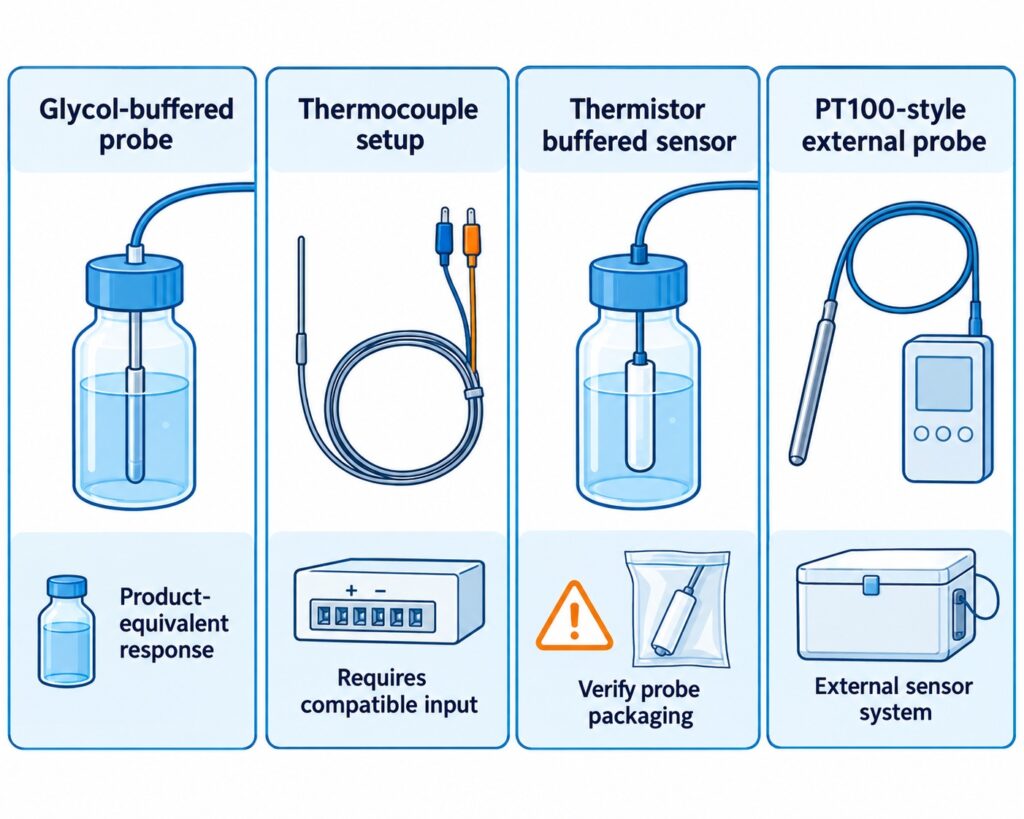
The WS1 device supports one external temperature sensor for external temperature monitoring.
This is due to the fact that it has only one Micro USB port.
To power it with the USB cable at the same time, you can connect a USB splitter.
When it comes to the External Temperature Sensor, it is waterproof and designed to operate in extreme conditions, such as temperatures between -55ºC to 125ºC.

The Micro USB connector is compatible with every monitoring device in the UbiBot lineup of products, such as the WS1 and WS1 Pro.
The sensor is made from high-quality stainless steel, ensuring that it will not rust under any condition.
The different cable lengths are designed to offer a high level of flexibility, and the connector allows you to deploy the sensor within seconds.
The flat cable is unshielded.
How the UbiBot IoT Platform Works
Through the UbiBot IoT Platform, you can set alerts by emails, which includes 200 free emails per device, per month, or through different methods such as phone voice alerts or through SMS messages.
You can also download complete Spreadsheets that go in-depth into a summary of the temperature throughout a specific time-interval, and you can connect it to IFTTT.
You can also set specific times when you do not want to receive any notifications, such as at night, and you can add multiple channels through which you can receive alerts at any given time, such as in-app notifications alongside SMS messages.
This way, you will be informed about any changes that might occur even if you are not connected to a network from your mobile device and it will give you an added level of peace of mind.
The UbiBot platform also allows for shared alerts, which means that you can share your device with another person when you choose to add them, and they can view the data as well as see alerts just as you would, which is convenient if you are traveling and leave your pool to be managed by a relative or neighbor.
The UbiBot line of products are excellent for monitoring the temperature and humidity level of just about any environment, as they offer products which can withstand harsh conditions such as water or sand, and they offer sensors which can get into any liquid and give you accurate readouts based on your specific needs.
This allows you to always be informed about exactly what is happening in the environment you place the sensor or sensor in and as a result you will have a higher level of awareness and as a result, the performance of those specific locations and things that you are managing within them.
Error 1412 – Invalid activation code
When it prompts up "Error 1412 - Invalid activation code" after you scan the serial number of the device, please contact our support team by creating a ticket in the app. Please see the screenshot below as reference. You can also contact us by our email:
[email protected].
Our technical support team can figure out this issue as soon as they are available.
Your understanding and patience are highly appreciated.

It’s Time for You to Protect Your Home Using a Motion Sensor
Imagine leaving your home or apartment unattended and leaving for a vacation.
Amazing, right? Maybe leave the light on, maybe let the TV run, and do not let it turn off on its own to give the illusion that you are at home the entire time.
Maybe that will give you some level of peace of mind while you are out there strolling and traveling to different countries.
However, what if that was not enough?
When you are not at home, you are never quite sure what is happening, and even if you add a camera, each camera has its blind spots.
These blind spots are spots that the camera does not cover with its field of vision.
Another step you can take to avoid potential theft or burglars within your home is through a motion sensor.
The UbiBot MS1/MS1P

The
UbiBot MS1 / MS1P is a sensitive motion perception device.
UbiBot as a company strives to bring monitoring and alerts to the users of all of their devices, and as such have developed a device that senses motion.
In the search for perfection, the Motion Sensor MS1 / MS1P supports WiFi and RJ45 Ethernet cable connection, ensuring that the connection drops are almost non-existent, or better put, if your Internet Service Provider is stable, so will the motion sensor.
When you install it in a place with a wide field of view, the motion sensor can accurately sense any slight movement made by either people or animals.
When someone moves, a movement log is generated, and this log is recorded on the IoT cloud platform of UbiBot that allows you to download it anytime and anywhere.
The UbiBot MS1 / MS1P Can:
- Monitor even the slightest movements of humans or animals.
- Connect to the Internet of Things cloud platforms where it can store the data logs.
- Export data remotely anytime, anywhere.
The Data Transmission
A Power over Ethernet connection also known as a POE network ensures easy deployment, stability, and real-time updates. Additional POE splitter is needed for the device.
The device supports 220V power supply or USB and has multiple ways of communicating, which can reduce the requirements of wiring.
It offers multiple alert modes that are widely used within the security field as a whole such as platform-based alert rules, real-time alerts, a wide variety of alarm modes and options, device online and offline notifications.
Specifications

When it comes to the specifications of the UbiBot MS1 / MS1P, its dimensions are 80x80x48mm, it features a detection distance of up to 12 meters, it has a detection angle of vertical 40 degrees and horizontal 105 degrees while requiring a power supply in the form of a Micro USB, POE power supply or AC power supply.
The operating temperature is from 0℃ to 50℃ and it can connect through a 2.4 GHz WiFi or RJ45 Ethernet connection.
It supports all devices running Android 8.1 or above and all iOS devices running iOS 11 or above.
When it comes to the installation process, it can be placed directly in the required monitoring area or it can be glued on the smooth wall surface with double-sided adhesive.
You can also hang it on the wall with screws if that is more convenient for you.
The surface of the product is in a matte warm white color and it can blend easily with the surrounding environment as it is not intended to stand out but blend in.
Connectivity

Once the device senses motion, it generates a log.
Later on, that generated log is transferred through a WiFi 2.4 GHz connection or through an RJ45 Ethernet Cable to the UbiBot IoT platform, after which that data is transferred to the UbiBot application which you can easily access through a variety of different devices such as a phone or tablet through the official application or through a desktop computer or laptop through a web browser, making it extremely convenient.
The role of a motion sensor in a home security system is to sense an intruder and send an alert to you as soon as possible.
Sensors work when you are not at home, or when you tell the system you are not there.
The best placement of a motion sensor is in a corner of a room that has a good viewpoint of your entryways and can easily detect any changes in the room.
A motion sensor can be used both at home and at any business, and they can be found on phones, paper towel dispensers, game consoles, and virtual reality systems, so chances are you have probably experienced a motion sensor somewhere so far and are aware of how exactly they work.
Motion sensors are like flashlights which send out a beam of light, but with motion-detecting infrared energy waves instead of light waves.
When you get closer to the device, the infrared radiation becomes denser the nearer to the device you go and it spreads out the further of the device you get.
By adding a motion-sensing device to your home, you are increasing the level of security at an unexpected level to any potential intruder.
As many potential intruders expect a camera, they usually seek it out and look for spots that the camera does not see, so by strategically placing the motion sensor in places where the camera does not see, you are covering those spots with an added layer of protection and catching the burglars off-guard.

Once the motion detection tool detects someone, it can trigger a chain of events.
This can specifically happen when it is integrated with IFTTT.
This includes features such as a sound, music, lights and so on to freak out the intruders or burglars and makes them run away while stealing nothing in the process, while also alerting you from a distance so you can stop your daily or nightly commute and rush back to your home to check if everything is okay.
Alternatively, you can also call the police for a little bit of backup if things turn sour quickly, but at the end of the day, you will have peace of mind knowing that you are protected.
Be Aware of the Extreme Humidity of Your Garage Before Damage Occurs
Before we begin anything, it is important that you understand exactly what humidity is.
Humidity is the concentration of water vapor present within the air.
Water vapor is the gaseous state of water and is invisible to the human eye. Humidity indicates the likelihood for precipitation, dew or fog that can be present within a given area.
Now, during rainy seasons, or sudden shifts in temperature, humidity can occur within your garage.
As many of us store a lot of things within our garages, chances are that some of them, especially electronic things, can be damaged in a very serious way, up to a point of completely breaking, and as such, we need to make sure that the humidity level is controlled, or at least that we are always aware of what is happening in our garage and what level of humidity we can expect throughout any specific season.
By taking good care of everything, we can lead to expanded lifespans of each and every product we store within our storage units known as garages, from electronics all the way to mechanical things that help us in our everyday life.
A lot of us love to work with tools as-well, and humidity can also damage electronic tools that rely on a stable weather to operate.
The impact of hot weather
In summer, garage doors are especially prone to failure due to the high level of humidity.
Wooden garage doors can absorb a lot of moisture during humid weather, and this excess of moisture can cause wood to swell, and in turn your garage door will be at risk of cracking or splitting in half.
You also gain the added risk of accelerated rotting due to the high level of humidity.
Keep in mind, your garage door is probably not the only wooden thing you keep in there.
You may have a shovel, a mop, other things you use to take care of your home and backyard for example, that all have some wooden part about them.
Now, how exactly can you stop this from happening, and does a device out there exist which is specifically designed to help you save a lot of money in repairs within the long-term?
The UbiBot Devices to the Rescue
UbiBot features a revolutionary line of devices that can truly help you monitor the level of humidity you have in your garage from wherever you are.
Best of all, you do not need to worry about anything, as it is all connected through the UbiBot IoT platform.
What are the devices and how exactly do they work?
Some of the most commonly bought UbiBot devices include:
The UbiBot WS1
This is a device capable of monitoring the temperature and humidity of your garage as well as give you insight into other conditions throughout your entire home.
It connects flawlessly to the UbiBot smartphone and web application and allows you to monitor the activity within the room at any time, from anywhere.
The UbiBot WS1 Pro
Another variant of the WS1, the Pro name comes from the fact that it features a large LCD screen which allows you to view each statistic at a glance, so you can check up on the level of humidity, weather and other stats before leaving the garage just to make sure that everything is in prime conditions for that added peace of mind before going out on a trip.
It allows for both WiFi and mobile data connectivity which makes it easily accessible from anywhere.
The UbiBot GS1
What makes the GS1 special is the fact that it is industrial-grade.
This means that it is:
Because of this, it can run in harsh environments, and will not break easily.
This is perfect for companies or people who live a more robust lifestyle and want something that can handle the pressure.
As mentioned previously, all of this is connected through the IoT platform by UbiBot.
The Services
Let us start off by taking the alerts out of the way.
You can be alerted through several ways
App Alerts – completely free notifications to your phone of tablets.
Email Alerts – up to 200 free alerts per device per month, after which you will be charged 3 credits per 1000 emails.
SMS Alerts – these cost an average of 0.02 credits per SMS(fees vary in different regions)
Call Alerts – these cost an average of 0.03 credits per SMS(fees vary in different regions)
You also have Google Drive functionality through Google Spreadsheets where you can receive data security and data integrity of the raw data and real-time sync you receive across all of the devices to your designated account.
You can also connect everything to a Google Home and get temperature and other data with your voice as well as control a series of actions, like turning on or off the heating and air conditioning of a room.
Last but not least, you can even connect it with Alexa, giving you access to the readings through your voice commands.
When it comes to data sharing, you can share access to the monitoring and statistics from these devices to any family member, friend or colleague who you think would help you out in a pinch if you are too far away from your garage to handle things manually.
You can also set up shared alerts with another person who you choose to add.
The UbiBot app gives you a single ecosystem to manage data sharing and view who previously had access to all of the data, ensuring that everything is monitored and up to standard.
Keeping your garage in prime condition will lead to a longer life span for both the doors, hinges, mechanisms that make everything work, windows, and most importantly, the things within the garage itself, so making sure that you have constant access to the information about the level of humidity within the room can ensure that you can take the right action at the right time and get the desired outcome where you end up saving everything.
About Humidex
What is Humidex?
Humidex is an index to indicate how hot or humid the weather feels to the average person. It is derived by combining temperature and humidity values into one number to reflect the perceived temperature. For example, a humidex of 40 means that the sensation of heat when the temperature is 30 degrees and the air is humid feels more or less the same as when the temperature is 40 degrees and the air is dry. Hourly Humidex values are only displayed when the air temperature is 20C or greater and the humidex value is at least 1 degree greater than the air temperature.
The current formula for determining the humidex was developed by J. M. Masterton and F. A. Richardson of Canada's Atmospheric Environment Service in 1979. Humidex differs from the
heat index used in the United States in being derived from the
dew point rather than the
relative humidity, though both dew point and relative humidity (when used in conjunction with air temperature) are directly related to atmospheric moisture.
What is the formula of Humidex?
When the
temperature is 30 °C (86 °F) and the
dew point is 15 °C (59 °F), the humidex is 34. If the temperature remains 30 °C and the dew point rises to 25 °C (77 °F), the humidex rises to 42. The humidex is higher than the U.S. heat index at equal temperature and relative humidity.
The humidex formula is as follows:

where
- H denotes the Humidex
- Tair is the air temperature in °C
- Tdew is the dewpoint temperature in °C
- e = 2.71828
5417.7530 is a rounded constant based on the molecular weight of water,
latent heat of evaporation, and the
universal gas constant. The humidity adjustment approximately amounts to one Fahrenheit degree for every millibar by which the
partial pressure of water in the atmosphere exceeds 10 millibars (10 hPa).
At the time the humidex was originally developed in 1965, Canada was still on the
Fahrenheit scale, and thus the humidex was originally based on that. The 1979 reformulation, which added the 5⁄9 factor, was largely to address
metrication in Canada as the country switched to the Celsius scale.
Humidex Feature Is Available Now!
A Humidex is short for humidity index and is a value that is calculated, not measured.
It originates back from 1965 and it describes how hot or humid weather feels to a human being.
It combines temperature and dew points into one computed value, the higher the dewpoint, the more moisture there is in the air.
The Humidex formula goes as followed: humidex = (air temperature in Celsius) + h. h = (0.5555)*(e — 10.0)
The difference between humidity and humidex is that humidity is the dampness in the air, while humidex is a measurement used to reflect the combined effect of heat and humidity to determine the temperature felt by a person.
Levels of Humidity
Humidity which is above 50% is typically considered to be too high while humidity below 30% is considered to be too low.
The ideal range of relative humidity for a home is between 30% and 50% according to the EPA.
If the air within a room is 100 percent relative humidity, the sweat of our bodies will not evaporate into the air.
If the relative humidity is low however, we can feel cool due to the fact that the sweat evaporates easily and cools us off.
It is impossible to hit a humidity level of zero percent due to the way Earth's climate and weather conditions work. Water vapor is always present within our air, even if only in minute quantities.
How Do You Measure Humidex?
The
UbiBot line of products features sensors that can measure the temperature and the level of humidity within a room. You are able to set alert rules for the Humidex readings. And, the readings can be displayed in both Fahrenheit and Celsius degree. Currently, it's available on the Ubibot web console:
console.ubibot.com.
The UbiBot line of products is also connected through its IoT platform that allows them to communicate with one another, and as such, they can measure the level of humidex within a given room, giving you insight if you can handle the heat at the moment.
This is especially useful for business owners that have enormous warehouses filled with workers who want to perform well and excel at their jobs, and making sure that the temperature and humidity are ideal for their work environment is a must.
What Products Can Get the Job Done
Many UbiBot devices can continuously monitor the temperature and humidity within a room, but today we will be looking at the UbiBot WS1, the UbiBot WS1 Pro, and the UbiBot GS1.
What makes each of these devices special and what exactly makes them unique?
The
UbiBot WS1 device is the standard one, coming with excellent sensors for both temperature and humidity, which can give you amazing insights into the conditions in your home, office, or factory and successfully calculate the humidex within the room.
The
UbiBot WS1 Pro is a more advanced version of the previous product but with an added large LCD screen and Mobile connectivity alongside the WiFi connectivity, making it an overall better device as you can clearly see everything at a glance even before loading up the UbiBot application.
The
UbiBot GS1 is a mix of the two, but with an added benefit of being waterproof and dust resistant.
This means that it should be able to withstand the harsher environment and is suitable for places where it might take a lot of beating.
All of this is connected through the UbiBot IoT Platform, which can be easily accessed from both a static desktop computer or a laptop through a web browser, or through any mobile device from its official application, where you can receive alerts and set up different activities to trigger when a certain temperature or level of humidity is measured.
Explaining the Platform Services
To put it into perspective, the devices work like this:
The UbiBot smart Device features a perfect sensor in one tiny device, once these measurements are made, they are synced to the Ubibot IoT platform, and the information and analysis generated here are eventually transferred to you.
The way at which you receive this information is up to you, but you can be alerted through four methods.
- The first and most preferable method is through App Notifications as these are completely free and can be easily recognized.
- The second method is through which you can receive notifications is through email, as you can receive up to 200 free email alerts per device, or you are charged 3 credits per extra 1000 emails.
- The third method is through SMS, where you are charged 0.02 credits per SMS(fees vary in different regions).
- The fourth method is through a Call, where you are charged 0.03 credits per call(fees vary in different regions).
Of course, this is not where the beauty of the IoT platform stops.
You can also use IFTTT to configure millions of different IFTTT events such as turning on the hue light when UbiBot senses that the light is becoming low and other such events.
It also integrates efficiently with a platform from a company you might have heard of known as Google.
You can connect to Google Drive, more specifically, the Spreadsheets platform, where raw data is generated and transferred to you with real-time sync.
You also get the added benefit of a high level of data security and data integrity, which makes it appealing.
It also integrates exceptionally well with both Google Home and Alexa, where you can give voice commands to the devices to receive some kind of notification or trigger a set of events that were preconfigured.
You Are Never Alone
Possibly one of the best features of all of this is the fact that all of this information can be shared with a person you give access too.
This means that, if you are a business owner, and want a manager to go over the level of humidex within the company, he can easily gain access to all of the statistics and analysis which is made on a daily basis and configure things accordingly.
The data sharing function allows for around the clock monitoring, real-time observation, shared alerts and can be managed within the UbiBot application itself.
This allows for a high level of flexibility and freedom within the work you want to do with this device and will not let everything fall on your shoulders, but can be shared with teammates, colleagues or friends.
Protect Your Animals from Dog Days
With summer being as hot as ever, we can expect dangerous weather conditions throughout the entire world.
As a pet owner, one must recognize that dogs, and even cats, can suffer from heat-related issues that are also affecting us as human beings.
This implies that animals can over-heat, dehydrate and receive sunburns.
So how do you notice if your pet is over-heating?
In most cases, you will notice that your animal has slowed down or stopped all movement in order to take in the heat.
You might also notice more subtle things such as excessive panting, drooling or confusion. Always make sure to pay attention to how your specific pet acts and how they react to different situations.
Dog days or dog days of summer are the hot days you can expect during the season of summer.
This means that each and every pet can receive some sort of side effect on their health due to the excessive heat.
Keeping Your Pet Safe
In order to keep your pet as safe as possible during this season, there are certain things you need to do and consider, and taking as much care of our loved ones as possible can lead to an extended and healthier life, so make sure to pay close attention.
Never leave your pet alone in any vehicle, even with the windows down or the AC turned on.
Make sure that your pet always has access to fresh and cool water as well as a place out of direct sunlight that will help them avoid a potential heat stroke.
Never leave your pet outside for too long, and avoid times where the temperature is simply too high for them to handle.
Taking Action at Home
Imagine a situation where you are having an enjoyable day at home, and the heat does not bother you as a person, so you just sit down on your couch and start enjoying a football game or whatever you are into.
Suddenly, at the corner of your eye you start to notice that your pet is slowly losing consciousness and fainting. You quickly get up to treat it and reserve a slot to the nearest veterinarian to see what is happening, only to find out that that pet has gotten a heat stroke and as a result, has fainted.
So how do you avoid a situation like this one?
Well, this is where
UbiBot can change things and improve the life for you as well as the pet for the better.
The UbiBot Line of Devices
UbiBot is a line of products centered and specializing in Wireless Environmental Sensors and Sensors.
These are, put simply, devices that you can attach to any room or piece of furniture that can monitor certain levels in the room.
They can measure temperature, humidity, light and much more.
There are many UbiBot devices, but for the time being we will be discussing:
- The UbiBot WS1– A WiFi enabled device which continually monitors the temperature and humidity of a room. The Ws1 gives you insight into the conditions within your home where your animal might be staying while you are outside.
- The UbiBot WS1 Pro– A more advanced version of the WS1 which features a large LCD display and can be connected to through both WiFi and Mobile connectivity which will allow you to monitor everything from anywhere in the world.
- The UbiBot GS1– An industrial-grade version that is specifically designed for harsher environments and features waterproofing and dustproofing features which can ensure stable runtimes and reliable measurements just about anywhere.
How It Is All Connected
You may now be asking yourself; this sounds amazing, these devices will surely let me know if my animal has the right conditions and if he is at risk of getting a heat-stroke, but how are these devices connected to my phone, and what other features do they have?
Well, all of this is made possible by the UbiBot IoT Platform which can be accessed from any device through the smartphone application or through a web browser.
It automates data storage and analysis and even allows you to set real-time alerts.
When it comes to the platform services you will gain access to, you can connect through the following methods:
Email – through this method, you can set up an alert by email and receive up to 200 free alert emails per device per month, which refreshes on a monthly basis.
IFTTT – this gives you access to an array of possibilities when monitoring any environment as you can trigger million of different IFTTT events that are a result of certain changes in the temperature or environment as a whole, giving you a lot of flexibility.
SMS – through this method you can receive alerts by SMS, assuming you are not connected to an online connection through a mobile network or WiFi, think of this as a fail-safe when you really need to be informed. The Fee of this service is 0.02 credits per SMS (The fees vary in different regions).
Call – similar as the SMS, except here you are alerted through a voice call instead of an SMS and it costs 0.03 credits per call (The fees vary in different regions).
A great way to manage and generate your tables with constant syncing of real data and real-time data security and integrity is through Google Spreadsheets.
This service allows you to gain access to different Spreadsheets that work within the Google Drive platform, which in turn allows you to analyze, store and monitor your data through servers which are protected and monitored by a large company such as Google, ensuring that you have the maximum level of support at any time.
With all of this said and done, the best way to take care of your pet is to know exactly in what kind of living conditions they are resting it at all times, even when you are outside, and through the UbiBot line of devices, you can make sure to always be in the loop of what your pet is exposed to, especially during the hot summer dog days.
Soil Temperature and Humidity Determines the Grow of Your Plant
Soil temperature affects the growth of plants in an indirect way by affecting water and nutrient uptake as well as the growth of the root.
At a constant moisture content, a decrease in temperature can result in a decrease in water and nutrient uptake.
At lower temperatures, transport from the root to the shoot is reduced.
Water helps a plant by transporting important nutrients through the plant itself.
These nutrients are drawn from the soil and used by the plant for growth and without enough water within the cells, the plants droop, so the water helps a plant to stand. The water carries the dissolved sugar and other nutrient through the plant.
The Solution
The
Ubibot RS485 Soil Temperature and Moisture Sensor, Waterproof Soil Sensor, Garden Soil Temperature Humidity Monitor, Stainless Steel Soil Tester connects through USB to our WS1Pro and GS1-AETH1RS, GS1-AL4G1RS devices.
The ideal temperature range for indoor plant growth is between 70 degrees F to 80 degrees F per day and 65 degrees F to 70 degrees F at night.
Soil moisture associated with variations of air humidity can affect the soil susceptibility to wind erosion.
It has been shown that air-dry soils decrease as humidity increases.
Warmer temperatures increase respiration and as such, reduce the growth.
The appropriate temperature can help a plant maintain its growth process at an optimum level.
The right range of temperature can affect the transpiration and help plants maintain their water content.
The Features
The Ubibot RS485 is a waterproof soil temperature moisture sensor with a monitoring range of -40 to 85 C, +/-0.5 C; 0 to 100%RH.
The sensor is made out of stainless steel and is easy to plug into soil and easy to clean due to the fact that it is rust-resistance.
It connects through a USB connector and is easy to deploy with 3 meters lead which is appropriate for use in an outdoor environment while keeping the main device indoors.
Once the Ubibot RS485 gathers data, it can be viewed on the WS1Pro and GS1-AETH1RS, GS1-AL4G1RS device screens as well as on the application or web console remotely.
There are also available alerts for all of the readings gathered by this device and can be switched in the platform between absolute humidity and relative humidity.
This sensor is embedded with an industrial-grade chip and offers accurate measurement. The stainless-steel sensor can be inserted into any soil for a long period of time without it being corroded.
It features a durable cable which ensures stable data transmission at any time.
In order to use it, dig a hole at over 20 cm in diameter on the ground or soil within your use case.
Insert the steel sensor into the point in a horizonal direction.
Finally, berry the sensor with soil and you can have your data transmitted instantly.
In order to connect to the device, simply use the USB port, then go to Settings and enable the RS485 S button.
Finally, press the power button once to trigger data sync. You will see the temperature data as EXT2 at the bottom right corner of the screen.
Each of the soil sensors have been calculated within a specific factory and include data points which are conducted by placing the sensor in the air to reach the minimum of 0% and pure water to reach the maximum of 100%.
When it comes to the wettest soil, the reading is expected to be at 30% AH depending on the soil type.
UbiBot devices are tailor made to work in Industry, Agriculture, Pharmacy and in Homes.
The devices monitor data and transfer it to you through Wi-Fi, 2G, 3G, 4G, Ethernet cable methods.
Once the data gets to the UbiBot IoT Platform, you can view it from any phone, tablet or PC through either the official application or through the web browser.
They work through multiple platform services, which can alert you through app notifications, emails that you get 200 free email alerts per device, SMS that costs 0.02 credits per SMS and through Voice Calls that cost 0.03 credits per call.
Many features can also be automatized and implemented through IFTTT and can allow for your smart devices to talk to one another.
You can also activate things through voice commands by using Google Home and Alexa, with which all UbiBot devices can communicate with.
When it comes to the data sharing functions available with each UbiBot device, you also gain around the clock monitoring where you can share your devices with colleagues, friends or family members interested in your profession or hobby.
You can also view real-time observations and use the app to view real-time conditions while you choose exactly who to share them with.
Shared Alerts are also an option when you want another person to be aware of exactly what is happening to the soil and at what temperature and humidity it is.
You can set everything up manually and know exactly who is aware of what is happening to the soil at any given time.
The UbiBot application also gives you a single place to manage data sharing and gives you a view of who previously had access to the data, so you can manage everything more efficiently.
All of this makes the UbiBot line of devices and their extensions a must have for anyone looking to monitor their soil and have a deeper understanding on what exactly is happening to their plants and as such can bring your knowledge and plants to a whole new level of growth and efficiency.
By taking the added step of letting hardware do the heavy lifting for you, you can use the extra time to gain a bigger and more in-depth understanding on everything soil related instead of constantly having to manually monitor its temperature and humidity,
With that out of the way, make sure to try out the Ubibot RS485 for yourself.
Growing conditions at home do change in several subtle ways during the colder, darker months of the year, but while most of us are well-equipped to handle the change – the combination of cold air, lower temperatures, and shorter days can make it difficult for plants to thrive. We would like to share a vital resource with you: Houseplants 101: The Ultimate Guide to Healthy Indoor Plants
According to Terrarium Tribe, 59% of plant buyers say that houseplants are important to their health and wellness, and caring for them brings a sense of happiness and peace into our lives. This article will cover which plants are most common to thrive through cold weather, and also it will list great tips for general care and maintenance during fall and winter.
How to Monitor the Temperature in Refrigerated Vehicles Using a Wireless Temperature Sensor?
Refrigerated vehicles are an amazing way of transporting frozen goods and services across any geographical region.
As such, these vehicles need to be capable of withstanding the sunrays when driven daily and maintain a certain level of cold temperature in order to not ruin the goods inside.
A lot of frozen goods require the vehicle to maintain a certain level of cold, as such, this level needs to be constantly monitored and maintained at that low-level temperature.
Many of them feature thermometers, however, you are not aware of the temperature within the vehicle until you manually open the doors and view the thermometer yourself.
As such, hours or even days can pass before you check if the temperature is still correct, and you might end up ruining some of the hard-earned and maintained goods that are stored in vehicles from this kind.
The Problem
When it comes to the issues that need to be resolved with transporting refrigerating systems like these vehicles, it all boils down to being informed about the temperatures within them.
You need to consistently be aware of them, and so does the driver.
This means that you need a system, which monitors the temperatures of all time, a device that will work even while offline, and a device that can keep everything in sync with both you and the driver handling the vehicle during its transportation phase.
This means that there are three points that need to be covered.
- Device availability
- Transfer of information in real-time
- Delivery of said information to multiple people
So what device out there is designed to specifically fill these needs?
There is a device known as
Ubibot which is specifically made to fill this void in the market and will be your future solution.
The Solution
Ubibot offers a variety of features that make it stand out as the ultimate tool for the job of monitoring the temperature in refrigerated vehicles.
As it is a wireless temperature sensor, you are constantly receiving the latest updates related to temperature.
However, the
Ubibot devices are not just limited to temperature, you also have access to temperature, humidity, light, and much, much more which all syncs in real-time using WiFi, mobile data, or RJ45 Ethernet connection, through an IoT cloud platform that offers 24/7 intelligent monitoring.
It covers industries such as agriculture, home, industry, and pharmacy.
The Ubibot smart devices use a revolutionary way that monitors environmental conditions where they matter.
The sensors synchronize with the Ubibot IoT platform through a WiFi connection where you can access your data from anywhere through the smartphone application or simply through any device from the web browser.
Your phone can connect online through WiFi, 2G, 3G, 4G, Zigbee, UWB/NB-IoT, and through this connection, you can monitor your whole environment remotely, without having to physically be located at the location of the device.
There are multiple models of the Ubibot, such as the WS1, the WS1 Pro, The GS1, and the IoT platform which all work in conjunction with one another.
How Ubibot Excels
When it comes to the selection of platforms you have at your disposal when using Ubibot, you have access to:
- Email — 200 free emails per month, 3 credits per thousand emails
- IFTTT — trigger millions of different IFTTT events such as turning the hue light when light falls below 40 lux
- SMS — 0.02 credit per SMS
- Call — Alert by voice call, 0.03 credit per call
- Spreadsheets — With Auto-syncing to Google Sheets as a service, this service costs 1 USD per month, note that Spreadsheets is used for detailed reports, not alerts.
UbiHTTP — HTTP interaction services known as UbiHTTP allow the communication between devices, websites, and web services without implementing any protocols at the device level.
Google Home — by connecting the Ubibot to Google Home, you can receive updates about the temperature and other data with your voice and let it control a series of actions, such as turning on or off heating and air conditioning automatically
Alexa — Ubibot features a smart home function that can interact with any voice devices such as Alexa, where you can set up routines to use readings from Ubibot temperature sensors as conditions which can perform any series of actions such as turning on or off air conditioning or heating
You also have features through the platform-based Ubibot app such as:
- Advanced Alerts — allows you to select when to not be disturbed
- Multiple Channels — allow you to receive notifications through different channels
- Virtual Guardian — an alert service which monitors devices remotely
- 7/24 Monitoring — allows devices to record data even when offline
By far the most suitable device for the refrigerated vehicles is the
GS1-PL4G1RS. It is integrated with an external BD GPS Active Antenna, which provides real-time positioning function. It supports both wifi and mobile data transmission. With it, no matter where the truck goes, data can be updated via the 2G/3G/4G signal. And you can know it's travel trace.
One of the most useful features for the refrigerated vehicles is the data sharing options.
This means that, if you are a business owner which employs multiple drivers to drive multiple refrigerated vehicles to their destination, you can assign each one of the information about the Ubibot device within each vehicle.
So you would have access to the information in vehicles:
- Vehicle 1
- Vehicle 2
- Vehicle 3
- You and driver 1 will have access to the data in vehicle 1
- You and driver 2 will have access to the data in vehicle 2
- You and driver 3 will have access to the data in vehicle 3
This makes it a perfect method to ensure that everyone is informed about everything and that each driver knows exactly at which temperature their device is functioning, so if they need to take action they can instantly do so.
You gain knowledge about this as well and can monitor which driver takes the right precautions to ensure that everything is delivered efficiently and effectively, and can instantly make all of the arrangements when anything starts to go wrong even before the driver calls you to inform you that such an occurrence has happened during his shift.
There are a lot more use-cases when it comes to the Ubibot devices, this was just one example of how effective it can be and it can bring your monitoring to the next level.
Here Are Two Key Points That You Should Know About Growing Edible Fungus
Before we begin about the key points, first we need to understand exactly which fungus is edible.
What is an edible fungus?
Edible mushrooms are these fleshy and eatable fruits which consist of several species of macrofungi that have fruiting structures that are large enough to a point that they can be seen with a naked eye and these edible mushrooms include many fungal species that are either harvested while or cultivated.
There are more than 200 genera of macrofungi that contain species of use to people and feature edible properties.
Yeast is single-celled fungi, they are related to the other fungi that people are more familiar with such as edible mushrooms available at the supermarket.
There is also the common baker yeast which is used to leaven bread, molts that ripen the blue cheese and models that produce antibiotics for medical and veterinary use across the world.
Edible mushrooms are ones with gills that are brown or tan, while some mushroom white gills are edible, the most deadly and poisonous one, the Amanitas, almost always features white gills.
Mushrooms without a red cap on the stem should be selected.
Always try to pick mushrooms with white, tan, or brown caps and stems.
How do fungi feed?
Fungi are dependent on both dead and living material for their growth.
They obtain nutrients in three ways:
- SARPROBIC — growing on dead organic matter
- SYMBIOTIC — growing in association with other organisms
- PATHOGENIC or PARASITIC — by causing harm to another organism
How to Grow Your Own
Mushrooms grow from spores, or the mushroom spawns.
They need organic substances to grow and there are a number of different ones that are suitable such as mushroom compost, horse manure, and straw.
When it comes to the different mushroom varieties, there are mushroom spawn, pre-spawned plugs and dowels, and mushroom growing kits.
You can grow white button, chestnut, brown cap or Portobello, shitake, oyster, yellow oyster mushrooms.
How Do You Take Care of the Mushrooms
You can grow mushrooms indoors for the best effect.
They grow best at an even temperature of about 15 C, and they do not grow well below 10 C or above 20 C.
When it comes to harvesting, mushrooms are usually ready to harvest when the cap shape is perfectly formed.
You can harvest them with a cutting knife, or by grabbing the mushroom at the base and twisting it in a counterclockwise motion.
How Ubibot Devices Help
By implementing an
Ubibot device into your growing platform, the most advanced solution that allows you to protect what you truly care about, you can constantly monitor the temperature at which your fungus grows.
As mushrooms grow best at a temperature of 15 C, you need to ensure that the temperature is consistently at that level, and if any changes in the temperature occur, you need to always be informed and react accordingly.
The UbiBot network of devices is connected through the IoT platform which allows them, when a well-established connection to the internet is secured through a WiFi network, to constantly and consistently stream and sync information to any of your
devices.
This way, you are always informed of exactly what the temperature is like at any of your growing locations where you have placed a UbiBot device.
As such, you can constantly be aware if your fungi are growing at the right temperature even if you are not physically at your home or growing site as a whole at any given moment.
But let's say you have a scenario where you have to leave the city, country, or simply go on vacation, but still want someone to be able to correctly manage and monitor the crops, do you need to give them your device or WiFi password?
The answer is no, through this application you can share just the information you want to any person you trust, without giving them access to your personal device or network.
This way they can constantly keep track of the temperature on your crops no matter where you are in the world.
The Available Ubibot Devices
The UbiBot
WS1 has access to temperature monitors, humidity monitors, and much more.
The UbiBot
WS1 Pro which features a large LCD screen and can use both mobile data and WiFi to connect to the internet.
The UbiBot
GS1 which is an industrial-grade device designed for harsher environments and can withstand water and dust-filled environment.
All of this is connected through the Ubibot IoT platform through which all of the vices can talk to each other and stream all of the information to your application which can be accessed anywhere.
The platform can talk to a lot of services which communicate between one another such as:
- Email
- IFTTT
- SMS
- CALL
- Spreadsheets
- UbiHTTP
- Google Home
- Alexa
You can receive alerts through email, SMS or Call, while Spreadsheets can generate and sync detailed reports, and Google Home and Alexa can be used to check the current temperature through voice commands.
This allows the service to have multiple ways of giving you control over it, and multiple ways for it to speak to you as well through notifications and alerts across multiple ways.
It features perfect sensors in a tiny device that connect to the Ubibot IoT platform and eventually sends all of the data to you with the service of your choosing.
All of them differ in the way the information is shown but ultimately serve the same function.
You also gain access to:
- Advanced Alert options
- Multiple Channels
- A Virtual Guardian
- Online Monitoring
As well as data sharing in the form of:
- Around the Clock Monitoring
- Real-time Observations
- Shared Alerts
- Managed Data in One place
With all of this in mind, the Ubibot family of devices, alongside its own ecosystem of software and different implementation for alerts and programming, you can always expect the best performance out of these devices.
It offers a really capable and consistent management system that constantly ensures that you are informed about everything happening at your crops at any given time of the day or night.
As such, it is a highly flexible and adaptable system that should fill the needs for just about anyone.
Remote Light Strength Monitoring With Ubibot Multi-Sensor Device
Light can be an important factor in the growth of both plans and exotic animals.
As such, it can play a huge role in their development and sustainability.
Many reptiles are cold-blooded animals that require light to warm them up, while many plants rely on the sun to give them the proper tools to grow.
This varies from animal to animal, and from a plant to a plant.
Some plants might need more light than others, and as such, you would need a system that schedules the lighting, as well as monitors its strength.
The differences vary between each industry and use case-scenario, but chances are, that if you are looking at this product, you know exactly what you need it for, so it is time now to learn why you need this specific product in your life.
You see, we usually manually, and physically have to get up, get home or wherever we have our growth mini-farm or mini zoo with reptile animals and measure the temperature and strength of the lights.
What if you could monitor all of this remotely, wherever you are at any geographical location?
The Ultimate Tool
The ultimate and most advanced solution that allows you to consistently monitor and protect what you care about, the
Ubibot line of products provides you with constant, in-sync transfers of live information across all of your devices in terms of temperature, humidity, light and much more.
The Internet of Things cloud platforms allows you to have a 24/7 intelligent monitoring function which consistently pumps out the right numbers to all of your devices no matter where you are in the world.
This means that you can go out, have fun with your friends or family, without worrying if there is a hardware failure in any of your enclosures, as you would be instantly informed about it if it were to happen.
The devices are perfect for industry, agriculture, home, or pharmacy use and can bring you a lot of benefits.
How Ubibot Works
UbiBot works through a revolutionary way in which it allows the systems to monitor environmental conditions when they need to.
The sensors synchronize with the Ubibot IoT platform through an internet connection based on WiFi technology and as such you can have instant access to all of your data from anywhere, be it from a web browser running on any
device or through a dedicated smartphone application.
The UbiBot smart devices use WiFi/ mobile data/ Ethernet cable to connect to the UbiBot IoT platform after which, through an internet connection it can sync all of the live information directly to your phone, tablet, or PC, where you will have a feed of information and alerts by your specification.
Devices available
The UbiBot
WS1 — WiFi Enabled device which can continually monitor the temperature, humidity, and more.
The UbiBot
WS1 Pro — advanced device packed with sensors and features with a large LCD screen.
Allows for both mobile data and WiFi connectivity.
The UbiBot
GS1 allows usage on harsh industrial environment and features waterproof and dustproof features which ensures that it will run in almost any environment.
You also gain access to the UbiBot IoT platform which can be accessed from anywhere using the UbiBot smartphone application or through the web by using an internet browser.
Platform Services Supported
The supported services include Email, IFTTT, SMS, Call, Spreadsheets by Google, UbiHTTP, Google Home, and Alexa, each of which have their own specific benefits and features.
Email allows support for up to 200 free alerts per month, and 3 credits per 1000 emails after that cap is passed.
IFTTT allows you to monitor your environments by triggering different events.
You can turn the light hue on when UbiBot senses a change in a different attribute in the environment, making the light strength different depending on the parameters and circumstances you decide on.
SMS costs average 0.02 credits per SMS and can inform you for the most important changes that might occur in your lighting environment.
You can also gain alerts by
voice call, which costs average 0.03 credits per call.
Spreadsheets, a service that costs 1 USD per month to use, allows you to automatically upload newly generated data to Google Drive Spreadsheets for backup purposes.
UbiHTTP allows the communication between devices, websites, and Web services without implementing protocols at the device level. You can specify operations in UbiHTTP and then trigger them in other Ubibot functions, such as the alert function. allows communication between the multiple devices to occur.
Google Home and Alexa support allow you to receive updates and notifications through the voice speaker and you can command the devices through them.
You also gain features through the platform-based app such as advanced alert options, multiple channels, a virtual guardian, and online monitoring.
Data Sharing Options
You gain around the clock monitoring with colleagues, friends, or family members through which multiple people can monitor the light strength in real-time, and you can take shifts in a way.
Real-time observation allows the app to view the real-time conditions of the lighting.
Shared alerts allow you to choose and add alerts at any given time, which means that you can turn them off while you sleep so they do not disturb you.
The UbiBot cloud also gives you a place to share all of your data and view the previously accessed data.
There are a lot more devices and tools that can help you with any given job, but for the time being, if you want to remotely monitor the light strength, we have the device to provide those features to you.
By implementing an UbiBot device in your system, you can constantly receive real-time updates, or assign someone else to receive them as-well when you are busy with something else.
This allows for a lot of flexibility and ensuring that you are always aware of the surrounding temperature your plants or reptiles are receiving at any given time of the day or night.
With the do not disturb options you can also ensure when you want to receive these notifications through any of the many options through which they can be activated, making it an excellent choice for anyone.
Can Your Freezer Thermometer Alert You of Emergency in Time? Ubibot Will Do
We've all been there, your power goes out, and your fridge suddenly stops working as it requires power to run.
What you may not be aware of is that the many things you have placed in the fridge, and especially in the freezer are starting to defrost.
This in turn will make them go bad, and you cannot cook nor eat them if it is too late.
So how do you combat such an occurrence or simply ensure that it never happens to you in the future ever again?
One Solution to Solve It All
Many modern freezers feature advanced tools that monitor the temperature within them.
However, most of them are extremely outdated when it comes to features.
This means that even if the thermometer measures that the temperature is getting hot due to power loss or device failure, you are simply not informed that this has occurred until the very last moment.
This in turn could lead to potentially rotten food that can become poisonous to consume, and you might end up losing thousands of dollars in the process.
This is especially the case if you are a business owner who relies on the tools at his disposal to run his business effectively and efficiently.
So you now may be asking yourself, how can you make an investment to save you from such troubles?
What in the world exists with the current technological advancements to ensure that you are always aware of the temperature shifts your thermometer logs no matter where you are in the world of how away you are from the freezers as a whole?
It is high time that you learned about Ubibot, the bot that keeps everything going.
Ubibot Explained
Think of
Ubibot as your friend, not just as a piece of technology that makes your life easier.
You see, this friend constantly informs you about the changes in temperature throughout your freezer in real-time.
Ubibot has access to the internet of things, through which, with the official application, you gain synched access to all of the climate information available from the platform at any given time.
This is the perfect solution for anyone in agriculture, industries, pharmacies or just people living at home with specific hobbies which requires the monitoring of temperature, humidity, light, and more.
With 24/7 intelligent monitoring, you will always know if an emergency occurs, no matter the time of day or night.
You now may be wondering, this all sounds great and neat, but what kind of technology goes behind Ubibot and how exactly does it work?
Ubibot has a revolutionary way through which it monitors environmental conditions exactly where they matter.
It features sensors that synchronize with the IoT platform, where it takes advantage of the wireless sensors and creates a WiFi thermometer, which allows for remote environmental monitoring.
Fundamentally you are using a wireless sensing device to monitor everything.
You can put the device inside a refrigerator when the monitoring range is between -20 to 60 C, RH: 10% to 90%, or use a flat
cable sensor which can be inside of the refrigerator while leaving the device outside.
The capabilities and sheer level of flexibility you get out of this device are endless and it truly provides a unique experience.
The temperature sensor is a waterproof external temperature sensor that you can use within the liquid, outdoors, or in a freezer.
It features a stainless-steel material and is suitable within an extremely hot or an extremely cold environment.
Best of all, it works with all IoT devices and is ready to use outside of the box.
Due to the high build quality, it will not rust under any condition, and the different cable lengths are designed to offer the end-user a very high level of flexibility in the long term.
The USB connector which is connected to the cable allows you to deploy the sensor within seconds, and there is even a variant where the flat cable can be put through the refrigerator door.
You should also keep in mind that the flat cable is unshielded.
The
cable is offered in:
- 3 meters round cable which is shielded
- 5 meters round cable which is shielded
- 3 meters flat cable which is unshielded
When the cable is connected to an Ubibot device, it can stream and sync the data to any platform service you choose to have it on.
These services include:
- Email
- IFTTT
- SMS
- CALL
- Spreadsheets
- UbiHTTP
- Google Home
- Alexa
Google Sheets can help you export your data automatically.
Google Assistant and Alexa can report the current temperature to you by simply asking them "What's the temperature", however, they will not alert you like the other services.
There is a threshold of 200 free alert emails per device per month and this is rotated on a monthly basis.
If you own 10
devices, you will have 2000 free email notifications per month.
Any excess notifications cost 3 credits per 1000 emails.
There are multi-channel configurable alerts with real-time alerts that provide you with peace of mind.
Advanced alert options make sure that you are not interrupted when you do not want to be, so you can turn off notifications throughout any selected period of the day.
The multiple channels allow you to receive alerts throughout many different options, and a virtual guardian receives alerts if any metric goes outside of the range you set.
The online monitoring tool allows you to be alerted as soon as any single one of your devices goes offline, but the device keeps on collecting data even while offline, this way you do not lose any readings what so ever which makes it amazing for people who want to always remain in the loop.
As such, the Ubibot ecosystem is developed with the intent of helping out the end-user and saving him potentially thousands in the long term.
With constant monitoring available at your fingertips through the app you can install on any device, you are constantly aware of what is happening within your freezer and other enclosures you might be using at your home, which will make an impact on the overall outcome of your many endeavors.
Knowing the Temperature Changes in Hatching Incubator Wirelessly by Using Ubibot Sensors
If you are a bird breeder, chances are you have to deal with the fact that sudden power failures happen.
As such, what damage can be expected if the incubator would go off during the entire process?
Temperature zones can have major effects on the developing embryo.
At 40.5 C you have a zone of heat injury, at 35 C you have a zone of hatching potential, at 27 C you have a zone of suspended development and at -2 C you have a zone of cold injury.
This leads us to believe that the temperature is the most important incubator parameter, and if we allow the eggshell to dictate the air temperature during the entire incubation process we can lead towards an excellent outcome.
As incubation has high-temperature requirements, and you have to pay constant attention to it to not damage the embryo, you need to seek out a device that can provide you with the proper information at any given time.
As such, when you have the information constantly at hand, you can ensure that if something were to go wrong within the hatching incubator, you can instantly react and address the issue without causing any damage.
This is where Ubibot sets the stage.
How Ubibot Helps
Ubibot is the most advanced solution to allow you to protect what you care about, with information such as temperature, humidity, light, and other data that syncs to any of your
devices using a WiFi connection.
UbiBot uses an Internet of things platform to constantly monitor, share, and sync the data of any of the devices you have within your home at any given moment.
This means that you can be out and about your day, and the moment the temperature starts to rapidly rise or drop within the incubator you will be constantly informed that this shift has occurred and can rush your way back home to save that embryo.
Wireless sensors are the way of the future and provide the information you need to you from anywhere, and through the remote environment monitoring which occurs through the IoT platform, you have a wireless sensing device or a WiFi thermometer of sorts which can indicate when any changes occur within the hatching incubator that you can react upon.
The Way of the Future
The UbiBot smart device features a perfect sensor that is located within a tiny device capable of being fitted anywhere.
This device syncs through the Ubibot IoT platform, which allows it to continuously monitor and stream information to the Platform-based Ubibot App.
There is an advanced alert option which allows you to choose when you want to be alerted, this means that if you decide to have a mid-day nap without any disturbance, you can rely on our systems to restrict the notifications throughout different time-frame intervals.
The multiple channels allow you to receive alerts from any service you might already have in your home.
The supported services include Email, IFTTT, SMS, Calls, HTTP. You can choose any one of them or combination of 5 methods at a time.
The Online Monitoring options alert you as soon as any of your devices go offline for whatever reason.
It is important to note that all of these devices record data when they are offline as well, which means that no readings are lost for the time period before they are brought back online.
Data Sharing Options
Another great feature that the Ubibot provides is the device share feature.
This means that you can share your data with anyone you trust to monitor over the incubator.
As such, a family member, friend, or colleague that lives close by can monitor and intervene if something were to go wrong.
As such, you can leave your house and travel throughout the world knowing that if something bad happens, another person can step in and resolve any of those issues.
Real-time observations work through the app and allow you to read real-time conditions and choose exactly who to share these measurements with.
Why Ubibot Matters
Ubibot is created with the intention of potentially saving the lives of millions of animals and creatures that people take care of around the world.
It gives you another dimension of care and commitment through which you can monitor, view, and take care of your precious pets.
If you are a breeder, you always need to ensure that the eggs are receiving the right level of heat in order to not hurt them, and our tools are specifically made to fill this hole in the system.
With Ubibot, you are not just getting a piece of hardware you can attach on your enclosing and forget about, but you are getting an extension of yourself, another set of eyes and ears that allow you to monitor everything even when you are not at home, and it such it makes it an excellent choice for anyone looking to broaden their horizons and have a bit of peace of mind when venturing outside of their comfort zones.
Take great care of your animals and always ensure that they are in an effective and healthy environment through the Ubibot tools and applications available to you at any time.
By having access to a constant stream of information you can always know exactly what is happening within your home, or wherever the enclosure may be and as such this makes it a priceless tool that truly delivers on its promise to help you in any way shape and form it can through constant monitoring and syncing of information directly to your smartphone through the official application.
The main target group for this product includes greenhouse growers, warehouse and cold and chain, pharmaceutical storage, the IT industry, product companies, and museums.
External Sensor Platform Setup Instructions
Wireless Monitoring of the Aquarium Temperature Using the Ubibot Devices
A lot of people love taking care of animals of all kinds, one of which is the sort that has to live with an aquarium in order to survive.
There are different kinds of aquariums around the world, and they all require a certain level of prerequisites in order to strive and help the inhabitants within them survive.
The importance of keeping the right temperature within a given room or an enclosure is the fact that these animals need to have a certain degree of comfort in order to survive and strive within their being, and if this was in some way or shape compromised it could lead to premature death or issues with them that will inevitably cause a lot of anger and sadness to their owners.
That being said, having the right environment can make them really happy and give them the ability to live out their destined lifetime and even reproduce more easily, which might be the reason some users choose to keep animals in aquariums in the first place.
You should not be limited with the amount of premium and exotic animals you can take care of from the comfort of your home simply because they require specific temperatures in order to strive and survive, and as such we have developed devices and an application that makes it easier than ever to confront these challenges and take care of the animal of your dreams.
The Right Temperature for an Aquarium
When it comes to choosing the right temperature when taking care of animals within a water-based aquarium, it is recommended to keep the temperature around 78°F (25°C) and 80°F(27°C).
However, this varies between different kinds of species, for example, some species will require temperatures that are a few degrees cooler or warmer, depending on the animal we are talking about.
The best place to figure out exactly what temperature each animal requires, be it a water-based on land-based animal, you should do your research in great detail and create custom profiles that allow you to switch and configure each setting based on the animal that you are taking care of inside of the aquarium at any given moment.
This will ensure that they have maximum comfort and a decent lifespan that will not hinder their growth and evolution like an underdeveloped enclosure with less attention to detail might.
Once you figure out the exact temperatures that each animal requires in order to strive and succeed, all you need to do is configure the device accordingly and monitor it through the app, after which you can set specific alerts to alert you if the temperature starts spiking to the lower end of the spectrum or the higher end to a point where it can cause damage to the animal you are taking care of and potentially cause it to get deceased, which is something no owner wants to happen, so in the end, it all comes down to how much you really care about the enclosure of the animal you are taking care of within your aquarium or set of aquariums that you might have within your home.
With Ubibot products and devices in place, you can specifically monitor the temperature on all of your aquariums with ease and make sure that all of your animals within them have the right temperature to feel comfortable and survive for longer periods of time without needing to be physically there.
So the next time you plan your trip you can rest assured knowing what your animals are dealing with on a daily basis when it comes to the temperature within their quarters.
How Ubibot Devices Help
Through our devices and apps, you will have real-time temperature, humidity, and light data completely wirelessly from the comfort of the device of choice.
If there is a drastic spike within the temperature of the quarters you are monitoring you can also receive an email notification as well as a voice call or SMS text that will alert you instantly so you can take action and ensure that everything flows as normally.
Advantages of Using Ubibot Devices
Ubibot devices future a Ubibot app that has multi-channel configurable alerts which will make it extremely easy and convenient for you to monitor and view everything that is happening within your home or room of choice from the comfort of any device you are using at the moment.
It offers multiple channels from which you can receive information, such as email, voice, and SMS messages, and best of all you can choose when these are distributed to you so they do not intrude on your sleeping sessions at night for example.
It is important to note that these devices also store data when offline, so the moment you turn them back on you will be updated with all of the changes that took place during your downtime or when you were not connected to the web from those devices.
When it comes to data sharing, you can share the information that passes through these devices to anyone of your choosing such as friends and family that might share an interest or have a need to know the same information from these devices as you do.
You can also monitor everything in real-time and manage all of the data in one single place, the UbiBot app.
Making the right choice when it comes to aquarium temperature measurement devices does not need to be hard as even though there are a lot of them out there on the market, few have the level of accessibility, reliability, and connection to the digital age as the UbiBot devices do and this makes them stand out from the competition as some of the best pieces of measurement gear you can get on the market, as such you should always do your research carefully before deciding on which device is right for your specific aquarium and needs.
Know Your Pet’s/Reptiles Living Environment Remotely on the UbiBot App
Reptiles can be a joy to take care of, their interesting and exotic looks and differentiating factors make them a must for people looking for pets that are unique and interesting to the outside world.
They also play a huge role within the animal kingdom too by preventing the overpopulation of lesser creatures they feed on and are an amazing animal to take care of due to the fact that its slightly different than average.
That being said, there are certain things that come into play when deciding to start taking care of one, they need to have the right temperature, right water, right enclosure, and right environment in order to truly strive and evolve to their fullest potential, as getting these things wrong could lead to a horrible result or even premature death, so you should always take care of your reptiles and know exactly what kind of environment they are living in.
It's All in Knowing What's Right
It is important to note that, first and foremost, reptiles are cold-blooded animals.
This means that they are not able to regulate their body temperatures on their own, so having a source of heat is an extremely critical factor when taking care of them.
The common need of a reptile to properly function is between 70 and 85 F with basking areas that can go over 100 F if required.
This means that you always need to make sure that the temperature never drops below this as it can cause severe issues to your pet reptile.
Luckily for you, we offer UbiBot products that monitor the temperature of your reptile's living environment constantly and you can even receive that information wherever you are remotely, so if you are out and about or traveling and want to check in on your pet reptile to see if he is receiving the right amount of heat he requires in order to strive, you can simply open up the UbiBot app and have peace of mind in knowing that he is well heated.
Why Going Remote Matters
As we evolve in life and progress throughout our career chances are we do not have as much time to be at home and monitor our pet reptiles in real-time, this means that we start to rely heavily on hardware and software that can do the work for us.
That is why the UbiBot is developed with this in mind and it can help anyone monitor levels of heat with accuracy at any given time.
The combination of hardware and software that works excellently with one another ensures that you always have solid and valid data wherever you are and can constantly receive updates be it through email, SMS, or voice message.
As such it is important to note that you need to configure this based on your preferences as well as the reptiles needs, so make sure to do a lot of research online prior to using these products.
They are easy to use and have a simple user interface ensuring that they are accessible to just about any pet owner in the market for something to help them take care of their new and existing animals with ease.
Advantages of Using the Ubibot App
There are a lot of advantages of having an app do most of the work you would otherwise have to do manually.
For one, you can view all of the information you need from the palm of your hand and it is constantly and regularly available to view from your pocket.
Second, the application is seamlessly accessible to a lot of devices, and the data can be transferred easily to any one of your choosing.
So if you leave the city for example for a trip and want your friend to take care of your animals, he can simply hop into the app and view all of the info you can view yourself at any moment, ensuring an effective environment that is stable no matter what happens throughout life.
It offers advanced alerts that can be turned on or off at specific times not to hinder sleep schedules or important online meetings.
These alerts ensure that you are instantly informed if a drop or overheat of temperature happens and your pet might be compromised or damaged if you do not react quickly, ensuring a maximum level of support, trust, and peace of mind when leaving the reptile unattended in an aquarium for longer periods of time.
Online monitoring allows you to view what is happening at any given time, at least temperature-wise and as such you have the freedom to do other things without worrying too much or constantly manually checking the temperature physically within the enclosure.
Reptiles are one of the best animals you can take care of that will truly make you unique and stand out from the rest, however, some of them can prove challenging to take care of and need constant monitoring and a lot of commitment of both your time and resources, however, through different devices available through the UniBot brand, you can ease this kind of lifestyle with tools specifically developed to help ease some work out of this entire process.
So no matter what you do in life you can always be assured that your pet reptile is in a healthy living environment and is truly happy to be there, receiving constant heat and nutrition that will allow it to have a long and happy life without risks of ever becoming too cold and dying out too quickly.
Never again feel intimated from taking up the kind of challenge that involves taking care of a pet reptile and create the environment that it truly deserves and one that will truly be a real-life recreation of all of the dreams you had growing up wanting to take care of a pet reptile but always being afraid and asking yourself if you are or are not good enough to take care of one due to the technological restriction at the time.
Greenhouse Temperature and Humidity Monitoring System – UbiBot GS1
Greenhouses, no matter how big or small, are quite the handful. They require a lot of work and dedication, as well as the right conditions to successfully grow plants in them. Greenhouse gardeners know how important it is to keep the proper humidity and temperature in this environment. Failing to do so, will often result in a lot of damage.
By default, greenhouses are warm because they are built in a way that they let sunlight pass through the glass and then trap the warmth inside. Still, even with this, the temperatures are not constant, and they need extra monitoring and regulation. Greenhouses cannot keep the temperature at the same level by themselves, and often they require extra heat or cooling down.
To operate a greenhouse in the long term, one must understand the basics behind it, including how to control this very, if not most, important aspect. Another crucial matter is to maintain humidity at the appropriate level and to not let it get too high or too low. Although this might have been a tedious task years ago, today it can be handled with a single solution -
wireless temperature monitoring sensors. This smart technology allows users to remotely monitor and keep track of the temperature within a facility, no matter how big or small it is, by using the Internet of Things (IoT) to simplify the entire process.
Greenhouse gardeners no longer need to manually do all the work, as this can be done by using one of the best greenhouse monitoring solutions on the market - the
UbiBot GS1. Before we get to that, let's see why it is so necessary to keep a close eye on humidity and temperature in a greenhouse, and how to properly do it.
The Importance Of Monitoring Greenhouse Temperature and Humidity
A greenhouse is an excellent way of growing plants, whether you are a gardener, a farmer, or you run a large business. Still, no matter the size they require special treatment and a lot of attention.
One of the main things in greenhouse gardening is to adjust the temperature and humidity and to keep them consistent. Ideally,
temperatures in a greenhouse range from 80 to 85 degrees Fahrenheit or 26 to 29 degrees Celsius. However, outdoor conditions can affect these parameters, and they can disrupt the temperature indoors. When this happens, there is a high chance for the plants to dry and die out.
More often than not, as the temperature inside the glass rises, so does the humidity. High humidity can be the
main cause of fungal infections or an outbreak of culprits in plants since moisture keeps building up without any proper regulation. As opposed to that, in winter, as the temperatures fall significantly during the night, temperatures inside a greenhouse can also decrease causing malnourished plants and bad crops.
There are a lot of things included in the process of growing plants this way, from installing fitting vents to 24/7 monitoring of the humidity and air in the contained space. With that, you need a proper solution that will make this method a whole lot easier by replacing manual work with advanced wireless sensors that can track all metric changes, including temperature and humidity. For that, we introduce you to the UbiBot GS1 - the latest solution for effective and smooth greenhouse gardening.
Introducing UbiBot GS1 - Temperature and Humidity Sensing Device
The
GS1 temperature and humidity sensing device from UbiBot is the perfect solution for greenhouse control, thanks to its numerous features. The GS1 model is more resistant compared to the other UbiBot devices, making it perfect for harsher industrial environments and high humidity. It consists of different distributed nodes of a wireless sensor that can monitor the temperature in the greenhouse, as well as the humidity, the air, the light, etc., and it comes with instant data visualization through a 4'' LCD screen.
UbiBot GS1 is a handy temperature sensing device that monitors the changes in the environment 24/7 and alerts the user if the metrics are off or if the system stops working. The data that the sensors collect is synchronized with the UbiBot IoT Platform through Wi-Fi and backed up on the cloud. From there, users can access it through their phone, computer, or tablet, for as long as they have an active internet connection. Users can either download the app on their phone or access the cloud via a browser.
Since greenhouses have different indoor conditions, including excessive heat and humidity, this sensor device is made to be waterproof against rain and spray. For additional convenience, UbiBot GS1 has large internal storage that can keep extensive amounts of data, and it has low energy consumption and multiple power supply methods.
UbiBot, as a brand, prides itself in its feature-rich and cost-effective alternatives, suitable not only for greenhouses but for all sorts of facilities, businesses, entire industries, and homes. Although they differ in some aspects, all UbiBot devices are secure and private, and they work on the same principles. You can monitor the facility, and you will receive alerts every time there is some kind of a change that can be critical for the wellbeing of the contents in the room. Additionally, you can allow access to other users as well, such as family members, colleagues, or staff members.
The Future Of Greenhouse Gardening
The way you take care of your greenhouse will later determine the results you get from it. Your greenhouse plants can thrive, as long as you keep them in good shape, by keeping the right temperature and the humidity they need. So, make sure that you do the right choice and get the UbiBot temperature monitoring sensor for your greenhouse.
Keeping Babies Warm: Temperature Monitoring in Neonatal Intensive Care Units
Neonatal Intensive Care Units (NICUs) are the arenas for the survival of the tiniest, most fragile beings - premature babies. Globally, about
1 in 10 babies are born prematurely, 80 percent of which are unexpected. Therefore, hospitals must be equipped to help these little ones to survive. A big part of a premature infant's survival is a constant temperature to help the rest of their growth outside of the ideal conditions in the womb.
But it's not only NICUs that we are concerned about. The hospital wards for newborns also need to maintain the right temperatures for these young babies. Studies show that extreme heat or cold can
adversely affect babies' birth weights. We'll discuss the importance of temperature control for the best infant care and their optimal development. We will also explore how an
innovative temperature management system can provide the ideal conditions for newborns in hospitals.
Temperature Monitoring for Premature and Full-Term Infants
Premature Infant Care
This is one of the core operations of any major hospital. Approximately
15 million babies are born prematurely around the world. Plus the medical expenses of caring for these infants are almost fourteen times the cost of full-term delivery. The first few weeks of a premature infant's life requires close monitoring in a NICU.
The average NICU contains
a lot of equipment which is used every day to care for premature babies. All those pieces of equipment can generate significant heat, so temperature monitoring of the space is essential. The
recommended temperature for a NICU lies within the range of 22 and 26 degrees Celsius (or 72 and 78 degrees Fahrenheit). The humidity level should also be between 30 and 60 percent to prevent infants from losing heat when they are outside of their usual heated cribs. Since temperature and humidity vary throughout the year, then climate management is needed to maintain the optimal NICU environment.
Full-Term Infant Care
Even though it costs relatively less to take care of a full-term baby, there are no fewer climate requirements. Newborns still need the ideal temperature and humidity levels to be maintained. There may also be complications that need special climatic conditions to aid in recovery.
Caring for Babies at Home
Temperature control is not only a priority for hospitals. Once a baby comes home, it's still important to maintain a comfortable temperature. Regardless of whether we are talking about premature or full-term babies, all infants tend to lose heat fairly quickly. Therefore it's essential to maintain the ideal temperature and humidity levels for their comfort and general health.
Maintaining the Right Temperature for Babies
Babies are quite delicate and they need a lot of care. This also means maintaining the ideal temperature and humidity levels. Whether it's temperature control for an entire NICU, maternity ward, or a home, it can be hard to maintain constant climatic conditions. However, this is all possible with an integrated wireless temperature management system that records and regulates climatic conditions.
Such a system contains special wireless sensors that can manage a variety of temperatures, humidity, and pressure levels. Once installed, the system provides on-demand access to all data collected by these smart sensors. This collected data can be analysed to provide insights into how a space functions and the ideal temperature settings.
This climate management system is embedded with analytical tools that are supported by
innovative cloud technologies. So, it's possible to access your space's data on any device of your choice and at any time. Even with multiple facilities or locations, it's still possible to manage them simultaneously with this innovative temperature monitoring system: the
UbiBot.
The Best Temperature Monitoring System: UbiBot
The
UbiBot system is the best among the set of wireless monitoring applications, and it consists of the base and pro versions. All of these systems feature durable
smart sensors that can easily manage variations in all climatic conditions. The
pro sensor also has an LCD screen which allows for manual readings from each device. However, manual readings aren't necessary as the UbiBot® IoT interface syncs each remote thermometer sensor via Wi-Fi connectivity. So, there's no need for an expensive, separate hub. You can also access all the readings from one or more locations with no hassles!
The IFTTT Protocol
The IFTTT (if this then that) protocol is a powerful component in the UbiBot system. So, regardless of the temperature changes that may occur, the system generates an array of possible responses to regulate the conditions back to their ideal levels. UbiBot will automatically execute all adjustments seamlessly. So you can relax!
Advantages of the UbiBot Application
Whether it's a hospital unit or a residential home, UbiBot is the best at securing the data from your facilities. The high-quality virtual guardian feature allows for easy management of all sensors and alerts. As a manager or a homeowner, you determine the frequency and avenues through which you receive notifications from our system. You can choose to be notified within the app, via email, or SMS. Even if the Wi-Fi connection drops, we will never drop our duties to you! Our sensors will continue to work even our system goes offline.
You can also decide how and what to share with work colleagues or family members and friends. You would simply select which person has access to which data and you can also monitor how the data is used. The UbiBot system is designed to allow you to easily monitor and maintain the ideal climate conditions throughout each of your locations.
The Perfect Temperature Control to Keep Babies Warm and Happy!
We have established that both premature and full-term babies have a lot of needs that must be addressed for their development and wellbeing. Climate control is just one of these many requirements. So get the
UbiBot system for your hospital or even for your home. Enjoy perfect temperature control and keep babies happy and comfortable all year long.
Contact us today to find out more details!
Intelligent Thermometer for the Server Room with High Temperature
Server rooms are crucial for the wellbeing of many businesses since they store valuable and sensitive data as well as important applications. However, data processing requires a lot of energy making these rooms warm to the point that this can be damaging to all of the stored information in there. The servers can get extremely hot and overheat slowing down the entire work, and leading to massive losses of information that might never be restored. Some server rooms use an air conditioner to regulate the temperature and prevent the machines from overheating. Windows and airflow can also help. Sill, sometimes, this is not enough.
Left unattended, server rooms can cause data loss, which can lead to the damaging or destruction of a business, or even harm entire industries.
The ideal temperature in a regular server room should be kept between 50 degrees Fahrenheit and 82 degrees Fahrenheit or 10 and 27 degrees Celsius. Anything less or more than this can inflict costly damage. With that being said, one of your main responsibilities should be to keep the server room at the ideal temperature to avoid further problems and possible issues with the hardware.
In this day and age, keeping the temperature and humidity of a server room does not require so much manual work. That means you don't have to think about how many air conditioners to keep in the room nor about adjusting their temperature day and night. Instead, you can use a remote temperature monitoring sensor that will do the job for you, and alert you when something is slightly off so that you can quickly react before the damage is done. In a way, this device is like an intelligent thermometer that will keep everything under control in one of the most important rooms for your business - the server room.
What Is A Remote Temperature Monitoring Sensor?
The technological advancement over the last few years has produced many feasible solutions that have made our lives much easier, and the remote temperature monitoring sensor is one of them. It's a device that works based on your commands after you set up the wanted metrics. With the implementation of the Internet of Things, the device can keep an eye on the room 24/7, and communicate every change in the environmental parameters, such as temperature, humidity, and ambient light. Each of these parameters has its role to play in the wellbeing of the facility, and any significant variation from this might suggest that something's wrong.
The way this device communicates is through an active internet connection in most cases, although it can also be through an Ethernet cable or even Bluetooth. Through WiFi, the sensors that pick every change in the facility can synchronize the data on a cloud for easy access to the users.
The wireless sensors are packed with a lot of features that will make the entire experience much more peaceful. That also made them excellent not only for server rooms, but also for domestic, commercial, and industrial use.
Introducing UbiBot - Wi-Fi and Ethernet Cable Powered Temperature Monitoring Sensor
If you want to protect your server room from overheating, you need an advanced solution that will provide maximum performance, such as the UbiBot remote temperature monitoring sensor.
UbiBot is a brand that produces feasible solutions that monitor and control the environmental parameters and alert whenever there is a change that needs to be addressed. These sensors work with the help of IoT, and they use Wi-Fi for around the clock synchronizing of data on the cloud. That way, you will be able to take a sneak peek in the server room to see if everything is under control, even if you are not there personally.
Through a single click on your phone, computer, or tablet, you will see the temperature rate, as well as the room humidity and other parameters that the sensors uniformly monitor. The data you receive is accurate and precise, and the moment something changes, you will be notified. Users also get alerts when the network fails, although the device will keep collecting and storing data. To make the responsibility of keeping an eye on the server room easier, the alerts can be shared with other people, colleagues, or staff members.
All of UbiBot's devices can be used with IFTTT (if this then that), which means you can communicate with the devices in the server room no matter where you are, once you sign up to IFTTT.
UbiBot has several available models, and each of them fit with specific features that make them suitable for different environments. Your server room will be best off with the UbiBot GS1-AETH1RS.
The GS1-AETH1RS type has RJ45 port, which can be used to connect it to a network that uses an Ethernet cable, which makes it very suitable for server rooms. And, to provide constant power supply, you can also use a POE splitter to connect the device with the Ethernet cable, which is suitable server room. It also supports wifi connection as a backup. You are allowed to customise the network connection order in the app, either choose wifi as primary or Ethernet cable.
The GS1-AETH1RS can provide you a more advanced experience by supporting multiple external sensors. The embedded RS485 interface supports external temperature & humidity sensor, soil sensor, PT100 platinum resistor sensor, etc. All the external sensor readings can be viewed on the LCD screen. You only need to press the menu button once, the readings will switch from internal readings to external readings automatically.
Regardless of the server's room capacity and size, both temperature monitoring sensors can fit nicely, not only in this but in any enclosed environment.
Protect Sensitive and Valuable Data With UbiBot Wireless Sensors
Remote temperature monitoring sensors are now being used in agriculture, pharmaceutics, horticulture, cold chains, wine cellars, retirement homes, etc. They are changing entire industries with their convenience and effective methods of monitoring indoor and outdoor environmental changes. UbiBot temperature monitoring sensors will give you peace of mind no matter what kind of business you are running. So make sure to get yours today!
In This IoT Age, People Use Wi-Fi Powered Sensor to Monitor the Temperature and Humidity
The technological revolution that happened over the last two decades affected all spheres of our existence, immensely simplifying our everyday life. The advancements in tech spread throughout all industries, and the Internet of Things, as well as the digitalization of everyday tasks, had a big influence on this as well.
We live in the era of the internet, and many painstakingly bothersome chores are now done remotely, instead of manually. Overall, the best thing about the growth of IoT, the internet, and advanced technology is that they made many of our everyday tasks much more affordable and time-efficient.
What Is IoT?
IoT, in plain words, is a system that allows sensors and devices to communicate and exchange data on the cloud through an active internet connection. Despite the somewhat complex nature, the idea behind IoT is quite simple and it has revolutionized many industries since it initially appeared. Following its humble beginnings back in the 1990s, the Internet of Things has found its way into many devices. In 2013, the number of connected devices by IoT was estimated at approximately
9 billion and is expected to grow even more in the upcoming years. Essentially, IoT provides a connection that goes way beyond what smartphones or the internet can provide to us.
Today, among other things, real-life applications of IoT can be seen in things such as smart homes and smart cities, retail, agriculture, healthcare, poultry, and farming.
Another one of its many great uses is linked to remote monitoring of temperature and humidity in enclosed environments. The smart system based on IoT can be used in homes and in all sorts of businesses that require such monitoring. That includes warehouses, server rooms, retirement homes, wine cellars, food storage facilities, etc. Since they were introduced on the market, the
need for remote monitoring sensors is on the rise.
IoT in Remote Temperature and Humidity Monitoring
Wireless temperature and humidity monitoring systems are helping entire industries, and the main reason behind their creation is precisely the IoT. Thanks to this, people can now remotely monitor their homes or businesses by installing a sensor system that will collect valuable data and store it on a cloud with the help of a simple internet connection. Since IoT allows sensors to communicate data and store it on a cloud, it was the perfect outcome that ultimately revolutionized many industries by providing a feasible solution on the market. That would not have been possible without the technological improvement we see today that has completely replaced manual work in certain aspects of running a business.
Depending on the manufacturer, these devices can operate in different ways. Some of the older remote monitoring sensors use outdated means of communication to share this data with the users, such as Bluetooth. The more modern solutions, however, use the help of a Wi-Fi connection, which is much easier to use and a much more efficient solution.
Introducing UbiBot - Wi-Fi Powered Wireless Temperature Monitoring Sensors
UbiBot's devices enable remote monitoring of the temperature and humidity, covering different types of facilities - large or small - as well as houses. These devices have found their way into many homes and companies, and they are used for many purposes, such as in agriculture, horticulture, cold chains, wine cellars, pharmaceuticals, server rooms, homes, etc.
The brand prides itself on the advanced technology used in these temperature monitoring devices and its excellent features that can fit all of the users
' needs.
Apart from temperature and humidity, UbiBot sensors capture other environmental parameters such as the air or the ambient light in the room. Depending on what you need them for, they range from more basic solutions to advanced industrial-grade sensors resistant to water and dust. Still, all of the devices from UbiBot come with many valuable features that will make manual temperature monitoring a thing of the past.
Feature-Rich Devices for 24/7 Monitoring
All of UbiBot's devices come with mutual features. For starters, they facilitate monitoring of several different environmental parameters, including temperature, humidity, ambient light, etc. Except for the devices' internal sensors, they also provide external sensors for use in extreme environments, such as cold room, high humid greenhouse, etc. They also enable alerts in case there are changes in the facility that need to be addressed. The remote monitoring devices provide around the clock monitoring, and they synchronize data on the cloud in real-time, allowing you to keep an eye on everything that is happening in the room/facility while you are away. All of this is possible through a single click on your phone, computer, or tablet.
Wi-Fi Powered for Easy use
Unlike some other similar devices on the market that use somewhat outdated technologies, UbiBot bases all of its products on an active internet connection, such as Wi-Fi or, in some cases, it uses the help of an Ethernet cable. That means the wireless monitoring systems can connect to the network using Wi-Fi, and then they automatically synchronize all information on the UbiBot IoT Platform. To reach this data, you, too, should obtain the app either by downloading it on your smartphone or accessing it on your computer via a web browser.
Compatible with IFTTT
Finally, as one of the best aspects of these devices, UbiBot works with IFTTT (if this then that), which allows your smart devices to 'talk' to each other. That way, you can take real-time control over the things that are happening in the facility through a single click, no matter where you are.
Stay In Touch With Technology and Get UbiBot Today
It's only a matter of time until we see the next big thing in technology. For now, the IoT is doing an incredible work of connecting devices in ways that were once unimaginable. UbiBot recognizes the need for change and improvement in many industries, which is why we came up with a feasible and convenient idea that might make your life easier. Don't miss out on the opportunity and get UbiBot for your home or business today!
Platform API Changelog
Feb 2020
- Field option is added to the Get Channel Feeds API
- vpref field is added to the channel entity
Monitoring of the Heating System in This Cold Winter
Winters are unpredictable. The temperatures can go from mild to freezing in a matter of hours, and dealing with such a thing can be very bothersome. Not only that, but the shift in temperatures can cause serious consequences on people's health, and it can also be very damaging to businesses. This winter is going to be a hard one. Still, with the right heating system, this does not have to be a big concern for families or business owners.
Remote temperature monitoring is a convenient solution for households as well as businesses, particularly during this long cold winter. Wireless temperature monitoring sensors make dealing with the cold winter a much easier task, and they are currently your best solution for any facility or household.
This smart technology has found its way into many industries, and its most prominent advantage is the fact that it can be easily employed anywhere, regardless of the size of the home, the facility, or even the unique heating requirements. It's easy to use and very helpful, making it suitable for everything from homes, stores, and wine cellars to greenhouses, server rooms, and large warehouses.
Manual temperature controlling and monitoring is already outdated. Also, it's something that can be quite complex to do because it requires a person to be present at the facility at all times, including during the winter nights when the temperatures significantly decrease. Remote temperature monitoring sensors, on the other hand, use advanced technology and the Internet of Things (IoT) to make this task much more manageable.
The technology behind them is complex, but despite how they might sound, these wireless sensors are easy to use and they can be controlled with a single click. They serve many purposes, depending on which model is used, and can be utilized for constant monitoring of an environment and the changes of some conditions such as, but not limited to, the temperature, the humidity, etc.
It's safe to say that, with this technology, manually fixing the temperatures has become a thing of the past.
How To Use Wireless Sensors To Regulate The Temperature?
Wireless sensors are highly efficient, yet they have low power consumption. That makes them perfect for temperature control for residential and for industrial use. The remote sensors by themselves have a variety of different applications, including in energy consumption monitoring, healthcare, and temperature monitoring. The latter has had a tremendous impact not only on businesses but on entire industries.
Remote temperature sensors can be used in many ways, from controlling the temperature, humidity, and light in your child's room to keeping an eye on entire facilities that deal with food production, wine cellars, and warehouses.
These handy tools work in a way that they incorporate IoT so that the sensors can 'talk' to the cloud, where all the data is saved.
To use a wireless sensor device to regulate the temperature during the winter, you only have to adjust the wanted metrics and to decide when you want to get alerts. The system will then start working 24/7 while monitoring all changes and saving them on the cloud that you have access to. Once the temperatures start shifting and surpass the established metrics, you will get an alert promptly.
Winters can be devastating if you don't deal with the decreasing temperatures in the right way. These wireless sensors will protect you from any harmful effect that might be caused by the cold weather, whether it's within your home or your business. With that being said, let's see where you can find the best one for this winter.
Introducing UbiBot - Wireless Temperature Sensors Excellent for the Cold Winter
UbiBot wireless sensors can regulate temperature, humidity, ambient lights, and other important metrics. The technology behind them allows users to get the best solution for this winter, by allowing 24/7 remote monitoring of the temperature in any facility, no matter how big or small they are.
Depending on what the UbiBot products are used on, there are several different types of temperature monitoring sensors that differ in features and characteristics. Depending on what you need, you can choose the most suitable device.
UbiBot Sensor For Your House
Temperature monitoring in your homes can be a real blessing during the winter. That way you will know exactly what the temperature is like at all times, even when you are not there.
The UbiBot ® WS1 is perfect for home use in the winter days when you want to keep an eye on the temperature in every room, including the children's bedroom. Despite being a more simplistic device, the model employs the same advanced technology as the other temperature monitoring sensors produced by the brand. The UbiBot WS1 is Wi-Fi enabled, and it can monitor humidity and ambient light, apart from the temperature in the rooms.
It's an excellent solution for enclosed spaces such as offices and even factories.
UbiBot Sensors For Your Business
The winter can be devastating for business owners if they are not paying close attention to their facilities. Whether you are using a warehouse, you store things that can be affected by the cold weather, or if you facilitate people, you need to be aware of the conditions in the space.
The UbiBot ® WS1 Pro sensor is excellent for indoor use, and it has more advanced options compared to the UbiBot WS1. One of the best things about it is that it comes packed with a large LCD screen for more convenient use.
UbiBot For Industrial Use
Apart from your home or business UbiBot can be used in many industries, especially in hard industrial environments. The UbiBot industrial-grade ® GS1-AETH is an excellent alternative for temperature monitoring this winter. The model is waterproof and dustproof, and it can be used outside and indoors. The GS1 device is backed up with an integrated RJ45 interface, and it also comes with an Ethernet cable for places without Wi-Fi.
Get the Best Temperature Management System This Winter
The winter and the cold temperatures can be much easier to handle with the right tools. Remote temperature monitoring sensors are not a luxury but a necessity right now. So make sure to get the best solution for your home or business, and contact us at UbiBot.
Temperature Matters in Food Production Industry
The food production business is one of the largest and most complex global industries. It requires precise conditions and has to be dealt with a lot of care and caution. One wrong move would mean releasing a possible health hazard that can affect thousands or even millions of people.
One of the most crucial responsibilities for food production businesses is to control the temperatures and humidity while producing and storing food. Unpredictable and shifting environment changes can plunder food products since it needs controlled conditions at all times.
Temperature and time abuse are the leading causes of foodborne illnesses. Products that stay in an uncontrolled environment are more likely to grow harmful bacteria and to get spoiled. As such, the food production industry requires a reliable and efficient solution that will prevent this from happening and will keep all food fresh before and after it reaches the stores. Same as with production, proper storage temperature is essential in this industry. Therefore, it requires the utmost attention, as well as efficient and up-to-date environment-controlling resolution.
With the advancement in technology, manually monitoring temperatures and other environmental conditions is a thing of the past. Now, wireless temperature monitoring sensors are the best solution for all sorts of businesses and industries, especially food production. This smart system allows 24/7 remote monitoring of temperature conditions and alerts when something goes wrong, making it the perfect solution for the food industry, particularly when it comes to food production and storage.
Overall, it's easy, it's efficient, and it's much more convenient than manual temperature regulation. But what exactly does it mean to use a wireless monitoring sensor?
Remote Temperature Monitoring - How Does It Work?
Manual tracking and regulation of the temperature in food-containing storage are complex, time-consuming, and restless tasks. On the other hand, wireless temperature sensors can trace the temperature as well as other important criteria in a facility through a single click, no matter where you are.
Users apply the smart monitoring sensor in all varieties of industries and businesses because they want to keep up with the technological advancements and the competitive market. It was only a matter of time when this tool would find its use in the food production industry, considering all of the benefits that it brings to the table. Still, some people are yet to understand the importance and benefits of using remote temperature monitoring systems for their businesses.
Remote temperature and humidity monitoring works in a way that it allows the user to record and keep track of all metric changes that are recorded from the facility at any given time, thanks to the implementation of the Internet of Things (IoT). Through this, the tracking can be done by only using a smartphone or a computer and an active internet connection.
The sensor tracks all variations that happen in the facility and collects data, while at the same time uploading this information on a cloud. The remote system also alerts the users in case there is a change that needs to be addressed, like when some metrics go outside the range that has been previously set up by the user. These alerts can be sent to the user in a text message, email, and voice to in-app notifications. Accessing all the backed up data is as simple as clicking on the app on your phone, computer or tablet, as long as you are connected to the internet.
In simple words, remote temperature monitoring is the most reliable way to protect the food and to keep it fresh and healthy, without running the risk of growing bacteria and spoiling. Plus, this smart system is affordable and economical since it reduces the costs that come with manual work and complex temperature controlling systems.
Introducing UbiBot - The Solution That Can Change the Food Production Industry
The UbiBot wireless temperature monitoring system is an innovative solution on the market, suitable for many businesses and industries, including food production and storage. The convenient way this technology is built revolutionizes the process of controlling the environment by providing an easy and time-efficient way or monitoring and keeping track of not only the temperatures but also other relevant factors, such as the room's humidity or light.
UbiBot is a brand that enables user-friendly wireless sensors that can be used in the food production business as an excellent way of maintaining the quality of the products as well as their freshness. It's a beneficial product that can monitor any facility, no matter how big or small.
As a brand that produces innovative solutions, UbiBot employs the latest technologies and uses a different approach to track temperatures by incorporating IoT.
There are different types of products under the UbiBot brand, which accommodate users with a wide array of possibilities for their businesses. Depending on your needs, you can find basic remote temperature monitoring sensors, as well as advanced, industrial-grade sensors that can be used outside. These wireless smart systems can monitor and regulate the inner and outer temperature of a facility, the humidity, vibrations, and even the ambient light. The gathered information is synchronized continually to the UbiBot IoT interface that is easy to use and makes access to the data available at any time and from anywhere.
UbiBot Features
One of the best things about the UbiBot systems is that they have a lot of features that can be very handy when it comes to regulating temperatures in facilities that require constant monitoring and specific conditions for food storage and production. Even though the features mainly depend on which UbiBot sensor you choose, they all serve one principal purpose - providing accessible solutions that can revolutionize the way you run a business.
IFTTT Protocol
One of its most praised features it the IFTTT protocol (if this then that), which enables the possibility to control the temperature of the environment in case something unexpected happens while you are not there yourself. The IFTTT reduces manual work by enabling interactive responses between the systems that are automatically activated.
Privacy and Security
All UbiBot products are completely secure and private, which means you don't have to worry about someone accessing your valuable data. The UbiBot app by itself is pretty secure, and it sends the alerts only to the people who are authorized to receive them. You can be the only one getting these alerts, or you can share the data with your staff.
24/7 Intelligent Monitoring
One of the best things about remote temperature monitoring sensors is that they work 24/7 so you won't have to worry about the conditions in the facility during the night, on weekends, or during the holidays. Even if the device loses connection to network, it will keep monitoring data, and it will alert you so that you can take action promptly.
Food preservation should no longer be a tedious and complex task. The UbiBot smart monitoring systems allow businesses to keep a close eye on the quality of their products without much effort. As one of the most innovative systems on the market, UboBot temperature monitoring sensors are a necessity in any food production or food storing business.
It's an adequate solution that will save you both your time and your money, all that by keeping the food fresh and healthy. Make sure to get yours now!
Use UbiBot with IFTTT Platform
App operation guide
To make it easier for you to use the app, we write this file for you to refer to.
This file contains all the main feantures you may need to use and the corresponding screenshots.
You can go through the catalog to search for the feature you want and check the detailed steps by the pagination.
Please don't hesitate to let us know if you encounter any problems. Support email:
[email protected].
Please check the link below:
https://www.ubibot.com/manuals/3304/app-user-guide-2/
Web console operation instructions
To make it easier for you to manage your devices on the web console, we write this file for you to refer to.
This file contains all the main features you may need to use and corresponding screenshots are attached.
You can go through the catalog to search for the feature you want and check the detailed steps by the pagination.
Please don't hesitate to let us know if you encounter any problems. Support email:
[email protected].
Please check the link below:
https://www.ubibot.com/manuals/3256/platform-operation/
How to find the MAC address of the device?
There are three ways to obtain the MAC address:
- You can login to: http://console.ubibot.com and lookup the MAC address from the portal (Data Warehouse → MAC address lookup).
- Download and install the PC tools to read MAC address from the device: https://www.ubibot.com/manuals/2001/pc-offline-tools/
- In the near future, we will add the MAC address in the Network field so that it's obvious to read.
Cold Air is Approaching. Come and Get the Best Solution for this Winter’s Temperature Mointoring
Harsh weather is coming up with the winter getting closer. Are you ready for the cold weather? Get a wireless temperature sensor to monitor the environment that matters.
With winter approaching and temperatures going down, one of your main priorities this season should be to equip yourself with proper heating. It's going to be a cold one, so it's best to stay safe than sorry and prepare yourself for the chilly winter months with easy and effective heating solutions.

Following the technological progress in recent years, this process has been simplified to a point where you no longer have to adjust the temperature manually. Instead, you can use
wireless temperature sensors to conveniently control the temperature as well as other crucial factors in the desired environment, such as the humidity and the light.

Taking care of the temperature in your house or any other environment that matters to you is much easier than it used to be. With the help of advanced automation through the Internet of Things, remote environment monitoring is as simple as it gets. These automated tools can be very beneficial through the winter when the temperatures drastically fall, or during the holiday season when you are away, and can't manually do this on your own. Wireless temperature sensors can be an excellent solution for your home. They are even more convenient if you are a business owner and want to keep your business up and going this winter, without having to constantly worry about the temperature and conditions you are leaving it in outside work hours or on weekends and holidays.
The best thing about these wireless sensing devices is that you can control them no matter where you are, as long as you have your smartphone or computer with you, as well as an internet connection.
The technology behind the wireless temperature sensor allows you to spend a carefree winter. The WiFi thermometer is a small, wireless device, resistant to different weather conditions. It senses the temperature in the environment, but it can also sense and collect information about the humidity, the light, the pressure in the room, etc. The gathered data is then processed and synchronized on a cloud, from where it becomes available to you on your phone or computer at any time.
The remote temperature sensor has found its use in many industries and businesses, including warehouses, wine cellars, production companies, museums, the IT industry, etc. The simplicity behind its mechanism allows it to be used in many ways and by all types of business owners and businesses. It's also a cost-effective solution since it reduces the costs that might come with manual monitoring and maintenance when you are running a business. In the long run, installing wireless sensors can be an excellent investment, one that will save both your effort and your money.
To enjoy your winter holidays at peace and without worrying about the low temperatures, equip your home and your business with
UbiBot Wireless Temperature Sensors.

UbiBot is one of the leading providers for Wireless Temperature Sensors. The manufacturer offers different temperature-controlling solutions, depending on your preferences, all of which can be synchronized and controlled through their
UbiBot IoT cloud platform. You can easily access the IoT platform through UbiBot smartphone app, or directly on the internet.
UbiBot sensor devices are made with the latest technology and incorporate the benefits of IoT so that you can access and change the temperature data from anywhere remotely. You can choose the one that fits your needs the most, as there are different solutions based on the environment you want to protect this winter, whether it's your home, office, or storage. The automation from IoT enables you with round the clock alerts about the conditions in the selected environment, as well as data storage and analysis. When the temperature or the other conditions are not suitable for the needs of the environment, you can easily change them from anywhere in a single click.

To control the conditions in the environment that matters to you, UbiBot provides 24/7 monitoring, with advanced alert options that will further ensure the safety of the controlled environment. UbiBot also enables real-time observations, shared alerts, one place data management, a virtual guardian, etc. The devices can be easily controlled through a computer, tablet or smartphone, as long as you have an internet connection.
UbiBot also works with IFTTT (if this then that), providing you several ways through which you can control the temperature in the environment.
Whether you choose UbiBot Wireless Smart Sensor WS1, the upgraded version WS1 Pro or any other device, you won't be making a mistake. These WiFi thermometers are very easy to install and use, and they will be an excellent assistance this winter, no matter what you need them for. Plus, these and all the other available products come at an affordable price.
Be ready for this winter, and every other to come with one of the best heating options on the market. If you haven't yet purchased your wireless temperature sensor, yet you want simplicity and convenience for an affordable price, now is the right time to get one.
General Guide of the Ubibot Web Console
The Ubibot web console is a secure innovative platform. Here you are given the access to all your devices and custom settings.
We offer many features for you, including account profile settings, device sharing, C/F switching, exporting data in CSV/PDF, data forwarding, alerts rules, clearing data or device, IFTTT automation connection, MAC address search, etc. To help you with each detail step, we write all the feature down in a file for reference. Please check the link below. For any problems, please don't hesitate to let us know via
[email protected]
https://www.ubibot.com/manuals/3256/platform-operation/
AutoSync Google Sheets
Overview
When you successfully bind your UbiBot account to Google account, your devices will automatically upload its newly generated data to the Google Drive Spreadsheet for backup.
Details of charges
One credit per month for each device, service expiration will end automatically.
Each device can be tried once for 24 hours.
Activation Method
Please login to https://console.ubibot.com ;
From left side menu, click "Account" -> "Profile Settings" and bind your UbiBot Account to Google Account;
After successfully binding the Google account, from left side menu, click "Data factory" -> "AutoSync Google Sheets";
Follow the "Add Device" instructions;
HTTP Interaction
Overview
HTTP interaction services, also known as UbiHTTP. It allows the communication between devices, websites, and Web services without implementing protocols at the device level. You can specify operations in UbiHTTP and then trigger them in other Ubibot functions, such as the alert function.
Create a UbiHTTP request
- Create a new UbiHTTP request - Click "Data factory" -> "HTTP interaction" and then click new UbiHTTP.
- Specify Settings - Not all Settings are required for every type of request. All UbiHTTP requests require the following parameters.
| Required parameters |
Description |
| Name |
Enter a unique name for your UbiHTTP request. |
| API Key |
API key generated automatically for UbiHTTP requests. |
| Url |
Enter the web site address where the data is requested or written, starting with http:// or https://. |
| Method |
Select one of the following HTTP request methods to access the web site url: GET,POST,PUT,DELETE. |
Additional parameters can be specified depending on the nature of your request. For example, UbiHTTP requests to servers that require authentication require a user name and password.
| Optional parameters |
Description |
| HTTP authorized user name |
If your URL requires authentication, enter an authentication user name to access a private channel or website. |
| HTTP authentication password |
If your URL needs authentication, enter the authentication password to access the private channel or website. |
| Content type |
Enter the MIME or form type of the requested content. For example, application/x-www-form-ubibot. |
| Host |
If your ThingHTTP request requires a host address, enter the domain name. For example, webapi.ubibot.cn. |
| Content |
Enter the message you want to include in the request.
If you want to include variables in the message content, the following types of substitution characters are currently supported:
%%trigger_subject%% Subject of Alert Message
eg:
Alert Reminder - The channel id XXXX (C-xxxx) is out of alert range
%%trigger_body%% Full Contents of Alert Message
eg:
Alert Reminder - The channel id XXXX (C-xxxx) is out of alert range.
Sensor:field1 (temperature),trigger value:1 (rule name:high temperature warning).
The trigger ID is 2692595. You can log in the console to check it.
%%trigger_field%% Trigger_field Value
eg: field1 (temperature)
%%channel_id%% Channel ID
%%name%% Channel Name
%%trigger_type%% Trigger Type
%%sampled_at%% Data acquisition time (return timestamp)
eg: 1603263103
%%rule_type%% Mode of Alert
(numeric- Sensor Alert | no_data_check- Offline Alert | status_field- USB Down Alert)
eg: numeric
%%rule_name%% Rule Name
%%rule_condition%% Threshold Value of the Rule
%%action_frequency%% (change_only - Once-only Alert | change_only_delayed- Delayed Once-only Alert | always- Continuous Alert | always_delayed- Delayed Continuous Alert)
%%frequency%% The delay time set when the alert is Delayed Alert ( unit:s )
eg: 120
%%criteria%% Condition of Alert
eg: >
%%trigger_id%% Trigger ID
eg: 2692622
%%trigger%% Trigger Value
eg: 1 |
Trigger UbiHTTP
UbiHTTP is triggered by setting up an alert rule using a GET or POST request.
- Click "Data Warehouse" -> "Data Warehouse";
- Select the device to set HTTP interaction -> "Rules" -> "Create Offline/Sensor/USB Down Alert";
- Set the early alert information according to the application situation;
- Mode of alert select "HTTP interaction" -> select the UbiHTTP request name just set up;
- Save alert;
UbiHTTP requests are triggered when the device's sensor detection value reaches a user-set threshold.
Supported Substitution Characters
For example,
Body: The temperature now is %%trigger%% ℃.
Display: The temperature now is 27℃.
Body: The trigger field is %%trigger_field%%.
Display: The trigger field is field1 (Temperature).
Temperature Management for Optimal Drug Storage
Global health is a combination of preventative and curative care, and effective storage of medical drugs is essential. This is a fast-growing industry, as international pharmaceuticals are expected to increase by
5.8 percent to value US$1170 billion by 2021. Therefore, you will want to preserve your stocks as a matter of getting a good return on your investment and for national health.
The storage of pharmaceuticals is critical for their effectiveness in preventing and treating diseases. Most of these substances have strict climatic requirements for their best shelf life. So, many countries have regulatory agencies that dictate the temperatures suitable for the production, transport, handling, and storage of these medicines. In this article, we will explore the
latest innovation in temperature management for optimal pharmaceutical storage.
The Importance of Temperature Control
The
supply chain in this industry involves moving large quantities of medications from one facility to the next. The World Health Organisation (WHO) has regulations that determine the storage conditions of these drugs. These regulations are guided by various label requirements. If these products are subject to wrong temperatures, decomposition quickly sets in and this then reduces their effectiveness. This can lead to medicines so compromised that they generate illness and even fatalities. Thus, it is important to maintain the right temperatures.
Some medicines can be stored in dry, well-ventilated areas that are between 15 to 25 degrees Celsius. But, a lot of pharmaceuticals must remain in temperatures that lie between 2 to 8 degrees Celsius (or 36 to 46 degrees Fahrenheit). For example, vaccines like measles, MMR, and yellow fever, must all be stored at such temperatures until they are administered to patients. You should also note that the liquid vaccines (for diphtheria, pertussis, tetanus, and hepatitis B) should never be frozen, but stored in cool locations.
In some cases, warehouses are kept at -20 degrees Celsius to maintain some drugs. So, all stages of the logistical chain must be committed to setting, maintaining, and refining the required temperature levels. This is the difference between drugs that work the way they were intended and ones that don't work and may even result in serious illness and even death.
Drug Storage Climate Management
It is vital to maintain the right temperature for medicine storage. We recommend mapping the storage space to discover the zones that undergo extreme temperature spikes. Ideally, this temperature mapping should be done both when the warehouse is empty and when it is full. Temperature mapping is important regardless of the size of your warehouse, as it's possible to have temperature variations even in a small space.
Careful climate management is not just a storage requirement. This care must be applied even in the packing and shipping processes. The
entire supply chain should be temperature mapped to maintain the longevity of all medicines. Every stage of the chain must be optimised to avoid climate fluctuations. An integrated wireless system is ideal for your drug storage space. This system facilitates the temperature mapping exercise, and also provides the appropriate temperature control.
Temperature Monitoring 101
Most temperature monitoring systems feature wireless sensors that can record and regulate a variety of environmental conditions. The system is
supported by cloud technologies, which allows you to have instantaneous access to data about your facility. This info will give you new insights into how your storage space operates. You can also use the data to guide your daily operations and plan for future logistics. If you have multiple warehouses, then they can all be managed simultaneously. Adopting such a temperature management system will save you time and money in your drug storage operations.
UbiBot: Temperature Monitoring for Drug Storage
The
UbiBot wireless temperature monitoring system is perfect to manage the environmental conditions of your drug storage space. There are two versions available for you to choose from: the base and pro versions. Every
sensor collects data on the internal and external climatic conditions of your warehouse. In the case of the
pro sensor, you also get an LCD screen display for manual readings.
However, there's no need to do manual readings. This is because the UbiBot® IoT system synchronizes each remote thermometer sensor via a Wi-Fi connection. This means that you don't need a costly, distinct hub to access your facility's data. You have total control over how you manage the data from your space.
The IFTTT Protocol
The UbiBot application utilises the IFTTT (if this then that) protocol. This enables the system to draw upon an infinite array of interactive responses to resolve any possible events that may arise in your storage space. These responses (or corrective actions) are automatically executed, so you can be sure that your facility will always have the optimal environmental conditions. This will keep your medical inventory in the best form.
The Advantages of the UbiBot System
The UbiBot application will keep all the data about your storage space private and secure. The virtual guardian interface helps you to manage all the sensors and the notifications that are generated. You can schedule the frequency with which you receive these alerts and how you get them (within the app, via email, or SMS). You'll never have to worry about losing Internet connectivity, as your sensors will keep working even when they are offline.
You can also choose to share your facility's data with your staff members. You can control who sees what data, so you can share with no hesitation. You will also be able to monitor how each person uses the data that you've shared with them. We invite you to enjoy the ease of perfect temperature control at your fingertips and with no stress to you!
Get the Best Temperature Management System
We know that you have to maintain optimal environmental conditions for your valuable inventory. It's not just about preserving your bottom line, but it's about national health.
Contact us at UbiBot right away so that we can give you the best temperature management system for your business!
Comfort in the Golden Years: Temperature Control in Retirement Homes
Comfort is all one needs in the golden years. However, each year we read the sad reports of the elderly succumbing to extreme weather conditions. Last year,
nearly 700 deaths occurred from the UK's heatwave, and many were older people diagnosed with heart and kidney illnesses. This statistic does not account for many elderly who have reported to health facilities for treatment from heatstroke. Seasons of extreme cold are also problematic. The Office of National Statistics (ONS) reported that the 2017/2018 winter season saw an increase of
over 50,000 deaths in England and Wales. In this case, women and people aged 85 years and older were most likely to have succumbed to the extreme cold. But, this is not a problem only in the UK. Countries such as
the USA and
Australia have also reported a high incidence of mortality among the elderly due to extreme weather.
As we age with or without medical ailments, the atmospheric conditions must be ideal for the quality of life. Retirement homes are intended to be safe spaces for the elderly to live in a supportive community. However, temperature control is an important consideration in the safety and wellbeing of persons in such care facilities. We'll explore the increasing need for retirement homes. Most importantly, we will show you how an
innovative temperature control system can be the answer to maintaining the comfort necessary for the golden years.
The Future of Retirement Homes
In countries such as Japan, Canada, France, and Germany, the elderly population is becoming the dominant share of the national population. The
average life expectancy in developed countries lies between 75 and 80 years, and it is expected to reach 85 years by 2040. Similarly, the number of global citizens aged 80 and above is expected to increase 56 percent to 192 million by 2030 (or roughly 2.3 percent of the global population). This means an increase in the demand for residential care facilities worldwide.
There are three types of retirement care facilities:
Independent Living Facilities
These facilities allow seniors to choose their lifestyle in age-appropriate multi-family apartments. Seniors in these homes enjoy relatively good health and get help with routine housework.
Assisted Living Facilities
Some elderly may not require full-time supervision but may be unable to live in their own homes. However, they still enjoy some sense of autonomy while accessing support for their medical care and social needs.
Skilled Nursing Facilities
These facilities are generally characterised by long-stay residents who are 85 years and older. However, there may be some short-stay residents who require rehabilitation after leaving the hospital.
Regardless of the category that your facility fits in, efficient temperature control is still required.
Temperature Requirements for Retirement Homes
The degree of regulatory oversight increases from independent living to skilled nursing facilities. One of the environmental
standards of care homes in the UK requires central heating of rooms and also the provision of natural ventilation. Many other countries also have regulations governing the state of care in retirement homes.
Retirement homes are large spaces that need comprehensive temperature control. So it's necessary to have industrial wireless sensors that can measure and regulate environmental conditions. These sensors will provide data which will allow you to understand how all areas of your facility work.
These temperature monitoring systems utilise cloud technologies, so you can access your facility's information at any time and from any access point. You can also customize the temperature setting in each resident's apartment and all areas of your building. It's also possible to monitor many facilities simultaneously. Therefore, implementing a wireless monitoring system will result in valuable time and cost savings.
Introducing UbiBot: The Innovative Temperature Monitoring Solution
UbiBot allows you to easily monitor every area of your retirement facility. This system consists of
wireless smart sensors that are industrial-grade. In both the base and pro versions, each sensor manages your facility's inner and outer temperatures, humidity, vibration, and ambient light. The
pro sensor also features a clear LCD screen that displays the current readings. However, you don't have to get the readings from each sensor. The UbiBot® IoT interface synchronizes each remote thermometer sensor via Wi-Fi connectivity. Therefore, you won't need a separate, expensive hub to access your data. So, you can decide what info you want to access and at what time.
The IFTTT Feature
The UbiBot app incorporates the comprehensive IFTTT (if this then that) protocol. This feature ensures that if any climate scenario occurs in your retirement facility, then there's an array of solutions that can be used to adjust the temperature. These interactive responses are activated automatically, so you won't have to do any manual adjustments.
The UbiBot App: Data Privacy and Security
You don't have to be concerned about the privacy and security of your data. Why? The UbiBot app features the virtual guardian, which manages the sensors in your facility's building and sends you alerts. You can choose how often you get those alerts and where you get them (within the app, email, or SMS notifications). Your sensors will still work even when you lose your WiFi connection. So, you'll never miss a beat!
You also have the option to share the information about your facility with members of your staff. It's possible to determine who sees what kind of data. Plus, you will be able to monitor how each person uses the data from your UbiBot wireless interface. Get this temperature monitoring solution today and keep your residents comfortable all year long!
Perfect Temperature Monitoring For Retirement Homes
The elderly residents in your retirement home must remain healthy and comfortable in their golden years. The
UbiBot system is the solution you need to keep a constant, safe temperature throughout your facility. This is the most innovative temperature monitoring system on the market. Get your retirement home connected to the UbiBot system today. Perfect temperature monitoring will be one less thing for you to worry about.
Contact us right away!
Temperature Monitoring for Animal Husbandry
Animal husbandry is a historical industry, as livestock has been used as a store of value. It is also one of the main pillars of global food security. The rising international demand for animal-based foods has increased livestock production. Although most of this demand is met by large commercial operations, there are also small-scale livestock owners that serve this market. Animal husbandry accounts for
40 percent of the global value of the agriculture sector. This industry also provides a livelihood for about 1.3 billion people.
Temperature monitoring is very important for livestock production. Animals are quite vulnerable to weather extremes even when they are housed in structures. Maintaining the correct climatic conditions will decrease the probability of ill-health and mortality in your herds. This will ensure greater yields, increased revenue flows, and better profitability of your business. By adopting a cost-effective temperature monitoring system, you will further boost your profits. We invite you to keep reading as we share more about the
best innovation in temperature control that will make your daily operations so much easier!
Temperature Considerations for Livestock
The temperature and other environmental factors are essential for the wellbeing of your livestock. Regardless of the climate zones (temperate or tropical), animals are often exposed to extreme weather fluctuations. Some animals may grow thicker coats to deal with cold weather and then shed in warmer months. However, all livestock tend to experience adverse symptoms whenever they are continuously exposed to bad weather conditions.
From your experience, you know that it's important to consider
several climate factors so that you can be successful in animal husbandry. The overall climate needs to be suitable to maintain the necessary environmental conditions for your chosen livestock. Humidity is another consideration that is not often discussed. This condition may hamper your animals' ability to naturally cool. Excessive humidity levels can also lead to numerous infections among your herd, as well as the deterioration of their shelters. It is best to have a free flow of air around your animals to maintain their health and control any negative side-effects, such as odour. There are many things that you will need to keep in sync for the best results in your husbandry business. But, not to worry! All of these requirements can be easily handled by a comprehensive temperature management system.
Temperature Control for Your Husbandry Operations
Your livestock will likely have shelters that cover large square footage and need constant temperature control. This can be a difficult goal to accomplish, but it is possible with an integrated wireless monitoring system. This system can record and manage a variety of temperatures, humidity, and pressure levels. Let's explore more details about
an innovative solution for temperature management.
Temperature Monitoring Basics
These latest industrial smart sensors can regulate a wide range of environmental conditions. These systems also have
platforms that are embedded with the latest cloud technologies. This helps you to have instant access to your facility's data, from any device and at any time. You will also be able to monitor more than one facility at the same time. The data collected from these sensors can be analysed and used to guide your business' processes.
UbiBot: The Innovative Wireless Temperature Management System
UbiBot is a unique high-quality temperature management system that is perfect to regulate the climate conditions in your animal shelters. This system features industrial-grade smart devices in the
base and
pro versions. Each device records and regulates a variety of temperatures, levels of humidity, as well as light and vibrations. In the case of the pro device, you also get a LCD screen that shows the readings recorded by each sensor. However, the UbiBot® IoT interface syncs data via any WiFi connection or SIM card. Therefore, you won't need to rely on manual readings, nor will you need a separate, costly hub for access. You can access your data at any time, anywhere.
A Wide Range of Automatic Responses
The UbiBot app features the interactive IFTTT (if this then that) protocol. So, regardless of the temperature fluctuations, UbiBot has an infinite set of possible responses to address that scenario. The best thing is that this is an automatic adjustment process, so you don't need to do anything at all to get back to the ideal temperature settings for your facility. This means that you have one less thing to worry about!
The Upsides of the UbiBot Platform
The UbiBot app is built with your requirements for data privacy and security in mind. The virtual guardian feature manages all your devices and the accompanying notifications. You can choose how frequently you get these notifications. You can also choose whether you receive these alerts within the app, in your email inbox, or via SMS. Although UbiBot syncs via Internet connectivity, it is not completely dependent on that connection. Even when your smart sensors go offline, there is no need to worry! The UbiBot devices will keep working, even when you lose Wi-Fi coverage.
It's also easy for you to share the data collected by the UbiBot smart devices. You can also set up which staff member to receive the alerts via email. But, you don't have to fear giving up control of this data. The team members only have access to the device conditions but have no permissions to operate on them. The UbiBot wireless temperature monitoring system is perfect to help you easily manage all the climate requirements without any costly damage.
The Best Temperature Control for Your Livestock
Your animals are the core of your business, so you want to do all that you can to maximize the return on your investment. The
UbiBot temperature management system features highly efficient smart devices that will help you to easily maintain the best environmental conditions for your livestock. So, you can stop fearing extreme weather! Simply get the UbiBot app and keep your stock healthy and happy all year long.
Contact us today to get started!
Why You Should Consider Getting Remote Thermometer Sensors
Remote temperature sensors have recently become a very accessible tool for anyone to use and shown utility in the home and in industry alike. These wireless thermometer sensors are small devices which allow you to monitor the temperature and humidity of any location you choose. Developers and sellers of these sensors are highlighting the diverse range of places that they may be useful, from your home or office to in your greenhouse, a bakery, walk-in freezer and holiday home. Traditionally, these sensors have been bulky, unreliable, and costly devices, but due to a growing need and the development of new technologies, these sensors are now more than affordable and easy to use than ever before.
First off, many may be asking themselves why they would need a wireless temperature monitoring system. For some, monitoring the temperature of a property, caravan or RV to ensure that the temperature remains between a normal range may aid in preventing humidity-related damage that may occur in your absence and cause costly damage and a hefty bill to pay down the line. This small, preventative measure could make a real difference. For others, monitoring the temperature of their home during the day and early evening before they return from work gives them the peace of mind that a beloved pet, or children returning home from school, are in a comfortable and warm home. Perhaps from a cost-saving stance, using remote thermometer sensors can ensure you are using your central heating in the most cost-effective way and keeping your energy bill to a minimum.
But the real utility of these remote temperature sensors comes from a business point of view, remote temperature sensors offer a way to minimise product loss in stores, supermarkets, and warehouses. These monitors incur a one-off purchase cost with no further monthly subscription fees. When using them to monitor freezers and stores in supermarkets and shops, you will be alerted immediately to any power and appliance failure such as a fridge or freezer which will ultimately cost you money due to damaged foods. Moreover, the most useful application of remote temperature sensors is in server rooms. Servers are extremely sensitive to air humidity and temperature changes, which can result in the shutdown of the servers, ultimately halting business operations, by affecting internet and thereby restricting access to files and preventing emails being sent. In any business, this translates into the loss of money, something any business owner wants to acutely avoid. The use of one simple temperature monitor sensor in the server room would provide alerts to the correct person long before the changes caused detrimental damage to equipment. Today, these sensors are a necessity and a requirement in all businesses hosting a server room.
It may be useful to give a brief overview of how these technologies work. Temperature sensor monitors are small, light-weight devices which can be placed in your home and chosen location where they monitor temperature and humidity within a wide range. Most of these sensors come with an app that can be downloaded onto your phone or you can link the sensor to your email account and access it through your laptop or tablet. Set-up is simple and quick and you will then be able to set the temperature and humidity levels for which you would like to receive an alert, i.e. outside the normal range. Once it has been set up, you can simply leave these monitors to do their work and forget about them until you receive an alert. These sensors are usually battery operated, but some plug into the mains in your home. As technology has improved, these sensors have become increasingly reliable and trustworthy and are very hassle-free to use. Remote thermometer sensors typically run on the Wi-Fi and many on the market today can be linked to multiple contacts – for instance both you and your partner, and several sensor monitors can be set up on one platform. This means you could monitor several locations simultaneously.
An important note: You may already have a remote temperature monitor within your home if you own the Echo Plus, Amazon's smart-home hub. The Echo Plus contains an integrated temperature monitor to which you can set up alerts to your phone and, in response to which, set up actions accordingly. For instance, an increase in temperature may trigger the action of a fan being turned on. This nifty addition to the Echo means one less device to add to your home, but maximizes the utility of your Echo.
Business owners and home-owners should look at investing in one of these intelligent devices. They can both directly and indirectly save money and allow the monitoring of conditions in places where temperature and humidity need to be tightly regulated.
References
- Wireless Sensors, 2019. Unlimited Application Sensors. Available at: https://wireless-sensors.co.uk/Last Accessed: May 2019
- Sensmax, 2019. Solutions. Available at: https://sensmax.eu/solutions/temperature-and-humidity-monitoring-for-freezers-and-coolers/Last Accessed: May 2019
- Amazon, 2019. Use the Temperature Sensor on Echo Plus (2nd Generation). Available at: https://www.amazon.co.uk/gp/help/customer/display.html?nodeId=GKEP4RCTQMN6DQ2X) Last Accessed: May 2019
- CNET, 2019. Amazon Echo Plus stays $150 but gets clearer sound, temperature sensor. Available at: https://www.cnet.com/news/amazon-echo-plus-costs-150-but-clearer-sound-more-bass-temperature-sensor-local-voice-control/Last Accessed: May 2019
Instructions of Ubibot Sensors Connection
Ubibot insists on researching and developing self-owned patent products, including the external sensors that match our sensing devices.
Different types of sensors can match with different device. Here are the instructions of how to use them.
Using WS1 device:
This device supports external temperature sensor. As it only has one USB port, only one sensor can be connected. When using USB power at the same time, one USB splitter is needed. Connect the splitter to the device USB port, one female port is for power and the other is for data transmission.
Using WS1 Pro device:
This device supports external temperature sensor, Air temperature & humidity sensor, Soil temperature and moisture sensor, PT100 temperature sensor, and wind speed sensor.
It has two USB ports, of which the lower one is embedded with RS485 interface. Except the temperature sensor, the others both need to be connected to this lower USB port. While, you can use temperature sensor on either of the USB port. When you need to power the device via Micro USB and you want to connect more than two sensors at the same time, please remember, the ends of the splitter must be connected with one power supply and one sensor, or one temperature sensor and one RS485 sensor. Two same sensors are not supported on one port.
Using GS1 device:
The GS1 device is built with RS485 interface and audio jack. It supports all of the 6 types of Ubibot sensors , such as TH30S-B temperature humidity sensor, Soil moisture sensor, PT-100 temperature sensor, CO2 sensor, wind speed sensor, external light sensor.
If you only need one type sensor, you can connect it to the device directly. If you need more than one type, our splitters will allow you to attach multiple sensor simultaneously. Please see the following cutline for reference.
Please note, only one piece of sensor of each type is supported. You can not attach two or more of the same sensors at a time. For details, please contact us for specific instructions.
*Please note, the sensors are under one year limited warranty since the purchase date. For details, please click here.
The Importance of Pharmaceutical Temperature Monitoring
Exceptional healthcare delivery is dependent on the provision of high-quality medical supplies. Most medications must be kept in climate-controlled areas to maintain their shelf life and effectiveness. Therefore,
temperature monitoring of pharmaceutical products is vital.
Most countries have agencies that regulate the temperatures of pharmaceuticals when they are produced, being transported, and when they are in storage. This means that for all stages of the supply chain, the right ambient temperatures must be maintained.
The value of the global pharmaceutical industry is expected to reach
US$1170 billion by 2021. It is evident that you operate in a growing industry, and you want to preserve your stock of medicines and supplies. We invite you to keep reading for more information on how you can have
the best in climate-controlled storage. You will have peace of mind knowing that you face less risk of losing valuable inventory, and that your organisation is compliant.
WHO Regulations on the Pharmaceutical Industry
The World Health Organisation (WHO) has regulations that govern the storage conditions of medical products. These regulations are guided by the label requirements for each product. Medicines should be stored in ambient conditions in dry, well-ventilated areas between 15 to 25 degrees Celsius. Whenever they are being transported, then
temperature monitoring devices should also be used to record and adjust the climatic conditions.
Some medications, such as vaccines, have
specific storage requirements. Vaccines (like measles, MMR, and yellow fever) must be stored between 2 to 8 degrees Celsius until they are administered to patients. However the liquid versions (such as those for diphtheria, pertussis, tetanus, and hepatitis B) should never be frozen, but kept in cool conditions.
Good Distribution Practice Guidelines
These are the
baseline standards that pharmaceutical distributors must meet to ensure the integrity of their medicines and supplies. This quality assurance begins with good manufacturing practices at the beginning of the supply chain.
The good distribution guidelines ensure that products pass through the supply chain without any alteration to their medical properties. This means the use of appropriate equipment and processes to maintain the right balance between the correct temperature and humidity levels.
Climate Control for Pharmaceutical Products
Climate control is a necessity in the pharmaceutical logistics process, and care must be taken with the storage space for these items. The space should be temperature mapped to determine the zones that experience extreme spikes. This should be done regardless of the size of the space, as temperature variations are also possible in a small space.
This careful
temperature monitoring also applies to the packing and shipping phases. The temperatures present during the
entire logistical process should be measured and managed. The overall conditions during shipping preparation, physical loading, and transit must also be controlled to minimize climatic fluctuations.
When dealing with a space with varying temperatures, an integrated wireless system is essential. This system should be able to read native temperatures and then automatically adjust to provide the right levels of heating and cooling. We have the best option on the market to fit your organisation's needs!
The Basics of Temperature Monitoring
These
industrial wireless sensors are perfectly suited to register and respond to a variety of conditions like temperature, humidity, and pressure. The sensors give real-time info and help you learn more about how your storage space functions. You can use the archived data and the statistical analysis tools to guide daily procedures.
This integrated system also connects with cloud technologies. This means that you will have on-demand access to your storage data on any device and at any time. Is your pharmaceutical business spread across multiple storage facilities? That's not a problem. You can manage many different locations simultaneously. All the data for each location will be available at your fingertips. So installing a
wireless monitoring system means that you will save time and have lower costs for your pharmaceutical operations.
Wireless Temperature Monitoring System
Do you want a
wireless temperature monitoring system that is adaptable to every location? Then
UbiBot is the best system for you! The base and pro versions of this system offer robust wireless sensors. Each one of these
sensors collects internal and external temperatures, vibration, humidity, as well as ambient light. With the pro sensor, you also get an LCD screen so that you can see the readings from each device at a glance.
The UbiBot® IoT system syncs each of these
remote thermometer sensors via your standard Internet connectivity. This allows you to bypass an expensive separate hub to access and manage your information. You will have complete freedom over the use of the data from your pharmaceutical operations.
A Wide Range of Responses
You don't have to worry that UbiBot won't be able to respond to certain circumstances. This unique
wireless temperature monitoring system includes the IFTTT (if this then that) feature. This means that you're covered, as all the possible scenarios that could occur in your storage facilities have an extensive number of responses. These responses are all interactive and are automatically activated. So, you never have to do anything, as the UbiBot system does it all for you!
Keep Up to Date with the UbiBot App
The UbiBot app will keep all the data about your facilities private and secure. The virtual guardian feature also allows you to manage all of the sensors across your locations and sends you alerts. But these alerts won't be an annoyance, as you can schedule how often you receive notifications. You can also set the notifications to be sent to you via the app, email or SMS. Even when you lose Wi-Fi access, the UbiBot system keeps working, as the sensors also record when offline.
The app gives you the option to share data and notifications with your team members. Are you uncomfortable about sharing some of these details? Then you can choose to customise which team member has access to what data. You can also manage how each member utilises data collected from the
temperature monitoring system. Enjoy all the advantages of perfect climate control, while maintaining the integrity of your pharmaceutical supplies. It's all at your fingertips with no fuss at all!
Perfect Temperature Control for Your Pharmaceutical Products
The integrity of your medical supplies and compliance with regulations are essential. The cost-savings from preserved inventory and efficient climate control will also benefit your organisation.
UbiBot's smart sensors offer you the best performance in your
temperature monitoring requirements. Not only will you get the best in climate regulation, but you will be able to give the very best in healthcare support!
Failed to detect SIM card with WS1 Pro device (WiFi and SIM version)
When the voice guide says" No SIM card was found, sync failed" , you can check the problems from the aspects as listed below.
- Check if the SIM card was installed correctly. The notch should face the down right corner.
- SIM card consumes much more power to sync the data than the WiFi modes. Please try again with USB power supply (5V / 2A).
- Please make sure that the SIM card clicked into the slot.
Please feel free to contact us for any questions. The support email is:
[email protected]

The Finest Wine: Best Temperature Monitoring System for Wine Storage
Wines can be a very expensive acquisition – especially if they require aging for best results. Therefore it's important to preserve their quality while they are in storage. One of the biggest culprits that can wreak havoc with your wine storage is the wrong temperature. The temperature has to be just right to maintain the inherent qualities of your wines. Keep reading as we share some of the
important tips to consider in wine storage. We'll also explore the
best solution on the market to give you perfect temperature monitoring in your wine cellar.
Important Tips for Successful Wine Storage
Avoid Heat
If the temperature in your wine storage area goes above 70 degrees Fahrenheit, then it will age your wines too fast. When that happens, all the aromas and flavours will go flat. The best temperature for wines lies between 45 and 65 degrees Fahrenheit.
Be Careful With Fridges and Freezers
While you want to avoid the heat, you also don't want it to be too cold. You can safely store your wines in a household fridge for a few months, but it's not suitable for long-term storage. This is because the temperature in your fridge is likely to fall below the recommended range. A cold climate will dry out the corks, allow air into the wine and damage it. You also don't want to freeze your wine bottles, since the freezing of the liquid generates enough pressure to push out the corks.
Constant Temperature
Ideally, you can aim to maintain an optimal temperature of 55 degrees Fahrenheit. Otherwise, your bottles will keep expanding and contracting with the fluctuating temperature levels. So for the best results, consistency is vital!
No Lights!
Do you want great tasting wine? Then you need to store your bottles in a dark, cool area. This is because the sun's UV rays may damage the wine's properties and age it too rapidly. While the regular household light bulbs may not be strong enough to damage your wine, they can still fade the labels. If you need some light in your wine cellar, incandescent bulbs that emit low UV light may be more ideal.
Maintain the Correct Position
It's best to keep your bottles lying on their sides for long-term storage. This ensures that the wine keeps the cork from drying out. However, if you intend to consume your wine soon, or if the bottles are sealed with screwcaps, glass or plastic corks, then store them upright. But, stacking your bottles horizontally saves on valuable space. You also don't want to shake your bottles, as that could disrupt the gentle aging process.
Manage Humidity
An arid atmosphere can dry out the corks, let air into the bottles and spoil the wine. On the other hand, too much damp can present as a mold problem, which damages the labels and defaces your bottles. Ideally, you want to keep your relative humidity levels between 50 and 80 percent for best results.
Temperature Management for Your Wine Cellar
Temperature management is essential for the longevity of your wines. We also recognize that maintaining a constant temperature can be difficult. However, an integrated wireless system can both register the current temperature and regulate the same in real-time.
These innovative wireless sensors are unique, as they can manage a variety of temperatures, humidity levels, and pressure conditions. You will also have on-demand access to data from these sensors, which will let you know the details of your wine cellar's environment.
This system also features built-in analytical tools powered by the best cloud technologies. You can access the data from the sensors when you want and from any device. Do you have many wine cellars? Then you can manage multiple locations simultaneously with this integrated wireless system.
Let's explore the latest innovation in temperature control:
UbiBot: The Best Wireless Temperature Management System for Your Wine Storage
UbiBot is the best wireless temperature monitoring system that will help you keep your wines in stellar condition. You can choose from either the base or pro versions, and both versions consist of industrial-grade
smart sensors. Each sensor records and manages the temperature, humidity, vibrations, and light distribution in your wine cellar. With the pro sensor, you will also have an LCD screen that shows the readings from each device. But, you don't need to get manual readings, as the UbiBot® IoT interface syncs each of these remote thermometer sensors via WiFi connectivity. So, there's no need to track each sensor or use an expensive hub to get access to your data. Simply access your wine cellar's data whenever and wherever you choose!
An Endless Range of Interactive Responses
UbiBot's wireless temperature management system uses the IFTTT (if this then that) protocol. This means that regardless of the temperature conditions that may occur, this system has a diverse array of responses to get your wine cellar back to its optimal environment. The great news is that these are automatic responses, so you can simply relax and let UbiBot do all the work!
Explore the Advantages of the UbiBot App
The UbiBot app is designed to protect the privacy of the data that's collected about your wine cellar. The virtual guardian feature manages all your sensors and their alerts. You will also be able to determine the frequency of these alerts or notifications, and how you receive them (in the app, email, or SMS). Worried about losing your WiFi connection? No problem! Your sensors will still work even offline.
You can also share your data and alerts with others. Simply decide who gets to see what data about the climatic conditions in your wine cellar. But even after granting them access to your system, you can still manage their use of your facility's data. Everything about the UbiBot app is designed with your comfort and convenience in mind.
Get the Best in Temperature Monitoring for Your Wine Cellar
Your wines deserve the very best in temperature management. The
UbiBot system uses the most innovative sensors to maintain the optimal temperature in your wine cellar. So get UbiBot and enjoy peace of mind and the best vintage ever!
The Importance of Temperature Monitor in Fine Art and Antique Storage
Regardless of the size and value of your collection, you still want to preserve them for the enjoyment of generations to come. Whether you have an eclectic home collection, a small gallery, or a large museum, temperature control is essential for the longevity of your treasured pieces. Keep reading as we explore some key facts about the optimal storage of fine art and antiques. We'll also share the details of the most
innovative temperature management system to help you preserve your historical items.
The Fundamentals of Fine Art and Antique Storage
The storage requirements will vary for different types of fine art pieces and antiques. However, let's consider some key factors that govern these requirements.
Manage Temperature Fluctuations
The temperature has serious implications for your pieces. Climate fluctuations can cause the materials of your art pieces to expand and contract a lot. These dimensional changes can cause dislocation of joints / connections, splitting, breaking, cracking, and overall distortion of the surface material.
If the temperature increases a lot in a storage space or container, then some materials may sftart to sweat. This sweating can cause colours to run and materials to warp. While you may avoid placing these items in direct sunlight or under heated lighting, this is not enough. The increase in the overall temperature can still cause sweating to occur. Climate-controlled storage helps to eliminate these temperature swings and preserve your objects. The best storage temperatures range from 68 to 73 degrees Fahrenheit.
Humidity Has Many Implications
Humidity is the enemy of great art. The moisture in the atmosphere can impact all forms of art, from paintings to sculptures. Many historical pieces have been affected by the mold and mildew brought by a humid climate. This can cause irreversible damage to a collection, which then lessens its value.
High relative humidity levels may also generate chemical reactions in a variety of art pieces. These effects may include rusting of metals, dyes fading, clouding of glasses, or yellowing of paper. The sad thing is that some of these types of damage can't be reversed. Therefore, these changes are likely to have a lasting adverse impact on treasured pieces.
The only way to ensure the preservation of art pieces and antiques is to maintain the humidity levels within specific boundaries. This will provide the ideal conditions to store your valued artwork and historical artefacts.
Getting the Temperature Just Right for Your Art Collection
You spent a lot of time collecting your artwork, so it's only wise to spend just as much time to preserve it. Maintaining the optimal temperature is vital for the protection of your valuable pieces of art. We also know that it can be difficult to keep a constant temperature. But, it's possible with an integrated wireless system that is designed to record the temperature and also regulate it to the desired level.
These specialised wireless sensors can manage a wide range of temperatures, levels of humidity and pressure settings. You'll have real-time access to the data storage attached to these sensors. You can also use this historical data to plan the operations of your gallery or museum for the best results.
This wireless temperature management system also contains analytical tools that are fuelled by cutting-edge cloud technologies. You will be able to access data about your fine art and antique storage facility at any time and from any device of your choice. Even if you have multiple locations to monitor, that's no hassle! You will be able to manage all your locations at the same time with this innovative temperature monitoring system.
Now, let's delve into all that
UbiBot has to offer in temperature management!
UbiBot: The Best Wireless Temperature Monitoring System
If you want to get the best in wireless temperature management, then you need to get
UbiBot. Your fine art and antique storage can benefit from either the base or pro versions. However, you should note that all UbiBot systems feature industrial-grade
smart sensors. These sensors register and regulate the variations in the temperature, humidity, vibrations, and light distribution. In the case of the pro sensor, you also have an LCD screen that displays the readings from each device. However, you don't need to access manual readings, as the UbiBot® IoT interface syncs these remote thermometer sensors using a Wi-Fi connection. There's no need to monitor each sensor or use a costly hub. You can simply access your facility's storage data whenever and wherever you choose!
An Infinite Set of Interactive Responses
The UbiBot wireless temperature monitoring system features the IFTTT (if this then that) protocol. So it doesn't matter what temperature changes occur in your storage facility, because the system has a wide range of responses to return the environment to the optimal level. These responses are all automated, so you can rest easy and let UbiBot do all the work for you!
Get the Benefits of the UbiBot App
All the data from your fine art and antique storage facility will be completely secure within the UbiBot app. The virtual guardian component helps you to manage all of your sensors and alerts. You decide how frequently you receive alerts, and whether you receive them within the app, via email or SMS. You don't have to worry about losing your WiFi connection. This is because your sensors will still work even when the system goes offline.
You can also choose to share your data and alerts with other team members. All you need to do is select which person accesses what data. You can also monitor how these persons utilise the data that they access. The UbiBot app is designed to give you peace of mind and the optimal temperature control in your storage facility.
Innovative Climate Control for Your Fine Art and Antique Storage
You can preserve your artwork by implementing the best temperature monitoring system. The UbiBot system uses the best smart sensors to record and regulate the optimal temperature in your storage facility. Contact us today to find out how you can get this innovative system for your facility!
Reconnect to WiFi after changing a new WiFi SSID or password
When you need to move your device to a new WiFi environment, change your WiFi SSID or password, please re-setup the device by going through the setup process again. The re-setup process will neither delete your device records nor revise the custom settings, such as data synchronisation, alert rules, etc.
Please note, you don't need to delete the device from your account or set it to default settings. These two operations will delete all history and settings.
You can refer to the
WS1 setup demonstration for a reference.
Why isn’t the sensor data synced to the platform?
Some customers contacted us for unable to view the data detected by the sensor. Here is the right way to enable this feature.
Insert the sensor into the device.
Launch the UbiBot App and log in.
In the home page, press the channel in which a sensor is inserted.

Go to the "Settings" page.
Down at the page, you would see a tab for "External Temperature (DS18B20)".

Enable it, then select the sensing inputs interval.

You have to press the power button to manually sync the data if you'd like to view the data immediately. Or, you have to wait 5 minutes (for example, you set 5 minutes interval) for the data to automatically sync to the platform.
Tips: the data sync interval will have direct impact on the data update. So, sometimes, you need to wait for a little while before the data displayed on your app or the platform. Setup the interval in your preference, then you are able to have peace of mind.
Enterprise Class Wireless Sensors Deployments in the Industry 4.0 Age
Digital transformation is nowadays at the very top of the strategic agendas of industrial organizations in sectors like manufacturing, oil & gas, energy and logistics. A key element of the digital transformation of enterprises in these sectors is the digitization of their physical processes, which is empowered by the introduction of wireless sensors and cyber-physical systems in their plants. The latter are the cornerstone of the fourth industrial revolution (Industry 4.0), which entails the control of physical processes based on the acquisition and processing of digital information about their surrounding environment.
Prominent Industry 4.0 Applications for Wireless Environment Sensors
Industrial wireless sensor networks are among the key elements of any Industry 4.0 deployment, as they provide the means for acquiring information about the physical world, including physical quantities like temperature, humidity, vibration and more. Some of the most prominent examples of wireless sensor networks deployments in Industry4.0 use cases are:
- Predictive Maintenance: Industrial enterprises are increasingly leveraging digital data in order to realize a shift from conventional condition monitoring and preventive maintenance, towards a predictive maintenance approach. The latter repairs equipment at the best point in time in order to minimize downtimes and maximize Overall Equipment Efficiency. To this end, predictive maintenance applications process data from a wide array of industrial sensors (e.g., temperature, vibration, thermal cameras, acoustic and ultrasonic sensors) as a means of providing credible estimates for the Remaining Useful Life (RUL) of industrial assets and scheduling their maintenance accordingly.
- Quality Management: Industry 4.0 applications leverage data from wireless sensors in order to detect and/or predict defects and other quality problems of the production process. For instance, temperature data and quality inspection cameras are commonly used to provide quality control insights as part of quality management disciplines like Six Sigma and Total Quality Management (TQM).
- Digital Simulations and Digital Twins: Industrial enterprises are nowadays simulating processes in the digital world as a means of running what-if analysis and identifying how to optimize their deployments. To this end, they develop digital twins of products, assets and production processes, which comprise a faithful digital representation of physical assets and processes in the digital world. In most cases, digital twins integrate wireless sensors networks as means of collecting information for the status of the physical objects in their environment such as their temperature or humidity. The latter are needed in order to accurately simulate the behavior of physical assets and processes based on knowledge about their actual condition.
- Flexible Production Lines: In the Industry4.0 age, production lines are gradually become flexible in order to support highly customized production models like Made-to-Order (MTO) and Engineering-to-Order (ETO). The flexibility of such production lines is empowered by their ability to sense products and their surrounding environment using RFID readers, temperature sensors, laser sensors and more.
- Environmental Monitoring: Various Industry 4.0 applications rely on environmental sensing. As a prominent example, moisture sensing, video surveillance of crop and weather sensors, can optimize harvesting and water use in agricultural scenarios. In this context, wireless sensors are key enablers of precision agriculture and of the emerging digitization of farming.
Industrial wireless sensors networks deliver significant benefits to all of the above applications. Specifically, they offer accuracy and robustness in information acquisition based on the use of smarter and smaller sensors, which comprise embedded CPUs and intelligent algorithms. Most important, they have much lower installation and deployment costs than conventional wired solutions, while at the same time offering more sensing points and leading to cleaner deployments.
Deployment Challenges and Solution Guidelines
Despite the proclaimed benefits of industrial wireless sensors, pragmatic integrated deployments in industrial environments are still in their infancy. This is largely due to the fact that effective wireless sensor deployments are associated with a variety of challenges including:
- Power efficiency: The energy autonomy of wireless sensor networks is usually limited and hence its energy efficient operation is a prerequisite for supporting enterprise scale applications in industrial environments. Power efficiency is influenced by various factors such as the communication protocols used, the I/O needs of the application and the efficiency of the wireless network middleware.
- Sensing Accuracy: The sensors' accuracy is yet another factor that affects the overall efficiency of wireless sensor network deployments in Industry 4.0 applications. Industrial grade sensors must therefore provide accurate measurements, not only when operating in normal conditions, but also when deployed in harsh environments, including environments that comprise liquids and source of interference.
- Scalable Storage and Data Management: Industry 4.0 applications are typically collecting, storing and processing large volumes of data, which must be managed in a scalable and cost-effective way. This is the reason why industrial wireless sensor networks are commonly integrated in the cloud in order to benefit from the capacity, scalability and quality of service of cloud computing.
- Application Development and Analytics: The business value of Industry4.0 lies in the analytics, rather than on the acquisition of raw data. To this end, any deployment should come with tools and techniques for developing applications, including data analytics applications. Developers should be offered with well documented and easy to use APIs for processing sensors' data and for integrating them into applications. Likewise, there is a need for integrating raw data within machine learning and other data analytics toolkits, as a means of transforming sensor readings to insights that can drive optimizations.
- Visualization: Industrial wireless sensor applications should provide ergonomic visualizations of their data in order to facilitate the interpretation and use of data driven insights. Therefore, they shall be integrated with visualization frameworks that include dashboards and charts for BigData representation.
- Real Time Processing of Streaming Data: In several cases data have to be processed in short time scales i.e. in near real time. This is very common in use cases involving real-time alerts. This requires the integration of streaming analytics frameworks over data from heterogeneous sensors, which is generally a challenging task.
- Security and Data Protection: Sensor datasets can in several cases be sensitive, as they are directly associated with trade secrets and other forms of Intellectual Property (IP). Protecting such datasets from malicious parties is a key to ensuring brand protection and compliance to privacy regulations. Likewise, industrial sensors deployments should offer strong security features, since this is key to avoiding attacks and their associated financial losses and downtimes.
Ubidot provides a range of solutions for industrial wireless sensors and their applications in Industry 4.0 settings. Our solutions address most of the above challenges and enable organizations to deploy and fully leverage sensors in industrial environments. They ease the deployment of power efficient, accurate and multi-purpose sensors, while at the same time providing a versatile environment for developing and deploying intelligent and secure applications. In a nutshell, Ubidot enables companies to start their Industry 4.0 safe and on the right foot.
Read more about our solutions at:
https://www.ubibot.com/
Follows us on Twitter:
https://twitter.com/UbiBot3
Why does the device temperature differs from the external temperature?
The accuracy of the device and the external sensor are tested under stable laboratory environment. When used in real cases, the readings will be affected by the conditions.
We conclude some possibilities that could increase or decrease the temperature readings:
- The sunlight - If the device or the sensor is exposed to direct sunlight, it will be heat up.
- Contact material - Is your sensor hanged over the air or placed on the ground? The material it contacts will also affect the temperature transmission. For example, in the same room, the temperature of the wooden desk surface might be warmer than the iron desk leg.
- Ventilation - This is also an important factor for the temperature. With better ventilation, the temperature is lower. Since the device sensor is very sensitive, they can detect tiny air changes.
In conclusion, we recommend you place both the device and the sensor on the same place and wait for half an hour. Then they will come out close readings within the tolerant accurate range.
Temperature Monitoring for the Best Agricultural Output
Food security is a global and national concern, which means that the horticulture and livestock industries must be supported to yield the best returns. However, the temperature plays an important role in how well these industries perform. Agricultural businesses in temperate zones tend to rely on greenhouses to produce year-round. But greenhouses require that the right climatic conditions are maintained. Animals are susceptible to extreme heat or cold even when they are indoors. The right temperature will lower the risk of illnesses and deaths in the herds. So
temperature monitoring is a necessity for success in both areas.
Maintaining the appropriate temperatures means that greater yields are likely. This, in turn, boosts your revenue flow. Implementing a low-cost but effective
temperature monitoring system will improve your profit margins. Are you interested in learning how to make climate control a breeze for your firm? Keep reading as we share
the best technology in stress-free, comprehensive temperature control.
Maintaining the Right Temperature to Make Your Plants Thrive
The international horticulture market is expected to value USD$41.85 billion by 2025. This growth is fuelled by the rising demand for healthy food via innovative agricultural methods. Along with advanced irrigation systems and nutrients, the proper climate is essential.
Horticultural climate control requires the close management of many complex processes in your greenhouses to provide the best environment for your plants. While it is a given that you have extensive knowledge of your crops, your reliance on manual controls is not only exhausting but also prone to error.
A
wireless temperature monitoring system allows you to precisely measure and set the right climatic conditions for increased yields. The collected data also give greater insights into your production processes. You can analyse the best growth conditions across seasons and also use the historical data as a baseline for your future climate control procedures. Your company will experience efficiency gains, as fewer resources are wasted in production. You'll also remove the trial-and-error dimension to your operations. Greater precision in the environmental conditions will lead to your increased and higher-quality output.
Keep Your Livestock Happy and Healthy
Livestock accounts for
40% of the global value of agriculture output and provides financial support for approximately 1.3 billion people. But, maintaining the wellbeing of your animal stock in adverse climates can be quite difficult. While some animals may grow thicker coats in winter and shed during the warmer months, this still doesn't mean that they do well with continued exposure to extreme weather.
There are
several climatic factors to consider in animal husbandry. The general climate must be sufficient to maintain constant temperatures for the animals. Another factor is humidity, which makes it harder for animals to naturally cool. Excess humidity also encourages fungal infections and the decay of animal shelters. The free flow of air around your livestock will also help with both climate and odour control. However, all of these factors can be easily managed with a
temperature monitoring system.
Temperature Management
Whether it's a greenhouse, animal shelter, or both,
temperature monitoring is vital. These structures all tend to have a large square footage, so maintaining one constant temperature across all areas can be difficult. However, an integrated wireless system will read the existing temperatures and create the right climatic conditions. Let's talk about an
interesting and high-quality solution designed with your business in mind!
The Fundamentals of Temperature Monitoring
We now have the latest
industrial wireless sensors that can monitor and respond to varying temperatures, levels of humidity and pressure. You will have free access to real-time data from these sensors, which will give you new insights into different areas of your facility. The archived data can also be analysed and applied to manage your daily operations.
These built-in analytical tools also combine with the latest cloud technologies. This allows you to access data on every sensor in your facility at any time and on any device. It's also possible to keep track of multiple locations simultaneously. This monitoring system will give you the time and cost savings that you need.
The Wireless Temperature Monitoring System for Your Agricultural Operations
UbiBot is an innovative
wireless temperature monitoring system designed to fulfil the climatic requirements of a number of spaces. The base and pro versions of this system feature industrial-grade
smart sensors. These sensors record and manage the various temperatures, humidity levels, vibrations, and light distribution. With the pro sensor, you get an LCD screen that displays the readings from each device. However the UbiBot® IoT interface syncs each
remote thermometer sensor using your Internet connectivity. So, there's no need to keep track of each sensor, and there's no separate, expensive hub to navigate for access. You get to choose
what data to access
when and
wherever you desire!
An Infinite Array of Interactive Responses
UbiBot includes the IFTTT (if this then that) protocol in its
wireless temperature monitoring system. So you don't have to worry that this system will not work for your facility. Whatever the scenarios that may occur; this system has a wide range of responses to realign back to your optimal climatic conditions. These responses are all automatic, so you can simply relax and let UbiBot do all the heavy lifting!
The Benefits of the UbiBot App
It's understandable that you may be concerned about the safety of your data. But, the UbiBot app is secure. The virtual guardian option manages all your sensors and relevant alerts. You also have the power to determine how often you receive these alerts and in what format (within the app, email, or SMS). What happens if you lose your Wi-Fi connection? Nothing at all! Your sensors will continue to work even when they go offline.
Sharing your data and alerts is quite easy. You can decide
which members of your team see
what data about your operations. Even after giving your team members access, you can still monitor how they use the data collected by the
wireless temperature monitoring system. All the features of the UbiBot system and app are designed to help you easily control the climatic conditions in your facilities.
Get Perfect Climate Control for Your Plants and Animals
Your horticulture and livestock deserve the best in climate control. The
UbiBot temperature monitoring system utilizes smart sensors to read temperatures in your facility and maintain the right conditions. No more worries with extreme weather! Your plants and animals will be grateful for the consistency and give you great returns. So, give UbiBot a try today!
Warehouse Temperature Monitoring: Not too Hot, Not too Cold, Get It Just Right!
Temperature matters… a lot! As the owner of a major storage facility, you know that
warehouse temperature monitoring is essential. The optimal climatic conditions are not only critical when storing and transporting perishable products. Non-perishables also need the right temperature to maintain shelf life. Your stock of goods requires year-round protection from the many fluctuations in the climate. So regardless of how long you hold on to your inventory, you still need to account for your warehouse temperature. Accurate climate control will preserve your assets and profit margins.
However, it's not only your inventory that's at risk. The health and morale of your staff and their productivity are other issues to consider. Do you need a better handle on the temperature in your warehouse? Then keep reading for more info on how to
maintain your warehouse's temperature with minimum hassle.
The Tightrope between Temperature and Humidity
Temperature is just one side of the coin, as the humidity is another factor. Your warehouse has to walk the fine line between the ideal temperature and the right humidity level. It's essential that both of these environmental conditions are managed to preserve your inventory.
What is the relationship between temperature and humidity? As the outdoor temperature rises, so does the humidity level and vice-versa.
Excessive humidity can wreak havoc on the goods stored in your warehouse. Too much humidity can give you mould and mildew problems, as well as dust mites, which are all expensive to remove from your facility.
Temperature Levels and Productivity
We've talked a lot about warehouse inventory. But we also have to consider your valuable employees. In many countries, there are labour regulations that
govern the conditions under which employees work. These include regulations on the minimum indoor temperature for your staff. This required base temperature is also dependent on their activity level.
However, maintaining the appropriate temperature is not only important from the standpoint of labour regulations. Productivity also suffers from the wrong climatic conditions. A low temperature generally results in low productivity, especially during the winter season. Employees also run the risk of getting ill, which means more sick days and less production. A very hot day indoors also distracts your staff from their duties. Morale can also fall when workers believe that management does not care for their needs. So, effective climate control is a good idea for all concerned.
Maintaining the Right Temperature
It's clear that you need to have the right temperature in your warehouse. This is critical for your inventory, staff, operational efficiency, and cost savings. But this is easier said than done, as this is a bit of a Goldilocks scenario. You don't want it too hot or too cold. You want the temperature to be just right!
When we are talking about a large space, it can be difficult to maintain a consistent temperature across all zones. This task requires an integrated wireless system that can read the existing temperatures and then respond with the appropriate levels of heating and cooling. We understand this need and there's an innovative solution just for you!
Warehouse Temperature Monitoring 101
Industrial wireless sensors are able to measure and
manage a range of environmental conditions such as temperature, humidity, and pressure. You will also benefit from real-time info from the sensors, and get a better understanding about how different areas of your space function. This data can be collected over time and used to guide decisions about the operation of your warehouse.
These systems also come with built-in data analysis tools. When combined with cloud technologies, then it means you can access your warehouse data anywhere, anytime and from any device. You can even monitor multiple warehouses - all at the same time. The implementation of a wireless monitoring system also means time and cost savings for businesses similar to your own.
Wireless Temperature Monitoring System
UbiBot provides a
wireless temperature monitoring system to suit a variety of spaces - like your warehouse. This system features wireless smart sensors in both the base and pro versions that are industrial-grade. Each
sensor monitors and manages internal and external temperatures, humidity, vibration, and ambient light. The pro sensor also has a clear LCD screen to give you readings from each device. But, you don't need to look at each sensor to get the readings. The UbiBot® IoT interface syncs each
remote thermometer sensor using WiFi. So, there's no need for a costly, separate hub to access your data. It's totally up to you to choose what info you want to access and when.
IFTTT Feature
This innovative
wireless temperature monitoring system incorporates the IFTTT (if this then that) feature. This ensures that regardless of the possible scenarios that could arise in your warehouse, you have an endless array of events. These interactive responses are activated automatically so you won't need to do any manual adjustments.
The UbiBot App
Are you worried about the safety of your data? There's no need. The virtual guardian monitors the sensors in your warehouse and generates alerts. But you can schedule when you receive any alerts and how you receive them (within the app, email or SMS notifications). Even if you lose internet connectivity, your sensors will still record offline, so you'll never lose a step!
You can also share your data and alerts with members of your team. It's possible to customize who sees what data. You can also monitor how each employee uses the info gathered by the
wireless temperature monitoring system. So you will be able to reap the benefits of a perfectly controlled climate in your warehouse, hassle-free!
The Temperature Solution for Your Warehouse Needs
Your daily operations, personnel, and inventory are vital elements for the success of your warehouse. The UbiBot smart sensors are perfect for your facility regardless of its size and requirements. We invite you to get the
best in class for your
warehouse temperature monitoring needs. So you can forget about extreme heat or cold. Choose to go directly for the temperature that's just right for you and your warehouse!
Why am I not receiving the verification email for registration?
If you are having trouble receiving the verification email, follow these steps to resolve the issue:
1. Check Your Spam/Junk Folder:
- The email may have been filtered into your spam or junk mail folder. Please check there first.
2. Add UbiBot to Your Whitelist:
- Add our sender address
[email protected] to your email whitelist.
- Also, add our sending IPs to your whitelist: 51.81.23.63, 66.70.227.12, and 69.72.37.127.
3. Try a Different Email Provider:
- If possible, use an alternative email address such as Gmail to register.
4. Contact Support:
- If you still do not receive the email, contact us at
[email protected] with your email address. We can check the status from our server and assist you further.
By following these steps, you should be able to receive the verification email without any issues.
USB Power Down Alerts
Ubibot recently released a new feature: USB power down alerts.
This feature is designed for sending notifications for socket powered off by our WS1 and WS1 Pro device. This means, you can use the WS1 or WS1 Pro device as a power off alarm in critical environments where power off causes great damages.
Before you start with this, please make sure that you plug the device in USB socket or connect it to a wall socket via a 5V/2A adapter. Meanwhile, remember to insert AA batteries into the device.
Please follow the instructions below to set up an alert. At this moment, only web console supports this kind of alert settings.
- Choose the device you want to use as USB power off alarm, enter the Channel.
- Click Rules - Create USB Down Alert(Beta).
- Select alerts type and modes of alert. You can set up to 5 modes of alert.
Please note, to avoid your inbox being flooded by alert notifications, up to 5 notifications can be sent within per hour when you select "Continous Alert". After then, only one alert can be sent each hour.
This feature is available for hardware versions: WS1_v2.5.6 or later, WS1 Pro_v1.4 or later.
The difference between Once-only alert and Continuous alert.
Once-only alert : Only trigger an alert the first time the alert threshold is crossed.
For example, if you set an alert for a temperature greater than 15℃, you will be notified when the detected temperature reaches 15.1℃.
If new temperature reading remains higher than 15℃, no new alerts will be triggered. When the temperature falls below 15℃, the alert resets and you will be notified when the temperature next exceeds 15℃.
Continuous alert: Trigger an alert every time the alert threshold is crossed.
For example, if you set an alert for a temperature greater than 15℃, you will be notified when the detected temperature reaches 15.1℃. Each time the device records a new temperature above 15℃, it will trigger a new notification.
Please note, the continuous alert can generate large amount of redundant alerts that can be annoying to certain users and also may raise concerns of spamming from email, SMS and push notification gateway providers. Therefore, when a continuous rule is triggered more than 5 alerts within the last hour, no further alert messages will be received until the next alert is triggered 1 hour later. The report icons in the Sensor Logs page will be displayed in red, illustrating the trigger has not been sent successfully.
Instructions on how to set alert rules
Settings of Sensors with RS485 Interface
Currently, UbiBot offers five types of sensors that are embedded with RS485 interface, including TH30S-B sensor, Soil Temperature and Moisture Sensor, PT-100 temperature sensor, CO
2 sensor, and Wind speed sensor . Before you get started with them, please take a few minutes to go through following steps below to enable them firstly.
1.Insert the sensor into the RS485 connector on the
*Note: UbiBot WS1 doesn't support this type of sensors.
2.Log into your UbiBot accountvia web-console (console.ubibot.com) or UbiBot App.
(a)Web-console route as: Data Warehouse- Choose target device- Settings- Data Management- Turn on RS485 interface.
Please note, "RS485 S" button is for the Soil sensor.

(b)UbiBot App please follow below screenshot:

3.Press the power button once, you can manually sync the data to the platform. After the synchronisation completely, you can view the data on device LCD screendirectly or via mobile app or web-console remotely.
*Please note, the sensors are under one year limited warranty since the purchase date. For details, please click here.
No display of external humidity readings on the WS1 Pro screen
Currently, the WS1 Pro doesn't support display of the external humidity readings on its screen when using the TH30S-B sensor.
When you are using TH30S-B sensor, please be restfully assured that the sensors are working properly as long as the data can be viewed via the app or the console.
The development team is working hard to improve this feature and hopefully the next batch of screens would be able to display all the external readings by an easy tap on the button.
The UbiBot IoT Platform Enables People All Over The Globe To Remotely Monitor Special Environmental Sensors In Their Home
The UbiBot team were pleased to announce their partnership with IFTTT, If This, Then That). UbiBot's WS1 and WS1 Pro IoT sensors provide accurate
environmental monitoring including temperature, humidity and light levels. IFTTT allows users to connect diverse services together and create custom applets. This means they can now use the sensor readings to trigger a huge range of other actions. UbiBot joins a list of household names appearing on the IFTTT platform including Google, Philips Hue and WeMo.

UbiBot has created a number of applets for IFTTT. Want to process sensor data in Google Sheets? Simply activate the applet to send all the sensor readings to a Google Sheet. Need to create customized alerts when the temperature falls too low? There are applets to trigger custom email, text and phone alerts, further extending the impressive alerts functionality of the UbiBot app.

The real power of
IFTTT is creating one's own custom applets. So, the UbiBot
environment sensor can now be used as part of a smart home. How about setting lighting color according to the temperature outside? Simply, connect the UbiBot WS1 to any Philips Hue lighting and have a play. With the huge range of services available on IFTTT, the possibilities are nearly endless.
During a recent interview about this new initiative, Dr Yang Li, CEO and founder of UbiBot, made these comments: "Partnering with IFTTT is an exciting move for us. We have always believed in opening up our platform and this was a logical step to make our devices even more user friendly and useful."
About UbiBot:
UbiBot was founded 5 years ago with the intention to create easy-to-use environmental sensors and IoT devices. The UbiBot app and IoT Portal make it easy to access readings. UbiBot also allows users to create custom integrations and solutions using their open API. UbiBot devices are available on eBay, Amazon and directly from the website (
https://www.ubibot.com/).
Media Contact
Company Name: Dalian Cloud Force Technologies CO LTD
Contact Person: Ellen Lee
Email: Send Email
Phone: +8641186686675
City: Dalian
Country: China
Website: www.ubibot.com/
Introduction of the features of the Ubibot App
About Free Plan Subscription
Each UbiBot device comes with the free plan on UbiBot platform that offers 50MB storage and 200MB outbound traffic. The 50MB storage is for lifetime and 200MB of outbound traffic is rotated monthly for each device. For example, if your device takes temperature, humidity and light sensor readings every 10 minutes, the free 50MB storage is enough to store over 2 years amount of data.At anytime you can export the whole data stored and remove the data to reuse the storage that offers in the free plan.
If your use case requires high sensing frequency that generate data on high rate or you do not want to remote the data when the storage space is full, you can upgrade to a higher plan at any time.
You can find more pricing information from here:
https://www.ubibot.com/pricing/.
Battery life of the four types of Ubibot devices.
The WS1 and WS1 Pro device can be powered both by AA alkaline batteries and rechargeable batteries. According to our test, the VARTA Industrial batteries perform well so they are recommended. Please note, when using rechargeable batteries, you need to charge them separately with battery charger.
The GS1 device is embedded with 3000 mAh lithium battery which can be recharged by type-C USB and DC 5V/12V charger.
Battery life can be affected by many factors.
The following examples are tested under default synchronisation and sampling settings. The WS1 and WS1 Pro are tested with VARTA industrial batteries.
Please note, stable network signal also helps saving power. The signal under which we tested was stable -60dbm.
Here are the different battery life of our products for your reference:
| Device type |
Battery life |
| WS1 |
4-6 months |
| WS1 Pro WiFi only |
8-12 months |
| WS1 Pro 4G (sync via SIM only) |
1-2 months |
| GS1 - A |
4-6 months |
| GS1 - AL4G1RS(sync via SIM only) |
3-6 weeks |
| GS1 - AETH1RS (WiFi+RJ45) |
3-5 days |
| GS2 - EL |
8-12 months |
| GS2 - EL4G |
3-6 weeks |
The battery life changes accordingly with the synchronisation and the sampling frequencies.
The shorter the sync interval is, the shorter the battery life becomes, vice versa.
The screenshot below is the default settings of the UbiBot platform for WS1:

The screenshot below is the default settings of the UbiBot platform for WS1 Pro:

The screenshot below is the default settings of the UbiBot platform for GS1:

IFTTT Webhooks Integration with UbiBot Trigger Alerts and UbiHTTP
Please note we are now signed up with IFTTT platform as a public service provider. More information about the Triggers and Applets can be found here.
This example demonstrates how to integrate the
IFTTT Webhooks with UbiBot platform. You will need to first create a UbiHTTP item on the HTTP interaction page (
http://console.ubibot.com/#/ubiHttp), then configure the corresponding trigger rule under channel page. When the rule is triggered, it will call the IFTTT webhook URL to interact with other service actions listed on IFTTT.
Steps 1: Create a new Applet on IFTTT platform (
https://ifttt.com) by select Webhooks from the service list.
Steps 2: Select "Receive a web request". Enter the event name, please keep a note of this. The string value of this event name will be used later.
Steps 3: Choose the desired action, in this example, we are choosing "Send me an email".
Step 4: From the IFTTT webhook page (
https://ifttt.com/maker_webhooks) navigate to "settings"page, or open the URL directly
https://ifttt.com/services/maker_webhooks/settings.
Copy the URL showing on the page and open it in the browser. Substitute the EVENT_NAME of the trigger event URL showing on page with the string of the event name you created in previous steps.
For example: http://maker.ifttt.com/trigger/
temperature_over_10_degress/with/key/xxx
This trigger event URL will be used to setup the UbiHTTP.
Step 5:: Login to console.ubibot.com, navigate to HTTP interaction page (http://console.ubibot.com/#/ubiHttp). Enter the URL of the trigger event URL from IFTTT. Select "
POST" method, enter content type "
application/json". You can pass the channel ID, trigger field and the trigger value to the body by entering this:
{"value1":"%%channel_id%%","value2": "%%trigger%%", "value3": "%%trigger_field%%"}
Step 6: Create a Sensor Alert from the console panel of the selected channel. Choose "HTTP" from the mode of alert drop-down menu, and select the created UbiHTTP in the previous step. When the this sensor rule is satisfied, it will trigger the UbiHTTP to call the IFTTT event webhook and pass the required information to IFTTT to trigger the selected actions. If the Applet is triggered, you will see the events on IFTTT platform (
https://ifttt.com/activity)
UbiBot® WiFi Device Setup Guidance
WiFi Setup Requirements
Please note UbiBot WS1 and WS1 Pro cannot connected to 5 GHz only networks. When checking your network settings, please ensure:
- Radio Mode = 2.4 GHz or 2.4/5 GHz Mixed Network.
- WiFi Protocol: 2.4GHz (802.11 b/g/n) Compatible.
- WiFi Channel Supported: 1-13. (Some earlier models may only support channel 1-11 as US standard)
- Channel width is set to 20 MHz or "auto."
- WiFi Security: use OPEN, WEP, or WPA / WPA2 on your WiFi router.
- Your router does not need any additional login procedure to access the Internet after connecting.
- Your router has turned off MAC Address Filtering.
- You are not using a VPN (Virtual Private Network) or Proxy Server.
- Your router does not have WiFi Isolation enabled. Some "guest" networks have this setting as a default.
- Your router supports IPv4.
- If you are using a network extender/repeater, the network name (SSID) and password are the same as your primary network.
- If you are using a 2.4/5 GHz mixed network, make sure your mobile device is connected to a 2.4 GHz network at the beginning of the setup process.
- If your device is automatically switching back to the 5 GHz network during setup, your mobile device may need to forget the 5 GHz network. You can rejoin the network after setup.
- If you are using a 2.4/5 GHz mixed router and you have not set up a 2.4 GHz network, please set up the 2.4 GHz network to connect your UbiBot device. Access your router's administrator screen. Type in the IP address of your router in an internet browser window. To locate the IP of your router, please refer to your router's documentation or this list of common router IP addresses.
How do I access the Admin screen on my router?
Common IP Addresses
Your router's default IP Address may also be found in your documentation, which can often be found online. Use the following steps to search for your IP Address using your computer.
| Manufacturer |
Default IP Address |
| 3Com |
192.168.1.1 |
| Apple |
10.0.1.1 |
| Asus |
192.168.1.1 or 192.168.1.220 |
| Belkin |
192.168.2.1 or 10.1.1.1 |
| Buffalo |
192.168.11.1 |
| Dell |
192.168.1.1 |
| D-Link |
192.168.0.1 / 192.168.0.30 / 192.168.0.50 / 192.168.1.1 or 10.1.1.1 |
| Linksys |
192.168.0.1 or 192.168.1.1 |
| Microsoft |
192.168.2.1 |
| Motorola |
192.168.10.1 / 192.168.20.1 / 192.168.30.1 / 192.168.62.1 / 192.168.100.1 / 192.168.102.1 / 192.168.1.254 |
| MSI |
192.168.1.254 |
| Netgear |
192.168.0.1 or 192.168.0.227 |
| Senao |
192.168.0.1 |
| SpeedTouch |
10.0.0.138 or 192.168.1.254 |
| Trendnet |
192.168.0.1 / 192.168.1.1 / 192.168.2.1 or 192.168.10.1 |
| US Robotics |
192.168.1.1 / 192.168.2.1 /192.168.123.254 |
| Zyxel |
192.168.1.1 /192.168.2.1 / 192.168.4.1 / 192.168.10.1 / 192.168.1.254 / 10.0.0.2 or 10.0.0.138 |
PC Instructions
- Open the Command Prompt window by selecting Start → All Programs → Accessories → Command Prompt.
- In the Command Prompt window, type "ipconfig" and press Enter on your keyboard.
- Search for "Default Gateway" and the corresponding IP Address.
Mac Instructions
- Open System Preferences. This can be found in the
Apple drop-down menu.
- Select Network → Advanced → TCP/IP. Use the IP Address displayed as "Router."
How do I mount the device?
All our devices are lightweight and designed for easy wall mounting using the hangning hole. The WS1 Pro also comes with a stand to allow it to be placed on any surface.
My device isn’t synchronising with the IoT platform. Why?
Please check the following things:
- Check that the device is powered on. Press the button to make the device manually sync the data. If the indicator flashes green then the sync is working. If it flashes red once then there is another problem. Try the next steps.
- Check that the device has sufficient battery power for the WiFi to work. WiFi takes a lot of power — the device may be on, but unable to connect to the WiFi.
- Make sure your device's WiFi router has a working Internet connection (e.g. try to access www.ubibot.com using a mobile connected to the same WiFi). Without an Internet connection, the device won't be able to connect to the IoT platform.
- Check that the WiFi connection is working properly, if need be, go through the WiFi setup again.
How to sync data to the platform?
- As long as you connect the device to the WiFi network or using mobile data, it will automatically sync data to the platform. The sync frequency is 15 minutes by default. You can change this according to your requirements with the minimal frequency being 1 minute. (*Please note, if the frequency is set too high, the frequent WiFi usage may increase the internal temperature of the device, in which case the measured temperature may be inaccurate. Therefore, we recommend to set the sync frequency to a value higher than 10 minutes.)You can also manually trigger the sync by pressing the power button once. The indicator will flash green for a couple of seconds and you can hear the voice guide.*Remember to enable the sensors you need to use, such as the vibration index sensor and the external temperature (DS18B20) sensor. If you don't turn it on, you will see no data in the readings.
- If you have any historic data that are not available on the UbiBot device, you can upload your data in a CSV format to our platform. This operation can only be made in your account on the website. You will then be able to view this data on the website. As you see in the following screen, you can also download your history data to your computer in a CSV format or create a PDF report.
Please note. As the full data dump can consume a lot of server resource, to prevent malicious attempt, our platform has a limit of 3 times per month full data dumps.

How can I view the data if there is no WiFi connection?
In the situations where your WiFi network is down, the device continues to collect environmental data and store it in its internal memory.
There are several ways to access the data of the device without a WiFi connection:
- Move the device to an area where there is a WiFi connection which the device can connect to. Press the button to trigger a manual data sync. The indicator should flash green for a few seconds. You can now take the device back to the measurement location (Recommended).
- Use your mobile phone and enable Internet Connection Sharing. This can work well in situations where your devices are installed in an area with limited or no WiFi coverage.
- Use a laptop and the Micro USB cable to connect to the device manually. You can now perform a data export to your computer using the PC Offline Tools.
- View offline data charts via the PC Offline Tools. Click the "Offline Charts" button on menu bar then click "Load Data". A new page will pop up.
- Set it up with a mobile data card*. Once you are in range of the network, press the power button once to sync all data with the IoT platform.
*Depending on the specific model purchased.
What is the battery life of the WS1 Pro?
When using high performance alkaline batteries, the WS1 Pro gives up to 4-6 months continuous use with a 15 minute data sync interval. Choosing less frequent data syncs will extend the battery life.
Install the UbiBot® App
- Download the App by following the appropriate link from www.ubibot.com/setup or search for "UbiBot" on the App Store or Google Play.
- There is an Android apk file available on the website if the app is not available on the play store.
NOTE: The iOS App requires at least iOS version 16 or higher. The Android App needs Android 11 or higher. If your phone / tablet is on running an older version of the OS you won't be able to install the App.
Register an account
- Please follow the onscreen instructions to register an account with your email.
- Please make sure that the email address has never been registered with this App. If you have registered before , you can ask for your password to be reset.
- See "Account Management" for detailed instructions.
Channel Feeds Data Forwarding
Overview
The Channel Feeds Data Forwarding service will forward a copy of the original feed data from any UbiBot device to the given URL endpoint. This can be useful to seamlessly connect UbiBot devices to third-party platform business logic or third-party applications. This service requires activation on the UbiBot platform along with some development work on the data endpoint to correctly handle the incoming data feeds.
Activation Method
- Please login to https://console.ubibot.com
- From left side menu, click "Data Factory" -> "Data Forwarding".
- Follow the "Add new forwarding" instructions.
Data Forwarding Message Format
Data forwarding is achieved by sending POST requests to the given endpoint URL. The Content-Type header is set to "application / json". The original feed data is contained in the request body as follows:
- The feed data will be forwarded in JSON format to the given URL.
- The unique device channel_id: (string) can be used to distinguish the data from different devices.
- product_id: (string) device model
- serial: (string) serial number of the device.
- The feeds are an array consisting of:
- created_at: the time when the data feed was sampled in ISO 8601 format.
- field1..field10: sensor readings
- status: status information, such as SSID and ICCID
Note that you will need to send a response to the UbiBot platform within 15 seconds for each message.
Example Forwarded Data:
{
"channel_id": "123456",
"product_id": "ubibot-ws1p",
"serial": "123456XXXXX",
"feeds": [{
"created_at": "2022-04-24T09:06:56Z",
"field1": 24.495308
}, {
"created_at": "2022-04-24T09:06:56Z",
"field2": 82
}, {
"created_at": "2022-04-24T09:07:00Z",
"field5": -34
}],
"status": "mac=98:7b:f3:10:a1:e2,usb=1",
"ssid_base64": "VFBHUw=="
}
Requirements for Endpoint Response
- Please ensure the endpoint's response is made within 15 seconds, otherwise the platform will close the connection.
- If the endpoint sends a response with the string "SUCCESS", the platform will mark this forward request as successful. If the endpoint sends the string "ERROR" it means the request was unsuccessful. The UbiBot platform keeps track of all the response results for statistics purposes.
Simple PHP endpoint example:
<?php
try{
$data = file_get_contents('php://input'); //get POST payload forwarded from the UbiBot platform
$json = json_decode($data, true); //parse input data into json. You can handle the $json object from here.
//------Please make sure the response is made within 15 seconds, otherwise connection will be disconnected and marked unsuccessful.----------//
$myfile = file_put_contents('log.txt', $data.PHP_EOL , FILE_APPEND | LOCK_EX); //Write to a local log file for the demo.
echo "SUCCESS"; // if the request has been handled successfully.
}
catch (Exception $ex)
{
echo "ERROR";// if there is some error encountered
}
Simple NodeJS endpoint example:
const http = require('http');
const server = http.createServer(function (req, res) {
let type = req.headers["content-type"];
if (req.method.toLowerCase() === 'post' && type === "application/json") {
try{
////get POST payload
var jsonData = "";
req.on("data", function(chunk) {
jsonData += chunk;
});
req.on("end", function() {
//parse input data into json
var reqObj = JSON.parse(jsonData);
//-----------Make sure response is sent within 15 seconds------------//
var fs = require('fs');
fs.writeFile("log.txt", JSON.stringify(reqObj), function(err) {
if(err) {
res.end('ERROR');//mark request as error
}
});
res.end('SUCCESS');//mark request as successful
});
}catch{
res.end('ERROR');//mark request as error
}
}else{
res.end('ERROR');//mark request as error
}
});
//Setup listening IP and port
server.listen(8080, "127.0.0.1", function () {
console.log("server is started listen port 8080");
});
Simple Python endpoint example:
from http.server import BaseHTTPRequestHandler, HTTPServer
import cgi
import json
class testHTTPServer_RequestHandler(BaseHTTPRequestHandler):
def do_POST(self):
try:
ctype, pdict = cgi.parse_header(self.headers.get('content-type'))
if ctype == 'application/json':
#get POST payload, parse input data into json
length = int(self.headers['content-length'])
jsonArray = json.loads(self.rfile.read(length))
#-----------Make sure response is made within 15 seconds------------#
myfile = open("log.txt",'a')
myfile.write(json.dumps(jsonArray))
myfile.write("\n")
myfile.close()
#request handled successfully
self.protocal_version = 'HTTP/1.1'
self.send_response(200)
self.send_header("Welcome", "Contect")
self.end_headers()
self.wfile.write(bytes("SUCCESS", "utf-8"))
return
else:
#request handled with error
self.protocal_version = 'HTTP/1.1'
self.send_response(300)
self.send_header("Welcome", "Contect")
self.end_headers()
self.wfile.write(bytes("ERROR", "utf-8"))
return
except:
#request handled with error
self.protocal_version = 'HTTP/1.1'
self.send_response(300)
self.send_header("Welcome", "Contect")
self.end_headers()
self.wfile.write(bytes("ERROR", "utf-8"))
return
def run():
port = 8080
print('starting server, port', port)
# Server settings
server_address = ('', port)
httpd = HTTPServer(server_address, testHTTPServer_RequestHandler)
print('running server...')
httpd.serve_forever()
if __name__ == '__main__':
run()
Simple C# ASP.NET endpoint example:
using Microsoft.AspNetCore.Http;
using Microsoft.AspNetCore.Mvc;
using System;
using System.Collections.Generic;
using System.Linq;
using System.Threading.Tasks;
namespace demo1.Controllers
{
public class FeedData
{
public DateTime created_at { get; set; }
public object field1 { get; set; }
public object field2 { get; set; }
public object field3 { get; set; }
public object field4 { get; set; }
public object field5 { get; set; }
public object field6 { get; set; }
public object field7 { get; set; }
public object field8 { get; set; }
public object field9 { get; set; }
public object field10 { get; set; }
}
public class DeviceData
{
public string channel_id { get; set; }
public string status { get; set; }
public List feeds { get; set; }
public string ssid_base64 { get; set; }
}
[Route("api/[controller]")]
[ApiController]
public class RestApiController : ControllerBase
{
[HttpPost]
[Route("recv")]
public string ReceiveData([FromBody] DeviceData data)
{
try
{
//Data is used for processing
return "SUCCESS";//Successfully processed a request
}
catch (Exception)
{
return "ERROR";//An error occurred while processing your request
}
}
}
}
Why are my device Temperature readings not accurate?
Regarding to the sensing accuracy of the device, please note that:
- The initial WiFi setup procedure for the device will may cause the MCU (Microprogrammed Control Unit) temperature to go up significantly depending on how long the WiFi setup goes, thus the temperature sensor will have a higher reading as the internal temperature does get higher than outside of the device. Also holding the device during the setup process can also increase the overall temperature of the device. After the initial setup, normally after 30 minutes, the device only awakes on sync and sampling cycles that will not cause this problem any more.
- If you use Micro USB to power the device, it will automatically enter USB connection mode, in which case the device's MCU keeps on working for receiving PC command for the first 15 minutes. The internal temperature of the device will go up significantly. After the first 15 minutes, the device will quit the USB connection mode, MCU will go back to sleep again. Therefore, If you have just plugged in your device to the USB power source, please wait about 45 minutes for the device to be fully recovered to the environment temperature.
- If the data sync frequency is set too high, such as 1 minute, it also increases the temperature internally. The default frequency is 15 minutes. We notice you are currently setting this to 1 minute. We recommend to set the sync frequency to a value higher than 10 minutes or use external temperature sensor that we offer.
- If you are concerned with the internal temperature sensor reading affected by the MCU, you can purchase our external temperature sensor that can be attached to the device through micro-usb port. The external temperature sensor (UB-DT-P1) is waterproof and designed to operate in extreme conditions (-55ºC to 125ºC).
- If after a few hours, your device is still not reading correctly, please contact our support team.
You can find more about our accessories on
https://www.ubibot.com/accessories/
Register an account
- Please follow the onscreen instructions to register an account with your email.
- Please make sure that the email address has never been registered with this App. If you have registered before , you can ask for your password to be reset.
- See "Account Management" for detailed instructions.
Get access to the platform without subscriptions
There is no need of subscription to use the UbiBot Platform.
Each device comes with the free plan on UbiBot platform that offers 50MB storage and 200MB outbound traffic. The 50MB storage is for lifetime and 200MB of outbound traffic is rotated monthly for each device. But any balance of the outbound traffic will not roll over to the next month. For example, if you have 500 MB outbound traffic unused this month, you still have 1 GB next month.
The free 50MB storage is enough to store over 2 years amount of data in case of your device takes temperature, humidity and light sensor readings every 10 minutes.
You can also pay for larger amount of storage and outbound traffic. Please go to the "
Pricing" page to see details.
My device isn’t synchronising with the IoT platform. Why?
Please check the following things:
- Check that the device is powered on. Press the button and listen for a beep. This will make the device manually sync the data. If the indicator flashes green then the sync is working. If it flashes red once then there is another problem. Try the next steps.
- Check that the device has sufficient battery power for the WiFi to work. WiFi takes a lot of power — the device may be on, but unable to connect to the WiFi.
- Make sure your device's WiFi router has a working Internet connection (e.g. try to access www.ubibot.com using a mobile connected to the same WiFi). Without an Internet connection, the device won't be able to connect to the IoT platform.
- Check that the WiFi connection is working properly, if need be, go through the WiFi setup again.
What are the typical peak values for the light sensor? And how can I ensure accurate readings?
The device can record light levels from 0 to 83,000 lux. In Europe, a really bright summer day in full sunlight might exceed this level, but typically the maximum light level will be 60-80,000 lux.
The light meter is accurate to ±2%. To ensure accurate readings, make sure the device isn't shaded and isn't placed immediately under a light source. Consider installing several devices in the environment to get a good average reading across the area.
Two devices in the same area show different temperatures. Why?
Please note:
- The device may temporarily show inaccurate temperatures during and after initial WiFi setup. The setup process involves heavy WiFi usage that increases the internal temperature of the device. It may take 15- 30 minutes for the unit to equilibrate with its environment after initial setup.
- If you have been holding a device in your hand, it can cause it to warm up noticeably. This is also true if the device has been on a warm surface or in full sunlight.
- If you use Micro-USB to power the device, the device will be running the USB connection mode for the first 15 minutes that may increase the internal temperature of the device. If you have just plugged in your device to the USB power source, please wait about 30-45 minutes for the device to leave the USB connection mode and equilibrate with its environment.
- If the data syncing frequency is set too high, such as 1 minute, the frequent WiFi usage may increase the internal temperature of the device. The default sync frequency is 15 minutes. We recommend to set the sync frequency to a value higher than 10 minutes.
- If you are concerned with the internal temperature sensor reading affected by the WiFi usage, you can purchase our external temperature sensor that can be attached to the device via Micro-USB port. The external temperature sensor(UB-DT-P1) is waterproof and designed to operate in extreme conditions (-55ºC to 125ºC).
- If after a few hours, your device is still not reading correctly, please contact our support team.
When the device is first powered on, why is the indicator flashing red and green?
A new device always defaults to WiFi setup mode (indicator flashing alternate red and green). This is also the case if the device has just been reset to factory defaults.
Data storage limit
1.Does the device have internal storage?
Yes. For WS1, WS1 Pro, GS1, GS2 and AQS1 series, it has a large internal storage which can store up to 300,000 sensor readings. This can ensure the offline use in conditions where WiFi network is unavailable.
2.Is the 200MB of storage and 1GB of outbound traffic for lifetime use on my account or monthly?
Pricing plans are at device-level. e.g. The free 200MB storage and 1GB outbound traffic is for each device. If you have multiple devices, each of it will have 200MB storage and 1GB outbound traffic. 200MB storage is for lifetime and 1GB of outbound traffic is rotated monthly.
How to view the data remotely?
All the sensing data is periodically synced to our platform via WiFi according to the interval you set (default 15 minutes). You can view the latest measurements using the UbiBot App or any browser.You can view the raw data or apply functions such as average, min/max or sum.

How to change measurement and data sync frequency?
By default, your device will take sensor readings every 5 minutes and will sync these with the IoT Platform every 15 minutes.
The measurement and data sync frequency can be changed under the device Settings tab in the App. Tap next to any sensor entry to bring up a popup. This gives some standard intervals, or you can use the custom field to set the interval according your requirements. The minimum interval is 1 minute. You can also enable or disable each sensor on this screen.
Remember to enable any sensors you need to use, especially the external sensor. Many customers forget to turn on the External Sensor button, so they see no data in the readings.
The data sync interval can be set in a similar manner.
Please note, the more frequently it syncs, the shorter the battery life is, and the more frequently the sensor readings, the more quickly you will use up the internal memory. If the frequency is set too high, the frequent WiFi usage may increase the internal temperature of the device, in which case the measured temperature may be inaccurate. Therefore, we recommend to set the sync frequency to a value higher than 10 minutes.

Can I use the device without WiFi?
The device is optimised to be used with WiFi to allow regular synchronisation with the IoT platform and to enable alerts. However, if you want to operate the device in an area without WiFi, it will work perfectly well. Each device can store over 300,000 records in its internal memory. If you do install a device in an area without WiFi you will have to manually output the data using a computer or by periodically moving the device back in range of a WiFi network. In this situation you won't benefit from the automatic alert functions.
If you want to use this approach we suggest setting up your device with a working WiFi connection first, then move it to the measurement environment. Alternatively you might be able to share your smartphone's mobile Internet to setup the device.
What should I do if the WiFi connection fails?
Please make sure that your WiFi router has a working network connection using other devices. If the network is working properly, please check the following:
- WiFi frequency: The WS1 can only connect to 2.4GHz (802.11 b / g / n) networks, channels 1-13 (Some older version WS1 devices may only supports channels 1-11). Please note 5GHz WiFi is NOT supported. If you are using a 2.4/5 GHz mixed network, make sure your mobile device is connected to a 2.4 GHz network at the beginning of the setup process. For detailed WiFi setup requirements please check this link.
- If your WiFi password has changed, you need to go through the WiFi setup again.
- Battery problems: the WiFi connection consumes a lot of power. Your device may be able to power on but may not have enough power for the WiFi. Try replacing the batteries.
- Power-saving routers: Your WiFi router may be set to low power or network connection on demand. Some routers do this to save power or to avoid interference. You may need to boost the power of your WiFi router, or move the device closer to the router.
- Interference: Interference from electrical or electronic devices in the area can cause transmission problems. This may be more prevalent in some industrial settings.
- WiFi interference. If there are too many other WiFi networks in the vicinity using the same channel, you won't get a good connection. Consider changing to a different channel to avoid interference. Remember, even if the device can't connect to WiFi, it will continue to take measurements and store these internally.
Device Error Types
Methods
You can use USB serial to read the device's recent errors. It helps to diagnose your device issues.
Request
Please refer to the
Serial APIs page for more information.
{"command": "GetLastError"}
Response
If there is no error found:
{"Result":"NoneErrorCode"}
Otherwise, it will show all the recent errors that have been encountered. The keys in JSON response are the error types. The numeric values are the timestamps these errors were recorded. For example:
{"c_wf_flr":1540520023,"pt_dt_flr":1540520044}
Device Error Types
- mlc_flr: device memory allocation error
- stc_ov_fw: device memory overflow
- wd_rst: watchdog reset
- c_wf_flr: failed to connect to the WiFi
- rsl_h_flr: failed to resolve the DNS domain.
- c_srv_flr: failed to connect to the UbiBot server
- api_gt_flr: failed to activate the device
- udt_tm_flr: failed to sync the device clock
- mry_dt_err: internal storage JSON format error
- pt_dt_js_err: uploaded data was not valid JSON format
- pt_dt_flr: data upload failed
- simcard_err: no SIM card was found (only for WS1 Pro)
- c_gprs_flr: failed to connect to the mobile network provider using the SIM card provided (only for WS1 Pro)
- enet_cnt_err:Network (Ethernet cable) connection error
- ip_cft_err:IP address conflict
- dns_rsv_err:DNS (Ethernet cable) resolution error
- scn_wf_flr:WiFi scanning failed
- wf_pwd_wr:WiFi password error
UbiBot Launched New Product–Protective Cover
The UbiBot team recently launched a new product--Protective Cover, for the device used in rainy dusty conditions.

For customers who use the WS1 device in horticulture, forestry or logistics, they would care about that the device might be destroyed in the rain or spray, because the device is not waterproof.

This question also matters to the UbiBot team. Therefore, they recently launched this kind of cover to protect the device from rain, spray, and dust.
Made of PC and ABS, the cover is actually designed in a shape of a bag. It looks similar the waterproof case for our phone. The waterproof strip is the key factor to prevent the water from leaking to the bag. The three clips ensure the cover is seamlessly closed.
Put your device in, then you will have peace of mind forever.

We always put the measurement accuracy on the first. So any factors that would affect the accuracy will be considered. So we leave a hole at the bottom right corner of the cover. It's for the external sensor to stretch out. There is velcro at the bottom, open it up to connect your device through the hole.
Just remember, never immerse the cover into water. The hole is not sealed.

We attach a hanging strap and a velcro strap with the cover for you to hang or secure the cover. Therefore, it will not swing in the air or being damaged.

Make it easy for you to sense the world is always the pursuit of UbiBot. Now we want this process to be much easier and more secure.
Ready to Upgrade Your UbiBot? The WS1 Pro Will Be Ready Next Month!
After the release of the first generation of UbiBot -- WS1, we knew that it would be welcomed in the data sensing marketplace. And the truth is, it is widely recognised by customers around the world.
It is our honor to provide a customer-satisfying product. The WS1 helps you to monitor the environments and sync data to the platform. It is in extra small size so you can carry it anywhere and put it in any place. It suits customers' demand of using it in compact place or industrial cases. While, for many other customers who want to use the device at home, they need instant visualisation and sleek design.
We then develop the WS1 Pro.

The UbiBot® WS1 Pro is a state-of-the-art environmental monitoring system that leverages the latest IoT capabilities. The clear 4.4" screen allows you to instantly see the latest readings and all the data is synced in real-time using the built in GPRS and WiFi. The embedded RS485 interface and external sensors allow it to be used in the most extreme conditions and you can access your data anywhere in the world via our App or website.

The 4.4 inch screen allows you to quickly see the temperature (Celsius or Fahrenheit), ambient light and humidity. Tell the humidity at a glance using the emoticons on screen.
Setting up the WS1 Pro takes just 3 minutes and it uses WiFi or GPRS to sync your data automatically. Our App allows you to access the data via your smartphone or you can access it from any browser.
The UbiBot® WS1 Pro is in the configuration and test stage. It will ship to customers all over the world next month once it is produced in bulk.
Please keep an eye on our Amazon store or our website
www.ubibot.com get your new UbiBot device one step ahead.
UbiBot Brand Story — on the way to build the future of the Internet of Things

UbiBot is a brand that has been registered in the United Kingdom, the European Union, and the United States.
The word, UbiBot, technically is a short form for ubiquitous robot. We believe in the world of tomorrow, robots, AI and IoT will play an increasingly important role.
Artificial intelligence promises a brand new world of computers that can plan, strategize and make smart decisions. But to actually do anything, AI needs the data from the Internet of Things (IoT) in order to evaluate options, calculate probabilities and make smart decisions. In return, some of these insights and decisions can then be acted upon by IoT and end devices such as robots, drones and industrial machines.
That's why we created the Wireless Smart Multi-Sensor device WS1 -- a smart real-time data monitoring solution. It is embedded the industrial-leading IoT technologies, allowing you to wirelessly monitor the environment conditions that matter to you.
The team behind UbiBot, is composed of young, energetic and motivated people led by Dr. Yang Li who received his computer science PhD degree from Imperial College London. These people are dedicated in building the future of the Internet of Things and have made great progress in this field.
We are committed to building an end-to-end IoT ecosystem that leverages our expertise in cloud and hardware. We seamlessly integrate cloud-based data analytics into all our products and, combined with our advanced devices, we are able to offer customers unique environmental insights in real time.we are now looking to use our experience in big data to drive the next generation of artificial intelligence(Al) based devices.
Many Customers’ Concerns: How to Monitor the Environment in Extremely Cold or Hot Conditions?
Extremely cold or hot weather always gets us crazy. It's such a sudden strike that damaged our values over a night. How long will it take for you to notice the temperature change? Maybe it's too late when you feel or notice the exact high temperature.

<
Therefore, many customers purchased our Wireless Smart Multi-Sensor Device--WS1. It will alerts you by email or the App notifications before any costly damage happens. The monitoring range of the device is -40 to 85 Celsius (-40 to 185 Fahrenheit) which covers most of the application cases, such as greenhouse, wine cellar, server room and warehouse.

However, you have to pay attention to the device operating conditions. The optimal operating conditions ranges from -20 to 60 Celsius (-4 to 140 Fahrenheit) with the well-performed batteries.
What about the conditions outside of this range? Don't worry. We always put your concerns on the first place.
When you have to detect and monitor a condition where the temperature is extremely high or cold, we recommend you use the external temperature sensor. It supports usage in temperature range of -55 to 125 Celsius (-57 to 257 Fahrenheit). NB, For the best performance, we suggest you use it under 100 Celsius.

We provide this sort of sensor on the Amazon marketplace both in the UK and the USA. You can place an order by click the link below.
https://www.amazon.co.uk/DS18B20-Temperature-Refrigerator-Monitoring-Condition/dp/B07FX6QSDN/

You may notice that our sensor is customised for connecting with our WS1 device with a ready-to-use Micro USB connector. It is easy to use and well matched with our device.

Regarding to customers' different requirements, we offer various lengths for you to choose. Just make sure the WS1 device can be isolated from the extreme cold or heat.
The last tip for you to use the WS1 device:
Select alkaline batteries instead of Carbon-Zinc batteries or rechargeable batteries. Stable battery performance ensures the best device performance.
How do You Manage Your Data in the Era of Big Data?
Nowadays, with data erupting like a volcano, people have to spend as much as plenty of time on managing the complex statistics. Regarding this business challenge, we make a comprehensive solution for all of our customers.

With our ending device -- the Wireless Smart Multi-Sensor Device WS1, you are able to access the environmental data remotely via your phone. Thanks to the WiFi connectivity and our user-oriented App, your data are synced in real-time and can be viewed instantly at anytime and anywhere in the world.

While, the App works just like a window where your data are displayed. The core technology is our UbiBot® IoT Platform. It offers all the features to process the huge amount of data, including secure data management, intelligent alerts, unlimited storage and data analysis.

With the default data sync interval or your customized settings, the device will automatically sync the data to our platform and store it securely in the large memory. You can not only view the real-time data, but also check the history record and compare with current conditions. The visible charts give you direct insights and tell the highest and lowest point.
If you need to archive the records, click "Download" on the export page to save the readings as CSV file. The platform also analyses your raw data and produces periodic reports. This will benefit you in business summary.

Apart from the storage and visualisation, the platform also allows you to set customised alerts. The threshold, the alert types, and the receiver, all can be set individually on the web as well as in the App.
For business users, you might have trouble in managing multiple devices at the same time. The "Group" function ensures your easy operation by separating devices into several groups. In addition, you are able to share your device to your colleagues or your boss. Make sure important conditions are under close supervision.

We also open up our RESTful API, offering you the chance to develop your own monitoring solutions.
It is being called "IoT" (Internet of Things) to sense physical data and connect things with internet. We are working to make the IoT solutions smarter and easier.
Thanks for your interest in the UbiBot wireless sensing solutions. We will work harder to provide the best service for you.
Amazing Smart Management Solution — Ubibot Multi-sensing Device WS1
Many people are intended to make their business smarter. With wirelessly monitor of temperature and humidity, your business will be in high security.
UbiBot WS1 integrates several sensors into one sleek enclosure. It can monitor temperature, humidity, ambient light and vibration. Industrial-grade sensor ensures the accurate results and long durability. Extra low power consumption allows 2 AA batteries to be used for up to 4-6 months with default 15 minutes sync interval.

Under WiFi environment, all the sensing data are automatically synced to our platform and can be accessed via our mobile App or any browser. By using this device, you are able to monitor the condition that matters remotely and wirelessly.

In some cases the WiFi is unavailable, you don't have to worry at all! The device continues to collect data and store it in its large on-device memory. You are then able to manually sync the data via USB or WiFi AP. Therefore, there is no gap in the history record.

We provide mobile App for you to check the real-time conditions. Download it on the Google Play Store or App Store(In case of this method fails, we upload the APK file at our website), then you are able to setup a device, view the measurements, receive out-of-range alerts and more.

The sensor can monitor a wide range of temperature from -40 to 85 Celsius (-40 to 185 Fahrenheit). While, for the optimal device performance, we recommend you to use it within -20 to 60 Celsius. For utilization in extreme hot or cold conditions, you can purchase our external sensor from our website.

By using this smart sensing device, you will never have to worry about the damage cost by harsh environments.
Upload Channel Icon (Base64)
Overview
The Upload Channel Icon call allows you to upload or replace the custom icon associated with the channel. There are two methods. The first method attaches the file with the icon to the API call. The second method triggers an HTTP request with a Base64 encoded image.
HTTP Method
POST
API URL
https://webapi.ubibot.com/channels/CHANNEL_ID/device/upload_icon_base64?parameters
Where CHANNEL_ID is the ID of the target channel.
URL Parameters
| Name |
Type |
Required |
Description |
| account_key |
String |
Required |
Specify the account_key obtained from the web console panel. |
HTTP Request Payload
| Name |
Type |
Required |
Description |
| channel_icon |
String |
Required |
Base64 encoded image |
| name |
String |
Required |
Full name of the source file including the suffix. The image must be a JPG, GIF or PNG file with a maximum size of 1MB. |
Response
An HTTP code of 200 is responded for each successful data requests. Body contains a JSON object with the success message.
Error: See the separate list of error codes for more details
Failure to setup the device via the UbiBot App
During setup, your device will need to be in WiFi setup mode. This activates its internal WiFi connection and allows you to transfer details of your own WiFi network to it. Here's some more help:
- This Setup Demonstration Video provides the step-by-step guide to get your first device connected. Full link: https://www.youtube.com/watch?v=fTmc7euwAu4
- If you are encountering ERROR 1 in the setup process, it means the connection between your phone and the device was not made successfully.
- In some cases, your phone preferentially uses its mobile network instead of the device WiFi to send data during the setup process, please try to turn off the mobile data then try again.
- Please check the device is in device setup mode (the indicator flashes alternate red and green.
- Please make sure your phone connects to the device WiFi. Then return to the App.
- Please make sure to use brand new Alkaline batteries. The WiFi setup will consume a lot of energy. External 5V 2A Micro USB can also be used as power source.
- Please note UbiBot devices cannot connected to 5 GHz only networks. When checking your network settings, please ensure:
- Radio Mode = 2.4 GHz or 2.4/5 GHz Mixed Network.
- WiFi Channel Supported: 1-13. (Some earlier models may only support channel 1-11 as US standard)
- Channel width is set to 20 MHz or auto.
- WiFi Security: use OPEN, WEP, or WPA/WPA2 on your WiFi router.
- Your router does not need any additional login procedure to access the Internet after connecting.
- Your router has turned off MAC Address Filtering.
- You are not using a VPN (Virtual Private Network) or Proxy Server.
- Your router does not have WiFi Isolation enabled. Some "guest" networks have this setting as a default.
- Your router supports IPv4.
- If you are using a network extender/repeater, the network name (SSID) and password are the same as your primary network.
- If you are using a 2.4/5 GHz mixed network, make sure your mobile device is connected to a 2.4 GHz network at the beginning of the setup process.
- If your device is automatically switching back to the 5 GHz network during setup, your mobile device may need to forget the 5 GHz network. You can rejoing the network after setup.
- If you are using a 2.4/5 GHz mixed router and you have not set up a 2.4 GHz network, please set up the 2.4 GHz network to connect your UbiBot device. Access your router's administrator screen. Type in the IP address of your router in an internet browser window. To locate the IP of your router, please refer to your router's documentation or this list of common router IP addresses.
- Common special characters in WiFi SSID or password are acceptable but double quotation mark " will not be supported. Please check if there is this mark in the SSID or the WiFi password.
- Is the indicator flashing alternate red and green during the setup process? If it isn't, turn the device off and then re-enter WiFi setup mode.
UbiBot for iOS 1.2.62 Released
APP Preview:

Released Date: 21th March, 2018
Size: 50.1 MB
Language:Chinese, English
Developer: Dalian Cloud Force Technologies CO., LTD
Brief Introduction:
Control panel for managing UbiBot's IoT device series.
This version of the App provides the following features:
-Data management: View real-time and historical IoT sensor data, graph raw or average data, share data channels and groups, manage automatic alerts when readings cross user-defined thresholds, export data in CSV format.
-Device Management: Adjust sampling rates for the sensors on the IoT device, enable/disable sensors, change how often the devices synchronises with the UbiBot IoT Platform, monitor data usage, view device details (battery status, serial number, etc.)
-Logs and messages: Manage data logs, view alert notifications and see details of data imports and exports.
-IoT Device Setup: Setup device Wi-Fi and GPRS (not available on WS1)
-Account management: Create user account, update account details, password reset.
New Features:
The following features are new:
-Language settings: Choose English(UK) or Chinese;
-Adds offline power-saving and network mode;
-Customise display and setup to reflect different IoT devices;
-Add region and timezone settings;
-Update App help text;
-Bug fixes to improve App stability.
Compatibility:
Requires iOS 9 or later.
UbiBot for Android 1.2.60 Released
APP Preview:

Released Date: 19th March, 2018
Size: 13.6 MB
Language:Chinese, English
Developer: Dalian Cloud Force Technologies CO., LTD
Brief Introduction:
Control panel for managing UbiBot's IoT device series.
This version of the App provides the following features:
-Data management: View real-time and historical IoT sensor data, graph raw or average data, share data channels and groups, manage automatic alerts when readings cross user-defined thresholds, export data in CSV format.
-Device Management: Adjust sampling rates for the sensors on the IoT device, enable/disable sensors, change how often the devices synchronises with the UbiBot IoT Platform, monitor data usage, view device details (battery status, serial number, etc.)
-Logs and messages: Manage data logs, view alert notifications and see details of data imports and exports.
-IoT Device Setup: Setup device Wi-Fi and GPRS (not available on WS1)
-Account management: Create user account, update account details, password reset.
New Features:
The following features are new:
-Language settings: Choose English(UK) or Chinese;
-Adds offline power-saving and network mode;
-Customise display and setup to reflect different IoT devices;
-Add region and timezone settings;
-Update App help text;
-Bug fixes to improve App stability.
Compatibility:
Requires Android 11+ or later.
UbiBot Android APP
UbiBot for PC1.0.7 Released
PC Software Preview:

Released Date:7th February, 2018
Size:4.35 MB
Language:Chinese, English
Developer: Dalian Cloud Force Technologies CO., LTD
Brief Introduction:
Control panel for managing UbiBot's IoT device series.
This version of the App provides the following features:
-Data management: View sensor data in graph raw and export data in CSV format.
-Device Management: Enable/disable sensors, monitor data usage, and view device details (battery status, serial number, etc.)
-IoT Device Setup: Setup device Wi-Fi and GPRS (not available on WS1)
-Account management: Create user account, and password reset.
Compatibility:
Requires Windows 7 or later(.NET Framework 4.5+ device).
Serial APIs
Overview
This page describes the low-level serial APIs used to manage UbiBot devices such as WS1 and WS1 Pro model. There are currently two ways to access the APIs:
- USB serial port
Please note the following when connecting to your device:
- Use the supplied Micro-USB cable or a compatible cable with four wires inside (positive, negative, data transfer & data receive). Some cheap cables only offer charging.
- Switch off the device before connecting it to the PC using the Micro-USB cable.
- Make sure the correct USB serial port is selected and turned on for connection.
- Serial port settings:
- Baudrate: 115200
- Data bits: 8
- Parity: none
- Stop Bits: 1
- Receive & Send: Text format
Serial APIs for Reading Information About the Device
The following APIs read information from the connected device.
Read device firmware information
This returns details of the firmware version, channel ID, user ID and serial number of the device.
Request:
{"command":"ReadProduct"}
Response:
{"ProductID":"ubibot-ws1-cn","SeriesNumber":"XXXXXX","Host":"webapi.ubibot.com","CHANNEL_ID":"XX","USER_ID":"XXX-XXXX","USAGE":"0%","firmware":"ws1_v1.6_17_10_18","backup_ip":"xxx.xxx.xxx.xxx"}
Read device WiFi configuration
This returns the SSID and password of the Wi-Fi access point the device is configured to use.
Request:
{"command":"ReadWifi"}
Response:
{"SSID":"XXXXXX","password":"XXXXXX","type":"WPA"}
Read device sensor configuration (metadata)
This returns the SSID and password of the Wi-Fi access point the device is configured to use.
Request:
{"command":"ReadMetaData"}
Response:
{"fn_th":120,"fn_light":60,"fn_mag":86400,"fn_mag_int":2,"fn_acc_tap1":0,"fn_acc_tap2":0,"fn_acc_act":0,"fn_acc_min":90,"fn_bt":300,"fn_ext":600,"fn_battery":36
00,"fn_dp":600,"cg_data_led":1}
Read stored sensor data from device
This returns the sensor data that is stored on the device. The WS1 can hold over 300,000 sensor readings.
Request:
{"command":"ReadData"}
Response:
{"created_at":"2015-12-17T18:16:22Z","field1":0}……
Read error log
Request:
{"command":"GetLastError"}
Scan nearby WiFi access points
This returns the sensor data that is stored on the device. The WS1 can hold over 300,000 sensor readings.
Request:
{"command":"ScanWifiList"}
Response:
{"WiFi_List_Sum":%d }\n\r
{"SSID":"%s","rssi":%d,"type":%d}\n\r
Run device diagnostics test
This command triggers the device to read all the sensors and return the results.
Request:
{"command":"CheckSensors"}
Response:
{"created_at":"2017-05-12T04:41:10Z","temp_val":32.132446,"humi_val":17,"light_val":767.359985,"power_vol_val":4.524133,"ssid":"m_work-GN","rssi":-37,"acce_xval":0,"acce_yval":0,"acce_zval":0,"mag_val":1,"ext_temp_val":65535}
Serial APIs for Making Changes to the Device (Make sure you have backed up all the data)
The following commands are used to change the device settings. Please make sure you have backed up or synced all data before running these commands.
Delete all stored data
This command deletes the data stored internally on the device. It can take up to 30 seconds to run.
NB the data is deleted permanently.
Request:
{"command":"ClearData"}
Change device sensor configuration
This command is used to change the sensor metadata.
NB the new metadata sent with the request must be supplied in JSON format as show in the example.
Request:
{"command":"SetMetaData","metadata":"{\"fn_th\":60,\"fn_light\":60,\"fn_mag\":120,\"fn_mag_int\":2,\"fn_acc_tap1\":0,\"fn_acc_tap2\":0,\"fn_acc_act\":0,\"fn_acc_min\":5,\"fn_bt\":120,\"fn_ext_t\":1480041854,\"fn_battery\":120,\"fn_dp\":120,\"cg_data_led\":\"on\"}"}
Response (if successful):
{\"status\":0,\"code\": 0x00}
Change WiFi configuration
This command updates the Wi-Fi configuration of the device. It takes the following parameters:
SSID: SSID of the new Wi-Fi access point
Password: The password for the access point (plain text)
Type: WPA, WEP or OPEN
Backup IP: IP address to use if DNS 't working
Request:
{"command":"SetupWifi","SSID":"XXXXX","password": "XXXXX","backup_ip":"101.201.30.5","type":"wpa"}
Response if successful:
{\"status\":0,\"code\": 0x00}
Change device host endpoint address
If you're interested in configuring UbiBot devices to connect to your own private server or platform, please join the UbiBot Developer program. Membership includes the following benefits and resources:
- UbiBot device and server communication API documents
- UbiBot server-side quick-start SDK (PHP): demo code showing how device activation and data sync processes are carried out.
- User guide for building a private IoT platform utilising UbiBot devices.
- Access to UbiBot Beta Devices
- Access to UbiBot Beta Releases
- Advanced API capabilities
- Development support
- Partner with us
Forgotten Your Password
There are three ways to reset your password:
Open the App and on the Login page click "Forgot Password" under the Login button. This brings up a new screen where you need to enter your registered email address. Click the "Get verification code" button and you will be sent a reset code to your email. Enter this Code in the "Verify" box and then enter a new password in the Password Box. Finally click on "Confirm" to save the new password.
-
- Using the IoT Platform
Go to the IoT platform Login page and click "Forgot your password" under the Login button. This brings up a new screen where you need to enter your registered email address. Click the "Send code" button and you will be sent a reset code to your email. Enter this Code in the "Verify" box, then enter a new password in the Password Box and confirm this password. Finally click on "Reset" to save the new password.
-
- Using the UbiBot PC Software
Go to the Login page and click "Forgot your password" under the Login button. This will redirect you to the webpage reset form. Now proceed in the same way described above.
How to use “General Probe Settings”
In order to access more RS485 sensors, UbiBot has developed the General Sensor function, which can be set easily according to the sensor communication protocol. At present, it only supports GS1 series v2.0.7 and above firmware. Before using, please make sure the communication protocol of the sensor meets the following format.
Send/Inquiry Frame
Receive/Answer Frame

The audio cable wiring sequence for the external sensor is shown below. Please confirm the working voltage of the sensor to be connected, if the output voltage of the RS485 interface of the device is not satisfied, you need to supply power to the sensor separately.
General Sensor Settings
Click [Data Factory] → [General Sensor Settings] → [New]. According to the communication protocol of the sensor to be connected, fill in the sensor name, baud rate, address, function code and sensor information. You can also paste the command string and parse it automatically.

After the setting is completed, enter the device page, click [Settings] → [Data Management]. Scroll down to General Sensor and click [Edit]. Then select the corresponding sensor and set the acquisition cycle.

Click [Sensor Display Settings], find the corresponding field and click [Edit] to select the sensor data name of the sensor setting.

Click the unit as shown in the figure and select the corresponding unit or select "External current to RS485 converter" to customize the unit.
Example
For external NH4-N sensor, the sensor address is 0x05, the baud rate is 4800 bit/s, the function code is 03, and the communication protocol and register address are listed in the table below.
Send Frame
| Slave Address |
Function Code |
Register Address |
No. of registers |
CRC LSB |
CRC MSB |
| 1 byte |
1 byte |
2 byte |
2 byte |
1 byte |
1 byte |
Receive Frame
| Slave Address |
Function Code |
No. of Bytes |
Data Area 1 |
Data Area 2 |
… |
Data Area n |
CRC LSB |
CRC MSB |
| 1 byte |
1 byte |
1 byte |
1 byte |
1 byte |
… |
1 byte |
1 byte |
1 byte |
Register Address
| Register Address |
Function Code |
Data type |
Description |
| 0000H |
0x03 |
16-bit unsigned integer |
ammonia nitrogen value (10 *actual value) |
| 0001H |
0x03 |
16-bit unsigned integer |
PH value (10 *actual value) |
| 0002H |
0x03 |
16-bit signed integer |
temperature (10 *actual value) |
The new sensor settings are as follows.

How to share data with another user?
You can enable data sharing from the App and from the IoT platform.
-
- Using the App
-
-
- Launch the App and log in.
- Select the device you want to share and go to the info tab.
- Click on Sharing and in the search box search for the other user by username, or email.
- If the user is found, their name and details will be displayed. Click on their name and confirm that you want to share the device with them.
- Using the IoT platform
- Log in to your account on the platform and locate the correct device.
- In the device information screen select Share and search for the user by email or user name.
- If the system finds a match, select the user and confirm you want to share the device.
*Devices that have been shared with you will appear under the Other tab in the app and on the platform. Devices you have shared with other people will appear under the Shared tab.
*To stop sharing the device on the App, locate it in the Shared tab, then swipe to the left and click on the revealed Delete button. Confirm that you want to stop sharing the device.
Questions about using the UbiBot PC Offline Tools
Here are some questions you may encounter:
How to set up the device using the PC Offline Tools?
- Setup the device for online usage.
- Download the UbiBot PC Offline Tools from https://www.ubibot.com/setup/.
- Launch the PC Offline Tools, register if needed, and log in. With your device switched on, connect it to your computer via the Micro-USB cable provided. Please note, for WS1 Pro device, only the upper USB (USB1 ) can be used for PC connectivity.
- Click "Network "on the menu bar . Choose your WiFi SSID by clicking the WiFi icon on the right side of the first line. Enter the correct password then select the network type. Generally, we recommend you select "Auto". Click "Start setup" to begin with setup.
- Setup the device for offline usage.
Click "Offline Usage Setup" on the menu bar. Click "Start setup" to start the setup process.
I just tried to activate my device using a PC, but I keep seeing an "Error 904" popup?
- If the activation failed, go through the activation procedure again and try the three steps the system point out.
- Re-connect the USB. Check if the COM port is occupied by another application, remember to use the USB cable we provided with the device
- Restart the device.
I am activating my device using a PC, but I see a popup that says "Error 506", what should I do?
If the activation failed, try the three steps the system point out and go through the activation process again. Make sure that you selected the correct WiFi. Then confirm that you have entered the correct password for that WiFi network. Click "Got it"and try activating your device again.
How to export the data via the PC Offline Tools?
Launch the Offline Tools and log in. Connect the device to your computer via the USB cable provided. Click "Tools"on the menu bar, then click "Export". You are now able to select a path to save the file.
Please note: If your device is working properly and has access to your WiFi, you will see the exported file is empty. Only when the data sync failed casued by unavailable WiFi, the data will be stored in the internal memory.

API Response Format
Overview
An HTTP code of 200 is responded for each successful data requests. If there is any error exists, an HTTP code other than 200 will be given as well as platform Error Code and error description.
Success
A valid request made using current credentials will return a 200 response. The body of the response will be a JSON file starting as follows:
{
"result": "success",
"server_time": "2017-10-09T08:48:34Z",
......
}
Failure
An invalid request or a request that cannot be authenticated will result in returning an error code (4XX or 5XX). The body of the response will give detailed information as in this example:
{
"result": "error",
"server_time": "2017-10-09T08:53:18Z",
"errorCode": "permission_denied_force_log_off",
"desp": "account_key, or token_id is not correct"
}
Every failed request will include an
errorCode and
desp field giving more details.
List of Error Codes
| Error Code (errorCode) |
Description |
| permission_denied_force_log_off |
You supplied invalid credentials, or the account details changed recently |
| missing_data |
The request is missing required data |
| invalid_format |
The request data is not in the correct format |
| over_limit |
You have exceeded the system limits |
| error_method_invalid |
Request method is invalid |
| invalid_created_at |
The format of created_at field is invalid |
| invalid_json_format |
The input JSON string format is invalid |
| invalid_channel_id |
Invalid channel_id |
| invalid_api_key |
Invalid API Key |
| invalid_field_value |
The input field value is invalid |
| invalid_read_key |
Invalid read_key value |
| invalid_timezone |
Invalid timezone value |
| missing_field_data |
The request is missing field data |
| missing_field_data |
The request is missing field data |
| request_too_fast |
Too many simultaneous requests |
| low_balance |
The account balance is too low |
| field_length_over_limit |
The length of the field string is over the limit |
| group_name_exist |
The input group_name also exists in the platform |
| openid_not_binded |
Wechat account hasn't been linked to the platform account. |
| account_require_verify |
Account is not activated yet |
| wrong_password |
Password is incorrect |
Upload Channel Icon (File)
Overview
The Upload Channel Icon call allows you to upload or replace the custom icon associated with the channel. There are two methods. The first method attaches the file with the icon to the API call. The second method triggers an HTTP request with a Base64 encoded image.
HTTP Method
POST
API URL (File method)
https://webapi.ubibot.com/channels/CHANNEL_ID/device/upload_icon?parameters
Where CHANNEL_ID is the ID of the target channel.
URL Parameters (File method)
| Name |
Type |
Required |
Description |
| account_key |
String |
Required |
Specify the account_key obtained from the web console panel. |
| channel_icon |
File |
Required |
The image must be a JPG, GIF or PNG file with a maximum size of 1MB. |
Response
An HTTP code of 200 is responded for each successful data requests. Body contains a JSON object with the success message.
Error: See the separate list of error codes for more details
Import Feeds from CSV
Overview
The Import Feeds call is used to import data to a channel from a CSV file. The imported CSV file must be in the correct format.
API URL
https://webapi.ubibot.com/update.csv?parameters
HTTP METHOD
POST
URL Parameters
| Name |
Type |
Required |
Description |
| api_key or account_key |
String |
Required |
Specify the write key of the channel or the account_key obtained from the web console panel. |
| feeds |
File |
Required |
A CSV file containing the new feed data. The file must be shorter than 5,000 lines and the maximum file size is 10MB. |
Response
An HTTP code of 200 is responded for each successful data requests. Body contains a JSON object with the success message.
Error: See the separate list of error codes for more details
Delete Channel Read-only Key
Overview
This API call is used to delete a specified read-only key for a channel.
API URL
https://webapi.ubibot.com/channels/CHANNEL_ID/api_keys?action=delete_read_key¶meters
Where CHANNEL_ID is the ID of the target channel and the parameters are as defined below
HTTP Method
POST
URL Parameters
| Name |
Type |
Required |
Description |
| account_key |
String |
Required |
Specify the account_key obtained from the web console panel. |
| read_key |
String |
Required |
Specify the read_key that needs to be removed. |
Response
An HTTP code of 200 is responded for each successful data requests.
Error: See the separate list of error codes for more details.
Generate Channel Read-only Key
Overview
This API call is used to generate a read-only key for a specified user on this channel.
API URL
https://webapi.ubibot.com/channels/CHANNEL_ID/api_keys?action=generate_read_key¶meters
Where CHANNEL_ID is the ID of the target channel and the parameters are as defined below.
HTTP Method
POST
URL Parameters
| Name |
Type |
Required |
Description |
| account_key |
String |
Required |
Specify the account_key obtained from the web console panel. |
Response
An HTTP code of 200 is responded for each successful data requests. The message body contains a JSON object containing the new read-only key for the specified channel.
Error: See the separate list of error codes for more details.
Examples
POST https://webapi.ubibot.com/channels/CHANNEL_ID/api_keys?action=generate_read_key&account_key=xxxxxx-xxxxxx-xxxxxx-xxxxx
{"
result": "success",
"server_time": "2017 - 09 - 04 T08: 59: 30 Z",
"read_key": "9 b11Xxxx5XbacbXa0e8dd53″
}
Generate Channel Write Key
Overview
This API call is used to generate a new write key for a channel or to reset the existing key. After calling this API, the previous write key will no longer be valid. Please note that this will cause your device to stop uploading data as the credentials will have changed.
API URL
https://webapi.ubibot.com/channels/CHANNEL_ID/api_keys?action=generate_write_key¶meters
Where CHANNEL_ID is the ID of the target channel and the parameters are as defined below.
HTTP Method
POST
URL Parameters
| Name |
Type |
Required |
Description |
| account_key |
String |
Required |
Specify the account_key obtained from the web console panel. |
Response
An HTTP code of 200 is responded for each successful data requests. The message body contains a JSON object containing the new write key for the specified channel.
Error: See the separate list of error codes for more details.
Examples
POST https://webapi.ubibot.com/channels/CHANNEL_ID/api_keys?action=generate_write_key&account_key=xxxxxx-xxxxxx-xxxxxx-xxxxx
{"
result": "success",
"server_time": "2017 - 09 - 04 T08: 59: 30 Z",
"write_key": "9 b11Xxxx5XbacbXa0e8dd53″
}
Generate Account Key
Overview
This API call is used to create a new account key or to reset the existing key. Calling this API will cause the existing account key to be permanently deleted.
*To obtain the token only, please find
Quick Start & Limits.
API URL
https://webapi.ubibot.com/accounts/api_keys?action=generate_account_key¶meters
Where the parameters are as defined below.
HTTP Method
POST
URL Parameters
| Name |
Type |
Required |
Description |
| account_key |
String |
Required |
Specify the account_key obtained from the web console panel. |
Response
An HTTP code of 200 is responded for each successful data requests. The message body contains a JSON object containing the new account key for the specified user.
Error: See the separate list of error codes for more details.
Examples
GET https://webapi.ubibot.com/accounts/api_keys?action=generate_account_key&account_key=xxxxx-xxxxx-xxxxx-xxxx
{"
result": "success",
"server_time": "2017 - 09 - 04 T08: 36: 55 Z",
"account_key": "2 X598e4123xx8X9597f0f9200d2X"
}
Get Channel Feed Summaries
Overview
The Get Channel Feed Summaries API is used to read feed summaries from all the sensor fields in a channel. This method can return either a JSON or CSV object. Each feed summary record consists hourly sum total, average, number of records, standard deviation, maximum and minimum values of each individual field.
If you only need to access the latest readings from the channel, using the Get Channels API is recommended. It will return latest readings from all the channels in once.
API URL
To return a JSON object:
https://webapi.ubibot.com/channels/CHANNEL_ID/summary.json?parameters
To return a CSV file:
https://webapi.ubibot.com/channels/CHANNEL_ID/summary.csv?parameters
Where CHANNEL_ID is the ID of the target channel.
HTTP Method
GET
URL Parameters
| Name |
Type |
Required |
Description |
| api_key or account_key |
String |
Required for private channels |
Specify the API write key or read key of the channel, or the account_key obtained from the web console panel. |
| results |
Integer |
Optional |
Number of entries to retrieve. The maximum number is 8,000 |
| start |
Datetime |
Optional |
Start date in format YYYY-MM-DD%20HH:NN:SS. |
| end |
Datetime |
Optional |
End date in format YYYY-MM-DD%20HH:NN:SS. |
| timezone |
String |
Optional |
Identifier from Time Zones Reference for this request. |
| callback |
String |
Optional |
Function name to be used for JSONP cross-domain requests. |
Response
An HTTP code of 200 is responded for each successful data requests. Body contains a JSON object with the feed summaries in the requested format. If
is_truncated is presented in the response JSON and value is true, it means the result has been truncated because of the maximum number of entries for retrieving has been reached. You can change the start and end value to shrink the range.
Error: See the list of error codes for details.
Examples
GET https://webapi.ubibot.com/channels/123/summary?api_key=XXXXXXXXXXXXX
The response is a JSON object, for example:
{
"result": "success",
"server_time": "2019-02-07T13:13:15Z",
"is_truncated": false,
"start": "2019-02-07T02:00:00+00:00",
"end": "2019-02-07T11:00:00+00:00",
"timezone": "Europe/London",
"num_records": 10,
"results": 10,
"channel": {
"channel_id": "1419",
"name": "C-1419",
"field1": "Temperature",
"field2": "Humidity",
"field3": "Light",
"field4": "Voltage",
"field5": "WIFI RSSI",
"field6": "Vibration Index",
"field7": "Knocks",
"field8": "External Temperature Sensor",
"field9": "Reed Sensor",
"field10": null,
"latitude": "41.7922",
"longitude": "123.4328",
"elevation": null,
"created_at": "2018-12-07T03:15:40Z",
"public_flag": "false",
"user_id": "8D5F3ACB-87A5-4D80-AA5F-FC64E8647990",
"last_entry_date": "2019-02-07T13:10:26Z",
"last_entry_id": "50982",
"vconfig": "{\"field1\":{\"h\":\"0\",\"u\":\"1\"},\"field2\":{\"h\":\"0\",\"u\":\"3\"},\"field3\":{\"h\":\"0\",\"u\":\"4\"},\"field4\":{\"h\":\"0\",\"u\":\"5\"},\"field5\":{\"h\":\"0\",\"u\":\"6\"},\"field6\":{\"h\":\"0\",\"u\":\"7\"},\"field7\":{\"h\":\"0\",\"u\":\"8\"},\"field8\":{\"h\":\"0\",\"u\":\"1\"},\"field9\":{\"h\":\"0\",\"u\":\"9\"}}",
"full_dump": "0",
"plan_code": "ubibot_free",
"username": "cloudleader"
},
"feeds": [{
"created_at": "2019-02-07T11:00:00+00:00",
"field3": {
"sum": 0.24,
"avg": 0.06,
"count": 4,
"sd": 0,
"max": 0.06,
"min": 0.06
},
"field1": {
"sum": 94.515136,
"avg": 23.628784,
"count": 4,
"sd": 0.018257971122225,
"max": 23.646141,
"min": 23.603416
},
"field2": {
"sum": 40,
"avg": 10,
"count": 4,
"sd": 0,
"max": 10,
"min": 10
},
"field5": {
"sum": -160,
"avg": -40,
"count": 4,
"sd": 0,
"max": -40,
"min": -40
}
}, {
"created_at": "2019-02-07T10:00:00+00:00",
"field3": {
"sum": 0.69,
"avg": 0.062727272727273,
"count": 11,
"sd": 0.0044536177141512,
"max": 0.07,
"min": 0.06
},
"field1": {
"sum": 260.85257,
"avg": 23.71387,
"count": 11,
"sd": 0.035359001690453,
"max": 23.803696,
"min": 23.675514
},
"field2": {
"sum": 110,
"avg": 10,
"count": 11,
"sd": 0,
"max": 10,
"min": 10
},
"field5": {
"sum": -487,
"avg": -44.272727272727,
"count": 11,
"sd": 4.3294112362875,
"max": -40,
"min": -49
},
"field4": {
"sum": 4.472982,
"avg": 4.472982,
"count": 1,
"sd": 0,
"max": 4.472982,
"min": 4.472982
}
}, {
"created_at": "2019-02-07T09:00:00+00:00",
"field3": {
"sum": 22.48,
"avg": 11.24,
"count": 2,
"sd": 1.74,
"max": 12.98,
"min": 9.5
},
"field1": {
"sum": 48.264282,
"avg": 24.132141,
"count": 2,
"sd": 0.021362,
"max": 24.153503,
"min": 24.110779
},
"field2": {
"sum": 20,
"avg": 10,
"count": 2,
"sd": 0,
"max": 10,
"min": 10
},
"field5": {
"sum": -80,
"avg": -40,
"count": 2,
"sd": 0,
"max": -40,
"min": -40
}
}, {
"created_at": "2019-02-07T08:00:00+00:00",
"field3": {
"sum": 457.879989,
"avg": 38.15666575,
"count": 12,
"sd": 12.868984722494,
"max": 57.32,
"min": 16.779999
},
"field1": {
"sum": 294.736777,
"avg": 24.561398083333,
"count": 12,
"sd": 0.27719641719199,
"max": 25.056076,
"min": 24.209579
},
"field2": {
"sum": 113,
"avg": 9.4166666666667,
"count": 12,
"sd": 0.49300664859163,
"max": 10,
"min": 9
},
"field5": {
"sum": -512,
"avg": -42.666666666667,
"count": 12,
"sd": 4.0892813821284,
"max": -40,
"min": -51
},
"field4": {
"sum": 4.475632,
"avg": 4.475632,
"count": 1,
"sd": 0,
"max": 4.475632,
"min": 4.475632
}
}, {
"created_at": "2019-02-07T07:00:00+00:00",
"field3": {
"sum": 200.879997,
"avg": 100.4399985,
"count": 2,
"sd": 2.6000025,
"max": 103.040001,
"min": 97.839996
},
"field1": {
"sum": 56.227211,
"avg": 28.1136055,
"count": 2,
"sd": 0.2456705,
"max": 28.359276,
"min": 27.867935
},
"field2": {
"sum": 16,
"avg": 8,
"count": 2,
"sd": 0,
"max": 8,
"min": 8
},
"field5": {
"sum": -90,
"avg": -45,
"count": 2,
"sd": 4,
"max": -41,
"min": -49
}
}, {
"created_at": "2019-02-07T06:00:00+00:00",
"field3": {
"sum": 31344.398927,
"avg": 2612.0332439167,
"count": 12,
"sd": 2824.6816531297,
"max": 7016.959961,
"min": 116.199997
},
"field1": {
"sum": 378.384835,
"avg": 31.532069583333,
"count": 12,
"sd": 2.9701401037999,
"max": 35.892273,
"min": 26.377892
},
"field2": {
"sum": 87,
"avg": 7.25,
"count": 12,
"sd": 1.0103629710818,
"max": 9,
"min": 6
},
"field5": {
"sum": -491,
"avg": -40.916666666667,
"count": 12,
"sd": 0.27638539919628,
"max": -40,
"min": -41
},
"field4": {
"sum": 4.487029,
"avg": 4.487029,
"count": 1,
"sd": 0,
"max": 4.487029,
"min": 4.487029
}
}, {
"created_at": "2019-02-07T05:00:00+00:00",
"field3": {
"sum": 197.159996,
"avg": 98.579998,
"count": 2,
"sd": 1.579998,
"max": 100.159996,
"min": 97
},
"field1": {
"sum": 46.082627,
"avg": 23.0413135,
"count": 2,
"sd": 0.0146865,
"max": 23.056,
"min": 23.026627
},
"field2": {
"sum": 20,
"avg": 10,
"count": 2,
"sd": 0,
"max": 10,
"min": 10
},
"field5": {
"sum": -89,
"avg": -44.5,
"count": 2,
"sd": 4.5,
"max": -40,
"min": -49
}
}, {
"created_at": "2019-02-07T04:00:00+00:00",
"field3": {
"sum": 1133.039978,
"avg": 94.419998166667,
"count": 12,
"sd": 6.4416674668395,
"max": 115.040001,
"min": 89.68
},
"field1": {
"sum": 277.075209,
"avg": 23.08960075,
"count": 12,
"sd": 0.015318618498007,
"max": 23.114746,
"min": 23.069351
},
"field2": {
"sum": 120,
"avg": 10,
"count": 12,
"sd": 0,
"max": 10,
"min": 10
},
"field5": {
"sum": -535,
"avg": -44.583333333333,
"count": 12,
"sd": 5.3456888133232,
"max": -40,
"min": -52
},
"field4": {
"sum": 4.469537,
"avg": 4.469537,
"count": 1,
"sd": 0,
"max": 4.469537,
"min": 4.469537
}
}, {
"created_at": "2019-02-07T03:00:00+00:00",
"field3": {
"sum": 153.099998,
"avg": 76.549999,
"count": 2,
"sd": 0.549999,
"max": 77.099998,
"min": 76
},
"field1": {
"sum": 46.242844,
"avg": 23.121422,
"count": 2,
"sd": 0.0066760000000006,
"max": 23.128098,
"min": 23.114746
},
"field2": {
"sum": 20,
"avg": 10,
"count": 2,
"sd": 0,
"max": 10,
"min": 10
},
"field5": {
"sum": -82,
"avg": -41,
"count": 2,
"sd": 0,
"max": -41,
"min": -41
}
}, {
"created_at": "2019-02-07T02:00:00+00:00",
"field3": {
"sum": 1153.739984,
"avg": 96.144998666667,
"count": 12,
"sd": 50.714404305812,
"max": 256.320007,
"min": 73.059998
},
"field1": {
"sum": 278.933775,
"avg": 23.24448125,
"count": 12,
"sd": 0.069417701157708,
"max": 23.352409,
"min": 23.141449
},
"field2": {
"sum": 122,
"avg": 10.166666666667,
"count": 12,
"sd": 0.37267799624997,
"max": 11,
"min": 10
},
"field5": {
"sum": -536,
"avg": -44.666666666667,
"count": 12,
"sd": 7.3861732687201,
"max": -40,
"min": -66
},
"field4": {
"sum": 4.497895,
"avg": 4.497895,
"count": 1,
"sd": 0,
"max": 4.497895,
"min": 4.497895
}
}]
}
PHP Quickstarts
<?php
// +----------------------------------------------------------------------
// | UbiBot
// +----------------------------------------------------------------------
// | Copyright (c) 2016-2019 https://www.ubibot.com All rights reserved.
// +----------------------------------------------------------------------
// | Author: UbiBot <[email protected]>
// +----------------------------------------------------------------------
//----------------------------------
// Get Channel Summaries (Get Channel Summaries)
// To view a channel feed, send an HTTP GET replacing CHANNEL_ID with the ID of your channel
// https://webapi.ubibot.com/docs/
//----------------------------------
header('Content-type:text/html;charset=utf-8');
//yours channel read key, can be obtained from web console panel
$apikey = "xxxxxxxxx";
$channel_id = 'XXXXXX'; //channel ID of your device
$url = 'https://webapi.ubibot.com/channels/'.$channel_id.'/summary';
$params = array(
"api_key" => $apikey,// (string) is Read or Write key for this specific channel (no key required for public channels)
"results" => 30,//(integer) Number of entries to retrieve, 8000 max (optional)
// "start" => "",//(datetime) Start date in format YYYY-MM-DD%20HH:NN:SS (optional)
// "end" => "",//(datetime) End date in format YYYY-MM-DD%20HH:NN:SS (optional)
// "timezone" => "",//(string) Identifier from Time Zones Reference for this request (optional)
// "callback" => "",//(string) Function name to be used for JSONP cross-domain requests (optional)
);
$paramstring = http_build_query($params);
$content = getcurl($url,$paramstring);
$result = json_decode($content,true);
if($result){
if($result['result']=='success'){
$result['channel']['vconfig'] = json_decode($result['channel']['vconfig'],true);
//Filter channels that need to be displayed
$filter_fields = array('field1','field2','field3','field4','field5','field6','field7','field8','field9','field10');
//Sensor unit
$unit = array('temperature_celcius','temperature_feh','humidity','light_lux','voltage','WIFI_dbm','vibration','knocks','magnetic_switch','soil_absolute_moisture');
$list = array();
foreach ($filter_fields as $value) {
$list[$value]['name'] = $result['channel'][$value];
if (isset($result['channel']['vconfig'][$value])) {
$list[$value]['show'] = $result['channel']['vconfig'][$value]['h']?0:1;
$list[$value]['unit'] = $unit[$result['channel']['vconfig'][$value]['u']];
} else {
$list[$value]['show'] = 0;
$list[$value]['unit'] = null;
}
}
foreach ($result['feeds'] as $value) {
foreach ($value as $k => $val) {
$tmp = array();
if (in_array($k, $filter_fields)) {
$val['created_at'] = $value['created_at'];
$list[$k]['data'][] = $val;
}
}
}
}else{
echo $result['errorCode'].":".$result['desp'];
}
}else{
echo "failed";
}
//**************************************************
/**
* @param string $url
* @param string $params
* @param int $ispost
* @return string
*/
function getcurl($url,$params=false,$ispost=0){
$httpInfo = array();
$ch = curl_init();
curl_setopt( $ch, CURLOPT_HTTP_VERSION , CURL_HTTP_VERSION_1_1 );
curl_setopt( $ch, CURLOPT_USERAGENT , 'JuheData' );
curl_setopt( $ch, CURLOPT_CONNECTTIMEOUT , 60 );
curl_setopt( $ch, CURLOPT_TIMEOUT , 60);
curl_setopt( $ch, CURLOPT_RETURNTRANSFER , true );
curl_setopt($ch, CURLOPT_FOLLOWLOCATION, true);
if( $ispost )
{
curl_setopt( $ch , CURLOPT_POST , true );
curl_setopt( $ch , CURLOPT_POSTFIELDS , $params );
curl_setopt( $ch , CURLOPT_URL , $url );
}
else
{
if($params){
curl_setopt( $ch , CURLOPT_URL , $url.'?'.$params );
}else{
curl_setopt( $ch , CURLOPT_URL , $url);
}
}
$response = curl_exec( $ch );
if ($response === FALSE) {
//echo "cURL Error: " . curl_error($ch);
return false;
}
$httpCode = curl_getinfo( $ch , CURLINFO_HTTP_CODE );
$httpInfo = array_merge( $httpInfo , curl_getinfo( $ch ) );
curl_close( $ch );
return $response;
}
?>
<html>
<head>
<style type="text/css">
table
{
border-collapse: collapse;
border: none;
width: 100%;
}
td,th
{
border: solid #000 1px;
text-align:center;
}
li{ display:inline}
</style>
</head>
<body>
<table>
<tr>
<th>KEY</th>
<th>Sensor name</th>
<th>Show</th>
<th>Unit</th>
<th>Summary Feeds</th>
</tr>
<?php foreach ($list as $key => $value) :?>
<tr>
<td><?php echo $key;?></td>
<td><?php echo $value['name'];?></td>
<td><?php echo $value['show']?'是':'否';?></td>
<td><?php echo $value['unit'];?></td>
<td style="text-align: left;">
<?php if (empty($value['data'])) :?>
No data
<?php else :?>
<?php foreach ($value['data'] as $val):?>
<ul>
<li>avg:<?php echo $val['avg'];?></li>
<li style="margin-left:20px;">sum:<?php echo $val['sum'];?></li>
<li style="margin-left:20px;">count:<?php echo $val['count'];?></li>
<li style="margin-left:20px;">sd:<?php echo $val['sd'];?></li>
<li style="margin-left:20px;">min:<?php echo $val['min'];?></li>
<li style="margin-left:20px;">max:<?php echo $val['max'];?></li>
<li style="margin-left:20px;">created_at:<?php echo $val['created_at'];?></li>
</ul>
<?php endforeach;?>
<?php endif;?>
</td>
</tr>
<?php endforeach;?>
</table>
</body>
</html>
Node JS
const http = require("http");
let channel_id = xxxx;
let url = 'http://webapi.ubibot.io/channels/' + channel_id + '/summary';
let data = {
api_key: "xxxxxxxxxxxxxxxxxx",
results: 30
// ...
};
let querystring = require('querystring');
let content = querystring.stringify(data);
http.get(url + '?' + content, (resp) => {
let data = '';
resp.on('data', (chunk) => {
data += chunk;
});
resp.on('end', () => {
let json = JSON.parse(data);
if (json.error_code == 'success') {
console.log(json);
} else {
console.log(json["errorCode"] + ":" + json["desp"]);
}
});
}).on('error', (e) => {
console.log('request api error');
});
Python
#!/usr/bin/env python3
# -*- coding: utf-8 -*-
import json
import requests
from urllib.parse import urlencode
api_key = "xxxxxxxxxxxxxxx"
channel_id = xxxxx;
url = "http://webapi.ubibot.io/channels/%s/summary" % (channel_id)
params = {
"api_key": api_key,
"results": 30,
# ......
}
params = urlencode(params)
r = requests.get("%s?%s" % (url, params))
res = r.json()
if res:
error_code = res["result"]
if error_code == 'success':
print(res)
else:
print("%s:%s" % (res["errorCode"], res["desp"]))
else:
print("request api error")
List Channel API Keys
Overview
This API call will return a list containing all API keys associated with the specified channel.
API URL
https://webapi.ubibot.com/channels/CHANNEL_ID/api_keys?action=list¶meters
Where CHANNEL_ID is the ID of the target channel and the parameters are as defined below.
HTTP Method
GET
URL Parameters
| Name |
Type |
Required |
Description |
| account_key |
String |
Required |
Specify the account_key obtained from the web console panel. |
Response
An HTTP code of 200 is responded for each successful data requests. The message body contains a JSON object containing all the API keys for the specified channel.
Error: See the separate list of error codes for more details.
NB The write_key is used to update the channel and its feeds. Each channel has a single write_key. A read_key allows the channel metadata to be read. Each channel can have up to 10 read_keys. These will be returned as a list.
Examples
GET https://webapi.ubibot.com/channels/CHANNEL_ID/api_keys?action=list&account_key=xxxxx-xxxxx-xxxxx-xxxx
The response is a JSON object containing the write_key and the list of read_keys that are available. For example:
{"
result": "success",
"server_time": "2017 - 09 - 04 T08: 23: 16 Z",
"write_key": "XXX5af4b4e43b2xxx30f584XX587",
"read_keys": [{"
read_key": "5972 XXX478bd4xxf3d0X28a9X",
"note": null,
"created_at": "2017 - 09 - 04 T05: 49: 37 Z",
"updated_at": "2017 - 09 - 04 T05: 49: 37 Z"
}]
}
View Channel
Overview
The View Channel call is used to retrieve the metadata and
last sensor data associated with a specific channel. In the majority of cases each channel is a separate sensor device.
API URL
https://webapi.ubibot.com/channels/CHANNEL_ID?parameters
Where CHANNEL_ID is the ID of the target channel.
HTTP Method
GET
URL Parameters
| Name |
Type |
Required |
Description |
| api_key or account_key |
String |
Required for private channels |
Specify the API write key or read key of the channel or the account_key obtained from the web console panel. |
Response
An HTTP code of 200 is responded for each successful data requests. The message body contains a JSON object listing the metadata for the specified channel.
Error: See the separate list of error codes for more details.
The field value of
"write_key" can be used to update Channel Feed.
Response Parameters
| Data Field |
Description |
| public_flag |
Device Public Permissions |
| usage |
Device Used Space |
| size_storage |
Total Plan Space |
| traffic_in |
Device Upload Traffic |
| traffic_out |
Device Download Traffic |
| size_out |
Plan Traffic Limit |
| last_values |
Last Sensor Value |
| last_entry_date |
Last Sync Time |
| last_ip |
Last Synchronised IP Address |
| name |
Channle Name |
| channel_id |
Channle ID |
| field1, field2….field10 |
Name of each field (sensor name) |
| net |
0: offline, 1: online, 2: unknown, -1: manually uploaded |
| vconfig |
Content of each field (with values, units and other information), corresponding to the sensor name |
Examples
GET https://webapi.ubibot.com/channels/123?account_key=xxxxx-xxxxx-xxxxx-xxxx
This returns a JSON object listing all the metadata for the specified channel. For example:
{"
result": "success",
"server_time": "2017 - 08 - 20 T10: 01: 54 Z",
"channels": [{"
channel_id": "123″,
"field1″: "\u6e29\ u5ea6″,
"field2″: "\u6e7f\ u5ea6″,
"field3″: "\u5149\ u7167″,
"field4″: "\u7535\ u91cf",
"field5″: "\u4fe1\ u53f7\ u5f3a\ u5ea6″,
"field6″: "\u52a0\ u901f\ u5ea6″,
"field7″: "\u6572\ u51fb",
"field8″: "\u5916\ u63a5\ u6e29\ u5ea6″,
"field9″: "\u95e8\ u78c1″,
"field10″: null,
"latitude": null,
"longitude": null,
"name": "\u8bbe\ u5907 395″,
"public_flag": "false",
"tags": null,
"url": null,
"metadata": "{\"
fn_th\": 60,
\"fn_light\": 60,
\"fn_mag\": 0,
\"fn_mag_int\": 2,
\"fn_acc_tap1\": 0,
\"fn_acc_tap2\": 0,
\"fn_acc_act\": 0,
\"fn_acc_min\": 5,
\"fn_bt\": 0,
\"fn_ext_t\": 300,
\"fn_battery\": 3600,
\"fn_dp\": 600,
\"cg_data_led\": 1
}",
"description": null,
"traffic_out": "0″,
"traffic_in": "0″,
"created_at": "2017 - 07 - 11 T03: 17: 44 Z",
"updated_at": "2017 - 07 - 11 T03: 17: 44 Z",
"usage": "549397″,
"last_entry_id": "15403″,
"last_entry_date": "2017 - 07 - 14 T06: 41: 27 Z",
"product_id": "ubibot - ws1 - cn",
"device_id": "4 b1fca94ad758faab349bbd7a01cf00ea39e8ba4″,
"channel_icon": null,
"last_ip": "175.171 .43 .88″,
"attached_at": "2017 - 07 - 11 T03: 17: 44 Z",
"firmware": null,
"serial": "E57 ** * WS1″,
"size_out": "5368709120″,
"size_storage": "1073741824″,
"plan_code": "ubibot_1g",
"plan_start": "2017 - 07 - 11 T03: 17: 44 Z",
"plan_end": null,
"bill_start": "2017 - 08 - 10 T03: 17: 44 Z",
"bill_end": "2017 - 09 - 09 T03: 17: 44 Z",
"last_values": "{\"
field1\": {\"
value\": 26.220337,
\"created_at\": 1500014464
},
\"field3\": {\"
value\": 0.4,
\"created_at\": 1500014464
},
\"field4\": {\"
value\": 2.901859,
\"created_at\": 1500013142
},
\"field2\": {\"
value\": 57,
\"created_at\": 1500014464
},
\"field5\": {\"
value\": -49,
\"created_at\": 1500014484
},
\"field9\": {\"
value\": 1,
\"created_at\": 1499749687
},
\"field8\": {\"
value\": 25.6875,
\"created_at\": 1500014396
}
}",
"vconfig": "",
"net": "0″,
"c_icon_base": null
}]
}
Quick Start & Limits
Overview
The UbiBot IoT platform allows you to collect, store, analyse and visualise data collected from UbiBot sensor devices, as well as create rules related to that data. All these functions are accessible via our RESTful API over HTTP.
Authentication
| Name |
Description |
| account_key |
Unique key for each account. Used for all account-level authentication requests. It can be found on the web console panel-> Account->Security page. |
| api_key |
Only used for channel and channel feed management operations. The api_key can be read only or read-write. It can be found on the web console panel->Data Warehouse->Selected Channel->API Keys page. |
Platform API Endpoint
https://webapi.ubibot.com
Supported Timezone List
The list of supported timezones can be found at
https://webapi.ubibot.com/constants/timezones
This will return a JSON file listing all timezones currently supported on the IoT platform. For more information on timezones see
http://php.net/manual/en/timezones.php
API Access Limits and Restrictions
| Actions |
Limits |
| Get Channel Feed Summaries Request |
- Up to 1 IP request per second
- Up to 1 feed requests per channel, per minute
-Up to 12 feed requests per account, per minute |
| Channel Feed Read Request |
- Up to 1 IP request per second
- Up to 1 feed requests per channel, per minute
-Up to 6 feed requests per account, per minute |
| Chanel Feeds Import from CSV file |
File contains maximum 5,000 lines |
| Default token_id expiry time |
15 minutes |
| Maximum number of rules for each channel |
20 |
| Trigger log items for each page |
1000 |
| Channel access log items for each page |
3000 |
| User messages for each page |
1000 |
| Maximum number of groups for each user account |
50 |
| Maximum number of pending commands for each channel |
3000 |
| Maximum channel feeds and file upload size |
5MB |
Get Channels
Overview
The Get Channels call will return a JSON object listing the metadata and
last sensor data for every channel associated with a user. In the majority of cases each channel is a separate sensor device.
API URL
https://webapi.ubibot.com/channels?parameters
HTTP Method
GET
URL Parameters
| Name |
Type |
Required |
Description |
| account_key |
String |
Required |
Specify the account_key obtained from the web console panel. |
Response
An HTTP code of 200 is responded for each successful data requests. The message body contains a JSON object listing the metadata for all channels associated with the specified user.
Error: See the separate list of error codes for more details.
Response Parameters
| Data Field |
Description |
| public_flag |
Device Public Permissions |
| usage |
Device Used Space |
| size_storage |
Total Plan Space |
| traffic_in |
Device Upload Traffic |
| traffic_out |
Device Download Traffic |
| size_out |
Plan Traffic Limit |
| last_values |
Last Sensor Value |
| last_entry_date |
Last Sync Time |
| last_ip |
Last Synchronised IP Address |
| name |
Channle Name |
| channel_id |
Channle ID |
| field1, field2….field10 |
Name of each field (sensor name) |
| net |
0: offline, 1: online, 2: unknown, -1: manually uploaded |
| vconfig |
Content of each field (with values, units and other information), corresponding to the sensor name |
Examples
GET https://webapi.ubibot.com/channels?account_key=xxxxx-xxxxx-xxxxx-xxxx
The response is a JSON object containing a list of channels with their associated metadata. For example:
{"
result": "success",
"server_time": "2017 - 08 - 20 T10: 01: 54 Z",
"channels": [{"
channel_id": "395″,
"field1″: "\u6e29\ u5ea6″,
"field2″: "\u6e7f\ u5ea6″,
"field3″: "\u5149\ u7167″,
"field4″: "\u7535\ u91cf",
"field5″: "\u4fe1\ u53f7\ u5f3a\ u5ea6″,
"field6″: "\u52a0\ u901f\ u5ea6″,
"field7″: "\u6572\ u51fb",
"field8″: "\u5916\ u63a5\ u6e29\ u5ea6″,
"field9″: "\u95e8\ u78c1″,
"field10″: null,
"latitude": null,
"longitude": null,
"name": "\u8bbe\ u5907 395″,
"public_flag": "false",
"tags": null,
"url": null,
"metadata": "{\"
fn_th\": 60,
\"fn_light\": 60,
\"fn_mag\": 0,
\"fn_mag_int\": 2,
\"fn_acc_tap1\": 0,
\"fn_acc_tap2\": 0,
\"fn_acc_act\": 0,
\"fn_acc_min\": 5,
\"fn_bt\": 0,
\"fn_ext_t\": 300,
\"fn_battery\": 3600,
\"fn_dp\": 600,
\"cg_data_led\": 1
}",
"description": null,
"traffic_out": "0″,
"traffic_in": "0″,
"created_at": "2017 - 07 - 11 T03: 17: 44 Z",
"updated_at": "2017 - 07 - 11 T03: 17: 44 Z",
"usage": "549397″,
"last_entry_id": "15403″,
"last_entry_date": "2017 - 07 - 14 T06: 41: 27 Z",
"product_id": "ubibot - ws1 - cn",
"device_id": "4 b1fca94ad758faab349bbd7a01cf00ea39e8ba4″,
"channel_icon": null,
"last_ip": "175.171 .43 .88″,
"attached_at": "2017 - 07 - 11 T03: 17: 44 Z",
"firmware": null,
"serial": "E57 ** * WS1″,
"size_out": "5368709120″,
"size_storage": "1073741824″,
"plan_code": "ubibot_1g",
"plan_start": "2017 - 07 - 11 T03: 17: 44 Z",
"plan_end": null,
"bill_start": "2017 - 08 - 10 T03: 17: 44 Z",
"bill_end": "2017 - 09 - 09 T03: 17: 44 Z",
"last_values": "{\"
field1\": {\"
value\": 26.220337,
\"created_at\": 1500014464
},
\"field3\": {\"
value\": 0.4,
\"created_at\": 1500014464
},
\"field4\": {\"
value\": 2.901859,
\"created_at\": 1500013142
},
\"field2\": {\"
value\": 57,
\"created_at\": 1500014464
},
\"field5\": {\"
value\": -49,
\"created_at\": 1500014484
},
\"field9\": {\"
value\": 1,
\"created_at\": 1499749687
},
\"field8\": {\"
value\": 25.6875,
\"created_at\": 1500014396
}
}",
"vconfig": "",
"net": "0″,
"c_icon_base": null
}]
}
What are the typical peak values for the light sensor? And how can I ensure accurate readings?
The device can record light levels from 0 to 157,000 lux.
The light meter is accurate to ±10%. To ensure accurate readings, make sure the device isn't shaded and isn't placed immediately under a light source. Consider installing several devices in the environment to get a good average reading across the area.
Data Synchronizing Failed
-
- I have set up my device, but I don't see any data on the App or IoT Platform. Why?When the device first connects to the IoT Platform it may not have any data to synchronize. Please check again after 15 minutes. Alternatively, you can trigger a manual data sync by pressing the button once. The device will beep and will flash green for a few seconds. However, remember the device only records sensor data periodically (by default every 5 minutes) so you need to wait at least this long.If the data sync still doesn't work, reset the device and setup the WiFi connection again.
- My device isn't synchronising with the IoT platform. Why?Please check the following things:
- Check that the device is powered on. Press the button and listen for a beep. This will make the device manually sync the data. If the indicator flashes green, then the sync is working. If it flashes red once then there is another problem. Try the next steps.
- Check that the device has sufficient battery power for the WiFi to work. WiFi takes a lot of power -- the device may be on, but unable to connect to the WiFi. If you have access to recent readings from the device, check if the voltage has dropped below 2.6v. If so, try changing the batteries.
- Make sure your device's WiFi router has a working Internet connection (for instance, try to access www.ubibot.com using a mobile connected to the same WiFi). Without an Internet connection, the device won't be able to connect to the IoT platform.
- Check that the WiFi connection is working properly, if need be, go through the WiFi setup again.
How often are data measurements taken and what is the default frequency for data synchronization?
By default your device will take readings every 5 minutes and will sync with the IoT Platform every 15 minutes. The measurement and data sync frequency can be changed under the device Settings tab in the App. Remember, the more frequently it syncs, the shorter your battery life. And if the frequency is set too high, the frequent WiFi usage may increase the internal temperature of the device, in which case the measured temperature may be inaccurate. Therefore, we recommend to set the sync frequency to a value higher than 10 minutes and the measurement frequency to the same or shorter interval than the data sync.

UbiBot ® WS1– A Wireless Smart Multi-Sensor Device New Born in IoT Industry

You've likely heard the phrase "Internet of things"-- or IoT, which is the third revolution of world's information and technology development. The IoT allows objects or environment to be sensed or controlled remotely across existing network infrastructure, creating opportunities for more direct integration of the physical world into computer-based systems, and resulting in improved efficiency, accuracy and economic benefit in addition to reduced human intervention.
"Things", in the IoT sense, can refer to a wide variety of devices. Here with more than three years R&D, we've launched a new production that has authorized patents for invention and design-- UbiBot
® WS1.

The UbiBot
® WS1 is a smart wireless multi-sensor device. The WS1 makes monitoring environmental conditions easier than ever before.

The integrated sensors give fast, accurate measurements and the device periodically synchronizes all data to the UbiBot
® IoT Platform via WiFi. The IoT Platform offers custom monitoring, analysis, reports and alerts. All your data and reports are stored securely, and can be accessed via the web or the UbiBot
® mobile APP.

With its wireless monitoring capabilities and online access to the data, our multi-sensor WS1 has been used in numerous industries.
- Agriculture Monitoring - Horticulture

UbiBot
® gives you confidence that your plants are thriving by providing wireless real-time temperature, humidity and light data.
- Art Masterpieces Monitoring - Museum and Gallery

Historic relics, paintings, sculptures are extremely precious and need to be carefully preserved. The slightest change in temperature or humidity could damage them. Museum and gallery curators can use the UbiBot
® WS1 to monitor the environment remotely through real-time visibility of environmental conditions and configurable alerts if conditions ever change.
- Pharmaceutical Monitoring - Pharmacy

Environmental condition are critical when storing medications. UbiBot
® gives you round the clock monitoring of storage conditions to ensure quality and safety.
- Industry Monitoring - Warehouse

UbiBot
® provides you with real-time wireless monitoring of storage conditions in your warehouse. Monitor conditions remotely, or out of hours, and give yourself peace of mind that all's well.
- Industry Monitoring - Wine Cellar

Wine is best kept at 50% ~ 70% relative humidity and needs a consistent cool temperature. By installing UbiBot
® WS1 sensors in your wine cellar you are assured that you will be notified of any deviation from the ideal conditions.
- Industry Monitoring - Server Room

UbiBot's 24/7 environment monitoring and advanced real-time alerts can warn you about problems in your server room before they become critical.
UbiBot will offer you the most advanced solution to protect what you care about!
Why the soil sensor humidity increase and drop significantly?
About Humidity Readings:
When you use the default settings of the humidity sensor (absolute humidity), you may see there will be significant increase to 100% after you irrigate the soil. Then, after a short period of time, the reading drop sharply from 100% to about 30%. Please be assured, all of our soil sensors have been calibrated in the factory. Calibration including data points is conducted by placing the sensor in the air to reach the minimum of 0% and pure water to reach the maximum 100%. For very wet soil, the reading is expected to be around 30% depends on the soil type. Please note that when the soil is waterlogged, the reading may jump from the values of 30%-35% to 100% as it is very close to the situation of soaking the sensor in the pure water.
Therefore, you don't need to calibrate the sensor when the above phenomenon happens.
Warranty of Ubibot Sensors
- The Ubibot sensor is warranted to be free of defects in materials and workmanship for a period of up to One Year from the original purchase date. To claim under this limited warranty and to obtain warranty service, please contact customer service or local distributor to obtain instructions on how to pack and ship the product to us.
- The following situations will not be covered by the warranty:
- Issues arising after the warranty period has ended.
- Malfunction or damage caused by improper handling or not operating the sensor according to the instructions.
- Damage occuring from using sensor outside the recommended temperature and humidity range, damage from applying excessive force to the sensor cable and connector.
- Natural wear and aging of materials. Failure or damage caused by unauthorized removal of the parts.
- We are only liable for faults due to manufacturing or design.
- We are not responsible for damage caused by Force Majeure or acts of God.
How do I mount the device?
All our devices are lightweight and designed for easy wall mounting using the provided bracket, mounting holes or sticky pads. The WS1 Pro also comes with a stand to allow it to be placed on any surface.
What’s the storage capacity of the device?
WS1, WS1 Pro, GS1, GS2 and AQS1 series have a large built-in memory that can store over 300,000 sensor records. These are synced to our UbiBot ® IoT Platform and old records can then be over-written.
What is the battery life of the WS1?
When using high performance alkaline batteries, the WS1 gives up to 4-6 months continuous use with a 15 minute data sync interval. Choosing less frequent data syncs will extend the battery life.
UbiBot Industrial-grade Temperature and Humidity Sensor THS-NEX
UbiBot Vision AI Box VA1 / VE1
UbiBot Device 4G Setup Guide
UbiBot Device Ethernet Setup Guide
UbiBot Device WiFi Setup Guide
Telegram with UbiBot Trigger Alerts and UbiHTTP
We now support integration with Telegram via HTTP to provide additional alert notification methods.
This example demonstrates how to integrate the UbiBot platform with Telegram. You will need to first create a UbiHTTP item on the HTTP interaction page first, then configure the corresponding trigger rule under channel page. When the rule is triggered, it will invoke the Telegram bot to send a message to your group or channel.
Steps 1: Create a Telegram Bot
- Search for @BotFather, and send '/start'.
- Send '/newbot' to create a bew bot.
- Set the bot's name and username (such as UbiBotAlert_bot).
- After successful creation, @BotFather will provide an API Token (such as 123456:ABC-DEF1234ghIkl-zyx57W2v1u123ew11).
Steps 2: Add the bot to the group
- Create and open your group.
- Tap the group name to access settings.
- Select "Add members", search for the bot's username you just created (e.g. UbiBotAlert_bot) and add the bot.
Note: If the bot cannot be added, it may be due to privacy mode settings or group permission restrictions. Please follow the steps below to adjust the settings.
To ensure the bot functions properly, you need to assign it the appropriate permissions.
In the group, click the bot's name and select "
Promote to Administrator". Then, enable the following permissions as needed:
- Delete Messages: Allows the bot to clean up spam or unwanted messages.
- Restrict Members: Enables the bot to mute or remove members.
- Invite Users via Link: Allows the bot to create or share invite links.
- Change Group Info: Allows the bot to modify group details such as name or profile picture.
- Post Messages Anonymously: Usually not required.
- Adjust Bot Privacy Settings
By default, many bots operate in Privacy Mode, meaning they can only see messages that mention them or are replies to them.If you want the bot to monitor all messages (e.g., for keyword detection or automatic greetings), you need to disable privacy mode.
To disable privacy mode, send
'/setprivacy' to
@BotFather. Select your bot and choose "
Disable" to turn off privacy mode.Once disabled, the bot will be able to receive all messages in the group (administrator permissions are still required).
Steps 3: Retrieve the group chat_id
- Search for @getidsbot and click START or send the '/start'.
- Add @getidsbot to your group.
- The bot will send the group ID, which is usually a negative number (for example, -50******88).
Steps 4: Set up HTTP
- Log in to the Ubibot console(console.ubibot.com), navigate to HTTP interaction page.
- Create a HTTP.
- Enter the URL, select "POST" method and enter content type "application/json". The URL should be "https://api.telegram.org/botAPI Token/sendMessage", the API Token is the token obtained in the first step, e.g. https://api.telegram.org/bot8408679946:AAHowzTM_gHKv8pA-Kvpv9T2sTp-D_RskXk/sendMessage.
- The Body contains the message content to be sent, and the chat_id must be replaced with the group chat ID obtained in the third step. If you need to adjust the content, please refer to the FAQ.
Steps 5: Create an Alert Rule
Create an alert rule from the console panel of the selected channel. Choose "HTTP" as the alert mode and select the created UbiHTTP in step 4. When the this sensor rule is satisfied, it will trigger the UbiHTTP to send a message the your Telegram group.
UbiBot General Probe Feature Now Available
Using UbiBot Micro-USB Cable Splitter
Micro-USB Cable Splitter
1. Product Overview
The UbiBot Micro-USB Cable Splitter converts a single Micro-USB port into two Micro-USB female ports. It can be used with UbiBot WS1 and WS1 Pro devices.

2. External Interface Overview of WS1 and WS1 Pro
WS1: The WS1 has only one Micro-USB port, so only one splitter can be connected.

WS1 Pro: The WS1 Pro has two Micro-USB ports, and both ports can be connected to a splitter.

3. Instructions for Use
The Micro-USB Cable Splitter offers multiple connection options when used with WS1 and WS1 Pro devices.
3.1 Using with WS1
When used with WS1, the splitter connects to the Micro-USB port. One end connects to a power adapter, and the other end connects to an external temperature sensor.
The WS1 can also work without the splitter by directly connecting a temperature sensor and using two AA batteries for power. In this case, please pay attention to the battery level to avoid unexpected shutdown.

(2) When a splitter is connected to Micro-USB2, one end can be connected to a power adapter, and the other end can be connected to an external temperature sensor, or to an RS485 sensor such as an air temperature & humidity sensor, soil temperature and moisture sensor, wind speed sensor, or light sensor.

(3) The splitter can also connect two different types of sensors at the same time, for example, one external temperature sensor and one RS485 sensor. RS485 sensors can include air temperature & humidity, soil temperature and moisture sensor, or wind speed sensor.

⚠️ Note: The splitter cannot be used to connect two identical external sensors at the same time. For example, do not connect two temperature sensors, or two RS485 sensors simultaneously, as this may cause data errors.
(4) The two Micro-USB ports on the WS1 Pro can also be used in combination with Micro-USB Cable Splitters to maximize the functionality of the device, as shown below.

Alternatively, both Micro-USB ports can be used independently without a splitter. Micro-USB1 can be connected directly to a power adapter, PC Tools, or an external temperature sensor. Micro-USB2 can be connected directly to a power adapter, an external temperature sensor, or an RS485 sensor. The device can be powered either by batteries or through any of the Micro-USB ports.
It is clear that using a Micro-USB Cable Splitter greatly increases the convenience and expandability of the WS1 Pro.
Using a Micro-USB Cable Splitter significantly enhances the convenience and expandability of the WS1 Pro.
How to Use a Micro-USB Cable Splitter with UbiBot Devices
1. Using a Micro-USB Cable Splitter with WS1 Pro / WS1 Pro-L
A Micro-USB Cable Splitter can be connected to either Micro-USB port on the WS1 Pro or WS1 Pro-L.
When connected to Micro-USB 1, one end can be used for charging or connecting to PC Tools, while the other end can connect to an external temperature sensor.

When connected to Micro-USB 2, the splitter can be used in two ways: one end can provide power for charging while the other connects to an external temperature sensor, an RS485 air temperature & humidity sensor, or a soil temperature & humidity sensor; alternatively, one end can connect to an external temperature sensor while the other connects to an RS485 air temperature & humidity sensor or a soil temperature and moisture sensor.

2. Using a Micro-USB Cable Splitter with WS1
Connect the Micro-USB Cable Splitter to the Micro-USB port on the WS1 device. One end of the splitter should connect to an external temperature sensor, while the other end connects to a DC power cable. This setup allows the device to use an external temperature sensor while simultaneously receiving DC power.
Get Channels
Overview
The Get Channels call will return a JSON object listing the metadata and
last sensor data for every channel associated with a user. In the majority of cases each channel is a separate sensor device.
API URL
https://webapi.ubibot.com/channels?parameters
HTTP Method
GET
URL Parameters
| Name |
Type |
Required |
Description |
| account_key |
String |
Required |
Specify the account_key obtained from the web console panel. |
Response
An HTTP code of 200 is responded for each successful data requests. The message body contains a JSON object listing the metadata for all channels associated with the specified user.
Error: See the separate list of error codes for more details.
Response Parameters
| Data Field |
Description |
| public_flag |
Device Public Permissions |
| usage |
Device Used Space |
| size_storage |
Total Plan Space |
| traffic_in |
Device Upload Traffic |
| traffic_out |
Device Download Traffic |
| size_out |
Plan Traffic Limit |
| last_values |
Last Sensor Value |
| last_entry_date |
Last Sync Time |
| last_ip |
Last Synchronised IP Address |
| name |
Channle Name |
| channel_id |
Channle ID |
| field1, field2….field10 |
Name of each field (sensor name) |
| net |
0: offline, 1: online, 2: unknown, -1: manually uploaded |
| vconfig |
Content of each field (with values, units and other information), corresponding to the sensor name |
Examples
GET https://webapi.ubibot.com/channels?account_key=xxxxx-xxxxx-xxxxx-xxxx
The response is a JSON object containing a list of channels with their associated metadata. For example:
{"
result": "success",
"server_time": "2017 - 08 - 20 T10: 01: 54 Z",
"channels": [{"
channel_id": "395″,
"field1″: "\u6e29\ u5ea6″,
"field2″: "\u6e7f\ u5ea6″,
"field3″: "\u5149\ u7167″,
"field4″: "\u7535\ u91cf",
"field5″: "\u4fe1\ u53f7\ u5f3a\ u5ea6″,
"field6″: "\u52a0\ u901f\ u5ea6″,
"field7″: "\u6572\ u51fb",
"field8″: "\u5916\ u63a5\ u6e29\ u5ea6″,
"field9″: "\u95e8\ u78c1″,
"field10″: null,
"latitude": null,
"longitude": null,
"name": "\u8bbe\ u5907 395″,
"public_flag": "false",
"tags": null,
"url": null,
"metadata": "{\"
fn_th\": 60,
\"fn_light\": 60,
\"fn_mag\": 0,
\"fn_mag_int\": 2,
\"fn_acc_tap1\": 0,
\"fn_acc_tap2\": 0,
\"fn_acc_act\": 0,
\"fn_acc_min\": 5,
\"fn_bt\": 0,
\"fn_ext_t\": 300,
\"fn_battery\": 3600,
\"fn_dp\": 600,
\"cg_data_led\": 1
}",
"description": null,
"traffic_out": "0″,
"traffic_in": "0″,
"created_at": "2017 - 07 - 11 T03: 17: 44 Z",
"updated_at": "2017 - 07 - 11 T03: 17: 44 Z",
"usage": "549397″,
"last_entry_id": "15403″,
"last_entry_date": "2017 - 07 - 14 T06: 41: 27 Z",
"product_id": "ubibot - ws1 - cn",
"device_id": "4 b1fca94ad758faab349bbd7a01cf00ea39e8ba4″,
"channel_icon": null,
"last_ip": "175.171 .43 .88″,
"attached_at": "2017 - 07 - 11 T03: 17: 44 Z",
"firmware": null,
"serial": "E57 ** * WS1″,
"size_out": "5368709120″,
"size_storage": "1073741824″,
"plan_code": "ubibot_1g",
"plan_start": "2017 - 07 - 11 T03: 17: 44 Z",
"plan_end": null,
"bill_start": "2017 - 08 - 10 T03: 17: 44 Z",
"bill_end": "2017 - 09 - 09 T03: 17: 44 Z",
"last_values": "{\"
field1\": {\"
value\": 26.220337,
\"created_at\": 1500014464
},
\"field3\": {\"
value\": 0.4,
\"created_at\": 1500014464
},
\"field4\": {\"
value\": 2.901859,
\"created_at\": 1500013142
},
\"field2\": {\"
value\": 57,
\"created_at\": 1500014464
},
\"field5\": {\"
value\": -49,
\"created_at\": 1500014484
},
\"field9\": {\"
value\": 1,
\"created_at\": 1499749687
},
\"field8\": {\"
value\": 25.6875,
\"created_at\": 1500014396
}
}",
"vconfig": "",
"net": "0″,
"c_icon_base": null
}]
}
Quick Start & Limits
Overview
The UbiBot IoT platform allows you to collect, store, analyse and visualise data collected from UbiBot sensor devices, as well as create rules related to that data. All these functions are accessible via our RESTful API over HTTP.
Authentication
| Name |
Description |
| account_key |
Unique key for each account. Used for all account-level authentication requests. It can be found on the web console panel-> Account->Security page. |
| api_key |
Only used for channel and channel feed management operations. The api_key can be read only or read-write. It can be found on the web console panel->Data Warehouse->Selected Channel->API Keys page. |
Platform API Endpoint
https://webapi.ubibot.com
Supported Timezone List
The list of supported timezones can be found at
https://webapi.ubibot.com/constants/timezones
This will return a JSON file listing all timezones currently supported on the IoT platform. For more information on timezones see
http://php.net/manual/en/timezones.php
API Access Limits and Restrictions
| Actions |
Limits |
| Get Channel Feed Summaries Request |
- Up to 1 IP request per second
- Up to 1 feed requests per channel, per minute
-Up to 12 feed requests per account, per minute |
| Channel Feed Read Request |
- Up to 1 IP request per second
- Up to 1 feed requests per channel, per minute
-Up to 6 feed requests per account, per minute |
| Chanel Feeds Import from CSV file |
File contains maximum 5,000 lines |
| Default token_id expiry time |
15 minutes |
| Maximum number of rules for each channel |
20 |
| Trigger log items for each page |
1000 |
| Channel access log items for each page |
3000 |
| User messages for each page |
1000 |
| Maximum number of groups for each user account |
50 |
| Maximum number of pending commands for each channel |
3000 |
| Maximum channel feeds and file upload size |
5MB |
View Channel
Overview
The View Channel call is used to retrieve the metadata and
last sensor data associated with a specific channel. In the majority of cases each channel is a separate sensor device.
API URL
https://webapi.ubibot.com/channels/CHANNEL_ID?parameters
Where CHANNEL_ID is the ID of the target channel.
HTTP Method
GET
URL Parameters
| Name |
Type |
Required |
Description |
| api_key or account_key |
String |
Required for private channels |
Specify the API write key or read key of the channel or the account_key obtained from the web console panel. |
Response
An HTTP code of 200 is responded for each successful data requests. The message body contains a JSON object listing the metadata for the specified channel.
Error: See the separate list of error codes for more details.
The field value of
"write_key" can be used to update Channel Feed.
Response Parameters
| Data Field |
Description |
| public_flag |
Device Public Permissions |
| usage |
Device Used Space |
| size_storage |
Total Plan Space |
| traffic_in |
Device Upload Traffic |
| traffic_out |
Device Download Traffic |
| size_out |
Plan Traffic Limit |
| last_values |
Last Sensor Value |
| last_entry_date |
Last Sync Time |
| last_ip |
Last Synchronised IP Address |
| name |
Channle Name |
| channel_id |
Channle ID |
| field1, field2….field10 |
Name of each field (sensor name) |
| net |
0: offline, 1: online, 2: unknown, -1: manually uploaded |
| vconfig |
Content of each field (with values, units and other information), corresponding to the sensor name |
Examples
GET https://webapi.ubibot.com/channels/123?account_key=xxxxx-xxxxx-xxxxx-xxxx
This returns a JSON object listing all the metadata for the specified channel. For example:
{"
result": "success",
"server_time": "2017 - 08 - 20 T10: 01: 54 Z",
"channels": [{"
channel_id": "123″,
"field1″: "\u6e29\ u5ea6″,
"field2″: "\u6e7f\ u5ea6″,
"field3″: "\u5149\ u7167″,
"field4″: "\u7535\ u91cf",
"field5″: "\u4fe1\ u53f7\ u5f3a\ u5ea6″,
"field6″: "\u52a0\ u901f\ u5ea6″,
"field7″: "\u6572\ u51fb",
"field8″: "\u5916\ u63a5\ u6e29\ u5ea6″,
"field9″: "\u95e8\ u78c1″,
"field10″: null,
"latitude": null,
"longitude": null,
"name": "\u8bbe\ u5907 395″,
"public_flag": "false",
"tags": null,
"url": null,
"metadata": "{\"
fn_th\": 60,
\"fn_light\": 60,
\"fn_mag\": 0,
\"fn_mag_int\": 2,
\"fn_acc_tap1\": 0,
\"fn_acc_tap2\": 0,
\"fn_acc_act\": 0,
\"fn_acc_min\": 5,
\"fn_bt\": 0,
\"fn_ext_t\": 300,
\"fn_battery\": 3600,
\"fn_dp\": 600,
\"cg_data_led\": 1
}",
"description": null,
"traffic_out": "0″,
"traffic_in": "0″,
"created_at": "2017 - 07 - 11 T03: 17: 44 Z",
"updated_at": "2017 - 07 - 11 T03: 17: 44 Z",
"usage": "549397″,
"last_entry_id": "15403″,
"last_entry_date": "2017 - 07 - 14 T06: 41: 27 Z",
"product_id": "ubibot - ws1 - cn",
"device_id": "4 b1fca94ad758faab349bbd7a01cf00ea39e8ba4″,
"channel_icon": null,
"last_ip": "175.171 .43 .88″,
"attached_at": "2017 - 07 - 11 T03: 17: 44 Z",
"firmware": null,
"serial": "E57 ** * WS1″,
"size_out": "5368709120″,
"size_storage": "1073741824″,
"plan_code": "ubibot_1g",
"plan_start": "2017 - 07 - 11 T03: 17: 44 Z",
"plan_end": null,
"bill_start": "2017 - 08 - 10 T03: 17: 44 Z",
"bill_end": "2017 - 09 - 09 T03: 17: 44 Z",
"last_values": "{\"
field1\": {\"
value\": 26.220337,
\"created_at\": 1500014464
},
\"field3\": {\"
value\": 0.4,
\"created_at\": 1500014464
},
\"field4\": {\"
value\": 2.901859,
\"created_at\": 1500013142
},
\"field2\": {\"
value\": 57,
\"created_at\": 1500014464
},
\"field5\": {\"
value\": -49,
\"created_at\": 1500014484
},
\"field9\": {\"
value\": 1,
\"created_at\": 1499749687
},
\"field8\": {\"
value\": 25.6875,
\"created_at\": 1500014396
}
}",
"vconfig": "",
"net": "0″,
"c_icon_base": null
}]
}
List Channel API Keys
Overview
This API call will return a list containing all API keys associated with the specified channel.
API URL
https://webapi.ubibot.com/channels/CHANNEL_ID/api_keys?action=list¶meters
Where CHANNEL_ID is the ID of the target channel and the parameters are as defined below.
HTTP Method
GET
URL Parameters
| Name |
Type |
Required |
Description |
| account_key |
String |
Required |
Specify the account_key obtained from the web console panel. |
Response
An HTTP code of 200 is responded for each successful data requests. The message body contains a JSON object containing all the API keys for the specified channel.
Error: See the separate list of error codes for more details.
NB The write_key is used to update the channel and its feeds. Each channel has a single write_key. A read_key allows the channel metadata to be read. Each channel can have up to 10 read_keys. These will be returned as a list.
Examples
GET https://webapi.ubibot.com/channels/CHANNEL_ID/api_keys?action=list&account_key=xxxxx-xxxxx-xxxxx-xxxx
The response is a JSON object containing the write_key and the list of read_keys that are available. For example:
{"
result": "success",
"server_time": "2017 - 09 - 04 T08: 23: 16 Z",
"write_key": "XXX5af4b4e43b2xxx30f584XX587",
"read_keys": [{"
read_key": "5972 XXX478bd4xxf3d0X28a9X",
"note": null,
"created_at": "2017 - 09 - 04 T05: 49: 37 Z",
"updated_at": "2017 - 09 - 04 T05: 49: 37 Z"
}]
}
Get Channel Feed Summaries
Overview
The Get Channel Feed Summaries API is used to read feed summaries from all the sensor fields in a channel. This method can return either a JSON or CSV object. Each feed summary record consists hourly sum total, average, number of records, standard deviation, maximum and minimum values of each individual field.
If you only need to access the latest readings from the channel, using the Get Channels API is recommended. It will return latest readings from all the channels in once.
API URL
To return a JSON object:
https://webapi.ubibot.com/channels/CHANNEL_ID/summary.json?parameters
To return a CSV file:
https://webapi.ubibot.com/channels/CHANNEL_ID/summary.csv?parameters
Where CHANNEL_ID is the ID of the target channel.
HTTP Method
GET
URL Parameters
| Name |
Type |
Required |
Description |
| api_key or account_key |
String |
Required for private channels |
Specify the API write key or read key of the channel, or the account_key obtained from the web console panel. |
| results |
Integer |
Optional |
Number of entries to retrieve. The maximum number is 8,000 |
| start |
Datetime |
Optional |
Start date in format YYYY-MM-DD%20HH:NN:SS. |
| end |
Datetime |
Optional |
End date in format YYYY-MM-DD%20HH:NN:SS. |
| timezone |
String |
Optional |
Identifier from Time Zones Reference for this request. |
| callback |
String |
Optional |
Function name to be used for JSONP cross-domain requests. |
Response
An HTTP code of 200 is responded for each successful data requests. Body contains a JSON object with the feed summaries in the requested format. If
is_truncated is presented in the response JSON and value is true, it means the result has been truncated because of the maximum number of entries for retrieving has been reached. You can change the start and end value to shrink the range.
Error: See the list of error codes for details.
Examples
GET https://webapi.ubibot.com/channels/123/summary?api_key=XXXXXXXXXXXXX
The response is a JSON object, for example:
{
"result": "success",
"server_time": "2019-02-07T13:13:15Z",
"is_truncated": false,
"start": "2019-02-07T02:00:00+00:00",
"end": "2019-02-07T11:00:00+00:00",
"timezone": "Europe/London",
"num_records": 10,
"results": 10,
"channel": {
"channel_id": "1419",
"name": "C-1419",
"field1": "Temperature",
"field2": "Humidity",
"field3": "Light",
"field4": "Voltage",
"field5": "WIFI RSSI",
"field6": "Vibration Index",
"field7": "Knocks",
"field8": "External Temperature Sensor",
"field9": "Reed Sensor",
"field10": null,
"latitude": "41.7922",
"longitude": "123.4328",
"elevation": null,
"created_at": "2018-12-07T03:15:40Z",
"public_flag": "false",
"user_id": "8D5F3ACB-87A5-4D80-AA5F-FC64E8647990",
"last_entry_date": "2019-02-07T13:10:26Z",
"last_entry_id": "50982",
"vconfig": "{\"field1\":{\"h\":\"0\",\"u\":\"1\"},\"field2\":{\"h\":\"0\",\"u\":\"3\"},\"field3\":{\"h\":\"0\",\"u\":\"4\"},\"field4\":{\"h\":\"0\",\"u\":\"5\"},\"field5\":{\"h\":\"0\",\"u\":\"6\"},\"field6\":{\"h\":\"0\",\"u\":\"7\"},\"field7\":{\"h\":\"0\",\"u\":\"8\"},\"field8\":{\"h\":\"0\",\"u\":\"1\"},\"field9\":{\"h\":\"0\",\"u\":\"9\"}}",
"full_dump": "0",
"plan_code": "ubibot_free",
"username": "cloudleader"
},
"feeds": [{
"created_at": "2019-02-07T11:00:00+00:00",
"field3": {
"sum": 0.24,
"avg": 0.06,
"count": 4,
"sd": 0,
"max": 0.06,
"min": 0.06
},
"field1": {
"sum": 94.515136,
"avg": 23.628784,
"count": 4,
"sd": 0.018257971122225,
"max": 23.646141,
"min": 23.603416
},
"field2": {
"sum": 40,
"avg": 10,
"count": 4,
"sd": 0,
"max": 10,
"min": 10
},
"field5": {
"sum": -160,
"avg": -40,
"count": 4,
"sd": 0,
"max": -40,
"min": -40
}
}, {
"created_at": "2019-02-07T10:00:00+00:00",
"field3": {
"sum": 0.69,
"avg": 0.062727272727273,
"count": 11,
"sd": 0.0044536177141512,
"max": 0.07,
"min": 0.06
},
"field1": {
"sum": 260.85257,
"avg": 23.71387,
"count": 11,
"sd": 0.035359001690453,
"max": 23.803696,
"min": 23.675514
},
"field2": {
"sum": 110,
"avg": 10,
"count": 11,
"sd": 0,
"max": 10,
"min": 10
},
"field5": {
"sum": -487,
"avg": -44.272727272727,
"count": 11,
"sd": 4.3294112362875,
"max": -40,
"min": -49
},
"field4": {
"sum": 4.472982,
"avg": 4.472982,
"count": 1,
"sd": 0,
"max": 4.472982,
"min": 4.472982
}
}, {
"created_at": "2019-02-07T09:00:00+00:00",
"field3": {
"sum": 22.48,
"avg": 11.24,
"count": 2,
"sd": 1.74,
"max": 12.98,
"min": 9.5
},
"field1": {
"sum": 48.264282,
"avg": 24.132141,
"count": 2,
"sd": 0.021362,
"max": 24.153503,
"min": 24.110779
},
"field2": {
"sum": 20,
"avg": 10,
"count": 2,
"sd": 0,
"max": 10,
"min": 10
},
"field5": {
"sum": -80,
"avg": -40,
"count": 2,
"sd": 0,
"max": -40,
"min": -40
}
}, {
"created_at": "2019-02-07T08:00:00+00:00",
"field3": {
"sum": 457.879989,
"avg": 38.15666575,
"count": 12,
"sd": 12.868984722494,
"max": 57.32,
"min": 16.779999
},
"field1": {
"sum": 294.736777,
"avg": 24.561398083333,
"count": 12,
"sd": 0.27719641719199,
"max": 25.056076,
"min": 24.209579
},
"field2": {
"sum": 113,
"avg": 9.4166666666667,
"count": 12,
"sd": 0.49300664859163,
"max": 10,
"min": 9
},
"field5": {
"sum": -512,
"avg": -42.666666666667,
"count": 12,
"sd": 4.0892813821284,
"max": -40,
"min": -51
},
"field4": {
"sum": 4.475632,
"avg": 4.475632,
"count": 1,
"sd": 0,
"max": 4.475632,
"min": 4.475632
}
}, {
"created_at": "2019-02-07T07:00:00+00:00",
"field3": {
"sum": 200.879997,
"avg": 100.4399985,
"count": 2,
"sd": 2.6000025,
"max": 103.040001,
"min": 97.839996
},
"field1": {
"sum": 56.227211,
"avg": 28.1136055,
"count": 2,
"sd": 0.2456705,
"max": 28.359276,
"min": 27.867935
},
"field2": {
"sum": 16,
"avg": 8,
"count": 2,
"sd": 0,
"max": 8,
"min": 8
},
"field5": {
"sum": -90,
"avg": -45,
"count": 2,
"sd": 4,
"max": -41,
"min": -49
}
}, {
"created_at": "2019-02-07T06:00:00+00:00",
"field3": {
"sum": 31344.398927,
"avg": 2612.0332439167,
"count": 12,
"sd": 2824.6816531297,
"max": 7016.959961,
"min": 116.199997
},
"field1": {
"sum": 378.384835,
"avg": 31.532069583333,
"count": 12,
"sd": 2.9701401037999,
"max": 35.892273,
"min": 26.377892
},
"field2": {
"sum": 87,
"avg": 7.25,
"count": 12,
"sd": 1.0103629710818,
"max": 9,
"min": 6
},
"field5": {
"sum": -491,
"avg": -40.916666666667,
"count": 12,
"sd": 0.27638539919628,
"max": -40,
"min": -41
},
"field4": {
"sum": 4.487029,
"avg": 4.487029,
"count": 1,
"sd": 0,
"max": 4.487029,
"min": 4.487029
}
}, {
"created_at": "2019-02-07T05:00:00+00:00",
"field3": {
"sum": 197.159996,
"avg": 98.579998,
"count": 2,
"sd": 1.579998,
"max": 100.159996,
"min": 97
},
"field1": {
"sum": 46.082627,
"avg": 23.0413135,
"count": 2,
"sd": 0.0146865,
"max": 23.056,
"min": 23.026627
},
"field2": {
"sum": 20,
"avg": 10,
"count": 2,
"sd": 0,
"max": 10,
"min": 10
},
"field5": {
"sum": -89,
"avg": -44.5,
"count": 2,
"sd": 4.5,
"max": -40,
"min": -49
}
}, {
"created_at": "2019-02-07T04:00:00+00:00",
"field3": {
"sum": 1133.039978,
"avg": 94.419998166667,
"count": 12,
"sd": 6.4416674668395,
"max": 115.040001,
"min": 89.68
},
"field1": {
"sum": 277.075209,
"avg": 23.08960075,
"count": 12,
"sd": 0.015318618498007,
"max": 23.114746,
"min": 23.069351
},
"field2": {
"sum": 120,
"avg": 10,
"count": 12,
"sd": 0,
"max": 10,
"min": 10
},
"field5": {
"sum": -535,
"avg": -44.583333333333,
"count": 12,
"sd": 5.3456888133232,
"max": -40,
"min": -52
},
"field4": {
"sum": 4.469537,
"avg": 4.469537,
"count": 1,
"sd": 0,
"max": 4.469537,
"min": 4.469537
}
}, {
"created_at": "2019-02-07T03:00:00+00:00",
"field3": {
"sum": 153.099998,
"avg": 76.549999,
"count": 2,
"sd": 0.549999,
"max": 77.099998,
"min": 76
},
"field1": {
"sum": 46.242844,
"avg": 23.121422,
"count": 2,
"sd": 0.0066760000000006,
"max": 23.128098,
"min": 23.114746
},
"field2": {
"sum": 20,
"avg": 10,
"count": 2,
"sd": 0,
"max": 10,
"min": 10
},
"field5": {
"sum": -82,
"avg": -41,
"count": 2,
"sd": 0,
"max": -41,
"min": -41
}
}, {
"created_at": "2019-02-07T02:00:00+00:00",
"field3": {
"sum": 1153.739984,
"avg": 96.144998666667,
"count": 12,
"sd": 50.714404305812,
"max": 256.320007,
"min": 73.059998
},
"field1": {
"sum": 278.933775,
"avg": 23.24448125,
"count": 12,
"sd": 0.069417701157708,
"max": 23.352409,
"min": 23.141449
},
"field2": {
"sum": 122,
"avg": 10.166666666667,
"count": 12,
"sd": 0.37267799624997,
"max": 11,
"min": 10
},
"field5": {
"sum": -536,
"avg": -44.666666666667,
"count": 12,
"sd": 7.3861732687201,
"max": -40,
"min": -66
},
"field4": {
"sum": 4.497895,
"avg": 4.497895,
"count": 1,
"sd": 0,
"max": 4.497895,
"min": 4.497895
}
}]
}
PHP Quickstarts
<?php
// +----------------------------------------------------------------------
// | UbiBot
// +----------------------------------------------------------------------
// | Copyright (c) 2016-2019 https://www.ubibot.com All rights reserved.
// +----------------------------------------------------------------------
// | Author: UbiBot <[email protected]>
// +----------------------------------------------------------------------
//----------------------------------
// Get Channel Summaries (Get Channel Summaries)
// To view a channel feed, send an HTTP GET replacing CHANNEL_ID with the ID of your channel
// https://webapi.ubibot.com/docs/
//----------------------------------
header('Content-type:text/html;charset=utf-8');
//yours channel read key, can be obtained from web console panel
$apikey = "xxxxxxxxx";
$channel_id = 'XXXXXX'; //channel ID of your device
$url = 'https://webapi.ubibot.com/channels/'.$channel_id.'/summary';
$params = array(
"api_key" => $apikey,// (string) is Read or Write key for this specific channel (no key required for public channels)
"results" => 30,//(integer) Number of entries to retrieve, 8000 max (optional)
// "start" => "",//(datetime) Start date in format YYYY-MM-DD%20HH:NN:SS (optional)
// "end" => "",//(datetime) End date in format YYYY-MM-DD%20HH:NN:SS (optional)
// "timezone" => "",//(string) Identifier from Time Zones Reference for this request (optional)
// "callback" => "",//(string) Function name to be used for JSONP cross-domain requests (optional)
);
$paramstring = http_build_query($params);
$content = getcurl($url,$paramstring);
$result = json_decode($content,true);
if($result){
if($result['result']=='success'){
$result['channel']['vconfig'] = json_decode($result['channel']['vconfig'],true);
//Filter channels that need to be displayed
$filter_fields = array('field1','field2','field3','field4','field5','field6','field7','field8','field9','field10');
//Sensor unit
$unit = array('temperature_celcius','temperature_feh','humidity','light_lux','voltage','WIFI_dbm','vibration','knocks','magnetic_switch','soil_absolute_moisture');
$list = array();
foreach ($filter_fields as $value) {
$list[$value]['name'] = $result['channel'][$value];
if (isset($result['channel']['vconfig'][$value])) {
$list[$value]['show'] = $result['channel']['vconfig'][$value]['h']?0:1;
$list[$value]['unit'] = $unit[$result['channel']['vconfig'][$value]['u']];
} else {
$list[$value]['show'] = 0;
$list[$value]['unit'] = null;
}
}
foreach ($result['feeds'] as $value) {
foreach ($value as $k => $val) {
$tmp = array();
if (in_array($k, $filter_fields)) {
$val['created_at'] = $value['created_at'];
$list[$k]['data'][] = $val;
}
}
}
}else{
echo $result['errorCode'].":".$result['desp'];
}
}else{
echo "failed";
}
//**************************************************
/**
* @param string $url
* @param string $params
* @param int $ispost
* @return string
*/
function getcurl($url,$params=false,$ispost=0){
$httpInfo = array();
$ch = curl_init();
curl_setopt( $ch, CURLOPT_HTTP_VERSION , CURL_HTTP_VERSION_1_1 );
curl_setopt( $ch, CURLOPT_USERAGENT , 'JuheData' );
curl_setopt( $ch, CURLOPT_CONNECTTIMEOUT , 60 );
curl_setopt( $ch, CURLOPT_TIMEOUT , 60);
curl_setopt( $ch, CURLOPT_RETURNTRANSFER , true );
curl_setopt($ch, CURLOPT_FOLLOWLOCATION, true);
if( $ispost )
{
curl_setopt( $ch , CURLOPT_POST , true );
curl_setopt( $ch , CURLOPT_POSTFIELDS , $params );
curl_setopt( $ch , CURLOPT_URL , $url );
}
else
{
if($params){
curl_setopt( $ch , CURLOPT_URL , $url.'?'.$params );
}else{
curl_setopt( $ch , CURLOPT_URL , $url);
}
}
$response = curl_exec( $ch );
if ($response === FALSE) {
//echo "cURL Error: " . curl_error($ch);
return false;
}
$httpCode = curl_getinfo( $ch , CURLINFO_HTTP_CODE );
$httpInfo = array_merge( $httpInfo , curl_getinfo( $ch ) );
curl_close( $ch );
return $response;
}
?>
<html>
<head>
<style type="text/css">
table
{
border-collapse: collapse;
border: none;
width: 100%;
}
td,th
{
border: solid #000 1px;
text-align:center;
}
li{ display:inline}
</style>
</head>
<body>
<table>
<tr>
<th>KEY</th>
<th>Sensor name</th>
<th>Show</th>
<th>Unit</th>
<th>Summary Feeds</th>
</tr>
<?php foreach ($list as $key => $value) :?>
<tr>
<td><?php echo $key;?></td>
<td><?php echo $value['name'];?></td>
<td><?php echo $value['show']?'是':'否';?></td>
<td><?php echo $value['unit'];?></td>
<td style="text-align: left;">
<?php if (empty($value['data'])) :?>
No data
<?php else :?>
<?php foreach ($value['data'] as $val):?>
<ul>
<li>avg:<?php echo $val['avg'];?></li>
<li style="margin-left:20px;">sum:<?php echo $val['sum'];?></li>
<li style="margin-left:20px;">count:<?php echo $val['count'];?></li>
<li style="margin-left:20px;">sd:<?php echo $val['sd'];?></li>
<li style="margin-left:20px;">min:<?php echo $val['min'];?></li>
<li style="margin-left:20px;">max:<?php echo $val['max'];?></li>
<li style="margin-left:20px;">created_at:<?php echo $val['created_at'];?></li>
</ul>
<?php endforeach;?>
<?php endif;?>
</td>
</tr>
<?php endforeach;?>
</table>
</body>
</html>
Node JS
const http = require("http");
let channel_id = xxxx;
let url = 'http://webapi.ubibot.io/channels/' + channel_id + '/summary';
let data = {
api_key: "xxxxxxxxxxxxxxxxxx",
results: 30
// ...
};
let querystring = require('querystring');
let content = querystring.stringify(data);
http.get(url + '?' + content, (resp) => {
let data = '';
resp.on('data', (chunk) => {
data += chunk;
});
resp.on('end', () => {
let json = JSON.parse(data);
if (json.error_code == 'success') {
console.log(json);
} else {
console.log(json["errorCode"] + ":" + json["desp"]);
}
});
}).on('error', (e) => {
console.log('request api error');
});
Python
#!/usr/bin/env python3
# -*- coding: utf-8 -*-
import json
import requests
from urllib.parse import urlencode
api_key = "xxxxxxxxxxxxxxx"
channel_id = xxxxx;
url = "http://webapi.ubibot.io/channels/%s/summary" % (channel_id)
params = {
"api_key": api_key,
"results": 30,
# ......
}
params = urlencode(params)
r = requests.get("%s?%s" % (url, params))
res = r.json()
if res:
error_code = res["result"]
if error_code == 'success':
print(res)
else:
print("%s:%s" % (res["errorCode"], res["desp"]))
else:
print("request api error")
Generate Account Key
Overview
This API call is used to create a new account key or to reset the existing key. Calling this API will cause the existing account key to be permanently deleted.
*To obtain the token only, please find
Quick Start & Limits.
API URL
https://webapi.ubibot.com/accounts/api_keys?action=generate_account_key¶meters
Where the parameters are as defined below.
HTTP Method
POST
URL Parameters
| Name |
Type |
Required |
Description |
| account_key |
String |
Required |
Specify the account_key obtained from the web console panel. |
Response
An HTTP code of 200 is responded for each successful data requests. The message body contains a JSON object containing the new account key for the specified user.
Error: See the separate list of error codes for more details.
Examples
GET https://webapi.ubibot.com/accounts/api_keys?action=generate_account_key&account_key=xxxxx-xxxxx-xxxxx-xxxx
{"
result": "success",
"server_time": "2017 - 09 - 04 T08: 36: 55 Z",
"account_key": "2 X598e4123xx8X9597f0f9200d2X"
}
Generate Channel Write Key
Overview
This API call is used to generate a new write key for a channel or to reset the existing key. After calling this API, the previous write key will no longer be valid. Please note that this will cause your device to stop uploading data as the credentials will have changed.
API URL
https://webapi.ubibot.com/channels/CHANNEL_ID/api_keys?action=generate_write_key¶meters
Where CHANNEL_ID is the ID of the target channel and the parameters are as defined below.
HTTP Method
POST
URL Parameters
| Name |
Type |
Required |
Description |
| account_key |
String |
Required |
Specify the account_key obtained from the web console panel. |
Response
An HTTP code of 200 is responded for each successful data requests. The message body contains a JSON object containing the new write key for the specified channel.
Error: See the separate list of error codes for more details.
Examples
POST https://webapi.ubibot.com/channels/CHANNEL_ID/api_keys?action=generate_write_key&account_key=xxxxxx-xxxxxx-xxxxxx-xxxxx
{"
result": "success",
"server_time": "2017 - 09 - 04 T08: 59: 30 Z",
"write_key": "9 b11Xxxx5XbacbXa0e8dd53″
}
Generate Channel Read-only Key
Overview
This API call is used to generate a read-only key for a specified user on this channel.
API URL
https://webapi.ubibot.com/channels/CHANNEL_ID/api_keys?action=generate_read_key¶meters
Where CHANNEL_ID is the ID of the target channel and the parameters are as defined below.
HTTP Method
POST
URL Parameters
| Name |
Type |
Required |
Description |
| account_key |
String |
Required |
Specify the account_key obtained from the web console panel. |
Response
An HTTP code of 200 is responded for each successful data requests. The message body contains a JSON object containing the new read-only key for the specified channel.
Error: See the separate list of error codes for more details.
Examples
POST https://webapi.ubibot.com/channels/CHANNEL_ID/api_keys?action=generate_read_key&account_key=xxxxxx-xxxxxx-xxxxxx-xxxxx
{"
result": "success",
"server_time": "2017 - 09 - 04 T08: 59: 30 Z",
"read_key": "9 b11Xxxx5XbacbXa0e8dd53″
}
Delete Channel Read-only Key
Overview
This API call is used to delete a specified read-only key for a channel.
API URL
https://webapi.ubibot.com/channels/CHANNEL_ID/api_keys?action=delete_read_key¶meters
Where CHANNEL_ID is the ID of the target channel and the parameters are as defined below
HTTP Method
POST
URL Parameters
| Name |
Type |
Required |
Description |
| account_key |
String |
Required |
Specify the account_key obtained from the web console panel. |
| read_key |
String |
Required |
Specify the read_key that needs to be removed. |
Response
An HTTP code of 200 is responded for each successful data requests.
Error: See the separate list of error codes for more details.
Import Feeds from CSV
Overview
The Import Feeds call is used to import data to a channel from a CSV file. The imported CSV file must be in the correct format.
API URL
https://webapi.ubibot.com/update.csv?parameters
HTTP METHOD
POST
URL Parameters
| Name |
Type |
Required |
Description |
| api_key or account_key |
String |
Required |
Specify the write key of the channel or the account_key obtained from the web console panel. |
| feeds |
File |
Required |
A CSV file containing the new feed data. The file must be shorter than 5,000 lines and the maximum file size is 10MB. |
Response
An HTTP code of 200 is responded for each successful data requests. Body contains a JSON object with the success message.
Error: See the separate list of error codes for more details
Upload Channel Icon (File)
Overview
The Upload Channel Icon call allows you to upload or replace the custom icon associated with the channel. There are two methods. The first method attaches the file with the icon to the API call. The second method triggers an HTTP request with a Base64 encoded image.
HTTP Method
POST
API URL (File method)
https://webapi.ubibot.com/channels/CHANNEL_ID/device/upload_icon?parameters
Where CHANNEL_ID is the ID of the target channel.
URL Parameters (File method)
| Name |
Type |
Required |
Description |
| account_key |
String |
Required |
Specify the account_key obtained from the web console panel. |
| channel_icon |
File |
Required |
The image must be a JPG, GIF or PNG file with a maximum size of 1MB. |
Response
An HTTP code of 200 is responded for each successful data requests. Body contains a JSON object with the success message.
Error: See the separate list of error codes for more details
API Response Format
Overview
An HTTP code of 200 is responded for each successful data requests. If there is any error exists, an HTTP code other than 200 will be given as well as platform Error Code and error description.
Success
A valid request made using current credentials will return a 200 response. The body of the response will be a JSON file starting as follows:
{
"result": "success",
"server_time": "2017-10-09T08:48:34Z",
......
}
Failure
An invalid request or a request that cannot be authenticated will result in returning an error code (4XX or 5XX). The body of the response will give detailed information as in this example:
{
"result": "error",
"server_time": "2017-10-09T08:53:18Z",
"errorCode": "permission_denied_force_log_off",
"desp": "account_key, or token_id is not correct"
}
Every failed request will include an
errorCode and
desp field giving more details.
List of Error Codes
| Error Code (errorCode) |
Description |
| permission_denied_force_log_off |
You supplied invalid credentials, or the account details changed recently |
| missing_data |
The request is missing required data |
| invalid_format |
The request data is not in the correct format |
| over_limit |
You have exceeded the system limits |
| error_method_invalid |
Request method is invalid |
| invalid_created_at |
The format of created_at field is invalid |
| invalid_json_format |
The input JSON string format is invalid |
| invalid_channel_id |
Invalid channel_id |
| invalid_api_key |
Invalid API Key |
| invalid_field_value |
The input field value is invalid |
| invalid_read_key |
Invalid read_key value |
| invalid_timezone |
Invalid timezone value |
| missing_field_data |
The request is missing field data |
| missing_field_data |
The request is missing field data |
| request_too_fast |
Too many simultaneous requests |
| low_balance |
The account balance is too low |
| field_length_over_limit |
The length of the field string is over the limit |
| group_name_exist |
The input group_name also exists in the platform |
| openid_not_binded |
Wechat account hasn't been linked to the platform account. |
| account_require_verify |
Account is not activated yet |
| wrong_password |
Password is incorrect |
Upload Channel Icon (Base64)
Overview
The Upload Channel Icon call allows you to upload or replace the custom icon associated with the channel. There are two methods. The first method attaches the file with the icon to the API call. The second method triggers an HTTP request with a Base64 encoded image.
HTTP Method
POST
API URL
https://webapi.ubibot.com/channels/CHANNEL_ID/device/upload_icon_base64?parameters
Where CHANNEL_ID is the ID of the target channel.
URL Parameters
| Name |
Type |
Required |
Description |
| account_key |
String |
Required |
Specify the account_key obtained from the web console panel. |
HTTP Request Payload
| Name |
Type |
Required |
Description |
| channel_icon |
String |
Required |
Base64 encoded image |
| name |
String |
Required |
Full name of the source file including the suffix. The image must be a JPG, GIF or PNG file with a maximum size of 1MB. |
Response
An HTTP code of 200 is responded for each successful data requests. Body contains a JSON object with the success message.
Error: See the separate list of error codes for more details
Channel Feeds Data Forwarding
Overview
The Channel Feeds Data Forwarding service will forward a copy of the original feed data from any UbiBot device to the given URL endpoint. This can be useful to seamlessly connect UbiBot devices to third-party platform business logic or third-party applications. This service requires activation on the UbiBot platform along with some development work on the data endpoint to correctly handle the incoming data feeds.
Activation Method
- Please login to https://console.ubibot.com
- From left side menu, click "Data Factory" -> "Data Forwarding".
- Follow the "Add new forwarding" instructions.
Data Forwarding Message Format
Data forwarding is achieved by sending POST requests to the given endpoint URL. The Content-Type header is set to "application / json". The original feed data is contained in the request body as follows:
- The feed data will be forwarded in JSON format to the given URL.
- The unique device channel_id: (string) can be used to distinguish the data from different devices.
- product_id: (string) device model
- serial: (string) serial number of the device.
- The feeds are an array consisting of:
- created_at: the time when the data feed was sampled in ISO 8601 format.
- field1..field10: sensor readings
- status: status information, such as SSID and ICCID
Note that you will need to send a response to the UbiBot platform within 15 seconds for each message.
Example Forwarded Data:
{
"channel_id": "123456",
"product_id": "ubibot-ws1p",
"serial": "123456XXXXX",
"feeds": [{
"created_at": "2022-04-24T09:06:56Z",
"field1": 24.495308
}, {
"created_at": "2022-04-24T09:06:56Z",
"field2": 82
}, {
"created_at": "2022-04-24T09:07:00Z",
"field5": -34
}],
"status": "mac=98:7b:f3:10:a1:e2,usb=1",
"ssid_base64": "VFBHUw=="
}
Requirements for Endpoint Response
- Please ensure the endpoint's response is made within 15 seconds, otherwise the platform will close the connection.
- If the endpoint sends a response with the string "SUCCESS", the platform will mark this forward request as successful. If the endpoint sends the string "ERROR" it means the request was unsuccessful. The UbiBot platform keeps track of all the response results for statistics purposes.
Simple PHP endpoint example:
<?php
try{
$data = file_get_contents('php://input'); //get POST payload forwarded from the UbiBot platform
$json = json_decode($data, true); //parse input data into json. You can handle the $json object from here.
//------Please make sure the response is made within 15 seconds, otherwise connection will be disconnected and marked unsuccessful.----------//
$myfile = file_put_contents('log.txt', $data.PHP_EOL , FILE_APPEND | LOCK_EX); //Write to a local log file for the demo.
echo "SUCCESS"; // if the request has been handled successfully.
}
catch (Exception $ex)
{
echo "ERROR";// if there is some error encountered
}
Simple NodeJS endpoint example:
const http = require('http');
const server = http.createServer(function (req, res) {
let type = req.headers["content-type"];
if (req.method.toLowerCase() === 'post' && type === "application/json") {
try{
////get POST payload
var jsonData = "";
req.on("data", function(chunk) {
jsonData += chunk;
});
req.on("end", function() {
//parse input data into json
var reqObj = JSON.parse(jsonData);
//-----------Make sure response is sent within 15 seconds------------//
var fs = require('fs');
fs.writeFile("log.txt", JSON.stringify(reqObj), function(err) {
if(err) {
res.end('ERROR');//mark request as error
}
});
res.end('SUCCESS');//mark request as successful
});
}catch{
res.end('ERROR');//mark request as error
}
}else{
res.end('ERROR');//mark request as error
}
});
//Setup listening IP and port
server.listen(8080, "127.0.0.1", function () {
console.log("server is started listen port 8080");
});
Simple Python endpoint example:
from http.server import BaseHTTPRequestHandler, HTTPServer
import cgi
import json
class testHTTPServer_RequestHandler(BaseHTTPRequestHandler):
def do_POST(self):
try:
ctype, pdict = cgi.parse_header(self.headers.get('content-type'))
if ctype == 'application/json':
#get POST payload, parse input data into json
length = int(self.headers['content-length'])
jsonArray = json.loads(self.rfile.read(length))
#-----------Make sure response is made within 15 seconds------------#
myfile = open("log.txt",'a')
myfile.write(json.dumps(jsonArray))
myfile.write("\n")
myfile.close()
#request handled successfully
self.protocal_version = 'HTTP/1.1'
self.send_response(200)
self.send_header("Welcome", "Contect")
self.end_headers()
self.wfile.write(bytes("SUCCESS", "utf-8"))
return
else:
#request handled with error
self.protocal_version = 'HTTP/1.1'
self.send_response(300)
self.send_header("Welcome", "Contect")
self.end_headers()
self.wfile.write(bytes("ERROR", "utf-8"))
return
except:
#request handled with error
self.protocal_version = 'HTTP/1.1'
self.send_response(300)
self.send_header("Welcome", "Contect")
self.end_headers()
self.wfile.write(bytes("ERROR", "utf-8"))
return
def run():
port = 8080
print('starting server, port', port)
# Server settings
server_address = ('', port)
httpd = HTTPServer(server_address, testHTTPServer_RequestHandler)
print('running server...')
httpd.serve_forever()
if __name__ == '__main__':
run()
Simple C# ASP.NET endpoint example:
using Microsoft.AspNetCore.Http;
using Microsoft.AspNetCore.Mvc;
using System;
using System.Collections.Generic;
using System.Linq;
using System.Threading.Tasks;
namespace demo1.Controllers
{
public class FeedData
{
public DateTime created_at { get; set; }
public object field1 { get; set; }
public object field2 { get; set; }
public object field3 { get; set; }
public object field4 { get; set; }
public object field5 { get; set; }
public object field6 { get; set; }
public object field7 { get; set; }
public object field8 { get; set; }
public object field9 { get; set; }
public object field10 { get; set; }
}
public class DeviceData
{
public string channel_id { get; set; }
public string status { get; set; }
public List feeds { get; set; }
public string ssid_base64 { get; set; }
}
[Route("api/[controller]")]
[ApiController]
public class RestApiController : ControllerBase
{
[HttpPost]
[Route("recv")]
public string ReceiveData([FromBody] DeviceData data)
{
try
{
//Data is used for processing
return "SUCCESS";//Successfully processed a request
}
catch (Exception)
{
return "ERROR";//An error occurred while processing your request
}
}
}
}
HTTP Interaction
Overview
HTTP interaction services, also known as UbiHTTP. It allows the communication between devices, websites, and Web services without implementing protocols at the device level. You can specify operations in UbiHTTP and then trigger them in other Ubibot functions, such as the alert function.
Create a UbiHTTP request
- Create a new UbiHTTP request - Click "Data factory" -> "HTTP interaction" and then click new UbiHTTP.
- Specify Settings - Not all Settings are required for every type of request. All UbiHTTP requests require the following parameters.
| Required parameters |
Description |
| Name |
Enter a unique name for your UbiHTTP request. |
| API Key |
API key generated automatically for UbiHTTP requests. |
| Url |
Enter the web site address where the data is requested or written, starting with http:// or https://. |
| Method |
Select one of the following HTTP request methods to access the web site url: GET,POST,PUT,DELETE. |
Additional parameters can be specified depending on the nature of your request. For example, UbiHTTP requests to servers that require authentication require a user name and password.
| Optional parameters |
Description |
| HTTP authorized user name |
If your URL requires authentication, enter an authentication user name to access a private channel or website. |
| HTTP authentication password |
If your URL needs authentication, enter the authentication password to access the private channel or website. |
| Content type |
Enter the MIME or form type of the requested content. For example, application/x-www-form-ubibot. |
| Host |
If your ThingHTTP request requires a host address, enter the domain name. For example, webapi.ubibot.cn. |
| Content |
Enter the message you want to include in the request.
If you want to include variables in the message content, the following types of substitution characters are currently supported:
%%trigger_subject%% Subject of Alert Message
eg:
Alert Reminder - The channel id XXXX (C-xxxx) is out of alert range
%%trigger_body%% Full Contents of Alert Message
eg:
Alert Reminder - The channel id XXXX (C-xxxx) is out of alert range.
Sensor:field1 (temperature),trigger value:1 (rule name:high temperature warning).
The trigger ID is 2692595. You can log in the console to check it.
%%trigger_field%% Trigger_field Value
eg: field1 (temperature)
%%channel_id%% Channel ID
%%name%% Channel Name
%%trigger_type%% Trigger Type
%%sampled_at%% Data acquisition time (return timestamp)
eg: 1603263103
%%rule_type%% Mode of Alert
(numeric- Sensor Alert | no_data_check- Offline Alert | status_field- USB Down Alert)
eg: numeric
%%rule_name%% Rule Name
%%rule_condition%% Threshold Value of the Rule
%%action_frequency%% (change_only - Once-only Alert | change_only_delayed- Delayed Once-only Alert | always- Continuous Alert | always_delayed- Delayed Continuous Alert)
%%frequency%% The delay time set when the alert is Delayed Alert ( unit:s )
eg: 120
%%criteria%% Condition of Alert
eg: >
%%trigger_id%% Trigger ID
eg: 2692622
%%trigger%% Trigger Value
eg: 1 |
Trigger UbiHTTP
UbiHTTP is triggered by setting up an alert rule using a GET or POST request.
- Click "Data Warehouse" -> "Data Warehouse";
- Select the device to set HTTP interaction -> "Rules" -> "Create Offline/Sensor/USB Down Alert";
- Set the early alert information according to the application situation;
- Mode of alert select "HTTP interaction" -> select the UbiHTTP request name just set up;
- Save alert;
UbiHTTP requests are triggered when the device's sensor detection value reaches a user-set threshold.
Supported Substitution Characters
For example,
Body: The temperature now is %%trigger%% ℃.
Display: The temperature now is 27℃.
Body: The trigger field is %%trigger_field%%.
Display: The trigger field is field1 (Temperature).
AutoSync Google Sheets
Overview
When you successfully bind your UbiBot account to Google account, your devices will automatically upload its newly generated data to the Google Drive Spreadsheet for backup.
Details of charges
One credit per month for each device, service expiration will end automatically.
Each device can be tried once for 24 hours.
Activation Method
Please login to https://console.ubibot.com ;
From left side menu, click "Account" -> "Profile Settings" and bind your UbiBot Account to Google Account;
After successfully binding the Google account, from left side menu, click "Data factory" -> "AutoSync Google Sheets";
Follow the "Add Device" instructions;
Add Command
Overview
The Add Command API call is used to issue commands to devices, such as turning on/off a smart plug (SP1) or a network relay device (NR1).
API URL
https://webapi.ubibot.com/channels/CHANNEL_ID/commands?parameters
HTTP Method
POST
URL Parameters
| Name |
Type |
Required |
Description |
| account_key |
String |
Required |
Specify the account_key obtained from the web console panel. |
| command_string |
String |
Required |
Command to be sent to your device. There is a limit of 255 characters per command_string. |
command_string Format
For SP1-based Devices: Use a JSON string in the following format:
Turn on the switch: {"action":"command","set_state":1,"s_port":"port1"}
Turn off the switch: {"action":"command","set_state":0,"s_port":"port1"}
Where set_state represents the target action. For SP1, only port1 exists.
For NR1-based Devices: Use a JSON string in the following format:
{"action":"command", "control_list":[{"s_port":"port1", "set_state":1}, {"s_port":"port2", "set_state":0}, {"s_port":"port3", "set_state":0}, {"s_port":"port4", "set_state":0}]}
The control_list array is used. set_state represents the target action. For NR1, four ports are allowed, each representing the associated relay.
Response
An HTTP code of 200 is responded for each successful data requests. The message body contains a JSON object listing the metadata for all channels associated with the specified user.
Error: See the separate list of error codes for more details.
MQTT Real-time Feed Topics
Overview
The UbiBot MQTT Real-time Feed service allows real-time data feed delivery from the UbiBot platform via MQTT protocol. Clients can subscribe to their own or shared channel feed topics to receive original sensor data instantly. A heartbeat mechanism is required to maintain active subscription status.
Note: The MQTT Channel Feeds service is available only to users with a UbiBot Plus Membership of Bronze level or higher. It is not available for FREE-tier accounts.
Connection Details
- Host: mqtt-api.ubibot.com
- Port: 1883 or 8883 (for SSL encrypted connection)
- WebSocket Port: 8083 or 8084 (for SSL encrypted connection)
- WebSocket Path:/mqtt
- Username: Format: user_id=USER_ID
- Password: Format: account_key=ACCOUNT_KEY
Replace
USER_ID and
ACCOUNT_KEY with your actual credentials from
UbiBot Console.
MQTT Subscription Heartbeat
To receive real-time feed data, clients must send a heartbeat HTTP GET request to:
https://webapi.ubibot.com/mqtt-user-feeds/subcribe-ping
A heartbeat must be sent at least once every 300 seconds to maintain the subscription. If the heartbeat is not received in time, the server will stop pushing MQTT feed data for the account. We recommend sending the heartbeat every
240 seconds. Please avoid sending heartbeats too frequently (e.g., more than once every 10 seconds).
Heartbeat Request Parameters
account_key (string, required)
user_id (optional): Comma-separated list of other user IDs (max 20) for subscribing to their devices.
MQTT Topics
Replace
USER_ID and
CHANNEL_ID accordingly. You may also subscribe to feeds under other accounts by specifying their user_id.
Note: Those users must enable data sharing (share permission) for your account in the UbiBot Console; otherwise, you will not receive their data.
Python - MQTT Feed Subscription Example
# -*- coding: utf-8 -*-
# UbiBot MQTT Feed Subscription with Heartbeat (Python)
import paho.mqtt.client as mqtt
import threading
import requests
import time
# Replace with your actual credentials
USER_ID = "your_user_id"
ACCOUNT_KEY = "your_account_key"
OTHER_USER_IDS = "" # Optional, e.g., "user1,user2"
# MQTT connection settings
MQTT_HOST = "mqtt-api.ubibot.com"
MQTT_PORT = 1883
MQTT_USERNAME = f"user_id={USER_ID}"
MQTT_PASSWORD = f"account_key={ACCOUNT_KEY}"
MQTT_TOPIC = f"/user/{USER_ID}/channel_feeds/#"
# Heartbeat settings
HEARTBEAT_URL = "https://webapi.ubibot.com/mqtt-user-feeds/subcribe-ping"
HEARTBEAT_INTERVAL = 240 # seconds
# Heartbeat function
def send_heartbeat():
params = {
"account_key": ACCOUNT_KEY
}
if OTHER_USER_IDS:
params["user_id"] = OTHER_USER_IDS
try:
response = requests.get(HEARTBEAT_URL, params=params, timeout=5)
print(f"[HEARTBEAT] Sent. Status: {response.status_code}, Response: {response.text}")
except Exception as e:
print(f"[HEARTBEAT] Failed: {e}")
# Schedule next heartbeat
threading.Timer(HEARTBEAT_INTERVAL, send_heartbeat).start()
# MQTT Callbacks
def on_message(client, userdata, msg):
print(f"[RECV] Topic: {msg.topic}")
print(f"[RECV] Payload: {msg.payload.decode()}")
def on_connect(client, userdata, flags, rc):
if rc == 0:
print("[INFO] Connected successfully.")
client.subscribe(MQTT_TOPIC)
print(f"[INFO] Subscribed to: {MQTT_TOPIC}")
else:
print(f"[ERROR] Connection failed with code {rc}")
# Start MQTT client
client = mqtt.Client()
client.username_pw_set(MQTT_USERNAME, MQTT_PASSWORD)
client.on_connect = on_connect
client.on_message = on_message
print("[INFO] Connecting to MQTT broker...")
client.connect(MQTT_HOST, MQTT_PORT, 60)
# Start heartbeat thread
send_heartbeat()
# Start MQTT loop
client.loop_forever()
NodeJS- MQTT Feed Subscription Example
// Node.js – MQTT Feed Subscription Example with Heartbeat
const mqtt = require('mqtt');
const https = require('https');
const querystring = require('querystring');
// Replace with your actual credentials
const USER_ID = 'your_user_id';
const ACCOUNT_KEY = 'your_account_key';
const OTHER_USER_IDS = ''; // Optional, e.g., 'user1,user2'
const options = {
username: `user_id=${USER_ID}`,
password: `account_key=${ACCOUNT_KEY}`
};
const topic = `/user/${USER_ID}/channel_feeds/#`;
const client = mqtt.connect('mqtt://mqtt-api.ubibot.com:1883', options);
client.on('connect', () => {
console.log('[INFO] Connected to MQTT broker.');
client.subscribe(topic, (err) => {
if (!err) {
console.log('[INFO] Subscribed to:', topic);
} else {
console.error('[ERROR] Subscribe failed:', err.message);
}
});
// Start sending heartbeat
sendHeartbeat();
setInterval(sendHeartbeat, 240000); // every 240 seconds
});
client.on('message', (topic, message) => {
console.log(`[RECV] Topic: ${topic}`);
console.log(`[RECV] Payload: ${message.toString()}`);
});
function sendHeartbeat() {
const params = {
account_key: ACCOUNT_KEY
};
if (OTHER_USER_IDS) {
params.user_id = OTHER_USER_IDS;
}
const query = querystring.stringify(params);
const url = `https://webapi.ubibot.com/mqtt-user-feeds/subcribe-ping?${query}`;
https.get(url, (res) => {
let data = '';
res.on('data', (chunk) => { data += chunk; });
res.on('end', () => {
console.log(`[HEARTBEAT] Status: ${res.statusCode}, Response: ${data}`);
});
}).on('error', (err) => {
console.error(`[HEARTBEAT] Error: ${err.message}`);
});
}
C# – MQTT Feed Subscription Example
// C# – MQTT Feed Subscription Example with Heartbeat
// Requires MQTTnet (via NuGet) and System.Net.Http
using MQTTnet;
using MQTTnet.Client;
using MQTTnet.Client.Options;
using System;
using System.Net.Http;
using System.Text;
using System.Threading;
using System.Threading.Tasks;
class Program
{
private static readonly string USER_ID = "your_user_id";
private static readonly string ACCOUNT_KEY = "your_account_key";
private static readonly string OTHER_USER_IDS = ""; // Optional: "user1,user2"
private static readonly string TOPIC = $"/user/{USER_ID}/channel_feeds/#";
private static readonly string HEARTBEAT_URL = "https://webapi.ubibot.com/mqtt-user-feeds/subcribe-ping";
private static readonly int HEARTBEAT_INTERVAL = 240; // seconds
private static readonly HttpClient httpClient = new HttpClient();
static async Task Main(string[] args)
{
var factory = new MqttFactory();
var mqttClient = factory.CreateMqttClient();
var options = new MqttClientOptionsBuilder()
.WithTcpServer("mqtt-api.ubibot.com", 1883)
.WithCredentials($"user_id={USER_ID}", $"account_key={ACCOUNT_KEY}")
.WithCleanSession()
.Build();
mqttClient.UseConnectedHandler(async e =>
{
Console.WriteLine("[INFO] Connected to MQTT broker.");
await mqttClient.SubscribeAsync(TOPIC);
Console.WriteLine($"[INFO] Subscribed to: {TOPIC}");
// Start heartbeat loop
_ = Task.Run(() => StartHeartbeatLoop());
});
mqttClient.UseApplicationMessageReceivedHandler(e =>
{
Console.WriteLine($"[RECV] Topic: {e.ApplicationMessage.Topic}");
Console.WriteLine($"[RECV] Payload: {Encoding.UTF8.GetString(e.ApplicationMessage.Payload)}");
});
mqttClient.UseDisconnectedHandler(e =>
{
Console.WriteLine("[WARN] Disconnected from MQTT broker.");
});
Console.WriteLine("[INFO] Connecting...");
await mqttClient.ConnectAsync(options);
Console.WriteLine("[INFO] Press any key to exit.");
Console.ReadLine();
}
static async Task StartHeartbeatLoop()
{
while (true)
{
try
{
var uriBuilder = new UriBuilder(HEARTBEAT_URL);
var query = $"account_key={ACCOUNT_KEY}";
if (!string.IsNullOrEmpty(OTHER_USER_IDS))
{
query += $"&user_id={OTHER_USER_IDS}";
}
uriBuilder.Query = query;
var response = await httpClient.GetAsync(uriBuilder.Uri);
var result = await response.Content.ReadAsStringAsync();
Console.WriteLine($"[HEARTBEAT] Status: {response.StatusCode}, Response: {result}");
}
catch (Exception ex)
{
Console.WriteLine($"[HEARTBEAT] Error: {ex.Message}");
}
await Task.Delay(HEARTBEAT_INTERVAL * 1000);
}
}
}
The Importance of Temperature and Humidity Monitoring for Food Preservation
Temperature & Humidity Monitoring Importance for Food Preservation
Learn the importance of temperature and humidity monitoring in food preservation. How do they affect food quality, and what measures can you take?
The Importance of Temperature and Humidity Monitoring for Food Preservation
Temperature and humidity can affect the quality of food in many ways. Temperature can alter the food's consistency, leading to the development of dangerous bacteria. Uncontrolled humidity can also compromise nutrition.
It's important for food to be handled and stored properly under regulated conditions. Food is extremely sensitive to environmental conditions, and one simple mistake can have a devastating effect. Not only will the food go bad, but consuming that food can lead to health issues.
In the Era of Big Data, How do You Manage Your Data?
Nowadays, with data erupting like a volcano, people have to spend as much as plenty of time on managing the complex statistics. Regarding this business challenge, we make a comprehensive solution for all of our customers.
With our ending device -- the Wireless Smart Multi-Sensor Device WS1, you are able to access the environmental data remotely via your phone. Due to the WiFi connectivity and our user-oriented App, your data are synced in real-time and can be viewed instantly at anytime and anywhere in the world.
While, the App works just like a window where your data are displayed. The core technology is our UbiBot® IoT Platform. It offers all the features to process the huge amount of data, including secure data management, intelligent alerts, unlimited storage and data analysis.
When you set a data sync interval or with the default settings, the device will automatically sync the data to our platform and store it securely in the large memory. You can not only view the real-time data, but also check the history record and compare with current conditions. The visible charts give you direct insights and tell the highest and lowest point.
If you need to archive the records, click "Download" on the export page and save as CSV file. The platform analyses your raw data and produces periodic reports. This will benefit you in business summary.
Apart from the storage and visualisation, the platform also allows you to set customised alerts. The threshold, the alert types, and the receiver, all can be set individually on the web as well as in the App.
For business users, you might have trouble in managing multiple devices at the same time. The "Group" function ensures your easy operation by separating devices into several groups. In addition, you are able to share your device to your colleagues or your boss. Make sure important conditions are under close supervision.
We also open up our RESTful API, offering you the chance to develop your own monitoring solutions.
We're always put the customer's demands at first. As long as you get problems in collecting and managing data, we can help you to maximise your profits and minimise your risks.
Does the UbiBot LoRa Gateway Store Data When Offline?
Yes. UbiBot LoRa devices are designed with robust local storage capabilities, allowing them to continue collecting and saving data even when the network connection is interrupted. The LoRa gateway can store up to 300,000 data records offline.
Once the network connection is restored, the gateway automatically syncs the stored sensor data to the platform. This ensures that no information is lost and every data point remains complete, traceable, and accessible at any time.
Seamless Integration of UbiBot with IFTTT: A Step-by-Step Guide
Do LoRa sensors support offline data storage?
Yes. LoRa sensors have built-in local memory that can store up to 50,000 data records. They continue to log data even when the network is unavailable, ensuring continuous monitoring without gaps. Once the connection is restored, the stored data is automatically uploaded to the UbiBot IoT platform, ensuring complete and reliable records.
When to change batteries?
There is no exact time for changing the batteries because it depends on the battery performance which differs from different brands. Also, the usage environment affects the life of batteries too. According to our test, the Duracell batteries can still work at the voltage of 2.4V.
So, you can watch the battery voltage changes and set an alert for low voltage, such as 2.5v. For WS1 device, the batteries are expected to work for 4-6 months under default settings. While, as for WS1 Pro device, the batteries can last for 8-12 months.
If possible, we recommend you plug the device to USB power with batteries installed, which is more reliable, because the batteries can be backup and you can also set alerts for USB DOWN. This also helps you to monitor the conditions of power off. You can have completely peace of mind then.
How Many LoRa Sensors Can the LoRa GW1 Gateway Support?
The LoRa gateway GW1 series can connect to up to 100 LoRa Sensors, and each LoRa Sensors can be bound to multiple gateways at the same time.
What Is the Communication Range of LoRa, and What Happens if the Signal Is Lost?
LoRa communication offers a range of up to 1 kilometer in in clear line-of-sight conditions.
If data transmission is temporarily interrupted, the device will store the collected data locally and automatically upload it to the gateway once communication is restored, ensuring no data is lost.
Guidance on Managing Your UbiBot Cloud Storage
As part of our commitment to ensure seamless data management, we've noticed that your device's cloud storage is nearing its capacity limit. Typically, the free 200MB cloud storage provided for each UbiBot device supports data storage for 12-18 months under standard data collection and upload frequencies.
To effectively manage your storage, we offer two solutions:
Option 1: Data Export and Cleanup You can log into the
UbiBot Web-Console to export and clear historical cloud storage data. Here are the steps:
- Log in to the Web-Console.
- In the Data Warehouse, select the UbiBot device you need to manage. If you have multiple devices, use the 'Resource Usage' column to easily identify the devices requiring action.
- Navigate to the 'Data Import/Export' tab and select the data interval and categories you wish to archive locally.
- Choose your preferred export format (CSV/PDF) and save the data to your local storage. (Please note that complete data exports are limited to three times per month.)
- Once you have archived the necessary data, you can click on 'Clear Channel Data' at the top of the screen to clear the cloud storage data for the selected period.
Option 2: Plan Upgrade If you prefer to retain historical data for easy access and require additional storage space, we offer an upgrade to your Device Plan. Simply select the device you wish to upgrade in the console and click the 'Change' button in the 'Current Plan' column to choose an upgraded plan according to your needs.Should you require further assistance or have any questions regarding these processes, please do not hesitate to contact our support team at
[email protected].
We appreciate your cooperation and look forward to assisting you in maintaining optimal performance of your UbiBot devices.
WiFi SSID was not detected during the WiFi setup
In this condition, please check the following things:
- Please check if you enabled the "Positioning Function" in your phone. If not, you need to switch it on. Typically, you will see a notification of switching it on when you tap the "setup" button.
- Please confirm if you have VPN installed on your phone. Some settings of the VPN app may conflict with Ubibot app or forbid its permission to access WiFi information. Please switch off the VPN app and try again.
- It may be the issue with your iOS version. Please contact the Ubibot support team for detailed instructions. support email: [email protected]
WiFi Setup Requirements
Please note UbiBot WS1 and WS1 Pro cannot connected to 5 GHz only networks. When checking your network settings, please ensure:
- Radio Mode = 2.4 GHz or 2.4/5 GHz Mixed Network.
- WiFi Protocol: 2.4GHz (802.11 b/g/n) Compatible.
- WiFi Channel Supported: 1-13. (Some earlier models may only support channel 1-11 as US standard)
- Channel width is set to 20 MHz or "auto."
- WiFi Security: use OPEN, WEP, or WPA / WPA2 on your WiFi router.
- Your router does not need any additional login procedure to access the Internet after connecting.
- Your router has turned off MAC Address Filtering.
- You are not using a VPN (Virtual Private Network) or Proxy Server.
- Your router does not have WiFi Isolation enabled. Some "guest" networks have this setting as a default.
- Your router supports IPv4.
- If you are using a network extender / repeater, the network name (SSID) and password are the same as your primary network.
- If you are using a 2.4/5 GHz mixed network, make sure your mobile device is connected to a 2.4 GHz network at the beginning of the setup process.
- If your device is automatically switching back to the 5 GHz network during setup, your mobile device may need to forget the 5 GHz network. You can rejoin the network after setup.
- If you are using a 2.4/5 GHz mixed router and you have not set up a 2.4 GHz network, please set up the 2.4 GHz network to connect your UbiBot device. Access your router's administrator screen. Type in the IP address of your router in an internet browser window. To locate the IP of your router, please refer to your router's documentation or this list of common router IP addresses.
UbiBot Smart Network Camera IPC
How do I top up my UbiBot account?
Can I View Video from the Smart Network Camera IPC Without a Network Connection?
No, the device requires a network connection to stream video. The Vision AI Box VA1 acts as a pass-through for the Smart Network Camera IPC, meaning it forwards the video stream in real time but does not store any footage locally. Video can only be accessed while both devices are online.
How to Connect the Smart Network Camera IPC and Vision AI Box VA1
The devices are equipped with RJ45 Ethernet ports and support only wired connections. They use DHCP by default. To access video from the Smart Network Camera IPC, ensure that both it and the Vision AI Box VA1 are connected to the same local network (LAN).
UbiBot LoRa Smart Sensor GS1-L Activation Guide
UbiBot LoRa Smart Sensor WS1 Pro-L Activation Guide
UbiBot LoRa Gateway GW1 WiFi Setup Guide
UbiBot HW1 Setup Guide
How to Set Up the UbiBot Universal Sensor Converter
UbiBot Smart Watch HW1: The Ultimate Health Companion!
UbiBot On-Premises Platform
UbiBot On-Premises Platform Data Forwarding Function
UbiBot General Sensor Feature
How to Connect UbiBot with IFTTT Platform
How to Set Alerts on the UbiBot App
UbiBot Smart Watch HW1: The Ultimate Health Companion!
UbiBot GS1 Outdoor Waterproof Bag Installation Guide
SIM Card Configuration for UbiBot WS1 PRO SIM
SIM Card Configuration for UbiBot SP1 Smart Plug
SIM Card Configuration for UbiBot GS1-AL4G1RS
UbiBot GS2 EC Sensor Calibration
UbiBot GS2 pH Sensor Calibration for Use to Test Acid Liquid
UbiBot GS2 pH Sensor Calibration for Use to Test Alkaline Liquid
UbiBot Smart Watch HW1: The Ultimate Health Companion!
UbiBot LoRa Gateway GW1
UbiBot Vibration Sensor: Real-Time Vibration Monitoring Made Easy
UbiBot Temperature Sensor: Smart Monitoring Made Easy
UbiBot<sup>®</sup> Air Temperature & Humidity Sensor – Accurate. Reliable. Real-Time.
UbiBot® Air Temperature & Humidity Sensor – Accurate. Reliable. Real-Time.
UbiBot PT100 Industrial-grade Temperature Sensor
UbiBot GS1A-PL4G1RS Intelligent Environmental Monitoring and GPS Location
UbiBot CO₂ Sensor
UbiBot CO₂ Sensor
UbiBot NH₃ Sensor
UbiBot NH₃ Sensor
UbiBot® Digital Power Line DPL1
Wireless Smart Sensor WS1
UbiBot Smart Watch HW1: The Ultimate Health Companion!
Wireless Smart Sensor WS1 PRO
Wireless Smart Multi-Sensor GS1
Wireless Smart Multi-Sensor GS2
Wireless Motion Sensor MS1
Smart Leak Detector LD1
Wireless Smart Plug SP1
Smart Network Relay NR1
UbiBot Unveils New LoRa-Powered IoT Solutions: GW1 LoRa Gateway and WS1 Pro-L LoRa Sensor
UbiBot has announced new products leveraging LoRa (Long Range) technology: the GW1 LoRa Gateway and the WS1 Pro-L LoRa Sensor. These new devices enhance robust, long-range, and energy-efficient monitoring solutions for a wide array of industries, marking a significant advancement in wireless data acquisition capabilities.
LoRa technology is rapidly gaining traction for its ability to enable long-range communication with minimal power consumption, making it ideal for large-scale IoT deployments across various sectors. Its inherent benefits, such as broad coverage and strong signal penetration, overcome traditional wireless communication limitations, facilitating efficient data transmission from remote or challenging environments.
GW1 LoRa Gateway: Extending Reach and Connectivity
The GW1 LoRa Gateway is designed to bridge advanced sensors with a powerful IoT platform, facilitating seamless data transmission over extended distances. Utilizing LoRa technology, the GW1 connects directly to the UbiBot IoT Platform, simplifying deployment by eliminating the need for a separate network server. This direct integration streamlines data flow and management, offering unparalleled ease of use for complex monitoring setups. Key features of the GW1 include:
1.Extended Range: Boasting an impressive wireless communication range of up to 1 km in ideal outdoor environments, the GW1 ensures reliable data collection even from vast or remote areas. This extensive reach is crucial for applications spanning large agricultural fields, sprawling industrial parks, or extensive building complexes, where laying cables would be impractical and costly.

2.High Concurrency: The GW1 is engineered to support seamless wireless communication with up to 100 UbiBot LoRa sensors simultaneously. This high capacity makes it an incredibly scalable solution, allowing a single gateway to manage a dense network of sensors. This capability is vital for large-scale deployments where numerous data points need to be monitored efficiently, from a multitude of environmental sensors in a smart city to hundreds of asset trackers in a logistics hub.

3.Flexible Connectivity: The gateway offers multiple network connection methods, including stable 2.4GHz Wi-Fi, reliable 4G cellular, and direct RJ45 Ethernet, ensuring versatile deployment options adaptable to various infrastructure availability, from urban settings to rural locations.

4.Low Power Consumption: Engineered for energy efficiency, the GW1 ensures long-term, stable operation with minimal power draw (DC 12V/PoE), reducing operational costs and environmental impact.
5.Robust Performance: With high sensitivity and strong interference resistance, the GW1 provides reliable data transmission even in challenging environments where other wireless signals might falter, ensuring data integrity.

6.Real-time Monitoring: The device features a clear status display for network, LoRa communication, and device performance, enabling easy oversight and troubleshooting.
The GW1 is an ideal solution for a diverse array of applications requiring broad coverage and high device density, facilitating comprehensive monitoring and data collection across various sectors.
WS1 Pro-L LoRa Sensor: Precision Monitoring with Long-Lasting Power
The WS1 Pro-L LoRa Sensor is a sophisticated wireless smart sensor capable of real-time monitoring of essential environmental parameters including temperature, humidity, and ambient light. It also features robust support for external sensors, expanding its utility to specialized measurements like soil moisture or industrial-grade temperature (PT-100). Its standout features include:
1.Real-Time Data Display: Equipped with a clear 4.4-inch LCD screen, the WS1 Pro-L provides instant, at-a-glance readings of environmental conditions directly on the device, complementing cloud-based data access.

2.High Accuracy: The sensor delivers precise measurements with a temperature accuracy of ±0.2°C, humidity accuracy of ±2% RH, and ambient light accuracy of ±10%, ensuring reliable data for critical applications.

3.Extended Battery Life: Designed for long operational periods, the sensor can be powered by 4 AA batteries or a Micro USB (5V/2A). LoRa's inherent low power consumption further enhances battery longevity, reducing maintenance frequency.

4.Offline Data Storage: With built-in memory for up to 50,000 data points, the WS1 Pro-L ensures continuous data recording even when connectivity is temporarily lost, with automatic synchronization to the platform upon reconnection, safeguarding data integrity.

5.Versatile External Sensor Support: Two USB ports allow connection of various external sensors, including RS485 interface sensors and additional temperature sensors via a splitter, significantly expanding its monitoring capabilities for diverse applications.
6.Long-Range Transmission: Leveraging LoRa technology, the WS1 Pro-L offers an impressive outdoor transmission range of up to 1 km when paired with the GW1 gateway, enabling monitoring across vast areas with minimal infrastructure.

The WS1 Pro-L is perfectly suited for applications demanding accurate environmental monitoring over long distances, such as optimizing crop conditions in agriculture, ensuring compliance in cold chain logistics for pharmaceuticals and food, and maintaining ideal climates for comfort and preservation in indoor climate control.
Diverse Application Scenarios for UbiBot LoRa Solutions
The combined capabilities of the GW1 LoRa Gateway and WS1 Pro-L LoRa Sensor open up a multitude of application possibilities across various industries:
1.Smart Agriculture: Monitor soil moisture, ambient temperature, humidity, and light levels across large farmlands or in greenhouses. This data allows for precise irrigation, climate control, and disease prevention, leading to optimized crop yield and resource efficiency.
2.Smart Farming/Livestock Management: Track environmental conditions in barns or breeding facilities, ensuring optimal health and growth for livestock. Monitor feed storage conditions to prevent spoilage.
3.Smart Buildings & Facilities Management: Deploy sensors throughout large office buildings, factories, or warehouses to continuously monitor indoor air quality, temperature, humidity, and light. This enables efficient HVAC operation, energy saving, and creation of comfortable working environments, while identifying potential issues like mold growth or excessive heat.
4.Cold Chain Logistics & Warehousing: Crucial for monitoring temperature and humidity in refrigerated trucks, containers, and cold storage facilities. Ensures perishable goods like food, pharmaceuticals, and chemicals remain within safe temperature ranges from origin to destination, maintaining product quality and compliance with regulations.
5.Environmental Monitoring: For large outdoor areas, parks, or remote sites, these devices can track microclimates, air quality parameters, or water levels, providing essential data for environmental conservation, disaster prevention, or urban planning.
6.Industrial Monitoring: Monitor conditions in critical machinery rooms, data centers, or production lines to detect anomalies in temperature or humidity that could indicate equipment malfunction or risk to sensitive components, contributing to preventive maintenance and operational safety.

These new LoRa-enabled products represent a significant step forward in providing comprehensive, accessible, and highly efficient environmental monitoring solutions globally, empowering users with robust data collection and management for enhanced operational control and insights.
MQTT Real-time Feed Topics
Overview
The UbiBot MQTT Real-time Feed service allows real-time data feed delivery from the UbiBot platform via MQTT protocol. Clients can subscribe to their own or shared channel feed topics to receive original sensor data instantly. A heartbeat mechanism is required to maintain active subscription status.
Note: The MQTT Channel Feeds service is available only to users with a UbiBot Plus Membership of Bronze level or higher. It is not available for FREE-tier accounts.
Connection Details
- Host: mqtt-api.ubibot.com
- Port: 1883 or 8883 (for SSL encrypted connection)
- WebSocket Port: 8083 or 8084 (for SSL encrypted connection)
- WebSocket Path:/mqtt
- Username: Format: user_id=USER_ID
- Password: Format: account_key=ACCOUNT_KEY
Replace
USER_ID and
ACCOUNT_KEY with your actual credentials from
UbiBot Console.
MQTT Subscription Heartbeat
To receive real-time feed data, clients must send a heartbeat HTTP GET request to:
https://webapi.ubibot.com/mqtt-user-feeds/subcribe-ping
A heartbeat must be sent at least once every 300 seconds to maintain the subscription. If the heartbeat is not received in time, the server will stop pushing MQTT feed data for the account. We recommend sending the heartbeat every
240 seconds. Please avoid sending heartbeats too frequently (e.g., more than once every 10 seconds).
Heartbeat Request Parameters
account_key (string, required)
user_id (optional): Comma-separated list of other user IDs (max 20) for subscribing to their devices.
MQTT Topics
Replace
USER_ID and
CHANNEL_ID accordingly. You may also subscribe to feeds under other accounts by specifying their user_id.
Note: Those users must enable data sharing (share permission) for your account in the UbiBot Console; otherwise, you will not receive their data.
Python - MQTT Feed Subscription Example
# -*- coding: utf-8 -*-
# UbiBot MQTT Feed Subscription with Heartbeat (Python)
import paho.mqtt.client as mqtt
import threading
import requests
import time
# Replace with your actual credentials
USER_ID = "your_user_id"
ACCOUNT_KEY = "your_account_key"
OTHER_USER_IDS = "" # Optional, e.g., "user1,user2"
# MQTT connection settings
MQTT_HOST = "mqtt-api.ubibot.com"
MQTT_PORT = 1883
MQTT_USERNAME = f"user_id={USER_ID}"
MQTT_PASSWORD = f"account_key={ACCOUNT_KEY}"
MQTT_TOPIC = f"/user/{USER_ID}/channel_feeds/#"
# Heartbeat settings
HEARTBEAT_URL = "https://webapi.ubibot.com/mqtt-user-feeds/subcribe-ping"
HEARTBEAT_INTERVAL = 240 # seconds
# Heartbeat function
def send_heartbeat():
params = {
"account_key": ACCOUNT_KEY
}
if OTHER_USER_IDS:
params["user_id"] = OTHER_USER_IDS
try:
response = requests.get(HEARTBEAT_URL, params=params, timeout=5)
print(f"[HEARTBEAT] Sent. Status: {response.status_code}, Response: {response.text}")
except Exception as e:
print(f"[HEARTBEAT] Failed: {e}")
# Schedule next heartbeat
threading.Timer(HEARTBEAT_INTERVAL, send_heartbeat).start()
# MQTT Callbacks
def on_message(client, userdata, msg):
print(f"[RECV] Topic: {msg.topic}")
print(f"[RECV] Payload: {msg.payload.decode()}")
def on_connect(client, userdata, flags, rc):
if rc == 0:
print("[INFO] Connected successfully.")
client.subscribe(MQTT_TOPIC)
print(f"[INFO] Subscribed to: {MQTT_TOPIC}")
else:
print(f"[ERROR] Connection failed with code {rc}")
# Start MQTT client
client = mqtt.Client()
client.username_pw_set(MQTT_USERNAME, MQTT_PASSWORD)
client.on_connect = on_connect
client.on_message = on_message
print("[INFO] Connecting to MQTT broker...")
client.connect(MQTT_HOST, MQTT_PORT, 60)
# Start heartbeat thread
send_heartbeat()
# Start MQTT loop
client.loop_forever()
NodeJS- MQTT Feed Subscription Example
// Node.js – MQTT Feed Subscription Example with Heartbeat
const mqtt = require('mqtt');
const https = require('https');
const querystring = require('querystring');
// Replace with your actual credentials
const USER_ID = 'your_user_id';
const ACCOUNT_KEY = 'your_account_key';
const OTHER_USER_IDS = ''; // Optional, e.g., 'user1,user2'
const options = {
username: `user_id=${USER_ID}`,
password: `account_key=${ACCOUNT_KEY}`
};
const topic = `/user/${USER_ID}/channel_feeds/#`;
const client = mqtt.connect('mqtt://mqtt-api.ubibot.com:1883', options);
client.on('connect', () => {
console.log('[INFO] Connected to MQTT broker.');
client.subscribe(topic, (err) => {
if (!err) {
console.log('[INFO] Subscribed to:', topic);
} else {
console.error('[ERROR] Subscribe failed:', err.message);
}
});
// Start sending heartbeat
sendHeartbeat();
setInterval(sendHeartbeat, 240000); // every 240 seconds
});
client.on('message', (topic, message) => {
console.log(`[RECV] Topic: ${topic}`);
console.log(`[RECV] Payload: ${message.toString()}`);
});
function sendHeartbeat() {
const params = {
account_key: ACCOUNT_KEY
};
if (OTHER_USER_IDS) {
params.user_id = OTHER_USER_IDS;
}
const query = querystring.stringify(params);
const url = `https://webapi.ubibot.com/mqtt-user-feeds/subcribe-ping?${query}`;
https.get(url, (res) => {
let data = '';
res.on('data', (chunk) => { data += chunk; });
res.on('end', () => {
console.log(`[HEARTBEAT] Status: ${res.statusCode}, Response: ${data}`);
});
}).on('error', (err) => {
console.error(`[HEARTBEAT] Error: ${err.message}`);
});
}
C# – MQTT Feed Subscription Example
// C# – MQTT Feed Subscription Example with Heartbeat
// Requires MQTTnet (via NuGet) and System.Net.Http
using MQTTnet;
using MQTTnet.Client;
using MQTTnet.Client.Options;
using System;
using System.Net.Http;
using System.Text;
using System.Threading;
using System.Threading.Tasks;
class Program
{
private static readonly string USER_ID = "your_user_id";
private static readonly string ACCOUNT_KEY = "your_account_key";
private static readonly string OTHER_USER_IDS = ""; // Optional: "user1,user2"
private static readonly string TOPIC = $"/user/{USER_ID}/channel_feeds/#";
private static readonly string HEARTBEAT_URL = "https://webapi.ubibot.com/mqtt-user-feeds/subcribe-ping";
private static readonly int HEARTBEAT_INTERVAL = 240; // seconds
private static readonly HttpClient httpClient = new HttpClient();
static async Task Main(string[] args)
{
var factory = new MqttFactory();
var mqttClient = factory.CreateMqttClient();
var options = new MqttClientOptionsBuilder()
.WithTcpServer("mqtt-api.ubibot.com", 1883)
.WithCredentials($"user_id={USER_ID}", $"account_key={ACCOUNT_KEY}")
.WithCleanSession()
.Build();
mqttClient.UseConnectedHandler(async e =>
{
Console.WriteLine("[INFO] Connected to MQTT broker.");
await mqttClient.SubscribeAsync(TOPIC);
Console.WriteLine($"[INFO] Subscribed to: {TOPIC}");
// Start heartbeat loop
_ = Task.Run(() => StartHeartbeatLoop());
});
mqttClient.UseApplicationMessageReceivedHandler(e =>
{
Console.WriteLine($"[RECV] Topic: {e.ApplicationMessage.Topic}");
Console.WriteLine($"[RECV] Payload: {Encoding.UTF8.GetString(e.ApplicationMessage.Payload)}");
});
mqttClient.UseDisconnectedHandler(e =>
{
Console.WriteLine("[WARN] Disconnected from MQTT broker.");
});
Console.WriteLine("[INFO] Connecting...");
await mqttClient.ConnectAsync(options);
Console.WriteLine("[INFO] Press any key to exit.");
Console.ReadLine();
}
static async Task StartHeartbeatLoop()
{
while (true)
{
try
{
var uriBuilder = new UriBuilder(HEARTBEAT_URL);
var query = $"account_key={ACCOUNT_KEY}";
if (!string.IsNullOrEmpty(OTHER_USER_IDS))
{
query += $"&user_id={OTHER_USER_IDS}";
}
uriBuilder.Query = query;
var response = await httpClient.GetAsync(uriBuilder.Uri);
var result = await response.Content.ReadAsStringAsync();
Console.WriteLine($"[HEARTBEAT] Status: {response.StatusCode}, Response: {result}");
}
catch (Exception ex)
{
Console.WriteLine($"[HEARTBEAT] Error: {ex.Message}");
}
await Task.Delay(HEARTBEAT_INTERVAL * 1000);
}
}
}
Securing your Ubibot account with two-factor authentication
Ubibot offers tools to enhance the security of your account. You can enable two-factor authentication (2FA) on your account. This two-factor authentication is added to your username/password pair, and is managed from a device you own: a phone, tablet, or security key.
Enable two-factor authentication
For this method, you will need to install an OTP application on your Android or iOS smartphone or tablet. Many OTP applications exist (no OTP applications have been developed by Ubibot) and can be downloaded from the Google Play Store for Android or from the Apple Store for iOS.
To enable secondary authentication, you need to install an authentication app on your smartphone/tablet. You can get it by searching for keywords in the app store, such as authenticator, 2FA, etc. Once the application is linked to your Ubibot account, the application generates a one-time code that is valid for a short period of time each time you try to log in.
① Log in to the Ubibot console, click [Account] → [Settings] → [Security Settings], click [Link].

② Enter your password.

③ A QR code is generated, scan it via your OTP application. If your OTP application does not offer this option, click Show secret to display a code to enter into the OTP application.Your application then generates a one-time code. Enter this code in the field to the right of the QR code. You can also add a description for this authentication method.

④ When you enable two-factor authentication for the first time, you will see 10 single-use recovery codes displayed in the Console. Please keep them safe.
Edit two-factor authentication
Once the two-factor authentication is enabled, you can manage the Recovery Code or disable two-factor authentication.
Recovery Code
① Click [Change], enter your password.

② Click Recovery Code.

③ Enter the one-time code on your OTP App.

④ Now you can view and re-download or reset the recovery code. After reset, all the original recovery codes are invalidated.
Disable two-factor authentication
① Click Disable.

② The console supports both Authentication App and Email.

Authentication App: Enter the one-time code in the App to completely disable the two-factor authentication function. Two-factor authentication is no longer required after disabling.

Email: Only unbind the Authentication APP, does not disable the two-factor authentication function, the backup code is still valid. It is recommended to relink the available authentication APP immediately after unlink.
Log in with two-factor authentication
Go to the login page for the Ubibot Console and enter your account and password.

Enter the one-time code within the Authentication App to complete the login. Recovery code can also be used to log in.
UbiBot Smart Watch HW1: The Ultimate Companion for Health Monitoring and Precision Tracking
UbiBot is excited to introduce the UbiBot Smart Watch HW1, a next-generation wearable designed to deliver comprehensive health insights, real-time tracking, and seamless connectivity. Whether you're focused on improving your wellness, tracking your outdoor activities, or ensuring your safety in emergencies, the Smart Watch HW1 offers all the tools you need.
Comprehensive Health Monitoring for Better Insights
The UbiBot Smart Watch HW1 empowers users with real-time health data that includes key metrics like blood oxygen levels, heart rate, heart rate variability (HRV), step count, and body temperature. With this range of monitoring capabilities, users can gain a clearer and more complete view of their health. The watch effortlessly syncs with the UbiBot app and cloud platform, allowing for precise data analysis and helping users make informed decisions to better protect and improve their health.
Multi-System GNSS for Precision Tracking
Whether you're indoors or outdoors, the UbiBot Smart Watch HW1 ensures accurate tracking with its multi-system GNSS (Global Navigation Satellite System) that combines GPS, WiFi, and LBS (Location-Based Services). This integrated positioning system tracks your every step with exceptional precision, making it ideal for outdoor adventures or everyday activities, all while maintaining real-time tracking accuracy.
Crystal-Clear Display for Easy Viewing
Equipped with a 1.22-inch IPS TFT color touch screen, the UbiBot Smart Watch HW1 features a vibrant, full-screen display that ensures clarity in all lighting conditions. Whether you're out in bright sunlight or using the watch at night, the display remains easily visible, providing a superior viewing experience without compromise.
Long-Lasting Battery Life – Your Guardian for Up to 7 Days
The UbiBot Smart Watch HW1 is designed for continuous use, boasting a 7-day battery life thanks to intelligent wear detection. The smart watch automatically enters power-saving mode when not in use, ensuring long-lasting performance and reducing the need for frequent charging. This feature gives users the peace of mind that their watch will always be ready when they need it.
Seamless Connectivity & Smart Interactions
Stay connected like never before with the UbiBot Smart Watch HW1. Access important health data through your smartphone, tablet, or computer with seamless integration. In emergencies, the SOS alert function immediately notifies the UbiBot cloud platform, ensuring that help is always just a notification away. Additionally, the watch provides real-time weather alerts and personalized notifications, keeping you informed and prepared for anything that comes your way.
Effortless Integration and Customization
The UbiBot Smart Watch HW1 supports a range of systems, from public clouds and private platforms to proprietary systems. This wide compatibility, coupled with the device's open SDK, enables effortless customization, making it ideal for businesses or developers looking to scale operations or integrate the watch into existing systems.
Advanced Data Management
Users can easily manage their health data with real-time charts via the UbiBot app or web platform. The watch offers seamless data forwarding and API calls, making it easier to integrate with other systems. Automatic data reports are available in CSV, PDF, and HTML formats, providing an organized and easily accessible summary of all tracked data.
Customizable Alerts and Messaging
The UbiBot Smart Watch HW1 is equipped with alert management capabilities, allowing users to set custom health thresholds and receive alerts through multiple channels, including app notifications, email, WhatsApp, and even voice calls. Alerts can be sent to multiple recipients, ensuring that important notifications reach the right people.

For added convenience, the watch supports message interaction, so users can send and receive messages on-the-go. In emergency situations, the SOS feature provides immediate assistance, while weather alerts keep users prepared for changing conditions.
Conclusion
The UbiBot Smart Watch HW1 is more than just a wearable device – it's a comprehensive health management tool that combines advanced health monitoring, precision tracking, and smart connectivity in a sleek and durable design. Whether you're monitoring your health, tracking your activities, or staying safe in an emergency, the UbiBot Smart Watch HW1 is the ideal companion for today's fast-paced world.
UbiBot<sup>®</sup> GS2 User Guide
[download id="5204"]
Click to preview
[download id="5207"]
Click to preview
[download id="5210"]
[download id="5213"]
[download id="5216"]
[download id="5219"]
[download id="5222"]
[download id="5225"]
[download id="5228"]
[download id="5231"]
[download id="5234"]
[download id="5237"]
UbiBot<sup>®</sup> MS1 User Guide
[download id="3621"]
Click to preview
[download id="5047"]
[download id="5050"]
[download id="5053"]
[download id="5056"]
[download id="5059"]
[download id="5062"]
[download id="5065"]
[download id="5068"]
[download id="5071"]
[download id="5074"]
[download id="5077"]
UbiBot<sup>®</sup> SP1 User Guide
[download id="4967"]
点击预览
[download id="5008"]
[download id="5011"]
[download id="5014"]
[download id="5017"]
[download id="5020"]
[download id="5023"]
[download id="5024"]
[download id="5027"]
[download id="5030"]
[download id="5033"]
[download id="5036"]
UbiBot<sup>®</sup> LD1 User Guide
UbiBot<sup>®</sup> AQS1 User Guide
UbiBot<sup>®</sup> NR1 User Guide
UbiBot<sup>®</sup> WS1Pro-L User Guide
[download id="6938"]
Click to preview
Enhancing Operational Efficiency with the UbiBot NR1: A Versatile IoT Network Relay
In the age of smart technology and the Internet of Things (IoT), having reliable and intelligent control systems is essential for various industries. The UbiBot® Network Relay NR1 stands out as a versatile and advanced IoT device designed to meet diverse automation needs. This article explores the key features, technical specifications, applications, and benefits of the UbiBot® NR1, demonstrating its value in enhancing operational efficiency across different sectors.
1.Independent Control with 4 Outputs
The UbiBot® NR1 offers four independent relay outputs, each capable of handling a contact capacity of 250V AC/10A or 30V DC/10A. This allows for durable and reliable switching operations, with each relay rated for up to 100,000 operations. Users can manage each channel independently, providing flexibility and precision in controlling connected devices.
2.Remote Control
One of the standout features of the NR1 is its ability to be controlled remotely via the UbiBot® cloud platform. This remote control capability means that users can manage their relay operations from anywhere in the world, using a smartphone, tablet, or computer.
3.Time Task Management
The NR1 excels in automation with its advanced time task management features. Users can set timers, cycles, and delays to automate relay operations, ensuring that tasks are performed precisely when needed. This feature is particularly useful in applications where timing is critical, such as in industrial processes or agricultural irrigation systems.
4.Local Linkage and Offline Control
The device supports local linkage with other sensors and devices, such as smoke detectors and access control systems. This integration enables automated switching operations based on sensor inputs, enhancing the overall automation system. Additionally, the NR1 supports the Modbus RTU protocol, allowing for offline relay control through the RS485 communication interface.
5.Safety and Reliability
Safety is a top priority with the NR1. The device includes a safety interlock feature, which prevents the simultaneous operation of potentially dangerous devices. Users can define safety interlock groups to ensure that only safe and intended operations are performed. Moreover, the NR1 allows users to set default power-up states for each relay, ensuring stability and preventing accidental operations after power disruptions.
Technical Specifications
The UbiBot® Network Relay NR1 is built to high standards, offering robust performance and durability. Here are the key technical specifications:
Contact Capacity: 250V AC/10A, 30V DC/10A
Durability: Up to 100,000 times
Device Input: 4-way DI (optocoupler isolated)
Power Supply: DC 12V/2A
Communication: WiFi 2.4GHz, 4G, RJ45, RS485
Material: ABS
Dimensions: 145mm x 90mm x 40mm
Working Environment: -20 to 60℃, 5 to 85% RH (non-condensing)
Certifications: CE, RoHS
Applications
The versatility of the UbiBot® NR1 makes it suitable for a wide range of applications across different industries. Here are some of the key areas where the NR1 can be deployed:
1.Intelligent Agriculture
In the agricultural sector, the NR1 can automate irrigation systems, shading devices, and other equipment based on environmental conditions. This automation helps optimize water usage, enhance crop growth, and reduce labor costs.
2.Industrial Automation
The NR1 can be integrated into industrial control systems, providing offline management of machinery and equipment. This integration enhances operational efficiency, reduces downtime, and improves safety in industrial environments.
3.Building Automation
For smart buildings, the NR1 offers control over HVAC systems, lighting, and security gates. The device can be managed via the UbiBot® platform or a mobile app, providing convenience and energy savings for building managers and occupants.
4.Livestock Management
In livestock breeding, the NR1 can manage large equipment such as oxygenators and blowers. This automation helps maintain optimal breeding conditions, improving animal health and productivity.
5.Intelligent Parking
The NR1 can automate vehicle entry systems in parking facilities, reducing maintenance costs and improving operational efficiency. This automation provides a seamless and secure parking experience for users.
6.Access Control and Security
The NR1 enhances security systems by linking with infrared switches and other sensors. This integration allows for remote access control of doors and gates, improving safety and convenience for users.
Network Connectivity
The UbiBot® NR1 offers multiple connectivity options, including WiFi, 4G, and RJ45. This flexibility ensures that the device can connect to the IoT platform in various environments, providing real-time control and monitoring. Users can access and manage their devices through the UbiBot® app or web platform, ensuring seamless integration with their existing systems.
Conclusion
The UbiBot® Network Relay NR1 is a powerful and versatile device designed to meet the diverse needs of modern automation systems. Its robust features, including independent control of multiple outputs, remote and local control, time task management, and safety measures, make it an ideal choice for various applications.
UbiBot<sup>®</sup> VA1 / VE1 User Guide
[download id="7308"]
Click to preview
UbiBot<sup>®</sup> DC1-L-CO2 User Guide
[download id="7555"]
Click to preview
UbiBot<sup>®</sup> DC1-L-1RS User Guide
[download id="7553"]
Click to preview
UbiBot<sup>®</sup> DC1-L-TH User Guide
[download id="7559"]
Click to preview
Protect Your Property with the UbiBot LD1 Smart Leak Detector: Advanced Water Damage Prevention for Homes and Businesses
Water damage is a critical issue that can affect both residential and commercial properties. It can lead to costly repairs, damage valuable assets, and create unsafe living or working conditions. The UbiBot LD1 Smart Leak Detector is designed to tackle this problem head-on by providing real-time water leak detection and alerting users immediately upon detection of any leak.
Overview of the UbiBot LD1 Smart Leak Detector
The UbiBot LD1 is an advanced leak detection device that combines high sensitivity detection technology with robust connectivity and user-friendly features. It offers continuous monitoring of areas prone to leaks and provides immediate notifications to prevent potential damage. The device integrates seamlessly with the UbiBot IoT platform, allowing users to manage and monitor multiple detectors from a single interface.
Key Features
1.High Sensitivity Detection: The UbiBot LD1 is designed to detect conductive liquid leaks with exceptional sensitivity. This ensures that even minor leaks are identified early, preventing potential damage.

2.Real-Time Notifications: One of the standout features of the UbiBot LD1 is its ability to send real-time alerts. When a leak is detected, the device triggers an audio-visual alarm and sends notifications via multiple channels, including SMS, email, and app notifications, etc. This ensures that users are informed instantly, no matter where they are.

3.Real-Time Monitoring: The device features an LCD screen that displays real-time leakage locations. This allows users to pinpoint the exact location of the leak and address it promptly.

4.Multiple Network Connections: The LD1 supports a variety of network connections, including WiFi, 4G, and Ethernet. This flexibility ensures that the device remains connected and functional in different environments and scenarios.

5.UbiBot IoT Platform Integration: The LD1 seamlessly integrates with the UbiBot IoT platform, offering robust data management capabilities. Users can access detailed logs, analytics, and remote monitoring features through this platform.

6.Simultaneous Monitoring of Two Areas: The UbiBot LD1 is capable of monitoring two distinct areas simultaneously by connecting two leakage detection ropes, each with a range of up to 100 meters. This feature makes it ideal for comprehensive monitoring in larger or separate zones, ensuring effective and efficient leak detection across multiple locations.

7.Relay Control: The LD1 integrates seamlessly with UbiBot's relay system. Upon detecting a leak, the relay automatically closes the connected valve, halting the leak and preventing further damage or loss. This automated response ensures rapid and effective leak management, providing enhanced protection for your property.
Applications of the UbiBot LD1
The versatility of the UbiBot LD1 makes it suitable for a wide range of applications. Here are some key areas where this smart leak detector can be utilized effectively:
Residential Use: Homeowners can install the LD1 in basements, kitchens, bathrooms, and other areas prone to water leaks. Early detection helps prevent water damage, mold growth, and costly repairs.

Commercial Buildings: Offices, retail stores, and commercial complexes can benefit from the LD1's real-time monitoring and immediate alert features. Protecting valuable assets and maintaining a safe environment becomes easier with this smart device.
Server Rooms and Data Centers: Water leaks in server rooms and data centers can lead to catastrophic data loss and equipment damage. The LD1 provides reliable leak detection, ensuring that any issues are addressed before they escalate.

Warehouses and Storage Facilities: Protecting inventory from water damage is crucial for warehouses and storage facilities. The LD1 helps in monitoring these spaces and preventing potential losses due to leaks.

Libraries and Museums: Valuable books, artifacts, and exhibits can be severely damaged by water. The LD1 offers an added layer of protection, ensuring that any leaks are detected and addressed promptly.
Healthcare Facilities: Hospitals and clinics require a safe and secure environment for patients and staff. The LD1 helps in maintaining this environment by providing continuous leak monitoring and immediate alerts.
Benefits of Using the UbiBot LD1
1.Preventing Costly Damage: Water damage can lead to significant financial losses. The LD1's early detection capabilities help in preventing such damage, saving money on repairs and replacements.
2.Enhancing Safety: By identifying and addressing leaks promptly, the LD1 contributes to a safer environment. This is particularly important in settings like hospitals, data centers, and commercial buildings.
3.Improving Efficiency: The real-time monitoring and alert features of the LD1 ensure that issues are addressed swiftly. This improves operational efficiency and minimizes downtime.
4.Reliable Data Management: The integration with the UbiBot IoT platform provides comprehensive data management capabilities. Users can access detailed logs, analytics, and remote monitoring features, enhancing the overall user experience.
Conclusion
The UbiBot LD1 Smart Leak Detector is a powerful and versatile solution for water leak detection. Its advanced features, including high sensitivity detection, immediate alerts, real-time monitoring, and multiple network connections, make it an essential tool for ensuring safety and preventing water damage. Whether for residential use, commercial buildings, data centers, or other applications, the LD1 provides reliable performance and comprehensive protection. By integrating with the UbiBot IoT platform, it offers robust data management and remote monitoring capabilities, enhancing the overall user experience.
Protect your property, assets, and environment with the UbiBot LD1 Smart Leak Detector—a smart solution for a safer future.
Add Command
Overview
The Add Command API call is used to issue commands to devices, such as turning on/off a smart plug (SP1) or a network relay device (NR1).
API URL
https://webapi.ubibot.com/channels/CHANNEL_ID/commands?parameters
HTTP Method
POST
URL Parameters
| Name |
Type |
Required |
Description |
| account_key |
String |
Required |
Specify the account_key obtained from the web console panel. |
| command_string |
String |
Required |
Command to be sent to your device. There is a limit of 255 characters per command_string. |
command_string Format
For SP1-based Devices: Use a JSON string in the following format:
Turn on the switch: {"action":"command","set_state":1,"s_port":"port1"}
Turn off the switch: {"action":"command","set_state":0,"s_port":"port1"}
Where set_state represents the target action. For SP1, only port1 exists.
For NR1-based Devices: Use a JSON string in the following format:
{"action":"command", "control_list":[{"s_port":"port1", "set_state":1}, {"s_port":"port2", "set_state":0}, {"s_port":"port3", "set_state":0}, {"s_port":"port4", "set_state":0}]}
The control_list array is used. set_state represents the target action. For NR1, four ports are allowed, each representing the associated relay.
Response
An HTTP code of 200 is responded for each successful data requests. The message body contains a JSON object listing the metadata for all channels associated with the specified user.
Error: See the separate list of error codes for more details.
Temperature Calibration
The sensor chips that we integrated such as SHT30 (temperature & humidity) have been fully calibrated, linearized and compensated for temperature and supply voltage dependencies by the chip factory. The SHT30 is a digital sensor that shows best performance when operated within recommended normal temperature and humidity range of 5 – 60 °C and 20 – 80 %RH, respectively. Long term exposure to conditions outside normal range, especially at high humidity, may temporarily offset the RH signal (e.g. +3%RH after 60h at >80%RH). After returning into the normal temperature and humidity range the sensor will slowly come back to calibration state by itself. Prolonged exposure to extreme conditions may accelerate ageing.
The chip factory provides us with a period of 12 months warranty. However the chip was designed to meet the industry standard and is expected to have a long lifetime that over 3 years. We can't suggest exactly when you need calibration as it will depend on the environment where you use the device. Our customers normally do yearly calibration just to make sure the whole system works as expected. Our platform does provide the interface for calibrating the displayed values which can be configured as follows:
- Please login to http://console.ubibot.com
- Go to the channel which you want to calibrate
- Select Settings, then Calibrate sensors from the sub-menu.
- Configure and you will see the calibrated reading instantly.
Please find attached datasheet for SHT30 sensor.
Sensirion_Humidity_Sensors_SHT3x_Datasheet_digital-971521.pdf
900K · Download
How to delete your UbiBot account
Before deleting your account, please make sure to unbind all devices associated with your account.
- Click [Me-Account].

2. Click [Delete Account].

3. Click [Delete].

4. Follow the prompts to obtain and enter the verification code, and then enter your password.

5. Once confirmed, we will immediately delete your account and all related data.
How to use automation management
Automation management can quickly realise the linkage between devices. When the trigger device reaches the pre-set trigger conditions, the execution device will automatically trigger the operation.
- Click [Data Factory]-[Automation Management]-[Create Automation].

2. Select trigger device, and set the trigger condition.

3. Select the execution device and action. Execution devices only support intelligent control devices such as Smart Plug SP1 and Network Relay NR1, and up to 5 execution devices can be set at the same time.

4. Confirm the automation rule and save it.

5. Setup successful.
UbiBot Big Data IoT system theory introduction
UbiBot Big Data IoT System Theory Introduction
WiFi Configuration Guide for UbiBot devices
WiFi Configuration Guide for UbiBot Devices
UbiBot GS1 Industrial-Grade Wireless Environmental Monitor
How to use “Universal Sensor Converter”
In order to access more RS485 sensors, UbiBot has developed the Universal Sensor Converter function, which can be set easily according to the sensor communication protocol. At present, it only supports GS1 series v2.0.7 and above firmware. Before using, please make sure the communication protocol of the sensor meets the following format.
Send/Inquiry Frame
Receive/Answer Frame

The audio cable wiring sequence for the external sensor is shown below. Please confirm the working voltage of the sensor to be connected, if the output voltage of the RS485 interface of the device is not satisfied, you need to supply power to the sensor separately.
Universal Sensor Converter Settings
Click [Data Factory] → [Universal Sensor Converter] → [New]. According to the communication protocol of the sensor to be connected, fill in the sensor name, baud rate, address, function code and sensor information. You can also paste the command string and parse it automatically.

After the setting is completed, enter the device page, click [Settings] → [Data Management]. Scroll down to Universal Sensor and click [Edit]. Then select the corresponding sensor and set the acquisition cycle.

Click [Sensor Display Settings], find the corresponding field and click [Edit] to select the sensor data name of the sensor setting.

Click the unit as shown in the figure and select the corresponding unit or select "External current to RS485 converter" to customize the unit.
Example
For external NH4-N sensor, the sensor address is 0x05, the baud rate is 4800 bit/s, the function code is 03, and the communication protocol and register address are listed in the table below.
Send Frame
| Slave Address |
Function Code |
Register Address |
No. of registers |
CRC LSB |
CRC MSB |
| 1 byte |
1 byte |
2 byte |
2 byte |
1 byte |
1 byte |
Receive Frame
| Slave Address |
Function Code |
No. of Bytes |
Data Area 1 |
Data Area 2 |
... |
Data Area n |
CRC LSB |
CRC MSB |
| 1 byte |
1 byte |
1 byte |
1 byte |
1 byte |
... |
1 byte |
1 byte |
1 byte |
Register Address
| Register Address |
Function Code |
Data type |
Description |
| 0000H |
0x03 |
16-bit unsigned integer |
ammonia nitrogen value (10 *actual value) |
| 0001H |
0x03 |
16-bit unsigned integer |
PH value (10 *actual value) |
| 0002H |
0x03 |
16-bit signed integer |
temperature (10 *actual value) |
The new sensor settings are as follows.
UbiBot<sup>®</sup> DC1-L-THP User Guide
[download id="8422"]
Click to preview
UbiBot<sup>®</sup> DC1-L-PT User Guide
[download id="8425"]
Click to preview
Use UbiBot with Google Home
Full cloud space will cause the device to go offline
If your device drops out, you can start by checking to see if your cloud space is full.

When the device's storage is full, it cannot record fresh data and may result in dropped connections. The previous data can be saved and then cleared as shown below.

For mobile apps, you can operate as below.

Important : the action will delete all the data, please DO download the previous data and save it!
UbiBot Cloud Storage Architecture
An overview of UbiBot cloud storage architecture and its reliability and security

Cloud Storage is a durable and readily available object repository with advanced security and sharing capabilities. This service is used for storing and accessing data on UbiBot Cloud infrastructure. Building a reliable IoT solution requires careful consideration of devices, cloud services, and how they interact. The choices you make for device hardware, connectivity, protocols, and cloud services affect your solution's reliability requirements and capabilities.
Since its inception, the UbiBot team has made maintaining the security of our customer's data and information the primary goal of our Research & Development (R&D) and Operation & Maintenance (O&M) divisions. In addition, our customers' needs, along with shared sense of responsibility, drive the UbiBot team to innovate as a means of ensuring there are no errors in data security.
Working with Leading Cloud Providers
UbiBot public platform's storage servers are hosted in the New York City data centers of the world's fastest and second largest growing cloud computing platform; in respect to the number of public facing apps and websites - DigitalOcean and the data centers of the largest
hosting provider in Europe - OVHcloud. Working with renowned cloud providers helps us minimize the risk of outages, given their focus on reliability and uptime.
Both DigitalOcean and OVHCloud certify their solutions to the very highest security standards, including ISO 27001, which is a widely adopted global security standard outlining the requirements for information security management systems and providing a systematic approach to managing company and customer information based on periodic risk assessments.
Conversely, SOC 1 Type II and SOC 2 Type II certification is developed by the American Institute of CPAs (AICPA). SOC 2 defines criteria for managing customer data.
Strong R&D Team
The core R&D members of the UbiBot team have many IT PhDs and Master holders who graduated from Imperial College London, University of London, and the University of Edinburgh. We also liaise and work in conjunction with professor teams from the Massachusetts Institute of Technology, University of Edinburgh, Hong Kong University of Science and Technology, and the University of Manchester. This enables us to carry out industry research and cooperation while providing us with access to continuous R&D technical consultants.
Highest-level of Data Durability and Data Availability Architecture
UbiBot has been consistently innovating our hardware and software technology, with a strong emphasis on data storage and data performance. To achieve the highest data storage reliability and durability, we have developed a scalable, high-performance distributed system architecture. We have also implemented an innovative "2+2+1" data storage mechanism to achieve the highest data durability and availability. Each piece of sensing data is replicated live at two different server clusters on DigitalOcean data centers, while another two are implemented across two server clusters on OVHCloud data centers. One copy of the full data dump is performed every 24 hours and securely uploaded to AWS Simple Cloud Storage (S3).
UbiBot Public Platform Data Solutions Advantages
Security: The UbiBot data solution is dedicated to ensuring the security of customer data by preventing unauthorized access, use, disclosure, alteration, or destruction. This is achieved through the implementation of rigorous security measures, including access controls, encryption, and vigilant monitoring, all designed to safeguard sensitive customer information.
Availability: Guaranteeing the continuous availability of customer data, the UbiBot data solution ensures data remains accessible and usable by authorized individuals whenever needed. This involves implementing redundant systems, backups, and disaster recovery plans to mitigate any potential service interruptions.
Integrity: The UbiBot data solution focuses on the accuracy, completeness, and reliability of customer data processing. It also ensures that customer data is processed correctly and in line with defined procedures, minimizing the risk of errors, omissions, or unauthorized changes.
Confidentiality: Providing a robust shield against unauthorized disclosure of customer data, UbiBot's data solution encourages organizations to enact stringent policies and procedures to further deter the unauthorized access of customer information. These measures encompass a spectrum of safeguards, including data encryption, access controls, and the implementation of confidentiality agreements with employees and third-party partners.
Privacy: The UbiBot data solution focuses on the collection, use, retention, disclosure, and destruction of customer data in accordance with applicable privacy laws and regulations. In addition, it provides transparent privacy policies, obtains necessary consent for data collection and use, and takes steps to handle personal information responsibly.
Transparency: With the resilient foundation of the UbiBot cloud platform, you can now achieve your organization's reliability goals for all your workloads. You can design and operate your mission-critical applications with confidence, knowing that you can trust your cloud due to the prioritization that UbiBot places on transparency. Consequently, you are always kept informed and able to act quickly during service issues.
If you have any questions, please feel free to contact us at
[email protected].
UbiBot Air Quality Monitor AQS1: A Comprehensive Solution to Monitor and Improve Indoor Air Quality
Air pollution has become a major concern for our health. Our daily activities, such as building materials, furniture, printers, cleaners, and driving cars, contribute to the deterioration of air quality. Breathing in fresh air is essential for our well-being, and it is of utmost importance to monitor the air quality in our indoor environments, including homes, offices, schools, hospitals, and gyms,etc. This is where the UbiBot Air Quality Monitor
AQS1 comes in.
The AQS1 is a revolutionary device that allows you to monitor various air quality indices in real-time. By keeping track of these indices, you can determine whether the air quality is within normal ranges and take appropriate action to protect your health.
1. Carbon Dioxide (CO2)
In crowded offices and poorly ventilated bedrooms, carbon dioxide levels can rise, leading to symptoms such as irritability, difficulty in concentrating, and a feeling of stuffiness. High concentrations of carbon dioxide can stimulate the human respiratory center, resulting in shortness of breath, headaches, confusion, and other health issues. With the AQS1, you can monitor the real-time concentration of CO2 in your living or working spaces, ensuring that you are breathing in air with safe levels of this harmful gas.
2. TVOC
TVOC is a major contributor to indoor air pollution and can have severe effects on our health. It is derived from various sources such as building and decorative materials, adhesives, paints, and coatings. Prolonged exposure to TVOC can lead to symptoms like headaches, itchy eyes, breathing difficulties, fatigue, and skin allergies. Certain groups of people, including pregnant women, children, office workers, the elderly, and those with respiratory or heart diseases, are particularly vulnerable to the harmful effects of indoor air pollution. By monitoring TVOC levels, you can take timely action to reduce exposure and prevent potential health issues.
3. PM
Particulate Matter (PM) is another major component of air pollution that needs to be monitored. PM refers to solid particles or liquid droplets suspended in the air, and it comes in different sizes. PM10, with a particle size of less than or equal to 10µm, and PM2.5, with a particle size of less than or equal to 2.5µm, are of particular concern. These particles can accumulate in our respiratory system, leading to respiratory and cardiovascular diseases like asthma, lung cancer, heart disease, and even premature death. Additionally, PM1.0, with a particle size less than or equal to 1µm, possesses strong penetrating power, allowing it to enter not only our respiratory system but also our bloodstream, potentially causing stroke and other serious conditions. By monitoring PM levels, you can take necessary steps to minimize exposure to these harmful particles.
4. Atmospheric Pressure
In daily life, We generally ignore atmospheric pressure. In fact, changes in atmospheric pressure can have adverse effects on our bodies. People in the low atmospheric pressure environment will appear dizziness, headache, nausea, vomiting and fatigue and other symptoms. When the atmospheric pressure is high, the effects on the human body are mostly characterized by earache, tinnitus and nasal pain.
At the same time, changes in atmospheric pressure will also affect our psychological changes, so that people produce depressing and depressing emotions. For example, low atmospheric pressure under the rain and snow, especially in summer thunderstorms before the high temperature and humidity weather, will be unusually difficult for people with poor cardiorespiratory fitness, and normal people will also have a depressing sense of discomfort. Changes in atmospheric pressure not only have an impact on the human body, but also on the laboratory and some sensitive to atmospheric pressure requirements of the industry will also have a great impact.
5. Temperature & Humidity
Extreme temperatures, whether too hot or too cold, can also impact our health negatively, ranging from increased susceptibility to viruses and bacteria in warmer temperatures to frostbite and heart diseases in colder temperatures. Moreover, incorrect humidity levels can lead to various problems, from mold and rust in high humidity settings to electronics damage and static electricity in low humidity environments. By monitoring these factors, you can create a comfortable and healthy living or working space.
How can AQS1 help you effectively monitor and improve your air quality?
1. 9-in-1 Air Quality Monitor:The UbiBot Air Quality Monitor AQS1 is a revolutionary device that combines nine sensors into one powerful solution. It effectively measures the concentration of CO2, CO2e, PM1.0, PM2.5, PM10, TVOC, atmospheric pressure, temperature, and humidity, offering a comprehensive overview of your indoor air quality.
2. MultipleAlert Methods: The AQS1 features multiple warning methods, including Email, App notifications, SMS, Voice Call, Http, Alexa and Line Notify, ensuring that you are promptly alerted when any of the air quality indices exceed the normal range. With the UbiBot App and big data platform, you can access real-time data and receive timely warnings to take appropriate action to improve air quality.

The sensor's indicator also changes according to the air quality, with green indicating good air quality and red warning of poor air quality. This enables you to take action promptly to improve the air quality around them.
3. Fresh Air System Integration: The AQS1 supports RS485 communication, making it compatible with fresh air systems and intelligent control systems. By connecting the AQS1 to these systems, you can effectively monitor and improve the air quality in your office. This integration ensures you have better control over your environment and can take proactive steps to reduce air pollution.
4. UbiBot Product Integration: The AQS1 can be seamlessly interconnected with UbiBot Smart Plug
SP1. The SP1 enables you to control home appliances such as air conditioners, heaters, and dehumidifiers. When the AQS1 detects poor air quality, it will automatically trigger the SP1 to adjust the settings of these appliances, improving the air quality effectively. This integrated approach allows for an automated response to maintain a healthy indoor environment by improving air circulation and reducing pollutants.
Conclusion
The UbiBot Air Quality Monitor AQS1 is an indispensable tool for monitoring and improving indoor air quality. Its ability to detect various pollutants and environmental factors enables you to take proactive measures to protect your health and well-being. With its multiple warning methods, seamless integration with UbiBot devices, and easy-to-use interface, the AQS1 provides a comprehensive solution to ensure that you and your loved ones breathe clean and fresh air in your daily environments.
How to update device firmware
UbiBot are continuously optimising the device functionality and user experience, and will update the firmware from time to time.
Some of the devices support remote upgrade function, the supported product ids are as follows: ubibot-ws1a series, ubibot-ws1pb series, ubibot-gs1a series, ubibot-gs2a series, ubibot-sp1 series, ubibot-sp1a series, ubibot-ms1 series, ubibot-ms1a series, ubibot-aqs1 series, ubibot -ld1 series, etc.
Before upgrading, please make sure your product id is in the above range. Go to the device page and check the product id.

Click [Pending Commands] - [New Command], enter the upgrade instruction at the command string and click Save. Please confirm the upgrade instruction with the after-sales staff.

After saving, the device will execute the command and complete the upgrade in the next sync cycle, please check the device firmware version and confirm it in time.
The ultimate solution for temperature and humidity monitoring and data analysis
Are you involved in research, experiments, planting, warehousing, or any other activity that requires extensive temperature and humidity monitoring?
In various industries such as agriculture, construction, healthcare, and research, temperature and humidity monitoring are crucial for maintaining optimal conditions. UbiBot temperature and humidity Sensors have emerged as the preferred choice due to their accuracy, versatility, and advanced data analysis capabilities. UbiBot offers three series of devices that cater to a wide range of applications, making them suitable for everyone. In this article, we will delve into the features and benefits of each UbiBot devices, highlighting their unique capabilities and the advantages of using the UbiBot console platform for data analysis.
1. WS1: Portable and Versatile Temperature and Humidity Sensor
The WS1 series is a small and portable device that can be easily hung anywhere. It can be powered by 2xAA batteries or USB, offering convenience and flexibility. Equipped with high-precision sensors for temperature, humidity, and light, the WS1 boasts an impressive temperature range of -4℉ to 140℉ (-20℃ to 60℃), humidity range of 10% to 90%RH, and light range of 0.01 to 157K lux. The WS1 can be connected to an external
temperature sensor, expanding its monitoring capabilities to -55℃ to 125℃. With WiFi connectivity, users can remotely monitor their environments without the need for a hub, making it suitable for applications such as home and office monitoring, refrigeration, reptile, medicine storage, and food preservation.
2.WS1-Pro: Enhanced Features for Advanced Monitoring
Building upon the parameters of the WS1, the WS1-Pro incorporates a 4.4-inch LCD screen and is available in WiFi and 4G versions. Additionally, the WS1-Pro includes voice prompts and alarms, ensuring timely alerts in case of abnormal conditions. This device supports five different external sensors(USB cable), including temperature sensor, wind speed sensor, soil temperature and moisture sensor, air temperature and humidity sensor, and PT100 temperature sensor. The WS1-Pro is ideal for applications in greenhouse planting, medicine storage, wine cellars, laboratories, and more.
3.GS1: High-Precision Temperature and Humidity Monitoring for Industry
GS1 series is a high-precision temperature and humidity sensor specially designed for industry, in order to meet the needs of different situations, GS1 series have
GS1-A,
GS1-A1RS,
GS1-PL4G1RS,
GS1-AETH1RS several versions of the device.

The GS1 series has a built-in RS485 interface and supports multiple external sensors for use in a variety of industries (with the exception of the GS1-A and GS1-A4G). The devices have a built-in 2500mAh rechargeable lithium battery and can be powered by Type-C. The devices are IP65 waterproof (except GS1-AETH1RS) and can be used in harsh environments (non-condensing) such as greenhouses, cold rooms, wine cellars, warehouses, etc.

All UbiBot devices have internal storage capacity of 300,000 data records, ensuring that data is not lost during network failures. The devices can record offline data and upload it to the cloud platform once the network is restored. The data can be viewed and analyzed through the UbiBot App and the UbiBot console platform.
Now, let's talk about the data functions of the UbiBot console platform.
- Free storage space: Each device has200MB of free storage space, which can store data for 1-2 years, depending on the data collection frequency.
- Customizable Data Import and Export: Users can import and export data in PDF and CSV formats, customize time for data analysis and download historical data.
- Data Chart Analysis: The platform presents data in easy-to-understand charts, providing insights into the maximum, minimum, and average values. Users can customize the Y-axis to set value ranges and view real-time chart data.
- Efficient Data Export: Users can export data from all devices in a single click, choosing a specific time range for convenient data analysis.

To ensure data security, UbiBot prioritizes data security and offers a private platform(UbiBot OPP) to protect sensitive information. Additionally, custom versions can be developed to cater to unique customer requirements.
Conclusion
UbiBot is committed to providing innovative and reliable solutions for temperature and humidity monitoring and data analysis. Take advantage of our cutting-edge devices and comprehensive console platform to optimize your operations, improve productivity, and achieve your goals with ease. Get started with UbiBot today!
PC Tools
Download PC Tools:
For Windows 64bit zip (v1.6.15):
UbiBot PC Tools for ZIP
For Windows 32bit (v1.6.9):
UbiBot PC Tools for windows 32bit
For Windows 64bit (v1.8.8):
UbiBot PC Tools for windows 64bit
For Mac (v1.6.9):
UbiBot PC Tools for Mac
Download CH340 driver:
CH340 is a USB bus conversion chip, it can realize USB to UART interface or USB to printer interface. In serial UART mode, CH340 provides common MODEM liaison signal, used to expand UART interface of computer or upgrade the common serial device to USB bus directly.
Windows
Size: 277KB
CH341SER.EXE
MacOS
Size: 26KB
CH34x_Install_V1.3.pkg
Download CP210x driver:
CP210x is a USB bus conversion chip, it can realize USB to UART interface.
Windows(32bit)
Size: 3627 KB
silicon_labscp210x_6710_32_1024.exe
Windows(64bit)
Size: 3627 KB
silicon_labscp210x_6710_64_1024.exe
MacOS
Size: 64KB
Silicon Labs VCP Driver.pkg
Tips for Installation on Mac
By default, Mac OS only allows users to install applications from 'verified sources.' In effect, this means that users are unable to install most applications downloaded from the internet or stored on physical media. You may receive security notifications as the image below:

In this case, please go to the Security & Privacy settings to allow apps from both App Store and indentified developers.

After the above step, you may also see the warning as below. Please click "Cancel", then follow the steps below to continue.

Navigate to the Security & Privacy Settings.

Click "Open Anyway"

Click "Open"
UbiBot <sup>®</sup> Logo Files

[download id="2641"]
Console Operation
To make it easier for you to manage your devices on the web console, we write this file for you to refer to.
This file contains all the main feantures you may need to use and the corresponding screenshots.
You can go through the catalog to search for the feature you want and check the detailed steps by the pagination.
Please don't hesitate to let us know if you encounter any problems. Support email:
[email protected].
Console user guide
Click to preview
Worried about your home while on vacation? Introducing UbiBot devices to provide peace of mind
Do you constantly worry about the security of your home when you're away on vacation? The thought of leaving your precious abode unattended can often cast a shadow over your much-awaited getaway. Whether it's the temperature and humidity levels, the condition of plants and pets, or the possibility of a break-in, there are many things that can cause anxiety for homeowners.But fret no more, as UbiBot offers an innovative range of devices that provide a seamless and hassle-free solution to monitor and safeguard your house even from a remote location. In this comprehensive article, we will introduce you to three remarkable UbiBot devices that will put your mind at ease and allow you to enjoy your vacation worry-free.
WS1 - Your Guardian for Temperature and Humidity Monitoring
Concerned about the temperature and humidity levels within your home while you are away? The UbiBot
WS1 is a wireless temperature and humidity sensor that allows for real-time monitoring of these crucial factors to ensure your home remains safe and free from any potential damage. With the ability to connect to your smartphone or computer remotely, the WS1 lets you keep a close eye on the temperature and humidity in your house at all times. By efficiently monitoring these parameters, you can take timely action to prevent any issues such as extreme temperatures leading to mold growth or excessive humidity causing damage to your belongings. The WS1 provides real-time data and can alert you through various methods such as email, App, IFTTT, HTTP, Alexa, SMS(Fees may apply), and voice call(Fees may apply).

The WS1 can also be integrated with Google Home, IFTTT and Alexa, to allow for voice control and automation.Whether you are thousands of miles away or simply lounging on a beach, the WS1 will provide you with peace of mind, allowing you to take timely measures to prevent any potential damages caused by extreme temperature or humidity fluctuations.
SP1 - The Smart Plug that Grant You Complete Control
Have you ever wished for the ability to control your household appliances while on vacation? The
SP1 is a remarkable smart plug that enables you to automatically turn on or off any plugged-in appliance based on a predetermined set of conditions. Whether it is to create an impression of an occupied home or to conserve energy, the SP1 proves to be a versatile companion to fulfill your needs. And it can be linked to other smart home devices, such as IFTTT, Alexa, and Google Home.

The SP1 can also be connected to an external temperature and humidity sensor, which allows it to automatically turn on or off appliances such as fans, air conditioners, and humidifiers based on the temperature and humidity levels in your home. you can set rules to automatically activate or deactivate appliances in response to specific environmental conditions. For example, when the external sensor detects a significant rise in temperature, the SP1 can switch on the air conditioning to regulate the indoor climate, preventing any damage to valuable possessions. With the SP1, your home becomes an intelligent entity, working alongside you to ensure security and efficiency throughout your vacation.
MS1 - Wireless Motion Sensor for Enhanced Security
Looking for an extra layer of security for your home while you're away? The
MS1 motion sensor is your solution. Equipped with advanced detection technology, the MS1 can accurately detect people and animals within a range of 12 meters and immediately notify you of any movement within your premises. By linking it with other UbiBot device SP1, you gain the power to control various aspects of your home's security. For instance, upon detecting movement, the MS1 can trigger the SP1 to turn on lights, giving the impression that someone is present, deterring potential intruders. Moreover, the MS1 can generate comprehensive reports detailing the motion patterns in your home, allowing you to analyze and optimize your security measures. With the MS1, you can enjoy your vacation with the peace of mind that your home is protected.
Conclusion
In today's interconnected world, keeping your home secure even during summer vacations has never been easier. Thanks to UbiBot's innovative range of devices, you can now remotely monitor and protect your house with ease. The WS1, SP1, and MS1 work seamlessly together to ensure your home remains safe and secure, no matter where you are. Whether through temperature and humidity monitoring with the WS1, automating household appliances with the SP1, or enhancing security with the MS1, UbiBot devices provide ultimate convenience and control. So the next time you're planning a summer getaway, leave all your worries at the door, knowing that UbiBot is diligently safeguarding your home.
APP Changelog
v4.5.1 (Nov 2025)
- Dashboard improvements
- Bug fixes and UI improvements
- Added support for new products
v4.4.0 (Sep 2025)
- Supports iOS 26 system
- Bug fixes and UI improvements
- Added support for new products
v4.3.1 (Aug 2025)
- Added UbiBot Plus Membership management and automated report management
- Added support for new products
v4.3.0 (June 2025)
- Optimized homepage navigation
- Page optimization
- Added workspace
- Bug fixes and UI improvements
v4.2.0 (Apr 2025)
- Added support for new products
- Page optimization
- Bug fixes and UI improvements
v4.1.0 (Nov 2024)
- Page optimization
- Upgraded widget features
- Bug fixes and UI improvements
v4.1.0 (Nov 2024)
- Page optimization
- Upgraded widget features
- Bug fixes and UI improvements
v4.0.2 (Sep 2024)
- Multi-language support
- Bug fixes and UI improvements
v4.0.0 (July 2024)
v3.2.6 (Nov 2023)
- Add new product support
- Fix bugs and optimise UI
v3.2.5 (July 2023)
- Add new product support
- Adding disable remote control setting for SP1 Series
- Add sound and light alarm setting for GS2A series
- Add Line alarm setting
- Fix bugs and optimise UI
v3.2.2 (Mar 2023)
- Add support for new product
- Fix bugs
v3.0.9 (Oct 2022)
- Add dark mode
- User experience optimisation
v2.6.26 (June 2022)
- Add APP version update prompt
- Add Alexa alert method
- Bug fixes
v2.6.16 (Apr 2022)
- Optimisation of device activation and other functions
- Add Introduction guide
- Add sensor selection in Amazon Alexa
- Fix bugs
v2.5.30 (Dec 2021)
- Multi-language optimization
- Fix bugs
v2.5.21 (Dec 2021)
- Optimize the process of adding equipment
- Interface update
v2.5.14 (Sep 2021)
- Fix the sound and light alarm prompt of the equipment
- Add support for WS1-A and GS1-DS series product
v2.5.11 (July 2021)
- Improve display of charts when truncated
- Add sound and light alarm settings
- Add support for target warning rule devices
v2.5.5 (Mar 2021)
- Add device list sorting function
- Fix some issues and text errors
v2.5.1 (Dec 2020)
- Update diagram interaction
- Add virtual sensor function
- Add GS2 series product
- Some UI improvements
- Fix some bugs
v2.4.1 (July 2020)
-
- Add support for Bluetooth printer, which can print data through thermal printer
- Add more product support
- Fix an issue that could cause the wrong time zone
v2.3.0 (Mar 2020)
-
-
- Add Japanese version
- Add email binding and unbinding warnings
- Add mobile phone binding
- Multi – email/ multi – SMS/multi – voice support has been added to the alert Settings
- Add lower version warning (when android version is below 6)
- Add the down sample to the chart
- Add global chart display parameter setting and decimal point setting
- Add the setting of upper and lower bounds on the chart
- Fixed a bug where the registration page did not trigger validation
v2.2.3 (Jan 2020)
-
-
- The registered/logged in username is trimmed to prevent the user from copying the paste with spaces
- Adjust the height of the data drop-down box when editing rules to prompt the drop-down box for scrolling content
- Fixed a bug in the charts subtitle date
- Trigger alerts are also applied to change the color of the map
- The trigger log's trigger data has also been added units
- Add a new page where the user can customize the field name of the channel
- Add channel independent time zone
v2.2.2 (Dec 2019)
-
- APP UI design update
- Top navigation redesign
- Move the function button to the top right corner of the page
- List/mappages add trigger alert
- Addtime zone switch
- Fixed the bug that eth version not actually configured to DNS parameters
GS1-A1RS A Versatile and Affordable Solution for Remote Monitoring
GS1-A1RS: A Versatile and Affordable Solution for Remote Monitoring
The world is becoming more connected, and that means we have access to more information than ever before. Whether it's tracking shipments through the supply chain or keeping an eye on your home while you're away, there are endless possibilities when it comes to remote temperature and humidity monitoring. But for most businesses and organizations, finding a reliable and cost-effective solution can be a challenge. That's where the
GS1-A1RS comes in.

As a leading provider of IoT products, we recently launched the GS1-A1RS, a device that is specifically designed for remote monitoring of temperature, humidity, and light. This innovative device is the perfect solution for businesses and organizations that need to monitor environmental conditions in remote locations, without the need for on-site staff. Here, we'll take a closer look at the advantages of the GS1-A1RS and how it can help businesses and organizations around the world.
Suitable for Any Monitoring Environment
One of the biggest advantages of the GS1-A1RS is its versatility. It's designed to work in a wide range of environments, from warehouses and factories to greenhouses and offices. No matter what your monitoring needs are, this device is up to the task. It can even be used to monitor conditions in locations where traditional monitoring methods are not effective, such as in harsh outdoor environments.
Easy and Simple to Set Up
Setting up the GS1-A1RS is easy and straightforward. It connects to 2.4GHz Wi-Fi and can be set up in just a few minutes following the instructions provided. Once it's connected to the network, you can easily monitor conditions remotely using the UbiBot app or UbiBot console platform. Whether you're in the same room or on the other side of the world, you'll be able to access real-time data from the device.
High Precision Sensors
One of the key features of the GS1-A1RS is its 3-in-1 sensors. It can monitor temperature, humidity, and light levels all at once. The device has a high-precision sensor that can detect temperatures ranging from -20 to 60 ℃ with an accuracy of +/-0.2℃. Humidity can be monitored from 10% to 90% with an accuracy of +/-2% RH, while light levels can be tracked from 0.01 to 157,000 lux with an accuracy of +/-10%.
LCD Screen and No Subscription Fees
The GS1-A1RS has a built-in LCD screen that allows you to view the data even when you're not connected to the app or platform. This is useful when you need to check on the conditions at a glance without using your phone or computer. Additionally, there are no subscription fees for using the device, which makes it an affordable choice for businesses and organizations of any size.
Multiple Alerts Methods
The GS1-A1RS has a range of alert methods that can be configured based on the monitoring needs. It can send email and app notifications, HTTP, IFTTT, Alexa, SMS (fees may apply), voice calls (fees may apply), and alerts for various sensor data such as temperature, humidity, light, Wi-Fi, voltage, etc. Businesses can select the best alert method based on their preference and needs.
Built-in Rechargeable Battery and External Sensor Support
The GS1-A1RS has a built-in rechargeable lithium battery that lasts up to 4-6 months on a single charge. It also includes multiple power sources, including Type-C 5V and DC 5-12V. The device also has a voltage warning to prevent the battery from running out of power. Additionally, it can be connected to a range of external sensors to monitor other sensor data, such as wind speed, soil temperature and humidity, CO2, and PT-100 temperature sensor. Businesses have the flexibility to use different sensors for different use cases, making the GS1-A1RS an excellent value for money.
Waterproof and Durable
The GS1-A1RS has an IP65 waterproof and dustproof rating, making it suitable for use in even the harshest environments.
UbiBot On-Premises Platform
All of UbiBot's hardware products are privately accessible, providing a one-stop IoT solution for businesses and organizations. This UbiBot On-Premises Platform allows businesses to store, visualize, and manage data from all their devices in one place. It's also highly secure, so you can rest assured that your data is safe and protected at all times.
If you're looking for a reliable and cost-effective solution for remote monitoring, look no further than the GS1-A1RS from UbiBot. With its versatility, ease of use, and a wide range of features, this device is the ultimate solution for businesses and organizations that need to monitor environmental conditions in remote locations.
Archiving and accessing cold data in UbiBot<sup>®</sup> Cloud
In order to ensure the security of users' cold data and the optimal speed of writing and reading regular data in UbiBot
® Cloud, we will archive and delete cold data on a regular basis. Please rest assured that this operation will only be performed for a device that has been active for more than two years and has been offline for more than 180 days.
The process is as follows:
Phase 1:
- The device has been active for over 2 years.
- The device has been offline for more than 180 days.
- If the above conditions are met, the data of the target device will be considered as cold data.
Phase 2:
- You will receive multiple reminder emails and app alerts from the platform over the next 60 days.
- If the device comes back online within this period, the offline time will be recalculated.
Phase 3:
- If the device has been offline for 240 days, the historical data will be archived and stored for an additional 120 days. The used cloud storage space of the device will be zeroed out.
- During this 120-day period, the archived data can be restored, but you will have to pay applicable fees.
Phase 4:
- If the archived data is not restored during the 120-day period, it will be permanently deleted.
If you have any questions, please feel free to
contact us.
The Importance of Industrial Temperature and Humidity Sensors
Industrial operations require temperature and humidity control, and that's why we use sensors. Let's learn about their importance in industrial processes.
The Importance of Industrial Temperature and Humidity Sensors
Industrial temperature and humidity sensors are essential for the activities in which they are utilized to monitor climate factors across various industries. They deliver precise measurements of a space or item's temperature and humidity conditions.
Variable temperatures and humidity levels can severely impact the employees' well-being and the total cost of the goods created based on the product or procedure included.
Without temperature and humidity sensors, it would be impossible to correctly produce essential commodities for our civilization, like medicines and medications, putting the public's safety in danger.
Here's where our
GS1-AETH1RS comes into the picture! With its outstanding specifications, no wonder it's one of the best industrial temperature and humidity sensors but let's see what it offers!
Functions of GS1-AETH1RS
The GS1-AETH1RS has provided peace of mind in various contexts, such as server control, agricultural production management, inventory monitoring, and industrial production. These settings include
wireless monitoring, clear LCD, industrial-grade sensors, and online access to data.
Now, let's look at some of the functions that GS1-AETH1RS offers.
#1: Remote Control
The GS1 device has an RJ45 interface built in to provide a more reliable network connection and guarantee ongoing data synchronization. The Ethernet cable gives you another way to access
remote wireless 24/7 data monitoring in places lacking Wi-Fi.
#2: Alerts
You have access to several different notifications using GS1-AETH1RS. You can receive notifications when the device loses network connection; the sensor readings go beyond the predetermined range, the battery is low, etc.
Email, app notifications, HTTP, API, IFTTT (free), SMS, and voice calls are all alerting options.
#3: Data Export
You can view historical and current data graphs using the
UbiBot App and Web Console. You can see even the smallest variations in the curve because of the Y-scaleable axis's scale. Cloud-based services are offered by GS1-AETH1RS powered by UbiBot, which also allows users to use their storage servers. You can preserve your privacy by transferring the data that your device collects to your private URL using the data forwarding service.
#4: Using Lithium Batteries
The GS1-AETH1RS employs a
2500 mAh lithium battery for the GS1 handset to give corporate customers a better option. When combined with low-power technologies, the device has a longer standby duration for continuous monitoring. A type-C USB cable with a 2A input can quickly and efficiently charge it—additionally, they're more
environmentally friendly since they are rechargeable batteries.
#5: Sharing Devices
There is
no restriction on the number of devices you can manage under one account for users who want to centrally manage numerous devices. Additionally,
it enables you to create automated links with other smart devices using IFTTT and Alexa.
Can GS1-AETH1RS Be Connected to a Variety of Sensors?
Multiple sensors employed in various industrial fields are supported by the GS1-AETH1RS series' built-in RS485 interface (GS1-A excluded). When more than one sensor is attached, the big, crisp LCD screen facilitates the presentation of the readings from the external sensor in order.
- An industrial-grade sensor called a wind speed sensor can accurately measure wind speedin various situations. Both a Micro USB and a 3.5 mm audio plug are included with the sensor. The GS1 and SP1 series are compatible with audio plug. Through the Modbus-rs485 interface, the sensor's acquired data is transmitted from the sensor's internal chip to UbiBot devices. Data access options are immediately on the screen and remotely using the UbiBot App or Web Console
- Effectively tracking soil temperature and moisture is the soil temperature and moisture sensor. The sensor provides precise measurement thanks to an incorporated industrial-grade chip. The stainless steel sensor doesn't rust when left in the soil for a long time. Data transfer is steady thanks to the robust cable. Based on the frequency domain reflection technique, the soil temperature and moisture sensor determine the amount of moisture in the soil. Both a Micro USB and a 3.5 mm audio plug are included with the sensor. The audio plug iscompatible with the GS1 and SP1 series.
- The UbiBot CO2 Sensor is an industrial-grade instrument with an accuracy of 30 ppm + 3% and can measure CO2 concentration levels in a range of 0–10,000 ppm. It has superior stability and interference-fighting capabilities, robust product protection capabilities, and top-notch lightning protection. This sensor applies to the agricultural sector and monitoring carbon dioxide concentration levels in offices, labs, pharmacies, workshops, warehouses, and museums.
- A specially treated platinum wire is wrapped around the inner surface of the PT-100 Industrial-grade Temperature Sensor.It can rapidly and accurately reflect the actual temperature. A fiberglass substance that can endure temperatures of up to 200 degrees Celsius protects the lead wire of the sensor. The PT-100 uses a chip with great stability to guarantee precision and interference resistance.
- The exterior air temperature and humidity sensor, model number TH30S-B,integrates temperature and humidity sensors into a single sensor and can simultaneously track two metrics.
Conclusion
For various applications, sensors like the GS1-AETH1RS have been developed that monitor the humidity and temperature of the surroundings. The demand for these sensors arises from the fact that temperature and humidity should be detected and managed in various industries due to their significant impact on various biological, chemical, and physical processes.
The Ultimate Guide to Smart Motion Sensor MS1 The Device We Can’t Live Without
Smart motion sensors are part of our lifestyles. Here's a guide to help you understand MS1 so you can enjoy every benefit the sensor offers.
The Ultimate Guide to Smart Motion Sensor MS1: The Device We Can't Live Without
Facilities can track and recognize activity by installing
motion sensors, which are security systems. During night hours, such appliances notify owners of unlawful activities in restricted regions.
Motion sensors provide houses with a high level of safety that safeguard family and friends secure, and possessions secured from crime.
The following are the main advantages that motion sensors provide:
- Protect your family and your propertyfrom intruders
- Protect business facilitiesfrom robberies
- Prevent petsfrom wandering into risky locations
- Prevent unauthorized accessfrom entering off-limits areas
Let's explore how these devices work and how we can benefit from them.
The Function of MS1
Let's take a look at some of the functions that our new device,
MS1, has to offer.
1. Easy to Install
Simple installation and MS1 are synonymous terms. It can either be
mounted on the wall with a screw or placed directly in the area that has to be monitored. The MS1 is, therefore, conveniently installed with your preferred settings. Thanks to the device's matte soft white surface, you can effortlessly fade it into the surroundings while the MS1 recognizes ambient movements with incredible precision.
2. Instant and Multiple Alerts
When joined to the IoT cloud service via WiFi and a POE Ethernet connection,
MS1 will automatically inform you in several ways about any movement you want to know about (App notifications, emails, voice calls, SMS, HTTP).

Various situations can produce various client experiences, such as:
- Induced lighting: Put MS1 in the office to connect to a Smart Plug and turn on/off the lights as somebody else walks by
- Security Alert:Through the Internet of Things cloud platform, alerts will be delivered immediately to the owner if one enters the residence without authorization
- Animal concern:The user will be alerted if the pet escapes the household
3. High Precision Detection
The detection range is 12 meters, and the detection angles are 40 degrees vertically and 105 degrees horizontally.
4. Device Sharing
There is
no limitation on the number of devices simultaneously under one user's supervision. Therefore, sharing devices with others enables distributed control by various acquaintances, coworkers, or family members.
Application Scenarios of The MS1
Let's explore a few of the MS1 application scenarios.
1. Automates Your Home
IFTTT, Alexa (2.4GHz WiFi only), Google Assistant, and Google Sheets all function with the MS1. To reduce energy consumption, MS1 automatically switches on and off linked smart devices whenever you enter and go.
2. Protects Your Home
You will be quickly informed by MS1 of any activity, such as when a person approaches the front door, and you will receive the notifications we indicated above in different ways.
3. Shows Up for Your Loved Ones
MS1 monitors elders' motions in the house and
alerts you if there is no motion (an adult has fallen or left the house), which also provides you and your household with assistance when you most need it. Additionally,
MS1 will alert you if your playful children approach risky locations, enabling you to maintain a check on your children while you are occupied with chores. You can ensure your kid''s welfare with the warning.
4. Pets Care
For added peace of mind, this
pet-friendly sophisticated motion sensor can alert you right away when your pet enters or exits the house. Additionally, MS1 instantly turns on/off fans while your pets are home alone, keeping them cool during the summer. MS1 is ideal for both you and your devoted pet!
Conclusion
An easy and affordable way to begin when establishing a home is with a smart motion sensor like the MS1. This adaptable tool may assist you with various tasks, such as improving the protection of your household, lowering your monthly electricity consumption, safeguarding your pets, and many others. We hope this guide clarifies why MS1 is an investment worth making.
PC Tools Changelog
v1.6.15(Sep 2023)
- Add new product adaptation
v1.6.9(Apr 2023)
- Add new product adaptation
v1.5.7(Sep 2022)
- Add new product adaptation
- Add sensor measurement function
- Add multi-language options
v1.4.8(May 2022)
- Add IP type setting function for WiFi configuration
- Add PH and EC calibration function for GS2
- Performance optimization and bug fixes
v1.3.5(Jan 2022)
- Add restart function for GS1
- Add serial port debugging function
- Optimize the performance and experience issues to improve the usage experience
Ubibot GDPR Privacy Notice
INTRODUCTION
Thank you for choosing to be part of our community at UbiBot ("company", "we", "us", or "our"). We are committed to protecting your personal information and your right to privacy. If you have any questions or concerns about our policy, or our practices with regards to your personal information, please contact us at
[email protected].
When you visit our website www.ubibot.com ("Sit") and use our services, you trust us with your personal information. We take your privacy very seriously. In this privacy notice, we describe our privacy policy. We seek to explain to you in the clearest way possible what information we collect, how we use it and what rights you have in relation to it. We hope you take some time to read through it carefully, as it is important. If there are any terms in this privacy policy that you do not agree with, please discontinue use of our site and our services.
This privacy policy applies to all information collected through our websites (such as https://console.ubibot.com/), UbiBot App ("
Apps"), and/or any related services, sales, marketing or events (we refer to them collectively in this privacy policy as the "
Sites").
Please read this privacy policy carefully as it will help you make informed decisions about sharing your personal information with us.
This privacy policy was created using
Termly's Privacy Policy Generator.
TABLE OF CONTENTS
1.WHAT INFORMATION DO WE COLLECT?
2.HOW DO WE USE YOUR INFORMATION?
3.WILL YOUR INFORMATION BE SHARED WITH ANYONE?
4.DO WE USE COOKIES AND OTHER TRACKING TECHNOLOGIES?
5.DO WE USE GOOGLE MAPS?
6.WHAT IS OUR STANCE ON THIRD-PARTY WEBSITES?
7.HOW LONG DO WE KEEP YOUR INFORMATION?
8.HOW DO WE KEEP YOUR INFORMATION SAFE?
9.WHAT ARE YOUR PRIVACY RIGHTS?
10.DO CALIFORNIA RESIDENTS HAVE SPECIFIC PRIVACY RIGHTS?
11.DO WE MAKE UPDATES TO THIS POLICY?
12.HOW CAN YOU CONTACT US ABOUT THIS POLICY?
WHAT INFORMATION DO WE COLLECT?
Personal information you disclose to us
In Short: We collect personal information that you provide to us such as name, address, contact information, passwords and security data, payment information, and social media login data.
We collect personal information that you voluntarily provide to us when [registering at the Sites or Apps,] expressing an interest in obtaining information about us or our products and services, when participating in activities on the Sites [(such as posting messages in our online forums or entering competitions, contests or giveaways)] or otherwise contacting us.
The personal information that we collect depends on the context of your interactions with us and the Sites, the choices you make and the products and features you use. The personal information we collect can include the following:
Name and Contact Data. We collect your first and last name, email address, postal address, phone number, and other similar contact data.
Credentials. We collect passwords, password hints, and similar security information used for authentication and account access.
Payment Data. We collect data necessary to process your payment if you make purchases, such as your payment instrument number (such as a credit card number), and the security code associated with your payment instrument. All payment data is stored by our payment processor and you should review its privacy policies and contact the payment processor directly to respond to your questions.
All personal information that you provide to us must be true, complete and accurate, and you must notify us of any changes to such personal information.
Information automatically collected
In Short: Some information – such as IP address and / or browser and device characteristics – is collected automatically when you visit our websites.
We automatically collect certain information when you visit, use or navigate the Sites. This information does not reveal your specific identity (like your name or contact information) but may include device and usage information, such as your IP address, browser and device characteristics, operating system, language preferences, referring URLs, device name, country, location, information about how and when you use our Site and other technical information. This information is primarily needed to maintain the security and operation of our Sites, and for our internal analytics and reporting purposes.
Like many businesses, we also collect information through cookies and similar technologies.
Information collected through our Apps
In Short: We may collect information regarding your geo-location, mobile device, push notifications when you use our apps.
If you use our Apps, we may also collect the following information:
- Geo-Location Information. We may request access or permission to and track location-based information from your mobile device, either continuously or while you are using our mobile application, to provide location-based services. If you wish to change our access or permissions, you may do so in your device's settings.
- Mobile Device Access. We may request access or permission to certain features from your mobile device, including your mobile device's [Bluetooth, calendar, camera, contacts, microphone, reminders, sensors, SMS messages, social media accounts, storage,] and other features. If you wish to change our access or permissions, you may do so in your device's settings.
- Mobile Device Data. We may automatically collect device information (such as your mobile device ID, model and manufacturer), operating system, version information and IP address.
- Push Notifications. We may request to send you push notifications regarding your account or the mobile application. If you wish to opt-out from receiving these types of communications, you may turn them off in your device's settings.]
Information collected from other Sources
In Short: We may collect limited data from public databases, marketing partners, social media platforms, and other outside sources.
We may obtain information about you from other sources, such as public databases, joint marketing partners, social media platforms (such as Facebook), as well as from other third parties. Examples of the information we receive from other sources include: social media profile information (your name, gender, birthday, email, current city, state and country, user identification numbers for your contacts, profile picture URL and any other information that you choose to make public); marketing leads and search results and links, including paid listings (such as sponsored links).
HOW DO WE USE YOUR INFORMATION?
In Short: We process your information for purposes based on legitimate business interests, the fulfillment of our contract with you, compliance with our legal obligations, and/or your consent.
We use personal information collected via our Sites for a variety of business purposes described below. We process your personal information for these purposes in reliance on our legitimate business interests ("Business Purposes"), in order to enter into or perform a contract with you ("Contractual"), with your consent ("Consent"), and / or for compliance with our legal obligations ("Legal Reasons"). We indicate the specific processing grounds we rely on next to each purpose listed below.
We use the information we collect or receive:
- To facilitate account creation and logon process [with your Consent]. If you choose to link your account with us to a third party account *(such as your Google or Facebook account), we use the information you allowed us to collect from those third parties to facilitate account creation and logon process. See the section below headed "Social Logins" for further information.
- To send you marketing and promotional communications [for Business Purposes and / or with your Consent]. We and/or our third party marketing partners may use the personal information you send to us for our marketing purposes, if this is in accordance with your marketing preferences. You can opt-out of our marketing emails at any time (see the "Your Privacy Rights" below).
- To send administrative information to you [for Business Purposes, Legal Reasons and / or possibly Contractual]. We may use your personal information to send you product, service and new feature information and / or information about changes to our terms, conditions, and policies.
- Fulfill and manage your orders [for Contractual reasons]. We may use your information to fulfill and manage your orders, payments, returns, and exchanges made through the Sites.
- To post testimonials [with your Consent]. We post testimonials on our Sites that may contain personal information. Prior to posting a testimonial, we will obtain your consent to use your name and testimonial. If you wish to update, or delete your testimonial, please contact us at [[email protected]] and be sure to include your name, testimonial location, and contact information.
- Deliver targeted advertising to you [for our Business Purposes and / or with your Consent]. We may use your information to develop and display content and advertising (and work with third parties who do so) tailored to your interests and / or location and to measure its effectiveness.
- Administer prize draws and competitions [for our Business Purposes and / or with your Consent]. We may use your information to administer prize draws and competitions when you elect to participate in competitions.
- Request Feedback [for our Business Purposes and / or with your Consent]. We may use your information to request feedback and to contact you about your use of our Sites.
- To protect our Sites [for Business Purposes and / or Legal Reasons]. We may use your information as part of our efforts to keep our Sites safe and secure (for example, for fraud monitoring and prevention).
- To enable user-to-user communications [with your consent]. We may use your information in order to enable user-to-user communications with each user's consent.
- To enforce our terms, conditions and policies [for Business Purposes, Legal Reasons and / or possibly Contractual].
- To respond to legal requests and prevent harm [for Legal Reasons]. If we receive a subpoena or other legal request, we may need to inspect the data we hold to determine how to respond.
- For other Business Purposes. We may use your information for other Business Purposes, such as data analysis, identifying usage trends, determining the effectiveness of our promotional campaigns and to evaluate and improve our Sites, products, services, marketing and your experience.
WILL YOUR INFORMATION BE SHARED WITH ANYONE?
In Short: We only share information with your consent, to comply with laws, to protect your rights, or to fulfill business obligations.
We only share and disclose your information in the following situations:
- Compliance with Laws. We may disclose your information where we are legally required to do so in order to comply with applicable law, governmental requests, a judicial proceeding, court order, or legal process, such as in response to a court order or a subpoena (including in response to public authorities to meet national security or law enforcement requirements).
- Vital Interests and Legal Rights. We may disclose your information where we believe it is necessary to investigate, prevent, or take action regarding potential violations of our policies, suspected fraud, situations involving potential threats to the safety of any person and illegal activities, or as evidence in litigation in which we are involved.
- Vendors, Consultants and Other Third-Party Service Providers. We may share your data with third party vendors, service providers, contractors or agents who perform services for us or on our behalf and require access to such information to do that work. Examples include: payment processing, data analysis, email delivery, hosting services, customer service and marketing efforts. We may allow selected third parties to use tracking technology on the Sites, which will enable them to collect data about how you interact with the Sites over time. This information may be used to, among other things, analyze and track data, determine the popularity of certain content and better understand online activity. Unless described in this Policy, we do not share, sell, rent or trade any of your information with third parties for their promotional purposes.
- Business Transfers. We may share or transfer your information in connection with, or during negotiations of, any merger, sale of company assets, financing, or acquisition of all or a portion of our business to another company.
- Third-Party Advertisers. We may use third-party advertising companies to serve ads when you visit the Sites. These companies may use information about your visits to our Website(s) and other websites that are contained in web cookies and other tracking technologies in order to provide advertisements about goods and services of interest to you. [See our Cookie Policy [Hyperlink] for further information]
- Affiliates. We may share your information with our affiliates, in which case we will require those affiliates to honor this privacy policy. Affiliates include our parent company and any subsidiaries, joint venture partners or other companies that we control or that are under common control with us.
- Business Partners. We may share your information with our business partners to offer you certain products, services or promotions.
- With your Consent. We may disclose your personal information for any other purpose with your consent.
- Other Users. When you share personal information (for example, by posting comments, contributions or other content to the Sites) or otherwise interact with public areas of the Site [or App], such personal information may be viewed by all users and may be publicly distributed outside the Site [and our App] in perpetuity. Similarly, other users will be able to view descriptions of your activity, communicate with you within our Sites, and view your profile.
DO WE USE COOKIES AND OTHER TRACKING TECHNOLOGIES?
In Short: We may use cookies and other tracking technologies to collect and store your information.
We may use cookies and similar tracking technologies (like web beacons and pixels) to access or store information. Specific information about how we use such technologies and how you can refuse certain cookies is set out in our Cookie Policy.
DO WE USE GOOGLE MAPS?
In Short: Yes, we use Google Maps for the purpose of providing better service.
This website, mobile application uses Google Maps APIs. You may find the Google Maps APIs Terms of Service
here. To better understand Google's Privacy Policy, please refer to this
link.
By using our Maps API Implementation, you agree to be bound by Google's Terms of Service. [By using our implementation of the Google Maps APIs, you agree to allow us to gain access to information about you including personally identifiable information (such as usernames) and non-personally identifiable information (such as location).
For a full list of what we use information for, please see the previous sections titled "Use of Your Information" and "Disclosure of Your Information." [You agree to allow us to obtain or cache your location. You may revoke your consent at anytime.] [We use information about location in conjunction with data from other data providers.]
WHAT IS OUR STANCE ON THIRD-PARTY WEBSITES?
In Short: We are not responsible for the safety of any information that you share with third-party providers who advertise, but are not affiliated with, our websites.
The Sites may contain advertisements from third parties that are not affiliated with us and which may link to other websites, online services or mobile applications. We cannot guarantee the safety and privacy of data you provide to any third parties. Any data collected by third parties is not covered by this privacy policy. We are not responsible for the content or privacy and security practices and policies of any third parties, including other websites, services or applications that may be linked to or from the Sites. You should review the policies of such third parties and contact them directly to respond to your questions.
HOW LONG DO WE KEEP YOUR INFORMATION?
In Short: We keep your information for as long as necessary to fulfill the purposes outlined in this privacy policy unless otherwise required by law.
We will only keep your personal information for as long as it is necessary for the purposes set out in this privacy policy, unless a longer retention period is required or permitted by law (such as tax, accounting or other legal requirements). No purpose in this policy will require us keeping your personal information for longer than the period of time in which you have an account with us.
When we have no ongoing legitimate business need to process your personal information, we will either delete or anonymize it, or, if this is not possible (for example, because your personal information has been stored in backup archives), then we will securely store your personal information and isolate it from any further processing until deletion is possible.
HOW DO WE KEEP YOUR INFORMATION SAFE?
In Short: We aim to protect your personal information through a system of organizational and technical security measures.
We have implemented appropriate technical and organizational security measures designed to protect the security of any personal information we process. However, please also remember that we cannot guarantee that the internet itself is 100% secure. Although we will do our best to protect your personal information, transmission of personal information to and from our Sites is at your own risk. You should only access the services within a secure environment.
WHAT ARE YOUR PRIVACY RIGHTS?
In Short: [In some regions, such as the European Economic Area, you have rights that allow you greater access to and control over your personal information.] You may review, change, or terminate your account at any time.
[In some regions (like the European Economic Area), you have certain rights under applicable data protection laws. These may include the right (i) to request access and obtain a copy of your personal information, (ii) to request rectification or erasure; (iii) to restrict the processing of your personal information; and (iv) if applicable, to data portability. In certain circumstances, you may also have the right to object to the processing of your personal information. To make such a request, please use the contact details provided below [
[email protected]]. We will consider and act upon any request in accordance with applicable data protection laws.
If we are relying on your consent to process your personal information, you have the right to withdraw your consent at any time. Please note however that this will not affect the lawfulness of the processing before its withdrawal.
If you are resident in the European Economic Area and you believe we are unlawfully processing your personal information, you also have the right to complain to your local data protection supervisory authority. You can find their contact details here: http://ec.europa.eu/justice/data-protection/bodies/authorities/index_en.htm] ]
[Account Information
You may at any time review or change the information in your account or terminate your account by:
- Logging into your account settings and updating your account
- Contacting us using the contact information provided below
Upon your request to terminate your account, we will deactivate or delete your account and information from our active databases. However, some information may be retained in our files to prevent fraud, troubleshoot problems, assist with any investigations, enforce our Terms of Use and / or comply with legal requirements.]
Cookies and similar technologies: Most Web browsers are set to accept cookies by default. If you prefer, you can usually choose to set your browser to remove cookies and to reject cookies. If you choose to remove cookies or reject cookies, this could affect certain features or services of our Sites.
Opting out of email marketing: You can unsubscribe from our marketing email list at any time by clicking on the unsubscribe link in the emails that we send or by contacting us using the details provided below. You will then be removed from the marketing email list – however, we will still need to send you service-related emails that are necessary for the administration and use of your account. You can also opt-out by:
- Noting your preferences at the time you register your account with the Sites.
- Logging into your account settings and updating your preferences.
- Contacting us using the contact information provided below
DO CALIFORNIA RESIDENTS HAVE SPECIFIC PRIVACY RIGHTS?
In Short: Yes, if you are a resident of California, you are granted specific rights regarding access to your personal information.
California Civil Code Section 1798.83, also known as the "Shine The Light" law, permits our users who are California residents to request and obtain from us, once a year and free of charge, information about categories of personal information (if any) we disclosed to third parties for direct marketing purposes and the names and addresses of all third parties with which we shared personal information in the immediately preceding calendar year. If you are a California resident and would like to make such a request, please submit your request in writing to us using the contact information provided below.
If you are under 18 years of age, reside in California, and have a registered account with the [Sites/ Mobile Application], you have the right to request removal of unwanted data that you publicly post on the [Sites/ Mobile Application]. To request removal of such data, please contact us using the contact information provided below, and include the email address associated with your account and a statement that you reside in California. We will make sure the data is not publicly displayed on the [Sites/ Mobile Application], but please be aware that the data may not be completely or comprehensively removed from our systems.
DO WE MAKE UPDATES TO THIS POLICY?
In Short: Yes, we will update this policy as necessary to stay compliant with relevant laws.
We may update this privacy policy from time to time. The updated version will be indicated by an updated "Revised" date and the updated version will be effective as soon as it is accessible. If we make material changes to this privacy policy, we may notify you either by prominently posting a notice of such changes or by directly sending you a notification. We encourage you to review this privacy policy frequently to be informed of how we are protecting your information.
HOW CAN YOU CONTACT US ABOUT THIS POLICY?
If you have questions or comments about this policy, email us [Our Privacy Officer] at [
[email protected]]
If you have any further questions or comments about us or our policies, email us at
[email protected].
The Best of Home Automation: Smart Plug SP1
What may a smart plug be used for? Many options are available, including setting up your machines to switch on and off at ideal times. Let's learn more!
The Best of Home Automation: Smart Plug SP1
An appliance plug that you can connect to your devices and plug into wall outlets is called a smart plug. It enables your smartphone to operate as a controller to switch on and off your devices. You may start turning devices on from your smartphone, saving you from repeatedly walking to and from different locations throughout your home.
Some smart plugs go quite a level upwards and track how much electricity is being used by the item attached to them. Therefore, this is a helpful option for consumers concerned about their electricity consumption.
Let's learn more about smart plugs and why they're the best in home automation!
The Benefits of Smart Plug
Smart plugs have many benefits, so let's look at some of them.
#1: You Can Create the Perfect Holiday Atmosphere
Making a terrifying household to frighten your neighbors, roommates, or children will help you have the ideal Halloween party. You may release hot air, switch on and off the TV with the smart plug, create tension by turning off the music, and frighten your pals simultaneously.
You may control the Christmas lights by plugging all your pairs of lighting into one power board and connecting that to power with a smart plug for a cheerier ambiance. Then, you may program your lighting to turn on at the appropriate time every day for a few hours each evening.
The festivities are simpler and more enjoyable, thanks to smart plugs!
#2: You Can Determine High Energy Usage Save on Future Purchases
When an item is connected to a smart plug, you can monitor how much power it uses. You also can connect one item at a period to a smart plug if you do not wish to purchase ten smart plugs. You'll be able to keep track of how much energy each item uses and specify which one is consuming more than any other.
Moreover, this will enable you to determine which item, if replaced, will significantly reduce your energy bills. To turn an item off and reduce residual power usage, you can keep it connected to the smart plug.

#3: You Can Experience the Ideal Ambiance
With a smart plug,
you may program your devices to switch on and off at the ideal times. Therefore, you can program timing for your cooling system and heater to switch over, whether in summertime or wintertime.
#4: You Can Make the Most of Your Charging Devices
You must recharge your smartphone relatively frequently, although they can go without charging for up to 8 hours at once. Leaving them on the charger for longer than required will harm their battery.
Using a smart plug to attach your charger, you may operate it on a timetable that switches off the electricity at predetermined intervals to
preserve your batteries.
#5: You Can Reduce Kids' Screen Time
Smart plugs can assist you in
limiting your kids' technology usage and creating a production schedule.
For instance, you could turn the electricity back on for the time beforehand supper so you would have the tranquility you need to resolve it. Lastly, switch off the electricity before you rest to ensure that no one is rolling out of bed during the night to engage in video games when they should be asleep.
#6: You Can Prepare Your Meals Without Risk of Fire
With smart plugs, you may
set a timer on your smartphone to switch on your stove at the correct moment; this will ensure that your supper is cooked when you return from a long starving day.
Additionally, assuring these devices are turned off when not in use with a smart plug can lessen the
likelihood that one of them malfunction and burst into flames while you are at work.
Introduction of SP1 Functions- Why Are Smart Plugs 'Smart'?
Let's explore what
SP1 offers and its functions.
#1: Voice Control
With SP1, you may use
straightforward voice commands to manage several devices in the home through
Alexa using a UbiBot smart outlet. With such a smart plug, you can operate your apartment's electronic equipment conveniently and hands-free anytime.
#2: Remote Control
Without a router, the Smart Plug SP1 offers network connections with a simple setup
over 2.4G WiFi. Only with
UbiBot APP (compatible with Android 8.1+ & iOS 11+) you may sign in to the cloud platform to setup up and monitor the system's status at any moment and place. It transfers data to the Internet of Things cloud platform instantaneously. It lets users track the system's state by implementing customized notification configurations. In addition,
a web console is available for free wireless monitoring.
#3: Electricity Statistics
The Smart Plug SP1 may automatically turn on and off the appliances attached to it to the surrounding conditions using the automated criteria you specify. For instance, it can activate ventilation if the temperature increases above 28 °C. Whenever data deviate from the predetermined range, it can send notifications.
With SP1, you have a sophisticated energy counting feature that shows you how much power is being used and gives you insights into each device. So, you can make preparations for energy conservation.
#4: Schedule
Utilizing a timer or countdown schedule, you may set your SP1 to automatically switch on and off any electronic items, including lighting, heaters, air purifiers, Christmas lights, and many more.

#5: Temperature and Humidity Monitor
SP1 handles temperature and humidity measurements via the UB-DT-P1 and UB-ATH-N1 external sensors, and this potent addition may enrich the product's features and make it suitable for additional utilization circumstances. The autonomous automated process is formed because all the data is synchronized with the same
UbiBot platform. You will not be concerned if you establish a regulation to switch on the fans when the temperatures reach 30 ℃ and send an email notification.
Interfacing with Other UbiBot Products
IFTTT, Alexa, Google Assistant, and Google Sheets all function with SP1. Products from UbiBot, including WS1, WS1-Pro, and GS1, allow you to define regulations and quickly instruct SP1 to check your home's gadgets whenever something is out of the ordinary.
For instance, you will most frequently use an SP1 in a bath or dormitory. You already know how helpful this may be if you ever forgot to unplug a hair appliance before leaving home. Plug an SP1 into the restroom socket, then connect along your straightener or dryer. It can provide you some comfort, knowing that your apartment won't fire up when you leave, even if you turn it off.
A strong alliance formed by SP1 and UbiBot products is created to simplify your life.
Introduction to the Application Scenarios of SP1
Let's explore some SP1 application scenarios and how SP1 can come in handy in these situations.
#1: Remotely Controls the Lights
You spend a lot of time in the living area socializing with your loved ones and watching tv. The first thing that might cross your mind is utilizing the SP1 on headlights and lamps. Additionally, this might benefit lightbulbs in difficult-to-reach places, so you can
switch them on and off as needed and save energy. You might reduce your energy costs by employing an SP1 in your workplace. You may remotely disable everything by hooking it into your computer screens and hard disk drives during specific hours during the day.
#2: Timing Control of Home Appliances On and Off
SP1 can be employed for power protection, electric power-off protection, and other purposes like turning off household appliances after two hours. External connections for strobe lights and siren alarms can lower the likelihood of accidents occurring.
#3: Temperature and Humidity Control On and Off
When the external humidity and temperature sensor is connected to SP1, you can use the information obtained from
SP1 to manage the humidity and temperature by turning the humidifier or thermostat on or off. The basement ventilation system, for instance, can have its turnaround time controlled on a pc or phone application after it has been connected to SP1. For instance, the airflow could be turned on for 10 to 15 minutes per two hours. Owners can monitor the basement's ambient conditions with the external sensor.

#4: When You Connect Your Appliance Through a Smart Plug, You Can Track How Much Electricity It Consumes
Even when an appliance is turned off, it continues to use energy in your home or workplace, and using an SP1 with your appliances will cut down on the number of dollars you spend on things you don't use all day. The capability to control your device and manage it remotely is the main advantage of utilizing an SP1. As a result, you can
reduce your energy costs and improve safety.
Conclusion
You have more control with a smart plug like the SP1 to cut high energy bills and save cash without worrying about forgetting what lights you switched on that evening. SP1 handles all the work; all you have to do is to make the purchase!
How WS1 Helped the World in Combating the Overheating Problem
There's no denying that our globe is becoming warmer. It's critical to monitor and address potential threats; that's where WS1 steps in to save the day!
How WS1 Helped the World in Combating the Overheating Problem
Overheating in residential structures throughout the summer is becoming a bigger worry since global warming is no longer a secret but a menace. Over 70,000 people died during the 2003 pan-European heatwave, which brought the issue to light.
High-temperature indoor surroundings raise the chance of death. Overheating can impact inhabitants' efficiency and academic performance, and health. Additionally,
overheating may lead to higher energy costs and carbon emission levels. It is anticipated that rising ambient temperatures will increase the energy needed to cool buildings. We have the problem, but where's the solution?
In that manner, China's
Harbin Institute of Technology conducted a
thesis published in the
ELSEVIER journal. It addressed the issue of overheating in homes in China's colder regions and how the
WS1 temperature sensor was used to track indoor temperatures in four Chinese cities and provided information for their research. The study concentrates on the phenomena of building overheating, which raises the risk of overheating, as well as the global trend of global warming. The information offered by WS1 is helpful and may also be utilized to make recommendations for policymakers thinking about low-carbon building plans and thermal comfort laws.
The Phenomenon of Overheating and Its Potential Consequences
WS1 monitored four cold locations in China for the thesis. All of the chosen residences were newly constructed, strengthened, and included two bedrooms and a living area that faced south (facing south and north). UbiBot- WS1 sensors gathered information from the living room, two bedrooms, and the indoor operational temperature every five minutes. These sensors can monitor the indoor operating temperature and simultaneously upload the measurement data across the network. They have a
measuring range of -20 °C to 60 °C. The sensors were mounted on the walls of each chosen room to protect them from direct sunlight. A total of 3672 hourly temperature records in each area of the observed building were gathered after basic information from each period was sorted.
The recorded data show that overheating occurs to variable degrees in locations that experience extreme cold. People frequently reject adequate natural ventilation due to the noisy environment or the unpredictability of the nighttime weather. Additionally, weaker people want to remain in warmer climates, which can be dangerous. Hence, it is advised that when people are exposed to considerable overheating risk in these areas, they be given guidance and precautions be taken to guard against heat in the bedroom. The risk of overheating in the living rooms remains due to global warming. Given the global warming predictions and the rising frequency of heatwaves, there could be an overheating problem in extremely cold and frigid regions.
WS1 measurements in recently constructed homes in these sub-regions provided concrete proof of the severity of the overheating. In various subregions, the level of overheating intensity surpassed the requirements.
According to data collected by WS1, it is recommended that China's construction policy and associated design specifications consider the trade-off between retaining heat in the winter and preventing overheating in the summer. Therefore, some changes to the existing national laws and design standards are recommended. In places with extreme cold and cold climates, it should be advised to include heat protection needs such as ventilation and envelope design management due to the changing environment and rising likelihood of heatwaves. The findings gathered by WS1 offer helpful information and direction for
developing low-carbon construction plans and thermal environment building rules.
Functions of WS1
Since you've already seen how much fantastic work WS1 has accomplished, it's time to find out what makes it unique.
A cloud-based data recorder for environmental monitoring is called UbiBot- WS1. It is light and small in size.
Its integrated industrial-grade sensors can provide precise measurements of environmental conditions by keeping track of temperature, humidity, and light source values. With a WiFi network connection, it instantly synchronizes data to the UbiBot IoT Platform, permitting you to view your data remotely from any PC in the globe via the UbiBot App or Web Console platform and observe it instantaneously.
The external temperature sensor, which can be utilized in severe environments, including liquids, freezers, and refrigerators, is also supported by WS1.

Now, it's time to explore some of the functions!
#1: Easy to Install
With a simple setup using the
PC Tools or Ubibot App, you can have WS1. With WS1, 2.4GHz WiFi is supported without a hub (5GHz WiFi is not supported). The update rate for WS1 is at least about a minute so that you won't miss anything.
#2: Remote Control
To ensure that you got all the things, WS1 offers you free history tracking and
24/7 remote monitoring. Free 50MB of cloud storage is sufficient for two years of data. Even while on a trip abroad or work assignment, you can check the current conditions remotely with WS1 and your mobile device nearby.
#3: High Accuracy
All UbiBot products have
high-accuracy sensors that have been previously tested before leaving the factory. Conditions
- 20°C to +60°C (-4°F to 140°F), 10% to 90% RH, are suitable for WS1 (No condensation). High temperatures (ranging from -55°C to 125°C) can be connected to WS1 functionalities with additional external sensor(UB-DT-P1).
#4: Alerts
Numerous alert types, including
app push, email, voice call, SMS, and API/HTTP forwarding, are supported by the UbiBot app and web console. The WS1 has a sizable onboard memory and keeps gathering and storing data even when the network is offline.
You will be alerted if the network ever malfunctions.

#5: Numerous Applications
Multi-sensor WS1 has been employed in many domains, including intelligent agriculture, inventory control, medicinal storage, and server room monitoring, thanks to its wireless monitoring and digital access to the data.
#6: Voice Control
IFTTT, Alexa, Google Assistant, and Google Sheets are compatible with WS1.

Conclusion
As we can see from the outstanding functions of WS1 that have already been mentioned, there is no question that its monitoring and measurements helped the study, and they found a solution that, while it may not completely solve the problem, provided important information about how serious the issue of global warming is and how to safeguard against its potential dangers.
WS1 is more than a sensor; it's necessary for the future!
How WS1-Pro Makes Your Life Easier
Have you thought about how temperature and humidity sensors can simplify your life? If you don't know the answer, it's time to find out!
How WS1-Pro Makes Your Life Easier
Temperature, frequently described as degrees Fahrenheit or Celsius, is the measurement of warmth or coolness about a predetermined norm. The quantity of water vapor, often known as moisture, mostly in the air is known as
humidity. It is important to monitor and keep the right temperature and humidity conditions in the perspective of safety and well-being to
sustain health, comfort, and productivity.
Since humidity is nearly absurd without insight into the temperature, humidity and temperature nearly always seem to go in tandem. As temperature rises, a particular moisture level in a given air volume will decrease the humidity value (since hot air is capable of holding more water).
One of the various explanations why you must monitor and graphically show the humidity and temperature throughout time is that they
vary over time, just like temperature.
With temperature and humidity sensors like the
WS1-Pro, it is easiest to regulate and monitor temperature and humidity. With these smart sensors,
your physical and emotional wellness and your ability to sleep soundly and stay healthy are significantly improved by monitoring temperature and humidity.
Functions of the WS1-Pro
Let's explore some of the WS1-Pro functions.
1: Remote Control
A cloud-based monitoring data logger is WS1-Pro. The temperature, humidity, and light sources are detected and measured by the W
S1-Pro's built-in sensors. It matches data to the UbiBot IoT cloud platform over WiFi, enabling you to view true and based on past through the UbiBot App or Web Console platform from any location and get real-time warnings.
The WS1-Pro also has
two Micro USB connections, letting you use additional measuring sensors to increase your devices' usefulness.

Your home can incorporate the WS1-Pro with simplicity. While away from the house, keep an eye on the temperature and choose when to activate your wireless heater. The modern style fits well in any household, and the huge screen provides a quick overview of the present situation.
2: Alerts
You can develop smart warnings to sound on the WS1-Pro anytime any measurements deviate from the predefined range. You can receive notifications when the device lacks internet connectivity.
The sensors continuously go beyond the defined range, low power, etc. Email, app notifications, HTTP, API, IFTTT(Free), SMS, and voice calls(Fees may apply) are all alerting options.
For instance, everyone knows how crucial it is to prevent your infant from overheating. If you install a WS1-Pro sensor in the child's room, you can unwind, knowing that you will be notified whenever it becomes too hot or cold.
3: Share with Others: Share the Device with Multiple People
With WS1-Pro, you can control many devices under a single account. There is no limitation on the number of devices you can manage under one account for business users who want to centrally manage numerous devices.
Mass operations for device settings, alarms, and remotely controlled procedures are additionally offered. The option to share devices with others enables distributed management by various coworkers.
4: Voice Control
You may create automated voice connections with other smart devices, such as
Google Assistant and Google Sheets, by using WS1-Pro in connection with
IFTTT and Alexa.
#5: Data Export
All data is downloaded and saved on the UbiBot Platform, a cloud-based IoT platform. You can view past and current data visualizations using the UbiBot App and Web Console. You can see even the smallest variations in the curve because of the Y-scaleable axis's scale. You can get the records from the UbiBot Platform in
CSV or PDF format. Using the data forwarding service, you can preserve your privacy by transferring the data gathered by WS1-Pro to your private URL.
Conclusion
Having a WS1-Pro is essential if you wish to monitor humidity and temperature. Such wireless safety shields your area from the effects of temperature and humidity fluctuations that could cause pricey and lasting damage to your home, workplace, equipment, and much more.
Console Changelog
v1.8.0.15 (02-06-2026)
- Optimisation of Batch Control
- Bug fixes and functional enhancements
v1.7.9.36 (12-26-2025)
- Optimisation of Email pack renewal functionality
- Bug fixes and functional enhancements
v1.7.9.1 (12-12-2025)
- Data export optimisation, with the addition of time-aligned data export
- Bug fixes and functional enhancements
v1.7.7.61 (29-08-2025)
- Added shortcut key to My Devices page
- Optimized alert device popup color
- Improved historical chart page
- Optimized virtual fields with function input parameter hints
v1.7.7.29 (16-07-2025)
- Added historical track page
- Optimized PDF reports
- Bug fixes
v1.7.6.3 (07-05-2025)
- Added device dashboard
- Bug fixes
v1.7.5.11 (14-03-2025)
- Added two-factor authentication
- Bug fixes
v1.7.5.3 (12-10-2024)
- PDF export now supports virtual fields
- Added data recovery function
- Optimized quick recharge
- Bug fixes
v1.7.4.45 (19-08-2024)
- Added interlock settings for network relay
- Optimized Voice Call alarm
- Added WhatsApp alerts
- Optimized SIM card management
- Bug fixes
v1.7.2.19 (29-02-2024)
- Optimized automation management
- Bug fixes
v1.7.0.1 (24-11-2023)
- Added Ubibot Plus membership plans
- Added scheduled report feature
- Added scheduled reporting
- Added new product support
v1.6.7.1(16-01-2023)
- Add support for new devices and sensors
- Add GS2 device PH calibration combination
- Add the sound warning function on the home page
- Optimize the alert rule page
- Function optimization and bug fixing
- Add google home/alexa display settings
v1.6.6.1(13-10-2022)
- SP1 Timed task optimization (the maximum length can be set to 15 days)
- Add RS485 alarm in rule setting (for new WS1 Pro and GS1)
- UI optimisation and bug fixes
- Update new sensor icon
v1.6.2.28 (18-05-2022)
- Add Alexa alert method (create virtual doorbell to trigger routines)
- UI and function optimisation
- Bug fixes
v1.6.1.52(02-03-2022)
- Data alert optimisation
- Renewal management optimization
- GS2 PH and EC sensor level calibration function
- Fix some bugs
v1.6.0.13(24-01-2022)
- Add remote upgrade function for some devices
- Add low balance warning function
- Add the function of selecting parameters for PDF reports
- Fix some bugs
v1.5.5.20(05-01-2022)
- Add sensor display unit setting function
- Add platform version number display
- Performance optimization and bug fixing
Temperature Sensor Comparison
|
Temperature Sensor (UB-DT-P1) |
PT100 Temperature Sensor (UB-PT-N1) |
| Measurement Principle |
Commonly used digital temperature sensors, with digital output signals. It has small size, low hardware overhead, high interference immunity and high accuracy. |
A platinum RTD whose resistance varies with temperature. At 0°C the resistance is 100 ohms and increases approximately uniformly as the temperature rises. |
| Range |
-55℃~125℃ |
-200~400℃ |
| Accuracy |
±0.5℃ (over the range -10℃ to +85℃) |
±(2%+1℃) |
| Communication Protocols |
Single Bus Protocol |
MODBUS RTU |
| Working Voltage |
3~5.5V |
DC5~12V |
| Sensor Material |
Stainless steel |
Stainless steel |
| Applicable Device |
WS1, WS1 Pro, GS1-DS, GS2, SP1 |
WS1 Pro, GS1, SP1, NR1 |
Importance of Intelligent Livestock Farming Environmental Monitoring
Learn about the importance of environmental monitoring in livestock and poultry. What happens when the environmental requirements are not fulfilled?
The Importance of Intelligent Livestock Farming Environmental Monitoring
Are you aware that livestock and poultry housing have high requirements for environmental quality? The environment in which the livestock and poultry are kept plays a huge role, and it can affect the health of the animals.

When the environmental requirements are not fulfilled, it is not only bad for the livestock and poultry. The bad quality of air can spread infectious diseases among the animals.
Environmental Effects on the Livestock and Poultry Industry
Livestock and poultry production in recent years has been under a lot of pressure to improve their production procedures, animal welfare, and environmental quality. In reality, animal food production has significantly increased in the last 100 years. More than 6 million animals and more than 56 billion mammals and birds are killed for food every year.
Taking care of livestock and poultry is not an easy job, and you first need to consider whether you fulfill the requirements before starting. When a farmer follows the requirement, he'll be able to reduce problems that might come from odors, pesticide drift, damage, etc.
Housing
Most farm animals need to have shelter to escape from environmental elements. Although poultry should be free-range, they need to have shelter when environmental conditions are bad. Most think winter is when a shelter is needed the most, but the truth is that summer is more difficult for farm animals than winter. If the animals are kept out in the open, they need shades, and if they're kept in barns, they must have ventilation.
What Are The Best Environmental Conditions for Livestock and Poultry?
Farmers must be focused on providing the best environmental conditions for the animals, not only because it's good for the animals, but it can also prevent the infectious disease from spreading.
Air Quality for Livestock
Natural ventilation is the best, but the animal shelter must be open. If the animal shelter is closed, farmers must use fans and ventilation to provide good air circulation. Providing air quality for the livestock has a direct influence on the health and production performance of livestock. As you already know, livestock produces high concentrations of gases, and long-term exposure to those gases can affect the animals and the farmers' health. The dust in animal buildings contains tons of fungi, bacteria, and antibiotic residues and can devastate the water, soil, and soil quality. To obtain perfect air quality conditions, the space where the livestock is kept must be constantly monitored. If there are irregularities, problems should be solved as fast as possible to avoid a negative effect on the health of the animals.
Air Quality for Poultry
Poultry is more resistant, but they also need quality air. The reality is that air quality is important for every living creature on the planet. Poultry farms also contain dangerous dust particles, microorganisms, and spores, and when they're not controlled can lead to infectious disease and sometimes even death among poultry. The best way to prevent any negative effects is to incorporate proper air ventilation. Ventilation is also important for controlling heat and humidity.
Temperature
Regulated temperature is also key for the well-being of the livestock and poultry. Extremely high temperatures can affect the production and fertility of livestock. The temperature can also influence milk production and reduce it by up to 30%. Farmers need to ensure that the temperature where their animals are placed is regulated to prevent health problems. The ideal livestock temperature is less than 0 °C and not more than 18 °C. Everything beyond and above can have a negative effect on the livestock.

When it comes to poultry, they're more resistant than livestock. They can tolerate freezing temperatures but prefer a warmer climate. The ideal temperature for poultry is 20 °C-25 °C. Although they can tolerate the cold weather, farmers must keep them warm and dry. When poultry is exposed to high temperatures, that can result in decreased egg production, bad quality eggs, and reduced appetite.
Why is Intelligent Livestock Farming Environmental Monitoring Important?
ntelligent livestock farming environmental monitoring is important because it will give the farmer proper information about the conditions in which its animals live. By incorporating this monitoring, farmers will know what conditions should be improved and which ones are good. This method will help farmers significantly improve the livestock and poultry living conditions. The animals will be healthy, and diseases will be prevented.
How Can UbiBot Help?
UbiBot's
GS1 carries out and collects all environmental information in the barns. GS1 is extremely beneficial for farmers because it can measure and monitor the barns' temperature, humidity, and light.

GS1 goes even further, monitoring the carbon dioxide and wind speed. With deployed monitoring nodes and a built wireless sensor network, UbiBot's GS1 will collect all environmental values and upload them to a cloud platform where breeders can monitor them.
The Importance of Temperature and Humidity Monitoring for Food Preservation
Temperature & Humidity Monitoring Importance for Food Preservation
Learn the importance of temperature and humidity monitoring in food preservation. How do they affect food quality, and what measures can you take?
The Importance of Temperature and Humidity Monitoring for Food Preservation
Temperature and humidity can affect the quality of food in many ways. Temperature can alter the food's consistency, leading to the development of dangerous bacteria. Uncontrolled humidity can also compromise nutrition.
It's important for food to be handled and stored properly under regulated conditions. Food is extremely sensitive to environmental conditions, and one simple mistake can have a devastating effect. Not only will the food go bad, but consuming that food can lead to health issues.
Benefits of Temperature and Humidity Control in Food Storages
Ler's see the benefits of storing food properly at the right temperature and humidity levels.
• You'll be keeping food out of the danger zone
In terms of temperature, there's a danger zone that should never be crossed. The ideal temperature is between 4 °C and 40 °C. When food is exposed to a temperature higher or lower than recommended, it can cause the growth of bacteria.
• Bacteria will stop growing
It would help if you didn't worry about developing bacteria when the food is managed and stored properly. Most people don't think food bacteria are dangerous, but the reality is that many harmful bacteria can affect the people consuming the food. Hazardous bacteria such as Salmonella, Staph, and Escherichia coli can be transmitted from food. Although these bacteria can't cause death, the treatment is difficult and can affect the person's quality of life.
• You'll keep the quality of the product intact
Temperature and humidity can make food go bad if not controlled properly. Foods preserved in controlled environments have the highest quality and extended shelf life.
• You'll reduce food waste
When the food is not preserved properly, it can go bad and must be discarded. We're not discussing discarding 2 pounds of meat but hundreds of pounds of food that can feed thousands of people. When the food is preserved under the proper temperature and humidity, the food will stay intact, and you'll be reducing food waste.
Preservation Methods For Different Types of Food
Different foods require differently typed preservation methods. Let's see what the most convenient food storage options are.
Iced and Ventilated Storage
The iced storage method preserves fish, meat, and certain perishable agricultural products. The ice has been previously harvested from frozen lakes and stored in cold storage. The ventilation is crucial when storing food products because it removes heat and humidity caused by transpiration and respiration. Food storage must have a proper ventilation system regulated 24/7 to ensure food quality stays intact.
Drying
Drying is probably the oldest technique for preserving food. The food undergoes a drying process caused by heat and mass transfer. The moisture is removed from the food product, and the dries products will have a longer shelf life. Back in the day, people used the sun to dry, but solar drying methods were taking over. Depending on the energy mode, there are four drying methods: natural solar dryer, direct solar dryer, indirect solar dryer, and mixed/hybrid type solar dryer.
Controlled Atmosphere Storage
Fruits and vegetables are mainly stored in storage chambers with a controlled atmosphere. In these chambers, the food is under low-temperature air with O2 and CO2. The oxygen and carbon dioxide levels are regulated according to the type of stored food. The storage chambers consist of special equipment, such as carbon dioxide scrubbers and gas generation, to ensure the food stays intact. Carbon dioxide is used because it has antiseptic properties and can prevent the development of microorganisms. On the other hand, if carbon dioxide levels are not controlled, the products can be browning.
Hypobaric and Huperbaric Storage
In hypobaric storage units, hypobaric pressure is applied to the food for a short period. These hypobaric chambers require proper ventilation control to keep the appropriate levels of oxygen. Oxygen levels must be controlled at all times because ethylene can deteriorate the quality of the stored food. Another thing that the hypobaric chambers have is a vacuum pump. The vacuum pump evacuates the air from the chamber and replaces it with fresh air. However, the replaced air must be saturated because air with low pressure can cause the food to lose its moisture.
In hyperbaric storage, food is preserved at a higher pressure than atmospheric pressure. Although these hyperbaric chambers are mainly used in the diving and medical industry, it's proven that they're also beneficial for extending the life of some food products.
The bottom line is that whatever preservation method is used, the temperature, humidity, and light must always be controlled. A slight temperature change can have a devastating effect on the food and cause it to go bad. That is why temperature, humidity, air conditioning, and light must be monitored 24/7 to ensure that the process of preservation is successful.
How Can UbiBot Help?
WS1-Pro is a product designed by Ubibot that can monitor the temperature and humidity in the environment in real-time. WS1-Pro monitors the temperature, humidity, and light 24/7, and all the data can be visualized on an LCD screen. The best thing about this device is that it a battery-powered; it's water resistant and can be placed anywhere. The WS1-Pro will alert you anytime there's a change in the environmental conditions in the storage unit. Additionally, the temperature sensor can be placed directly into the refrigerator to collect internal temperature data and ensure the quality of the food stays perfect.
Sync external sensor data
- Why can't I see the external sensor data on the charts?
The external sensor is disabled by default. You need to turn it on in the "Settings" page under each channel. Then you are able to use the external sensor (optional extra) to monitor your conditions.
2.Does the external temperature sensor offer another temperature reading or does it replace the existing internal temperature reading on the app?
The external temperature sensor offers another temperature reading on the app and console. The sensing interval can also be adjusted on the settings page.

The Importance of Environmental Monitoring of Wine Storage
Do you want to know how wine is produced and why environmental monitoring for wine storage is important? Keep on reading to learn it all!
The Importance of Environmental Monitoring of Wine Storage
The road from grapes to a perfect bottle of high-quality wine is long and not as simple as most people think. The production of wine takes a lot of time, hard work, and effort, and everything can fall down the drain if the wine is not stored properly.
To ensure that the wine is stored properly, it must fulfill many requirements for humidity, temperature, and light. Everything can affect the wine quality, so winemakers need to incorporate environmental monitoring of wine storage to ensure that their products will stay top-quality.
How is Wine Produced?
Wine is one of the most popular alcoholic beverages, adored by millions worldwide. While it's super easy popping your favorite bottle of wine, have you thought about how difficult the wine production process is? To produce high-quality wines, winemakers do several operations. Every process is important and requires knowledge and dedication.
Let's see how winemakers produce your favorite type of wine, from grape picking to storage.
Grapes Picking
Grapes are picked at the right moment. Some grapes are picked when they're slightly ripe for wines with higher acidity. Some grapes are picked when they're riper to give the wine more sweetness.
The quality of the grapes is measured in pH (acidity), Brix (sugar), and phenolic maturity, which is the ripeness of the skins. It depends on many factors: soil, microclimate, vine orientation, etc.
All the best grapes will be used to produce high-quality wines, and the others will be used for making supermarket value wine brands. When it comes to picking, while mechanical harvesting is more affordable, handpicking the grapes is 100% better because the picker can tell if the grapes are healthy before picking them.
Crush
Once the grapes are picked, they're delivered to the wineries, where they undergo a process called "the crush." In the production of red wine, the grapes are crushed together with the skin and seeds. The juice, containing skin and seeds, is then placed in a fermentation tank. In white wine production, the grapes get crushed, but the liquid is separated from the skin and seeds before being placed in a fermentation tank.
Fermentation
Fermentation is the process that will turn the grape's sugars into alcohol. Simply put, it's the process where the magic happens. The grape juice ferments with the help of yeast. Winemakers have two options for the yeast. One is to use the natural yeast present in the grapes themselves. Although this is the natural way to go, it can be unpredictable. The wild yeast can sometimes cause the wine to have a unique flavor, while other times can destroy the wine. The second option is more predictable and involves cultured yeast designed for winemaking.
The fermentation process takes around two weeks if the winemaker uses cultivated yeast. It can take much longer when natural yeast is used. The experienced winemakers who have been in the winemaking business for ages are mainly focused on using only natural ingredients, and that's why, although it's risky, most winemakers choose the wild yeast found in grapes for the fermentation process.
Aging
Once the fermentation process is done, the grape juice is placed in aging vessels. To age red wine, winemakers commonly use oak barrels, and for white wines, they use stainless steel barrels or concrete barrels. Aging is an important step in winemaking because that's when the wine rests and develops its flavor. Light wine wines are rarely placed in oak barrels, and if the winemaker decides to use oak barrels, they use neutral oak and only allow it to age in them for a short time. On the other hand, red wine is aged in new oak barrels and left to age for months and even years. The more time spends in the barrels, the more bold taste the wine will have.
Blending
Once the wine is properly aged, winemakers take samples of each aging vessel. The reality is that every wine is a blend. Even if the wine is made from Cabernet Sauvignon grapes, those grapes come from different vineyards and are grown on different soils. Once the proper blending is determined, the right amounts of the blends are placed into a holding tank to mix those blends well before the wine is bottled. The wine is later properly bottled, labeled, and ready to be placed in storage.
Why is Environmental Monitoring Important For Wine Storage?
Although every step of wine production is important, wine storage is crucial for producing high-quality wine. Everything can go to waste if the wine is not stored in optimal conditions. The main things that must be considered for storing wine are temperature, humidity, and light. If not controlled, these three can have a devastating impact on the win.
First, the temperature plays a huge role, and the ideal temperature is 12-13°C. If the temperature is above 24°C, the wine will start oxidizing. When it comes to humidity, the recommended percentage is 60%-80%. This humidity is ideal because it will keep the cork moist and evaporation to a minimum. More than 80% humidity can cause molds on the label, and less than 60% will dry the cork and cause it to release carbonation. To keep the standards and prevent the wine from going bad, winemakers must constantly monitor their wine storage units.
How Can UbiBot Help?
The UbiBot
GS1 is an environmental monitoring data logger that can detect the temperature and humidity of the wine storage unit in real-time. The model has internal temperature, humidity, and ambient light sensors that can detect the environmental data and collect it in its cloud platform.

Additionally, the
SP1 can control the ventilation fan inside the wine cellar since ventilation is important. You directly access the SP1 through an app, operate the fan on and off, or remotely set the ventilation control. Another huge plus is that SP1 can be accessed and used on all devices, thus making management convenient.
The Importance of Pharmaceutical Cold Chain Monitoring & Tracking
If you want to know why real-time monitoring and tracking of the cold pharmaceutical chain is important, read this article.
Why is Pharmaceutical Cold Chain Real-Time Monitoring and Tracking Important?
To ensure safety and product quality during pharmaceutical distribution, the products must be stored properly and at the right temperature.
All pharmaceutical products, including vaccines, pills, and blood products, are sensitive to temperature and humidity, and not handling the distribution of those products properly can completely damage the product or reduce its efficiency.
Environmental Control of Pharmaceutical Products
The pharmaceutical industry is among the most profitable, with an estimated worth of $1170 billion in 2021. The constant growth of the industry implies strict regulations regarding handling, storing, and transportation. To ensure the proper handling of sensitive pharmaceutical products, the World Health Organization has published guidelines that every pharmaceutical company needs to follow.
Here are some of the guidelines that pharmaceutical companies are obligated to follow.
Importation
Properly equipped pots of entries must import temperature and time-sensitive pharmaceuticals. After the medications are offloaded, the transport to the pharmaceutical company should be minimized, and the pharmaceutical products must be carried in temperature-controlled storage. This temporary storage has the best conditions for the pharmaceutical products while waiting for customs clearance.
Proper Warehouse
After the products pass the customs, they must be transferred to safe storage in a controlled environment. Pharmaceutical companies must carefully select the proper warehouse to minimize the damage that natural disasters can eventually cause. The warehouse must be designed to handle temperature and time-sensitive pharmaceutical products and be energy efficient. The pharmaceutical products must not be exposed to dirt, dust, rain, and direct sunlight during loading and delivery. A proper warehouse must also have a quarantine area in case there's an accident with faulty pharmaceutical products.
Security
Pharmaceutical products are a target for robbers because they have a high value. Some pharmaceutical products contain restricted substances that need secure storage, so the pharmaceutical company needs to take extra security measures.
Additional Power Supply
Pharmaceutical companies must have a backup power system. Sometimes the power can go down, and that can cause the chillers and freezers to stop working and cause the pharmaceutical products to go bad. A backup power system or generator will ensure that there's electricity even if the power is off.
Temperature Control
Several rules must be followed to ensure that temperature-sensitive pharmaceutical products are handled properly. The freezer rooms and temperature-controlled storage must:
- Have proper equipment for temperature monitoring
- Have accurate sensor monitoring for humidity
- Have an alarm that will alert when there's something wrong with the temperature
- Have sensors that are accurate to +/- 0.5 °C
- Have an excellent control system
Cold Chain Transport of Temperature Sensitive Pharmaceutical Products
A cold chain is a temperature-controlled supply chain that involves constant refrigeration of pharmaceutical products. A cold chain transport is important because it preserves the usability and quality of pharmaceutical products. The pharmaceutical industry transports a variety of products every day, such as:
- Over-the-counter medicines
- Biologics such as blood, vaccines, and tissue
- Prescribed medications
- Raw pharmaceutical materials
To preserve the efficacy of the pharmaceutical products, the products must be frozen or chilled. Products that need to be transported frozen must be in a temperature colder than -15 °C. Commonly, frozen products undergo a laboratory check-up before being used because it can be difficult to see whether the product has been re-frozen, etc. Frozen cargo is mainly used for organs and tissues.
Products that need a chilled environment must be transported to a temperature of 2 °C-8 °C. These products must not be frozen or exposed to a higher temperature because it will damage the efficiency of the product.
What Can Happen if the Pharmaceutical Products Are Not Transported at The Right Temperature?
The consequences can be life-threatening when temperature-sensitive pharmaceutical products are not handled properly during transport. Products that are sensitive to high temperatures can deteriorate if they're exposed to a higher temperature. The active ingredients content will decrease, possibly toxic the product's properties. When exposed to high temperatures, some products can depreciate their formulation properties.
Some pharmaceutical products are sensitive to cold temperatures, and when they're exposed, they can lose their therapeutic properties. Some special pharmaceutical products can even harm people's health if they're not transported and kept at the right temperature.
Other pharmaceutical products, like vaccines, require a temperature from 2 °C up to 8°C. Exposure of vaccines to temperatures below and higher and exposure to light can cause the vaccine to lose its efficiency and potency.
Cold-supply chain is extremely important to avoid unnecessary deterioration of pharmaceutical products. If the temperature, humidity, and other conditions are properly monitored during transport, there will be no room left for mistakes, and not one pharmaceutical product will be damaged.
How Can UbiBot Help?
UbiBot GS1 is a device that can improve the cold-chain pharmaceutical supply because it can effectively regulate the transportation of drugs, including holding tanks and refrigerated trucks.
GS1 is an industrial-grade cloud-based wireless data logger monitoring temperature, humidity, and ambient light. The device works on Wi-Fi and has two cellular types: connection and GPS location tracking.
The special thing about GS1 is that it provides real-time detection during the pharmaceutical product's transportation and enables pharmaceutical companies to trace the entire logistics fully.
Benefits of WiFi Refrigerator Temperature Monitoring Systems
The Benefits of Using WiFi Type Refrigerator Temperature Monitoring System
Temperature monitoring systems have a crucial role in many industries. Most industries rely on temperature control, from laboratories to food industries, because the temperature can influence their products. The benefits of a refrigerator temperature monitoring system are huge, and they can have a crucial role in defining the quality of the product.
· You'll get more than just temperature control
While maintaining the proper temperature is crucial, how will you solve the problems if you receive an alert about a temperature change? Most systems don't do just basic temperature readings; they also give information about the humidity levels, the lighting, power outages, etc. This vital information makes a huge difference in maintaining perfect conditions. No matter where you are, you can access the monitoring system and check the freezers and refrigerators.
· You'll reduce human error
Mistakes can happen, even if you have the most trained staff. People can make mistakes out of negligence or forgetfulness, but those mistakes can cause tons of money, especially in the pharmaceutical industry. The monitoring systems will keep an eye on your products 24/7, so you'll have better chances of avoiding mistakes. You'll be instantly notified if there's even the slightest temperature change.
· You'll be faced with fewer compliance issues
Companies must meet a certain standard to satisfy the regulatory agencies. If a company fails to comply, it will face penalties and fines. If there is a serious violation, your company can even be shut down. The refrigerator temperature monitoring systems can help your business meet the requirements implied by the regulatory agencies. The WiFi monitoring systems will track your products in every stage, from manufacturing, shipping, and storage; you'll get detailed reports about the environmental conditions surrounding your products. This will show that your company complies with the regulatory standards from beginning to end.
· You'll get detailed reports and analytics
Do you remember the days when people manually monitored the temperature and wrote it down on paper? That was ages ago, and thanks to technology, we can have all the information we need with just a simple click. Thanks to the temperature monitoring systems, you'll be getting reports and valuable data that you can later use to improve the work of your storage facilities. The best part is that you can access the data anywhere, even if you're miles away from the storage facility.
· You'll save time and money
Manual temperature checkups take a lot of energy, time, and money. With a remote monitoring system, your employees can focus on other important tasks rather than always check the environmental conditions. You can see exactly what's happening all the time, and if there's any change, you'll get a notification. When it comes to the cost, the monitoring system will pay for itself because it will help you eliminate product loss and waste. The bottom line is that it's an investment worth making.
Industries That Need Temperature Monitoring
While many people haven't even considered the need for WiFi temperature monitoring systems, many industries rely on these systems.
Let's look at some industries that can benefit from the monitoring systems.
Inventory Management
Many products are temperature and humidity sensors. If the products are not kept in an environment with the right environmental conditions, it can make the products go bad and lead to financial losses. Most companies that produce and sell temperature-sensitive products know they must keep them in temperature-controlled facilities. But what happens if there's a sudden temperature change in the storage?
If the warehouse doesn't have a proper temperature monitoring system, you wouldn't know if something is wrong until it's too late. This is where the wireless refrigerator monitoring system comes to the rescue. Anytime there's a slight temperature change in the industrial freezer, you'll get a notification. You'll be able to track the temperature all the time and make changes if needed.
Laboratory and Pharmacy Temperature Monitoring
Testing sites, pharmaceutical companies, and laboratories must control the temperature 24/7 because it can have a devastating effect. Temperature plays a key role in keeping the integrity of the bio substances, and one slight temperature change can terminate the product's efficiency. The worst part is not wasting the product, but the fact that if used, these pharma products, such as meds, vaccines, etc., can have a devastating effect on human health. To ensure safe conditions, a WiFi refrigerator temperature monitoring system is a must in these facilities. The system will ensure that the products remain intact and always under the proper temperature.
Restaurants and Retail
Temperature can also have a devastating effect on food. Research shows more than 40 million cases of food poisoning yearly in the US. These numbers indicate how important it is for restaurants and retail businesses to think about food safety and find the proper ways to improve it. The WiFi refrigerator temperature monitoring system comes to the rescue again. These systems will ensure that the food is properly handled under the right temperature during the preparation stage, storage, and transportation process.
How Can UbiBot Help?
The high demand for proper WiFi temperature sensors made UbiBot develop the
WS1-Pro WiFi device. The device uses signal transmission to upload the collected temperature data to a cloud platform. The cloud platform can be later used for advanced data analytics and management. The data can be viewed through any mobile phone or computer. WS1-Pro will monitor the environmental changes 24/7 and notify you instantly if there's a slight change.
Additionally, the external temperature sensor called
UB-DT-P1 can be used in the freezer and refrigerator external sensor. The sensor adopts imported DS18B20 temperature sensor chip, each pin of the chip is separated by heat-shrinkable tube to prevent short circuit, internal sealing glue, waterproof and moisture-proof. High quality stainless steel tube package, waterproof, moisture-proof and rust-proof. Each sensor is strictly tested 3.0~5.5V power supply, 9~12 bit adjustable resolution, wide temperature sensing range -55℃~125℃ (the highest lead can only withstand about 85℃). No external components, the unique single bus interface DS18B20 sealant is super hard rubber, the wire is pure copper lead (never aluminum copper plating). The external sensor for freezer/refrigerator uses flat wire design, which is convenient for the sensor to reach into the freezer/refrigerator to collect internal temperature data.
Habitat Management for Reptiles
Unlike mammals and birds, reptiles do not maintain a constant internal body temperature. Without feathers or fur for insulation, they cannot stay warm on a freezing day. In addition, without the ability to pant or without sweat glands, they are not able to cool off on a hot day.
Instead of this, they move into the shade and into the sun as needed. They become inactive during cooler parts of the year. Reptiles are cold-blooded due to their heat-seeking behavior and slow metabolism.
Reptiles should be able to avoid extreme temperature and bask since they rely on conditions that allow them to maintain the temperature of their body. Some of the necessities of reptiles are the following:
- Suitable hibernation sites
- Suitable breeding sites for species that lay eggs
- Cover to avoid predators
- Sufficiently large populations of prey species
- Shelter from excessive heat and wind
- Access to direct sunlight
Much of the daily activities of reptiles are governed by the need to control body temperature. Usually, reptiles need to maintain a body temperature between 20 and 30 Celsius. The structure provided by the habitats needs to allow reptiles to warm up and use the energy of the sun, but at the same time to avoid extremely cold or hot temperatures.
In order to stay healthy and thrive, these animals require unique and special conditions.
How To Properly Setup the Habitat?
There are some things you should keep an eye out for when setting up the perfect space for your reptile friend.
- Space – When it comes to the space itself, it is always preferred that there is a large habitat. The reason for this is that a habitat that is large will allow you to set up a thermal gradient that is more effective.
- Temperature – Like we already mentioned, reptiles aren't able to regulate the temperature of their bodies on their own. A wide range of reptile heating devices, including ceramic heating elements, under-tank heaters, tubular heaters, pads, basking lights, and light bulbs, are available to regulate the temperature of the environment for your reptile. The constant temperature that your reptile needs will be different for every season, time of day, and species. Make sure that even when all the lights are out, the low ambient temperature does go below the low-end of the ideal temperature range of your pet.
- Light – This is a factor that depends on the type of species you have. For instance, lizards, such as Green Iguanas and Collared Lizards, need to be exposed to light every day, while there are reptiles that are nocturnal and require more passive lighting. Species that need basking require special types of lamps, specific light bulbs for the lamps, and correct positioning of the lambs. These species need D3 that helps them absorb calcium, and they get from standing in direct sunlight. This cannot be provided by normal lightbulbs you can find lying around in your household, which is why you need to get a hold of lightbulbs that are ultraviolet. Make sure that there is a barrier in order to avoid the risking of your reptile getting burned.
- Humidity – You might need a different amount of humidity and different methods you're going to use to introduce humidity into their environment, depending on the reptile that you have. For instance, different kinds of Chameleons need only droplets of water on the sides of their habitats or foliage to drink. On the other hand, in order for Tropical Iguanas to maintain their health, they need high humidity levels. When it comes to moisture, every species has its own preferences. Get acquainted with the moisture needs of your pet and the equipment you will need to satisfy those needs.
How Can UbiBot Help?
One of the most impactful and helpful things you can do for your pet reptile is to buy a device that controls the temperature. As we've previously mentioned, when you own a reptile, it is important that you maintain the proper temperature.
You need to make sure that you're using a proper controller of the temperature; otherwise, many issues might arise. Fluctuating or inaccurate temperatures can cause serious problems for your reptile.
The
UbiBot WS1 is a monitoring system that collects data for the environment in real-time and automatically syncs all of the data on the UbiBot Platform. It does this by using WiFi. You can access the collected data on the clear screen of the device or by using a browser or app anywhere in the world. This device offers 24/7 humidity and temperature monitoring, which is perfect for keeping a safe environment for your lizard.
How to set up Alexa Routines with UbiBot device?
With UbiBot Smart Home skill in Amazon Alexa, users can set up Alexa routines that will be triggered by UbiBot's alerts. Once triggered, a specific routine will perform a series of actions, such as turning on/off the heating or air conditioning.
Step1 - Enable the UbiBot Skill
Enable the Ubibot skill in the Alexa App or Amazon Skills Store. You will be asked to link your Amazon account and accept the notifications permissions. You can find the step-by-step guide at
https://www.amazon.com/dp/B0824WC43Z.
Step2 - Create an alert rule in UbiBot Console platform
- (1)Select the alert data you need and set the rule.
- (2)Choose "Alexa" as the mode of alert.
- (3)Confirm the alert rules and save it.
Once you have signed in and completed the set-up, a 'virtual doorbell' that will play the role of a 'routine trigger' will be created in Alexa. The default name will be "(VT) Rule Name [Channel Id]". Please DO NOT delete this virtual doorbell in Alexa.
Step3 - Create a routine in Alexa
- (1)Enter the routine name.
- (2)Choose the 'virtual doorbell' as the trigger. ("When this happens" >"Smart Home" > "Virtual Doorbell name)
- (3)Add the action.
If you have any further questions, please feel free to open a ticket via UbiBot App or Web-console, or send an email to
[email protected] to get more details.
How to set the time zone screen display on UbiBot WS1 Pro
Before activating the device, please set the account time zone firstly as below.

Meanwhile, the device's time zone can be set individually via the device settings page after activating the device.
The Importance of Having a Cleanroom
Any industry where small particles interfere with manufacturing processes needs cleanroom panels within their systems. They control the contamination level as well as humidity, pressure and temperature in various factories.
Most cleanrooms differ in size and complexity in that setting, such as those of a biotech or pharmaceutical industries have more controlled environments than others. Remember that many things can contaminate production including people, equipment, facilities and even the manufacturing processes.
The electronic, high-tech, semiconductor, pharmaceutical, aero space, medical and many other industries depend on cleanroom technology. As products such as cell phone circuit boards become smaller, the chance of contamination in manufacturing becomes higher. For pharmaceutical companies, clean, safe and contaminant-free products are imperative to manufacturing and distributing a viable product.
The most effective way to ensure your room maintains its day to day cleanliness is to establish daily maintenance routines. Regular routines, while working, serve to clear the room from particles introduced by cleanroom staff.
How Can UbiBot Help?
The
UbiBot GS1 is embedded with internal humidity and temperature sensors, and it offers high-performing and stable monitoring of the environment, which is ideal for maintaining cleanroom's environmental factors. We also provide mutiple types of external sensor like Temperature & Humidity sensor, CO2 monitor, Extreme temperature sensor and Wind-speed sensor to meet your different needs. In addition, the
UbiBot WS1 also allows you to set up real-time notifications, and if a certain metric goes outside the range that you've specified, the platform will notify you through HTTP, voice call, SMS text, and email. You can meet all your cleanroom monitoring needs by choosing UbiBot.
How to Prevent Myopia
Are you having a hard time seeing objects from a distance, but reading a book up close is no problem for you? If you do, chances as you are nearsighted or myopic.
What causes myopia is the structure of your eye. When the cornea of your eye is too curved, or the eyeball is too long, the light that enters your eye won't focus in a correct manner. Instead of focusing directly on the retina, images focus in front of the retina, which is the part of your eye that is light sensitive, and this is what results in blurred vision.
Some symptoms you might experience if you have myopia, besides seeing distant objects blurred, are the following:
- Eye fatigue when you're trying to see objects that are a few feet away from you
- Eyestrain
- Squinting
- Headaches
- Children that have myopia typically have problems reading the blackboard at school
How To Prevent Myopia from Worsening
To determine whether you have vision problems, you need to be examined. Your doctor can use several instruments and ask you to look through various lenses to test your vision. The goal of treating airtightness is to improve your vision through the use of refractive surgery or corrective lenses.
Clinical practitioners and researchers are constantly looking for effective approaches to stop nearsightedness from worsening. Things that have proven effective are the following:
- Increased time outside – During early adult years and adolescence, spending time outside can help decrease the risk of nearsightedness. Researchers think that exposure to the ultraviolet rays, or UV rays of the sun, can change the molecular structure of the cornea and sclera and help maintain and normal shape.
- Atropine – Atropine is a topical medication that is commonly used to dilate the pupil of the eye, often before and after eye surgery or as part of eye exams. Eyedrops with atropine in different doses can also help slow the progress of myopia. However, this effect's mechanism is unknown.
- Dual focus contact lenses – The progress of myopia in children between 8 and 12 years old has been slowed down by a new type of dual-focus contact lens, as studies show.
- Orthokeratology – During this procedure, you wear gas-permeable and rigid contact lenses for a few hours a day until you even out the curvature of your eye. To maintain the new shape, you wear these lenses less often. However, your eyes will return to their former shape if you discontinue this treatment. Studies show that this lens slows down the elongation of the eyeball that is nearsighted and decreases myopia.
- Eye exercises – Myopic conditions are affected by eye exercises, which is why ophthalmologists always recommend eye exercises along with prescription glasses and medication.
- Taking Breaks – Working on a computer, watching TV, and continuously reading for long hours requires our eyes to focus on short distances, which helps worsen myopia. In order to reduce the appearance or severity of myopia, you need to take regular breaks for working on a computer, watching tv, and reading for many hours.
- Vitamin D – Low vitamin D levels are often associated with myopia, especially in young adults. Getting the vitamin D in your body to its natural levels can help with myopia. You need to consume vitamin D daily by eating foods rich with this vitamin, such as orange juice, egg yolks, cheese, beef, salmon, tuna, and fatty fish. After consulting your doctor, you can also take additional supplements for vitamin D.
- Omega-3 – Omega-3 fatty acids are one of the best remedies for myopia since they repair the damaged cell membranes in your eyes. You need to take omega-3 on a daily basis by consuming foods that are rich with this vitamin, such as dark leafy vegetables, fish, flax seeds, and walnuts. After you consult your doctor, you can also take omega-3 supplements in addition.
- Licorice – Licorice has also shown some effects in lessening the effects of myopia. Take half a spoon of licorice and mash it up into two parts. Mix one of the parts in ghee and the other in honey. These mixtures should be consumed every day with milk.
How Can UbiBot Help?
The
UbiBot Smart Plug is a WiFi-enabled wireless controller that lets you schedule and remotely control everything. You can plug your TV into the SP1, and through the monitoring of the SP1, parents can find out how much time their children are spending watching TV. Consequently, the TV can be turned on or off via remote control. By doing this, parents can limit the screen time of their children, which, as we previously mentioned, is very important to reduce the appearance or severity of myopia.
Monitoring Spa Temperature By UbiBot WS1
A few things in life make us as happy as a soak in the hot tub, a refreshing swim, or relaxing a couple of minutes in a personal steam room or sauna. To get the most out of the experience, you need to monitor the temperature and humidity.
Benefits Of a Home Spa
Below, we will go over the benefits of a home spa.
Slows Down Aging
A lot of people go to the spa and spend a lot of money on it due to the anti-aging qualities it offers. While most of the spa treatments offered by facilities offer facials, it can be very costly to find a spa that offers an age reversal treatment and full-body rejuvenation.
Instead of spending a big portion of your budget, you can instead get a home spa treatment that is personalized for you and will give you anti-aging therapy and rejuvenation for your entire body, both inside and out. This is a much better option than just focusing on one single area, like your face.
Good for Skincare
Skin benefits are something that goes in tandem with the effect of anti-aging that spas offer. By soaking up the waters from your home spa on a regular basis, you will get a natural firmness and slowness to your skin. Adding gentle exfoliating treatments and minerals to the spa water or just applying them directly to your skin while you're in the spa can greatly benefit your skin.
You can get clean and polished skin, your pores will be refined, your skin will benefit from the regeneration of cells, and you will cleanse yourself from pollution and harmful irritants. In addition, absorbing oxygen can promote the creation of new skin cells by removing dead skin cells. Having a spa in your own home will give your skin a break from the pollution that the city creates and all the stress you go through the day.
Improves Blood Circulation
The jets and the heat from the home spa relax the tissues around arthritic joints and improve blood flow. Inflammation and stiffness can be reduced by improved circulation around the joints. Immersing in a hot spa gets blood to move around the body and can reduce discomfort, bruises, and swelling, and this is especially helpful for muscle injuries and pains.
Also, the functioning of the heart can benefit from improved blood circulation around the body. The heart can start functioning at optimum levels due to the improved circulation of blood around the body. A home spa can definitely be beneficial for people that have cardiovascular conditions.
Better Sleep
People who struggle with sleeping will surely benefit from having a home spa. Water or air jets give you that focused massage, specifically in areas with discomfort and stiffness. Your blood pressure is lowered, your muscles are relaxed, and your heart rate is normalized, and all of these things contribute to a comfortable and light feeling of your body which will result in getting a good night's sleep.
Stress Relief
One of the main reasons why people use spas is to be able to relax. Imagine yourself sitting and soaking in warm water while you're at home. Doing this will do wonders for your well-being. It is an amazing way to get rid of all the bad energy that was caused by stress from school, work, or any other activity that you did throughout the day.
Stress can manifest in many ways, including tightening of the neck and stiffening of the muscles around the shoulder, and a quick dip in the spa can quickly relieve this stress.
Improves Mood
You can lighten your mood by having a regular spa session. Considering all the work pressure, deadlines, and tight schedules we face during the day, this can truly be a blessing. You can gain back your vibrant and positive mood and loosen up by having a schedule dip in your spa.
Your happiness levels will rise due to the release of serotonin, which is the body's feel-good chemical, that is associated with having a good mood and being happy. The best thing is the effects of the spa last relatively long. You will feel positive and happy the whole day, and even in the following next days after you've taken some time for yourself.
How Can UbiBot Help?
People using a hot tub usually prefer the temperature in the range of 100 degrees Fahrenheit to 102 degrees Fahrenheit. The
WS1 by UbiBot is able to measure temperature and humidity with its internal sensors. You will be able to monitor your spa in real-time, and you will have access to all of this data from your web console or app. You can use your computer, tablet, or iOS or Android phone to view the data in graphs.
Installation Instruction
Please click to download: [download id="5668"]
I. Installation
i.Install UbiBotOPP
a Double click "UbiBotOPP Setup".

b Select setup language, click
[OK].

c Confirm the installation path, the default installation path for the programme is "C:\UbibotOpp", then click
[Next].

d Set the server port, then click
[Next].

e Select additional tasks and click
[Next].

f Click
[Install].

g Click
[Finish].

ii.Privatization Environment Parameter Setting
a Open the browser and go to http://127.0.0.1/.

b Upload the license which download in the App Center, click
[Next].

After the upload, the key information will be shown on the page.

c If no special setting is needed, please click
[DB Link Test] to check whether the database is connected. Click
[Next].
Note: [Reset database] will clear the original database, please operate with caution.
After click
[Reset database], please click
[DB link test] again to confirm the database link is successful.
d Set website related information, you can set the name, logo and background image. Click
[Next].

e Set the system setting like default timezone, language, account, etc.

f If you need to use the email alert function (not supported in the free version), please set up the Mail Server Settings (server for sending alert emails). Click
[Finish], then it will jump to the console platform.
Please check with the mail service provider you are using for the relevant settings. Here is an example, the relevant settings are as follows.
II. Activate the device
i.Install the CH340 driver
a Double click "CH341SER".

b Click
[Install].

ii.Install PC Tool
a Double click "PcToolsIO Setup".

b Click
[Install].

c Click
[Finish].

iii.Activate device
Please ensure that the device to be activated is not bound. If not, restore the factory setting of the device first.
a Double click PC Tool.

b Connect the device to the computer with a USB cable.
c Click
[Server Setup].

d Click
[Start].

e Enter the host, port and backup IP, then click
[Next].
- Host: the host name set in the key.
- Port: 80(default). If the port has been modified, please fill in the new port number.
- Backup IP: the IP address set in the key.

f WiFi setup. Choose the network, set the Network SSID and password, then click
[Start Setup]. After the setup, the device will be shown in the console platform.
III. Login the console platform
Access http://127.0.0.1/ (local server only) or the specified host address, such as http://192.168.2.34.
The username and password are set in the system settings.

Click
[Data Warehouse], the activated devices are shown in the page.
Note: If you need to bind the device again after deleting it, restore the factory setting of the device first.
IV. Login APP (standard version and above)
a Download and install the "123 IoT OPP".
b Open the APP and input the server, account and password. The server address must be the server address+port, such as 192.168.2.34:80.
Pre-sale notice
Please click to download: [download id="5627"]
1.Server Configuration
| Configuration |
Recommended Configurations |
Minimum
Configuration |
| Number of devices |
200 |
20 |
| Operating System
(64bit only) |
Windows Server 2012+ /Windows10+ |
Windows Server 2008+ /Windows7+ |
| Installation & Running Environment |
Pure system |
Pure system |
| CPU |
2GHz+ |
1GHz+ |
| Memory |
8G |
4G |
| HDD |
50G (SSD) |
10G |
| NIC |
100M+ (Ethernet) |
10M+ |
* The data volume is estimated as follows. If there are more devices or data collection is frequent, please increase the HDD space as appropriate:
For 10 WS1 Pro devices with 10-minute acquisition cycles, data storage and backup will require approximately 750MB per year.
200 WS1 Pro devices with a 10-minute acquisition cycle, data storage and backup will require approximately 15GB per year.
2.Obtain the local IP address of the server
①Press Win+R, enter "cmd" and click [OK].
②Enter "ipconfig" and record the IP address.
3.Download framework and key
①Open UbiBot App Center (
https://www.ubibot.com/appcenter/) , you need to use UbiBot account to login and select the corresponding plan, click [Try it now].

②Enter the order information page, fill in product-related information and select the plan, click [Next].
For public network use, please make sure the domain name and IP address can be accessed on the public network. For internal LAN use, please confirm the IP address of the server to be deployed, see the above section for the method of obtaining the server IP. Both domain name and IP address can be filled in IP.
Note: The domain name must be less than 32 bits.

③Confirm purchase information and make payment. If you have a coupon, please enter the coupon code first.

④After the purchase is completed, click [My Order] - [Product Service] to enter the All Services page.

Click [Framework], [Key] and [Doc] to download the installation zip file, key file and deployment documents respectively.
Guide to Vertical Farming
Vertical farming, also known as indoor farming, has gained a lot of recognition in recent years as a solid method of sustainability. Vertical farming has been conceived out of the challenges affecting the present, more specifically issues such as overpopulation, resource depletion, and food shortage.
Vertical farming is the process of production of food that takes the form of vertically inclined surfaces and vertically stacked layers. The method is typically executed without natural light or soil, and it is done inside a controlled environment building.
The method of vertical farming involves the following elements:
- Artificial lighting
- Humidity control
- Temperature control
- Control and monitoring of fertilizer and nutrients
Planning is essential when you're a small to medium business that is undertaking vertical farming. You need to make sure that the costs for production aren't too high and that you can sell the things that you're growing.

How does vertical farming work?
- APhysical layout – Maximizing volume is the goal of vertical farming. The vertical tower structure comes from maximizing the output efficiency per square meter.
- Lighting – Optimizing light for the crop in vertical farming typically involves a mixture of natural lights and grow lights. The efficiency of light sources is increased by specialized technologies like rotating beds.
- Growing medium – For vertical farming, there are three different models. The first one is hydroponics, where lower water consumption and better efficiency are created by growing crops in water that is rich in nutrients and recirculated. Hydroponic farming is highly adaptable to the production needs and goals of the farmers due to the fact that it is scalable in cost and size. It includes methods like the Wick System, Nutrient Film Technique, Ebb and Flow, Deep Water Culture, and Drip Irrigation. The second method is aeroponic farming that uses a periodic timer to spray crops with a mist that is nutrient-based on a frequent basis, and it involves no water, sunlight, or soil. Intensive labor is reduced, and water is conserved thanks to the nutrients that are delivered to the plants' roots by aeroponics. Without soil, all crops are easily harvested, and another great benefit to this method is its scalability. Lastly, the third method is aquaponics. Aquaponics is the practice of cultivating both plants and fish. The plants filter the water for the fish, while the fish provide beneficial bacteria and nutrients to the plants. This method creates a highly balanced and productive ecosystem with many benefits, including its approach that conserves water.
- Sustainability – Energy costs in a vertical farm can be offset by many built-in sustainable features like multipurpose spaces, wind turbines, and rainwater tanks. When compared to conventional farming practices, vertical farming uses less water, and it does not depend on seeds for the growth of seeds, which increases the revenue throughout the entire year.
Something that is a necessary element of vertical farming is patience. The total amount of time it takes to introduce a seed into the farming system, grow it, harvest it, sell it at the market, and serve it on your plate is known as a turn. When it comes to crops you can grow, there are two different types between which you can choose, and those are slow turn crops and fast turn crops. You can pick one or both for your vertical farm, depending on your requirements, needs, and growing reason.
Fast turn crops include basil, chives, mint, parsley, cilantro, collard greens, mustard greens, chard, cabbage, lettuce, and different microgreens. These fast turn crops typically take up about six weeks in order to be produced.
On the other hand, slot turn crops are a bit harder to grow. However, when it comes to revenue, slow turn crops bring higher revenue when compared to fast turn crops. These include herbs that are woody, such as rosemary and oregano, and fruiting crops such as tomato and strawberry. If you're a beginner grower, a good rule of thumb is to plant 20% herbs and 80% greens.
Vertical farming can be as large or as small in scale – it all hinges on the requirements and the goals that the farmer has. Having a vertical farm can benefit your business and home, providing your whole community with a reliable source of fresh products.
How Can UbiBot Help?
The UbiBot GS1 is a reliable sensing device that supports Ethernet and Wi-Fi cable connections. The data is instantly visualized through the LCD screen on the device. You can use the UbiBot GS1 supports multiple types of external sensors you can use for your vertical garden, including external CO2 sensor, PT 100 Industrial-grade temperature sensor, soil temperature, and moisture sensor, and TH30S-B temperature and humidity sensor.
FDA 21 CFR Part 11
About FDA 21 CFR Part 11
FDA 21 CFR Part 11 was developed by the FDA in 1997. The rules change significantly how computer-generated data is to be stored and used, and aim to make electronic records comparable to a lab notebook in terms of providing a traceable record that is immutable.
This regulation requires the protection, accuracy, and quick retrieval of all records. Secured, computer-generated, time-stamped audit trails must be available to independently record the date and time of operator actions that modify the manufacturing process.
Meets 21 CFR Part 11 Requirements
UbiBot takes great pride in making sure the readings delivered by both our UbiBot and Ubitrack product lines are authentic, reliable, and confidential.
No data on UbiBot Platform can be accessed by unauthorized users. Username and password combinations are not shared between other users. UbiBot Platform is a secure cloud-based portal.
UbiBot securely and automatically posts all field changes to a separate database. The Audit Trail includes the field's old value, new value, name of the user who made the change, and date and time. UbiBot not only stores the audit trail information but also allows for the information to be queried and help present the information to support a regulatory audit.
For more details, please kindly find attached docs. If you have more question, please feel free to voice out via
[email protected]
UbiBot ® Software FDA 21 CFR Part 11 Compliance
UbiBot External CO2 Sensor
Carbon dioxide cannot be detected by a carbon monoxide detector. A carbon dioxide detector uses NDIR (non-dispersive infrared sensor) that measures light in a sample of air. The amount of light is contrarywise proportional to the amount of carbon dioxide that is present in the air. On the other hand, a carbon monoxide detector uses an electrochemical sensor that detects the presence of carbon monoxide gas.
Many people believe that carbon dioxide and carbon monoxide are the same things since they have many characteristics in common. The abbreviations and the names are similar, and both are known as silent killers.
Carbon dioxide is a gas that is naturally occurring on the planet, and it is not created by humans. It can be formed from many different sources.
A source of indoor carbon dioxide is home cooking since any form of fire in your house is the cause of carbon dioxide. You will definitely produce carbon dioxide if you're using a fireplace, wood stove, or gas stove. Even lighting a candle will produce carbon dioxide. Another source is poor ventilation since many homes are tightly sealed and trap carbon dioxide in the confined space. Lastly, one of the largest sources of indoor CO2 is our own bodies. During a series of chemical reactions that happen while you breathe, our body creates carbon dioxide.
Common sources of carbon dioxide include transportation like planes, trucks, and cars, electricity production, especially coal-fired power plants, and industrial processes like cement, chemical production, and refineries. Solid and liquid carbon dioxide, which are known as dry ice, is frequently used in the beverage and the food industry.
Too much CO2 means that there is an exhaustion of oxygen, and the air in the space can become hard to breathe and hazardous. However, if the deficiency is due to too much carbon dioxide, and you are waiting for an oxygen deficiency alarm sound, it can mean that the levels of carbon dioxide have already reached a level that is dangerous.
Typical symptoms of carbon dioxide exposure include shortage of breath, tremors of the muscles, sweating, faster heart rate, lessened vision field, disorientation, dry or cottonmouth, and reduced focus. Studies show that as carbon dioxide levels rise, people have a harder task performing simple and complex tasks, as well as learning.
What Is the Proper Height for A CO2 Sensor?
CO2 gravitates toward the floor, and it is heavier than air. In order to properly detect harmful CO2 levels, the device needs to be placed 18 inches above to floor. This way, you will increase safety by detecting increased levels of carbon dioxide.
Overexposure and leaks of these gases can happen any time of the day, so no matter which industry you work in, you need to be able to prevent potential injuries from happening.
To be alert in a timely manner when carbon dioxide levels reach high concentration, and to be able to combat this, UbiBot offers the external CO2 sensor. With the
UbiBot external CO2 sensor, you can know the quality of the indoor air.
The Carbon Dioxide sensor by UbiBot is created with an industrial sensor that can measure carbon dioxide in a range from 0 to 10000 ppm. Carbon dioxide can play a negative role in many scenarios, like a lab, greenhouse, home, and so on. In order to have good air quality in your lab, to grow your plants, and to prevent carbon dioxide from harming our health, the UbiBot External sensor will play a crucial role.
The sensor will notify you when the threshold you set has been crossed. It can be used as an accessory of a GS1 device, and it will need a connection to the GS1 series of devices, like GS1-AETH, GS1-AL4G, and so on.
Thanks to the UbiBot external sensor, you won't have to watch the readings all of the time. You can access all of the data from the web console or our app since it is long-term stored on UbiBot's platform. Extreme conditions or a sudden change will be the cause for an alert through IFTTT, voice calls, SMS texts, emails, app notifications, and so on.
Some other platform features will be accessible to the CO2 data if you integrate it with a GS1 device. The platforms work with IFTTT, which supports automation with other electronic appliances, like ventilation systems or fans. The CO2 data has access to data forwarding, long-term storage, and free data export.
To conclude, the sensor has multiple nodes of alert, which will notify you every time that the reading goes over the normal range, so you don't have to bother about constantly checking them. You can remotely access the data through the web console or app, and the sensor matches with GS1 devices. The readings can also be displayed on the GS1 screen.
UbiBot New Features Update 2nd half 2021
We are glad to announce that UbiBot's R&D team has recently added 5 new features to our platform and product. All of the new features listed below have been applied to both the web console and the App.
- Email Resource Pack usage viewing and platform data usage viewing
Some of our enterprise users often have problems with an unintuitive display of a multi-device email plan and storage usage (Total Used Space). To make it more intuitive and easier for users to control the current usage, we have added the usage notice in the upper right corner of the Data Warehouse.
- The notification message delete function in Message Center
In the past, UbiBot's web-console Message Center did not support message deletion, and accumulated messages would interfere with the users' experience. Now we've made the messages deletable as shown below.
- External sensor offline alerts
The device offline alert is one of the most frequently used default features for UbiBot users. However, external sensors may encounter issues such as dislodgement or failure. We've added the sensor offline alert to make sure you can manage sensor's performance in real time. You can set the sensor
offline alert in the same way you set the offline alert.
- Self-invoicing function update—you can now issue the invoice based on the amount of recharge
UbiBot platform credits can be used to expand storage and your traffic plan. Normally, customers top up the credits (refill / add credits) by themselves and we support the self-issue invoice function. Route as "Billing-Invoice" and please make sure you have added your billing information before you use this feature for the first time.
As you probably know, UbiBot has launched a new product called Wireless Smart Plug SP1. This product allows for the linkage of multiple UbiBot devices (Like GS1 to SP1 or GS1 to WS1 Pro). For example, if you have a SP1 and your fan has been plugged to it, you can use GS1 to monitor room temperature and control the fan's switch. If the room temperature raises over 25 °C, GS1 will send command to SP1 to switch the fan on. Please see below.

From the very beginning, UbiBot as a company and we as a team have been constantly improving and growing with the help of our customers, and we would like to hear more from you. You're free to send your questions and suggestions to
[email protected], or you can post a topic in UbiBot community at
https://support.ubibot.com/hc/en-us/community/topics. Our product manager will answer all your questions and keep in touch with you.
Take care and see you soon.
UbiBot Team
UbiBot SP1 For Tropical Fish Breeding
Temperature changes greatly influence tropical aquarium fish, so it is essential to have good temperature control in order to keep your fish comfortable and healthy.
We can divide fish into two types, coldwater and tropical. However, what makes a fish tropical, and what temperature do they need? The term tropical is determined when water temperatures are above 69 Fahrenheit or 20 degrees Celsius. So, tropical fish live in waters that are above 69 Fahrenheit or 20 Celsius year-round. Tropical fish can be divided further into those who like the mid-20s, high 20s, or low 20s Celsius.
Most hardy tropical fish, including catfish, livebearers, cichlids, gouramis, rasboras, barbs, and tetras, can tolerate a lower and upper range of approximately 5 Celsius outside of their preferred temperature. Even though these temperatures can be tolerated by the fish, they should still be avoided when it is possible since long-term exposure to this temperature can be the cause of detrimental or fatal consequences.
Humans can easily adjust to changing temperatures. When it is cold, you can snuggle under a blanket, bask in the sun, bundle up in cozy layers, or turn on the furnace. When it is hot, we can just stay in a shady area, take a cool drink, choose lightweight clothing, or turn on an air conditioner or fan.
However, when it comes to fish, they don't have the ability to do these things. The only environment they have is their tank, and the temperature in their tank is essential for their health and well-being. Minor fluctuations in the temperature can be handled by most aquarium fish. But, if the temperature changes too quickly or too drastically, different types of problems can happen.
Some of the problems that can happen are: changing the breeding readiness of the fish, impacting the metabolism of the fishes, which will impact their feeding needs, changes in the oxygenation levels of the water, illness, and fatalities might happen due to the great bacteria growth, and plant decay or algae growth can change the tank's chemical balance.
Tips for Maintaining Proper Temperature
Following, we are going to discuss several ways on how to maintain proper temperature in your fish tank.
Many fish-keepers who are beginners don't know that the temperature of the tank can depend on where the tank is placed. Make sure you avoid placing your fish tank near fireplaces, heating and air conditioning vents, exterior doorways, sunny windows, and drafter areas that can affect the temperature of the water.
Make sure you use a good quality heather that is fit for your tank size. More than one heater might be needed for large aquariums. For the best results, position your heater in the middle of your tank. This will keep the temperature of the tank as stable as possible.
Keep the water level constant. Naturally, the water evaporates from the fish tank, even if the tank has a lid. The temperature can fluctuate more easily if the water level drops. The temperature can also dramatically change if you add a large amount of water to the tank all at once. This is why water that is added should be conditional and properly balanced. When performing water exchanges, match the replacement water's temperature as close as you can to your aquarium.
Make sure that there is proper circulation around your heater so there can be even heat distribution. By doing this, you will also extend the lifetime of the heater.
If your home tends to get very hot, it might be a wise choice to add a chiller to your fish tank. A chiller will act as air conditioning for your fish. Choose the best chiller you can find according to your budget, and make sure that you are choosing a chiller that is suitable for the size of your tank.
Check the product warranties that you get for your aquarium. Poor manufacturing can cause product failure, in turn destroying your carefully created aquatic environment and harming your fish.
How UbiBot SP1 Can Help?
The UbiBot SP1 can detect the water temperature in the breeding pond and automatically switch on the heating unit once the temperature falls below the needed temperature for the normal growth of tropical fish.
The UbiBot SP1 is made out of polycarbonate and flame-retardant ABS material. When it comes to network support, it supports 4G and GPRS. The maximum power is 3.5 KW Max, and the working voltage is 240V.
The smart plug is widely used in smart homes, storage, industry, agriculture, and other scenarios. Users are able to monitor real-time conditions, and there's no need for users to be on the spot.
The Smart Plug SP1 can be connected to a mobile network or Wi-Fi. The data collected by external sensors and devices can be uploaded in real-time and can be accessed from different devices like tablets, smartphones, and computers that have an internet connection.
UbiBot SP1 For Light Regulation
To grow plant plants in greenhouses, you need light. The amount of light a plant receives determines the length of time a plan remains active and its rate of growth. The most basic metabolic process of the plant is photosynthesis, and photosynthesis requires light energy.
Three Aspects of Light Effect
There are three aspects of light that should be considered when determining the effect that light has on plant growth. These three aspects are the length of the day, intensity, and quality. All of these aspects affect the development and growth of food crops; however, they affect it in different ways.
The length of the day, or the photoperiod, is important since the ratio of light to darkness controls processes like forming of growth and flowering in many plants.
Light quality describes the colors of light. The green light is the least effective. The green color of plans is due to the reflection of green light. Blue and red have the greatest impact on the growth of plants. Blue light helps with vegetative leaf growth. When the blue light is combined with the red light, it encourages flowering.
The total amount of light supplied to the plant is described by the term light intensity. Light intensity is used for photosynthesis.
In greenhouses that are commercial, there are several strategies put into place that help manage light levels seasonally and throughout the day. Sunlight conditions in greenhouses can vary rapidly, affecting illuminance, humidity, and temperature. To compensate, greenhouse heating, ventilation, irrigations, lighting equipment, and humidification need to be responsive to these fluctuations.
The reasons why greenhouses usually manipulate light levels are optimizing photosynthesis, minimizing crop stress, photoperiod control, irrigation and temperature management, and so on.
Some of the lighting technologies include fluorescent lamps, halogen incandescent bulbs, incandescent bulbs, high-intensity discharge lamps, compact fluorescent lamps, and diodes that emit light.
The Importance of Light in Plant Development
As we previously mentioned, the flowering and vegetative stages of growth are directly influenced by light. Light is important in plant development for several reasons.
Light directly influencers plant flowering and growth by feeding plants energy and inducing photosynthesis. To generate food, allow for healthy development, and induce the growing cycle, plants depend on light. Without light, no matter if it's artificial or natural, most plants don't have the ability to reproduce or grow. Without the energy absorbed from sunlight, there would be no photosynthesis and no oxygen to support life.
Lighting Control
Regardless of the control method of lighting, it is best to operate the light for an extended period. The reason for this is that the short cycling of these luminaires will reduce the ballast and lamp life greatly. It's best to set up some conditions that prevent cycling when setting up programs based on accumulated and instantaneous light energy.
The need for turning the lights on and off must be sustained for the desired period. This will prevent the lights from cycling in partially cloudy weather. Another useful method to prevent light cycling is using light-based control and provide minimum on and off time override.
How Can UbiBot SP1 Help?
The Smart Plug SP1 can make appliances connect to the internet and become intelligent.
The SP1 can connect to the UbiBot
IoT platform. To achieve intelligence, the timing, working status, and linkage of other connected devices can be set on the platform.
During the winter, you can use the GS1 to monitor light levels. When the light falls below a certain amount, the SP1 automatically switches on the fill light in the greenhouse. The light hours for vegetables are guaranteed.
There are two external sensor interfaces on the Smart Plug SP1, DS19B20, and RS485 communication protocols. The functions of the product can be enriched by the great expansion. The personalized needs of users can be easily met by the self-monitoring linkage access device.
The plug is designed to fit many standards. Each of them is compliant with the country's certification, which is trustworthy and security assured.
The European standard is applicable in Russia, Spain, Korea, and Germany. The French standard is applicable in France. The International standard is applicable in China, except in Taiwan and Hong Kong. The Australian standard is applicable in New Zealand and Australia. The American standard is applicable in the USA, Columbia, the Philippines, Brazil, China, Taiwan, Mexico, and Canada. The Japanese standard is applicable in Japan. Lastly, the British standard is applicable in Britain, China, Hong Kong, Malaysia, Singapore, The United Arab Emirates, India, and the Maldives.
The Smart Plug Sp1 has a child protection design, which prevents children from accidentally inserting any metal objects in it, for instance, keys or forks. The smart plug is also made out of 750 ℃ high-temperature flame-resistant material.
The SP1 can be connected directly to the internet through a mobile network or Wi-Fi.
UbiBot MS1 For Hospitals
A motion sensor, also known as a motion detector, is an electronic device created to measure and detect the movement of its surroundings. Motion sensors are primarily used in business security systems and homes, but they are also used in virtual reality systems, game consoles, paper towel dispenses, phones, and many other places.
Today, we will look at one way to use a motion sensor, and that is to ensure security at a hospital. A motion sensor can be especially useful in the isolation ward in hospitals. By monitoring the isolation ward, you will be able to prevent extraneous persons' go in and out of the isolation area.
The aim of a motion sensor is to sense a movement and send an alert to your control panel, which will alert the monitoring center. Motion sensors also react to several different situations, such as window breaking, windows or doors closing or opening, or movement in the room.
Some common uses for motion sensors are to save energy by powering light in the area only when they are needed, detect if a potential intruder is inside a space or near a space you are monitoring (in our case, the hospital), and alert you if people enter restricted areas (the isolation ward).
Some other uses for motion sensors include to close and open automatic doors, to control ATM displays, to turn automatic toilets and water faucets on and off, for some parking meters, and at automatic ticket gates.
Where to Place the Motion Sensor in Your Hospital?
Motion sensors have a limited range of distance they cover, so to maximize your security coverage, you will need to work with a professional to decide where is the best place to install them. As with burglar alarm installations, fire alarms, and security cameras, you want to ensure that a certain area is secure as possible. To do this, you need to place the device and its components in a strategic way.
In case you're installing the motion sensor on your own, we will offer some tips that might help you. Firstly, place the sensor in a high traffic area in the isolation ward. If you want to catch a person who's trying to sneak in or out of the isolation ward, you're going to want to install the sensor in a stairwell or hallway or another location where people frequently walkthrough.
Another useful tip is to install sensors near points for entry. You can specifically locate them on windows and doors. Remember not to block the sensors. If the sensor is obstructed, it won't work properly. Try to install the sensor in an area that is clear of any objects that might block the sensor. Lastly, after you're done with the installation of your sensor, make sure you clean it of any debris and dust and be sure that you clean it every once in a while.
How Can UbiBot MS1 Help?
The UbiBot MS1 strives for perfection and offers very innovative technology. Any slight movement made by humans can be detected with the help of this decision. The log of the triggers is recorded on the cloud platform of UbiBot, which allows you to export the data reports remotely anywhere and anytime.
The motion sensor support RJ45 Ethernet cable connection and Wi-Fi. Different monitoring environments are suitable for multiple ways of power supply and communications, which can reduce the rate of wiring.
With this device, you will be able to remotely suprvise your hospital, thanks to the various alert modes it supports. The false alert rate of this device is as low as 0.3%, and it offers instant status reports.
You will be able to install the motion sensor in your hospital without any hassle. You can place it in the area you want to monitor or glue it to a smooth surface wall using an adhesive that is double-sided. The third option is using crews to hang it on the wall. The device will easily blend with the surrounding of the hospital since the device is a warm white color and matte.
Are you wondering what the benefits of this motion sensor are? The device is pretty easy and straightforward to set up. If you need to reposition your motion sensor to another area of your hospital, there aren't any wires that will cause a hassle for you.
This device doesn't depend on the power grid of your object but instead uses its own batteries to power it. This means that if there is a power outage or a blackout, you can be sure that any people won't sneak out or in the isolation ward since the motion sensor will still be in full functionality.
The sensor has a variety of options for installation, and it is designed to be able to fit any type of flat surface. A person won't be able to easily sabotage the security system by cutting the wires of the sensor since this motion sensor doesn't have wires that can be cut.
To install the motion sensor, all you need to do is unbox it, decide on the location with the help of the tips we've offered above, mount the sensor, connect it to the system, and you're set to go. As we mentioned, debris and dust will collect on the screen of the motion sensor over time, and this can influence the sensor, making it less effective. For this reason, you need to clean it every couple of months with a slightly damp or dry microfiber cloth.
UbiBot MS1 For Museum Security
In 2004, masked and armed robbers walked into the Munch Museum in Oslo and stole two incredibly important artworks, "Madonna" and "The Scream." As a result of this event, to museum wanted to update its security measures and closed for about a year.
Public museums and galleries have quite a challenge when it comes to protecting valuable objects. They face a certain dilemma of allowing the visitors to see them and keeping the objects safe.
A person who is a private collector of priceless objects can store those objects in a vault and hide them from people. However, that's not the role of museums. Museums need to do the exact opposite. Museums need to be open for visitors so they can look at the objects.
Museums and exhibitions have always been facing challenges in terms of security. One useful tip is being careful where and how you place different objects inside the museum. The most valuable objects that your museums own shouldn't be placed on the out corners of the building. Even though you can place alarms in the building, no one responsible for alarm response will be fast enough to react in an adequate manner since the burglar can take the objects out in less than a minute.
Benefits of Proper Museum Security Equipment
What are the advantages of using good museum security equipment?
Protection from Vandalism
It is a sad reality that sometimes people cause damage to a piece of artwork when they are displayed right in front of them. Having a movement sensor can discourage acts of vandalism and help workers at the museum identify any potential dangers.
Theft protection
A motion sensor will closely be monitoring the main area of the museum, storage rooms, and other places and watching out for any activity that is suspicious. This function of the motion sensor will help you avoid theft.
There is also a possibility that employee theft will happen at your museum. A motion sensor will discourage your employees from any suspicious moves.
Remote viewing
Lastly, proper museum security equipment will allow you to remote view the internet.
How can UbiBot Help?
The UbiBot MS1 is a compact and powerful monitoring and security system which can be used in exhibitions and museums. It efficiently protects artworks and exhibits from vandalism, theft, or physical contact.
In case a person touches a monitored object, the UbiBot MS1 will be able to detect it, and you will receive an alert in real-time. Besides security, you can use this device to measure the density of people coming in and out of your museum.
UbiBot MS1 can reliably detect any physical contact a person has with an object, like tapping or opening doors in antique furniture.
The use of UbiBot MS1 Is flexible, fast, and cost-effective. Damages to your museum through carelessness, vandalism, or theft can be significantly reduced. It provides complete protection through multi-sensor surveillance, and it is able to detect approaches before a contact happens.
The UbiBot MS1 is ideal for temporary and permanent exhibitions, and you have access to it through your smartphone from all over the world. The installation process is pretty straightforward and easy.
The UbiBot MS1 supports RJ45 Ethernet cable connection and WiFi. This motion sensor can accurately sense even the slightest motion of people. The motion sensor should be installed in a place that has a wide field of view. You can download the trigger log anywhere and anytime since it is recorded on the IoT cloud platform of UbiBot.
POE network ensures real-time update, stability, and much easier deployment. It supports POE, USB power supply, or 220V power supply. Several ways of power supply and communications fit different monitoring environments, thus reducing the rate of wiring.
To realize remote security supervision, the MS1 supports various alert modes and alert rules. The sensors have a reasonable and efficient algorithm that reduces the number of false positives. The false alert rate is as low as 0.3%. The alerts are received in real-time. The data of motion from people can be accessed through computers, tablets, mobile phones, and other devices connected to the internet.
The installation of the motion sensor is quite easy. It can be glued with a double-sided adhesive to any wall surface that's smooth, or it can be placed directly in the monitoring area. Another option is hanging the motion sensor on the wall using screws. The sensor will easily blend into the environment due to the fact that its surface is warm white and matte, so you can be sure it won't stick out.
The devices that are produced by UbiBot have received several certifications, including RoHS, IC, FCC, and CE. The devices also work in accordance with all the relevant stands for Wi-Fi and GSM devices. Since UbiBot complies with all of these regulations, its devices are sold in many major markets, including the EU and the USA.
Keep Your Food Safe in Coming Summer
Summer is a time of joy, happiness, sitting at the beach, drinking a cold martini, and enjoying the sunset. However, for some of us out there, we still need to figure out ways to monitor the things we leave at home or keep our food as safe as possible so it does not spoil. With summers becoming a lot warmer than ever before, our food must be kept as safe as possible, both in our home and throughout its transportation process.
Most fresh foods have to be stored in the refrigerator to delay their deterioration and decomposition. The most basic rule you need to follow goes like this: raw store products below, never above, your cooked or ready-to-eat products. Keep foods at four °C (39°F) or colder, the safe temperature for refrigerated storage. But how do you monitor this both while you are at home and away from your home? Well, there's a solution for everything.
Luckily for you, Ubibot is a company that specializes in developing professional gear that is up to the task, and today we'll be discussing three products that are exceptional at keeping your food safe.
The Wireless Smart Sensor WS1
The Ubibot WS1 is an advanced IoT sensor built with industrial-grade components and can measure temperature, humidity, and ambient light. The WS1 also allows you to monitor your environment in real-time wirelessly and gives you remote access to your data wherever you are in the world. All of this data is automatically synchronized to a big data platform through WiFi.
The Wireless Smart Sensor WS1 Pro
The Ubibot WS1 Pro is a state-of-the-art environmental monitoring system that takes advantage of the latest IoT technologies. You can collect environmental data in real-time and automatically synchronize all of the data to the Ubibot IoT platform through WiFi. It has a clear 4.4 screen that allows you to view all of your data instantly, and you can access all of your readings in real-time.
The Wireless Smart Multi-Sensor Device GS1
This is essentially quite similar to the WS1 Pro, except it is built for the most challenging conditions out there. It is IP 65 waterproof but not resistant to the high humidity of over 90%.
You get free apps and email alerts, instant data visualization through the LCD screen, data sync through WiFi & SIM connectivity, and 24/ temperature and humidity monitoring.
The Ubibot IoT Platform
But the devices by themselves can only read the data; the way you get the data to you at any time is through the Ubibot IoT platform.
This platform is designed to be the one-stop solution for all of your IoT needs, where you can manage all of your devices from a single location and take advantage of advanced analytics as well as visualization, dynamic alerts, and secure data storage to maximize the benefits of IoT for your business.
It offers you data management, where you can manage all of your IoT data in a single location, extract clear insights, and maximize your value. Best of all, you always retain complete control over your data. Next, you get unlimited cloud-based storage which will ensure that you never run out of space, and this will allow you to view all of your historical data through the app or browser. Then you have the Open API, which is available through the RESTful API that gives you full access to the platform. Here, you can essentially build your apps to access the data you need securely. Then you have analysis and visualization, where you can use robust analysis and visualization tools to get the most out of your information, spot trends, and make direct comparisons. Then you have real-time alerts, which is a system that will notify you by app notifications or emails as soon as any metrics cross the threshold you have set. The platform is also designed to keep all of your data secure, so you never have to worry about hackers or other security breaches.
You also get advanced device management, where you can manage all of your IoT devices from a single location. The platform can communicate with any other IoT sensor with network connectivity. This means that you can essentially streamline the process of sharing data, creating logical device groups, and getting the most out of all of your services.
What's specifically interesting about it is the way through which you get this data. You can receive notifications through email, where you get 200 free alert emails per month, which are rotated every month. These are per device, which means that you get access to 2000 free email alerts if you own ten devices.
Then you have SMS and Call alerts, but these have a fee associated with them.
You also get detailed spreadsheets that showcase what kind of data you have generated daily, weekly, or monthly, so you are always aware of how your food has been maintained throughout the days.
This means that whenever your refrigerator starts acting weirdly and your food begins to suffer because of it, you can be notified before any damage is done to the food so you can take immediate action and resolve the issue as quickly and as efficiently as possible. This will save you a lot of food in the long term, and you will not be wasteful as a result.
The Internet of Things and How UbiBot Uses This Theory to Create the Product and Platform
What is the Internet of Things (IoT)?
The internet of things (IoT) refers to the billions of physical devices across the globe that are connected to the internet in some way and can collect and share data from one device to another. They're things connected to the internet. This is a consequence of the arrival of cheap computer chips and the ubiquity of wireless networks. This essentially means that you can turn anything, from something as small as a pill to something as huge as an airplane, into this part of the IoT devices.
Once you connect all of these different objects and add sensors to them, you are essentially adding a level of digital intelligence to devices that, without that chop, would be dumb devices. You are effectively enabling them to communicate real-time data without needing to involve a human being. That being the case, the IoT is making the fabric of the world around us more intelligent, cheaper, and more efficient.
What the IoT is referring to are embedded devices with sensors, software, and other technology, for the specific purpose of connecting and exchanging data with other devices and systems across the web.
The central concept behind this network was discussed back in the 80s when a modified Coca-Cola vending machine at Carnegie Mellon University became the first ARPANET-connected appliance. It was essentially able to report its inventory and whether newly loaded drinks were cold or not.
Another thing we need to discuss is the Fourth Industrial Revolution or Industry 4.0.
We are essentially in the midst of a significant transformation regarding the way we produce, thanks to the digitization of manufacturing. This transition is compelling to the point where it is called Industry 4.0, which represents the fourth revolution in manufacturing. If we look back throughout our history, in Industry 3.0, we introduced computers, which was disruptive thanks to new technology. Now, computers are connected and communicate with one another to make decisions without the involvement of a human being, and this is one next revolution.
Combining cyber-physical systems, the Internet of Things, and the Internet of Systems makes Industry 4.0 possible and the intelligent factory genuine. In fact, as a result of the support f intelligent machines that keep getting more competent as they access more data, factories will end up being a lot more efficient and productive and less wasteful.
UbiBot's Remote Temperature and Humidity Monitor and Alert Linkage
If you haven't heard about them, UbiBot has a line of remote temperature and humidity monitors.
The most common out of these are:
The Wireless Smart Sensor WS1
The Wireless Smart Sensor WS1 Pro
The Wireless Smart Multi-Sensor Device GS1
However, what truly makes them bright is the
UbiBot IoT platform.
You see, aside from the physical devices themselves, which offer their fair share of innovation and bring something new to the table, what truly makes each of them stand out is the way through which they operate and connect to the
UbiBot IoT platform.
UbiBot essentially offers a revolutionary way through which you can monitor the environmental conditions where they matter. The sensors effectively synchronize with the UbiBot IoT platform through WiFi usage, and you can then access your data from anywhere in the world through the smartphone you have in your pocket or through the web app.
The UbiBot IoT platform is a cloud-based platform that handles big data, analytics, and visualization to help you maximize the value of IoT.
It is a one-stop solution for all of your IoT needs. You can manage all of your devices from a single location and take advantage of advanced analytics and visualization, dynamic alerts, and secure data storage to maximize the benefits of IoT for your business.
- Data Management -You can manage all of your IoT data from a single location while also being able to extract clear insights and maximize your value. You will essentially always retain complete control over your data.
- Unlimited Storage – Unlimited cloud-based storage will ensure that you never run out of space, and this will also allow you to view all of your historical data through the app or browser.
- Open API -The available RESTful API gives you full access to the platform, which allows you to build your apps to access your data securely.
- Analytics and Visualization – You can use robust analysis and visualization tools to get the most out of your data and spot trends, as well as make direct comparisons.
- Real-time Alerts – This fully customizable alerts system will notify you by app notifications or emails as soon as any metrics cross the threshold you set.
- Highly Secure Platform – This platform is designed to keep your data secure, so you never have to worry about hackers or security breaches.
UbiBot's Smart Plug
Then there's the UbiBot Smart Plus SP1 Which can make ordinary appliances connected to the Internet of Things and become intelligent. The Smart Plug SP1 It can be connected to the UbiBot IoT platform, and the functional status, timing, and linkage of other connected devices can be set on the platform to achieve a high level of intelligence.
The internet of things is just the next revolution in our everyday lives, and there will come the point in time where just about any device in the world will be connected to the internet somehow.
How the Ubibot Device and Platform Could Guarantee Vaccine’s Storage During Its Develop and Transportation
Just as with any medical equipment out there or any vaccine, doctors, researchers, and transportation experts must know some things.
Development
From the very moment that they are developed, vaccines and the equipment there need to be monitored at all times, or in other words, the room needs to remain at a specific level of both temperature and humidity.
This can be done through the following Ubibot devices:
The Wireless Smart Sensor WS1
The Wireless Smart Sensor WS1 Pro
The Wireless Smart Multi-Sensor Device GS1
That being the case, when it comes to monitoring the vaccines, aside from the development process, there is also the transportation process that we need to worry about.
Transportation
Specifically, let's look at the COVID-19 vaccine storage and handling file to see what they are required to know.
- ll of the ult and freezer storage units that will be storing the COVID-19 vaccine must be set up to stabilize temperatures at the recommended temperature range specified by the manufacturer before placing any vaccine into the unit.
- Pfizer-BioNTech COVID-19 vaccine: The unit's internal temperature should be stabilized between -80C to -60C (-112F to -76F) before stocking the vaccine. Recommended storage temperature is -70C.
- Moderna COVID-19 vaccine: The internal temperature of the unit should be stabilized at -25C to -15C (-13F to +5F) before stocking the vaccine. Recommended storage temperature is -20C.
- Monitor temperatures for 2 to 7 consecutive days.
In other words, the people transporting the vaccines need always to be aware of their temperature.
This is where
the Ubibot Internet of Things Platform can truly shine.
So, here's the thing. Any device out there can be created to monitor the humidity and the temperature of a given room. However, what makes the Ubibot line of devices special is how they use that information and how they transfer that information to someone who is required to know it at all times.
This is why Ubibot has developed its very own Internet of Things platform. This is essentially a big data, analytics, and visualization platform that enables you to maximize the value of IoT for vaccine transportation. You, and everyone else you permit them to, can gain access to data management, unlimited storage, an Open API, analytics and visualizations, real-time alerts, and a high level of security.
The Ubibot Internet of Things Platform
Let's discuss the real-time alerts for a second here and their use case. Now, imagine that throughout the development or the transportation part of the vaccines, the temperature would suddenly drop or rise, depending on the situation. Here, through this method, you would essentially be able to get an alert, on your smartphone or laptop, in an instant, so you or someone you know can instantly react and save the vaccines. You see, every single vaccine out there has the potential to save a life, and many countries throughout the world lack access to these vaccines because the demand is much greater than the supply, so the last thing the manufacturers of these vaccines, as well as the governments, want is to lose any of them due to a lack of information about their storage as well as transportation.
Through the IoT platform, you can manage all of the IoT devices from a single platform.
This means that if you have four trucks moving to different cities, and all of the devices in them are connected to the internet and can stream the data to the IoT platform, you can monitor each and every one of them from a single screen.
When something flashes in the red zone, you will know and instantly call the truck driver to stop and handle the situation accordingly.
But things get a lot more interesting. When the devices are deployed in multiple locations such as this, the IoT platform also offers an advanced map view that shows all of your devices and allows you to make direct comparisons on the screen. This means that you can pinpoint precisely where the transportation truck is and call anyone that you have envisioned to go to that location and hopefully resolve the issue, assuming the driver and an expert with him do not have the ability to do so at the time of the occurrence.
When it comes to alerts, the best way you can view them is, as mentioned, through the official mobile or web app. However, let's assume for a moment that you need to rest and are not in front of them. Let's take you are out and traveling; how do you know when something goes wrong, as something can go wrong at any time?
This is where the advanced alerts come into the picture. The Ubibot IoT connected devices notice an issue. You get notified with push notifications or an email, assuming your device is connected to an internet connection. However, if it is not, you can also receive notifications through SMS or Call; however, keep in mind that these have a fee associated with them. That being said, at the end of the day, week, month, or year you will receive a full report of the temperature as well as the humidity across all of the Ubibot devices that you own through Google's Spreadsheets, so you always have a perspective as to what the temperature and humidity were like for the vaccines at any point in time.
How 2.4GHz WiFi Mode Can Support Ubibot Devices’ Connection
WiFi has two leading frequency bands. One is 2.4GHz, and the other is 5GHz.
The Ubibot line of devices, such as the following, supports 2.4GHz at this point; however, Ubibot has plans to introduce 5GHz devices in the future.
To truly get an understanding of the difference between these two frequency bands, let's take a deep dive into the world of WiFi and see precisely what makes each of them unique.
A frequency band is how wireless data can be transmitted between devices. These bands are radio waves that transfer the data and can be either 2.4GHz or 5GHz. The primary difference between 2.4GHz or 5GHz is that one has better range, and the other has better bandwidth.
The Difference Between 2.4GHz and 5Ghz WiFi
The wireless router you probably have at home uses radio frequencies in an attempt to transmit the internet to your WiFi-connected devices such as smartphones, laptops, and the Ubibot line of devices. The difference between the 2.4GHz and 5GHz comes down to specific factors:
- The bandwidth which is the speed
- The range
When we look at both of them, we can see that a 2.4GHz connection travels further at a lower speed, while 5GHz frequencies provide faster speeds at a shorter range.
The GHz range that wireless devices end up using does not determine the maximum speed of the WiFi.
2.4GHz supports up to 450 Mbps or 600Mbps, depending on the device type; however, as there are so many devices that use this band, it has become the industry standard.
5GHz supports up to 1300 Mbps, and the maximum speed depends on the wireless standard that the access points support. Some of the most common criteria are 802.11b, 802.11g, 802.11n, or 802.11ac.
When we compare 2.4GHz with 5GHz, the latter provides a lower coverage. When the frequency increases, its ability to penetrate solid objects such as walls decreases, which is the main reason you will see 5GHz bands being used in outdoor deployments. However, at the same time, the higher the frequency, the faster the data can be transmitted as well. The 5GHz brand carries more data and sends it faster.
Aside from this, you will need to analyze the interference with the WiFi network's frequency range.
Interference can slow down a network significantly as well as reduce the scope it has. For the 2.4GHz band, the two most prominent sources of wireless network interference are phones and microwave ovens for the 5GHz band, cordless phones, radars, digital satellite, and the most common sources of interference.
When a multitude of devices operates on the same frequency, you will find that there is usually interference that can affect the signal's characteristics at the receiving point and reduce the connection speed. Your WiFi connection on a particular frequency band can also be faster or slower, and this is dependent on the devices around you.
Let's dive a little deeper into what the Ubibot devices do so you know why 2.4GHz was chosen.
The Ubibot IoT Platform
You see, the
Ubibot IoT platform is a one-stop solution for all of your IoT needs and allows you to manage all of your devices from one location. It provides you with data management, unlimited storage, Open API and analytics, and visualization, as well as real-time alerts on a highly secure platform.
In other words, it sends multiple, small chunks of data through the wireless network that all connect to the platform as a whole. You are not transferring gigabytes of data at a time, but kilobytes, if not megabytes, which are significantly smaller. This means that the main priority here is the range.
Think about it; the sensors will typically be multiple rooms away from the closest WiFi routers, which means that various walls will act as barriers to this connection. 2.4GHz makes a lot more sense in this case as well, as you want the link to always be stable and online, as this is the main priority for monitoring the temperature and the humidity of any given room.
Now, what you need to consider are the size of your home as well as the room or storage unit where you will be monitoring the temperature and humidity, alongside the interferences as well as the obstacles, the types of devices that are being used on the same WiFi network alongside it, and what kind of options you have for future expansion.
Overall, the Ubibot line of devices has selected and used the 2.4GHz connection type due to t its range, flexibility, and general usage by just about any other machine out there, as it is a lot more common option when compared to the 5GHz option. Each of them has its benefits and drawbacks. However, this was just the more obvious choice. You are essentially transferring small bytes of data through the network to the platform that allows you to view each measurement in real-time, so there is no need to worry about speed as much as there is to worry about the range and the level of reliability through which the information is sent your way, which is the number one priority of just about any device that is responsible for handling all of your humidity and temperature monitoring needs.
UbiBot Products Support Intelligent Hospital and Clinic Operation
Temperature as well as relative humidity can affect the airborne survival of viruses, bacteria and even fungi. As such, environmental control in hospitals is important because disease transmission from the aerosol or airborne infection is possible. Environmental exposure is a common hazard for organisms and throughout this can pass on from one host to another. Factors such as temperature, humidity, sunlight and exposure can have an effect on them and can allow inactive free-floating, airborne infectious organisms to exist.
As such, maintaining hospital premises at a certain temperature as well as a certain relative humidity will reduce the airborne survival and therefore the transmission of any potential virus. Temperature as well as RH settings in different parts of the hospital can differ between summer and winter.
In summer specifically, you will find that the recommended room temperature can range from 23°C-27°C in the ER, throughout all areas of the hospital, especially X-ray and treatment rooms. The recommended RH is consistent, and this is between 50% to 60%rh.
In the winter, the recommended temperature range between 24°C -26°C, with the RH settings remaining the same.
Why You Need to Measure Humidity
Temperature is the most important factor when it comes to the survival of a certain virus, as it has the ability to affect the state of the viral proteins as well as the virus genome. Virus survival decreases progressively at below 30°C temperatures. The survival of viruses and other infectious agents is highly dependent on the RH levels as well. Now, keep in mind that different airborne infectious agents such as viruses, bacteria and fungi will have different conditions under which they can be suppressed. The main question will be which one poses the most risk to both patients and staff members in hospitals.
Hospital environments require secure as well as 24/7 monitoring in order to maintain drugs, vaccines, blood, tissues, and crucial medical devices and equipment within specified temperatures and humidity.
Relative Humidity Explained
Within hospitals and other sensitive healthcare environments, one of the biggest threats to patient health is the spread of pathogens. Exposure to viruses, bacteria and pollen as well as fungi pose a hazard to patients and care providers which can compromise critical aspects, such as operating rooms.
There are many factors that can contribute to building a sickness; however one of the most important parameters to measure and control this is relative humidity or %rh. This is the percentage of the partial pressure of water vapor when compared to the equilibrium vapor pressure of water at a specific temperature.
It is essentially a way of describing how much water vapor is in the air when compared to how much there could be at a given temperature. More water vapor is present in the air at higher temperature than on cooler temperatures.
It is understood that the monitoring of these factors is extremely important, and gaining valid measurements plays an essential role in all of this.
This is where the
UbiBot line of devices can truly help.
UbiBot Line of Devices
UbiBot has a line of devices that is up to the task of solving this dilemma in any hospital or clinic operation.
Three main devices truly make this an interesting option.
This WiFi enabled device continually monitors temperature, humidity and more. The WS1 gives you insights into conditions in your home, office, factory or hospital.
This is an advanced version of the WS1, with the fact that it has a large LCD screen, as well as, aside from WiFi, the ability to connect through a mobile network.
Thinks of this device as the UbiBot WS1 Pro, however, this one is specifically designed to handle harsh industrial environments, is waterproof as well as dustproof, and ensures stable running as well as reliable measurements.
The UbiBot IoT Platform
The UbiBot IoT platform is a solution represented within the UbiBot app as-well as ecosystem.
You have the ability to gain access to all of the information of any of the UbiBot devices through the usage of the app. It is available as both a web app that can be viewed from just about any device, from laptops, to PCs and even tablets and a downloadable app that is available for iOS and Android devices.
What this means for you as a user is that, the devices can measure the temperature as well as the humidity within a given room and as such, all of this data will be wirelessly transmitted to the cloud. While on the cloud, it is just sitting on a server, in a database, which you can access through the app.
What this means is that, you can essentially access information gathered by the devices from anywhere, at any time, from just about any device.
Now, let us assume that at one point, and this does indeed happen even if it happens 0.1% of the time, the Wi-Fi or internet connection drops. In this case, the devices have on-board data that stores all of the gathered information while they are offline. At the point in time where they do get back online, they instantly stream this data to the cloud again and inform you of any changes.
Speaking of staying informed, you will essentially be able to view your data however, you choose, and if a sudden change occurs, you can be informed in multiple ways. For one, you can be informed through the usage of push notifications assuming your device is connected to the internet, and if it is not, you can also receive the notification through an SMS or a Phone Call as-well, although this has fees associated with it. The last resort is also through an email notification, which is also an option available to you and an option you can enable. That being said, you will always be able to stay in the loop about the level of humidity as well as the temperature within the hospital, and all staff or employees can also have access to this info by sharing it with them through the application.
UbiBot New Launched Product GS2
If you want to make several simultaneous measurements through the usage of different kinds of devices and sensors from different brands at the same time can be difficult due to the crosstalk between the sensors. The conditions at different locations in plant beds also differ, and measurements need to be done in smaller, localized areas.
Another bad side of using multiple devices is the fact that each and every one of them needs to be manually calibrated, all of the data gained from those sensors need to also manually be written down in order to be analyzed, and as a result, all of this will end up eating a lot out of your day.
Imagine waking up every day only to have to go to each individual device, measuring the data, and analyzing if your plants will grow at the rate that they should.
Aside from EC / pH measurements, you always need to be on the lookout for agriculture and food transfer needs is temperature and humidity. All of these factors have an effect on exactly how the food will survive the transfer process, and all of this needs to be measured non-stop in order to gain the most efficient results.
So this leaves people with an issue, how do you monitor EC / pH and temperature and humidity while also keeping all of the information synced and easy to read, from just about anywhere?
The UbiBot GS2
The UbiBot GS2 is a series of devices that retain the sturdy shell and durability characteristics of their predecessors, but is completely overhauled to be a different kind of device. It is now an EC and pH value monitoring device that is specifically designed for the agricultural hydroponic industry.
Through the connection of an external EC or pH sensors, the readings can be monitored as well as displayed on the large LCD screen for an instant view. After the configuration process is completed through Wi-Fi, the readings can be synched through the platform for storage and online data analysis, alert triggers, and so on. We will discuss the full power of the UbiBot IoT as we move along. There are also on-board knobs that even allow you to accurately calibrate the EC and pH sensor by immersing the sensor tip into the solutions, which makes it easy to operate and allows it to be friendly to new users.
With the usage of the UbiBot GS2, you are essentially getting a 24/7 temperature and humidity sensor, and through the RS485 interface, you are getting the EC and pH value sensor. You can even have multiple power supply methods.
Now, the main difference between the first model aside from the better display is of-course the fact that it has an internal storage capacity that is much larger than the original and comes to 300.000 records in total. This means that, let us assume the internet connection drops, but you do not want the device to stop storing and generating newly acquired data, well, it keeps all of that data in records, out of which 300.000 can be stored offline. The very moment the internet connection comes back, all of that data that was stored offline will sync with the
UbiBot IoT platform and as such, you will end up keeping track of everything without ever skipping a beat as to how your room is doing in terms of EC, pH, temperature and humidity measurements.
The UbiBot IoT Platform
Think of the UbiBot IoT platform as this cloud. Okay, once you have that idea in your head, imagine the UbiBot GS2 and any other UbiBot Device you own, connected to that cloud through the usage of an internet connection, which is most commonly in the form of a WiFi connection. Now, that cloud is essentially a server located somewhere in the world. You can then download and install the UbiBot application on your mobile smartphone, tablet, or even open it directly on the web through the usage of a PC or Laptop if that is better for you.
This essentially lets you access the data and view everything you require, from EC and pH values to temperature as well as humidity. Now, let us assume that you want to share this data with someone, maybe a colleague or a friend; well, this is also a viable option available to you.
The way these devices and this platform stands out is in the way that they inform you.
Let us assume that you want to keep a certain temperature within a room at the same percentage throughout the entire day and night. You can set up a custom alert to alert you if the temperature shifts. This is also the case for the EC and pH values.
Now, the way you can get informed is as followed, you can receive a push notification on your phone that is free, or a free email as well to keep you in the loop. While this is excellent for a lot of people, you always have that % of people who are always offline or do not have regular access to mobile internet, so what do they do?
They can also receive an SMS or a Phone Call notification; however, these, while originally free, after a certain amount of alerts, will start to have a fee associated with them. However, this is an excellent way to stay informed even if you end up being offline and just want everything in that room to survive for as long as possible.
Another piece of information that you need to know about the GS2 is that it has an internal 2500 mAh battery that can be charged through a Type-C USB cable and a DC 5-12V power supply. However, since adapters do change throughout the entirety of the world, you are only provided with the USB cable and can use your phone's charger to do the work for you. With all of that being said the GS2 should prove to be extremely effective in measuring EC and pH as well as temperature and humidity.
Monitor Products at a Supermarket or Restaurant Fridge through the Usage of UbiBot Products
When monitoring products at a supermarket or at a restaurant refrigerator, the chances are high that you need a device capable of doing so. Keep in mind that in a refrigerator, the temperatures can go low, and as such, you need devices that are capable of surviving those temperatures.

Now, why is the temperature important?
Food needs to remain frozen or at a certain temperature in order for it to not spoil and be tasty. If food spoils, it could potentially make people sick or just taste horribly. This is why it is always an important aspect to store it in a refrigerator that actually works and does its job well.
However, in many restaurants or even stores, people just leave the fridge unattended. What would happen if there was a power outage that the owner was not aware of, and the food spoiled? What would happen if nobody was alerted of the change, in order to move the food to a different location? What if all of this could have been avoided? Well, there is where the UbiBot line of devices can actually help in making this a reality. You see, the UbiBot devices are specifically made to measure humidity as well as temperature in even the most intense of location, and it has a wide family of devices available.
The unique selling factor of this and the main reason why they are so desirable is due to the fact that they offer access to the UbiBot IoT platform, that is essentially a platform connected to the internet all the time through a cloud service. This in turn allows any user to view the data in real time and even set up custom alerts. However, before we dive deeper into that, let us first look at the products that are available.
The UbiBot Line of Devices
There are many UbiBot devices available, however in this specific case we will be talking about the three main ones in the lineup, and these are the UbiBot WS1, the UbiBot WS1 Pro, and the UbiBot GS1.
UbiBot WS1 – This device is a WiFi-enabled device that continuously monitors the temperature as well as the humidity within a room. It allows you to access all of this information through the UbiBot IoT platform and even has the ability to store data offline if the need ever occurs.
UbiBot WS1 Pro – This is like the previous device, except it is better. This is due to the fact that it has a large LCD screen which gives you insights into all of the data at a glance. This will mean that you will not have to constantly check the app to see the temperature as well as the humidity levels within a room.
UbiBot GS1 – This is like the Pro, except it is specifically designed for harsh industrial environments. It can also connect through an Ethernet cable, which is excellent for locations without WiFi or mobile data access.
These devices are specifically designed to ensure better connection as well as higher performance through the usage of large-capacity lithium batteries for long standby time. They also integrate well with external antennas for stable WiFi connections, and the devices can even be embedded with RS485 interfaces for multiple types of external sensors.
The UbiBot IoT Platform
When it comes to this IoT platform, we keep mentioning, well it is a big deal due to the fact that it offers a high level of customizability as well as support. You see, the main difference between these humidity and temperature monitors as compared to any of the other ones which are available on the market as a whole is the fact that these specifically have access to this IoT platform and once connected to the internet, can connect to a cloud where the data they collect can be synched and given to you with ease.
This is done through the usage of the UbiBot Application itself. You see, once you download and install the application on your iOS or Android supported device, or simply access the web version of the web app through the usage of just about any device out there through the usage of an internet browser, you have access to all of the information you will ever need when it comes to the humidity level as well as the temperature within the supermarket or restaurant refrigerator.
This will in turn tell you at all times everything you need to know about a specific refrigerator in terms of what the temperature is like.
However, what really comes in handy is the fact that, aside from collecting this data, you can also set up custom alerts. These alerts allow you to know exactly when the temperature rises. Let us be more clear for a second. Let's say your ideal temperature is at -10 ℃, so you want it to remain that way for a long time, and the temperature suddenly rises to +30 ℃ without you noticing. Well, you can set a custom notification on the application itself that will alert you the moment this happens so you can instantly run towards the fridge and resolve any issue it might have, or simply move the food itself to a different location which will save you a lot of money as you will not lose out on any of the food or drinks that needed to remain cold at all times.
Best of all, there are multiple ways through which you can be alerted, and these can be done through free push notifications and emails as well as through SMS, Phone Calls and other solutions out there. The data can all be synced through the Google Suite that allows you to have detailed reports on the humidity and temperature of the refrigerator on a daily, weekly or monthly basis which always comes in handy, and you can even connect it to voice-activated devices so you can control the device remotely.
UbiBot Launched a New Product Known as The Smart Plug 1
UbiBot Smart Plug SP1 Detailed
The Smart Plug 1 or SP1 essentially helps you make any ordinary appliance, into a smart appliance that is connected to the Internet of Things. This means that that device, will in turn become intelligence. The Smart plug works through connecting it to the cloud platform using Wi-Fi technology, or in some cases even a mobile network. The network status, as well as timing and linkage to other connected devices can be set on the platform in order to achieve this high degree of intelligence.
Now, let us imagine a scenario where you connect a device to a Wi-Fi or a mobile network by using the Smart Plug SP1. The device transmits the data to the cloud IoT platform, in real time, and you can log in to the platform in order to fully setup as well as check the device status at any time, wherever you might be. This is done through the usage of the UbiBot mobile application that works with any modern smartphone or tablet. It even supports custom alerts and settings, that allow you to monitor the status of your environment.
The External Sensors Explained
The
Smart Plug SP1 even comes with two external sensor interfaces. These are known as the RS485 and the DS18B20 communication protocols. This powerful expansion can increase the product's functions, and make it usable in much more use-scenarios as a result.
This means that you can connect it to the following sensors:
- Air Temperature & Humidity Sensor
- Soil Temperature & Moisture Sensor
- Temperature Sensor
- PT100 Temperature Sensor
- CO2 Sensor
- Wind Speed Sensor
Now, you might be asking yourself at this point, this is excellent, but what if I live in a part of the world where it cannot be connected to my wall socket?
To ease your mind and answer your question, the Smart Plug SP1 is designed in multiple versions and standards, including:
- European Standard
- French Standard
- International Standard
- Australian Standard
- American Standard
- Japanese Standard
- British Standard
It also has a Child Protection Design that prevents children from accidentally being able to put metal objects inside of these devices, such as keys, silverware and others. The device is also 750℃ high temperature flame resistant, which makes it safer and of a higher quality as a result.
The Intelligence of the Smart Plug SP1
By now you might have noticed that we threw around the word "intelligence" a lot, and its high-time you figured out exactly what that implies. You see, the Smart Plug SP1 can be directly connected to the big data platform of the Internet of Things through wireless Wi-Fi or Mobile Networks. This data is then collected by devices and external sensors, and is uploaded in real time. This data can then also be access and used in various terminals of the IoT platform, including phones and tables as a mobile app or computers through the use of a web app.
Basically, imagine your device connected to the Smart Plug SP1. While that device is connected, it generates a stream of data, this stream of data then gets transferred through Wi-Fi or mobile data onto the UbiBot IoT platform, where you can access the data in real time. The more SP1 devices you have in your home, the more data is generated, and you can view all of the readings from the device in your pocket at any time.
Use-Cases of the Smart Plug SP1
The
Smart Plug SP1 can be used in a wide variety of industries as locations, such as in a Greenhouse, in a Warehouse and Factory, and in a Wine Cellar as well as any home in order to make it a smart home.
Let's start with the Greenhouse. Imagine that you are responsible for the management of a greenhouse, once you connect an external temperature and humidity sensor to the SP1, the data that is collected can be used to control the temperature and humidity, by switching the thermostat on or off in order to ensure the perfect plating environment for your various plants.
Moving on to the Warehouse and Factory usage, imagine that the lighting equipment there is connected to the SP1, and you can se the power off time on the mobile app in order to reduce your electracy bills. With this external sensor, you will not have to imagine this anymore and in turn create it into your reality and have the perfect warehouse that will not drain your wallet without need.
If you are a type of person that has a wine cellar, you have the ability to connect your cellar ventilation system to the SP1. Next, you can set the cycle time on the mobile app, and in turn be able to turn on or off the ventilation every 2 hours for around 10 minutes. This will allow you a lot more control over your wine cellar, and as such, turn what was something simple, into something truly intelligence.
Now we come to the main part that we genuinely feel like most people will get the most value off of, and this is the smart home implementation. The SP1 can be used for electric power off protection, as well as battery protection. For example, if you are not using a piece of equipment, but it is still connected to a wall, you can program the device through the UbiBot mobile application to turn off the equipment or device in question after 2 hours of inactivity. The Strobe light as well as the siren alarm can also be connected externally, and this will in turn help you avoid any electrical incidents as a result, making it a truly smart home.
There are endless usages for the UbiBot
Smart Plug SP1, and it will highly depend on your specific use-cases as well as needs, but if you truly want to turn any room smart, this is the perfect way of doing so and gaining actual control of what is happening in that room remotely.
Musical Instrument Store or Piano Room Temperature and Humidity Measurement
Humidity levels are featured in just about any article you read when it comes to string instrument care. This is due to the fact that the majority of string instruments are made out of wood, that is susceptible to moisture, which includes fluctuations in the ambient humidity level.
When it comes to the ideal humidity level in string instruments, it is 50% + / - 10%. This is also the ideal humidity level for us humans as well which is quite a unique fact.
How Humidity Damages Instruments
Now, the wood cells expand and contract as the humidity levels increase or decrease, and aside from this, it affects the general sound and tone of the instruments but it can also lead to cracking, splitting or even warping. You will wind up with an instrument that requires expensive repairs or even damages so severe that the instrument will not be worth repairing, or will end up being impossible to repair as a result of it, which is something you definitely do not want happening.
In addition to the body of the instrument itself, you also have other parts that are susceptible to damage as well as undesirable effects as the result of undesirable humidity levels.
This means that you can experience permanent distortion of the neck and the scroll of the instrument, wrapping, loosening or sticking in the pegs, distortion of the bow, an increase in wood width with just a 20% increase in humidity, swelling or shrinking that can affect the string position as well as tuning, and corrosion of the string which can be the case particularly in metal types.
Why Measuring Temperature and Humidity is Important
Needless to say that measuring the temperature and humidity of your room is an essential part of keeping the instruments as safe from harm's way as possible, and in turn this will lead them to have a much longer life. The last thing an instrument shop owner wants is to sell merchandise which has been damaged due to humidity levels that owner could not keep track of nor analyze in any way.
However, that no longer has to be the case due to the fact that there have been specific tools developed to solve this dilemma.
This is a small investment that you can make, that can pay off in the long term due to the fact that you will not have to spend money of repair costs or having to deal with the heartbreak of having to part ways with an instrument that cannot be repaired all-together due to the fact that it is non-repairable due to the level of damage that has happened to it.
How the UbiBot Line of Devices Can Help
There are specifically created UbiBot devices that can be purchased at the moment as an investment in your instrument store or piano room. Ubibot offer WS1/WS1 Pro and GS1.
- UbiBot WS1 – This device is a WiFi-enabled device that has the capability of continuously monitoring the temperature as well as the humidity within a room. It allows you to access all of this information through the UbiBot IoT platform and even has the ability to store data offline if the need ever occurs, which leads to an extremely convenient access to the data you require.
- UbiBot WS1 Pro – This is like the previous device, except it is better. This is due to the fact that it has a large LCD screen which gives you insights into all of the data at a glance. Through this LCD screen that is already in the device itself, you will be able to instantly view all of the levels you are interested in reading, and as such, you will not be only restricted to having the information visible through the mobile application or the web browser itself.
- UbiBot GS1 – This device is very similar to the previous two, it has an LCD screen, it has all of the sensors associated with it, except it is specifically designed for harsh industrial environments. It can also connect through an Ethernet cable, which is excellent for locations without WiFi or mobile data access.
The beauty of all of these devices is that they all have sensors as well and other add-ons that can increase their functionality even further, and all of them are a part of the UbiBot family of devices, which all syncs in well with the UbiBot IoT Platform.
UbiBot IoT Explained
The UbiBot IoT platform, at its core, is designed to streamline the usage of the UbiBot line of devices, by making them smarter.
Before we get deep into the world of the UbiBot IoT platform, keep in mind that if your device or internet connection by whatever reason drops the internet connection, all of the logs, statistics, and measurement, are kept within the device's internal storage up until the point where it re-gains internet connection after which they are synched with the cloud again.
With that being said, the UbiBot IoT platform can be accessed through an app or through an internet browser and it shows you real-time measurements of your devices within the room or location you have set it in. You can also set custom alerts to inform you when the level of temperature or humidity rises or drops, depending on the specific parameters you have placed there. That being said, you can also be alerted through push notifications, emails, phone calls or even SMS, so wherever you are in the world and whatever you are doing, you can always stay up to date and be informed if the temperature changes.
This is the ultimate way for you to take care of your instrument store or piano room due to the fact that you will not be physically in that location all of the time, so it is essential that you add a device to inform you about all of these levels even if you are not there.
Chicken Farm Temperature and Humidity Monitoring
When it comes to boiler chicken, it is a livestock which is characterized by growing extremely fast. As such, temperature and humidity are some of the most important factors that need to be considered during growth. Unmonitored and uncontrolled temperature and humidity, within a cage, can lead to reduced productivity and a high rate of mortality.
The chicken farm monitoring system which is developed by UbiBot is based on wireless communication in order to transfer data using a wireless module which is combined with the sensors which enable it to detect humidity and temperature levels within a given room. This system as such is focused on collecting ,storing and controlling all of the information of the chicken farm so that the high quality and quantity of the meal production can be the main focus.
As such, it solves several problems in the farm, and it helps in finishing a project within a given time period and time frame.
As such, we can come to the conclusion that a climate in poultry houses influences the wellbeing and health of both the humans, as well as the birds.
Respiratory, digestive and behavioral disorders are more likely to occur in houses in which the climatic conditions do not live up to the desired standard. The efficiency with which feed is unutilized is related to the health and the status of the flock itself.
As such, animals which are not healthy cannot be expected to perform as optimally as one which are healthy.
There are certain factors that need to be measured including the temperature and the relative humidity.
When it comes to the temperature, on average, the body temperature of birds is between 41°C and 42.2°C, and the body temperature needs to be kept constant and regulated by part of the chicken brain. This part of the brain is comparable to a thermostat.
As such, the UbiBot line of devices is here to solve some of these issues and ensure that the chicken have the best possible environment to be productive in when it comes to both temperature and humidity.
The UbiBot Line of Devices Which can help
The UbiBot WS1
The
UbiBot WS1 is a Wi-Fi enabled device which can continuously monitor the temperature, humidity and much more. The WS1 will give you insights into the conditions of your home, office, or in this specific case, your laboratory. It is top of its class and comes with an application that allows you to control everything and set specific parameters.
The UbiBot WS1 Pro
The
UbiBot WS1 Pro is better than the WS1 due to the fact that it has an LCD screen which gives you the information at a glance, even before you open up the UbiBot IoT platform. It can connect through both mobile data and Wi-Fi, and allow you to view the data from just about anywhere. However, aside from those benefits, it is a lot more sturdy in comparison.
The UbiBot GS1
The
UbiBot GS1 is the same as the WS1 Pro, except for the fact that it has an industrial-grade build which makes it last and withstand harsh environment, and it even comes in a waterproof casing. This is by far a top of the line product out of all of the three options due to the fact that it is industrial-grade and nothing can really cause too much damage to it, making it last for the longest period of time when comparing it to the others.
The UbiBot IoT Platform and its Usage
One of the main reasons as to why the UbiBot line of devices is perfect for chicken farm temperature and humidity monitoring is due to the fact that it connects to the UbiBot IoT platform.
Imagine the IoT platform as a cloud that all of the devise connect with.
This cloud basically stores all of the data, and provides it to you through the official UbiBot Application.
Now, within this application, you can set specific temperature and humidity guidelines that need to be followed, and the moment your specific measurements are bypassed, and there is a drastic change in both the temperature and the humidity of the environment, you are alerted.
You can be alerted in a multitude of ways, including:
- Through a push notification from the application itself – this allows you to be alerted unlimited times
- Through an email notification – this allows you to receive up to 200 emails per months, and it stacks which each device you own, so if you own 10 devices, its 2000 free emails per months, and the rest come at an additional cost.
- Through a phone call – ideal for when you do not have access to the internet
- Through an SMS – again, ideal for when you do not have access to the internet, but still want to be alerted.
The beauty of it is the fact that you can also connect it with Google Spreadsheets, so every data log is securely and perfectly kept in sheets which you can review at any given time.
Aside from that if you want to future proof your farm, you might want to know that it is fully supported with Google home and Amazon Alexa as-well, ensuring that you can change some settings in the sensors through the use of your voice for example.
However, we assume that you are not the kind of person who runs this chicken farm on your own, and ideally, you probably have an entire group of people by your side helping you out.
Another beauty of the UbiBot IoT platform is the fact that you can share this data with just about anyone else, and they can review the data in real time from their own smart devices.
Speaking of devices, the platform is fully supported to run on mobile devices from the usage of an application, or through a web browser which can be access from just about any modern computer or laptop, making things really accessible to just about anyone.
Laboratory Temperature & Humidity Monitor
When it comes to laboratories, the temperature and the humidity are the most monitored environmental factors.
You need to monitor and control the temperature and humidly due to the fact that you want to prevent the formation of molds and fungus, that can cause diseases, and maintain a fresh storage room where you store your equipment. You need to ensure that the maintenance level is of the highest quality and provide a healthy environment.
When environmental conditions are controlled this means that there is a specific range of conditions which are accepted, that cover certain parameters such as temperature and humidity.
It needs to be monitored, and that means that there need to be checked on specified intervals to check if everything meets the acceptable range and conditions, and if it should be recorded for the purpose of reviewing the results as evidenced of monitoring and documentation.
The UbiBot laboratory temperature and humidity monitoring equipment is fully optimized for laboratory data recording. It monitors everything with a level of precision and a large memory capacity that allows for easy data storage.
They measure laboratory environments in pharmaceutical and biotechnology applications, including research and development, manufacturing, storage and distribution.
It can be used in refrigerators, freezers, cold rooms, clean rooms, calibration laboratories, incubators, stability testing chambers, globe boxes, insulators, transfer catch bio-decontamination units, drying, compressed airs and in animal facilities.
The environment needs to be continuously monitored and controlled, and the traditional temperature and humidity recording methods do not meet most of the requirements.
In the United States, these regulations describe optimal temperatures between 20 and 25 degrees Celsius. Humidity should be somewhere between 30 to 50 percent, however this is highly variable depending on the type of laboratory you manage.
If an instrument you tend to use in your laboratory is calibrated at one temperature, and then it is being operated at a significantly different temperature, the temperature-induced error can also degrade the results' accuracy.
This is where the UbiBot line of devices comes into the picture.
The UbiBot Line of Devices
When it comes to the UbiBot line of devices, many of them solve the issues many laboratories have when it comes to temperature and humidity monitoring.
What we mean by this is the fact that all of the devices are precise, and in cases can even use external sensors to measure the humidity and temperature in extremely hot or extremely cold environments.
As such, some of the mainline UbiBot devices include:
The UbiBot WS1
The
UbiBot WS1 is aa WiFi enabled device which can continuously monitor the temperature, humidity and much more. The WS1 will give you insights into the conditions of your home, office, or in this specific case, your laboratory.
The UbiBot WS1 Pro
The
UbiBot WS1 Pro is better than the WS1 due to the fact that it has an LCD screen which gives you the information at a glance, even before you open up the UbiBot IoT platform. It can connect through both mobile data and Wi-Fi, and allow you to view the data from just about anywhere.
The UbiBot GS1
The
UbiBot GS1 is the same as the WS1 Pro, except for the fact that it has an industrial-grade build which makes it last and withstand harsh environment, and it even comes in a waterproof casing.
Each of these devices is special with the fact that they can connect to the UbiBot IoT platform, and that is what makes them tick.
Let us dig a little deeper inside of this platform so you can get a clearer understanding of what exactly it offers.
The UbiBot IoT Platform
So, you may be asking yourself, what makes the UbiBot IoT platform so powerful and special?
You see, the IoT platform gives you access to quite a bit of options.
The idea behind the platform is to provide you with some of the best, all in one solution for all of your temperature and humidity monitoring needs. You see, everything that gets stored and generated from the UbiBot line of devices, will be uploaded to the cloud, or in other words, the platform.
After this data is generated, you will receive it in a Spreadsheet.
If you set specific parameters, and there are some specific data changes, the device will also alert you of these drastic changes that go above or drop below your pre-set amount. In other words, you will receive an email, an sms message or a call that informs you of this change.
Each device is limited to 200 free alerts, however, for every device you own you get the 200 alerts and they stack, so, theoretically, if you owned 10 UbiBot devices, you would get access to 2000 free email alerts.
Aside from that, you can also set specific parameters by using Google Home or Amazon Alexa, which future proofs your laboratory if you were to upgrade to gear like that in the future.
This will make your laboratories one of the smartest when it comes to temperature and humidity monitoring.
Aside from this, you can share all of this information with a work colleague which might be interested in knowing this information at all times just like you, or a closer relative or friend which has the job of maintaining the laboratory while you are away on a trip somewhere.
This is where shared alerts come into play.
Both of you can be alerted at the same time, and whichever one of you is closer to the laboratory can take action and potentially save it from getting into a fatal accident in the process.
With that out of the way, many laboratories do indeed need this in order to operate efficiently, and an investment of this level will go far in keeping your laboratory up to the highest standards in regards to keeping the gear in shape.
UWB-Based Integrated Multi-Dimensional Indoor Positioning Solution
Everyone out there knows about a global position system or GPS that has the ability to determine the precise location of any person or object on earth, which is based on satellite signals. However, what do we do if we are interested in learning more about a person's position in an indoor location?
GPS does not work well inside of buildings, and that is where indoor position systems and tracking comes into play.
Indoor positioning solutions are typically used to track objects and people. These help you analyze the visitor and route by generating the timeline. The nodes are modular hardware components that can detect all Wi-Fi capable end-user devices and Bluetooth low-energy beacons, however, they can do so much more.
Just like a GPS, but for indoor environments, IPS refers to a technology that can help locate people and objects indoors. This information is then fed into an application software which can make the information useful.
There are different technologies commonly used for indoor positioning, such as proximity-based systems, Wi-Fi-based systems, ultra Wide-Band systems, acoustic systems, and infrared systems.
UbiTrack as a Product
When it comes to indoor tracking in different environments, these often require precise localization, and for this purpose, we have developed a system that is based on ultra-wideband.
This
UbiTrack device is an integrated multi-dimensional indoor position solution that offers high accuracy and flexibility at a lower cost when compared to anything else out there.
This system enables you to access functions including:
- Real-time positioning
- Tracking playback
- High-speed camera linkage
- Accurate face recognition
- Electronic fence alarm
The configuration and deployment process as a whole will take just four steps, including deployment and positioning of anchors, configuring the software itself, uploading the floor plan, and setting up the positioning tags.
When it comes to the technical features of the UbiTrack, it implements industry-leading technologies that ensure that you get the positions measured in centimeters instead of meters.
It has an up to 10 cm accuracy rating, it is extremely easy to use, offering low latency and easy integration with an open API and a low power consumption rating.
When it comes to the technical overview of the UbiTrack, it combines both the TWR and the TDOA protocols with an innovative algorithm that enables it to achieve high precision tracking.
This means that the system can use one or more anchor nodes, which are able to support a larger number of tracking tags.
The online platform offers you tracking and monitoring wherever you are and can store petabytes of positional data.
When it comes to the use cases, the UbiTrack uses Ultra-wideband or UWB technology in order to achieve the highest level of accuracy in the form of centimeters. The read-to-use products include wireless tracking badges and tamper-proof wristbands, that are ideal to use in locations such as smart buildings, hospitals, and in extreme cases, prisons.
Tags are also offered with built-in environmental monitoring that is an excellent option for logistics and warehousing.
The main advantage of the UbiTrack is the fact that it is cost-effective, easy to deploy, easily scalable, highly secure, and extremely user-friendly.
UbiTrack as a Platform
UbiTrack as a platform is a multi-algorithm, multi-mode, non-stop, centimeter-level positioning service which allows you to view everything, at all times.
It offers an accurate display of real-time location from any tag, and online and offline tag quantity statistics, with device details display, which in turn allows you to monitor video and alarm information at any time, with map rotation, zooming, and full-screen display support.
Furthermore, you can review historical track playback, with multi-speed track playback for single or multiple tags at any time, with intelligent filtering without the removal of positioning data periods.
With that out of the way, you also gain access to electronic fence roll call, which allows support for rectangle, circle, polygon, and other shapes of the fence.
Entry and exit fence warning, roll call, checking of actual and expected attendance, automatic attendance, and data reports, which are generated automatically.
When it comes to face recognition, you have video linkage, or in other words, surveillance camera streaming which transcodes media and gives you access.
The camera features a preset position and a holder setup and operation, with face recognition, positioning tag matches, and an electronic fence.
Another cool feature is the device management, as it allows you to monitor everything and even gives you alerts of heart rate and blood oxygen psychological states. This is all presented in a chart form, and it gives you abnormal data statistics.
You can manage everything with alarm information, history of alarm data, and even support for exporting alarm and information data.
There's also a multi-level authority management function that allows you to give permissions, module management, and function authorization for each individual user, and it even logs the records and actions of each user.
By far one of the most impressive features is the 0–3D multi-dimensional position, which supports:
- Zero-dimensional positioning
- One-dimensional tunnel and narrow area positioning
- Two-dimensional accurate plane positioning
- Three-dimensional panoramic positioning
When it comes to the API, it has an open interface and SDK, which allows you to have fast data docking and efficient integrated development.
To summarize all of this, you are getting the world's best UWB-Based integrated multi-dimensional indoor positioning solution, no matter what kind of business you are in, which allows you to track everything that occurs in your work environment.
This can come in specifically handy as information in locations such as a hospital, or in prison, where you have potentially hundreds of users that need to be tracked. With custom tracking parameters and tags that can be customized to an extended level on a per-device basis, you will be informed of who does what, at any given time, and all of the data can be shared with other people as well. This makes it one of the simplest solutions out there, which is based on some of the most complex and developed algorithms in the background.
Hot Spa & Ubibot in Cold Winter
There's nothing quite like having a hot spa throughout the winter season, however, in order to have an effective spa, you need to ensure that it has the perfect temperature, and level of humidity in the air itself, and as such, tools need to be implemented in order to do this efficiently.
Ideally, you want a temperature and humidity monitor that has an alert system and an external temperature sensor.
The UbiBot Line of Products
The first device you need to consider is the UbiBot WS1.
The
UbiBot WS1 is an all-in-one IoT-based sensor for environmental data which is also compatible with IFTTT.
Let's face it, there are plenty of environmental sensors out there, so now you may be asking yourself, what exactly makes the UbiBot line of devices special?
Well we're glad you asked and we are here to assist you with everything that you need to know, so let us begin.
For one, the UbiBot WS1 has an industrial-grade sensor that works seamlessly in its mission to give you the most accurate sensing of environmental conditions. The optional external temperature sensor also allows you to monitor liquids and other harsh environments.
When it comes to the sensor in question, you have the
Temperature Sensor,which is made out of a stainless steel material that is suitable for extremely cold or extremely hot environments and works well with all of our IoT devices, and it is ready to use straight out of the box, which means that it requires very minimal setup processes.
The temperature sensor is a waterproof external temperature sensor that is designed to operate in extreme conditions ranging from -55ºC to 125ºC and the Micro USB connector is fully compatible with just about all of the smart monitoring devices, even including the WS1 and WS1 Pro which was mentioned before.
The sensor is made from some of the most high-quality stainless steel out there and it will not rust under any conditions. The different cable lengths are also designed to offer you the maximum flexibility possible, and the ready to use micro USB connector allows you to deploy this sensor in literal seconds.
We also have a variation with a flat cable which can be put through the refrigerator door.
The UbiBot IoT Platform
Through the use of a smartphone, tablet, or computer, you can remotely monitor all of the data, including the temperature and humidity level that affect your hot tub, home, business, aquarium, or even garden. You can protect your property, and prevent mold growth or food spoilage as a result.
This is all done through the UbiBot IoT platform, which syncs everything across all of your devices.
How does the UbiBot Platform Work?
The platform works in a way in which it offers you a revolutionary way to monitor environmental conditions where they matter, including sensors that synchronize with the platform through the usage of WiFi, and you can access all of the data from just about anywhere through a smartphone or a web browser.
Some of the most popular UbiBot lines of devices that take advantage of the UbiBot IoT platform and have proven to be efficient are the UbiBot WS1, The Ubibot WS1 Pro, and the Ubibot GS1.
Each of them has its own pros and things that separate them to be slightly unique, however, all of them connect to the same platform and provide the same type of data.
Speaking of platform, the UbiBot IoT platform can connect through a variety of different services out there, including giving you notifications of temperature changes through email, SMS, calls, or even logging all of the data through Spreadsheets, and you can even engage different commands using smart hubs such as Google Home and even Amazon Alexa, which can streamline things quite a bit.
Aside from that, with UbiBot, you can set an alert by email which has a threshold of 200 free alert emails per device, per month.
This however stacks up, so if you have 10 devices, you will get 2000 free email notifications.
Another key part that truly makes the platform unique is the fact that it offers you advanced alert options, multiple channels, a virtual guardian, and constant online monitoring.
Before we get to data sharing, we first need to analyze how the data is stored.
You see, no internet connection is 100% secure, and no matter how secure your internet provider may lead you to believe that it is, there is always that 1% chance that the internet will fail at a moment, however, when that happens, the WS1 will store the data on its on-board storage, and re-sync it with all of your cloud-connected devices the moment the internet gets back online, allowing you not to miss out on any valuable monitoring data that has occurred throughout the moment the internet connection has failed.
With that out of the way, data sharing is also an option here, allowing you to share real-time observations, alerts, and manage the data all in one place. In other words, you can allow any other person you choose, to have access to all of these graphs and statistics, so if you are away on a trip, and want someone to monitor the hot spa temperature through the sensor, you can leave it in safe hands.
With all of that said and done, the UbiBot line of devices is known for their IoT platform and connectivity, which allows all of these options and features to become a possibility, and streamline all of the processes that go into play when you want to measure the temperature and humidity on any given location.
They come at an affordable price range, and with the smart solutions that they provide, with IoT systems that have been developed for decades, you can rest assured knowing that even if things to bad, the data will always be there for you, safe, secure and always accessible no matter where you are, all from the convenience of your smartphone or laptop.
Relevant Industrial Standards
UbiBot devices have obtained CE/FCC/IC ID and other related certifications. Associated certification agencies and laboratories are accredited by A2LA (American Association for Laboratory Accreditation). Their calibration and measurement standards meet the specification of ISO/IEC 17025.
Ubibot IOT Based Device Support Intelligent Retirement Life
Retirement life, the point in our lives where we just want to relax for a bit, and forget about the troubles of this world. After all, you have probably dedicated a lifetime in the fulfillment of some goal, and as such, you have been rewarded tremendously. Now you probably have children, and even grandchildren and all you want to do is spend as much time with them as possible.
However, with old age, you can also expect to have a bit more issues than usual. For example, your body cannot handle too much heat anymore, and it also cannot handle too much cold, so you ideally want to keep the room's temperature, and humidity, to an ideal level at all times.
What this leads you with is with quite the conundrum, as you want to keep everything in check, but do not want to constantly get up, check some meter out there to let you know what is happening, so is there a solution to this issue?
How UbiBot Can Help
Throughout the past few decades, when it comes to developments made in the humidity and temperature device industry, we are happy to report that there have been some developments which are specifically made to assist seniors, and, well, people in their retirement, so they do not have to deal with many of the complexities associated with home care.
This comes in the form of the UbiBot WS1, and the UbiBot WS1 Pro.
The UbiBot WS1
This is an industrial-grade sensor which works seamlessly in order to give you some of the most accurate sensing of environmental conditions, and it even has an external temperature sensor which is optional and allows you to monitor liquids, soils and other environments.
The UbiBot WS1 Pro
The main difference between the original WS1 and the Pro model is the fact that it has a screen on it which instantly tells you everything you need to know. This means that you could be sitting on your couch, or simply passing along a room and for a split second view all of the temperature and humidity information you are interested in learning more about.
It has state-of-the-art environmental monitoring and uses the latest IoT technologies.
This means that It can collect data in real-time just about anywhere in the world through the usage of built-in mobile data and WiFi.
How the UbiBot IoT Platform Changes Things for the Better
So now you might be thinking, this all sounds swell, however, what makes the
UbiBot line of monitoring devices any different from any other brand out there, after all, you have probably seen monitoring devices with screens on them for a decade now.
Well, this is where the UbiBot IoT platform mixes things up, and streamlines the entire process for the sake of your convenience.
The UbiBot IoT Platform
This platform is designed to be accessible from just about anywhere through the usage of the UbiBot smartphone application or through a web browser commonly found on your desktop or laptop machine.
It automates the data storage and analysis process and allows you to set real-time alerts.
These alerts can then be received in multiple ways, including:
- If you have access to the internet, the application itself will send you push notifications which will prompt a sound on your phone, alerting you if any humidity and temperature changes have occurred based on your specific preferences.
- If you are the kind of person who does, for whatever reason, not want to install the application, you can also be alerted through email notification, and as such, you can receive 200 free alerts per device per month.
- If you are offline for whatever reason, you can also receive these notifications in the form of a phone call where an automated message will play, or through an SMS where you will receive a text basically that informs you about the changes.
All of the data can be synched, logged and automated to be added to a Google Spreadsheet, which is a part of the Google Services on offer.
All of this together makes the UbiBot IoT platform one of the smartest platforms out there when it comes to temperature monitors in the world.
Once the monitor picks up any change, it will upload this information and sync it with the UbiBot IoT platform, after which you will be alerted of these changes yourself.
However, there are times where your home WiFi network will go offline, and as such, the UbiBot devices are smartly designed to the point where they wills tore the data offline, in their internal storage, until the network picks up again. You will be instantly notified of all of the changes that have occurred while the device was not connected to any network.
The application itself has a wide variety of features as-well, such as multi-channel configurable alerts, and advanced alert options. Best of all, it has data sharing, which means that you can share all of this information and make it accessible to your relatives, or significant other.
As a senior in retirement, the chances are high that you will want your room to remain the same optimal temperature for as long as possible, and instead of getting up and checking it, you can simply view all of the data from the convenience of your smartphone. This is essentially what makes the UbiBot Line of devices perfect for retirement life as a whole.
If you have older parents and are looking for the perfect gift, this is just what they might need as it will allow them to have a higher level of convenience than ever before, and hey, if you are in retirement and reading this, maybe consider making your home a little bit smarter, one UbiBot device at a time.
EC/pH Monitoring in Hydroponics – Gain Instantly Notified About All and Any Data
What is the UbiBot GS2 EC pH Monitor?
This is a sensor which belongs in the GS family of Ubibot sensors, the GS2 series of devices retain the original shell, and characteristics of the original design, but it is a completely new, revamped system on the inside.
It is an EC & pH value monitoring device which is specifically designed with agriculture in mind.
Hydroponics is a type of horticulture and a subset of hydroculture, which is by itself a method of growing plants and crops, without the need of soil, through natural nutrient solutions in an aqueous solvent.
This means that the growth is highly dependent on the nutrient solution in order to ensure that the plant grows properly and healthy.
Keep in mind that hydroponic gardens typically contain different varieties of plants, and as such, they require different nutrient solution concentrations for their growth.
It is an extremely useful technique for growing but it is dependent on the constant monitoring of pH and EC in the nutrient solution which is used for their growth.
This means that you must have a proper measurement, and proper control of pH and EC in order to be able to get most out of the hydroponic systems and in turn, grow larger, healthier plants than ever before, and through the EC/PC Monitoring solution known as the
Ubibot GS2 EC pH Monitor, this is a possibility.
You can connect external EC or pH sensors to this device, after which the readings can be monitored and displayed on the LCD screen instantly, as well as be linked and synced to the IoT platform which can be accessed from any web browser, or through your mobile phone from the original, free application you get with each purchase of an
Ubibot device.
However, if we look back at the device, we can also find on-board knobs which can allow you to efficiently and easily calibrate the accuracy of the EC and pH sensor through immersing the sensor tip to throughout the solutions.
What this means for the end-user is the fact that this is extremely easy to operate, and as such, even the most inexperienced and new users into the Ubibot ecosystem can have an easy time understanding and using this monitor.
How Does This Monitor Work?
The GS2 connects to the UbiBot Big Data IoT platform through a WiFi / SIM connection.
On this platform, you can add multiple Ubibot devices, and are able to view all of them, as well as their entire data at any time through the Ubibot application, or through the web application, which can be accessed from any modern device on any modern web browser.
This means that you can gain easy access to tools such as remote visualization, data sharing, alert notification, report exportation and a large amount of storage.
What do we mean by storage?
Well, one of the beautiful features of this device may sound heavenly to people who have lost data in the past.
You now may be asking yourself, how exactly is it special?
Well, it features an internet connection, and through WiFi/SIM, this device, as well as all other devices, can monitor the temperature and humidity of a given room, thing or liquid 24/7, and store all of that data onto their onboard memory, after which that data is transferred to the IoT cloud platform where you can easily view it from your mobile device.
However, what happens if your device goes offline, what do you do in the rare case scenario where the GS2 EC pH Monitor stops the WiFi connection?
In that case, all of the data is stored onto the on-board memory, and as such, nothing is lost.
The moment your device gets back online, all of the newly generated data is instantly uploaded to the big data platform, otherwise known as the cloud, and you can easily view and monitor it with ease.
This will leave you with a lot of peace of mind, knowing that no data can ever be lost.
Specifications of the Ubibot GS2 EC pH Monitor
This monitor features an internal 2500 mAh lithium battery which can be charged through the usage of the latest Type-C USB Cable, or DC 5-12V power supply.
However, since the adapter that goes into the wall socket is different across the entire world, you will receive the USB cable only, which you can connect to your phone's charger. As to the DC 5-12V charger, please prepare one in your local store if needed.
How Does This Monitor Connect With the Ubibot Network?
The device has WiFi capabilities, and as such, can wirelessly connect to your own personal or company network.
The connection supports up to 2.4 GHZ WiFi, and it is extremely stable.
But what does the device connect to?
It connects to the revolutionary, Big Data based Ubibot IoT platform, that can seamlessly sync data from all Ubibot devices instantly right to your pocket.
What Are Some of the Advantages of the Ubibot IoT Platform?
The UbiBot IoT platform is a revolutionary way through which you can monitor any condition.
The sensors are synchronized with the UbiBot Platform through WiFi, without a need to invest in a separate hub, where you can then access that generated data through a smartphone or through an internet browser.
However, the data access does not stop just there, for example, let's say you are monitoring something, and the device notices a sudden change, it can then notify you about this change through a pop-up notification directly from the application itself, through a phone call, or through an SMS, so even if your phone is offline, you will know if something went wrong.
Embracing a Smarter Lifestyle with a Smart Plug
A smart plug is a plug which can change its activity and be turned on or off through the usage of a smartphone application.
This allows you to have the ability of turning on or off any appliance which is connected into that specific wall socket.
This means that you can actively control it, or automate it to a level through which it can react to schedules and triggers based on the specific preferences you have set for it.
How a smart plug works?
A smart plug can convert ordinary appliances into smart ones.
What do we mean by smart appliances?
This means that you can control the power supply to the appliances, and their on or off status, through the power of your smartphone, and a little bit from the application as well.
This means that you can take just about any ordinary electrical outlet in your home, and transform it into a smart plug.
What Makes the UbiBot SP1 Special?
The
UbiBot Smart Plug SP1 differs from traditional smart plugs in the way through which it can connect your appliances to the internet of things, which allows them to become much more intelligent.
If other plugs are smart plugs, you can think of this as a genius plug, as this smart plug can be connected to a cloud platform through either a WiFi connection that you already probably have in your home, or through a mobile connection through various means.
This means that the work status, timing, and linkage of other connected devices can be set on the platform.
As a result, you have full control on which device runs where at which time period based on your specific needs and preferences.
How this smart plug stays connected
Through the support of an internet connection achieved through either a WiFi signal or a mobile network, the smart plug can transmit the data to the cloud platform in real time.
This means that you can log into the cloud platform through the application, set it up, and check the device status at just about any time, from wherever you are.
This is done through the usage of the UbiBot App, which supports all of the UbiBot line of devices seamlessly.
This application allows support for custom alerts settings, which will allow you to monitor the status of the environment with ease, as you will be constantly alerted if something does not go as planned, or when a device is being turned on or off.
The device also supports an external sensor, which can link it to other devices with ease.
What truly makes the UbiBot SP1 extra-ordinary is the fact that it comes with two external sensor interfaces.
These are:
Through this expansion, you can increase the functions of the plug.
When it comes to the availability, the plug supports and has international certification of multinational standards.
The UbiBot SP1 Supports:
- European Standard
- French Standard
- International Standard
- Australian Standard
- American Standard
- Japanese Standard
- British Standard
This means that you can gain easy access to it and use it no matter where you are in the world, making it a suitable option for just about anyone trying to enrich their home and transform it into a smart home.
Another great reason why the UbiBot SP1 remarkable is the fact that it has a design that has the protection of children in mind.
This means that, through its construction, it can prevent children from accidentally inserting metal objects, such as keys, into the sockets and potentially getting hurt in the process, safety comes first.
Due to the flame-resistant materials used for the UbiBot SP1, you can rest assured knowing that its shell can stand temperatures of up to 750℃.
The device is constructed from a flame-resistant ABS material as well as polycarbonate.
The Wi-Fi connection has support for WiFi 2.4 GHz (1-13 channel).
The Mobile network which is supported is a single Nano – SIM card, which can be purchased and activated from just about any network provider. Ubibot also provides
Global SIM which covers over 90 countries and regions in the world. It's customised for Ubibot series, but also accessible for other common IoT devices.
The network which it supports is GPRS, 4G.
The system through which the
UbiBot application runs has to be on Android 8.1 or above, or iOS 11 or above in order to efficiently work.
When it comes to the voltage through which this plug operates, it is at 250V, offering a maximum power of 3.5 KW MAX and a maximum current of 16A MAX.
It has an average operating temperate that ranges between 10℃ to 60℃.
As such, this plug allows for a lot of variety and can bring your home to the next level in terms of smart capabilities.
Why Enter the UbiBot Ecosystem?
The UbiBot application is based on the internet of things, and it features a cloud that can consistently and reliably connect you with your entire lineup of UbiBot devices through a single application.
The Smart Plug SP1 is no exception to this rule, as it can be directly connected to this revolutionary big data platform on the internet of things through a WiFi or mobile network.
As such, any data which is collected by the device, as well as any other external sensors you might already have in your home, can be uploaded and viewed in real time, from anywhere in the world, and can be accessed through different terminals which the application supports, such as smartphones, tablets, and desktop or laptops computers with a modern operating system.
This Smart Plug, known as the UbiBot SP1, is commonly used in agriculture, smart homes, industry buildings and other institutions which might require some of the services that are offered by a device of this nature.
As such, it can be integrated with a lot of systems, and devices, which will lead to less energy usage when the devices do not need to run, as well as remote monitoring of the real-time conditions through which these devices operate, without the need of a person to physically go there to do so.
The Proper Way to Manage Your Honey Bee Farm
When you manage a honey bee farm, CO2 and temperature and humidity are the factors that can make or break that farms efficiency.
What is Ubibot External CO2 Sensor?
The Ubibot External CO2 Sensor is a sensor which has been specifically engineered and designed with Ubibot's self-developed Carbon Dioxide Sensor technology.
What this means is that it features an industrial grade sensor which has the capability and capacity to measure CO2 in a range of 0 to 10000 ppm, with an accuracy of ±(30ppm + 3%).
When it comes to most cases, the CO2 can play a negative role, such as at home, at a greenhouse, or other locations.
Keep in mind that this sensor, is an extension, addon, and accessory to other UbiBot Devices.
This means that you can connect it to the GS1 series of the devices, such as the GS1-AL4G, the GS1-AETH and so on.
Through this sensor, you will no longer have a need to look at the readings at all times, as the data is consistently synced with the IoT platform, and can be stored on the cloud, allowing you to view all of the data from the application itself.
You can also implement custom alerts which can notify you if a sudden change or extreme condition occurs through a notification, email, SMS text, voice call or IFTTT.
How the Ubibot External CO2 Sensor Works?
You insert the sensor in the location where you want to measure the level of CO2.
The sensor then transfers that information to the devices such as the GS1-AL4G, the GS1-AETH.
You can then view this information through the UbiBot IoT platform where you will receive all of the information in real-time based on your specific preferences, and be notified if things start going bad.
What Makes Ubibot External CO2 Sensor Special?
The thing that makes this sensor so special and stand out from the rest of the sensors out there is through its integration with other UbiBot devices.
What this means is that you can gain access to the complete feature set of the platform from the comfort of the smartphone in your pocket at all times.
Our ecosystem is fully optimized to work with all of these systems in place which ensures maximum efficiency as well as seamless integration.
How Does Ubibot External CO2 Sensor Connect with the Ubibot IoT Cloud?
Once you establish a connection between the Ubibot External CO2 Sensorand the, for example the GS1, you start receiving the raw data in real time from the sensor itself.
This is made possible through the UbiBot IoT platform which has been developed with this integration In mind.
How Does Ubibot External CO2 Sensor Transfer Data to Other Devices?
The UbiBot GS1 is a reliable sensing device which offers reliable sensing, and supports WiFi or Ethernet connections.
It comes alongside a free application, as well as email alerts, phone alerts, and even SMS alerts.
The data can sync through WiFi or Ethernet, and it has a 24/7 temperature and humidity monitoring sensor.
The RS485 interface allows access for multiple sensor accessories, and has a larger internal storage which can keep track of up to 300.000 records.
Why is the internal storage important?
Everything gets synced to the cloud, this is correct, but let's imagine that for whatever reason, the internet connection stops working for a certain period of time, and this data cannot get synced, what do you do in this case?
Well, this device is so smart, that it can store those logs in its own memory database while it is offline, and the second the connection gets backed online, all of that data can be synced again to the cloud, allowing you to view it through the mobile application.
The data is transferred through an internet connection, or stored in the GS1 device itself, making data loss basically impossible, and ensuring that you have a maximum readout for the CO2 levels on your honey bee farm.
Why Take Advantage of the Ubibot IoT Platform?
The main reason why people choose Ubibot devices, when compared to other devices which offer similar functionality on the market, is due to the fact that these devices are special in their own way.
What we man by this is the fact that they offer the Ubibot IoT platform, and it's time you finally understood what this means.
This means that you can easily connect the device, and its notifications, through an email service, through an IFTTT application, through SMS, Calls, Spreadsheets,
UbiHTTP, Google Home and Alexa.
This seamless connectivity allows for quite the flexibility.
So, let's go to a step by step guide as to how everything works:
- The UbiBot sensor connects to the smart device.
- The smart device processes the data.
- The data is then stored on the physical memory of the device.
- If an internet connection is established, the device connects to the Ubibot IoT platform.
- The data is then uploaded to the platform.
- The platform then sends you a notification through your preferred service if anything happens.
- You can simply open up the phone application, or web application, and view all of the raw data at any time, in real time.
- Everything gets consistently synced.
This allows for a high level of data reliability, and best of all, access to all of this can be shared with just about anyone.
As such, you won't have to worry about your honey bee farm if you are away from it, as you will be constantly aware about the CO2 levels due to the power of this sensor as well as the device it is connected to.
So, the next time you are thinking about making an upgrade to your farm which will be valuable in the long-term, look no further than the Ubibot External CO2 Sensor.
Make sure to check out all of the UbiBot devices and sensors available for you at any time.
The Ultimate Industrial Grade Temperature Sensor
What Is a Temperature Sensor?
A temperature sensor is a sensor which can be used for the purpose of measuring the temperature at a certain location you cannot easily get to through any other means.
The temperature sensor works through the constant monitoring in the change in resistance of a given area which includes:
It then uses this information and converts it to a format understandable by the operator.
What Does Industrial Grade Mean?
Industrial standard, or industrial grade equipment means that the equipment lives up to the standards of design, engineering, construction, operation, maintenance, workmanship and so on.
In other words, it is a term used to define that a product is larger in size, toughness, and resilience.
In the case of this sensor, it means that it can withstand a lot of different temperature changes and surfaces.
What Is an Industrial Grade Temperature Sensor?
PT means platinum, and 100 means 100 ohms electrical resistance at a temperature of 0 °C.
This means that a coil of fine platinum wire was made to an exact specification.
Through this, the resistance of platinum changes with the temperature, and as a result it is stable, and it can sense the part of what is called a resistance thermometer.
This means that it needs to work in extreme conditions, be durable with high quality materials within its construction, and doing all of this while having direct access of sensing readings.
How to Use a Temperature Sensor?
To efficiently and effectively use the temperature sensor, you need to insert the stem of a sensor thermometer, in this case the
Ubibot PT 100 Industrial-Grade Temperature Sensor, into the thickest part, or at the center of whatever you are trying to measure.
If it is liquid, ensure that the heat is evenly distributed before inserting the thermometer in order to get an accurate temperature reading.
Everything You Need to Know About the PT 100 Industrial-Grade Temperature Sensor
Now that you know the basics of probing, and what goes into an industrial grade sensor, it is time to learn about the PT 100 and what makes it special.
This is an external sensor, which is designed to be used in some of the harshest environments imaginable, typically in industrial conditions found at steelworks, oil refinery plants, and so on.
When it comes to its usage, it's extreme and industrial grade in every way.
This model specifically can withstand -200°C to +400°C, making it a measurement monster.
This is due to the fact that the material of the sensor is 304 stainless steel that is erosion-resistant in mild acid or alkalescent liquids.
So now you may be asking yourself, how do you connect this plug?
There are two versions:
The Micro USB port is designed to work with the
WS1 Pro device.
The Audio Plug is designed to work with the
GS1 device.
How Does the PT 100 Work?
The sensor gathers all of the information it needs in the form of measurements, and then these measurements are transferred to the rest of the devices, which are displayed on a larger LCD screen.
However, the main way this sensor is different from any other sensor is the devices it connects to.
We previously mentioned the UbiBot WS1 Pro and the UbiBot GS1.
These devices all work through an internet of things web platform known as the UbiBot IoT Platform.
This IoT platform can be accessed from just about anywhere, and we do mean everywhere.
This means that if you have a modern device which runs android, iOS or Windows, you can simply access the platform through a web browser, or through the dedicated, downloadable application.
What does this mean for you?
Any measurements made from the PT 100 will automatically be synched with either the WS1 Pro or the GS1, after which, those devices will link up with the UbiBot IoT platform and synchronize all of that information to the cloud.
You, as a user, can simply get your smartphone out of your pocket, and you can view all of that data, instantly, without putting yourself at risk by entering and industrial zone, or having to be physically in the same place as the sensor.
Another great feature about all of this is the fact that you will not have to manually go to a location to check the temperature reading of a certain liquid or area.
This is due to the fact that UbiBot can notify you remotely if any changes occur during the time of your absence, so you can react accordingly.
This can be done through a notification from the application itself.
But what if you are offline, or in an area that does not support any internet connection?
In that case, you can set up notification that can come to you through SMS, or through a Call, ensuring that you get notified immediately if something is about to go wrong.
If you are not the only person worried about the temperature readings, and have to share that responsibility with someone else, you can also give access to the information showcased on the devices to an employee, co-worker and friend, where they can instantly, through the application itself, installed on their own devices, view the data in real-time.
What this means is that you can travel, leave the factory or industrial zone, and not have to worry about the information showcased on the
UbiBot line of devices, as the information will always be there, regularly available, right in your pocket.
The PT 100 Industrial-Grade Temperature Sensor is an integrated sensor with a transmitter, with a durable high quality material build, which works in extreme conditions, has two options to plug and pair with other UbiBot devices, and gives you all of the raw data in rea-time from the comfort of your phone or other device.
It is the ultimate, industrial-grade sensor which should be on anyone's list.
Monitor Your Greenhouse for CO2 With the Ubibot External CO2 Sensor
What is the Ubibot External CO2 Sensor?
When it comes to sensors, they come in all shapes and sizes.
What makes good ones good, and bad ones bad, is their functionality, durability, and general quality.
When it comes to the
External CO2 Sensor developed by Ubibot,
1212,it takes advantage of our self-developed Carbon Dioxide Sensor technology, ensuring that it can measure CO2 in a range from 400 to 10000 ppm with an accuracy of (±30ppm) ± 3%.
When it comes to managing a greenhouse, you need to look out for CO2 levels.
When it comes to the CO2 concentration in ambient air, it can range from 300 to 500 parts per million or ppm, which can play a huge role in the greenhouse development cycle.
With the global atmospheric average of 400 ppm, if you are growing in a greenhouse, or indoors, the CO2 levels might get reduced as the plant can use it up during photosynthesis.
Chances are that if you are a gardening professional, or even an amateur, you might be aware that carbon dioxide, as well as the gas we as human being s exhale, is critical in order for a plant to grow and develop.
Through the process of photosynthesis, the process through which the plans use light to create food, you are looking at a large requirement of carbon dioxide.
Through the increasing of CO2 levels in these environments, you can gain better overall results.
Furthermore, there are other benefits to this, if you go up to 1500 PPM, the yields can be increased by 30%.
Keep in mind that this sensor, is an extension, addon, and accessory to other
UbiBot Devices.
This means that you can connect it to the GS1 series of the devices, such as the GS1-AL4G, the GS1-AETH and so on.
How does the Ubibot External CO2 Sensor Work?
You insert the sensor in the location where you want to measure the level of CO2 in a given room or environment.
After the sensor has been placed and set, it then transfers that information to the devices such as the GS1-AL4G, the GS1-AETH.
You can then view this information through the UbiBot IoT platform.
Through this platform, you have the capabilities of receiving all of the information instantly, which is based on the preferences you yourself set in the application settings.
What Makes Ubibot External CO2 Sensor Best When Compared to the Rest
One of the key features that this sensor has, is the fact that it can connect to the pre-established Ubibot line of devices, which all work flawlessly in one connected ecosystem through the IoT platform.
This means that, you can access all and any of the information the sensor generates about the CO2 levels in the room, all from either the web app or the downloadable application available on many modern smartphones and tablets.
As such, our ecosystem is fully optimized to work with all of these systems in place which ensures maximum efficiency as well as seamless integration.
Ubibot External CO2 Sensor Connects through the Ubibot IoT Cloud
When you purchase any of the Ubibot line of products, you get instant availability to our free application.
This application can be used to view the data from devices such as the UbiBot GS1.
The GS1 can connect to the internet through either a WiFi or an Ethernet connection.
It can also store the data locally, on its physical memory, for up to 300.000 records.
Why would you need internal storage in a device that can easily connect to the internet?
Well, this is due to the fact that many internet connections are unstable.
Even the most stable connection, is online 99% of the time.
This leaves to a 1% gap where the data cannot be synched with the services.
As such, since the GS1 is smart and coded well, it will store the data on its physical memory before it gets online again.
The moment when the device gets online, all of the data will instantly be synced with the IoT platform from Ubibot, although the speed depends on the speed of the internet connection.
This means that your greenhouse data will remain safe no matter what happens.
What You Can Gain from Taking Advantage of the Ubbot Iot Platform?
In order to fully understand why the Ubibot IoT ecosystem works, you need to understand how it is used.
You connect your sensor to your Ubibot device, next, the smart device will be able to process and store the data in its physical memory, after which, the data, after an internet connection has been established, will be able to sync to the application, giving you access to it from just about anywhere.
You can set your own parameters about how you want to be notified.
This can be done through either the room dropping CO2 levels by a huge amount, or increasing the CO2 levels by a huge amount.
Once you set these parameters, the platform can notify you through your smartphone.
How does this happen?
There are multiple ways through which you can be notified, including push notifications from the application itself, calls, SMS notifications, and other things.
This is due to the fact that in some cases, even your own phone may go offline, so having a plan B, for example, an SMS, can really help you in tricky situations.
The best part about all of this is the fact that you can share access to this information with just about anyone you want to.
The data is fully sharable, and with your permission, another person who might be interested in maintaining CO2 levels in your greenhouse can also view the data in real time, analyze it, and intervene if possible.
This is the main reason why the Ubibot line of products stand out from any other, and why the Ubibot External CO2 Sensor should be on your list the next time you are shopping for your greenhouse solution when it comes to monitoring the levels.
Real-Time Temperature Alerts in Any Compact Substation
Substation ventilation is required to dissipate any of the heat, which is produced by the transformers and other types of equipment, and in order to allow for drying after wet or humid periods.
The ventilation needs to be kept at the minimum required level in order for the Compact Substation to work efficiently.
The ventilation has to never generate any sudden temperature variations that might cause a dew point to be reached.
This is why natural ventilation should be used if it is possible, and in situations where it can be proved as an efficient method.
Heating could be required when the application can be de-energized for a period of time, and this can occur if you want to maintain a minimum airflow within the whole system.
If forced ventilation is required, the fans should operate continuously in order to avoid temperature fluctuations.
If forced ventilation is not enough to assure the indoor service condition of the switchgear or the installation surrounding it ends up being a hazardous area, an HVAC unit will be required to separate completely the indoor service conditions to the outside conditions.
As such, knowing the levels of temperature shifts, and at what level the Compact Substation is operating in is extremely important if you want to ensure the safety of the environment surrounding it.
To do this,
UbiBot has developed specific sensors tailored towards this need in varying options that should fit just about anyone's specific needs and budget.
The UbiBot Line of Products
Each UbiBot device is unique and developed with specific interests in mind, and as such has its own advantages and disadvantages, and so you can ensure that you make the right choice when choosing one, we will go in-depth in all of their constructions, features, and what type of users need them.
The UbiBot WS1
The UbiBot WS1 is a device, which through the usage of Wi-FI technology can connect to a wireless connection and can continuously monitor the humidity, temperature, and changes that might occur within the substation.
It can give you insights into the conditions of your compact substation directly to your smartphone or computer through the UbiBot IoT platform, where you will see a live feed of all of the stats and analytics as well as have the ability to receive notifications if the temperature would shift dramatically at any given moment.
The UbiBot WS1 Pro
The UbiBot WS1 Pro is an upgraded version of the UbiBot WS1 tailored towards professionals.
It is packed with advanced sensors, and one of the main advantages it has over the original is the large LCD screen and can connect through both a wireless connection and a mobile connection.
This allows the end-user to view the information from just about anywhere and it will lead them to be instantly informed if any temperature drops or spikes occur within the atmosphere of the room.
The UbiBot GS1
The UbiBot GS1 is an industrial-grade version of the UbiBot WS1 Pro, which means that it not only comes with a large LCD screen; it is also designed with harsher environments in mind.
The GS1 is completely waterproof and dustproof and ensures that it can run effectively and reliably within even the harshest environment, which makes it a perfect device to be used for operation and sensing within a Compact Substation.
How the UbiBot IoT Platform Keeps You Informed
While the devices may sound neat and extremely attractive as an option, they might end up make you wondering, how exactly will you receive the information you need on time in order to react if anything would occur, such as a rapid heat increase within the compact substation?
To answer that question, we have the UbiBot revolutionary IoT platform, which enables the sensors to synchronize with the cloud through the usage of Wi-Fi technology in order to allow you to access all of the information from just about anywhere.
The UbiBot IoT platform has an application that is available on the iOS, on Android, and on PC such as any PC running Windows 7, 8.1, or 10, and any Mac running OSX v10.8 or above.
This means that, as long as you own any smartphone, tablet, or PC, you should be able to access the control panel and see the temperature and humidity information live from your screen.
The way through which the UbiBot platform informs you of any changes, even when you are not directly looking at the platform, is through notifications.
These notifications can be received in the form of email notifications, which are available for up to 200 emails per device per month, or through more traditional methods such as a voice call or an SMS, which have their own charge rates that go per voice call or per SMS sent.
You can also request a detailed spreadsheet that features analytics and information about the temperature and humidity indexes which have occurred within the past week, month, or even year, which should give you a clear indication as to how exactly the compact substation is operating annually.
You are, however, not limited to having only one person view the information required.
If you want to disperse an entire team to resolve an issue that might have occurred within the compact substation, each and every one of them can be configured and given access to the platform.
This is in order to view all of the information live, as well as know when exactly the temperature shift occurred in order to try to analyze to eventually figure out what might have caused it and come up with a solution more quickly and efficiently.
This gives everyone a tremendous advantage as not all of them will need to be staring at a single screen trying to view different statistics, but each and every one of them can open up their own session on their preferred device and analyze it in as much time as they need to without rushing for the next person to view the information.
UbiBot Sensor Calibration Tool
UbiBot Brand Story — on the way to build the future of the Internet of Things

UbiBot is a brand that has been registered in the United Kingdom, the European Union and the United States.
We believe in the world of tomorrow, robots, AI and IoT will play an increasingly important role.
Artificial intelligence promises a brand new world of computers that can plan, strategize and make smart decisions. But to actually do anything, AI needs the data from the Internet of Things (IoT).
in order to evaluate options, calculate probabilities and make smart decisions. In return, some of these insights and decisions can then be acted upon by IoT and end devices such as robots, drones and industrial machines.
That's why we created the Wireless Smart Multi-Sensor device WS1 -- a smart real-time data monitoring solution. It is embedded the industrial-leading IoT technologies, allowing you to wirelessly monitor the environment conditions that matter to you.
The team behind UbiBot, is composed of young, energetic and motivated people led by Dr. Yang Li who received his computer science PhD degree from Imperial College London. These people are dedicated in building the future of the Internet of Things and have made great progress in this field.
We are committed to building an end-to-end IoT ecosystem that leverages our expertise in cloud and hardware. We seamlessly integrate cloud-based data analytics into all our products and, combined with our advanced devices, we are able to offer customers unique environmental insights in real time.we are now looking to use our experience in big data to drive the next generation of artificial intelligence(Al) based devices.
How to get started with Platform APIs?
In regards to the platform RestFul APIs, please read this page first to get started. This page describes the important information such as endpoint and ways of authentications:
https://www.ubibot.com/platform-api/1232/quick-start/
To obtain the required authentication credentials, please login to
http://console.ubibot.com.
The account key can be found on page: Account->Security.
The API key is located on each channel page.
This page describes how to get the list of devices (channels). This is one of the most useful APIs that will return the latest readings of all the sensors of all device in one call:
https://www.ubibot.com/platform-api/1113/get-channels/
This page describes how to use data forwarding service. In generate, it will forward a copy of the original feed data from any UbiBot device to the given URL endpoint. This can be useful to seamlessly connect UbiBot devices to third-party platform business logic or third-party applications. This service requires activation on the UbiBot platform along with some development work on the data endpoint to correctly handle the incoming data feeds:
https://www.ubibot.com/platform-api/channel-feeds/2327/channel-data-forwarding/
This page describes the feed summaries API. Each feed summary record consists hourly sum total, average, number of records, standard deviation, maximum and minimum values of each individual field. It is useful for large-scale data analysis usage. There will be 1-2 hours data reading delay as back-end summary processing required:
https://www.ubibot.com/platform-api/2735/get-channel-feed-summaries/
The Best Motion Sensors for Any Warehouse
Motions sensors are commonly being used in warehouses within multiple aisles and crossing points in order to provide in-depth signaling when a person or forklift is approaching an intersection.
As a result, you can have a more streamlined workflow and improved worker safety.
This is the common usage of a lot of sensors when it comes to warehousing, however, it does not need to stop here.
Improving Warehouse Awareness
Motion detection can be one of the most important aspects of any warehouse security program as it is the first line of defense that can truly alert and help you when someone is on your property, in this case, your warehouse, without any permission.
When the motion sensor is tripped it can send a signal to your mobile device through Wi-Fi so it can instantly notify you if something horrible is about to happen or if someone is trying to steal the merchandise out of your warehouse.
The UbiBot motion Sensor known as the MS1 is an infrared motion sensor that gives you information about any movement that occurs within the room or in this case, the warehouse you place it in.
It can detect movement of up to 12 meters in terms of distance and it has a wide detection range of horizontal 105 degrees and vertical 40 degrees.
The MS1 supports a connection of 2.4 GHz Wi-Fi and is extremely easy and intuitive to set up.
When it comes to other features, the wireless Motion Sensor is a compact motion sensor, which allows you to detect any movement within your given warehouse by using infrared motion-sensing technology, which can monitor the real-time mild dynamics of the human body and animals and keep you informed about their presence at any time.
The UbiBot MS1 device is based on the UbiBot IoT platform which allows a stable and efficient environmental monitoring process to be active at any given moment which provides an advanced level of performance.
It can detect any environmental data 24 hours a day, 7 days a week, 365 days a year, and sync all of the date to the UbiBot IoT platform, which can be accessed at any time from your smartphone or computer device.
This device shines in the fact that it can detect the movement of even the smallest animal, which means that nobody will visit your warehouse undetected.
The device can be set up in any way you'd wish, for example, you will be able to turn the light on each time a person leaves or enters a room, so that both you, and the person himself can be informed that someone is aware of their presence, which can discourage theft and unpermitted entry.
The cloud-based UbiBot IoT platform offers advanced data analytics and management.
What Does This Mean for the End-User?
This means that any user who has an UbiBot device of any kind, and access to either a smartphone or a computer, can set up real-time notifications.
How Do These Notifications Work?
Each time a metric goes outside of the range specified by you, the user, the platform will notify you through either a notification on your smartphone or an email, call, SMS, and so on.
This can also be done through a choice call and HTTP, which allows you to respond promptly before any damage occurs to your warehouse or even prevent theft of things you might have stored within the warehouse as a whole.
How the UbiBot MS1 Works
Overall, it adds peace of mind knowing that if the sensor detects any movement, you will know about it and can respond accordingly.
Keep in mind that charges apply to SMS and voice call alerts, while you have access to 200 free emails per device.
You are not only limited to real-time notifications of-course, while these are convenient for the moment-to-moment scenarios, at times, you just might want to view your history and analyze what has happened in the past, and as such, you can analyze all of the changes that have occurred during the time that you were away from the warehouse if any genuinely have done so.
Keep in mind that the device has the capability of storing up to 300.000 records in its internal memory storage, which can protect your data if a network error occurs at any time.
In other words, if your Wi-Fi connection drops, and you are afraid you might miss out on any readouts, you need to worry not, as the UbiBot MS1 can store things internally and sync them back to the cloud the moment it connects to a network again.
When it comes to power on the UbiBot MS1, you can power it through either a power supply or through Micro USB, which makes it simple to connect to just about anything and it can gain power easily.
When you first get the MS1, in the box you are greeted with mounting screws which can be used to mount the Motion Sensor to a corner or a flat surface on the wall, however, you are free to mount it in any way which fits the specific needs of your warehouse.
Warehousing is a simple process at its core, you are basically storing physical things in a warehouse which is usually away from your home in the hopes of keeping everything much safer and reducing clutter within your home or garage, however, this comes with its own set of risks.
For example, if you are not physically near a warehouse, you might never know if someone is about to break into it and steal your precious belongings.
As such, you need to implement a high level of security, such as cameras, and in some cases, even motion sensors that cannot be covered by thieves and can instantly inform you when someone is within the room as a whole.
If you are the kind of person who is genuinely serious about the protection of their belongings within a warehouse, or just want to automate things based on movement, the UbiBot MS1 is the device for you.
Exciting Announcement: UbiBot.IO is Moving to UbiBot.COM from this point onward

One of the main challenges people have when taking care of anything in a closed environment is the sensor monitoring which needs to occur on a daily basis.
If you have been following us along our adventure, and have been a fan of our products, but have not been able to access it for whatever reason, we are proud to announce that as of today, Ubibot is going global.
This is a huge leap for our company as a whole, as the company evolves, so does the quality of the services and products that we provide to our customers.
Since we grew to a massive scale during the past few years, we managed to acquire the domain ubibot.com, and as we grow larger, you can expect more improvements like these as a result.
From now on, our website will be changed and improved upon. We will be switching from ubibot.io to ubibot.com gradually. Please note, the ".io" domain name is also available during the migration. We will inform you as soon as we complete the migration.
What does this mean for you as an end-user?

Ubibot is a globalized brand that offers the most advanced monitoring solutions that enable you to protect what you care about.
As a global provider of monitoring devices, we have developed an Ubibot IoT platform that works throughout the entire world.
This means that if you are a person or company interested in any of our Ubibot line of products, you will now be able to easily access and order each and every one of them through ubibot.com.
Improved e-mail experiences
From this point onward, all of the emails sent from Ubibot, including alert notifications, registration notifications, and any other email with promotional materials or updates about our company, will be sent from the domain name ubibot.com.
Our Mission
We are on a mission to empower different industries throughout the entire world through our innovative, efficient, and effective monitoring devices, and as such, all of our products feature manuals available in different languages.

These languages include:
English; Spanish; Portuguese; German; Italian; Russian; French; Polish; Dutch; Arabic; Japanese
With many more to come in the future as well.
Ubibot.com will also be available in multiple languages as time moves on and it evolves, as the website, just like our products, is evolving on a daily basis, improving with each following day.
The Future of Ubibot
With leading-edge developers behind the development of our website, we will ensure that you have the highest level of both qualities in terms of product availability, access for shipping, blog posts with informative content, and many other guides that will help you transition to the Ubibot line of products with ease.
Here at Ubibot, we are IoT specialists with a proven track record of building user-oriented ecosystems.
Through our wireless solution is known as the Ubibot IoT, each and every one of our sensors can provide accurate environmental monitoring and you can access each of these readings through our application on any device that you might have.
This means that our solution and software is on the cloud, making it easily accessible by just about any person located anywhere in the world, so why should our physical sensors be any different?
While the transition from ubibot.io to ubibot.com may seem minimal, it is a huge step for the future of our company, and a huge step in the ease of access for all of our fans and users throughout the world who want to have a solid product which is responsible for the monitoring of their precious products.
Consistent Improvement
An ecosystem can be seen as a living, breathing platform which takes care of the passage of information from one device to another.
It is never stationary, or strict.
This means that it can be consistently improved upon, and upgraded, wirelessly through the power of the cloud.
In other words, if the application does not currently support your language, it will inevitably be added in the future, alongside some local features that might be specific to your needs.
This means that, as the company grows and evolves, so will our products, and our IoT platform, and the change to ubibot.com is a big leap towards this change.
The global movement is happening before our very eyes, and we could not be more excited to bring our line of products into the hands and homes of many future customers.
How to Maintain Laboratory Temperature at a Stable Level
If you are storing items in a laboratory, chances are that they need to be kept at a certain level of heat or cold in order to be stored properly.
Temperature can vary in any environment, and when you choose to keep things in a storage unit such as a laboratory, chances are that you cannot be physically within the laboratory at all times to measure the level of humidity, and the temperature as a whole.
As such, there are even bigger chances that you will be heading out to seek a solution to this issue.
So you end up asking yourself, what can I do if I, for example, am storing a liquid, or some equipment which needs to be consistently at the set temperature, and exactly, how can I monitor the temperature at all times, without the need to hire someone to be constantly within the laboratory?
The Power of Humidity Sensors
Through a humidity sensor, you can distribute sensors all across your laboratory and on racking as-well, where the sensor data can be logged and broadcast at regular intervals to the nearest sensor or wireless repeater.
Each of the following
UbiBot devices has its own advantage, and so you can ensure that you make the right choice when choosing one, we will go in-depth in all of their constructions, features, and what type of users need them.
The UbiBot WS1
The UbiBot WS1 is a Wi-Fi enabled device that can connect to a wireless connection within seconds and can continuously monitor the humidity, temperature, and a lot more things that happen within the time.
It can give you insights into the conditions of your laboratory directly to your smartphone or computer through the UbiBot IoT platform, where you will see a live feed of all of the stats and analytics as well as have the ability to receive notifications if the temperature would shift dramatically at any given moment.
The UbiBot WS1 Pro
The UbiBot WS1 Pro, as the name might imply, is a version of the UbiBot WS1 tailored towards a professional crowd.
It is packed with advanced sensors, but the main advantage over the original is the fact that it features a large LCD screen and can connect through both a wireless connection (Wi-Fi) and a mobile connection (4G), which means that you can use it just about anywhere.
It allows you to view the information from just about anywhere and you will be instantly informed if any temperature drops or spikes occur within the atmosphere of the room.
The UbiBot GS1
The UbiBot GS1 is an industrial-grade version of the UbiBot WS1 Pro, which means that it also comes with an LCD screen, however, it is designed with harsher environments in mind.
The GS1 is completely waterproof and dustproof and ensures that it can run effectively and reliably within even the harshest environment, which is recommended for people who tend to store things that might be brittle or fragile, or in some cases can chemically change their construction due to a difference in the level of heat within their laboratories.
The UbiBot IoT Plaftorm
A clinical laboratory usually uses temperature to maintain the stability of testing samples, so the laboratory environment and the analytical reactions, instrumentation, and materials need to be consistently monitored and controlled to the required and assigned temperatures.
As such, it is of the utmost importance that you constantly have the information available to you at any given time throughout the day, 24 hours a day, 7 days a week, 365 days a year.
As such, UbiBot devices use a truly safe of the art and revolutionary technology through which they measure your environmental conditions.
The innovation here is in the fact that the sensors can synchronize with the UbiBot IoT platform using Wi-Fi to allow you to access your data from anywhere, using a device such as a smartphone, tablet, or computer.
This can be done in the form of alerts, which can be accessed at sent throughout multiple ways of using the IoT platform, which is completely up to you.
If you are an avid user of a smartphone, you can be notified about different changes that occur in the laboratory when it comes to the temperature through an email, of which you get 200 free email notifications per month, or through SMS and Voice Calls which have their own charge associated with them.
It can also generate analytical Spreadsheets so you know what kind of temperature levels you had in the laboratory throughout the week, month or year, and you can even make custom IFTTT commands to trigger certain events if the temperature drops below a certain level.
Chances are that if you are using a laboratory, you are not truly alone.
You are usually alongside a companion, assistant, or a person with a huge interest in keeping the temperature within the laboratory just as equal as you want it to be.
As such, you can share your access to the sensor's information with this person and allow them to view and monitor the information just as you would.
This means that if you are ever away on a business trip or on a vacation for example, and if the laboratory triggers a temperature change, but you are not in front of your device, or even in the same country in order to react accordingly, your companion within the laboratory can also be informed and if available react accordingly.
This means that they can resolve any issue, which might have occurred during the time at which the issue has occurred.
Keeping laboratory equipment stable is of the utmost importance if you want a stable and safe environment for work.
As such, by investing in monitoring equipment, you are not only investing in your life of business or in your laboratory but also in yourself, as the safer and more stable the work environment is, the safe and more stable you are as you attend to work in that laboratory each day.
Remotely Monitor Liquid Environments with the External Temperature Sensor
When it comes to remote monitoring in terms of swimming pools and hot tubs, this refers to the ability to be able to check the temperature within it securely and through an internet connection and being quickly informed if any drastic changes occur.
This can also be used in a hot tub when you want to check what exactly the temperature of the tub is before entering it with your body.
To accomplish this need and fill this gap in the market,
UbiBot has developed a smart, all-in-one, IoT based sensor for environmental data that is even compatible with IFTTT.
The UbiBot WS1
When it comes to the UbiBot WS1, it is a product that has industrial-grade sensors that can work seamlessly and give you accurate sensing of environmental conditions.
The optional external temperature sensor, such as the
Temperature Sensor, will allow you to monitor liquids, soil, and other harsh environments as well.
The UbiBot WS1 features:
- A temperature sensor
- A humidity sensor
- An ambient light sensor
- External Temperature sensors
What Makes the UbiBot WS1 Special

The UbiBot WS1 stands out from other sensors due to the fact that it uses the UbiBot IoT platform, to which it connects through a Wi-Fi connection, to automatically synchronize all of the data to the UbiBot platform and allow you to view it from basically any device you might own in your home, or even in your pocket.
The UbiBot IoT platform has an application that is available on the iOS, on Android, and on PC such as any PC running Windows 7, 8.1, or 10, and any Mac running OSX v10.8 or above.
The UbiBot IoT platform is a cloud-based solution, however, there may be times where the Wi-Fi network connection fails, and in these cases, you want your data to be ideally stored.
AS such, the UbiBot WS1 has large on-board memory that can continue to collect and store data even when the network fails and goes offline.
This is what happens:
When the network fails, you receive a notification alerting you of the situation.
The UbiBot WS1 carries on collecting data on its on-board memory.
As soon as the network connection goes back online, all of the data is re-synched and you can view what happened during the downtime of the network.
AS such, the UbiBot WS1 offers a Wi-Fi connection, Global Access to your data, historical data trends, multiple sensors linking, notifications, and all of this can work through standard AA batteries.
When it comes to the Sensing range, it can sense the temperature in the lines of -4℉ to 140℉(-20℃ to 60℃).
When it comes to the level of humidity, it can sense from 10% to 90% RH.
The device supports a minimum device sync interval of 1 minute and a minimum sensing interval of 1 minute.
You can be alerted about any of the humidity and temperature changes in your swimming pool or hot tub through APP push notifications, emails, SMS texts, and phone call alerts.
Alters can be set on numeric based sensor readings and network status, such as when the connection is lost or when the battery gets low.
Connecting the Sensor
In order to measure the temperature within liquids, you need to connect the External Temperature Sensor UB-DT-P1.
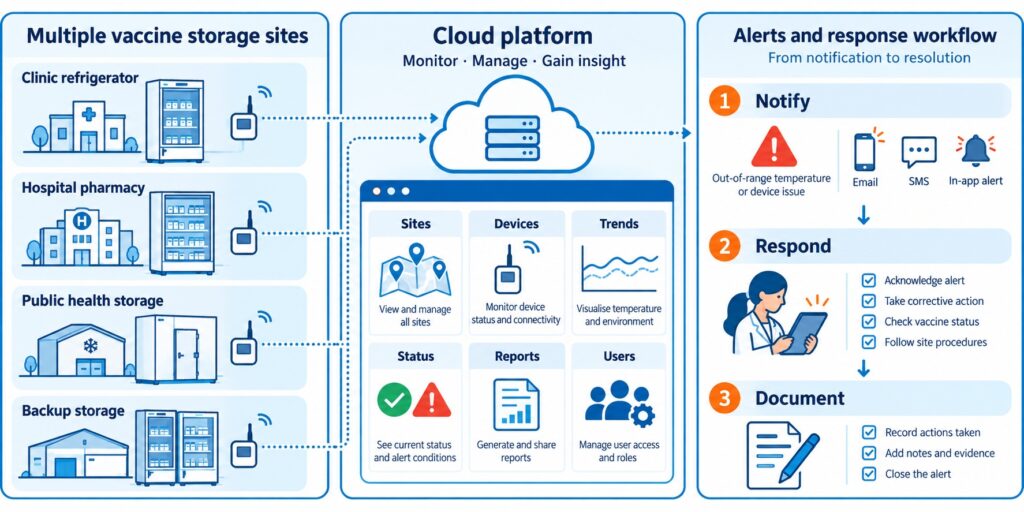
The WS1 device supports one external temperature sensor for external temperature monitoring.
This is due to the fact that it has only one Micro USB port.
To power it with the USB cable at the same time, you can connect a USB splitter.
When it comes to the External Temperature Sensor, it is waterproof and designed to operate in extreme conditions, such as temperatures between -55ºC to 125ºC.

The Micro USB connector is compatible with every monitoring device in the UbiBot lineup of products, such as the WS1 and WS1 Pro.
The sensor is made from high-quality stainless steel, ensuring that it will not rust under any condition.
The different cable lengths are designed to offer a high level of flexibility, and the connector allows you to deploy the sensor within seconds.
The flat cable is unshielded.
How the UbiBot IoT Platform Works
Through the UbiBot IoT Platform, you can set alerts by emails, which includes 200 free emails per device, per month, or through different methods such as phone voice alerts or through SMS messages.
You can also download complete Spreadsheets that go in-depth into a summary of the temperature throughout a specific time-interval, and you can connect it to IFTTT.
You can also set specific times when you do not want to receive any notifications, such as at night, and you can add multiple channels through which you can receive alerts at any given time, such as in-app notifications alongside SMS messages.
This way, you will be informed about any changes that might occur even if you are not connected to a network from your mobile device and it will give you an added level of peace of mind.
The UbiBot platform also allows for shared alerts, which means that you can share your device with another person when you choose to add them, and they can view the data as well as see alerts just as you would, which is convenient if you are traveling and leave your pool to be managed by a relative or neighbor.
The UbiBot line of products are excellent for monitoring the temperature and humidity level of just about any environment, as they offer products which can withstand harsh conditions such as water or sand, and they offer sensors which can get into any liquid and give you accurate readouts based on your specific needs.
This allows you to always be informed about exactly what is happening in the environment you place the sensor or sensor in and as a result you will have a higher level of awareness and as a result, the performance of those specific locations and things that you are managing within them.
Error 1412 – Invalid activation code
When it prompts up "Error 1412 - Invalid activation code" after you scan the serial number of the device, please contact our support team by creating a ticket in the app. Please see the screenshot below as reference. You can also contact us by our email:
[email protected].
Our technical support team can figure out this issue as soon as they are available.
Your understanding and patience are highly appreciated.
It’s Time for You to Protect Your Home Using a Motion Sensor
Imagine leaving your home or apartment unattended and leaving for a vacation.
Amazing, right? Maybe leave the light on, maybe let the TV run, and do not let it turn off on its own to give the illusion that you are at home the entire time.
Maybe that will give you some level of peace of mind while you are out there strolling and traveling to different countries.
However, what if that was not enough?
When you are not at home, you are never quite sure what is happening, and even if you add a camera, each camera has its blind spots.
These blind spots are spots that the camera does not cover with its field of vision.
Another step you can take to avoid potential theft or burglars within your home is through a motion sensor.
The UbiBot MS1/MS1P

The
UbiBot MS1 / MS1P is a sensitive motion perception device.
UbiBot as a company strives to bring monitoring and alerts to the users of all of their devices, and as such have developed a device that senses motion.
In the search for perfection, the Motion Sensor MS1 / MS1P supports WiFi and RJ45 Ethernet cable connection, ensuring that the connection drops are almost non-existent, or better put, if your Internet Service Provider is stable, so will the motion sensor.
When you install it in a place with a wide field of view, the motion sensor can accurately sense any slight movement made by either people or animals.
When someone moves, a movement log is generated, and this log is recorded on the IoT cloud platform of UbiBot that allows you to download it anytime and anywhere.
The UbiBot MS1 / MS1P Can:
- Monitor even the slightest movements of humans or animals.
- Connect to the Internet of Things cloud platforms where it can store the data logs.
- Export data remotely anytime, anywhere.
The Data Transmission
A Power over Ethernet connection also known as a POE network ensures easy deployment, stability, and real-time updates. Additional POE splitter is needed for the device.
The device supports 220V power supply or USB and has multiple ways of communicating, which can reduce the requirements of wiring.
It offers multiple alert modes that are widely used within the security field as a whole such as platform-based alert rules, real-time alerts, a wide variety of alarm modes and options, device online and offline notifications.
Specifications

When it comes to the specifications of the UbiBot MS1 / MS1P, its dimensions are 80x80x48mm, it features a detection distance of up to 12 meters, it has a detection angle of vertical 40 degrees and horizontal 105 degrees while requiring a power supply in the form of a Micro USB, POE power supply or AC power supply.
The operating temperature is from 0℃ to 50℃ and it can connect through a 2.4 GHz WiFi or RJ45 Ethernet connection.
It supports all devices running Android 8.1 or above and all iOS devices running iOS 11 or above.
When it comes to the installation process, it can be placed directly in the required monitoring area or it can be glued on the smooth wall surface with double-sided adhesive.
You can also hang it on the wall with screws if that is more convenient for you.
The surface of the product is in a matte warm white color and it can blend easily with the surrounding environment as it is not intended to stand out but blend in.
Connectivity

Once the device senses motion, it generates a log.
Later on, that generated log is transferred through a WiFi 2.4 GHz connection or through an RJ45 Ethernet Cable to the UbiBot IoT platform, after which that data is transferred to the UbiBot application which you can easily access through a variety of different devices such as a phone or tablet through the official application or through a desktop computer or laptop through a web browser, making it extremely convenient.
The role of a motion sensor in a home security system is to sense an intruder and send an alert to you as soon as possible.
Sensors work when you are not at home, or when you tell the system you are not there.
The best placement of a motion sensor is in a corner of a room that has a good viewpoint of your entryways and can easily detect any changes in the room.
A motion sensor can be used both at home and at any business, and they can be found on phones, paper towel dispensers, game consoles, and virtual reality systems, so chances are you have probably experienced a motion sensor somewhere so far and are aware of how exactly they work.
Motion sensors are like flashlights which send out a beam of light, but with motion-detecting infrared energy waves instead of light waves.
When you get closer to the device, the infrared radiation becomes denser the nearer to the device you go and it spreads out the further of the device you get.
By adding a motion-sensing device to your home, you are increasing the level of security at an unexpected level to any potential intruder.
As many potential intruders expect a camera, they usually seek it out and look for spots that the camera does not see, so by strategically placing the motion sensor in places where the camera does not see, you are covering those spots with an added layer of protection and catching the burglars off-guard.

Once the motion detection tool detects someone, it can trigger a chain of events.
This can specifically happen when it is integrated with IFTTT.
This includes features such as a sound, music, lights and so on to freak out the intruders or burglars and makes them run away while stealing nothing in the process, while also alerting you from a distance so you can stop your daily or nightly commute and rush back to your home to check if everything is okay.
Alternatively, you can also call the police for a little bit of backup if things turn sour quickly, but at the end of the day, you will have peace of mind knowing that you are protected.
Be Aware of the Extreme Humidity of Your Garage Before Damage Occurs
Before we begin anything, it is important that you understand exactly what humidity is.
Humidity is the concentration of water vapor present within the air.
Water vapor is the gaseous state of water and is invisible to the human eye. Humidity indicates the likelihood for precipitation, dew or fog that can be present within a given area.
Now, during rainy seasons, or sudden shifts in temperature, humidity can occur within your garage.
As many of us store a lot of things within our garages, chances are that some of them, especially electronic things, can be damaged in a very serious way, up to a point of completely breaking, and as such, we need to make sure that the humidity level is controlled, or at least that we are always aware of what is happening in our garage and what level of humidity we can expect throughout any specific season.
By taking good care of everything, we can lead to expanded lifespans of each and every product we store within our storage units known as garages, from electronics all the way to mechanical things that help us in our everyday life.
A lot of us love to work with tools as-well, and humidity can also damage electronic tools that rely on a stable weather to operate.
The impact of hot weather
In summer, garage doors are especially prone to failure due to the high level of humidity.
Wooden garage doors can absorb a lot of moisture during humid weather, and this excess of moisture can cause wood to swell, and in turn your garage door will be at risk of cracking or splitting in half.
You also gain the added risk of accelerated rotting due to the high level of humidity.
Keep in mind, your garage door is probably not the only wooden thing you keep in there.
You may have a shovel, a mop, other things you use to take care of your home and backyard for example, that all have some wooden part about them.
Now, how exactly can you stop this from happening, and does a device out there exist which is specifically designed to help you save a lot of money in repairs within the long-term?
The UbiBot Devices to the Rescue
UbiBot features a revolutionary line of devices that can truly help you monitor the level of humidity you have in your garage from wherever you are.
Best of all, you do not need to worry about anything, as it is all connected through the UbiBot IoT platform.
What are the devices and how exactly do they work?
Some of the most commonly bought UbiBot devices include:
The UbiBot WS1
This is a device capable of monitoring the temperature and humidity of your garage as well as give you insight into other conditions throughout your entire home.
It connects flawlessly to the UbiBot smartphone and web application and allows you to monitor the activity within the room at any time, from anywhere.
The UbiBot WS1 Pro
Another variant of the WS1, the Pro name comes from the fact that it features a large LCD screen which allows you to view each statistic at a glance, so you can check up on the level of humidity, weather and other stats before leaving the garage just to make sure that everything is in prime conditions for that added peace of mind before going out on a trip.
It allows for both WiFi and mobile data connectivity which makes it easily accessible from anywhere.
The UbiBot GS1
What makes the GS1 special is the fact that it is industrial-grade.
This means that it is:
Because of this, it can run in harsh environments, and will not break easily.
This is perfect for companies or people who live a more robust lifestyle and want something that can handle the pressure.
As mentioned previously, all of this is connected through the IoT platform by UbiBot.
The Services
Let us start off by taking the alerts out of the way.
You can be alerted through several ways
App Alerts – completely free notifications to your phone of tablets.
Email Alerts – up to 200 free alerts per device per month, after which you will be charged 3 credits per 1000 emails.
SMS Alerts – these cost an average of 0.02 credits per SMS(fees vary in different regions)
Call Alerts – these cost an average of 0.03 credits per SMS(fees vary in different regions)
You also have Google Drive functionality through Google Spreadsheets where you can receive data security and data integrity of the raw data and real-time sync you receive across all of the devices to your designated account.
You can also connect everything to a Google Home and get temperature and other data with your voice as well as control a series of actions, like turning on or off the heating and air conditioning of a room.
Last but not least, you can even connect it with Alexa, giving you access to the readings through your voice commands.
When it comes to data sharing, you can share access to the monitoring and statistics from these devices to any family member, friend or colleague who you think would help you out in a pinch if you are too far away from your garage to handle things manually.
You can also set up shared alerts with another person who you choose to add.
The UbiBot app gives you a single ecosystem to manage data sharing and view who previously had access to all of the data, ensuring that everything is monitored and up to standard.
Keeping your garage in prime condition will lead to a longer life span for both the doors, hinges, mechanisms that make everything work, windows, and most importantly, the things within the garage itself, so making sure that you have constant access to the information about the level of humidity within the room can ensure that you can take the right action at the right time and get the desired outcome where you end up saving everything.
About Humidex
What is Humidex?
Humidex is an index to indicate how hot or humid the weather feels to the average person. It is derived by combining temperature and humidity values into one number to reflect the perceived temperature. For example, a humidex of 40 means that the sensation of heat when the temperature is 30 degrees and the air is humid feels more or less the same as when the temperature is 40 degrees and the air is dry. Hourly Humidex values are only displayed when the air temperature is 20C or greater and the humidex value is at least 1 degree greater than the air temperature.
The current formula for determining the humidex was developed by J. M. Masterton and F. A. Richardson of Canada's Atmospheric Environment Service in 1979. Humidex differs from the
heat index used in the United States in being derived from the
dew point rather than the
relative humidity, though both dew point and relative humidity (when used in conjunction with air temperature) are directly related to atmospheric moisture.
What is the formula of Humidex?
When the
temperature is 30 °C (86 °F) and the
dew point is 15 °C (59 °F), the humidex is 34. If the temperature remains 30 °C and the dew point rises to 25 °C (77 °F), the humidex rises to 42. The humidex is higher than the U.S. heat index at equal temperature and relative humidity.
The humidex formula is as follows:

where
- H denotes the Humidex
- Tair is the air temperature in °C
- Tdew is the dewpoint temperature in °C
- e = 2.71828
5417.7530 is a rounded constant based on the molecular weight of water,
latent heat of evaporation, and the
universal gas constant. The humidity adjustment approximately amounts to one Fahrenheit degree for every millibar by which the
partial pressure of water in the atmosphere exceeds 10 millibars (10 hPa).
At the time the humidex was originally developed in 1965, Canada was still on the
Fahrenheit scale, and thus the humidex was originally based on that. The 1979 reformulation, which added the 5⁄9 factor, was largely to address
metrication in Canada as the country switched to the Celsius scale.
Humidex Feature Is Available Now!
A Humidex is short for humidity index and is a value that is calculated, not measured.
It originates back from 1965 and it describes how hot or humid weather feels to a human being.
It combines temperature and dew points into one computed value, the higher the dewpoint, the more moisture there is in the air.
The Humidex formula goes as followed: humidex = (air temperature in Celsius) + h. h = (0.5555)*(e — 10.0)
The difference between humidity and humidex is that humidity is the dampness in the air, while humidex is a measurement used to reflect the combined effect of heat and humidity to determine the temperature felt by a person.
Levels of Humidity
Humidity which is above 50% is typically considered to be too high while humidity below 30% is considered to be too low.
The ideal range of relative humidity for a home is between 30% and 50% according to the EPA.
If the air within a room is 100 percent relative humidity, the sweat of our bodies will not evaporate into the air.
If the relative humidity is low however, we can feel cool due to the fact that the sweat evaporates easily and cools us off.
It is impossible to hit a humidity level of zero percent due to the way Earth's climate and weather conditions work. Water vapor is always present within our air, even if only in minute quantities.
How Do You Measure Humidex?
The
UbiBot line of products features sensors that can measure the temperature and the level of humidity within a room. You are able to set alert rules for the Humidex readings. And, the readings can be displayed in both Fahrenheit and Celsius degree. Currently, it's available on the Ubibot web console:
console.ubibot.com.
The UbiBot line of products is also connected through its IoT platform that allows them to communicate with one another, and as such, they can measure the level of humidex within a given room, giving you insight if you can handle the heat at the moment.
This is especially useful for business owners that have enormous warehouses filled with workers who want to perform well and excel at their jobs, and making sure that the temperature and humidity are ideal for their work environment is a must.
What Products Can Get the Job Done
Many UbiBot devices can continuously monitor the temperature and humidity within a room, but today we will be looking at the UbiBot WS1, the UbiBot WS1 Pro, and the UbiBot GS1.
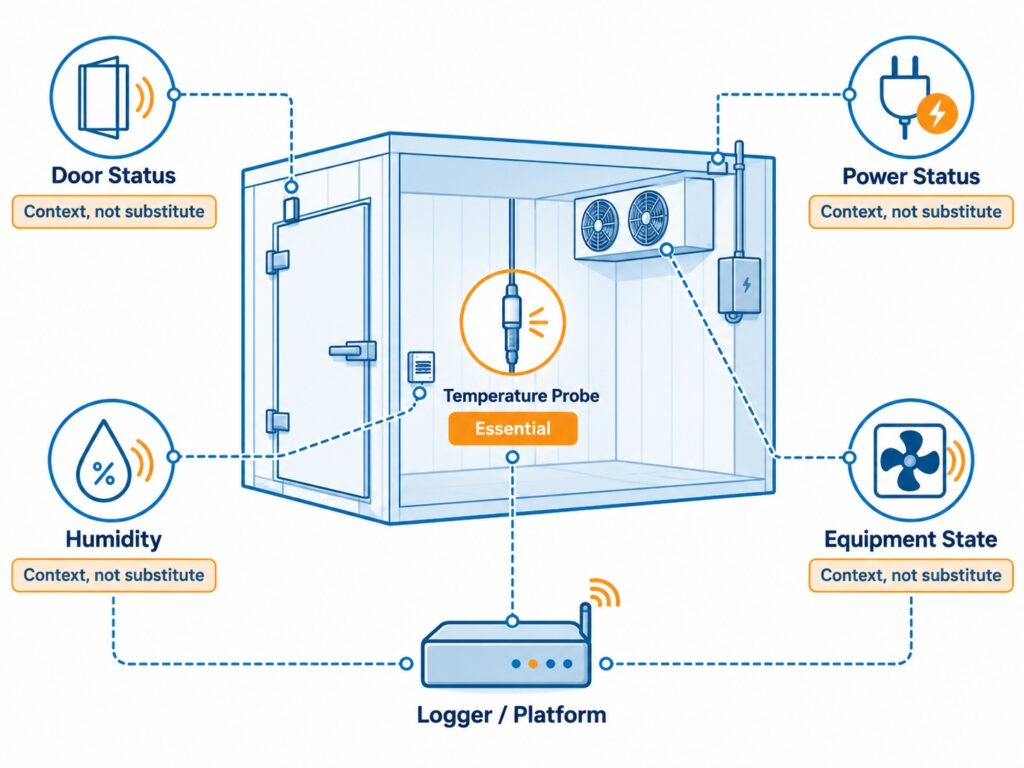
What makes each of these devices special and what exactly makes them unique?
The
UbiBot WS1 device is the standard one, coming with excellent sensors for both temperature and humidity, which can give you amazing insights into the conditions in your home, office, or factory and successfully calculate the humidex within the room.
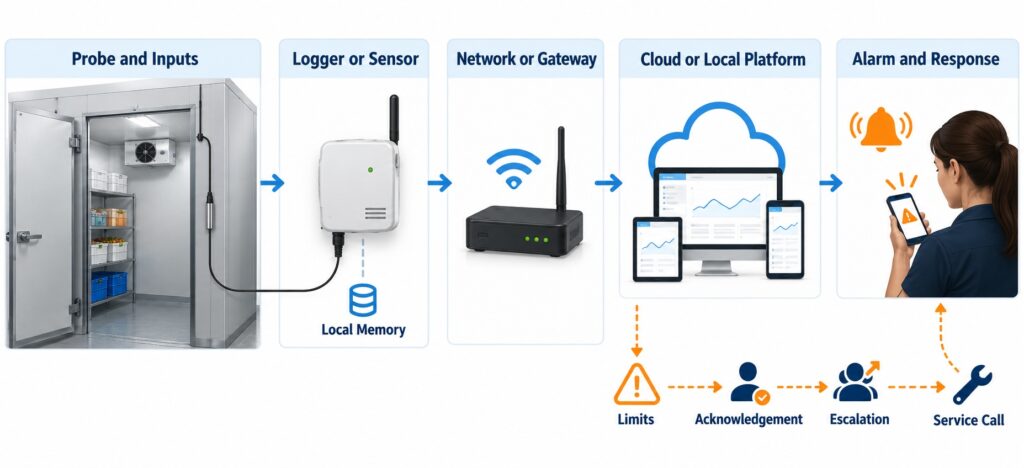
The
UbiBot WS1 Pro is a more advanced version of the previous product but with an added large LCD screen and Mobile connectivity alongside the WiFi connectivity, making it an overall better device as you can clearly see everything at a glance even before loading up the UbiBot application.
The
UbiBot GS1 is a mix of the two, but with an added benefit of being waterproof and dust resistant.
This means that it should be able to withstand the harsher environment and is suitable for places where it might take a lot of beating.
All of this is connected through the UbiBot IoT Platform, which can be easily accessed from both a static desktop computer or a laptop through a web browser, or through any mobile device from its official application, where you can receive alerts and set up different activities to trigger when a certain temperature or level of humidity is measured.
Explaining the Platform Services
To put it into perspective, the devices work like this:
The UbiBot smart Device features a perfect sensor in one tiny device, once these measurements are made, they are synced to the Ubibot IoT platform, and the information and analysis generated here are eventually transferred to you.
The way at which you receive this information is up to you, but you can be alerted through four methods.
- The first and most preferable method is through App Notifications as these are completely free and can be easily recognized.
- The second method is through which you can receive notifications is through email, as you can receive up to 200 free email alerts per device, or you are charged 3 credits per extra 1000 emails.
- The third method is through SMS, where you are charged 0.02 credits per SMS(fees vary in different regions).
- The fourth method is through a Call, where you are charged 0.03 credits per call(fees vary in different regions).
Of course, this is not where the beauty of the IoT platform stops.
You can also use IFTTT to configure millions of different IFTTT events such as turning on the hue light when UbiBot senses that the light is becoming low and other such events.
It also integrates efficiently with a platform from a company you might have heard of known as Google.
You can connect to Google Drive, more specifically, the Spreadsheets platform, where raw data is generated and transferred to you with real-time sync.
You also get the added benefit of a high level of data security and data integrity, which makes it appealing.
It also integrates exceptionally well with both Google Home and Alexa, where you can give voice commands to the devices to receive some kind of notification or trigger a set of events that were preconfigured.
You Are Never Alone
Possibly one of the best features of all of this is the fact that all of this information can be shared with a person you give access too.
This means that, if you are a business owner, and want a manager to go over the level of humidex within the company, he can easily gain access to all of the statistics and analysis which is made on a daily basis and configure things accordingly.
The data sharing function allows for around the clock monitoring, real-time observation, shared alerts and can be managed within the UbiBot application itself.
This allows for a high level of flexibility and freedom within the work you want to do with this device and will not let everything fall on your shoulders, but can be shared with teammates, colleagues or friends.
Protect Your Animals from Dog Days
With summer being as hot as ever, we can expect dangerous weather conditions throughout the entire world.
As a pet owner, one must recognize that dogs, and even cats, can suffer from heat-related issues that are also affecting us as human beings.
This implies that animals can over-heat, dehydrate and receive sunburns.
So how do you notice if your pet is over-heating?
In most cases, you will notice that your animal has slowed down or stopped all movement in order to take in the heat.
You might also notice more subtle things such as excessive panting, drooling or confusion. Always make sure to pay attention to how your specific pet acts and how they react to different situations.
Dog days or dog days of summer are the hot days you can expect during the season of summer.
This means that each and every pet can receive some sort of side effect on their health due to the excessive heat.
Keeping Your Pet Safe
In order to keep your pet as safe as possible during this season, there are certain things you need to do and consider, and taking as much care of our loved ones as possible can lead to an extended and healthier life, so make sure to pay close attention.
Never leave your pet alone in any vehicle, even with the windows down or the AC turned on.
Make sure that your pet always has access to fresh and cool water as well as a place out of direct sunlight that will help them avoid a potential heat stroke.
Never leave your pet outside for too long, and avoid times where the temperature is simply too high for them to handle.
Taking Action at Home
Imagine a situation where you are having an enjoyable day at home, and the heat does not bother you as a person, so you just sit down on your couch and start enjoying a football game or whatever you are into.
Suddenly, at the corner of your eye you start to notice that your pet is slowly losing consciousness and fainting. You quickly get up to treat it and reserve a slot to the nearest veterinarian to see what is happening, only to find out that that pet has gotten a heat stroke and as a result, has fainted.
So how do you avoid a situation like this one?
Well, this is where
UbiBot can change things and improve the life for you as well as the pet for the better.
The UbiBot Line of Devices
UbiBot is a line of products centered and specializing in Wireless Environmental Sensors and Sensors.
These are, put simply, devices that you can attach to any room or piece of furniture that can monitor certain levels in the room.
They can measure temperature, humidity, light and much more.
There are many UbiBot devices, but for the time being we will be discussing:
- The UbiBot WS1– A WiFi enabled device which continually monitors the temperature and humidity of a room. The Ws1 gives you insight into the conditions within your home where your animal might be staying while you are outside.
- The UbiBot WS1 Pro– A more advanced version of the WS1 which features a large LCD display and can be connected to through both WiFi and Mobile connectivity which will allow you to monitor everything from anywhere in the world.
- The UbiBot GS1– An industrial-grade version that is specifically designed for harsher environments and features waterproofing and dustproofing features which can ensure stable runtimes and reliable measurements just about anywhere.
How It Is All Connected
You may now be asking yourself; this sounds amazing, these devices will surely let me know if my animal has the right conditions and if he is at risk of getting a heat-stroke, but how are these devices connected to my phone, and what other features do they have?
Well, all of this is made possible by the UbiBot IoT Platform which can be accessed from any device through the smartphone application or through a web browser.
It automates data storage and analysis and even allows you to set real-time alerts.
When it comes to the platform services you will gain access to, you can connect through the following methods:
Email – through this method, you can set up an alert by email and receive up to 200 free alert emails per device per month, which refreshes on a monthly basis.
IFTTT – this gives you access to an array of possibilities when monitoring any environment as you can trigger million of different IFTTT events that are a result of certain changes in the temperature or environment as a whole, giving you a lot of flexibility.
SMS – through this method you can receive alerts by SMS, assuming you are not connected to an online connection through a mobile network or WiFi, think of this as a fail-safe when you really need to be informed. The Fee of this service is 0.02 credits per SMS (The fees vary in different regions).
Call – similar as the SMS, except here you are alerted through a voice call instead of an SMS and it costs 0.03 credits per call (The fees vary in different regions).
A great way to manage and generate your tables with constant syncing of real data and real-time data security and integrity is through Google Spreadsheets.
This service allows you to gain access to different Spreadsheets that work within the Google Drive platform, which in turn allows you to analyze, store and monitor your data through servers which are protected and monitored by a large company such as Google, ensuring that you have the maximum level of support at any time.
With all of this said and done, the best way to take care of your pet is to know exactly in what kind of living conditions they are resting it at all times, even when you are outside, and through the UbiBot line of devices, you can make sure to always be in the loop of what your pet is exposed to, especially during the hot summer dog days.
Soil Temperature and Humidity Determines the Grow of Your Plant
Soil temperature affects the growth of plants in an indirect way by affecting water and nutrient uptake as well as the growth of the root.
At a constant moisture content, a decrease in temperature can result in a decrease in water and nutrient uptake.
At lower temperatures, transport from the root to the shoot is reduced.
Water helps a plant by transporting important nutrients through the plant itself.
These nutrients are drawn from the soil and used by the plant for growth and without enough water within the cells, the plants droop, so the water helps a plant to stand. The water carries the dissolved sugar and other nutrient through the plant.
The Solution
The
Ubibot RS485 Soil Temperature and Moisture Sensor, Waterproof Soil Sensor, Garden Soil Temperature Humidity Monitor, Stainless Steel Soil Tester connects through USB to our WS1Pro and GS1-AETH1RS, GS1-AL4G1RS devices.
The ideal temperature range for indoor plant growth is between 70 degrees F to 80 degrees F per day and 65 degrees F to 70 degrees F at night.
Soil moisture associated with variations of air humidity can affect the soil susceptibility to wind erosion.
It has been shown that air-dry soils decrease as humidity increases.
Warmer temperatures increase respiration and as such, reduce the growth.
The appropriate temperature can help a plant maintain its growth process at an optimum level.
The right range of temperature can affect the transpiration and help plants maintain their water content.
The Features
The Ubibot RS485 is a waterproof soil temperature moisture sensor with a monitoring range of -40 to 85 C, +/-0.5 C; 0 to 100%RH.
The sensor is made out of stainless steel and is easy to plug into soil and easy to clean due to the fact that it is rust-resistance.
It connects through a USB connector and is easy to deploy with 3 meters lead which is appropriate for use in an outdoor environment while keeping the main device indoors.
Once the Ubibot RS485 gathers data, it can be viewed on the WS1Pro and GS1-AETH1RS, GS1-AL4G1RS device screens as well as on the application or web console remotely.
There are also available alerts for all of the readings gathered by this device and can be switched in the platform between absolute humidity and relative humidity.
This sensor is embedded with an industrial-grade chip and offers accurate measurement. The stainless-steel sensor can be inserted into any soil for a long period of time without it being corroded.
It features a durable cable which ensures stable data transmission at any time.
In order to use it, dig a hole at over 20 cm in diameter on the ground or soil within your use case.
Insert the steel sensor into the point in a horizonal direction.
Finally, berry the sensor with soil and you can have your data transmitted instantly.
In order to connect to the device, simply use the USB port, then go to Settings and enable the RS485 S button.
Finally, press the power button once to trigger data sync. You will see the temperature data as EXT2 at the bottom right corner of the screen.
Each of the soil sensors have been calculated within a specific factory and include data points which are conducted by placing the sensor in the air to reach the minimum of 0% and pure water to reach the maximum of 100%.
When it comes to the wettest soil, the reading is expected to be at 30% AH depending on the soil type.
UbiBot devices are tailor made to work in Industry, Agriculture, Pharmacy and in Homes.
The devices monitor data and transfer it to you through Wi-Fi, 2G, 3G, 4G, Ethernet cable methods.
Once the data gets to the UbiBot IoT Platform, you can view it from any phone, tablet or PC through either the official application or through the web browser.
They work through multiple platform services, which can alert you through app notifications, emails that you get 200 free email alerts per device, SMS that costs 0.02 credits per SMS and through Voice Calls that cost 0.03 credits per call.
Many features can also be automatized and implemented through IFTTT and can allow for your smart devices to talk to one another.
You can also activate things through voice commands by using Google Home and Alexa, with which all UbiBot devices can communicate with.
When it comes to the data sharing functions available with each UbiBot device, you also gain around the clock monitoring where you can share your devices with colleagues, friends or family members interested in your profession or hobby.
You can also view real-time observations and use the app to view real-time conditions while you choose exactly who to share them with.
Shared Alerts are also an option when you want another person to be aware of exactly what is happening to the soil and at what temperature and humidity it is.
You can set everything up manually and know exactly who is aware of what is happening to the soil at any given time.
The UbiBot application also gives you a single place to manage data sharing and gives you a view of who previously had access to the data, so you can manage everything more efficiently.
All of this makes the UbiBot line of devices and their extensions a must have for anyone looking to monitor their soil and have a deeper understanding on what exactly is happening to their plants and as such can bring your knowledge and plants to a whole new level of growth and efficiency.
By taking the added step of letting hardware do the heavy lifting for you, you can use the extra time to gain a bigger and more in-depth understanding on everything soil related instead of constantly having to manually monitor its temperature and humidity,
With that out of the way, make sure to try out the Ubibot RS485 for yourself.
Growing conditions at home do change in several subtle ways during the colder, darker months of the year, but while most of us are well-equipped to handle the change – the combination of cold air, lower temperatures, and shorter days can make it difficult for plants to thrive. We would like to share a vital resource with you: Houseplants 101: The Ultimate Guide to Healthy Indoor Plants
According to Terrarium Tribe, 59% of plant buyers say that houseplants are important to their health and wellness, and caring for them brings a sense of happiness and peace into our lives. This article will cover which plants are most common to thrive through cold weather, and also it will list great tips for general care and maintenance during fall and winter.
How to Monitor the Temperature in Refrigerated Vehicles Using a Wireless Temperature Sensor?
Refrigerated vehicles are an amazing way of transporting frozen goods and services across any geographical region.
As such, these vehicles need to be capable of withstanding the sunrays when driven daily and maintain a certain level of cold temperature in order to not ruin the goods inside.
A lot of frozen goods require the vehicle to maintain a certain level of cold, as such, this level needs to be constantly monitored and maintained at that low-level temperature.
Many of them feature thermometers, however, you are not aware of the temperature within the vehicle until you manually open the doors and view the thermometer yourself.
As such, hours or even days can pass before you check if the temperature is still correct, and you might end up ruining some of the hard-earned and maintained goods that are stored in vehicles from this kind.
The Problem
When it comes to the issues that need to be resolved with transporting refrigerating systems like these vehicles, it all boils down to being informed about the temperatures within them.
You need to consistently be aware of them, and so does the driver.
This means that you need a system, which monitors the temperatures of all time, a device that will work even while offline, and a device that can keep everything in sync with both you and the driver handling the vehicle during its transportation phase.
This means that there are three points that need to be covered.
- Device availability
- Transfer of information in real-time
- Delivery of said information to multiple people
So what device out there is designed to specifically fill these needs?
There is a device known as
Ubibot which is specifically made to fill this void in the market and will be your future solution.
The Solution
Ubibot offers a variety of features that make it stand out as the ultimate tool for the job of monitoring the temperature in refrigerated vehicles.
As it is a wireless temperature sensor, you are constantly receiving the latest updates related to temperature.
However, the
Ubibot devices are not just limited to temperature, you also have access to temperature, humidity, light, and much, much more which all syncs in real-time using WiFi, mobile data, or RJ45 Ethernet connection, through an IoT cloud platform that offers 24/7 intelligent monitoring.
It covers industries such as agriculture, home, industry, and pharmacy.
The Ubibot smart devices use a revolutionary way that monitors environmental conditions where they matter.
The sensors synchronize with the Ubibot IoT platform through a WiFi connection where you can access your data from anywhere through the smartphone application or simply through any device from the web browser.
Your phone can connect online through WiFi, 2G, 3G, 4G, Zigbee, UWB/NB-IoT, and through this connection, you can monitor your whole environment remotely, without having to physically be located at the location of the device.
There are multiple models of the Ubibot, such as the WS1, the WS1 Pro, The GS1, and the IoT platform which all work in conjunction with one another.
How Ubibot Excels
When it comes to the selection of platforms you have at your disposal when using Ubibot, you have access to:
- Email — 200 free emails per month, 3 credits per thousand emails
- IFTTT — trigger millions of different IFTTT events such as turning the hue light when light falls below 40 lux
- SMS — 0.02 credit per SMS
- Call — Alert by voice call, 0.03 credit per call
- Spreadsheets — With Auto-syncing to Google Sheets as a service, this service costs 1 USD per month, note that Spreadsheets is used for detailed reports, not alerts.
UbiHTTP — HTTP interaction services known as UbiHTTP allow the communication between devices, websites, and web services without implementing any protocols at the device level.
Google Home — by connecting the Ubibot to Google Home, you can receive updates about the temperature and other data with your voice and let it control a series of actions, such as turning on or off heating and air conditioning automatically
Alexa — Ubibot features a smart home function that can interact with any voice devices such as Alexa, where you can set up routines to use readings from Ubibot temperature sensors as conditions which can perform any series of actions such as turning on or off air conditioning or heating
You also have features through the platform-based Ubibot app such as:
- Advanced Alerts — allows you to select when to not be disturbed
- Multiple Channels — allow you to receive notifications through different channels
- Virtual Guardian — an alert service which monitors devices remotely
- 7/24 Monitoring — allows devices to record data even when offline
By far the most suitable device for the refrigerated vehicles is the
GS1-PL4G1RS. It is integrated with an external BD GPS Active Antenna, which provides real-time positioning function. It supports both wifi and mobile data transmission. With it, no matter where the truck goes, data can be updated via the 2G/3G/4G signal. And you can know it's travel trace.
One of the most useful features for the refrigerated vehicles is the data sharing options.
This means that, if you are a business owner which employs multiple drivers to drive multiple refrigerated vehicles to their destination, you can assign each one of the information about the Ubibot device within each vehicle.
So you would have access to the information in vehicles:
- Vehicle 1
- Vehicle 2
- Vehicle 3
- You and driver 1 will have access to the data in vehicle 1
- You and driver 2 will have access to the data in vehicle 2
- You and driver 3 will have access to the data in vehicle 3
This makes it a perfect method to ensure that everyone is informed about everything and that each driver knows exactly at which temperature their device is functioning, so if they need to take action they can instantly do so.
You gain knowledge about this as well and can monitor which driver takes the right precautions to ensure that everything is delivered efficiently and effectively, and can instantly make all of the arrangements when anything starts to go wrong even before the driver calls you to inform you that such an occurrence has happened during his shift.
There are a lot more use-cases when it comes to the Ubibot devices, this was just one example of how effective it can be and it can bring your monitoring to the next level.
Here Are Two Key Points That You Should Know About Growing Edible Fungus
Before we begin about the key points, first we need to understand exactly which fungus is edible.
What is an edible fungus?
Edible mushrooms are these fleshy and eatable fruits which consist of several species of macrofungi that have fruiting structures that are large enough to a point that they can be seen with a naked eye and these edible mushrooms include many fungal species that are either harvested while or cultivated.
There are more than 200 genera of macrofungi that contain species of use to people and feature edible properties.
Yeast is single-celled fungi, they are related to the other fungi that people are more familiar with such as edible mushrooms available at the supermarket.
There is also the common baker yeast which is used to leaven bread, molts that ripen the blue cheese and models that produce antibiotics for medical and veterinary use across the world.
Edible mushrooms are ones with gills that are brown or tan, while some mushroom white gills are edible, the most deadly and poisonous one, the Amanitas, almost always features white gills.
Mushrooms without a red cap on the stem should be selected.
Always try to pick mushrooms with white, tan, or brown caps and stems.
How do fungi feed?
Fungi are dependent on both dead and living material for their growth.
They obtain nutrients in three ways:
- SARPROBIC — growing on dead organic matter
- SYMBIOTIC — growing in association with other organisms
- PATHOGENIC or PARASITIC — by causing harm to another organism
How to Grow Your Own
Mushrooms grow from spores, or the mushroom spawns.
They need organic substances to grow and there are a number of different ones that are suitable such as mushroom compost, horse manure, and straw.
When it comes to the different mushroom varieties, there are mushroom spawn, pre-spawned plugs and dowels, and mushroom growing kits.
You can grow white button, chestnut, brown cap or Portobello, shitake, oyster, yellow oyster mushrooms.
How Do You Take Care of the Mushrooms
You can grow mushrooms indoors for the best effect.
They grow best at an even temperature of about 15 C, and they do not grow well below 10 C or above 20 C.
When it comes to harvesting, mushrooms are usually ready to harvest when the cap shape is perfectly formed.
You can harvest them with a cutting knife, or by grabbing the mushroom at the base and twisting it in a counterclockwise motion.
How Ubibot Devices Help
By implementing an
Ubibot device into your growing platform, the most advanced solution that allows you to protect what you truly care about, you can constantly monitor the temperature at which your fungus grows.
As mushrooms grow best at a temperature of 15 C, you need to ensure that the temperature is consistently at that level, and if any changes in the temperature occur, you need to always be informed and react accordingly.
The UbiBot network of devices is connected through the IoT platform which allows them, when a well-established connection to the internet is secured through a WiFi network, to constantly and consistently stream and sync information to any of your
devices.
This way, you are always informed of exactly what the temperature is like at any of your growing locations where you have placed a UbiBot device.
As such, you can constantly be aware if your fungi are growing at the right temperature even if you are not physically at your home or growing site as a whole at any given moment.
But let's say you have a scenario where you have to leave the city, country, or simply go on vacation, but still want someone to be able to correctly manage and monitor the crops, do you need to give them your device or WiFi password?
The answer is no, through this application you can share just the information you want to any person you trust, without giving them access to your personal device or network.
This way they can constantly keep track of the temperature on your crops no matter where you are in the world.
The Available Ubibot Devices
The UbiBot
WS1 has access to temperature monitors, humidity monitors, and much more.
The UbiBot
WS1 Pro which features a large LCD screen and can use both mobile data and WiFi to connect to the internet.
The UbiBot
GS1 which is an industrial-grade device designed for harsher environments and can withstand water and dust-filled environment.
All of this is connected through the Ubibot IoT platform through which all of the vices can talk to each other and stream all of the information to your application which can be accessed anywhere.
The platform can talk to a lot of services which communicate between one another such as:
- Email
- IFTTT
- SMS
- CALL
- Spreadsheets
- UbiHTTP
- Google Home
- Alexa
You can receive alerts through email, SMS or Call, while Spreadsheets can generate and sync detailed reports, and Google Home and Alexa can be used to check the current temperature through voice commands.
This allows the service to have multiple ways of giving you control over it, and multiple ways for it to speak to you as well through notifications and alerts across multiple ways.
It features perfect sensors in a tiny device that connect to the Ubibot IoT platform and eventually sends all of the data to you with the service of your choosing.
All of them differ in the way the information is shown but ultimately serve the same function.
You also gain access to:
- Advanced Alert options
- Multiple Channels
- A Virtual Guardian
- Online Monitoring
As well as data sharing in the form of:
- Around the Clock Monitoring
- Real-time Observations
- Shared Alerts
- Managed Data in One place
With all of this in mind, the Ubibot family of devices, alongside its own ecosystem of software and different implementation for alerts and programming, you can always expect the best performance out of these devices.
It offers a really capable and consistent management system that constantly ensures that you are informed about everything happening at your crops at any given time of the day or night.
As such, it is a highly flexible and adaptable system that should fill the needs for just about anyone.
Remote Light Strength Monitoring With Ubibot Multi-Sensor Device
Light can be an important factor in the growth of both plans and exotic animals.
As such, it can play a huge role in their development and sustainability.
Many reptiles are cold-blooded animals that require light to warm them up, while many plants rely on the sun to give them the proper tools to grow.
This varies from animal to animal, and from a plant to a plant.
Some plants might need more light than others, and as such, you would need a system that schedules the lighting, as well as monitors its strength.
The differences vary between each industry and use case-scenario, but chances are, that if you are looking at this product, you know exactly what you need it for, so it is time now to learn why you need this specific product in your life.
You see, we usually manually, and physically have to get up, get home or wherever we have our growth mini-farm or mini zoo with reptile animals and measure the temperature and strength of the lights.
What if you could monitor all of this remotely, wherever you are at any geographical location?
The Ultimate Tool
The ultimate and most advanced solution that allows you to consistently monitor and protect what you care about, the
Ubibot line of products provides you with constant, in-sync transfers of live information across all of your devices in terms of temperature, humidity, light and much more.
The Internet of Things cloud platforms allows you to have a 24/7 intelligent monitoring function which consistently pumps out the right numbers to all of your devices no matter where you are in the world.
This means that you can go out, have fun with your friends or family, without worrying if there is a hardware failure in any of your enclosures, as you would be instantly informed about it if it were to happen.
The devices are perfect for industry, agriculture, home, or pharmacy use and can bring you a lot of benefits.
How Ubibot Works
UbiBot works through a revolutionary way in which it allows the systems to monitor environmental conditions when they need to.
The sensors synchronize with the Ubibot IoT platform through an internet connection based on WiFi technology and as such you can have instant access to all of your data from anywhere, be it from a web browser running on any
device or through a dedicated smartphone application.
The UbiBot smart devices use WiFi/ mobile data/ Ethernet cable to connect to the UbiBot IoT platform after which, through an internet connection it can sync all of the live information directly to your phone, tablet, or PC, where you will have a feed of information and alerts by your specification.
Devices available
The UbiBot
WS1 — WiFi Enabled device which can continually monitor the temperature, humidity, and more.
The UbiBot
WS1 Pro — advanced device packed with sensors and features with a large LCD screen.
Allows for both mobile data and WiFi connectivity.
The UbiBot
GS1 allows usage on harsh industrial environment and features waterproof and dustproof features which ensures that it will run in almost any environment.
You also gain access to the UbiBot IoT platform which can be accessed from anywhere using the UbiBot smartphone application or through the web by using an internet browser.
Platform Services Supported
The supported services include Email, IFTTT, SMS, Call, Spreadsheets by Google, UbiHTTP, Google Home, and Alexa, each of which have their own specific benefits and features.
Email allows support for up to 200 free alerts per month, and 3 credits per 1000 emails after that cap is passed.
IFTTT allows you to monitor your environments by triggering different events.
You can turn the light hue on when UbiBot senses a change in a different attribute in the environment, making the light strength different depending on the parameters and circumstances you decide on.
SMS costs average 0.02 credits per SMS and can inform you for the most important changes that might occur in your lighting environment.
You can also gain alerts by
voice call, which costs average 0.03 credits per call.
Spreadsheets, a service that costs 1 USD per month to use, allows you to automatically upload newly generated data to Google Drive Spreadsheets for backup purposes.
UbiHTTP allows the communication between devices, websites, and Web services without implementing protocols at the device level. You can specify operations in UbiHTTP and then trigger them in other Ubibot functions, such as the alert function. allows communication between the multiple devices to occur.
Google Home and Alexa support allow you to receive updates and notifications through the voice speaker and you can command the devices through them.
You also gain features through the platform-based app such as advanced alert options, multiple channels, a virtual guardian, and online monitoring.
Data Sharing Options
You gain around the clock monitoring with colleagues, friends, or family members through which multiple people can monitor the light strength in real-time, and you can take shifts in a way.
Real-time observation allows the app to view the real-time conditions of the lighting.
Shared alerts allow you to choose and add alerts at any given time, which means that you can turn them off while you sleep so they do not disturb you.
The UbiBot cloud also gives you a place to share all of your data and view the previously accessed data.
There are a lot more devices and tools that can help you with any given job, but for the time being, if you want to remotely monitor the light strength, we have the device to provide those features to you.
By implementing an UbiBot device in your system, you can constantly receive real-time updates, or assign someone else to receive them as-well when you are busy with something else.
This allows for a lot of flexibility and ensuring that you are always aware of the surrounding temperature your plants or reptiles are receiving at any given time of the day or night.
With the do not disturb options you can also ensure when you want to receive these notifications through any of the many options through which they can be activated, making it an excellent choice for anyone.
Can Your Freezer Thermometer Alert You of Emergency in Time? Ubibot Will Do
We've all been there, your power goes out, and your fridge suddenly stops working as it requires power to run.
What you may not be aware of is that the many things you have placed in the fridge, and especially in the freezer are starting to defrost.
This in turn will make them go bad, and you cannot cook nor eat them if it is too late.
So how do you combat such an occurrence or simply ensure that it never happens to you in the future ever again?
One Solution to Solve It All
Many modern freezers feature advanced tools that monitor the temperature within them.
However, most of them are extremely outdated when it comes to features.
This means that even if the thermometer measures that the temperature is getting hot due to power loss or device failure, you are simply not informed that this has occurred until the very last moment.
This in turn could lead to potentially rotten food that can become poisonous to consume, and you might end up losing thousands of dollars in the process.
This is especially the case if you are a business owner who relies on the tools at his disposal to run his business effectively and efficiently.
So you now may be asking yourself, how can you make an investment to save you from such troubles?
What in the world exists with the current technological advancements to ensure that you are always aware of the temperature shifts your thermometer logs no matter where you are in the world of how away you are from the freezers as a whole?
It is high time that you learned about Ubibot, the bot that keeps everything going.
Ubibot Explained
Think of
Ubibot as your friend, not just as a piece of technology that makes your life easier.
You see, this friend constantly informs you about the changes in temperature throughout your freezer in real-time.
Ubibot has access to the internet of things, through which, with the official application, you gain synched access to all of the climate information available from the platform at any given time.
This is the perfect solution for anyone in agriculture, industries, pharmacies or just people living at home with specific hobbies which requires the monitoring of temperature, humidity, light, and more.
With 24/7 intelligent monitoring, you will always know if an emergency occurs, no matter the time of day or night.
You now may be wondering, this all sounds great and neat, but what kind of technology goes behind Ubibot and how exactly does it work?
Ubibot has a revolutionary way through which it monitors environmental conditions exactly where they matter.
It features sensors that synchronize with the IoT platform, where it takes advantage of the wireless sensors and creates a WiFi thermometer, which allows for remote environmental monitoring.
Fundamentally you are using a wireless sensing device to monitor everything.
You can put the device inside a refrigerator when the monitoring range is between -20 to 60 C, RH: 10% to 90%, or use a flat
cable sensor which can be inside of the refrigerator while leaving the device outside.
The capabilities and sheer level of flexibility you get out of this device are endless and it truly provides a unique experience.
The temperature sensor is a waterproof external temperature sensor that you can use within the liquid, outdoors, or in a freezer.
It features a stainless-steel material and is suitable within an extremely hot or an extremely cold environment.
Best of all, it works with all IoT devices and is ready to use outside of the box.
Due to the high build quality, it will not rust under any condition, and the different cable lengths are designed to offer the end-user a very high level of flexibility in the long term.
The USB connector which is connected to the cable allows you to deploy the sensor within seconds, and there is even a variant where the flat cable can be put through the refrigerator door.
You should also keep in mind that the flat cable is unshielded.
The
cable is offered in:
- 3 meters round cable which is shielded
- 5 meters round cable which is shielded
- 3 meters flat cable which is unshielded
When the cable is connected to an Ubibot device, it can stream and sync the data to any platform service you choose to have it on.
These services include:
- Email
- IFTTT
- SMS
- CALL
- Spreadsheets
- UbiHTTP
- Google Home
- Alexa
Google Sheets can help you export your data automatically.
Google Assistant and Alexa can report the current temperature to you by simply asking them "What's the temperature", however, they will not alert you like the other services.
There is a threshold of 200 free alert emails per device per month and this is rotated on a monthly basis.
If you own 10
devices, you will have 2000 free email notifications per month.
Any excess notifications cost 3 credits per 1000 emails.
There are multi-channel configurable alerts with real-time alerts that provide you with peace of mind.
Advanced alert options make sure that you are not interrupted when you do not want to be, so you can turn off notifications throughout any selected period of the day.
The multiple channels allow you to receive alerts throughout many different options, and a virtual guardian receives alerts if any metric goes outside of the range you set.
The online monitoring tool allows you to be alerted as soon as any single one of your devices goes offline, but the device keeps on collecting data even while offline, this way you do not lose any readings what so ever which makes it amazing for people who want to always remain in the loop.
As such, the Ubibot ecosystem is developed with the intent of helping out the end-user and saving him potentially thousands in the long term.
With constant monitoring available at your fingertips through the app you can install on any device, you are constantly aware of what is happening within your freezer and other enclosures you might be using at your home, which will make an impact on the overall outcome of your many endeavors.
Knowing the Temperature Changes in Hatching Incubator Wirelessly by Using Ubibot Sensors
If you are a bird breeder, chances are you have to deal with the fact that sudden power failures happen.
As such, what damage can be expected if the incubator would go off during the entire process?
Temperature zones can have major effects on the developing embryo.
At 40.5 C you have a zone of heat injury, at 35 C you have a zone of hatching potential, at 27 C you have a zone of suspended development and at -2 C you have a zone of cold injury.
This leads us to believe that the temperature is the most important incubator parameter, and if we allow the eggshell to dictate the air temperature during the entire incubation process we can lead towards an excellent outcome.
As incubation has high-temperature requirements, and you have to pay constant attention to it to not damage the embryo, you need to seek out a device that can provide you with the proper information at any given time.
As such, when you have the information constantly at hand, you can ensure that if something were to go wrong within the hatching incubator, you can instantly react and address the issue without causing any damage.
This is where Ubibot sets the stage.
How Ubibot Helps
Ubibot is the most advanced solution to allow you to protect what you care about, with information such as temperature, humidity, light, and other data that syncs to any of your
devices using a WiFi connection.
UbiBot uses an Internet of things platform to constantly monitor, share, and sync the data of any of the devices you have within your home at any given moment.
This means that you can be out and about your day, and the moment the temperature starts to rapidly rise or drop within the incubator you will be constantly informed that this shift has occurred and can rush your way back home to save that embryo.
Wireless sensors are the way of the future and provide the information you need to you from anywhere, and through the remote environment monitoring which occurs through the IoT platform, you have a wireless sensing device or a WiFi thermometer of sorts which can indicate when any changes occur within the hatching incubator that you can react upon.
The Way of the Future
The UbiBot smart device features a perfect sensor that is located within a tiny device capable of being fitted anywhere.
This device syncs through the Ubibot IoT platform, which allows it to continuously monitor and stream information to the Platform-based Ubibot App.
There is an advanced alert option which allows you to choose when you want to be alerted, this means that if you decide to have a mid-day nap without any disturbance, you can rely on our systems to restrict the notifications throughout different time-frame intervals.
The multiple channels allow you to receive alerts from any service you might already have in your home.
The supported services include Email, IFTTT, SMS, Calls, HTTP. You can choose any one of them or combination of 5 methods at a time.
The Online Monitoring options alert you as soon as any of your devices go offline for whatever reason.
It is important to note that all of these devices record data when they are offline as well, which means that no readings are lost for the time period before they are brought back online.
Data Sharing Options
Another great feature that the Ubibot provides is the device share feature.
This means that you can share your data with anyone you trust to monitor over the incubator.
As such, a family member, friend, or colleague that lives close by can monitor and intervene if something were to go wrong.
As such, you can leave your house and travel throughout the world knowing that if something bad happens, another person can step in and resolve any of those issues.
Real-time observations work through the app and allow you to read real-time conditions and choose exactly who to share these measurements with.
Why Ubibot Matters
Ubibot is created with the intention of potentially saving the lives of millions of animals and creatures that people take care of around the world.
It gives you another dimension of care and commitment through which you can monitor, view, and take care of your precious pets.
If you are a breeder, you always need to ensure that the eggs are receiving the right level of heat in order to not hurt them, and our tools are specifically made to fill this hole in the system.
With Ubibot, you are not just getting a piece of hardware you can attach on your enclosing and forget about, but you are getting an extension of yourself, another set of eyes and ears that allow you to monitor everything even when you are not at home, and it such it makes it an excellent choice for anyone looking to broaden their horizons and have a bit of peace of mind when venturing outside of their comfort zones.
Take great care of your animals and always ensure that they are in an effective and healthy environment through the Ubibot tools and applications available to you at any time.
By having access to a constant stream of information you can always know exactly what is happening within your home, or wherever the enclosure may be and as such this makes it a priceless tool that truly delivers on its promise to help you in any way shape and form it can through constant monitoring and syncing of information directly to your smartphone through the official application.
The main target group for this product includes greenhouse growers, warehouse and cold and chain, pharmaceutical storage, the IT industry, product companies, and museums.
External Sensor Platform Setup Instructions
Wireless Monitoring of the Aquarium Temperature Using the Ubibot Devices
A lot of people love taking care of animals of all kinds, one of which is the sort that has to live with an aquarium in order to survive.
There are different kinds of aquariums around the world, and they all require a certain level of prerequisites in order to strive and help the inhabitants within them survive.
The importance of keeping the right temperature within a given room or an enclosure is the fact that these animals need to have a certain degree of comfort in order to survive and strive within their being, and if this was in some way or shape compromised it could lead to premature death or issues with them that will inevitably cause a lot of anger and sadness to their owners.
That being said, having the right environment can make them really happy and give them the ability to live out their destined lifetime and even reproduce more easily, which might be the reason some users choose to keep animals in aquariums in the first place.
You should not be limited with the amount of premium and exotic animals you can take care of from the comfort of your home simply because they require specific temperatures in order to strive and survive, and as such we have developed devices and an application that makes it easier than ever to confront these challenges and take care of the animal of your dreams.
The Right Temperature for an Aquarium
When it comes to choosing the right temperature when taking care of animals within a water-based aquarium, it is recommended to keep the temperature around 78°F (25°C) and 80°F(27°C).
However, this varies between different kinds of species, for example, some species will require temperatures that are a few degrees cooler or warmer, depending on the animal we are talking about.
The best place to figure out exactly what temperature each animal requires, be it a water-based on land-based animal, you should do your research in great detail and create custom profiles that allow you to switch and configure each setting based on the animal that you are taking care of inside of the aquarium at any given moment.
This will ensure that they have maximum comfort and a decent lifespan that will not hinder their growth and evolution like an underdeveloped enclosure with less attention to detail might.
Once you figure out the exact temperatures that each animal requires in order to strive and succeed, all you need to do is configure the device accordingly and monitor it through the app, after which you can set specific alerts to alert you if the temperature starts spiking to the lower end of the spectrum or the higher end to a point where it can cause damage to the animal you are taking care of and potentially cause it to get deceased, which is something no owner wants to happen, so in the end, it all comes down to how much you really care about the enclosure of the animal you are taking care of within your aquarium or set of aquariums that you might have within your home.
With Ubibot products and devices in place, you can specifically monitor the temperature on all of your aquariums with ease and make sure that all of your animals within them have the right temperature to feel comfortable and survive for longer periods of time without needing to be physically there.
So the next time you plan your trip you can rest assured knowing what your animals are dealing with on a daily basis when it comes to the temperature within their quarters.
How Ubibot Devices Help
Through our devices and apps, you will have real-time temperature, humidity, and light data completely wirelessly from the comfort of the device of choice.
If there is a drastic spike within the temperature of the quarters you are monitoring you can also receive an email notification as well as a voice call or SMS text that will alert you instantly so you can take action and ensure that everything flows as normally.
Advantages of Using Ubibot Devices
Ubibot devices future a Ubibot app that has multi-channel configurable alerts which will make it extremely easy and convenient for you to monitor and view everything that is happening within your home or room of choice from the comfort of any device you are using at the moment.
It offers multiple channels from which you can receive information, such as email, voice, and SMS messages, and best of all you can choose when these are distributed to you so they do not intrude on your sleeping sessions at night for example.
It is important to note that these devices also store data when offline, so the moment you turn them back on you will be updated with all of the changes that took place during your downtime or when you were not connected to the web from those devices.
When it comes to data sharing, you can share the information that passes through these devices to anyone of your choosing such as friends and family that might share an interest or have a need to know the same information from these devices as you do.
You can also monitor everything in real-time and manage all of the data in one single place, the UbiBot app.
Making the right choice when it comes to aquarium temperature measurement devices does not need to be hard as even though there are a lot of them out there on the market, few have the level of accessibility, reliability, and connection to the digital age as the UbiBot devices do and this makes them stand out from the competition as some of the best pieces of measurement gear you can get on the market, as such you should always do your research carefully before deciding on which device is right for your specific aquarium and needs.
Know Your Pet’s/Reptiles Living Environment Remotely on the UbiBot App
Reptiles can be a joy to take care of, their interesting and exotic looks and differentiating factors make them a must for people looking for pets that are unique and interesting to the outside world.
They also play a huge role within the animal kingdom too by preventing the overpopulation of lesser creatures they feed on and are an amazing animal to take care of due to the fact that its slightly different than average.
That being said, there are certain things that come into play when deciding to start taking care of one, they need to have the right temperature, right water, right enclosure, and right environment in order to truly strive and evolve to their fullest potential, as getting these things wrong could lead to a horrible result or even premature death, so you should always take care of your reptiles and know exactly what kind of environment they are living in.
It's All in Knowing What's Right
It is important to note that, first and foremost, reptiles are cold-blooded animals.
This means that they are not able to regulate their body temperatures on their own, so having a source of heat is an extremely critical factor when taking care of them.
The common need of a reptile to properly function is between 70 and 85 F with basking areas that can go over 100 F if required.
This means that you always need to make sure that the temperature never drops below this as it can cause severe issues to your pet reptile.
Luckily for you, we offer UbiBot products that monitor the temperature of your reptile's living environment constantly and you can even receive that information wherever you are remotely, so if you are out and about or traveling and want to check in on your pet reptile to see if he is receiving the right amount of heat he requires in order to strive, you can simply open up the UbiBot app and have peace of mind in knowing that he is well heated.
Why Going Remote Matters
As we evolve in life and progress throughout our career chances are we do not have as much time to be at home and monitor our pet reptiles in real-time, this means that we start to rely heavily on hardware and software that can do the work for us.
That is why the UbiBot is developed with this in mind and it can help anyone monitor levels of heat with accuracy at any given time.
The combination of hardware and software that works excellently with one another ensures that you always have solid and valid data wherever you are and can constantly receive updates be it through email, SMS, or voice message.
As such it is important to note that you need to configure this based on your preferences as well as the reptiles needs, so make sure to do a lot of research online prior to using these products.
They are easy to use and have a simple user interface ensuring that they are accessible to just about any pet owner in the market for something to help them take care of their new and existing animals with ease.
Advantages of Using the Ubibot App
There are a lot of advantages of having an app do most of the work you would otherwise have to do manually.
For one, you can view all of the information you need from the palm of your hand and it is constantly and regularly available to view from your pocket.
Second, the application is seamlessly accessible to a lot of devices, and the data can be transferred easily to any one of your choosing.
So if you leave the city for example for a trip and want your friend to take care of your animals, he can simply hop into the app and view all of the info you can view yourself at any moment, ensuring an effective environment that is stable no matter what happens throughout life.
It offers advanced alerts that can be turned on or off at specific times not to hinder sleep schedules or important online meetings.
These alerts ensure that you are instantly informed if a drop or overheat of temperature happens and your pet might be compromised or damaged if you do not react quickly, ensuring a maximum level of support, trust, and peace of mind when leaving the reptile unattended in an aquarium for longer periods of time.
Online monitoring allows you to view what is happening at any given time, at least temperature-wise and as such you have the freedom to do other things without worrying too much or constantly manually checking the temperature physically within the enclosure.
Reptiles are one of the best animals you can take care of that will truly make you unique and stand out from the rest, however, some of them can prove challenging to take care of and need constant monitoring and a lot of commitment of both your time and resources, however, through different devices available through the UniBot brand, you can ease this kind of lifestyle with tools specifically developed to help ease some work out of this entire process.
So no matter what you do in life you can always be assured that your pet reptile is in a healthy living environment and is truly happy to be there, receiving constant heat and nutrition that will allow it to have a long and happy life without risks of ever becoming too cold and dying out too quickly.
Never again feel intimated from taking up the kind of challenge that involves taking care of a pet reptile and create the environment that it truly deserves and one that will truly be a real-life recreation of all of the dreams you had growing up wanting to take care of a pet reptile but always being afraid and asking yourself if you are or are not good enough to take care of one due to the technological restriction at the time.
Greenhouse Temperature and Humidity Monitoring System – UbiBot GS1
Greenhouses, no matter how big or small, are quite the handful. They require a lot of work and dedication, as well as the right conditions to successfully grow plants in them. Greenhouse gardeners know how important it is to keep the proper humidity and temperature in this environment. Failing to do so, will often result in a lot of damage.
By default, greenhouses are warm because they are built in a way that they let sunlight pass through the glass and then trap the warmth inside. Still, even with this, the temperatures are not constant, and they need extra monitoring and regulation. Greenhouses cannot keep the temperature at the same level by themselves, and often they require extra heat or cooling down.
To operate a greenhouse in the long term, one must understand the basics behind it, including how to control this very, if not most, important aspect. Another crucial matter is to maintain humidity at the appropriate level and to not let it get too high or too low. Although this might have been a tedious task years ago, today it can be handled with a single solution -
wireless temperature monitoring sensors. This smart technology allows users to remotely monitor and keep track of the temperature within a facility, no matter how big or small it is, by using the Internet of Things (IoT) to simplify the entire process.
Greenhouse gardeners no longer need to manually do all the work, as this can be done by using one of the best greenhouse monitoring solutions on the market - the
UbiBot GS1. Before we get to that, let's see why it is so necessary to keep a close eye on humidity and temperature in a greenhouse, and how to properly do it.
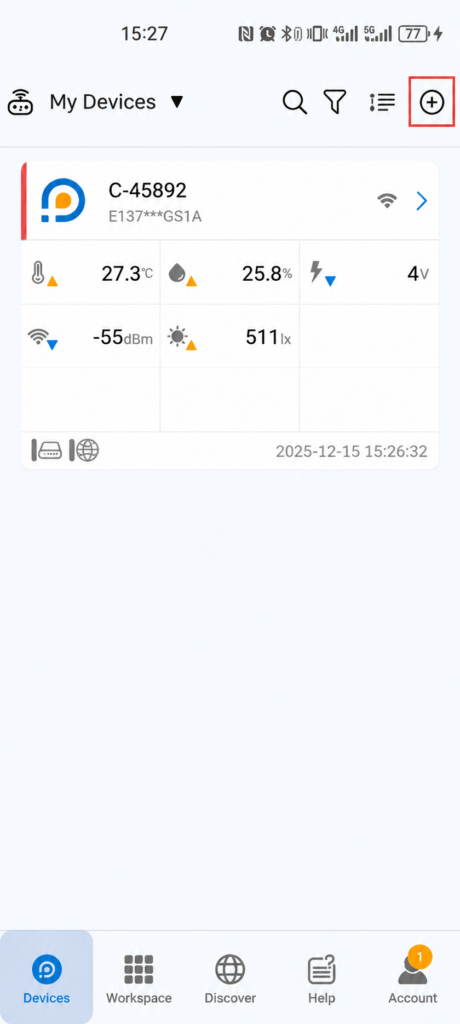
The Importance Of Monitoring Greenhouse Temperature and Humidity
A greenhouse is an excellent way of growing plants, whether you are a gardener, a farmer, or you run a large business. Still, no matter the size they require special treatment and a lot of attention.
One of the main things in greenhouse gardening is to adjust the temperature and humidity and to keep them consistent. Ideally,
temperatures in a greenhouse range from 80 to 85 degrees Fahrenheit or 26 to 29 degrees Celsius. However, outdoor conditions can affect these parameters, and they can disrupt the temperature indoors. When this happens, there is a high chance for the plants to dry and die out.
More often than not, as the temperature inside the glass rises, so does the humidity. High humidity can be the
main cause of fungal infections or an outbreak of culprits in plants since moisture keeps building up without any proper regulation. As opposed to that, in winter, as the temperatures fall significantly during the night, temperatures inside a greenhouse can also decrease causing malnourished plants and bad crops.
There are a lot of things included in the process of growing plants this way, from installing fitting vents to 24/7 monitoring of the humidity and air in the contained space. With that, you need a proper solution that will make this method a whole lot easier by replacing manual work with advanced wireless sensors that can track all metric changes, including temperature and humidity. For that, we introduce you to the UbiBot GS1 - the latest solution for effective and smooth greenhouse gardening.
Introducing UbiBot GS1 - Temperature and Humidity Sensing Device
The
GS1 temperature and humidity sensing device from UbiBot is the perfect solution for greenhouse control, thanks to its numerous features. The GS1 model is more resistant compared to the other UbiBot devices, making it perfect for harsher industrial environments and high humidity. It consists of different distributed nodes of a wireless sensor that can monitor the temperature in the greenhouse, as well as the humidity, the air, the light, etc., and it comes with instant data visualization through a 4'' LCD screen.
UbiBot GS1 is a handy temperature sensing device that monitors the changes in the environment 24/7 and alerts the user if the metrics are off or if the system stops working. The data that the sensors collect is synchronized with the UbiBot IoT Platform through Wi-Fi and backed up on the cloud. From there, users can access it through their phone, computer, or tablet, for as long as they have an active internet connection. Users can either download the app on their phone or access the cloud via a browser.
Since greenhouses have different indoor conditions, including excessive heat and humidity, this sensor device is made to be waterproof against rain and spray. For additional convenience, UbiBot GS1 has large internal storage that can keep extensive amounts of data, and it has low energy consumption and multiple power supply methods.
UbiBot, as a brand, prides itself in its feature-rich and cost-effective alternatives, suitable not only for greenhouses but for all sorts of facilities, businesses, entire industries, and homes. Although they differ in some aspects, all UbiBot devices are secure and private, and they work on the same principles. You can monitor the facility, and you will receive alerts every time there is some kind of a change that can be critical for the wellbeing of the contents in the room. Additionally, you can allow access to other users as well, such as family members, colleagues, or staff members.
The Future Of Greenhouse Gardening
The way you take care of your greenhouse will later determine the results you get from it. Your greenhouse plants can thrive, as long as you keep them in good shape, by keeping the right temperature and the humidity they need. So, make sure that you do the right choice and get the UbiBot temperature monitoring sensor for your greenhouse.
Keeping Babies Warm: Temperature Monitoring in Neonatal Intensive Care Units
Neonatal Intensive Care Units (NICUs) are the arenas for the survival of the tiniest, most fragile beings - premature babies. Globally, about
1 in 10 babies are born prematurely, 80 percent of which are unexpected. Therefore, hospitals must be equipped to help these little ones to survive. A big part of a premature infant's survival is a constant temperature to help the rest of their growth outside of the ideal conditions in the womb.
But it's not only NICUs that we are concerned about. The hospital wards for newborns also need to maintain the right temperatures for these young babies. Studies show that extreme heat or cold can
adversely affect babies' birth weights. We'll discuss the importance of temperature control for the best infant care and their optimal development. We will also explore how an
innovative temperature management system can provide the ideal conditions for newborns in hospitals.
Temperature Monitoring for Premature and Full-Term Infants
Premature Infant Care
This is one of the core operations of any major hospital. Approximately
15 million babies are born prematurely around the world. Plus the medical expenses of caring for these infants are almost fourteen times the cost of full-term delivery. The first few weeks of a premature infant's life requires close monitoring in a NICU.
The average NICU contains
a lot of equipment which is used every day to care for premature babies. All those pieces of equipment can generate significant heat, so temperature monitoring of the space is essential. The
recommended temperature for a NICU lies within the range of 22 and 26 degrees Celsius (or 72 and 78 degrees Fahrenheit). The humidity level should also be between 30 and 60 percent to prevent infants from losing heat when they are outside of their usual heated cribs. Since temperature and humidity vary throughout the year, then climate management is needed to maintain the optimal NICU environment.
Full-Term Infant Care
Even though it costs relatively less to take care of a full-term baby, there are no fewer climate requirements. Newborns still need the ideal temperature and humidity levels to be maintained. There may also be complications that need special climatic conditions to aid in recovery.
Caring for Babies at Home
Temperature control is not only a priority for hospitals. Once a baby comes home, it's still important to maintain a comfortable temperature. Regardless of whether we are talking about premature or full-term babies, all infants tend to lose heat fairly quickly. Therefore it's essential to maintain the ideal temperature and humidity levels for their comfort and general health.
Maintaining the Right Temperature for Babies
Babies are quite delicate and they need a lot of care. This also means maintaining the ideal temperature and humidity levels. Whether it's temperature control for an entire NICU, maternity ward, or a home, it can be hard to maintain constant climatic conditions. However, this is all possible with an integrated wireless temperature management system that records and regulates climatic conditions.
Such a system contains special wireless sensors that can manage a variety of temperatures, humidity, and pressure levels. Once installed, the system provides on-demand access to all data collected by these smart sensors. This collected data can be analysed to provide insights into how a space functions and the ideal temperature settings.
This climate management system is embedded with analytical tools that are supported by
innovative cloud technologies. So, it's possible to access your space's data on any device of your choice and at any time. Even with multiple facilities or locations, it's still possible to manage them simultaneously with this innovative temperature monitoring system: the
UbiBot.
The Best Temperature Monitoring System: UbiBot
The
UbiBot system is the best among the set of wireless monitoring applications, and it consists of the base and pro versions. All of these systems feature durable
smart sensors that can easily manage variations in all climatic conditions. The
pro sensor also has an LCD screen which allows for manual readings from each device. However, manual readings aren't necessary as the UbiBot® IoT interface syncs each remote thermometer sensor via Wi-Fi connectivity. So, there's no need for an expensive, separate hub. You can also access all the readings from one or more locations with no hassles!
The IFTTT Protocol
The IFTTT (if this then that) protocol is a powerful component in the UbiBot system. So, regardless of the temperature changes that may occur, the system generates an array of possible responses to regulate the conditions back to their ideal levels. UbiBot will automatically execute all adjustments seamlessly. So you can relax!
Advantages of the UbiBot Application
Whether it's a hospital unit or a residential home, UbiBot is the best at securing the data from your facilities. The high-quality virtual guardian feature allows for easy management of all sensors and alerts. As a manager or a homeowner, you determine the frequency and avenues through which you receive notifications from our system. You can choose to be notified within the app, via email, or SMS. Even if the Wi-Fi connection drops, we will never drop our duties to you! Our sensors will continue to work even our system goes offline.
You can also decide how and what to share with work colleagues or family members and friends. You would simply select which person has access to which data and you can also monitor how the data is used. The UbiBot system is designed to allow you to easily monitor and maintain the ideal climate conditions throughout each of your locations.
The Perfect Temperature Control to Keep Babies Warm and Happy!
We have established that both premature and full-term babies have a lot of needs that must be addressed for their development and wellbeing. Climate control is just one of these many requirements. So get the
UbiBot system for your hospital or even for your home. Enjoy perfect temperature control and keep babies happy and comfortable all year long.
Contact us today to find out more details!
Intelligent Thermometer for the Server Room with High Temperature
Server rooms are crucial for the wellbeing of many businesses since they store valuable and sensitive data as well as important applications. However, data processing requires a lot of energy making these rooms warm to the point that this can be damaging to all of the stored information in there. The servers can get extremely hot and overheat slowing down the entire work, and leading to massive losses of information that might never be restored. Some server rooms use an air conditioner to regulate the temperature and prevent the machines from overheating. Windows and airflow can also help. Sill, sometimes, this is not enough.
Left unattended, server rooms can cause data loss, which can lead to the damaging or destruction of a business, or even harm entire industries.
The ideal temperature in a regular server room should be kept between 50 degrees Fahrenheit and 82 degrees Fahrenheit or 10 and 27 degrees Celsius. Anything less or more than this can inflict costly damage. With that being said, one of your main responsibilities should be to keep the server room at the ideal temperature to avoid further problems and possible issues with the hardware.
In this day and age, keeping the temperature and humidity of a server room does not require so much manual work. That means you don't have to think about how many air conditioners to keep in the room nor about adjusting their temperature day and night. Instead, you can use a remote temperature monitoring sensor that will do the job for you, and alert you when something is slightly off so that you can quickly react before the damage is done. In a way, this device is like an intelligent thermometer that will keep everything under control in one of the most important rooms for your business - the server room.
What Is A Remote Temperature Monitoring Sensor?
The technological advancement over the last few years has produced many feasible solutions that have made our lives much easier, and the remote temperature monitoring sensor is one of them. It's a device that works based on your commands after you set up the wanted metrics. With the implementation of the Internet of Things, the device can keep an eye on the room 24/7, and communicate every change in the environmental parameters, such as temperature, humidity, and ambient light. Each of these parameters has its role to play in the wellbeing of the facility, and any significant variation from this might suggest that something's wrong.
The way this device communicates is through an active internet connection in most cases, although it can also be through an Ethernet cable or even Bluetooth. Through WiFi, the sensors that pick every change in the facility can synchronize the data on a cloud for easy access to the users.
The wireless sensors are packed with a lot of features that will make the entire experience much more peaceful. That also made them excellent not only for server rooms, but also for domestic, commercial, and industrial use.
Introducing UbiBot - Wi-Fi and Ethernet Cable Powered Temperature Monitoring Sensor
If you want to protect your server room from overheating, you need an advanced solution that will provide maximum performance, such as the UbiBot remote temperature monitoring sensor.
UbiBot is a brand that produces feasible solutions that monitor and control the environmental parameters and alert whenever there is a change that needs to be addressed. These sensors work with the help of IoT, and they use Wi-Fi for around the clock synchronizing of data on the cloud. That way, you will be able to take a sneak peek in the server room to see if everything is under control, even if you are not there personally.
Through a single click on your phone, computer, or tablet, you will see the temperature rate, as well as the room humidity and other parameters that the sensors uniformly monitor. The data you receive is accurate and precise, and the moment something changes, you will be notified. Users also get alerts when the network fails, although the device will keep collecting and storing data. To make the responsibility of keeping an eye on the server room easier, the alerts can be shared with other people, colleagues, or staff members.
All of UbiBot's devices can be used with IFTTT (if this then that), which means you can communicate with the devices in the server room no matter where you are, once you sign up to IFTTT.
UbiBot has several available models, and each of them fit with specific features that make them suitable for different environments. Your server room will be best off with the UbiBot GS1-AETH1RS.
The GS1-AETH1RS type has RJ45 port, which can be used to connect it to a network that uses an Ethernet cable, which makes it very suitable for server rooms. And, to provide constant power supply, you can also use a POE splitter to connect the device with the Ethernet cable, which is suitable server room. It also supports wifi connection as a backup. You are allowed to customise the network connection order in the app, either choose wifi as primary or Ethernet cable.
The GS1-AETH1RS can provide you a more advanced experience by supporting multiple external sensors. The embedded RS485 interface supports external temperature & humidity sensor, soil sensor, PT100 platinum resistor sensor, etc. All the external sensor readings can be viewed on the LCD screen. You only need to press the menu button once, the readings will switch from internal readings to external readings automatically.
Regardless of the server's room capacity and size, both temperature monitoring sensors can fit nicely, not only in this but in any enclosed environment.
Protect Sensitive and Valuable Data With UbiBot Wireless Sensors
Remote temperature monitoring sensors are now being used in agriculture, pharmaceutics, horticulture, cold chains, wine cellars, retirement homes, etc. They are changing entire industries with their convenience and effective methods of monitoring indoor and outdoor environmental changes. UbiBot temperature monitoring sensors will give you peace of mind no matter what kind of business you are running. So make sure to get yours today!
In This IoT Age, People Use Wi-Fi Powered Sensor to Monitor the Temperature and Humidity
The technological revolution that happened over the last two decades affected all spheres of our existence, immensely simplifying our everyday life. The advancements in tech spread throughout all industries, and the Internet of Things, as well as the digitalization of everyday tasks, had a big influence on this as well.
We live in the era of the internet, and many painstakingly bothersome chores are now done remotely, instead of manually. Overall, the best thing about the growth of IoT, the internet, and advanced technology is that they made many of our everyday tasks much more affordable and time-efficient.
What Is IoT?
IoT, in plain words, is a system that allows sensors and devices to communicate and exchange data on the cloud through an active internet connection. Despite the somewhat complex nature, the idea behind IoT is quite simple and it has revolutionized many industries since it initially appeared. Following its humble beginnings back in the 1990s, the Internet of Things has found its way into many devices. In 2013, the number of connected devices by IoT was estimated at approximately
9 billion and is expected to grow even more in the upcoming years. Essentially, IoT provides a connection that goes way beyond what smartphones or the internet can provide to us.
Today, among other things, real-life applications of IoT can be seen in things such as smart homes and smart cities, retail, agriculture, healthcare, poultry, and farming.
Another one of its many great uses is linked to remote monitoring of temperature and humidity in enclosed environments. The smart system based on IoT can be used in homes and in all sorts of businesses that require such monitoring. That includes warehouses, server rooms, retirement homes, wine cellars, food storage facilities, etc. Since they were introduced on the market, the
need for remote monitoring sensors is on the rise.
IoT in Remote Temperature and Humidity Monitoring
Wireless temperature and humidity monitoring systems are helping entire industries, and the main reason behind their creation is precisely the IoT. Thanks to this, people can now remotely monitor their homes or businesses by installing a sensor system that will collect valuable data and store it on a cloud with the help of a simple internet connection. Since IoT allows sensors to communicate data and store it on a cloud, it was the perfect outcome that ultimately revolutionized many industries by providing a feasible solution on the market. That would not have been possible without the technological improvement we see today that has completely replaced manual work in certain aspects of running a business.
Depending on the manufacturer, these devices can operate in different ways. Some of the older remote monitoring sensors use outdated means of communication to share this data with the users, such as Bluetooth. The more modern solutions, however, use the help of a Wi-Fi connection, which is much easier to use and a much more efficient solution.
Introducing UbiBot - Wi-Fi Powered Wireless Temperature Monitoring Sensors
UbiBot's devices enable remote monitoring of the temperature and humidity, covering different types of facilities - large or small - as well as houses. These devices have found their way into many homes and companies, and they are used for many purposes, such as in agriculture, horticulture, cold chains, wine cellars, pharmaceuticals, server rooms, homes, etc.
The brand prides itself on the advanced technology used in these temperature monitoring devices and its excellent features that can fit all of the users
' needs.
Apart from temperature and humidity, UbiBot sensors capture other environmental parameters such as the air or the ambient light in the room. Depending on what you need them for, they range from more basic solutions to advanced industrial-grade sensors resistant to water and dust. Still, all of the devices from UbiBot come with many valuable features that will make manual temperature monitoring a thing of the past.
Feature-Rich Devices for 24/7 Monitoring
All of UbiBot's devices come with mutual features. For starters, they facilitate monitoring of several different environmental parameters, including temperature, humidity, ambient light, etc. Except for the devices' internal sensors, they also provide external sensors for use in extreme environments, such as cold room, high humid greenhouse, etc. They also enable alerts in case there are changes in the facility that need to be addressed. The remote monitoring devices provide around the clock monitoring, and they synchronize data on the cloud in real-time, allowing you to keep an eye on everything that is happening in the room/facility while you are away. All of this is possible through a single click on your phone, computer, or tablet.
Wi-Fi Powered for Easy use
Unlike some other similar devices on the market that use somewhat outdated technologies, UbiBot bases all of its products on an active internet connection, such as Wi-Fi or, in some cases, it uses the help of an Ethernet cable. That means the wireless monitoring systems can connect to the network using Wi-Fi, and then they automatically synchronize all information on the UbiBot IoT Platform. To reach this data, you, too, should obtain the app either by downloading it on your smartphone or accessing it on your computer via a web browser.
Compatible with IFTTT
Finally, as one of the best aspects of these devices, UbiBot works with IFTTT (if this then that), which allows your smart devices to 'talk' to each other. That way, you can take real-time control over the things that are happening in the facility through a single click, no matter where you are.
Stay In Touch With Technology and Get UbiBot Today
It's only a matter of time until we see the next big thing in technology. For now, the IoT is doing an incredible work of connecting devices in ways that were once unimaginable. UbiBot recognizes the need for change and improvement in many industries, which is why we came up with a feasible and convenient idea that might make your life easier. Don't miss out on the opportunity and get UbiBot for your home or business today!
Platform API Changelog
Feb 2020
- Field option is added to the Get Channel Feeds API
- vpref field is added to the channel entity
Monitoring of the Heating System in This Cold Winter
Winters are unpredictable. The temperatures can go from mild to freezing in a matter of hours, and dealing with such a thing can be very bothersome. Not only that, but the shift in temperatures can cause serious consequences on people's health, and it can also be very damaging to businesses. This winter is going to be a hard one. Still, with the right heating system, this does not have to be a big concern for families or business owners.
Remote temperature monitoring is a convenient solution for households as well as businesses, particularly during this long cold winter. Wireless temperature monitoring sensors make dealing with the cold winter a much easier task, and they are currently your best solution for any facility or household.
This smart technology has found its way into many industries, and its most prominent advantage is the fact that it can be easily employed anywhere, regardless of the size of the home, the facility, or even the unique heating requirements. It's easy to use and very helpful, making it suitable for everything from homes, stores, and wine cellars to greenhouses, server rooms, and large warehouses.
Manual temperature controlling and monitoring is already outdated. Also, it's something that can be quite complex to do because it requires a person to be present at the facility at all times, including during the winter nights when the temperatures significantly decrease. Remote temperature monitoring sensors, on the other hand, use advanced technology and the Internet of Things (IoT) to make this task much more manageable.
The technology behind them is complex, but despite how they might sound, these wireless sensors are easy to use and they can be controlled with a single click. They serve many purposes, depending on which model is used, and can be utilized for constant monitoring of an environment and the changes of some conditions such as, but not limited to, the temperature, the humidity, etc.
It's safe to say that, with this technology, manually fixing the temperatures has become a thing of the past.
How To Use Wireless Sensors To Regulate The Temperature?
Wireless sensors are highly efficient, yet they have low power consumption. That makes them perfect for temperature control for residential and for industrial use. The remote sensors by themselves have a variety of different applications, including in energy consumption monitoring, healthcare, and temperature monitoring. The latter has had a tremendous impact not only on businesses but on entire industries.
Remote temperature sensors can be used in many ways, from controlling the temperature, humidity, and light in your child's room to keeping an eye on entire facilities that deal with food production, wine cellars, and warehouses.
These handy tools work in a way that they incorporate IoT so that the sensors can 'talk' to the cloud, where all the data is saved.
To use a wireless sensor device to regulate the temperature during the winter, you only have to adjust the wanted metrics and to decide when you want to get alerts. The system will then start working 24/7 while monitoring all changes and saving them on the cloud that you have access to. Once the temperatures start shifting and surpass the established metrics, you will get an alert promptly.
Winters can be devastating if you don't deal with the decreasing temperatures in the right way. These wireless sensors will protect you from any harmful effect that might be caused by the cold weather, whether it's within your home or your business. With that being said, let's see where you can find the best one for this winter.
Introducing UbiBot - Wireless Temperature Sensors Excellent for the Cold Winter
UbiBot wireless sensors can regulate temperature, humidity, ambient lights, and other important metrics. The technology behind them allows users to get the best solution for this winter, by allowing 24/7 remote monitoring of the temperature in any facility, no matter how big or small they are.
Depending on what the UbiBot products are used on, there are several different types of temperature monitoring sensors that differ in features and characteristics. Depending on what you need, you can choose the most suitable device.
UbiBot Sensor For Your House
Temperature monitoring in your homes can be a real blessing during the winter. That way you will know exactly what the temperature is like at all times, even when you are not there.
The UbiBot ® WS1 is perfect for home use in the winter days when you want to keep an eye on the temperature in every room, including the children's bedroom. Despite being a more simplistic device, the model employs the same advanced technology as the other temperature monitoring sensors produced by the brand. The UbiBot WS1 is Wi-Fi enabled, and it can monitor humidity and ambient light, apart from the temperature in the rooms.
It's an excellent solution for enclosed spaces such as offices and even factories.
UbiBot Sensors For Your Business
The winter can be devastating for business owners if they are not paying close attention to their facilities. Whether you are using a warehouse, you store things that can be affected by the cold weather, or if you facilitate people, you need to be aware of the conditions in the space.
The UbiBot ® WS1 Pro sensor is excellent for indoor use, and it has more advanced options compared to the UbiBot WS1. One of the best things about it is that it comes packed with a large LCD screen for more convenient use.
UbiBot For Industrial Use
Apart from your home or business UbiBot can be used in many industries, especially in hard industrial environments. The UbiBot industrial-grade ® GS1-AETH is an excellent alternative for temperature monitoring this winter. The model is waterproof and dustproof, and it can be used outside and indoors. The GS1 device is backed up with an integrated RJ45 interface, and it also comes with an Ethernet cable for places without Wi-Fi.
Get the Best Temperature Management System This Winter
The winter and the cold temperatures can be much easier to handle with the right tools. Remote temperature monitoring sensors are not a luxury but a necessity right now. So make sure to get the best solution for your home or business, and contact us at UbiBot.
Temperature Matters in Food Production Industry
The food production business is one of the largest and most complex global industries. It requires precise conditions and has to be dealt with a lot of care and caution. One wrong move would mean releasing a possible health hazard that can affect thousands or even millions of people.
One of the most crucial responsibilities for food production businesses is to control the temperatures and humidity while producing and storing food. Unpredictable and shifting environment changes can plunder food products since it needs controlled conditions at all times.
Temperature and time abuse are the leading causes of foodborne illnesses. Products that stay in an uncontrolled environment are more likely to grow harmful bacteria and to get spoiled. As such, the food production industry requires a reliable and efficient solution that will prevent this from happening and will keep all food fresh before and after it reaches the stores. Same as with production, proper storage temperature is essential in this industry. Therefore, it requires the utmost attention, as well as efficient and up-to-date environment-controlling resolution.
With the advancement in technology, manually monitoring temperatures and other environmental conditions is a thing of the past. Now, wireless temperature monitoring sensors are the best solution for all sorts of businesses and industries, especially food production. This smart system allows 24/7 remote monitoring of temperature conditions and alerts when something goes wrong, making it the perfect solution for the food industry, particularly when it comes to food production and storage.
Overall, it's easy, it's efficient, and it's much more convenient than manual temperature regulation. But what exactly does it mean to use a wireless monitoring sensor?
Remote Temperature Monitoring - How Does It Work?
Manual tracking and regulation of the temperature in food-containing storage are complex, time-consuming, and restless tasks. On the other hand, wireless temperature sensors can trace the temperature as well as other important criteria in a facility through a single click, no matter where you are.
Users apply the smart monitoring sensor in all varieties of industries and businesses because they want to keep up with the technological advancements and the competitive market. It was only a matter of time when this tool would find its use in the food production industry, considering all of the benefits that it brings to the table. Still, some people are yet to understand the importance and benefits of using remote temperature monitoring systems for their businesses.
Remote temperature and humidity monitoring works in a way that it allows the user to record and keep track of all metric changes that are recorded from the facility at any given time, thanks to the implementation of the Internet of Things (IoT). Through this, the tracking can be done by only using a smartphone or a computer and an active internet connection.
The sensor tracks all variations that happen in the facility and collects data, while at the same time uploading this information on a cloud. The remote system also alerts the users in case there is a change that needs to be addressed, like when some metrics go outside the range that has been previously set up by the user. These alerts can be sent to the user in a text message, email, and voice to in-app notifications. Accessing all the backed up data is as simple as clicking on the app on your phone, computer or tablet, as long as you are connected to the internet.
In simple words, remote temperature monitoring is the most reliable way to protect the food and to keep it fresh and healthy, without running the risk of growing bacteria and spoiling. Plus, this smart system is affordable and economical since it reduces the costs that come with manual work and complex temperature controlling systems.
Introducing UbiBot - The Solution That Can Change the Food Production Industry
The UbiBot wireless temperature monitoring system is an innovative solution on the market, suitable for many businesses and industries, including food production and storage. The convenient way this technology is built revolutionizes the process of controlling the environment by providing an easy and time-efficient way or monitoring and keeping track of not only the temperatures but also other relevant factors, such as the room's humidity or light.
UbiBot is a brand that enables user-friendly wireless sensors that can be used in the food production business as an excellent way of maintaining the quality of the products as well as their freshness. It's a beneficial product that can monitor any facility, no matter how big or small.
As a brand that produces innovative solutions, UbiBot employs the latest technologies and uses a different approach to track temperatures by incorporating IoT.
There are different types of products under the UbiBot brand, which accommodate users with a wide array of possibilities for their businesses. Depending on your needs, you can find basic remote temperature monitoring sensors, as well as advanced, industrial-grade sensors that can be used outside. These wireless smart systems can monitor and regulate the inner and outer temperature of a facility, the humidity, vibrations, and even the ambient light. The gathered information is synchronized continually to the UbiBot IoT interface that is easy to use and makes access to the data available at any time and from anywhere.
UbiBot Features
One of the best things about the UbiBot systems is that they have a lot of features that can be very handy when it comes to regulating temperatures in facilities that require constant monitoring and specific conditions for food storage and production. Even though the features mainly depend on which UbiBot sensor you choose, they all serve one principal purpose - providing accessible solutions that can revolutionize the way you run a business.
IFTTT Protocol
One of its most praised features it the IFTTT protocol (if this then that), which enables the possibility to control the temperature of the environment in case something unexpected happens while you are not there yourself. The IFTTT reduces manual work by enabling interactive responses between the systems that are automatically activated.
Privacy and Security
All UbiBot products are completely secure and private, which means you don't have to worry about someone accessing your valuable data. The UbiBot app by itself is pretty secure, and it sends the alerts only to the people who are authorized to receive them. You can be the only one getting these alerts, or you can share the data with your staff.
24/7 Intelligent Monitoring
One of the best things about remote temperature monitoring sensors is that they work 24/7 so you won't have to worry about the conditions in the facility during the night, on weekends, or during the holidays. Even if the device loses connection to network, it will keep monitoring data, and it will alert you so that you can take action promptly.
Food preservation should no longer be a tedious and complex task. The UbiBot smart monitoring systems allow businesses to keep a close eye on the quality of their products without much effort. As one of the most innovative systems on the market, UboBot temperature monitoring sensors are a necessity in any food production or food storing business.
It's an adequate solution that will save you both your time and your money, all that by keeping the food fresh and healthy. Make sure to get yours now!
Use UbiBot with IFTTT Platform
App operation guide
To make it easier for you to use the app, we write this file for you to refer to.
This file contains all the main feantures you may need to use and the corresponding screenshots.
You can go through the catalog to search for the feature you want and check the detailed steps by the pagination.
Please don't hesitate to let us know if you encounter any problems. Support email:
[email protected].
Please check the link below:
https://www.ubibot.com/manuals/3304/app-user-guide-2/
Web console operation instructions
To make it easier for you to manage your devices on the web console, we write this file for you to refer to.
This file contains all the main features you may need to use and corresponding screenshots are attached.
You can go through the catalog to search for the feature you want and check the detailed steps by the pagination.
Please don't hesitate to let us know if you encounter any problems. Support email:
[email protected].
Please check the link below:
https://www.ubibot.com/manuals/3256/platform-operation/
How to find the MAC address of the device?
There are three ways to obtain the MAC address:
- You can login to: http://console.ubibot.com and lookup the MAC address from the portal (Data Warehouse → MAC address lookup).
- Download and install the PC tools to read MAC address from the device: https://www.ubibot.com/manuals/2001/pc-offline-tools/
- In the near future, we will add the MAC address in the Network field so that it's obvious to read.
Cold Air is Approaching. Come and Get the Best Solution for this Winter’s Temperature Mointoring
Harsh weather is coming up with the winter getting closer. Are you ready for the cold weather? Get a wireless temperature sensor to monitor the environment that matters.
With winter approaching and temperatures going down, one of your main priorities this season should be to equip yourself with proper heating. It's going to be a cold one, so it's best to stay safe than sorry and prepare yourself for the chilly winter months with easy and effective heating solutions.

Following the technological progress in recent years, this process has been simplified to a point where you no longer have to adjust the temperature manually. Instead, you can use
wireless temperature sensors to conveniently control the temperature as well as other crucial factors in the desired environment, such as the humidity and the light.

Taking care of the temperature in your house or any other environment that matters to you is much easier than it used to be. With the help of advanced automation through the Internet of Things, remote environment monitoring is as simple as it gets. These automated tools can be very beneficial through the winter when the temperatures drastically fall, or during the holiday season when you are away, and can't manually do this on your own. Wireless temperature sensors can be an excellent solution for your home. They are even more convenient if you are a business owner and want to keep your business up and going this winter, without having to constantly worry about the temperature and conditions you are leaving it in outside work hours or on weekends and holidays.
The best thing about these wireless sensing devices is that you can control them no matter where you are, as long as you have your smartphone or computer with you, as well as an internet connection.
The technology behind the wireless temperature sensor allows you to spend a carefree winter. The WiFi thermometer is a small, wireless device, resistant to different weather conditions. It senses the temperature in the environment, but it can also sense and collect information about the humidity, the light, the pressure in the room, etc. The gathered data is then processed and synchronized on a cloud, from where it becomes available to you on your phone or computer at any time.
The remote temperature sensor has found its use in many industries and businesses, including warehouses, wine cellars, production companies, museums, the IT industry, etc. The simplicity behind its mechanism allows it to be used in many ways and by all types of business owners and businesses. It's also a cost-effective solution since it reduces the costs that might come with manual monitoring and maintenance when you are running a business. In the long run, installing wireless sensors can be an excellent investment, one that will save both your effort and your money.
To enjoy your winter holidays at peace and without worrying about the low temperatures, equip your home and your business with
UbiBot Wireless Temperature Sensors.

UbiBot is one of the leading providers for Wireless Temperature Sensors. The manufacturer offers different temperature-controlling solutions, depending on your preferences, all of which can be synchronized and controlled through their
UbiBot IoT cloud platform. You can easily access the IoT platform through UbiBot smartphone app, or directly on the internet.
UbiBot sensor devices are made with the latest technology and incorporate the benefits of IoT so that you can access and change the temperature data from anywhere remotely. You can choose the one that fits your needs the most, as there are different solutions based on the environment you want to protect this winter, whether it's your home, office, or storage. The automation from IoT enables you with round the clock alerts about the conditions in the selected environment, as well as data storage and analysis. When the temperature or the other conditions are not suitable for the needs of the environment, you can easily change them from anywhere in a single click.

To control the conditions in the environment that matters to you, UbiBot provides 24/7 monitoring, with advanced alert options that will further ensure the safety of the controlled environment. UbiBot also enables real-time observations, shared alerts, one place data management, a virtual guardian, etc. The devices can be easily controlled through a computer, tablet or smartphone, as long as you have an internet connection.
UbiBot also works with IFTTT (if this then that), providing you several ways through which you can control the temperature in the environment.
Whether you choose UbiBot Wireless Smart Sensor WS1, the upgraded version WS1 Pro or any other device, you won't be making a mistake. These WiFi thermometers are very easy to install and use, and they will be an excellent assistance this winter, no matter what you need them for. Plus, these and all the other available products come at an affordable price.
Be ready for this winter, and every other to come with one of the best heating options on the market. If you haven't yet purchased your wireless temperature sensor, yet you want simplicity and convenience for an affordable price, now is the right time to get one.
General Guide of the Ubibot Web Console
The Ubibot web console is a secure innovative platform. Here you are given the access to all your devices and custom settings.
We offer many features for you, including account profile settings, device sharing, C/F switching, exporting data in CSV/PDF, data forwarding, alerts rules, clearing data or device, IFTTT automation connection, MAC address search, etc. To help you with each detail step, we write all the feature down in a file for reference. Please check the link below. For any problems, please don't hesitate to let us know via
[email protected]
https://www.ubibot.com/manuals/3256/platform-operation/
AutoSync Google Sheets
Overview
When you successfully bind your UbiBot account to Google account, your devices will automatically upload its newly generated data to the Google Drive Spreadsheet for backup.
Details of charges
One credit per month for each device, service expiration will end automatically.
Each device can be tried once for 24 hours.
Activation Method
Please login to https://console.ubibot.com ;
From left side menu, click "Account" -> "Profile Settings" and bind your UbiBot Account to Google Account;
After successfully binding the Google account, from left side menu, click "Data factory" -> "AutoSync Google Sheets";
Follow the "Add Device" instructions;
HTTP Interaction
Overview
HTTP interaction services, also known as UbiHTTP. It allows the communication between devices, websites, and Web services without implementing protocols at the device level. You can specify operations in UbiHTTP and then trigger them in other Ubibot functions, such as the alert function.
Create a UbiHTTP request
- Create a new UbiHTTP request - Click "Data factory" -> "HTTP interaction" and then click new UbiHTTP.
- Specify Settings - Not all Settings are required for every type of request. All UbiHTTP requests require the following parameters.
| Required parameters |
Description |
| Name |
Enter a unique name for your UbiHTTP request. |
| API Key |
API key generated automatically for UbiHTTP requests. |
| Url |
Enter the web site address where the data is requested or written, starting with http:// or https://. |
| Method |
Select one of the following HTTP request methods to access the web site url: GET,POST,PUT,DELETE. |
Additional parameters can be specified depending on the nature of your request. For example, UbiHTTP requests to servers that require authentication require a user name and password.
| Optional parameters |
Description |
| HTTP authorized user name |
If your URL requires authentication, enter an authentication user name to access a private channel or website. |
| HTTP authentication password |
If your URL needs authentication, enter the authentication password to access the private channel or website. |
| Content type |
Enter the MIME or form type of the requested content. For example, application/x-www-form-ubibot. |
| Host |
If your ThingHTTP request requires a host address, enter the domain name. For example, webapi.ubibot.cn. |
| Content |
Enter the message you want to include in the request.
If you want to include variables in the message content, the following types of substitution characters are currently supported:
%%trigger_subject%% Subject of Alert Message
eg:
Alert Reminder - The channel id XXXX (C-xxxx) is out of alert range
%%trigger_body%% Full Contents of Alert Message
eg:
Alert Reminder - The channel id XXXX (C-xxxx) is out of alert range.
Sensor:field1 (temperature),trigger value:1 (rule name:high temperature warning).
The trigger ID is 2692595. You can log in the console to check it.
%%trigger_field%% Trigger_field Value
eg: field1 (temperature)
%%channel_id%% Channel ID
%%name%% Channel Name
%%trigger_type%% Trigger Type
%%sampled_at%% Data acquisition time (return timestamp)
eg: 1603263103
%%rule_type%% Mode of Alert
(numeric- Sensor Alert | no_data_check- Offline Alert | status_field- USB Down Alert)
eg: numeric
%%rule_name%% Rule Name
%%rule_condition%% Threshold Value of the Rule
%%action_frequency%% (change_only - Once-only Alert | change_only_delayed- Delayed Once-only Alert | always- Continuous Alert | always_delayed- Delayed Continuous Alert)
%%frequency%% The delay time set when the alert is Delayed Alert ( unit:s )
eg: 120
%%criteria%% Condition of Alert
eg: >
%%trigger_id%% Trigger ID
eg: 2692622
%%trigger%% Trigger Value
eg: 1 |
Trigger UbiHTTP
UbiHTTP is triggered by setting up an alert rule using a GET or POST request.
- Click "Data Warehouse" -> "Data Warehouse";
- Select the device to set HTTP interaction -> "Rules" -> "Create Offline/Sensor/USB Down Alert";
- Set the early alert information according to the application situation;
- Mode of alert select "HTTP interaction" -> select the UbiHTTP request name just set up;
- Save alert;
UbiHTTP requests are triggered when the device's sensor detection value reaches a user-set threshold.
Supported Substitution Characters
For example,
Body: The temperature now is %%trigger%% ℃.
Display: The temperature now is 27℃.
Body: The trigger field is %%trigger_field%%.
Display: The trigger field is field1 (Temperature).
Temperature Management for Optimal Drug Storage
Global health is a combination of preventative and curative care, and effective storage of medical drugs is essential. This is a fast-growing industry, as international pharmaceuticals are expected to increase by
5.8 percent to value US$1170 billion by 2021. Therefore, you will want to preserve your stocks as a matter of getting a good return on your investment and for national health.
The storage of pharmaceuticals is critical for their effectiveness in preventing and treating diseases. Most of these substances have strict climatic requirements for their best shelf life. So, many countries have regulatory agencies that dictate the temperatures suitable for the production, transport, handling, and storage of these medicines. In this article, we will explore the
latest innovation in temperature management for optimal pharmaceutical storage.
The Importance of Temperature Control
The
supply chain in this industry involves moving large quantities of medications from one facility to the next. The World Health Organisation (WHO) has regulations that determine the storage conditions of these drugs. These regulations are guided by various label requirements. If these products are subject to wrong temperatures, decomposition quickly sets in and this then reduces their effectiveness. This can lead to medicines so compromised that they generate illness and even fatalities. Thus, it is important to maintain the right temperatures.
Some medicines can be stored in dry, well-ventilated areas that are between 15 to 25 degrees Celsius. But, a lot of pharmaceuticals must remain in temperatures that lie between 2 to 8 degrees Celsius (or 36 to 46 degrees Fahrenheit). For example, vaccines like measles, MMR, and yellow fever, must all be stored at such temperatures until they are administered to patients. You should also note that the liquid vaccines (for diphtheria, pertussis, tetanus, and hepatitis B) should never be frozen, but stored in cool locations.
In some cases, warehouses are kept at -20 degrees Celsius to maintain some drugs. So, all stages of the logistical chain must be committed to setting, maintaining, and refining the required temperature levels. This is the difference between drugs that work the way they were intended and ones that don't work and may even result in serious illness and even death.
Drug Storage Climate Management
It is vital to maintain the right temperature for medicine storage. We recommend mapping the storage space to discover the zones that undergo extreme temperature spikes. Ideally, this temperature mapping should be done both when the warehouse is empty and when it is full. Temperature mapping is important regardless of the size of your warehouse, as it's possible to have temperature variations even in a small space.
Careful climate management is not just a storage requirement. This care must be applied even in the packing and shipping processes. The
entire supply chain should be temperature mapped to maintain the longevity of all medicines. Every stage of the chain must be optimised to avoid climate fluctuations. An integrated wireless system is ideal for your drug storage space. This system facilitates the temperature mapping exercise, and also provides the appropriate temperature control.
Temperature Monitoring 101
Most temperature monitoring systems feature wireless sensors that can record and regulate a variety of environmental conditions. The system is
supported by cloud technologies, which allows you to have instantaneous access to data about your facility. This info will give you new insights into how your storage space operates. You can also use the data to guide your daily operations and plan for future logistics. If you have multiple warehouses, then they can all be managed simultaneously. Adopting such a temperature management system will save you time and money in your drug storage operations.
UbiBot: Temperature Monitoring for Drug Storage
The
UbiBot wireless temperature monitoring system is perfect to manage the environmental conditions of your drug storage space. There are two versions available for you to choose from: the base and pro versions. Every
sensor collects data on the internal and external climatic conditions of your warehouse. In the case of the
pro sensor, you also get an LCD screen display for manual readings.
However, there's no need to do manual readings. This is because the UbiBot® IoT system synchronizes each remote thermometer sensor via a Wi-Fi connection. This means that you don't need a costly, distinct hub to access your facility's data. You have total control over how you manage the data from your space.
The IFTTT Protocol
The UbiBot application utilises the IFTTT (if this then that) protocol. This enables the system to draw upon an infinite array of interactive responses to resolve any possible events that may arise in your storage space. These responses (or corrective actions) are automatically executed, so you can be sure that your facility will always have the optimal environmental conditions. This will keep your medical inventory in the best form.
The Advantages of the UbiBot System
The UbiBot application will keep all the data about your storage space private and secure. The virtual guardian interface helps you to manage all the sensors and the notifications that are generated. You can schedule the frequency with which you receive these alerts and how you get them (within the app, via email, or SMS). You'll never have to worry about losing Internet connectivity, as your sensors will keep working even when they are offline.
You can also choose to share your facility's data with your staff members. You can control who sees what data, so you can share with no hesitation. You will also be able to monitor how each person uses the data that you've shared with them. We invite you to enjoy the ease of perfect temperature control at your fingertips and with no stress to you!
Get the Best Temperature Management System
We know that you have to maintain optimal environmental conditions for your valuable inventory. It's not just about preserving your bottom line, but it's about national health.
Contact us at UbiBot right away so that we can give you the best temperature management system for your business!
Comfort in the Golden Years: Temperature Control in Retirement Homes
Comfort is all one needs in the golden years. However, each year we read the sad reports of the elderly succumbing to extreme weather conditions. Last year,
nearly 700 deaths occurred from the UK's heatwave, and many were older people diagnosed with heart and kidney illnesses. This statistic does not account for many elderly who have reported to health facilities for treatment from heatstroke. Seasons of extreme cold are also problematic. The Office of National Statistics (ONS) reported that the 2017/2018 winter season saw an increase of
over 50,000 deaths in England and Wales. In this case, women and people aged 85 years and older were most likely to have succumbed to the extreme cold. But, this is not a problem only in the UK. Countries such as
the USA and
Australia have also reported a high incidence of mortality among the elderly due to extreme weather.
As we age with or without medical ailments, the atmospheric conditions must be ideal for the quality of life. Retirement homes are intended to be safe spaces for the elderly to live in a supportive community. However, temperature control is an important consideration in the safety and wellbeing of persons in such care facilities. We'll explore the increasing need for retirement homes. Most importantly, we will show you how an
innovative temperature control system can be the answer to maintaining the comfort necessary for the golden years.
The Future of Retirement Homes
In countries such as Japan, Canada, France, and Germany, the elderly population is becoming the dominant share of the national population. The
average life expectancy in developed countries lies between 75 and 80 years, and it is expected to reach 85 years by 2040. Similarly, the number of global citizens aged 80 and above is expected to increase 56 percent to 192 million by 2030 (or roughly 2.3 percent of the global population). This means an increase in the demand for residential care facilities worldwide.
There are three types of retirement care facilities:
Independent Living Facilities
These facilities allow seniors to choose their lifestyle in age-appropriate multi-family apartments. Seniors in these homes enjoy relatively good health and get help with routine housework.
Assisted Living Facilities
Some elderly may not require full-time supervision but may be unable to live in their own homes. However, they still enjoy some sense of autonomy while accessing support for their medical care and social needs.
Skilled Nursing Facilities
These facilities are generally characterised by long-stay residents who are 85 years and older. However, there may be some short-stay residents who require rehabilitation after leaving the hospital.
Regardless of the category that your facility fits in, efficient temperature control is still required.
Temperature Requirements for Retirement Homes
The degree of regulatory oversight increases from independent living to skilled nursing facilities. One of the environmental
standards of care homes in the UK requires central heating of rooms and also the provision of natural ventilation. Many other countries also have regulations governing the state of care in retirement homes.
Retirement homes are large spaces that need comprehensive temperature control. So it's necessary to have industrial wireless sensors that can measure and regulate environmental conditions. These sensors will provide data which will allow you to understand how all areas of your facility work.
These temperature monitoring systems utilise cloud technologies, so you can access your facility's information at any time and from any access point. You can also customize the temperature setting in each resident's apartment and all areas of your building. It's also possible to monitor many facilities simultaneously. Therefore, implementing a wireless monitoring system will result in valuable time and cost savings.
Introducing UbiBot: The Innovative Temperature Monitoring Solution
UbiBot allows you to easily monitor every area of your retirement facility. This system consists of
wireless smart sensors that are industrial-grade. In both the base and pro versions, each sensor manages your facility's inner and outer temperatures, humidity, vibration, and ambient light. The
pro sensor also features a clear LCD screen that displays the current readings. However, you don't have to get the readings from each sensor. The UbiBot® IoT interface synchronizes each remote thermometer sensor via Wi-Fi connectivity. Therefore, you won't need a separate, expensive hub to access your data. So, you can decide what info you want to access and at what time.
The IFTTT Feature
The UbiBot app incorporates the comprehensive IFTTT (if this then that) protocol. This feature ensures that if any climate scenario occurs in your retirement facility, then there's an array of solutions that can be used to adjust the temperature. These interactive responses are activated automatically, so you won't have to do any manual adjustments.
The UbiBot App: Data Privacy and Security
You don't have to be concerned about the privacy and security of your data. Why? The UbiBot app features the virtual guardian, which manages the sensors in your facility's building and sends you alerts. You can choose how often you get those alerts and where you get them (within the app, email, or SMS notifications). Your sensors will still work even when you lose your WiFi connection. So, you'll never miss a beat!
You also have the option to share the information about your facility with members of your staff. It's possible to determine who sees what kind of data. Plus, you will be able to monitor how each person uses the data from your UbiBot wireless interface. Get this temperature monitoring solution today and keep your residents comfortable all year long!
Perfect Temperature Monitoring For Retirement Homes
The elderly residents in your retirement home must remain healthy and comfortable in their golden years. The
UbiBot system is the solution you need to keep a constant, safe temperature throughout your facility. This is the most innovative temperature monitoring system on the market. Get your retirement home connected to the UbiBot system today. Perfect temperature monitoring will be one less thing for you to worry about.
Contact us right away!
Temperature Monitoring for Animal Husbandry
Animal husbandry is a historical industry, as livestock has been used as a store of value. It is also one of the main pillars of global food security. The rising international demand for animal-based foods has increased livestock production. Although most of this demand is met by large commercial operations, there are also small-scale livestock owners that serve this market. Animal husbandry accounts for
40 percent of the global value of the agriculture sector. This industry also provides a livelihood for about 1.3 billion people.
Temperature monitoring is very important for livestock production. Animals are quite vulnerable to weather extremes even when they are housed in structures. Maintaining the correct climatic conditions will decrease the probability of ill-health and mortality in your herds. This will ensure greater yields, increased revenue flows, and better profitability of your business. By adopting a cost-effective temperature monitoring system, you will further boost your profits. We invite you to keep reading as we share more about the
best innovation in temperature control that will make your daily operations so much easier!
Temperature Considerations for Livestock
The temperature and other environmental factors are essential for the wellbeing of your livestock. Regardless of the climate zones (temperate or tropical), animals are often exposed to extreme weather fluctuations. Some animals may grow thicker coats to deal with cold weather and then shed in warmer months. However, all livestock tend to experience adverse symptoms whenever they are continuously exposed to bad weather conditions.
From your experience, you know that it's important to consider
several climate factors so that you can be successful in animal husbandry. The overall climate needs to be suitable to maintain the necessary environmental conditions for your chosen livestock. Humidity is another consideration that is not often discussed. This condition may hamper your animals' ability to naturally cool. Excessive humidity levels can also lead to numerous infections among your herd, as well as the deterioration of their shelters. It is best to have a free flow of air around your animals to maintain their health and control any negative side-effects, such as odour. There are many things that you will need to keep in sync for the best results in your husbandry business. But, not to worry! All of these requirements can be easily handled by a comprehensive temperature management system.
Temperature Control for Your Husbandry Operations
Your livestock will likely have shelters that cover large square footage and need constant temperature control. This can be a difficult goal to accomplish, but it is possible with an integrated wireless monitoring system. This system can record and manage a variety of temperatures, humidity, and pressure levels. Let's explore more details about
an innovative solution for temperature management.
Temperature Monitoring Basics
These latest industrial smart sensors can regulate a wide range of environmental conditions. These systems also have
platforms that are embedded with the latest cloud technologies. This helps you to have instant access to your facility's data, from any device and at any time. You will also be able to monitor more than one facility at the same time. The data collected from these sensors can be analysed and used to guide your business' processes.
UbiBot: The Innovative Wireless Temperature Management System
UbiBot is a unique high-quality temperature management system that is perfect to regulate the climate conditions in your animal shelters. This system features industrial-grade smart devices in the
base and
pro versions. Each device records and regulates a variety of temperatures, levels of humidity, as well as light and vibrations. In the case of the pro device, you also get a LCD screen that shows the readings recorded by each sensor. However, the UbiBot® IoT interface syncs data via any WiFi connection or SIM card. Therefore, you won't need to rely on manual readings, nor will you need a separate, costly hub for access. You can access your data at any time, anywhere.
A Wide Range of Automatic Responses
The UbiBot app features the interactive IFTTT (if this then that) protocol. So, regardless of the temperature fluctuations, UbiBot has an infinite set of possible responses to address that scenario. The best thing is that this is an automatic adjustment process, so you don't need to do anything at all to get back to the ideal temperature settings for your facility. This means that you have one less thing to worry about!
The Upsides of the UbiBot Platform
The UbiBot app is built with your requirements for data privacy and security in mind. The virtual guardian feature manages all your devices and the accompanying notifications. You can choose how frequently you get these notifications. You can also choose whether you receive these alerts within the app, in your email inbox, or via SMS. Although UbiBot syncs via Internet connectivity, it is not completely dependent on that connection. Even when your smart sensors go offline, there is no need to worry! The UbiBot devices will keep working, even when you lose Wi-Fi coverage.
It's also easy for you to share the data collected by the UbiBot smart devices. You can also set up which staff member to receive the alerts via email. But, you don't have to fear giving up control of this data. The team members only have access to the device conditions but have no permissions to operate on them. The UbiBot wireless temperature monitoring system is perfect to help you easily manage all the climate requirements without any costly damage.
The Best Temperature Control for Your Livestock
Your animals are the core of your business, so you want to do all that you can to maximize the return on your investment. The
UbiBot temperature management system features highly efficient smart devices that will help you to easily maintain the best environmental conditions for your livestock. So, you can stop fearing extreme weather! Simply get the UbiBot app and keep your stock healthy and happy all year long.
Contact us today to get started!
Why You Should Consider Getting Remote Thermometer Sensors
Remote temperature sensors have recently become a very accessible tool for anyone to use and shown utility in the home and in industry alike. These wireless thermometer sensors are small devices which allow you to monitor the temperature and humidity of any location you choose. Developers and sellers of these sensors are highlighting the diverse range of places that they may be useful, from your home or office to in your greenhouse, a bakery, walk-in freezer and holiday home. Traditionally, these sensors have been bulky, unreliable, and costly devices, but due to a growing need and the development of new technologies, these sensors are now more than affordable and easy to use than ever before.
First off, many may be asking themselves why they would need a wireless temperature monitoring system. For some, monitoring the temperature of a property, caravan or RV to ensure that the temperature remains between a normal range may aid in preventing humidity-related damage that may occur in your absence and cause costly damage and a hefty bill to pay down the line. This small, preventative measure could make a real difference. For others, monitoring the temperature of their home during the day and early evening before they return from work gives them the peace of mind that a beloved pet, or children returning home from school, are in a comfortable and warm home. Perhaps from a cost-saving stance, using remote thermometer sensors can ensure you are using your central heating in the most cost-effective way and keeping your energy bill to a minimum.
But the real utility of these remote temperature sensors comes from a business point of view, remote temperature sensors offer a way to minimise product loss in stores, supermarkets, and warehouses. These monitors incur a one-off purchase cost with no further monthly subscription fees. When using them to monitor freezers and stores in supermarkets and shops, you will be alerted immediately to any power and appliance failure such as a fridge or freezer which will ultimately cost you money due to damaged foods. Moreover, the most useful application of remote temperature sensors is in server rooms. Servers are extremely sensitive to air humidity and temperature changes, which can result in the shutdown of the servers, ultimately halting business operations, by affecting internet and thereby restricting access to files and preventing emails being sent. In any business, this translates into the loss of money, something any business owner wants to acutely avoid. The use of one simple temperature monitor sensor in the server room would provide alerts to the correct person long before the changes caused detrimental damage to equipment. Today, these sensors are a necessity and a requirement in all businesses hosting a server room.
It may be useful to give a brief overview of how these technologies work. Temperature sensor monitors are small, light-weight devices which can be placed in your home and chosen location where they monitor temperature and humidity within a wide range. Most of these sensors come with an app that can be downloaded onto your phone or you can link the sensor to your email account and access it through your laptop or tablet. Set-up is simple and quick and you will then be able to set the temperature and humidity levels for which you would like to receive an alert, i.e. outside the normal range. Once it has been set up, you can simply leave these monitors to do their work and forget about them until you receive an alert. These sensors are usually battery operated, but some plug into the mains in your home. As technology has improved, these sensors have become increasingly reliable and trustworthy and are very hassle-free to use. Remote thermometer sensors typically run on the Wi-Fi and many on the market today can be linked to multiple contacts – for instance both you and your partner, and several sensor monitors can be set up on one platform. This means you could monitor several locations simultaneously.
An important note: You may already have a remote temperature monitor within your home if you own the Echo Plus, Amazon's smart-home hub. The Echo Plus contains an integrated temperature monitor to which you can set up alerts to your phone and, in response to which, set up actions accordingly. For instance, an increase in temperature may trigger the action of a fan being turned on. This nifty addition to the Echo means one less device to add to your home, but maximizes the utility of your Echo.
Business owners and home-owners should look at investing in one of these intelligent devices. They can both directly and indirectly save money and allow the monitoring of conditions in places where temperature and humidity need to be tightly regulated.
References
- Wireless Sensors, 2019. Unlimited Application Sensors. Available at: https://wireless-sensors.co.uk/Last Accessed: May 2019
- Sensmax, 2019. Solutions. Available at: https://sensmax.eu/solutions/temperature-and-humidity-monitoring-for-freezers-and-coolers/Last Accessed: May 2019
- Amazon, 2019. Use the Temperature Sensor on Echo Plus (2nd Generation). Available at: https://www.amazon.co.uk/gp/help/customer/display.html?nodeId=GKEP4RCTQMN6DQ2X) Last Accessed: May 2019
- CNET, 2019. Amazon Echo Plus stays $150 but gets clearer sound, temperature sensor. Available at: https://www.cnet.com/news/amazon-echo-plus-costs-150-but-clearer-sound-more-bass-temperature-sensor-local-voice-control/Last Accessed: May 2019
Instructions of Ubibot Sensors Connection
Ubibot insists on researching and developing self-owned patent products, including the external sensors that match our sensing devices.
Different types of sensors can match with different device. Here are the instructions of how to use them.
Using WS1 device:
This device supports external temperature sensor. As it only has one USB port, only one sensor can be connected. When using USB power at the same time, one USB splitter is needed. Connect the splitter to the device USB port, one female port is for power and the other is for data transmission.
Using WS1 Pro device:
This device supports external temperature sensor, Air temperature & humidity sensor, Soil temperature and moisture sensor, PT100 temperature sensor, and wind speed sensor.
It has two USB ports, of which the lower one is embedded with RS485 interface. Except the temperature sensor, the others both need to be connected to this lower USB port. While, you can use temperature sensor on either of the USB port. When you need to power the device via Micro USB and you want to connect more than two sensors at the same time, please remember, the ends of the splitter must be connected with one power supply and one sensor, or one temperature sensor and one RS485 sensor. Two same sensors are not supported on one port.
Using GS1 device:
The GS1 device is built with RS485 interface and audio jack. It supports all of the 6 types of Ubibot sensors , such as TH30S-B temperature humidity sensor, Soil moisture sensor, PT-100 temperature sensor, CO2 sensor, wind speed sensor, external light sensor.
If you only need one type sensor, you can connect it to the device directly. If you need more than one type, our splitters will allow you to attach multiple sensor simultaneously. Please see the following cutline for reference.
Please note, only one piece of sensor of each type is supported. You can not attach two or more of the same sensors at a time. For details, please contact us for specific instructions.
*Please note, the sensors are under one year limited warranty since the purchase date. For details, please click here.
The Importance of Pharmaceutical Temperature Monitoring
Exceptional healthcare delivery is dependent on the provision of high-quality medical supplies. Most medications must be kept in climate-controlled areas to maintain their shelf life and effectiveness. Therefore,
temperature monitoring of pharmaceutical products is vital.
Most countries have agencies that regulate the temperatures of pharmaceuticals when they are produced, being transported, and when they are in storage. This means that for all stages of the supply chain, the right ambient temperatures must be maintained.
The value of the global pharmaceutical industry is expected to reach
US$1170 billion by 2021. It is evident that you operate in a growing industry, and you want to preserve your stock of medicines and supplies. We invite you to keep reading for more information on how you can have
the best in climate-controlled storage. You will have peace of mind knowing that you face less risk of losing valuable inventory, and that your organisation is compliant.
WHO Regulations on the Pharmaceutical Industry
The World Health Organisation (WHO) has regulations that govern the storage conditions of medical products. These regulations are guided by the label requirements for each product. Medicines should be stored in ambient conditions in dry, well-ventilated areas between 15 to 25 degrees Celsius. Whenever they are being transported, then
temperature monitoring devices should also be used to record and adjust the climatic conditions.
Some medications, such as vaccines, have
specific storage requirements. Vaccines (like measles, MMR, and yellow fever) must be stored between 2 to 8 degrees Celsius until they are administered to patients. However the liquid versions (such as those for diphtheria, pertussis, tetanus, and hepatitis B) should never be frozen, but kept in cool conditions.
Good Distribution Practice Guidelines
These are the
baseline standards that pharmaceutical distributors must meet to ensure the integrity of their medicines and supplies. This quality assurance begins with good manufacturing practices at the beginning of the supply chain.
The good distribution guidelines ensure that products pass through the supply chain without any alteration to their medical properties. This means the use of appropriate equipment and processes to maintain the right balance between the correct temperature and humidity levels.
Climate Control for Pharmaceutical Products
Climate control is a necessity in the pharmaceutical logistics process, and care must be taken with the storage space for these items. The space should be temperature mapped to determine the zones that experience extreme spikes. This should be done regardless of the size of the space, as temperature variations are also possible in a small space.
This careful
temperature monitoring also applies to the packing and shipping phases. The temperatures present during the
entire logistical process should be measured and managed. The overall conditions during shipping preparation, physical loading, and transit must also be controlled to minimize climatic fluctuations.
When dealing with a space with varying temperatures, an integrated wireless system is essential. This system should be able to read native temperatures and then automatically adjust to provide the right levels of heating and cooling. We have the best option on the market to fit your organisation's needs!
The Basics of Temperature Monitoring
These
industrial wireless sensors are perfectly suited to register and respond to a variety of conditions like temperature, humidity, and pressure. The sensors give real-time info and help you learn more about how your storage space functions. You can use the archived data and the statistical analysis tools to guide daily procedures.
This integrated system also connects with cloud technologies. This means that you will have on-demand access to your storage data on any device and at any time. Is your pharmaceutical business spread across multiple storage facilities? That's not a problem. You can manage many different locations simultaneously. All the data for each location will be available at your fingertips. So installing a
wireless monitoring system means that you will save time and have lower costs for your pharmaceutical operations.
Wireless Temperature Monitoring System
Do you want a
wireless temperature monitoring system that is adaptable to every location? Then
UbiBot is the best system for you! The base and pro versions of this system offer robust wireless sensors. Each one of these
sensors collects internal and external temperatures, vibration, humidity, as well as ambient light. With the pro sensor, you also get an LCD screen so that you can see the readings from each device at a glance.
The UbiBot® IoT system syncs each of these
remote thermometer sensors via your standard Internet connectivity. This allows you to bypass an expensive separate hub to access and manage your information. You will have complete freedom over the use of the data from your pharmaceutical operations.
A Wide Range of Responses
You don't have to worry that UbiBot won't be able to respond to certain circumstances. This unique
wireless temperature monitoring system includes the IFTTT (if this then that) feature. This means that you're covered, as all the possible scenarios that could occur in your storage facilities have an extensive number of responses. These responses are all interactive and are automatically activated. So, you never have to do anything, as the UbiBot system does it all for you!
Keep Up to Date with the UbiBot App
The UbiBot app will keep all the data about your facilities private and secure. The virtual guardian feature also allows you to manage all of the sensors across your locations and sends you alerts. But these alerts won't be an annoyance, as you can schedule how often you receive notifications. You can also set the notifications to be sent to you via the app, email or SMS. Even when you lose Wi-Fi access, the UbiBot system keeps working, as the sensors also record when offline.
The app gives you the option to share data and notifications with your team members. Are you uncomfortable about sharing some of these details? Then you can choose to customise which team member has access to what data. You can also manage how each member utilises data collected from the
temperature monitoring system. Enjoy all the advantages of perfect climate control, while maintaining the integrity of your pharmaceutical supplies. It's all at your fingertips with no fuss at all!
Perfect Temperature Control for Your Pharmaceutical Products
The integrity of your medical supplies and compliance with regulations are essential. The cost-savings from preserved inventory and efficient climate control will also benefit your organisation.
UbiBot's smart sensors offer you the best performance in your
temperature monitoring requirements. Not only will you get the best in climate regulation, but you will be able to give the very best in healthcare support!
Failed to detect SIM card with WS1 Pro device (WiFi and SIM version)
When the voice guide says" No SIM card was found, sync failed" , you can check the problems from the aspects as listed below.
- Check if the SIM card was installed correctly. The notch should face the down right corner.
- SIM card consumes much more power to sync the data than the WiFi modes. Please try again with USB power supply (5V / 2A).
- Please make sure that the SIM card clicked into the slot.
Please feel free to contact us for any questions. The support email is:
[email protected]
The Finest Wine: Best Temperature Monitoring System for Wine Storage
Wines can be a very expensive acquisition – especially if they require aging for best results. Therefore it's important to preserve their quality while they are in storage. One of the biggest culprits that can wreak havoc with your wine storage is the wrong temperature. The temperature has to be just right to maintain the inherent qualities of your wines. Keep reading as we share some of the
important tips to consider in wine storage. We'll also explore the
best solution on the market to give you perfect temperature monitoring in your wine cellar.
Important Tips for Successful Wine Storage
Avoid Heat
If the temperature in your wine storage area goes above 70 degrees Fahrenheit, then it will age your wines too fast. When that happens, all the aromas and flavours will go flat. The best temperature for wines lies between 45 and 65 degrees Fahrenheit.
Be Careful With Fridges and Freezers
While you want to avoid the heat, you also don't want it to be too cold. You can safely store your wines in a household fridge for a few months, but it's not suitable for long-term storage. This is because the temperature in your fridge is likely to fall below the recommended range. A cold climate will dry out the corks, allow air into the wine and damage it. You also don't want to freeze your wine bottles, since the freezing of the liquid generates enough pressure to push out the corks.
Constant Temperature
Ideally, you can aim to maintain an optimal temperature of 55 degrees Fahrenheit. Otherwise, your bottles will keep expanding and contracting with the fluctuating temperature levels. So for the best results, consistency is vital!
No Lights!
Do you want great tasting wine? Then you need to store your bottles in a dark, cool area. This is because the sun's UV rays may damage the wine's properties and age it too rapidly. While the regular household light bulbs may not be strong enough to damage your wine, they can still fade the labels. If you need some light in your wine cellar, incandescent bulbs that emit low UV light may be more ideal.
Maintain the Correct Position
It's best to keep your bottles lying on their sides for long-term storage. This ensures that the wine keeps the cork from drying out. However, if you intend to consume your wine soon, or if the bottles are sealed with screwcaps, glass or plastic corks, then store them upright. But, stacking your bottles horizontally saves on valuable space. You also don't want to shake your bottles, as that could disrupt the gentle aging process.
Manage Humidity
An arid atmosphere can dry out the corks, let air into the bottles and spoil the wine. On the other hand, too much damp can present as a mold problem, which damages the labels and defaces your bottles. Ideally, you want to keep your relative humidity levels between 50 and 80 percent for best results.
Temperature Management for Your Wine Cellar
Temperature management is essential for the longevity of your wines. We also recognize that maintaining a constant temperature can be difficult. However, an integrated wireless system can both register the current temperature and regulate the same in real-time.
These innovative wireless sensors are unique, as they can manage a variety of temperatures, humidity levels, and pressure conditions. You will also have on-demand access to data from these sensors, which will let you know the details of your wine cellar's environment.
This system also features built-in analytical tools powered by the best cloud technologies. You can access the data from the sensors when you want and from any device. Do you have many wine cellars? Then you can manage multiple locations simultaneously with this integrated wireless system.
Let's explore the latest innovation in temperature control:
UbiBot: The Best Wireless Temperature Management System for Your Wine Storage
UbiBot is the best wireless temperature monitoring system that will help you keep your wines in stellar condition. You can choose from either the base or pro versions, and both versions consist of industrial-grade
smart sensors. Each sensor records and manages the temperature, humidity, vibrations, and light distribution in your wine cellar. With the pro sensor, you will also have an LCD screen that shows the readings from each device. But, you don't need to get manual readings, as the UbiBot® IoT interface syncs each of these remote thermometer sensors via WiFi connectivity. So, there's no need to track each sensor or use an expensive hub to get access to your data. Simply access your wine cellar's data whenever and wherever you choose!
An Endless Range of Interactive Responses
UbiBot's wireless temperature management system uses the IFTTT (if this then that) protocol. This means that regardless of the temperature conditions that may occur, this system has a diverse array of responses to get your wine cellar back to its optimal environment. The great news is that these are automatic responses, so you can simply relax and let UbiBot do all the work!
Explore the Advantages of the UbiBot App
The UbiBot app is designed to protect the privacy of the data that's collected about your wine cellar. The virtual guardian feature manages all your sensors and their alerts. You will also be able to determine the frequency of these alerts or notifications, and how you receive them (in the app, email, or SMS). Worried about losing your WiFi connection? No problem! Your sensors will still work even offline.
You can also share your data and alerts with others. Simply decide who gets to see what data about the climatic conditions in your wine cellar. But even after granting them access to your system, you can still manage their use of your facility's data. Everything about the UbiBot app is designed with your comfort and convenience in mind.
Get the Best in Temperature Monitoring for Your Wine Cellar
Your wines deserve the very best in temperature management. The
UbiBot system uses the most innovative sensors to maintain the optimal temperature in your wine cellar. So get UbiBot and enjoy peace of mind and the best vintage ever!
The Importance of Temperature Monitor in Fine Art and Antique Storage
Regardless of the size and value of your collection, you still want to preserve them for the enjoyment of generations to come. Whether you have an eclectic home collection, a small gallery, or a large museum, temperature control is essential for the longevity of your treasured pieces. Keep reading as we explore some key facts about the optimal storage of fine art and antiques. We'll also share the details of the most
innovative temperature management system to help you preserve your historical items.
The Fundamentals of Fine Art and Antique Storage
The storage requirements will vary for different types of fine art pieces and antiques. However, let's consider some key factors that govern these requirements.
Manage Temperature Fluctuations
The temperature has serious implications for your pieces. Climate fluctuations can cause the materials of your art pieces to expand and contract a lot. These dimensional changes can cause dislocation of joints / connections, splitting, breaking, cracking, and overall distortion of the surface material.
If the temperature increases a lot in a storage space or container, then some materials may sftart to sweat. This sweating can cause colours to run and materials to warp. While you may avoid placing these items in direct sunlight or under heated lighting, this is not enough. The increase in the overall temperature can still cause sweating to occur. Climate-controlled storage helps to eliminate these temperature swings and preserve your objects. The best storage temperatures range from 68 to 73 degrees Fahrenheit.
Humidity Has Many Implications
Humidity is the enemy of great art. The moisture in the atmosphere can impact all forms of art, from paintings to sculptures. Many historical pieces have been affected by the mold and mildew brought by a humid climate. This can cause irreversible damage to a collection, which then lessens its value.
High relative humidity levels may also generate chemical reactions in a variety of art pieces. These effects may include rusting of metals, dyes fading, clouding of glasses, or yellowing of paper. The sad thing is that some of these types of damage can't be reversed. Therefore, these changes are likely to have a lasting adverse impact on treasured pieces.
The only way to ensure the preservation of art pieces and antiques is to maintain the humidity levels within specific boundaries. This will provide the ideal conditions to store your valued artwork and historical artefacts.
Getting the Temperature Just Right for Your Art Collection
You spent a lot of time collecting your artwork, so it's only wise to spend just as much time to preserve it. Maintaining the optimal temperature is vital for the protection of your valuable pieces of art. We also know that it can be difficult to keep a constant temperature. But, it's possible with an integrated wireless system that is designed to record the temperature and also regulate it to the desired level.
These specialised wireless sensors can manage a wide range of temperatures, levels of humidity and pressure settings. You'll have real-time access to the data storage attached to these sensors. You can also use this historical data to plan the operations of your gallery or museum for the best results.
This wireless temperature management system also contains analytical tools that are fuelled by cutting-edge cloud technologies. You will be able to access data about your fine art and antique storage facility at any time and from any device of your choice. Even if you have multiple locations to monitor, that's no hassle! You will be able to manage all your locations at the same time with this innovative temperature monitoring system.
Now, let's delve into all that
UbiBot has to offer in temperature management!
UbiBot: The Best Wireless Temperature Monitoring System
If you want to get the best in wireless temperature management, then you need to get
UbiBot. Your fine art and antique storage can benefit from either the base or pro versions. However, you should note that all UbiBot systems feature industrial-grade
smart sensors. These sensors register and regulate the variations in the temperature, humidity, vibrations, and light distribution. In the case of the pro sensor, you also have an LCD screen that displays the readings from each device. However, you don't need to access manual readings, as the UbiBot® IoT interface syncs these remote thermometer sensors using a Wi-Fi connection. There's no need to monitor each sensor or use a costly hub. You can simply access your facility's storage data whenever and wherever you choose!
An Infinite Set of Interactive Responses
The UbiBot wireless temperature monitoring system features the IFTTT (if this then that) protocol. So it doesn't matter what temperature changes occur in your storage facility, because the system has a wide range of responses to return the environment to the optimal level. These responses are all automated, so you can rest easy and let UbiBot do all the work for you!
Get the Benefits of the UbiBot App
All the data from your fine art and antique storage facility will be completely secure within the UbiBot app. The virtual guardian component helps you to manage all of your sensors and alerts. You decide how frequently you receive alerts, and whether you receive them within the app, via email or SMS. You don't have to worry about losing your WiFi connection. This is because your sensors will still work even when the system goes offline.
You can also choose to share your data and alerts with other team members. All you need to do is select which person accesses what data. You can also monitor how these persons utilise the data that they access. The UbiBot app is designed to give you peace of mind and the optimal temperature control in your storage facility.
Innovative Climate Control for Your Fine Art and Antique Storage
You can preserve your artwork by implementing the best temperature monitoring system. The UbiBot system uses the best smart sensors to record and regulate the optimal temperature in your storage facility. Contact us today to find out how you can get this innovative system for your facility!
Reconnect to WiFi after changing a new WiFi SSID or password
When you need to move your device to a new WiFi environment, change your WiFi SSID or password, please re-setup the device by going through the setup process again. The re-setup process will neither delete your device records nor revise the custom settings, such as data synchronisation, alert rules, etc.
Please note, you don't need to delete the device from your account or set it to default settings. These two operations will delete all history and settings.
You can refer to the
WS1 setup demonstration for a reference.
Why isn’t the sensor data synced to the platform?
Some customers contacted us for unable to view the data detected by the sensor. Here is the right way to enable this feature.
Insert the sensor into the device.
Launch the UbiBot App and log in.
In the home page, press the channel in which a sensor is inserted.

Go to the "Settings" page.
Down at the page, you would see a tab for "External Temperature (DS18B20)".

Enable it, then select the sensing inputs interval.

You have to press the power button to manually sync the data if you'd like to view the data immediately. Or, you have to wait 5 minutes (for example, you set 5 minutes interval) for the data to automatically sync to the platform.
Tips: the data sync interval will have direct impact on the data update. So, sometimes, you need to wait for a little while before the data displayed on your app or the platform. Setup the interval in your preference, then you are able to have peace of mind.
Enterprise Class Wireless Sensors Deployments in the Industry 4.0 Age
Digital transformation is nowadays at the very top of the strategic agendas of industrial organizations in sectors like manufacturing, oil & gas, energy and logistics. A key element of the digital transformation of enterprises in these sectors is the digitization of their physical processes, which is empowered by the introduction of wireless sensors and cyber-physical systems in their plants. The latter are the cornerstone of the fourth industrial revolution (Industry 4.0), which entails the control of physical processes based on the acquisition and processing of digital information about their surrounding environment.
Prominent Industry 4.0 Applications for Wireless Environment Sensors
Industrial wireless sensor networks are among the key elements of any Industry 4.0 deployment, as they provide the means for acquiring information about the physical world, including physical quantities like temperature, humidity, vibration and more. Some of the most prominent examples of wireless sensor networks deployments in Industry4.0 use cases are:
- Predictive Maintenance: Industrial enterprises are increasingly leveraging digital data in order to realize a shift from conventional condition monitoring and preventive maintenance, towards a predictive maintenance approach. The latter repairs equipment at the best point in time in order to minimize downtimes and maximize Overall Equipment Efficiency. To this end, predictive maintenance applications process data from a wide array of industrial sensors (e.g., temperature, vibration, thermal cameras, acoustic and ultrasonic sensors) as a means of providing credible estimates for the Remaining Useful Life (RUL) of industrial assets and scheduling their maintenance accordingly.
- Quality Management: Industry 4.0 applications leverage data from wireless sensors in order to detect and/or predict defects and other quality problems of the production process. For instance, temperature data and quality inspection cameras are commonly used to provide quality control insights as part of quality management disciplines like Six Sigma and Total Quality Management (TQM).
- Digital Simulations and Digital Twins: Industrial enterprises are nowadays simulating processes in the digital world as a means of running what-if analysis and identifying how to optimize their deployments. To this end, they develop digital twins of products, assets and production processes, which comprise a faithful digital representation of physical assets and processes in the digital world. In most cases, digital twins integrate wireless sensors networks as means of collecting information for the status of the physical objects in their environment such as their temperature or humidity. The latter are needed in order to accurately simulate the behavior of physical assets and processes based on knowledge about their actual condition.
- Flexible Production Lines: In the Industry4.0 age, production lines are gradually become flexible in order to support highly customized production models like Made-to-Order (MTO) and Engineering-to-Order (ETO). The flexibility of such production lines is empowered by their ability to sense products and their surrounding environment using RFID readers, temperature sensors, laser sensors and more.
- Environmental Monitoring: Various Industry 4.0 applications rely on environmental sensing. As a prominent example, moisture sensing, video surveillance of crop and weather sensors, can optimize harvesting and water use in agricultural scenarios. In this context, wireless sensors are key enablers of precision agriculture and of the emerging digitization of farming.
Industrial wireless sensors networks deliver significant benefits to all of the above applications. Specifically, they offer accuracy and robustness in information acquisition based on the use of smarter and smaller sensors, which comprise embedded CPUs and intelligent algorithms. Most important, they have much lower installation and deployment costs than conventional wired solutions, while at the same time offering more sensing points and leading to cleaner deployments.
Deployment Challenges and Solution Guidelines
Despite the proclaimed benefits of industrial wireless sensors, pragmatic integrated deployments in industrial environments are still in their infancy. This is largely due to the fact that effective wireless sensor deployments are associated with a variety of challenges including:
- Power efficiency: The energy autonomy of wireless sensor networks is usually limited and hence its energy efficient operation is a prerequisite for supporting enterprise scale applications in industrial environments. Power efficiency is influenced by various factors such as the communication protocols used, the I/O needs of the application and the efficiency of the wireless network middleware.
- Sensing Accuracy: The sensors' accuracy is yet another factor that affects the overall efficiency of wireless sensor network deployments in Industry 4.0 applications. Industrial grade sensors must therefore provide accurate measurements, not only when operating in normal conditions, but also when deployed in harsh environments, including environments that comprise liquids and source of interference.
- Scalable Storage and Data Management: Industry 4.0 applications are typically collecting, storing and processing large volumes of data, which must be managed in a scalable and cost-effective way. This is the reason why industrial wireless sensor networks are commonly integrated in the cloud in order to benefit from the capacity, scalability and quality of service of cloud computing.
- Application Development and Analytics: The business value of Industry4.0 lies in the analytics, rather than on the acquisition of raw data. To this end, any deployment should come with tools and techniques for developing applications, including data analytics applications. Developers should be offered with well documented and easy to use APIs for processing sensors' data and for integrating them into applications. Likewise, there is a need for integrating raw data within machine learning and other data analytics toolkits, as a means of transforming sensor readings to insights that can drive optimizations.
- Visualization: Industrial wireless sensor applications should provide ergonomic visualizations of their data in order to facilitate the interpretation and use of data driven insights. Therefore, they shall be integrated with visualization frameworks that include dashboards and charts for BigData representation.
- Real Time Processing of Streaming Data: In several cases data have to be processed in short time scales i.e. in near real time. This is very common in use cases involving real-time alerts. This requires the integration of streaming analytics frameworks over data from heterogeneous sensors, which is generally a challenging task.
- Security and Data Protection: Sensor datasets can in several cases be sensitive, as they are directly associated with trade secrets and other forms of Intellectual Property (IP). Protecting such datasets from malicious parties is a key to ensuring brand protection and compliance to privacy regulations. Likewise, industrial sensors deployments should offer strong security features, since this is key to avoiding attacks and their associated financial losses and downtimes.
Ubidot provides a range of solutions for industrial wireless sensors and their applications in Industry 4.0 settings. Our solutions address most of the above challenges and enable organizations to deploy and fully leverage sensors in industrial environments. They ease the deployment of power efficient, accurate and multi-purpose sensors, while at the same time providing a versatile environment for developing and deploying intelligent and secure applications. In a nutshell, Ubidot enables companies to start their Industry 4.0 safe and on the right foot.
Read more about our solutions at:
https://www.ubibot.com/
Follows us on Twitter:
https://twitter.com/UbiBot3
Why does the device temperature differs from the external temperature?
The accuracy of the device and the external sensor are tested under stable laboratory environment. When used in real cases, the readings will be affected by the conditions.
We conclude some possibilities that could increase or decrease the temperature readings:
- The sunlight - If the device or the sensor is exposed to direct sunlight, it will be heat up.
- Contact material - Is your sensor hanged over the air or placed on the ground? The material it contacts will also affect the temperature transmission. For example, in the same room, the temperature of the wooden desk surface might be warmer than the iron desk leg.
- Ventilation - This is also an important factor for the temperature. With better ventilation, the temperature is lower. Since the device sensor is very sensitive, they can detect tiny air changes.
In conclusion, we recommend you place both the device and the sensor on the same place and wait for half an hour. Then they will come out close readings within the tolerant accurate range.
Temperature Monitoring for the Best Agricultural Output
Food security is a global and national concern, which means that the horticulture and livestock industries must be supported to yield the best returns. However, the temperature plays an important role in how well these industries perform. Agricultural businesses in temperate zones tend to rely on greenhouses to produce year-round. But greenhouses require that the right climatic conditions are maintained. Animals are susceptible to extreme heat or cold even when they are indoors. The right temperature will lower the risk of illnesses and deaths in the herds. So
temperature monitoring is a necessity for success in both areas.
Maintaining the appropriate temperatures means that greater yields are likely. This, in turn, boosts your revenue flow. Implementing a low-cost but effective
temperature monitoring system will improve your profit margins. Are you interested in learning how to make climate control a breeze for your firm? Keep reading as we share
the best technology in stress-free, comprehensive temperature control.
Maintaining the Right Temperature to Make Your Plants Thrive
The international horticulture market is expected to value USD$41.85 billion by 2025. This growth is fuelled by the rising demand for healthy food via innovative agricultural methods. Along with advanced irrigation systems and nutrients, the proper climate is essential.
Horticultural climate control requires the close management of many complex processes in your greenhouses to provide the best environment for your plants. While it is a given that you have extensive knowledge of your crops, your reliance on manual controls is not only exhausting but also prone to error.
A
wireless temperature monitoring system allows you to precisely measure and set the right climatic conditions for increased yields. The collected data also give greater insights into your production processes. You can analyse the best growth conditions across seasons and also use the historical data as a baseline for your future climate control procedures. Your company will experience efficiency gains, as fewer resources are wasted in production. You'll also remove the trial-and-error dimension to your operations. Greater precision in the environmental conditions will lead to your increased and higher-quality output.
Keep Your Livestock Happy and Healthy
Livestock accounts for
40% of the global value of agriculture output and provides financial support for approximately 1.3 billion people. But, maintaining the wellbeing of your animal stock in adverse climates can be quite difficult. While some animals may grow thicker coats in winter and shed during the warmer months, this still doesn't mean that they do well with continued exposure to extreme weather.
There are
several climatic factors to consider in animal husbandry. The general climate must be sufficient to maintain constant temperatures for the animals. Another factor is humidity, which makes it harder for animals to naturally cool. Excess humidity also encourages fungal infections and the decay of animal shelters. The free flow of air around your livestock will also help with both climate and odour control. However, all of these factors can be easily managed with a
temperature monitoring system.
Temperature Management
Whether it's a greenhouse, animal shelter, or both,
temperature monitoring is vital. These structures all tend to have a large square footage, so maintaining one constant temperature across all areas can be difficult. However, an integrated wireless system will read the existing temperatures and create the right climatic conditions. Let's talk about an
interesting and high-quality solution designed with your business in mind!
The Fundamentals of Temperature Monitoring
We now have the latest
industrial wireless sensors that can monitor and respond to varying temperatures, levels of humidity and pressure. You will have free access to real-time data from these sensors, which will give you new insights into different areas of your facility. The archived data can also be analysed and applied to manage your daily operations.
These built-in analytical tools also combine with the latest cloud technologies. This allows you to access data on every sensor in your facility at any time and on any device. It's also possible to keep track of multiple locations simultaneously. This monitoring system will give you the time and cost savings that you need.
The Wireless Temperature Monitoring System for Your Agricultural Operations
UbiBot is an innovative
wireless temperature monitoring system designed to fulfil the climatic requirements of a number of spaces. The base and pro versions of this system feature industrial-grade
smart sensors. These sensors record and manage the various temperatures, humidity levels, vibrations, and light distribution. With the pro sensor, you get an LCD screen that displays the readings from each device. However the UbiBot® IoT interface syncs each
remote thermometer sensor using your Internet connectivity. So, there's no need to keep track of each sensor, and there's no separate, expensive hub to navigate for access. You get to choose
what data to access
when and
wherever you desire!
An Infinite Array of Interactive Responses
UbiBot includes the IFTTT (if this then that) protocol in its
wireless temperature monitoring system. So you don't have to worry that this system will not work for your facility. Whatever the scenarios that may occur; this system has a wide range of responses to realign back to your optimal climatic conditions. These responses are all automatic, so you can simply relax and let UbiBot do all the heavy lifting!
The Benefits of the UbiBot App
It's understandable that you may be concerned about the safety of your data. But, the UbiBot app is secure. The virtual guardian option manages all your sensors and relevant alerts. You also have the power to determine how often you receive these alerts and in what format (within the app, email, or SMS). What happens if you lose your Wi-Fi connection? Nothing at all! Your sensors will continue to work even when they go offline.
Sharing your data and alerts is quite easy. You can decide
which members of your team see
what data about your operations. Even after giving your team members access, you can still monitor how they use the data collected by the
wireless temperature monitoring system. All the features of the UbiBot system and app are designed to help you easily control the climatic conditions in your facilities.
Get Perfect Climate Control for Your Plants and Animals
Your horticulture and livestock deserve the best in climate control. The
UbiBot temperature monitoring system utilizes smart sensors to read temperatures in your facility and maintain the right conditions. No more worries with extreme weather! Your plants and animals will be grateful for the consistency and give you great returns. So, give UbiBot a try today!
Warehouse Temperature Monitoring: Not too Hot, Not too Cold, Get It Just Right!
Temperature matters… a lot! As the owner of a major storage facility, you know that
warehouse temperature monitoring is essential. The optimal climatic conditions are not only critical when storing and transporting perishable products. Non-perishables also need the right temperature to maintain shelf life. Your stock of goods requires year-round protection from the many fluctuations in the climate. So regardless of how long you hold on to your inventory, you still need to account for your warehouse temperature. Accurate climate control will preserve your assets and profit margins.
However, it's not only your inventory that's at risk. The health and morale of your staff and their productivity are other issues to consider. Do you need a better handle on the temperature in your warehouse? Then keep reading for more info on how to
maintain your warehouse's temperature with minimum hassle.
The Tightrope between Temperature and Humidity
Temperature is just one side of the coin, as the humidity is another factor. Your warehouse has to walk the fine line between the ideal temperature and the right humidity level. It's essential that both of these environmental conditions are managed to preserve your inventory.
What is the relationship between temperature and humidity? As the outdoor temperature rises, so does the humidity level and vice-versa.
Excessive humidity can wreak havoc on the goods stored in your warehouse. Too much humidity can give you mould and mildew problems, as well as dust mites, which are all expensive to remove from your facility.
Temperature Levels and Productivity
We've talked a lot about warehouse inventory. But we also have to consider your valuable employees. In many countries, there are labour regulations that
govern the conditions under which employees work. These include regulations on the minimum indoor temperature for your staff. This required base temperature is also dependent on their activity level.
However, maintaining the appropriate temperature is not only important from the standpoint of labour regulations. Productivity also suffers from the wrong climatic conditions. A low temperature generally results in low productivity, especially during the winter season. Employees also run the risk of getting ill, which means more sick days and less production. A very hot day indoors also distracts your staff from their duties. Morale can also fall when workers believe that management does not care for their needs. So, effective climate control is a good idea for all concerned.
Maintaining the Right Temperature
It's clear that you need to have the right temperature in your warehouse. This is critical for your inventory, staff, operational efficiency, and cost savings. But this is easier said than done, as this is a bit of a Goldilocks scenario. You don't want it too hot or too cold. You want the temperature to be just right!
When we are talking about a large space, it can be difficult to maintain a consistent temperature across all zones. This task requires an integrated wireless system that can read the existing temperatures and then respond with the appropriate levels of heating and cooling. We understand this need and there's an innovative solution just for you!
Warehouse Temperature Monitoring 101
Industrial wireless sensors are able to measure and
manage a range of environmental conditions such as temperature, humidity, and pressure. You will also benefit from real-time info from the sensors, and get a better understanding about how different areas of your space function. This data can be collected over time and used to guide decisions about the operation of your warehouse.
These systems also come with built-in data analysis tools. When combined with cloud technologies, then it means you can access your warehouse data anywhere, anytime and from any device. You can even monitor multiple warehouses - all at the same time. The implementation of a wireless monitoring system also means time and cost savings for businesses similar to your own.
Wireless Temperature Monitoring System
UbiBot provides a
wireless temperature monitoring system to suit a variety of spaces - like your warehouse. This system features wireless smart sensors in both the base and pro versions that are industrial-grade. Each
sensor monitors and manages internal and external temperatures, humidity, vibration, and ambient light. The pro sensor also has a clear LCD screen to give you readings from each device. But, you don't need to look at each sensor to get the readings. The UbiBot® IoT interface syncs each
remote thermometer sensor using WiFi. So, there's no need for a costly, separate hub to access your data. It's totally up to you to choose what info you want to access and when.
IFTTT Feature
This innovative
wireless temperature monitoring system incorporates the IFTTT (if this then that) feature. This ensures that regardless of the possible scenarios that could arise in your warehouse, you have an endless array of events. These interactive responses are activated automatically so you won't need to do any manual adjustments.
The UbiBot App
Are you worried about the safety of your data? There's no need. The virtual guardian monitors the sensors in your warehouse and generates alerts. But you can schedule when you receive any alerts and how you receive them (within the app, email or SMS notifications). Even if you lose internet connectivity, your sensors will still record offline, so you'll never lose a step!
You can also share your data and alerts with members of your team. It's possible to customize who sees what data. You can also monitor how each employee uses the info gathered by the
wireless temperature monitoring system. So you will be able to reap the benefits of a perfectly controlled climate in your warehouse, hassle-free!
The Temperature Solution for Your Warehouse Needs
Your daily operations, personnel, and inventory are vital elements for the success of your warehouse. The UbiBot smart sensors are perfect for your facility regardless of its size and requirements. We invite you to get the
best in class for your
warehouse temperature monitoring needs. So you can forget about extreme heat or cold. Choose to go directly for the temperature that's just right for you and your warehouse!
Why am I not receiving the verification email for registration?
If you are having trouble receiving the verification email, follow these steps to resolve the issue:
1. Check Your Spam/Junk Folder:
- The email may have been filtered into your spam or junk mail folder. Please check there first.
2. Add UbiBot to Your Whitelist:
- Add our sender address
[email protected] to your email whitelist.
- Also, add our sending IPs to your whitelist: 51.81.23.63, 66.70.227.12, and 69.72.37.127.
3. Try a Different Email Provider:
- If possible, use an alternative email address such as Gmail to register.
4. Contact Support:
- If you still do not receive the email, contact us at
[email protected] with your email address. We can check the status from our server and assist you further.
By following these steps, you should be able to receive the verification email without any issues.
USB Power Down Alerts
Ubibot recently released a new feature: USB power down alerts.
This feature is designed for sending notifications for socket powered off by our WS1 and WS1 Pro device. This means, you can use the WS1 or WS1 Pro device as a power off alarm in critical environments where power off causes great damages.
Before you start with this, please make sure that you plug the device in USB socket or connect it to a wall socket via a 5V/2A adapter. Meanwhile, remember to insert AA batteries into the device.
Please follow the instructions below to set up an alert. At this moment, only web console supports this kind of alert settings.
- Choose the device you want to use as USB power off alarm, enter the Channel.
- Click Rules - Create USB Down Alert(Beta).
- Select alerts type and modes of alert. You can set up to 5 modes of alert.
Please note, to avoid your inbox being flooded by alert notifications, up to 5 notifications can be sent within per hour when you select "Continous Alert". After then, only one alert can be sent each hour.
This feature is available for hardware versions: WS1_v2.5.6 or later, WS1 Pro_v1.4 or later.
The difference between Once-only alert and Continuous alert.
Once-only alert : Only trigger an alert the first time the alert threshold is crossed.
For example, if you set an alert for a temperature greater than 15℃, you will be notified when the detected temperature reaches 15.1℃.
If new temperature reading remains higher than 15℃, no new alerts will be triggered. When the temperature falls below 15℃, the alert resets and you will be notified when the temperature next exceeds 15℃.
Continuous alert: Trigger an alert every time the alert threshold is crossed.
For example, if you set an alert for a temperature greater than 15℃, you will be notified when the detected temperature reaches 15.1℃. Each time the device records a new temperature above 15℃, it will trigger a new notification.
Please note, the continuous alert can generate large amount of redundant alerts that can be annoying to certain users and also may raise concerns of spamming from email, SMS and push notification gateway providers. Therefore, when a continuous rule is triggered more than 5 alerts within the last hour, no further alert messages will be received until the next alert is triggered 1 hour later. The report icons in the Sensor Logs page will be displayed in red, illustrating the trigger has not been sent successfully.
Instructions on how to set alert rules
Settings of Sensors with RS485 Interface
Currently, UbiBot offers five types of sensors that are embedded with RS485 interface, including TH30S-B sensor, Soil Temperature and Moisture Sensor, PT-100 temperature sensor, CO
2 sensor, and Wind speed sensor . Before you get started with them, please take a few minutes to go through following steps below to enable them firstly.
1.Insert the sensor into the RS485 connector on the
*Note: UbiBot WS1 doesn't support this type of sensors.
2.Log into your UbiBot accountvia web-console (console.ubibot.com) or UbiBot App.
(a)Web-console route as: Data Warehouse- Choose target device- Settings- Data Management- Turn on RS485 interface.
Please note, "RS485 S" button is for the Soil sensor.

(b)UbiBot App please follow below screenshot:

3.Press the power button once, you can manually sync the data to the platform. After the synchronisation completely, you can view the data on device LCD screendirectly or via mobile app or web-console remotely.
*Please note, the sensors are under one year limited warranty since the purchase date. For details, please click here.
No display of external humidity readings on the WS1 Pro screen
Currently, the WS1 Pro doesn't support display of the external humidity readings on its screen when using the TH30S-B sensor.
When you are using TH30S-B sensor, please be restfully assured that the sensors are working properly as long as the data can be viewed via the app or the console.
The development team is working hard to improve this feature and hopefully the next batch of screens would be able to display all the external readings by an easy tap on the button.
The UbiBot IoT Platform Enables People All Over The Globe To Remotely Monitor Special Environmental Sensors In Their Home
The UbiBot team were pleased to announce their partnership with IFTTT, If This, Then That). UbiBot's WS1 and WS1 Pro IoT sensors provide accurate
environmental monitoring including temperature, humidity and light levels. IFTTT allows users to connect diverse services together and create custom applets. This means they can now use the sensor readings to trigger a huge range of other actions. UbiBot joins a list of household names appearing on the IFTTT platform including Google, Philips Hue and WeMo.

UbiBot has created a number of applets for IFTTT. Want to process sensor data in Google Sheets? Simply activate the applet to send all the sensor readings to a Google Sheet. Need to create customized alerts when the temperature falls too low? There are applets to trigger custom email, text and phone alerts, further extending the impressive alerts functionality of the UbiBot app.

The real power of
IFTTT is creating one's own custom applets. So, the UbiBot
environment sensor can now be used as part of a smart home. How about setting lighting color according to the temperature outside? Simply, connect the UbiBot WS1 to any Philips Hue lighting and have a play. With the huge range of services available on IFTTT, the possibilities are nearly endless.
During a recent interview about this new initiative, Dr Yang Li, CEO and founder of UbiBot, made these comments: "Partnering with IFTTT is an exciting move for us. We have always believed in opening up our platform and this was a logical step to make our devices even more user friendly and useful."
About UbiBot:
UbiBot was founded 5 years ago with the intention to create easy-to-use environmental sensors and IoT devices. The UbiBot app and IoT Portal make it easy to access readings. UbiBot also allows users to create custom integrations and solutions using their open API. UbiBot devices are available on eBay, Amazon and directly from the website (
https://www.ubibot.com/).
Media Contact
Company Name: Dalian Cloud Force Technologies CO LTD
Contact Person: Ellen Lee
Email: Send Email
Phone: +8641186686675
City: Dalian
Country: China
Website: www.ubibot.com/
Introduction of the features of the Ubibot App
About Free Plan Subscription
Each UbiBot device comes with the free plan on UbiBot platform that offers 50MB storage and 200MB outbound traffic. The 50MB storage is for lifetime and 200MB of outbound traffic is rotated monthly for each device. For example, if your device takes temperature, humidity and light sensor readings every 10 minutes, the free 50MB storage is enough to store over 2 years amount of data.At anytime you can export the whole data stored and remove the data to reuse the storage that offers in the free plan.
If your use case requires high sensing frequency that generate data on high rate or you do not want to remote the data when the storage space is full, you can upgrade to a higher plan at any time.
You can find more pricing information from here:
https://www.ubibot.com/pricing/.
Battery life of the four types of Ubibot devices.
The WS1 and WS1 Pro device can be powered both by AA alkaline batteries and rechargeable batteries. According to our test, the VARTA Industrial batteries perform well so they are recommended. Please note, when using rechargeable batteries, you need to charge them separately with battery charger.
The GS1 device is embedded with 3000 mAh lithium battery which can be recharged by type-C USB and DC 5V/12V charger.
Battery life can be affected by many factors.
The following examples are tested under default synchronisation and sampling settings. The WS1 and WS1 Pro are tested with VARTA industrial batteries.
Please note, stable network signal also helps saving power. The signal under which we tested was stable -60dbm.
Here are the different battery life of our products for your reference:
| Device type |
Battery life |
| WS1 |
4-6 months |
| WS1 Pro WiFi only |
8-12 months |
| WS1 Pro 4G (sync via SIM only) |
1-2 months |
| GS1 - A |
4-6 months |
| GS1 - AL4G1RS(sync via SIM only) |
3-6 weeks |
| GS1 - AETH1RS (WiFi+RJ45) |
3-5 days |
| GS2 - EL |
8-12 months |
| GS2 - EL4G |
3-6 weeks |
The battery life changes accordingly with the synchronisation and the sampling frequencies.
The shorter the sync interval is, the shorter the battery life becomes, vice versa.
The screenshot below is the default settings of the UbiBot platform for WS1:

The screenshot below is the default settings of the UbiBot platform for WS1 Pro:

The screenshot below is the default settings of the UbiBot platform for GS1:
IFTTT Webhooks Integration with UbiBot Trigger Alerts and UbiHTTP
Please note we are now signed up with IFTTT platform as a public service provider. More information about the Triggers and Applets can be found here.
This example demonstrates how to integrate the
IFTTT Webhooks with UbiBot platform. You will need to first create a UbiHTTP item on the HTTP interaction page (
http://console.ubibot.com/#/ubiHttp), then configure the corresponding trigger rule under channel page. When the rule is triggered, it will call the IFTTT webhook URL to interact with other service actions listed on IFTTT.
Steps 1: Create a new Applet on IFTTT platform (
https://ifttt.com) by select Webhooks from the service list.
Steps 2: Select "Receive a web request". Enter the event name, please keep a note of this. The string value of this event name will be used later.
Steps 3: Choose the desired action, in this example, we are choosing "Send me an email".
Step 4: From the IFTTT webhook page (
https://ifttt.com/maker_webhooks) navigate to "settings"page, or open the URL directly
https://ifttt.com/services/maker_webhooks/settings.
Copy the URL showing on the page and open it in the browser. Substitute the EVENT_NAME of the trigger event URL showing on page with the string of the event name you created in previous steps.
For example: http://maker.ifttt.com/trigger/
temperature_over_10_degress/with/key/xxx
This trigger event URL will be used to setup the UbiHTTP.
Step 5:: Login to console.ubibot.com, navigate to HTTP interaction page (http://console.ubibot.com/#/ubiHttp). Enter the URL of the trigger event URL from IFTTT. Select "
POST" method, enter content type "
application/json". You can pass the channel ID, trigger field and the trigger value to the body by entering this:
{"value1":"%%channel_id%%","value2": "%%trigger%%", "value3": "%%trigger_field%%"}
Step 6: Create a Sensor Alert from the console panel of the selected channel. Choose "HTTP" from the mode of alert drop-down menu, and select the created UbiHTTP in the previous step. When the this sensor rule is satisfied, it will trigger the UbiHTTP to call the IFTTT event webhook and pass the required information to IFTTT to trigger the selected actions. If the Applet is triggered, you will see the events on IFTTT platform (
https://ifttt.com/activity)
UbiBot<sup>®</sup> WiFi Device Setup Guidance
WiFi Setup Requirements
Please note UbiBot WS1 and WS1 Pro cannot connected to 5 GHz only networks. When checking your network settings, please ensure:
- Radio Mode = 2.4 GHz or 2.4/5 GHz Mixed Network.
- WiFi Protocol: 2.4GHz (802.11 b/g/n) Compatible.
- WiFi Channel Supported: 1-13. (Some earlier models may only support channel 1-11 as US standard)
- Channel width is set to 20 MHz or "auto."
- WiFi Security: use OPEN, WEP, or WPA / WPA2 on your WiFi router.
- Your router does not need any additional login procedure to access the Internet after connecting.
- Your router has turned off MAC Address Filtering.
- You are not using a VPN (Virtual Private Network) or Proxy Server.
- Your router does not have WiFi Isolation enabled. Some "guest" networks have this setting as a default.
- Your router supports IPv4.
- If you are using a network extender/repeater, the network name (SSID) and password are the same as your primary network.
- If you are using a 2.4/5 GHz mixed network, make sure your mobile device is connected to a 2.4 GHz network at the beginning of the setup process.
- If your device is automatically switching back to the 5 GHz network during setup, your mobile device may need to forget the 5 GHz network. You can rejoin the network after setup.
- If you are using a 2.4/5 GHz mixed router and you have not set up a 2.4 GHz network, please set up the 2.4 GHz network to connect your UbiBot device. Access your router's administrator screen. Type in the IP address of your router in an internet browser window. To locate the IP of your router, please refer to your router's documentation or this list of common router IP addresses.
How do I access the Admin screen on my router?
Common IP Addresses
Your router's default IP Address may also be found in your documentation, which can often be found online. Use the following steps to search for your IP Address using your computer.
| Manufacturer |
Default IP Address |
| 3Com |
192.168.1.1 |
| Apple |
10.0.1.1 |
| Asus |
192.168.1.1 or 192.168.1.220 |
| Belkin |
192.168.2.1 or 10.1.1.1 |
| Buffalo |
192.168.11.1 |
| Dell |
192.168.1.1 |
| D-Link |
192.168.0.1 / 192.168.0.30 / 192.168.0.50 / 192.168.1.1 or 10.1.1.1 |
| Linksys |
192.168.0.1 or 192.168.1.1 |
| Microsoft |
192.168.2.1 |
| Motorola |
192.168.10.1 / 192.168.20.1 / 192.168.30.1 / 192.168.62.1 / 192.168.100.1 / 192.168.102.1 / 192.168.1.254 |
| MSI |
192.168.1.254 |
| Netgear |
192.168.0.1 or 192.168.0.227 |
| Senao |
192.168.0.1 |
| SpeedTouch |
10.0.0.138 or 192.168.1.254 |
| Trendnet |
192.168.0.1 / 192.168.1.1 / 192.168.2.1 or 192.168.10.1 |
| US Robotics |
192.168.1.1 / 192.168.2.1 /192.168.123.254 |
| Zyxel |
192.168.1.1 /192.168.2.1 / 192.168.4.1 / 192.168.10.1 / 192.168.1.254 / 10.0.0.2 or 10.0.0.138 |
PC Instructions
- Open the Command Prompt window by selecting Start → All Programs → Accessories → Command Prompt.
- In the Command Prompt window, type "ipconfig" and press Enter on your keyboard.
- Search for "Default Gateway" and the corresponding IP Address.
Mac Instructions
- Open System Preferences. This can be found in the
Apple drop-down menu.
- Select Network → Advanced → TCP/IP. Use the IP Address displayed as "Router."
How do I mount the device?
All our devices are lightweight and designed for easy wall mounting using the hangning hole. The WS1 Pro also comes with a stand to allow it to be placed on any surface.
My device isn’t synchronising with the IoT platform. Why?
Please check the following things:
- Check that the device is powered on. Press the button to make the device manually sync the data. If the indicator flashes green then the sync is working. If it flashes red once then there is another problem. Try the next steps.
- Check that the device has sufficient battery power for the WiFi to work. WiFi takes a lot of power — the device may be on, but unable to connect to the WiFi.
- Make sure your device's WiFi router has a working Internet connection (e.g. try to access www.ubibot.com using a mobile connected to the same WiFi). Without an Internet connection, the device won't be able to connect to the IoT platform.
- Check that the WiFi connection is working properly, if need be, go through the WiFi setup again.
How to sync data to the platform?
- As long as you connect the device to the WiFi network or using mobile data, it will automatically sync data to the platform. The sync frequency is 15 minutes by default. You can change this according to your requirements with the minimal frequency being 1 minute. (*Please note, if the frequency is set too high, the frequent WiFi usage may increase the internal temperature of the device, in which case the measured temperature may be inaccurate. Therefore, we recommend to set the sync frequency to a value higher than 10 minutes.)You can also manually trigger the sync by pressing the power button once. The indicator will flash green for a couple of seconds and you can hear the voice guide.*Remember to enable the sensors you need to use, such as the vibration index sensor and the external temperature (DS18B20) sensor. If you don't turn it on, you will see no data in the readings.
- If you have any historic data that are not available on the UbiBot device, you can upload your data in a CSV format to our platform. This operation can only be made in your account on the website. You will then be able to view this data on the website. As you see in the following screen, you can also download your history data to your computer in a CSV format or create a PDF report.
Please note. As the full data dump can consume a lot of server resource, to prevent malicious attempt, our platform has a limit of 3 times per month full data dumps.
How can I view the data if there is no WiFi connection?
In the situations where your WiFi network is down, the device continues to collect environmental data and store it in its internal memory.
There are several ways to access the data of the device without a WiFi connection:
- Move the device to an area where there is a WiFi connection which the device can connect to. Press the button to trigger a manual data sync. The indicator should flash green for a few seconds. You can now take the device back to the measurement location (Recommended).
- Use your mobile phone and enable Internet Connection Sharing. This can work well in situations where your devices are installed in an area with limited or no WiFi coverage.
- Use a laptop and the Micro USB cable to connect to the device manually. You can now perform a data export to your computer using the PC Offline Tools.
- View offline data charts via the PC Offline Tools. Click the "Offline Charts" button on menu bar then click "Load Data". A new page will pop up.
- Set it up with a mobile data card*. Once you are in range of the network, press the power button once to sync all data with the IoT platform.
*Depending on the specific model purchased.
What is the battery life of the WS1 Pro?
When using high performance alkaline batteries, the WS1 Pro gives up to 4-6 months continuous use with a 15 minute data sync interval. Choosing less frequent data syncs will extend the battery life.
Install the UbiBot<sup>®</sup> App
- Download the App by following the appropriate link from www.ubibot.com/setup or search for "UbiBot" on the App Store or Google Play.
- There is an Android apk file available on the website if the app is not available on the play store.
NOTE: The iOS App requires at least iOS version 16 or higher. The Android App needs Android 11 or higher. If your phone / tablet is on running an older version of the OS you won't be able to install the App.
Register an account
- Please follow the onscreen instructions to register an account with your email.
- Please make sure that the email address has never been registered with this App. If you have registered before , you can ask for your password to be reset.
- See "Account Management" for detailed instructions.
Channel Feeds Data Forwarding
Overview
The Channel Feeds Data Forwarding service will forward a copy of the original feed data from any UbiBot device to the given URL endpoint. This can be useful to seamlessly connect UbiBot devices to third-party platform business logic or third-party applications. This service requires activation on the UbiBot platform along with some development work on the data endpoint to correctly handle the incoming data feeds.
Activation Method
- Please login to https://console.ubibot.com
- From left side menu, click "Data Factory" -> "Data Forwarding".
- Follow the "Add new forwarding" instructions.
Data Forwarding Message Format
Data forwarding is achieved by sending POST requests to the given endpoint URL. The Content-Type header is set to "application / json". The original feed data is contained in the request body as follows:
- The feed data will be forwarded in JSON format to the given URL.
- The unique device channel_id: (string) can be used to distinguish the data from different devices.
- product_id: (string) device model
- serial: (string) serial number of the device.
- The feeds are an array consisting of:
- created_at: the time when the data feed was sampled in ISO 8601 format.
- field1..field10: sensor readings
- status: status information, such as SSID and ICCID
Note that you will need to send a response to the UbiBot platform within 15 seconds for each message.
Example Forwarded Data:
{
"channel_id": "123456",
"product_id": "ubibot-ws1p",
"serial": "123456XXXXX",
"feeds": [{
"created_at": "2022-04-24T09:06:56Z",
"field1": 24.495308
}, {
"created_at": "2022-04-24T09:06:56Z",
"field2": 82
}, {
"created_at": "2022-04-24T09:07:00Z",
"field5": -34
}],
"status": "mac=98:7b:f3:10:a1:e2,usb=1",
"ssid_base64": "VFBHUw=="
}
Requirements for Endpoint Response
- Please ensure the endpoint's response is made within 15 seconds, otherwise the platform will close the connection.
- If the endpoint sends a response with the string "SUCCESS", the platform will mark this forward request as successful. If the endpoint sends the string "ERROR" it means the request was unsuccessful. The UbiBot platform keeps track of all the response results for statistics purposes.
Simple PHP endpoint example:
<?php
try{
$data = file_get_contents('php://input'); //get POST payload forwarded from the UbiBot platform
$json = json_decode($data, true); //parse input data into json. You can handle the $json object from here.
//------Please make sure the response is made within 15 seconds, otherwise connection will be disconnected and marked unsuccessful.----------//
$myfile = file_put_contents('log.txt', $data.PHP_EOL , FILE_APPEND | LOCK_EX); //Write to a local log file for the demo.
echo "SUCCESS"; // if the request has been handled successfully.
}
catch (Exception $ex)
{
echo "ERROR";// if there is some error encountered
}
Simple NodeJS endpoint example:
const http = require('http');
const server = http.createServer(function (req, res) {
let type = req.headers["content-type"];
if (req.method.toLowerCase() === 'post' && type === "application/json") {
try{
////get POST payload
var jsonData = "";
req.on("data", function(chunk) {
jsonData += chunk;
});
req.on("end", function() {
//parse input data into json
var reqObj = JSON.parse(jsonData);
//-----------Make sure response is sent within 15 seconds------------//
var fs = require('fs');
fs.writeFile("log.txt", JSON.stringify(reqObj), function(err) {
if(err) {
res.end('ERROR');//mark request as error
}
});
res.end('SUCCESS');//mark request as successful
});
}catch{
res.end('ERROR');//mark request as error
}
}else{
res.end('ERROR');//mark request as error
}
});
//Setup listening IP and port
server.listen(8080, "127.0.0.1", function () {
console.log("server is started listen port 8080");
});
Simple Python endpoint example:
from http.server import BaseHTTPRequestHandler, HTTPServer
import cgi
import json
class testHTTPServer_RequestHandler(BaseHTTPRequestHandler):
def do_POST(self):
try:
ctype, pdict = cgi.parse_header(self.headers.get('content-type'))
if ctype == 'application/json':
#get POST payload, parse input data into json
length = int(self.headers['content-length'])
jsonArray = json.loads(self.rfile.read(length))
#-----------Make sure response is made within 15 seconds------------#
myfile = open("log.txt",'a')
myfile.write(json.dumps(jsonArray))
myfile.write("\n")
myfile.close()
#request handled successfully
self.protocal_version = 'HTTP/1.1'
self.send_response(200)
self.send_header("Welcome", "Contect")
self.end_headers()
self.wfile.write(bytes("SUCCESS", "utf-8"))
return
else:
#request handled with error
self.protocal_version = 'HTTP/1.1'
self.send_response(300)
self.send_header("Welcome", "Contect")
self.end_headers()
self.wfile.write(bytes("ERROR", "utf-8"))
return
except:
#request handled with error
self.protocal_version = 'HTTP/1.1'
self.send_response(300)
self.send_header("Welcome", "Contect")
self.end_headers()
self.wfile.write(bytes("ERROR", "utf-8"))
return
def run():
port = 8080
print('starting server, port', port)
# Server settings
server_address = ('', port)
httpd = HTTPServer(server_address, testHTTPServer_RequestHandler)
print('running server...')
httpd.serve_forever()
if __name__ == '__main__':
run()
Simple C# ASP.NET endpoint example:
using Microsoft.AspNetCore.Http;
using Microsoft.AspNetCore.Mvc;
using System;
using System.Collections.Generic;
using System.Linq;
using System.Threading.Tasks;
namespace demo1.Controllers
{
public class FeedData
{
public DateTime created_at { get; set; }
public object field1 { get; set; }
public object field2 { get; set; }
public object field3 { get; set; }
public object field4 { get; set; }
public object field5 { get; set; }
public object field6 { get; set; }
public object field7 { get; set; }
public object field8 { get; set; }
public object field9 { get; set; }
public object field10 { get; set; }
}
public class DeviceData
{
public string channel_id { get; set; }
public string status { get; set; }
public List feeds { get; set; }
public string ssid_base64 { get; set; }
}
[Route("api/[controller]")]
[ApiController]
public class RestApiController : ControllerBase
{
[HttpPost]
[Route("recv")]
public string ReceiveData([FromBody] DeviceData data)
{
try
{
//Data is used for processing
return "SUCCESS";//Successfully processed a request
}
catch (Exception)
{
return "ERROR";//An error occurred while processing your request
}
}
}
}
Why are my device Temperature readings not accurate?
Regarding to the sensing accuracy of the device, please note that:
- The initial WiFi setup procedure for the device will may cause the MCU (Microprogrammed Control Unit) temperature to go up significantly depending on how long the WiFi setup goes, thus the temperature sensor will have a higher reading as the internal temperature does get higher than outside of the device. Also holding the device during the setup process can also increase the overall temperature of the device. After the initial setup, normally after 30 minutes, the device only awakes on sync and sampling cycles that will not cause this problem any more.
- If you use Micro USB to power the device, it will automatically enter USB connection mode, in which case the device's MCU keeps on working for receiving PC command for the first 15 minutes. The internal temperature of the device will go up significantly. After the first 15 minutes, the device will quit the USB connection mode, MCU will go back to sleep again. Therefore, If you have just plugged in your device to the USB power source, please wait about 45 minutes for the device to be fully recovered to the environment temperature.
- If the data sync frequency is set too high, such as 1 minute, it also increases the temperature internally. The default frequency is 15 minutes. We notice you are currently setting this to 1 minute. We recommend to set the sync frequency to a value higher than 10 minutes or use external temperature sensor that we offer.
- If you are concerned with the internal temperature sensor reading affected by the MCU, you can purchase our external temperature sensor that can be attached to the device through micro-usb port. The external temperature sensor (UB-DT-P1) is waterproof and designed to operate in extreme conditions (-55ºC to 125ºC).
- If after a few hours, your device is still not reading correctly, please contact our support team.
You can find more about our accessories on
https://www.ubibot.com/accessories/
Register an account
- Please follow the onscreen instructions to register an account with your email.
- Please make sure that the email address has never been registered with this App. If you have registered before , you can ask for your password to be reset.
- See "Account Management" for detailed instructions.
Get access to the platform without subscriptions
There is no need of subscription to use the UbiBot Platform.
Each device comes with the free plan on UbiBot platform that offers 50MB storage and 200MB outbound traffic. The 50MB storage is for lifetime and 200MB of outbound traffic is rotated monthly for each device. But any balance of the outbound traffic will not roll over to the next month. For example, if you have 500 MB outbound traffic unused this month, you still have 1 GB next month.
The free 50MB storage is enough to store over 2 years amount of data in case of your device takes temperature, humidity and light sensor readings every 10 minutes.
You can also pay for larger amount of storage and outbound traffic. Please go to the "
Pricing" page to see details.
My device isn’t synchronising with the IoT platform. Why?
Please check the following things:
- Check that the device is powered on. Press the button and listen for a beep. This will make the device manually sync the data. If the indicator flashes green then the sync is working. If it flashes red once then there is another problem. Try the next steps.
- Check that the device has sufficient battery power for the WiFi to work. WiFi takes a lot of power — the device may be on, but unable to connect to the WiFi.
- Make sure your device's WiFi router has a working Internet connection (e.g. try to access www.ubibot.com using a mobile connected to the same WiFi). Without an Internet connection, the device won't be able to connect to the IoT platform.
- Check that the WiFi connection is working properly, if need be, go through the WiFi setup again.
What are the typical peak values for the light sensor? And how can I ensure accurate readings?
The device can record light levels from 0 to 83,000 lux. In Europe, a really bright summer day in full sunlight might exceed this level, but typically the maximum light level will be 60-80,000 lux.
The light meter is accurate to ±2%. To ensure accurate readings, make sure the device isn't shaded and isn't placed immediately under a light source. Consider installing several devices in the environment to get a good average reading across the area.
Two devices in the same area show different temperatures. Why?
Please note:
- The device may temporarily show inaccurate temperatures during and after initial WiFi setup. The setup process involves heavy WiFi usage that increases the internal temperature of the device. It may take 15- 30 minutes for the unit to equilibrate with its environment after initial setup.
- If you have been holding a device in your hand, it can cause it to warm up noticeably. This is also true if the device has been on a warm surface or in full sunlight.
- If you use Micro-USB to power the device, the device will be running the USB connection mode for the first 15 minutes that may increase the internal temperature of the device. If you have just plugged in your device to the USB power source, please wait about 30-45 minutes for the device to leave the USB connection mode and equilibrate with its environment.
- If the data syncing frequency is set too high, such as 1 minute, the frequent WiFi usage may increase the internal temperature of the device. The default sync frequency is 15 minutes. We recommend to set the sync frequency to a value higher than 10 minutes.
- If you are concerned with the internal temperature sensor reading affected by the WiFi usage, you can purchase our external temperature sensor that can be attached to the device via Micro-USB port. The external temperature sensor(UB-DT-P1) is waterproof and designed to operate in extreme conditions (-55ºC to 125ºC).
- If after a few hours, your device is still not reading correctly, please contact our support team.
When the device is first powered on, why is the indicator flashing red and green?
A new device always defaults to WiFi setup mode (indicator flashing alternate red and green). This is also the case if the device has just been reset to factory defaults.
Data storage limit
1.Does the device have internal storage?
Yes. For WS1, WS1 Pro, GS1, GS2 and AQS1 series, it has a large internal storage which can store up to 300,000 sensor readings. This can ensure the offline use in conditions where WiFi network is unavailable.
2.Is the 200MB of storage and 1GB of outbound traffic for lifetime use on my account or monthly?
Pricing plans are at device-level. e.g. The free 200MB storage and 1GB outbound traffic is for each device. If you have multiple devices, each of it will have 200MB storage and 1GB outbound traffic. 200MB storage is for lifetime and 1GB of outbound traffic is rotated monthly.
How to view the data remotely?
All the sensing data is periodically synced to our platform via WiFi according to the interval you set (default 15 minutes). You can view the latest measurements using the UbiBot App or any browser.You can view the raw data or apply functions such as average, min/max or sum.
How to change measurement and data sync frequency?
By default, your device will take sensor readings every 5 minutes and will sync these with the IoT Platform every 15 minutes.
The measurement and data sync frequency can be changed under the device Settings tab in the App. Tap next to any sensor entry to bring up a popup. This gives some standard intervals, or you can use the custom field to set the interval according your requirements. The minimum interval is 1 minute. You can also enable or disable each sensor on this screen.
Remember to enable any sensors you need to use, especially the external sensor. Many customers forget to turn on the External Sensor button, so they see no data in the readings.
The data sync interval can be set in a similar manner.
Please note, the more frequently it syncs, the shorter the battery life is, and the more frequently the sensor readings, the more quickly you will use up the internal memory. If the frequency is set too high, the frequent WiFi usage may increase the internal temperature of the device, in which case the measured temperature may be inaccurate. Therefore, we recommend to set the sync frequency to a value higher than 10 minutes.
Can I use the device without WiFi?
The device is optimised to be used with WiFi to allow regular synchronisation with the IoT platform and to enable alerts. However, if you want to operate the device in an area without WiFi, it will work perfectly well. Each device can store over 300,000 records in its internal memory. If you do install a device in an area without WiFi you will have to manually output the data using a computer or by periodically moving the device back in range of a WiFi network. In this situation you won't benefit from the automatic alert functions.
If you want to use this approach we suggest setting up your device with a working WiFi connection first, then move it to the measurement environment. Alternatively you might be able to share your smartphone's mobile Internet to setup the device.
What should I do if the WiFi connection fails?
Please make sure that your WiFi router has a working network connection using other devices. If the network is working properly, please check the following:
- WiFi frequency: The WS1 can only connect to 2.4GHz (802.11 b / g / n) networks, channels 1-13 (Some older version WS1 devices may only supports channels 1-11). Please note 5GHz WiFi is NOT supported. If you are using a 2.4/5 GHz mixed network, make sure your mobile device is connected to a 2.4 GHz network at the beginning of the setup process. For detailed WiFi setup requirements please check this link.
- If your WiFi password has changed, you need to go through the WiFi setup again.
- Battery problems: the WiFi connection consumes a lot of power. Your device may be able to power on but may not have enough power for the WiFi. Try replacing the batteries.
- Power-saving routers: Your WiFi router may be set to low power or network connection on demand. Some routers do this to save power or to avoid interference. You may need to boost the power of your WiFi router, or move the device closer to the router.
- Interference: Interference from electrical or electronic devices in the area can cause transmission problems. This may be more prevalent in some industrial settings.
- WiFi interference. If there are too many other WiFi networks in the vicinity using the same channel, you won't get a good connection. Consider changing to a different channel to avoid interference. Remember, even if the device can't connect to WiFi, it will continue to take measurements and store these internally.
Device Error Types
Methods
You can use USB serial to read the device's recent errors. It helps to diagnose your device issues.
Request
Please refer to the
Serial APIs page for more information.
{"command": "GetLastError"}
Response
If there is no error found:
{"Result":"NoneErrorCode"}
Otherwise, it will show all the recent errors that have been encountered. The keys in JSON response are the error types. The numeric values are the timestamps these errors were recorded. For example:
{"c_wf_flr":1540520023,"pt_dt_flr":1540520044}
Device Error Types
- mlc_flr: device memory allocation error
- stc_ov_fw: device memory overflow
- wd_rst: watchdog reset
- c_wf_flr: failed to connect to the WiFi
- rsl_h_flr: failed to resolve the DNS domain.
- c_srv_flr: failed to connect to the UbiBot server
- api_gt_flr: failed to activate the device
- udt_tm_flr: failed to sync the device clock
- mry_dt_err: internal storage JSON format error
- pt_dt_js_err: uploaded data was not valid JSON format
- pt_dt_flr: data upload failed
- simcard_err: no SIM card was found (only for WS1 Pro)
- c_gprs_flr: failed to connect to the mobile network provider using the SIM card provided (only for WS1 Pro)
- enet_cnt_err:Network (Ethernet cable) connection error
- ip_cft_err:IP address conflict
- dns_rsv_err:DNS (Ethernet cable) resolution error
- scn_wf_flr:WiFi scanning failed
- wf_pwd_wr:WiFi password error
UbiBot Launched New Product–Protective Cover
The UbiBot team recently launched a new product--Protective Cover, for the device used in rainy dusty conditions.

For customers who use the WS1 device in horticulture, forestry or logistics, they would care about that the device might be destroyed in the rain or spray, because the device is not waterproof.

This question also matters to the UbiBot team. Therefore, they recently launched this kind of cover to protect the device from rain, spray, and dust.
Made of PC and ABS, the cover is actually designed in a shape of a bag. It looks similar the waterproof case for our phone. The waterproof strip is the key factor to prevent the water from leaking to the bag. The three clips ensure the cover is seamlessly closed.
Put your device in, then you will have peace of mind forever.

We always put the measurement accuracy on the first. So any factors that would affect the accuracy will be considered. So we leave a hole at the bottom right corner of the cover. It's for the external sensor to stretch out. There is velcro at the bottom, open it up to connect your device through the hole.
Just remember, never immerse the cover into water. The hole is not sealed.

We attach a hanging strap and a velcro strap with the cover for you to hang or secure the cover. Therefore, it will not swing in the air or being damaged.

Make it easy for you to sense the world is always the pursuit of UbiBot. Now we want this process to be much easier and more secure.
Ready to Upgrade Your UbiBot? The WS1 Pro Will Be Ready Next Month!
After the release of the first generation of UbiBot -- WS1, we knew that it would be welcomed in the data sensing marketplace. And the truth is, it is widely recognised by customers around the world.
It is our honor to provide a customer-satisfying product. The WS1 helps you to monitor the environments and sync data to the platform. It is in extra small size so you can carry it anywhere and put it in any place. It suits customers' demand of using it in compact place or industrial cases. While, for many other customers who want to use the device at home, they need instant visualisation and sleek design.
We then develop the WS1 Pro.

The UbiBot® WS1 Pro is a state-of-the-art environmental monitoring system that leverages the latest IoT capabilities. The clear 4.4" screen allows you to instantly see the latest readings and all the data is synced in real-time using the built in GPRS and WiFi. The embedded RS485 interface and external sensors allow it to be used in the most extreme conditions and you can access your data anywhere in the world via our App or website.

The 4.4 inch screen allows you to quickly see the temperature (Celsius or Fahrenheit), ambient light and humidity. Tell the humidity at a glance using the emoticons on screen.
Setting up the WS1 Pro takes just 3 minutes and it uses WiFi or GPRS to sync your data automatically. Our App allows you to access the data via your smartphone or you can access it from any browser.
The UbiBot® WS1 Pro is in the configuration and test stage. It will ship to customers all over the world next month once it is produced in bulk.
Please keep an eye on our Amazon store or our website
www.ubibot.com get your new UbiBot device one step ahead.
UbiBot Brand Story — on the way to build the future of the Internet of Things

UbiBot is a brand that has been registered in the United Kingdom, the European Union, and the United States.
The word, UbiBot, technically is a short form for ubiquitous robot. We believe in the world of tomorrow, robots, AI and IoT will play an increasingly important role.
Artificial intelligence promises a brand new world of computers that can plan, strategize and make smart decisions. But to actually do anything, AI needs the data from the Internet of Things (IoT) in order to evaluate options, calculate probabilities and make smart decisions. In return, some of these insights and decisions can then be acted upon by IoT and end devices such as robots, drones and industrial machines.
That's why we created the Wireless Smart Multi-Sensor device WS1 -- a smart real-time data monitoring solution. It is embedded the industrial-leading IoT technologies, allowing you to wirelessly monitor the environment conditions that matter to you.
The team behind UbiBot, is composed of young, energetic and motivated people led by Dr. Yang Li who received his computer science PhD degree from Imperial College London. These people are dedicated in building the future of the Internet of Things and have made great progress in this field.
We are committed to building an end-to-end IoT ecosystem that leverages our expertise in cloud and hardware. We seamlessly integrate cloud-based data analytics into all our products and, combined with our advanced devices, we are able to offer customers unique environmental insights in real time.we are now looking to use our experience in big data to drive the next generation of artificial intelligence(Al) based devices.
Many Customers’ Concerns: How to Monitor the Environment in Extremely Cold or Hot Conditions?
Extremely cold or hot weather always gets us crazy. It's such a sudden strike that damaged our values over a night. How long will it take for you to notice the temperature change? Maybe it's too late when you feel or notice the exact high temperature.

<
Therefore, many customers purchased our Wireless Smart Multi-Sensor Device--WS1. It will alerts you by email or the App notifications before any costly damage happens. The monitoring range of the device is -40 to 85 Celsius (-40 to 185 Fahrenheit) which covers most of the application cases, such as greenhouse, wine cellar, server room and warehouse.

However, you have to pay attention to the device operating conditions. The optimal operating conditions ranges from -20 to 60 Celsius (-4 to 140 Fahrenheit) with the well-performed batteries.
What about the conditions outside of this range? Don't worry. We always put your concerns on the first place.
When you have to detect and monitor a condition where the temperature is extremely high or cold, we recommend you use the external temperature sensor. It supports usage in temperature range of -55 to 125 Celsius (-57 to 257 Fahrenheit). NB, For the best performance, we suggest you use it under 100 Celsius.

We provide this sort of sensor on the Amazon marketplace both in the UK and the USA. You can place an order by click the link below.
https://www.amazon.co.uk/DS18B20-Temperature-Refrigerator-Monitoring-Condition/dp/B07FX6QSDN/

You may notice that our sensor is customised for connecting with our WS1 device with a ready-to-use Micro USB connector. It is easy to use and well matched with our device.

Regarding to customers' different requirements, we offer various lengths for you to choose. Just make sure the WS1 device can be isolated from the extreme cold or heat.
The last tip for you to use the WS1 device:
Select alkaline batteries instead of Carbon-Zinc batteries or rechargeable batteries. Stable battery performance ensures the best device performance.
How do You Manage Your Data in the Era of Big Data?
Nowadays, with data erupting like a volcano, people have to spend as much as plenty of time on managing the complex statistics. Regarding this business challenge, we make a comprehensive solution for all of our customers.

With our ending device -- the Wireless Smart Multi-Sensor Device WS1, you are able to access the environmental data remotely via your phone. Thanks to the WiFi connectivity and our user-oriented App, your data are synced in real-time and can be viewed instantly at anytime and anywhere in the world.

While, the App works just like a window where your data are displayed. The core technology is our UbiBot® IoT Platform. It offers all the features to process the huge amount of data, including secure data management, intelligent alerts, unlimited storage and data analysis.

With the default data sync interval or your customized settings, the device will automatically sync the data to our platform and store it securely in the large memory. You can not only view the real-time data, but also check the history record and compare with current conditions. The visible charts give you direct insights and tell the highest and lowest point.
If you need to archive the records, click "Download" on the export page to save the readings as CSV file. The platform also analyses your raw data and produces periodic reports. This will benefit you in business summary.

Apart from the storage and visualisation, the platform also allows you to set customised alerts. The threshold, the alert types, and the receiver, all can be set individually on the web as well as in the App.
For business users, you might have trouble in managing multiple devices at the same time. The "Group" function ensures your easy operation by separating devices into several groups. In addition, you are able to share your device to your colleagues or your boss. Make sure important conditions are under close supervision.

We also open up our RESTful API, offering you the chance to develop your own monitoring solutions.
It is being called "IoT" (Internet of Things) to sense physical data and connect things with internet. We are working to make the IoT solutions smarter and easier.
Thanks for your interest in the UbiBot wireless sensing solutions. We will work harder to provide the best service for you.
Amazing Smart Management Solution — Ubibot Multi-sensing Device WS1
Many people are intended to make their business smarter. With wirelessly monitor of temperature and humidity, your business will be in high security.
UbiBot WS1 integrates several sensors into one sleek enclosure. It can monitor temperature, humidity, ambient light and vibration. Industrial-grade sensor ensures the accurate results and long durability. Extra low power consumption allows 2 AA batteries to be used for up to 4-6 months with default 15 minutes sync interval.

Under WiFi environment, all the sensing data are automatically synced to our platform and can be accessed via our mobile App or any browser. By using this device, you are able to monitor the condition that matters remotely and wirelessly.

In some cases the WiFi is unavailable, you don't have to worry at all! The device continues to collect data and store it in its large on-device memory. You are then able to manually sync the data via USB or WiFi AP. Therefore, there is no gap in the history record.

We provide mobile App for you to check the real-time conditions. Download it on the Google Play Store or App Store(In case of this method fails, we upload the APK file at our website), then you are able to setup a device, view the measurements, receive out-of-range alerts and more.

The sensor can monitor a wide range of temperature from -40 to 85 Celsius (-40 to 185 Fahrenheit). While, for the optimal device performance, we recommend you to use it within -20 to 60 Celsius. For utilization in extreme hot or cold conditions, you can purchase our external sensor from our website.

By using this smart sensing device, you will never have to worry about the damage cost by harsh environments.
Upload Channel Icon (Base64)
Overview
The Upload Channel Icon call allows you to upload or replace the custom icon associated with the channel. There are two methods. The first method attaches the file with the icon to the API call. The second method triggers an HTTP request with a Base64 encoded image.
HTTP Method
POST
API URL
https://webapi.ubibot.com/channels/CHANNEL_ID/device/upload_icon_base64?parameters
Where CHANNEL_ID is the ID of the target channel.
URL Parameters
| Name |
Type |
Required |
Description |
| account_key |
String |
Required |
Specify the account_key obtained from the web console panel. |
HTTP Request Payload
| Name |
Type |
Required |
Description |
| channel_icon |
String |
Required |
Base64 encoded image |
| name |
String |
Required |
Full name of the source file including the suffix. The image must be a JPG, GIF or PNG file with a maximum size of 1MB. |
Response
An HTTP code of 200 is responded for each successful data requests. Body contains a JSON object with the success message.
Error: See the separate list of error codes for more details
Failure to setup the device via the UbiBot App
During setup, your device will need to be in WiFi setup mode. This activates its internal WiFi connection and allows you to transfer details of your own WiFi network to it. Here's some more help:
- This Setup Demonstration Video provides the step-by-step guide to get your first device connected. Full link: https://www.youtube.com/watch?v=fTmc7euwAu4
- If you are encountering ERROR 1 in the setup process, it means the connection between your phone and the device was not made successfully.
- In some cases, your phone preferentially uses its mobile network instead of the device WiFi to send data during the setup process, please try to turn off the mobile data then try again.
- Please check the device is in device setup mode (the indicator flashes alternate red and green.
- Please make sure your phone connects to the device WiFi. Then return to the App.
- Please make sure to use brand new Alkaline batteries. The WiFi setup will consume a lot of energy. External 5V 2A Micro USB can also be used as power source.
- Please note UbiBot devices cannot connected to 5 GHz only networks. When checking your network settings, please ensure:
- Radio Mode = 2.4 GHz or 2.4/5 GHz Mixed Network.
- WiFi Channel Supported: 1-13. (Some earlier models may only support channel 1-11 as US standard)
- Channel width is set to 20 MHz or auto.
- WiFi Security: use OPEN, WEP, or WPA/WPA2 on your WiFi router.
- Your router does not need any additional login procedure to access the Internet after connecting.
- Your router has turned off MAC Address Filtering.
- You are not using a VPN (Virtual Private Network) or Proxy Server.
- Your router does not have WiFi Isolation enabled. Some "guest" networks have this setting as a default.
- Your router supports IPv4.
- If you are using a network extender/repeater, the network name (SSID) and password are the same as your primary network.
- If you are using a 2.4/5 GHz mixed network, make sure your mobile device is connected to a 2.4 GHz network at the beginning of the setup process.
- If your device is automatically switching back to the 5 GHz network during setup, your mobile device may need to forget the 5 GHz network. You can rejoing the network after setup.
- If you are using a 2.4/5 GHz mixed router and you have not set up a 2.4 GHz network, please set up the 2.4 GHz network to connect your UbiBot device. Access your router's administrator screen. Type in the IP address of your router in an internet browser window. To locate the IP of your router, please refer to your router's documentation or this list of common router IP addresses.
- Common special characters in WiFi SSID or password are acceptable but double quotation mark " will not be supported. Please check if there is this mark in the SSID or the WiFi password.
- Is the indicator flashing alternate red and green during the setup process? If it isn't, turn the device off and then re-enter WiFi setup mode.
UbiBot for iOS 1.2.62 Released
APP Preview:

Released Date: 21th March, 2018
Size: 50.1 MB
Language:Chinese, English
Developer: Dalian Cloud Force Technologies CO., LTD
Brief Introduction:
Control panel for managing UbiBot's IoT device series.
This version of the App provides the following features:
-Data management: View real-time and historical IoT sensor data, graph raw or average data, share data channels and groups, manage automatic alerts when readings cross user-defined thresholds, export data in CSV format.
-Device Management: Adjust sampling rates for the sensors on the IoT device, enable/disable sensors, change how often the devices synchronises with the UbiBot IoT Platform, monitor data usage, view device details (battery status, serial number, etc.)
-Logs and messages: Manage data logs, view alert notifications and see details of data imports and exports.
-IoT Device Setup: Setup device Wi-Fi and GPRS (not available on WS1)
-Account management: Create user account, update account details, password reset.
New Features:
The following features are new:
-Language settings: Choose English(UK) or Chinese;
-Adds offline power-saving and network mode;
-Customise display and setup to reflect different IoT devices;
-Add region and timezone settings;
-Update App help text;
-Bug fixes to improve App stability.
Compatibility:
Requires iOS 9 or later.
UbiBot for Android 1.2.60 Released
APP Preview:

Released Date: 19th March, 2018
Size: 13.6 MB
Language:Chinese, English
Developer: Dalian Cloud Force Technologies CO., LTD
Brief Introduction:
Control panel for managing UbiBot's IoT device series.
This version of the App provides the following features:
-Data management: View real-time and historical IoT sensor data, graph raw or average data, share data channels and groups, manage automatic alerts when readings cross user-defined thresholds, export data in CSV format.
-Device Management: Adjust sampling rates for the sensors on the IoT device, enable/disable sensors, change how often the devices synchronises with the UbiBot IoT Platform, monitor data usage, view device details (battery status, serial number, etc.)
-Logs and messages: Manage data logs, view alert notifications and see details of data imports and exports.
-IoT Device Setup: Setup device Wi-Fi and GPRS (not available on WS1)
-Account management: Create user account, update account details, password reset.
New Features:
The following features are new:
-Language settings: Choose English(UK) or Chinese;
-Adds offline power-saving and network mode;
-Customise display and setup to reflect different IoT devices;
-Add region and timezone settings;
-Update App help text;
-Bug fixes to improve App stability.
Compatibility:
Requires Android 11+ or later.
UbiBot Android APP
UbiBot for PC1.0.7 Released
PC Software Preview:

Released Date:7th February, 2018
Size:4.35 MB
Language:Chinese, English
Developer: Dalian Cloud Force Technologies CO., LTD
Brief Introduction:
Control panel for managing UbiBot's IoT device series.
This version of the App provides the following features:
-Data management: View sensor data in graph raw and export data in CSV format.
-Device Management: Enable/disable sensors, monitor data usage, and view device details (battery status, serial number, etc.)
-IoT Device Setup: Setup device Wi-Fi and GPRS (not available on WS1)
-Account management: Create user account, and password reset.
Compatibility:
Requires Windows 7 or later(.NET Framework 4.5+ device).
Serial APIs
Overview
This page describes the low-level serial APIs used to manage UbiBot devices such as WS1 and WS1 Pro model. There are currently two ways to access the APIs:
- USB serial port
Please note the following when connecting to your device:
- Use the supplied Micro-USB cable or a compatible cable with four wires inside (positive, negative, data transfer & data receive). Some cheap cables only offer charging.
- Switch off the device before connecting it to the PC using the Micro-USB cable.
- Make sure the correct USB serial port is selected and turned on for connection.
- Serial port settings:
- Baudrate: 115200
- Data bits: 8
- Parity: none
- Stop Bits: 1
- Receive & Send: Text format
Serial APIs for Reading Information About the Device
The following APIs read information from the connected device.
Read device firmware information
This returns details of the firmware version, channel ID, user ID and serial number of the device.
Request:
{"command":"ReadProduct"}
Response:
{"ProductID":"ubibot-ws1-cn","SeriesNumber":"XXXXXX","Host":"webapi.ubibot.com","CHANNEL_ID":"XX","USER_ID":"XXX-XXXX","USAGE":"0%","firmware":"ws1_v1.6_17_10_18","backup_ip":"xxx.xxx.xxx.xxx"}
Read device WiFi configuration
This returns the SSID and password of the Wi-Fi access point the device is configured to use.
Request:
{"command":"ReadWifi"}
Response:
{"SSID":"XXXXXX","password":"XXXXXX","type":"WPA"}
Read device sensor configuration (metadata)
This returns the SSID and password of the Wi-Fi access point the device is configured to use.
Request:
{"command":"ReadMetaData"}
Response:
{"fn_th":120,"fn_light":60,"fn_mag":86400,"fn_mag_int":2,"fn_acc_tap1":0,"fn_acc_tap2":0,"fn_acc_act":0,"fn_acc_min":90,"fn_bt":300,"fn_ext":600,"fn_battery":36
00,"fn_dp":600,"cg_data_led":1}
Read stored sensor data from device
This returns the sensor data that is stored on the device. The WS1 can hold over 300,000 sensor readings.
Request:
{"command":"ReadData"}
Response:
{"created_at":"2015-12-17T18:16:22Z","field1":0}……
Read error log
Request:
{"command":"GetLastError"}
Scan nearby WiFi access points
This returns the sensor data that is stored on the device. The WS1 can hold over 300,000 sensor readings.
Request:
{"command":"ScanWifiList"}
Response:
{"WiFi_List_Sum":%d }\n\r
{"SSID":"%s","rssi":%d,"type":%d}\n\r
Run device diagnostics test
This command triggers the device to read all the sensors and return the results.
Request:
{"command":"CheckSensors"}
Response:
{"created_at":"2017-05-12T04:41:10Z","temp_val":32.132446,"humi_val":17,"light_val":767.359985,"power_vol_val":4.524133,"ssid":"m_work-GN","rssi":-37,"acce_xval":0,"acce_yval":0,"acce_zval":0,"mag_val":1,"ext_temp_val":65535}
Serial APIs for Making Changes to the Device (Make sure you have backed up all the data)
The following commands are used to change the device settings. Please make sure you have backed up or synced all data before running these commands.
Delete all stored data
This command deletes the data stored internally on the device. It can take up to 30 seconds to run.
NB the data is deleted permanently.
Request:
{"command":"ClearData"}
Change device sensor configuration
This command is used to change the sensor metadata.
NB the new metadata sent with the request must be supplied in JSON format as show in the example.
Request:
{"command":"SetMetaData","metadata":"{\"fn_th\":60,\"fn_light\":60,\"fn_mag\":120,\"fn_mag_int\":2,\"fn_acc_tap1\":0,\"fn_acc_tap2\":0,\"fn_acc_act\":0,\"fn_acc_min\":5,\"fn_bt\":120,\"fn_ext_t\":1480041854,\"fn_battery\":120,\"fn_dp\":120,\"cg_data_led\":\"on\"}"}
Response (if successful):
{\"status\":0,\"code\": 0x00}
Change WiFi configuration
This command updates the Wi-Fi configuration of the device. It takes the following parameters:
SSID: SSID of the new Wi-Fi access point
Password: The password for the access point (plain text)
Type: WPA, WEP or OPEN
Backup IP: IP address to use if DNS 't working
Request:
{"command":"SetupWifi","SSID":"XXXXX","password": "XXXXX","backup_ip":"101.201.30.5","type":"wpa"}
Response if successful:
{\"status\":0,\"code\": 0x00}
Change device host endpoint address
If you're interested in configuring UbiBot devices to connect to your own private server or platform, please join the UbiBot Developer program. Membership includes the following benefits and resources:
- UbiBot device and server communication API documents
- UbiBot server-side quick-start SDK (PHP): demo code showing how device activation and data sync processes are carried out.
- User guide for building a private IoT platform utilising UbiBot devices.
- Access to UbiBot Beta Devices
- Access to UbiBot Beta Releases
- Advanced API capabilities
- Development support
- Partner with us
Forgotten Your Password
There are three ways to reset your password:
Open the App and on the Login page click "Forgot Password" under the Login button. This brings up a new screen where you need to enter your registered email address. Click the "Get verification code" button and you will be sent a reset code to your email. Enter this Code in the "Verify" box and then enter a new password in the Password Box. Finally click on "Confirm" to save the new password.
-
- Using the IoT Platform
Go to the IoT platform Login page and click "Forgot your password" under the Login button. This brings up a new screen where you need to enter your registered email address. Click the "Send code" button and you will be sent a reset code to your email. Enter this Code in the "Verify" box, then enter a new password in the Password Box and confirm this password. Finally click on "Reset" to save the new password.
-
- Using the UbiBot PC Software
Go to the Login page and click "Forgot your password" under the Login button. This will redirect you to the webpage reset form. Now proceed in the same way described above.
How to use “General Probe Settings”
In order to access more RS485 sensors, UbiBot has developed the General Sensor function, which can be set easily according to the sensor communication protocol. At present, it only supports GS1 series v2.0.7 and above firmware. Before using, please make sure the communication protocol of the sensor meets the following format.
Send/Inquiry Frame
Receive/Answer Frame

The audio cable wiring sequence for the external sensor is shown below. Please confirm the working voltage of the sensor to be connected, if the output voltage of the RS485 interface of the device is not satisfied, you need to supply power to the sensor separately.
General Sensor Settings
Click [Data Factory] → [General Sensor Settings] → [New]. According to the communication protocol of the sensor to be connected, fill in the sensor name, baud rate, address, function code and sensor information. You can also paste the command string and parse it automatically.

After the setting is completed, enter the device page, click [Settings] → [Data Management]. Scroll down to General Sensor and click [Edit]. Then select the corresponding sensor and set the acquisition cycle.

Click [Sensor Display Settings], find the corresponding field and click [Edit] to select the sensor data name of the sensor setting.

Click the unit as shown in the figure and select the corresponding unit or select "External current to RS485 converter" to customize the unit.
Example
For external NH4-N sensor, the sensor address is 0x05, the baud rate is 4800 bit/s, the function code is 03, and the communication protocol and register address are listed in the table below.
Send Frame
| Slave Address |
Function Code |
Register Address |
No. of registers |
CRC LSB |
CRC MSB |
| 1 byte |
1 byte |
2 byte |
2 byte |
1 byte |
1 byte |
Receive Frame
| Slave Address |
Function Code |
No. of Bytes |
Data Area 1 |
Data Area 2 |
… |
Data Area n |
CRC LSB |
CRC MSB |
| 1 byte |
1 byte |
1 byte |
1 byte |
1 byte |
… |
1 byte |
1 byte |
1 byte |
Register Address
| Register Address |
Function Code |
Data type |
Description |
| 0000H |
0x03 |
16-bit unsigned integer |
ammonia nitrogen value (10 *actual value) |
| 0001H |
0x03 |
16-bit unsigned integer |
PH value (10 *actual value) |
| 0002H |
0x03 |
16-bit signed integer |
temperature (10 *actual value) |
The new sensor settings are as follows.
How to share data with another user?
You can enable data sharing from the App and from the IoT platform.
-
- Using the App
-
-
- Launch the App and log in.
- Select the device you want to share and go to the info tab.
- Click on Sharing and in the search box search for the other user by username, or email.
- If the user is found, their name and details will be displayed. Click on their name and confirm that you want to share the device with them.
- Using the IoT platform
- Log in to your account on the platform and locate the correct device.
- In the device information screen select Share and search for the user by email or user name.
- If the system finds a match, select the user and confirm you want to share the device.
*Devices that have been shared with you will appear under the Other tab in the app and on the platform. Devices you have shared with other people will appear under the Shared tab.
*To stop sharing the device on the App, locate it in the Shared tab, then swipe to the left and click on the revealed Delete button. Confirm that you want to stop sharing the device.
Questions about using the UbiBot PC Offline Tools
Here are some questions you may encounter:
How to set up the device using the PC Offline Tools?
- Setup the device for online usage.
- Download the UbiBot PC Offline Tools from https://www.ubibot.com/setup/.
- Launch the PC Offline Tools, register if needed, and log in. With your device switched on, connect it to your computer via the Micro-USB cable provided. Please note, for WS1 Pro device, only the upper USB (USB1 ) can be used for PC connectivity.
- Click "Network "on the menu bar . Choose your WiFi SSID by clicking the WiFi icon on the right side of the first line. Enter the correct password then select the network type. Generally, we recommend you select "Auto". Click "Start setup" to begin with setup.
- Setup the device for offline usage.
Click "Offline Usage Setup" on the menu bar. Click "Start setup" to start the setup process.
I just tried to activate my device using a PC, but I keep seeing an "Error 904" popup?
- If the activation failed, go through the activation procedure again and try the three steps the system point out.
- Re-connect the USB. Check if the COM port is occupied by another application, remember to use the USB cable we provided with the device
- Restart the device.
I am activating my device using a PC, but I see a popup that says "Error 506", what should I do?
If the activation failed, try the three steps the system point out and go through the activation process again. Make sure that you selected the correct WiFi. Then confirm that you have entered the correct password for that WiFi network. Click "Got it"and try activating your device again.
How to export the data via the PC Offline Tools?
Launch the Offline Tools and log in. Connect the device to your computer via the USB cable provided. Click "Tools"on the menu bar, then click "Export". You are now able to select a path to save the file.
Please note: If your device is working properly and has access to your WiFi, you will see the exported file is empty. Only when the data sync failed casued by unavailable WiFi, the data will be stored in the internal memory.
API Response Format
Overview
An HTTP code of 200 is responded for each successful data requests. If there is any error exists, an HTTP code other than 200 will be given as well as platform Error Code and error description.
Success
A valid request made using current credentials will return a 200 response. The body of the response will be a JSON file starting as follows:
{
"result": "success",
"server_time": "2017-10-09T08:48:34Z",
......
}
Failure
An invalid request or a request that cannot be authenticated will result in returning an error code (4XX or 5XX). The body of the response will give detailed information as in this example:
{
"result": "error",
"server_time": "2017-10-09T08:53:18Z",
"errorCode": "permission_denied_force_log_off",
"desp": "account_key, or token_id is not correct"
}
Every failed request will include an
errorCode and
desp field giving more details.
List of Error Codes
| Error Code (errorCode) |
Description |
| permission_denied_force_log_off |
You supplied invalid credentials, or the account details changed recently |
| missing_data |
The request is missing required data |
| invalid_format |
The request data is not in the correct format |
| over_limit |
You have exceeded the system limits |
| error_method_invalid |
Request method is invalid |
| invalid_created_at |
The format of created_at field is invalid |
| invalid_json_format |
The input JSON string format is invalid |
| invalid_channel_id |
Invalid channel_id |
| invalid_api_key |
Invalid API Key |
| invalid_field_value |
The input field value is invalid |
| invalid_read_key |
Invalid read_key value |
| invalid_timezone |
Invalid timezone value |
| missing_field_data |
The request is missing field data |
| missing_field_data |
The request is missing field data |
| request_too_fast |
Too many simultaneous requests |
| low_balance |
The account balance is too low |
| field_length_over_limit |
The length of the field string is over the limit |
| group_name_exist |
The input group_name also exists in the platform |
| openid_not_binded |
Wechat account hasn't been linked to the platform account. |
| account_require_verify |
Account is not activated yet |
| wrong_password |
Password is incorrect |
Upload Channel Icon (File)
Overview
The Upload Channel Icon call allows you to upload or replace the custom icon associated with the channel. There are two methods. The first method attaches the file with the icon to the API call. The second method triggers an HTTP request with a Base64 encoded image.
HTTP Method
POST
API URL (File method)
https://webapi.ubibot.com/channels/CHANNEL_ID/device/upload_icon?parameters
Where CHANNEL_ID is the ID of the target channel.
URL Parameters (File method)
| Name |
Type |
Required |
Description |
| account_key |
String |
Required |
Specify the account_key obtained from the web console panel. |
| channel_icon |
File |
Required |
The image must be a JPG, GIF or PNG file with a maximum size of 1MB. |
Response
An HTTP code of 200 is responded for each successful data requests. Body contains a JSON object with the success message.
Error: See the separate list of error codes for more details
Import Feeds from CSV
Overview
The Import Feeds call is used to import data to a channel from a CSV file. The imported CSV file must be in the correct format.
API URL
https://webapi.ubibot.com/update.csv?parameters
HTTP METHOD
POST
URL Parameters
| Name |
Type |
Required |
Description |
| api_key or account_key |
String |
Required |
Specify the write key of the channel or the account_key obtained from the web console panel. |
| feeds |
File |
Required |
A CSV file containing the new feed data. The file must be shorter than 5,000 lines and the maximum file size is 10MB. |
Response
An HTTP code of 200 is responded for each successful data requests. Body contains a JSON object with the success message.
Error: See the separate list of error codes for more details
Delete Channel Read-only Key
Overview
This API call is used to delete a specified read-only key for a channel.
API URL
https://webapi.ubibot.com/channels/CHANNEL_ID/api_keys?action=delete_read_key¶meters
Where CHANNEL_ID is the ID of the target channel and the parameters are as defined below
HTTP Method
POST
URL Parameters
| Name |
Type |
Required |
Description |
| account_key |
String |
Required |
Specify the account_key obtained from the web console panel. |
| read_key |
String |
Required |
Specify the read_key that needs to be removed. |
Response
An HTTP code of 200 is responded for each successful data requests.
Error: See the separate list of error codes for more details.
Generate Channel Read-only Key
Overview
This API call is used to generate a read-only key for a specified user on this channel.
API URL
https://webapi.ubibot.com/channels/CHANNEL_ID/api_keys?action=generate_read_key¶meters
Where CHANNEL_ID is the ID of the target channel and the parameters are as defined below.
HTTP Method
POST
URL Parameters
| Name |
Type |
Required |
Description |
| account_key |
String |
Required |
Specify the account_key obtained from the web console panel. |
Response
An HTTP code of 200 is responded for each successful data requests. The message body contains a JSON object containing the new read-only key for the specified channel.
Error: See the separate list of error codes for more details.
Examples
POST https://webapi.ubibot.com/channels/CHANNEL_ID/api_keys?action=generate_read_key&account_key=xxxxxx-xxxxxx-xxxxxx-xxxxx
{"
result": "success",
"server_time": "2017 - 09 - 04 T08: 59: 30 Z",
"read_key": "9 b11Xxxx5XbacbXa0e8dd53″
}
Generate Channel Write Key
Overview
This API call is used to generate a new write key for a channel or to reset the existing key. After calling this API, the previous write key will no longer be valid. Please note that this will cause your device to stop uploading data as the credentials will have changed.
API URL
https://webapi.ubibot.com/channels/CHANNEL_ID/api_keys?action=generate_write_key¶meters
Where CHANNEL_ID is the ID of the target channel and the parameters are as defined below.
HTTP Method
POST
URL Parameters
| Name |
Type |
Required |
Description |
| account_key |
String |
Required |
Specify the account_key obtained from the web console panel. |
Response
An HTTP code of 200 is responded for each successful data requests. The message body contains a JSON object containing the new write key for the specified channel.
Error: See the separate list of error codes for more details.
Examples
POST https://webapi.ubibot.com/channels/CHANNEL_ID/api_keys?action=generate_write_key&account_key=xxxxxx-xxxxxx-xxxxxx-xxxxx
{"
result": "success",
"server_time": "2017 - 09 - 04 T08: 59: 30 Z",
"write_key": "9 b11Xxxx5XbacbXa0e8dd53″
}
Generate Account Key
Overview
This API call is used to create a new account key or to reset the existing key. Calling this API will cause the existing account key to be permanently deleted.
*To obtain the token only, please find
Quick Start & Limits.
API URL
https://webapi.ubibot.com/accounts/api_keys?action=generate_account_key¶meters
Where the parameters are as defined below.
HTTP Method
POST
URL Parameters
| Name |
Type |
Required |
Description |
| account_key |
String |
Required |
Specify the account_key obtained from the web console panel. |
Response
An HTTP code of 200 is responded for each successful data requests. The message body contains a JSON object containing the new account key for the specified user.
Error: See the separate list of error codes for more details.
Examples
GET https://webapi.ubibot.com/accounts/api_keys?action=generate_account_key&account_key=xxxxx-xxxxx-xxxxx-xxxx
{"
result": "success",
"server_time": "2017 - 09 - 04 T08: 36: 55 Z",
"account_key": "2 X598e4123xx8X9597f0f9200d2X"
}
Get Channel Feed Summaries
Overview
The Get Channel Feed Summaries API is used to read feed summaries from all the sensor fields in a channel. This method can return either a JSON or CSV object. Each feed summary record consists hourly sum total, average, number of records, standard deviation, maximum and minimum values of each individual field.
If you only need to access the latest readings from the channel, using the Get Channels API is recommended. It will return latest readings from all the channels in once.
API URL
To return a JSON object:
https://webapi.ubibot.com/channels/CHANNEL_ID/summary.json?parameters
To return a CSV file:
https://webapi.ubibot.com/channels/CHANNEL_ID/summary.csv?parameters
Where CHANNEL_ID is the ID of the target channel.
HTTP Method
GET
URL Parameters
| Name |
Type |
Required |
Description |
| api_key or account_key |
String |
Required for private channels |
Specify the API write key or read key of the channel, or the account_key obtained from the web console panel. |
| results |
Integer |
Optional |
Number of entries to retrieve. The maximum number is 8,000 |
| start |
Datetime |
Optional |
Start date in format YYYY-MM-DD%20HH:NN:SS. |
| end |
Datetime |
Optional |
End date in format YYYY-MM-DD%20HH:NN:SS. |
| timezone |
String |
Optional |
Identifier from Time Zones Reference for this request. |
| callback |
String |
Optional |
Function name to be used for JSONP cross-domain requests. |
Response
An HTTP code of 200 is responded for each successful data requests. Body contains a JSON object with the feed summaries in the requested format. If
is_truncated is presented in the response JSON and value is true, it means the result has been truncated because of the maximum number of entries for retrieving has been reached. You can change the start and end value to shrink the range.
Error: See the list of error codes for details.
Examples
GET https://webapi.ubibot.com/channels/123/summary?api_key=XXXXXXXXXXXXX
The response is a JSON object, for example:
{
"result": "success",
"server_time": "2019-02-07T13:13:15Z",
"is_truncated": false,
"start": "2019-02-07T02:00:00+00:00",
"end": "2019-02-07T11:00:00+00:00",
"timezone": "Europe/London",
"num_records": 10,
"results": 10,
"channel": {
"channel_id": "1419",
"name": "C-1419",
"field1": "Temperature",
"field2": "Humidity",
"field3": "Light",
"field4": "Voltage",
"field5": "WIFI RSSI",
"field6": "Vibration Index",
"field7": "Knocks",
"field8": "External Temperature Sensor",
"field9": "Reed Sensor",
"field10": null,
"latitude": "41.7922",
"longitude": "123.4328",
"elevation": null,
"created_at": "2018-12-07T03:15:40Z",
"public_flag": "false",
"user_id": "8D5F3ACB-87A5-4D80-AA5F-FC64E8647990",
"last_entry_date": "2019-02-07T13:10:26Z",
"last_entry_id": "50982",
"vconfig": "{\"field1\":{\"h\":\"0\",\"u\":\"1\"},\"field2\":{\"h\":\"0\",\"u\":\"3\"},\"field3\":{\"h\":\"0\",\"u\":\"4\"},\"field4\":{\"h\":\"0\",\"u\":\"5\"},\"field5\":{\"h\":\"0\",\"u\":\"6\"},\"field6\":{\"h\":\"0\",\"u\":\"7\"},\"field7\":{\"h\":\"0\",\"u\":\"8\"},\"field8\":{\"h\":\"0\",\"u\":\"1\"},\"field9\":{\"h\":\"0\",\"u\":\"9\"}}",
"full_dump": "0",
"plan_code": "ubibot_free",
"username": "cloudleader"
},
"feeds": [{
"created_at": "2019-02-07T11:00:00+00:00",
"field3": {
"sum": 0.24,
"avg": 0.06,
"count": 4,
"sd": 0,
"max": 0.06,
"min": 0.06
},
"field1": {
"sum": 94.515136,
"avg": 23.628784,
"count": 4,
"sd": 0.018257971122225,
"max": 23.646141,
"min": 23.603416
},
"field2": {
"sum": 40,
"avg": 10,
"count": 4,
"sd": 0,
"max": 10,
"min": 10
},
"field5": {
"sum": -160,
"avg": -40,
"count": 4,
"sd": 0,
"max": -40,
"min": -40
}
}, {
"created_at": "2019-02-07T10:00:00+00:00",
"field3": {
"sum": 0.69,
"avg": 0.062727272727273,
"count": 11,
"sd": 0.0044536177141512,
"max": 0.07,
"min": 0.06
},
"field1": {
"sum": 260.85257,
"avg": 23.71387,
"count": 11,
"sd": 0.035359001690453,
"max": 23.803696,
"min": 23.675514
},
"field2": {
"sum": 110,
"avg": 10,
"count": 11,
"sd": 0,
"max": 10,
"min": 10
},
"field5": {
"sum": -487,
"avg": -44.272727272727,
"count": 11,
"sd": 4.3294112362875,
"max": -40,
"min": -49
},
"field4": {
"sum": 4.472982,
"avg": 4.472982,
"count": 1,
"sd": 0,
"max": 4.472982,
"min": 4.472982
}
}, {
"created_at": "2019-02-07T09:00:00+00:00",
"field3": {
"sum": 22.48,
"avg": 11.24,
"count": 2,
"sd": 1.74,
"max": 12.98,
"min": 9.5
},
"field1": {
"sum": 48.264282,
"avg": 24.132141,
"count": 2,
"sd": 0.021362,
"max": 24.153503,
"min": 24.110779
},
"field2": {
"sum": 20,
"avg": 10,
"count": 2,
"sd": 0,
"max": 10,
"min": 10
},
"field5": {
"sum": -80,
"avg": -40,
"count": 2,
"sd": 0,
"max": -40,
"min": -40
}
}, {
"created_at": "2019-02-07T08:00:00+00:00",
"field3": {
"sum": 457.879989,
"avg": 38.15666575,
"count": 12,
"sd": 12.868984722494,
"max": 57.32,
"min": 16.779999
},
"field1": {
"sum": 294.736777,
"avg": 24.561398083333,
"count": 12,
"sd": 0.27719641719199,
"max": 25.056076,
"min": 24.209579
},
"field2": {
"sum": 113,
"avg": 9.4166666666667,
"count": 12,
"sd": 0.49300664859163,
"max": 10,
"min": 9
},
"field5": {
"sum": -512,
"avg": -42.666666666667,
"count": 12,
"sd": 4.0892813821284,
"max": -40,
"min": -51
},
"field4": {
"sum": 4.475632,
"avg": 4.475632,
"count": 1,
"sd": 0,
"max": 4.475632,
"min": 4.475632
}
}, {
"created_at": "2019-02-07T07:00:00+00:00",
"field3": {
"sum": 200.879997,
"avg": 100.4399985,
"count": 2,
"sd": 2.6000025,
"max": 103.040001,
"min": 97.839996
},
"field1": {
"sum": 56.227211,
"avg": 28.1136055,
"count": 2,
"sd": 0.2456705,
"max": 28.359276,
"min": 27.867935
},
"field2": {
"sum": 16,
"avg": 8,
"count": 2,
"sd": 0,
"max": 8,
"min": 8
},
"field5": {
"sum": -90,
"avg": -45,
"count": 2,
"sd": 4,
"max": -41,
"min": -49
}
}, {
"created_at": "2019-02-07T06:00:00+00:00",
"field3": {
"sum": 31344.398927,
"avg": 2612.0332439167,
"count": 12,
"sd": 2824.6816531297,
"max": 7016.959961,
"min": 116.199997
},
"field1": {
"sum": 378.384835,
"avg": 31.532069583333,
"count": 12,
"sd": 2.9701401037999,
"max": 35.892273,
"min": 26.377892
},
"field2": {
"sum": 87,
"avg": 7.25,
"count": 12,
"sd": 1.0103629710818,
"max": 9,
"min": 6
},
"field5": {
"sum": -491,
"avg": -40.916666666667,
"count": 12,
"sd": 0.27638539919628,
"max": -40,
"min": -41
},
"field4": {
"sum": 4.487029,
"avg": 4.487029,
"count": 1,
"sd": 0,
"max": 4.487029,
"min": 4.487029
}
}, {
"created_at": "2019-02-07T05:00:00+00:00",
"field3": {
"sum": 197.159996,
"avg": 98.579998,
"count": 2,
"sd": 1.579998,
"max": 100.159996,
"min": 97
},
"field1": {
"sum": 46.082627,
"avg": 23.0413135,
"count": 2,
"sd": 0.0146865,
"max": 23.056,
"min": 23.026627
},
"field2": {
"sum": 20,
"avg": 10,
"count": 2,
"sd": 0,
"max": 10,
"min": 10
},
"field5": {
"sum": -89,
"avg": -44.5,
"count": 2,
"sd": 4.5,
"max": -40,
"min": -49
}
}, {
"created_at": "2019-02-07T04:00:00+00:00",
"field3": {
"sum": 1133.039978,
"avg": 94.419998166667,
"count": 12,
"sd": 6.4416674668395,
"max": 115.040001,
"min": 89.68
},
"field1": {
"sum": 277.075209,
"avg": 23.08960075,
"count": 12,
"sd": 0.015318618498007,
"max": 23.114746,
"min": 23.069351
},
"field2": {
"sum": 120,
"avg": 10,
"count": 12,
"sd": 0,
"max": 10,
"min": 10
},
"field5": {
"sum": -535,
"avg": -44.583333333333,
"count": 12,
"sd": 5.3456888133232,
"max": -40,
"min": -52
},
"field4": {
"sum": 4.469537,
"avg": 4.469537,
"count": 1,
"sd": 0,
"max": 4.469537,
"min": 4.469537
}
}, {
"created_at": "2019-02-07T03:00:00+00:00",
"field3": {
"sum": 153.099998,
"avg": 76.549999,
"count": 2,
"sd": 0.549999,
"max": 77.099998,
"min": 76
},
"field1": {
"sum": 46.242844,
"avg": 23.121422,
"count": 2,
"sd": 0.0066760000000006,
"max": 23.128098,
"min": 23.114746
},
"field2": {
"sum": 20,
"avg": 10,
"count": 2,
"sd": 0,
"max": 10,
"min": 10
},
"field5": {
"sum": -82,
"avg": -41,
"count": 2,
"sd": 0,
"max": -41,
"min": -41
}
}, {
"created_at": "2019-02-07T02:00:00+00:00",
"field3": {
"sum": 1153.739984,
"avg": 96.144998666667,
"count": 12,
"sd": 50.714404305812,
"max": 256.320007,
"min": 73.059998
},
"field1": {
"sum": 278.933775,
"avg": 23.24448125,
"count": 12,
"sd": 0.069417701157708,
"max": 23.352409,
"min": 23.141449
},
"field2": {
"sum": 122,
"avg": 10.166666666667,
"count": 12,
"sd": 0.37267799624997,
"max": 11,
"min": 10
},
"field5": {
"sum": -536,
"avg": -44.666666666667,
"count": 12,
"sd": 7.3861732687201,
"max": -40,
"min": -66
},
"field4": {
"sum": 4.497895,
"avg": 4.497895,
"count": 1,
"sd": 0,
"max": 4.497895,
"min": 4.497895
}
}]
}
PHP Quickstarts
<?php
// +----------------------------------------------------------------------
// | UbiBot
// +----------------------------------------------------------------------
// | Copyright (c) 2016-2019 https://www.ubibot.com All rights reserved.
// +----------------------------------------------------------------------
// | Author: UbiBot <[email protected]>
// +----------------------------------------------------------------------
//----------------------------------
// Get Channel Summaries (Get Channel Summaries)
// To view a channel feed, send an HTTP GET replacing CHANNEL_ID with the ID of your channel
// https://webapi.ubibot.com/docs/
//----------------------------------
header('Content-type:text/html;charset=utf-8');
//yours channel read key, can be obtained from web console panel
$apikey = "xxxxxxxxx";
$channel_id = 'XXXXXX'; //channel ID of your device
$url = 'https://webapi.ubibot.com/channels/'.$channel_id.'/summary';
$params = array(
"api_key" => $apikey,// (string) is Read or Write key for this specific channel (no key required for public channels)
"results" => 30,//(integer) Number of entries to retrieve, 8000 max (optional)
// "start" => "",//(datetime) Start date in format YYYY-MM-DD%20HH:NN:SS (optional)
// "end" => "",//(datetime) End date in format YYYY-MM-DD%20HH:NN:SS (optional)
// "timezone" => "",//(string) Identifier from Time Zones Reference for this request (optional)
// "callback" => "",//(string) Function name to be used for JSONP cross-domain requests (optional)
);
$paramstring = http_build_query($params);
$content = getcurl($url,$paramstring);
$result = json_decode($content,true);
if($result){
if($result['result']=='success'){
$result['channel']['vconfig'] = json_decode($result['channel']['vconfig'],true);
//Filter channels that need to be displayed
$filter_fields = array('field1','field2','field3','field4','field5','field6','field7','field8','field9','field10');
//Sensor unit
$unit = array('temperature_celcius','temperature_feh','humidity','light_lux','voltage','WIFI_dbm','vibration','knocks','magnetic_switch','soil_absolute_moisture');
$list = array();
foreach ($filter_fields as $value) {
$list[$value]['name'] = $result['channel'][$value];
if (isset($result['channel']['vconfig'][$value])) {
$list[$value]['show'] = $result['channel']['vconfig'][$value]['h']?0:1;
$list[$value]['unit'] = $unit[$result['channel']['vconfig'][$value]['u']];
} else {
$list[$value]['show'] = 0;
$list[$value]['unit'] = null;
}
}
foreach ($result['feeds'] as $value) {
foreach ($value as $k => $val) {
$tmp = array();
if (in_array($k, $filter_fields)) {
$val['created_at'] = $value['created_at'];
$list[$k]['data'][] = $val;
}
}
}
}else{
echo $result['errorCode'].":".$result['desp'];
}
}else{
echo "failed";
}
//**************************************************
/**
* @param string $url
* @param string $params
* @param int $ispost
* @return string
*/
function getcurl($url,$params=false,$ispost=0){
$httpInfo = array();
$ch = curl_init();
curl_setopt( $ch, CURLOPT_HTTP_VERSION , CURL_HTTP_VERSION_1_1 );
curl_setopt( $ch, CURLOPT_USERAGENT , 'JuheData' );
curl_setopt( $ch, CURLOPT_CONNECTTIMEOUT , 60 );
curl_setopt( $ch, CURLOPT_TIMEOUT , 60);
curl_setopt( $ch, CURLOPT_RETURNTRANSFER , true );
curl_setopt($ch, CURLOPT_FOLLOWLOCATION, true);
if( $ispost )
{
curl_setopt( $ch , CURLOPT_POST , true );
curl_setopt( $ch , CURLOPT_POSTFIELDS , $params );
curl_setopt( $ch , CURLOPT_URL , $url );
}
else
{
if($params){
curl_setopt( $ch , CURLOPT_URL , $url.'?'.$params );
}else{
curl_setopt( $ch , CURLOPT_URL , $url);
}
}
$response = curl_exec( $ch );
if ($response === FALSE) {
//echo "cURL Error: " . curl_error($ch);
return false;
}
$httpCode = curl_getinfo( $ch , CURLINFO_HTTP_CODE );
$httpInfo = array_merge( $httpInfo , curl_getinfo( $ch ) );
curl_close( $ch );
return $response;
}
?>
<html>
<head>
<style type="text/css">
table
{
border-collapse: collapse;
border: none;
width: 100%;
}
td,th
{
border: solid #000 1px;
text-align:center;
}
li{ display:inline}
</style>
</head>
<body>
<table>
<tr>
<th>KEY</th>
<th>Sensor name</th>
<th>Show</th>
<th>Unit</th>
<th>Summary Feeds</th>
</tr>
<?php foreach ($list as $key => $value) :?>
<tr>
<td><?php echo $key;?></td>
<td><?php echo $value['name'];?></td>
<td><?php echo $value['show']?'是':'否';?></td>
<td><?php echo $value['unit'];?></td>
<td style="text-align: left;">
<?php if (empty($value['data'])) :?>
No data
<?php else :?>
<?php foreach ($value['data'] as $val):?>
<ul>
<li>avg:<?php echo $val['avg'];?></li>
<li style="margin-left:20px;">sum:<?php echo $val['sum'];?></li>
<li style="margin-left:20px;">count:<?php echo $val['count'];?></li>
<li style="margin-left:20px;">sd:<?php echo $val['sd'];?></li>
<li style="margin-left:20px;">min:<?php echo $val['min'];?></li>
<li style="margin-left:20px;">max:<?php echo $val['max'];?></li>
<li style="margin-left:20px;">created_at:<?php echo $val['created_at'];?></li>
</ul>
<?php endforeach;?>
<?php endif;?>
</td>
</tr>
<?php endforeach;?>
</table>
</body>
</html>
Node JS
const http = require("http");
let channel_id = xxxx;
let url = 'http://webapi.ubibot.io/channels/' + channel_id + '/summary';
let data = {
api_key: "xxxxxxxxxxxxxxxxxx",
results: 30
// ...
};
let querystring = require('querystring');
let content = querystring.stringify(data);
http.get(url + '?' + content, (resp) => {
let data = '';
resp.on('data', (chunk) => {
data += chunk;
});
resp.on('end', () => {
let json = JSON.parse(data);
if (json.error_code == 'success') {
console.log(json);
} else {
console.log(json["errorCode"] + ":" + json["desp"]);
}
});
}).on('error', (e) => {
console.log('request api error');
});
Python
#!/usr/bin/env python3
# -*- coding: utf-8 -*-
import json
import requests
from urllib.parse import urlencode
api_key = "xxxxxxxxxxxxxxx"
channel_id = xxxxx;
url = "http://webapi.ubibot.io/channels/%s/summary" % (channel_id)
params = {
"api_key": api_key,
"results": 30,
# ......
}
params = urlencode(params)
r = requests.get("%s?%s" % (url, params))
res = r.json()
if res:
error_code = res["result"]
if error_code == 'success':
print(res)
else:
print("%s:%s" % (res["errorCode"], res["desp"]))
else:
print("request api error")
List Channel API Keys
Overview
This API call will return a list containing all API keys associated with the specified channel.
API URL
https://webapi.ubibot.com/channels/CHANNEL_ID/api_keys?action=list¶meters
Where CHANNEL_ID is the ID of the target channel and the parameters are as defined below.
HTTP Method
GET
URL Parameters
| Name |
Type |
Required |
Description |
| account_key |
String |
Required |
Specify the account_key obtained from the web console panel. |
Response
An HTTP code of 200 is responded for each successful data requests. The message body contains a JSON object containing all the API keys for the specified channel.
Error: See the separate list of error codes for more details.
NB The write_key is used to update the channel and its feeds. Each channel has a single write_key. A read_key allows the channel metadata to be read. Each channel can have up to 10 read_keys. These will be returned as a list.
Examples
GET https://webapi.ubibot.com/channels/CHANNEL_ID/api_keys?action=list&account_key=xxxxx-xxxxx-xxxxx-xxxx
The response is a JSON object containing the write_key and the list of read_keys that are available. For example:
{"
result": "success",
"server_time": "2017 - 09 - 04 T08: 23: 16 Z",
"write_key": "XXX5af4b4e43b2xxx30f584XX587",
"read_keys": [{"
read_key": "5972 XXX478bd4xxf3d0X28a9X",
"note": null,
"created_at": "2017 - 09 - 04 T05: 49: 37 Z",
"updated_at": "2017 - 09 - 04 T05: 49: 37 Z"
}]
}
View Channel
Overview
The View Channel call is used to retrieve the metadata and
last sensor data associated with a specific channel. In the majority of cases each channel is a separate sensor device.
API URL
https://webapi.ubibot.com/channels/CHANNEL_ID?parameters
Where CHANNEL_ID is the ID of the target channel.
HTTP Method
GET
URL Parameters
| Name |
Type |
Required |
Description |
| api_key or account_key |
String |
Required for private channels |
Specify the API write key or read key of the channel or the account_key obtained from the web console panel. |
Response
An HTTP code of 200 is responded for each successful data requests. The message body contains a JSON object listing the metadata for the specified channel.
Error: See the separate list of error codes for more details.
The field value of
"write_key" can be used to update Channel Feed.
Response Parameters
| Data Field |
Description |
| public_flag |
Device Public Permissions |
| usage |
Device Used Space |
| size_storage |
Total Plan Space |
| traffic_in |
Device Upload Traffic |
| traffic_out |
Device Download Traffic |
| size_out |
Plan Traffic Limit |
| last_values |
Last Sensor Value |
| last_entry_date |
Last Sync Time |
| last_ip |
Last Synchronised IP Address |
| name |
Channle Name |
| channel_id |
Channle ID |
| field1, field2….field10 |
Name of each field (sensor name) |
| net |
0: offline, 1: online, 2: unknown, -1: manually uploaded |
| vconfig |
Content of each field (with values, units and other information), corresponding to the sensor name |
Examples
GET https://webapi.ubibot.com/channels/123?account_key=xxxxx-xxxxx-xxxxx-xxxx
This returns a JSON object listing all the metadata for the specified channel. For example:
{"
result": "success",
"server_time": "2017 - 08 - 20 T10: 01: 54 Z",
"channels": [{"
channel_id": "123″,
"field1″: "\u6e29\ u5ea6″,
"field2″: "\u6e7f\ u5ea6″,
"field3″: "\u5149\ u7167″,
"field4″: "\u7535\ u91cf",
"field5″: "\u4fe1\ u53f7\ u5f3a\ u5ea6″,
"field6″: "\u52a0\ u901f\ u5ea6″,
"field7″: "\u6572\ u51fb",
"field8″: "\u5916\ u63a5\ u6e29\ u5ea6″,
"field9″: "\u95e8\ u78c1″,
"field10″: null,
"latitude": null,
"longitude": null,
"name": "\u8bbe\ u5907 395″,
"public_flag": "false",
"tags": null,
"url": null,
"metadata": "{\"
fn_th\": 60,
\"fn_light\": 60,
\"fn_mag\": 0,
\"fn_mag_int\": 2,
\"fn_acc_tap1\": 0,
\"fn_acc_tap2\": 0,
\"fn_acc_act\": 0,
\"fn_acc_min\": 5,
\"fn_bt\": 0,
\"fn_ext_t\": 300,
\"fn_battery\": 3600,
\"fn_dp\": 600,
\"cg_data_led\": 1
}",
"description": null,
"traffic_out": "0″,
"traffic_in": "0″,
"created_at": "2017 - 07 - 11 T03: 17: 44 Z",
"updated_at": "2017 - 07 - 11 T03: 17: 44 Z",
"usage": "549397″,
"last_entry_id": "15403″,
"last_entry_date": "2017 - 07 - 14 T06: 41: 27 Z",
"product_id": "ubibot - ws1 - cn",
"device_id": "4 b1fca94ad758faab349bbd7a01cf00ea39e8ba4″,
"channel_icon": null,
"last_ip": "175.171 .43 .88″,
"attached_at": "2017 - 07 - 11 T03: 17: 44 Z",
"firmware": null,
"serial": "E57 ** * WS1″,
"size_out": "5368709120″,
"size_storage": "1073741824″,
"plan_code": "ubibot_1g",
"plan_start": "2017 - 07 - 11 T03: 17: 44 Z",
"plan_end": null,
"bill_start": "2017 - 08 - 10 T03: 17: 44 Z",
"bill_end": "2017 - 09 - 09 T03: 17: 44 Z",
"last_values": "{\"
field1\": {\"
value\": 26.220337,
\"created_at\": 1500014464
},
\"field3\": {\"
value\": 0.4,
\"created_at\": 1500014464
},
\"field4\": {\"
value\": 2.901859,
\"created_at\": 1500013142
},
\"field2\": {\"
value\": 57,
\"created_at\": 1500014464
},
\"field5\": {\"
value\": -49,
\"created_at\": 1500014484
},
\"field9\": {\"
value\": 1,
\"created_at\": 1499749687
},
\"field8\": {\"
value\": 25.6875,
\"created_at\": 1500014396
}
}",
"vconfig": "",
"net": "0″,
"c_icon_base": null
}]
}
Quick Start & Limits
Overview
The UbiBot IoT platform allows you to collect, store, analyse and visualise data collected from UbiBot sensor devices, as well as create rules related to that data. All these functions are accessible via our RESTful API over HTTP.
Authentication
| Name |
Description |
| account_key |
Unique key for each account. Used for all account-level authentication requests. It can be found on the web console panel-> Account->Security page. |
| api_key |
Only used for channel and channel feed management operations. The api_key can be read only or read-write. It can be found on the web console panel->Data Warehouse->Selected Channel->API Keys page. |
Platform API Endpoint
https://webapi.ubibot.com
Supported Timezone List
The list of supported timezones can be found at
https://webapi.ubibot.com/constants/timezones
This will return a JSON file listing all timezones currently supported on the IoT platform. For more information on timezones see
http://php.net/manual/en/timezones.php
API Access Limits and Restrictions
| Actions |
Limits |
| Get Channel Feed Summaries Request |
- Up to 1 IP request per second
- Up to 1 feed requests per channel, per minute
-Up to 12 feed requests per account, per minute |
| Channel Feed Read Request |
- Up to 1 IP request per second
- Up to 1 feed requests per channel, per minute
-Up to 6 feed requests per account, per minute |
| Chanel Feeds Import from CSV file |
File contains maximum 5,000 lines |
| Default token_id expiry time |
15 minutes |
| Maximum number of rules for each channel |
20 |
| Trigger log items for each page |
1000 |
| Channel access log items for each page |
3000 |
| User messages for each page |
1000 |
| Maximum number of groups for each user account |
50 |
| Maximum number of pending commands for each channel |
3000 |
| Maximum channel feeds and file upload size |
5MB |
Get Channels
Overview
The Get Channels call will return a JSON object listing the metadata and
last sensor data for every channel associated with a user. In the majority of cases each channel is a separate sensor device.
API URL
https://webapi.ubibot.com/channels?parameters
HTTP Method
GET
URL Parameters
| Name |
Type |
Required |
Description |
| account_key |
String |
Required |
Specify the account_key obtained from the web console panel. |
Response
An HTTP code of 200 is responded for each successful data requests. The message body contains a JSON object listing the metadata for all channels associated with the specified user.
Error: See the separate list of error codes for more details.
Response Parameters
| Data Field |
Description |
| public_flag |
Device Public Permissions |
| usage |
Device Used Space |
| size_storage |
Total Plan Space |
| traffic_in |
Device Upload Traffic |
| traffic_out |
Device Download Traffic |
| size_out |
Plan Traffic Limit |
| last_values |
Last Sensor Value |
| last_entry_date |
Last Sync Time |
| last_ip |
Last Synchronised IP Address |
| name |
Channle Name |
| channel_id |
Channle ID |
| field1, field2….field10 |
Name of each field (sensor name) |
| net |
0: offline, 1: online, 2: unknown, -1: manually uploaded |
| vconfig |
Content of each field (with values, units and other information), corresponding to the sensor name |
Examples
GET https://webapi.ubibot.com/channels?account_key=xxxxx-xxxxx-xxxxx-xxxx
The response is a JSON object containing a list of channels with their associated metadata. For example:
{"
result": "success",
"server_time": "2017 - 08 - 20 T10: 01: 54 Z",
"channels": [{"
channel_id": "395″,
"field1″: "\u6e29\ u5ea6″,
"field2″: "\u6e7f\ u5ea6″,
"field3″: "\u5149\ u7167″,
"field4″: "\u7535\ u91cf",
"field5″: "\u4fe1\ u53f7\ u5f3a\ u5ea6″,
"field6″: "\u52a0\ u901f\ u5ea6″,
"field7″: "\u6572\ u51fb",
"field8″: "\u5916\ u63a5\ u6e29\ u5ea6″,
"field9″: "\u95e8\ u78c1″,
"field10″: null,
"latitude": null,
"longitude": null,
"name": "\u8bbe\ u5907 395″,
"public_flag": "false",
"tags": null,
"url": null,
"metadata": "{\"
fn_th\": 60,
\"fn_light\": 60,
\"fn_mag\": 0,
\"fn_mag_int\": 2,
\"fn_acc_tap1\": 0,
\"fn_acc_tap2\": 0,
\"fn_acc_act\": 0,
\"fn_acc_min\": 5,
\"fn_bt\": 0,
\"fn_ext_t\": 300,
\"fn_battery\": 3600,
\"fn_dp\": 600,
\"cg_data_led\": 1
}",
"description": null,
"traffic_out": "0″,
"traffic_in": "0″,
"created_at": "2017 - 07 - 11 T03: 17: 44 Z",
"updated_at": "2017 - 07 - 11 T03: 17: 44 Z",
"usage": "549397″,
"last_entry_id": "15403″,
"last_entry_date": "2017 - 07 - 14 T06: 41: 27 Z",
"product_id": "ubibot - ws1 - cn",
"device_id": "4 b1fca94ad758faab349bbd7a01cf00ea39e8ba4″,
"channel_icon": null,
"last_ip": "175.171 .43 .88″,
"attached_at": "2017 - 07 - 11 T03: 17: 44 Z",
"firmware": null,
"serial": "E57 ** * WS1″,
"size_out": "5368709120″,
"size_storage": "1073741824″,
"plan_code": "ubibot_1g",
"plan_start": "2017 - 07 - 11 T03: 17: 44 Z",
"plan_end": null,
"bill_start": "2017 - 08 - 10 T03: 17: 44 Z",
"bill_end": "2017 - 09 - 09 T03: 17: 44 Z",
"last_values": "{\"
field1\": {\"
value\": 26.220337,
\"created_at\": 1500014464
},
\"field3\": {\"
value\": 0.4,
\"created_at\": 1500014464
},
\"field4\": {\"
value\": 2.901859,
\"created_at\": 1500013142
},
\"field2\": {\"
value\": 57,
\"created_at\": 1500014464
},
\"field5\": {\"
value\": -49,
\"created_at\": 1500014484
},
\"field9\": {\"
value\": 1,
\"created_at\": 1499749687
},
\"field8\": {\"
value\": 25.6875,
\"created_at\": 1500014396
}
}",
"vconfig": "",
"net": "0″,
"c_icon_base": null
}]
}
What are the typical peak values for the light sensor? And how can I ensure accurate readings?
The device can record light levels from 0 to 157,000 lux.
The light meter is accurate to ±10%. To ensure accurate readings, make sure the device isn't shaded and isn't placed immediately under a light source. Consider installing several devices in the environment to get a good average reading across the area.
Data Synchronizing Failed
-
- I have set up my device, but I don't see any data on the App or IoT Platform. Why?When the device first connects to the IoT Platform it may not have any data to synchronize. Please check again after 15 minutes. Alternatively, you can trigger a manual data sync by pressing the button once. The device will beep and will flash green for a few seconds. However, remember the device only records sensor data periodically (by default every 5 minutes) so you need to wait at least this long.If the data sync still doesn't work, reset the device and setup the WiFi connection again.
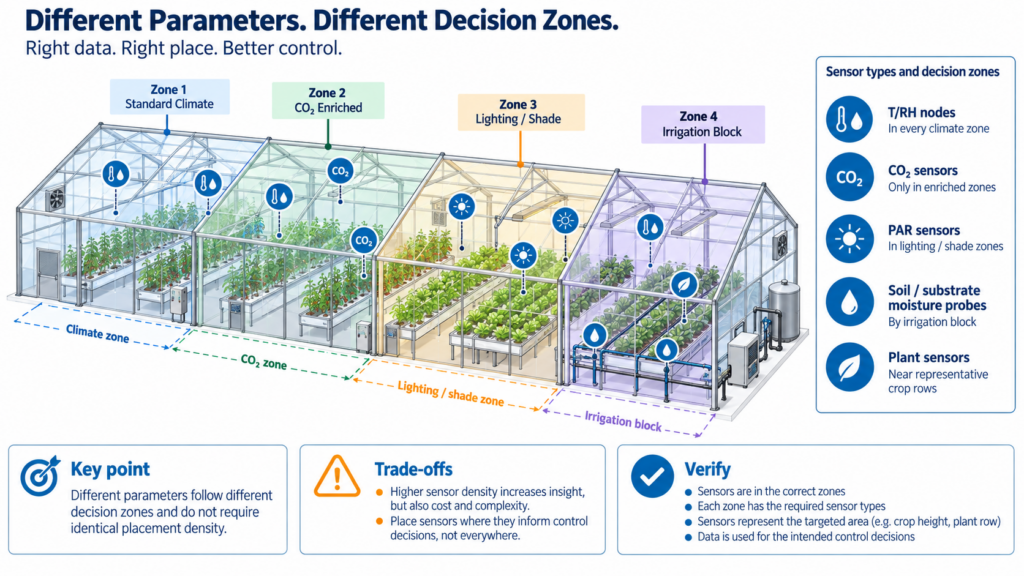
- My device isn't synchronising with the IoT platform. Why?Please check the following things:
- Check that the device is powered on. Press the button and listen for a beep. This will make the device manually sync the data. If the indicator flashes green, then the sync is working. If it flashes red once then there is another problem. Try the next steps.
- Check that the device has sufficient battery power for the WiFi to work. WiFi takes a lot of power -- the device may be on, but unable to connect to the WiFi. If you have access to recent readings from the device, check if the voltage has dropped below 2.6v. If so, try changing the batteries.
- Make sure your device's WiFi router has a working Internet connection (for instance, try to access www.ubibot.com using a mobile connected to the same WiFi). Without an Internet connection, the device won't be able to connect to the IoT platform.
- Check that the WiFi connection is working properly, if need be, go through the WiFi setup again.
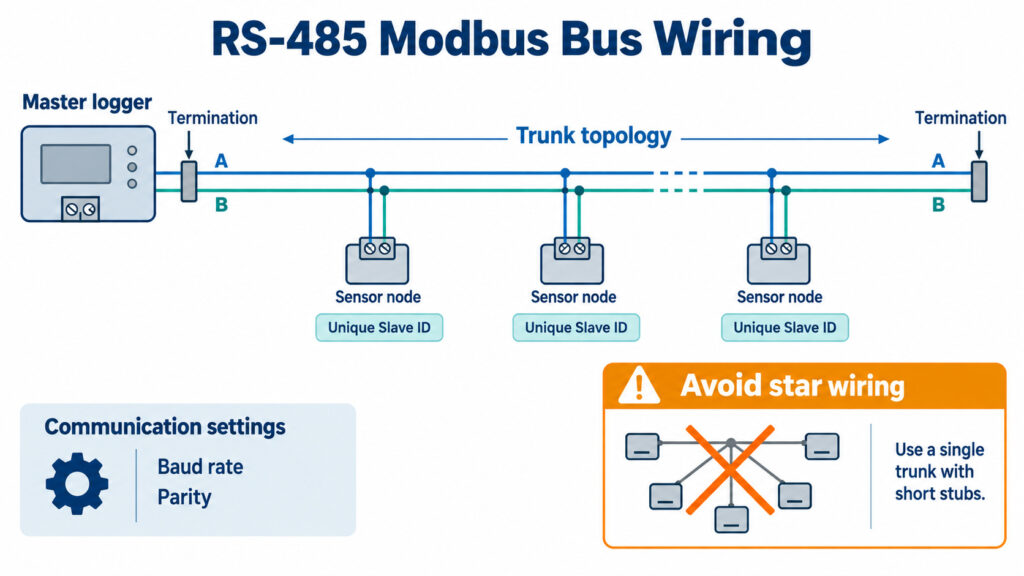
How often are data measurements taken and what is the default frequency for data synchronization?
By default your device will take readings every 5 minutes and will sync with the IoT Platform every 15 minutes. The measurement and data sync frequency can be changed under the device Settings tab in the App. Remember, the more frequently it syncs, the shorter your battery life. And if the frequency is set too high, the frequent WiFi usage may increase the internal temperature of the device, in which case the measured temperature may be inaccurate. Therefore, we recommend to set the sync frequency to a value higher than 10 minutes and the measurement frequency to the same or shorter interval than the data sync.
UbiBot <sup>®</sup> WS1– A Wireless Smart Multi-Sensor Device New Born in IoT Industry

You've likely heard the phrase "Internet of things"-- or IoT, which is the third revolution of world's information and technology development. The IoT allows objects or environment to be sensed or controlled remotely across existing network infrastructure, creating opportunities for more direct integration of the physical world into computer-based systems, and resulting in improved efficiency, accuracy and economic benefit in addition to reduced human intervention.
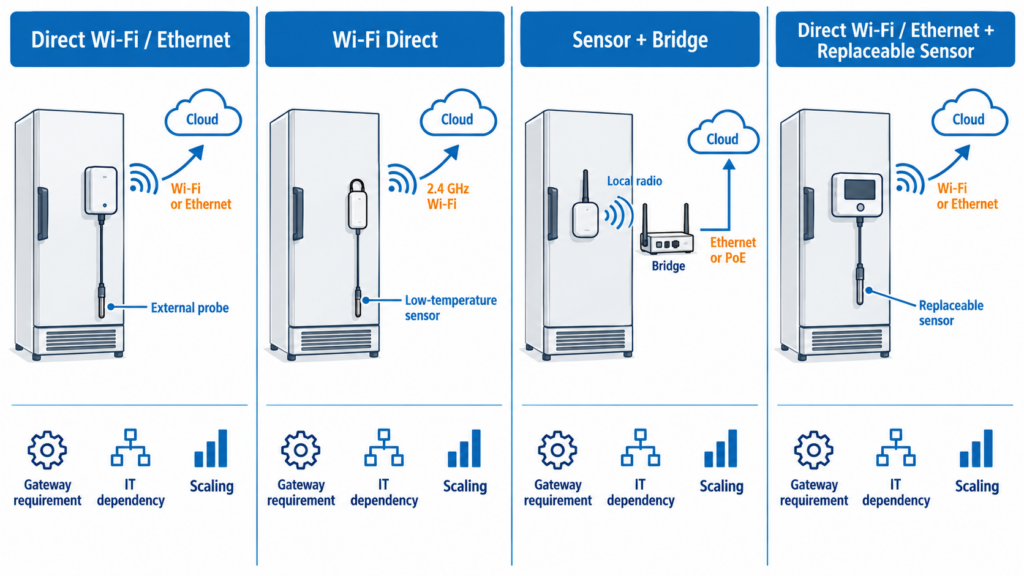
"Things", in the IoT sense, can refer to a wide variety of devices. Here with more than three years R&D, we've launched a new production that has authorized patents for invention and design-- UbiBot
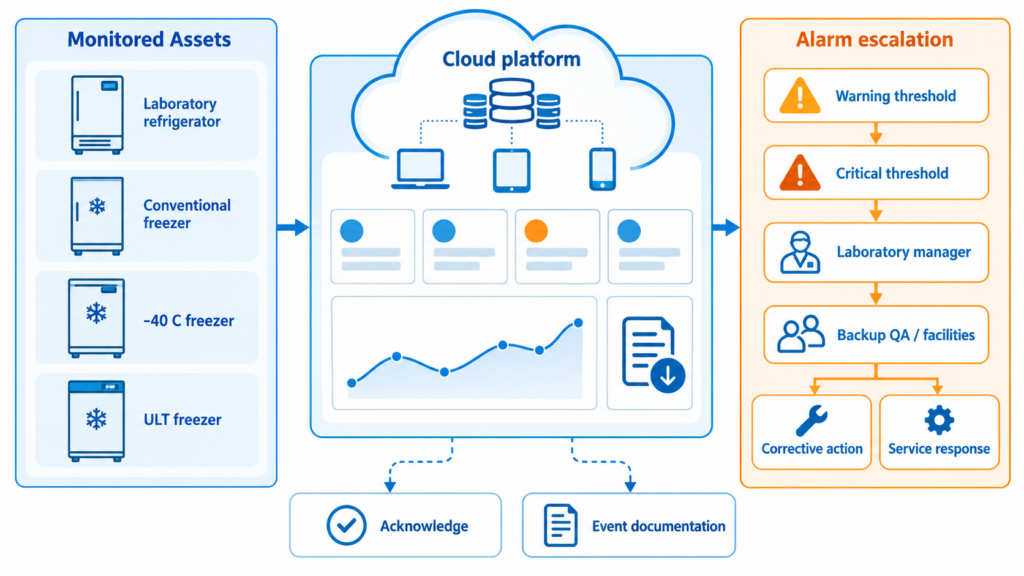
® WS1.

The UbiBot
® WS1 is a smart wireless multi-sensor device. The WS1 makes monitoring environmental conditions easier than ever before.

The integrated sensors give fast, accurate measurements and the device periodically synchronizes all data to the UbiBot
® IoT Platform via WiFi. The IoT Platform offers custom monitoring, analysis, reports and alerts. All your data and reports are stored securely, and can be accessed via the web or the UbiBot
® mobile APP.

With its wireless monitoring capabilities and online access to the data, our multi-sensor WS1 has been used in numerous industries.
- Agriculture Monitoring - Horticulture

UbiBot
® gives you confidence that your plants are thriving by providing wireless real-time temperature, humidity and light data.
- Art Masterpieces Monitoring - Museum and Gallery

Historic relics, paintings, sculptures are extremely precious and need to be carefully preserved. The slightest change in temperature or humidity could damage them. Museum and gallery curators can use the UbiBot
® WS1 to monitor the environment remotely through real-time visibility of environmental conditions and configurable alerts if conditions ever change.
- Pharmaceutical Monitoring - Pharmacy

Environmental condition are critical when storing medications. UbiBot
® gives you round the clock monitoring of storage conditions to ensure quality and safety.
- Industry Monitoring - Warehouse

UbiBot
® provides you with real-time wireless monitoring of storage conditions in your warehouse. Monitor conditions remotely, or out of hours, and give yourself peace of mind that all's well.
- Industry Monitoring - Wine Cellar

Wine is best kept at 50% ~ 70% relative humidity and needs a consistent cool temperature. By installing UbiBot
® WS1 sensors in your wine cellar you are assured that you will be notified of any deviation from the ideal conditions.
- Industry Monitoring - Server Room

UbiBot's 24/7 environment monitoring and advanced real-time alerts can warn you about problems in your server room before they become critical.
UbiBot will offer you the most advanced solution to protect what you care about!
Why the soil sensor humidity increase and drop significantly?
About Humidity Readings:
When you use the default settings of the humidity sensor (absolute humidity), you may see there will be significant increase to 100% after you irrigate the soil. Then, after a short period of time, the reading drop sharply from 100% to about 30%. Please be assured, all of our soil sensors have been calibrated in the factory. Calibration including data points is conducted by placing the sensor in the air to reach the minimum of 0% and pure water to reach the maximum 100%. For very wet soil, the reading is expected to be around 30% depends on the soil type. Please note that when the soil is waterlogged, the reading may jump from the values of 30%-35% to 100% as it is very close to the situation of soaking the sensor in the pure water.
Therefore, you don't need to calibrate the sensor when the above phenomenon happens.
Warranty of Ubibot Sensors
- The Ubibot sensor is warranted to be free of defects in materials and workmanship for a period of up to One Year from the original purchase date. To claim under this limited warranty and to obtain warranty service, please contact customer service or local distributor to obtain instructions on how to pack and ship the product to us.
- The following situations will not be covered by the warranty:
- Issues arising after the warranty period has ended.
- Malfunction or damage caused by improper handling or not operating the sensor according to the instructions.
- Damage occuring from using sensor outside the recommended temperature and humidity range, damage from applying excessive force to the sensor cable and connector.
- Natural wear and aging of materials. Failure or damage caused by unauthorized removal of the parts.
- We are only liable for faults due to manufacturing or design.
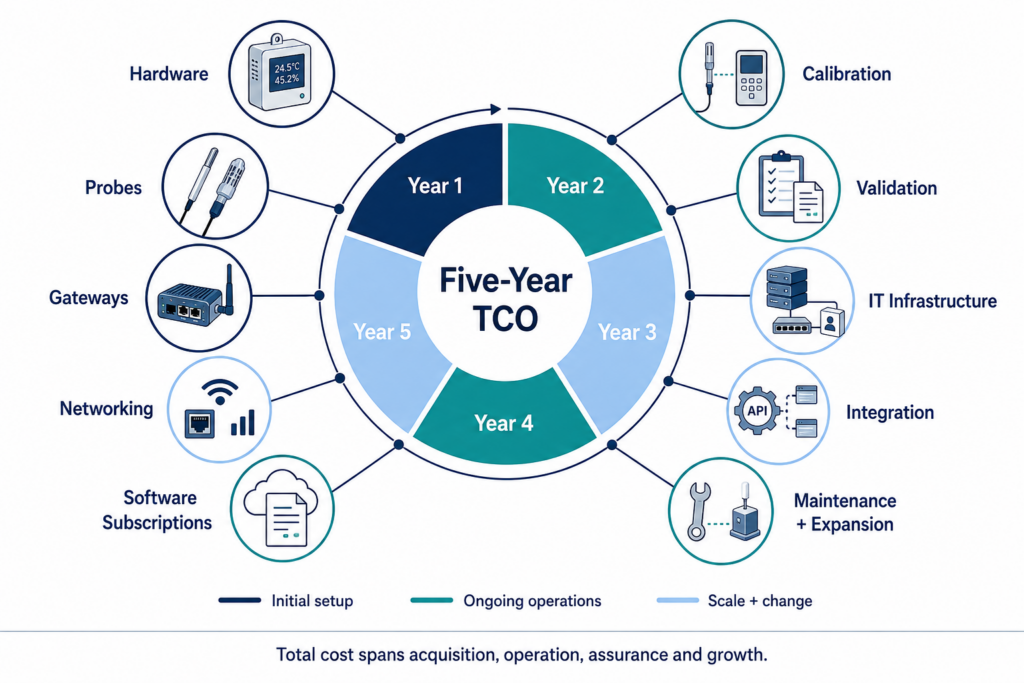
- We are not responsible for damage caused by Force Majeure or acts of God.
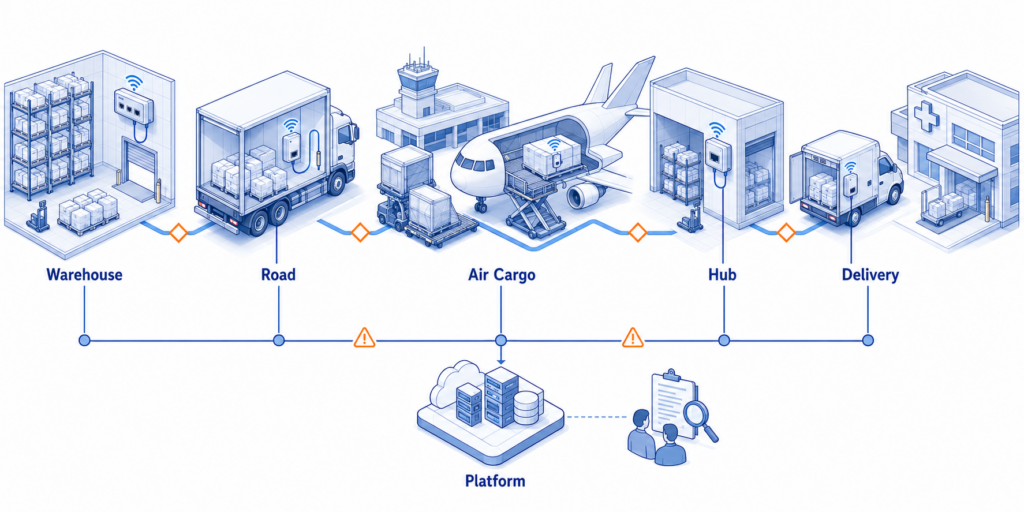
How do I mount the device?
All our devices are lightweight and designed for easy wall mounting using the provided bracket, mounting holes or sticky pads. The WS1 Pro also comes with a stand to allow it to be placed on any surface.
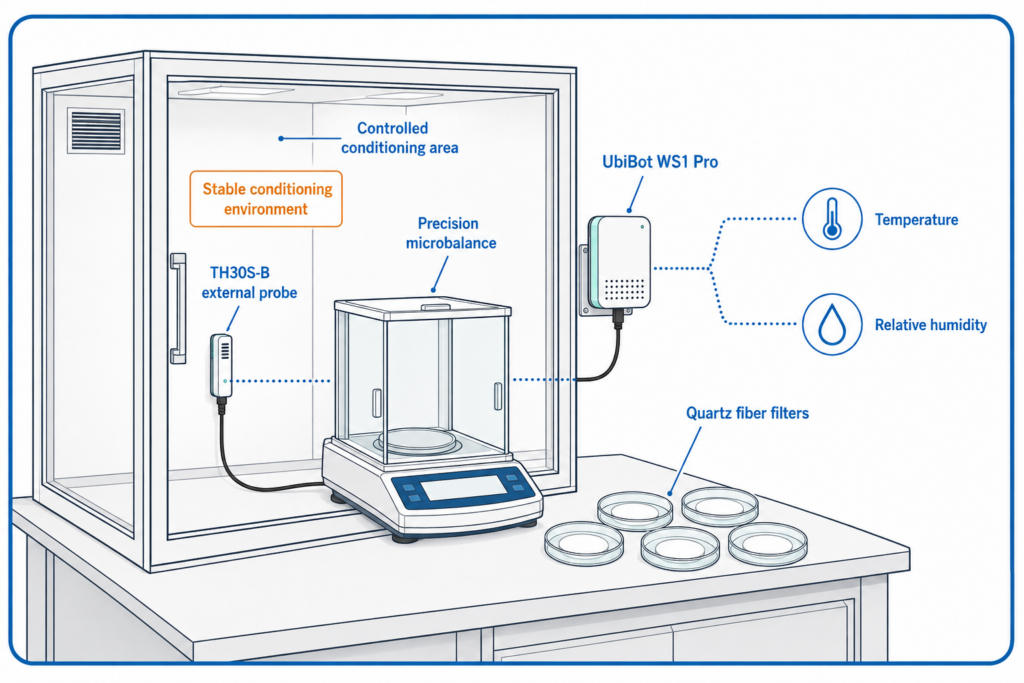
What’s the storage capacity of the device?
WS1, WS1 Pro, GS1, GS2 and AQS1 series have a large built-in memory that can store over 300,000 sensor records. These are synced to our UbiBot ® IoT Platform and old records can then be over-written.
What is the battery life of the WS1?
When using high performance alkaline batteries, the WS1 gives up to 4-6 months continuous use with a 15 minute data sync interval. Choosing less frequent data syncs will extend the battery life.